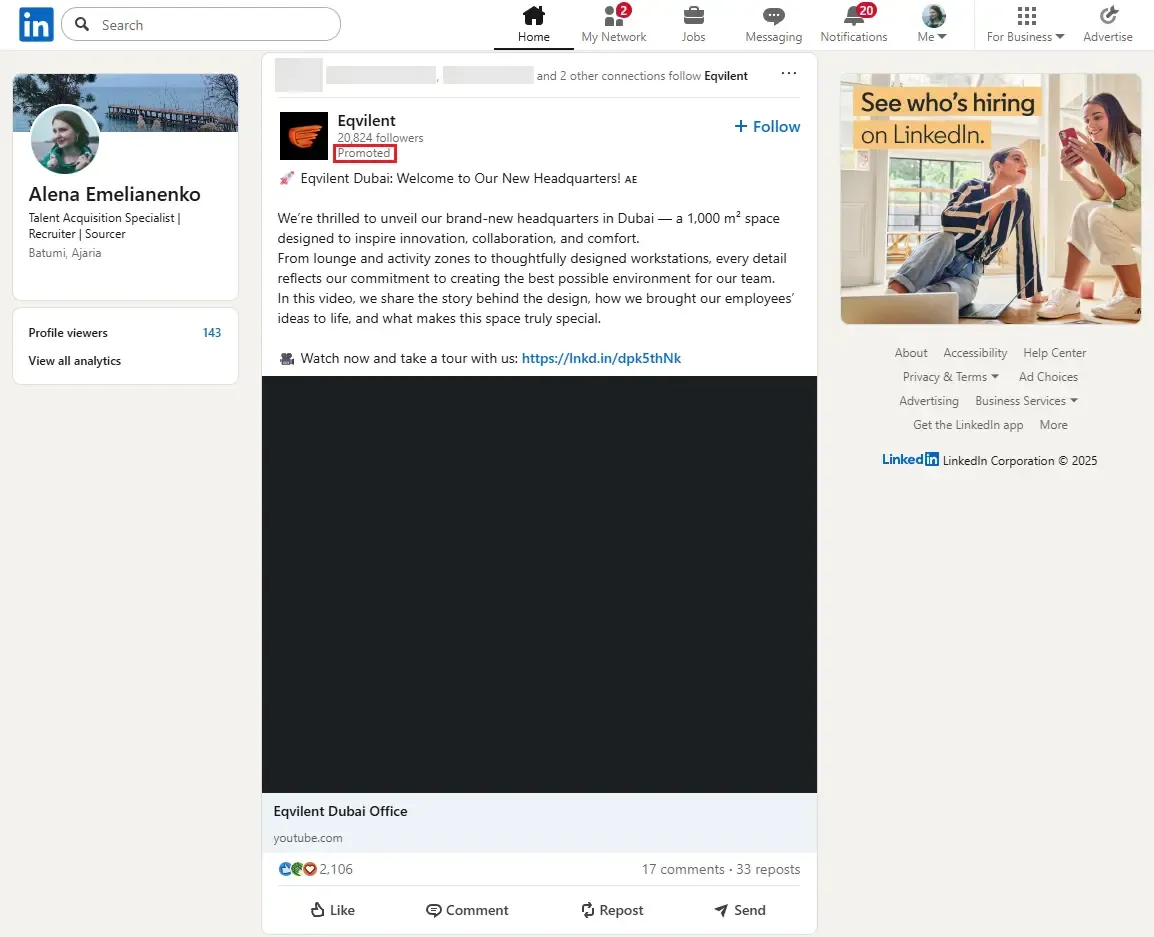
LinkedIn ads are paid messages and placements shown in the professional network's feed, inbox, and sidebar. You can target content to more than 1 billion members worldwide, filtered by job title, company size, skills, or specific account lists. LinkedIn Ads let you run brand awareness, lead generation, or hiring campaigns and track results directly in the platform.
Why LinkedIn Ads Matter
- Precise B2B targeting: combine location with industry, seniority, or uploaded ABM lists.
- High buying power: 65+ million decision-makers scroll the feed, and Sponsored Content typically hits a 0.44–0.65% CTR, well above many display networks.
- Built-in lead capture: pre-filled Lead Gen Forms lift conversion rates 2-3× vs. standard Sponsored Content, with an average form completion rate of ~13%.
Typical users: SaaS growth teams chasing demo requests, recruiters filling niche roles, and agencies running account-based funnels.
How Do LinkedIn Ads Work?
LinkedIn advertising lives inside Campaign Manager.
Follow this workflow to launch your first LinkedIn ad campaign in under 30 minutes:
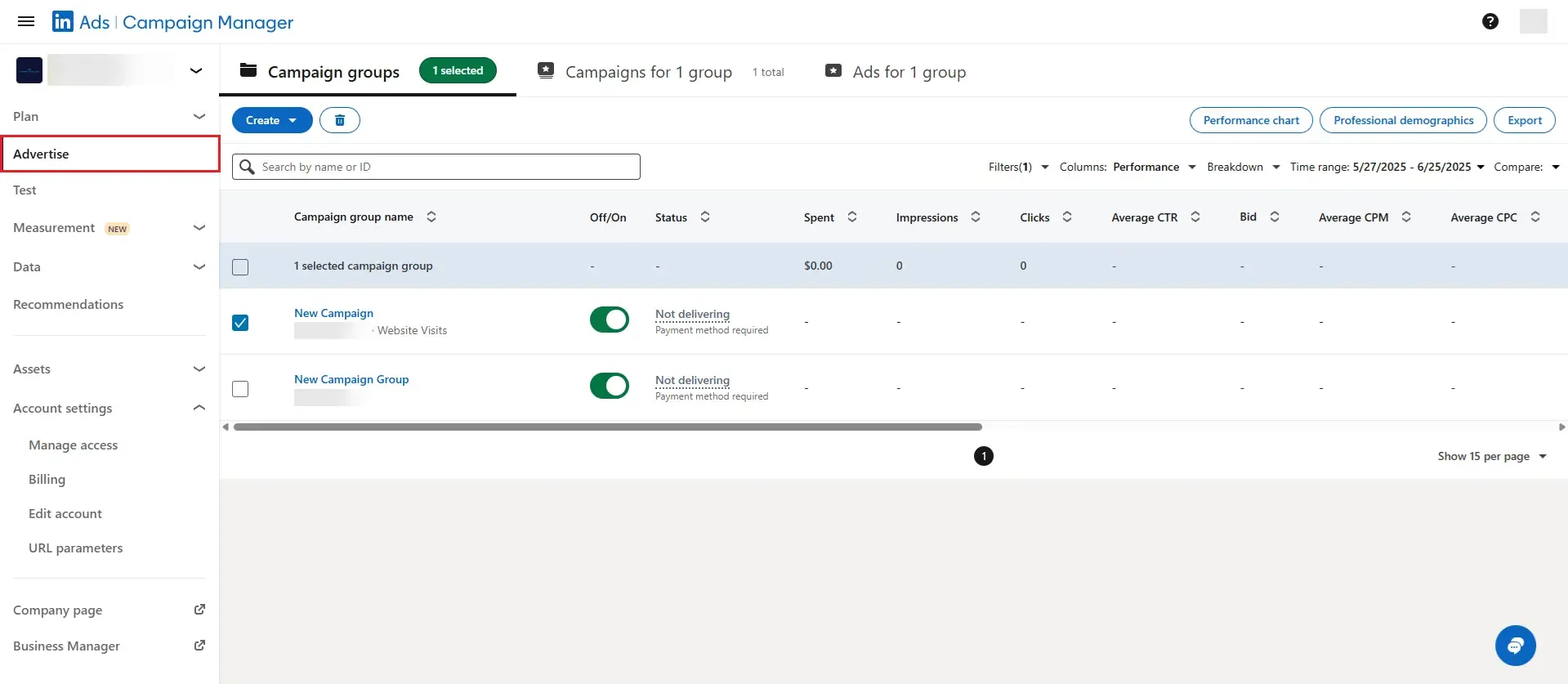
- Create an account – Click "Advertise", pick your Company Page.
- Pick an objective – Awareness, Consideration, or Conversions (lead generation, website actions, job applicants).
- Define the audience – Location is mandatory; then stack function, seniority, firmographics, or upload a CSV of target companies.
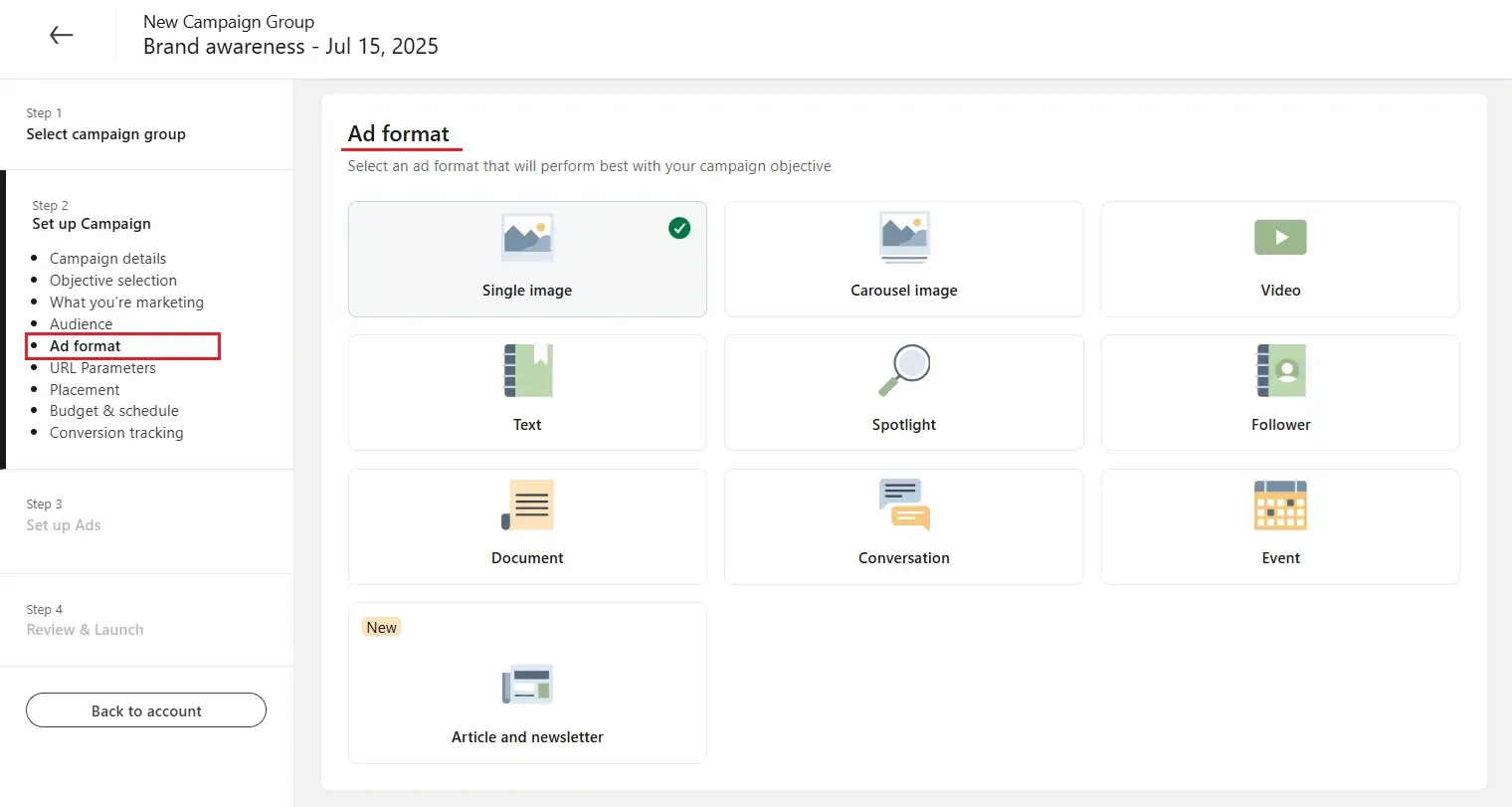
- Select an ad type:
- Sponsored Content (single image, carousel, or video) for in-feed stories.
- Message Ads for one-to-one inbox outreach.
- Text Ads for right-rail PPC testing.
- Dynamic Ads for auto-personalized follower or spotlight units.
- Set budget & schedule – Choose daily or lifetime; start with ≥50K prospects for Sponsored Content/Text Ads (≥15K for Message Ads) so the algorithm can learn.
- Build creative – One strong visual, a 70-character headline, and a single call-to-action.
- Launch & measure – Activate conversion tracking to see cost per lead (CPLs vary widely by industry, offer, and region; many B2B programs see $75–$350+).
For automation tips and advanced strategies, see the Full LinkedIn lead gen ads guide: best practices 2026.
Pricing: What LinkedIn Ads Cost
LinkedIn uses auction-based pricing, letting you bid CPC (cost per click), CPM (cost per 1,000 impressions), CPV (cost per video view), or CPS (cost per send for Sponsored Messaging).
Minimums and billing:
- Minimum daily budget: $10 per campaign
- Minimum lifetime budget for new, inactive campaigns: $100
- LinkedIn recommends budgeting more than $25/day to start; many practitioners suggest $50–$100/day for established accounts. Note: To launch new ad sets within a campaign, you must maintain at least $100 unspent budget (or currency equivalent)
Typical 2025–2026 benchmarks (vary by audience, offer, and region):
- CPC: roughly $5–$12 (wider ranges observed in competitive verticals)
- CPM: common ranges ~$30–$100 depending on format and competition
- CPS (Sponsored Messaging): about $0.50–$1.50 per send
- CPL: typically $75–$350+ in B2B, with significant variation by industry and region (e.g., North America often sees higher CPLs ~$200-$250; EMEA averages ~£90-£100)
Keep in mind that exact costs depend on your objective, audience competitiveness, and creative quality.
Best Practices
- Target no more than three attributes at once; skip audiences under 15K.
- Test at least three creatives per group and pause laggards early.
- Use Lead Gen Forms on mobile to remove friction.
- Refresh ads every 1–3 months to combat fatigue; run 4–5 ads per campaign.
- Track pipeline and revenue, not just CTR.
Common mistakes to avoid: title-only targeting, single-creative sets, missing negative audiences, and forgetting conversion tracking.
Bonus Tips
Consider enabling "Audience Expansion" after the first week to broaden reach; monitor CPC/CPM/CPA after enabling. Also: if video view rates drop, test 5–15-second cuts and keep videos under 30 seconds for awareness/consideration goals. To integrate LinkedIn Ads into a broader funnel, see the LinkedIn Automated Marketing Funnel: Sales Funnel Automation Guide.