LinkedIn Easy Apply lets you send a profile-based application and resume to employers in just a few clicks, skipping most long ATS forms. Select the Easy Apply button, attach your resume, answer any required questions, and submit. It's fast but offers less room for customization.
| Pros | Cons |
|---|---|
| Seconds to submit | Fewer fields to tailor achievements |
| Sends your profile and may include relevant skills | Larger applicant pools |
| Mobile-friendly | Not all listings support Easy Apply; some require completing the application on the employer's site |
| Stores every submission under Jobs → Applied | Occasional "LinkedIn Easy Apply not working" glitches |
Why LinkedIn Easy Apply Matters
- Job seekers who apply in volume (sales reps, recruiters, and junior talent) can submit many applications quickly. Note that Easy Apply has daily and speed limits that may pause rapid submissions.
- Commuters tap once in the mobile app, ideal for discreet searches on a train or bus.
- HR teams fill entry-level or churn-heavy roles quickly while keeping applicants inside LinkedIn’s ecosystem.
- Recruiters who review your application also see your full profile, which can lead to connection requests.
Tip: Want to learn how to find Easy Apply jobs on LinkedIn faster? Save a filtered search, enable daily alerts, and fresh openings will arrive in your inbox each morning.
How Does LinkedIn Easy Apply Work?
- Open Jobs → Search and toggle the Easy Apply filter.
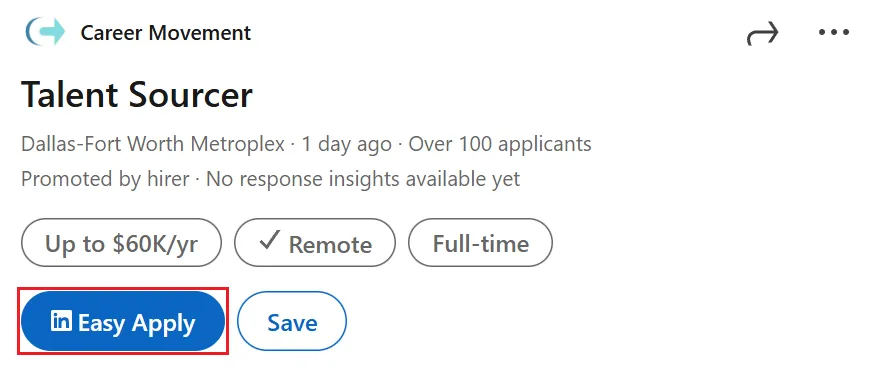
- Choose a posting and click Easy Apply.
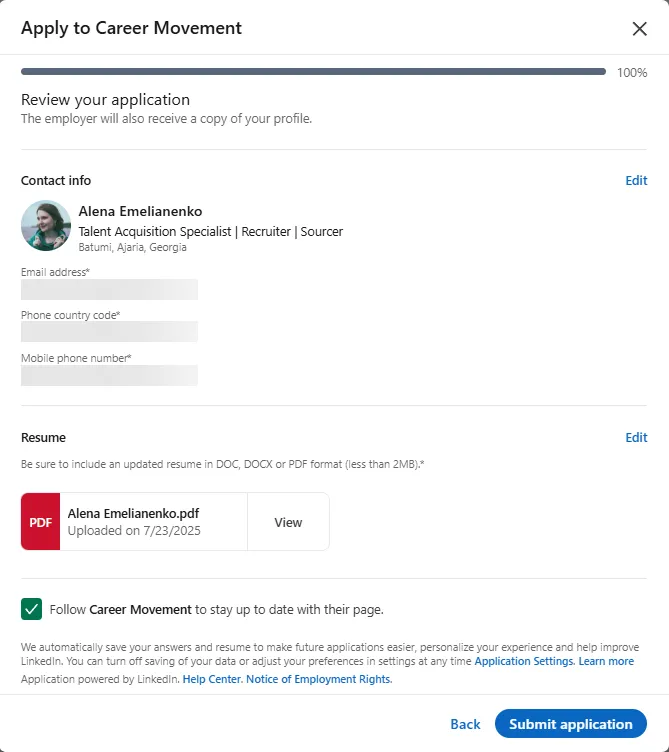
- Upload your LinkedIn Easy Apply resume (DOC, DOCX, or PDF; keep it under 2 MB).
- Answer any screening questions (e.g., work authorization, start date, expected compensation).
- Hit Submit application. You'll see a submission confirmation.

Best Practices
- Optimize your Headline, About, and Skills for role-specific keywords so Easy Apply auto-pulls the right data.
- Rename files clearly—
First_Last_Role.pdf—to stand out in recruiters' downloads. - Always attach a tailored resume, even when the field shows “optional.”
- Preview on mobile; Easy Apply on LinkedIn sometimes changes formatting on smaller screens.
- If multiple steps appear, review carefully. Employers can add custom screening questions.
- If you hit errors, clear cache/cookies or try another browser; intermittent platform issues are also reported.
Bonus Tips
- Follow the company page and click I'm interested on their Page or job details to appear in LinkedIn Recruiter's "Interested in your company" Spotlight.
- Minutes after submitting, send a concise InMail to the job poster. This extra step can help you stand out from other applicants.
- Track progress under Jobs → Applied and schedule a polite follow-up seven days later.
One-click speed is useful, but only if your documents are polished. Treat Easy Apply as a quick way to get in front of recruiters, not a place to send untailored resumes.