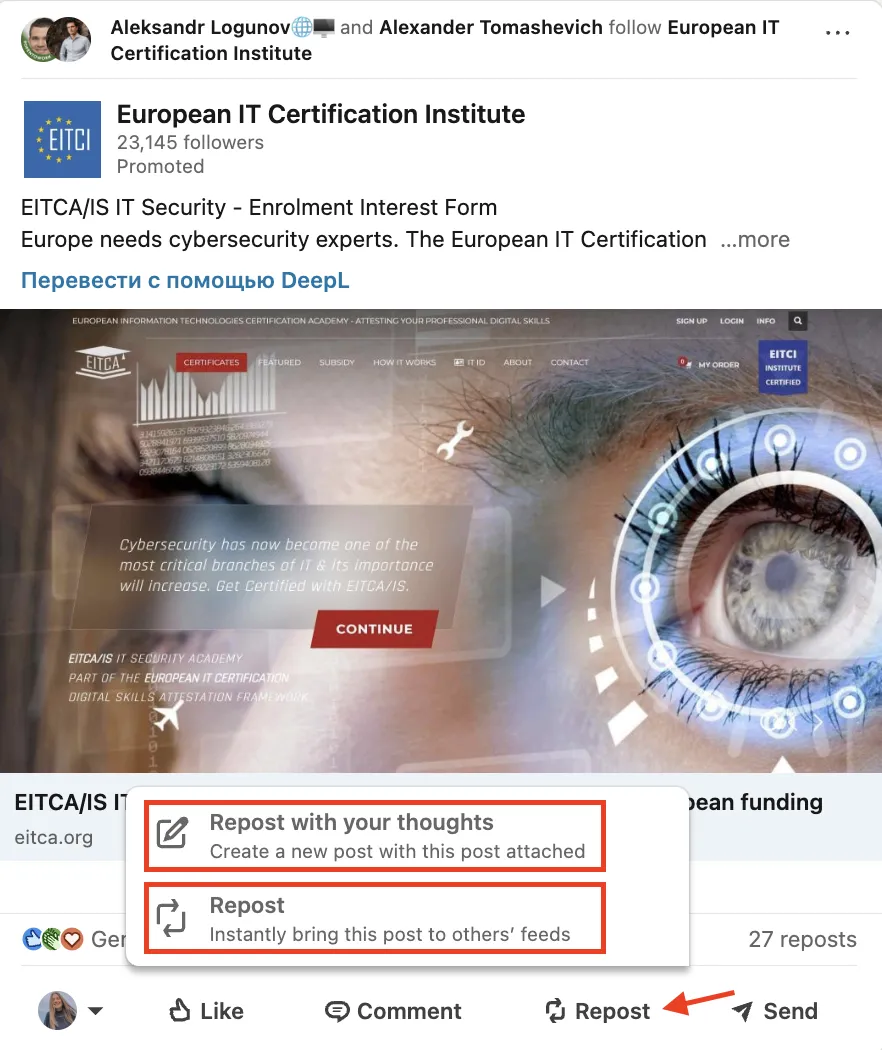
LinkedIn Share (officially called Repost) is the built-in feature that lets you forward any public item (articles, status updates, videos, or job posts) to your network with one click. Click Repost under a post, add a short comment, choose who should see it, and press Post. You can also use Send to share privately via direct message. LinkedIn's algorithm ranks and expands distribution based on predicted relevance and meaningful interactions.
Recruiters, marketers, consultants, and founders use it to:
- Share employer-brand stories and reach passive candidates.
- Post job openings in niche communities or alumni groups.
- Start discussions by sharing research or news.
- Promote webinars, whitepapers, or events without paid ads.
- Add personal commentary to long-form LinkedIn articles.
LinkedIn's own data shows that employee-reshared posts get on average 2x higher click-through rate (CTR) than updates from Company Pages alone. That makes employee sharing worth encouraging.
If you want to learn more about maximizing your LinkedIn presence, check out Building a Strong LinkedIn Presence: 15 Effective Strategies.
How Does LinkedIn Share Work?
- Click Repost under any public update (or use Send to share privately).
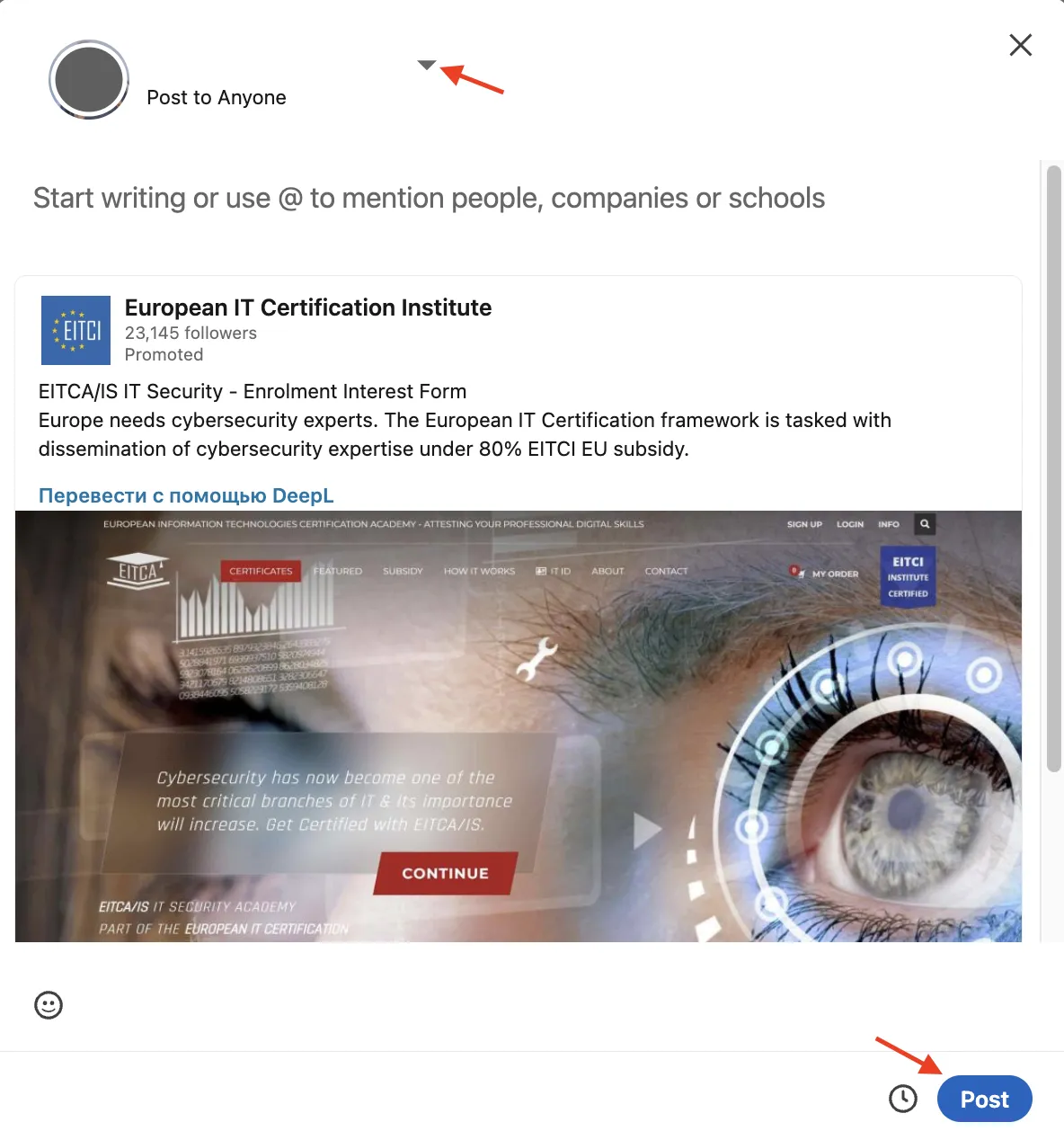
- In the dialog window:
- Hook readers with a headline or question (the first 1–2 lines, roughly 140–210 characters depending on device, are visible before "see more").
- @Mention speakers, colleagues, or brands to trigger their notifications.
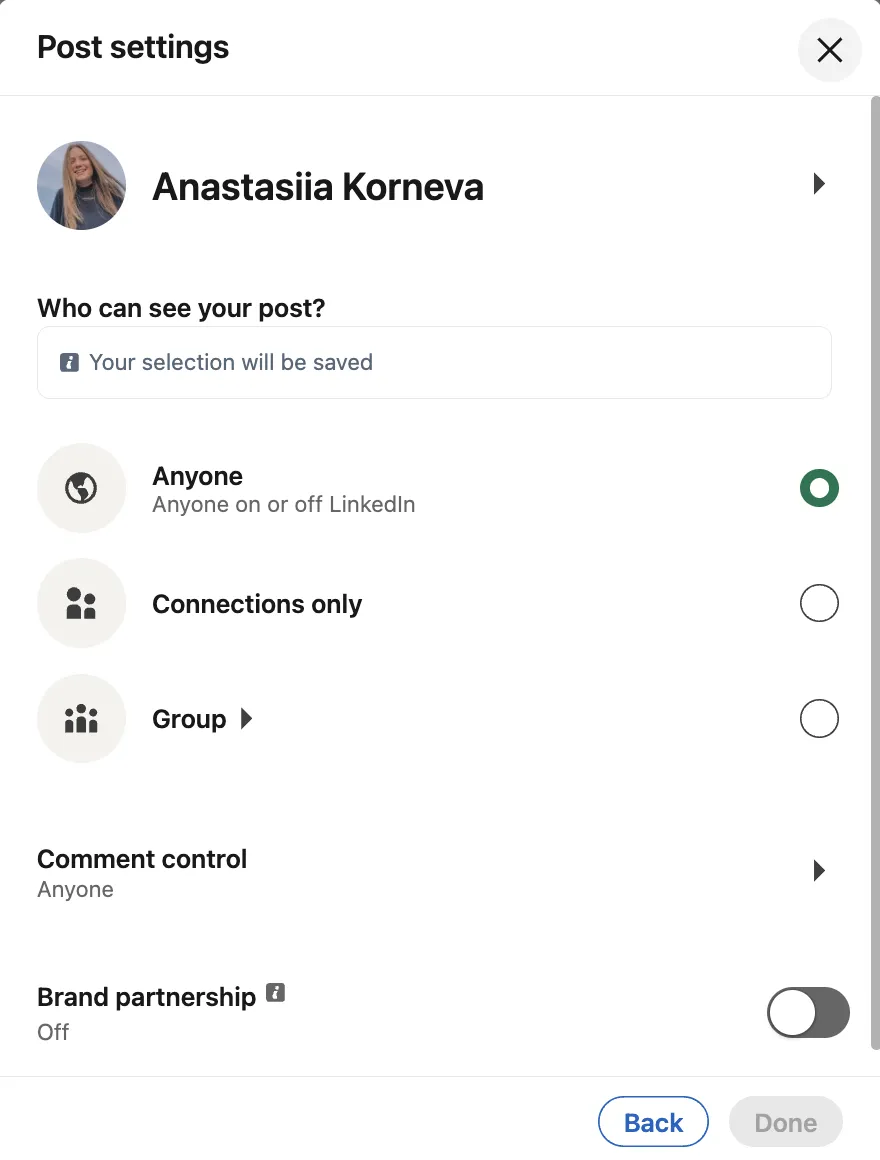
- Choose the audience: Anyone (Public) or Connections only. To share in a Group, post directly within that Group instead.
- Press Post. Your audience may see it quickly, but distribution is ranked by relevance; early quality engagement can help the algorithm expand reach to second-degree networks.
Pro tip: Page admins can use Notify employees on important Page posts (e.g., a post about an open role) to prompt co-workers to help amplify the message. This feature can be used once per day, with delivery based on relevance.
For more on how the algorithm decides what gets shown, see How Does the LinkedIn Algorithm Work? [+2026 Changes].
Best Practices
- Lead with value. State the takeaway or emotional angle in sentence one.
- Avoid "link drops". Always pair the URL with an opinion, statistic, or question that invites reaction.
- Use one to three precise hashtags for categorization, not clutter.
- Post when professionals browse most: weekdays during work hours, with Tuesday often being the most active day (though optimal timing depends on your audience).
- Invite discussion. Meaningful comments carry more weight than likes in LinkedIn's algorithm, and replying promptly keeps the thread active.
- Add a market-specific example when re-sharing corporate content. It makes generic announcements more relevant to your audience.

Bonus Tips
- Schedule posts with LinkedIn's native planner or a certified partner tool to hit multiple time zones while you sleep (note: some post types, like job posts, cannot be scheduled).
- Turn on Share job changes, education changes, and work anniversaries from profile (Settings → Visibility → Share profile updates) so promotions or new roles auto-broadcast to your network (updates may take up to 2 hours for jobs).
- Tag an industry influencer when appropriate; collaborative threads can increase visibility and organic reach.
- Follow the 4-1 rule: share four useful posts for every sales pitch. It keeps your audience engaged instead of tuning you out.
- Add a LinkedIn sharing widget to your blog so visitors can distribute articles without leaving the page.
Use the share feature with intent and your posts will reach more people. The goal is starting real conversations, not just broadcasting.