
 Updated: September 8, 2026
 5 min read
Your LinkedIn profile is a public professional page visible to more than 1 billion members worldwide. It combines your resume, contact info, and work samples into one searchable place. Anyone can look you up and decide in seconds whether to hire you, buy from you, or reach out.
Over 11,000 job applications are submitted on LinkedIn every minute. Each one starts with someone viewing a profile.
If a colleague asks, "What is a LinkedIn profile?" the short answer is: it's where your professional story lives online so opportunities can find you.
Why Your Profile Matters
Recruiting and Job Search
- Most recruiters evaluate candidates on LinkedIn before scheduling an interview.
- Skills-first hiring is on the rise, with many professionals valuing verified skills over degrees.
- Candidates who display media, metrics, and recommendations stand out to recruiters.
- Example: After adding a 60-second project reel and quantifying her “Marketing Specialist” role with ROI figures, Sara doubled her InMail responses within two weeks.
Marketing and Sales
- Social selling leaders with high SSI scores create 45% more opportunities than peers with lower scores.
- A complete, polished profile lends credibility to your posts and content.
- A polished presence builds social proof that shortens sales cycles.
- Example: A B2B SaaS rep swapped a product-heavy headline for a value-focused one (“Helping CFOs Unlock 15% Cash Flow”) and booked three demos from cold profile views alone.
Thought Leadership and Networking
- Search ranking depends on your profile completeness, activity, and the searcher's behavior. "People Also Viewed" suggestions are based on what other viewers clicked.
- LinkedIn Premium generates $1.7B annually. Verified members see 60% more profile views and 50% more engagement on average.
- Articles pinned in "Featured" continue attracting followers months after you publish them.
Whether you're looking for a job, clients, or industry credibility, your profile is often the first impression.
How the Profile Works
LinkedIn indexes every field (headline, about, experience, and skills), so keywords matter for discovery.
Ranking depends on:
- How well your profile matches the searcher's terms
- Shared connections and groups
- Engagement signals like content, reactions, and recommendations
Learn more about how LinkedIn ranks and surfaces profiles in feeds, and how you can improve your reach by understanding how the LinkedIn algorithm works.
Section-by-Section Breakdown
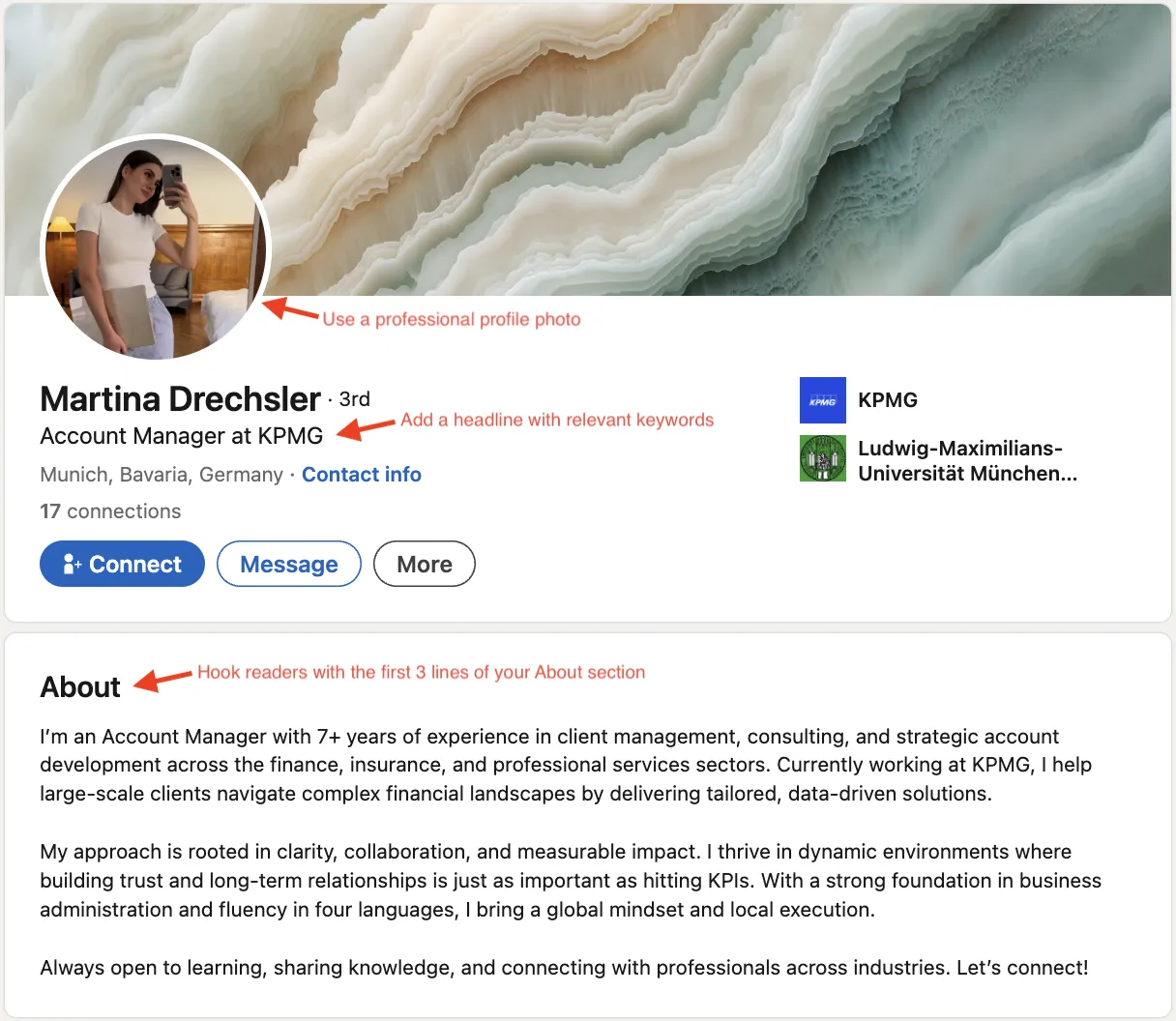
Photo
- Size: 400×400px (max 8MB; PNG/JPG)
- Use a clear, recent headshot
- Neutral backdrop; face should fill about 60% of frame
Background Banner
- Size: 1584×396px
- Show your brand colors, tagline, or product
Headline
- Limit: 220 characters
- Go beyond your job title: "SaaS Growth Marketer | 2x ARR at Series B Startups"
- Include one keyword plus a value hook
- Use symbols like "|" or "-" to separate clauses
Name Pronunciation
- Limit: 10-second audio
- Record it once to help others pronounce your name correctly
About / Summary
- Limit: 2,600 characters
- Open with what you do, back it with metrics, close with a call to action
- Use short paragraphs and bullets
- Structure: Problem, Solution, Proof, Invitation
Experience
- Title limit: 100 characters
- Description limit: 2,000 characters
- Start each role with an outcome: "Grew MQLs 78% YoY"
- Attach media like case studies, decks, or PDFs
- Include 3-5 niche keywords for recruiter searches
Education
- No size limit
- Add coursework or thesis keywords relevant to target roles
- Honors and extracurriculars help early-career profiles
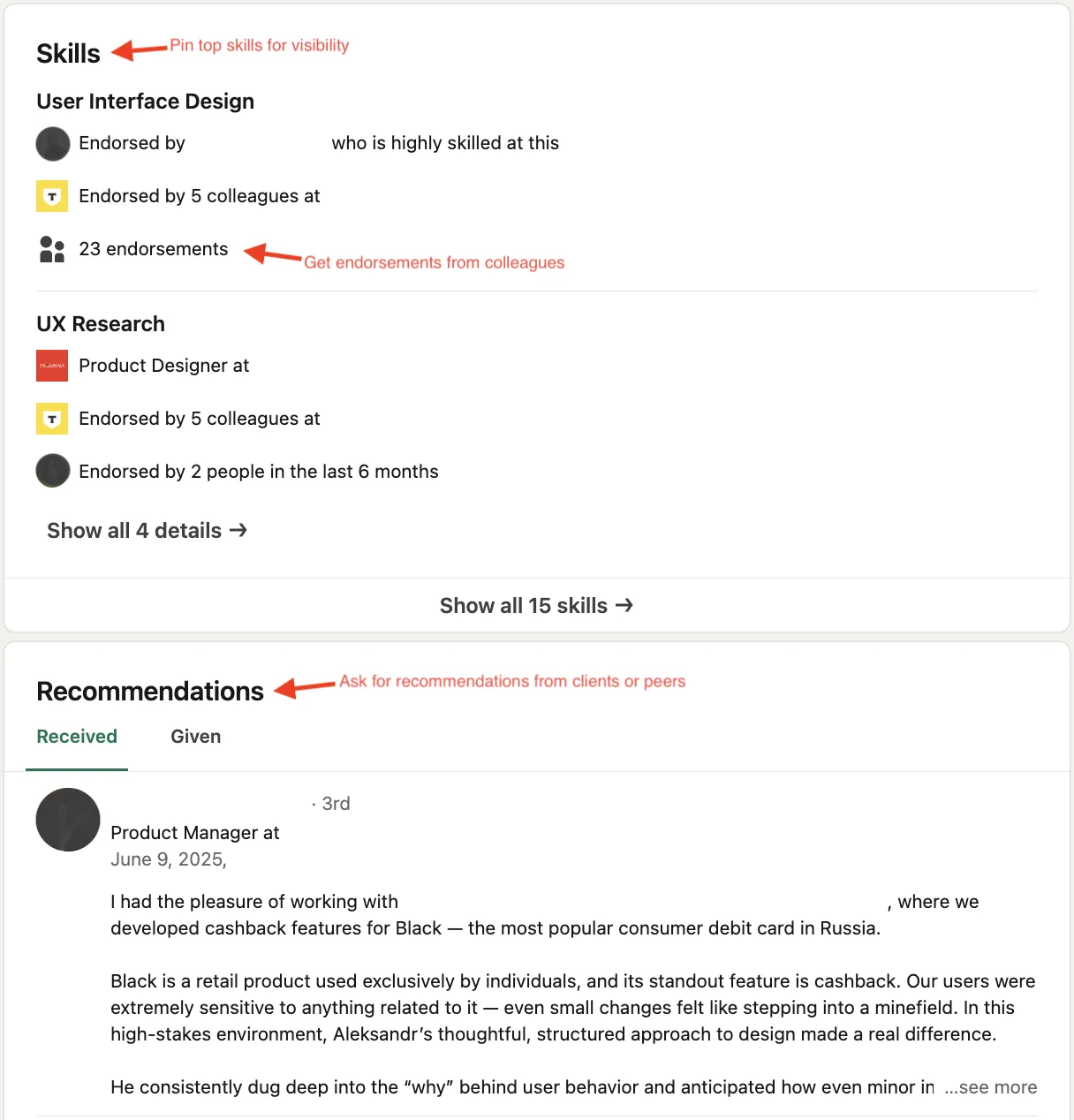
Skills
- Max: 100
- Highlight up to five in your About section; update annually
- Endorsements for communication and leadership are common recruiter filters
- Show validated skills through projects, licenses/certs, and featured work
Recommendations
- Target: 3-5 recent ones
- Ask ex-managers, peers, and clients to cite specific metrics
- Give endorsements to encourage reciprocation
Featured Content
- You can add multiple items; pinning profile content may require Premium
- Pin a top-performing post, article, podcast, or portfolio piece
- Rotate quarterly to show recent work
Licenses and Certifications
- No size limit
- Add relevant industry certifications and professional licenses
- Include expiration dates to show credentials are current
Real-World Makeover
Before: Jane, an IT Manager, had an empty banner, a job-title-only headline, and copy-pasted resume bullets under Experience. Her page appeared in recruiter searches twice a week.
After a weekend revamp she:
- Uploaded a branded skyline banner matching her company colors
- Changed her headline to "IT Manager | Cut Cloud Spend 22% at Fortune 500 Scale"
- Rewrote Experience bullets as quantifiable achievements and added a 90-second demo of her cost-optimization dashboard
Result: page views jumped 340%, six recruiters reached out, and Jane accepted a new role with a 15% salary increase within 30 days.
Best Practices
Keyword strategy: Mention your primary term naturally three to four times. Use variations like "my LinkedIn profile" or "LinkedIn profile page" no more than once each.
Write for humans, format for search: Bullets are easier to scan than paragraphs. Break long sections with H2/H3 headers, especially in Articles or Newsletters. Skip the buzzwords; show results instead.
Keep it current: Update wins quarterly. The average member changes roles every 2-3 years, so set a reminder to review your profile each season.
Accessibility: Add alt text to images you share in posts and articles for screen reader accessibility. Enable name pronunciation. Aim for 11th-grade readability or lower.
Compliance and trust: Verify your employer or government ID to get the "Verified" badge, which increases profile views. Make sure job titles match your official HR records to avoid background-check issues.
Common mistakes:
- No photo, or a party selfie
- Overstuffed headline with words like "ninja," "rockstar," or "wizard"
- Copy-pasted resume bullets with no results
- Out-of-sequence dates that raise recruiter red flags
For more hands-on advice, check out LinkedIn 101: How to Build the Perfect Profile.