LinkedIn gives you direct access to more than 1 billion members worldwide, but the reach is never free. Below is a five-minute cheat-sheet that breaks down LinkedIn ads cost so you can build a realistic media plan.
What is LinkedIn Ads Cost?
LinkedIn Ads Cost is the amount you pay each time your ad wins the auction and serves on the platform. Typical 2026 benchmarks:
- Average CPC: $5–$9
- Average CPM: $28–$35 (can reach $50+ for premium audiences)
- Minimum daily budget: $10
These figures are benchmarks. Your actual costs depend on industry, target audience, and competition.
Common pricing models:
- CPC: pay per click
- CPM: pay per 1,000 impressions
- CPV: pay per video view (2+ seconds with ≥50% in view)
- CPS: pay per message send (Sponsored Messaging/Conversation Ads)
- Lead Gen Forms: billed by impressions, clicks, or sends depending on objective and bidding strategy (no per-lead billing)
Costs move with bid, audience size, competition, and ad format. You choose the model inside Campaign Manager during setup. For more details on optimizing your funnel, see the LinkedIn Automated Marketing Funnel: Sales Funnel Automation Guide.
Why LinkedIn Ads Cost Matters
Knowing the real numbers lets marketers and recruiters:
- Forecast spend and ROI before launch.
- Compare LinkedIn advertising costs with Facebook or Google to pick the best channel.
- Defend budgets in front of finance.
- Tune bids to lower costs without killing reach.
- Plan ABM or talent-search campaigns that rely on tight B2B targeting.
For more on lead generation strategies, see the Full LinkedIn advertising guide.
How Does LinkedIn Ads Cost Work?
- Choose an objective (Website Visits, Leads, Talent Leads, etc.). The objective sets the billable event. Note: Talent Leads requires an active LinkedIn Recruiter contract.
- Set a bid or select “Maximum Delivery.” Each impression triggers an auction.
- LinkedIn scores every ad on bid + predicted engagement. Highest total wins and pays just enough to beat the runner-up.
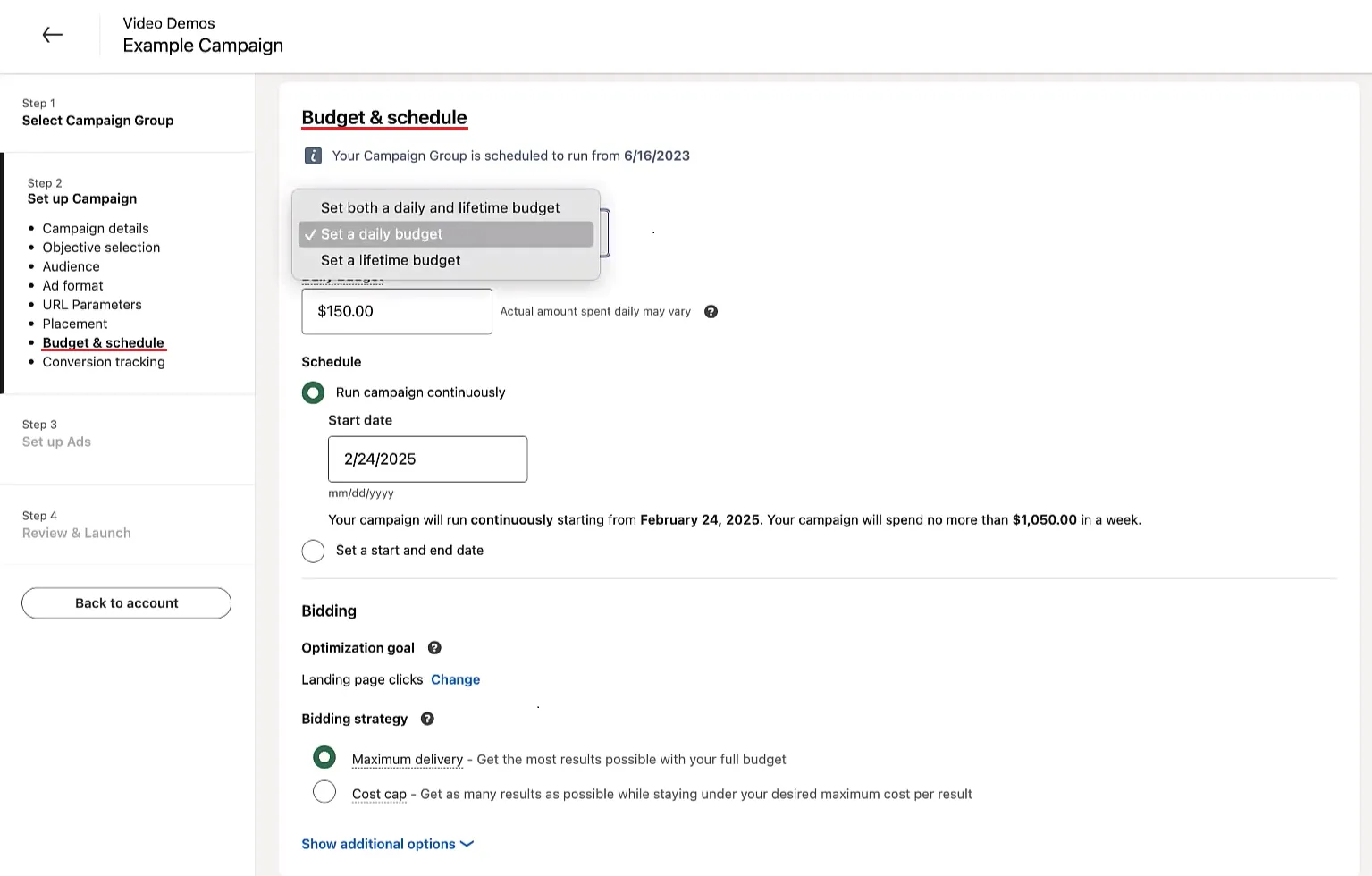
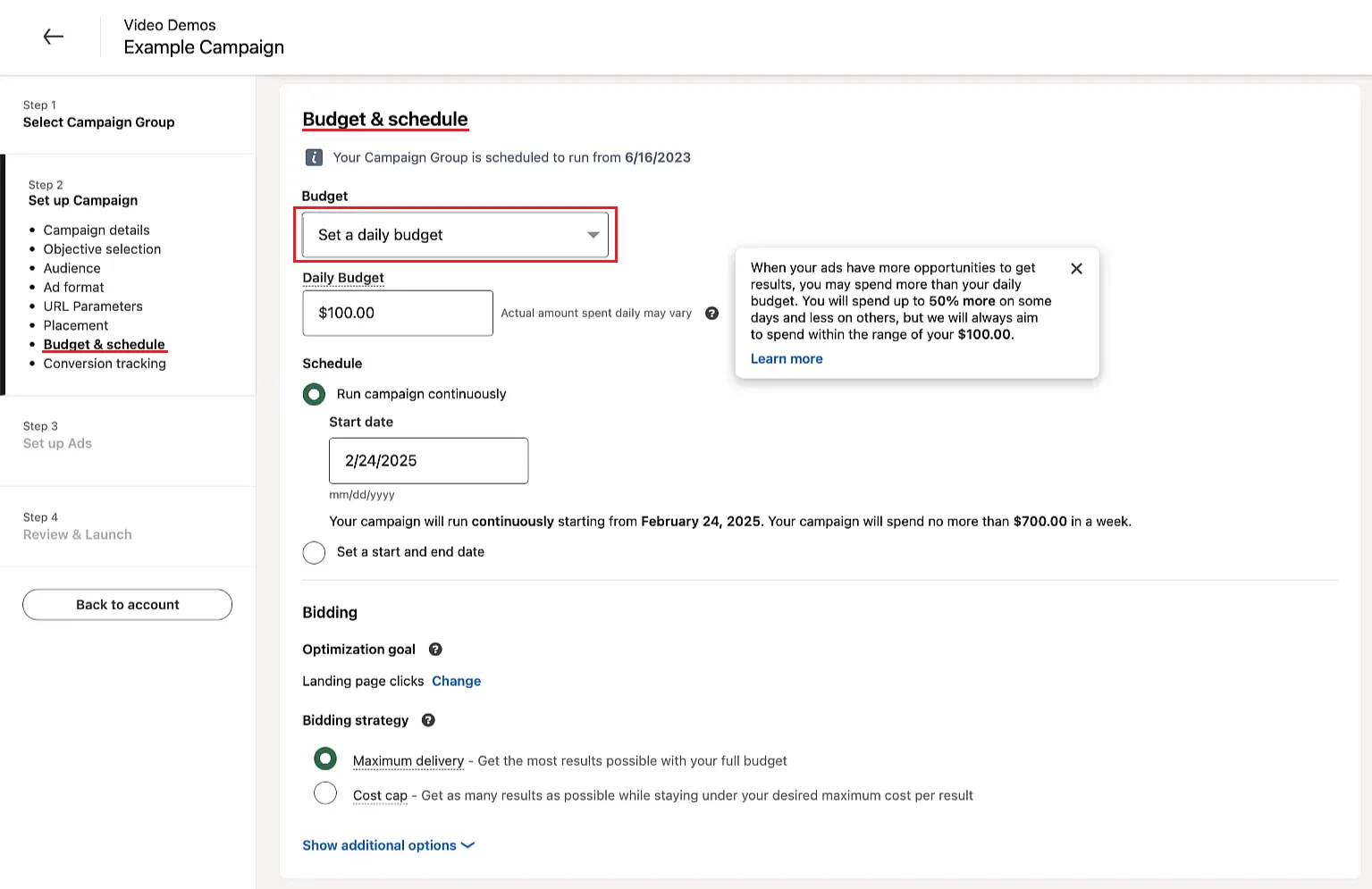
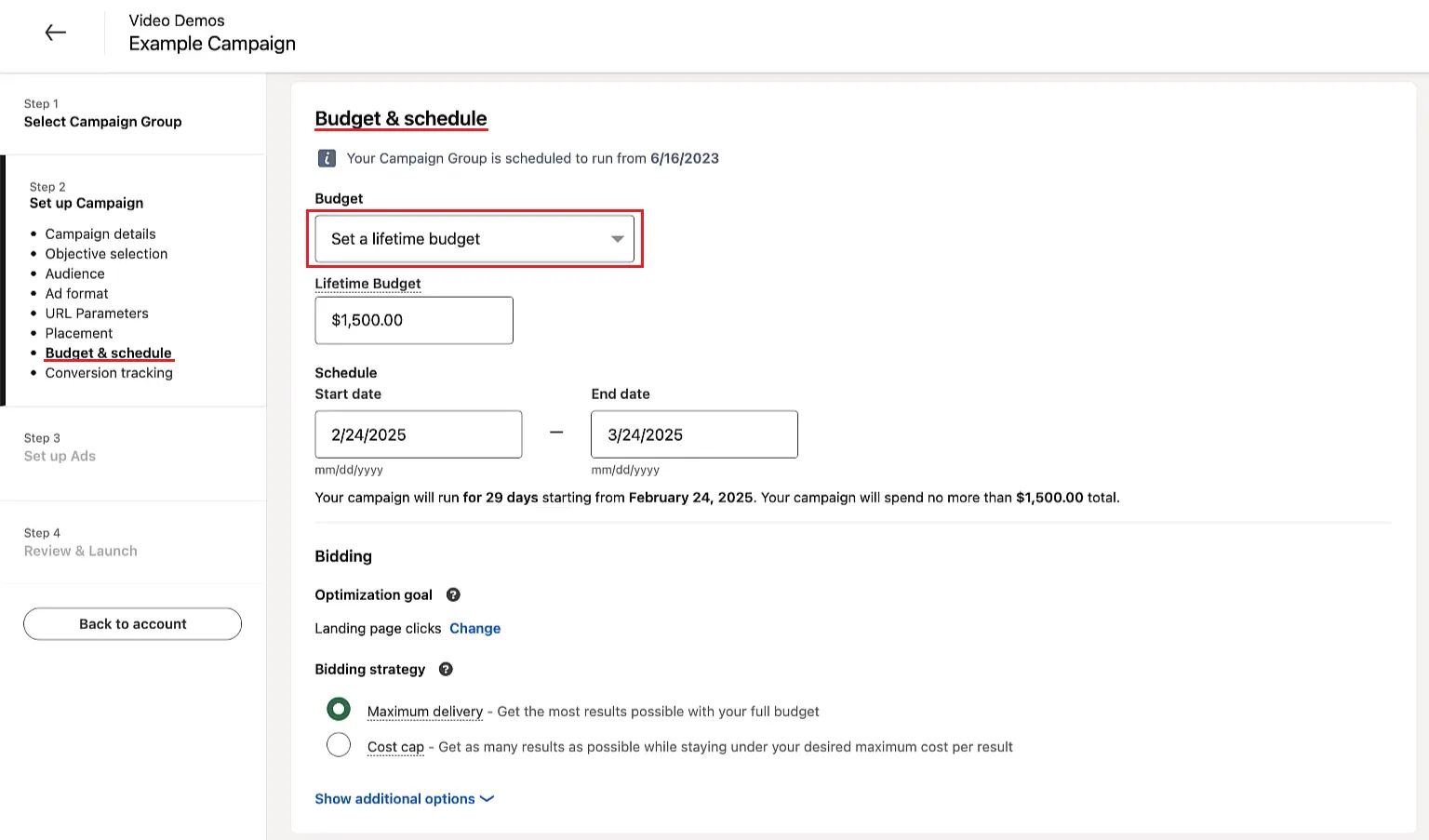
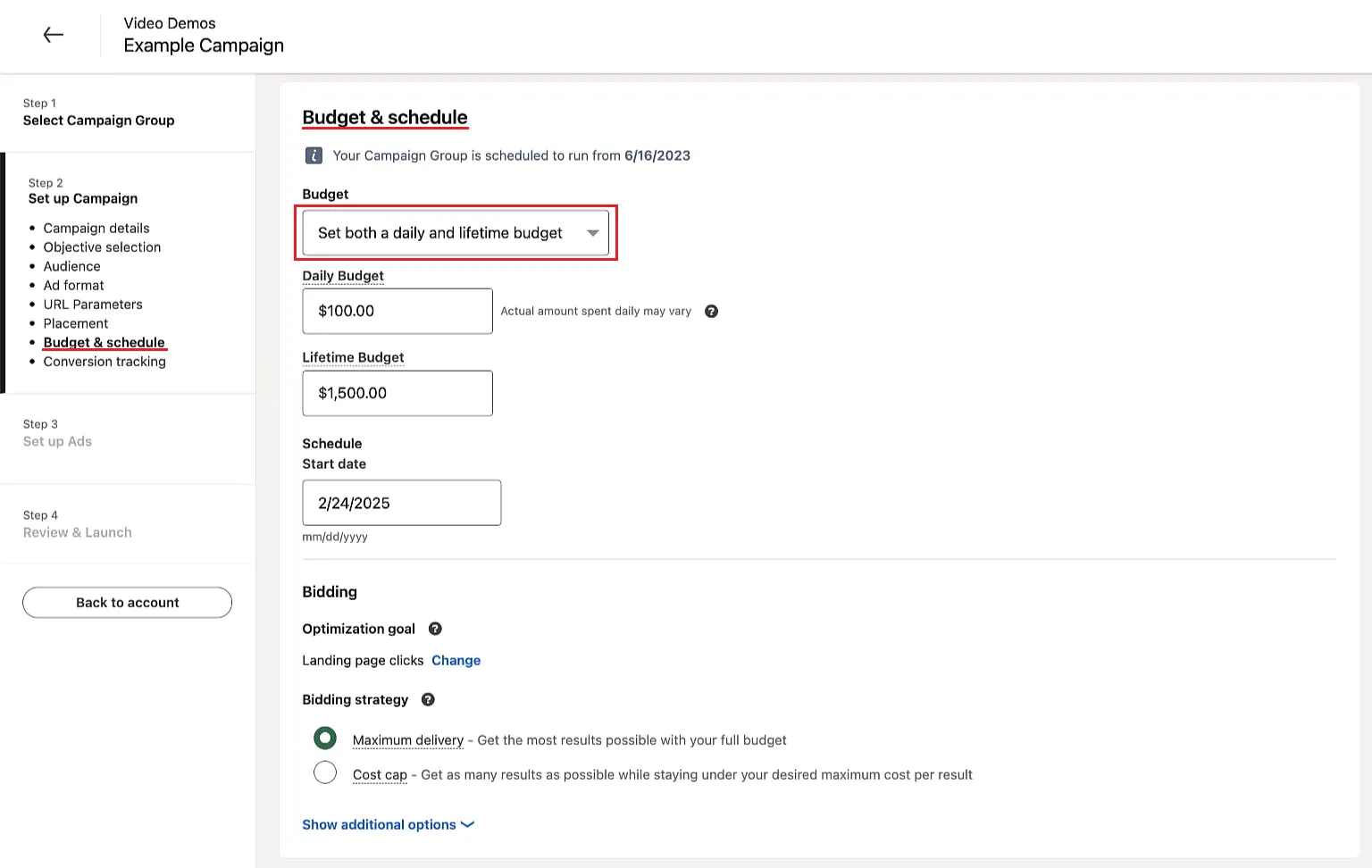
- Pick a budget type:
- Daily: can pace up to 50% higher on busy days.
- Lifetime: paces spend across your date range (daily amounts vary based on impression opportunities).
Best Practices
- Start with $50/day to give the algorithm enough data.
- Split campaigns by objective; mixed goals confuse optimization.
- Watch the “Estimated bid range” and stay mid-pack to remain competitive.
- Use audience expansion sparingly; it can balloon spend.
- Test manual vs. automated bidding. A manual bid below the suggested range can still win.
- If brand-awareness CPM rises above $40, narrow targeting or refresh creative.
- Always install conversion tracking or run Lead Gen Forms to see true return.
- Layer company-size filters with job seniority to avoid paying for unqualified clicks.
- LinkedIn doesn't support hourly or day-of-week scheduling. Use third-party tools or manual pausing to limit delivery windows.
- Review frequency metrics and use frequency caps (available for Brand Awareness, typically 3–30 impressions per 7 days) to prevent ad fatigue.
- Try Document Ads for mid-funnel content. They often deliver higher Lead Gen Form completion rates and competitive CPL compared to single-image formats.
Bonus Tips
- Enable Dynamic Group Budget to auto-shift spend to high performers.
- Test timing windows. Many advertisers see higher engagement mid-week mornings, but results vary by audience.
- Rotate ad creative when performance drops. Fresh ads keep CTR high and prevent bidding inflation.
- Test Conversation Ads for lead gen. They can sometimes deliver competitive CPLs; test against image/doc ad formats.
- Build remarketing audiences from video views; warmer traffic converts at lower bids.