LinkedIn job alerts are automated email and in-app notifications delivered daily or weekly when new postings match a search you have saved. Once configured, they monitor the market for you, allowing recruiters, marketers, and other business users to spend time on outreach rather than endless scrolling.
Why LinkedIn Job Alerts Matter
- Speed: thousands of applications hit LinkedIn every minute; alerts help you apply before the list explodes.
- Personalization: create multiple alerts by title, location, seniority, or even a single employer.
- Mobile reach: Turn on push notifications so alerts reach your phone quickly.
- Signal of intent: Rapid responses lift your visibility with recruiters and talent sourcers.
- Quiet research: Track competitors or partners without refreshing their career pages daily. A well-tuned LinkedIn job alerts setup becomes your private radar for market moves. For more tips on standing out to recruiters, see LinkedIn Recruitment Marketing Ideas to Stand Out.
How Do LinkedIn Job Alerts Work?
Below is a four-step guide to configuring job alerts on LinkedIn. The flow is similar on desktop and in the mobile app.
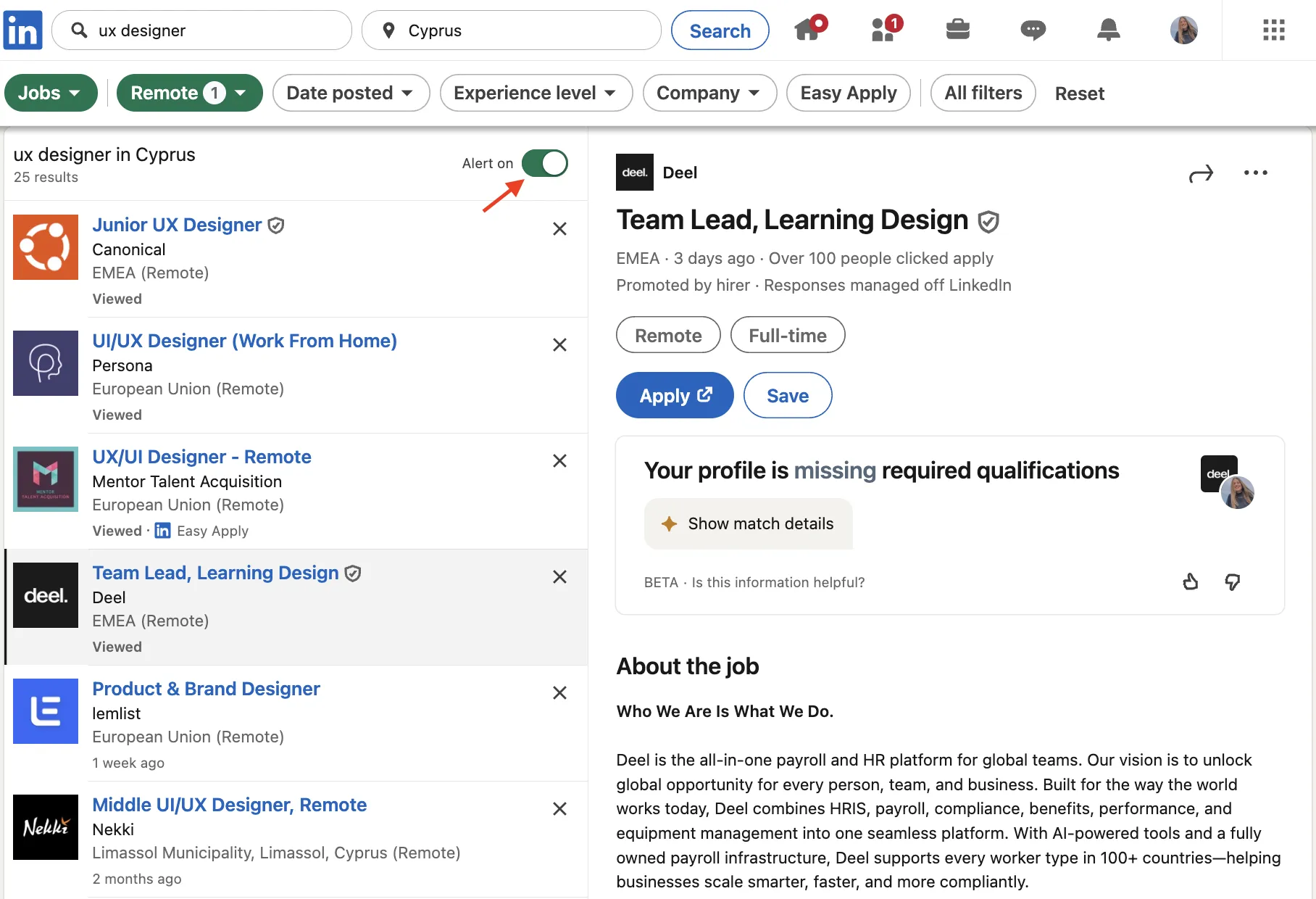
- Open the Jobs tab or go to linkedin.com/jobs and search for a role, location, or skill set.
- On the results screen, switch the Job alert toggle to On.
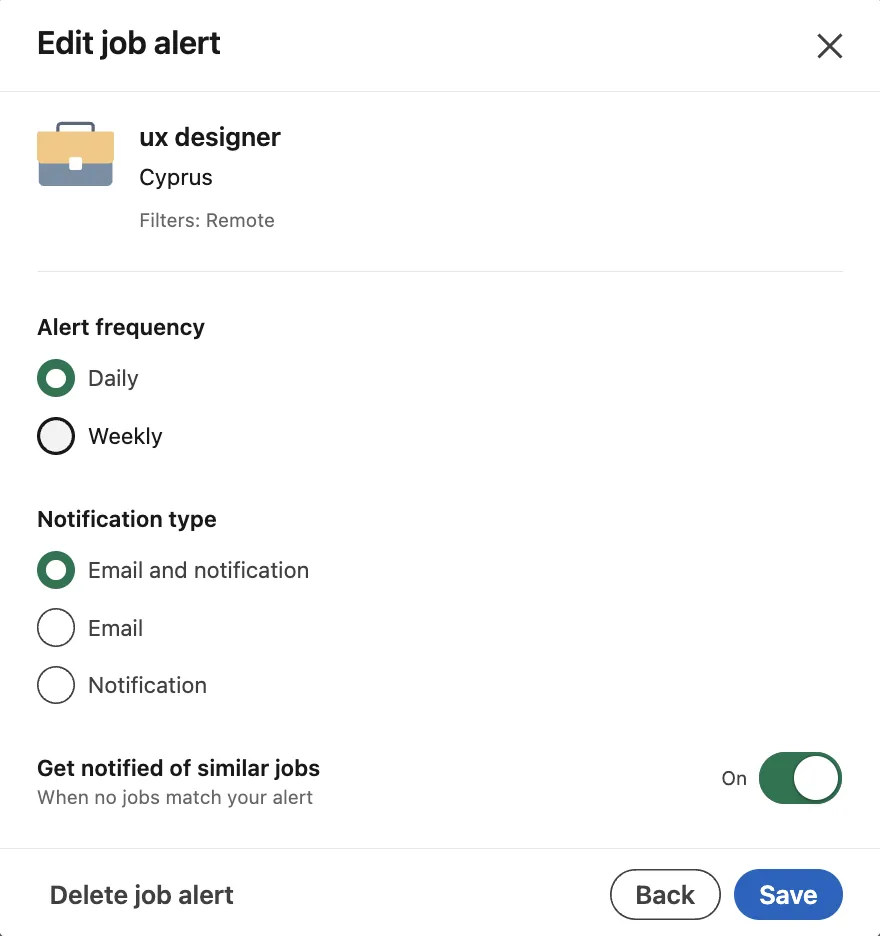
- Choose frequency—Daily or Weekly—and decide where you want to receive it: Email, Push, or Both.
- Click Done. The alert now lives under Jobs → Preferences → Job Alerts, where you can edit, delete, or toggle it on/off in seconds.
Tip: Need something company-specific? Go to a company's LinkedIn Page → Jobs → Create Job Alert and repeat the steps. That's how to create a company-specific alert. If you want to automate job search tasks, check out Prepare for your dream job with a LinkedIn scraping tool.
Best Practices
- Be precise: Combine title + location + "Remote" or "Hybrid" filters to cut noise.
- Use keywords: Add must-have skills (“GA4”, “SQL”) to guide the alert algorithm.
- Refresh monthly: Markets shift, so update seniority, salary, or industry filters to stay relevant.
- Keep it lean: Five to ten tightly focused alerts outperform twenty generic ones.
- Tweak anytime: Open Jobs → Preferences → Job Alerts to edit, delete, or toggle alerts on/off. Handy when your priorities change quickly.
- Monitor performance: If a LinkedIn job alerts feed stops adding value, delete it and create a fresh search.
- Act fast: Applying within 10 minutes of a relevant alert can improve your chances of hearing back by up to 4x.
Bonus Tips
- Pair alerts with “Open to Work” so recruiters can find you while you sleep.
- Traveling? Turn on device location; LinkedIn may surface hyper-local roles.
- Inbox control: Set daily or weekly frequency per alert in Jobs → Preferences → Job Alerts; use Settings → Notifications to manage email and push delivery.
- Workflow hack: Job-tracker browser extensions (such as Huntr or Simplify) can save roles from LinkedIn, auto-fill applications, and centralize your progress without spreadsheets.
- Pause alerts during holidays: a simple toggle prevents mailbox overload and resumes tracking the moment you switch it back on.
Set up these alerts once, review them monthly, and let LinkedIn do the searching for you.