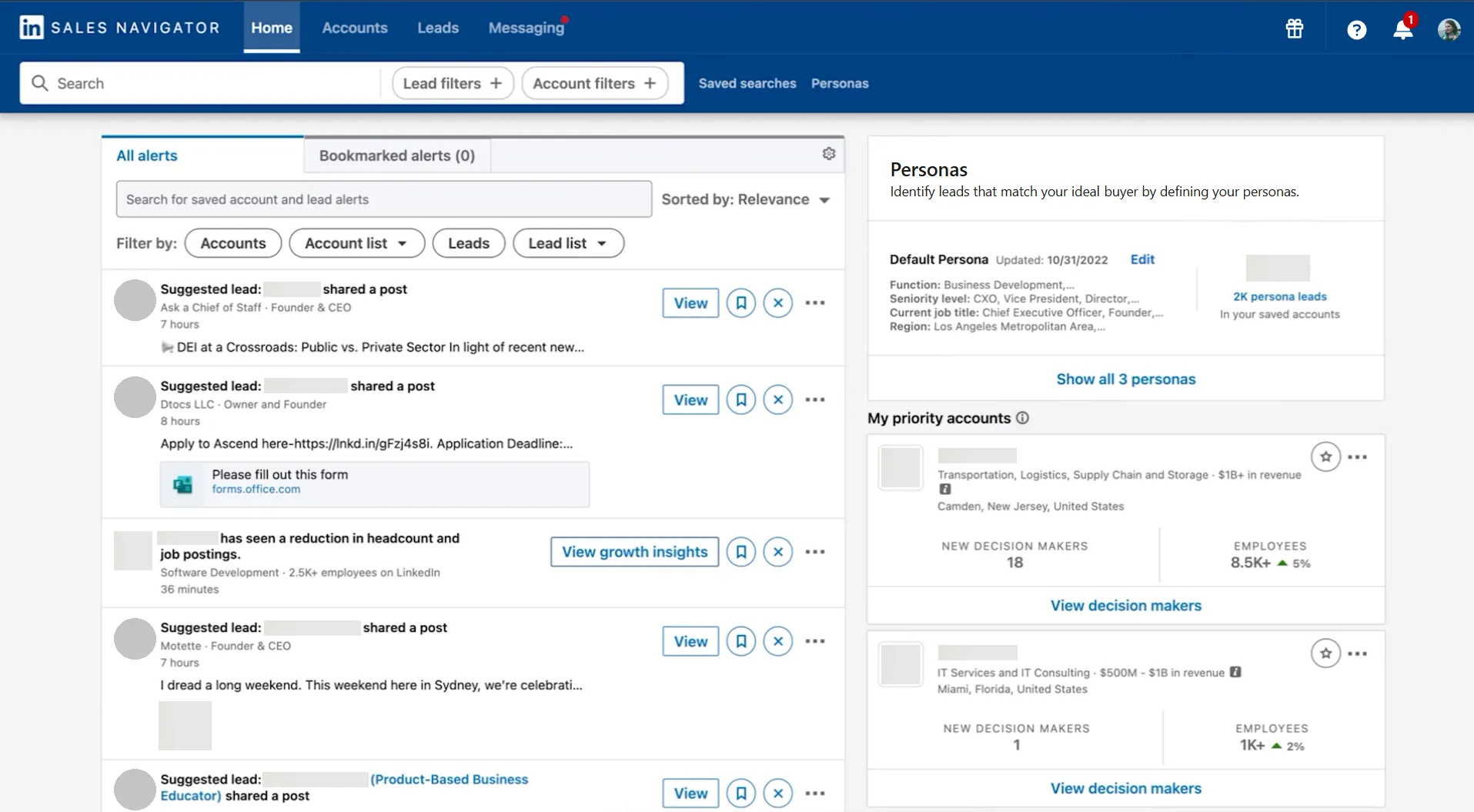
LinkedIn Sales Navigator is LinkedIn's premium workspace for fast, accurate prospecting. It is a standalone dashboard that adds:
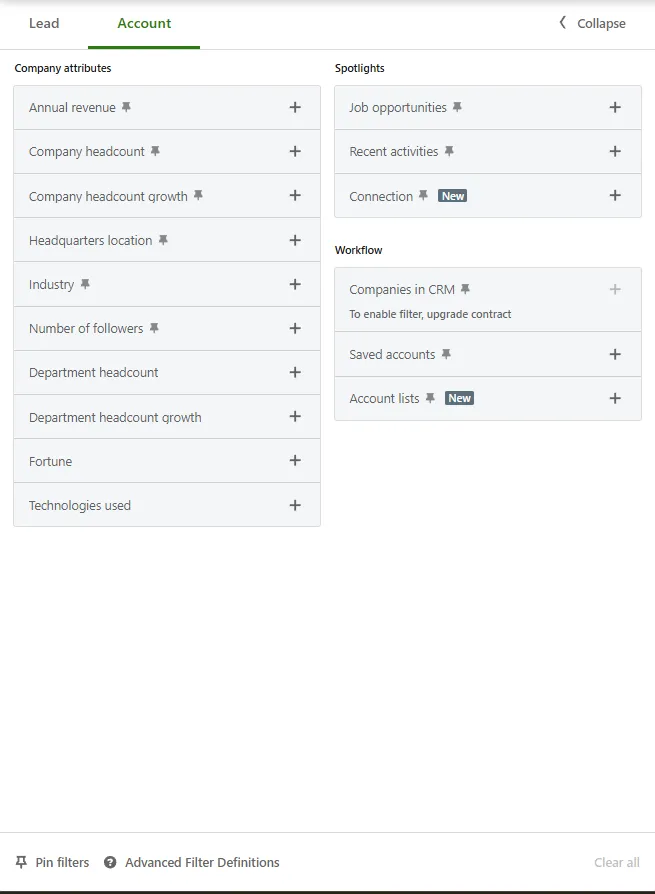
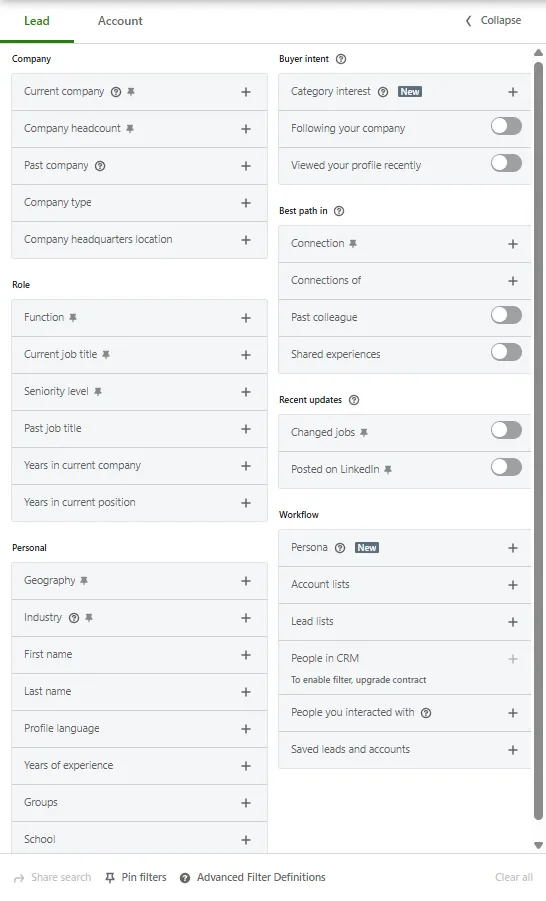
- 50+ search filters
- AI lead and account recommendations
- 50 monthly InMails
- Real-time lead updates and alerts
That toolset lets recruiters, sellers, and growth teams surface decision-makers in seconds instead of hours. Think of it as the only LinkedIn tab you need when high-quality data, scale, and warm introductions matter.
Why LinkedIn Sales Navigator Matters
Use cases break down into four core buckets:
- Talent sourcing – filter by seniority, years in current position, or job title/keywords to infer tech focus.
- B2B sales – spot budget owners, trigger TeamLink warm intros (Advanced/Advanced Plus) and watch funding news.
- Customer success – monitor job changes to prevent churn and launch upsell plays.
- LinkedIn Sales Navigator for marketing – build tight ABM lists, then target them in Campaign Manager by uploading a company/contact list (or via CRM/partner sync).
Key benefits:
- Cleaner data – records update whenever a prospect edits a profile.
- Less cold outreach – 2nd-degree paths typically increase reply rates, per LinkedIn data.
- Centralized activity – CRM integrations exist for all tiers; Advanced Plus adds CRM Sync (auto-save, activity writeback including InMails/messages/notes/Smart Links views, lead/contact creation) for Salesforce, HubSpot, Dynamics, and Oracle.
For more ideas on building a powerful B2B funnel, check out how to create automated sales or marketing funnel using LinkedIn.
How Does LinkedIn Sales Navigator Work?
Wondering how LinkedIn Sales Navigator works during a normal day? Follow the checklist below:
- Start a free trial (eligibility and duration vary by region/promo). Advanced Plus requires contacting sales.
- Open Advanced Search, apply filters, click Save to build a Lead List.
- Review AI "Recommended Leads," which shows up to 100 extra contacts automatically.
- Engage prospects: Send a personalized InMail (50 limit) or request an intro via TeamLink (Advanced/Advanced Plus).
- Click Sync to CRM (Advanced Plus)—activity writeback includes InMails, messages, notes, and Smart Links views.
- Use Account Hub daily to prioritize accounts and track Buyer Intent (Advanced/Advanced Plus). Build and share Relationship Maps on Account pages to visualize gaps.

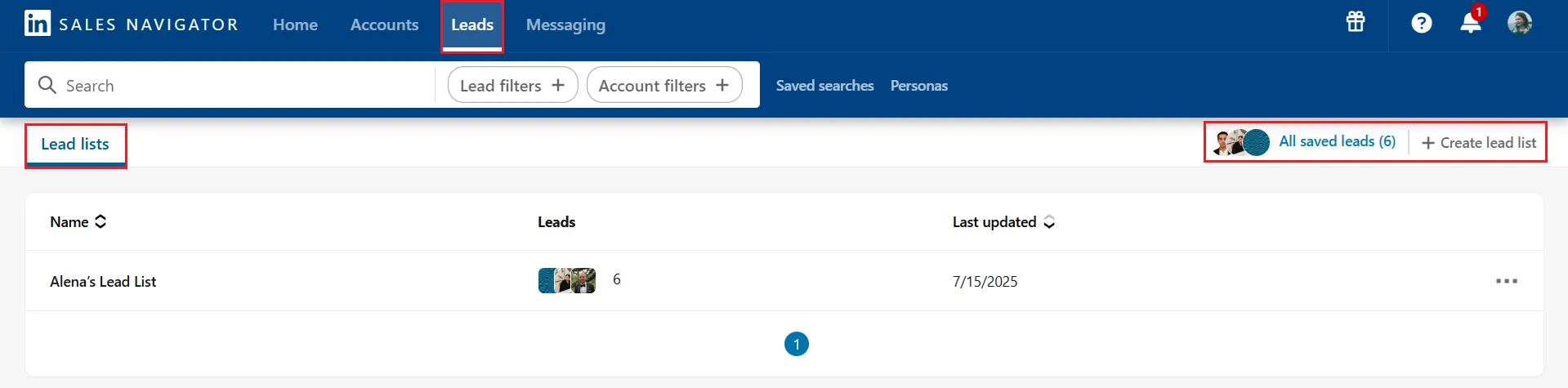
Read more on how to export a lead list from LinkedIn Sales Navigator for easier CRM integration or outreach.
Best Practices
- Combine LinkedIn search with Boolean operators to hit niche criteria.
- Prioritize intent events (funding, head-count growth) over job titles.
- Personalize every InMail; generic copy burns your 50-message quota fast.
- Integrate CRM on day 1 to avoid messy duplicates.
- Check Social Selling Index weekly. SSI leaders generate 45% more opportunities and are 51% more likely to hit quota.
Bonus Tips
LinkedIn Sales Navigator pricing starts at $119.99/month (Core). Advanced ($159.99/month) adds Smart Links, TeamLink, and Buyer Intent; Advanced Plus (custom pricing) adds advanced CRM integrations, Embedded Experiences, and ROI reporting.
You can also share Relationship Maps with teammates (Advanced/Advanced Plus) for quick exec briefings.