
 Updated: September 8, 2026
 3 min read
A LinkedIn Connection is a mutual, two-way relationship on LinkedIn. When someone accepts your invitation, both profiles receive the "1st-degree" badge and drop into the My Network list.
Connection degrees:
- 1st-degree - direct; badge "1st".
- 2nd-degree - you share a 1st-degree link; badge "2nd".
- 3rd-degree - connected to a 2nd; badge "3rd".
A LinkedIn Contact is anyone listed on your Contacts page: 1st-degree connections, synced contacts from other sources, and saved LinkedIn profiles. Note that LinkedIn no longer supports syncing contacts from external sources, and CSV/email bulk invite upload is no longer supported. An imported contact becomes a 1st-degree connection only after that person accepts your invite.
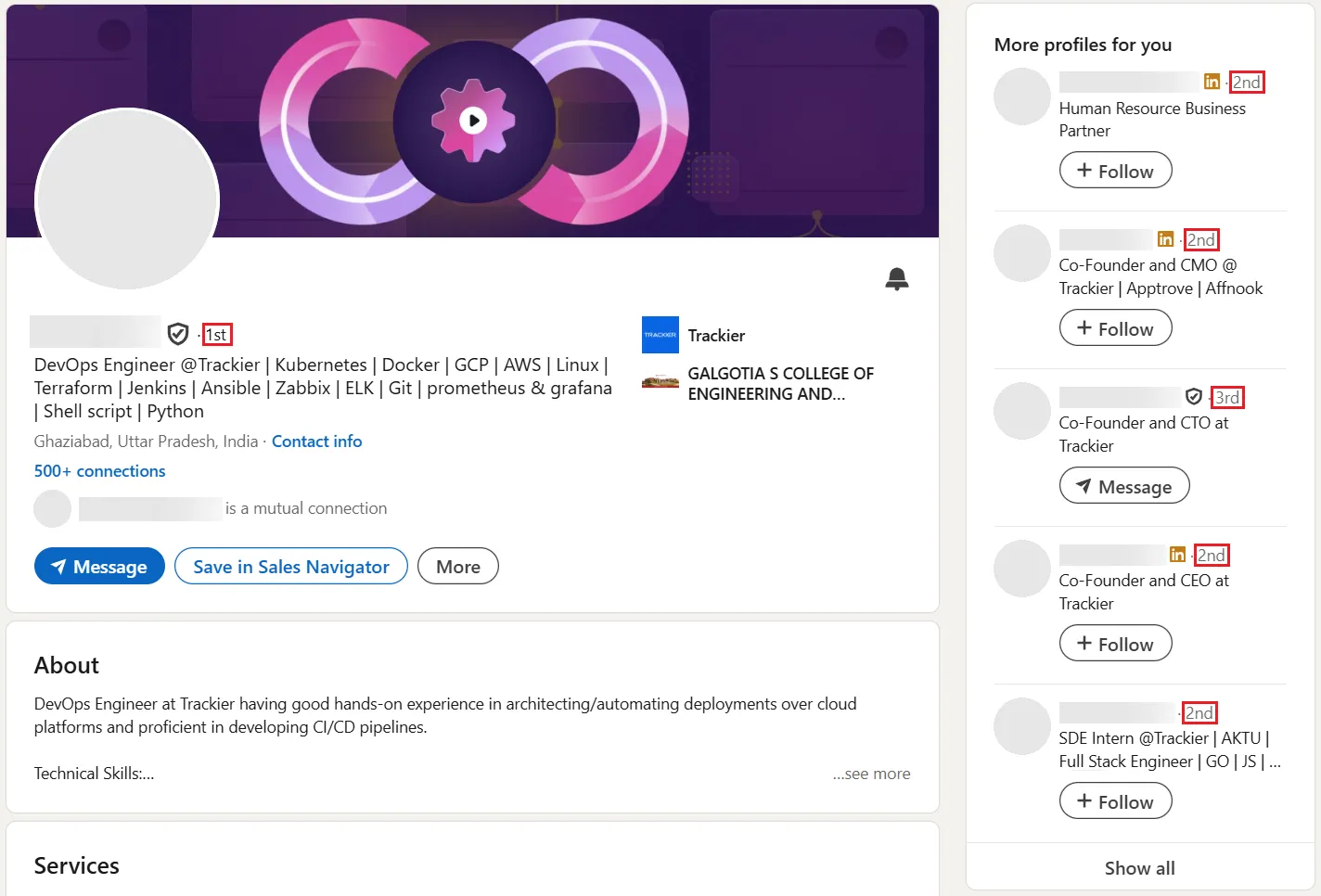
For an in-depth explanation of connection degrees, check out 1st, 2nd, 3rd Degree Connections on LinkedIn: What is the Difference?
Why LinkedIn Connections Matter
For recruiters, marketers, and other business users, having 1st-degree connections gives you:
- Free direct messages that avoid InMail credits.
- Connections auto-follow you by default, which can increase the chance your posts appear in their feed (though distribution depends on the algorithm).
- Skill endorsements and recommendations from connections.
- Extra filters in Sales Navigator: premium filters (e.g., Seniority Level, Company Size) and TeamLink (Advanced/Advanced Plus plans).
- Access to visible email or phone data, if they've chosen to share it.
- Mutual connections show up on profiles, which makes cold outreach feel less cold.
How to Connect on LinkedIn
- Open the person's profile.
- Click Connect (or More → Connect if Follow is primary).
- Pick Add a note (200 chars on Basic; 300 on Premium). Basic accounts can add notes to only three invites per month; Premium has no note cap.
- Send. The invite becomes a connection once accepted.
Key Limits
- LinkedIn doesn't disclose exact weekly invite limits; practical caps vary (~100–200/week). Restrictions typically lift within one week.
- Withdrawing unanswered requests triggers a 3-week cooldown before you can re-invite the same person, and does not lift any current weekly restrictions.
- Each member can hold up to 30,000 1st-degree connections. Followers are unlimited.
- Invites often expire after about six months; LinkedIn doesn't publish an official timeline.
Want to grow your network more efficiently? See How to make more connections on LinkedIn & manage them with one automated CRM
Say you meet a prospect at a trade show. Reference your booth conversation in the invite note, and once they accept, you can message them directly without using InMail credits.
Or if you host a webinar, send personalized invites to attendees within 24 hours while the event is fresh. After they connect, share the slide deck to keep the conversation going.
Best Practices
- Be selective. A smaller network of relevant contacts is more useful than thousands of strangers.
- Personalize every request.
- Engage within a week of connecting: like, comment, or message. Otherwise you become just another name in the list.
- Update your photo and headline so people recognize who they connected with.
- Export your connection list quarterly for CRM backups.
Bonus Tips
- Use 2nd-degree filters to find leads, then ask shared 1st-degree contacts for introductions.
- You can choose Follow or Connect as your profile's primary action. Followers don't count toward the 30,000 cap.
- Use Sales Navigator Notes and Custom Lists (tags were discontinued in 2020) or an external CRM to remember relationship context.