A LinkedIn ad campaign is a bundle of paid promotions you build inside LinkedIn Campaign Manager to reach one concrete goal—brand awareness, website traffic, lead generation, or job applications. You pick an objective, choose an ad format—most commonly Sponsored Content (feed placements) or Sponsored Messaging (Message Ads and Conversation Ads, delivered via LinkedIn Messaging); LinkedIn also offers Text Ads and Dynamic Ads, though availability varies by objective—set budget and schedule, and LinkedIn's auction system shows your ads to the most relevant professionals.
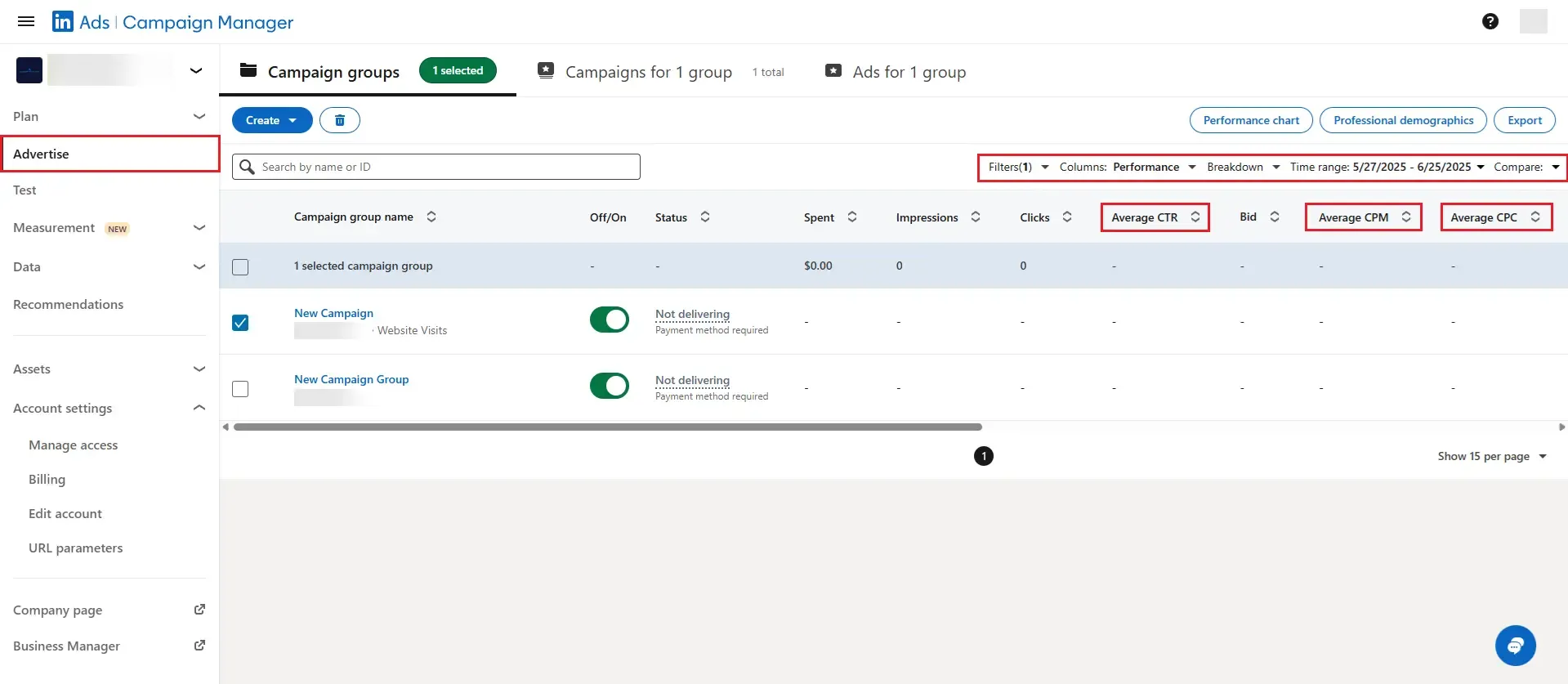
Marketers use LinkedIn campaigns because they can target by job title, seniority, industry, company size, or skills. These filters are more granular than what most ad networks offer.
- Fill roles fast: promote openings only to qualified talent and cut time-to-hire.
- Launch B2B products: push thought-leadership posts to decision-makers in niche verticals.
- Nurture key accounts: combine feed ads and precise Message Ads to move buyers down the funnel.
- Re-engage visitors: add the LinkedIn pixel (Insight Tag) and retarget people who viewed pricing or careers pages.
- Expand reach automatically: use Audience Expansion (enabled by default where available) to reach similar professionals without rebuilding segments.
Pairing Sponsored Content with Sponsored Messaging helps identify and engage responsive segments, making this combination effective for multi-touch B2B campaigns. For even deeper targeting and funnel automation, check out our guide on automated LinkedIn sales funnels.
How Do LinkedIn Ad Campaigns Work?
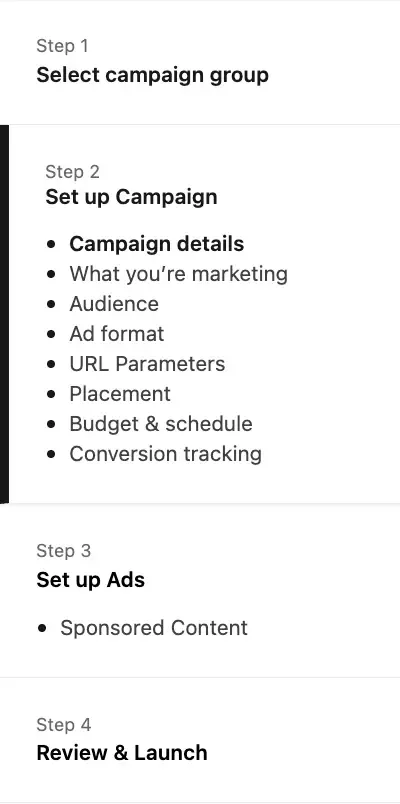
- Open an ad account – log in to the ad manager and connect your Company Page.
- Create a campaign group – handy for shared budgets and tidy reporting.
- Pick your objective – Awareness, Consideration, or Conversions.
- Define your audience
- Location is mandatory.
- Layer job title, function, skills, or upload a Matched Audiences list.
- Choose the format
- Sponsored Content – single image, video, carousel, or document in the feed. Best for storytelling and top-funnel reach.
- Sponsored Messaging – Message Ads (formerly Sponsored InMail) or Conversation Ads delivered via LinkedIn Messaging. Ideal for direct calls-to-action such as webinar sign-ups.
- Set budget & bid – daily or lifetime; Maximum Delivery is easiest for newcomers.
- Add creatives – headline up to 70 characters (200 max; keep under 70 to avoid truncation); introductory text up to 150 characters (3,000 max; keep under 150 to avoid truncation). Images: 1200×628 (1.91:1) or 1200×1200 (1:1). Videos: 1:1, 16:9, 4:5, 9:16 supported. Include a clear CTA.
- Install the Insight Tag – track conversions and feed data back to the algorithm.
- Launch and monitor – review clicks, CTR, and CPL, then tweak bids or creatives every few days. Testing different CTAs (e.g., "Get demo" vs. "Start free trial") can reveal what resonates with your audience.
Want to go beyond ads? See LinkedIn lead gen ads best practices for more ways to generate conversions.
Best Practices
Do
- Run 4–5 ads per campaign to avoid creative fatigue.
- Keep audience size above 50K for feed ads and 15K for Messaging.
- Refresh images or copy monthly; high-contrast visuals with clear brand cues tend to perform better.
Common mistakes to avoid
- Over-filtering audiences, which inflates cost and throttles delivery.
- Uploading only one creative, leaving the auction no room to learn.
- Ignoring learning windows—Maximum Delivery campaigns enter a learning phase; avoid major edits until the algorithm gathers sufficient auction data (typically 1–2 weeks depending on spend and volume). For more guidance, see our primer on LinkedIn ads.
Scaling Your Campaign
Before you scale a LinkedIn ad campaign, compare performance across multiple CTAs and let the platform allocate spend dynamically. Use controlled A/B tests and scale budgets gradually—avoid abrupt changes that can disrupt the algorithm's learning.
For more on how content gets surfaced, see our guide to LinkedIn algorithm essentials.