The "About" section, commonly known as a LinkedIn summary, is a 2,600-character text block near the top of your LinkedIn profile. Think of it as a permanent elevator pitch: in one quick scan, a reader should see whom you help, the value you create, and why they should contact you.
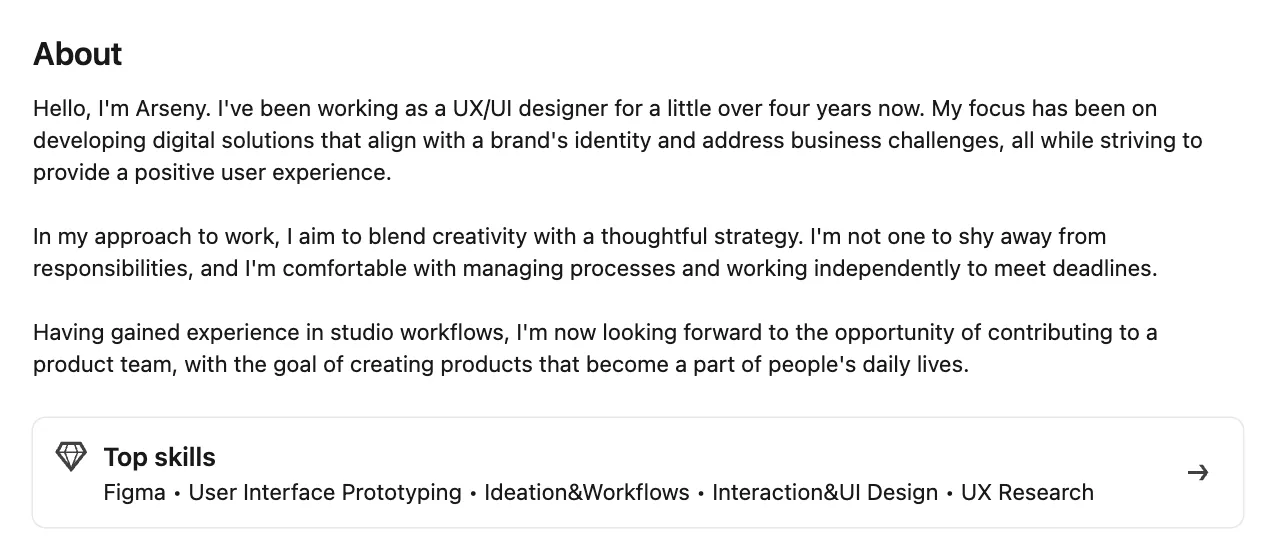
Why Your Profile Summary Matters
Recruiters, buyers, and partners decide fast. A clear profile summary:
- Contains relevant keywords, improving visibility in LinkedIn search and Recruiter filters.
- Most people skim quickly—make the first few lines do the heavy lifting.
- Adds personality that a CV can’t, building trust before the first call.
According to LinkedIn, profiles with a photo receive up to 21× more profile views and 9× more connection requests, while members listing more than five skills are up to 27× more likely to be discovered in recruiter searches.
How Does Your About Section Work?
Use this four-part outline. The About section shows only the first few lines (visibility varies by device) before "See more," so front-load the good stuff.
Hook (≤200 chars) Example: "I turn data into double-digit growth for SaaS start-ups—ask me how."
Proof Share two or three quantified wins, e.g.
- “Grew MQLs 58% in Q3.”
- “Cut churn from 7% to 4%.”
Mission + Skills State who you serve and weave in natural keywords such as "lead generation", "Java", or "ESG reporting". Use keywords naturally; keyword stuffing makes your summary hard to read and less effective.
Call to Action Close with one clear ask: “DM me for a demo” or “Let’s connect if you’re scaling a team”.
One-liner example Financial analyst who saved $1.2M through process automation, now helping mid-market CFOs sleep better. Need more space? Merge the bullets into 3-5 short paragraphs, staying under 2,600 characters. Formatting matters: white space, short sentences, and even one tasteful emoji break the wall of text. LinkedIn's About section is plain text—native bold and italics are not supported. Unicode faux-bold exists but harms accessibility and search indexing, so use capitalization for sub-headers instead. Preview on mobile; many views happen on phones.
Want to improve your profile? Explore 15 effective strategies for building a strong LinkedIn presence.
Best Practices
- Write in first person; keep sentences under 120 characters.
- Break text into paragraphs of about 3 lines for mobile readability.
- Lead with numbers, not adjectives.
- Include relevant keywords naturally; also list more than five skills on your profile for better discovery.
- End with a single, specific CTA.
- Proofread—typos erode credibility.
Common pitfalls: copying your job description, starting every sentence with “I”, overusing buzzwords, flooding the field with keywords, or forgetting a CTA. Keep your summary focused and human.
Read it aloud; if it sounds robotic, rewrite.
Want more inspiration? See 24 LinkedIn summary examples for sales reps for practical templates and ideas.
Bonus Tips
Before/After test: paste old and new text into a word-cloud tool—strong skills should pop, filler should fade.