A LinkedIn free job posting is a zero-cost listing that lets any eligible company post one open role at a time. The vacancy appears in LinkedIn search, on your Company Page, and in the Jobs tab. Hiring teams can screen and message applicants without leaving the platform. Setup takes less than five minutes, but the free option has tighter limits and less reach than paid promotions.
Built-in Limits
- One active free listing per LinkedIn account. You can only post a limited number of free jobs in a 30-day window.
- Free jobs pause after 14 days and when the free applicant limit is reached. They close at 30 days unless promoted.
- Visibility decreases over time. After reaching the free applicant limit, the job is hidden from search but still accessible via direct link.
- Re-posting the same title + company within seven days requires a paid promotion.
- Third-party staffing agencies cannot use the free option.
These limits help reduce spam on the platform.
Why Free Job Posting on LinkedIn Matters
- Startups or small teams filling a single role on a tight budget.
- Hiring managers testing applicant flow before paying for extra reach.
- Seasonal, internship, or entry-level positions with limited funds.
Millions of people search for jobs on LinkedIn each week, so even an unpaid listing can bring in resumes quickly. For more recruitment strategies, check out these LinkedIn recruitment marketing ideas.
How Does LinkedIn Free Job Posting Work?
- Click the Jobs icon on your LinkedIn navigation bar.
- Click Post a free job.
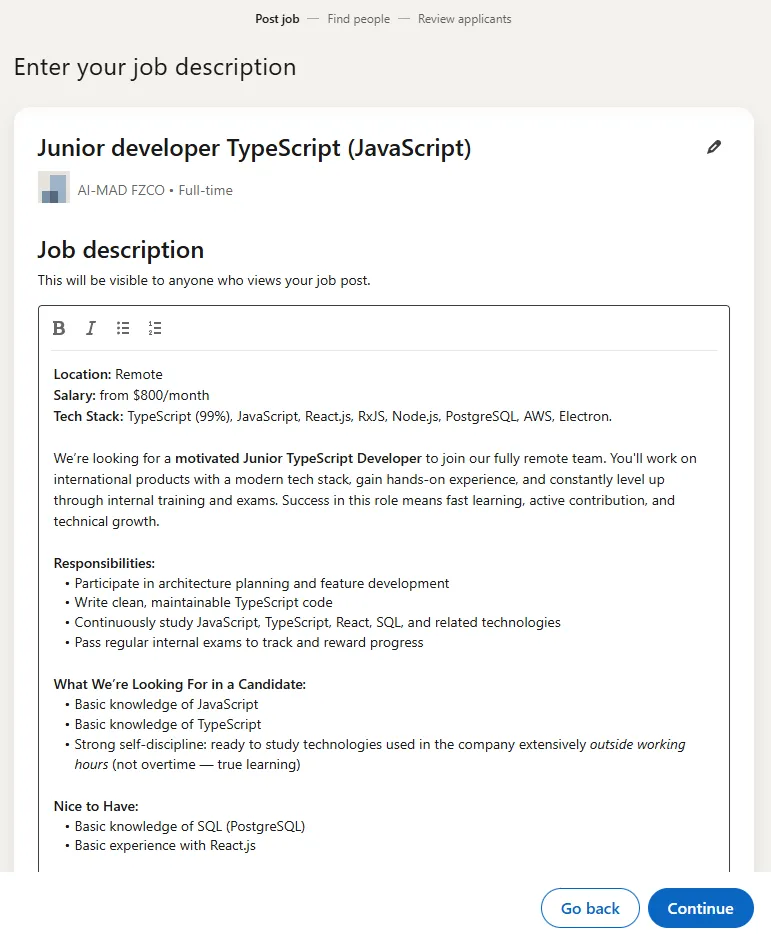
- Enter the job title, company, location, workplace type, and employment type.
- Write a short description and add relevant skills (if shown).
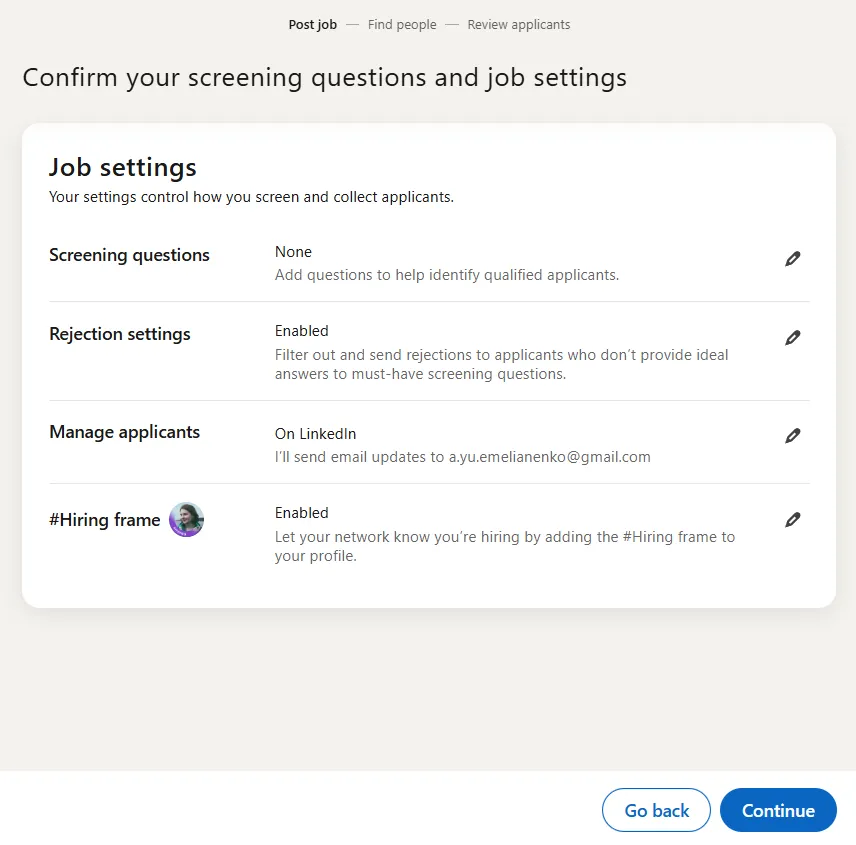
- Choose where to collect applications (on LinkedIn or via an external website). Screening questions are only available when you collect applications on LinkedIn.
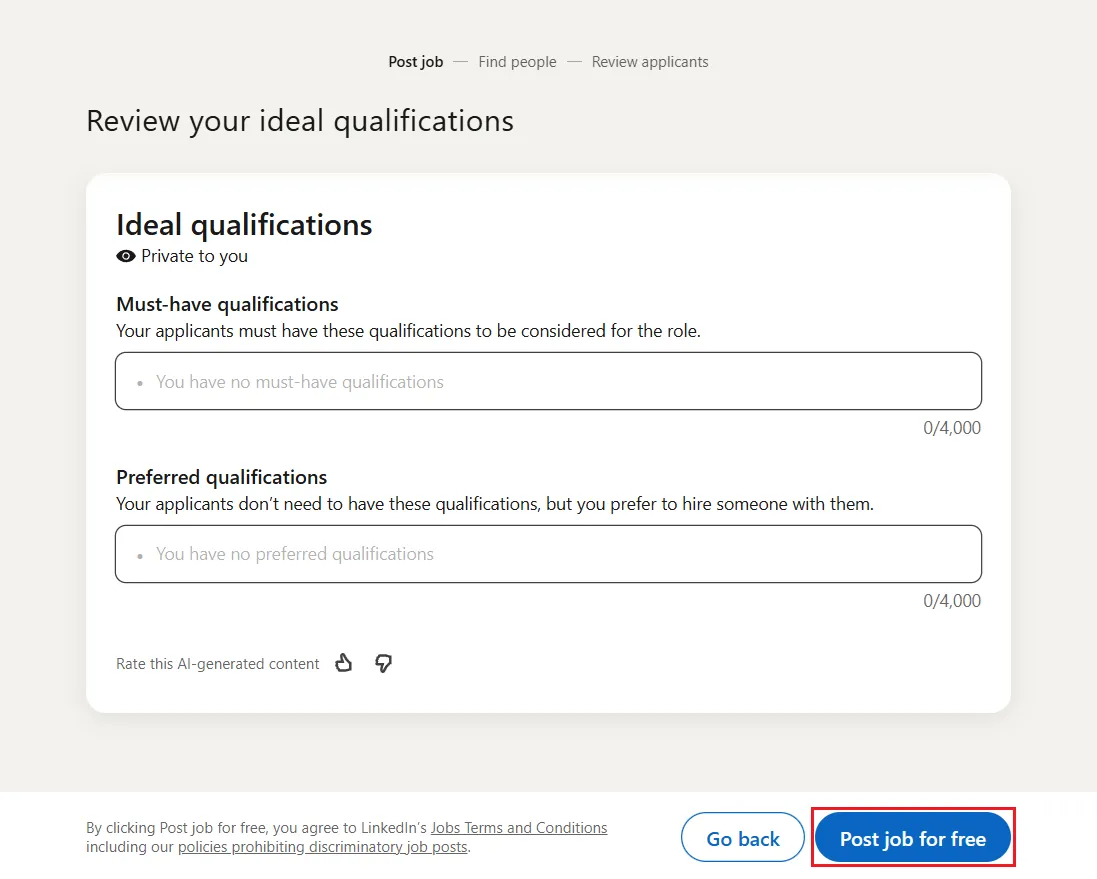
- On the "Promote your job" page, leave the budget at $0 and click Post job for free.
- Your listing goes live after posting, subject to LinkedIn's review.
Note: Free jobs pause after 14 days and when the free applicant limit is reached. They close at 30 days unless promoted. To keep collecting candidates, you need to promote the listing.
Best Practices
- Keep the description concise and mobile-friendly. Around 150-200 words works well.
- Use clear, keyword-friendly titles ("Marketing Coordinator", not "Marketing Ninja").
- Add a salary range. LinkedIn research shows 91% of job seekers say seeing a salary range affects their decision to apply.
- Put two or three must-have requirements at the top to reduce unqualified clicks.
- Turn on screening questions to filter out unsuitable applicants (available only when collecting applications on LinkedIn).
- Share the live link in your feed and relevant groups for extra reach. See also: how to manage and grow a LinkedIn company page.
- Close the posting as soon as you hire to free up your slot.
Bonus Tips
- Post early in the week. Tuesday is the most active day on LinkedIn for engagement.
- When the listing pauses, manage applicants in LinkedIn. Free job posts don't offer native CSV export; exporting at scale requires LinkedIn Recruiter, ATS integrations, or third-party tools.
- Need similar hires? Rotate listings: close one, wait seven days (required for reposting the same title + company), then publish the next. Monthly free-post limits still apply.
- Changing the job title allows you to repost before the 7-day waiting period; minor edits to the description alone won't bypass the same-title enforcement.
- If colleagues ask whether you can post a job on LinkedIn for free, share this guide.