
 Updated: September 8, 2026
 3 min read
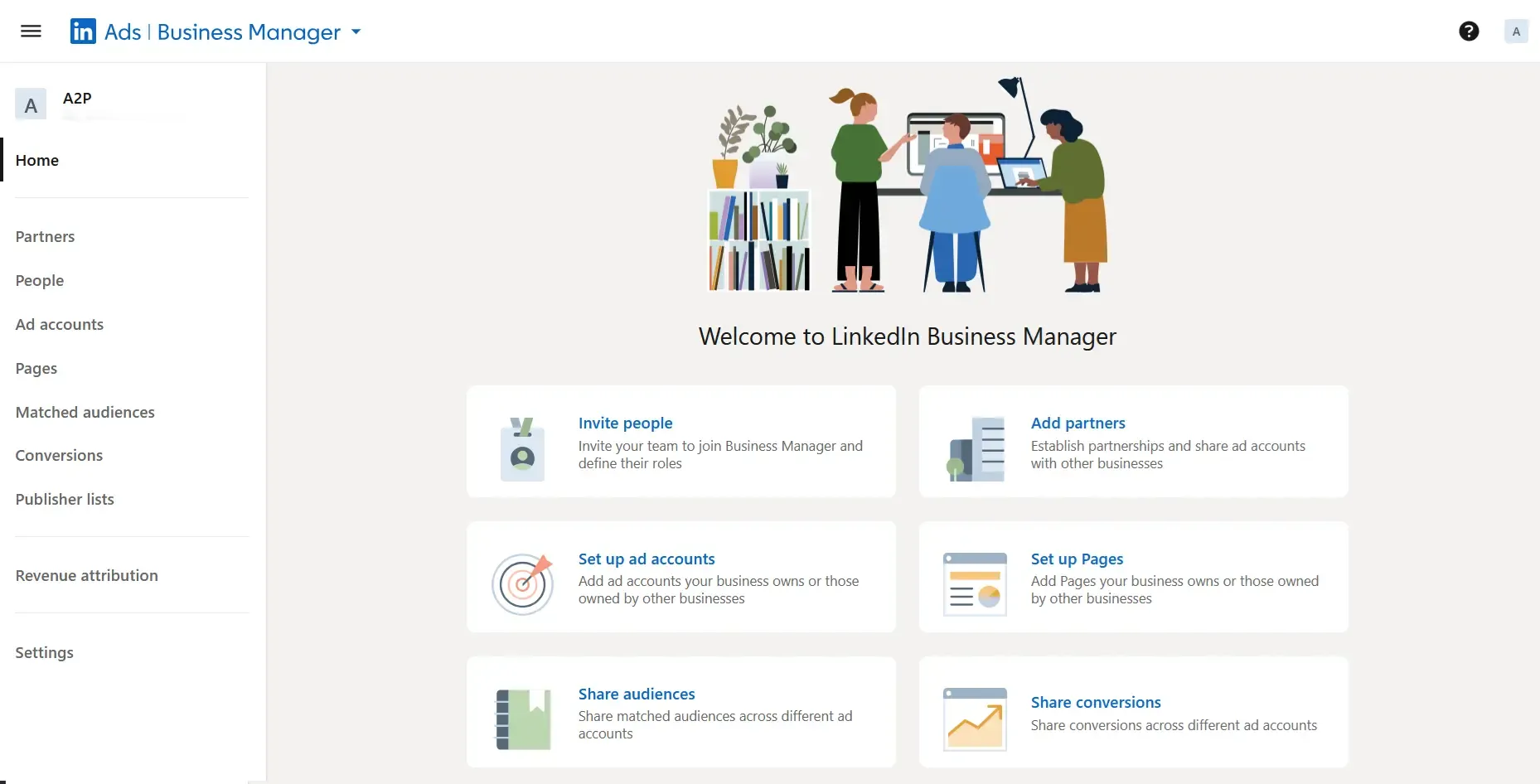
LinkedIn Business Manager is a free dashboard from LinkedIn that connects multiple ad accounts, Company Pages, and Matched Audiences in one place. Instead of juggling separate logins and spreadsheets, you can grant or revoke access, centralize billing, and share audiences from a single hub. In short, it is the control panel that keeps every LinkedIn marketing asset under one roof and under your control.
Why LinkedIn Business Manager Matters
- Agency view: Manage multiple client Pages and ad accounts without hunting down individual admins.
- Enterprise view: Set up separate regional ad accounts and Pages, then grant region-specific access via roles and partnerships to provide marketers with a focused view of only the materials relevant to their needs.
- Finance control: Pull every invoice into one Ads Billing Center report, so you stop chasing PDFs.
- Audience sharing: Push the same Matched Audience to several accounts to keep targeting consistent or to feed predictive audiences.
- Security: Remove a departing employee once, and their permissions disappear everywhere.
Tip: If you wonder about LinkedIn Business Manager vs Campaign Manager, remember that Campaign Manager builds ads; Business Manager controls who can access them.
How Does LinkedIn Business Manager Work?
- Visit business.linkedin.com and click Create Business Manager.
- Sign in to Business Manager with the same LinkedIn profile you use for Campaign Manager (two-factor authentication required).
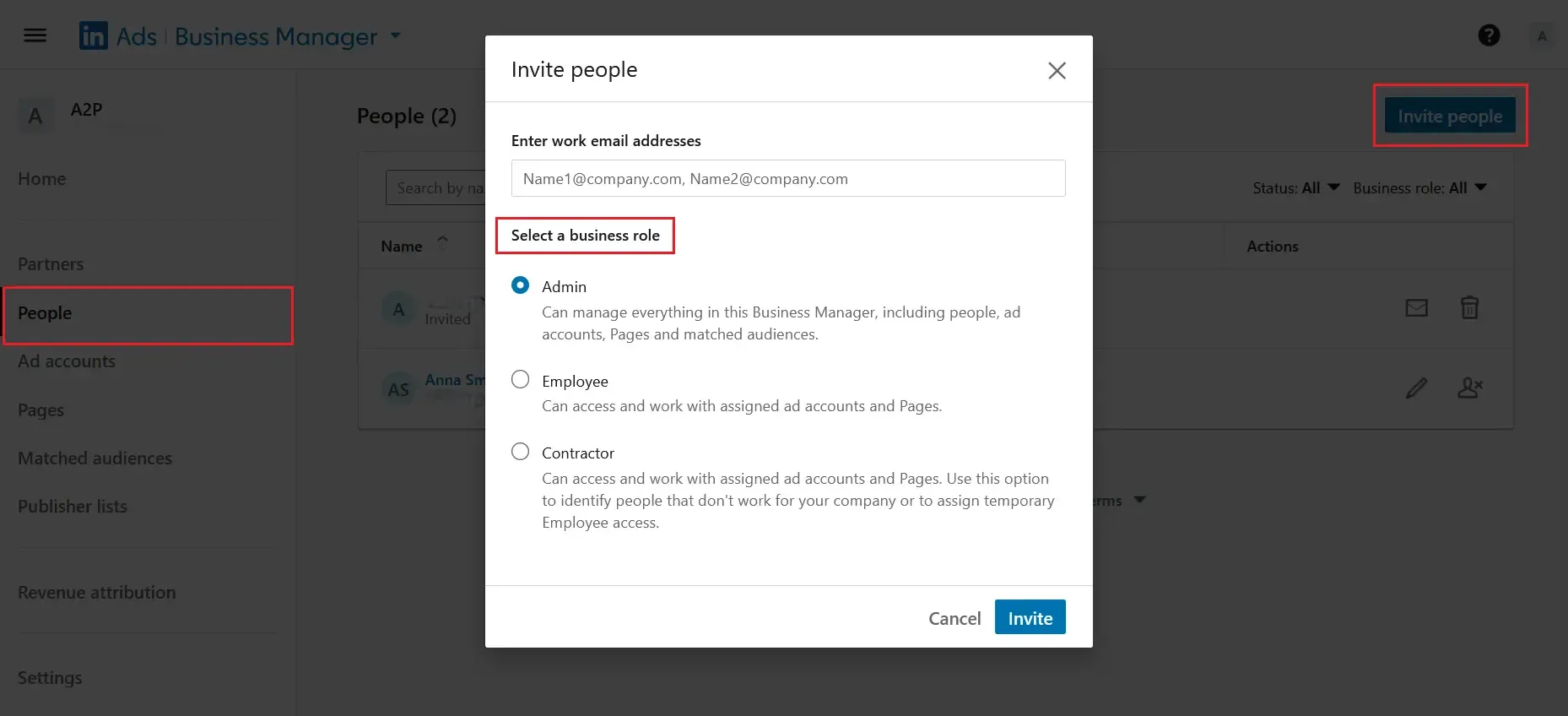
- Invite at least one extra Admin, then add Employees and Contractors.
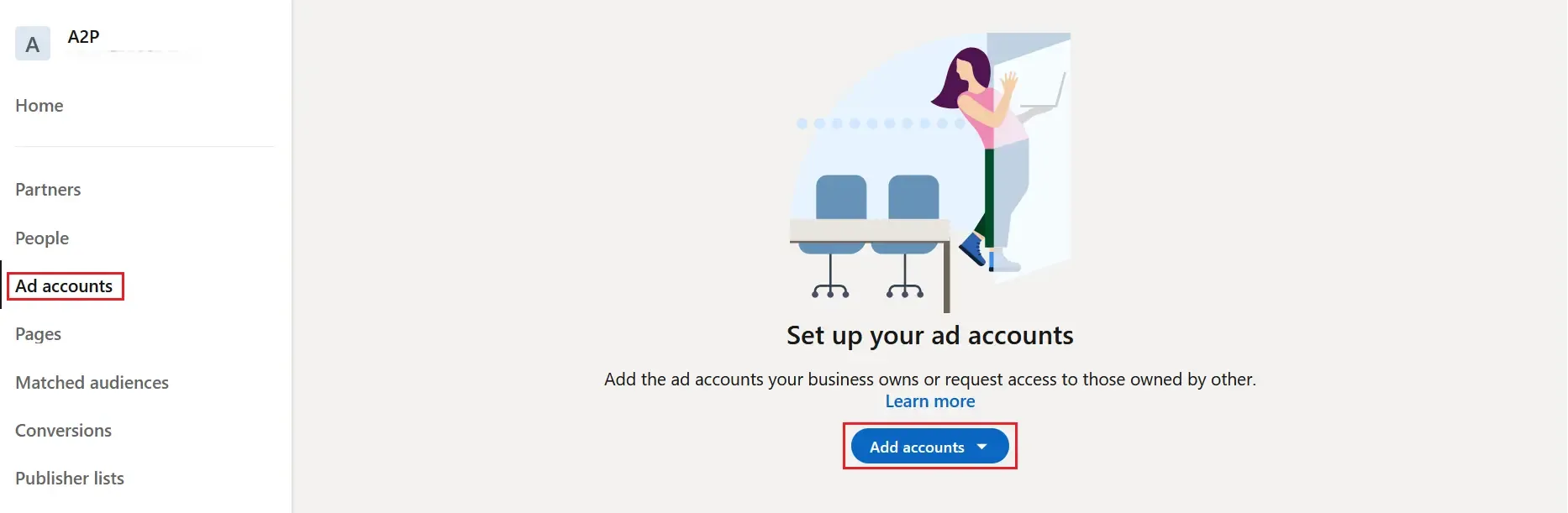
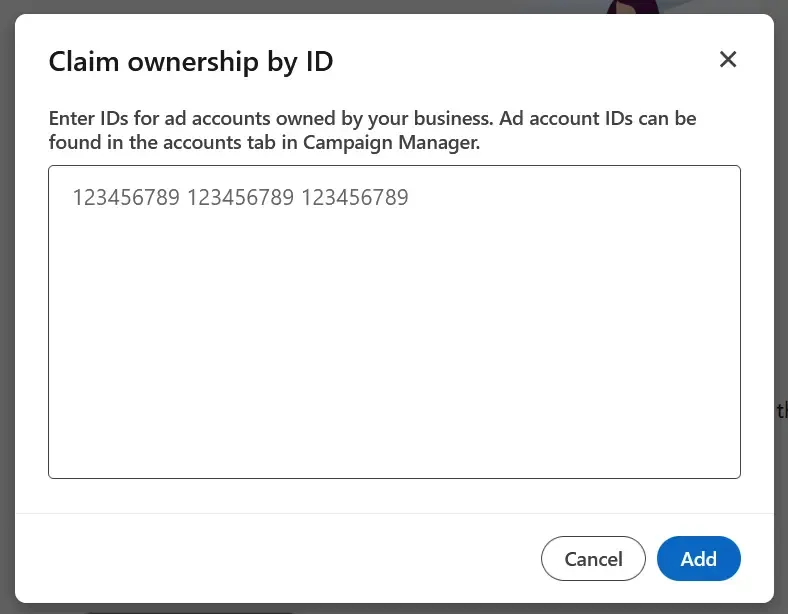
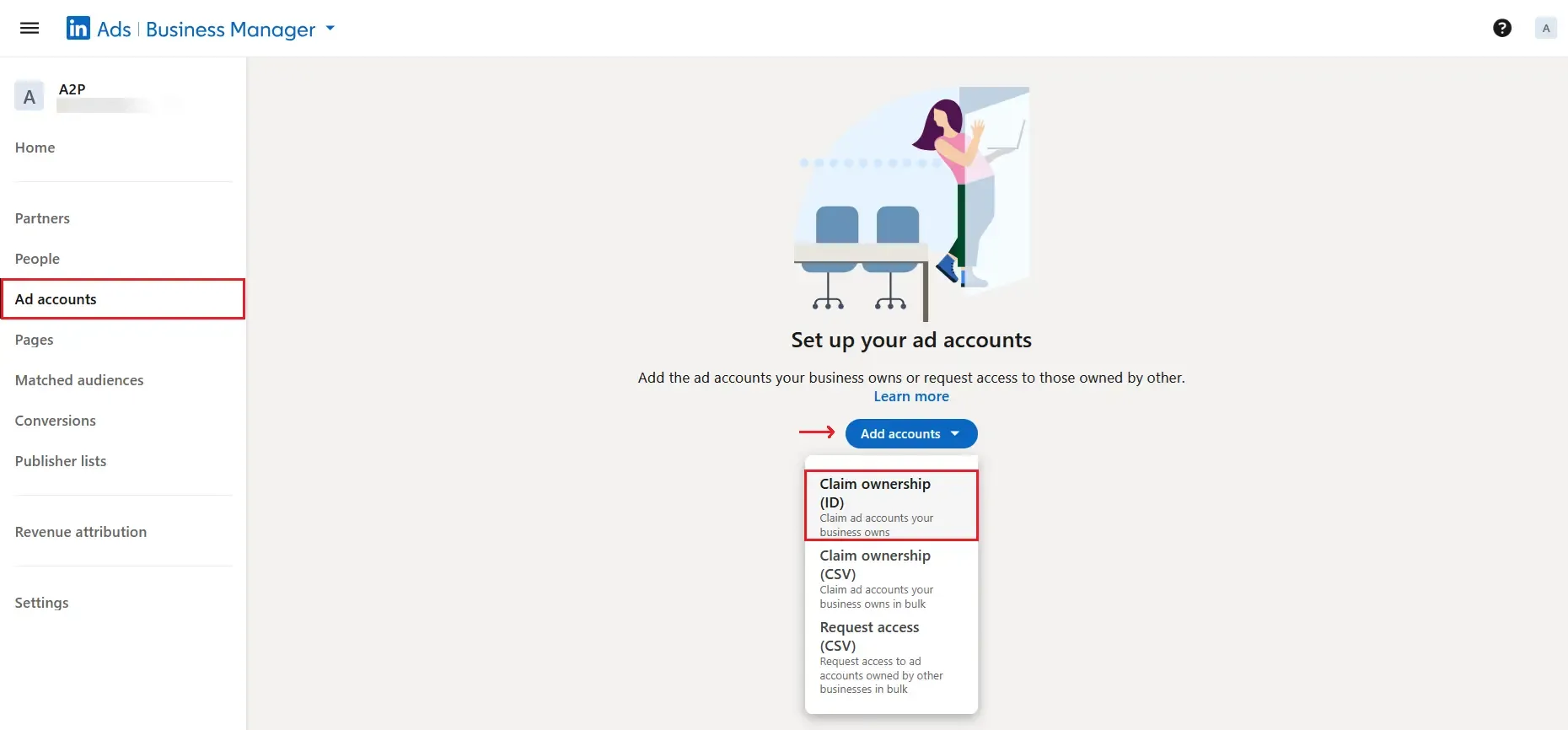
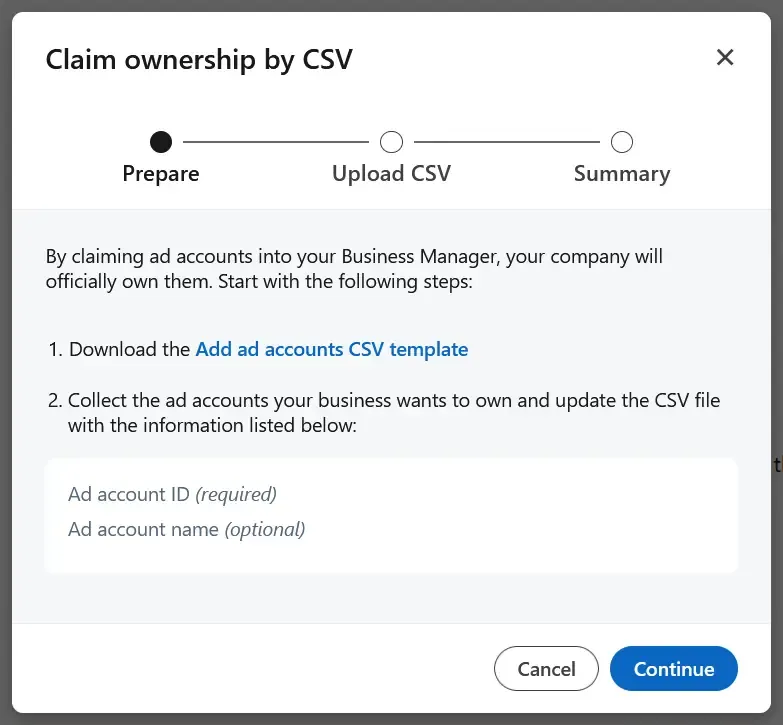
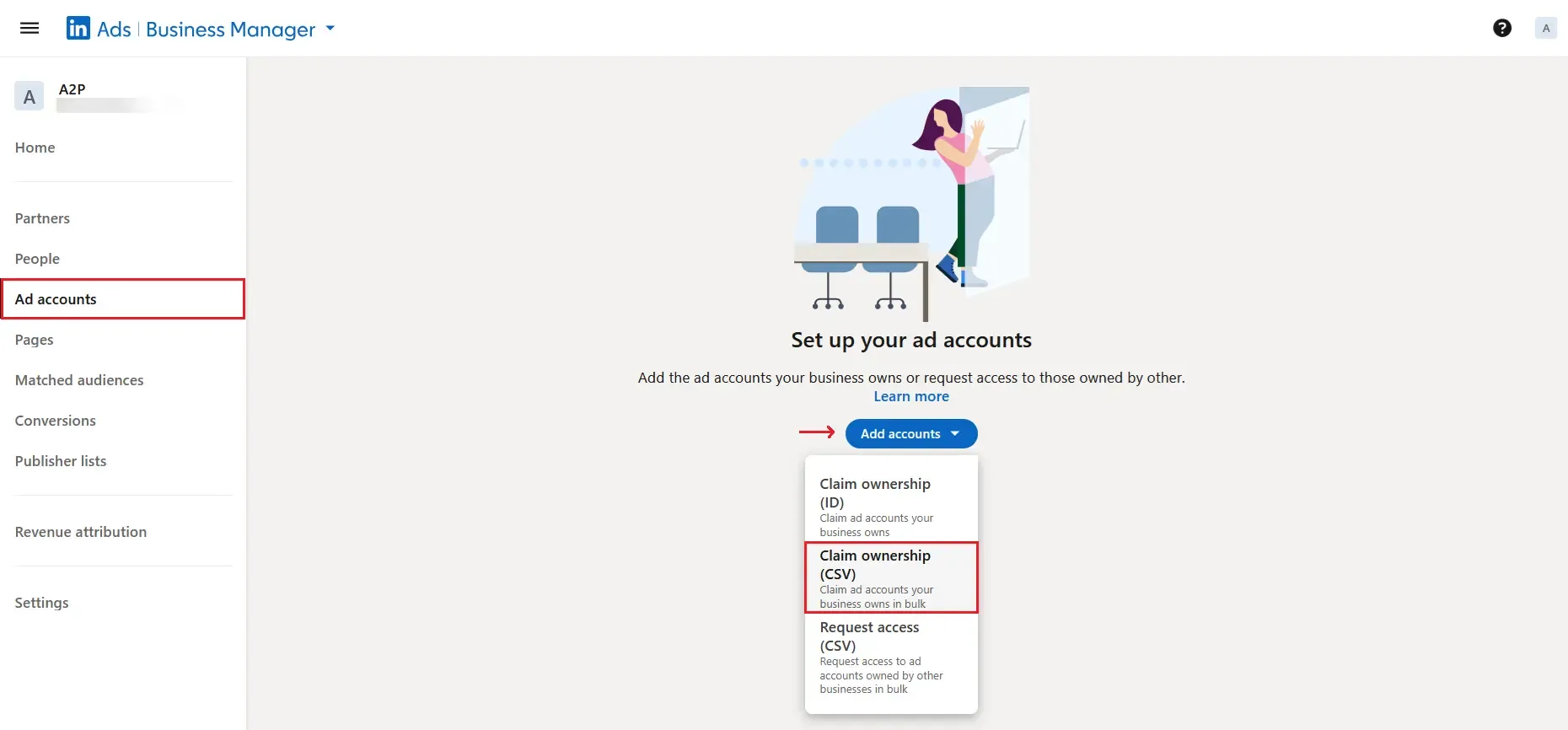
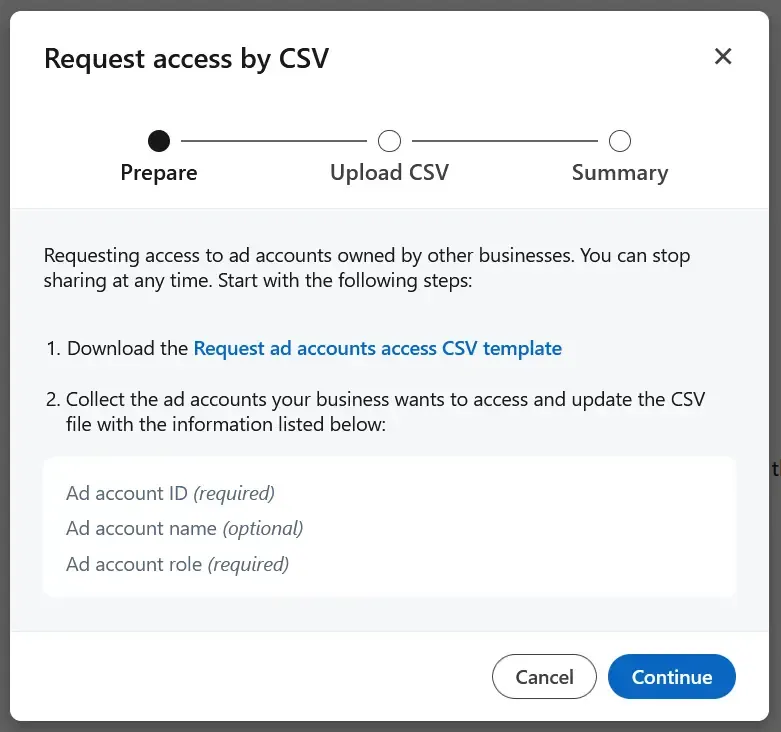
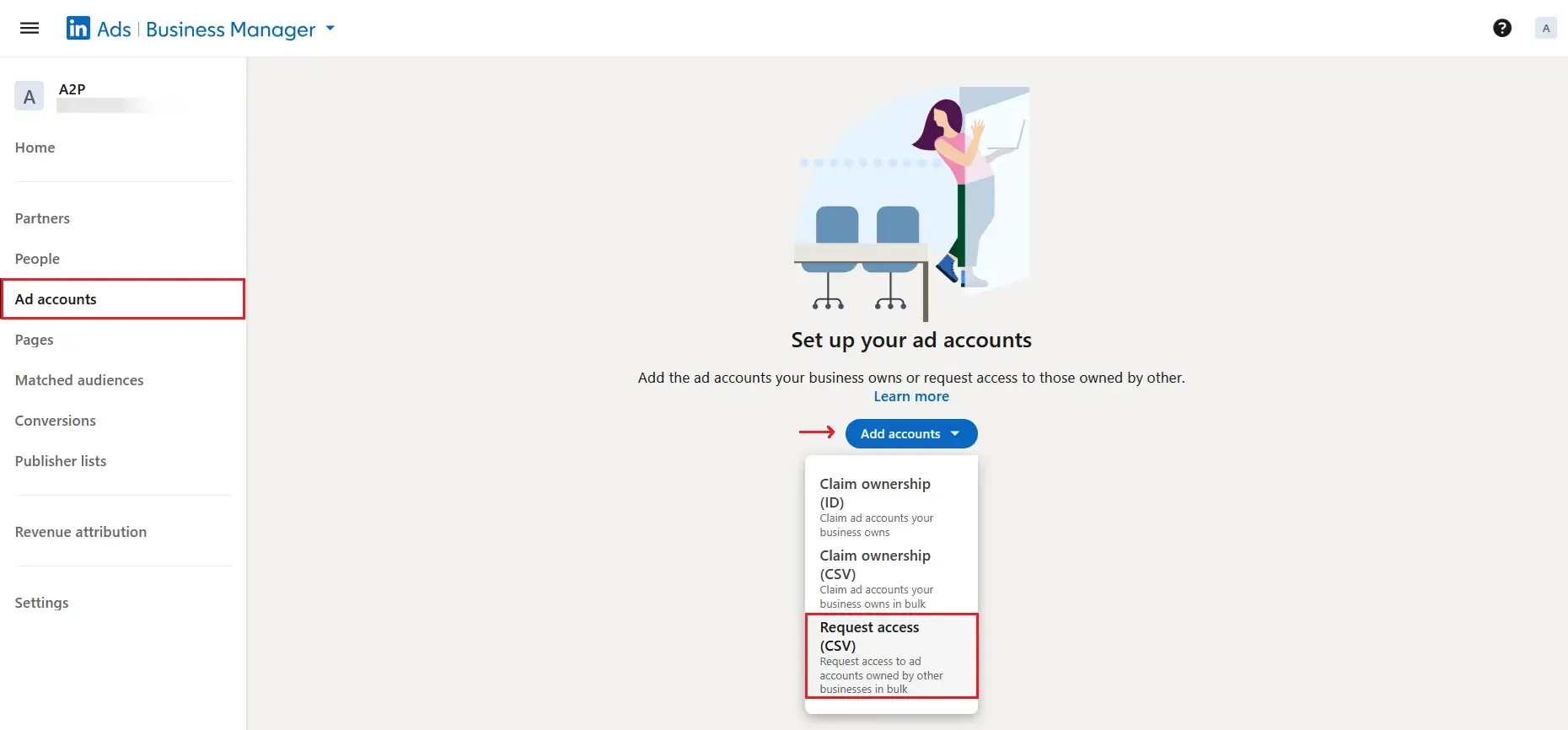
- Claim the ad accounts and Pages your company owns; request access to client assets. (Pages and ad accounts can be owned by only one Business Manager; Matched Audiences can be shared across accounts and partners.)
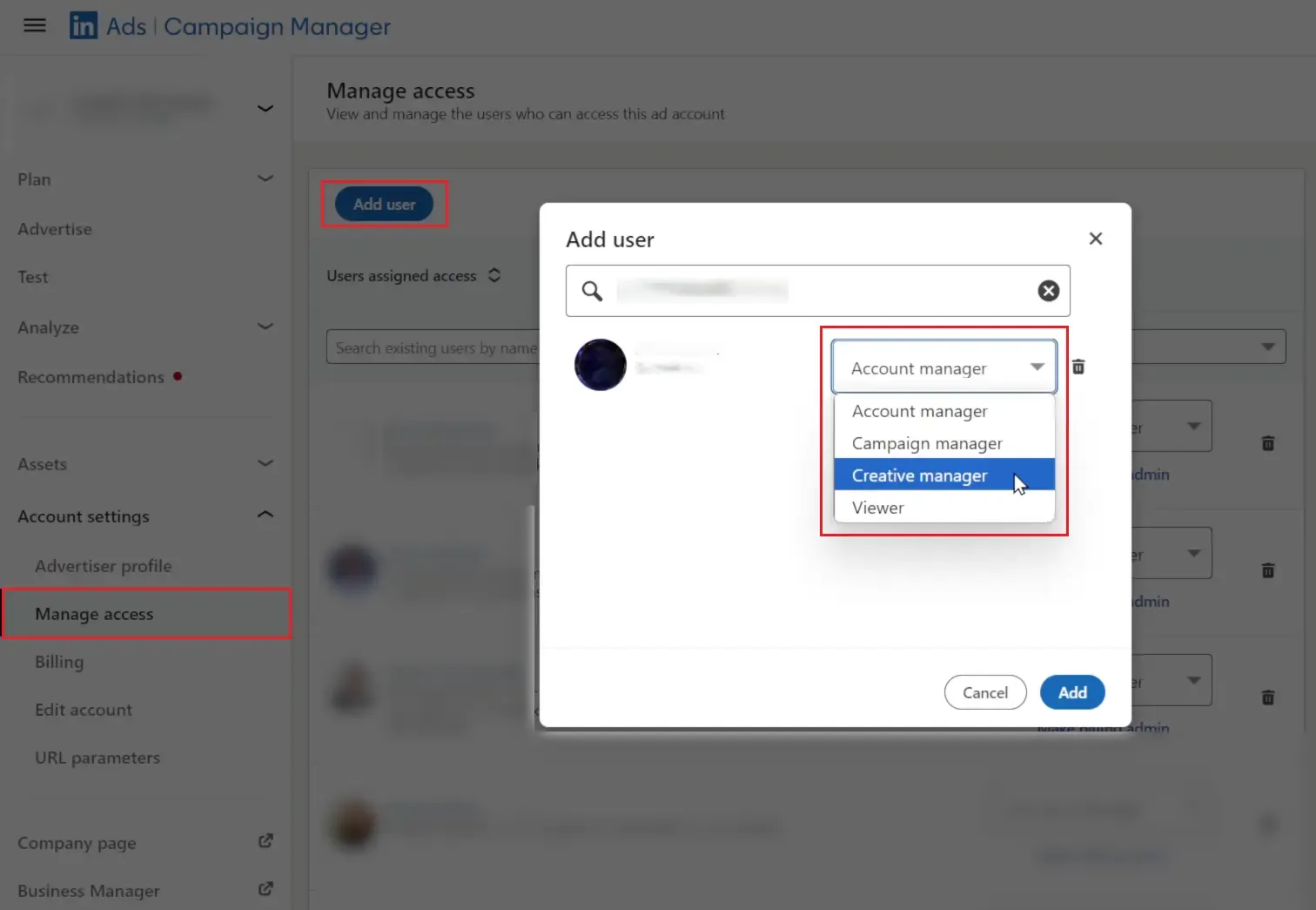
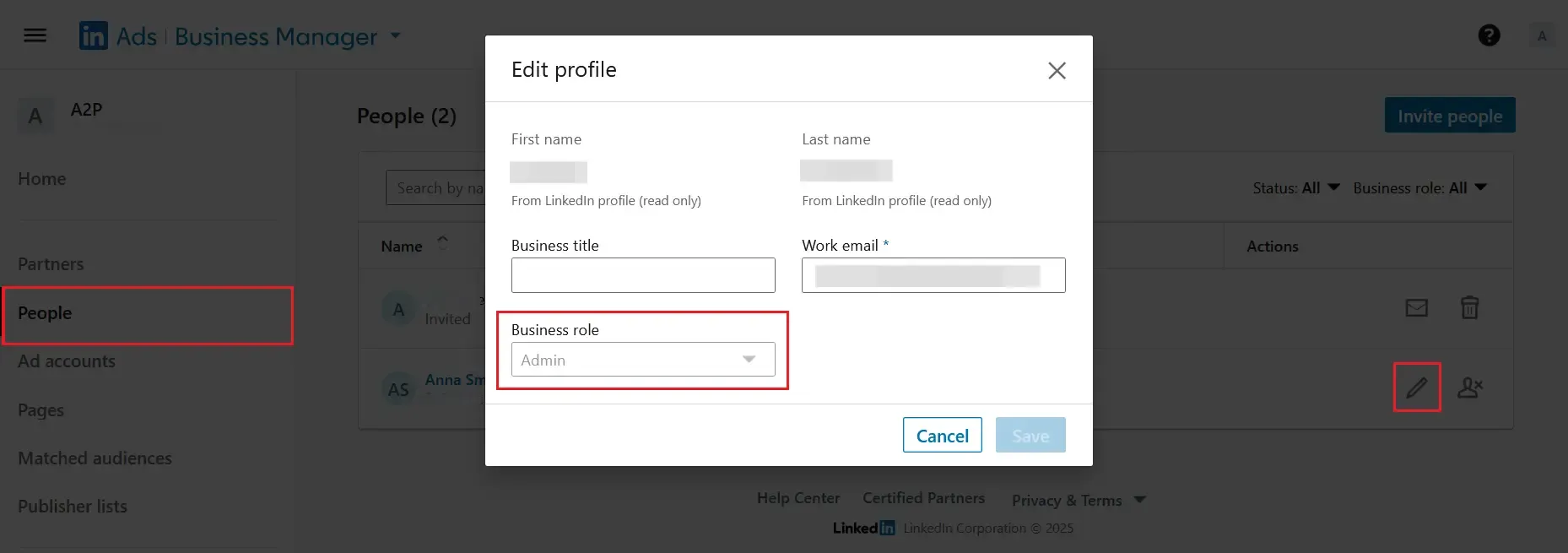
- Assign roles on two levels: Business Manager role: Admin, Employee, Contractor. Asset role: Campaign Manager, Content Admin, etc.
- Optional: Create Partnerships with agencies or sister companies to share assets securely.
Campaign Manager
If you want to manage several company accounts efficiently, you may also be interested in how to scale LinkedIn outreach with multiple accounts.
Best Practices
- Keep at least two Admins to prevent lockouts.
- Use Employee for staff and Contractor for freelancers or agencies.
- Audit access quarterly and remove users flagged as "Not in Business Manager".
- Share audiences instead of exporting CSVs; updates propagate instantly.
- Document a naming convention such as Region-BusinessUnit before onboarding.
- Schedule a recurring permission audit: review People and asset user lists, match them against current HR lists, and resolve mismatches to avoid compliance gaps.
- Ensure all users have two-factor authentication enabled (required by LinkedIn) to reduce account-takeover risk.
- Remember: LinkedIn Business Manager complements Campaign Manager; it does not replace it.
- Heavy testers can create additional ad accounts inside LinkedIn Ads Business Manager to separate billing entities or regions.
For ideas on keeping your company page organized and growing, see LinkedIn hack: How to manage a company page to get 3X more clients.