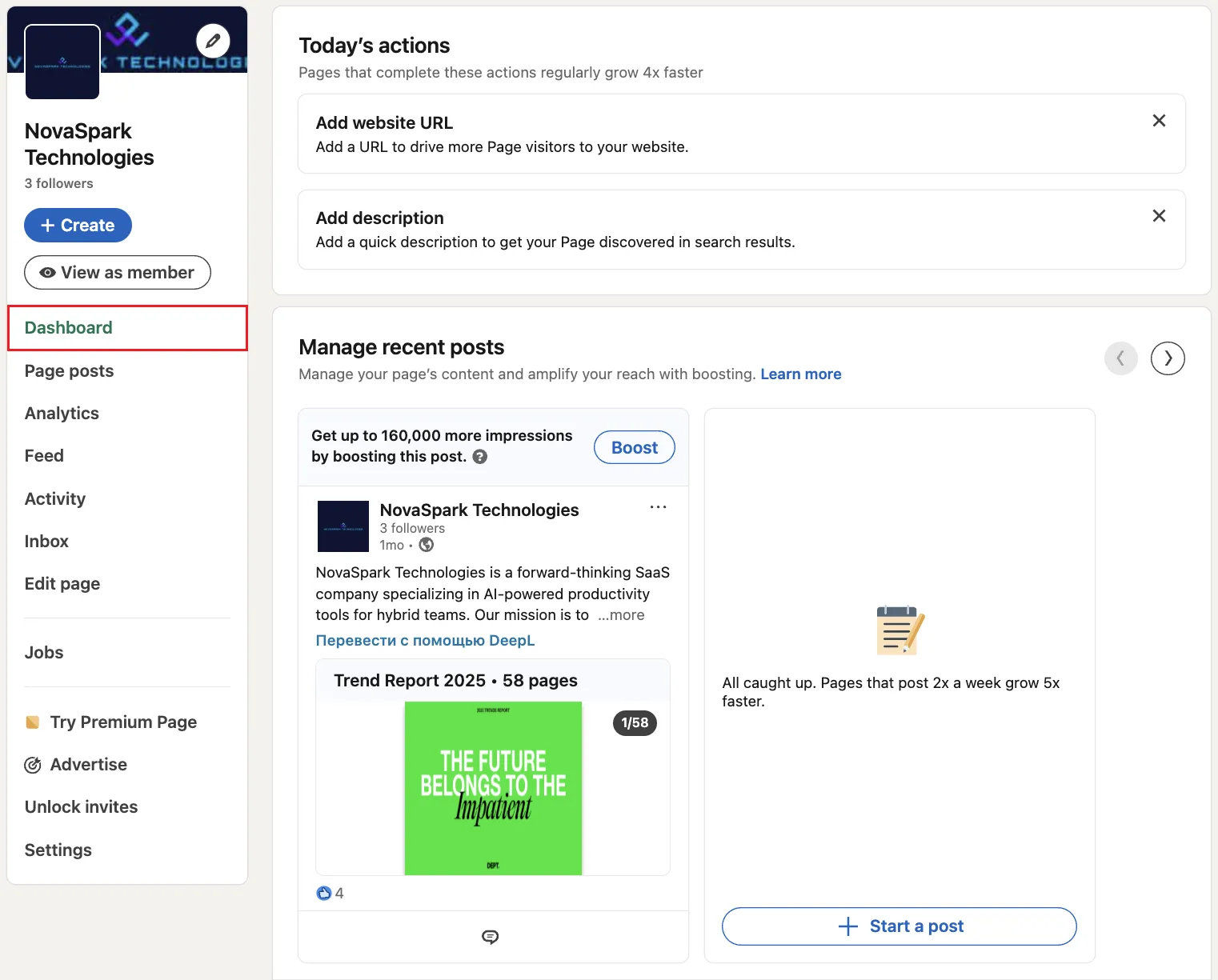
A LinkedIn Business Page is the free company profile feature that lets any organization build a presence on LinkedIn. Unlike a personal profile, a company page is public, connects to employees who list your firm as their workplace, and shows posts, jobs, and company info to anyone who visits.
Why LinkedIn for Business Matters
- Brand awareness: pages with complete details get about 30% more weekly views, according to LinkedIn.
- Thought leadership: share articles, polls, or LinkedIn Live sessions to demonstrate expertise.
- Recruitment: when you share jobs from your Page, followers see them in their feed.
- Lead generation: add a custom CTA button. Lead Gen Forms are available through Campaign Manager ads.
- Employee advocacy: reshare staff stories. LinkedIn says pages with over 150 followers grow new followers up to 9× faster.
A complete page also helps when prospects are comparing vendors and keeps distributed teams on the same message.
How Does LinkedIn for Business Work?
- Click For Business, then Create a LinkedIn Page.
- Pick "Company," then enter your name, custom URL, logo, and tagline.
- Fill in industry, size, and location fields to improve search visibility.
- Upload a 4200×700px cover image (PNG/JPEG, max 3MB) that matches your brand.
- Select the primary call-to-action button (Visit website, Contact us, Learn more, Sign up, Register, Give, Volunteer, Request demo, Buy now, Request services). On free Pages, the CTA appears under "More"; Premium Company Page displays it prominently at the top.
- Your Page gets a monthly pool of invite credits shared across admins. Use them to convert first-degree contacts into followers. Accepted invites return credits to the pool.
- Publish a content mix: images, short video, documents, and event promos.
- Track analytics: visitor demographics, follower growth, and post engagement. Adjust based on what you learn.
Is a LinkedIn Business Page Free?
Yes. Creating and running a basic page costs nothing. Ads and premium add-ons are optional.
Step 1:
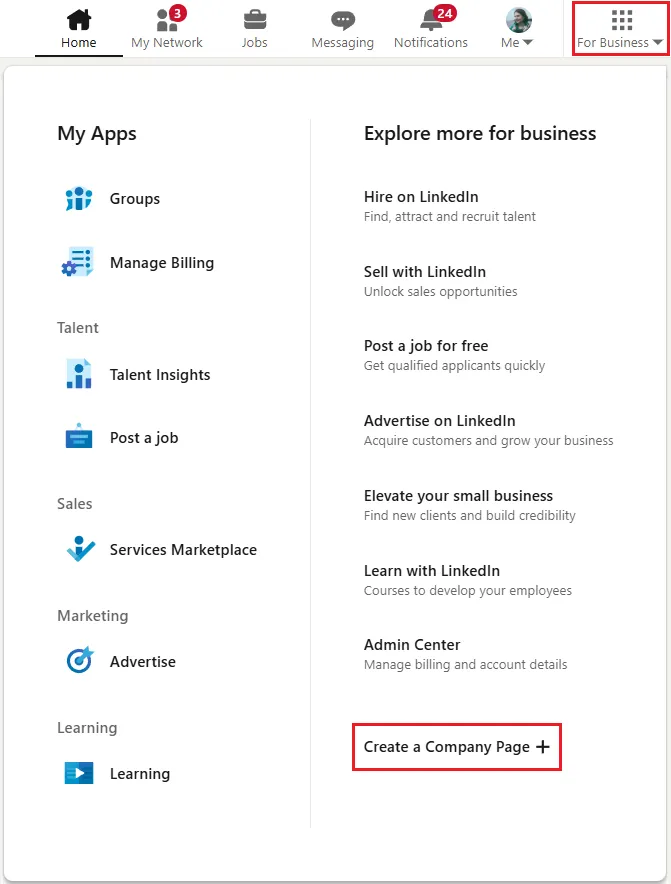
Step 2:
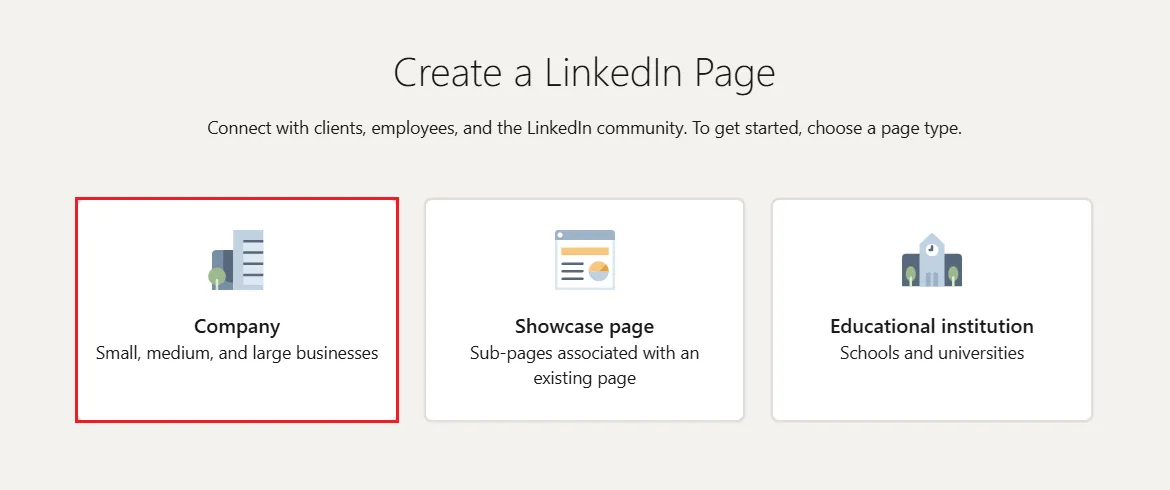
Step 3:
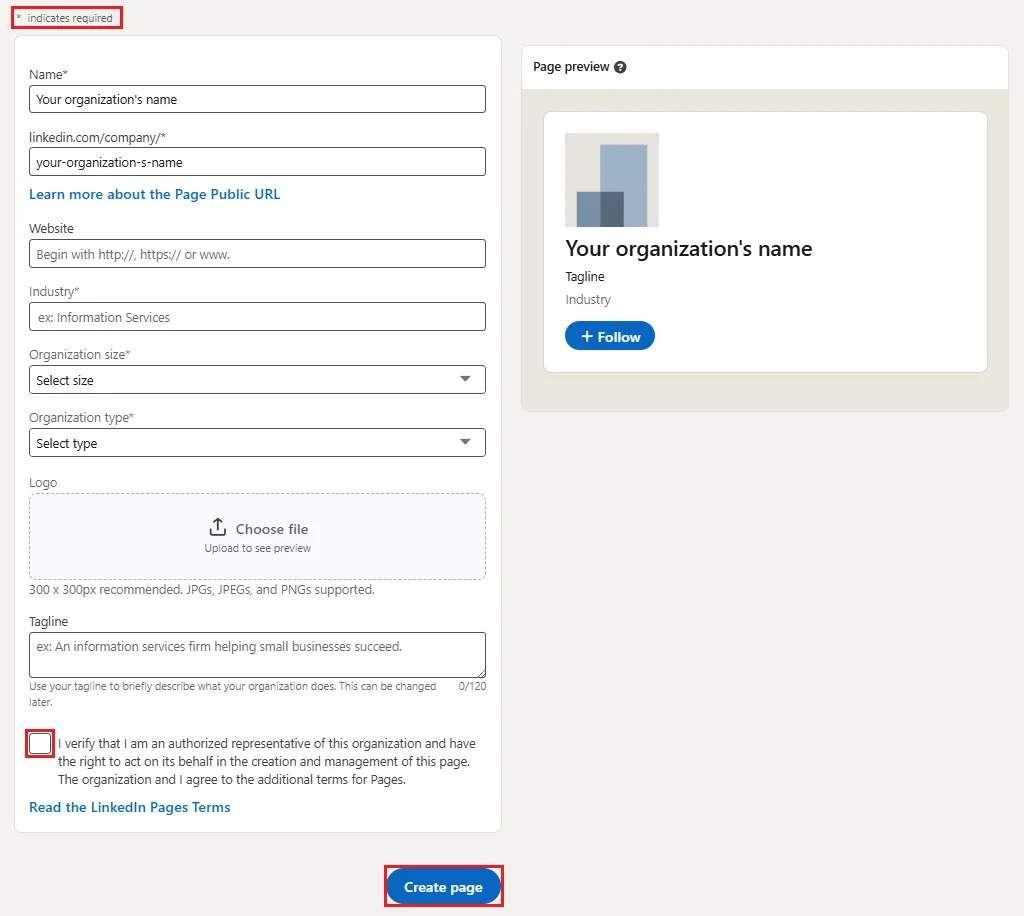
Best Practices
- Post at least once a week. LinkedIn says companies posting weekly see about 2× the engagement.
- Use visuals: image posts get roughly 2× more comments, and Company Page video is 5× more likely to start a conversation.
- Add three to five relevant hashtags to reach non-followers.
- Tag partners or employees occasionally to start conversations.
- Respond to comments quickly to keep discussions going.
- Feature useful content (case studies, webinar replays) at the top of your Page.
- Use "Notify Employees" to prompt staff to share key posts. For larger programs, consider an employee-advocacy tool.
- Review admin roles quarterly to keep access secure.
Common Pitfalls
- Treating the feed like a press-release board. Tell stories instead.
- Hard selling. Lead with useful information, pitch later.
- Ignoring mobile. Most members consume content on mobile, so keep copy short and visuals clear.
Bonus Tips
- Boost high-performing posts directly from the Page to expand reach.
- Create Showcase Pages for distinct brands, products, or initiatives. For regional audiences, keep one main Page and geo-target posts.
- Managing several pages? Connect them in LinkedIn Business Manager for one dashboard.
LinkedIn Business Pages are free to set up. The work is in keeping them active and useful to your audience.