
 Updated: September 29, 2026
 40 min read
LinkedIn started out as a professional resume repository — a digital rolodex where people listed their work history, skills, and connections in hopes of being discovered by recruiters.
Over the years, it has evolved into far more than just an online CV: it’s now a dynamic platform for thought leadership, personal branding, and professional conversation. Analysts, founders, freelancers, and industry experts use LinkedIn to share ideas, spark discussions, and build communities that go well beyond transactional networking.
In response to this shift, LinkedIn developed Creator Mode — a set of tools designed to help professionals build engaged audiences and amplify their voice.
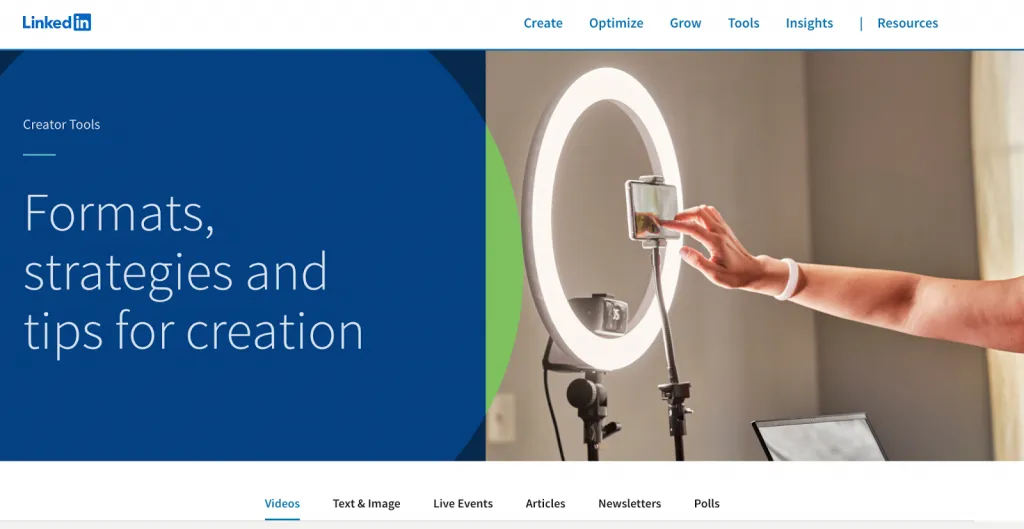
What began as an invite-only feature has, as of 2026, been integrated into all LinkedIn profiles, making it easier than ever for anyone — regardless of follower count — to establish and grow a personal brand on the platform.
This guide is your comprehensive, actionable resource on leveraging Creator Mode to its fullest. You’ll learn how to:
- Optimize Creator Mode for visibility and growth
- Strategize content that resonates with your audience
- Use LinkedIn’s native features to position yourself as a thought leader in your field
In an era where competition for attention is fierce and professional reputations are increasingly tied to online presence, Creator Mode isn’t just a “nice-to-have” — it’s a strategic advantage.
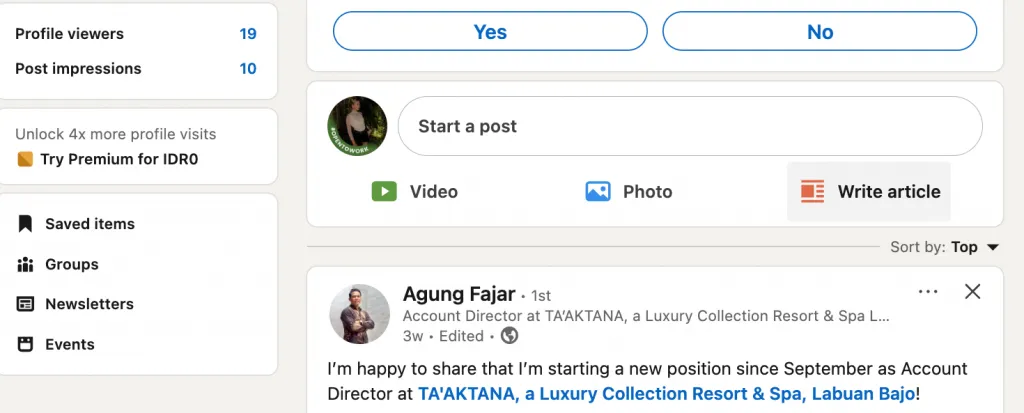
Whether you’re a seasoned executive, an emerging professional, or a niche expert, understanding and mastering these tools will help you stand out and be heard in 2026’s crowded digital marketplace.
What is LinkedIn Creator Mode? (And How It’s Different in 2026)
LinkedIn Creator Mode started as an optional profile setting on LinkedIn designed to help people build a bigger audience and be seen as content creators or thought leaders. Instead of treating LinkedIn purely as an online resume, Creator Mode made your content the centerpiece — highlighting your posts, articles, videos, and newsletters so more professionals would discover and engage with your ideas.
What Creator Mode Is (in 2026)
Creator Mode isn’t just a single toggle anymore.
As of early 2024, LinkedIn began phasing out the old on/off switch and folded the most powerful creator features directly into every profile.
Rather than flipping a single setting called “Creator Mode,” you now access an integrated set of tools — like Follow buttons, featured content showcases, and analytics — that help you grow and engage your professional audience.
In other words, Creator Mode has evolved from a special setting you turned on… into a suite of tools available to everyone. Many of the capabilities that used to require that toggle are now standard parts of the LinkedIn experience for professionals who publish content regularly.
How It Transforms Your Profile
Here’s what this transformation means for how your profile looks and functions:
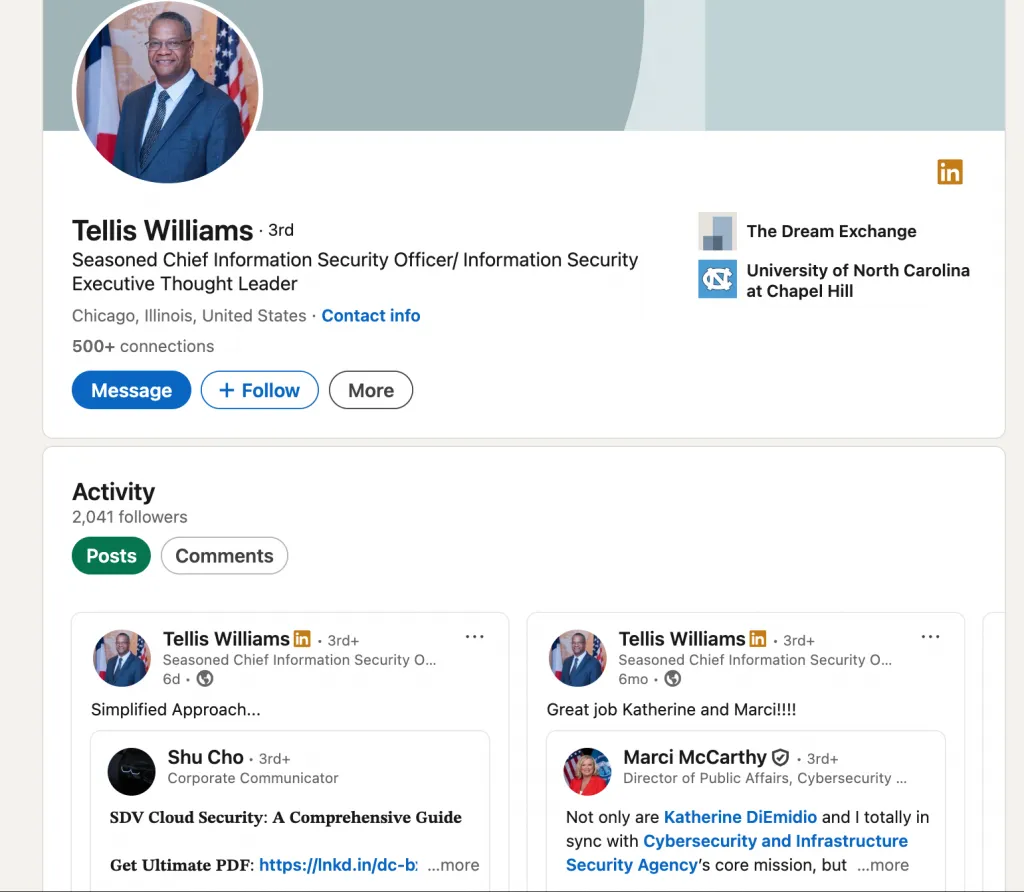
- Follow vs. Connect: The main action button on your profile can now be set to Follow instead of Connect, which lets people subscribe to your updates without needing to send a connection request. That makes audience growth easier and more natural for content creators. (LinkedIn)
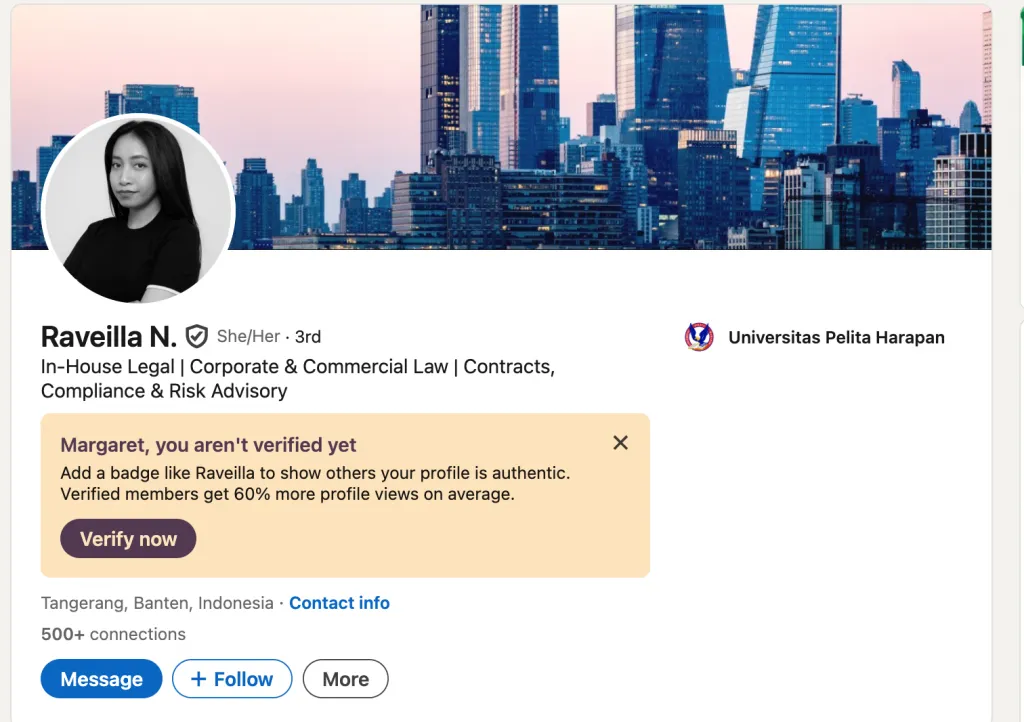
- Content Focused Layout: Sections like Featured and Activity (your posts) are prioritized, helping visitors quickly see your ideas and expertise instead of just job history. (INSIDEA)
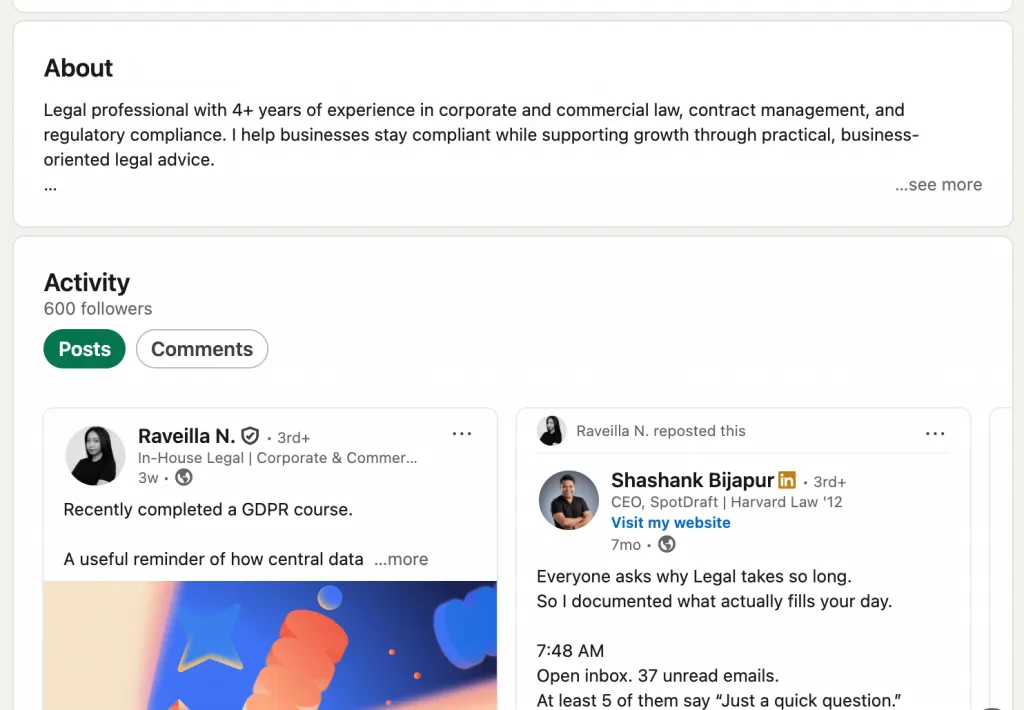
- Profile Story First: LinkedIn moved the About section to the top of your profile so your professional narrative is one of the first things people read — an important shift toward storytelling over resumes. (Social Media Today)
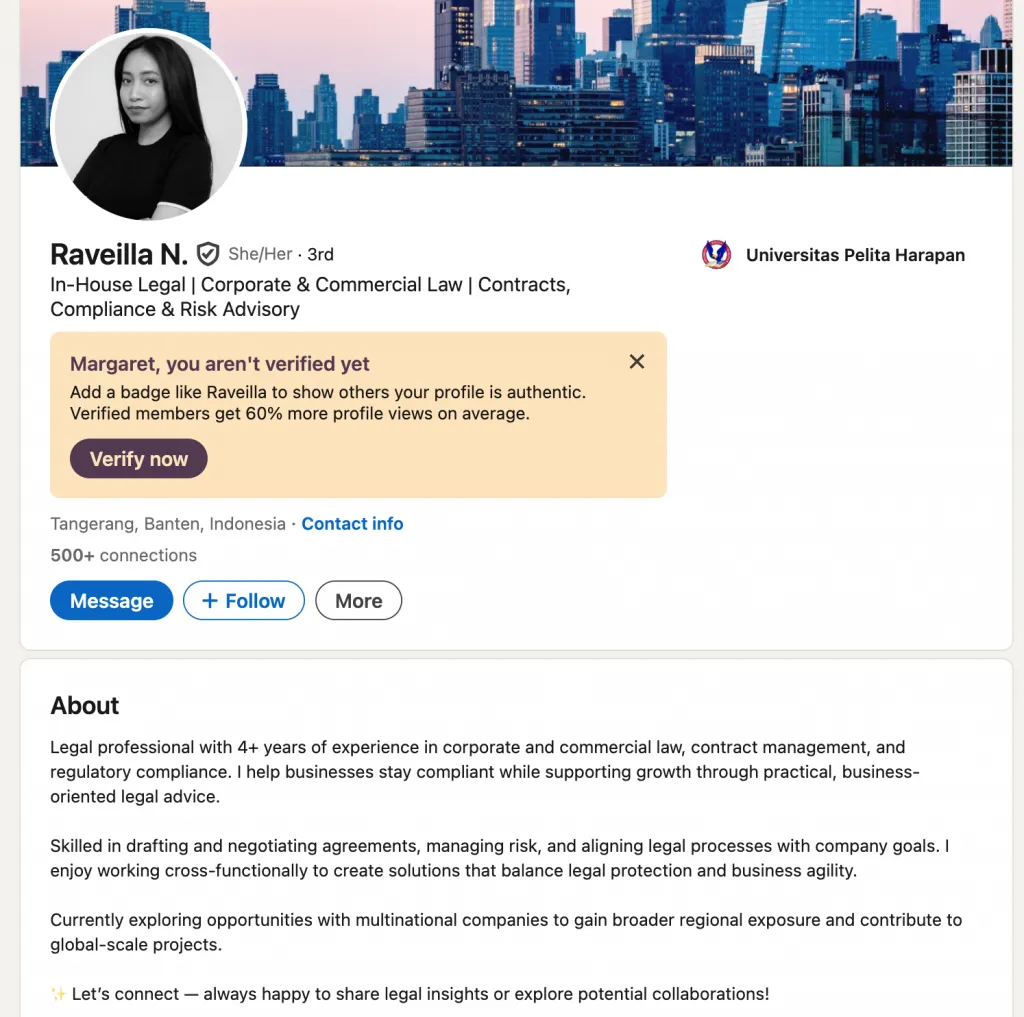
Why “Creator Mode” Terminology Is Changing
In 2025–2026, LinkedIn has started reframing Creator Mode away from a special status you “turn on” to a platform-wide approach to professional content.
Instead of thinking of it as a bonus feature, LinkedIn treats audience building and publishing tools as part of the core experience for all users who share insights and original content. This shift reflects how the network has matured from a networking directory into a content and thought leadership ecosystem. (Social Media Today)
Who Should Use It
These features are especially valuable if you want to:
- Grow your professional audience
- Share insights, expertise, or industry commentary
- Establish yourself as a thought leader in your field
If your goals are more about job searching or personal networking (building close connections rather than a broad following), the traditional profile orientation might still make sense for you. (Closely)
Quick Comparison: Creator-Focused vs. Standard Profile
| Feature | Creator-Focused (2026) | Traditional Profile |
|---|---|---|
| Primary Action | Follow (default) | Connect |
| Profile Layout | Content first (Featured, Activity) | Experience & About prioritized |
| Audience Growth | Followers displayed prominently | Connections displayed |
| Tools | Newsletters, Live, Analytics accessible | Basic tools only |
In short, LinkedIn Creator Mode in 2026 is less a separate switch and more a mindset & toolbox built into LinkedIn, helping professionals shift from being just a resume to being a voice that others choose to follow. (Social Media Today)
How to Activate Creator Tools: Step-by-Step Setup Guide
In March 2024 LinkedIn removed the Creator Mode on/off toggle from the Resources section of profiles — but the creator tools themselves remain available to all users.
That means you don’t “activate Creator Mode” anymore by toggling it on; instead you access and set up each tool directly. In 2025–2026 this is now the standard for all profiles.
Still, some features that used to be part of Creator Mode — like the Follow button, Advanced analytics, Newsletters and LinkedIn Live — persist and need to be confirmed or enabled. Here’s how to do that.
Step 1: Access Your LinkedIn Profile Settings
- Go to linkedin.com and log in.
- Click your profile picture (top right) and select View Profile.
Step 2 — Find Creator/Creator Tools Area
Now that Creator Mode isn’t a separate toggle:
- Scroll down your profile slightly until you see your Activity or Analytics panel.
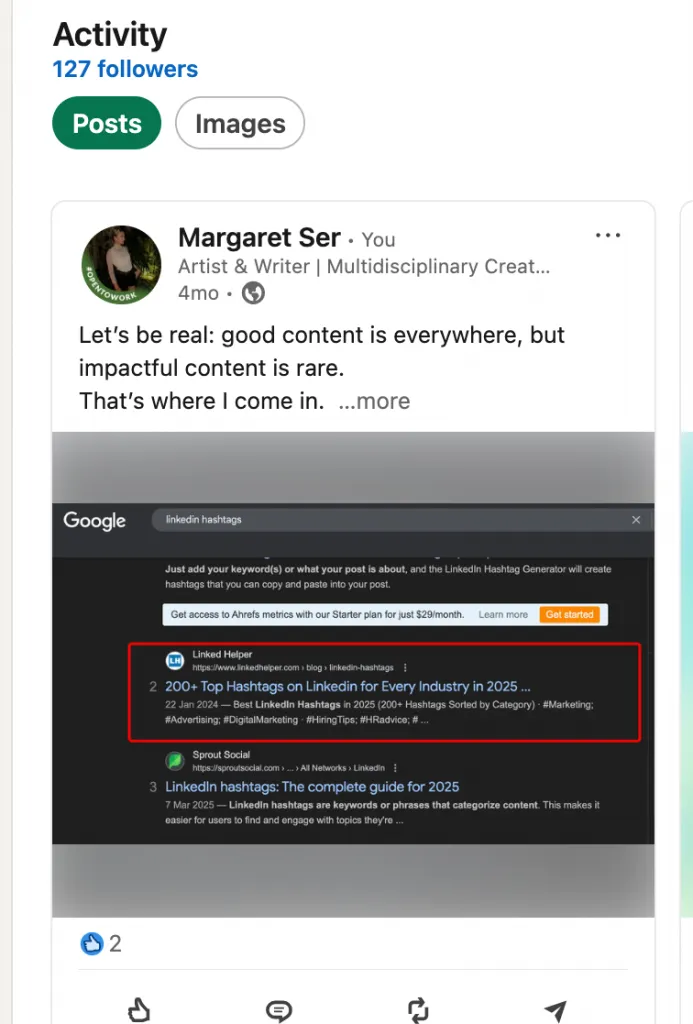
- Look for Post impressions, Profile activity, Social engagement.
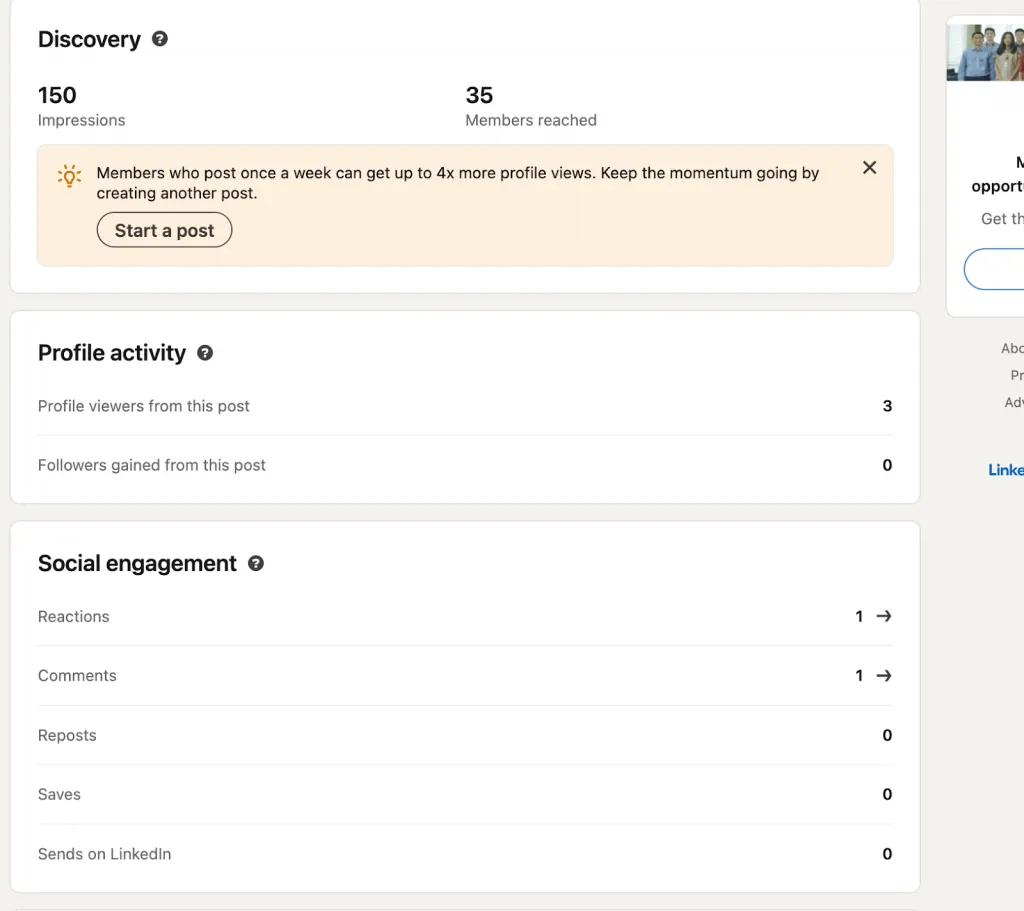
This replaces the old “Creator Mode: On/Off” toggle.
Step 3 — Enable the “Follow” Button
To make Follow the primary action instead of Connect:
- Click your profile photo > Settings & privacy.
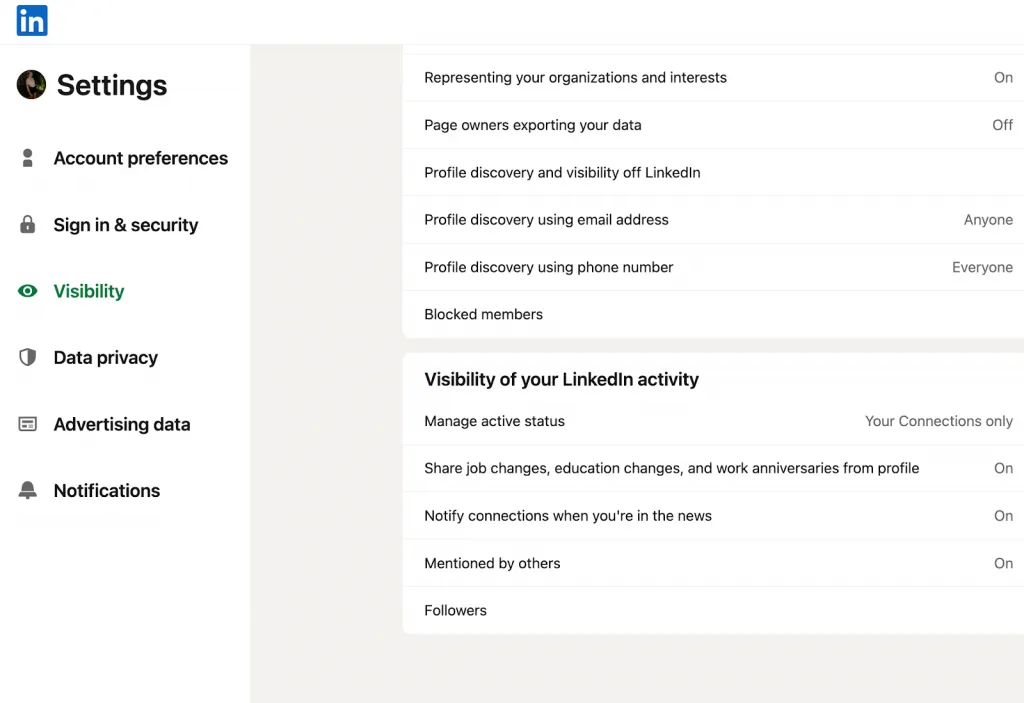
- Go to Visibility > Visibility of your LinkedIn activity.
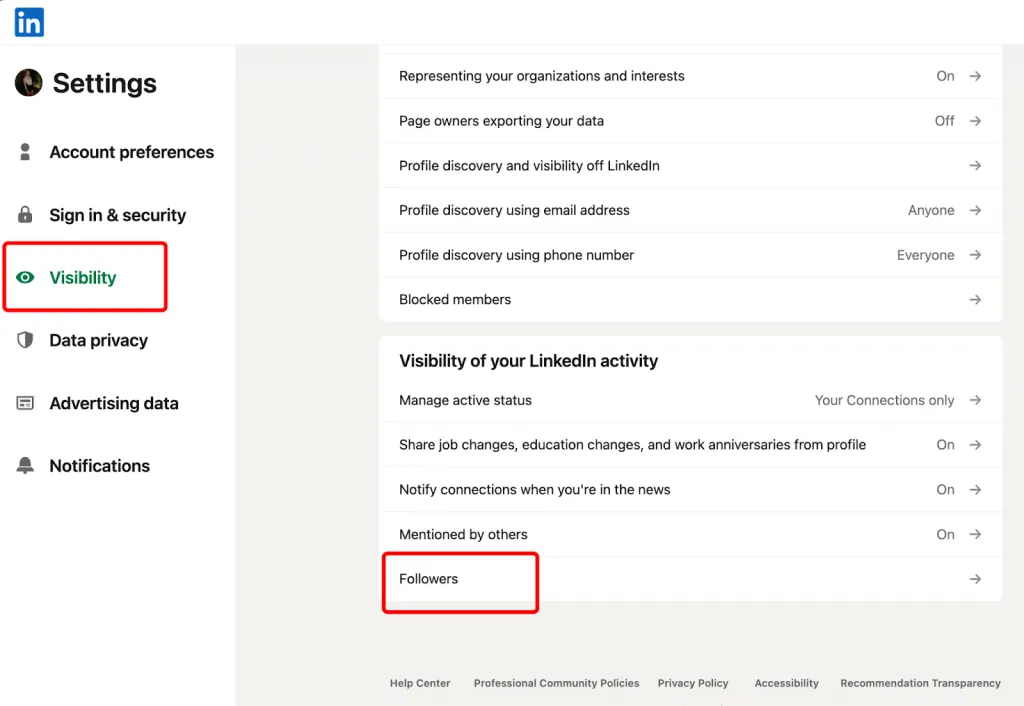
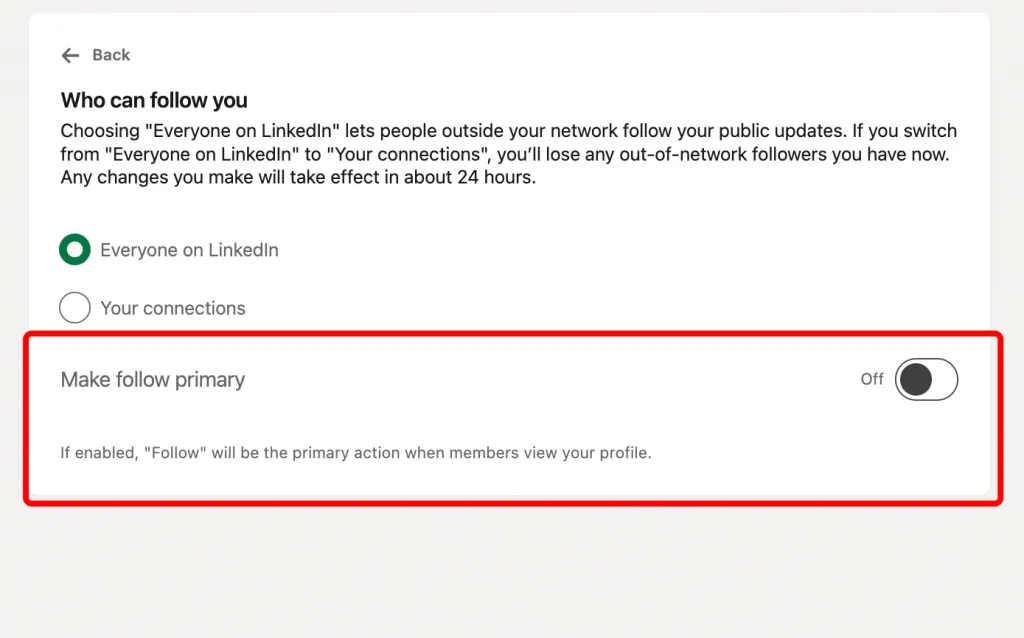
- Enable Make follow primary (or similar wording). That ensures visitors see Follow first — a key creator tool that helps grow your audience.
Step 4 — Add Up to 5 Profile Topics/Hashtags (if available)
Important: LinkedIn removed the original hashtag topics under the headline in Feb 2024, but LinkedIn may still prompt you to indicate topics during setup or analytics workflows if there’s a future UI update.
Step 5 — Verify Your Changes
After you’ve done the above:
Visit your profile in a private browser window or while logged out
Confirm the Follow button appears
Make sure your LinkedIn analytics tools are accessible
If you uploaded a video, ensure it plays and looks good
These points confirm you’re using the creator tools effectively even without a formal “mode” toggle.
Mobile Setup (iOS/Android)
- Open the LinkedIn App → tap your profile photo → View profile.
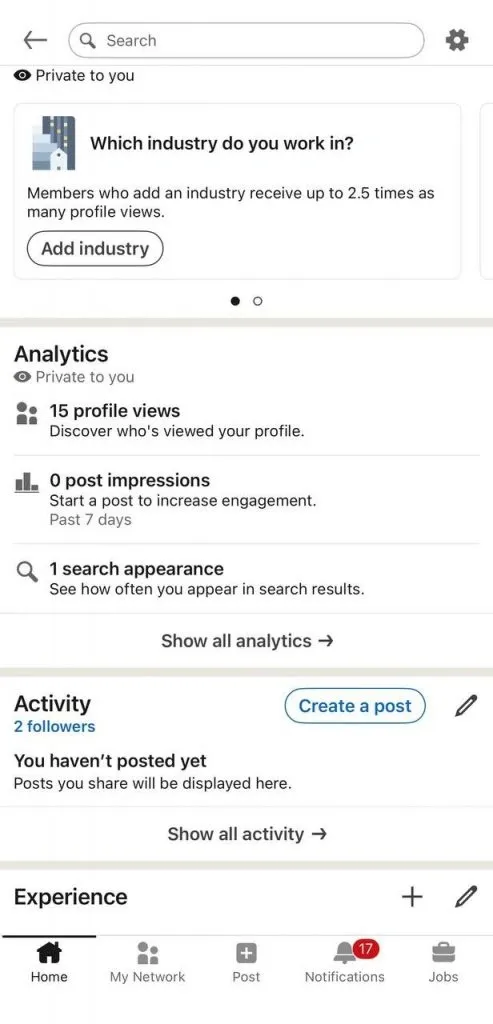
- Scroll to the Analytics or Post impressions area — tapping here reveals creator tool insights (newsletters, live access, etc.).
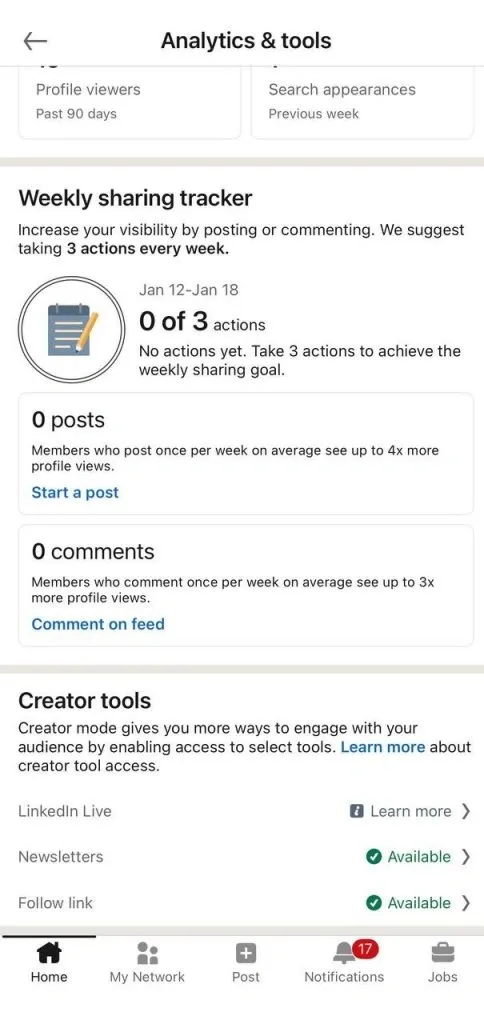
- To enable Follow:
- Tap Your photo → Settings→ Visibility → Followers
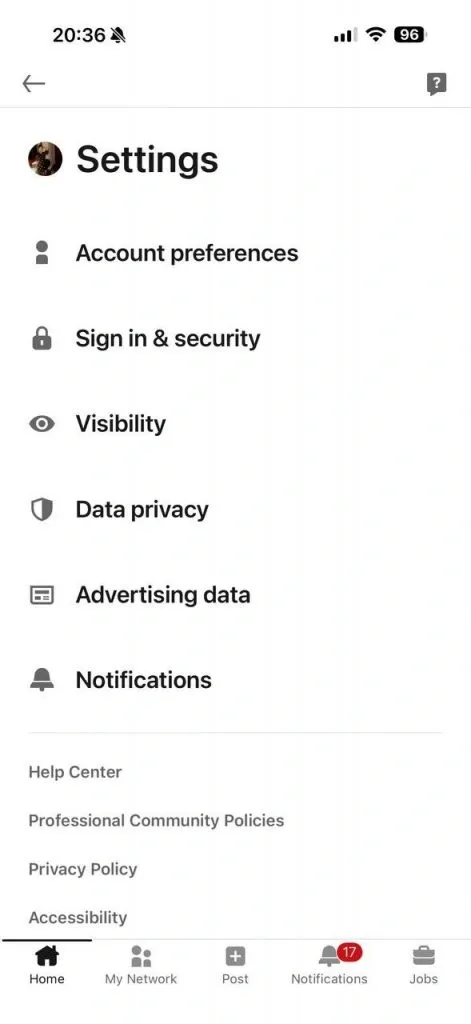
- Turn on Make follow primary.
Button Behavior: Follow vs. Connect (Creator Mode LinkedIn)
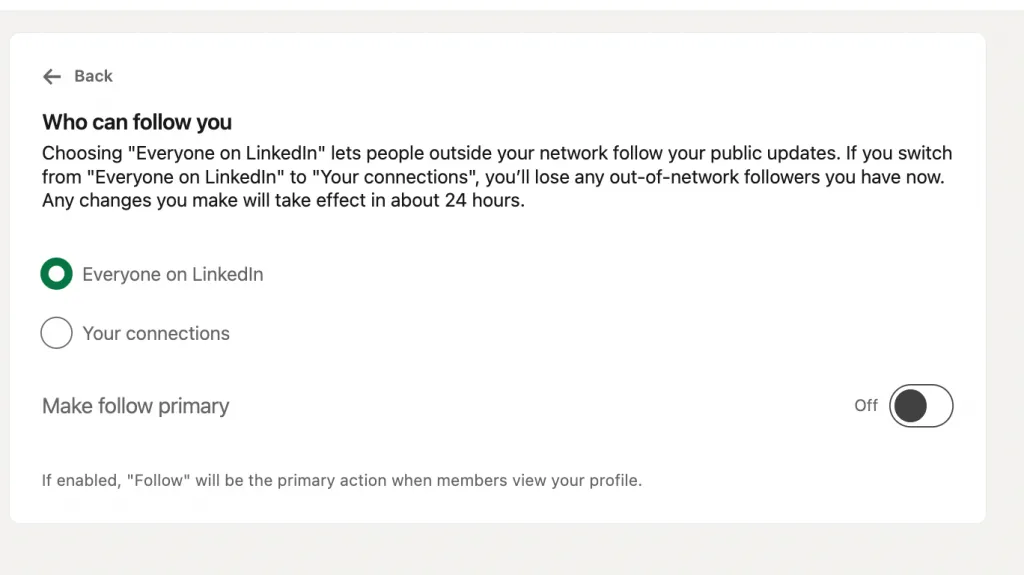
When people search creator mode LinkedIn or how to turn on creator mode, they’re usually asking why their profile shows Follow instead of Connect. While there’s no longer a separate toggle or LinkedIn Creator Studio, this setting still defines how your profile works.
Who Can Follow You
- Everyone on LinkedIn → anyone can follow your public updates
- Your connections → only connections can follow you
Switching from Everyone on LinkedIn to Your connections removes existing out-of-network followers. Changes apply in ~24 hours.
Make Follow Primary
When enabled:
- Follow becomes the main profile button
- Connect moves to a secondary option
- People can subscribe to your content instantly
This is essentially how to turn on creator mode today.
Strategic Difference
- Connect → private, two-way networking (30,000 connection cap)
- Follow → public, one-way audience growth (unlimited followers)
Bottom line: If your goal is reach, visibility, and scale, enable Follow. That’s how creator mode LinkedIn functions in 2026.
Troubleshooting (Where’s the Old Toggle?)
If you’re actively searching for Creator Mode toggle in Resources and can’t find it:
- That’s expected — LinkedIn removed it in 2024.
- The tools you want (Follow, analytics, newsletters, live, etc.) are no longer hidden behind that toggle — they’re now accessible through your profile’s analytics/dashboard area or settings menus.
- Focus on manually enabling the Follow button and ensuring you can access analytics and newsletters from your dashboard.
Why Professionals Are Switching to Creator Mode in 2026
1. Exponential Audience Growth Without Connection Limits
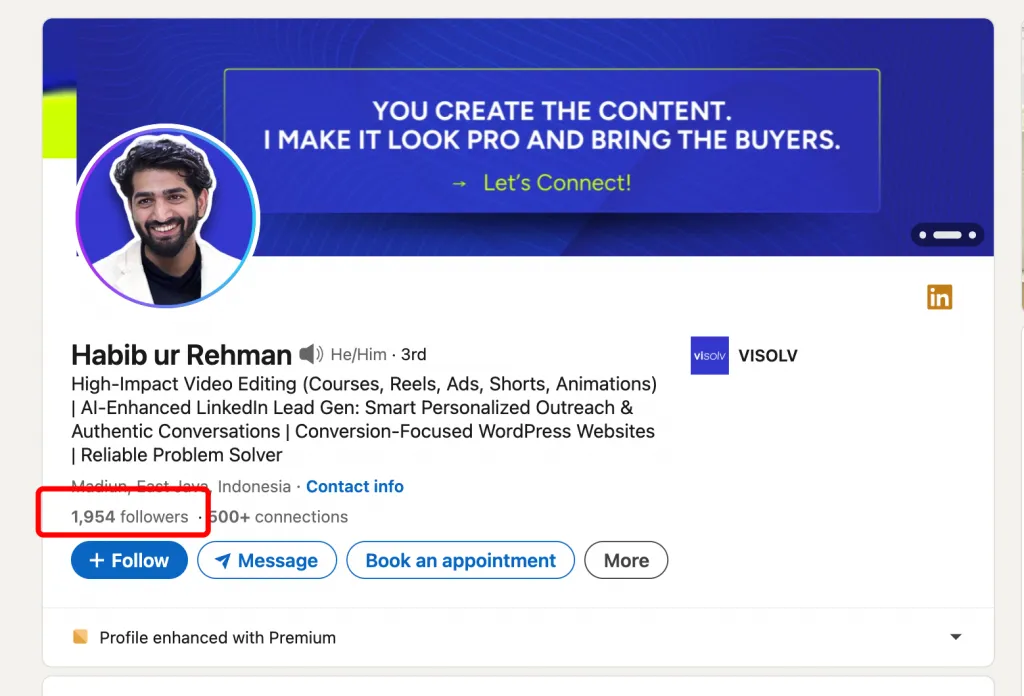
The most immediate reason professionals adopt creator-style profiles is scale.
Traditional LinkedIn networking is capped:
- 30,000 connection limit
- Mutual approval required
- Growth slows over time
Creator-style profiles remove these constraints:
- Unlimited followers
- One-click subscription
- No approval friction
This matters because followers outperform connections for visibility. A follower relationship tells LinkedIn: this person wants to see this content. As a result, creator posts routinely see 3–5x higher reach than posts from profiles optimized only for connections.
Real outcome:
Consultants grow audiences of 50k–200k followers while staying under 5k connections — impossible with a standard profile.
2. Increased Content Discoverability and Algorithm Amplification
LinkedIn’s algorithm in 2026 prioritizes:
- Follower-based engagement
- Content velocity in the first 60–90 minutes
- Topic consistency
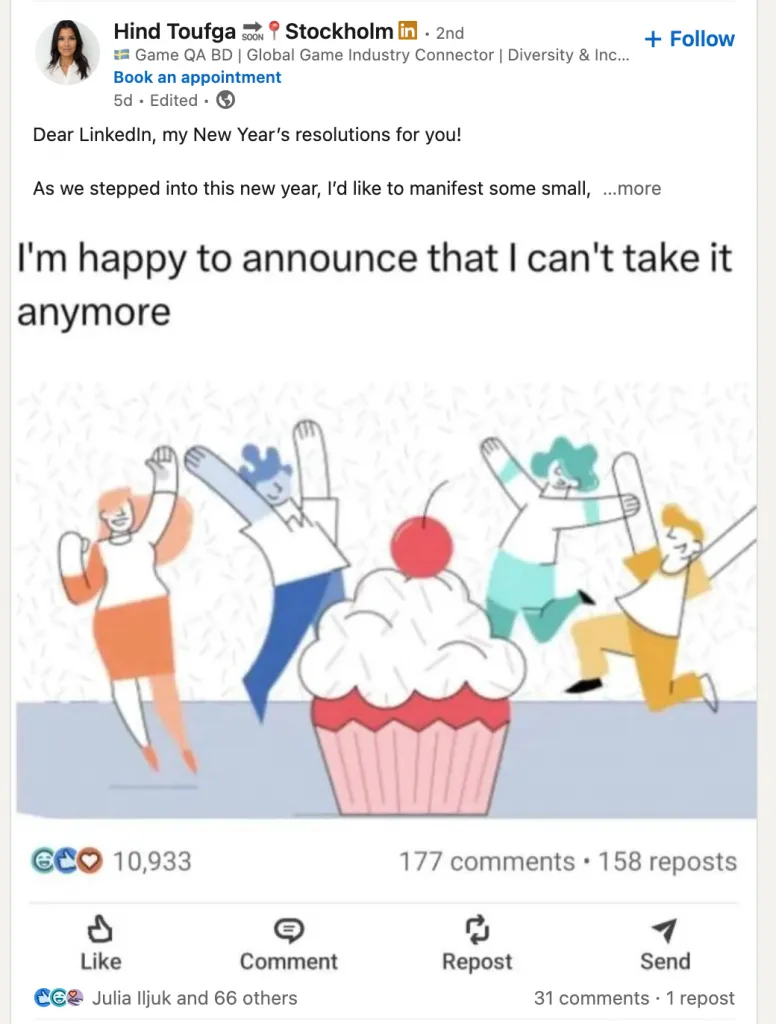
Creator-oriented profiles benefit disproportionately because:
- Followers are more likely to engage
- Engagement spreads posts beyond first-degree networks
- Content is tested with broader audiences faster
Internal LinkedIn reporting and creator case studies consistently show creator-optimized content receiving 3–5x reach compared to similar posts from standard profiles.
Real outcome:
Thought leaders appear in recommendations, “People to follow,” and topic-based discovery — even when viewers have no prior connection.
3. Access to Exclusive Creator Tools (Live, Newsletters, )
Professionals aren’t switching for features — they’re switching for distribution channels.
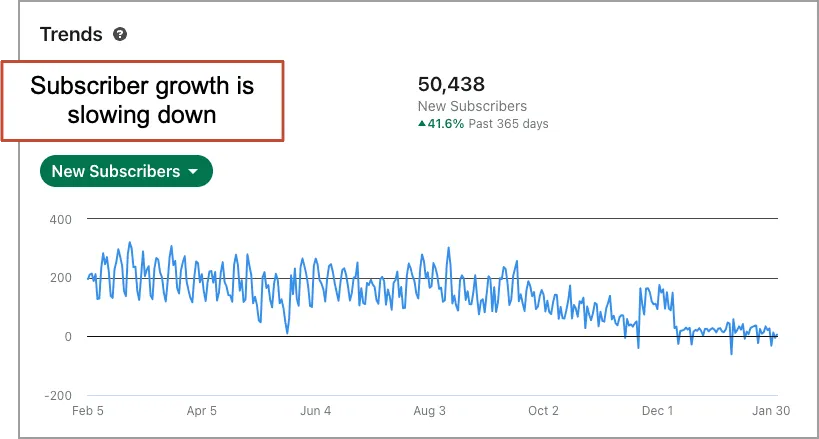
Creator tools unlock:
- Newsletters → recurring audience touchpoints
- LinkedIn Live → real-time authority and interaction
Over 17 million LinkedIn members now use creator features, and newsletters in particular have become one of the highest-engagement formats on the platform.
Real outcome:
Entrepreneurs use newsletters to update followers quarterly — attracting investor interest without pitching. Consultants use Live sessions to pre-qualify leads at scale.
4. Enhanced Personal Branding and Thought Leadership
Creator Mode shifts your profile from:
“Here’s where I worked”
to
“Here’s how I think”
That shift compounds over time.
Thought leadership content consistently outperforms promotional posts in:
- Engagement rate
- Saves
- Profile views
- Inbound messages
In practice, professionals who post consistently see 2–3x higher engagement rates than those who only update their experience section.
Real outcome:
Recruiters and partners approach creators with context:
“I’ve been following your work,” instead of “I saw your profile.”
5. Direct Revenue Opportunities (Newsletters, Sponsorships, Leads)
Creator Mode isn’t about content for content’s sake — it’s about leverage.
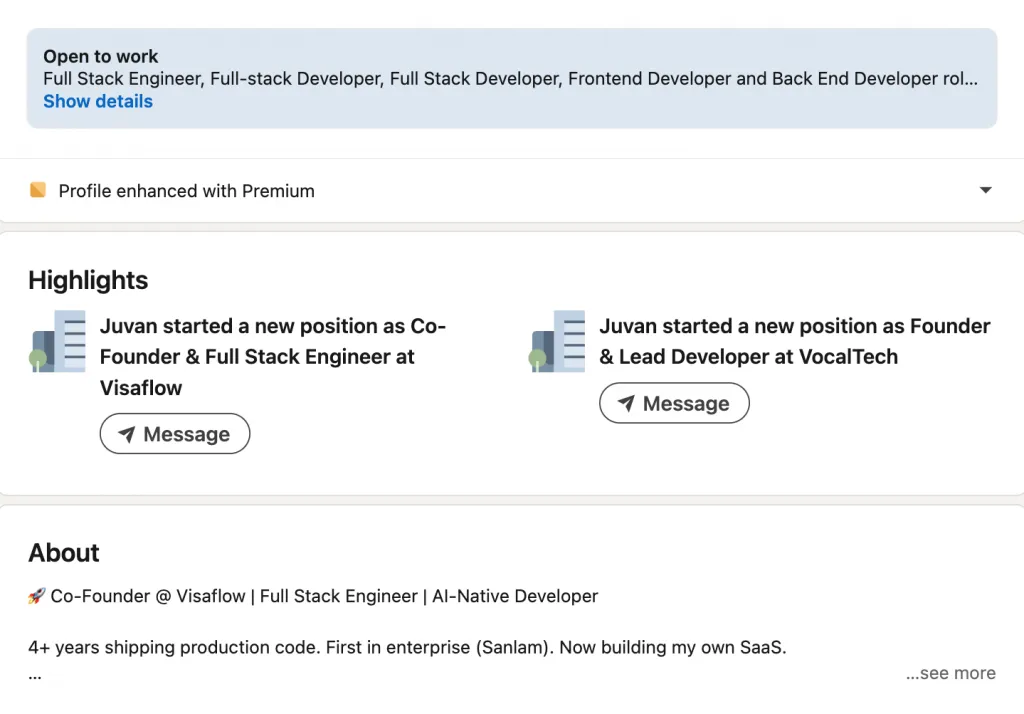
Revenue paths creators unlock include:
- Inbound consulting leads
- Sponsorships and brand partnerships
- Paid communities or courses
- Speaking invitations
- Advisory and board roles
Newsletter audiences, in particular, convert well because:
- They’re opt-in
- They’re recurring
- They signal high trust
Real outcome:
Consultants routinely close 5–6 figure contracts without outbound sales — prospects come pre-sold through content.
6. Better Analytics and Content Performance Insights
Creator-focused profiles unlock deeper analytics, including:
- Follower growth trends
- Post reach outside your network
- Engagement benchmarks over time
This allows professionals to:
- Identify which ideas resonate
- Double down on high-performing topics
- Treat content as a strategic asset, not guesswork
Standard profiles lack this level of feedback, making optimization slower and less intentional.
Real outcome:
Creators refine positioning faster — often finding a profitable niche within months instead of years.
7. Easier to Build Authority in Your Niche
Authority isn’t claimed — it’s reinforced through repetition and visibility.
Creator Mode accelerates this by:
- Making your ideas consistently discoverable
- Aligning your profile, content, and analytics around a niche
- Rewarding topical consistency
Followers remember themes, not job titles. Over time, creators become “the person for X.”
Real outcome:
Thought leaders dominate narrow niches (AI policy, Web3 compliance, executive coaching) with fewer competitors — because authority compounds faster than credentials.
When Creator Mode Might NOT Be Right for You
Creator Mode is powerful — but it isn’t universal. In fact, using it without the right goals or habits can actively work against you. To maintain credibility (and avoid turning LinkedIn into another noisy content platform), it’s important to be honest about when a traditional LinkedIn profile works better.
Below are the real drawbacks — and who should think twice before switching.
1. Harder for Recruiters and Direct Contacts to Connect
When Follow becomes your primary button, you introduce friction for people who want direct access.
- Recruiters often prefer one-click connections
- Hiring managers may not look for the “Connect” dropdown
- Some outreach simply doesn’t happen if it requires extra steps
Result:
You may get more followers but fewer direct messages from recruiters.
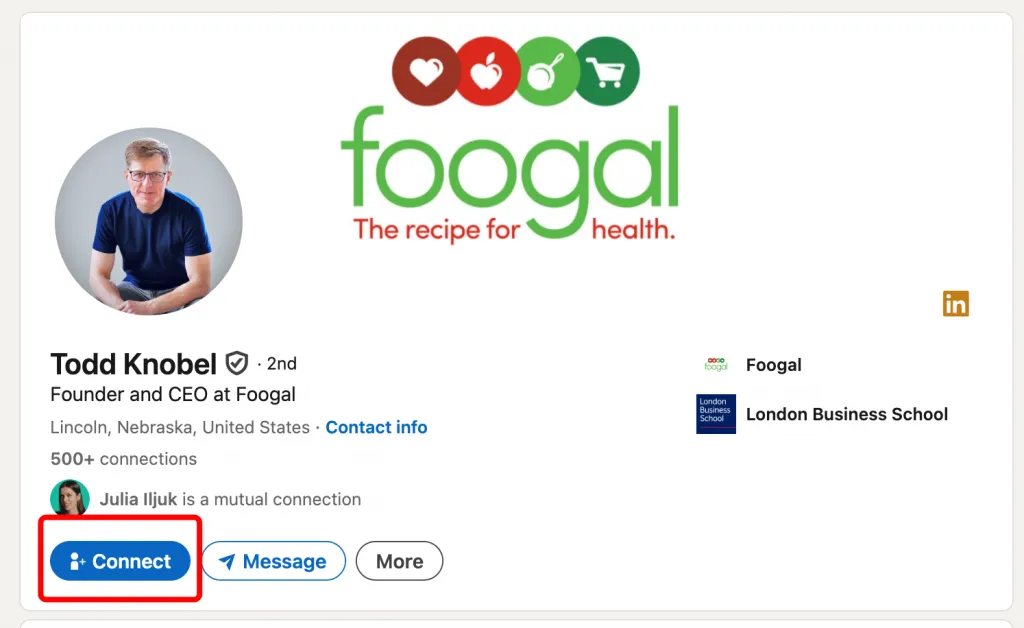
If your goal is landing a new role in the next 3–6 months, a standard profile with Connect primary often performs better.
2. Pressure to Post Consistently (or Face Profile Staleness)
Creator-style profiles set an expectation:
“This person shares insights.”
If you don’t post regularly:
- Your profile looks inactive
- Followers disengage
- LinkedIn stops prioritizing your content
Unlike standard profiles — which can remain static — creator profiles penalize silence.
Result:
If you can’t commit to posting at least 2–3 times per week, Creator Mode may hurt more than help.
3. The Algorithm Requires Engagement and Consistency
Creator Mode amplifies content — but only when:
- Posts receive early engagement
- Topics stay consistent
- Activity is sustained over time
Inconsistent posting or frequent topic shifts confuse the algorithm. Without engagement, reach drops sharply.
Result:
Creators who post sporadically often experience lower reach than standard users — a frustrating outcome if expectations aren’t managed.
4. Less Suitable for Job Seekers and Sales Professionals
For some roles, private networking beats public visibility.
Job Seekers
- Recruiters prioritize resumes and availability
- Posting opinions can unintentionally limit opportunities
- Silence between posts looks worse than a static profile
Sales Professionals (Outbound-Focused)
- Connection requests enable direct messaging
- Follow-first models slow down pipelines
- Content without authority rarely converts
Result:
If your success depends on 1-to-1 outreach, Creator Mode is often the wrong tool.
5. Risk of “Performative” Content if Not Authentic
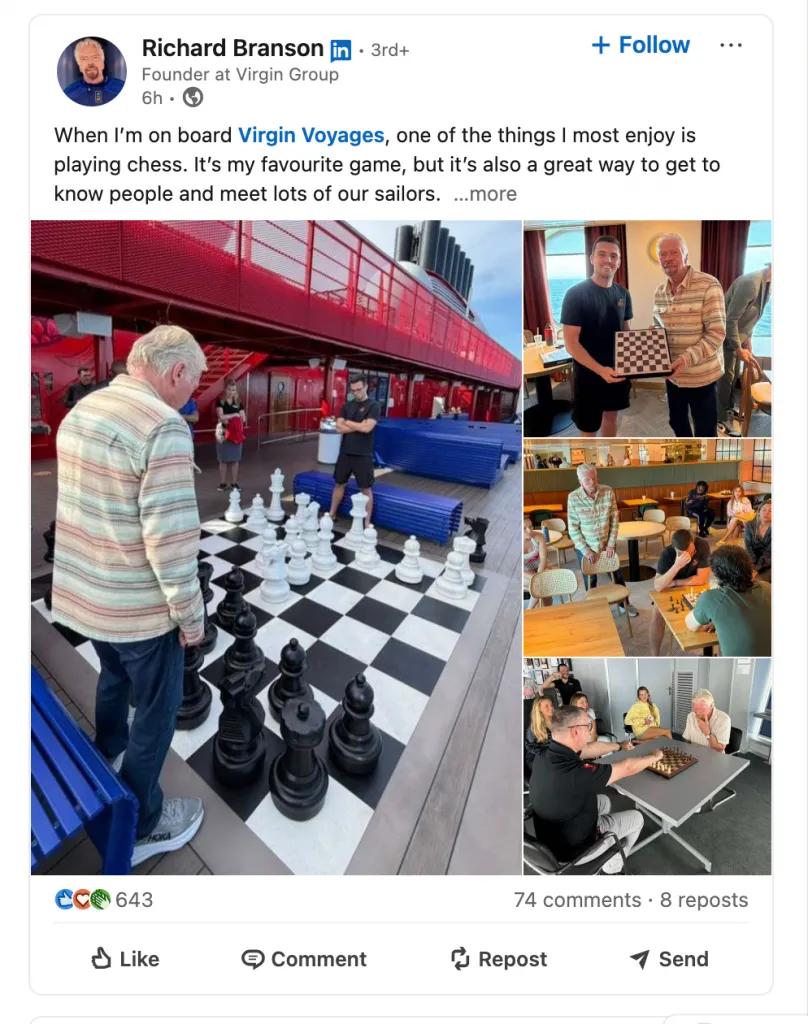
Creator Mode encourages visibility — but visibility without substance backfires.
Common pitfalls:
- Chasing trends without expertise
- Over-polished, generic posts
- Posting for engagement rather than insight
Audiences — especially on LinkedIn — are highly sensitive to inauthenticity.
Result:
Instead of authority, you risk becoming noise. And once credibility is lost, it’s hard to rebuild.
Ideal vs. Not-Ideal Use Cases
Creator Mode Is Ideal For:
- Thought leaders
- Content creators
- Consultants and coaches
- Founders and executives
- Influencers and educators
These roles benefit from scale, authority, and inbound opportunities.
Creator Mode Is NOT Ideal For:
- Active job seekers
- Sales professionals focused on 1-to-1 outreach
- Recruiters
- Passive LinkedIn users
- Anyone unwilling to post consistently
These roles benefit more from direct access and controlled networking.
Mastering Creator Mode Features: Live, Newsletters & Audio Events
Creator Mode on LinkedIn isn’t about posting more — it’s about using the right formats to build trust, visibility, and authority over time. In 2026, the most effective creators don’t rely on text posts alone. They combine Live video, Newsletters, Audio Events, analytics, and smart profile placement into a cohesive content system.
Below is a practical, tool-by-tool guide to mastering LinkedIn’s core creator features — with setup steps, best practices, and strategic outcomes.
1. LinkedIn Live: Real-Time Audience Engagement
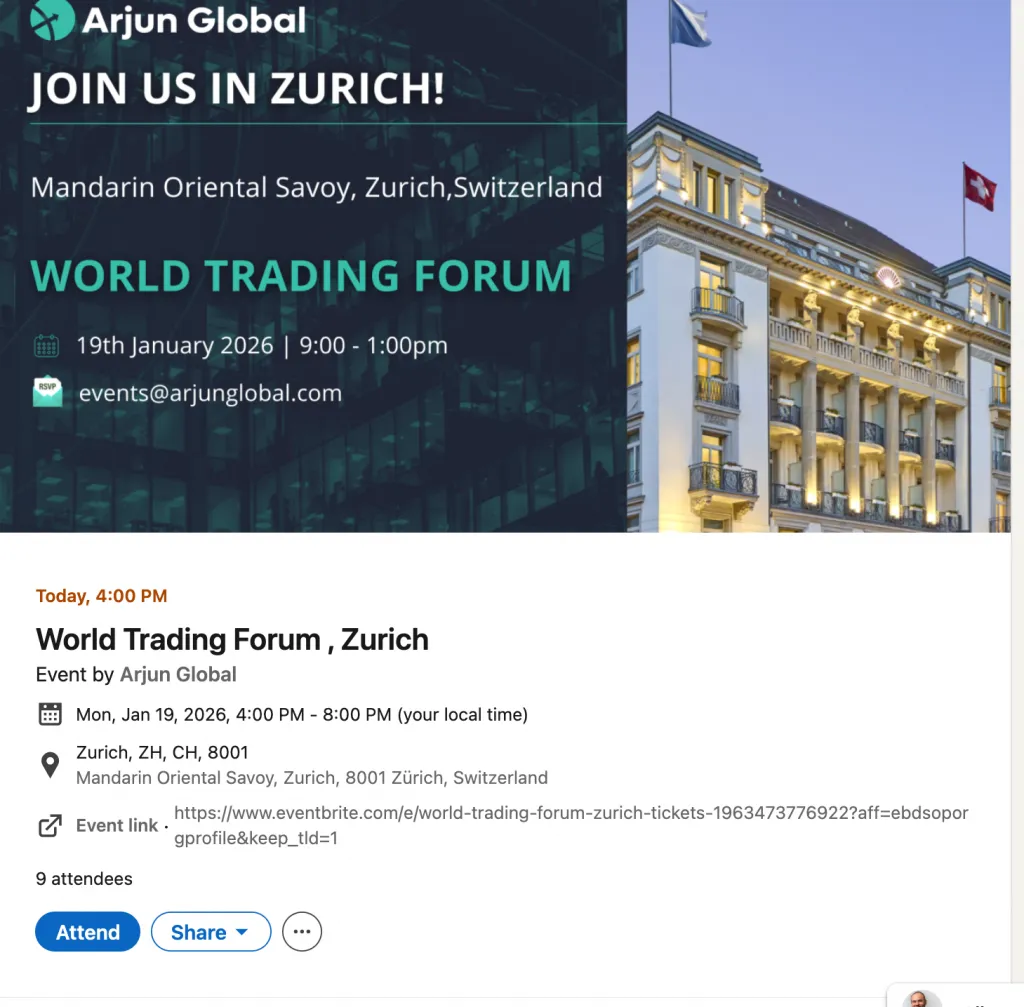
What It Is & Why It Matters
LinkedIn Live allows you to broadcast video in real time to your followers. Live content consistently outperforms static posts because:
- It creates urgency (“watch now”)
- It boosts real-time engagement (comments, reactions)
- The algorithm prioritizes Live notifications and replay distribution
Live video helps you move from content creator to community leader.
How to Set It Up
- Apply for LinkedIn Live access (eligibility required)
- Use a third-party streaming tool (StreamYard, Restream, etc.)
- Schedule the Live event in advance so followers receive notifications
Best Practices & Content Ideas
- Weekly or monthly “office hours”
- Live Q&A sessions
- Panel discussions with peers
- Product walkthroughs or case studies
Tip: Promote your Live 3–5 days in advance with reminder posts.
Impact on Visibility & Reach

- Live sessions trigger notifications to followers
- Replays continue to circulate after the event
- Engagement signals boost future post distribution
Metrics to Track
- Live viewers vs replay views
- Comments per minute
- Follower growth after each Live
2. LinkedIn Newsletters: Building a Dedicated Subscriber Base
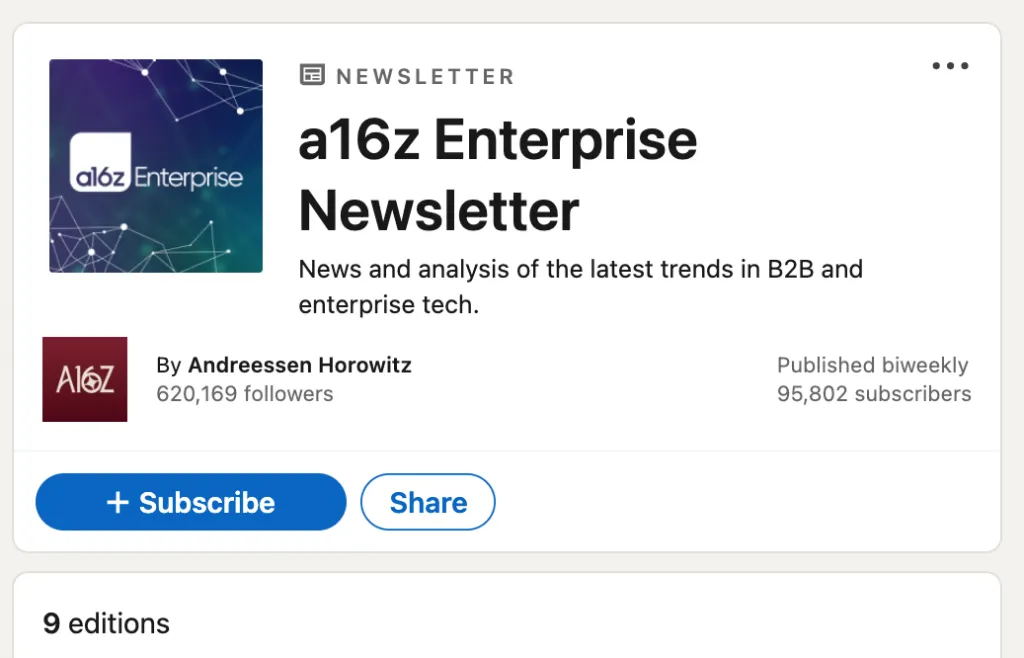
What It Is & Why It Matters
LinkedIn Newsletters allow you to publish long-form content on a recurring basis — and notify subscribers automatically every time you post.
This is one of the highest-trust formats on LinkedIn because subscribing is an intentional action.
How to Set It Up
- Create a newsletter from your profile (creator access required)
- Choose a title, description, and publishing cadence
- Invite followers to subscribe (LinkedIn auto-prompts them)
Best Practices & Content Ideas
- Weekly industry insights
- Monthly trend analysis
- Personal frameworks or playbooks
- Founder or executive updates
Tip: Consistency beats frequency. Monthly > inconsistent weekly.
Impact on Visibility & Reach
- Each issue sends push + email notifications
- Subscribers are more likely to engage than casual followers
- Newsletters compound authority over time
Metrics to Track
- Subscriber growth
- Open and engagement rate
- Profile visits driven by newsletter posts
4. Creator Analytics: Understanding Your Audience
What It Is & Why It Matters
Creator analytics go beyond likes. They help you understand:
- Who your audience is
- What content resonates
- How your reach changes over time
This turns content into a measurable growth channel, not guesswork.
How to Access It
- Visit your profile analytics dashboard
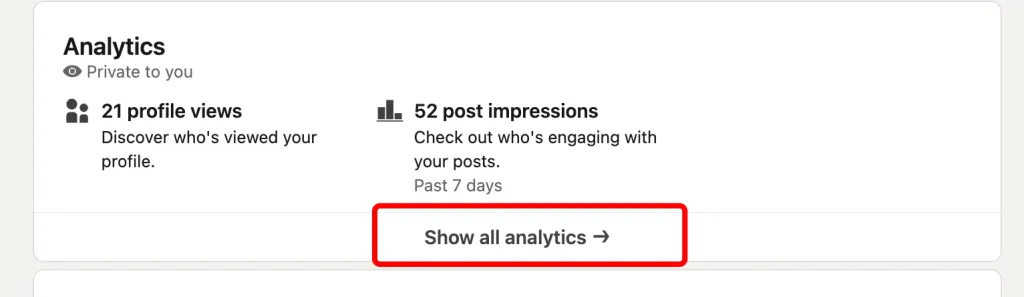
- Review follower insights and post performance
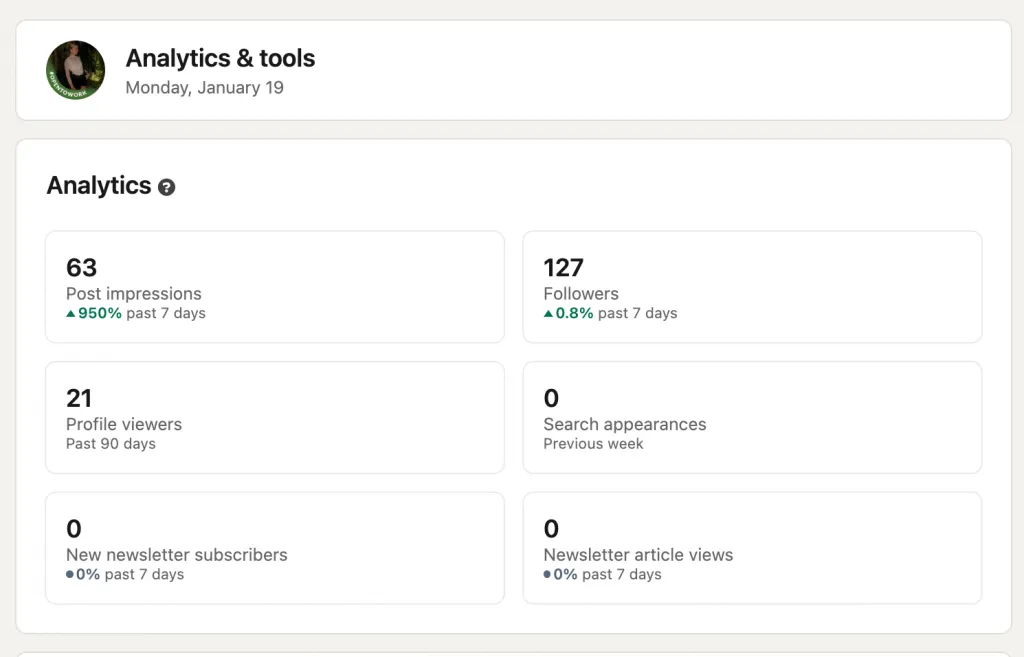
- Track trends weekly or monthly
Best Practices
- Identify top-performing topics and formats
- Double down on posts that drive saves and shares
- Watch follower growth after major content drops
Impact on Visibility & Reach
Creators who adapt based on analytics consistently see:
- Higher engagement rates
- Faster follower growth
- Stronger niche authority
Metrics to Track
- Reach outside your network
- Engagement rate per post
- Follower growth velocity
5. Featured Section: Showcasing Your Best Work
What It Is & Why It Matters
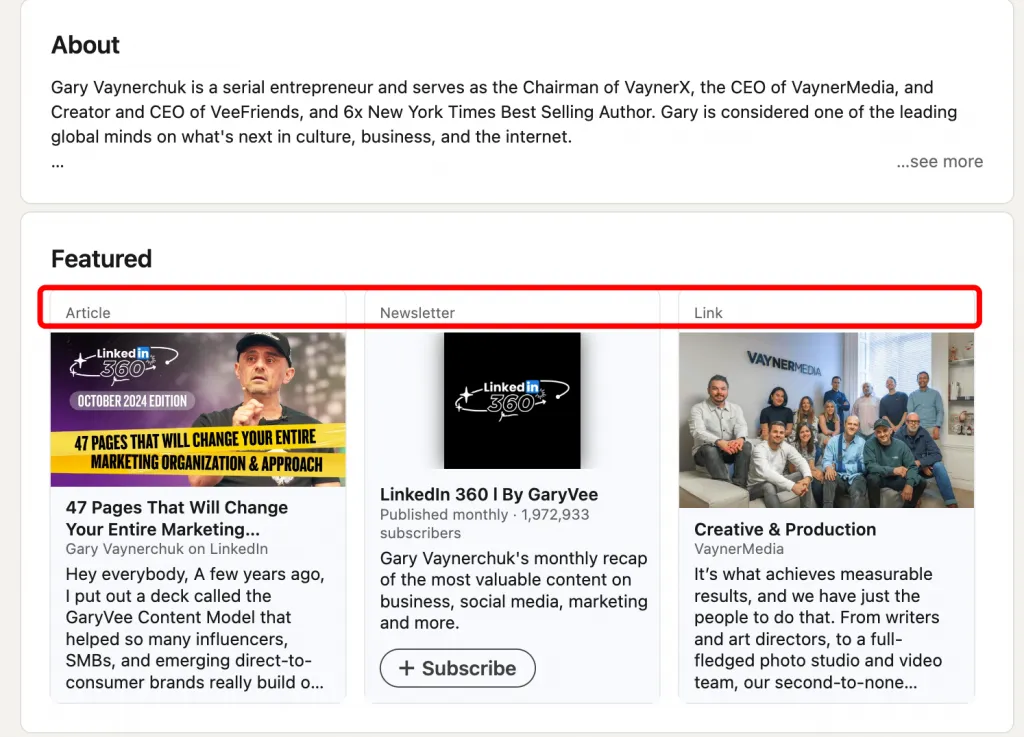
The Featured section is prime profile real estate. It’s often the first thing visitors see, making it critical for conversion.
How to Set It Up
- Add posts, videos, newsletters, or links
- Arrange content in order of importance
- Update regularly as priorities change
Best Practices
- Feature your strongest post or video
- Highlight your newsletter or flagship Live replay
- Include one clear CTA (book a call, subscribe, read more)
Impact on Visibility & Reach
- Converts profile views into followers or leads
- Reinforces authority instantly
- Supports inbound opportunities
Metrics to Track
- Profile views
- Clicks on featured content
- Inbound messages referencing featured work
How to Optimize Your Profile for Maximum Creator Visibility
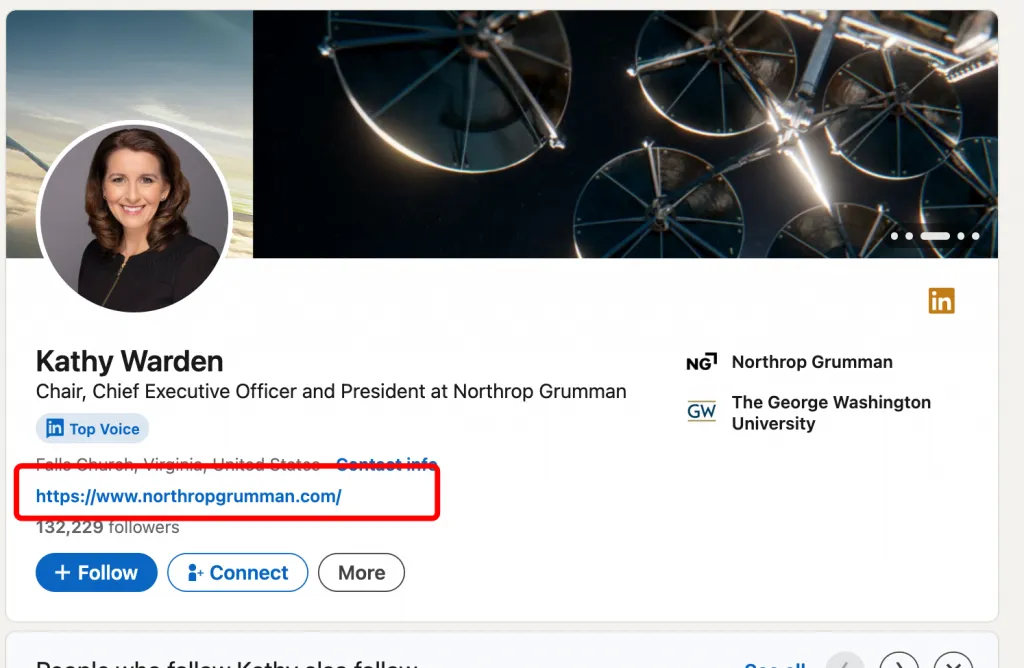
Activating creator features is only the starting point. Real influence on LinkedIn is built at the profile level, not the post level. In 2026, your profile is no longer a static résumé — it’s a landing page, authority signal, and discovery engine all in one.
Below is a strategic, end-to-end guide to optimizing your LinkedIn profile for maximum creator visibility, credibility, and inbound opportunities.
Craft a Compelling Creator-Focused Headline
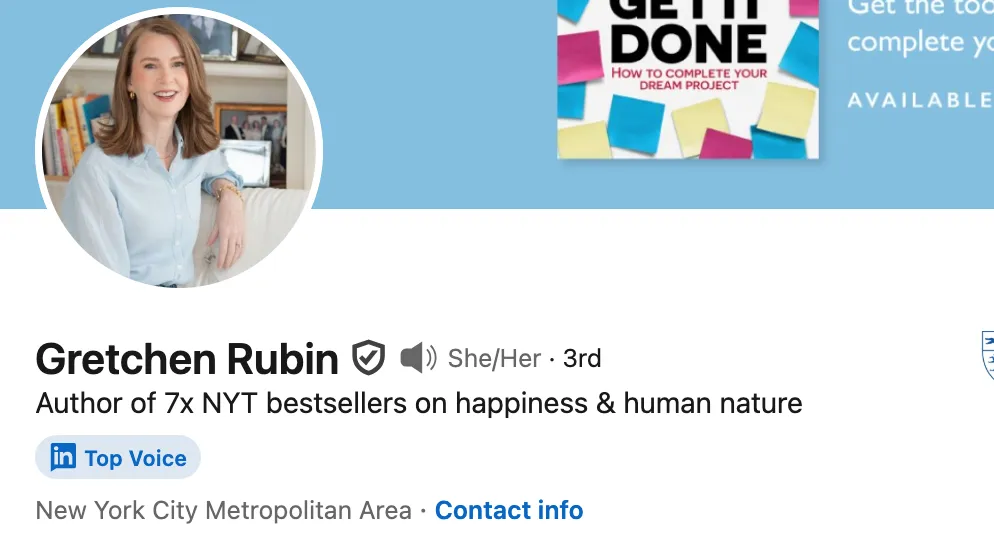
What to Do & Why
Your headline is the most indexed and most viewed part of your profile. It influences:
- Search visibility
- First impressions
- Whether someone follows you or scrolls past
A creator-focused headline answers one question instantly:
“Why should I follow this person?”
Best Practices
- Lead with value, not job title
- Use clear outcomes and audience language
- Include keywords people actually search
Optimized Headline Examples
- Consultant: Helping SaaS Companies Increase Revenue | Content & Growth Strategy
- Founder: Building FinTech Infrastructure | Founder @Company | Market Insights
- Coach: Leadership Coach | Helping Executives Scale Without Burnout
- Thought Leader: Exploring AI Policy | Research, Ethics & Industry Insights
Common Mistakes
- Listing only a job title
- Buzzwords without outcomes (“Visionary | Innovator”)
- Writing for ego instead of audience
Rewrite Your “About” Section for Thought Leadership
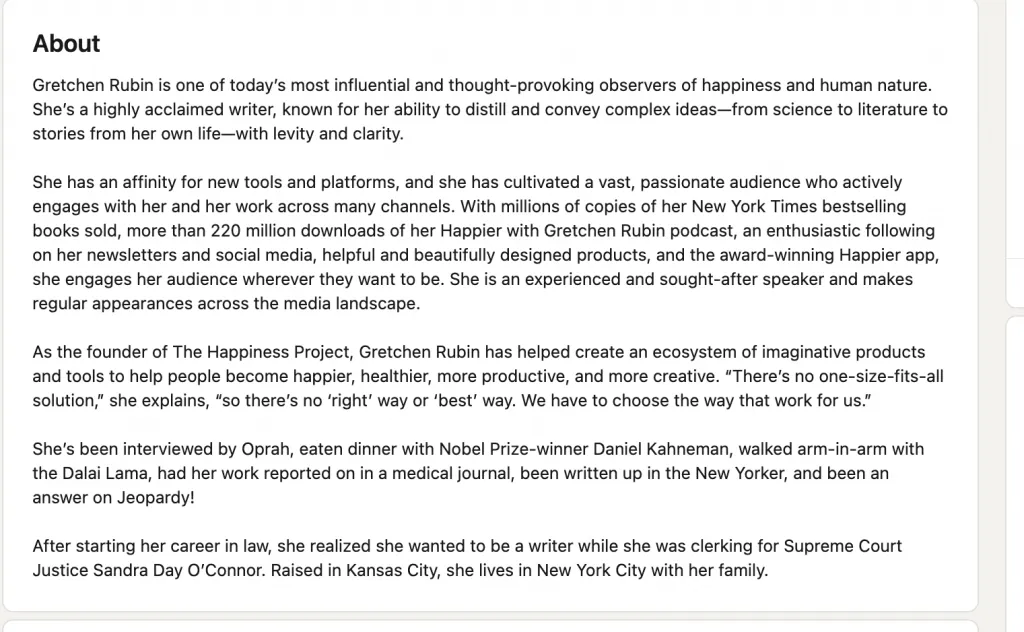
What to Do & Why
Your About section is where credibility compounds. Recruiters skim it. Followers read it. The algorithm indexes it.
Creator-optimized About sections:
- Lead with perspective
- Show how you think
- Invite the right people to follow or engage
Best Practices Structure
- Hook: Your core belief or insight
- Authority: What you’ve seen, built, or studied
- Focus: What you talk about consistently
- Invitation: Why people should follow you
Before vs After
Before:
Experienced marketing professional with 10+ years of experience…
After:
Most companies don’t have a growth problem — they have a clarity problem.
I help SaaS teams turn ideas into scalable content systems.
Here I share insights on growth strategy, positioning, and creator-led marketing.
Common Mistakes
- Writing like a résumé
- Long paragraphs with no scannability
- No clear point of view
Featured Content Strategy: Highlight Your Best Posts
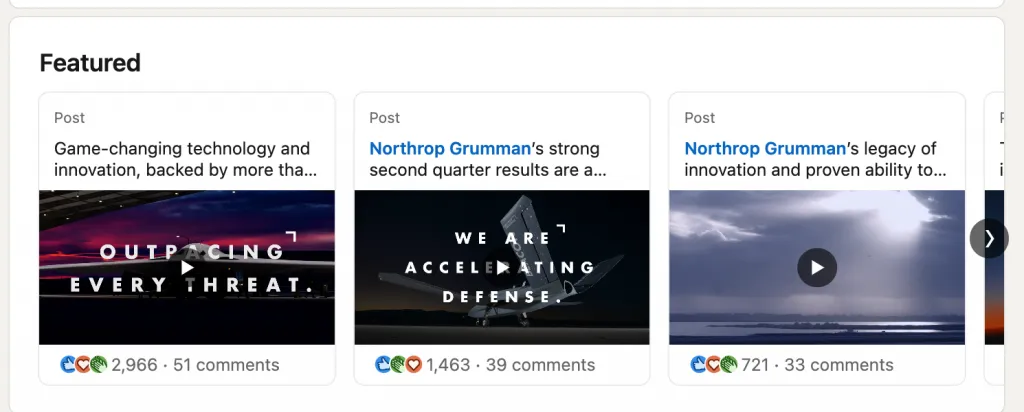
What to Do & Why
The Featured section is conversion real estate. Most profile visitors never scroll past it.
Best Practices
Pin content that:
- Shows authority (not virality)
- Explains how you think
- Leads to a next step (follow, subscribe, contact)
What to Feature
- Your best-performing thought leadership post
- A newsletter signup
- A Live replay or long-form insight
Before vs After
Before:
- Random old post
After:
- “Why 90% of SaaS Content Fails (Framework)”
- Newsletter: Weekly Growth Notes
Common Mistakes
- Featuring outdated content
- Pinning salesy posts
- Forgetting to update quarterly
Optimize for Search with Keywords
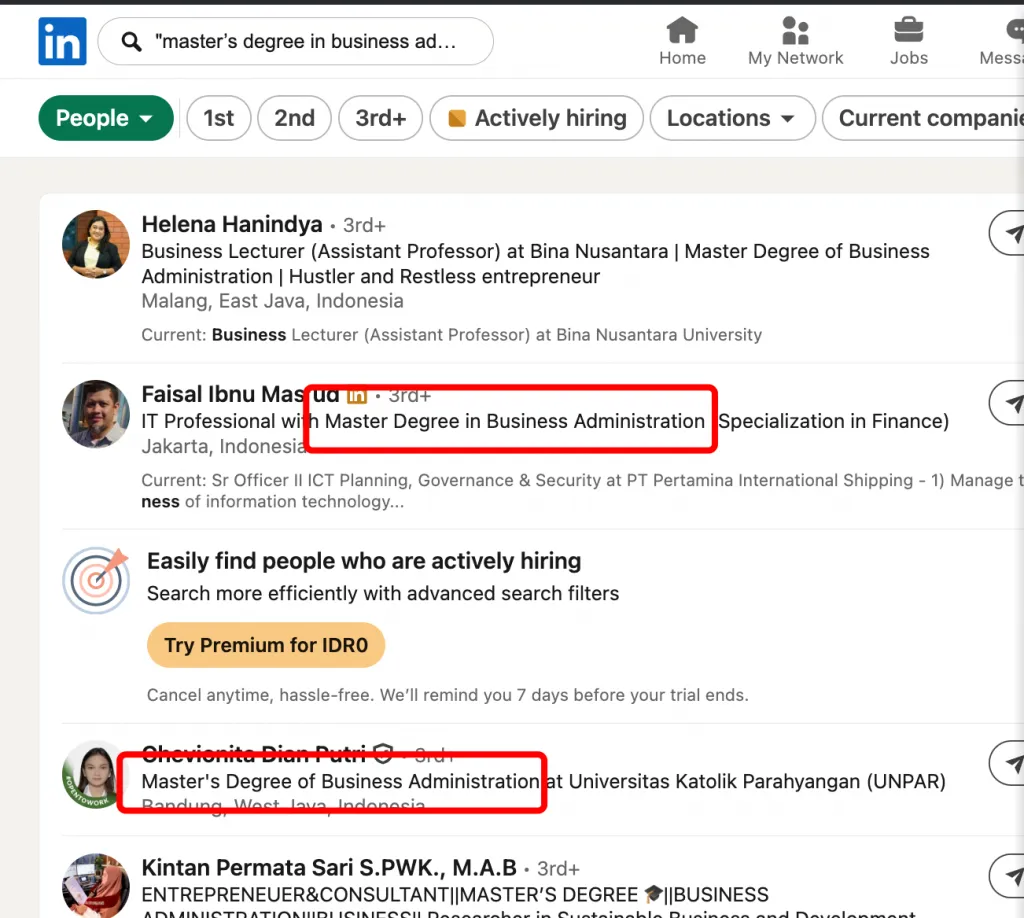
What to Do & Why
LinkedIn is a search engine. Keywords matter.
Where to Use Keywords
- Headline
- About section
- Experience descriptions
- Featured content titles
Keyword Example
Instead of: “Marketing Leader”
Use: “B2B Content Strategy | SaaS Growth | Creator Marketing”
Common Mistakes
- Keyword stuffing
- Using internal company jargon
- Ignoring how people actually search
Choose Your Professional Identity Intentionally
Creator visibility comes from clarity, not complexity.
Ask yourself:
- What do I want to be known for in 12 months?
- What topics do I want associated with my name?
- Who should immediately follow me?
Every optimization decision should reinforce that answer.
Related reading:
Building a Winning Content Strategy in Creator Mode
Creator Mode gives you reach. Strategy turns that reach into influence, trust, and opportunity.
In 2026, the creators who win on LinkedIn aren’t the loudest — they’re the most consistent, clear, and intentional.
This section breaks down exactly what to post, how often, in what formats, and why it works, with repeatable frameworks you can use immediately.
Define Your 3–5 Content Pillars
What Content Pillars Are (and Why They Matter)
Content pillars are the themes you repeatedly talk about. They train:
- The algorithm to understand your niche
- Your audience to know what they’ll get from following you
Without pillars, growth stays random.
How to Choose Them
Ask:
- What do people already ask me about?
- What can I talk about for the next 12 months?
- What supports my professional goals?
Content Pillar Examples by Role
Consultant
- Industry trends
- Client success stories
- Process / methodology
- Market insights
Founder
- Founder journey
- Company culture
- Industry vision
- Team achievements
Coach
- Client transformations
- Mindset shifts
- Tools and frameworks
- Best practices
Thought Leader
- Research insights
- Opinion pieces
- Trend analysis
- Lessons learned
Stick to 3–5 max. Fewer = stronger positioning.
Post Consistency: Frequency and Timing
How Often to Post
Quality beats volume, but consistency still matters.
Best-performing ranges in Creator Mode:
- 3–5 posts per week = optimal growth
- 2 posts per week = slow but stable
- Daily posting = only if quality stays high
Best Times to Post (General)
- Tuesday–Thursday
- 8–10 AM or 12–2 PM (audience local time)
Consistency matters more than perfect timing.
Content Formats That Drive Creator Engagement
LinkedIn favors variety with intention.
Top-performing formats:
- Text posts with strong POV
- Carousels (5–7 slides)
- Short videos (30–90 seconds)
- Polls and questions
Avoid posting only one format. Mix builds reach.
The “Jab, Cross, Uppercut” Content Mix
This framework keeps your content balanced and non-salesy.
Jab: Value & Insight (60%)
- Tips
- Lessons
- Observations
Cross: Authority & Proof (30%)
- Case studies
- Stories from experience
- Behind-the-scenes
Uppercut: Offer & Opportunity (10%)
- Newsletter
- Services
- Speaking, consulting, products
Creators fail when they uppercut too often.
Storytelling Framework for Personal Brand Building
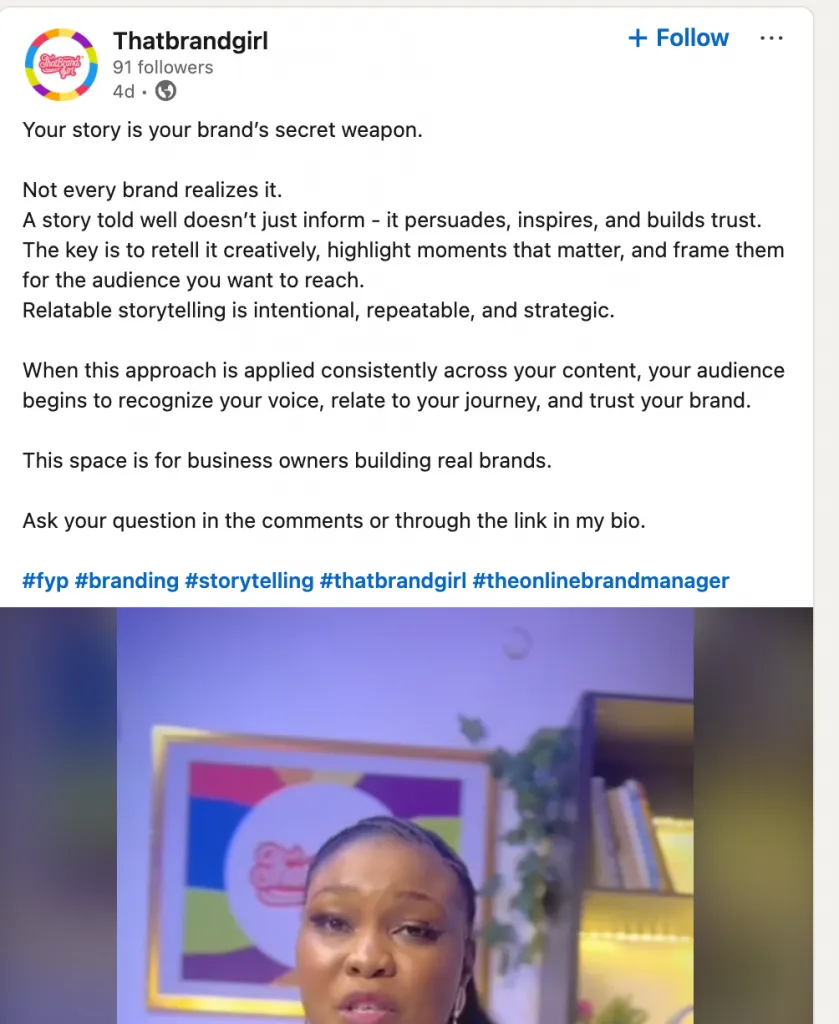
Story Post Formula
Use this when sharing experience-based content.
Formula:
- Context — “Here’s what happened…”
- Tension — “I didn’t expect this…”
- Insight — “Here’s what I learned…”
- Lesson — “This changed how I think about…”
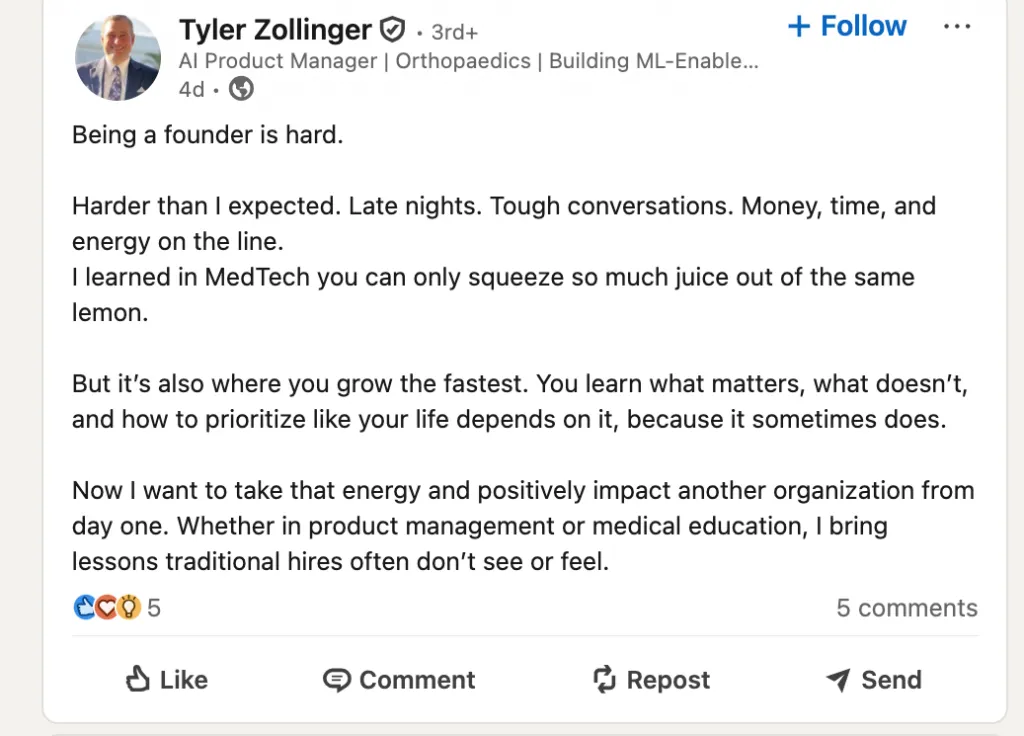
Example:
Here’s what I learned after working with 20 SaaS founders last year…
Most weren’t struggling with growth.
They were struggling with clarity.
Stories build emotional trust, not just engagement.
The “POV” (Point of View) Post Formula
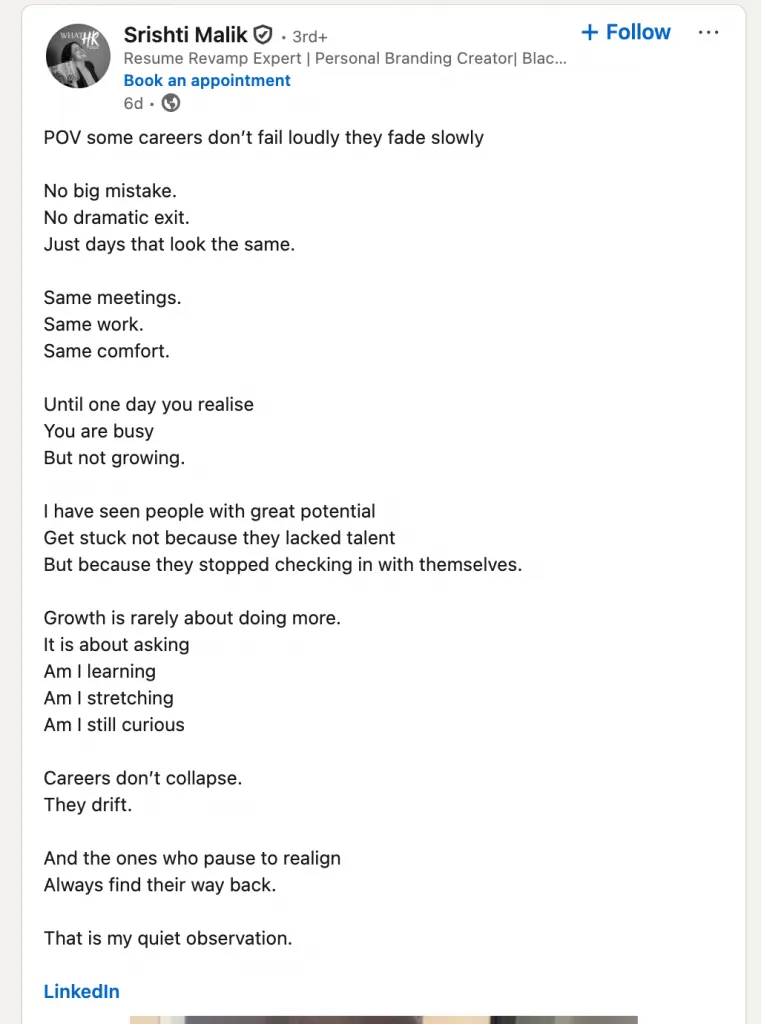
POV posts are algorithm magnets.
Formula:
- Bold statement
- Clear reasoning
- Invitation to engage
Example:
Unpopular opinion: Most LinkedIn content fails because it tries to impress instead of help.
If your audience can’t use it today, they won’t remember you tomorrow.
POV posts position you as a thinker, not a broadcaster.
Value Post Formula (High Save Rate)
Formula:
- Practical tip or insight
- Context (why it matters)
- Action step
Example:
If your posts aren’t getting reach, stop writing long intros.
Attention is earned in the first two lines.
Try leading with the insight, not the backstory.
These posts drive saves and shares, which boost reach.
Question Post Formula (Community Builder)
Formula:
- Open-ended question
- Short reasoning
- Neutral tone
Example:
What’s one skill that has mattered more in your career than you expected?
Curious to hear different perspectives.
Questions build conversation, not just likes.
Carousel Post Structure (5–7 Slides)
Carousels extend dwell time — a key algorithm signal.
Recommended Structure:
- Hook (problem or bold claim)
- Why it matters
- Key insight
- Supporting point
- Example
- Action or takeaway
- CTA (optional)
Keep text minimal. One idea per slide.
Engagement Strategy: Build Community, Not Just Followers
Growth comes from interaction, not broadcasting.
Daily Engagement Habits
- Reply to every comment in the first hour
- Comment thoughtfully on 5–10 niche-relevant posts daily
- Acknowledge repeat commenters
The algorithm rewards conversation depth, not vanity metrics.
Using Polls, Questions & CTAs for Higher Engagement
Best CTAs
- “Curious how others see this.”
- “What’s your experience?”
- “Agree or disagree?”
Avoid:
- “Like if you agree”
- “Follow for more” (overused, low trust)
Polls work best when they:
- Reflect real professional dilemmas
- Are followed by a thoughtful comment from you
Repurposing Content Across Multiple Formats
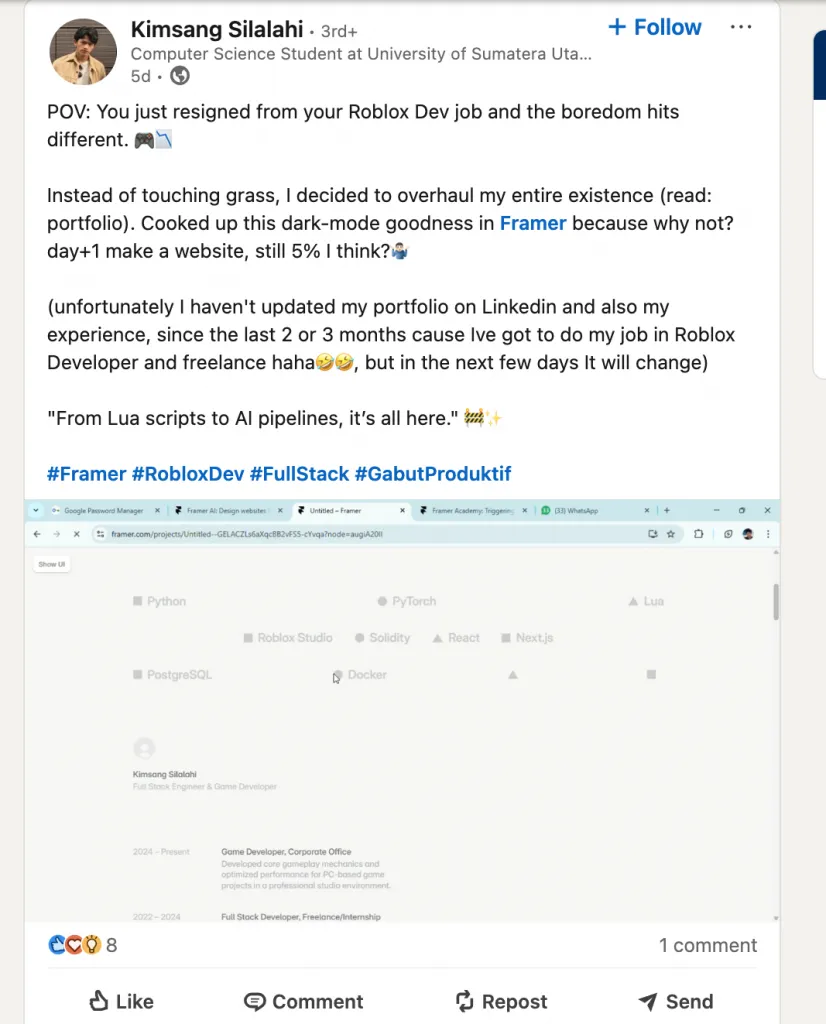
One idea = many assets.
Repurposing Flow
- Long text post → Carousel
- Carousel → Short video
- Video → Newsletter insight
- Comment discussion → Follow-up post
This keeps you visible without burnout.
Measuring What Works: Key Metrics to Track
Focus on signals, not vanity numbers.
Metrics That Matter
- Saves (value indicator)
- Comments (community depth)
- Follower growth per post
- Profile views
- Newsletter subscribers
What to Adjust
- High views, low engagement → weak hook
- High engagement, low follows → unclear positioning
- High saves → double down on that topic
Mistakes Creators Make (And How to Avoid Them)
Creator Mode amplifies what you do — both good and bad. Many professionals activate it expecting instant reach, only to stall because of avoidable mistakes. Below are the most common errors creators make in 2026, why they hurt growth, and how to fix them.
1. Activating Creator Mode Without a Content Plan
What goes wrong:
Creators turn on Creator Mode with no clear topics, goals, or posting rhythm.
Why it doesn’t work:
The algorithm can’t understand your niche, and audiences don’t know why they should follow you.
The fix:
Define 3–5 content pillars and decide what success looks like (leads, authority, subscribers).
Expected outcome:
Clear positioning, faster audience trust, and more consistent reach.
2. Posting Inconsistently (Algorithm Starvation)
What goes wrong:
Posting heavily for a week, then disappearing for a month.
Why it doesn’t work:
LinkedIn rewards consistency. Gaps reset momentum and reduce distribution.
The fix:
Commit to a realistic schedule (2–4 posts per week) and batch content in advance.
Expected outcome:
Stable reach, predictable engagement, and compounding growth.
3. Chasing Virality Instead of Building Community
What goes wrong:
Copying trending hooks or generic motivational posts.
Why it doesn’t work:
Viral posts attract the wrong audience and rarely convert to followers or clients.
The fix:
Prioritize relevance over reach. Speak directly to your niche’s problems.
Expected outcome:
Higher-quality followers and stronger long-term influence.
4. Neglecting the “Engagement” Part of Social Media
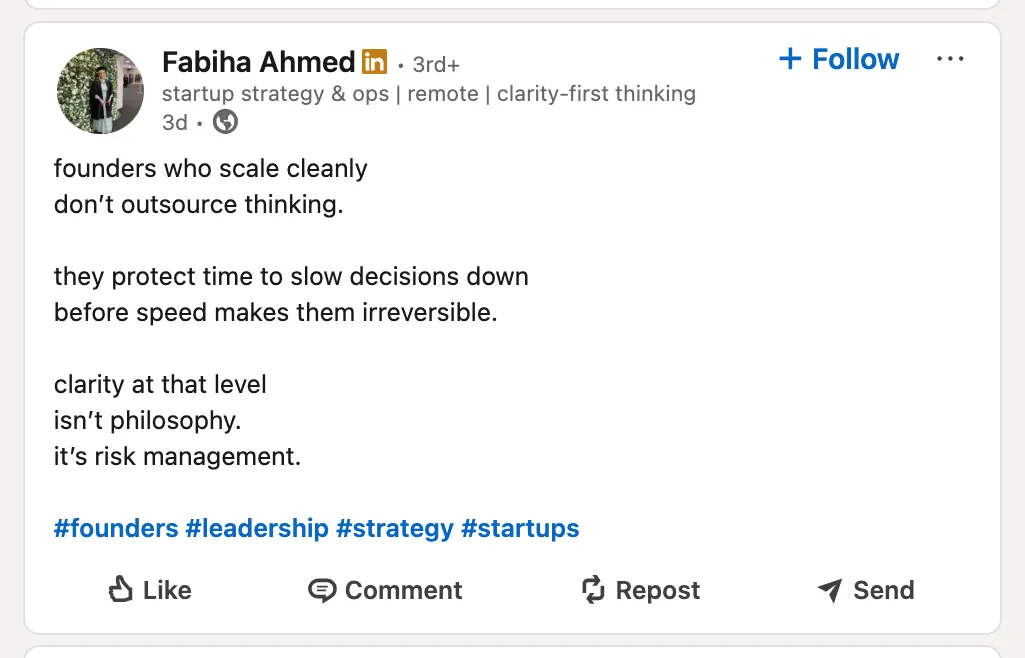
What goes wrong:
Posting content and never replying to comments.
Why it doesn’t work:
The algorithm favors conversation. Silence kills distribution.
The fix:
Reply to comments within the first hour and engage on others’ posts daily.
Expected outcome:
Boosted reach, stronger community, and more repeat engagement.
5. Not Leveraging the Featured Content Section
What goes wrong:
Leaving the Featured section empty or outdated.
Why it doesn’t work:
Profile visitors miss your best work and don’t convert into followers.
The fix:
Pin your strongest post, newsletter, or lead asset at the top of your profile.
Expected outcome:
Higher follow rates and better first impressions.
6. Using AI-Generated or Inauthentic Content
What goes wrong:
Posting polished but generic AI-written content.
Why it doesn’t work:
Audiences recognize inauthenticity quickly and disengage.
The fix:
Use AI for structure, but add personal experience, opinions, and stories.
Expected outcome:
More trust, deeper engagement, and stronger authority.
7. Ignoring Creator Analytics and Performance Data
What goes wrong:
Posting blindly without reviewing metrics.
Why it doesn’t work:
You repeat low-performing content and miss what resonates.
The fix:
Track saves, comments, follower growth, and profile views weekly.
Expected outcome:
Smarter content decisions and faster growth.
8. Creating Content for the Algorithm, Not Your Audience
What goes wrong:
Over-optimizing hooks and formats without substance.
Why it doesn’t work:
Short-term reach doesn’t equal long-term credibility.
The fix:
Write for one specific reader and solve real problems.
Expected outcome:
Higher retention, stronger brand, and meaningful engagement.
9. Switching Back to a Standard Profile Too Soon
What goes wrong:
Disabling Creator Mode after a few low-performing weeks.
Why it doesn’t work:
Authority and reach take time to compound.
The fix:
Commit for at least 60–90 days before evaluating results.
Expected outcome:
Momentum, clearer insights, and sustainable growth.
Can’t See Creator Features? Here’s How to Fix It
LinkedIn’s creator tools are no longer controlled by a single “Creator Mode” toggle. Since the February 2024 platform update, most creator features are enabled by default, which has confused many users who are still looking for the old setup flow.
If something looks missing or broken, use the troubleshooting guide below.
Issue 1: “I can’t find Creator Mode in Resources”
What’s happening:
LinkedIn removed the Creator Mode toggle from the Resources section in February 2024. Creator Mode is now a feature set, not a switch.
Why this causes confusion:
Older guides still reference “turning on Creator Mode,” but there is nothing to activate anymore.
How to fix it:
- Go to Profile → Edit profile
- Open Profile settings
- Look for:
- Follow button settings
- Profile topics
- Creator analytics
If you can post, add topics, and see analytics, creator tools are already active.
Issue 2: “My Analytics Dashboard is blank”
What’s happening:
This is usually due to privacy thresholds or delayed data processing.
Common reasons:
- Fewer than 25 impressions on recent posts
- New or recently updated profile
- Cached or stuck legacy data
How to fix it:
- Publish 2–3 posts and wait 24–48 hours
- Clear your browser cache or try incognito mode
- Check Profile visibility settings and ensure your profile is public
- Log in from mobile to refresh data sync
Analytics populate only after consistent activity.
Issue 3: “My profile still shows ‘Connect’ instead of ‘Follow’”
What’s happening:
Your Follow setting may not be fully applied yet, or LinkedIn is showing cached data.
How to fix it:
- Go to Settings → Visibility
- Open Followers
- Set Who can follow you to Everyone on LinkedIn
- Enable Make Follow primary
Then:
- Wait up to 24 hours
- Check from a logged-out view or another account
- Try mobile if desktop doesn’t update
Issue 4: “LinkedIn Live or Newsletters aren’t showing”
What’s happening:
Some creator tools have eligibility requirements or regional rollouts.
Common reasons:
- Account not eligible yet
- New or low-activity profile
- Temporary account restrictions
How to fix it:
- Confirm your profile is 100% complete
- Ensure your account has no policy warnings
- Post consistently for a few weeks
- Check LinkedIn’s eligibility criteria for Live and Newsletters
These tools appear gradually, not instantly.
Issue 5: “My Featured section isn’t displaying”
What’s happening:
The Featured section often requires manual setup and may roll out at different speeds by region.
How to fix it:
- Go to Profile → Add profile section
- Select Featured
- Add a post, link, or newsletter manually
If it still doesn’t appear:
- Wait 24 hours
- Refresh from mobile
- Confirm profile visibility is public
Creator Mode Strategies by Role: Consultants, Founders, Coaches, Thought Leaders
Creator Mode works best when it’s role-specific. The same strategy that helps a consultant attract premium clients won’t work for a founder raising capital or a thought leader building influence. Below are tailored Creator Mode playbooks so you can see exactly how this applies to you — with content ideas, metrics, and execution plans.
Consultants: Building Authority to Attract High-Value Clients
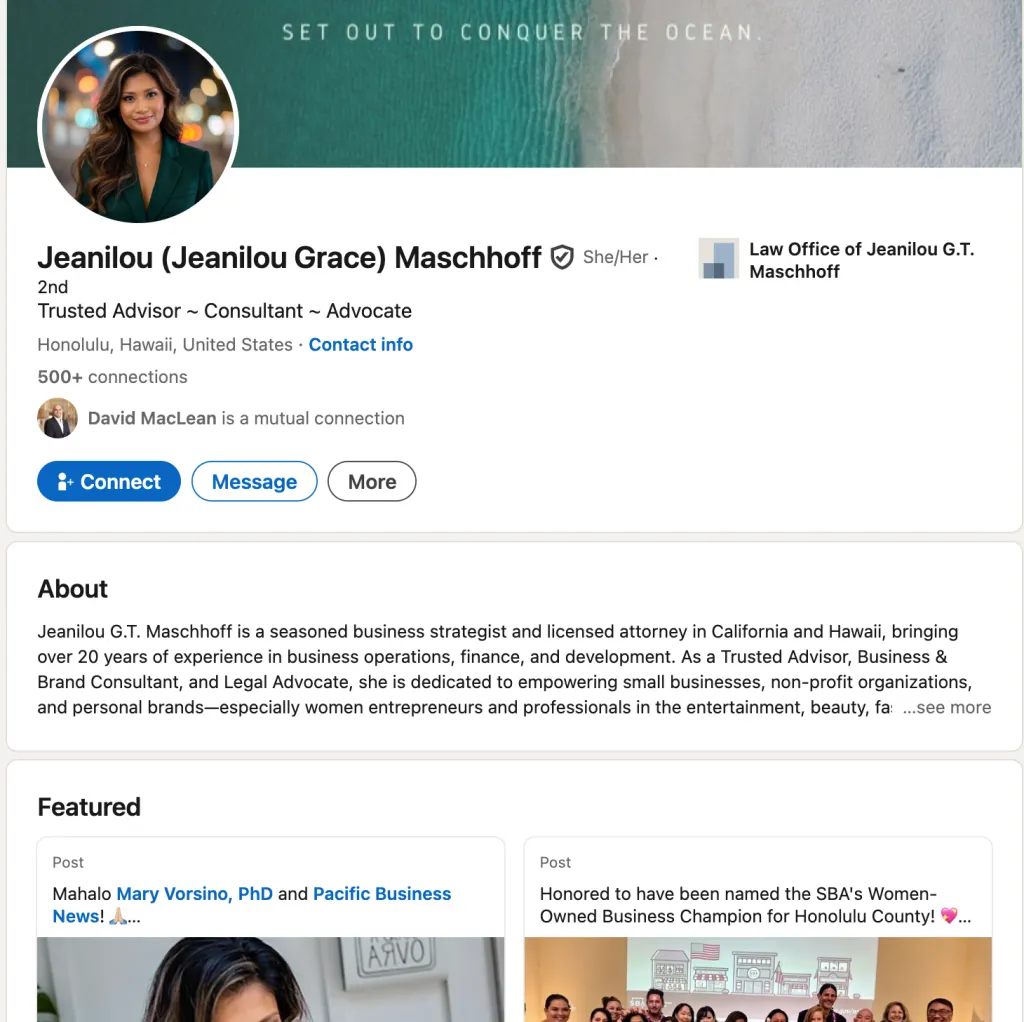
Why Creator Mode Works
Clients don’t hire resumes — they hire confidence and clarity. Consistent thought leadership reduces sales friction and positions you as the obvious choice.
Content Pillars (3–5)
- Industry trends & insights
- Client case studies (anonymized)
- Problem-solving frameworks
- Common mistakes in your niche
Posting Rhythm
2–3 posts per week (depth > volume)
Success Metrics
- Inbound inquiries
- Lead quality
- Discovery-call conversion rate
Sample Content Ideas
- “Here’s what I learned from 100+ [industry] audits”
- “The mistake costing [industry] companies millions”
- “My framework for fixing [specific problem] in 30 days”
Sample Post
After reviewing over 100 SaaS growth audits, one issue showed up every time…
It wasn’t traffic. It was positioning.
Common Challenges & Fixes
- Challenge: Fear of giving away too much
- Fix: Share the what, not the full how
30/60/90-Day Plan
- 30: Define pillars, optimize profile, post weekly insights
- 60: Publish case studies, start conversations in comments
- 90: Add newsletter or lead magnet
Founders: Using Creator Mode to Build Company Visibility
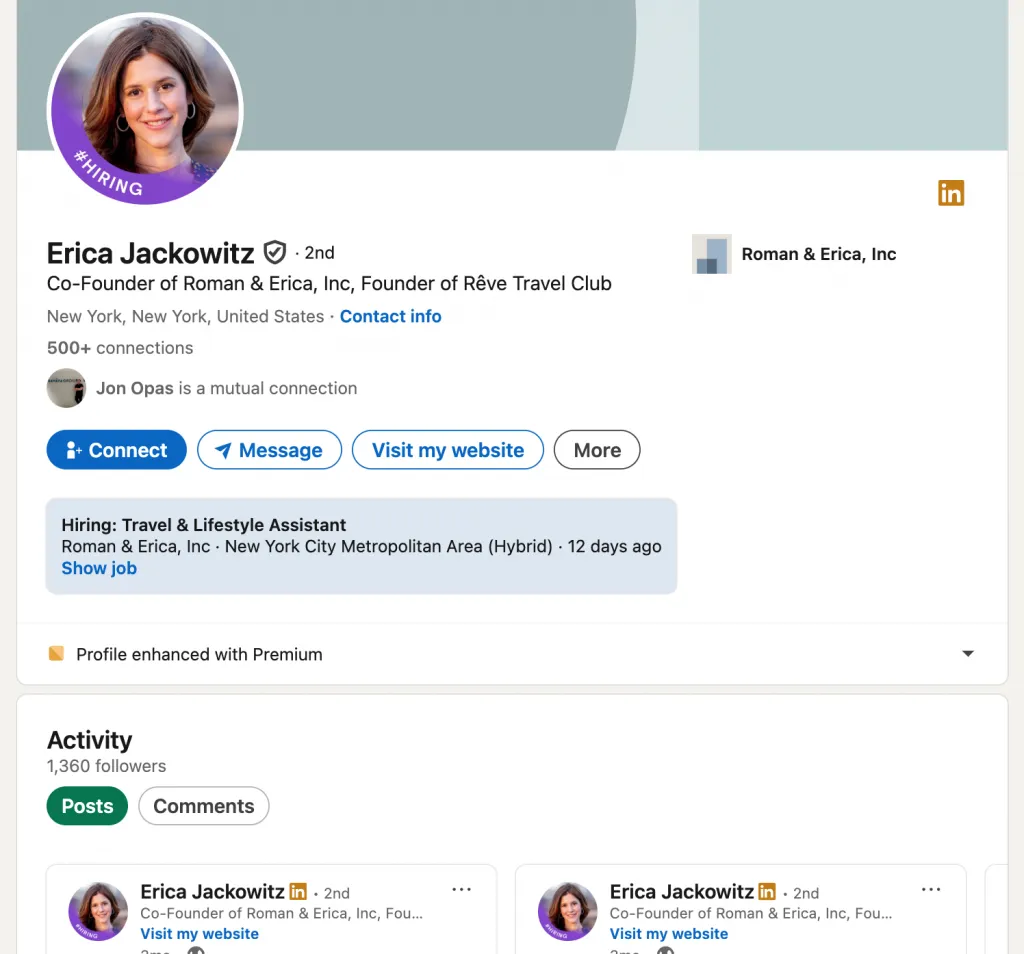
Why Creator Mode Works
Founder visibility = brand trust, investor interest, and talent magnetism.
Content Pillars
- Founder journey
- Company culture
- Industry vision
- Team wins & lessons
Posting Rhythm
3–4 posts per week
Success Metrics
- Brand mentions
- Investor DMs
- Quality job applicants
Sample Content Ideas
- “Building [company]: the first 90 days”
- “What I got wrong hiring our first team”
- “Why we’re betting on [industry trend]”
Sample Post
Building [company] taught me one unexpected lesson in the first 90 days…
Speed matters less than clarity.
Common Challenges & Fixes
- Challenge: Oversharing or under-sharing
- Fix: Focus on lessons, not confidential details
30/60/90-Day Plan
- 30: Introduce mission and vision
- 60: Share behind-the-scenes stories
- 90: Publish thought leadership on industry direction
Coaches: Turning Followers into Paying Clients
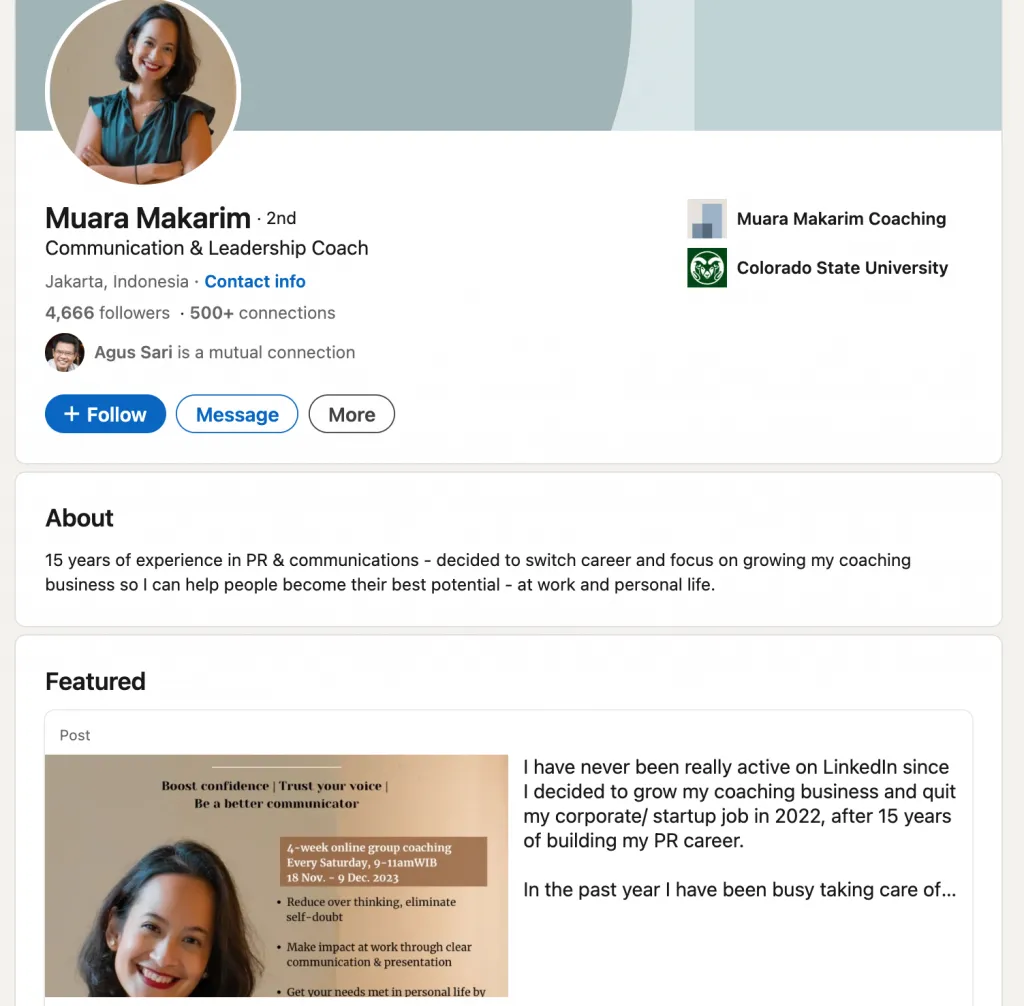
Why Creator Mode Works
People buy coaching from those they feel connected to, not those with the most credentials.
Content Pillars
- Client transformations
- Mindset shifts
- Tools & practices
- Success stories
Posting Rhythm
4–5 posts per week
Success Metrics
- Email subscribers
- Discovery calls
- Program enrollments
Sample Content Ideas
- “The one mindset shift that changes everything”
- “What my clients think is the problem (and what actually is)”
- “Before vs after: a real coaching transformation”
Sample Post
Every successful client I’ve worked with changed this one belief first…
Skill came later.
Common Challenges & Fixes
- Challenge: Sounding repetitive
- Fix: Tell the same lesson through new stories
30/60/90-Day Plan
- 30: Share philosophy and core beliefs
- 60: Introduce client stories
- 90: Launch newsletter or waitlist
Thought Leaders: Becoming the Go-To Expert
Why Creator Mode Works
Consistent original insight turns you into a reference point, not just a voice.
Content Pillars
- Research findings
- Industry analysis
- Opinion pieces
- Data-backed insights
Posting Rhythm
3–4 posts per week
Success Metrics
- Speaking invitations
- Media mentions
- Publication offers
Sample Content Ideas
- “New research shows [counterintuitive insight]”
- “Why the industry is wrong about [topic]”
- “What the data actually says about…”
Sample Post
New data shows something unexpected about [trend]…
And it changes how we should think about the future.
Common Challenges & Fixes
- Challenge: Overly academic tone
- Fix: Translate insight into clear takeaways
30/60/90-Day Plan
- 30: Publish POV and analysis posts
- 60: Share original research or frameworks
- 90: Pitch talks, podcasts, or publications
Using Personal Brand to Generate Leads (Sales-Driven Roles)
Why Creator Mode Works
Content builds trust before the first conversation, shortening sales cycles.
Content Pillars
- Sales lessons
- Customer success stories
- Industry insights
- Thought leadership
Posting Rhythm
3–4 posts per week
Success Metrics
- Meeting bookings
- Deal velocity
- Connection acceptance rate
Sample Content Ideas
- “The sales lesson from my biggest win”
- “What buyers actually care about in 2026”
- “Why most sales pitches fail”
Sample Post
My biggest sales win didn’t come from a pitch…
It came from listening.
Common Challenges & Fixes
- Challenge: Being too promotional
- Fix: Lead with insight, not offers
30/60/90-Day Plan
- 30: Share lessons learned
- 60: Highlight customer success
- 90: Soft CTA to book conversations
Your Action Plan: How to Launch Creator Mode Successfully
Creator Mode works best when you treat it as a structured launch, not a feature you casually turn on. This 90-day action plan is designed to help you build momentum gradually, without overwhelm, and turn visibility into real professional outcomes.
Days 1–7: Profile Foundation
The goal of the first week is to make your profile creator-ready so every visitor immediately understands who you are, what you talk about, and why they should follow you.
Your tasks:
- Audit your current profile (headline, About section, experience, Featured)
- Rewrite your headline to clearly state who you help and how
- Rewrite your About section with a thought-leadership focus (not a resume)
- Record and upload a 30-second profile video explaining what people can expect from your content
- Select up to 5 profile topics/hashtags aligned with your niche
- Add a clickable profile link (website, newsletter, calendar, or lead magnet)
- Update the Featured section with your best post, offer, or resource
Time commitment: 30–60 minutes per day
Expected results:
- Clear positioning
- Stronger first impression
- Higher follow-through from profile views
Metrics to track:
- Profile views
- New followers
- Follower-to-visitor conversion
Adjustment tip: If profile views increase but followers don’t, refine your headline and Featured content.
Days 8–30: Content Engine Build
This phase focuses on removing friction from posting. The goal is to build a system so content creation feels predictable and repeatable.
Your tasks:
- Define 3–5 content pillars you’ll consistently post about
- Study top-performing posts in your niche for structure and tone (not copying)
- Create a simple 2-week content calendar
- Write and schedule 10 posts in advance
- Establish a posting rhythm (minimum 3 posts per week)
- Engage daily with creators in your niche by leaving thoughtful comments
- Set up a LinkedIn Newsletter if eligible
Time commitment: 45–60 minutes per day
Expected results:
- Consistent visibility
- Early engagement signals
- Clear feedback on what resonates
Metrics to track:
- Post impressions
- Comments and saves
- Weekly follower growth
Adjustment tip: Identify which topics and formats generate comments and double down on those.
Days 31–60: Momentum & Optimization
This is where Creator Mode starts compounding. The goal is to turn consistency into credibility and insight into authority.
Your tasks:
- Publish 2–3 high-quality posts per week consistently
- Review performance weekly to identify top-performing posts
- Repurpose winning posts into other formats (text → carousel → short video)
- Spend 30 minutes per day engaging intentionally (replies + outbound comments)
- Publish your first LinkedIn Newsletter
- Ask early followers what content they want more of
- Refine your About section based on analytics and audience response
- Host your first LinkedIn Live if eligible
Time commitment: 45 minutes daily + 1–2 hours weekly review
Expected results:
- More predictable reach
- Repeat commenters and loyal followers
- Stronger authority signals
Metrics to track:
- Follower growth rate
- Newsletter subscribers
- Profile clicks and inbound messages
Adjustment tip: Improve hooks and CTAs on posts that get views but low engagement.
Days 61–90: Scale & Authority
This phase shifts you from “consistent creator” to “recognized voice.” The focus is depth, collaboration, and leverage.
Your tasks:
- Increase posting to 3–4 times per week
- Actively build relationships with repeat commenters
- Collaborate with other creators in your niche
- Repurpose best-performing content across multiple formats
- Host monthly LinkedIn Live sessions
- Grow and nurture your newsletter audience
- Review key metrics and refine your strategy
- Plan content themes for the next quarter
Time commitment: About 60 minutes per day
Expected results:
- Inbound opportunities (leads, invites, partnerships)
- Stronger brand recall
- Sustainable content workflow
Metrics to track:
- Quality of inbound messages
- Lead or opportunity conversion
- Engagement per follower (not just total reach)
Adjustment tip: Shift focus from vanity metrics to content that drives real conversations and outcomes.
Related reading:
Take Control of Your LinkedIn Presence Today
LinkedIn is no longer just a digital resume — it’s a platform where influence is built, trust is earned, and opportunities are created. Creator Mode gives serious professionals the tools to move from being visible to being remembered.
The advantage in 2026 is clear: Creator tools are more accessible than ever. There’s no hidden switch, no special status — just a decision. The professionals who win are the ones who use Creator Mode intentionally, not passively.
The key takeaway is simple but powerful:
Creator Mode works when it’s treated as a system. Strategy defines what you say, consistency determines who hears it, and authenticity decides whether people trust you. Consultants use it to attract higher-value clients. Founders use it to amplify their companies. Coaches use it to convert attention into commitment. Thought leaders use it to shape conversations and industries. The same tools — different outcomes, depending on how deliberately they’re applied.
Measurement and iteration are what separate short-term spikes from long-term growth. Track what resonates, refine your message, and let data guide your evolution. And remember: community always outperforms virality. One engaged audience that trusts you is worth more than a thousand empty impressions.
This is your moment to be intentional about building your LinkedIn presence — not someday, but now.
What to do next:
- Share this article with a colleague who’s ready to grow their influence
- Start optimizing your creator profile today
- Subscribe to our related newsletter for weekly creator strategies
- Download the Creator Mode 30-Day Quick-Start Checklist
- Download the Content Ideas Swipe File (by role)
- Use the Free LinkedIn Profile Audit Tool to identify quick wins
Creator Mode doesn’t reward noise. It rewards clarity, contribution, and commitment.
Take control of your LinkedIn presence — and start building influence that compounds.
Alternatives to the tools mentioned: