LinkedIn Easy Apply has become one of the most popular tools for quick job applications. With just one click, candidates can submit their LinkedIn profile and resume directly to employers—no long forms or external sites required.
For job seekers, it’s fast and convenient. For recruiters, it boosts applicant volume and speeds up hiring. But with that ease comes competition: hundreds of candidates may apply within hours, making it crucial to stand out with a strong profile and tailored resume.
This guide explains how LinkedIn Easy Apply works, why it’s effective, and how to optimize your applications for the best results.
What Is LinkedIn Easy Apply and How Does It Work?
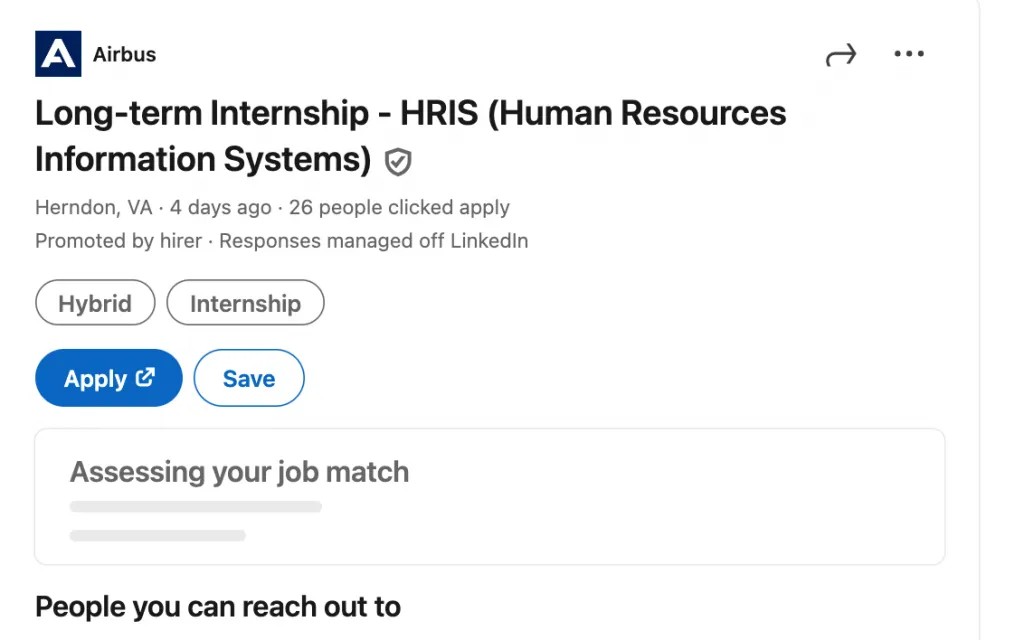
LinkedIn Easy Apply is a built-in feature that allows job seekers to submit applications directly through LinkedIn — without being redirected to an external company website.
| Feature | LinkedIn Easy Apply | Traditional Job Application |
| Application Time | 1–2 minutes | 10–30 minutes |
| Platform | Entirely on LinkedIn | Redirected to external career site |
| Resume Upload | Optional (LinkedIn auto-fills) | Usually required |
| Customization | Limited | Often allows cover letters, extra documents |
| Candidate Experience | Quick and simple | Longer but more personalized |
Unlike traditional applications, where you might need to fill out long forms on multiple platforms, Easy Apply on LinkedIn lets you send your resume and profile details to recruiters in just a few clicks.

How Easy Apply Works
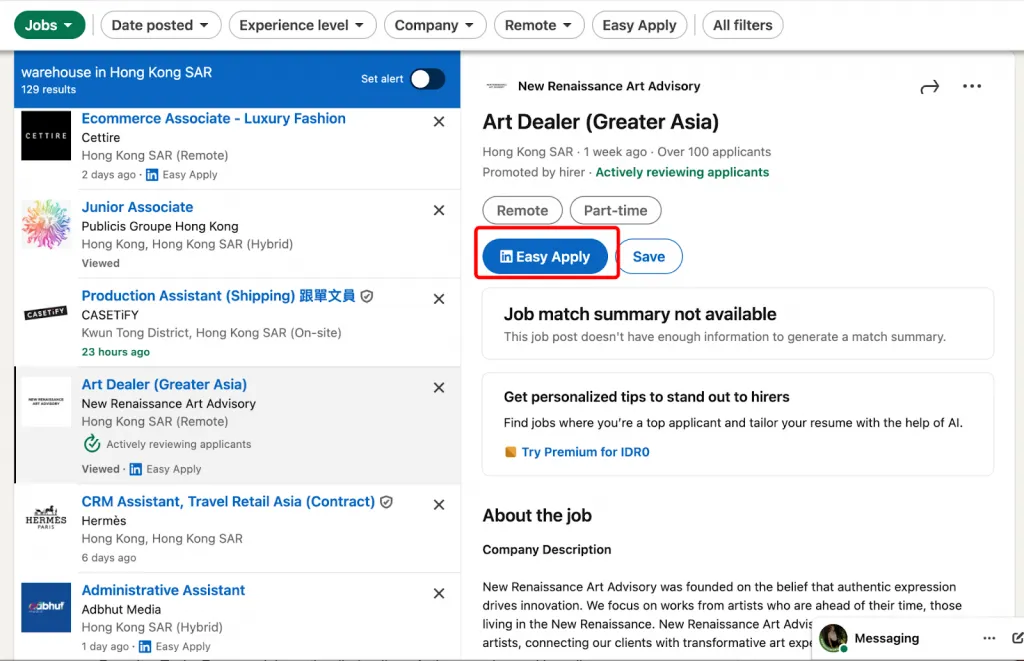
- Find a job post marked with the “Easy Apply” blue button.

- Click “Easy Apply.”
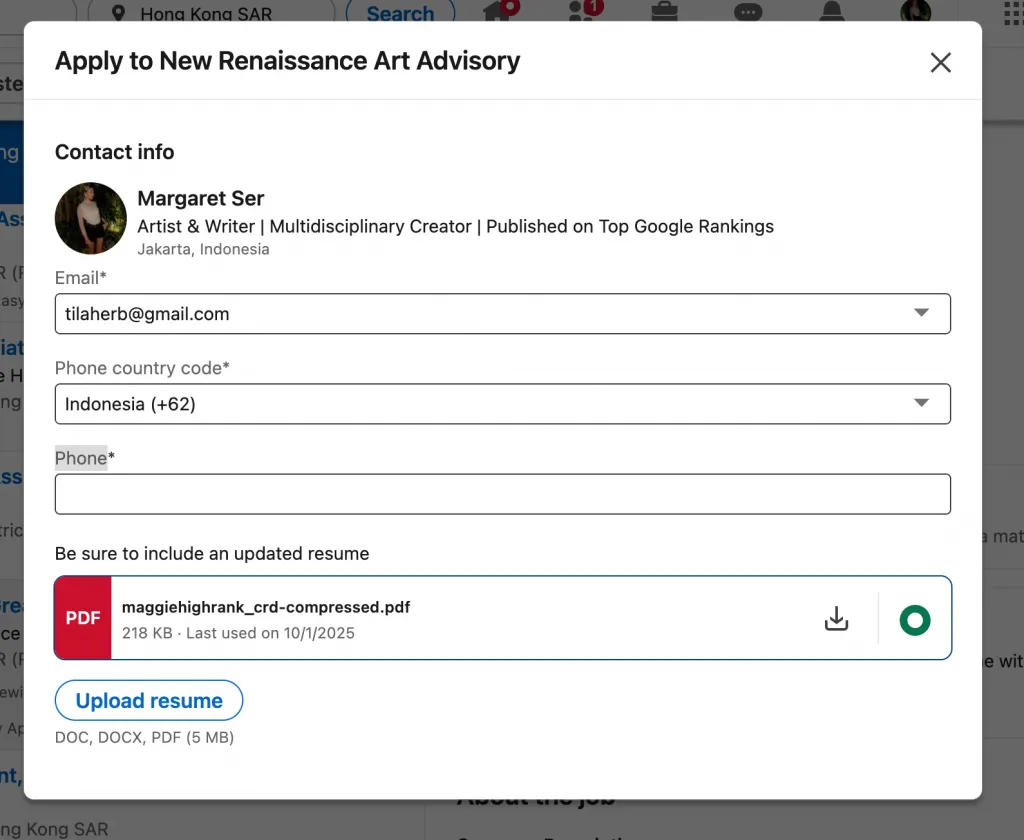
A short pop-up form appears instead of an external site.

- Upload or confirm your resume.
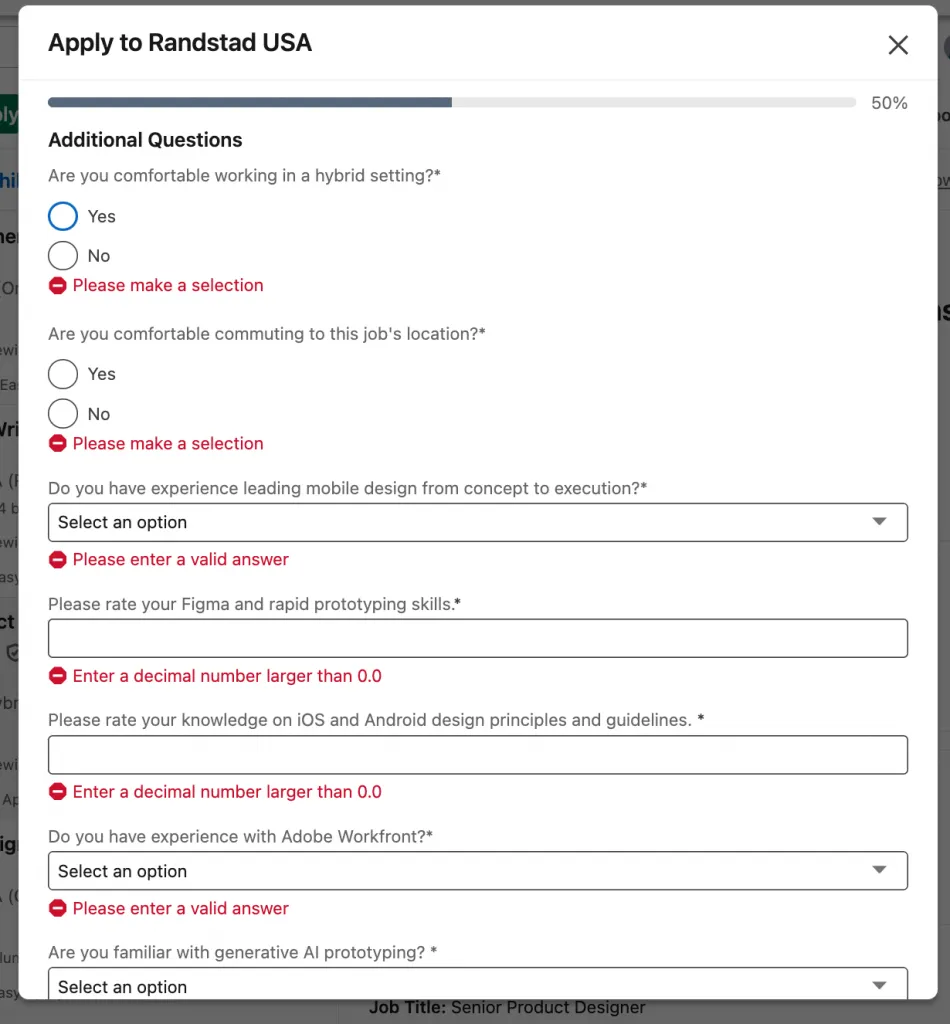
LinkedIn can save your resume for future applications. - Answer quick questions (if required by the employer).
For example: “How many years of experience do you have?” - Submit your application.
💡 Tip: LinkedIn uses your profile information — such as your headline, current role, and skills — to pre-fill most fields, so keeping your profile up-to-date increases your chances of standing out.
Where to Find Jobs with Easy Apply

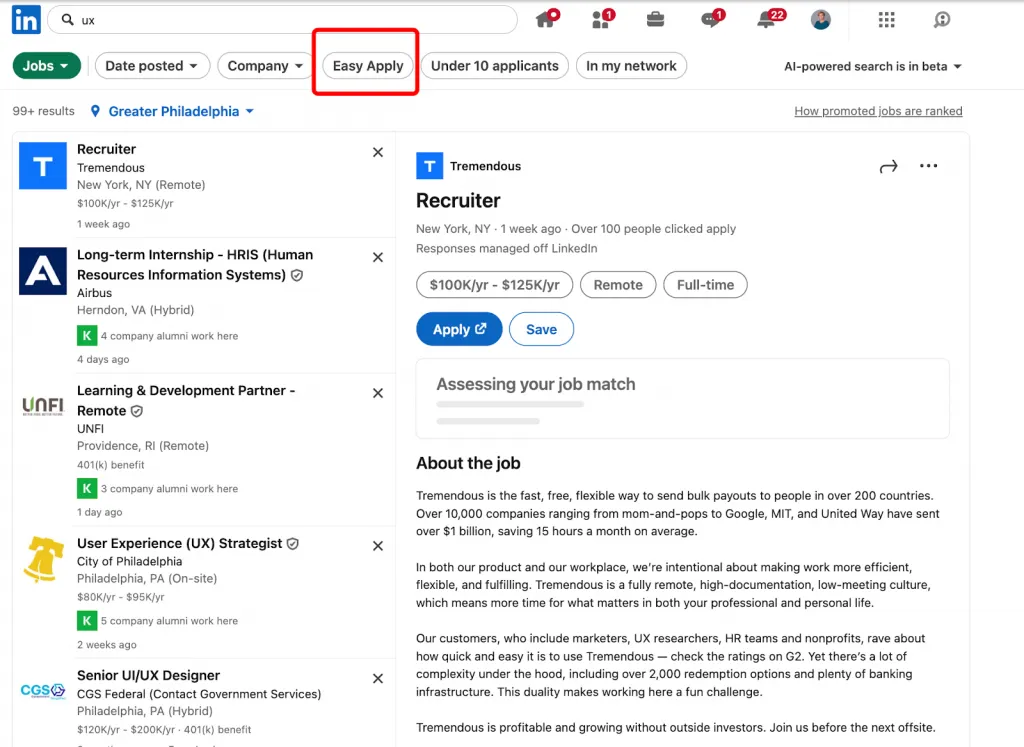
You can filter your job search to show only positions that support Easy Apply.
Step-by-Step: How to Find Easy Apply Jobs on LinkedIn
- Go to the Jobs tab on LinkedIn.
- In the search bar, type your target job title (e.g., “Marketing Manager”).
- Choose the filter “Easy Apply.”
Now your feed will display only Easy Apply jobs on LinkedIn — meaning you can apply directly within the platform.
How to Build an Effective Resume and Profile for Easy Apply
LinkedIn Easy Apply Checklist
| Stage | Action |
|---|---|
| 🧑💼 Profile | Fully completed, current information |
| 📄 Resume/CV | Saved in correct format, linked in profile |
| 📝 Summary | Tailored to job posting |
| 🔍 Search Filters | “Easy Apply” option selected |
| 📤 Application | Submitted without errors |
| 🎯 Personalization | Each application minimally customized |
1. Optimize Your LinkedIn Profile Before You Apply
Explain that your LinkedIn profile often replaces a traditional CV during LinkedIn Easy Apply, so it must look professional and keyword-optimized.
Include:

- A professional profile photo (bright, clear, neutral background)
- A headline that includes your job title + core skills (e.g., Marketing Manager | Brand Strategy | Content Growth)
- A custom URL (linkedin.com/in/yourname)
- Fully filled Experience and Skills sections

Why These 2025 LinkedIn Easy Apply Summaries Work
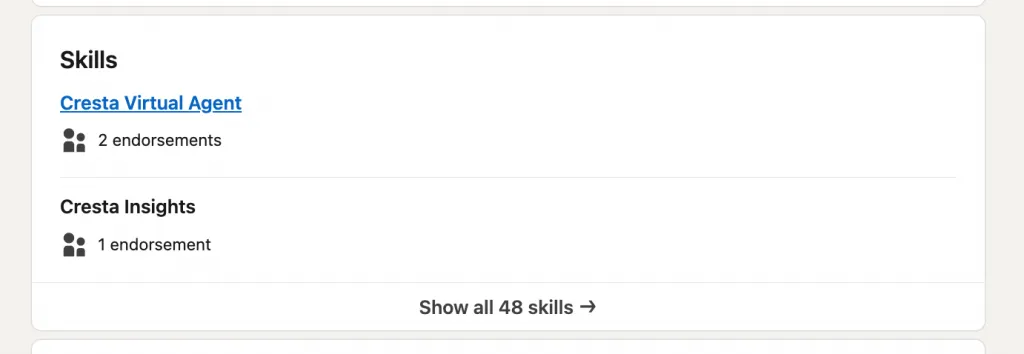
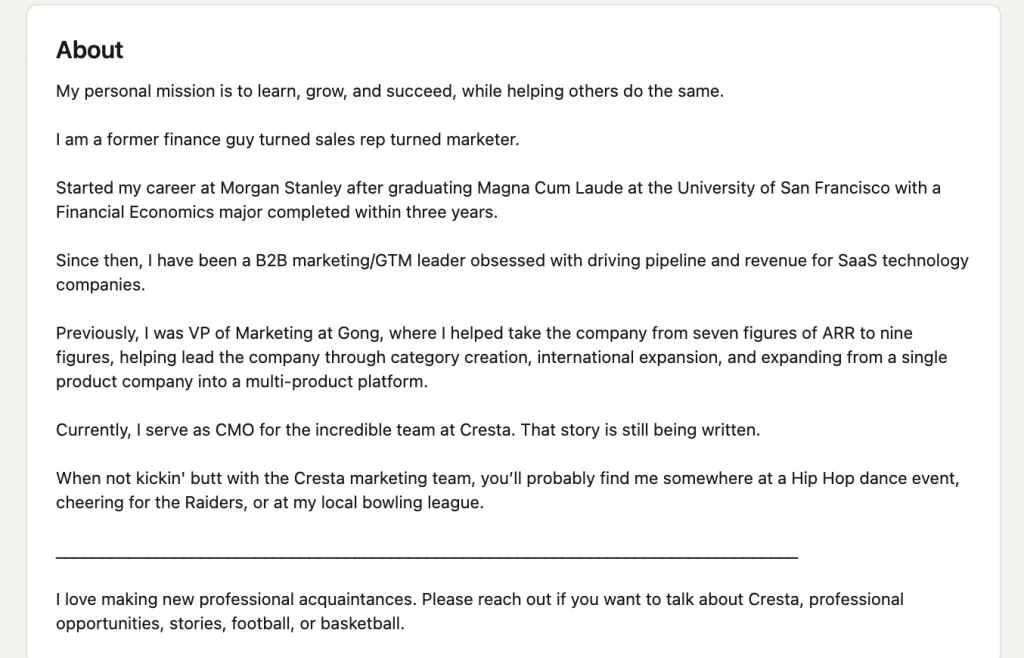
Your LinkedIn Easy Apply summary is the first impression employers get. It should be short, personal, and achievement-oriented.

| Trait | Description | Example |
| 1. Clarity | The role and value are obvious in the first line | “Marketing professional with 5+ years of experience…” |
| 2. Keywords | Optimized for recruiter and algorithm searches | “AWS, scalable systems, brand storytelling…” |
| 3. Tone of energy | Shows motivation and personality | “Excited to build…”, “Passionate about…” |

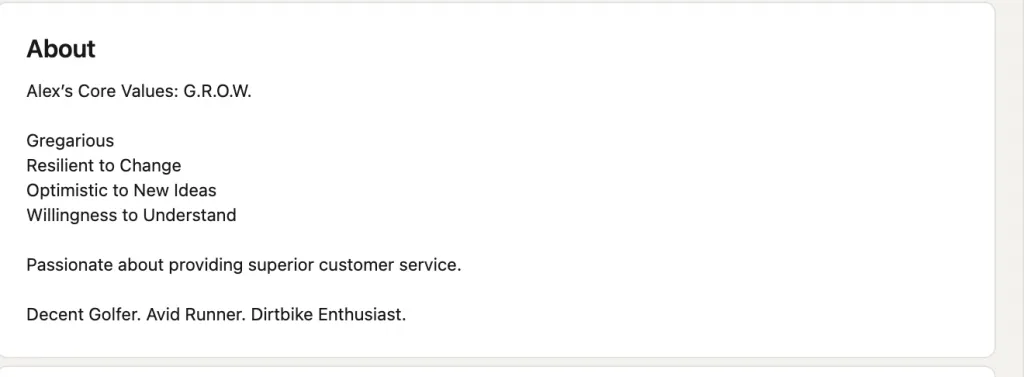
- The acronym G.R.O.W. makes it memorable and structured.
- Highlights emotional intelligence and adaptability instead of just credentials.
- Adds hobbies for a personal, relatable tone.
- Ideal for client-facing or service roles where character and communication matter.
🧠 Quick Takeaway: Use creative formatting (like an acronym or list) to make your summary stand out and reveal personality fast.

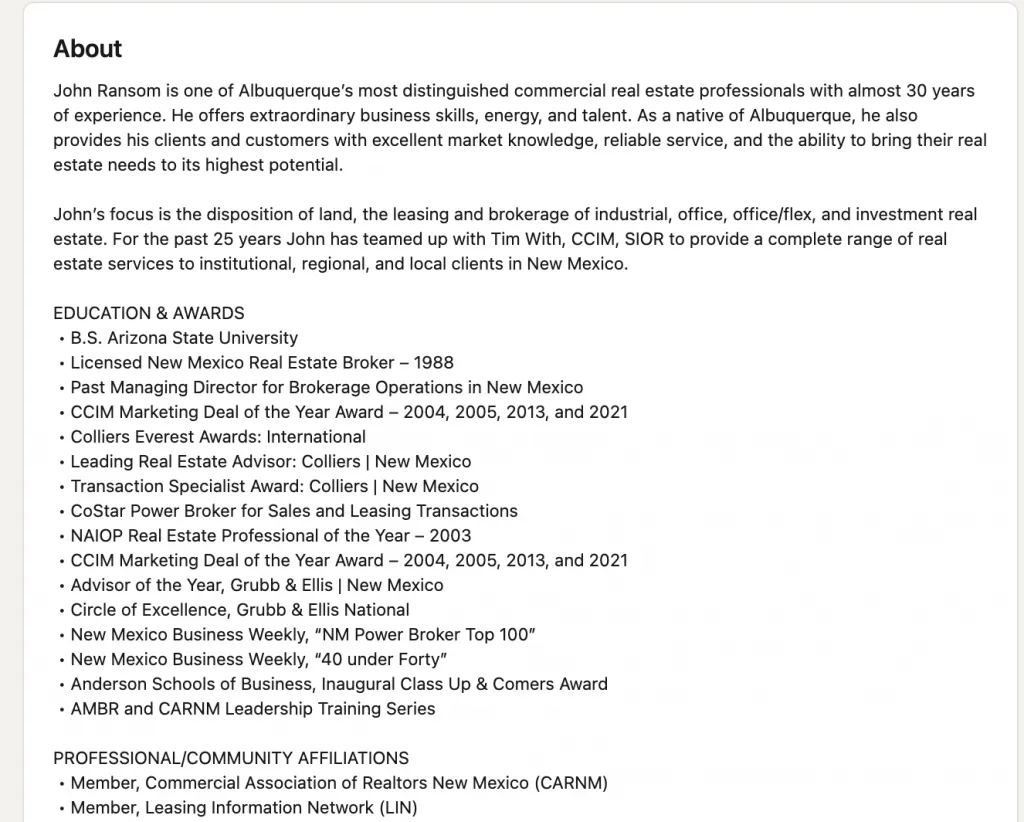
- Opens with authority — establishes credibility immediately.
- Uses local expertise to build authenticity and trust.
- Detailed yet organized for scanning — ideal for seasoned professionals.
- Lists awards and affiliations that reinforce reputation.
🧠 Quick Takeaway: For experienced professionals, lead with credibility and structure your summary like a mini bio that builds trust at a glance.
3. Prepare and Upload a Tailored CV
Even though LinkedIn auto-fills much of your information, uploading a LinkedIn Easy Apply CV increases your chances — especially when recruiters download resumes for offline review.
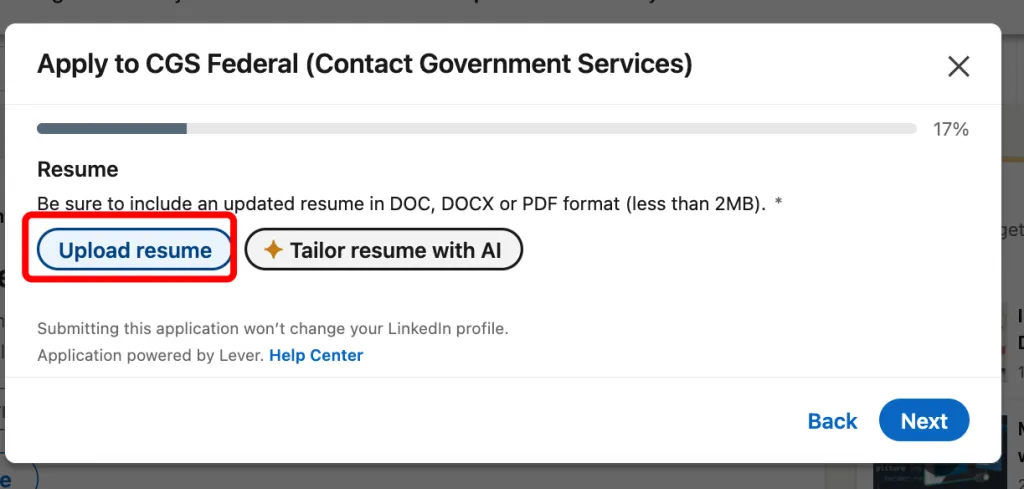
📎 Steps to upload your CV on LinkedIn Easy Apply:
- Go to a job posting and click “Easy Apply.”
- In the pop-up, fill in the form and click Next
- Select “Upload Resume.”

- Choose your PDF or DOCX file (under 2 MB).
- Save it for future applications.
- Ensure the file name is professional — e.g., FirstName_LastName_CV.pdf.

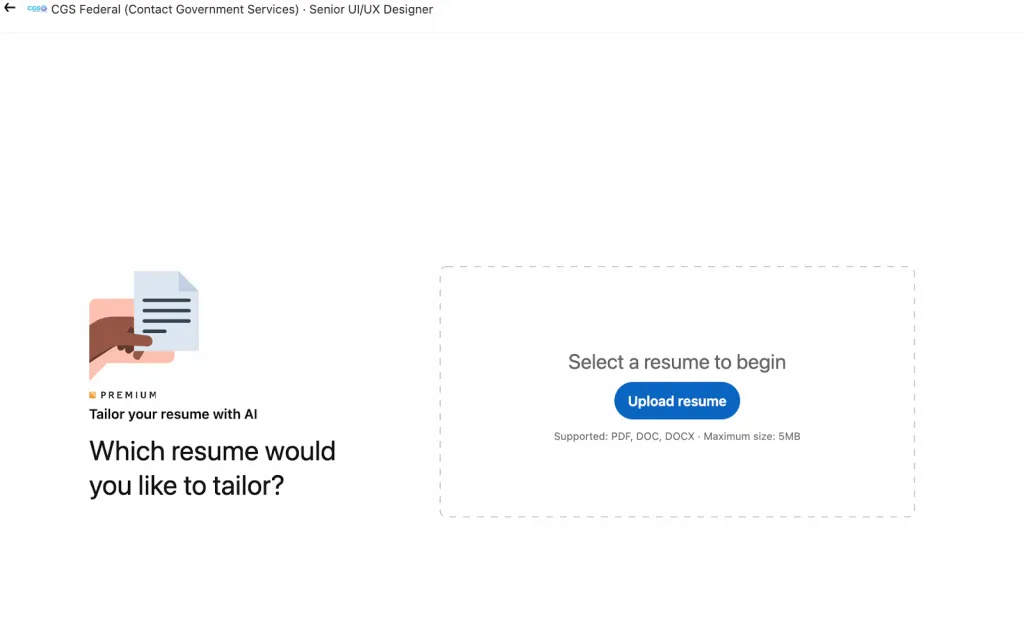
You can now create a tailored resume using AI in Premium — these tools analyze the job description and automatically adjust your skills, phrasing, and keywords to match the employer’s requirements.
4. Match Your Resume Keywords to Job Descriptions
LinkedIn’s algorithm scans both your profile and your uploaded resume for matching phrases.
To boost your ranking:
- Mirror the job title and key skills from the description.
- Use measurable results (e.g., “Increased website traffic by 40%”).
- Keep your LinkedIn Easy Apply resume concise — ideally one page.
5. Add a Personal Touch Post-Application
After applying, message the recruiter or hiring manager (if visible) with a short note:
“Hi [Name], I just applied via LinkedIn Easy Apply for the [Role] position. I’m very interested in contributing my [skill/experience]. Would love to connect!”
When Easy Apply Doesn’t Work: Causes and Solutions
If you’ve clicked the button and LinkedIn Easy Apply is not working, don’t worry — it’s a common issue with a few simple solutions.

Technical Issues
Sometimes Easy Apply not working in LinkedIn happens because of browser errors. Outdated versions, too much cached data, or active extensions can block LinkedIn features. Try clearing your cache, turning off extensions, or using incognito mode. Switching to another browser or device often fixes the issue instantly.
Missing Information or File Errors
If your resume or LinkedIn profile is incomplete, Easy Apply might fail to load. Make sure your profile includes your location, email, and experience, and upload your resume in PDF format — other file types may cause the submission to break.
Employer Restrictions
In some cases, LinkedIn Easy Apply not working doesn’t mean there’s a glitch. Some employers activate Easy Apply but still require you to finish the process on an external website. Always check the job post for special application instructions.
Quick Fix Checklist
- Clear your browser cache or switch browsers.
- Re-upload your resume/CV as a PDF.
- Fill in missing profile sections (contact, experience, education).
- Try again from a desktop if using the mobile app.
- If redirected, complete your application on the company’s website.
How to Post a Job with Easy Apply (For Recruiters)
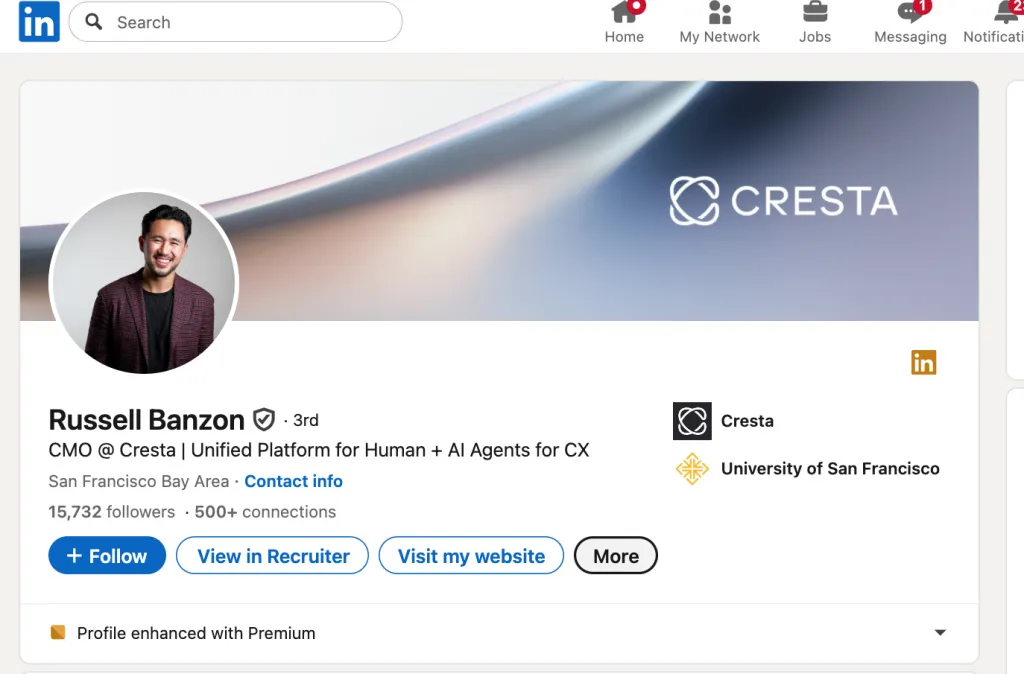
Apply feature is the best option. It integrates with your Applicant Tracking System (ATS) so that all applications are stored automatically in one place.
Here’s exactly how to post an Easy Apply job on LinkedIn step by step.
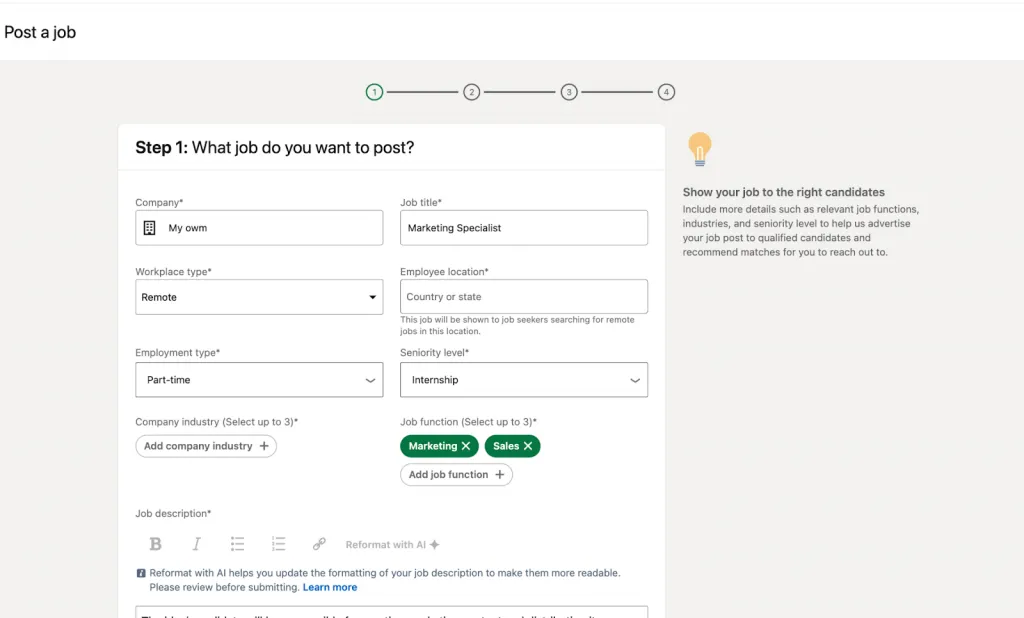
Option 1 — Create a new job with Easy Apply:
- In LinkedIn Recruiter, click Post a job.

- Fill in job title, company, location, and description.
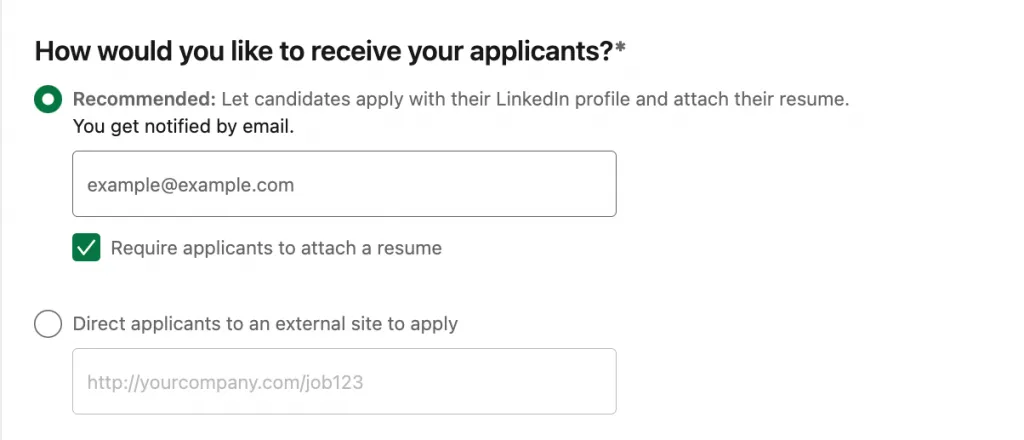
- Under How would you like to receive your applicants?, select the recommended option:

✅ “Let candidates apply with their LinkedIn profile and attach their resume.”
- Add the email address where you want to receive notifications from applicants.
- (Optional) Check “Require applicants to attach a resume” if you want every candidate to upload one.
- Click Continue to preview and publish your job.
This automatically enables Easy Apply — no external link needed.
Option 2 — Enable Easy Apply on an existing job:
- Go to your Recruiter dashboard → Jobs tab.
- Click the job title you want to update → Edit.
- Under How would you like people to apply?, select:
“Direct applicants to an external site to apply.” - Paste your ATS application link and make sure it includes the ATS job ID (you can find it in your ATS system under Job Details).
- Click Continue twice → Save job.
If you use a job distributor or LinkedIn Job Wrapping, ensure the ATS job ID is included in your job URLs.
Best Practices for Easy Apply Jobs
- Keep it short and clear: Write job titles candidates actually search for.
- Add keywords — LinkedIn’s algorithm matches posts with user intent.
- Enable Easy Apply for high-volume roles: It increases application rates.
- Always include an ATS job ID to ensure the job connects properly.
- Test the application flow: Click your own Easy Apply button to confirm it works before publishing.
- Promote the job — share it from your company and personal profiles for extra visibility.
LinkedIn Easy Apply: Hacks to Boost Application Success
The LinkedIn Easy Apply (or Quick Apply) feature helps you submit applications in just a few clicks — but speed isn’t everything. To actually stand out, you need to optimize how you use it. Here are smart hacks to get the most out of LinkedIn One-Click Apply while keeping your workflow efficient and professional.
1. Track Your Results
Keep a simple spreadsheet or use LinkedIn’s “Jobs” dashboard to monitor which companies you’ve applied to and when. Add columns for follow-up dates and recruiter replies. This helps you see what works — and refine your strategy over time.
2. Optimize Your Summary
Before applying, polish your LinkedIn summary to make it instantly clear what you do and what you’re aiming for. Add measurable results, industry keywords, and a confident first line that grabs attention (e.g., “Marketing strategist driving 200% campaign growth through storytelling and analytics.”).
3. Automate Applications — Responsibly
While some browser tools can auto-fill Easy Apply forms, don’t rely on them blindly. Double-check each application to make sure your resume, answers, and contact info are correct. Quality beats quantity — a few personalized applications will outperform 50 generic ones.
4. Tailor Your CV to Each Job
LinkedIn Easy Apply lets you upload your resume — but don’t use the same one for every role. Create a few tailored CV versions that emphasize the skills and results most relevant to each position. (AI resume builders can help with this.)
5. Respond Quickly
Recruiters often review Easy Apply submissions within the first 24 hours. Turn on job alerts for specific titles and locations so you can apply right away. Quick responses increase your visibility and improve your chances of being shortlisted.
Common Easy Apply Mistakes—and How to Avoid Them
Highlight key pitfalls from experts and provide practical workarounds.
1. Applying to Every Job Without Selectivity
One of the biggest missteps on LinkedIn is using the Easy Apply button as a firehose—clicking “easy apply” on dozens or hundreds of jobs without alignment. Experts warn that recruiters often skim these high-volume funnels and treat mass applications as low engagement.
Avoidance tip: Focus on 5-10 roles per week that closely match your profile. Tailor your resume and summary for each instead of blasting generic applications.
2. Out-of-Date Profile or Misaligned Summary
Because Easy Apply uses your LinkedIn profile and summary as part of the submission, if your profile doesn’t reflect your current role, key skills or target job, you’ll likely be skipped. One article says: “Easy Apply usually means zero personalization (and zero results).”
Avoidance tip: Refresh your profile headline and summary to align with your target role. In your summary mention the types of roles you’re open to, highlight measurable achievements, and include relevant keywords (“linkedin easy apply summary”).
3. Generic or Untailored Resume Uploads
Even with Easy Apply’s convenience, submitting the same resume for every job remains a major error. The Interview Guys report that generic applications are rejected “75% faster”.
Avoidance tip: Create resume versions that mirror job descriptions. Pull 3-5 keywords from each job post and incorporate them into your resume bullets and summary.
4. Relying Solely on Easy Apply and Skipping Follow-Up
Some job seekers treat Easy Apply as “apply and done”—but lack of follow-up means missed opportunities. One user wrote: “If you apply on LinkedIn… I believe that recruiters have an ‘easy ignore’ button.”
Avoidance tip: After submitting, send a short LinkedIn note or email to the recruiter, highlighting one relevant achievement and your enthusiasm for the role.
5. Missing or Wrong Keywords in Summary and Profile
Recruiter algorithms and filters still matter. A profile summary that lacks target keywords (“digital marketing manager”, “data-driven campaigns”, etc.) may never surface. The Interview Guys say missing keywords is a silent killer.
Avoidance tip: For each role you apply to via Easy Apply, scan its description and include those exact keywords in your LinkedIn summary, headline, and skills section.
FAQs
1. What does “Easy Apply” mean on LinkedIn?
Easy Apply is a quick-application feature that lets you submit your LinkedIn profile, summary, and resume directly to employers—often without leaving the platform. It’s ideal for roles with fewer external requirements.
2. Can I edit my summary on LinkedIn Easy Apply?
Yes. Your summary on LinkedIn for Easy Apply is pulled directly from your profile “About” section. Before applying, update this area to reflect your most relevant experience, top skills, and recent achievements. Include keywords from the job description—this boosts visibility in recruiter searches.
3. What’s a good LinkedIn Easy Apply summary example?
Here’s a short LinkedIn Easy Apply summary example:
“Digital Marketing Specialist with 5+ years of experience driving ROI-focused campaigns. Skilled in paid ads, SEO, and analytics. Passionate about building data-driven strategies that grow brand presence.”
Tailor this template to match each role by adding key results or specific tools (e.g., HubSpot, Google Ads).
4. Why don’t I see the Easy Apply option on some jobs?
Some employers require you to apply through their company website instead. If you only see “Apply,” that job doesn’t support Easy Apply.
5. How do I fix technical issues with Easy Apply?
If your upload fails or the form doesn’t submit, clear cache, update your browser, and ensure your resume is under 2 MB in PDF or DOCX format. You can also apply from the LinkedIn mobile app, which often resolves minor bugs.
6. Is Easy Apply enough to get noticed by recruiters?
Not always. Experts recommend combining Easy Apply with personalized outreach—send a brief note to the recruiter after applying and mention one measurable achievement.
How Easy Apply Compares to Alternatives
LinkedIn Easy Apply is one of the fastest ways to submit your application — but it’s not the only one. Here’s how it compares to other job application methods, their strengths, and which industries benefit most.
1. Traditional Apply (External Website)
Instead of using the one-click LinkedIn Easy Apply, some employers redirect candidates to their official career site. There, you usually create an account, upload a detailed CV, and complete custom questions.
Pros: You can tailor your resume and cover letter for the specific position, which often improves your chances for skilled or senior roles.
Cons: Takes more time and effort; repetitive data entry is common.
Best for: Mid-level, senior, or specialized positions where recruiters want a deeper insight into your background.
2. Apply via Company Career Page
Many companies manage their own career portals powered by Applicant Tracking Systems (ATS). You can track your application status directly and sometimes receive updates automatically.
Pros: Direct connection with the company’s ATS ensures your data is properly logged and reviewed.
Cons: Requires creating separate profiles for each company.
Best for: Corporate roles in tech, finance, or large enterprises.
3. Apply via Job Boards (Indeed, Glassdoor, etc.)
These platforms also have quick-apply buttons similar to LinkedIn Easy Apply. They often store your uploaded CV for future use.
Pros: Wider job visibility; many listings in one place.
Cons: Some listings are outdated or duplicated; competition is high.
Best for: Broad searches or when exploring multiple industries at once.
4. Direct Email Applications
Some hiring managers prefer receiving resumes directly via email, especially in smaller companies or startups.
Pros: Personal and allows you to stand out with a customized introduction.
Cons: Less structure and no tracking system.
Best for: Creative industries, startups, and freelance opportunities.