
 Updated: September 26, 2026
 30 min read
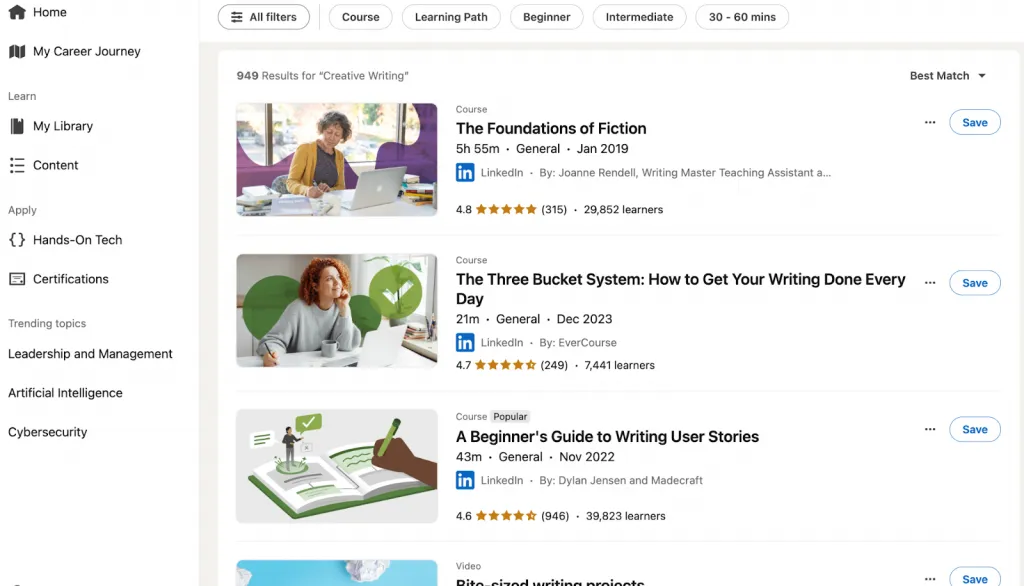
You want to upskill, stay competitive in your career, or train your team—but before committing, you need to understand one thing clearly: how much does LinkedIn Learning actually cost?
It sounds like a simple question, but in reality, LinkedIn Learning pricing varies widely depending on whether you’re an individual, a small business, or a large enterprise. And with dozens of online learning options on the market, choosing the right professional development investment requires more than just looking at a price tag.
LinkedIn Learning—part of the LinkedIn ecosystem—has become one of the most trusted online learning platforms, used by more than 27 million learners and offering over 17,000 expert-led courses across business, technology, and creative skills.
Its integration with LinkedIn profiles, skill assessments, and certificate sharing makes it uniquely attractive for professionals who want visible, career-ready upskilling. But those strengths still don’t answer the real question most people have: Is LinkedIn Learning worth it?
The short answer: it depends on who you are and how you use it.
For individuals, LinkedIn Learning comes with two distinct options—LinkedIn Learning Only and LinkedIn Premium Career, which bundles job-search tools and InMail credits alongside the course library.
For teams and enterprises, there are pricing plans that include admin dashboards, analytics, and integration with HR systems—features designed to support consistent, organization-wide learning. And while those plans sound promising, there are also hidden considerations many buyers overlook, such as adoption rates, training culture, and the cost of low engagement.
This guide breaks everything down so you can make a fully informed decision. We’ll cover every pricing model, explain what affects LinkedIn Learning cost, compare it to competitors, evaluate benefits by company size, examine hidden costs, and calculate potential ROI.
Whether you’re a solo learner, a manager evaluating training options, or an enterprise L&D strategist, you’ll get a practical, data-driven overview—without hype or overselling.
By the end, you’ll know exactly what you’re paying for, what’s included, and whether LinkedIn Learning is the right investment for your professional or organizational goals.
What is LinkedIn Learning? (And How Does It Compare?)
If you’re wondering what is linkedin learning, it’s an online learning platform offering 17,000+ expert-led courses in business, technology, and creative fields. Originally launched as Lynda.com, it was acquired by LinkedIn and rebranded into a modern, career-focused learning hub. The platform stands out for its personalized recommendations, offline access, certificates of completion, and strong focus on professional development.
How it compares: Unlike traditional education or intensive bootcamps, LinkedIn Learning is flexible, self-paced, and far more affordable while still offering structured learning paths and credible certificates.
If your main question is what does linkedin learning cost, here’s the simple breakdown:
- Monthly: ~$39.99
- Annual: ~$239.88 (≈ $19.99/month)
- Free trial: 1 month
A subscription unlocks the full library of courses, plus offline mode, certificates, and personalized skill recommendations.
How Much Does LinkedIn Learning Cost for Individuals? (Complete Pricing Breakdown)
If you’re trying to understand how much does LinkedIn Learning cost, here’s the full, up-to-date breakdown of LinkedIn Learning pricing for individual users—including all plan types, real USD numbers, and how the plans compare.
Three Ways to Access LinkedIn Learning
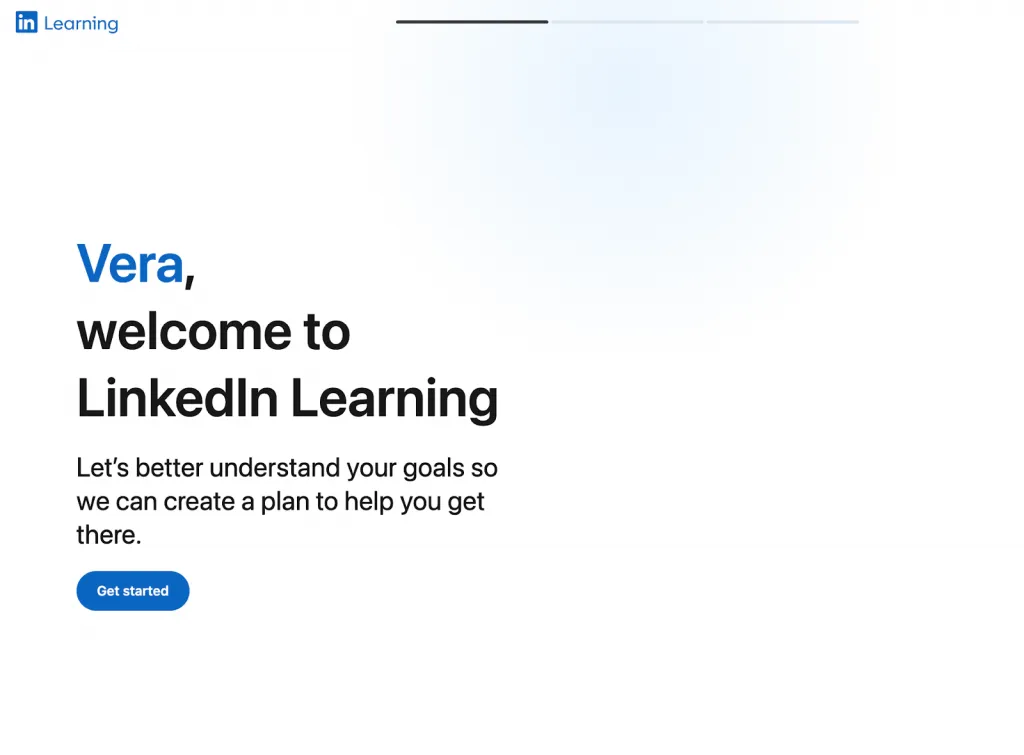
3.1 Pay-Per-Course Model
If you’re looking for the simplest way to access content, the pay-per-course option is the most direct form of cost of LinkedIn Learning for individuals who don’t want a subscription. Individual courses cost $20–$50 each as a one-time purchase, and you permanently keep access to the material.
Best for:
- Learners who only need 1–2 specific courses
- People who want to avoid subscriptions entirely
Advantages:
- No ongoing commitment
- You only pay for the exact courses you need
- Clear, predictable pricing without renewals
Disadvantages:
- It’s the most expensive per hour of learning
- No unlimited library access unless you buy courses individually
Example:
Purchasing 5 courses at $30 each = $150, which is close to the LinkedIn Learning annual subscription cost of $239.88—but gives you only five courses instead of unlimited access.
3.2 Monthly Subscription
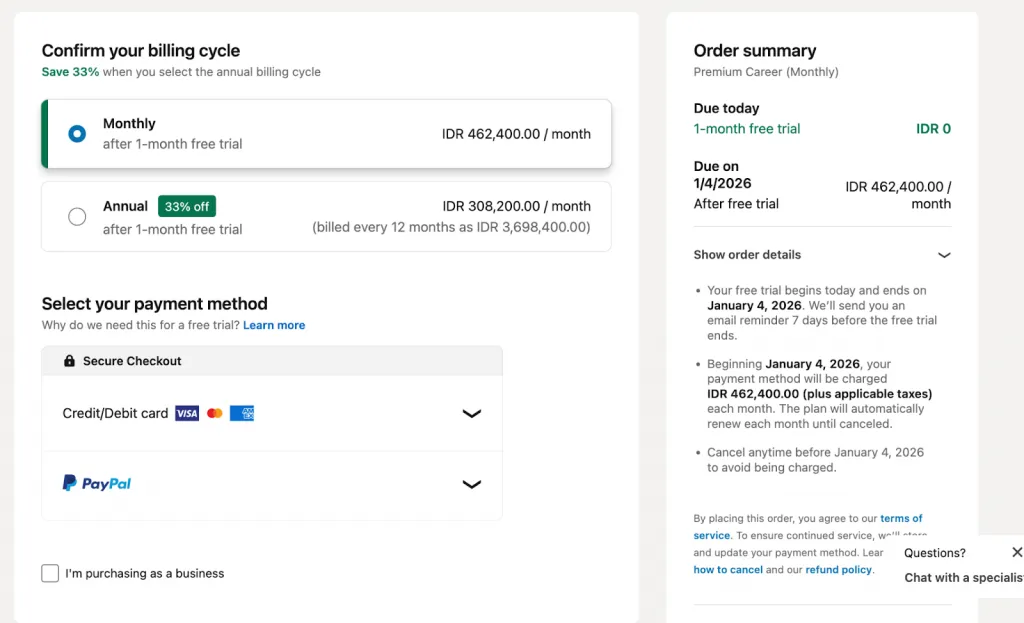
The monthly plan is the default option many people look at when asking how much does LinkedIn Learning cost or what the LinkedIn Learning cost per month is. In the U.S., the LinkedIn Learning monthly cost is $39.99/month (prices vary by region).
Features included:
- Unlimited access to all 25,000+ courses
- Certificates of completion
- Offline viewing on mobile
- Personalized recommendations based on your LinkedIn profile
- Access to learning paths and skill-tracking tools
Best for:
- New learners testing the platform
- Short-term projects or quick upskilling
- People who don’t want annual commitments
Free trial:
- 1-month free trial (cancel anytime)
- Some regions allow sign-up with no credit card required
Regional variations:
- UK pricing: ~£29.99/month
This plan gives full access without long-term commitment, but it’s not the cheapest if you plan to learn throughout the year.
3.3 Annual Subscription
For users comparing long-term LinkedIn Learning pricing, the annual plan offers the best overall value. The LinkedIn Learning subscription price for the annual plan is $239.88 per year, which works out to ~$19.99/month.
Why this is the best value:
- Saves about 50% vs. monthly billing
- Saves roughly $240 per year if you stay subscribed long-term
- Unlimited access to everything on the platform
Features included:
- Same features as monthly: unlimited library, certificates, offline access, personalized recommendations, and learning paths
- Predictable once-a-year billing
- Designed for serious, continuous learners
Best for:
- Professionals committed to year-round professional development
- Learners planning to take multiple courses over time
- Anyone who wants the lowest cost-per-course access
Currency/region note:
Because what is the cost of LinkedIn Learning varies globally, check the LinkedIn Learning pricing page in your region for local tax and currency adjustments.
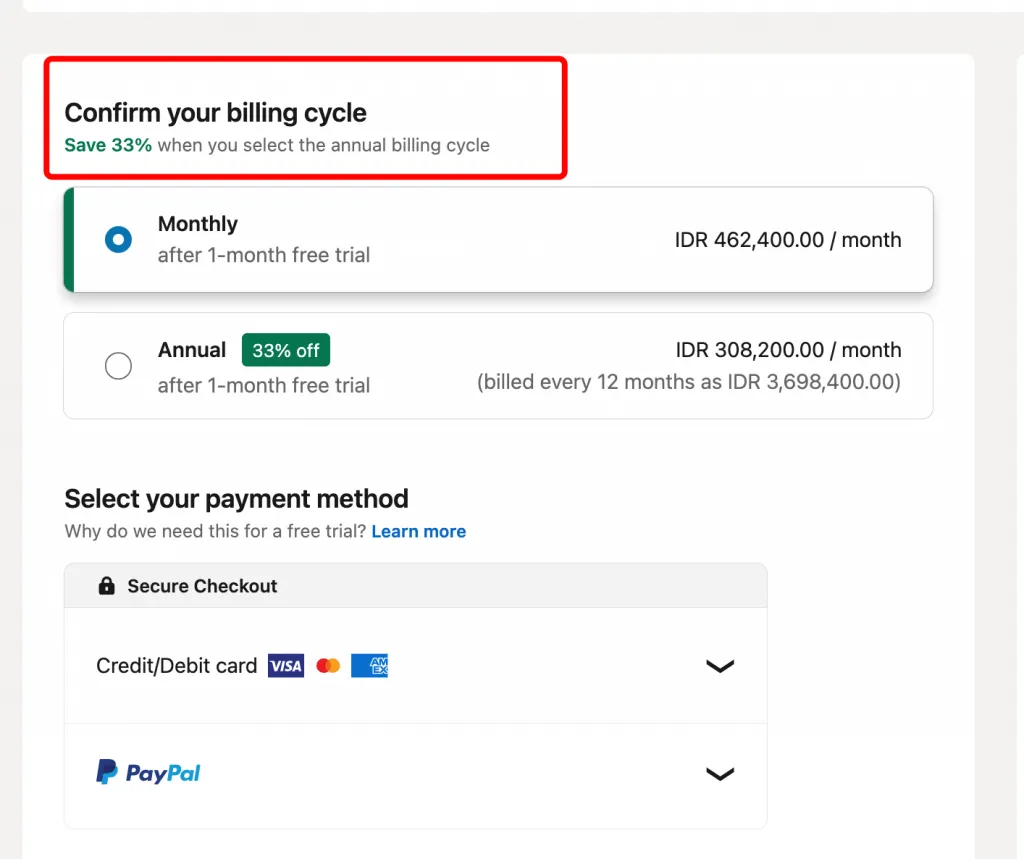
- Cost: $239.88/year (~$19.99/month when annualized) in USD
- Savings: 33% discount vs. monthly billing (approximately $240 saved per year)
- Features: Same as monthly, but with prepaid commitment
- Best for: Serious learners committed to ongoing skill development
- Currency/region note: Prices vary by location; check LinkedIn Learning site for your region
The Money Comparison Table
| Pricing Model | Cost | Duration | Best For | Break-Even Point |
|---|---|---|---|---|
| Per-course purchase | $20–$50 / course | Access to that course | Learners who need only 1–2 specific courses | ~ 5 courses = cost of annual plan |
| Monthly subscription | $39.99 / month | 1 month | Short-term learners, platform testers | 6+ months of use |
| Annual subscription | $239.88 / year (≈ $19.99/month) | 12 months | Committed learners, frequent course takers | Break-even after ~ 3 months vs monthly |
Free Trial and Money-Back Guarantees
- Free trial: New users get a 1-month free trial granting full access.
- Credit card: Some regions require a card on file; others don’t. In either case, you won’t be charged until the trial ends.
- Cancellation: You can cancel anytime before billing — after that there is no formal money-back guarantee, but you simply lose access.
- Hidden benefit: If you cancel and later return, your saved courses and progress remain — meaning your learning history is preserved.
Pro Tip: Annual plan users save ~ $240 per year compared to paying monthly, while getting access to every course.
Important Clarification
“LinkedIn Learning” is not the same as “LinkedIn Premium Career.”
- LinkedIn Learning: gives you access to course library only.
- LinkedIn Premium Career: includes Learning plus additional LinkedIn features (like InMail, job-search tools, extra profile insights).
LinkedIn Learning Cost for Business: Pricing for Teams & Enterprises
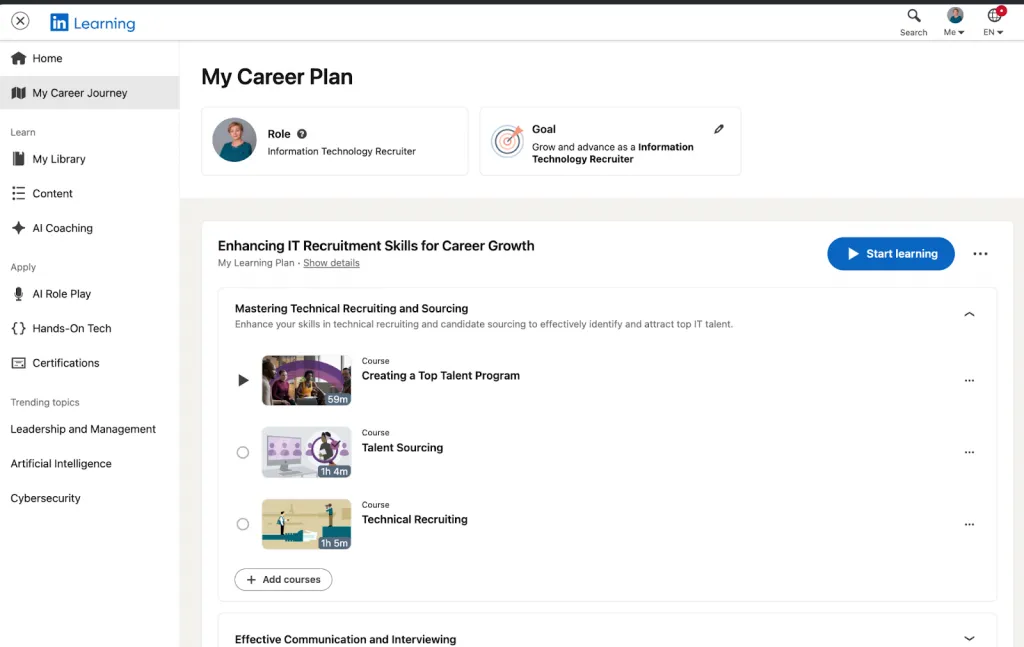
LinkedIn Learning for Teams (2–20 Employees)
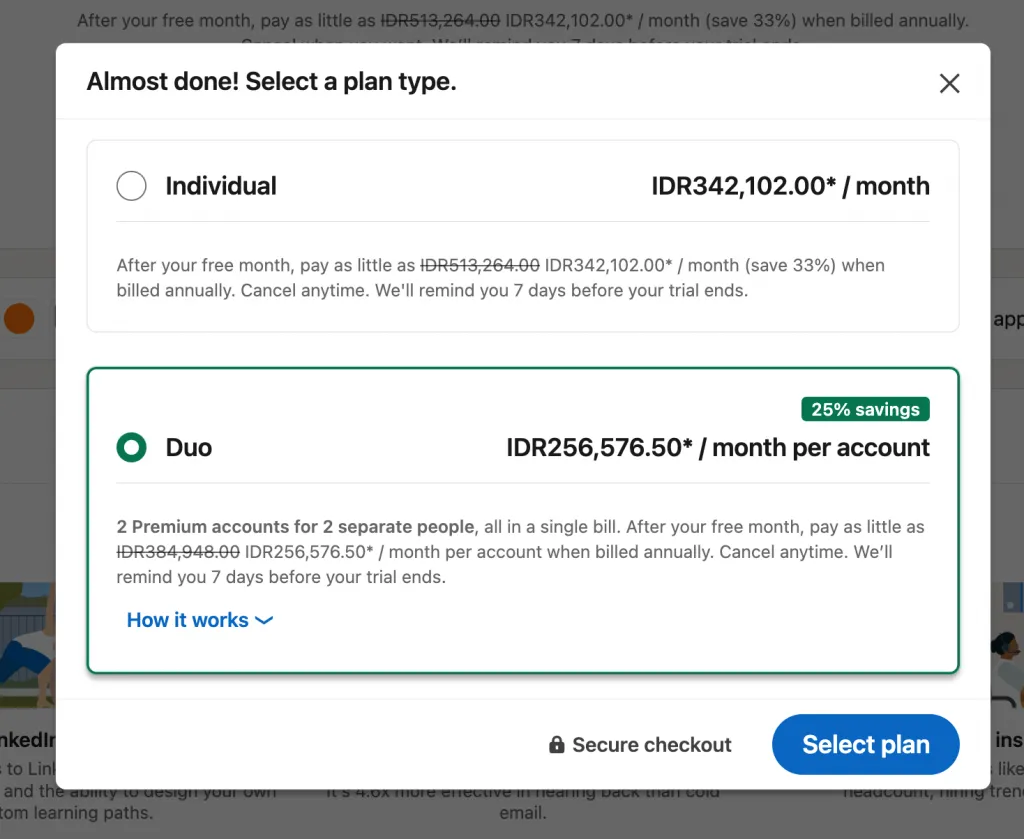
Cost: US $379.88 per license / per user / per year
Best for: Small or mid-sized teams needing group learning management, admin oversight, and easy billing.
Features included:
- Full access to the course library (thousands of expert-led courses)
- Admin dashboard to assign courses, track progress, and manage learning for team members
- Centralized billing for all seats/users
- Ability to manage seats/licences via self-serve portal for up to 20 users.
Example team costs:
- 5 users → ~ US $1,899.40 / year
- 10 users → ~ US $3,798.80 / year
- 20 users → ~ US $7,597.60 / year
Comparison with individual plan: The Teams license at $379.88/year/user costs more than an individual annual subscription — but the extra cost brings team-level management, tracking, and administrative control.
LinkedIn Learning for Organizations and Enterprises (21+ Employees)
- Pricing Model: Custom pricing based on organization size, customization, and needs
- Typical range: $350–$500+ per user per year (varies by contract)
- Volume discount: Larger organizations (100+ employees) often negotiate lower per-user rates
- Features beyond Teams plan:
- Custom branding and white-label options
- Custom content integration
- Advanced integrations with HRIS/LMS platforms
- Dedicated account management
- API access for deeper system integration
- SSO (Single Sign-On) authentication
- How to get a quote: Contact LinkedIn Learning sales directly; no standard pricing displayed online
Real-World Business Cost Examples
| Company Size | Plan | Annual Investment | Per-User Cost | ROI Consideration |
|---|---|---|---|---|
| 1–10 employees | Individual plans + manual coordination | ~$2,400–$3,800 (if each user buys an individual annual plan) | $239.88–$379.88/user (depending on plan type) | Suitable for micro-companies that don’t need admin dashboards; lowest platform oversight. |
| 11–50 employees | Teams Plan (2–20 seats) + additional enterprise seats if needed | ~$4,177–$18,994 (based on $379.88/user/year for up to 20 users) | $379.88/user | Strong engagement; admin tools reduce wasted spend and improve tracking. |
| 51–200 employees | Enterprise (Custom Pricing) | ~$20,000–$100,000+ (varies by contract, headcount, and integrations) | Typically $300–$500/user (after volume discounts) | Requires clear goals and structured learning paths to justify cost. |
| 200+ employees | Enterprise + Integrations / SSO / LMS | $100,000+ annually (large orgs may spend $150k–$500k+) | Custom (often discounted at scale) | High ROI only if paired with change-management, internal communication, and LMS integration. |
LinkedIn Learning Pricing Comparison: Individual vs. Team vs. Enterprise Plans
Quick Comparison Matrix
When doing a LinkedIn Learning pricing comparison, it’s clear that the flat yearly fee can be more cost-effective for frequent learners
| Feature | Individual Monthly | Individual Annual | Team (2–20 Users) | Enterprise (21+ Users) |
|---|---|---|---|---|
| Cost | $39.99/month | $239.88/year | $379.88/user/year | Custom (quote-only) |
| Course Library | 17,000+ | 17,000+ | 17,000+ | 17,000+ |
| Certificates of Completion | ✓ | ✓ | ✓ | ✓ |
| Admin Dashboard | ✗ | ✗ | ✓ | ✓ (with advanced controls) |
| Progress Tracking | Personal only | Personal only | Org-wide analytics | Org-wide analytics + API-level reporting |
| Custom Learning Paths | ✗ | ✗ | ✓ (create & assign) | ✓ (with advanced options) |
| Offline Access | ✓ | ✓ | ✓ | ✓ |
| Integrations | Limited (basic LMS exports) | Limited | Advanced integrations (LMS/HRIS/SSO) | Advanced + custom system integrations |
| Dedicated Support | Self-service FAQs | Self-service FAQs | Email support for admins | Dedicated account manager + onboarding |
| Free Trial | 1 month | 1 month | No (must contact sales) | No (custom demo only) |
Hidden Costs and Additional Fees to Know About
No hidden recurring fees
LinkedIn Learning’s subscription pricing is straightforward — monthly or annual.
Possible Additional Costs
- Regional taxes:
- Sales tax (US states)
- VAT (EU/UK)
- GST/HST (Canada, APAC regions)
- Currency fluctuations: International regions billed in local currency may see monthly variations.
- Industry certifications:
- LinkedIn doesn’t charge extra
- But some external certifications you study for do (e.g., AWS, PMP exam fees).
- Enterprise add-ons:
- Custom content hosting
- Advanced reporting modules
- SSO/HRIS/LMS integration setup fees (depending on contract)
- Dedicated onboarding sessions
No extra charges for:
- Canceling before trial ends
- Downloading certificates
- Taking quizzes, tests, or challenges
- Using offline viewing
- Saving or exporting learning history
LinkedIn Premium Career vs. LinkedIn Learning Only
LinkedIn Learning Only
- $39.99/month or $239.88/year
- Pure educational product
- Unlimited access to all courses
LinkedIn Premium Career
- LinkedIn Premium pricing: $29.99/month or $239.88/year
- Includes:
- LinkedIn Learning (full access)
- InMail credits
- Applicant Insights
- Resume/LinkedIn profile insights
- Enhanced search filters
- Who Viewed Your Profile (full list)
Key Difference
- LinkedIn Premium Career includes LinkedIn Learning
- But Premium is cheaper monthly than Learning-only — a common point of confusion.
Which one to choose?
- Choose Learning Only if: you only care about skill-building and courses you don’t need job-search features
- Choose Premium Career if: you want job search, networking, AND learning you want InMail + insights + course access combined
Comparing LinkedIn Learning to Alternatives
A detailed LinkedIn Learning pricing comparison shows that the platform’s annual subscription offers strong value compared to paying per course on alternatives like Udemy or Coursera.
When you look at LinkedIn Learning vs competitors, the platform stands out for its large library of business, tech, and creative courses. When doing a LinkedIn Learning cost comparison, users often find LinkedIn more affordable if they plan to take multiple courses throughout the year.
| Platform | Cost | Courses | Certificates | Best Use Case |
|---|---|---|---|---|
| LinkedIn Learning | $239.88/year | 17,000+ | Yes | Professional skills, business, tech, leadership |
| Udemy | $10–$100 per course | 200,000+ | Yes | Budget-friendly, self-paced learning with broad topic variety |
| Coursera | $49/month or per-course | 3,000+ | Yes | University-level courses, degrees, structured programs |
| MasterClass | $120/year | 150+ | No | Celebrity instructors, creative + premium content |
| Internal LMS | Varies widely | Custom | Custom | Company-specific training and compliance programs |
Many professionals ask, is LinkedIn Learning worth it? The answer often depends on how consistently they use online training to improve their skills.
To understand what does LinkedIn Learning include, it’s important to note that the platform also offers personalized course recommendations based on your career goals.
How LinkedIn Learning Pricing Works: Billing, Payments & Cancellation
How to Subscribe and Payment Methods
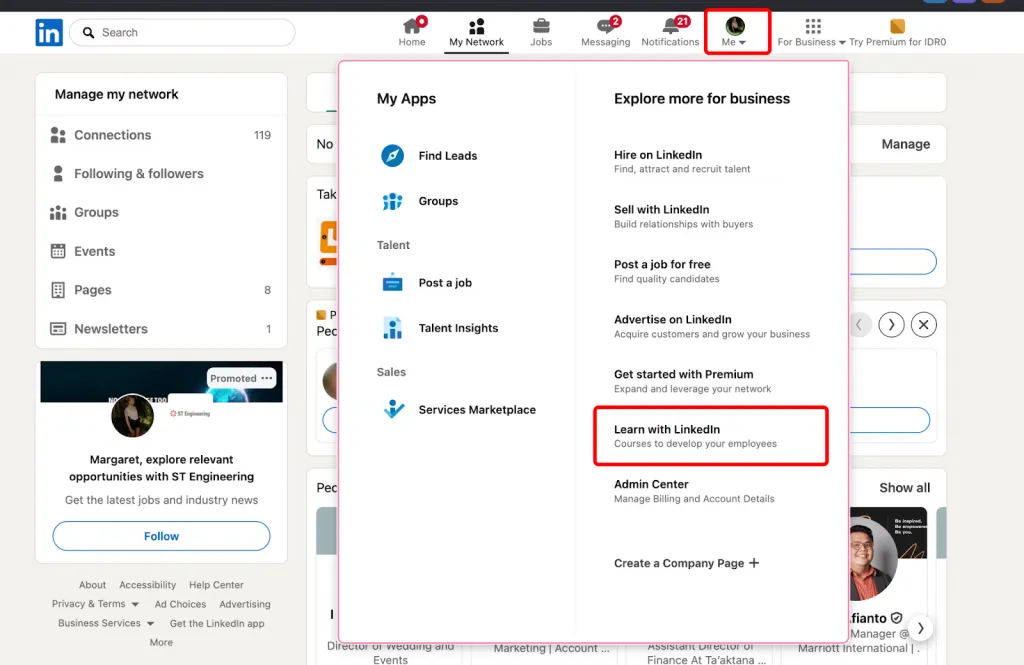
You can subscribe to LinkedIn Learning directly through LinkedIn.
If you don’t have LinkedIn Premium, the easiest path is:
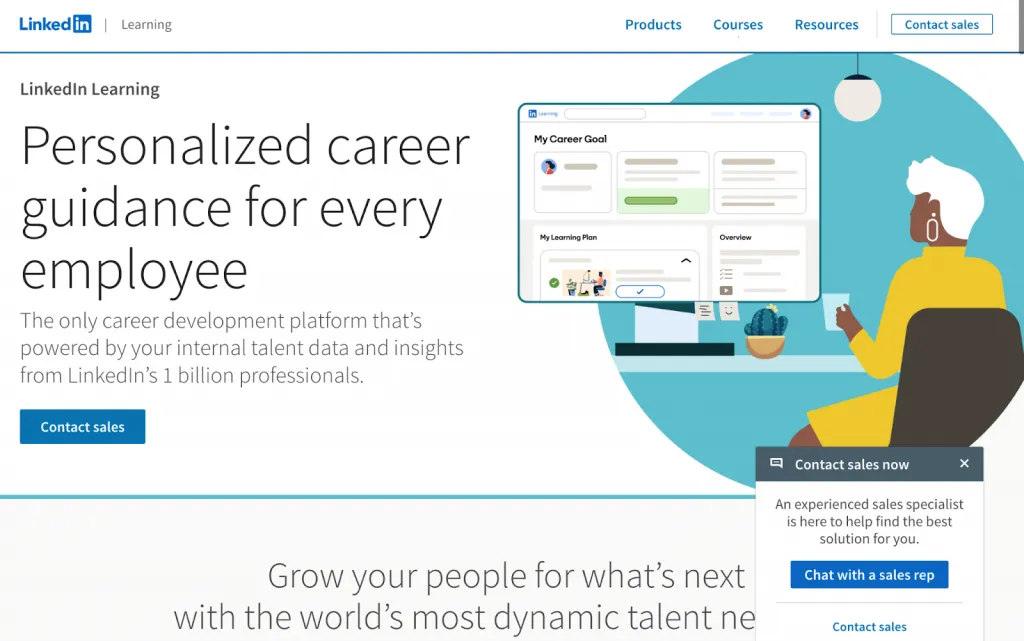
Me → Learn with LinkedIn → Contact Sales
This route is especially useful if you’re exploring team or enterprise plans.
If you already have LinkedIn Premium, your subscription automatically includes full access to LinkedIn Learning. Simply navigate:
LinkedIn Homepage → Work (top right) → Learning
How LinkedIn Learning Access Works
There are two ways to get access to LinkedIn Learning:
1. Individual Access (via LinkedIn Premium)
LinkedIn Learning does not sell standalone subscriptions or one-off course purchases.
The closest equivalent to an individual plan is LinkedIn Premium, which includes:
- Unlimited access to 17,000+ courses
- Personalized course recommendations
- Certificates sharable on your LinkedIn profile
- Additional Premium features (InMail credits, job insights, profile views, etc.)
Free trial: 1 month for eligible new users. Billing starts automatically afterward.
2. Organizational Access (Teams & Enterprise)
Companies, universities, and government agencies can purchase multi-user access.
To activate your access as an employee, you may need to locate your LinkedIn Learning admin:
- Check your company intranet or L&D documentation
- Contact IT or HR—they usually maintain admin records
- Or reach out to LinkedIn Learning Support via chat or a support ticket
Organizations receive custom onboarding, integration support, and invoicing.
Important Things to Know
- LinkedIn Learning does not offer pay-per-course purchases.
- No standalone Learning-only subscription exists for individuals.
- Premium free trials last 30 days and convert automatically unless canceled.
- Enterprise customers receive official invoices; individual users receive email receipts.
Payment Methods Accepted
LinkedIn supports multiple payment options depending on your region:
- Credit / Debit Cards: Visa, Mastercard, American Express, Discover
- PayPal: available in select countries
- Local regional payment methods: varies by location
- Enterprise billing: invoice-based, often with centralized admin payments
Billing Cycles
- Monthly: charged on the same date each month
- Annual: charged once per year at a discounted rate
- Automatic renewal unless manually canceled in account settings
- Billing address must match your region for accurate pricing and tax compliance
Click the Learning icon from the menu that appears.
How to Change or Cancel Your Subscription
- Cancel anytime: No penalties for canceling mid-cycle
- Refund policy: LinkedIn Learning does NOT offer refunds after the free trial ends (non-refundable subscription model)
- When cancellation takes effect: Immediately upon submission (you lose access at month/year end)
- How to cancel: Settings → Account → Billing or Subscriptions → Cancel (self-service in 2 clicks)
- If you cancel during annual plan: You still have access until your annual period ends
- Reactivation: You can reactivate at any time; your saved courses and progress remain
- Prorating: LinkedIn does NOT prorate unused portions of annual plans
Free Trial Details
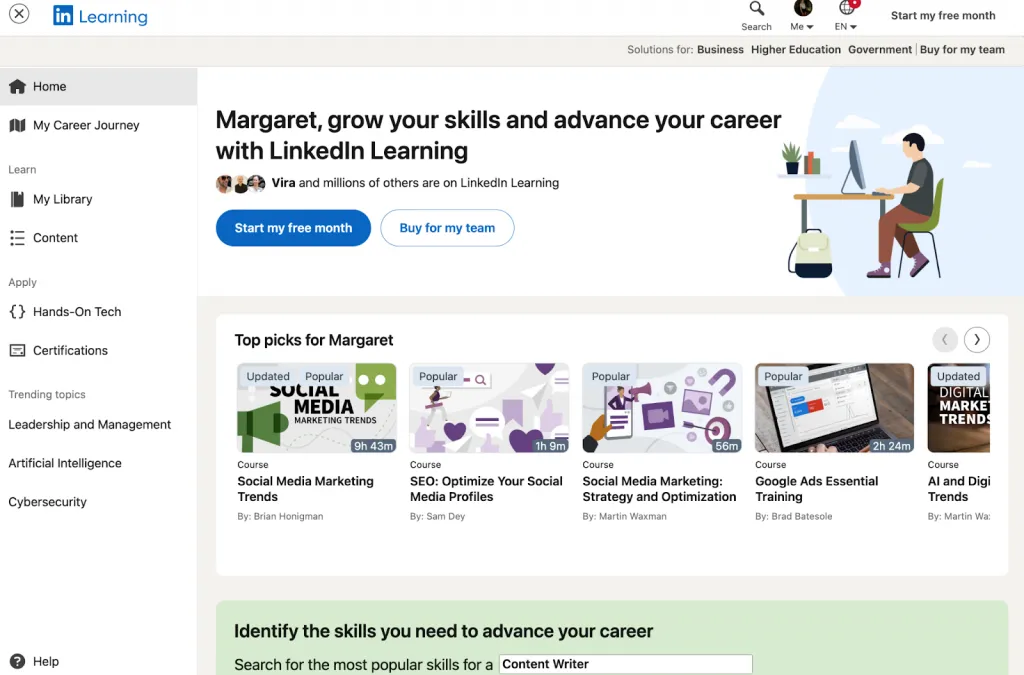
- Duration: 1 full month (calendar month or 30 days, depending on signup date)
- Features in trial: Full access to all 17,000+ courses, certificates, offline viewing, everything included in paid plans
- No upgrade required: Trial includes the full LinkedIn Learning experience
- Card required: Most regions require a payment card on file, but you’re not charged during trial
- Canceling before trial ends: Click “Cancel” anytime; no charges will apply
- What happens after trial: If you don’t cancel, your card is charged the subscription fee you selected
- LinkedIn typically allows one trial per account
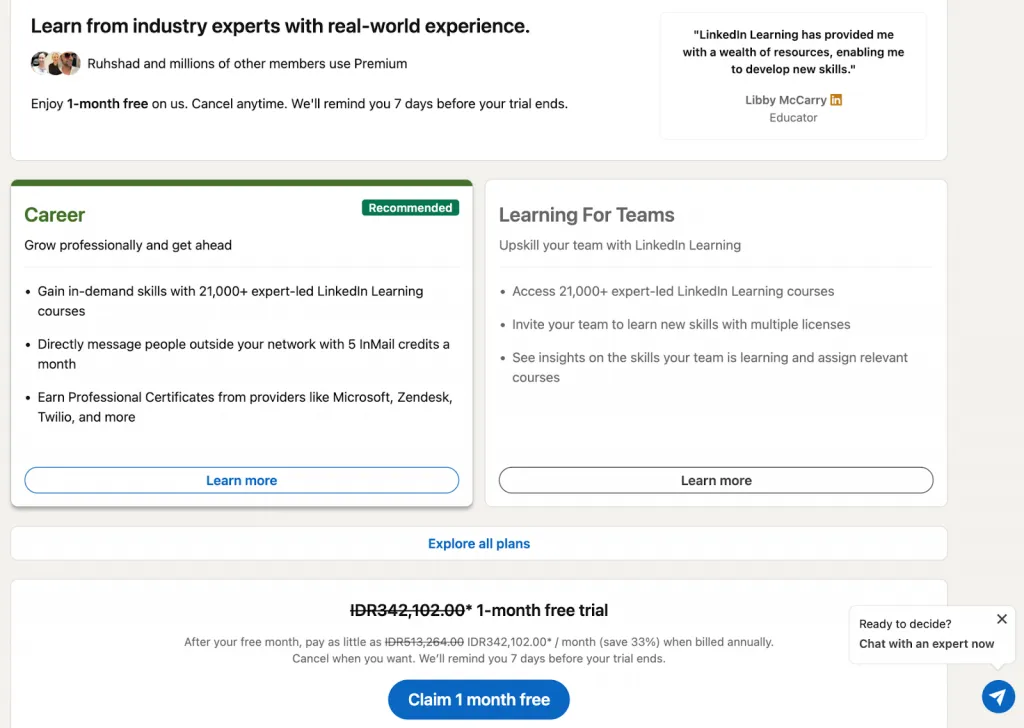
Regional Pricing Variations
Pricing varies by:
Country, currency, local taxes, and regional purchasing power.
Examples (accurate as of 2025, approximate for non-US regions):
- USA: $39.99/month or $239.88/year
- UK: Approximately £29.99/month and ~£199.99/year (LinkedIn has adjusted UK annual pricing in recent years; exact price may vary by VAT region.)
- Canada: Approximately CAD $44.99–$49.99/month and ~CAD $299.88/year (Canada pricing fluctuates due to currency adjustments.)
- Other countries: Pricing varies widely. Always confirm on the official LinkedIn Learning pricing page for your region.
Why pricing differs:
- Currency fluctuations
- Local VAT/GST or sales tax
- Regional purchasing-power adjustments
- Market strategy and licensing agreements in each region
Tax implications:
- In many countries, VAT/GST is added on top of the listed subscription price.
- Example: EU countries typically add 20%+ VAT.
- In the U.S., sales tax may be applied depending on the state.
Keywords to Incorporate:
- how to subscribe to linkedin learning
- linkedin learning billing
- how to cancel linkedin learning
- linkedin learning refund policy
- linkedin learning free trial
- how much does linkedin learning cost per month
- linkedin learning payment methods
Notes for Copywriter:
- Include step-by-step screenshots for “How to Subscribe” and “How to Cancel”
- Screenshot alt text: “LinkedIn Settings page showing subscription management options”
- Use callout boxes for critical info:
- “No refunds after trial ends—subscription is non-refundable”
- “Cancel anytime without penalty”
- Explain jargon: What is a “prorated refund”? (It doesn’t apply here)
What Does Your LinkedIn Learning Subscription Include? Complete Feature Breakdown
| Feature | LinkedIn Learning | Career Hub |
|---|---|---|
| 25,000+ curated courses | ✔ | ✔ |
| 7 native languages + 46 subtitle languages | ✔ | ✔ |
| Audio, text, nano-learning, office hours | ✔ | ✔ |
| Hands-on practice (GitHub Codespaces, Code Challenges) | ✔ | ✔ |
| Professional Certificates & CEUs | ✔ | ✔ |
| Certification prep + practice exams | ✔ | ✔ |
| Custom content upload | ✔ | ✔ |
| Learning paths | ✔ | ✔ |
| LMS/LXP outbound integrations | ✔ | ✔ |
| AI-powered search | ✔ | ✔ |
| AI course companion | ✔ | ✔ |
| AI-powered Coaching (role-play practice) | ✔ | ✔ |
| AI-assisted content curation | ✔ | ✔ |
| AI-powered learning plans | — | ✔ |
| Intelligent talent architecture (CSV/HRIS) | — | ✔ |
| Next Role Explorer (career pathing) | — | ✔ |
| Career-goal-based learning plans | — | ✔ |
| Internal job board + alerts | — | ✔ |
| Interested internal candidate signal | — | ✔ |
| Career goals & interests reporting | — | ✔ |
| Trending skills insights | — | ✔ |
A LinkedIn Learning subscription gives you access to a powerful, enterprise-grade learning ecosystem. Below is a clear breakdown of what LinkedIn Learning includes, based directly on LinkedIn’s official plan comparison and enriched with your product details.
Core Learning Features
These LinkedIn Learning features apply to Individual, Teams, and Enterprise subscriptions.
Unlimited Course Access
- 17,000+ courses (growing toward 25,000+ including global catalog)
- Available in 7 native languages + 46 languages via subtitles
Expert-Led Instruction
- Courses taught by industry professionals, executives, and certified specialists
- High production quality, consistent formatting, and curriculum standards
Multiple Learning Formats
LinkedIn Learning supports different learning styles:
- Video modules (short + long formats)
- Audio-only mode
- Text transcripts
- Office hours (in select courses)
- Nano-learning micro-lessons
- Hands-on practice with:
- GitHub Codespaces integrations
- Code Challenges
- Real project-based courses
Curated Playlists & Learning Paths
- Curated learning journeys created by experts
- Ability to save courses to a personal library
- Custom learning paths available for Teams/Enterprise
Search & Discovery Tools
- AI-powered search
- Filtering by:
- Skill
- Role
- Industry
- Difficulty
- Duration
- Personalized recommendations based on your profile, job, and interests
Resume & Profile Integration
- Add certificates to your LinkedIn profile in one click
- Show completed skills to recruiters
AI-Powered Personalization
- AI-powered course companion
- AI-powered search
- AI-powered Coaching for role-play practice
- AI-assisted content curation
Certificates and Credentials
LinkedIn learning certificates of Completion
- Earn a certificate when you finish a course
- Downloadable as PDF
- Shareable on your LinkedIn profile
Professional Certificates & CEUs
- Continuing Education Units (CEUs) available on select content
- Certification prep for:
- AWS
- Microsoft
- Project Management
- CompTIA
- Adobe
Important Notes
- LinkedIn Learning certificates are not accredited degrees
- They do not replace official exams for external certifications
- They are widely recognized by employers but not equivalent to academic programs
Offline Viewing and Downloads
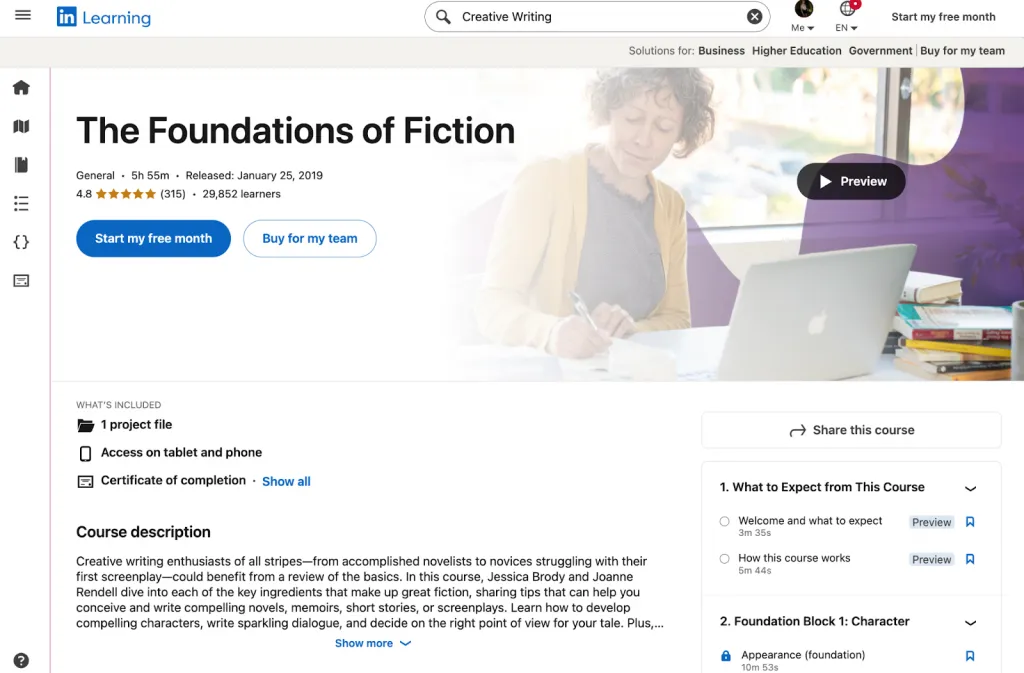
Full LinkedIn Learning offline Access
- Download video courses via the LinkedIn Learning mobile app
- Works on iOS and Android
- Ideal for travelers, commuters, or remote workers
Access Duration
- Downloads remain available as long as your subscription is active
- No access after cancellation (linked to billing cycle)
Additional Benefits Included
Notes & Bookmarks
Take personal notes inside course videos.
Learning History & Progress Tracking
- Automatically syncs across devices
- Tracks completed modules, quizzes, and certificates
No Ads
Completely ad-free learning experience.
Mobile App
Full access through a dedicated app with offline features.
If You Also Have LinkedIn Premium
You additionally get:
- Job and market insights
- InMail credits
- Applicant ranking insights
- Salary benchmarking
Intelligent Career Pathway Features (Career Hub — Enterprise Only)
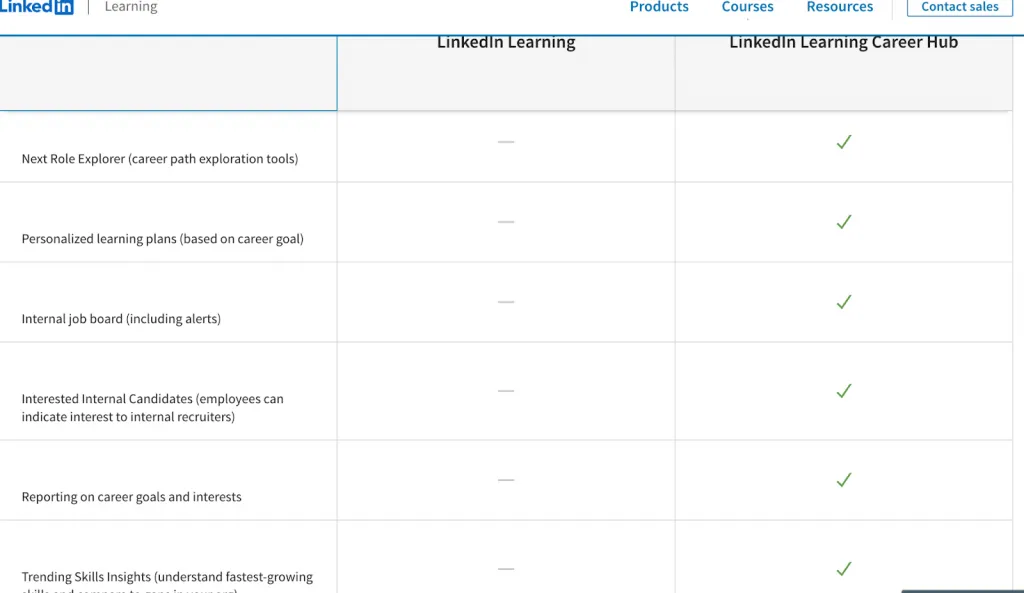
These features are available only in the LinkedIn Learning Career Hub, part of Enterprise plans:
Next Role Explorer
Helps employees visualize next-step career paths inside the company.
Personalized Learning Plans Based on Career Goals
Tailored to each employee’s desired future role.
Internal Job Board
Employees can:
- Browse internal roles
- Set alerts
- Indicate interest to internal recruiters
Career Goal Reporting
Managers can track talent development and internal mobility readiness.
Trending Skills Insights
Shows:
- Fastest-growing skills in your industry
- Skill gaps in your organization
- Benchmarking vs. global talent trends
What’s NOT Included (Common Misconceptions)
To prevent confusion, here’s what LinkedIn Learning does NOT include:
No Accredited Degrees
Not a replacement for university programs.
No One-on-One Mentoring or Instructor Coaching
Learning is self-paced and pre-recorded.
No Job Placement Guarantees
Tools support career growth but do not guarantee employment.
No Customizable Certificates
Certificates follow a standard format.
Notes for Copywriter:
- Include 3–4 screenshots of course interface, certificates, and profile integration
- Screenshot alt text: “LinkedIn profile showing displayed LinkedIn Learning certificates under skills section”
- Use a feature checklist image or table for easy scanning
- Address myth: “Will LinkedIn Learning courses get me hired?” Answer: They’re a supplement, not a replacement for experience/degree
Is LinkedIn Learning Worth It? Cost-Benefit Analysis for Individuals & Teams
Provide decision-making flowchart: “1. Do you learn best through self-paced video? Yes → Consider LL. 2. Do you need live instruction? Yes → Try Coursera instead”
For Individual Learners
- You want broad upskilling in business, tech or creative fields — the platform offers a very large course library tightly focused on professional skills.
- You plan to learn continuously (3+ months) — for frequent learners, the flat-fee subscription delivers better value than paying per course.
- You value certificates and LinkedIn profile integration — every completed course offers a completion certificate you can display on your profile, which many users appreciate for signalling professional development.
- You prefer self-paced, on-demand learning rather than scheduled classes — the platform is flexible, mobile-friendly, and works around busy schedules.
- You compare to per-course platforms (e.g., Udemy) — if you expect to take many courses per year, the subscription becomes more cost-efficient than buying individual courses repeatedly.
For businesses and teams, there’s published research showing strong LinkedIn Learning ROI: as per a 2024 business-value report sponsored by LinkedIn, organizations using LinkedIn Learning saw a < 6 month payback period and a 695% three-year ROI.
Some reported benefits included increased promotions and internal mobility for active learners.
When LinkedIn Learning Might Not Be Worth It
- You only need 1–2 specialized courses — for a small number of courses, pay-per-course models may be more cost-effective than a full subscription.
- You require accredited certifications or degrees — LinkedIn Learning offers certificates of completion, but they are not accredited degrees or formal certifications, which limits their value for formal credentialing.
- You need live instructor support or mentoring — LinkedIn Learning is largely self-paced and pre-recorded, so if you need live Q&A, mentorship, or peer-review assignments, other platforms (or traditional courses) may be more suitable.
- You stop after a month or two — if you don’t use the platform regularly, the subscription cost may not be justified; value depends on regular usage.
Individual ROI (Rough Estimate)
Assume:
- Cost: ~$240/year (annual plan)
- Time investment: 10 courses × 3 hrs each = 30 hrs/year
- Effective cost per learning hour: ~$240 ÷ 30 = $8/hour
That compares favorably with many traditional online courses (which often cost $15–$50/hour).
If you’re committed to completing several courses per year, LinkedIn Learning offers strong value for money.
For Small & Mid-Size Business Teams (2–50 people)
If you’re asking “should I get LinkedIn Learning” for a small or mid-size team, the answer depends on whether your organization will actively use the platform to drive upskilling, retention, and internal mobility. For many SMBs, LinkedIn Learning becomes highly cost-effective when managers integrate learning goals into performance cycles and track outcomes.
Why LinkedIn Learning Can Be Cost-Effective for SMB Teams
- Many companies find that LinkedIn Learning benefits go beyond training — it reduces turnover, speeds onboarding, and strengthens internal promotions.
- When evaluating is LinkedIn Learning cost effective, consider that external training or workshops can cost $300–$1,000 per person, while LinkedIn Learning provides unlimited access for a predictable subscription price.
- Teams with consistent engagement often see strong ROI because skill gaps shrink and internal candidates become more promotion-ready.
ROI Drivers for Small & Mid-Size Businesses
Talent Retention
Upskilled employees are more satisfied and less likely to leave — one of the strongest LinkedIn Learning benefits for SMBs.
Faster Time-to-Productivity
New hires become productive faster with structured learning paths tailored to their role.
Internal Promotion Pipeline
When employees build new skills, you reduce external hiring costs — a key factor when deciding should I get LinkedIn Learning for team development.
Compliance Training
Many small companies use LinkedIn Learning to cover compliance topics instead of costly external providers.
Consistent Quality
All team members access the same high-quality courses, making LinkedIn Learning scalable, standardized, and cost effective.
Break-Even Analysis
Scenario: 10-person team on the Teams Plan
Cost: $379.88/user/year → $3,799 total
| Engagement Scenario | Annual Cost | Benefit | ROI |
|---|---|---|---|
| Low engagement (3 courses/employee) | $3,799 | Slight retention lift | ROI unclear or negative unless retention improves |
| Medium engagement (8 courses/employee + 1 internal promotion) | $3,799 | One promotion saved (~$15K cost avoidance) | ~4× ROI |
| High engagement (15 courses/employee, faster onboarding + retention gains) | $3,799 | Promotion + 2 employees retained (~$40K value) | ~10× ROI |
These numbers show why many SMB leaders conclude that LinkedIn Learning ROI is strongest when the team actually uses the platform consistently.
Key Success Factors for Achieving ROI
- Manager accountability: Assign courses, monitor completion, and follow up
- Performance tie-ins: Link skills learned to bonuses, growth paths, and reviews
- Outcome measurement: Track completion, skill application, and promotion readiness
- Active enablement: Because “set it and forget it” access won’t generate real LinkedIn Learning value
For Large Enterprises (100+ employees)
For large organizations, the question “is LinkedIn Learning worth it?” depends on whether the company can activate the full ecosystem — content, analytics, skill frameworks, and integrations.
At enterprise scale, the platform delivers significant strategic LinkedIn Learning value, but only when adoption and alignment with corporate talent goals are strong.
Typical Enterprise Pricing & Scale
Negotiated Pricing
Most enterprises negotiate a per-seat rate between $350–$500 per user per year, which is lower than SMB pricing due to volume discounts. This negotiated rate heavily influences LinkedIn Learning ROI, especially when rolled out to 100–10,000+ employees.
Example Investment
A typical 100-employee deployment at ~$400/user costs:
100 × $400 = $40,000 annually
At enterprise scale, ROI must be linked to measurable business outcomes, not just course views.
What Drives ROI in Large Enterprises?
To justify investment, companies must connect LinkedIn Learning to broader enterprise priorities. Strong LinkedIn Learning ROI typically comes from:
Organization-wide skill-gap reduction
Teams build the competencies needed for digital transformation, AI readiness, leadership development, and critical operational roles.
Retention & engagement improvements
Employees who see career pathways and continuous development show significantly higher engagement and lower turnover — a core LinkedIn Learning value metric.
Revenue or productivity impact
Better-trained employees perform faster, make fewer errors, sell more, and require less remediation training.
Alignment with talent strategy
Enterprises often embed LinkedIn Learning into:
- Leadership development
- Succession planning
- Skills taxonomies / competency frameworks
- Internal mobility programs
- Performance management
This integration amplifies ROI compared to standalone learning tools.
Hidden Enterprise Costs (Often Overlooked)
Even when the platform is excellent, enterprises still face indirect costs that influence is LinkedIn Learning worth it calculations:
- Change Management & Adoption Effort
Driving initial adoption across large workforces requires:
- Internal campaigns
- Manager enablement
- Learning champions
Without adoption, ROI drops sharply.
- Admin & Operational Load
L&D teams must manage:
- Course assignments
- Compliance tracking
- Reporting
- Skill framework mapping
- LMS/LXP integrations
This adds time and cost.
- Adoption Risk (Biggest ROI killer)
Enterprise data shows a common pattern:
- If only 30% of employees actively use the platform,
- Your effective cost per active learner more than doubles.
Example:
$40,000 / 30 active users = $1,333 per engaged learner
(This instantly erodes perceived ROI.)
Real-World Use Cases: When It Paid Off
Example 1: Early-Stage Startup (5 employees)
- Cost: 5 × $239.88 (individual annual plans) = ~$1,200/year
- Outcome: Entire team upskilled in data analysis, eliminating the need for an external analytics consultant (saved ~$8,000/year)
- Result: Worth it — strong ROI for small teams with high engagement
Example 2: Mid-market firm (40 people)
- Cost: 40 × $379.88 (Teams Plan) = $15,195/year
- Outcome: 2 internal promotions (saved hiring costs ~$20K each); 92% course completion rate
- Result: Worth it—ROI > 2x
Example 3: Large corporation (500 people)
- Cost: 500 × $425 (enterprise negotiated rate) = $212,500/year
- Outcome: 5% improvement in employee engagement scores; unclear revenue impact
- Result: ? Unclear—ROI depends on strategic learning objectives
Final Verdict: LinkedIn Learning Pricing in 2025—Should You Subscribe?
Summary of Key Takeaways:
- LinkedIn Learning costs $39.99/month or $239.88/year for individuals, with 17,000+ courses
- Team plans cost $379.88/user/year with management features
- Enterprise pricing is custom, typically $350–$500/user for 21+ employees
- Annual plans offer 50% savings vs. monthly
- Free 1-month trial available with full access, no credit card required in most regions
- Not a substitute for degrees or accredited certifications, but excellent for professional upskilling
Recommendation Framework:
- For individuals: If you want to upskill in business/tech/creative fields and can commit to 10+ courses/year, the annual plan ($240) is excellent value. Start with the free trial.
- For small teams (5–20 people): Upgrade to the Teams plan ($380/user/year) to get admin tracking and custom learning paths. ROI is strong if managers assign courses and track completion.
- For enterprises (100+ people): Negotiate custom pricing; expect $350–$500/user/year. Success depends on adoption strategy, not just platform cost. Combine with manager accountability.
- For one-off learners: Buy individual courses ($20–$50 each) if you only need 1–2 specific courses; don’t commit to a subscription.
Call to Action:
- Try the free trial first: 1 month of full access, cancel anytime if not right for you
- Compare alternatives: Udemy, Coursera, MasterClass—pick based on your learning style
- For businesses: Pilot with 5–10 people first; measure engagement and ROI before rolling out to larger teams
- Budget planning: Factor LinkedIn Learning into annual L&D budgets; it’s one tool, not a complete solution
Final Thought: LinkedIn Learning pricing is transparent and competitive. The real cost isn’t the subscription fee—it’s the time and commitment to actually complete courses. Choose it only if you’re serious about professional development.