9 Best HeyReach Alternatives for LinkedIn Automation in 2026

9 Best HeyReach Alternatives for LinkedIn Automation in 2026

Milosh Potikj

B2B Content Strategist & Writer

Updated atUpdated: July 7, 2026Read time57 min read
Quick Answer

Linked Helper is the best HeyReach alternative for teams that want deeper native LinkedIn automation, lower ownership cost, and stronger account-access control. Unlike HeyReach's cloud plus login-extension model, Linked Helper runs locally on your machine or VPS, so the LinkedIn session stays in the environment you control rather than on vendor servers. Pricing starts at $15/mo ($8.25/mo billed annually) versus HeyReach's $79/mo ($63/mo billed annually), and a 20-seat setup is $2,880/yr versus $11,280/yr. We compared these tools on feature depth, price, session custody, CRM connectors, and review signals; Linked Helper leads HeyReach on the six LinkedIn features this article tracks.

ToolPrice tierSession stored on vendor server?
Linked HelperBudget (<$20)No
La Growth MachineMid ($20-69)Yes
DripifyMid ($20-69)Yes
WaalaxyMid ($20-69)Yes
Meet AlfredMid ($20-69)Yes
HeyReachPremium (>=$70)Yes
ExpandiPremium (>=$70)Yes
lemlistPremium (>=$70)Yes
SkyleadPremium (>=$70)Yes
SalesflowPremium (>=$70)Yes

Price tier and whether each tool stores your LinkedIn session, side by side

Publisher disclosure

This article is published by Linked Helper. Linked Helper is our product and our top recommendation. We use the same evaluation framework for every tool in this comparison; see How We Evaluated These Alternatives and Methodology Deep-Dive below for the dataset and first-hand test method.

Key takeaways

  • Linked Helper is the only tool in this nine-app comparison that runs LinkedIn event and group invites, company-page-follow invites, and post auto-mention — the engagement and data-extraction blocks it wins outright against HeyReach.
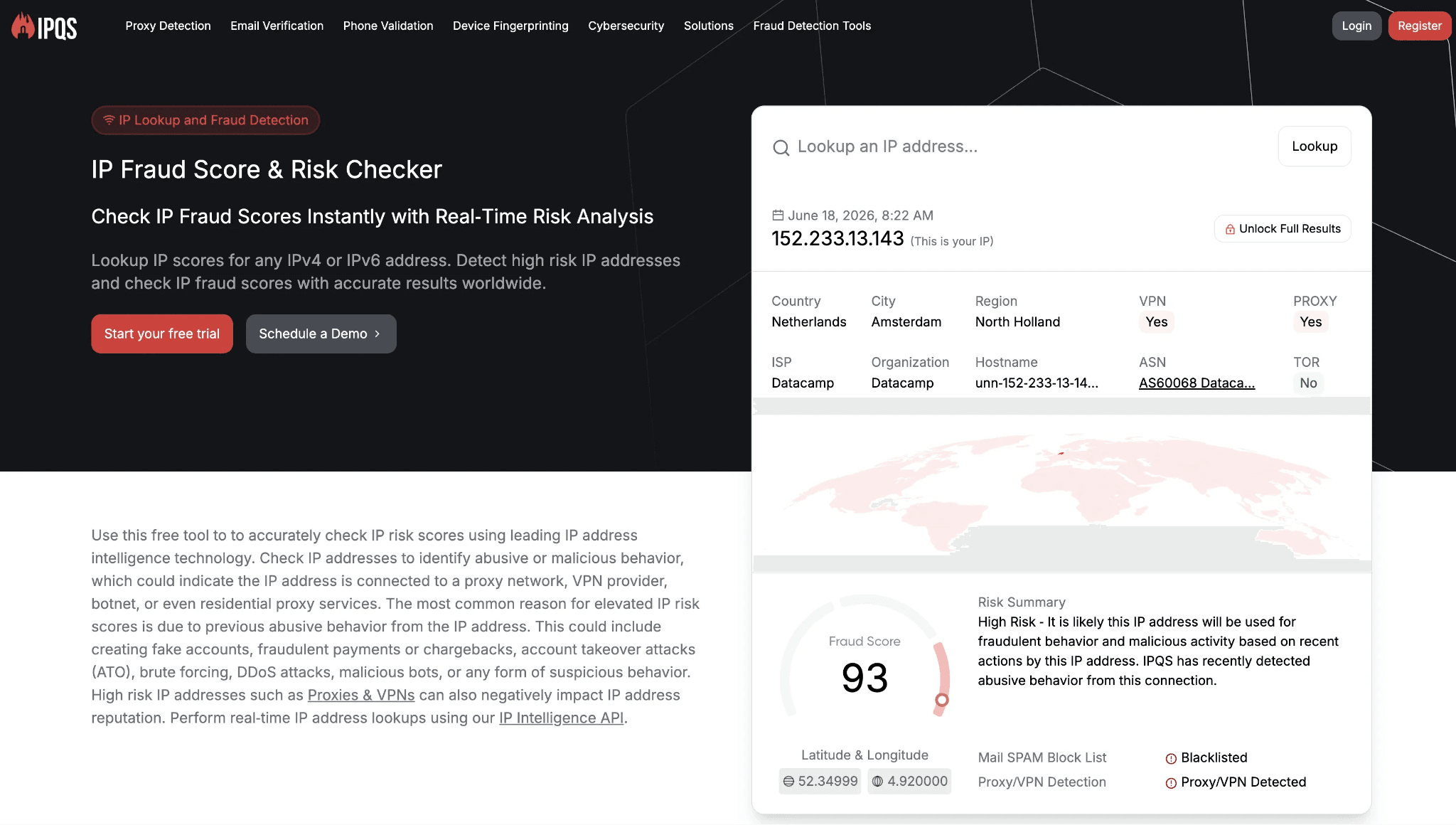
  • Our June 2026 HeyReach test found a cloud-bridge login that uploads the LinkedIn cookie jar to api.heyreach.io, running from datacenter IPs that scored 100/100 on IPQualityScore; Linked Helper keeps the session on your own machine.
  • Six matrix-backed wins over HeyReach — AI message generation, auto like/comment, endorsements, event/group engagement, follow, and spintax are present here and absent in HeyReach, which is why the advanced-feature comparison lands on Linked Helper.

What Is HeyReach?

HeyReach is a cloud-based LinkedIn automation platform with a Chrome-extension login step, founded in 2023 and headquartered in North Macedonia. It offers features intended to help agencies and sales teams manage multiple sender accounts from one workspace.
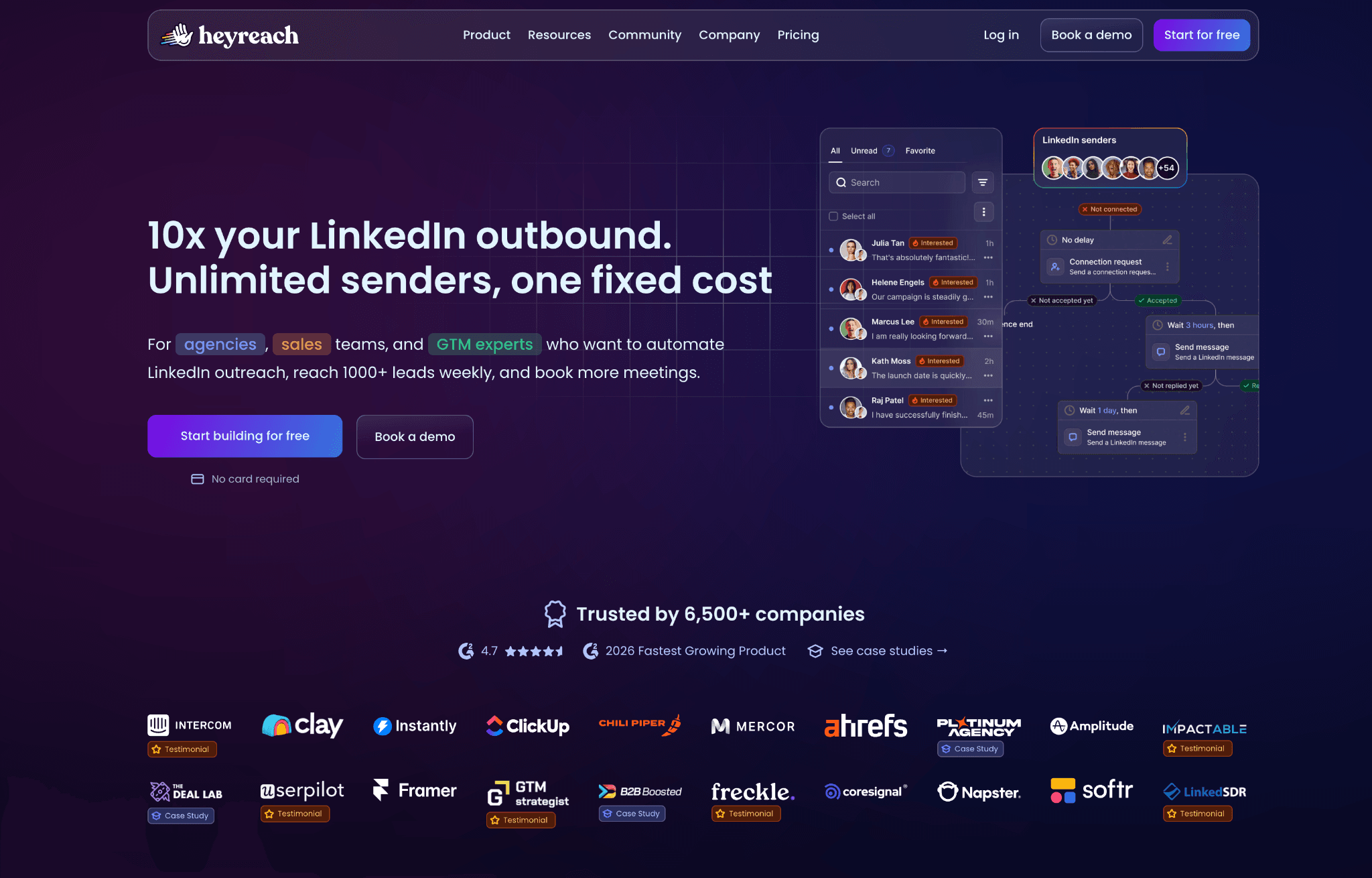
What Is HeyReach?

Its flat feature set includes:

  • Multi-account management and shared templates.
  • LinkedIn sequences for connection requests, visits, and messages.
  • Unified inbox and team collaboration.
  • Webhooks, API access, analytics, Zapier, and CRM integrations.

This profile is context only. The strengths, limits, and safety trade-offs sit in the next sections.

HeyReach at a Glance

HeyReach's clearest advantage is agency account coordination, not feature depth. The trade-off is that the same cloud model that makes multi-account management convenient also puts price and session custody under the vendor's infrastructure.

Strengths

  • Unlimited LinkedIn sender accounts per seat on higher plans.
  • Shared templates across team seats.
  • Unified inbox for agency-style campaign handling.
  • Native webhooks and 31 integrations.
  • G2 rating of 4.6 in the source dataset.

Limitations

  • LinkedIn-only scope with no native AI message generation, skill endorsements, event/group invite engagement, or company-page-follow invites.
  • $79/mo entry price, no budget tier, and per-account pricing that compounds at scale.
  • 14-day trial.
  • Recurring reliability complaints on G2, including the pattern of one bug being fixed before another appears.
  • Support responsiveness commonly sits in the 24-48h range in the review data.

Why Users Switch

The contradiction in the HeyReach data is reliability: a tool bought for agency consistency still draws repeat G2 reviews about campaigns switching off, recurring bugs, and fixes that create new failures. Across the classified reviews and 400+ Reddit discussions, that reliability theme sits beside safety and feature-depth complaints rather than replacing them.

ThemeNegative mentions
Account safety, restriction risk, and spammy auto-follow concerns16
Ease of use, learning curve, and recurring UI task failures11
Reliability and recurring bugs11
Feature depth and single-channel ceiling8
Support responsiveness8
Price and value at 20 seats6

Why users look for HeyReach alternatives

The pattern is not one isolated complaint. It is a stack of operational friction that becomes harder to absorb when many client accounts depend on the same workflow.

How We Evaluated These Alternatives

TL;DR we checked 9+ tools, 6,500+ reviews. 400+ Reddit threads analysed as of July 2026.

Dataset

We evaluated 9 alternatives head-to-head and used first-hand safety checks where observable. The dataset includes 6,558 reviews: 1,642 from G2, 1,517 from Capterra, and 3,399 from Trustpilot. We also reviewed 415 Reddit threads mentioning at least one tool in the set and checked vendor/pricing pages directly in July 2026.

Evaluation Framework

We scored each LinkedIn automation tool on architecture and session/IP handling, LinkedIn feature depth, conditional workflow logic, engagement and data-extraction breadth, pricing at scale, CRM connectors and webhooks, support quality, account-scale controls, and AI personalization as a parity axis. The comparison table below uses this four-model architecture vocabulary.

ModelWhere the session runsIP LinkedIn seesWho holds the session
Local-scrape extensionUser browserUser IPUser session; extension remains visible
Cookie-bridge extensionVendor cloud after cookie handoffVendor or cloud IPVendor receives the session cookie
Cloud credential loginVendor cloudVendor or cloud IPVendor creates a cloud-side login session
Desktop standaloneLocal machine or user-controlled VPSUser IP or assigned dedicated proxyUser-controlled environment

Architecture taxonomy used in this comparison

9 Best HeyReach Alternatives Compared

This table shows the practical trade-off first: price, agency cost, architecture, session custody, multichannel scope, CRM depth, trial length, and AED exposure. Linked Helper stays first by publisher rule; HeyReach appears as the anchor baseline at the foot.

ToolStarting price /moAgency 20-seat cost /yrArchitectureMulti-accountMulti-channelCRM connectorsFree trial (days)
Linked Helper$15/mo$2,880desktop appYesNo11 direct CRM connectors, plus Zapier/Make via webhooks14d
Expandi$99/mo$18,960cloudYesYes (LinkedIn + email)HubSpot, Pipedrive, Salesforce + Zapier/webhooks/API14d
La Growth Machine$60/mo$24,000cloudYesYes (LinkedIn + email + X + calls)HubSpot, Pipedrive, Salesforce + Zapier/Make/Clay/API14d
Dripify$59/mo$9,360cloudYesYes (LinkedIn + email)Salesforce, HubSpot, Pipedrive, Zoho, ActiveCampaign, Intercom, Zendesk + Zapier/Make/Google7d
Waalaxy$42/mo$4,900cloudYesNoCRM Sync 2000+ / HubSpot / Pipedrive + Zapier/webhooks14d
lemlist$79/mo$20,880cloudNot confirmedYes (LinkedIn + email)Close.io, HubSpot, Pipedrive, Salesforce, Zoho CRM + Zapier14d
Skylead$100/mo$24,000cloudYesYes (LinkedIn + email)HubSpot, Pipedrive, Salesforce + Zapier/webhooks7d (card required)
Salesflow$99/mo~$16,632cloudYesYes (LinkedIn + email)HubSpot (native); Pipedrive, Salesforce via Zapier7d
Meet Alfred$59/mo$6,960cloudYesYes (LinkedIn + email + X)Zapier only (no native CRM connector)14d
HeyReach (anchor)$79$11,280cloudYesNo214

Top HeyReach alternatives compared (July 2026)

As of July 2026 · vendor/pricing pages, review-platform data, and first-hand safety checks where available.

Pricing note: All prices are indicative and may change after publication. Recheck vendor pricing before purchase.

1. Linked Helper

Linked Helper is the lone desktop standalone tool in this comparison: LinkedIn actions run from your machine or VPS, so the account is not handed to vendor-cloud infrastructure. Teams who have outgrown HeyReach's LinkedIn-only sequence set reach for it for deeper LinkedIn workflows, with Standard at $15/mo.
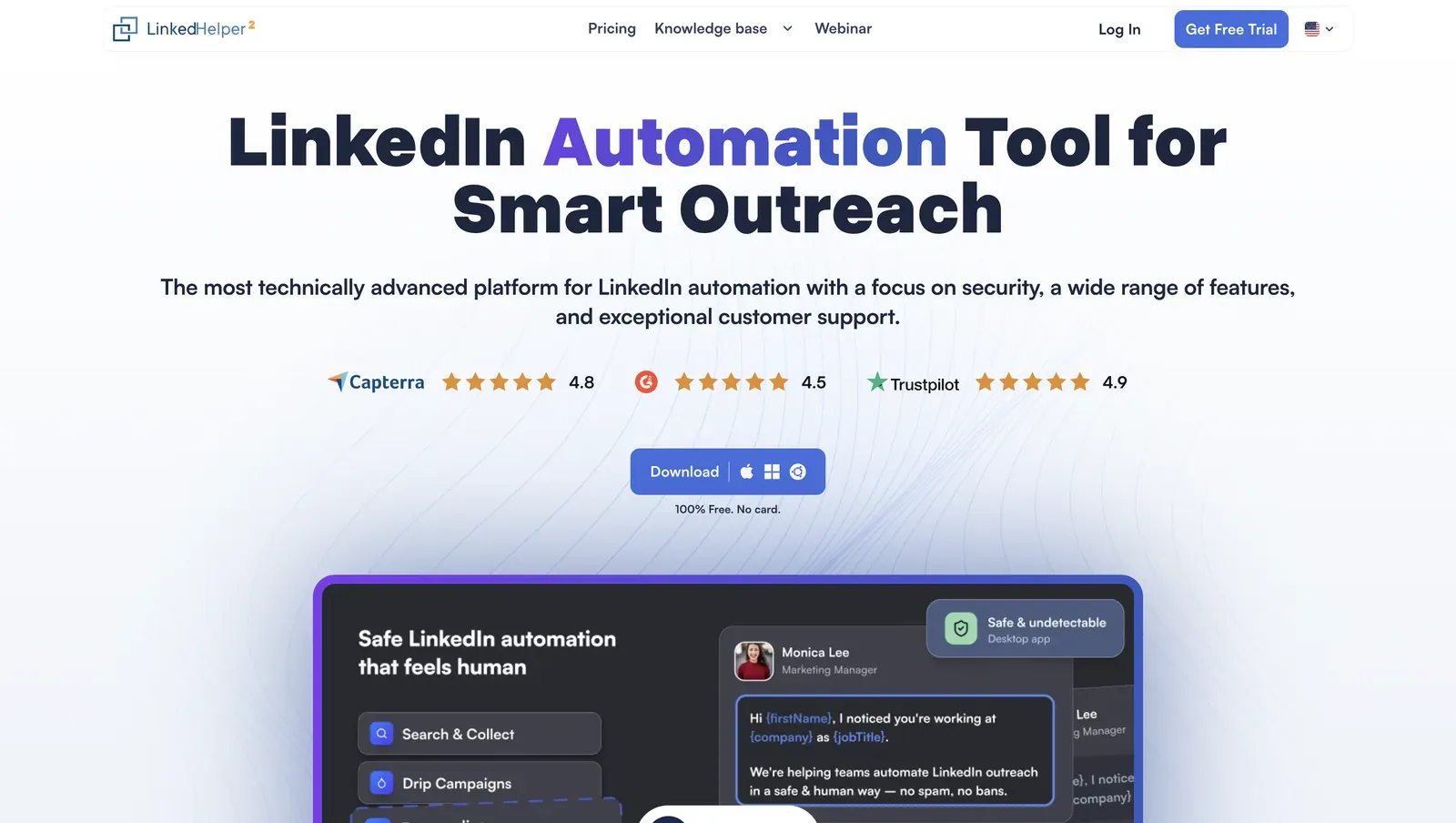
Linked Helper homepage showing a smart outreach headline, review badges, free desktop download prompt, and a safe automation product preview

Founded in 2016 and based in Wilmington, Delaware, Linked Helper is a Windows, macOS, and Ubuntu app with its own built-in browser for LinkedIn campaigns, data extraction, and CRM handoff. Its annual Standard plan works out to $8.25/mo; at 20 licenses, list-price math is $2,880/year, which matters when an agency stack charges by sender. The LinkedIn session token stays inside that desktop/VPS instance, which means a vendor server does not receive a reusable login artifact for the account.

Quick facts about Linked Helper

  • Founded: 2016
  • HQ: United States (Wilmington, DE)
  • Pricing: $15/mo Standard ($8.25/mo annual), 14-day free trial
  • G2: 4.5★ (142) · Capterra: 4.9★ (252) · Trustpilot: 4.91★ (431)
  • Last 6 months: 4.85★ (trending up) across 24 reviews
  • Architecture: desktop app (Windows/macOS/Ubuntu; own built-in browser engine)

Vendor pricing & feature pages (as of 2026-04-22 to 2026-06-08) + G2, Capterra, Trustpilot & Reddit reviews (computed 2026-07-05)

Key Features

Key Features

  • AI ICP detection — automatically scores collected profiles against your Ideal Customer Profile using any LinkedIn profile attributes you choose, ensuring your weekly invite quota is spent on prospects that actually match your buyer profile instead of noisy search results.
  • AI personalized messages — generates deeply personalized connection requests and follow-ups based on each prospect's real career history, helping you scale outreach without sacrificing relevance or authenticity.
  • AI comments — automatically leaves context-aware comments on prospects' posts and articles, warming up leads organically before outreach and increasing familiarity before the first invitation.
  • AI Reply & Editor — generates context-aware replies inside the Inbox based on conversation history while also translating, rewriting, shortening, or improving message templates to match your preferred tone of voice.
  • Campaign Inbox & Dashboard — redesigned control center for managing AI-generated drafts, conversations, campaign performance, and automation tasks from a single interface with real-time campaign visibility.
  • Endorse specific named skills — limits endorsements to skills you choose, so the touch reads as targeted rather than blanket profile activity.
  • Company-page follow invites and boost-post auto-mentions — two Linked Helper-only capabilities, useful when company-page growth and post engagement are part of your LinkedIn strategy.
  • Full messaging-history export plus message-history deduplication — prevents sending duplicate outreach after campaign rebuilds or CRM resets while preserving complete conversation history.
  • Smart Inbox with AI draft management — centralizes pending AI-generated messages, active conversations, and reply suggestions, making it easier to review, approve, and scale personalized outreach.
  • 11 direct CRM connectors, plus Zapier and Make through webhooks — keeps LinkedIn history, tags, notes, and handoff data closer to the CRM without making every integration a Zapier-only workaround.

The rating is strong and trending upward: all three platforms maintain high scores, with Trustpilot (4.91★) standing out. The company holds a solid 4.85★ lifetime average, while recent reviews point to improving customer sentiment.The praise itself clusters on scale and reliability:

What reviewers say about Linked Helper

Real-world scenario A Linked Helper-specific workflow is validation-before-outreach: collect a broad Sales Navigator or LinkedIn search, run AI ICP detection, and spend the capped invite budget only on profiles the system marks as a real fit. The Reddit thread assigned to this card raises the same operational standard for automation: limits matter only when the workflow stops bad actions before they run.

Reddit
Entrepreneur
Does it actually stop you from doing dumb stuff like 500 invites a day, or just lets you set that and blames you when you get banned.

Bottom line Teams scaling LinkedIn campaigns across recruiters, founders, or agencies reach for Linked Helper when the job is more than connection requests and follow-ups: validation, endorsements, event/group outreach, full-history export, and CRM handoff all live in the same workflow.

If HeyReach's narrow agency console is the pain point, Linked Helper is the feature-depth and price answer we recommend: more native LinkedIn actions, pricing from $15/month, included credits for data enrichment and AI (with optional top-ups), no per-seat add-ons, and local session custody.

2. Expandi

Expandi's defining finding is custody: its connector is a cloud-bridge/session-upload extension, meaning it copies the LinkedIn login to vendor infrastructure before cloud execution. Agencies wanting multi-account workspaces and country-based routing reach for Expandi anyway, at $99/mo per user.

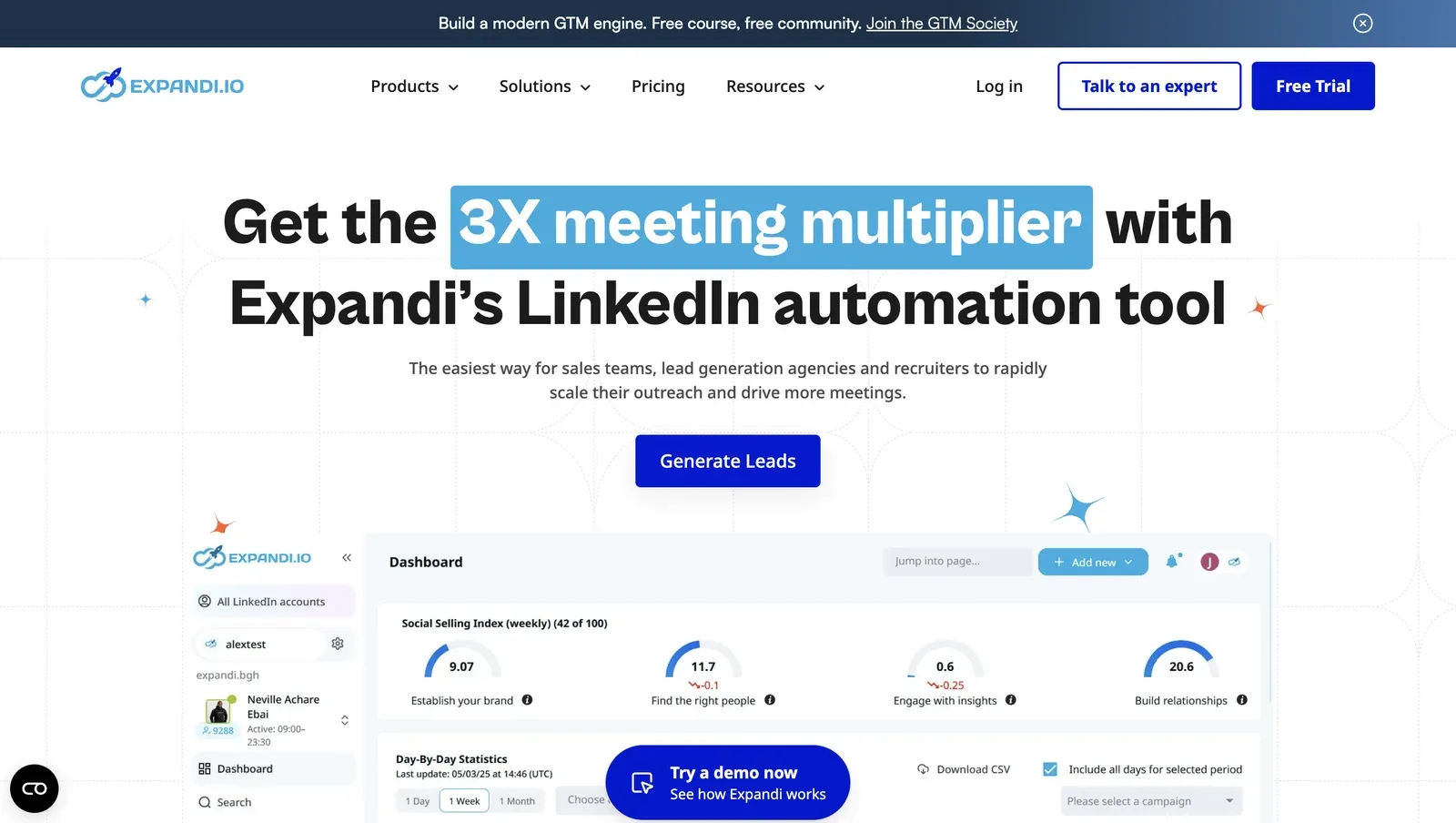
Expandi homepage showing a LinkedIn automation headline, Generate Leads and Free Trial buttons, and a dashboard preview

Founded in 2019 and listed in G2's company location as Ohio, Expandi is a cloud LinkedIn + email outreach platform for sales teams and growth marketers coordinating several sender accounts. The pricing page lists $79/mo on annual billing and a 14-day trial, while our signup showed 7 days with a credit card, which means buyers should verify the checkout screen before planning a trial. The 20-seat floor is $18,960/yr, so scale changes the value math quickly.

Quick facts about Expandi

  • Founded: 2019
  • HQ: Ohio (G2 company location; do not use as a residency claim)
  • Pricing: $99/mo ($79/mo annual), advertised 14-day free trial; signup observed 7 days + card required
  • 20-seat agency floor: $18,960/yr (matrix floor; may be understated)
  • G2: 4.1★ (98) · Capterra: 4.4★ (31) · Trustpilot: 4.07★ (202)
  • Last 6 months: 4.67★ (trending up) across 40 reviews
  • Architecture: cookie-bridge / session-upload extension plus cloud execution

Vendor pricing & feature pages (as of 2026-04-22 to 2026-05-27) + G2, Capterra, Trustpilot & Reddit reviews (computed 2026-07-05) + first-hand safety checks (June-July 2026)

Key Features

  • Workspaces with owner, admin, member, and guest roles plus per-account access controls; this is the agency-management convenience that overlaps HeyReach's multi-account pitch.
  • LinkedIn + email sequences, A/B testing, and unified inbox handling; in practice, this covers channel coordination inside Expandi rather than forcing a separate email tool.
  • AI Analyzer for AI-generated messages and sentiment; that makes AI message generation a parity area, not a Linked Helper-over-Expandi gap.
  • Skill endorsements, profile follows, and like-only post engagement; the missing side is comment automation, event/group workflows, company-page-follow invites, and boost-post auto-mention.
  • Sales Navigator list import requires the buyer's own Premium LinkedIn account and Sales Navigator subscription, so Expandi does not bypass that cost.
  • My Contacts, HubSpot, Pipedrive, Salesforce, Zapier/webhooks/API, and incoming webhooks; the brief marks no built-in email finder or verification, which means enrichment still needs another source.

The split is the finding. Recent ratings move upward, but the lift is mostly short onboarding-call Trustpilot praise, while G2 has 75 five-star reviews and 11 one-star reviews. Across 331 reviews, the brief flags 8 account-ban codes, 13 safety-detection codes, and 33 extreme-dissatisfaction codes, which means the praise has to be read with paired cautions rather than as a clean trend.

What reviewers say about Expandi

Real-world scenario The assigned Reddit scenario is a buyer moving from spreadsheet work into a workflow tool and actively comparing Expandi with Linked Helper and lemlist, which makes this a consideration-set story rather than an Expandi-only endorsement.

Reddit
smallbusiness
One of the most painful things for me is a need to switch from my excel to some kind of a reliable workflow… by now I choose between expandi, linked helper or lemlist.

Reported limitations

The safety cluster is recurring rather than a one-off, so the clearest account-risk report gets its own card.

This software got me banned several times, couldn't get rid of it even after cancelling and specifically asking them to NEVER attempt any connect requests.

Read the full review on Trustpilot

Trustpilot
Rating: 1 out of 5
DB
Dmitry Bilchenko

Safety and Setup Notes

I read the live test as variance without buyer control: the same setup path can hand one account a poor-reputation route and another a clean route, with no way to vet the route first.

IPQualityScore (IPQS) is an independent fraud-prevention service that scores IP reputation; it is an independent IP-quality signal, not LinkedIn's enforcement verdict.

Expandi test LinkedIn active sessions page showing a login from IP 91.165.182.32

What was checkedResult
Login modelCredentials login observed at signup; the connector teardown shows a one-time session handoff, so execution can continue after the browser gives the session to Expandi
Can I choose the desired location?Yes - 96 locations; country choice does not mean the buyer can pre-screen IP reputation before LinkedIn sees the session
Can I add my own proxy?No - no proxy quality checker; in practice the vendor route decides the account's outbound reputation
Can I select a timezone when adding an account?Yes - useful for schedule alignment, but timezone control does not change who holds the LinkedIn session
Cloud IP for account 191.165.182.32 - Free SAS (ASN 12322), Brittany / Saint-Gregoire, FR
OS / browser for account 1 (tool-reported)Chrome / Mac OS X; IPQS read Mac 10.15 / Chrome 135, so fingerprint reporting was not perfectly aligned across sources
Account 1 IPQualityScore resultIPQS fraud 100/100 · proxy Yes · VPN No · recent abuse Yes · connection type Residential · abuse velocity high - high-risk on IPQS's own scale; Residential means a home/ISP-style origin, so the risk here is reputation flags plus vendor-side custody
Cloud IP for account 2 (same geo)2a01:cb00:8428:a00:: - Orange France (ASN 3215), Centre-Val de Loire / Beaugency, FR
OS / browser for account 2 (tool-reported)Chrome / Mac OS X; the two accounts did not differ in the reported OS/browser fingerprint
Account 2 IPQualityScore resultIPQS fraud 0/100 · proxy No · VPN No · recent abuse No · connection type Residential · abuse velocity none - a cleaner route, which shows that identical setup can produce very different account exposure
Same IP or /24 across the two accounts?No - different IPs, different /24s, and different providers; account separation existed, but the buyer still could not choose the quality of either route
Is a credit card required for the trial?Yes
Trial duration7 days - the pricing page claims 14, which means buyers should verify the checkout screen rather than relying only on the marketing page

Expandi — live cloud/IP test (July 2026, two accounts, registered from France)

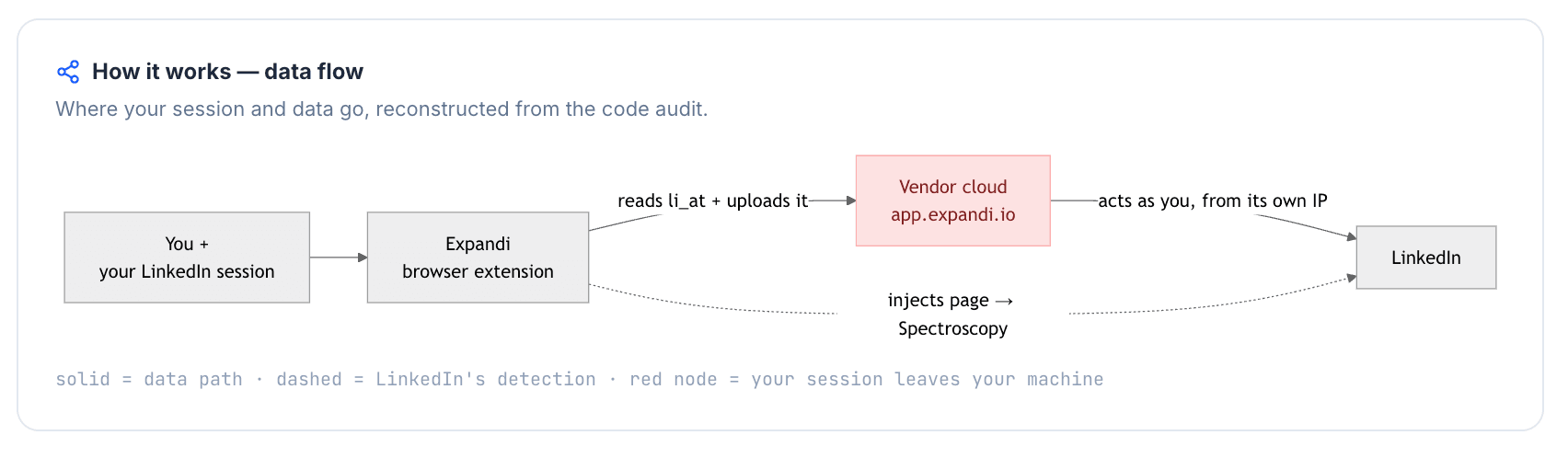
The teardown makes that more than an IP-quality problem: after the connector hands off the login cookie, the account can be used from infrastructure the buyer cannot inspect through normal LinkedIn session hygiene.

What was checkedFinding
Ships a public extension?Yes - the official expandi.io Expandi Connector links the LinkedIn account; this finding does not apply to the unrelated expandi.ai extension with a similar name
Architecture verdictCookie-bridge / session-upload - the extension copies the LinkedIn login to the vendor cloud, so one session can exist in the browser and in vendor infrastructure at the same time
Reads the LinkedIn session cookie (li_at)?Yes - reads li_at, your LinkedIn login in cookie form, and posts it to app.expandi.io; whoever holds it can act as the account without the password
Direct LinkedIn (Voyager) API calls?Yes - contact-info enrichment calls LinkedIn's internal API, which adds an API-signature surface beyond normal page browsing
Injects code into LinkedIn's page (DOM)?Yes - code is injected into LinkedIn tabs, so passive page-footprint scans can have something to observe
Fires synthetic (isTrusted=false) clicks?No - the connector did not automate UI clicks locally; that narrows one event-layer signal but does not undo the session handoff
Blocks LinkedIn telemetry?No - LinkedIn telemetry was not blocked, so there was no tracker-blocking self-report signal in the extension
Enforced daily cap in the code?None found - the connector exposes no local delays, caps, or working-hour controls, so pacing depends on cloud-side settings and user behavior
On LinkedIn's AED probe list?Not in my June 2026 snapshot - Active Extension Detection (AED) is LinkedIn's hardcoded extension-ID probe list; absence is not safety because the list changes over time

Expandi Connector extension — source-code teardown (June 2026)

Quick facts about Expandi

Against HeyReach, Expandi is the closest agency-workspace lookalike, but it is not a custody escape; Linked Helper's desktop/VPS route keeps LinkedIn work on hardware the user controls.

Bottom line Agencies reach for Expandi when Workspaces, country selection, LinkedIn + email sequence coordination, and onboarding support matter more than entry price. If that agency-workspace convenience is the priority, Expandi covers it.

If the HeyReach pain is LinkedIn feature depth under premium seat economics, Linked Helper's spintax, event/group workflows, company-page-follow invites, boost-post auto-mention, data extraction, and lower fixed entry cost are the relevant pivot.

3. La Growth Machine

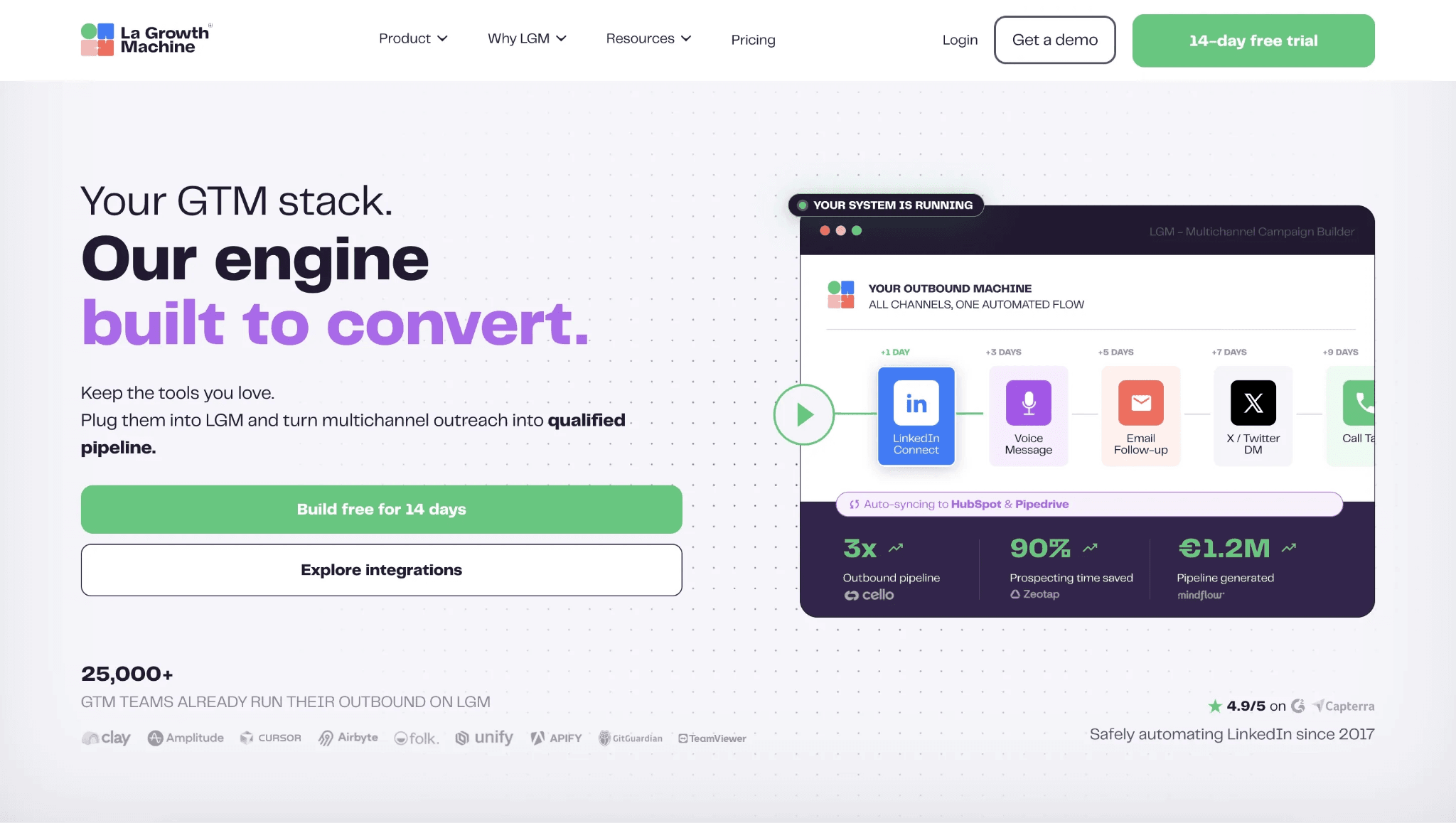
La Growth Machine is the channel-breadth outlier, not a deeper LinkedIn engine: it runs in the cloud and stores the LinkedIn session token, the login credential software uses to act as the account, so execution moves to vendor infrastructure while LinkedIn engagement and extraction stay thin. Teams whose HeyReach reply rate has plateaued reach for its multichannel sequencing at $60/mo.

3. La Growth Machine

Founded in 2019 and headquartered in France, La Growth Machine is an outbound platform for multichannel campaigns, contact-data lookup, inbox work, and CRM handoff. Its pricing page lists $50/mo on annual billing, a 14-day trial, and no free tier; at 20 identities, the floor reaches $24,000/yr, which turns the channel convenience into an agency-budget decision rather than a simple HeyReach swap.

Quick facts about La Growth Machine

  • Founded: 2019
  • HQ: France (FR)
  • Pricing: $60/mo ($50/mo annual), 14-day free trial
  • 20-seat agency floor: $24,000/yr
  • G2: 4.6★ (51) · Capterra: 4.9★ (45) · Trustpilot: too thin to average (6 reviews) — complaints skew toward credits, reliability, and pricing
  • Last 6 months: no printable trend (3 rated reviews since 2026-01-05)
  • Architecture: cloud (desk-sourced; no hands-on IP test or extension teardown)

Vendor pricing & feature pages (as of 2026-04-22 to 2026-06-01) + G2, Capterra, Trustpilot & Reddit reviews (computed 2026-07-05)

Key Features

  • Native multichannel sequences cover LinkedIn, email, X/Twitter, calls, and voice-note style outreach from one campaign builder.
  • Data enrichment, appending contact data to a LinkedIn profile, includes a waterfall email finder, 9 email providers, 2 verification tools, and mobile phone lookup; in practice, list size and credits have to be costed before launch.
  • AI copywriting and AI-personalized LinkedIn voice notes support alternate opener formats without making LinkedIn the only channel.
  • HubSpot, Pipedrive, Salesforce, Zapier, Make, Clay, API, and webhook paths handle CRM and workflow handoff; the matrix records 22 native integrations.
  • A/B testing, a unified multichannel inbox, CSV export, Sales Navigator import, and up to 3 identities per account support team workflows, but each identity is billed separately.
  • LinkedIn-native engagement and extraction are the gap: endorsements, auto like/comment, follows, event/group actions, company-page-follow invites, full profile extraction, full company extraction, and messaging-history export are No or absent in the matrix.

The rating split is mostly a texture problem, not an average problem: G2's 51-review pool and Capterra's 45-review pool are clean, while Trustpilot is too thin to score but carries the pointed long-form complaints. The trailing window has only 3 rated reviews, so we cannot treat recent sentiment as a trend; the useful signal is what reviewers praise and what the few harsh complaints are about.

What reviewers say about La Growth Machine

Real-world scenario The clearest scenario is consolidation: a G2 reviewer moved from separate scraping, enrichment, and email tools into La Growth Machine because one multichannel workflow reduced tool sprawl.

it replaced all other tools I used (PhantomBuster, DropContact, Lemlist etc...)

Read the full review on G2

G2
Rating: 5 out of 5
AS
Anne-Charlotte S.

The trade-off cluster is commercial and operational: credits, feature gates, and reliability incidents. That matters because La Growth Machine's main promise is consolidation; if the consolidated stack needs extra metered actions or a higher edition, the single-tool case weakens quickly.

Reported limitations

The assigned Reddit thread lands on the same metering problem, which means the pricing concern is not only a Trustpilot outlier.

Reddit
coldemail
You only get 100 actions per month in multichannel campaigns... To add more is about $0.10 per action so it doesn't scale at all.

The safety-labeled complaint was not a LinkedIn ban report; it was an email data-exposure incident, which matters because multichannel tools touch inbox infrastructure as well as LinkedIn.

A critical bug synced emails from one MS Office user into another user's inbox, exposing internal communication and damaging our email reputation.

Read the full review on Trustpilot

Trustpilot
Rating: 2 out of 5
CU
Christian Uetz

Bottom line Teams that need one native workflow across LinkedIn, email, X, and calls reach for La Growth Machine. If coordinated multichannel is the priority, it covers that need; Linked Helper should be paired with a dedicated email tool instead. If the HeyReach pain is shallow LinkedIn actions and rising seat cost, Linked Helper offers if/then/else in message sequences, richer personalization, endorsements, event/group/company-page actions, scrape sources, local/VPS custody, and $2,880/yr 20-seat floor are the relevant pivot.

Reviewers repeatedly flag its credit metering — “constantly have to buy extra credits” — and its Trustpilot rating is just 2.67★.

4. Dripify

Dripify's hands-on test showed server-side custody, not local custody: two same-country signups drew neighboring HostRoyale rented-server (datacenter) paths with matching browser fingerprints. Solo operators wanting a lower-cost visual sequence builder reach for Dripify at $59/mo.

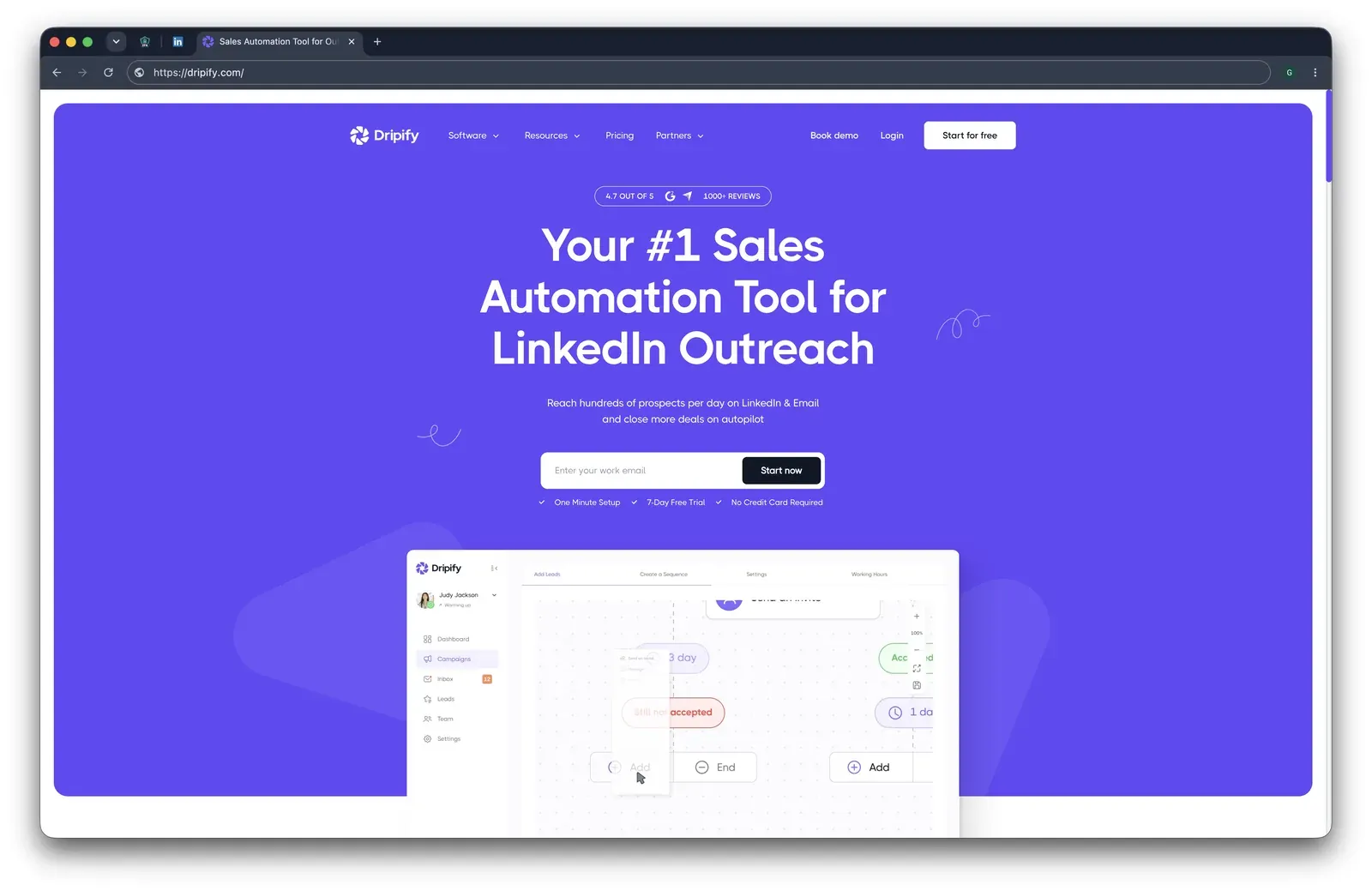
Dripify homepage showing LinkedIn and email outreach positioning, a 4.7 out of 5 badge, and a campaign sequence preview

Founded in 2019 and listed in Texas, Dripify is a cloud LinkedIn and email outreach platform with a drag-and-drop campaign canvas, conditional steps, email lookup, and CRM handoff. Mechanically, the product logs into LinkedIn with user credentials and runs from Dripify's infrastructure; the annual $39/mo plan and $9,360/year 20-seat floor lower the entry-cost problem but keep custody vendor-side.

Quick facts about Dripify

  • Founded: 2019
  • HQ: Texas, USA
  • Pricing: $59/mo ($39/mo annual), 7-day free trial
  • 20-seat agency floor: $9,360/yr
  • G2: 4.5★ (267) · Capterra: 4.7★ (476) · Trustpilot: 4.62★ (429)
  • Last 6 months: 4.7★ (trending up) across 69 reviews
  • Architecture: cloud with credential login

Vendor pricing & feature pages (as of 2026-04-22 to 2026-05-04) + G2, Capterra, Trustpilot & Reddit reviews (computed 2026-07-05) + first-hand safety checks (July 2026)

Key Features

  • Drag-and-drop LinkedIn campaigns with 15+ actions and conditions -- a visual planning surface, not proof of deeper if/then workflow breadth.
  • Connection requests, messages, and InMails with plan-based caps -- Basic lists 20 invites/day while higher tiers list 75/day, so quota planning depends on tier.
  • Built-in email finder and verification -- useful in one workflow, but the brief flags monthly email-credit allocations and paid add-ons.
  • CRM handoff to Salesforce, HubSpot, Pipedrive, Zoho, ActiveCampaign, Intercom, and Zendesk, plus Make, Zapier, and Google.
  • Skill endorsements, profile follows, and post likes are present; comments, event/group actions, company-page-follow invites, boost-post auto-mention, broad extraction, messaging-history export, and spintax are absent or missing. AI message generation is flagged as "COMING SOON," so treat it as roadmap evidence.

The useful review pattern is divergence: strong averages and an improving recent window sit beside a small but sharp churn tail. That makes the average a fair onboarding-satisfaction signal, but weaker for long-running accounts once limits, support, and billing friction appear.

What reviewers say about Dripify

Real-world scenario The clearest switching story is from an older desktop-style workflow into Dripify. A G2 reviewer described leaving Octopus CRM because the daily manual run had become the blocker:

I used Octopus before, and I had quit… because of how much time it took every morning to run the manual processes.

Read the full review on G2

G2
Rating: 5 out of 5
KL
Kurt L.

Reported limitations

One G2 complaint also disputes the marketed A/B-testing claim, so we would not treat that cell as verified without checking it inside an account.

Account-risk reports exist, but the assigned Reddit card points to aggressive usage too; read it as behavior plus architecture, not a ban-rate score.

Reddit
LinkedInTips
I was using dripify a long time ago (linkedin automation tool) and was aggressive with it and got my account banned.

Safety and Setup Notes

For this table, a datacenter IP is a rented-server address, which can stand out because most personal LinkedIn sessions come from residential or mobile networks.

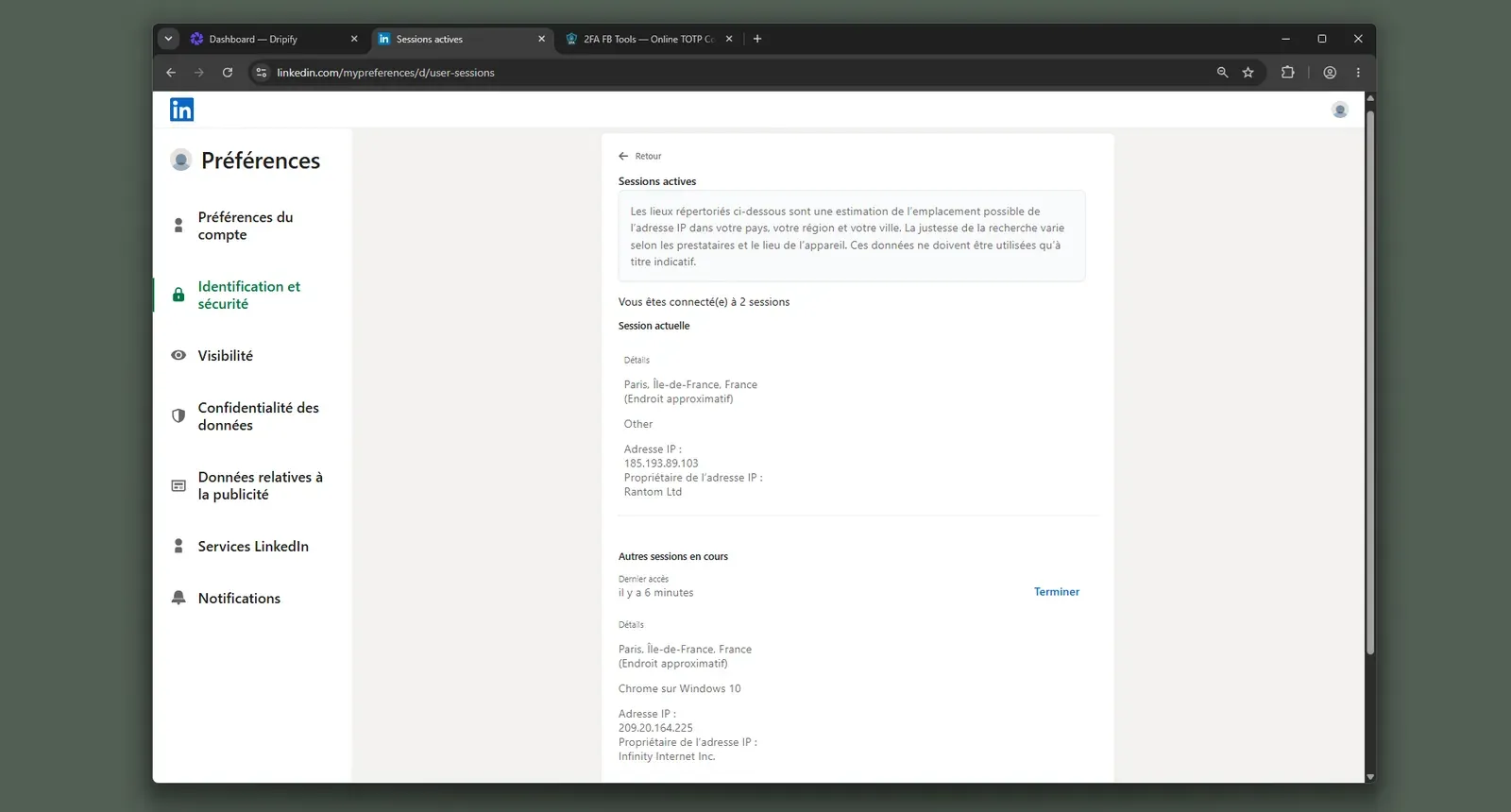
I read the shared provider block and matching browser profile as the real finding: the account's exposure is assigned by the vendor cloud, while I could not pre-select or pre-check the exit path. Because there is no public extension, Active Extension Detection (AED), LinkedIn's hardcoded extension-ID probe, is not the decisive risk path; the cloud-login path is. The same provider also appears in Skylead and We-Connect in the audit, which means the logo differs but provider-level exposure can be shared.

What was checkedResult
Login modelCredentials login — Dripify's cloud creates and holds a fresh LinkedIn session server-side, so actions run from vendor infrastructure
Can I choose the desired location?No — location is bound at registration
Can I add my own proxy?No — no proxy-quality checker
Can I select a timezone when adding an account?Yes
Cloud IP for account 1209.20.164.225 — HostRoyale Technologies Pvt, Ile-de-France (Paris, FR)
OS / browser for account 1 (tool-reported)Chrome / Windows (IPQS reported Mac 10.15 / Chrome 135.0)
Account 1 IPQualityScore resultfraud 94/100 · proxy yes · VPN yes · connection type Data Center — high-risk on IPQS's own scale
Cloud IP for account 2 (same geo)209.20.164.94 — HostRoyale Technologies Pvt, Ile-de-France (Paris, FR)
OS / browser for account 2 (tool-reported)Chrome / Windows (IPQS reported Mac 10.15 / Chrome 135.0) — identical fingerprint to account 1
Account 2 IPQualityScore resultfraud 94/100 · proxy yes · VPN yes · connection type Data Center — high-risk on IPQS's own scale
Same IP or /24 across the two accounts?No same IP; same /24, same provider — two independent accounts drew a near-identical vendor-cloud footprint
Is a credit card required for the trial?No
Trial duration7 days

Dripify — live cloud/IP test (July 2026, two accounts, registered from France)

Dripify test LinkedIn active sessions page showing two Paris sessions, including a Chrome on Windows session at IP 209.20.164.225

Dripify ships no public LinkedIn extension, so there was nothing to tear down — the safety story is the live cloud test.

Bottom line Solo operators reach for Dripify when they want a lower entry price than HeyReach, a visual sequence canvas, and built-in email lookup inside one cloud tool. If that setup speed is the priority, Dripify covers it. If the lead pain is deeper LinkedIn actions under tighter seat economics, Linked Helper's conditional workflows, spintax, endorsements, event/group actions, company-page-follow invites, and desktop/VPS model are the relevant pivot.

It carries the set’s largest review base, 1,172 reviews, yet stays cloud-only with no self-hosted option — every action runs from Dripify’s servers.

5. Waalaxy

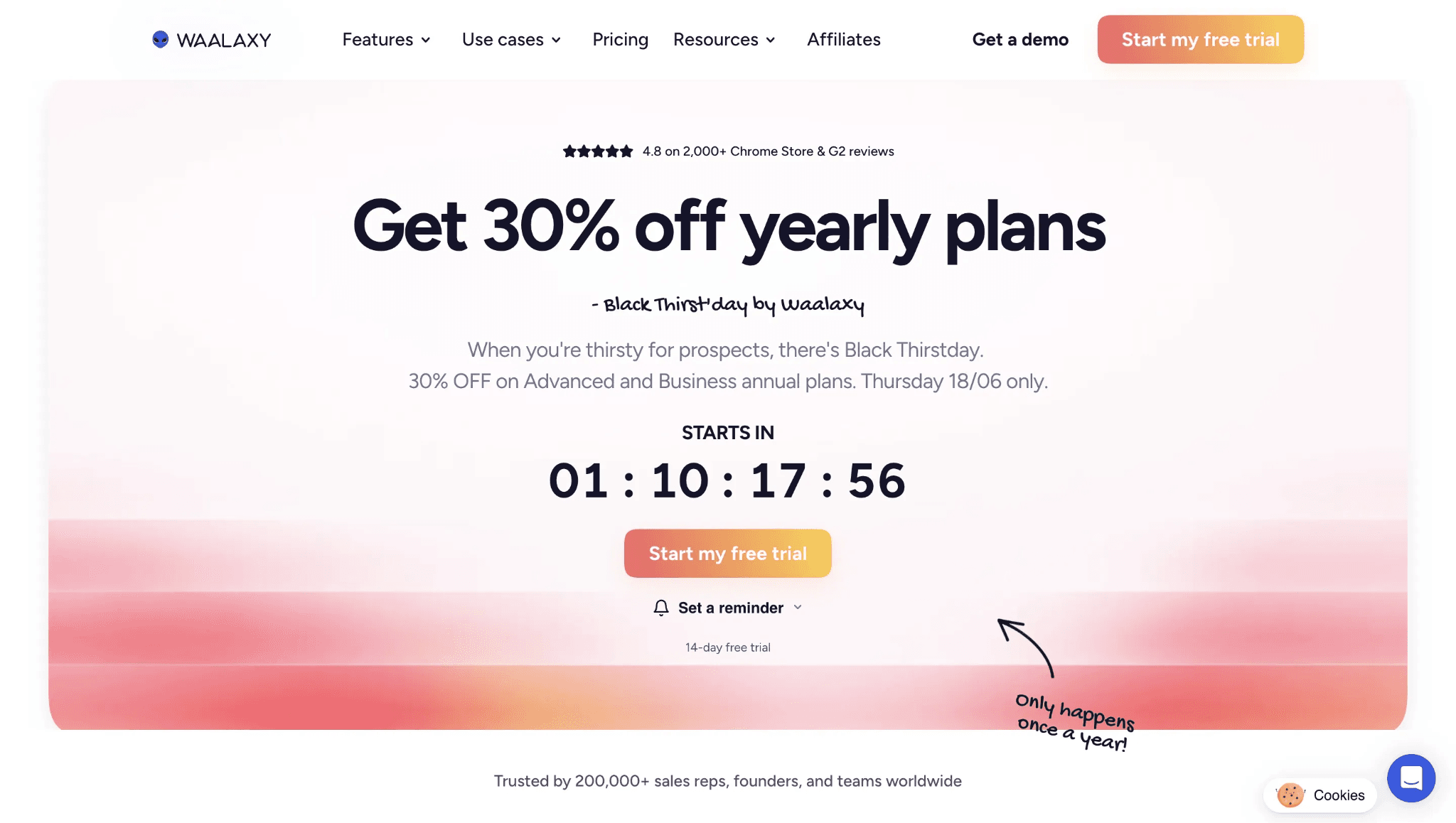
Waalaxy's teardown showed a cookie-bridge/session-upload model: the connector POSTs the full LinkedIn cookie jar, including li_at (the login cookie), to Waalaxy's cloud, so the free tier still carries vendor-cloud session custody. Solo founders exploring free LinkedIn automation reach for Waalaxy anyway, at $42/mo.

5. Waalaxy

Founded in 2019 in Paris, France, Waalaxy is a Chrome-extension plus cloud LinkedIn outreach tool with a visual flow builder, email lookup, light CRM, and HubSpot/Pipedrive handoff. The pricing page lists a 14-day trial, credit-based quotas, Sales Navigator support, and annual billing at $20.5/mo; the 20-seat floor is $4,900/yr before quota or plan-gate checks.

Quick facts about Waalaxy

  • Founded: 2019
  • HQ: France (Paris) - GDPR
  • Pricing: $42/mo ($20.5/mo annual), 14-day free trial
  • 20-seat agency floor: $4,900/yr
  • G2: 4.6★ (528) · Capterra: 4.4★ (252) · Trustpilot: 4.71★ (1245) - high average with a 1★ billing/reliability/security tail
  • Last 6 months: 4.84★ (trending up) across 362 reviews
  • Architecture: cookie-bridge / session-upload extension plus cloud execution

Vendor pricing & feature pages (as of 2026-04-22 to 2026-05-27) + G2, Capterra, Trustpilot & Reddit reviews (computed 2026-07-05) + first-hand safety checks (June 2026)

Key Features

  • LinkedIn invites, messages, reply detection, and Sales Navigator list scraping cover the category-standard outreach loop; like every tool here, the difference is where the authenticated session lives.
  • Visual sequence templates and a flow builder reduce setup friction, which is the same UI/ease theme that appears in positive reviews and the Linked Helper-to-Waalaxy switching story below.
  • Built-in email finder, CSV export, inbox, and incoming webhooks support Waalaxy email follow-up and light CRM work.
  • CRM handoff covers CRM Sync 2000+ tools, HubSpot, Pipedrive, plus Zapier/webhooks.
  • Waalaxy does hold AI message generation and profile follows, so those are not gaps here.
  • The feature-depth boundary is specific: conditional workflow depth is None; spintax, InMails, endorsements, auto like/comment, event/group actions, and deep extraction are absent; Waalaxy records 3 LinkedIn scrape sources versus Linked Helper's 13.

The useful Waalaxy review pattern is divergence, not the average alone: recent praise clusters around ease, UI, templates, and support, while the severe tail clusters around billing transparency, reliability, and account-security scares. Treat the rating as an onboarding-satisfaction signal, not proof that long-running accounts avoid those tails.

What reviewers say about Waalaxy

Real-world scenario Switching evidence is bidirectional: Céd Bassin left Waalaxy for Linked Helper on price, while Adrien Deslous-Paoli moved from Linked Helper to Waalaxy for the interface. We credit that UI polish, but it has to be weighed against session-upload custody plus the reliability and billing complaint tail.

Reported limitations

Account-risk reports exist, but the assigned Reddit card is best read as behavior plus architecture, not a ban-rate score.

Reddit
SaaS
I was using Waalaxy extension with what I thought were safe limits maybe 40-50 connection requests a day sending personalized messages.

Safety and Setup Notes

No live two-account cloud/IP test was run for Waalaxy; this block uses the extension teardown only. The first-hand safety finding comes from reading the shipped extension source code.

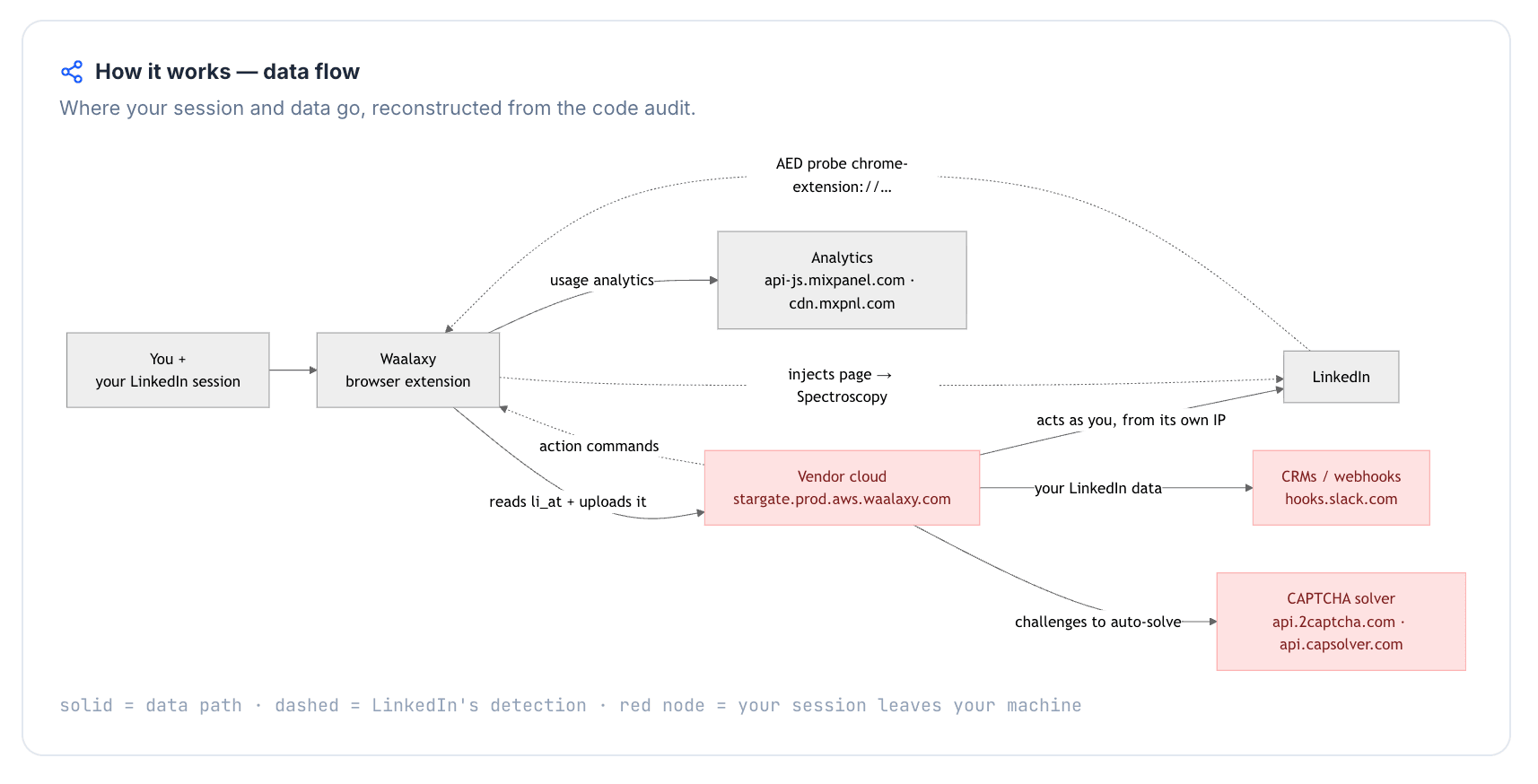
I read the Waalaxy teardown as a custody problem, not a UI problem: the product can feel easier while the LinkedIn login still crosses into vendor infrastructure. The risk is cumulative rather than one magic trigger; cookie upload, LinkedIn-page injection, synthetic events, telemetry stripping, and extension visibility all add surface to LinkedIn's scoring model.

What was checkedFinding
Ships a public extension?Yes — Waalaxy - LinkedIn Automation Tool connector/login extension
Architecture verdictCookie-bridge / session-upload — local browser actions plus full session upload; the vendor cloud can highly likely run the account from rented-server infrastructure, which stands out next to normal residential or mobile LinkedIn sessions
Reads the LinkedIn session cookie (li_at)?Yes — reads the full LinkedIn cookie jar including li_at (the session cookie) and JSESSIONID (the CSRF token), and copies it to stargate.prod.aws.waalaxy.com; whoever holds them can act as the account
Direct LinkedIn (Voyager) API calls?Yes — Voyager API calls were present with the REST.li protocol header, which adds an API-use signal beyond page browsing
Injects code into LinkedIn's page (DOM)?Yes — LinkedIn-page injection creates a passive page-footprint signal in addition to extension visibility
Fires synthetic (isTrusted=false) clicks?Yes — synthetic-event and programmatic-click signals were documented, so the event layer is not purely user-generated
Blocks LinkedIn telemetry?Yes — strips a LinkedIn tracking header; tracker blocking can become its own detectable behavior
Enforced daily cap in the code?None found — no auditable local daily invite cap or working-hours schedule, so pacing depends on server-side controls and user settings
On LinkedIn's AED probe list?Yes — Active Extension Detection (AED) is LinkedIn's hardcoded extension-ID probe list; being listed means the installed extension can be visible before it acts

Waalaxy connector extension — source-code teardown (June 2026)

Quick facts about Waalaxy

For this HeyReach comparison, Waalaxy is another session-upload path with a friendlier entry point; Linked Helper's counterpoint is deeper LinkedIn automation from desktop/VPS without handing the login cookie to a vendor cloud.

Bottom line Solo founders and SMB operators reach for Waalaxy when UI polish, a free entry point, AI message generation, profile follows, and CRM handoff matter more than deep LinkedIn controls. If that low-friction onboarding is the priority, Waalaxy covers it.

If the HeyReach pain is feature depth at the lowest price without session upload, Linked Helper's conditional workflows, spintax, event/group actions, endorsements, and 13 scrape sources are the pivot.

6. lemlist

Is lemlist a LinkedIn tool or an email tool? In this comparison, it is email-first: LinkedIn is a gated supporting channel, and the extension runs it by uploading the LinkedIn session to lemlist's cloud. Email-primary teams wanting LinkedIn touchpoints reach for lemlist at $79/mo.

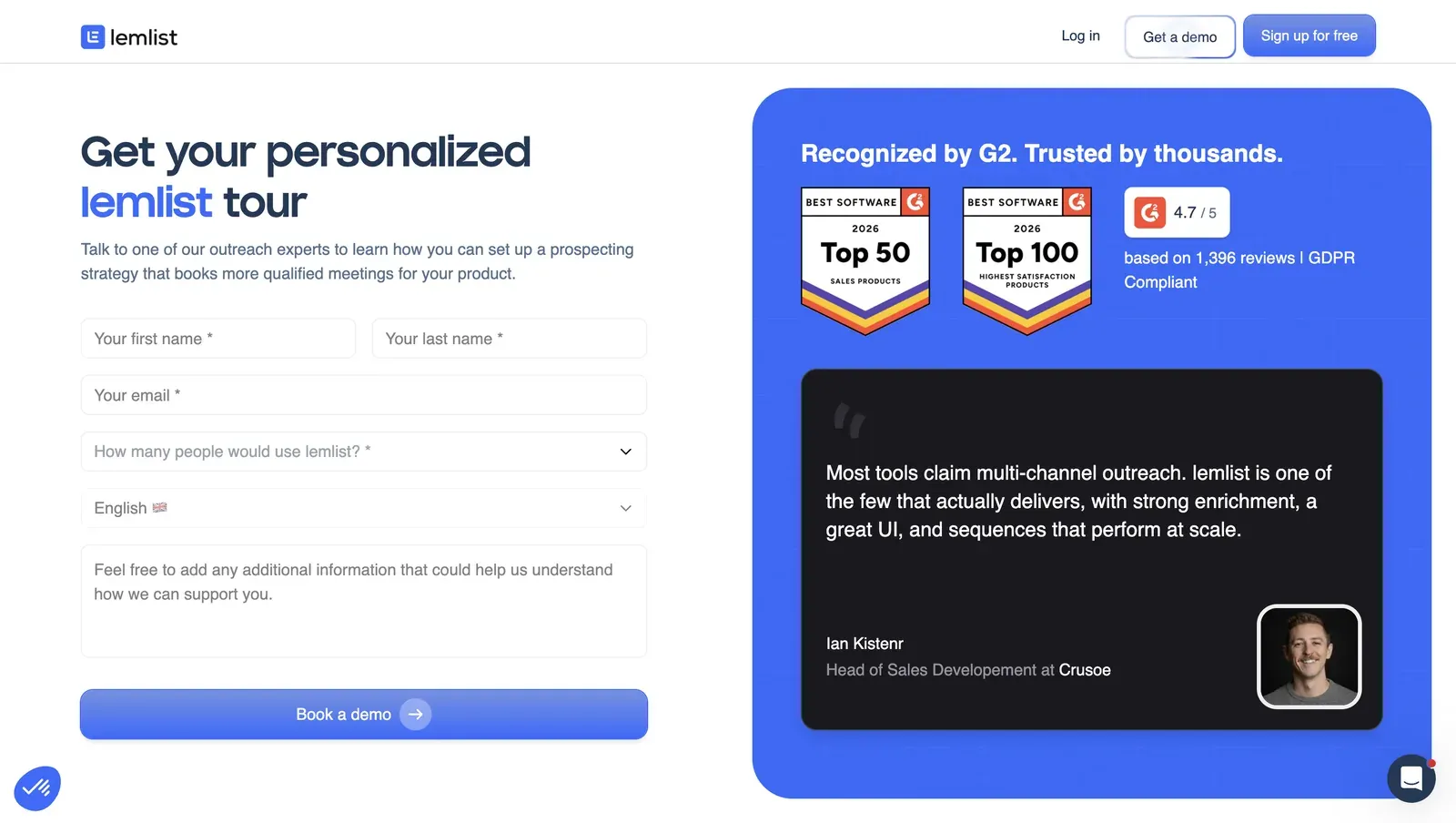
lemlist demo landing page showing G2 Best Software 2026 Top 50/Top 100 badges and a 4.7 out of 5 from 1,396 reviews rating

Founded in 2018 in Paris, France, lemlist operates under LEMPIRE SAS in the EU. Its cloud multichannel product starts from cold email, then layers LinkedIn invites and messages into paid multichannel sequences. The annual equivalent is $63/mo with a 14-day free trial, with no free tier and credit-based quotas; a naive 20-seat agency floor is $20,880/yr, understated because Reddit users report one LinkedIn account per license, so account scaling is not clean per seat.

Quick facts about lemlist

  • Founded: 2018
  • HQ: France (LEMPIRE SAS, Paris - EU)
  • Pricing: $79/mo ($63/mo annual), 14-day free trial
  • 20-seat agency floor: $20,880/yr (understated -- one LinkedIn account per license)
  • G2: 4.5★ (263) · Capterra: 4.6★ (385) · Trustpilot: 4.1★ (146) -- Trustpilot trails the two B2B platforms
  • Last 6 months: 4.7★ (trending up) across 57 reviews
  • Architecture: cookie-bridge / session-upload extension + cloud execution

Vendor pricing & feature pages (as of 2026-04-22 to 2026-04-23) + G2, Capterra, Trustpilot & Reddit reviews (computed 2026-07-05) + first-hand safety teardown (June 2026)

Key Features

  • Built-in email finder, email verification, and mobile phone lookup keep cold-email enrichment in the same product.
  • Lemwarm email warm-up handles the deliverability use case that draws users from other email services.
  • AI message generation and AI personalization are present, so AI is not a lemlist gap in this comparison.
  • Like every tool in this list, lemlist can send LinkedIn invites and messages through an authenticated session; the difference is that LinkedIn is a sequence channel here, not the engine.
  • LinkedIn engagement is bounded: auto like/comment, profile follow, event/group actions, and full extraction are absent; lemlist has 3 LinkedIn scrape sources versus Linked Helper's 13.
  • CRM handoff covers Close.io, HubSpot, Pipedrive, Salesforce, Zoho CRM, plus Zapier.

The platform split is the useful finding: Trustpilot's 4.1★ trails G2 4.5★ and Capterra 4.6★, while recent praise skews toward support and the email stack. The recent 1★ tail is reliability, price, and workflow-setup friction, so we read the positive cards as email/multichannel satisfaction, not proof of LinkedIn-automation depth.

What reviewers say about lemlist

Real-world scenario The scenario is an email-tool switch, not a LinkedIn agency switch: the reviewer arrived from another email service because Lemwarm handled deliverability inside the same product. That supports lemlist's channel fit as an email stack with LinkedIn added as a touchpoint.

One of the biggest things that brought me to the platform from using a different service is 'Lemwarm'.

Read the full review on Capterra

Capterra
Rating: 5 out of 5
CC
Caleb C.

Reported limitations

The cost issue gets sharper when LinkedIn accounts, not users, are the scaling unit.

Reddit
coldemail
Somehow lemlist only allows 1 linkedin account to be connected per license. which would mean I need 3 licenses for outreach from 3 linkedin accounts (which is kind of stupid IMO).

At review level, the ban signal is generic caution rather than a lemlist-caused pattern, so we weight the session-custody teardown below more heavily.

Linkedin tools may get your account suspended
G2 5.0★
View Original

Safety and Setup Notes

No live two-account cloud/IP test was run for lemlist, so this card prints no exit-IP reputation rows; the first-hand finding comes from reading the shipped extension source code.

I read lemlist as a channel-fit tool carrying a LinkedIn-specific custody cost: the email stack stays in one product, but the LinkedIn login crosses into infrastructure the buyer cannot inspect. The risk is cumulative, not one tripwire: session transfer, extension visibility, page automation, and cloud execution all add surface to a scoring model that only adds points.

What was checkedFinding
Ships a public extension?Yes — the "lemlist" Chrome extension connects the LinkedIn account (~90,000 users)
Architecture verdictCookie-bridge / session-upload — HIGH risk; the extension copies the LinkedIn login to lemlist's cloud, which highly likely operates from its own datacenter IP; for LinkedIn, a personal session from rented-server infrastructure stands out
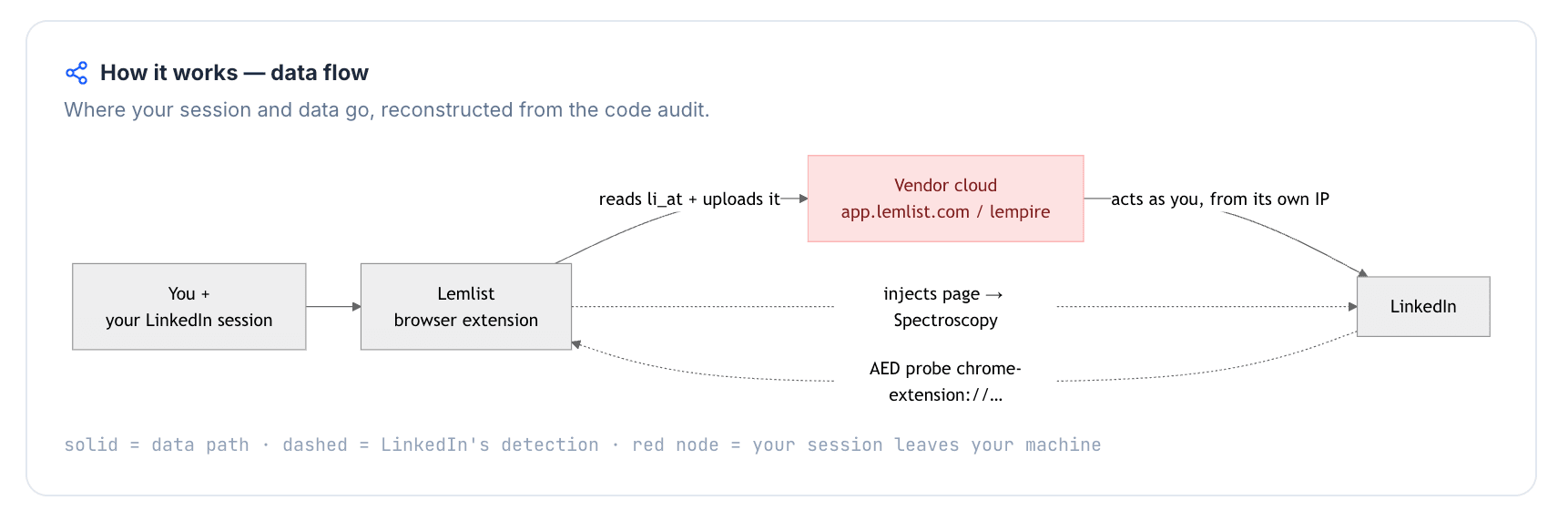
Reads the LinkedIn session cookie (li_at)?Yes — reads the full LinkedIn cookie jar including li_at (your LinkedIn login in cookie form), POSTs it to app.lemlist.com, and auto-resyncs whenever li_at changes; whoever holds it can act as the account
Direct LinkedIn (Voyager) API calls?No — no direct internal LinkedIn API calls exposed; actions run through page automation instead
Injects code into LinkedIn's page (DOM)?Yes — page automation inside LinkedIn adds a passive page-footprint signal beyond the extension-ID check
Fires synthetic (isTrusted=false) clicks?Yes — synthetic-event and programmatic-click signals were recorded, so the event layer does not look purely user-generated
Blocks LinkedIn telemetry?No — no telemetry blocking found, so it adds no tracker-blocking tell
Enforced daily cap in the code?None found — no auditable local daily invite cap or working-hours scheduler; pacing depends on server-side controls and user behavior
On LinkedIn's AED probe list?Yes — Active Extension Detection (AED) is LinkedIn's hardcoded extension-ID probe list; being listed means "installed" is visible before the tool acts

lemlist extension — source-code teardown (June 2026)

A separate Reddit thread independently makes the same server-side session-storage claim. Against HeyReach, lemlist is a multichannel escape from LinkedIn-only outreach, not an escape from session-upload architecture.

Quick facts about lemlist

Bottom line Email-primary teams reach for lemlist when warm-up, email finding/verification, AI personalization, and CRM handoff need to sit in one outreach workflow.

If coordinated cold email plus LinkedIn touchpoints is the priority, lemlist covers it; if the HeyReach pain is shallow LinkedIn engagement/extraction at premium seat cost, Linked Helper's conditional workflows, event/group actions, 13 native scrape sources, and desktop/VPS session custody are the relevant pivot.

7. Skylead

Skylead's hands-on cloud test found a shared HostRoyale datacenter exit for both accounts, so the "dedicated IP" promise did not hold in our setup. SDR teams wanting LinkedIn-to-email Smart sequences and a unified inbox reach for Skylead anyway, at $100/mo.

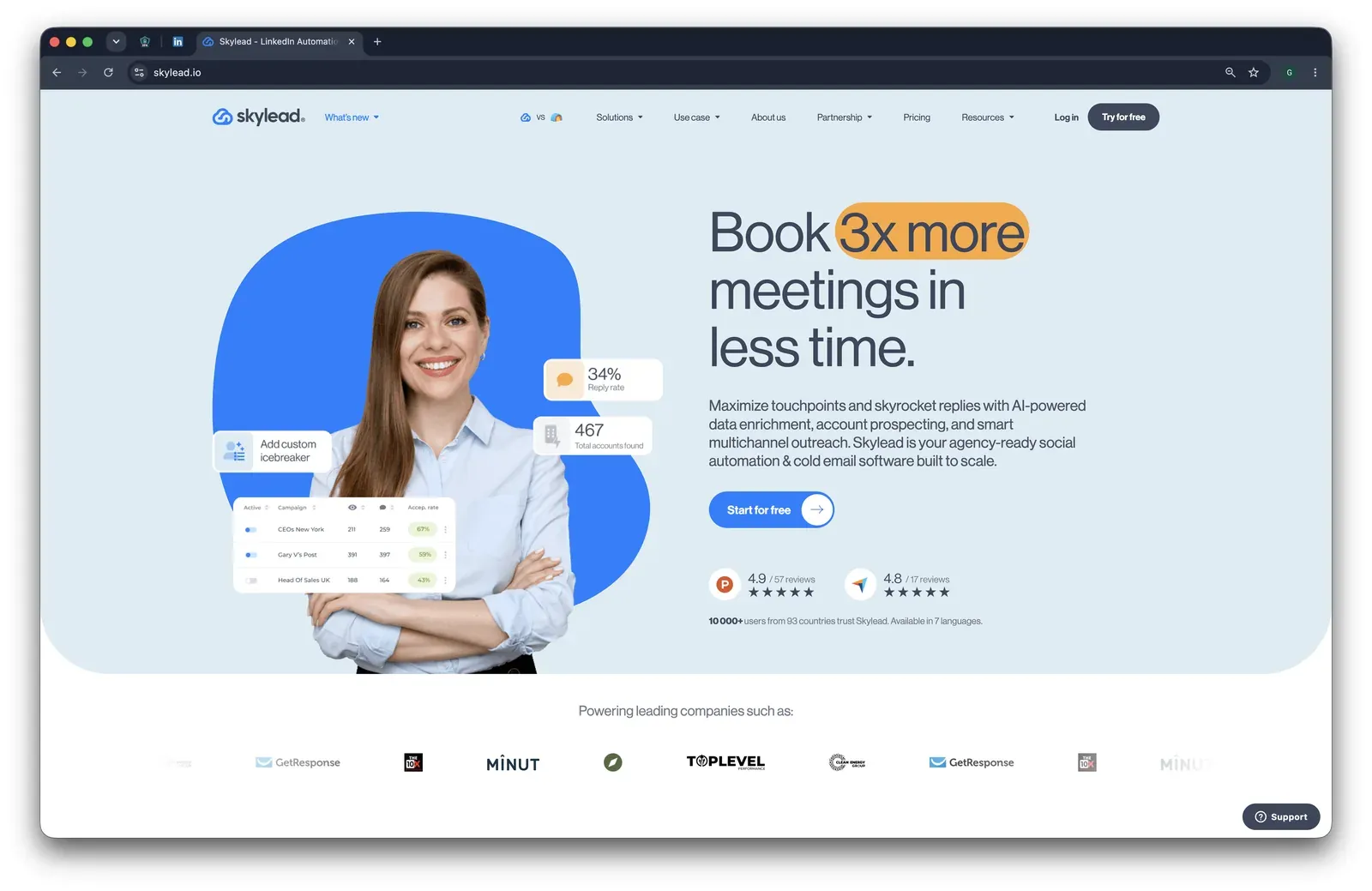
Skylead marketing homepage at skylead.io with a Book 3x more meetings headline and G2/Capterra rating badges

Founded in 2019 and listed in the United Kingdom, Skylead is a cloud LinkedIn and email outreach platform for sequences that combine LinkedIn invites, messages, InMails, email finding, verification, and reply handling. Mechanically, users authenticate inside Skylead and campaigns then run server-side from vendor infrastructure, which means account safety depends on the cloud session and IP path the vendor assigns. For agencies, the 20-seat floor is $24,000/year, and account tiering can push the final bill higher, so treat that figure as a floor.

Quick facts about Skylead

  • Founded: 2019
  • HQ: GB (United Kingdom)
  • Pricing: $100/mo, 7-day free trial (credit card required)
  • 20-seat agency floor: $24,000/yr (medium-confidence; potentially understated)
  • G2: 4.5★ (125) · Capterra: 4.8★ (17)
  • Trustpilot: too thin to print a score (2 reviews)
  • Last 6 months: no printable trend (0 rated reviews since 2026-01-05)
  • Architecture: cloud with credential login

Vendor pricing & feature pages (as of 2026-04-22 to 2026-04-23) + G2, Capterra, Trustpilot & Reddit reviews (computed 2026-07-05) + first-hand safety checks (June 2026)

Key Features

  • LinkedIn-to-email Smart sequences with connection invites, messages, paid and free InMails, email finder, and email verification -- useful when a team wants LinkedIn and email in one sequence, and it means Skylead is a Yes on multichannel.
  • Personalization controls include custom variables, Spintax and Liquid syntax, plus image and GIF personalization -- enough for message variation without proving deeper if/then branching.
  • Sales Navigator integration, Sales Navigator list scraping, basic/recruiter/Sales Navigator support, three LinkedIn scrape sources, and CSV export -- a sourcing set, but not the broad extraction layer used for full profile, company, employee-title, or messaging-history exports.
  • Smart Inbox, A/B testing, webhooks, Integrations & API, and CRM handoff to HubSpot, Pipedrive, and Salesforce plus Zapier/webhooks -- external sync exists, while reviewer complaints target the lack of an internal CRM-style tagged contact list.
  • Follow-profile automation is present; AI message generation, auto like/comment, skill endorsements, LinkedIn event/group engagement, and company-page-follow invites are absent, which is the feature-depth gap that matters in this HeyReach comparison.

The review pattern is concentration, not fresh acceleration: printable praise is mostly G2, Capterra adds a smaller sample, and there was no rated review in the trailing six-month window. We treat the high platform averages as historical onboarding evidence, then pair them with the specific CRM, billing, and reliability complaints below.

What reviewers say about Skylead

Real-world scenario The clearest switching case is an Apollo-to-Skylead move, not a HeyReach migration. The G2 reviewer framed the switch around LinkedIn automation quality:

I have been using apollo and the linkedIn automations is just not good enough. When I tried skylead I was amazed by how easy it was.
G2 4.5★
View Original

Reported limitations

Safety and Setup Notes

For this table, IPQualityScore (IPQS) is an independent IP-quality signal, 75+ is high-risk on IPQS's own scale. A datacenter IP is a rented-server address, which can stand out because most personal LinkedIn sessions come from residential or mobile networks.

What was checkedResult
Login modelCredentials login — Skylead's cloud creates and holds a fresh LinkedIn session server-side, so actions run from vendor infrastructure
Can I choose the desired location?Yes — 91 locations
Can I add my own proxy?Yes — no proxy-quality checker
Can I select a timezone when adding an account?Yes
Cloud IP for account 158.97.254.1 — HostRoyale Technologies Pvt (ASN 203020), Ile-de-France / Paris
OS / browser for account 1 (tool-reported)Chrome / Linux (IPQS reported Mac 10.15 / Chrome 135.0)
Account 1 IPQualityScore resultfraud 100/100 · proxy yes · VPN yes · recent abuse yes · connection type Data Center — high-risk on IPQS's own scale
Cloud IP for account 2 (same geo)58.97.254.1 — HostRoyale Technologies Pvt (ASN 203020), Ile-de-France / Paris
OS / browser for account 2 (tool-reported)Chrome / Linux (IPQS reported Mac 10.15 / Chrome 135.0) — identical fingerprint to account 1
Account 2 IPQualityScore resultfraud 100/100 · proxy yes · VPN yes · recent abuse yes · connection type Data Center — high-risk on IPQS's own scale
Same IP or /24 across the two accounts?Same IP and same /24, same provider — two independent accounts drew the same vendor-cloud footprint
Is a credit card required for the trial?Yes
Trial duration7 days

Skylead — live cloud/IP test (June 2026, two accounts, registered from France)

Skylead ships no public LinkedIn extension, so there was nothing to tear down — the safety story is the live cloud test. AED (Active Extension Detection, LinkedIn's hardcoded extension-ID probe) is not the decisive path here; the vendor-IP login path is. I read the test as an account-isolation finding first: two separate signups landed on the same vendor-cloud footprint, so the "dedicated" part was not observable in this setup.

Quick facts about Skylead

The product gives setup controls, but without pre-checking IP quality those controls do not tell you whether LinkedIn will see a clean residential path or a rented-server path with abuse history. For this section's pivot, that same pattern matters operationally too: Skylead centralizes replies, but CRM-grade tagging and native handoff depth remain the weak spot.

Bottom line SDR teams reach for Skylead when they want LinkedIn-to-email Smart sequences, email finding, image/GIF personalization, and one inbox for replies. If that channel mix is the priority, Skylead covers it.

If the lead pain is CRM-grade LinkedIn depth, Linked Helper's conditional workflows, 13 native LinkedIn scrape sources, 11 direct CRM connectors, and $15/mo entry are the relevant pivot.

8. Salesflow

Salesflow is desk-checked cloud with credentials login: it holds the LinkedIn session token, the login cookie that lets a vendor act as the account, on vendor servers; no hands-on test exists. Reviews cluster around reliability and billing complaints. RevOps/agency teams reach for Salesflow at $99/seat.

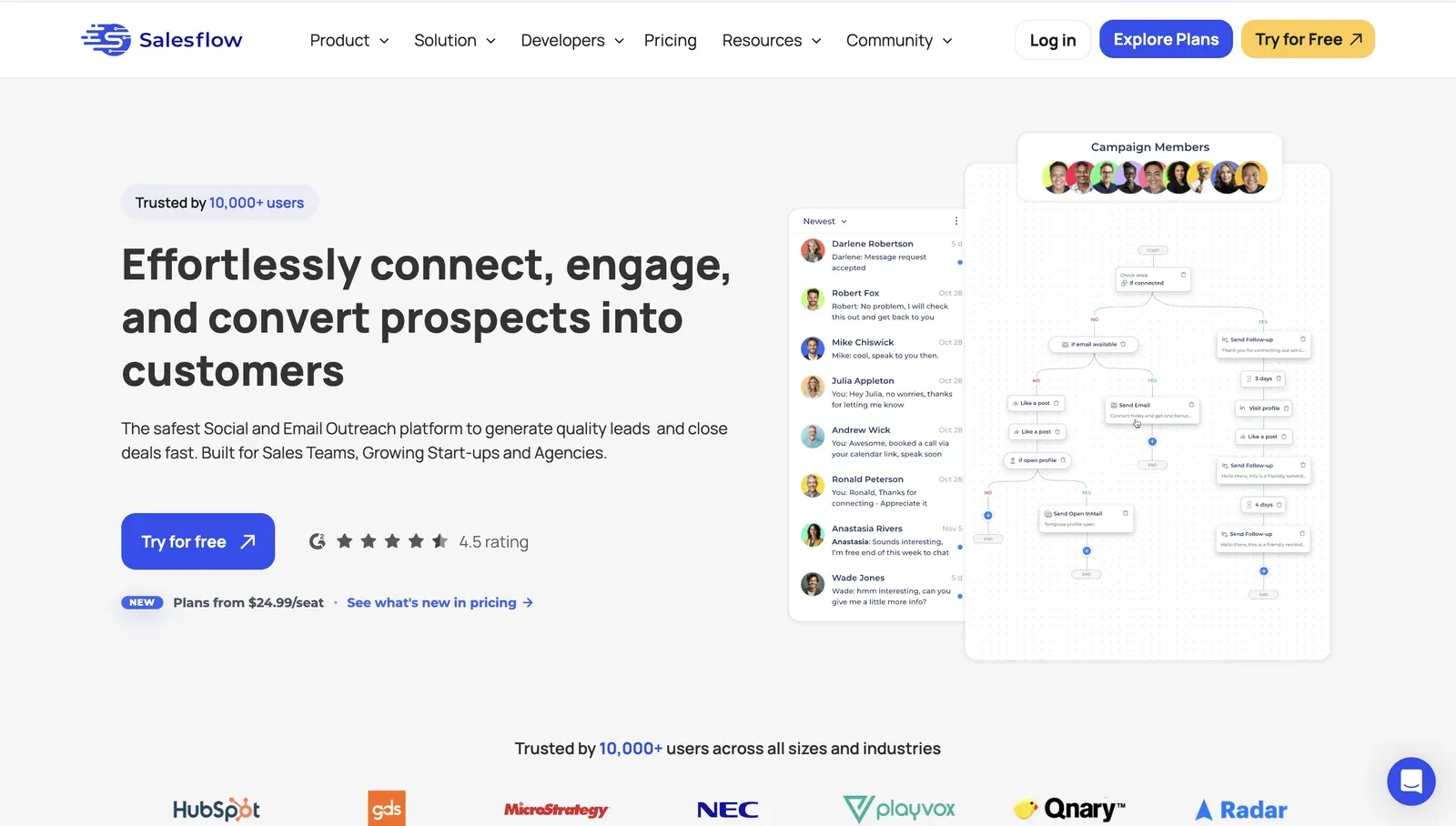
Salesflow marketing homepage showing a G2 rating badge, a Plans from $24.99/seat headline, and an inbox and campaign-flow product preview

Founded in 2018 and headquartered in the United Kingdom, the 22-person company packages LinkedIn plus email outreach with a managed Done For You service and a 50+-seat Agency tier. On the pricing page, annual billing drops Basic to $69.30/mo (-30%), and the 7-day trial requires no card, so evaluation is low-friction while team economics need confirmation before any wider rollout.

Quick facts about Salesflow

  • Founded: 2018
  • HQ: United Kingdom
  • Pricing: $99/mo ($69.30/mo annual), 7-day free trial
  • G2: 4.3★ (128) · Capterra: 4.1★ (46)
  • Architecture: cloud with credentials login

Vendor pages + G2/Capterra (2026-07-05)

Key Features

  • LinkedIn plus email sequencing, a native channel Linked Helper does not include.
  • Open InMails to open profiles — subject to LinkedIn's own limit (now roughly 100 for many accounts, sometimes fewer or zero); invites/messages/sequences are category-standard.
  • AI copywriting/message generation plus AI personalization.
  • Managed Done For You and 50+-seat Agency multi-account.
  • HubSpot-native CRM; Pipedrive/Salesforce via Zapier. CRM depth is unified-inbox evidence only; verify pipeline depth.

Capterra functionality (3.91) trails support (4.59) and ease (4.45), foreshadowing the reliability tail.

What reviewers say about Salesflow

Real-world scenario An r/hubspot buyer wanted HubSpot lists to drive LinkedIn/email branching, which is Salesflow's CRM-pipeline use case.

Reddit
hubspot
I want to use hubspot lists... as the basis for outbound motions and then make automated decisions on whether to proceed with linkedin only outreach, email only outreach, or both, preferably orchestrated.

The negative cluster is reliability, success-rate reporting, refunds, and post-cancellation billing; verify reporting and cancellation terms before rollout.

Reported limitations

No tool eliminates LinkedIn restrictions; this is context, not a scored ban-rate.

Least helpful was getting my accounts banned and the technical support and bugs were non-stop with no information being passed onto the customer.

Read the full review on G2

G2
Rating: 1 out of 5
CM
Carter M.

Bottom line

RevOps/agency teams wanting CRM-pipeline orchestration, HubSpot-native handoff, and done-for-you setup reach for Salesflow; verify team-tier pricing first. If low-price LinkedIn feature depth matters more than CRM-pipeline convenience, Linked Helper covers if/then/else in message sequences, richer personalization (Salesflow's conditions are stand-alone and do not auto-chain), spintax, image/video personalization, follow/auto like-comment, event/group engagement, company-page-follow invites, and deeper LinkedIn profile and company data extraction at a $15/mo entry price.

At $99 per seat with no free tier it’s the set’s joint-priciest entry, and its 178 reviews skew to G2 (128) at 4.3★.

9. Meet Alfred

Meet Alfred uses vendor-cloud session custody: credentials login creates the LinkedIn session in Meet Alfred's cloud, so the buyer does not control the session footprint. The sharpest review finding is the platform split: G2 is 3.2/5 while Trustpilot is 4.73/5. Budget multichannel teams needing LinkedIn, email, and X reach for Meet Alfred at $59/mo.

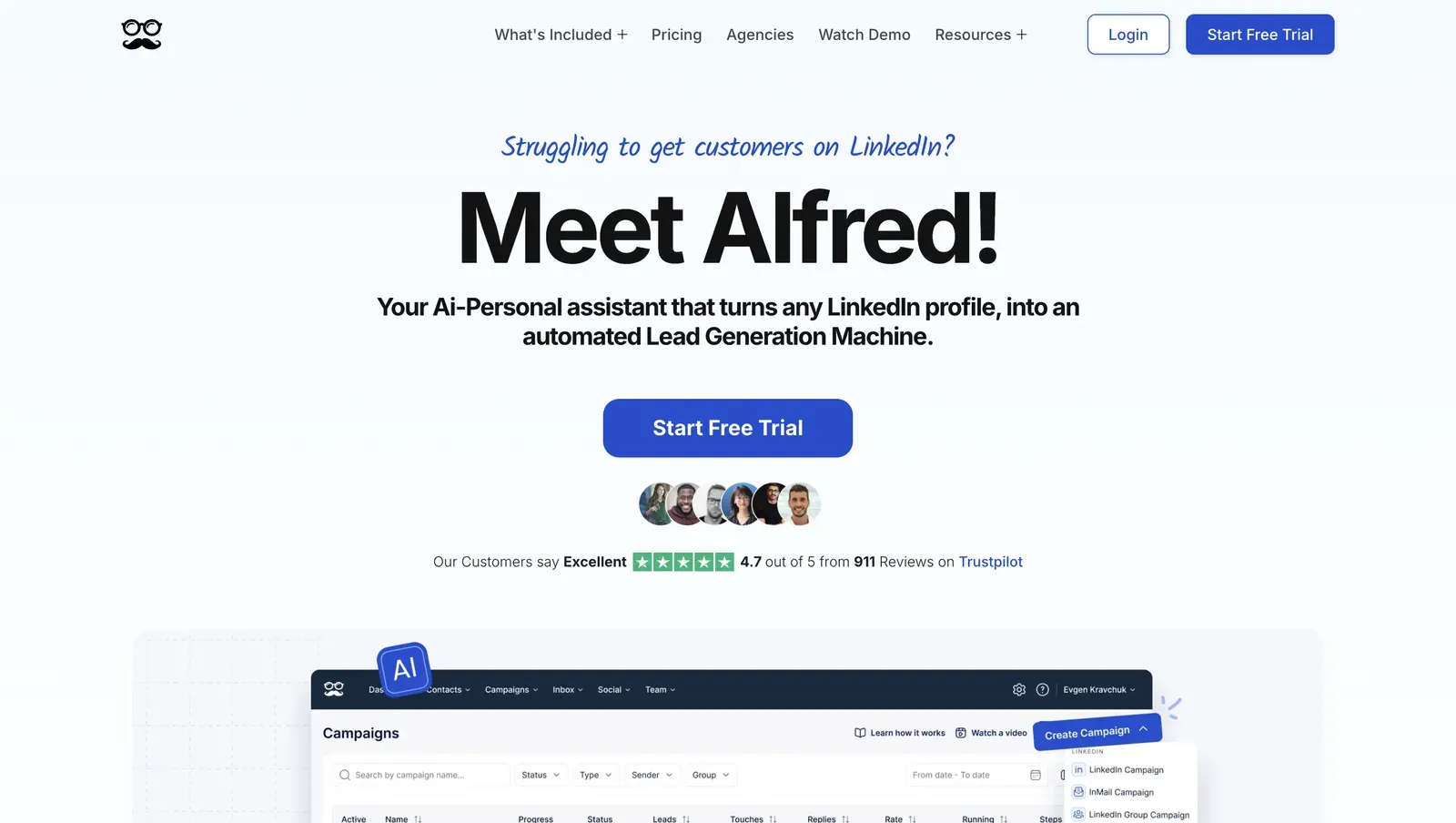
Meet Alfred homepage: AI LinkedIn assistant, Trustpilot Excellent 4.7 out of 5 from 911 reviews

Founded in 2016 and headquartered in Sydney, Australia, Meet Alfred combines a cloud campaign builder, Lead Finder, verified email enrichment, Smart Inbox, and a lightweight CRM. Against HeyReach's LinkedIn-only baseline, the extra channel coverage is the reason it appears here; annual billing drops Basic to $29/mo, while a 20-seat agency floor is $6,960/yr, which makes the cost case visible before reliability is considered.

Quick facts about Meet Alfred

  • Founded: 2016
  • HQ: Sydney, Australia
  • Pricing: $59/mo ($29/mo annual), 14-day free trial listed / 7 days observed
  • Ratings: G2: 3.2★ (30) · Capterra: 2.77★ (13) · Trustpilot: 4.73★ (884) — sharp platform split
  • Last 6 months: too few reviews to trend (<10; 1 rated)
  • Architecture: cloud with credential login (no public extension)

Vendor pricing & feature pages (fetched Apr-Jun 2026) + G2, Capterra, Trustpilot & Reddit reviews (computed 2026-07-05)

Key Features

  • LinkedIn, email, and X/Twitter outreach in one campaign flow — useful when HeyReach's LinkedIn-only scope is the wrong channel mix.
  • Built-in Lead Finder and email verification — contact data can feed follow-up without a separate finder in the first pass.
  • Linear sequences with reply detection — contacts pause after replies, but this is not if/then/else workflow depth.
  • AI message generation and personalization — available for outreach copy drafting.
  • Smart Inbox, LinkedIn CRM, CSV export, and Zapier integration — CRM handoff is bridge-based, not a native connector set.
  • Endorse action plus Pro-tier Groups & Events Automation on the pricing page; per-recipient auto-invite depth remains unverified, so this is a data conflict rather than a clean feature gap.

The useful signal is divergence: Trustpilot carries the support, safety, and ease praise, while the smaller B2B-review samples carry more reliability and blocking reports. These cards show the positive side of that split.

What reviewers say about Meet Alfred

Real-world scenario The strongest migration story in the Meet Alfred review set is a Trustpilot customer whose team left after repeated LinkedIn blocking and a billing dispute. We treat it as the scenario card because it names Linked Helper as the destination and ties the move to safety, reliability, and cost.

I and my team switched to LinkedIn Helper … is better, has no issues like we had with MeetAlfred and is a couple times more cost-effective.

Read the full review on Trustpilot

Trustpilot
Rating: 1 out of 5
E
Eric

Reported limitations

Account risk reports The review set includes 49 safety-signal reviews, so this is a pattern, not an outlier.

LinkedIn can clearly detect when this tool is used as it blocks you for days when you have no campaigns set up… it's most likely a robotic process automation tool on the back end… you can't use SSO as a login… HUGE security risk.
G2 1.0★
View Original

Safety and Setup Notes

Meet Alfred ships no public LinkedIn extension, so there was nothing to tear down — the safety story is the live cloud test.

What was checkedResult
Login modelCredentials login — a fresh LinkedIn session starts from vendor infrastructure
Can I choose the desired location?Yes — 247 locations
Can I add my own proxy?Yes — no proxy-quality checker
Can I select a timezone when adding an account?Yes
Cloud IP for account 1109.238.196.65 — WS Telecom, Île-de-France / Paris, FR
OS / browser for account 1 (tool-reported)Chrome Mobile / iOS
Account 1 IPQualityScore resultIPQS fraud 0/100 (independent IP-quality signal, not LinkedIn's verdict) · no proxy/VPN/recent abuse · Data Center (rented-server class) · abuse velocity low · manual note: spam
Cloud IP for account 2 (same geo)158.46.140.148 — WS Telecom, Île-de-France / Paris, FR
OS / browser for account 2 (tool-reported)Chrome Mobile / Android
Account 2 IPQualityScore resultIPQS fraud 0/100 · no proxy/VPN/recent abuse · Residential · abuse velocity none · manual note: spam
Same IP or /24 across the two accounts?No same IP; no same /24; Yes shared ISP — WS Telecom
Is a credit card required for the trial?No
Trial duration7 days observed — matrix lists 14 days

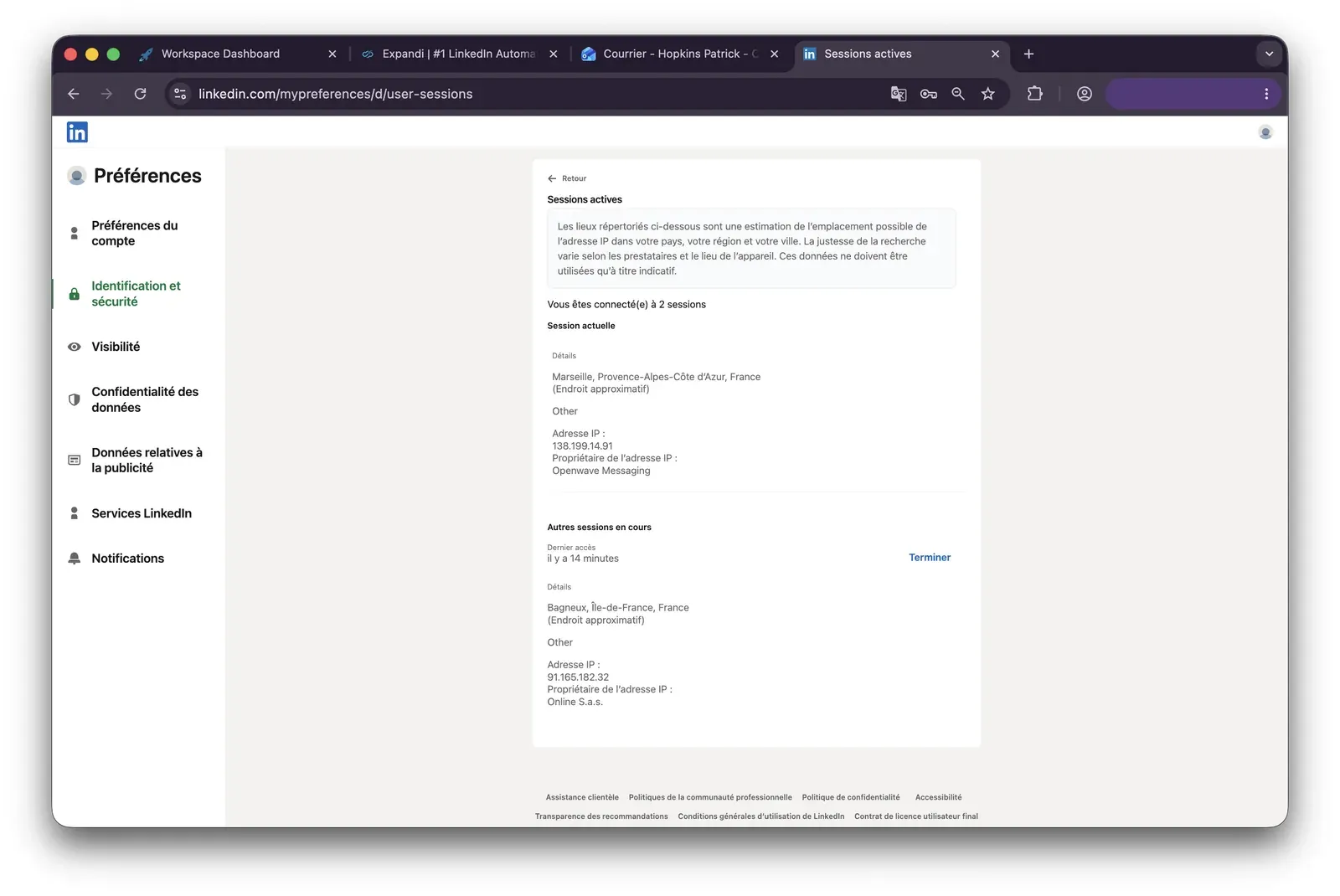
Meet Alfred — live cloud/IP test (July 2026, two accounts, registered from France)

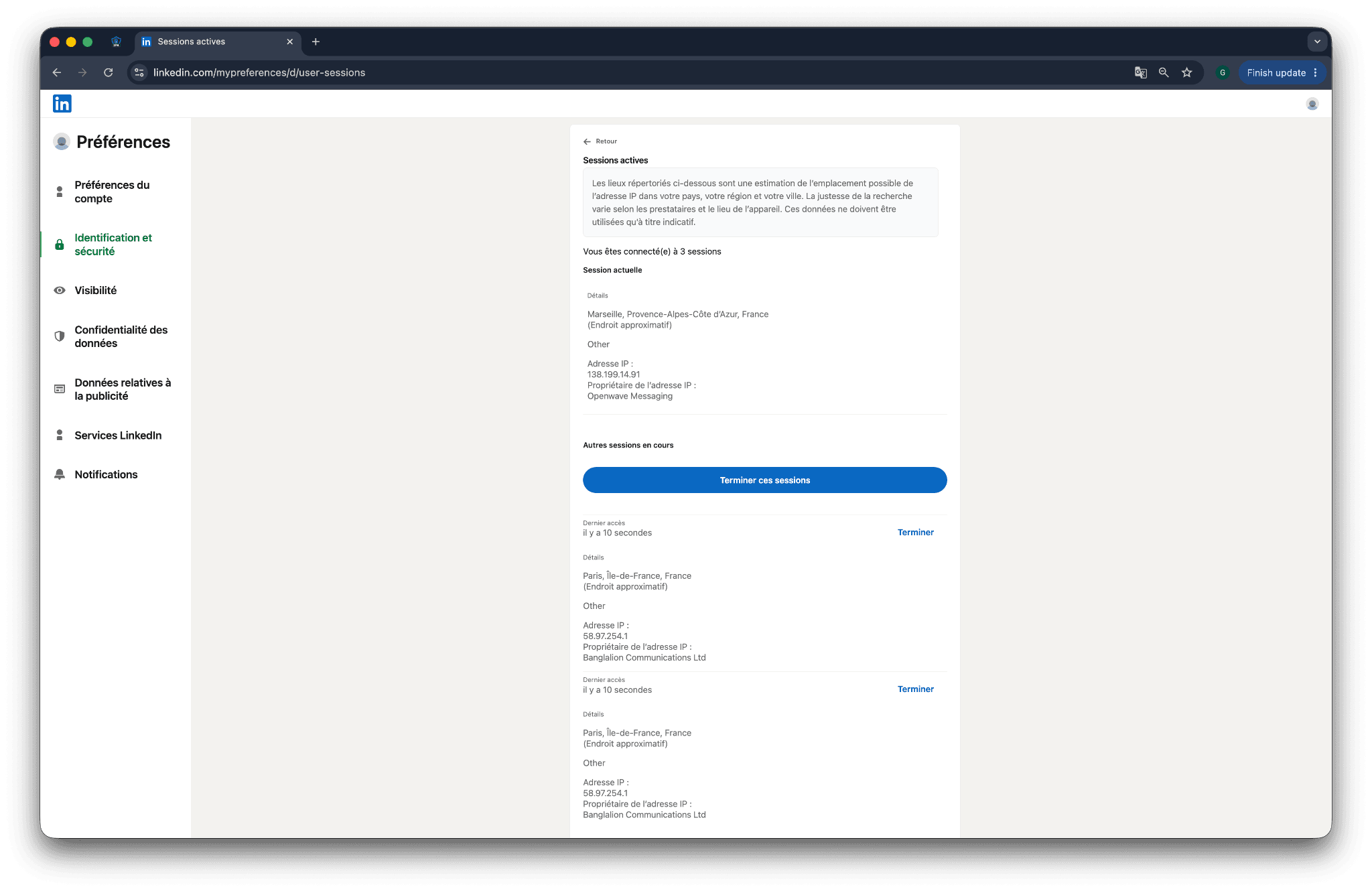
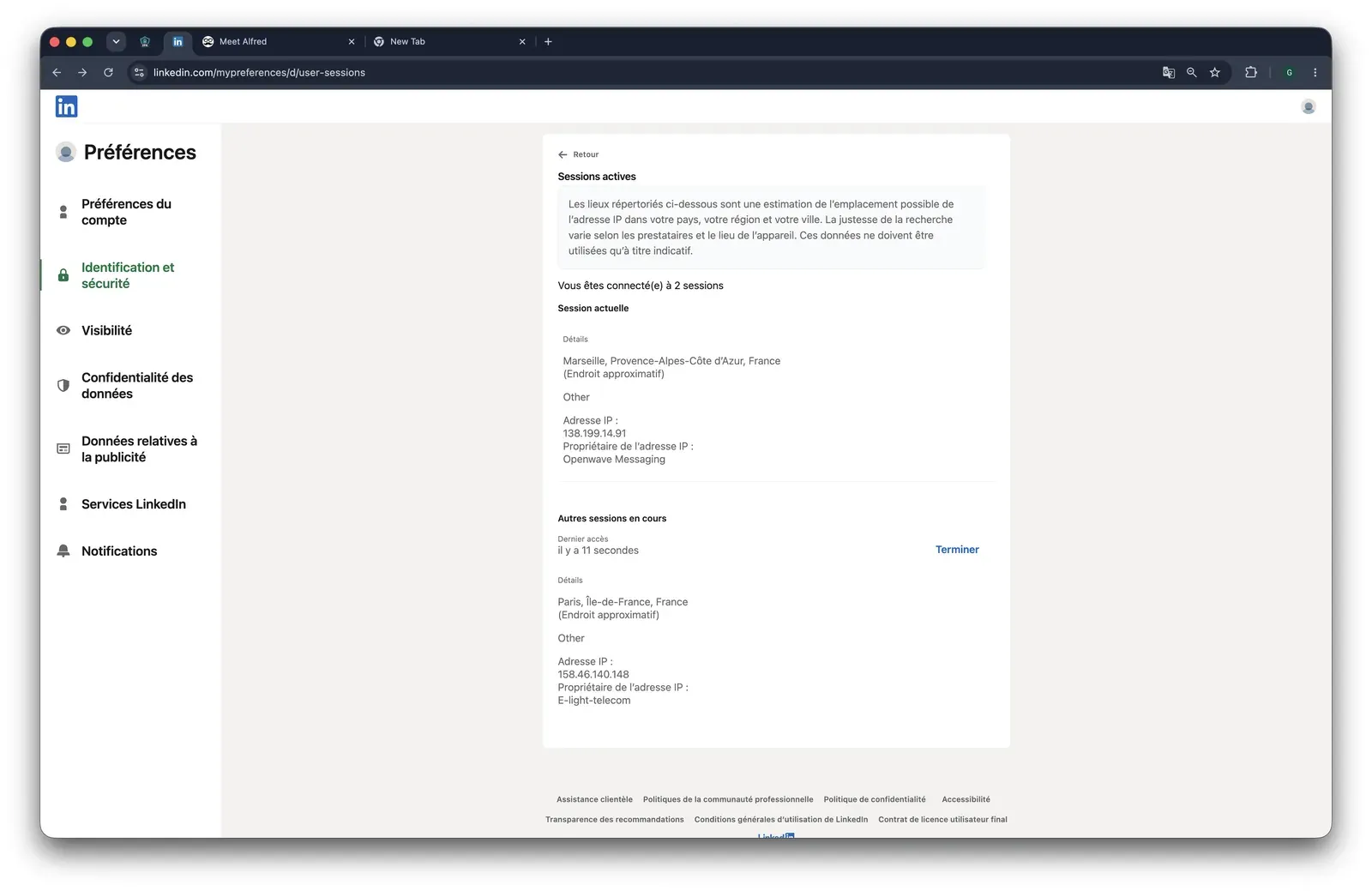
Meet Alfred test LinkedIn active sessions: IP 138.199.14.91 (Openwave) plus 158.46.140.148 (E-light-telecom)

In my read, the meaningful issue is assignment: custody and exit-IP quality are decided by the vendor cloud, not by the buyer. IPQualityScore (IPQS) is an independent IP-quality signal rather than LinkedIn's own verdict, and a datacenter-class origin is still a rented-server footprint LinkedIn can treat differently from a normal home or mobile login. AED (Active Extension Detection, LinkedIn's extension-ID probe) is non-applicable here, but both accounts still depended on one shared provider, which is why the trade-off is budget multichannel coverage versus reliability and custody.

Bottom line Teams that need budget LinkedIn, email, and X/Twitter outreach in one workspace reach for Meet Alfred, especially when Zapier is enough for CRM handoff.

If the priority is deeper LinkedIn automation, lower seat cost, and keeping custody of the LinkedIn session off a vendor cloud, Linked Helper is the pivot: desktop execution, VPS support, and Web Version login-based access to a Linked Helper instance running on a VPS.

How To Choose The Right HeyReach Alternative

Start from architecture, not features; it decides more of the trade-off than any single capability.

If your priority is...Choose...The trade-off
Deep LinkedIn feature coverage plus local session custodyDesktop standaloneYou get the only architecture here that keeps the session off vendor servers by design; everything else is cloud or extension-based.
Coordinated LinkedIn, email, and other-channel sequencingCloud credential-loginYou gain channel breadth, but the session runs on vendor infrastructure and the reader must inspect IP, proxy, and timezone controls.
Lowest possible starting cost while tolerating a browser extensionCookie-bridge extensionThe signup can be cheap, but the extension can be visible to LinkedIn scanners and the session is copied to vendor cloud.

Architecture-first decision system for HeyReach alternatives

Cost at scale is the second check. Recompute the table's 20-seat column for the number of accounts you will actually run, especially if you manage client accounts. HeyReach's unlimited-account-per-seat model can matter for high-volume agency operations, but that is a budget equation, not a recommendation to ignore feature depth or session custody.

For a real scaling example, see how a lead-gen agency scaled past 60 meetings a month on Linked Helper.

Our Recommendation: Linked Helper

Linked Helper wins the workflow-depth question and the price question at the same time, while keeping LinkedIn activity in an environment the user controls. That combination is the reason we recommend it here, not a generic claim that every team needs the same setup.

  • AI-generated personalized outreach with flexible approval modes. Generate highly personalized messages with AI, then either review them before sending for high-value accounts or let campaigns send them automatically at scale.
  • AI-powered ICP validation. Validate whether prospects actually match your ideal customer profile instead of relying solely on LinkedIn filters, helping agencies spend invitation limits on higher-quality leads.
  • AI-generated contextual comments. Create unique comments based on a prospect's post content, making engagement campaigns look authentic instead of relying on repetitive templates.
  • Agency-friendly multi-account management. Manage multiple client LinkedIn accounts, reuse campaign templates, share workflows across teams, and centralize operations from a single environment.
  • Native CRM with complete LinkedIn messaging history. Keep profiles, companies, and conversation history together, making it easy for agencies to hand off accounts, reactivate old leads, or continue client campaigns without losing context.
  • Deep workflow automation. Combine 13 native LinkedIn data sources, enrichment, messaging history, conditional logic, and reply tracking into complex workflows that would otherwise require several separate tools.
  • Targeted relationship-building actions. Endorse specific skills, leave AI-generated comments, and automate engagement with more control than blanket actions, helping outreach appear more natural.

The honest gap: Linked Helper is LinkedIn-focused, with no native cold-email or multichannel sequence builder. Pair it with a dedicated email tool if that channel matters.

The honest friction: desktop setup takes more steps than a cloud signup. VPS plus Web Version gives 24/7 browser access to your Linked Helper instance, but the initial setup is still more deliberate.

LinkedIn Safety & Risk Reduction

Safety is a detection-stack problem, not a brand slogan. LinkedIn evaluates policy violations, activity volume, behavior patterns, account history, device signals, extension traces, and session/IP consistency; readers control only part of that stack.

LinkedIn's own Help Center says it does not permit third-party software, bots, browser plug-ins, or extensions that scrape, modify, or automate activity on LinkedIn's website: Prohibited software and extensions. Practical risk reduction means conservative daily volume, working hours, stop-on-reply logic, pause-on-warning rules, and IP stability, not IP rotation. If you manage several accounts, use a dedicated stable IP per account and check its quality before connecting it.

For deeper reading, use LinkedIn's list of flagged automation extensions, how LinkedIn detects automation extensions and API tools, and our test of 42 LinkedIn proxy providers.

Safety note: No tool eliminates ban risk or the risk of LinkedIn restrictions. Results depend on account age, daily action volume, IP stability, and behavior patterns.

Methodology Deep-Dive

This appendix is the one place where I spell out the first-hand safety vocabulary. The short version: I tested visible network behavior and inspected shipped extension code; those methods add evidence, not certainty.

First-Hand Testing

In June 2026, I used the same method family described in Linked Helper's security study: static code checks of published extensions and live two-account sign-up tests from France for cloud tools.

First-Hand Testing

CheckQuestions it answeredExample finding
Live sign-up testWhere does the cloud session run, which IP is assigned, can location or proxy be controlled, and what does IP quality show?HeyReach assigned datacenter IPs that IPQS scored 100; see the HeyReach findings below.
Source-code teardownWhat does the shipped extension read, where does it send session data, does it inject into LinkedIn, and is it on the AED list?HeyReach's login extension POSTed the LinkedIn cookie jar to api.heyreach.io; see the HeyReach findings below.

First-hand checks used for this article

TermWhat it isWhy it matters
IPQualityScore (IPQS)An independent fraud-prevention service that rates IP addresses on a 0-100 fraud scale using its own abuse and honeypot network.It is an independent IP-quality signal, not LinkedIn's enforcement verdict; a high score adds risk context rather than proving a restriction.
Datacenter vs residential/mobile IPIP addresses are classified by origin: a rented server environment versus a home or phone connection.For LinkedIn, a personal session operating from a datacenter IP stands out because most genuine users log in from residential or mobile IPs.

Live sign-up test glossary

TermWhat it isWhy it matters
li_at / JSESSIONIDYour LinkedIn login in cookie form: li_at is the session cookie, and JSESSIONID carries the CSRF token.Whoever holds them can act as the account without the password, so uploading them hands account control to vendor infrastructure.
Cloud-bridge / session-upload extensionAn extension whose job is to copy the LinkedIn login cookie to vendor cloud, which then runs the account from its own IP.That creates one session on two IPs in parallel, and the vendor-side copy may not appear in LinkedIn's active sessions list.
AED (Active Extension Detection)The label visible in LinkedIn's production JavaScript where extension scan results ship as AedEvent.Being on the list means installed is visible to LinkedIn before the tool performs an action.
Passive DOM scanA page-level scan for extension traces such as injected UI, buttons, panels, or chrome-extension URLs.It can catch an extension footprint even if the extension ID is not yet on the AED list.
Synthetic isTrusted=false eventsBrowser events fired by code rather than a real person carry a read-only isTrusted=false flag.An extension cannot switch that flag off through normal extension APIs.
BrowserGateAn independent investigation that reverse-engineered LinkedIn's production JavaScript and documented extension scanning, page scans, and device fingerprinting.It maps the detection mechanics; it is not itself the scanner.

Source-code teardown glossary

Research Limitations

These checks cannot prove every cloud-side internal process. When extension code sends a session to a vendor endpoint, the next server-side step is highly likely, not directly observable. IPQS is a scoring model, not a LinkedIn tripwire. Findings are tied to the June 2026 test setup, and vendors can change code or infrastructure. No tool eliminates ban risk; the test only shows which signals are added.

First-Hand HeyReach Findings

HeyReach is a cookie-bridge / session-upload tool: the live sign-up test put both sender accounts on datacenter IPs that IPQS scored 100, and the source-code teardown shows why — the login extension harvests the full LinkedIn cookie jar and POSTs it to api.heyreach.io, so the account runs from HeyReach's cloud rather than the user's browser.

What was checkedResult
Login modelCredentials login plus a companion Chrome extension; the teardown below shows the linked session is uploaded to HeyReach's cloud after setup
Can I choose the desired location?Yes — 154 locations
Can I add my own proxy?Yes — custom-proxy fields in the popup, but no built-in proxy-quality checker
Can I select a timezone when adding an account?No
Cloud IP for account 145.146.212.28 — Altinea SAS, Paris / Ile-de-France, FR
OS / browser for account 1 (tool-reported)Chrome / Windows
Account 1 IPQualityScore resultIPQS fraud 100/100 · proxy Yes · VPN Yes · recent abuse Yes · connection type Data Center · ISP Altinea SAS · high-risk on IPQS's own scale
Cloud IP for account 2 (same geography)45.146.212.36 and 45.146.212.149 — Altinea SAS, Paris / Ile-de-France, FR
OS / browser for account 2 (tool-reported)Chrome / Windows — identical OS/UA fingerprint to account 1
Account 2 IPQualityScore resultBoth IPs IPQS fraud 100/100 · proxy Yes · VPN Yes · recent abuse Yes · connection type Data Center · ISP Altinea SAS
Same IP or /24 across the two accounts?Different individual IPs, but both sit in the same /24 and share one ISP (Altinea SAS)
Is a credit card required for the trial?No
Trial duration14 days

HeyReach — live cloud/IP test (June 2026, two accounts, registered from France)

What was checkedFinding
Ships a public extension?Yes — the official extension that links a LinkedIn account to HeyReach (v1.0.6, MV3)
Architecture verdictCloud-bridge / session-upload (code-verified, high confidence) — its only job is to hand the LinkedIn session to HeyReach's cloud, which then runs the account server-side
Reads the LinkedIn session cookie (li_at)?Yes — reads li_at, then harvests the full linkedin.com cookie jar and POSTs it to api.heyreach.io, so whoever holds it can act as the account
Direct LinkedIn (Voyager) API calls?Yes — a one-time /voyager/api/me profile lookup during account linking, not ongoing automation
Injects code into LinkedIn's page (DOM)?No — no content scripts; it runs from the background worker and popup, so there is no passive DOM-scan footprint on LinkedIn pages
Fires synthetic (isTrusted=false) clicks?No — the only synthetic event fires inside the extension popup, not on linkedin.com pages
Blocks LinkedIn telemetry?No telemetry blocking — but it does block your logout: a network rule plus a navigation listener silently cancel LinkedIn logout to keep the uploaded session alive
Enforced daily cap in the code?None found — the extension ships no rate or delay controls; all pacing is cloud-side
On LinkedIn's AED probe list?No — in the June 2026 snapshot the extension ID was not on LinkedIn's hardcoded probe list, and it declares no web-accessible resources, so no AED probe applies

HeyReach extension — source-code teardown (June 2026)

The login extension is not on the AED list in the snapshot I checked, so LinkedIn cannot see it installed the way it can an AED-listed extension — the narrow good news. The bottom line is unchanged: this is not an instant restriction, but HeyReach adds a session-custody and network-quality signal — the session leaves your machine and the account acts from a datacenter IP — that a desktop standalone model does not add. No tool eliminates the risk of LinkedIn restrictions.

Methodology And Sources

Publisher disclosure

This article is published by Linked Helper. Our recommendation is our own product. We compared it against the alternatives above using public review data, vendor and pricing checks, and first-hand safety checks where observable. For the technical detail behind the safety claims, read Methodology Deep-Dive before relying on any single table cell.

FAQ

Linked Helper is our recommendation for users who want the deepest LinkedIn automation coverage at the lowest entry price. It starts at $15/mo, runs from a user-controlled environment, and covers the feature-depth gaps that matter in this HeyReach comparison.

Try Linked Helper free for 14 days

The most technically advanced platform for LinkedIn automation with a focus on security, a wide range of features, and exceptional customer support. Trusted by over 10,000 businesses worldwide.