
 Deep Context Analysis
 Match-Based Lead Routing
 Controlled Data Enrichment
 Funnel-Ready AI Qualification
 Safe Lead Qualification

Warm Up Matched Leads
- Read Each Post and the Author's Profile
- Match Your Goal, Tone and Length
- Comment as a Step Before the Invite or Message
Automatically analyze LinkedIn profiles against your ideal customer profile, qualify prospects based on contextual fit, and route only matched leads into your outreach campaign.


AI evaluates each profile for real relevance to your offer so your outreach finds
people who actually fit the market, role, and context you target.
 Without AI ICP Detection
 Wrong Audience

 With AI ICP Detection
 ICP Match
AI compares each profile with your ideal customer description — including role, company type, market, needs, and buying context — to understand whether the person is likely to fit your offer. The result is instant lead qualification, without wasting time reviewing profiles manually.

Choose which profile fields AI should analyze — personal info, summary, current company and position, experience, skills, location, and more. This keeps detection focused on the signals that actually matter for your ICP.

Set the minimum ICP match level. Profiles that meet it move to the Success list and continue to the next campaign action. Profiles that don't — go to the Failed list — never touching your invites, messages, follow-ups, or time.

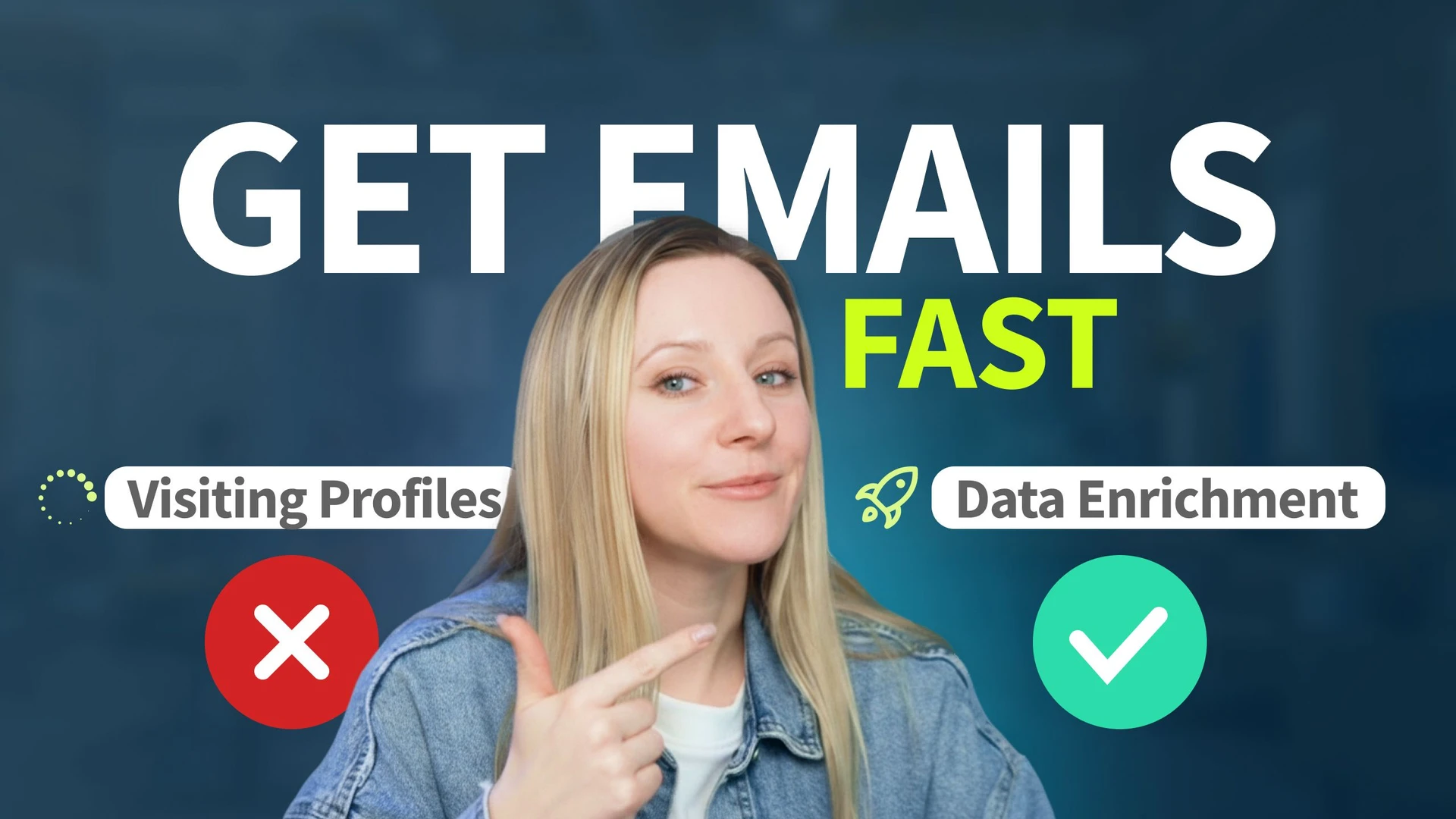
Choose how AI gets profile data for detection: instant Data Enrichment, visiting LinkedIn profile pages to extract more details, or relying only on data already in your database. Set data freshness to qualify leads using the most relevant profile information.

Add AI ICP Detection as a step inside your LinkedIn campaign workflow. Qualify leads first, then continue with invites, AI Personalized Messages, follow-ups, or other actions — reserved only for prospects that actually match your ICP.

AI ICP Detection decides who fits. Two more AI tools handle what comes next: warming matched leads up with comments and writing the messages that follow.

AI ICP Detection is ideal when outreach quality matters more than reaching the largest possible audience, helping you focus campaigns on people who fit your target profile rather than everyone who matches a filter.


No automation tool can guarantee zero risk, but Linked Helper analyzes and filters profiles within daily limits, working hours and human-like pacing that you control.

Linked Helper works in a real browser, acts at a human pace with mouse movements, typing and randomized delays, follows your working hours and daily limits, and runs from your own IP or a proxy you choose.
 Real BrowserHuman-like ActionsWorking HoursDaily LimitsYour Own IPDedicated Proxy
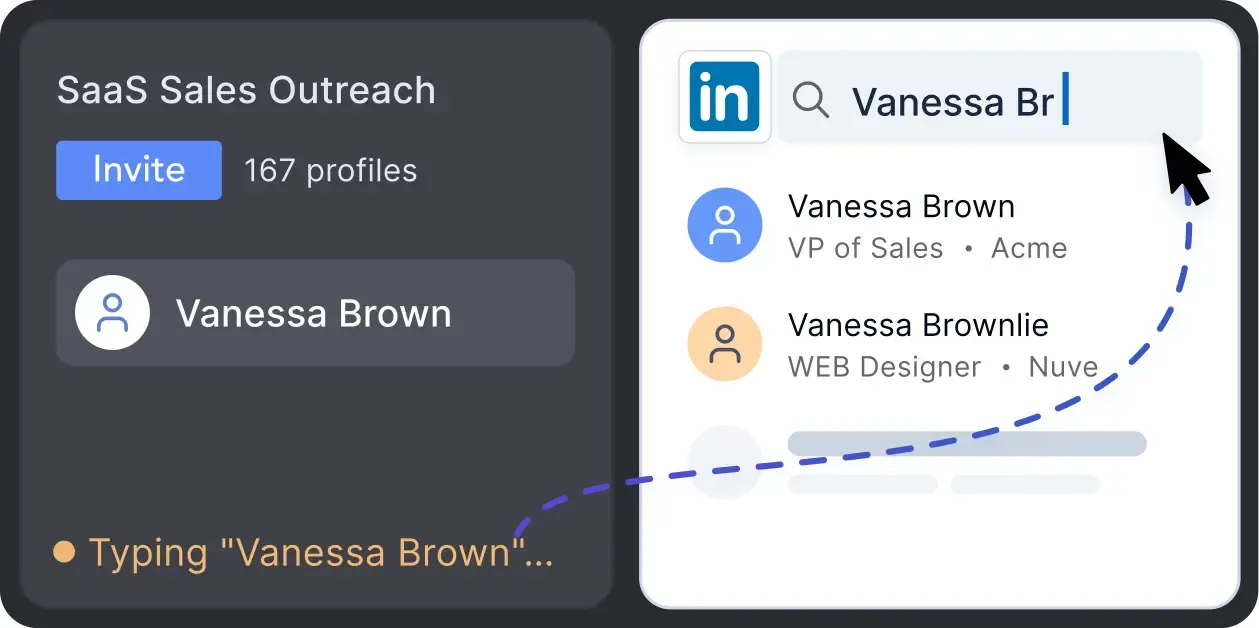
Mimics human actions with mouse movements and clicks, typing, and randomized delays. Navigates via LinkedIn search rather than direct URLs.
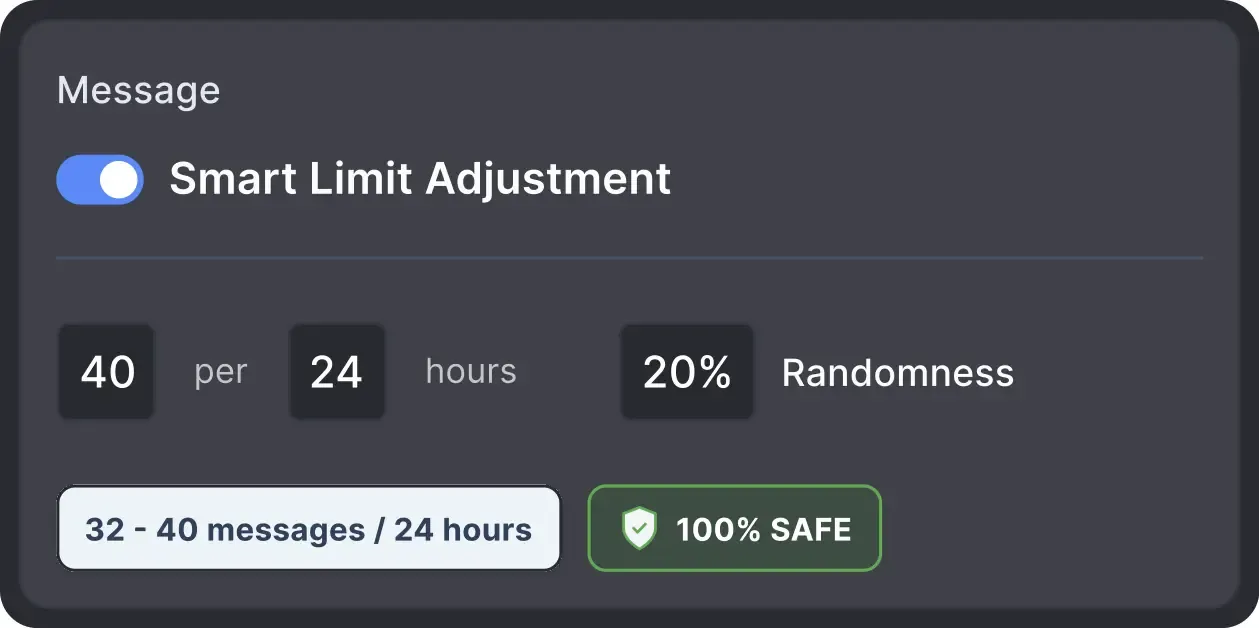
Operates within safe, recommended daily quotas and works on a "human-like" schedule (e.g., 9 AM - 5 PM) with random shifts to avoid robotic patterns.
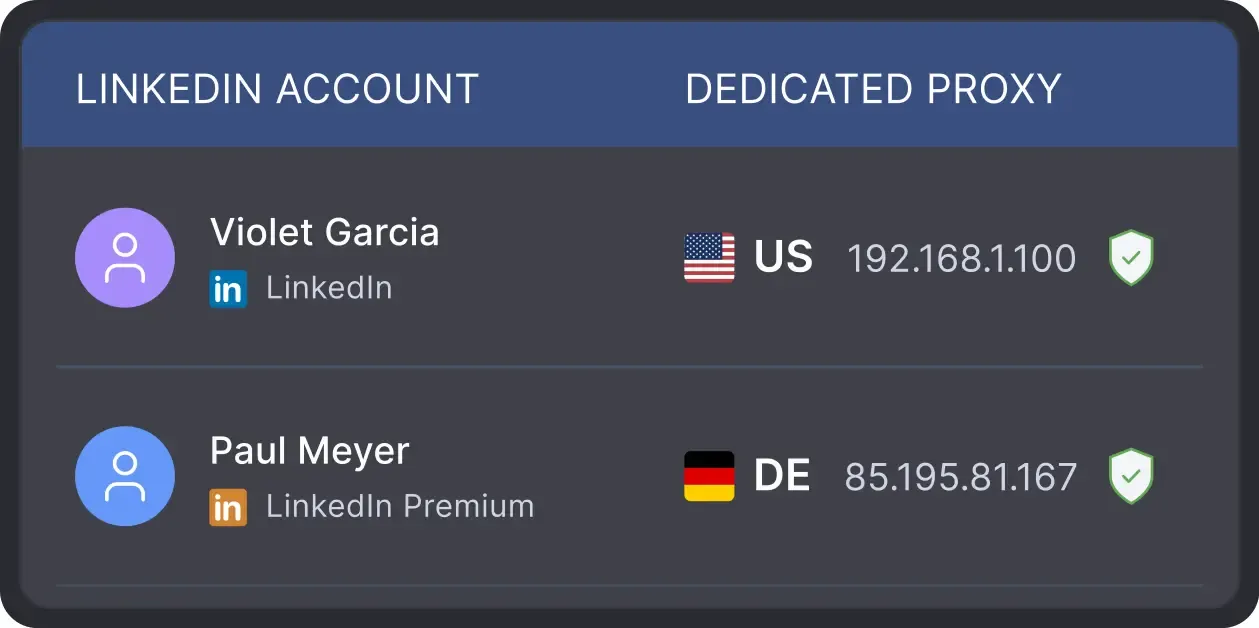
All activity comes from your local IP address or a chosen dedicated proxy, not a suspicious server, avoiding a major red flag for LinkedIn.

Basic

Premium

Sales Navigator

Recruiter
Basic
Premium
Sales Navigator
Recruiter
From finding leads to closing deals, Linked Helper automates every step of your outreach funnel. Explore the features that cover every step of your outreach.


Real reviews from Linked Helper users who build targeted lead lists and focus outreach on the people who fit.




I like everything about it: design, native interface, clear structure of work, incredible customization of campaigns and sequences, e-mail finder function, ability to synchronize with Sales Nav.
It helps me build a base of targeted contacts, start a dialogue, get interested in services, and, as a result, get targeted leads.

Linked Helper is invaluable in my daily work. It allows me to reach many decision-makers and expand sales opportunities. Campaign statistics give me control and the ability to react quickly.

Linked Helper is affordable, scalable and reliable. It gives me complete control over my campaigns. I use it for lead generation – hiring, sales, fundraising, sourcing target lists, personalizing and automating reach out on LinkedIn.
My overall experience is great. I like that it works, it's really easy to use, it's very natural, UX-friendly design. I like it because it helped me to connect to my clients, to my audience, and create automations instead of writing everything by hand.

This tool helps you automate outreach and attention-grabbing actions to help grow your network, leads, and sales. The follow, profile view, etc. helps you show up in a potential lead's notifications and will increase the likelihood of that person interacting with you.
I am able to create my LinkedIn marketing funnel more precisely. My target audience is in my 1st level of connections, and I can easily reach out to them whenever I need in just a few clicks.
Linked Helper saves a lot of time by automating not only the basic tasks but also advanced and human approaches. It also helps us keep everything organized and in one place, so it's easy to build lists of leads to develop by the representatives.
Amazing tool that covers entire LinkedIn lead generation on autopilot. Plugins give you extra features and I highly recommend checking those out. My favorite ones are multi-campaign runner, action working hours, and filter contacts.
My task was to send invites to potential clients, which took a lot of time and distracted from the main goal - correspondence with hot leads. Linked Helper allowed me to focus on important tasks while being confident that my account was safe because I could ensure secure settings.
As a startup company in the AI industry, I wanted to grow my LinkedIn network quickly, ethically and with minimal drama or effort. After some research on available tools I chose Linked Helper, because it had the functionality I required at the best price. In just 6 weeks, I have tripled my network.
No chatbots. No waiting days for a reply. Get fast, expert help from real people
who are committed to your success, anytime you need it.
Aleksandra T.
Business Owner, Supplies and Equipment
A huge shout-out to their Customer Support and Client Support teams—the helpdesk is incredibly responsive, professional, and always provides clear solutions to any technical questions.
 Review
24/7 LIVE CHAT & EMAIL
Get a real human response in minutes, not days.
REMOTE ASSISTANCE
If you're truly stuck, we can connect to your computer and guide you.
IN-DEPTH KNOWLEDGE BASE
Step-by-step video tutorials and articles for every feature.
Standard plan includes the full LinkedIn automation toolkit, with usage limits on some advanced features.
Pro plan increases advanced feature and integration limits, and adds full message history export.

All your data stays on your device in local folders you can access directly.

Each account has its own isolated storage - no data mixing.

With outgoing webhooks, Linked Helper can send data to third-party systems.

Data is stored in local folders on your device. No app, no internet required to access your files.

Install the app on a new device and pick up right where you left off.

Share LinkedIn accounts and campaign data without manual exports.
With incoming and outgoing webhooks, Linked Helper can receive data from and send data to third-party systems.

Your data is automatically backed up to the cloud - no risk of losing it if something happens to your device.

Switch devices or reinstall the app without moving files manually.
Local tax may apply
Join our weekly live training for a kick-start, or explore our library of bite-sized guides at your own pace. We provide every resource to help you scale safely.

A 60-minute live walkthrough to kick-start your LinkedIn lead generation. Register now to join live or receive the recording by email even if you can’t attend.

BLOG POST
VIDEO TUTORIAL
AI ICP Detection is a Linked Helper campaign action that checks each LinkedIn profile against your ideal customer profile before outreach starts. It helps decide whether a lead is a good enough fit to continue to the next campaign step.
Let AI check every profile against your ideal customer profile, filter out bad-fit leads before the first invite, and spend your outreach on people worth talking to. Try it free for 14 days, no credit card required.








 Save My Spot