 Available Data
 Use Cases
 Organization Scraping
 Find Profile Emails
 Integrations
 Data Sources
Give Every Lead More Context
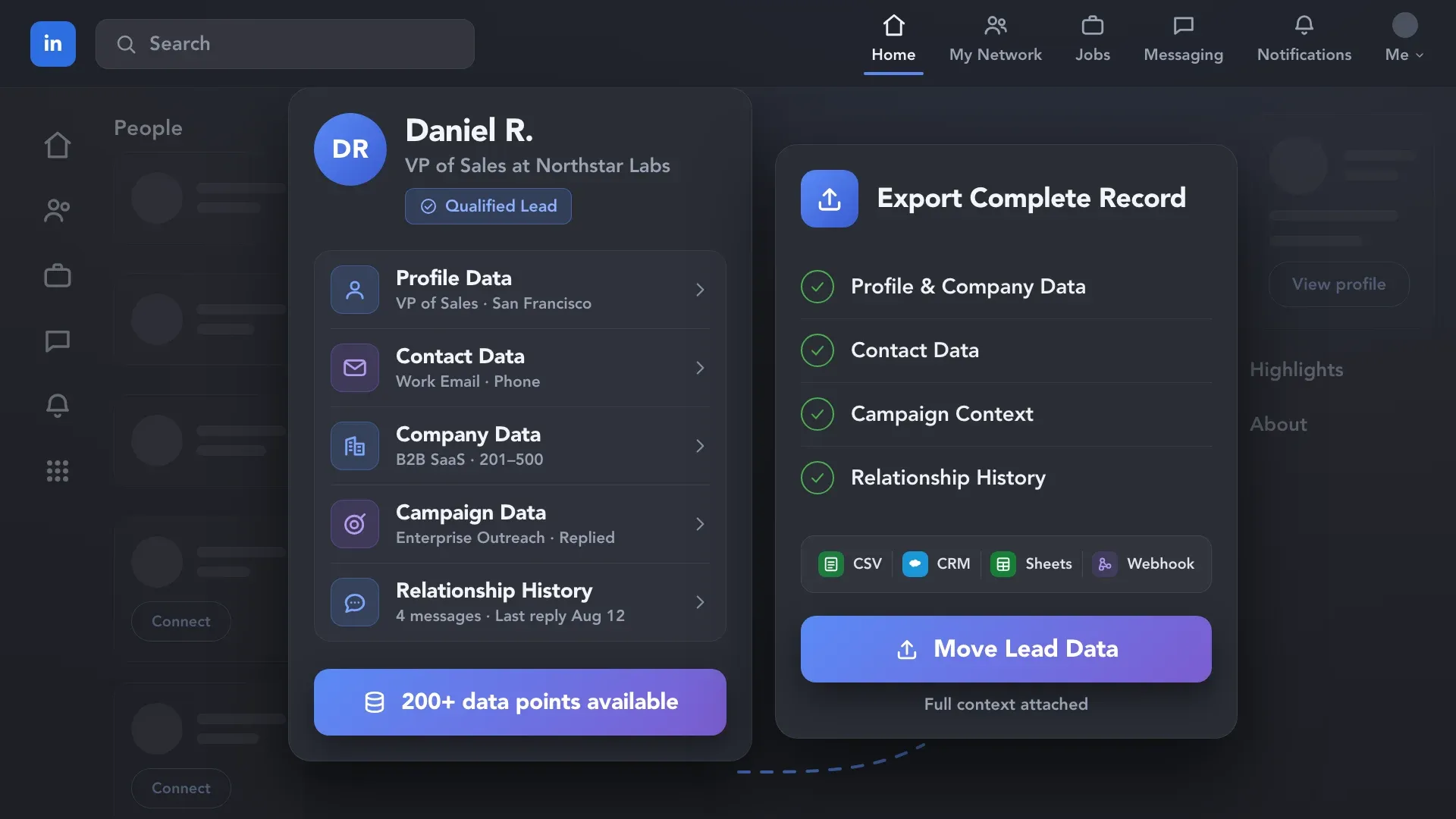
Bring a prospect’s role, experience, company details, and available contact information into one record. Use that context to prepare a relevant approach and send selected fields to your CRM for follow-up.
Extract available data from LinkedIn profiles, company pages, and conversations. Add missing details when needed, then use structured records in Linked Helper, CSV files, or your CRM.










 WITHOUT LINKED HELPER
 WITH LINKED HELPER
 Structured Records
Collect available roles, experience, skills, contact details, company information, and conversation history to build detailed, structured lead records.
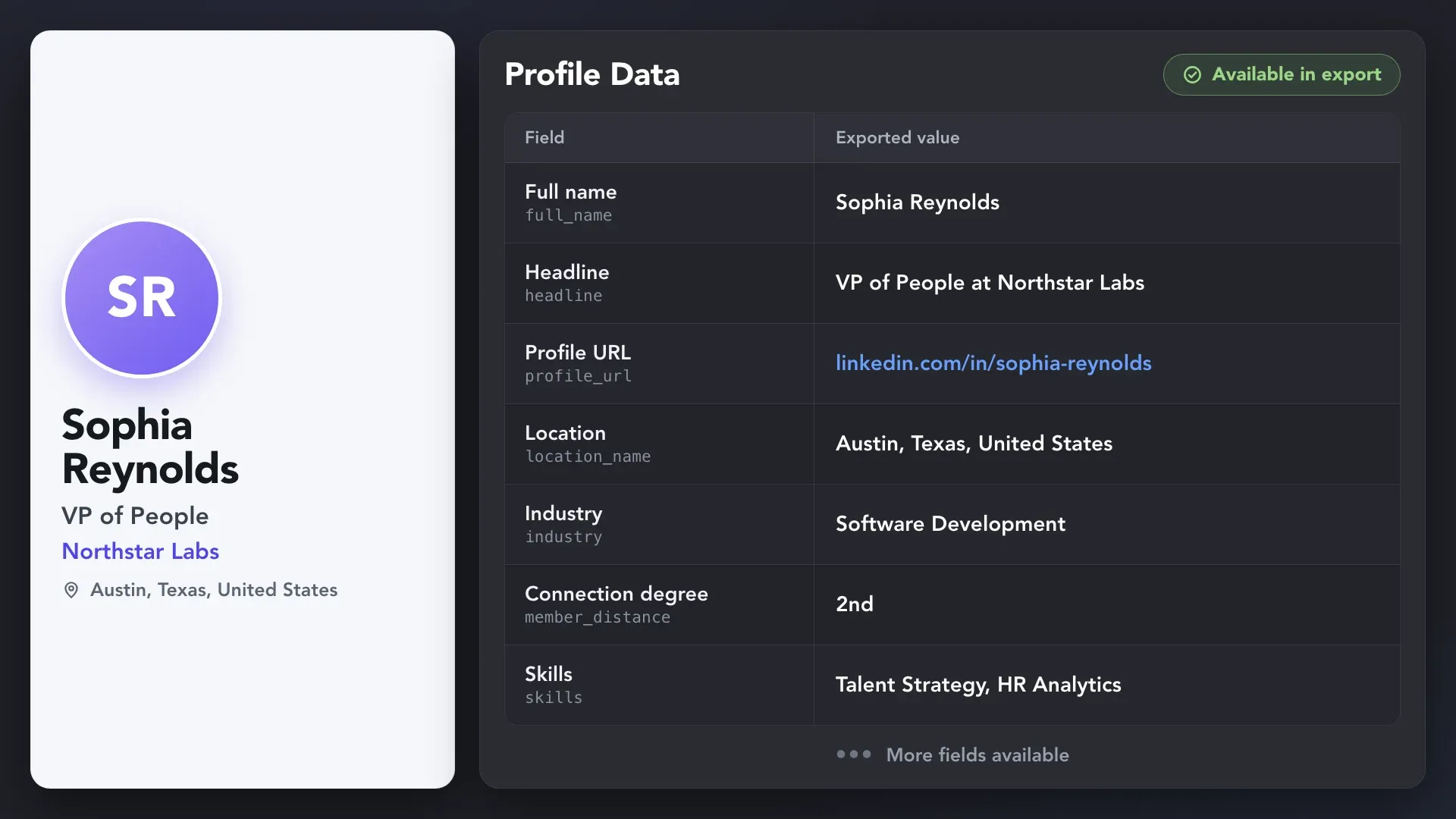
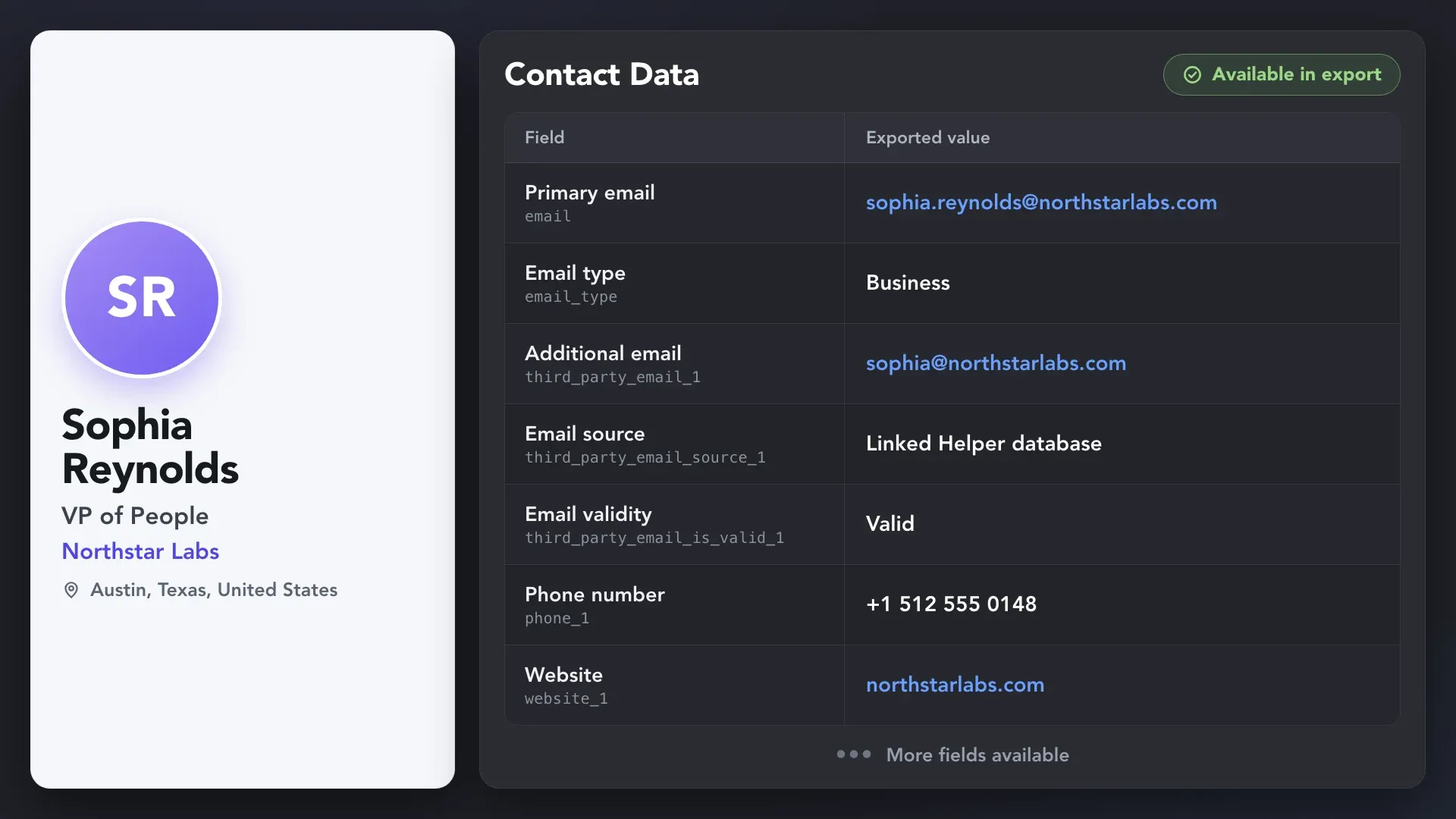
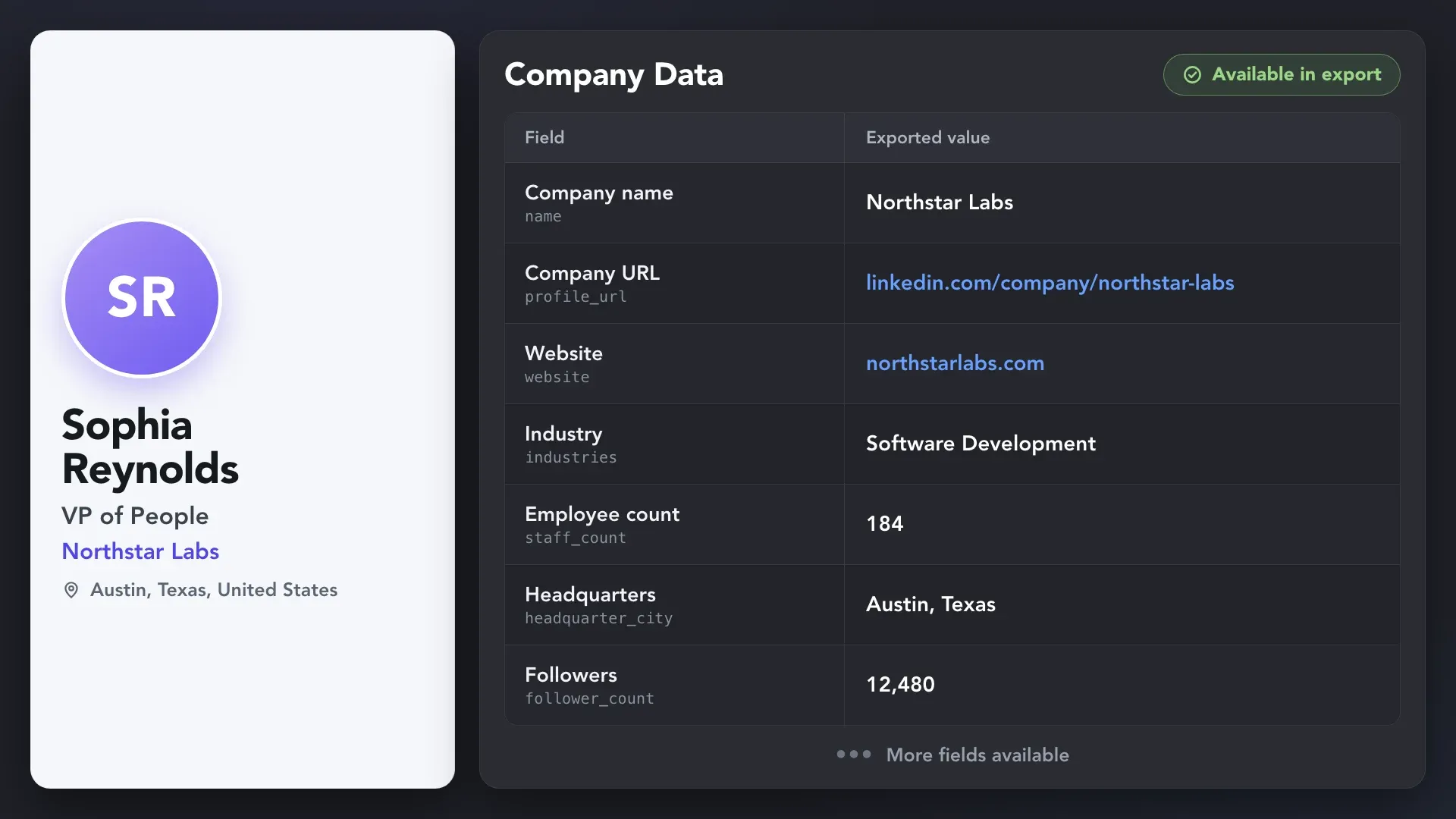
Build records around the work you need to do, whether you’re researching a prospect, comparing candidates, or adding context to your CRM.


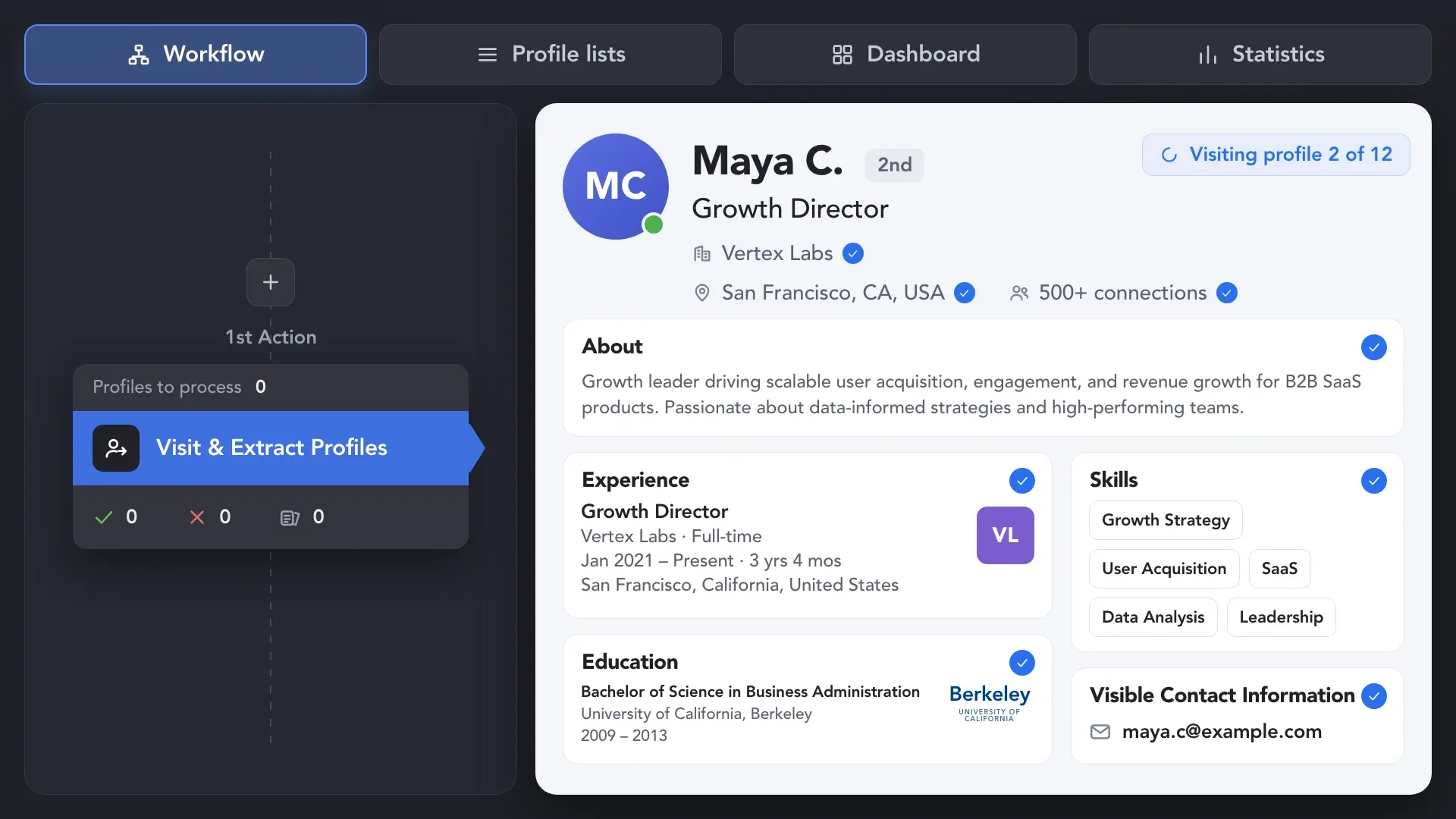
Use Visit & Extract profiles to collect the roles, experience, education, skills, and location visible to your account. It works with 1st-, 2nd-, and 3rd-degree connections and saves data in Linked Helper’s CRM. For 1st-degree connections, it also captures available emails and phone numbers.
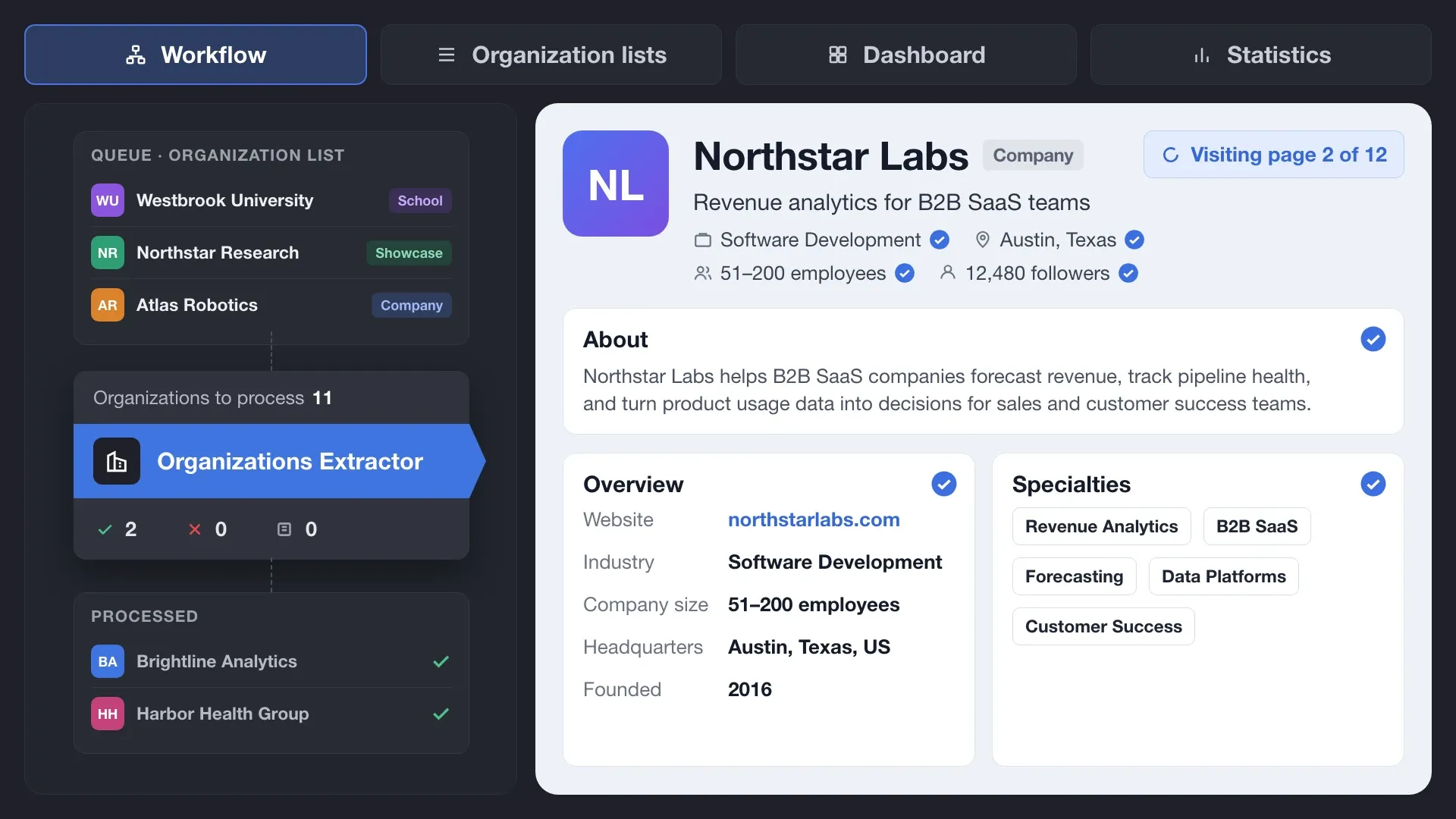
Use Organizations extractor to visit LinkedIn company pages, educational institution pages, and Showcase Pages and collect available details such as industry, company size, website, location, and description. Linked Helper saves the information as structured organization records you can compare, analyze, and export.
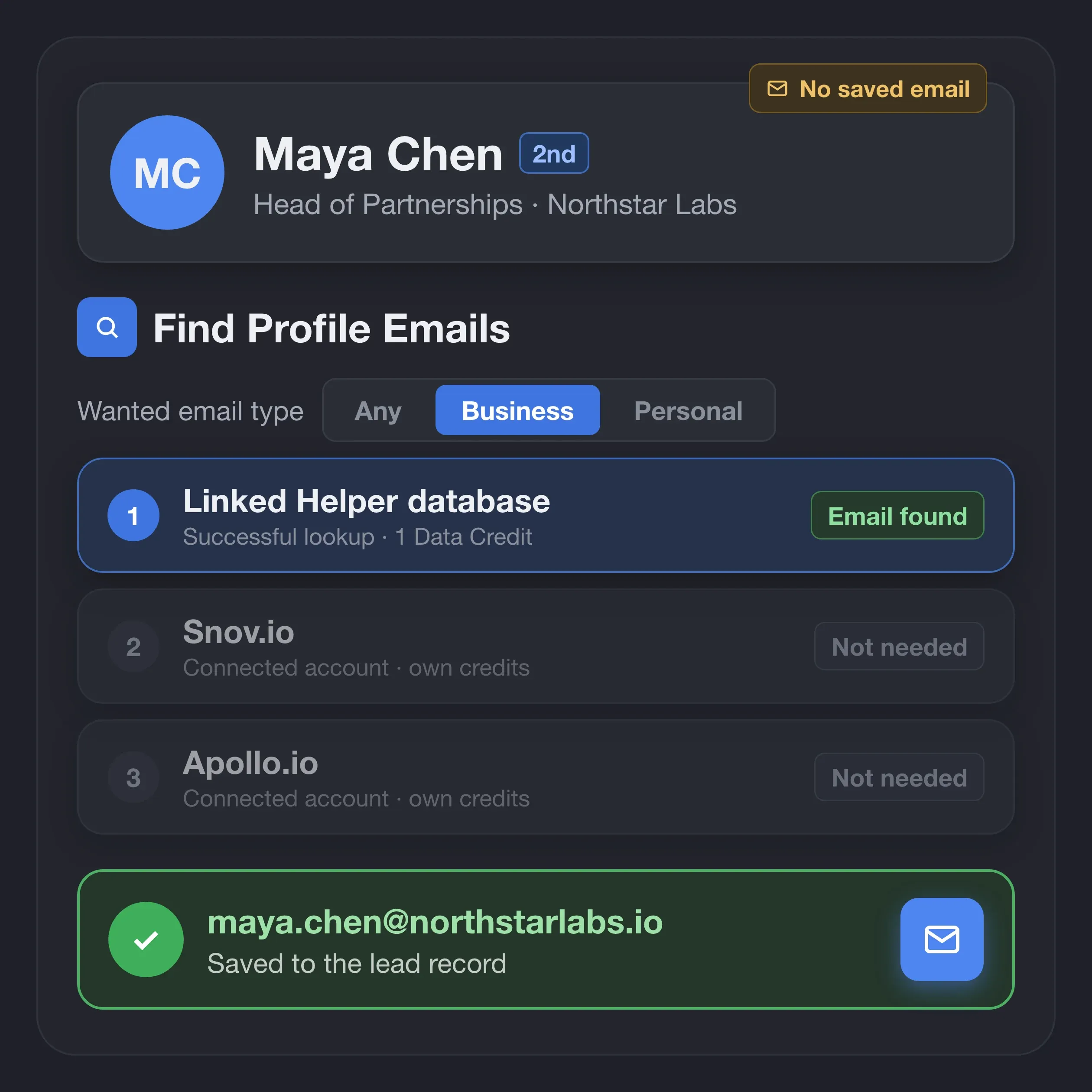
Get emails for profiles that don’t have one yet, including 2nd- and 3rd-degree connections. Linked Helper searches its database first, then your connected Snov.io and Apollo.io accounts, and saves the email to the lead record. Data Credits are used only for successful database matches.
Retrieve available profile, company, and contact details instantly from Linked Helper’s database. Use Data Credits for the data groups found and save the results to your contact records.
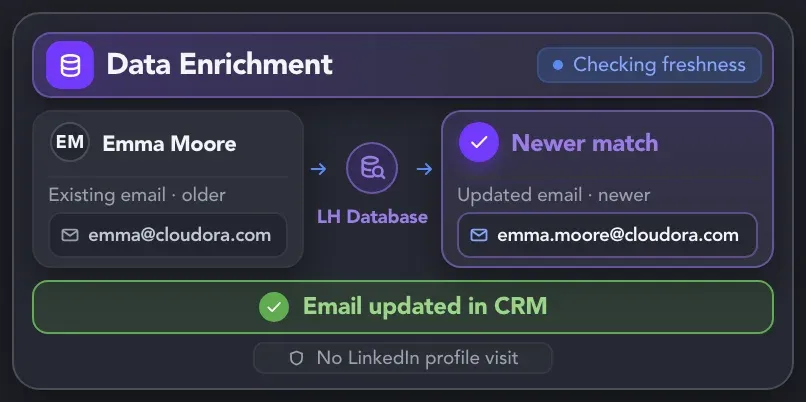
Find available emails, phone numbers, and other profile and company details for 2nd- and 3rd-degree connections. Database lookups don’t open LinkedIn profiles, so you save your daily LinkedIn activity for invitations and messages.
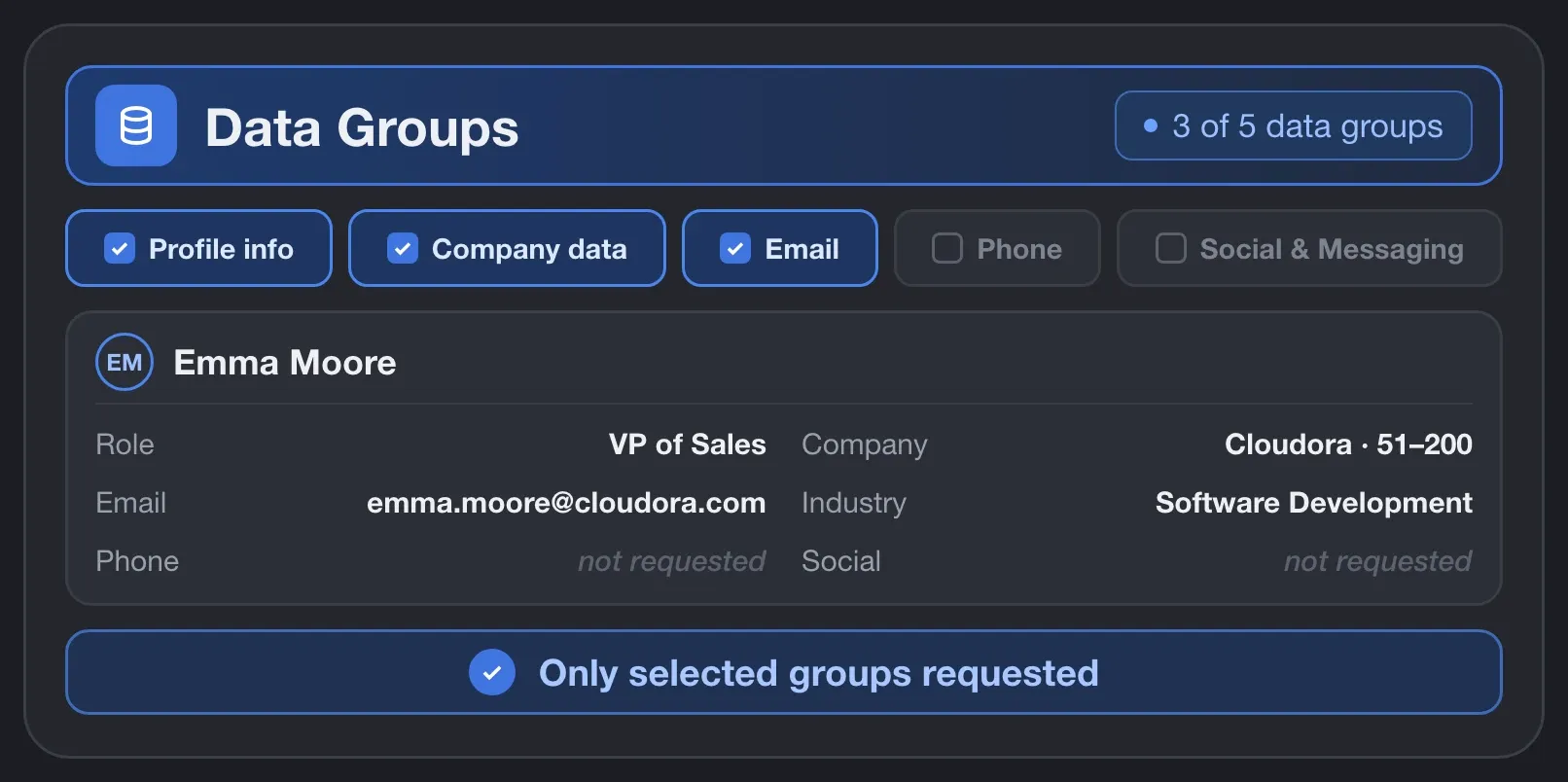
Select profile details, company information, emails, phone numbers, or social links. Request the data groups relevant to your task, whether you need contact details or a fuller professional and company background.
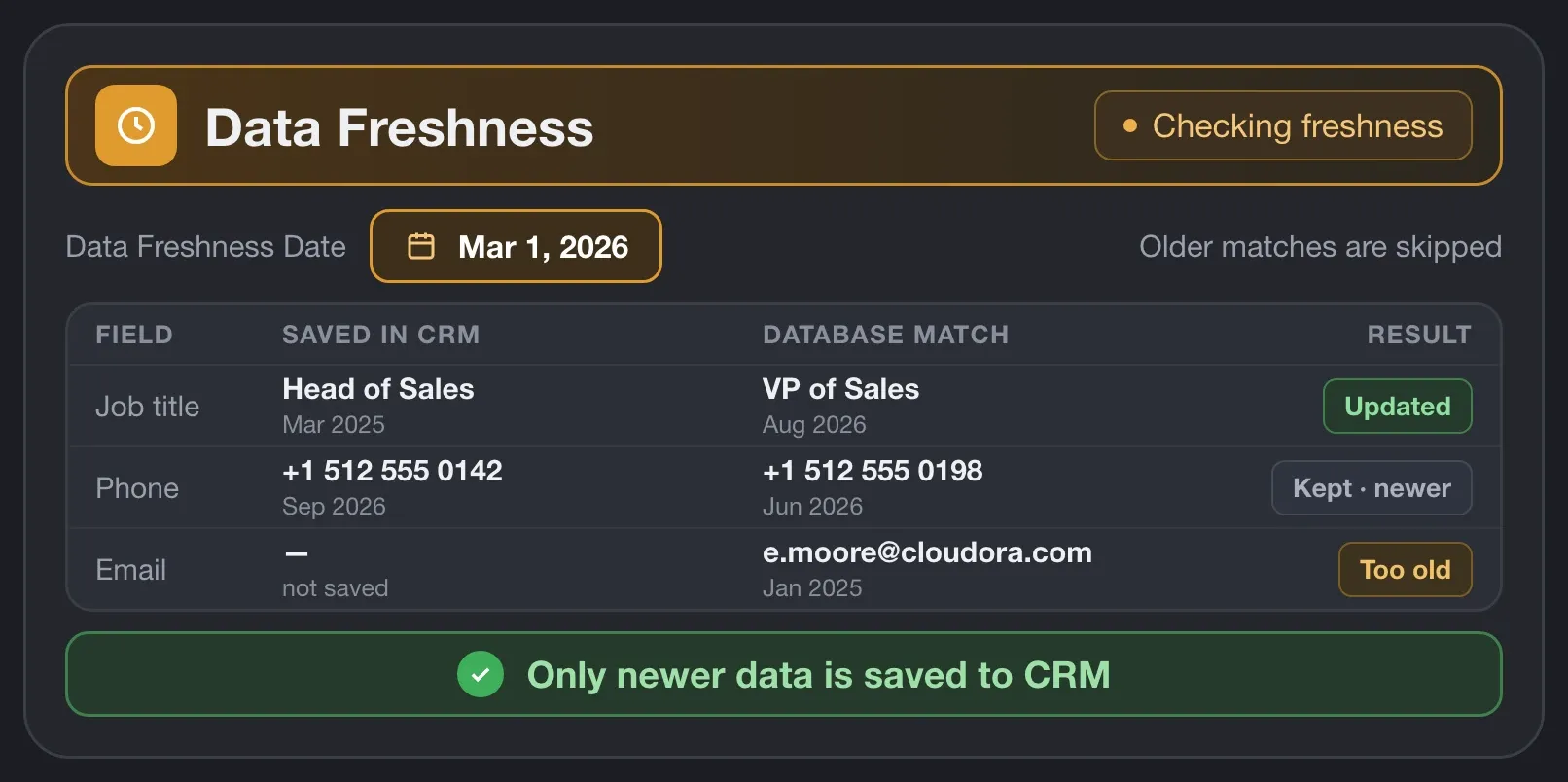
Set the maximum age of information retrieved from the database. Linked Helper checks available matches against your limit and updates saved fields only when the retrieved information is newer.
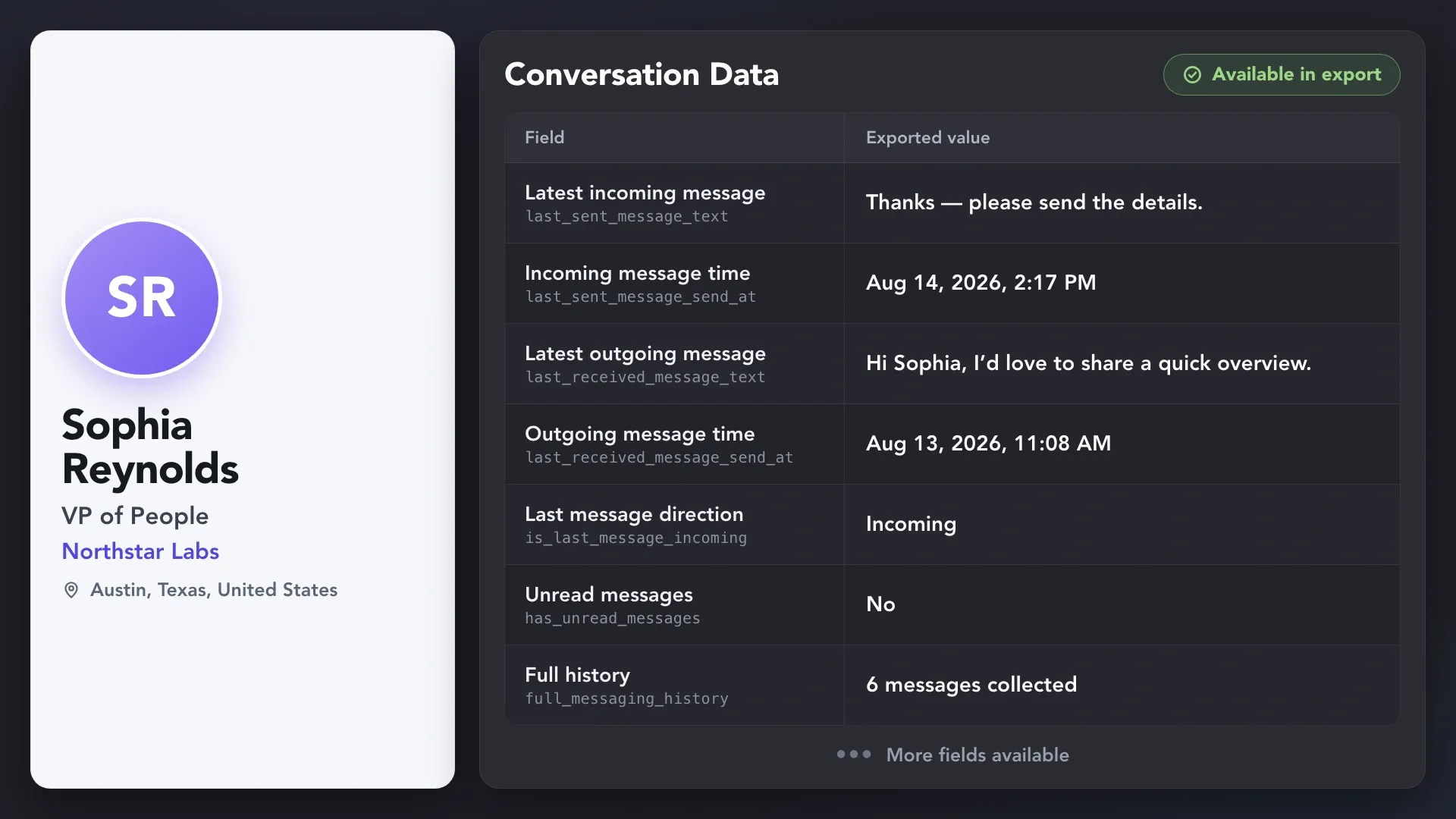
Use Scrape messaging history to save one-to-one chats from LinkedIn, Sales Navigator, and Recruiter inboxes to each contact’s Linked Helper CRM card, including profiles you never contacted through Linked Helper. Conversations stay with you after a Sales Navigator or Recruiter subscription ends, and with Pro you can download them as CSV or send them to your CRM via webhook.
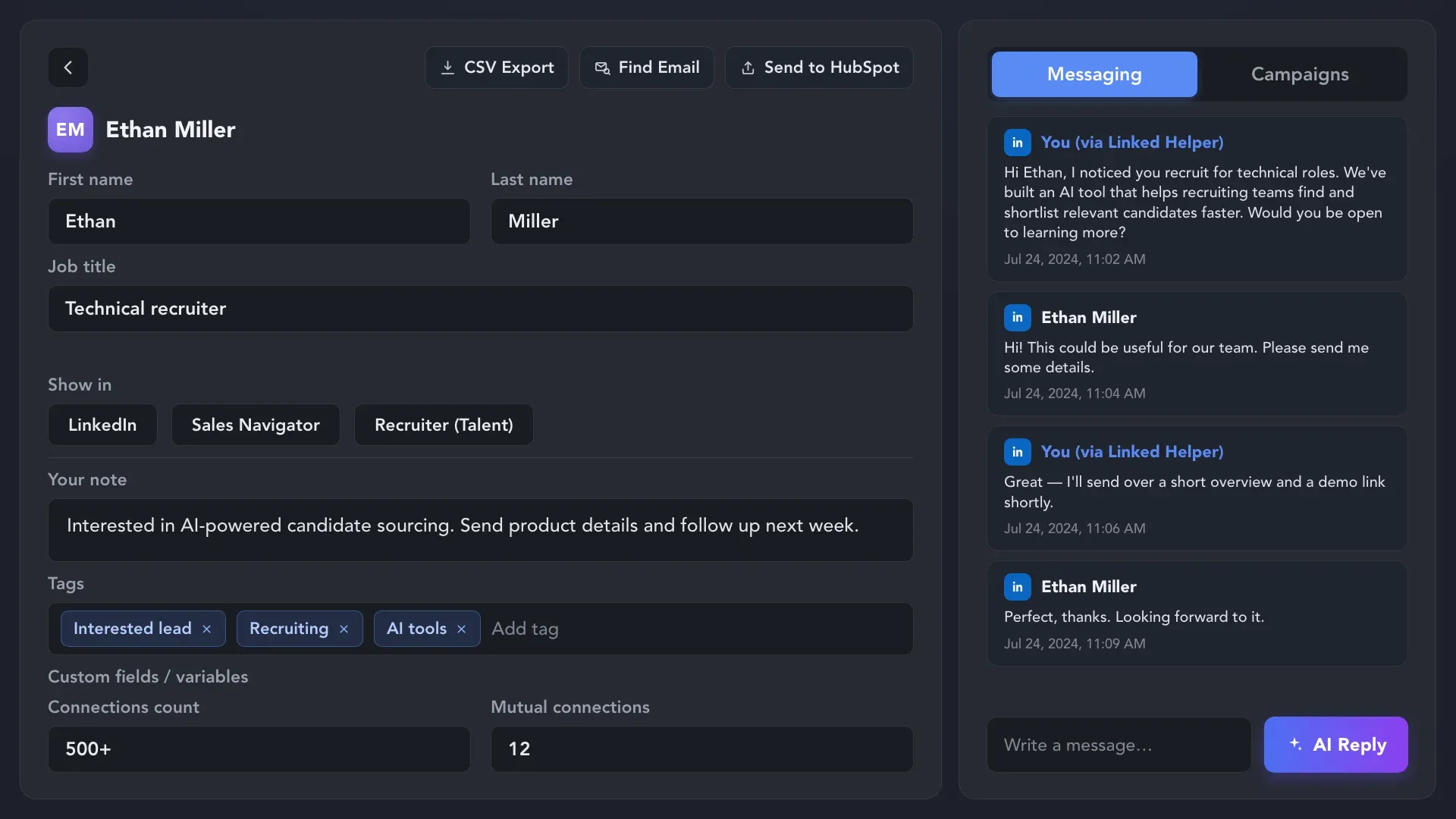
Move collected information into the tools your team already uses. Review a contact in Linked Helper, download structured records, or pass selected fields to a connected system.
 CSV
CSVSelect records in Linked Helper and use Download to create a CSV for spreadsheets, analysis, or an import into another tool.
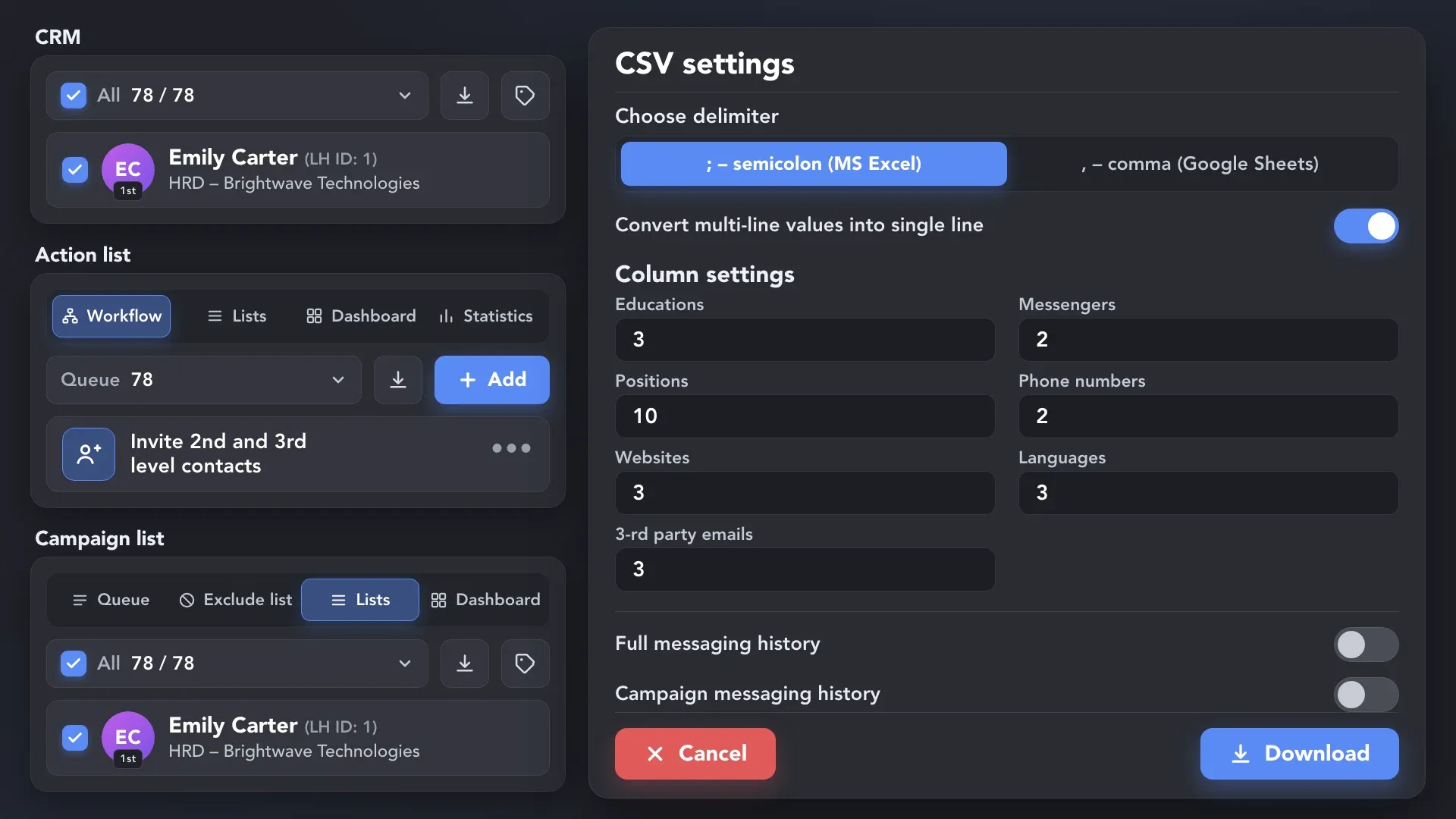
 CRM
CRMUse Send person to external CRM to pass selected profile fields to a supported CRM. Configure field mapping, matching identifiers, and update rules for the destination.
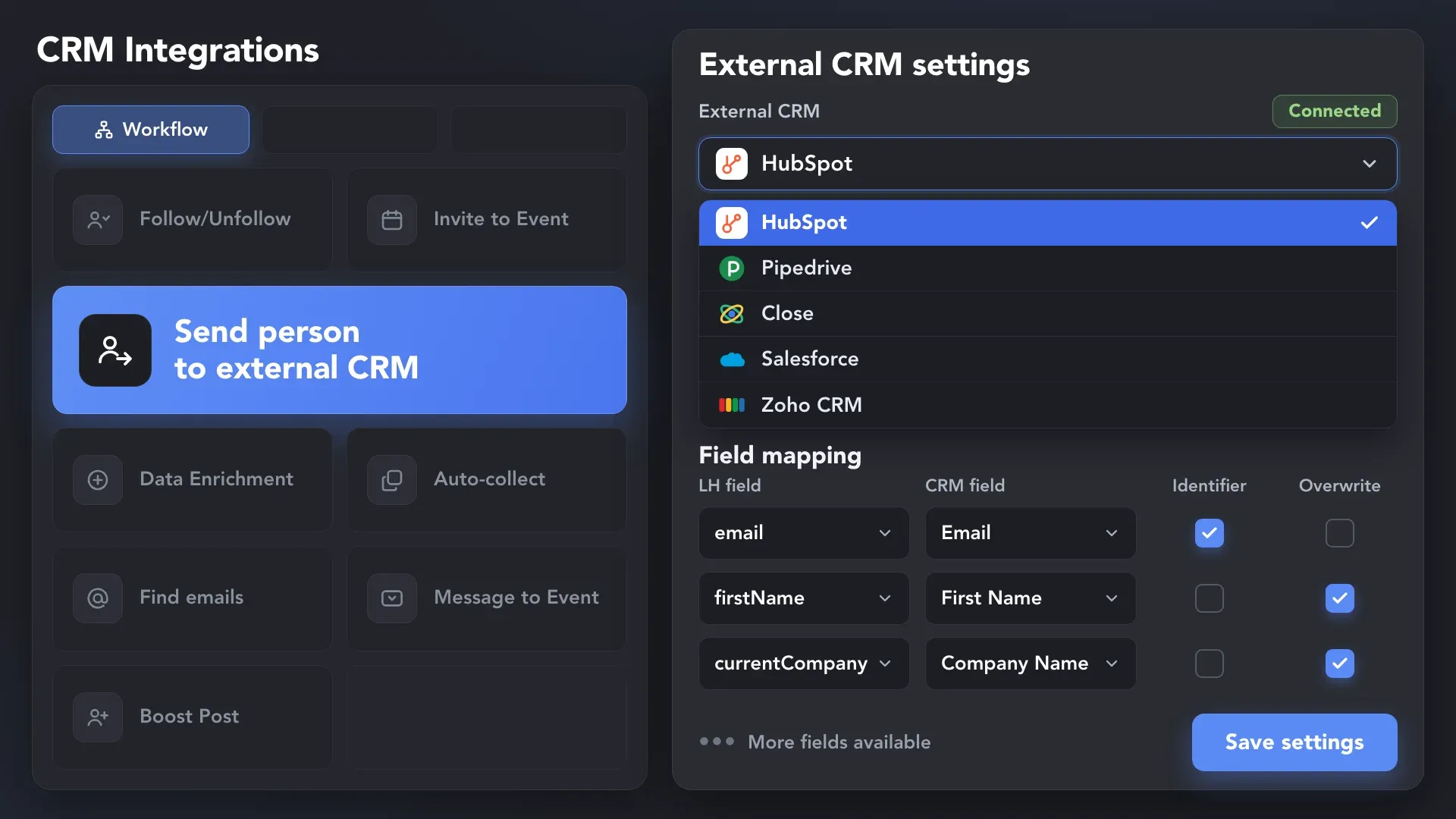
 Webhooks
Use Send person to webhook to deliver configured data to a receiving system or automation service as profiles reach that action in your campaign.
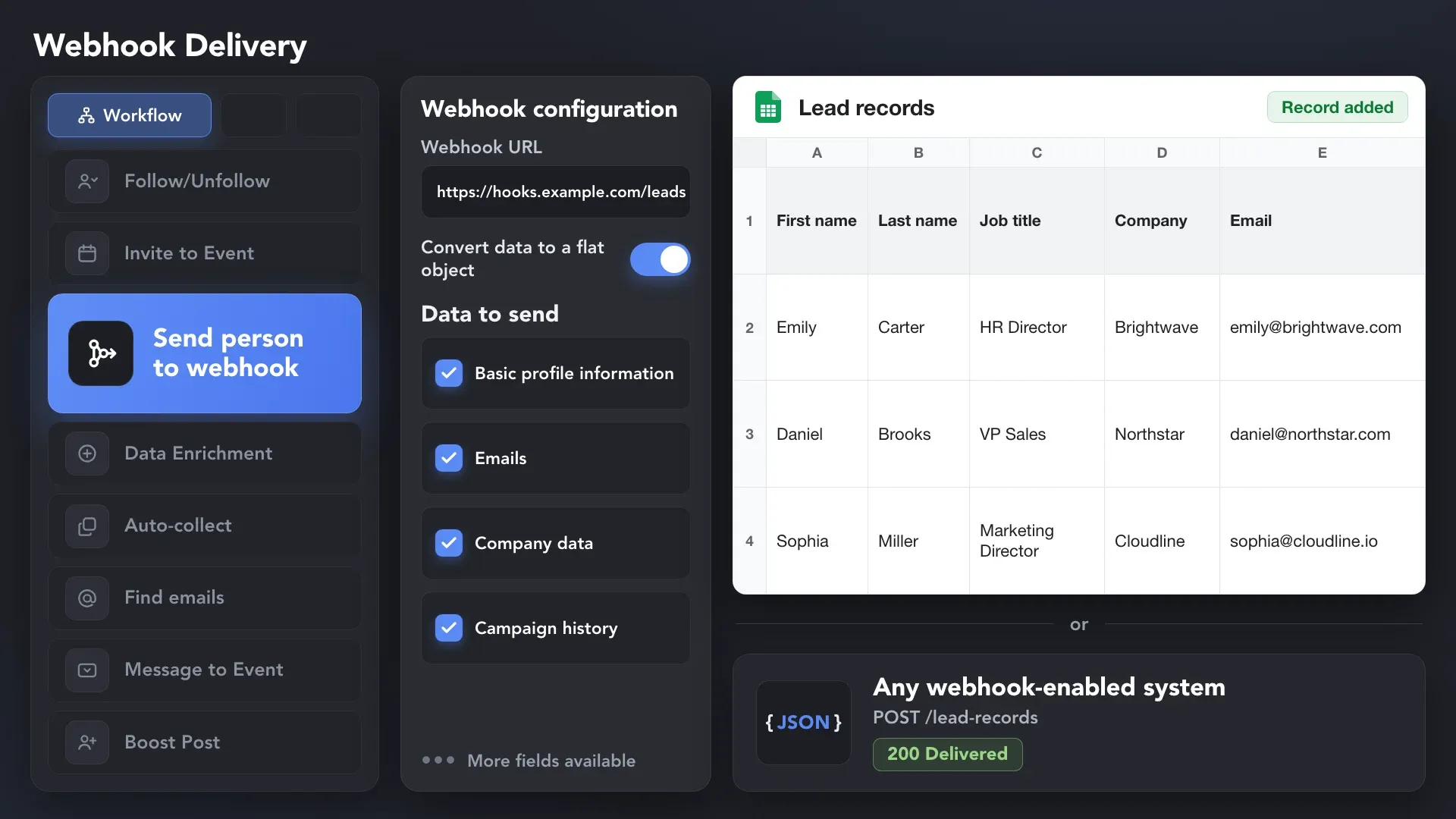
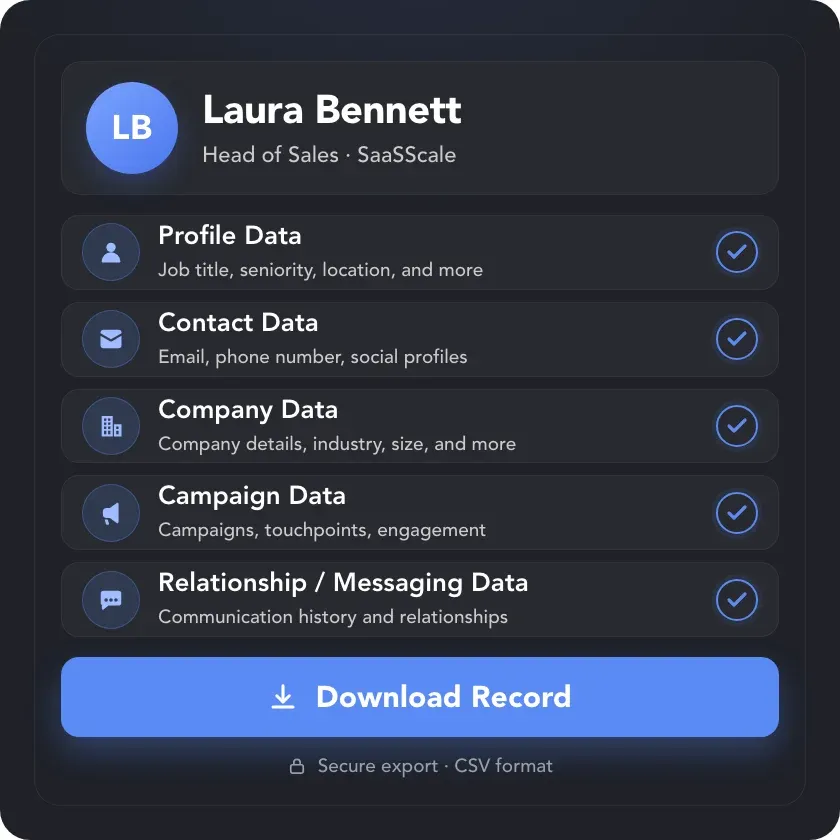
Download lead records with 200+ available data points — profile, contact, company, campaign, and conversation details in one file. It also works for Sales Navigator searches and lead lists, which have no native CSV export.
Effortlessly gather valuable insights from LinkedIn without manual data entry. You can set up a CRM transfer after any step or only after a lead replies to a certain LinkedIn message for maximum precision. Sync LinkedIn chats with CRM so the entire team can view lead responses.












Start with the profiles and organizations you want to research. Use Linked Helper as your LinkedIn scraper across supported sources, then run the extraction actions that add the details you need.


Keep your collected records useful as the dataset grows. Organize the people you’ve saved, control overlaps, and decide which profiles should continue to the next step.
Group profiles by source, project, or priority with manual and automatic tags. Use CRM filters to return to the segment you want to review or process.
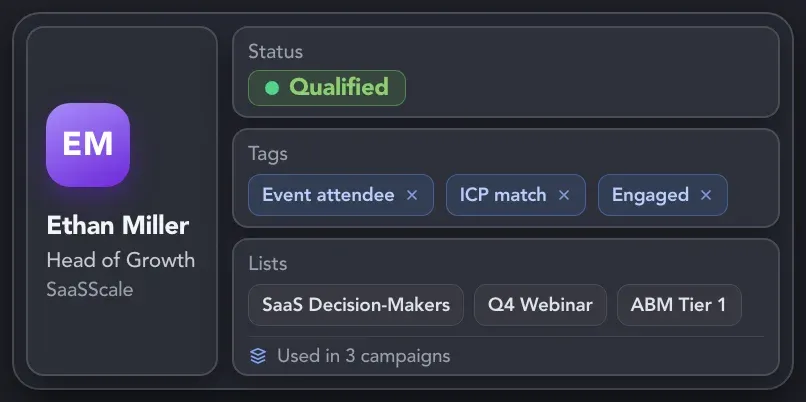
Move and combine profiles across lists, remove overlaps, and exclude selected contacts from campaigns. Keep control of who enters each workflow.
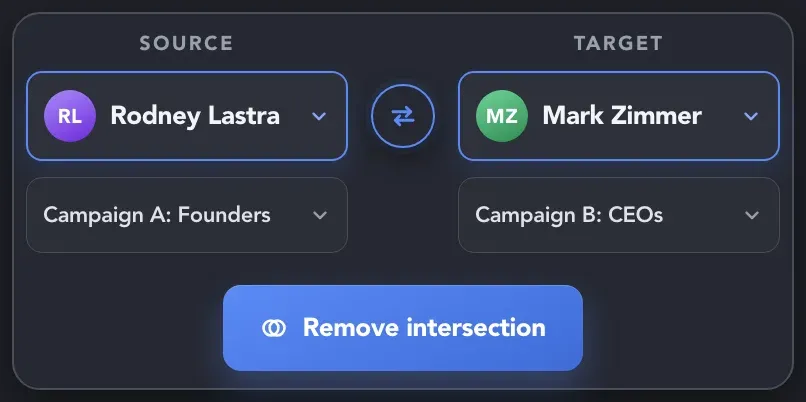
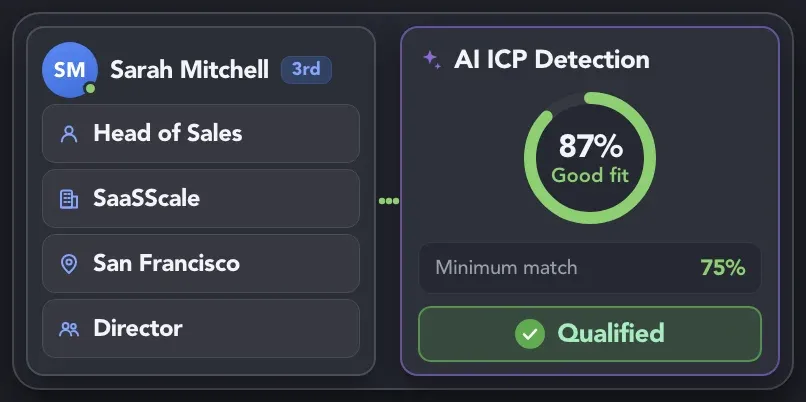
Describe your ideal customer and set a minimum match score to decide which profiles continue. AI analysis uses AI Credits; the score measures fit with your criteria, not a person’s intent to buy.
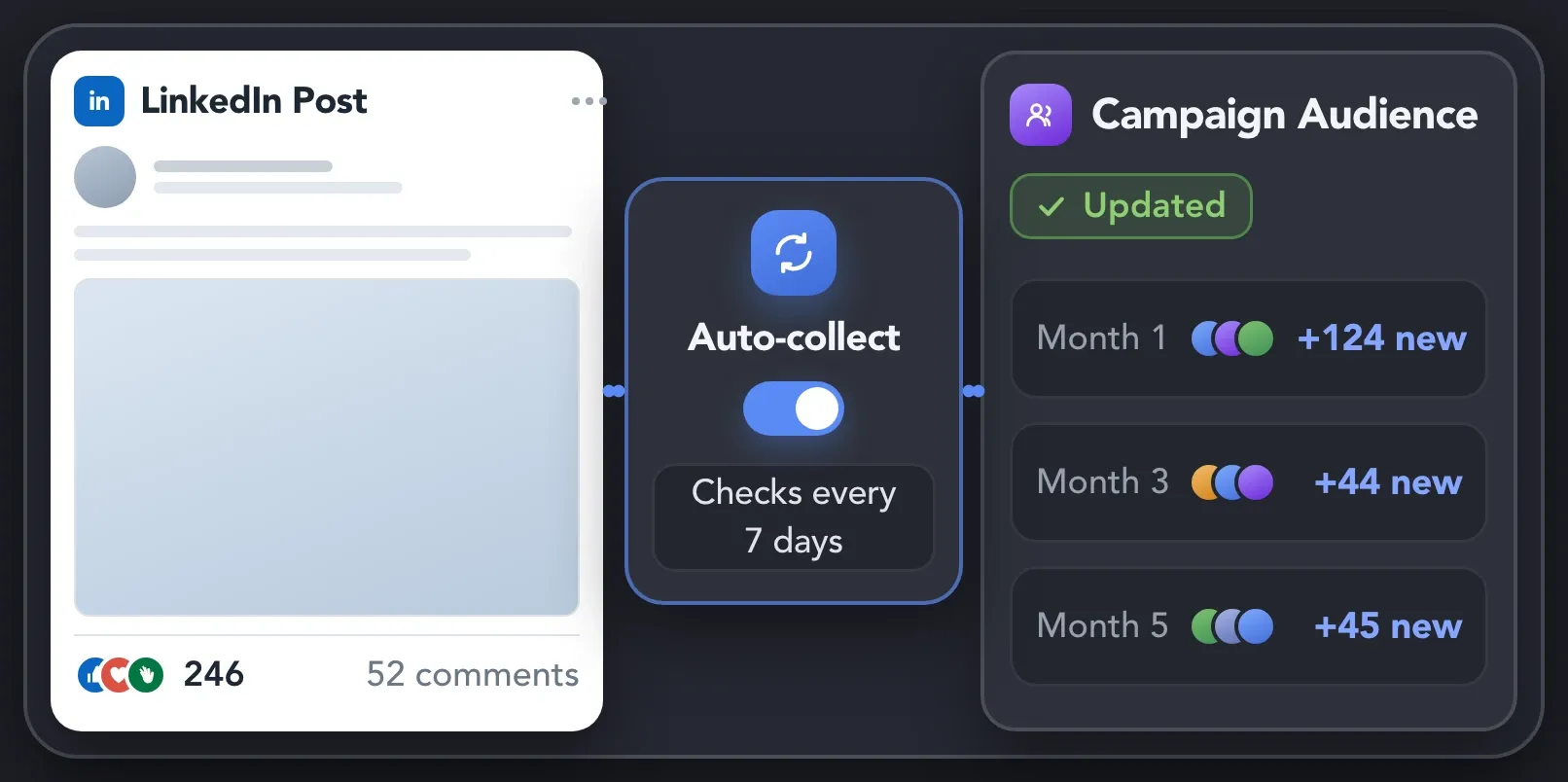
Set a collection interval for supported LinkedIn pages so you can repeat audience collection with less manual setup. Auto-collect does not monitor profile changes in real time.

Basic

Premium

Sales Navigator

Recruiter
Basic
Premium
Sales Navigator
Recruiter
Learn how to collect profile, company, and conversation data.
Explore step-by-step guides, practical articles, and video walkthroughs.
Find setup instructions for Visit & Extract profiles, Organizations extractor, and Scrape messaging history. Learn how to configure each action, review the collected information, and export the results.
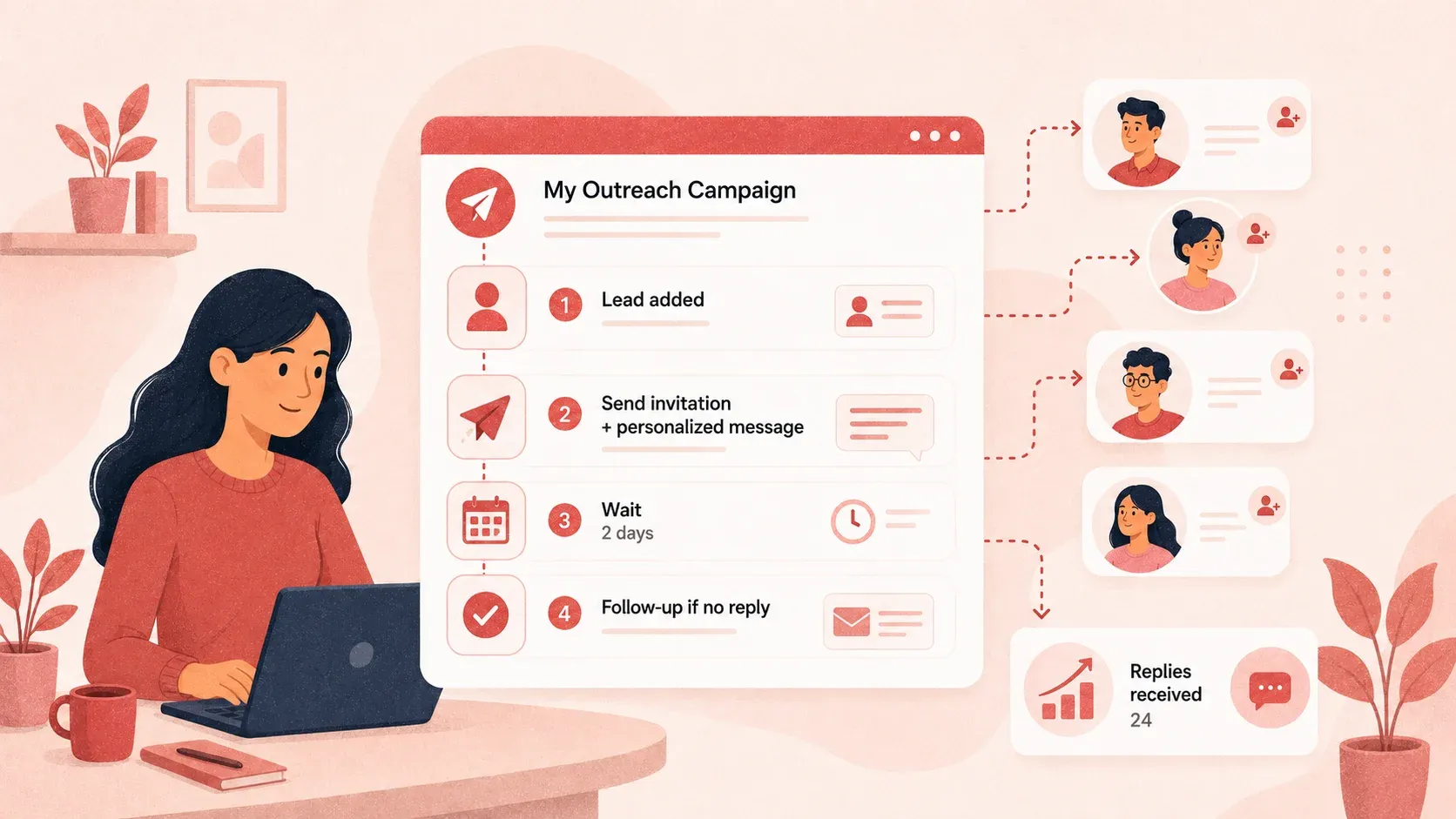
Explore practical articles on collecting, enriching, and using LinkedIn data. Get ideas for researching leads, comparing companies, and turning extracted information into useful records for your team.
Watch product walkthroughs and follow the setup process on screen. See how extraction actions work, where the results appear, and how to prepare your data for the next step.
See how sales, business development, and growth professionals use Linked Helper to build targeted contact lists and keep lead data organized.






I like everything about it: design, native interface, clear structure of work, incredible customization of campaigns and sequences, additional plugins and their fine-tuning, e-mail finder function, ability to synchronize with Sales Nav, send InMail messages, upload leads to CRM or collect them in Excel and much more!
It helps me build a base of targeted contacts, start a dialogue, get interested in services, and, as a result, get targeted leads.

By connecting a Sales Navigator Pro account and building a filtered list on LinkedIn, I had Linked Helper running Monday to Friday, warming up those leads by liking their content, following them, sending connection requests, and starting conversations.
The tool executes every action as slowly and safely as it can, so it doesn’t raise any red flags with LinkedIn’s systems, and in my case, it worked flawlessly.

Previously, I had to do everything manually, from searching for a database of relevant contacts to conducting correspondence to the "Potential Lead" stage. Now, having a well-selected database, all I have to do is load it into the Linked Helper and set the correct steps, and then process contacts that are ready for communication. This saves me a lot of time, allowing me to grow myself and help my company.
I liked that it can automate almost every thing in LinkedIn, and make multiple campaigns like sending connection requests, sending email messages and send followup message and extract profile email, and a lot more and all if that is done in a safe way so the LinkedIn account avoid block, it save a lot of time and efforts in a safe way.
Linked Helper allowed me to focus on important tasks while being confident that my account was safe. The built-in CRM system allows me not to lose correspondence with new leads.
I have a sales navigator account and I now use Linkedin Helper exclusively as my Go To tool for all my activities and business development and ABM that I do leveraging LinkedIn.

Standard plan includes the full LinkedIn automation toolkit, with usage limits on some advanced features.
Pro plan increases advanced feature and integration limits, and adds full message history export.

All your data stays on your device in local folders you can access directly.

Each account has its own isolated storage - no data mixing.

With outgoing webhooks, Linked Helper can send data to third-party systems.

Data is stored in local folders on your device. No app, no internet required to access your files.

Install the app on a new device and pick up right where you left off.

Share LinkedIn accounts and campaign data without manual exports.
With incoming and outgoing webhooks, Linked Helper can receive data from and send data to third-party systems.

Your data is automatically backed up to the cloud - no risk of losing it if something happens to your device.

Switch devices or reinstall the app without moving files manually.
Local tax may apply
Depending on the actions you use, Linked Helper can collect profile details such as roles, experience, education, skills, and location; organization details such as industry, company size, website, location, and description; available emails and phone numbers; and one-to-one messaging history.