
 Your Outreach Team
 Use Cases
 Workflows
 AI-Powered Outreach
 Organized Outreach
 Contact Data
 Integrations
RESEARCHER
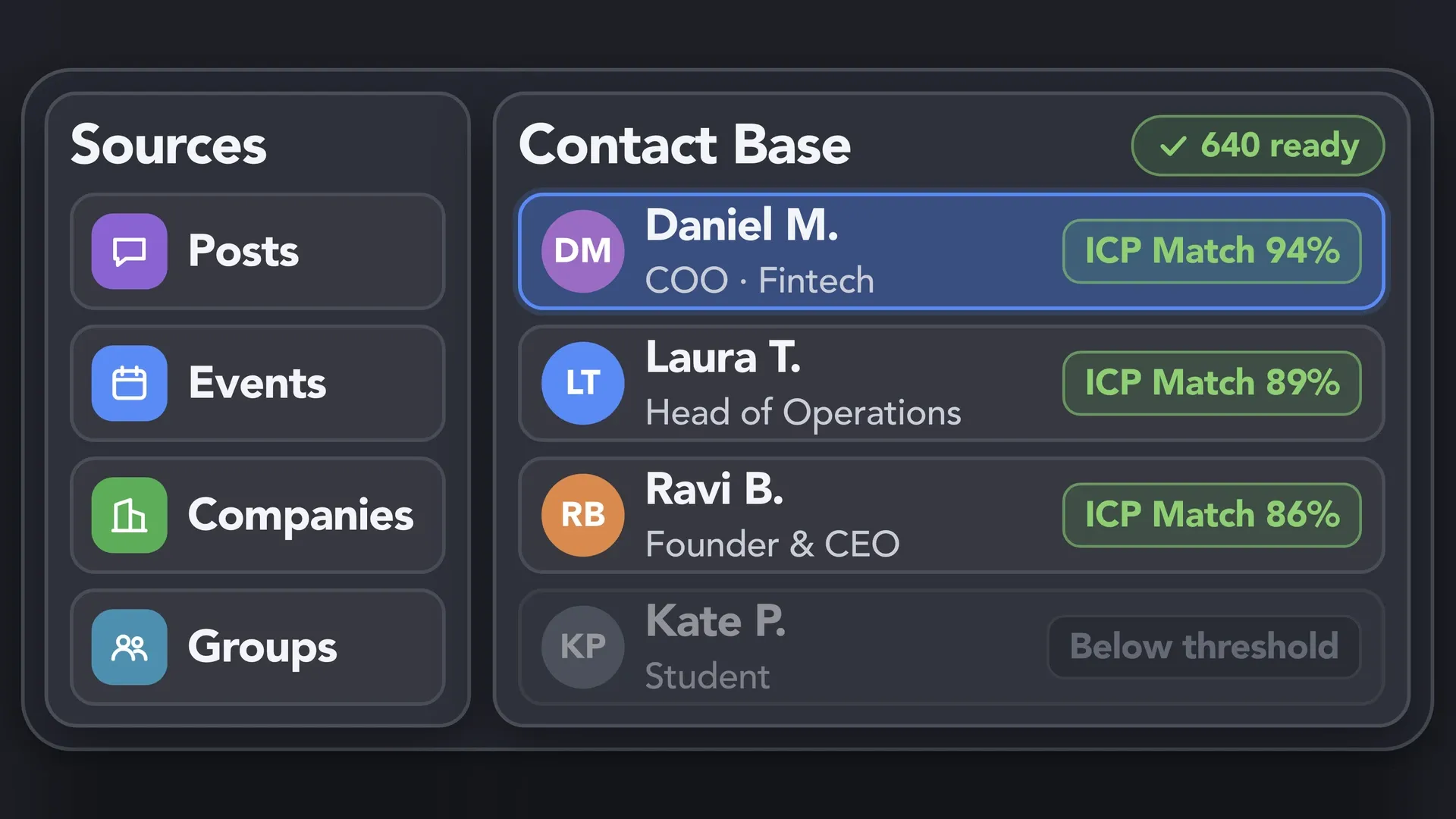
Know Who to Approach
Build a focused contact base and identify the people worth speaking to, with enough context to make your approach relevant.
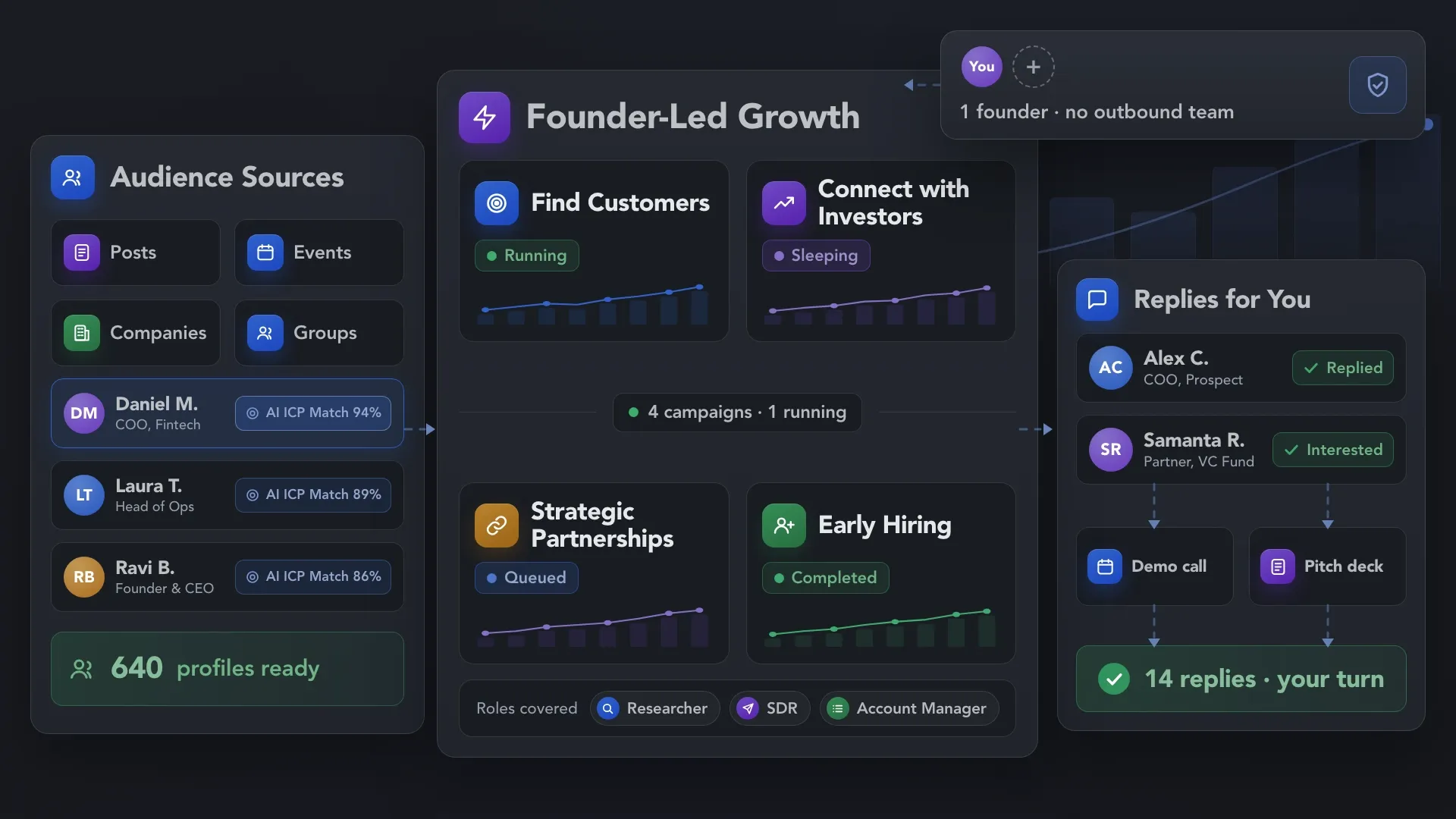
LinkedIn outreach for founders and small teams building sales, partnerships, and growth without a dedicated outbound team. Collect relevant contacts, personalize your messages, and automate follow-ups — so you can focus on conversations that move your business forward.










 WITHOUT LINKED HELPER
 WITH LINKED HELPER
 Outreach Keeps Moving
Cover the everyday work behind finding relevant people, making first contact, and keeping outreach moving — while you focus on the relationships and decisions that grow your business. You shape the offer, handle replies, and lead negotiations. Linked Helper takes care of the repeatable outreach work.
Build a focused contact base and identify the people worth speaking to, with enough context to make your approach relevant.
Handle first introductions and follow-ups, so potential customers and partners receive a consistent approach and you can step in when they respond.
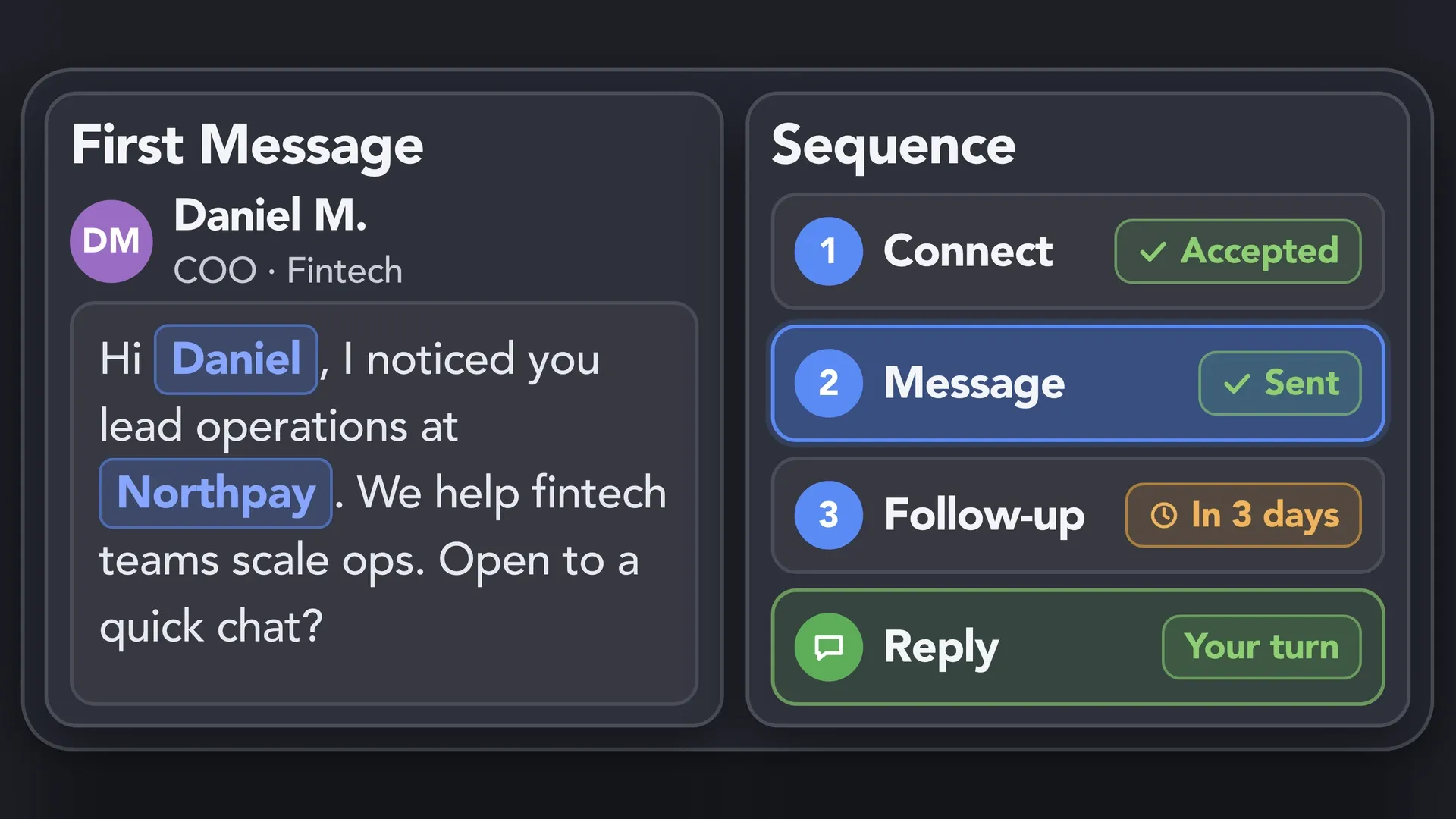
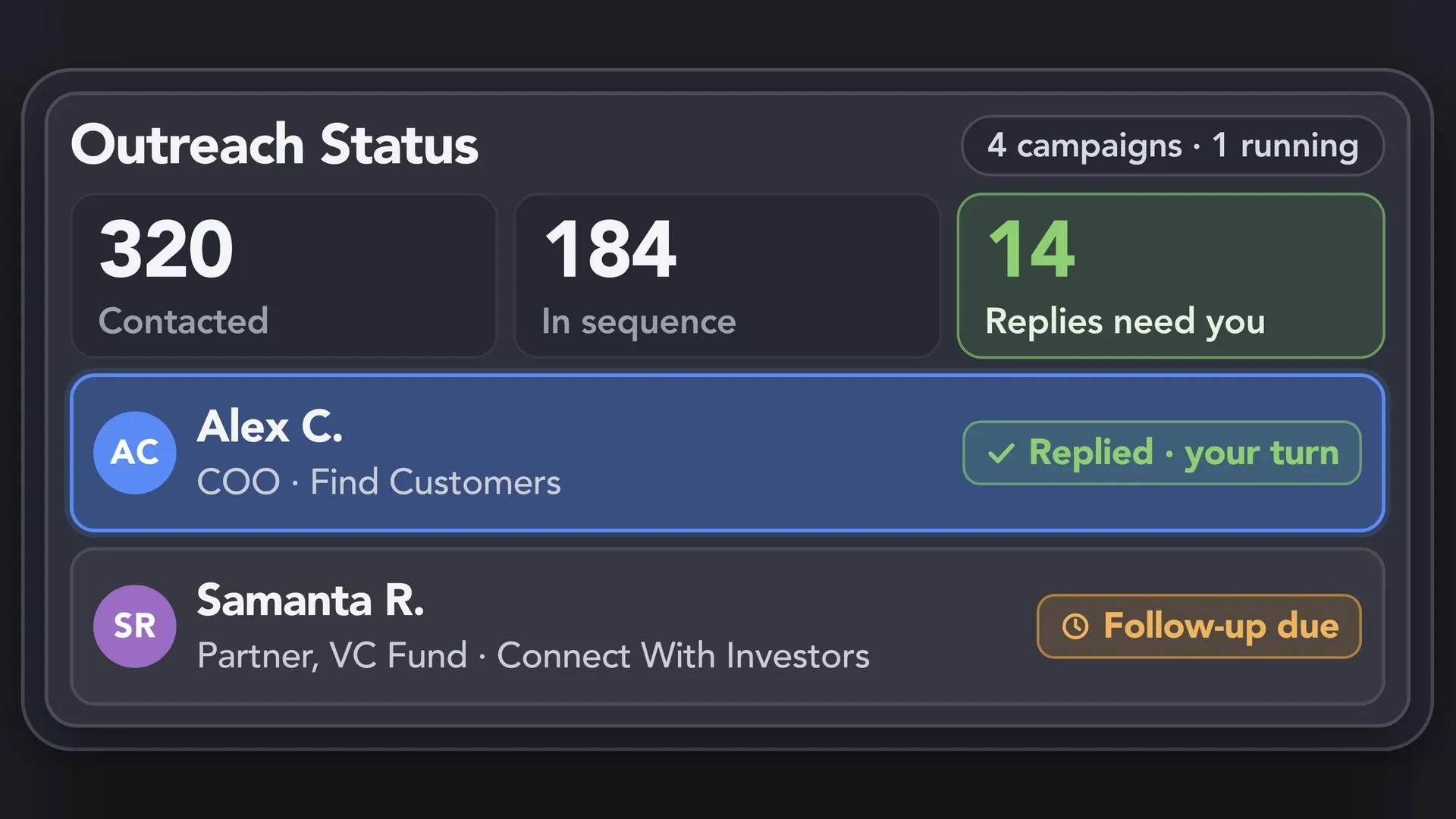
Keep track of who has been contacted, where each outreach sequence stands, and which replies need your attention as business priorities compete for your time.
Start with the business priority that matters most to you.


Build LinkedIn outreach workflows around your next business priority — finding customers, connecting with investors, hiring, or developing partnerships. See how different audiences and Linked Helper actions come together to start relevant conversations.
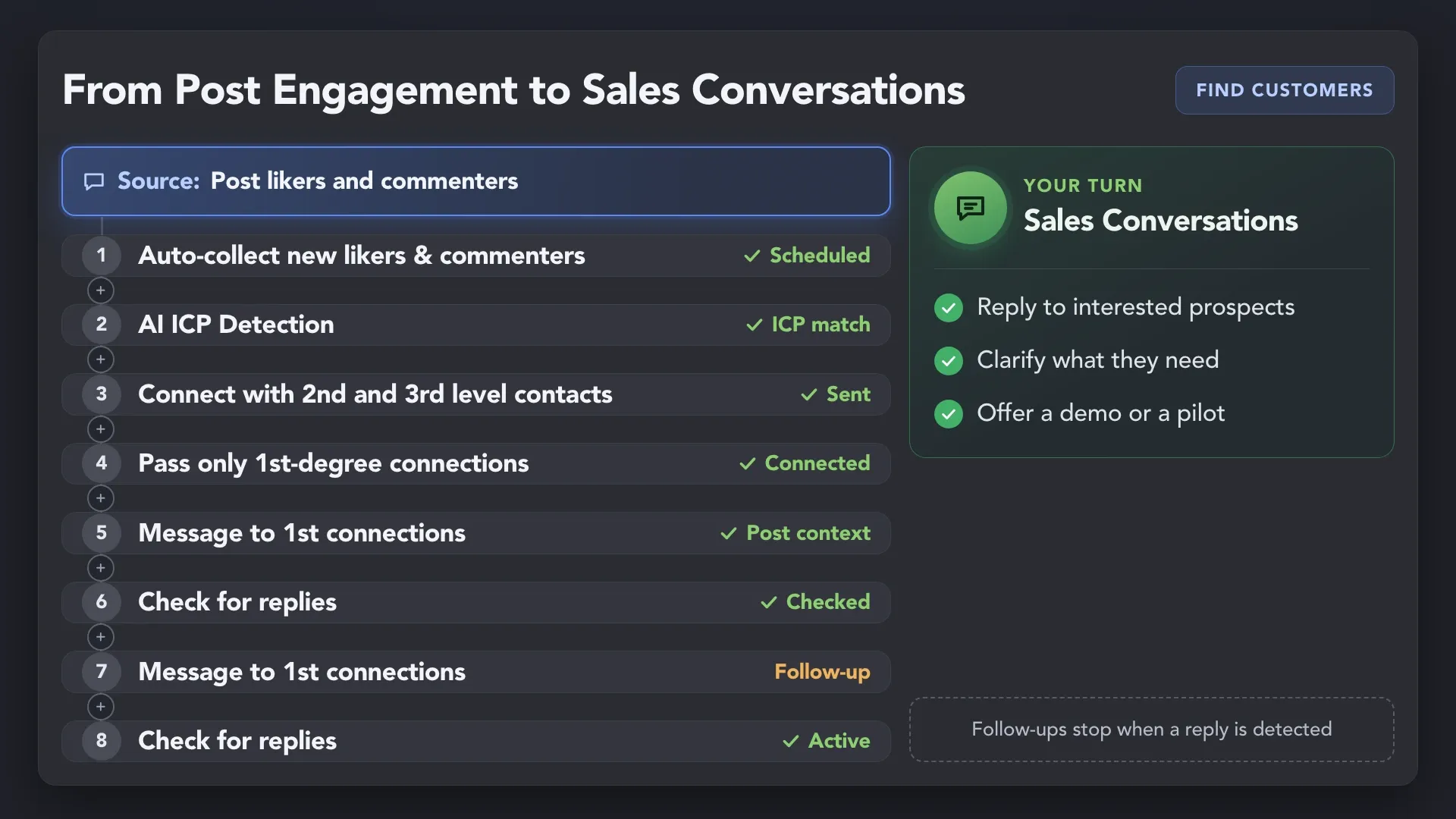
Support customer acquisition for startups through relevant industry posts. Collect profiles of likers and commenters, and let Auto-collect add new ones on a schedule. Narrow the list with built-in filters and check fit with AI ICP Detection. Connect with suitable prospects, send personalized messages, and follow up with nonresponders. Take over when they reply.
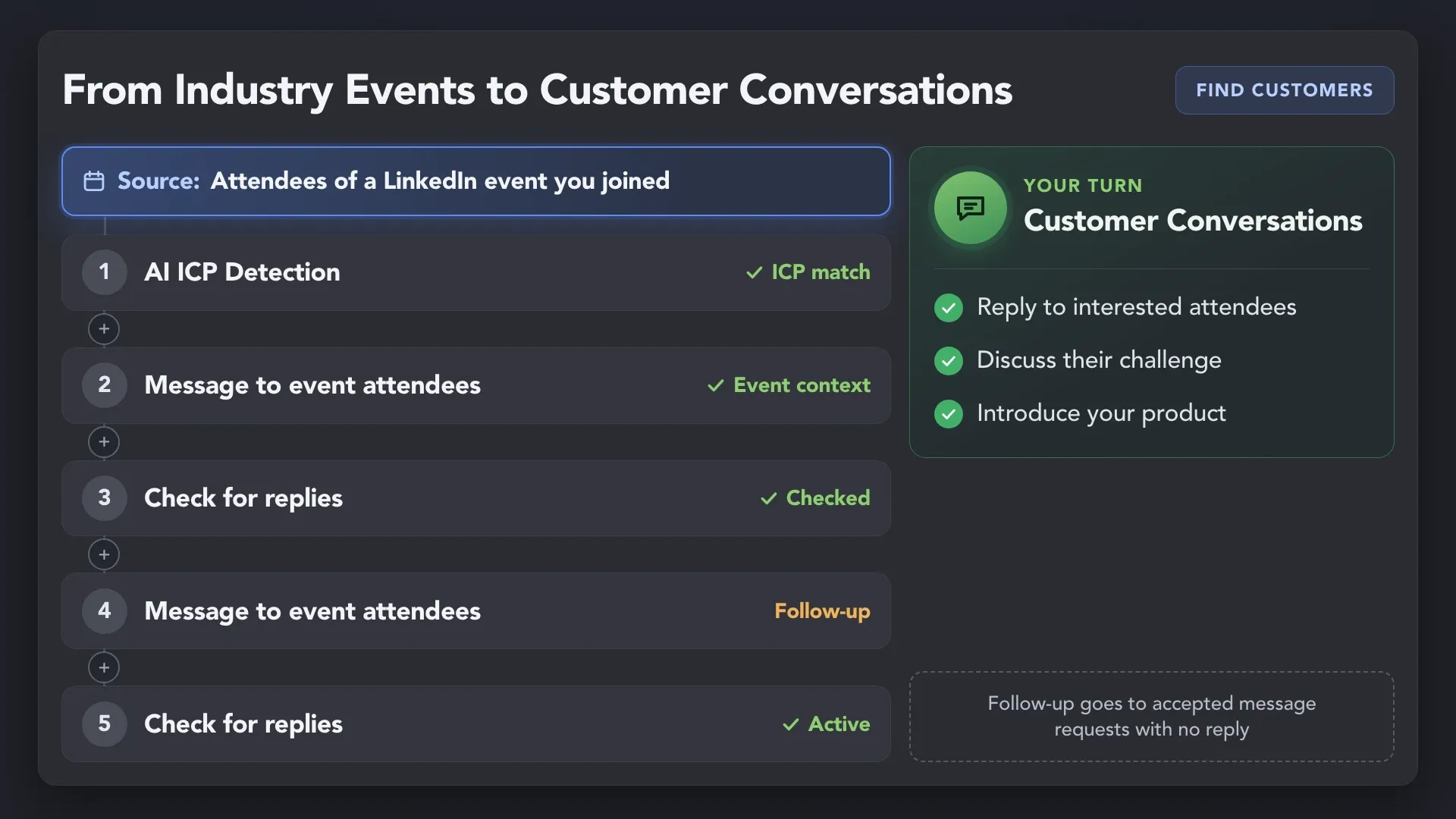
Use industry events as a source of lead generation for startups. Reach relevant attendees from a LinkedIn event you’ve joined and use the shared event as context to discuss their needs and introduce your product.
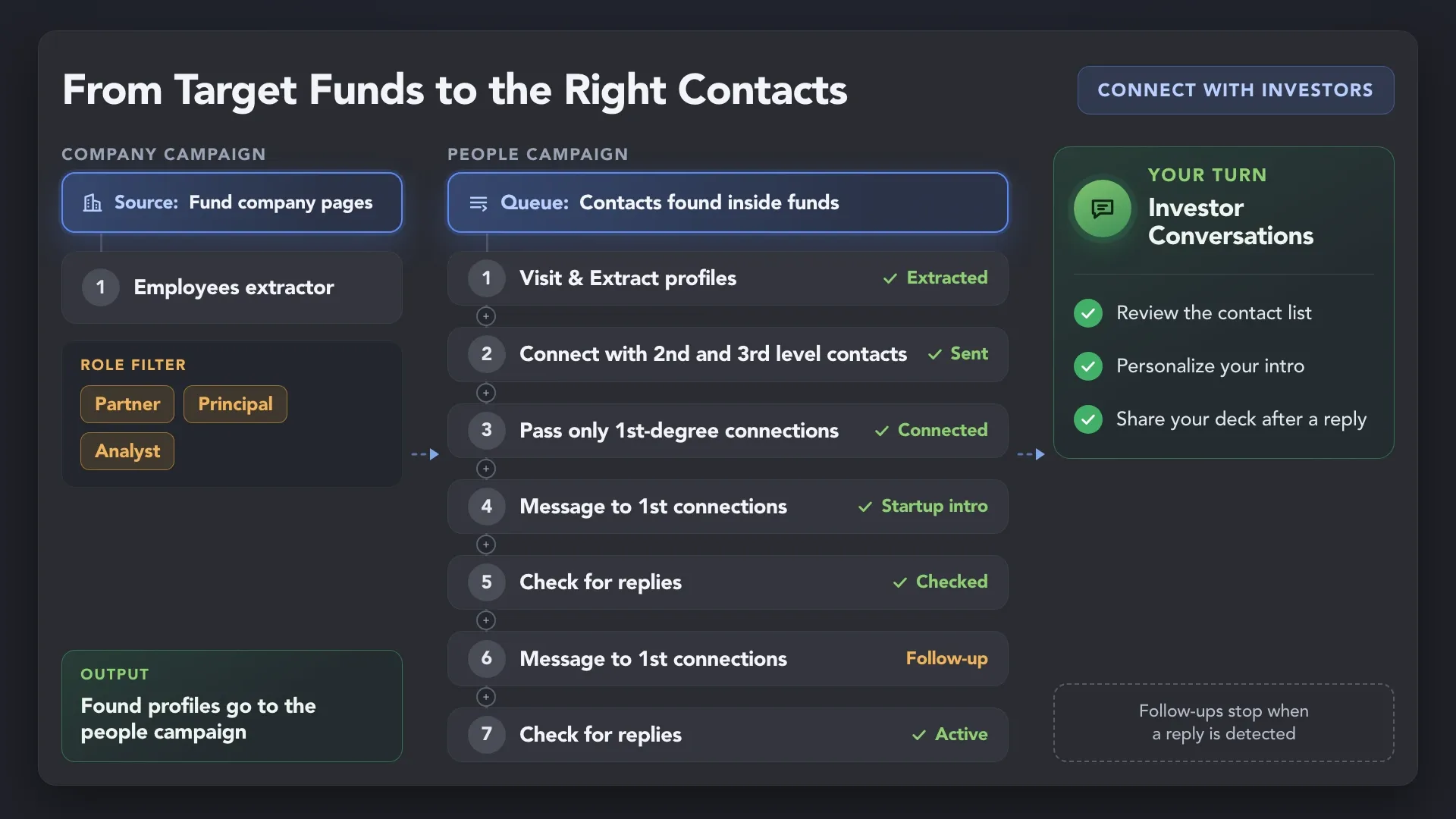
Start with funds that fit your startup, then find relevant partners, principals, and analysts. Introduce your business through a personalized connection and follow-up sequence.
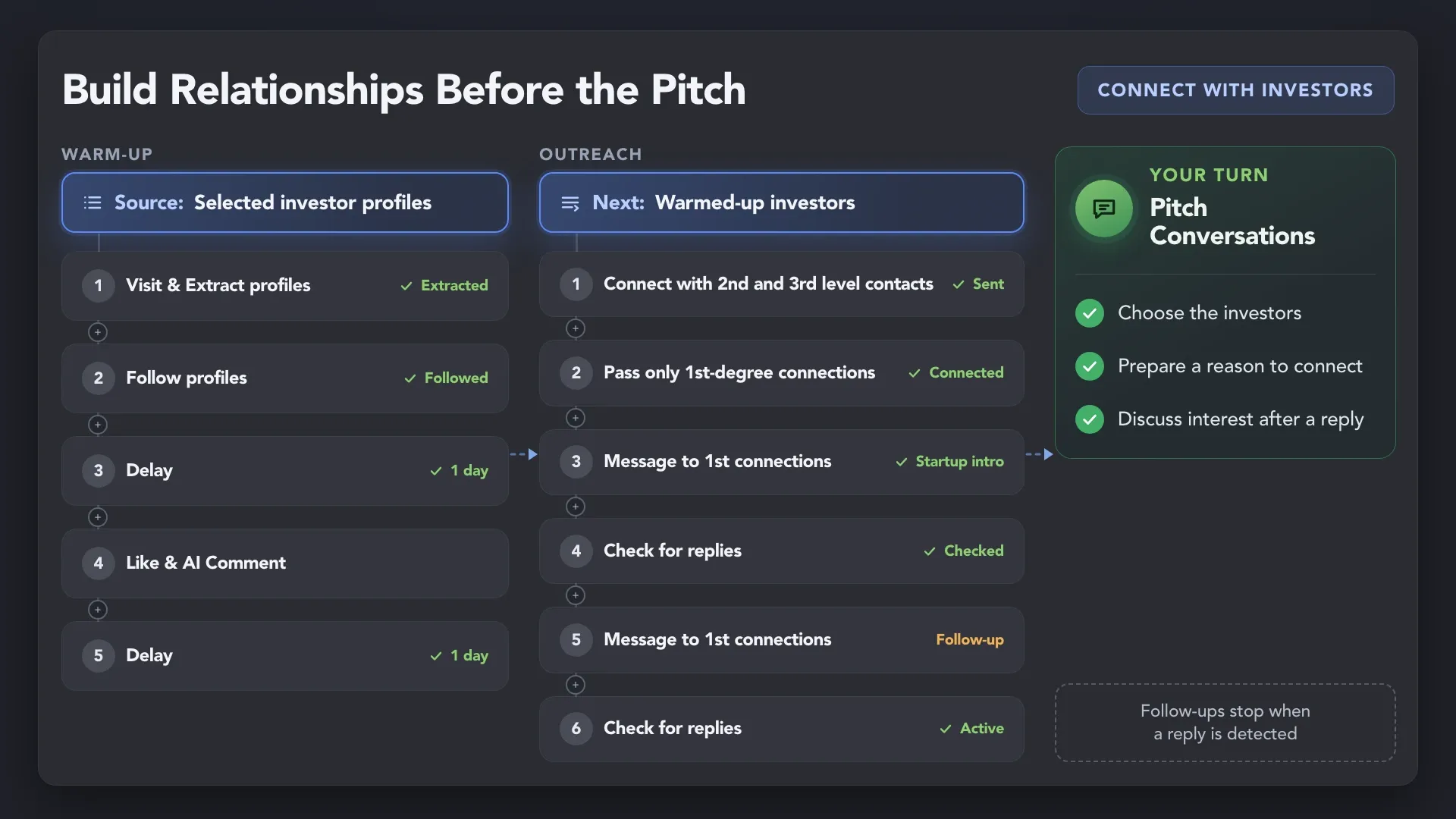
Warm up selected investor contacts through profile visits, follows, and post engagement. Then connect and introduce your startup through a gradual outreach sequence.
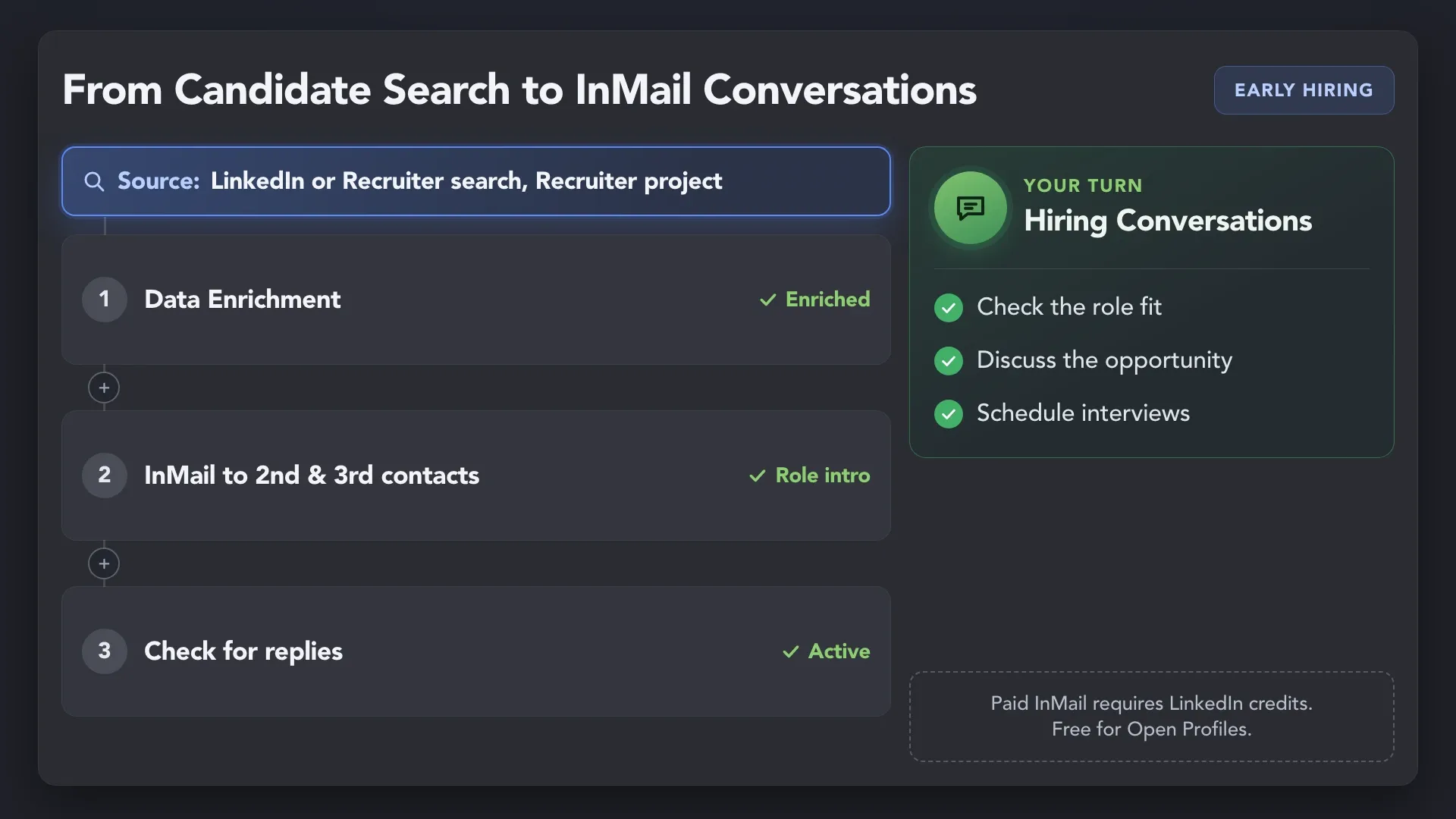
Reach suitable candidates with a personalized InMail, without waiting for a connection request to be accepted. Filter your list by Open Link to send free InMails to Open Profiles. Continue the conversation with candidates who show interest in the opportunity.
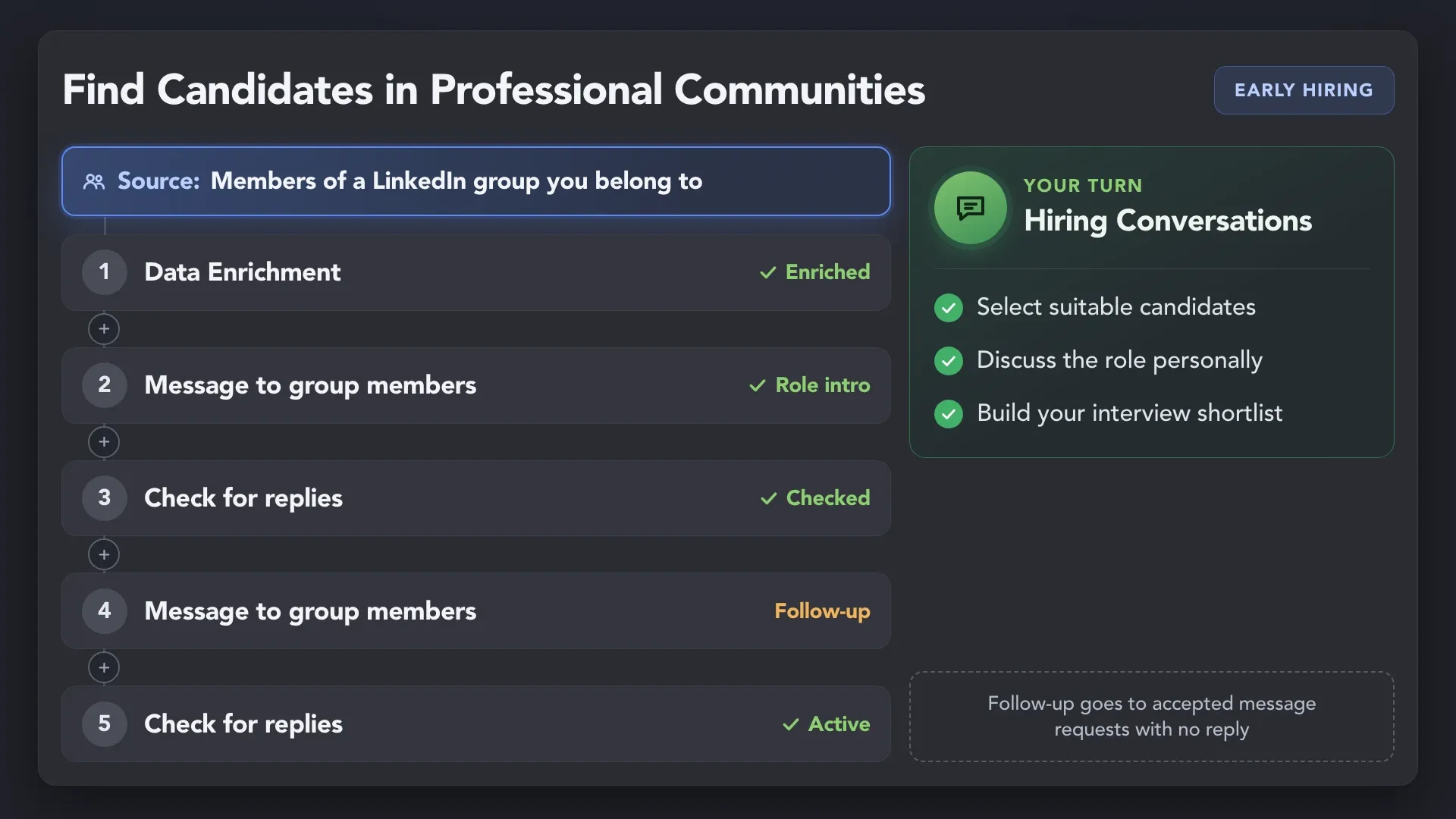
Reach candidates from a professional LinkedIn group you belong to. Use the shared community as context for introducing your role and starting a hiring conversation.
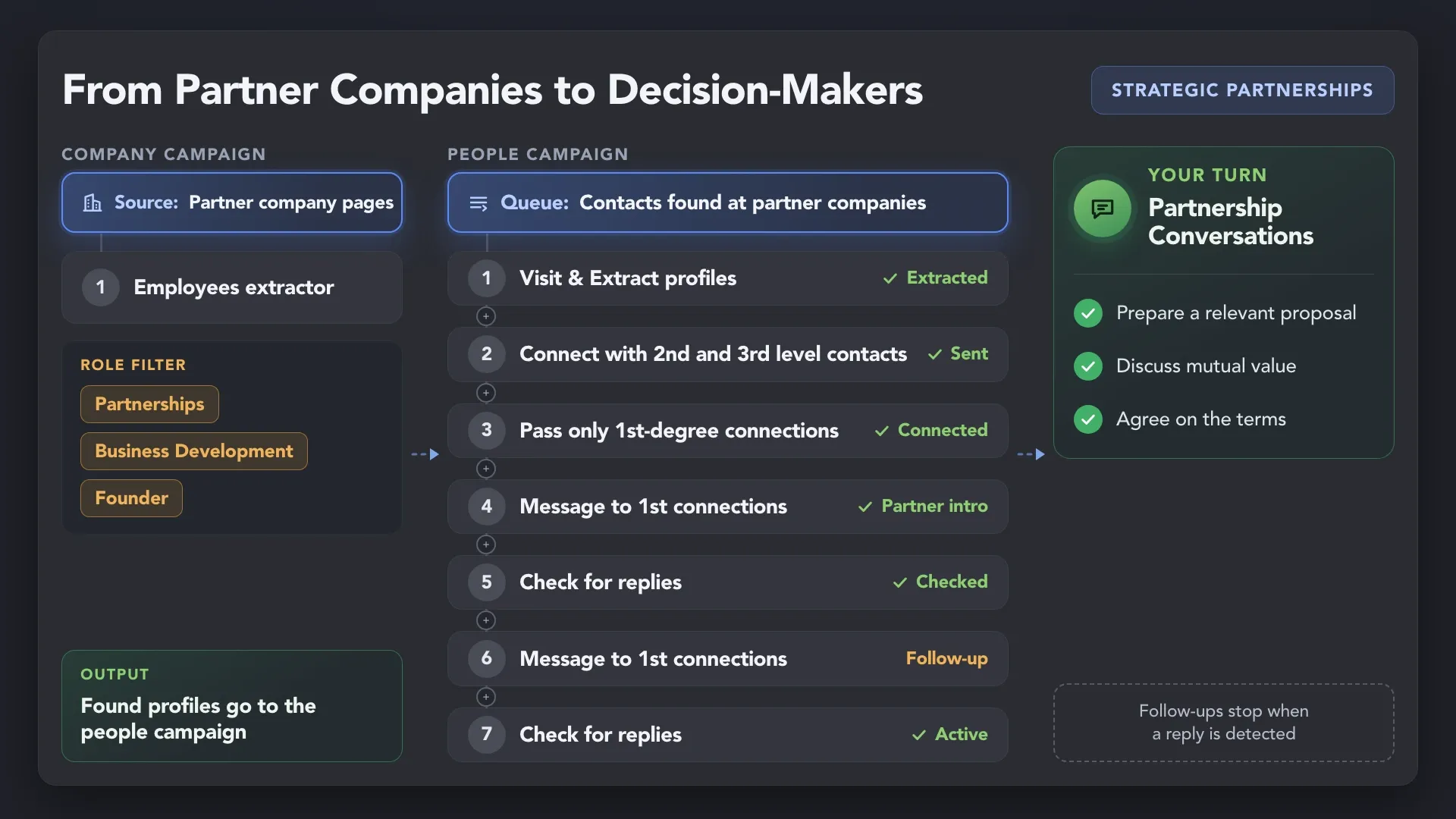
Start by collecting the companies you want to partner with. Then use the Employees extractor to find the people responsible for collaboration, such as heads of sales or partnerships, CEOs, and owners. Connect, introduce a relevant proposal, and follow up to open a partnership conversation.
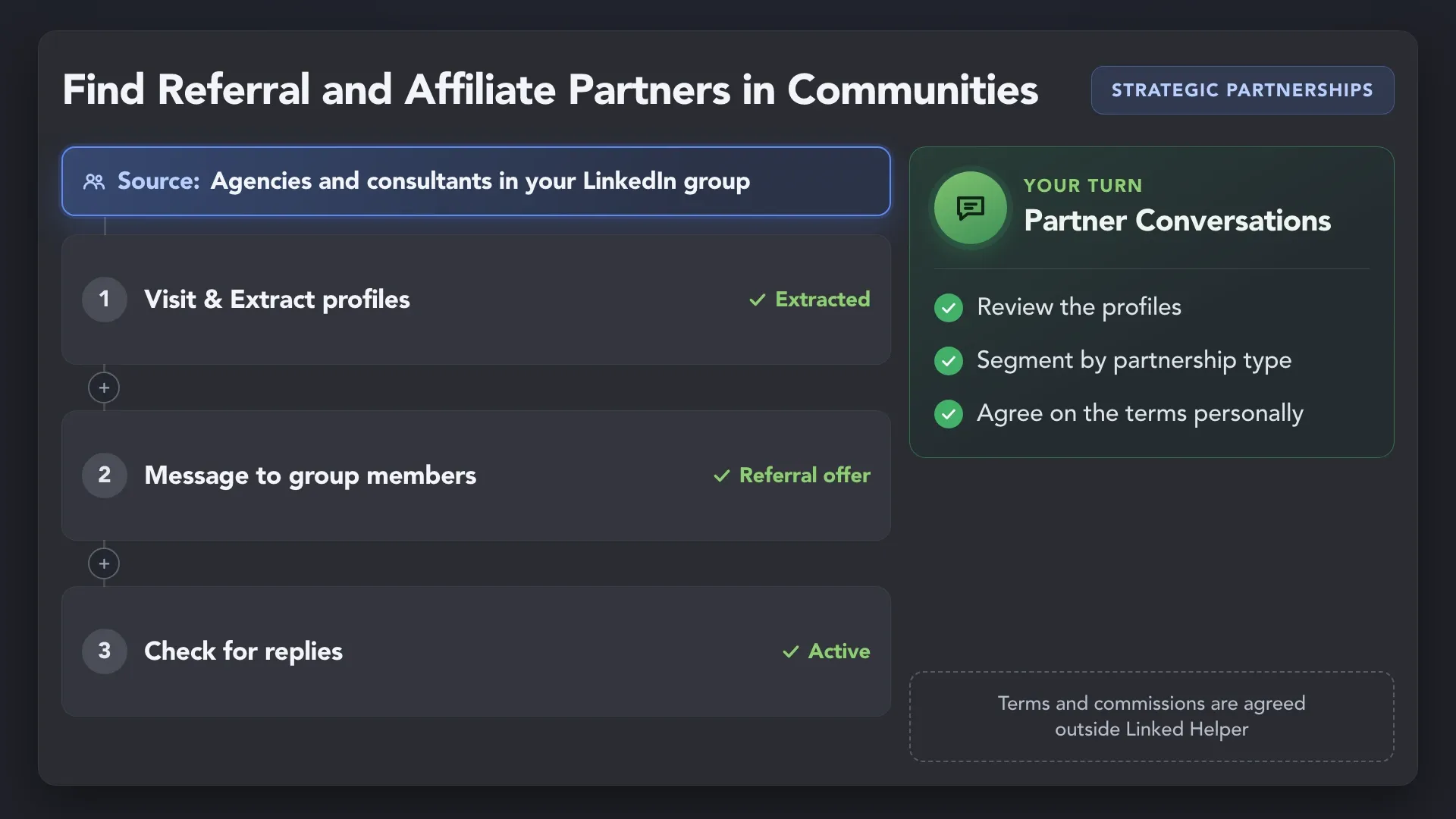
Reach agencies, consultants, and professionals in a LinkedIn group you belong to. Introduce a referral or affiliate offer based on the audience you serve.
Support customer acquisition for startups through relevant industry posts. Collect profiles of likers and commenters, and let Auto-collect add new ones on a schedule. Narrow the list with built-in filters and check fit with AI ICP Detection. Connect with suitable prospects, send personalized messages, and follow up with nonresponders. Take over when they reply.
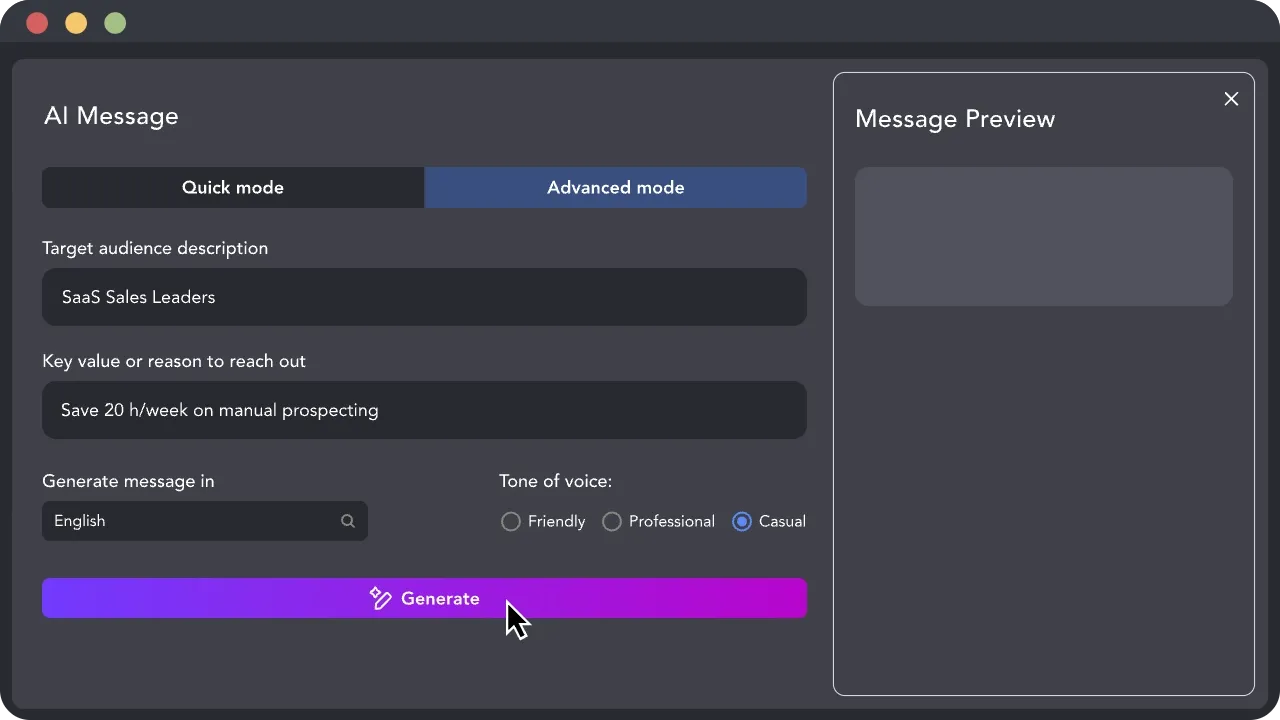
Make founder-led sales and partnership outreach more relevant with AI that helps you select suitable contacts and draft personalized messages and replies. Review, edit, and approve each draft before sending so every conversation stays true to your offer and your voice.
 AI Personalization
Use profile and company details to explain why you’re reaching out to this person. Generate individual introductions and follow-ups around your offer, campaign goal, and the recipient’s professional context.
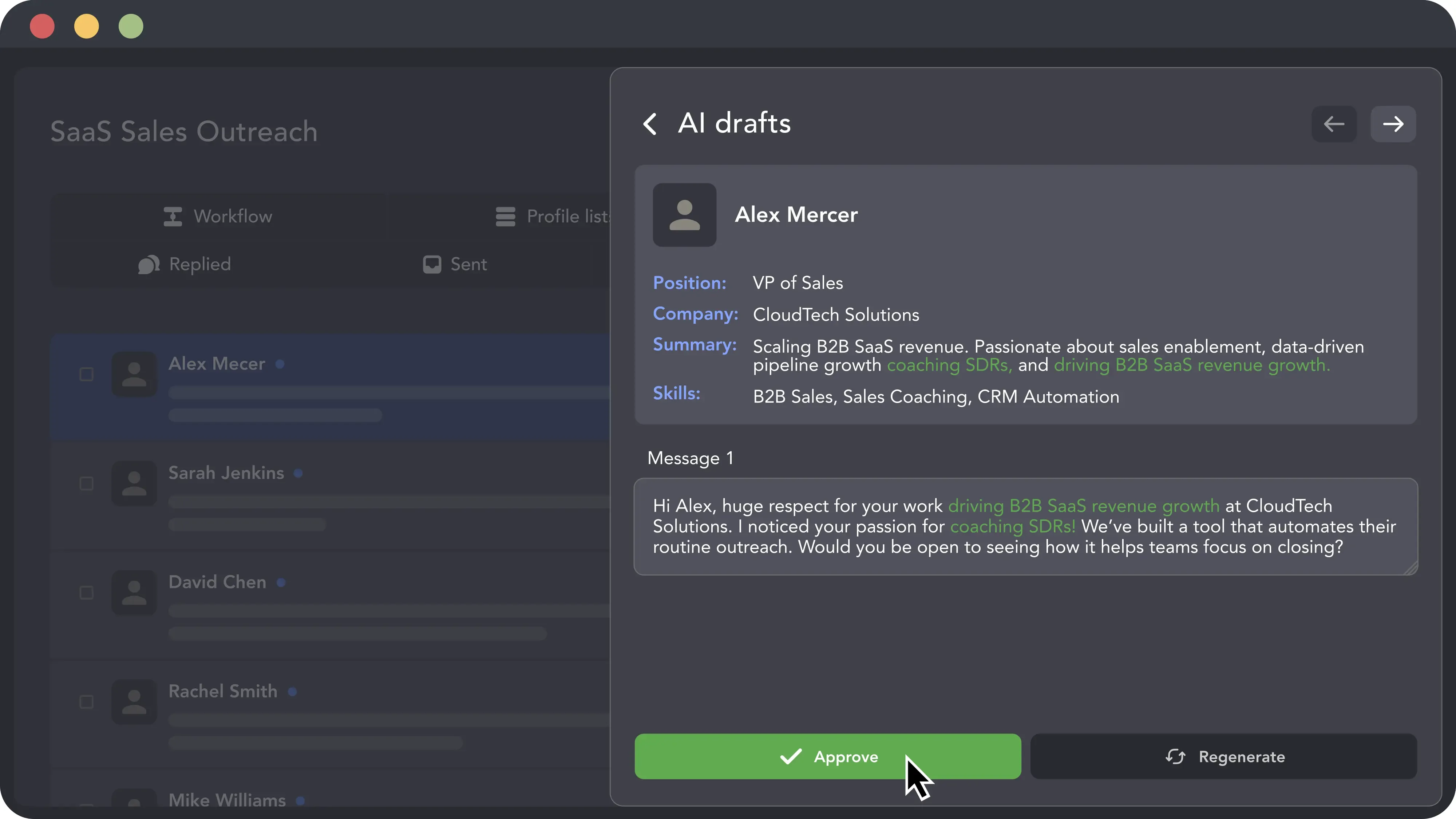
 AI Message Generator
Turn your campaign brief into message drafts, then refine the wording, tone, and call to action. Prepare outreach for a product introduction, investor conversation, hiring opportunity, or partnership proposal.
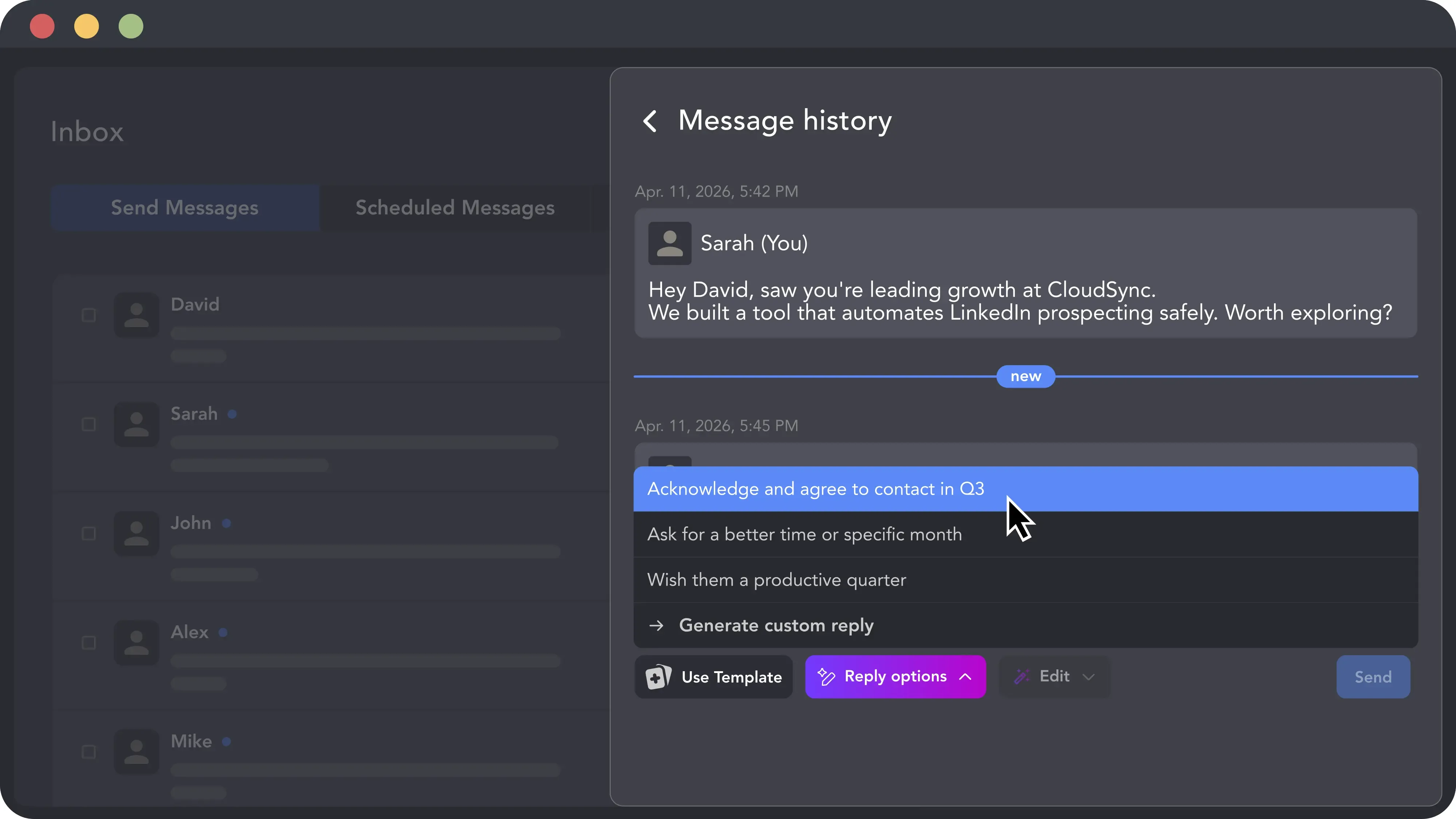
Get reply suggestions based on the conversation history and your next goal. Adapt the draft to answer a question, suggest a demo, or discuss a collaboration — then send it when you’re ready.
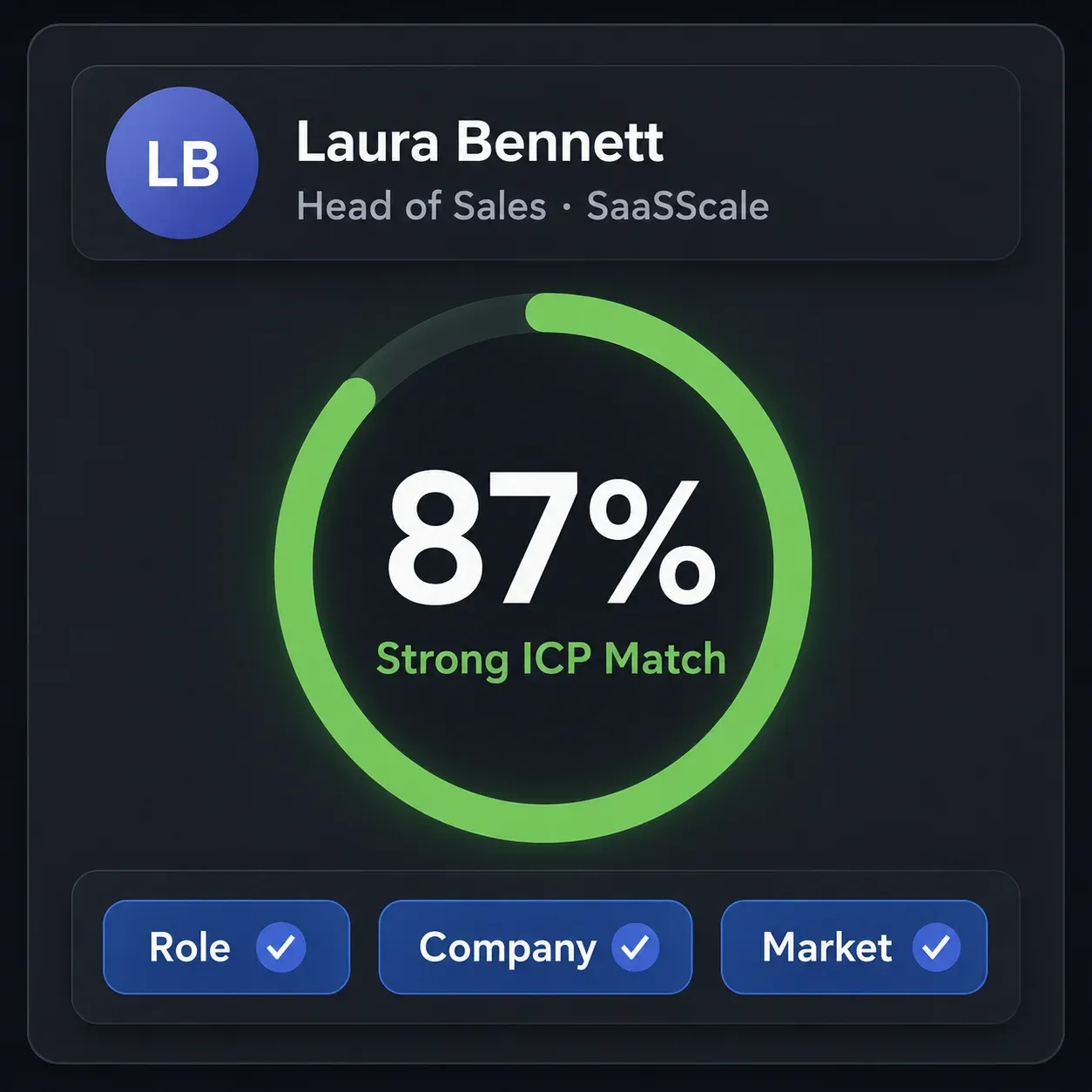
Describe your ideal customer and let AI evaluate how closely each profile matches your criteria. Set a minimum match score so suitable prospects continue into your outreach workflow.
Keep customer, investor, hiring, and partnership outreach under control as you run your business. Organize your contacts, schedule repeatable work, and see which conversations need your attention.
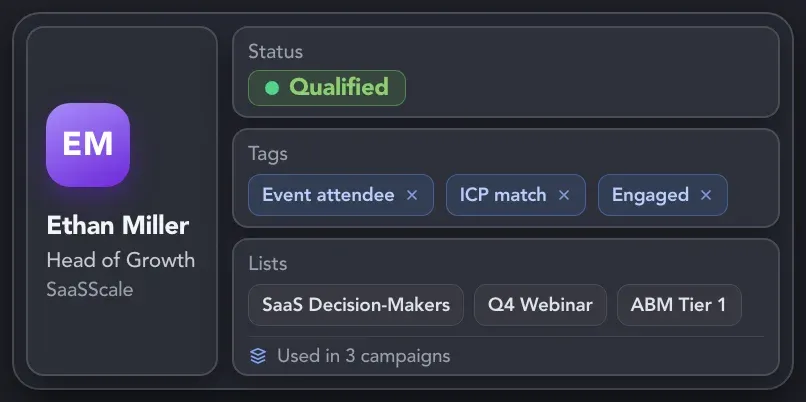
Group customers, investors, candidates, and partners with tags, lists, and filters. Store notes and collected interaction history alongside each profile, so you can return to a contact with the context you need.
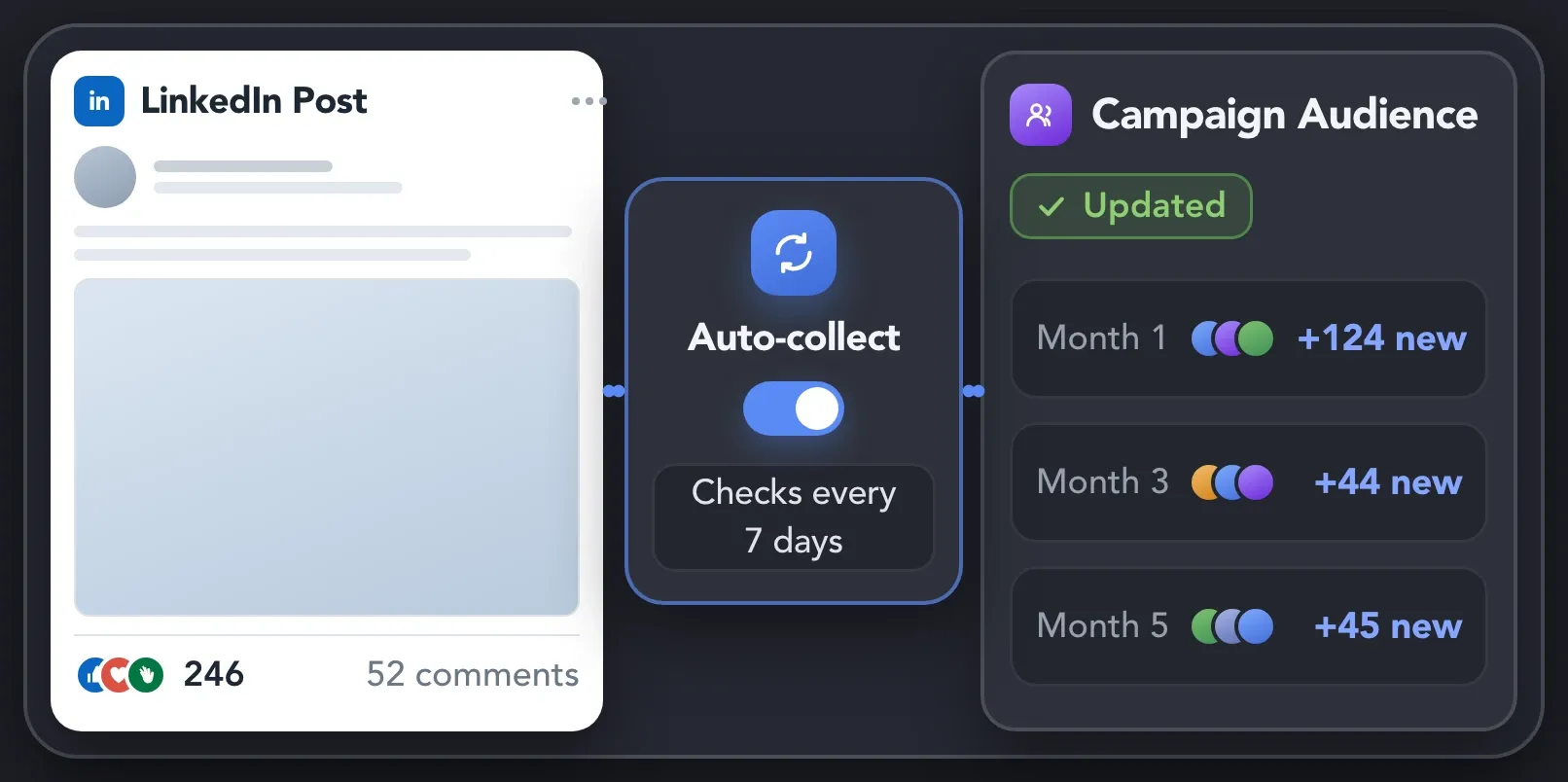
Schedule recurring collection from supported LinkedIn sources and set campaign start times, working hours, and delays. Linked Helper runs your configured sequences while the application is running.
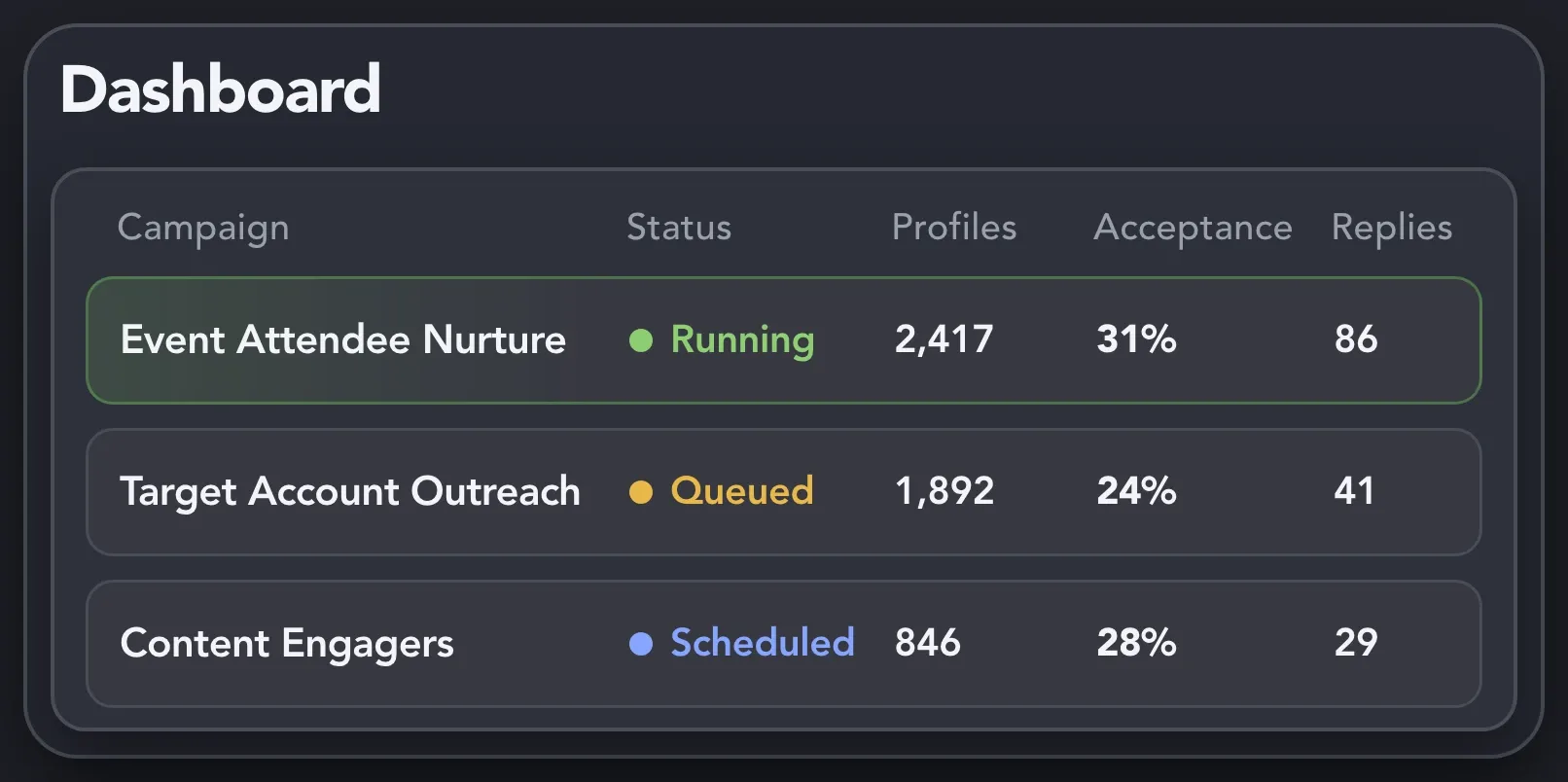
See which campaigns are running, queued, or waiting, and follow each contact’s progress. Let Campaigns Runner coordinate active campaigns, and use exclusions to control who enters each one.
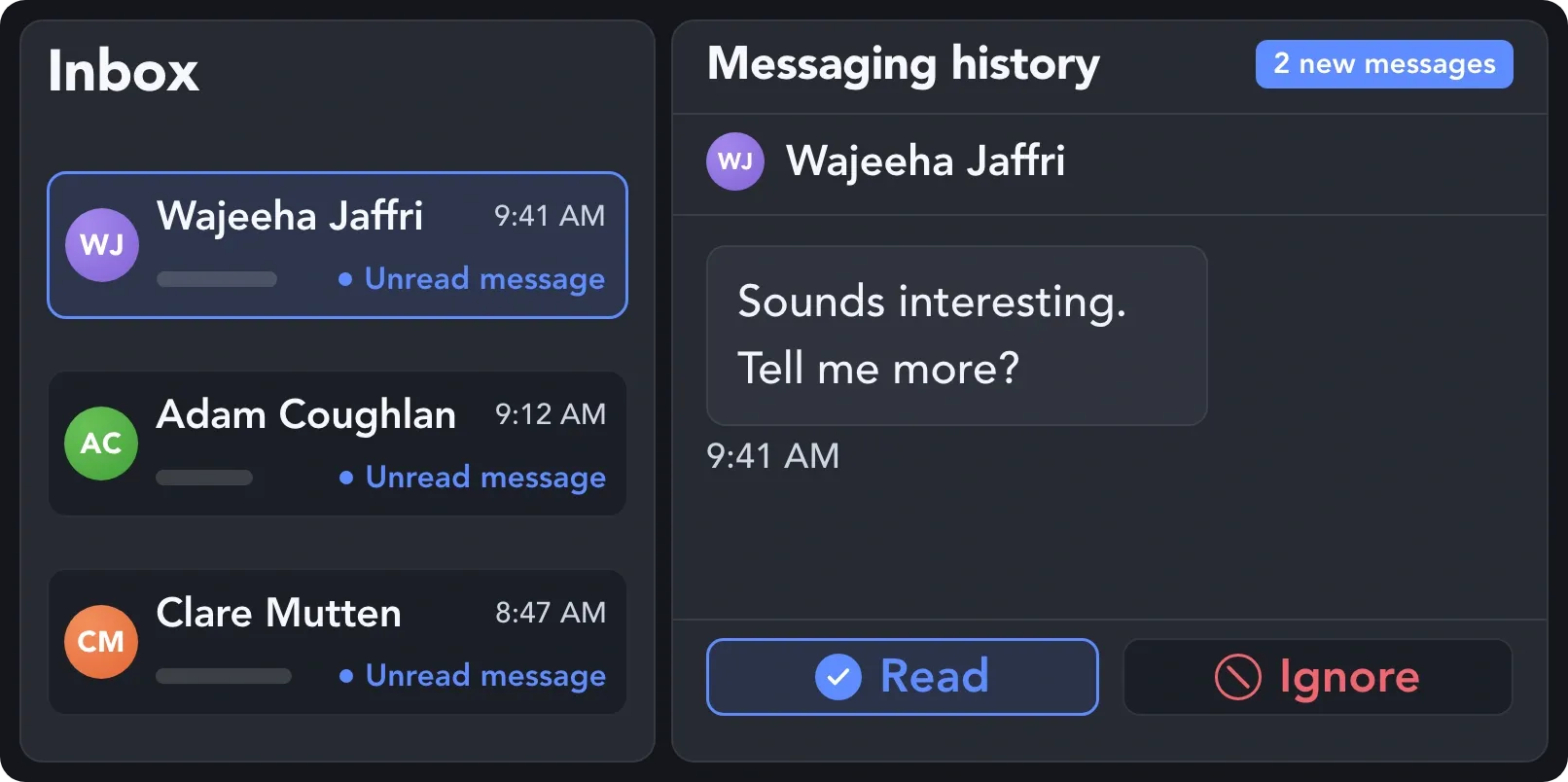
Review collected conversations and unread replies in the Linked Helper Inbox. Open the contact’s history and reply directly from Linked Helper when a conversation needs your personal attention.
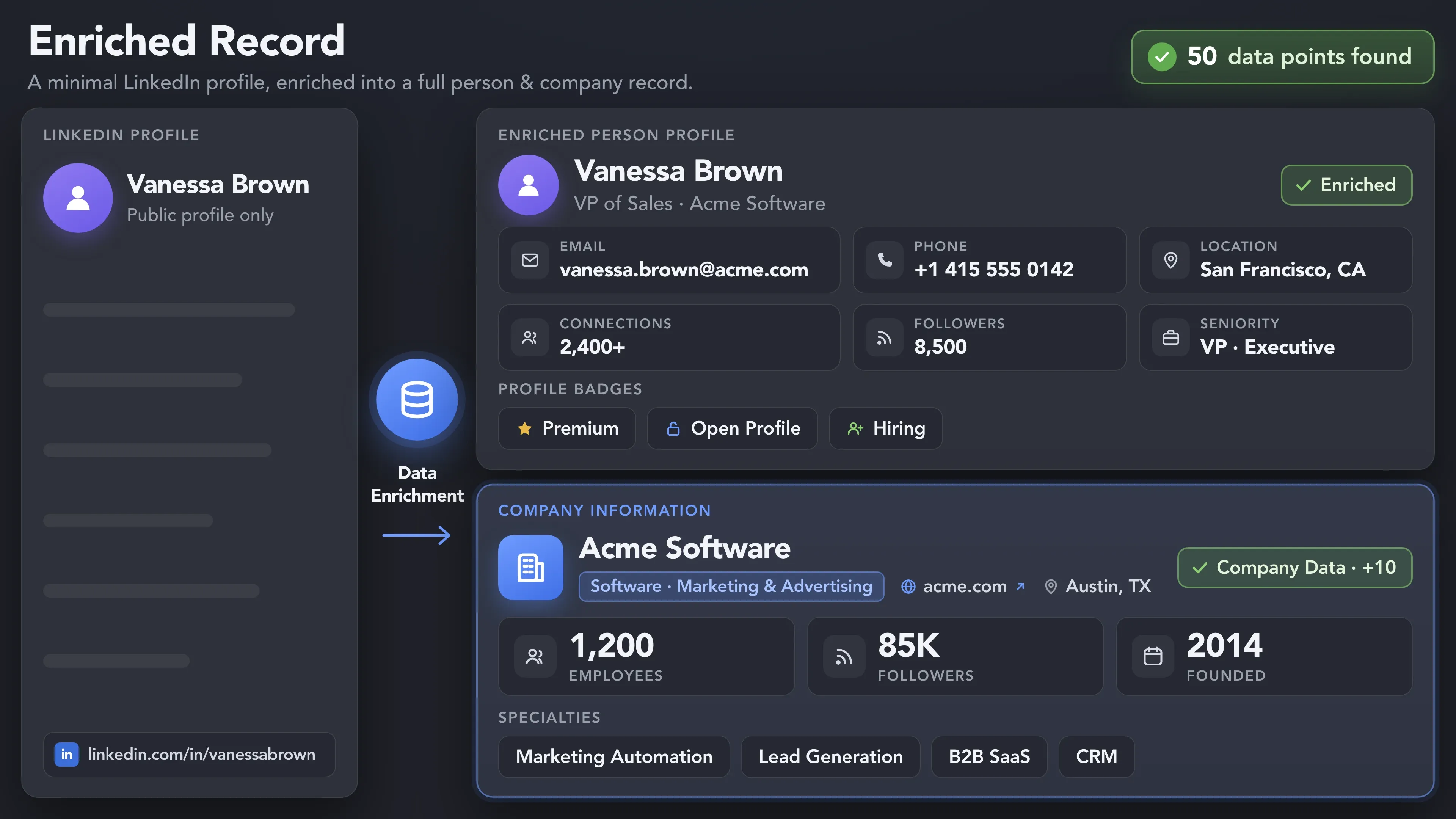
Build a contact base you can keep working with as your business grows. Enrich investor and partner profiles, connect your CRM, and continue outreach beyond LinkedIn.
Add available information about each contact’s role, company, and experience, along with emails and phone numbers when found. Gather the details you need for more informed investor outreach and partnership conversations.
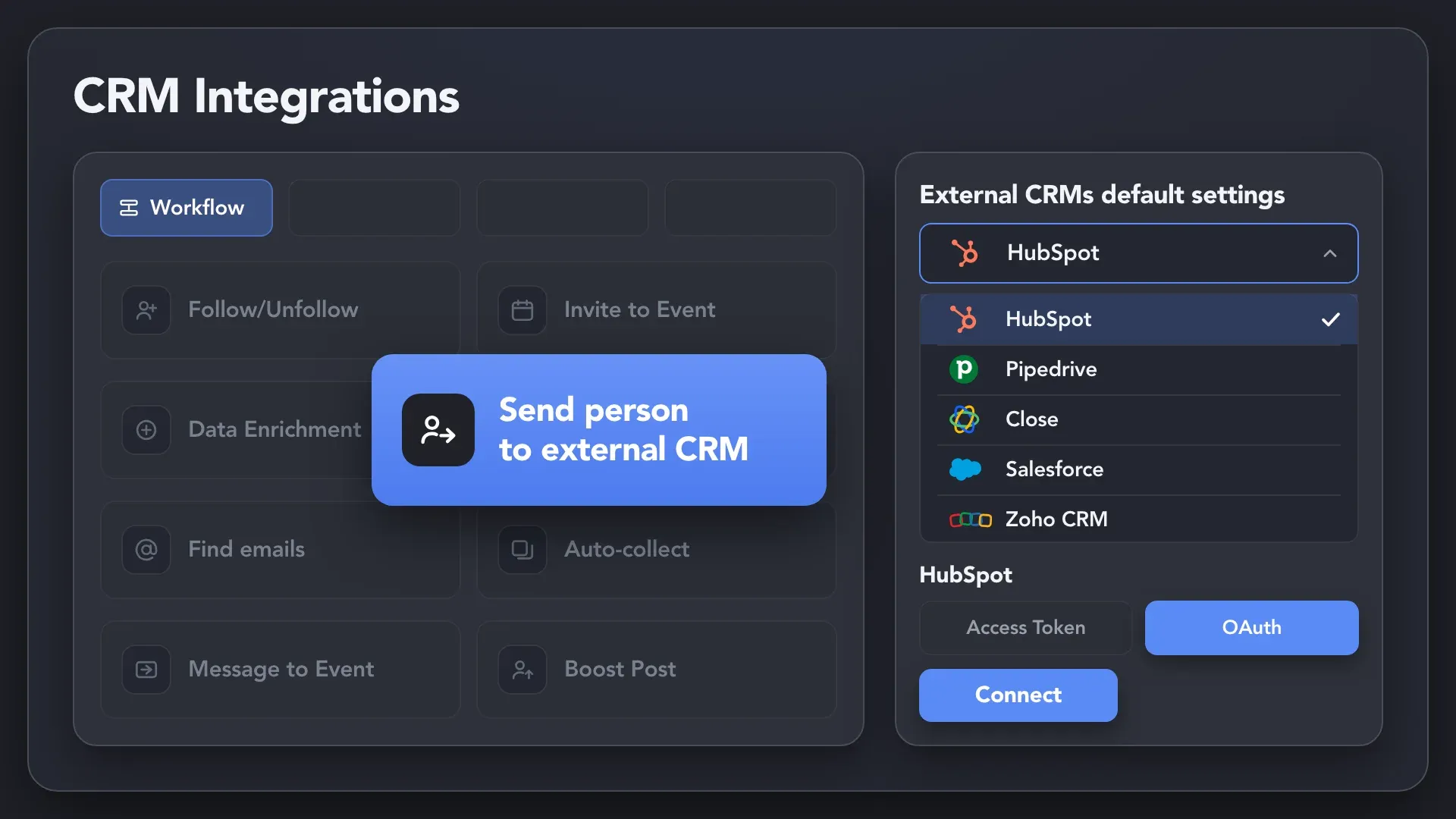
Send selected contacts and mapped profile fields to your external CRM. Keep potential investors, strategic partners, and affiliate contacts available for follow-up as relationships develop. You can also export collected data to CSV.
Find available email addresses and send contacts to a connected email platform such as Instantly or Snov.io. Continue investor and partnership outreach through email campaigns and follow-ups sent by your email tool.
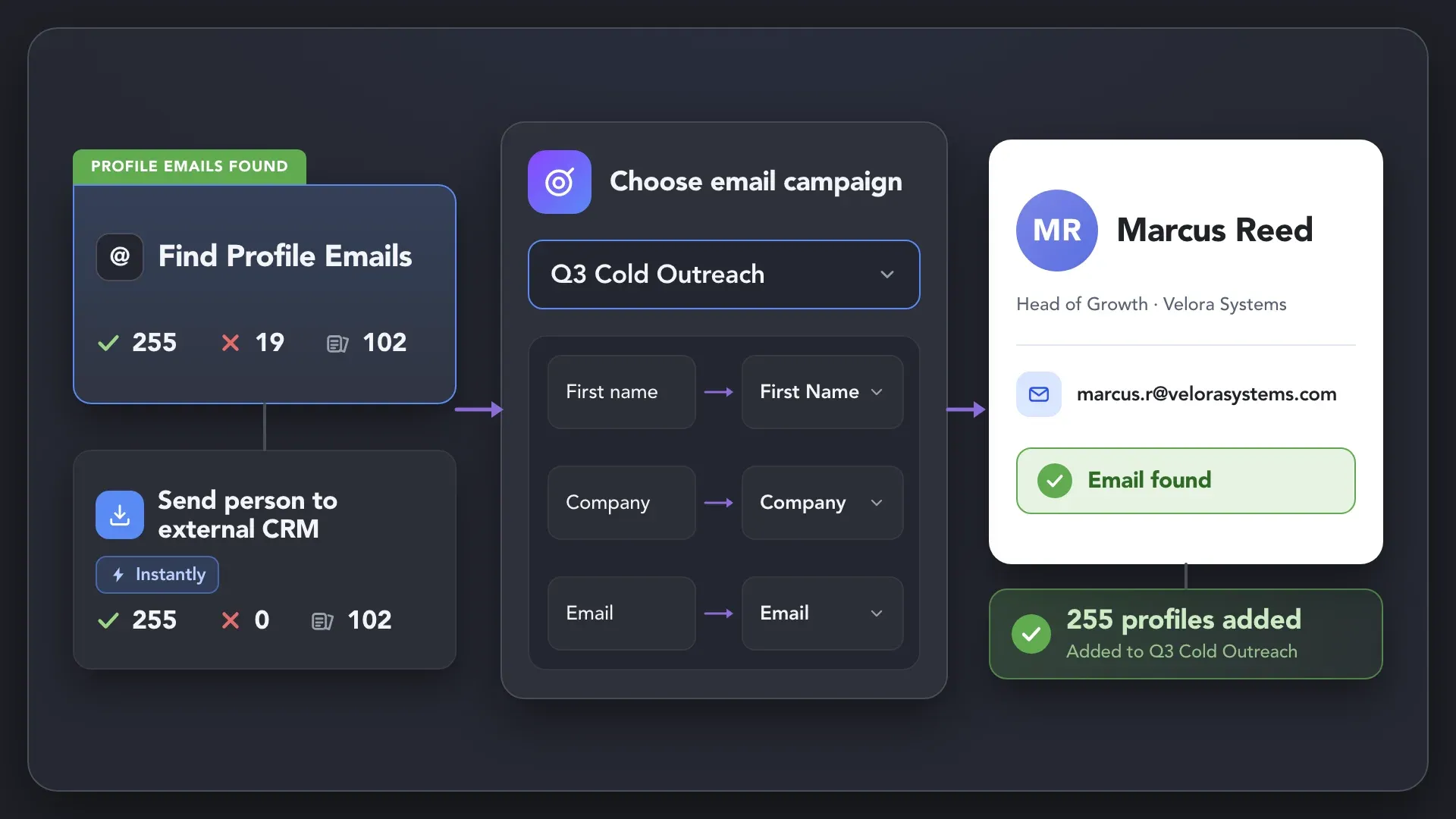
Effortlessly gather valuable insights from LinkedIn without manual data entry. You can set up a CRM transfer after any step or only after a lead replies to a certain LinkedIn message for maximum precision. Sync LinkedIn chats with CRM so the entire team can view lead responses.














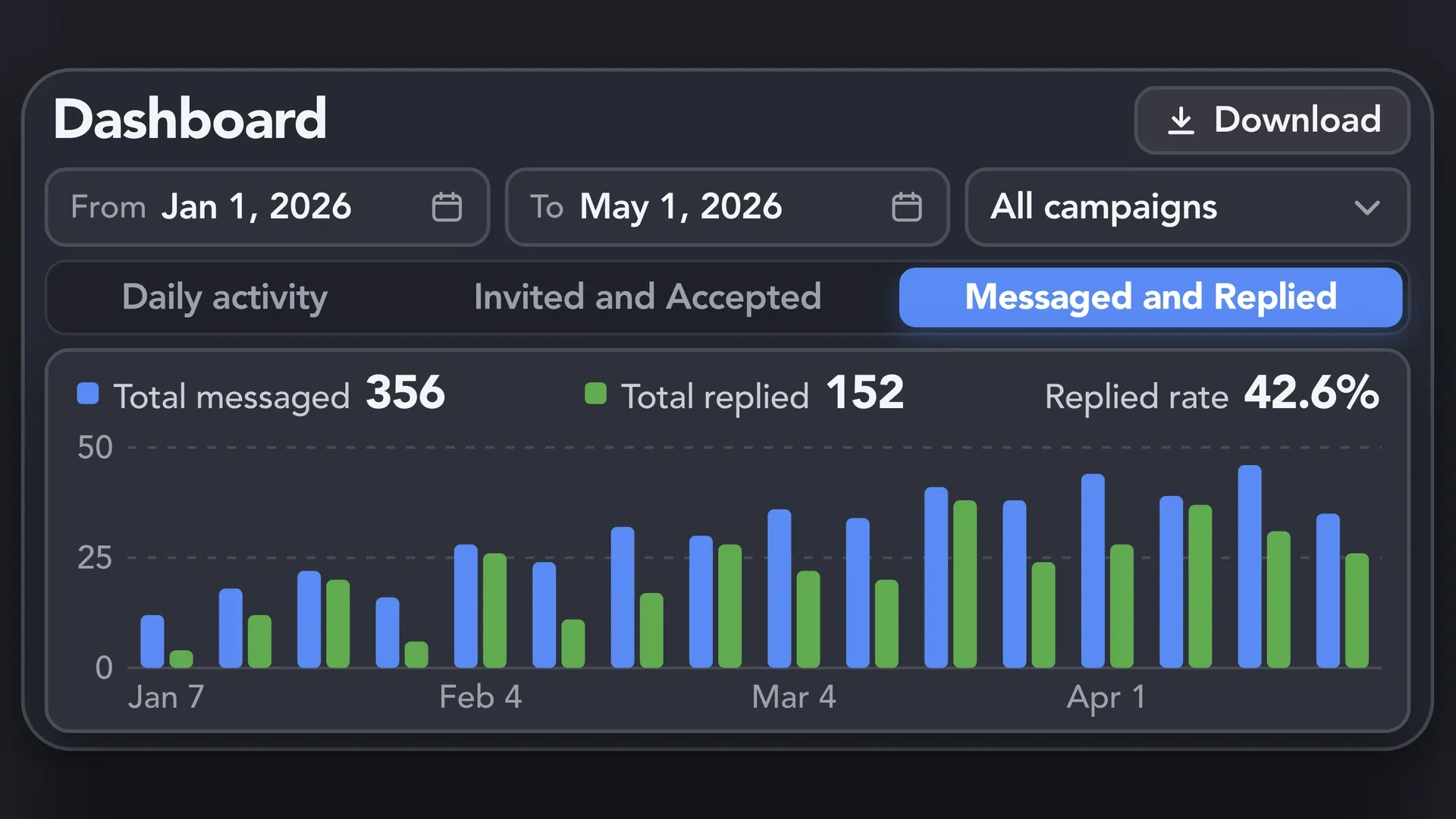
Start with outreach you manage yourself, learn from each campaign, and bring teammates in as your business grows. Keep results, responsibilities, and conversations visible as founder-led growth becomes a team effort.
Track LinkedIn activity, connection acceptance rates, and reply rates by campaign and period. Compare results to decide which audiences, messages, and sequences to refine before expanding your outreach.
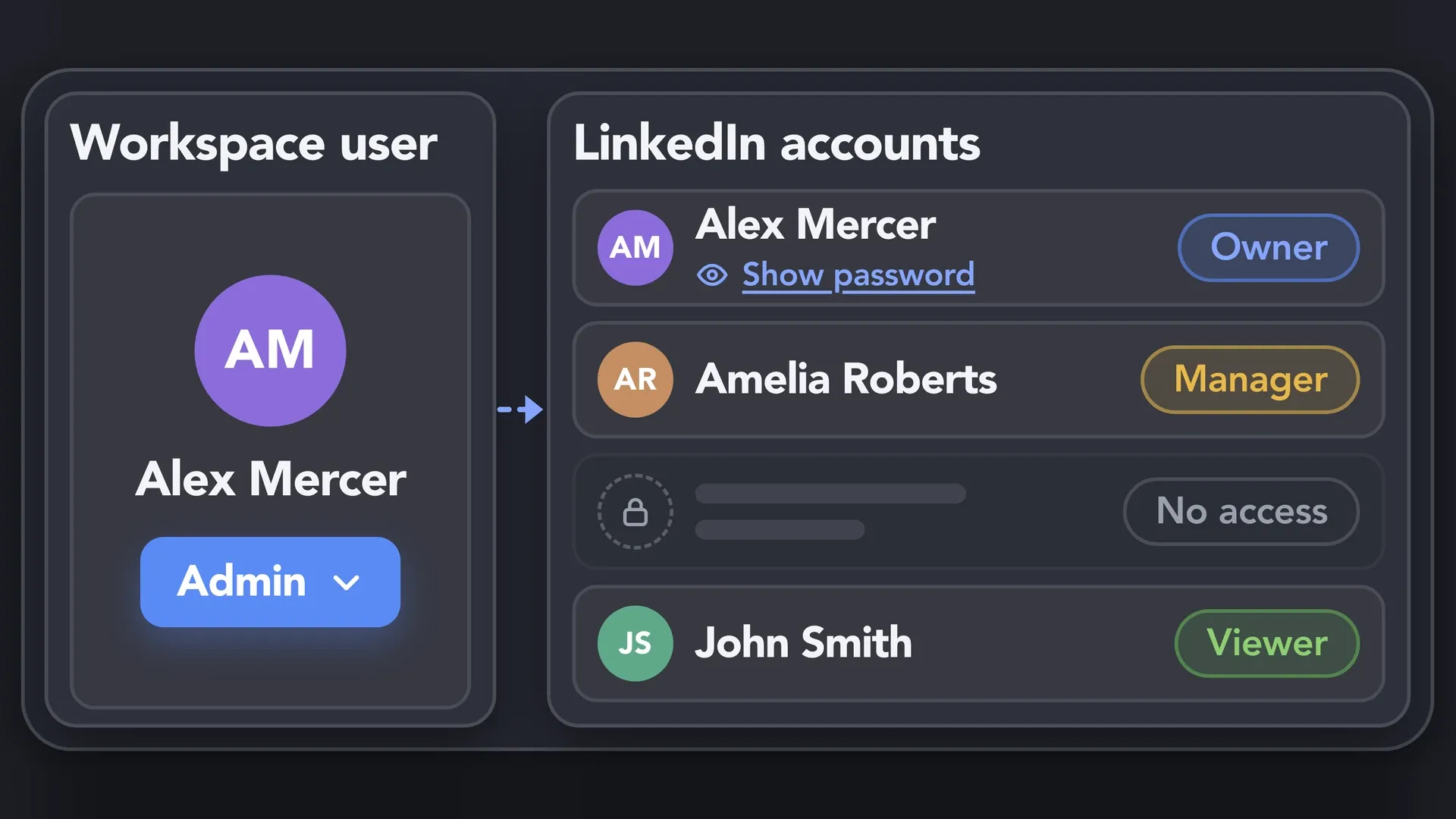
When you hire your first sales or growth teammate, give them the account access they need. Manage roles, permissions, and licenses in your Workspace, so you can delegate daily outreach while keeping oversight.
Bring collected conversations from multiple cloud-synced LinkedIn accounts into one Unified Inbox. Filter by account, campaign, or tag, and let authorized teammates review the context and reply. Available with Cloud-based data storage.
Your LinkedIn profile is part of your business reputation. Control the pace of automation, the messages people receive, and who can access your outreach as you build relationships with customers, investors, and partners.
✔ Daily & Hourly Limits · ✔ Working Hours & Delays · ✔ AI Draft Approval · ✔ Team Access Rights

Basic

Premium

Sales Navigator

Recruiter
Basic
Premium
Sales Navigator
Recruiter
LinkedIn Guides
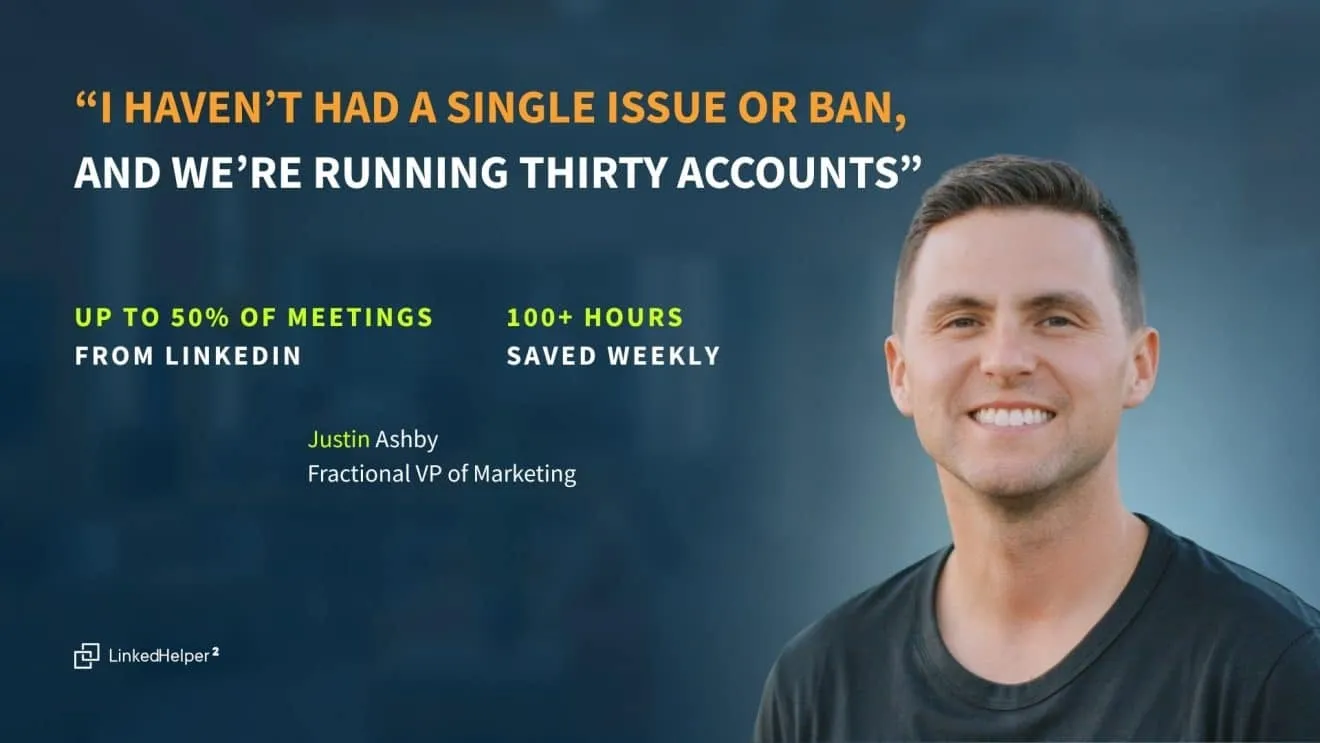
See how Justin Ashby manages 30+ LinkedIn accounts, saves 100+ hours weekly, and drives up to 50% of client meetings with automation.
Reviews from founders and small business owners on G2 and Trustpilot.





LinkedIn Helper makes the fundraising process so much quicker. I just added a list of business angels, created some messages and started contacting people. We have raised some investment with this process

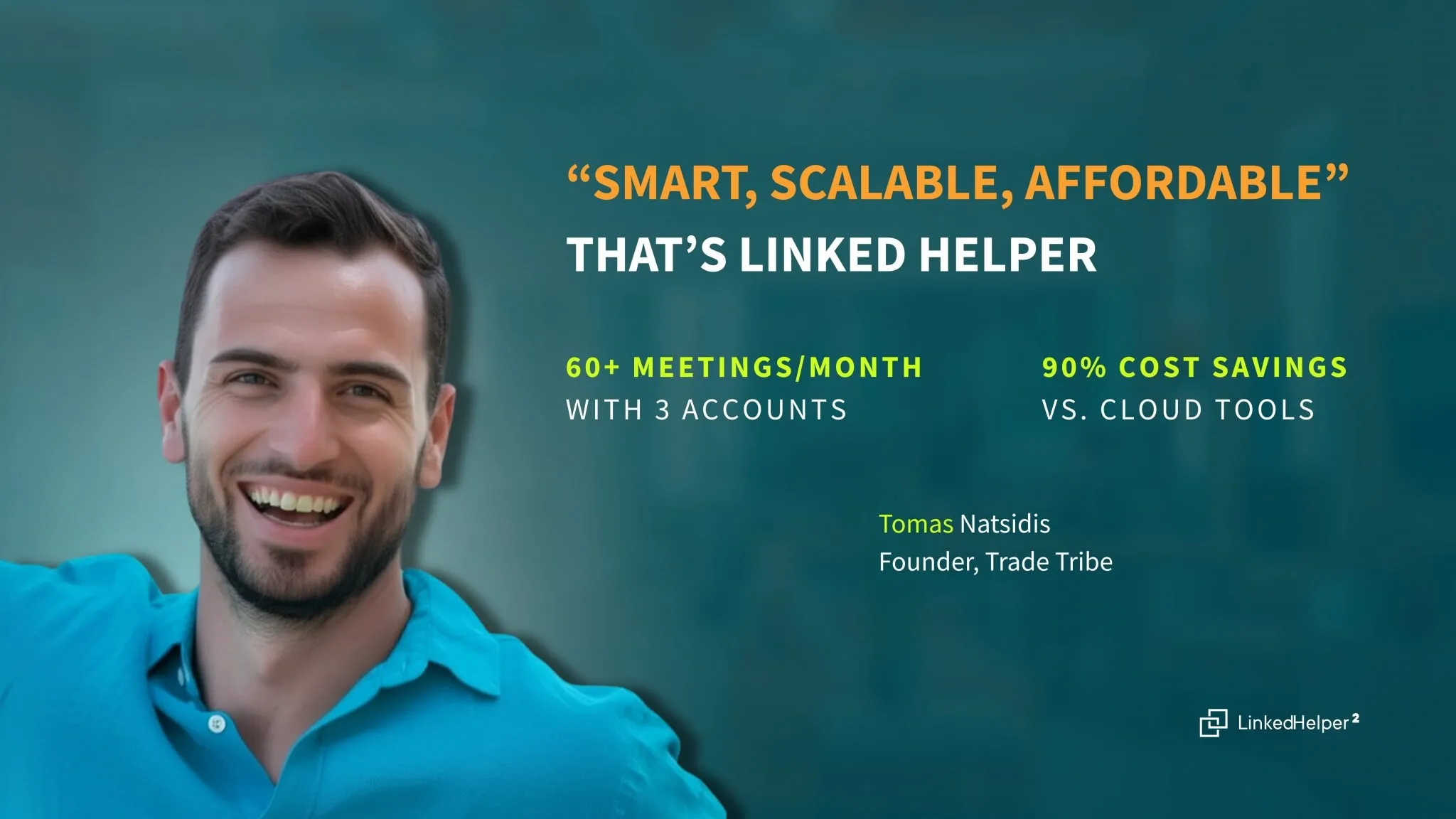
LinkedIn Helper is affordable, scalable and reliable. It gives me complete control over my campaigns. I use it for lead generation – hiring, sales, fundraising, sourcing target lists, personalizing and automating reach out on LinkedIn, and finding emails.

As a startup company in the AI industry, I wanted to grow my LinkedIn network quickly, ethically and with miminal drama or effort. After some research on available tools I chose LinkedHelper, because it had the functionality I required at the best price. In just 6 weeks, I have tripled my network.
Linked Helper helped me reach the people that were necessary to establish connection for my business. So easy and Effective too! Discovering partnerships and potential clients for our platfrom.
LinkedHelper is the essential part of our sales workflow. Helps our company getting 10-20 client demos each week. I can't recommend enough. It's a must have for any B2B sales team
LinkedHelper is essential for creating your network to reflect your ideal client profile. You can literally tell the system your ICP, and it hunts these people down like they owe it money, and boom! Connection made. In addition, your brand awareness through the process is amazing.
It is so simple to use and saves you so much time by automating those mundane day-to-day actions that take you forever to do on LinkedIn. I would have been lost had it not been for Linked Helper.
I’ve been using LinkedHelper for about a year now, and I’m really happy with it! It works just like a real human, and I haven’t had any issues with my LinkedIn accounts since I started. I’ve had some bad experiences with other automation tools that got me blocked, but LinkedHelper has been great.
This software has revolutionized our LinkedIn outreach and lead generation. It has completely transformed the way we connect with potential clients and partners. The platform is incredibly intuitive and efficient, making our outreach efforts more effective than ever before.
Learn how to find clients on LinkedIn and turn your next business priority into a working outreach campaign.
Follow practical guides, watch walkthroughs, and get help when you need it.
Find setup instructions, workflow recipes, and answers to common questions. Learn how to collect contacts, configure messaging sequences, and manage replies as you build your first campaign.
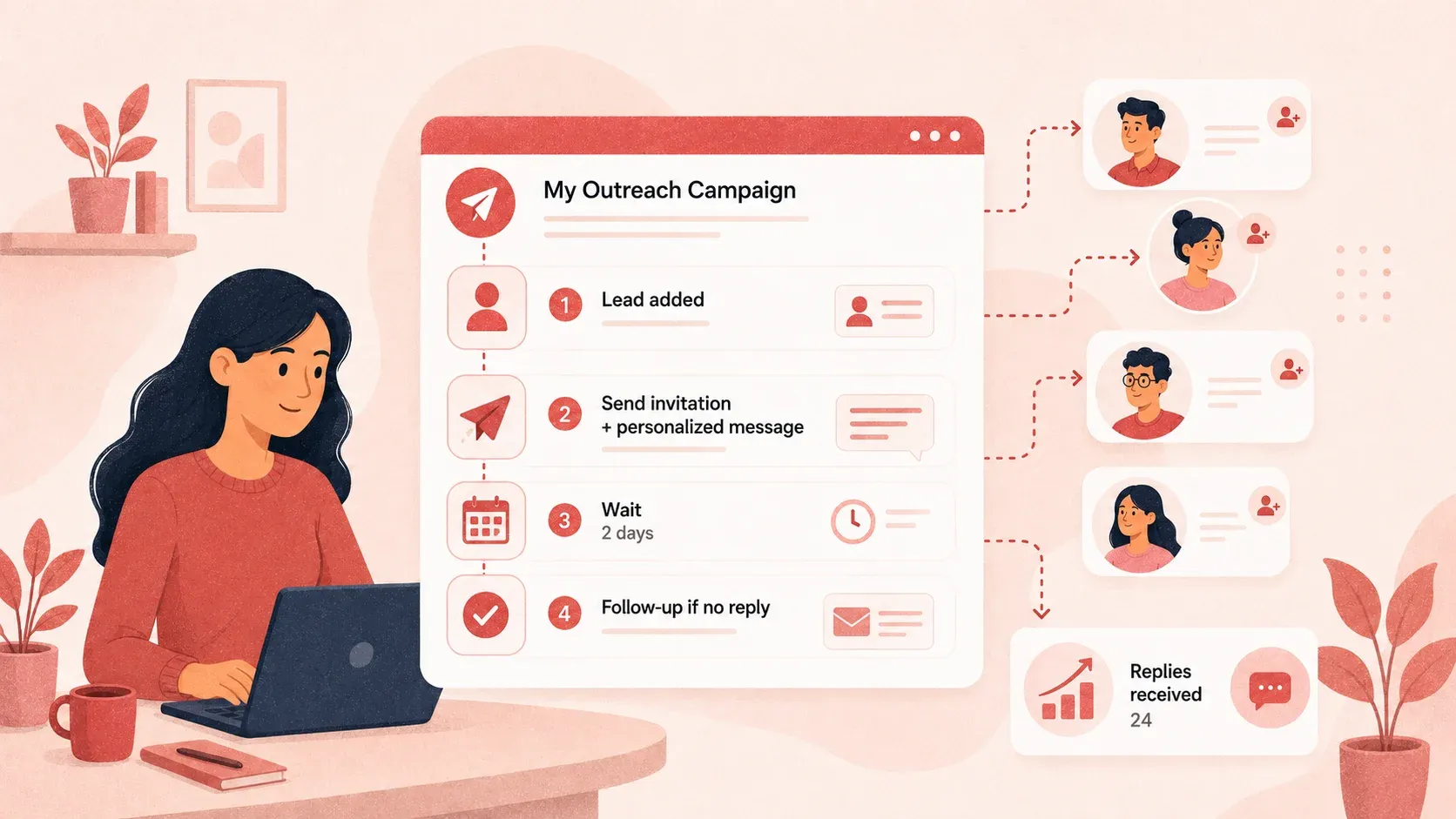
Explore LinkedIn outreach guides you can apply to sales automation for startups. Get ideas for targeting, messages, and follow-ups, then adapt them to your offer and audience.
Follow product walkthroughs and watch the setup process in action. Learn at your own pace and return to the relevant tutorial when you’re ready to use a new feature.
Join our weekly live walkthrough to see real campaigns and AI sequences built from scratch, and get your outreach questions answered live.

LinkedIn Automation Trainer
Julia helps Linked Helper users set up effective outreach campaigns and work safely within LinkedIn limits.
YOU WILL LEARN
The Standard plan covers essential automation for everyday outreach. The Pro plan unlocks enterprise-level targeting, integrations, and scale.

All your data stays on your device in local folders you can access directly.

Each account has its own isolated storage - no data mixing.

With outgoing webhooks, Linked Helper can send data to third-party systems.

Data is stored in local folders on your device. No app, no internet required to access your files.

Install the app on a new device and pick up right where you left off.

Share LinkedIn accounts and campaign data without manual exports.
With incoming and outgoing webhooks, Linked Helper can receive data from and send data to third-party systems.

Your data is automatically backed up to the cloud - no risk of losing it if something happens to your device.

Switch devices or reinstall the app without moving files manually.
Local tax may apply
Yes. Linked Helper supports founder-led sales by automating contact collection, connection requests, and follow-ups. You choose the audience and offer, then handle replies, demos, and negotiations. Ready-made campaign templates help you get started without building every workflow from scratch.