
 Goal-Driven Pitches
 AI Hyper-Personalization
 Hands-Free Mode
 Quick & Advanced Writing
 One-Click Replies
 Account Protection
 Team Workspaces
 AI Suggested
Context-Aware Reply Scenarios
Don’t waste time thinking about what to say next. The AI analyzes your chat history and offers ready-to-use response strategies. Just click a preset goal and get a highly relevant reply instantly.

Linked Helper's LinkedIn AI message generator reads each prospect's profile and drafts a personal connection note, follow-up or reply. You review every draft before it goes out, or switch on Auto-approve when you trust the tone. AI messaging is built into the app, with AI credits included in every plan.


Prospects spot generic automation from a mile away. It hurts your brand and lowers your reply rates.
Switch from blind spray-and-pray to guided intelligence. Linked Helper makes you look like you’ve done your homework – AI creates the 1-to-1 icebreakers, reading the lead's profile.
 Generic Template
 Ignored

 Hyper-Personalized Message
 Meeting Booked
Tell AI exactly what to care about. Mark profile fields – Summary, Experience, Skills, Mutual connections – as Required. The AI analyzes the set data of a prospect and creates highly relevant messages. You control the context.

Build a strategy – set a general campaign goal, for example "Pitch our analytics tool", and let AI automatically define objectives for each follow-up which you can easily tweak.

By default, every draft waits in AI Drafts until you approve it. Auto-approve is optional for campaigns where you already trust the AI's tone; when enabled, individual drafts are not held for approval.

Not happy with a draft? Tweak it manually or hit "Regenerate" to get a fresh version in 1 second.

Once you’re confident the AI has mastered your tone, toggle the "Auto-approve" switch to run your campaigns on hands-free autopilot.

Manually studying profiles and drafting icebreakers shouldn't be your bottleneck. Stop spending 15 minutes per lead. Reclaim your time for what matters: closing deals.
Team size
YOUR TEAM SAVES
Hours saved across 5 people per month
* 0.7 hours per person per day
COST SAVINGS
* Based on an average sales rep hourly rate of $50
Build flexible message systems that combine AI-powered copywriting with variables, conditional logic and Spintax.


Don't let hot leads go cold. Let the AI Reply Assistant analyze your conversation history and suggest the perfect next step to book that call.
AI SuggestedDon’t waste time thinking about what to say next. The AI analyzes your chat history and offers ready-to-use response strategies. Just click a preset goal and get a highly relevant reply instantly.
 Goal-Based
Have a specific goal in mind? Use the custom reply feature. Simply type a prompt (e.g., "Invite them to a product demo next Tuesday"), and the AI will craft a perfectly phrased, context-aware message on your behalf.
 Tone Control
Prefer to write replies yourself? Type your raw thoughts and let the inline AI Text Editor fix grammar, expand short replies, or switch the Tone of Voice to 'Confident' or 'Professional' right inside the chat box before hitting send.

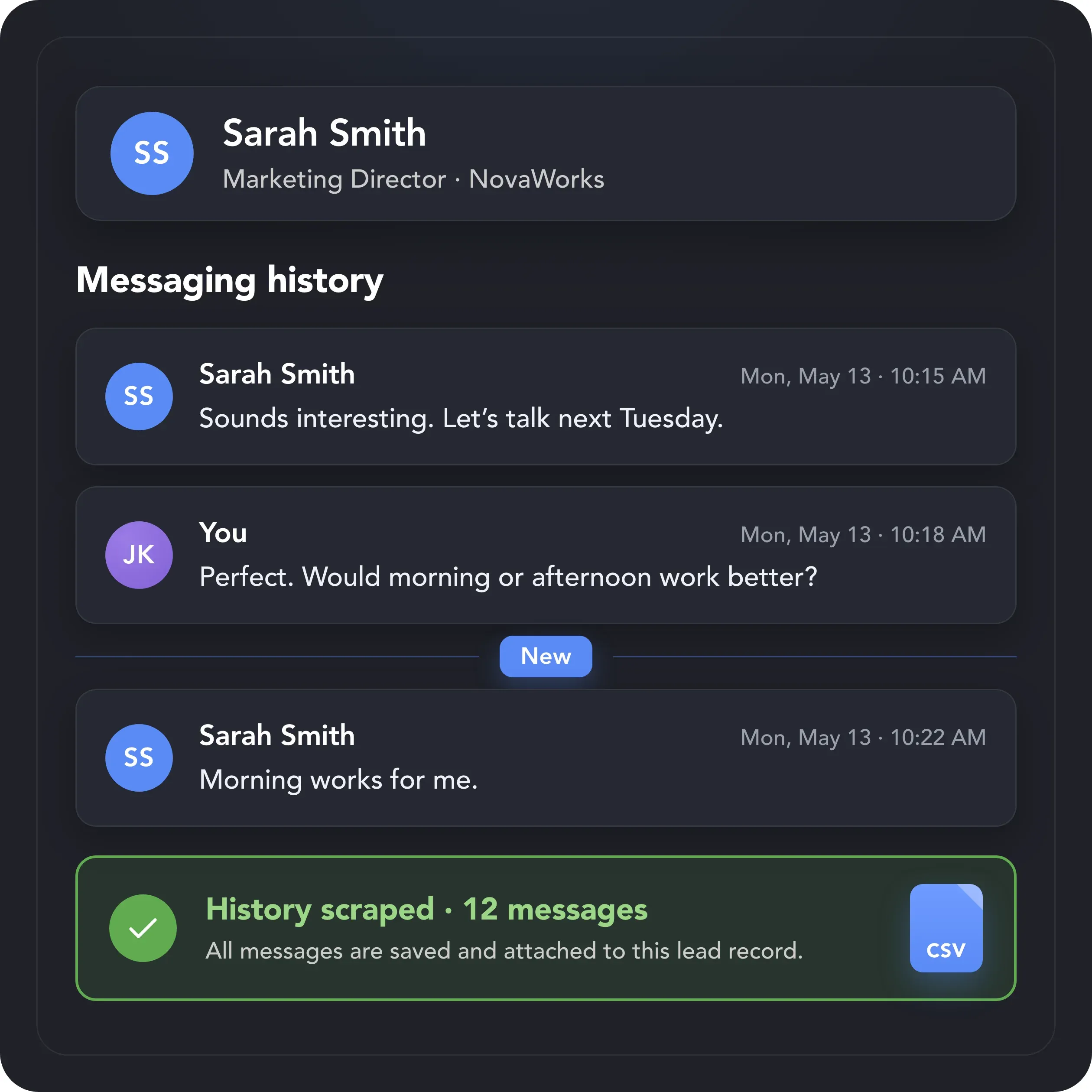
Relevant replies start with complete context. Scrape previous LinkedIn conversations and save them to the lead’s record before generating your next response.
AI Messages writes the messages. Two more AI tools handle the steps before them: choosing who to contact and warming leads up with relevant comments.


No automation tool can guarantee zero risk, but Linked Helper sends every AI-personalized message within daily limits, working hours and human-like pacing that you control.

Linked Helper works in a real browser, acts at a human pace with mouse movements, typing and randomized delays, follows your working hours and daily limits, and runs from your own IP or a proxy you choose.
 Real BrowserHuman-like ActionsWorking HoursDaily LimitsYour Own IPDedicated Proxy
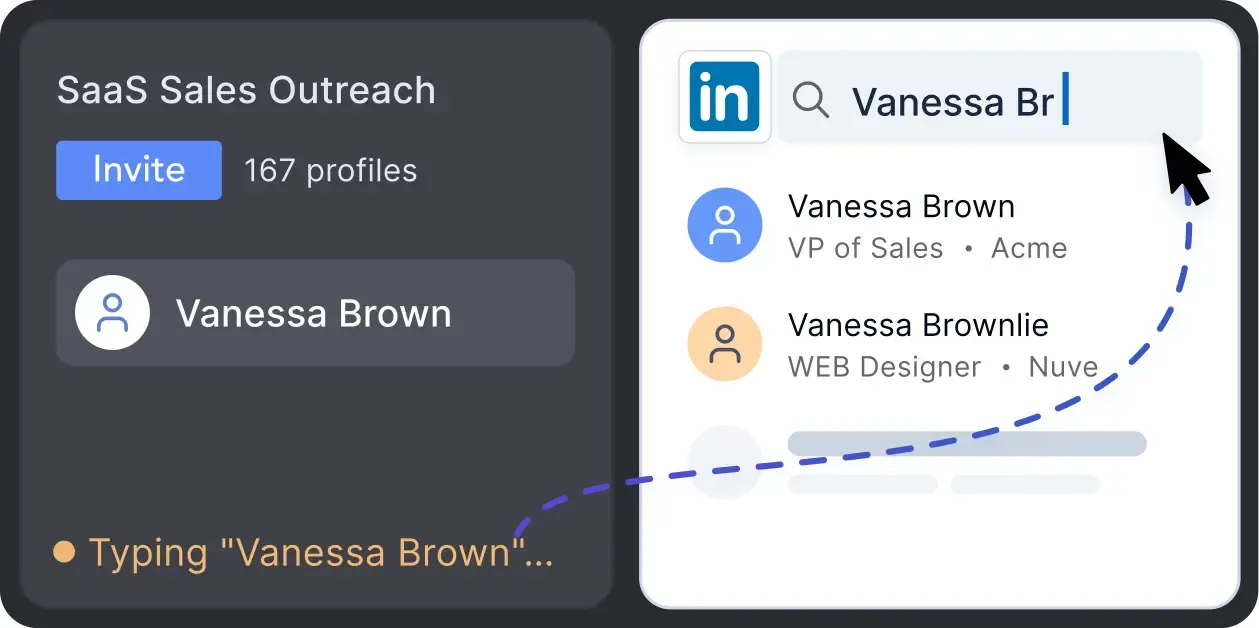
No risky API calls. Linked Helper mimics a real person with mouse movements and clicks, typing simulation, and randomized delays when scaling your personalized outreach.
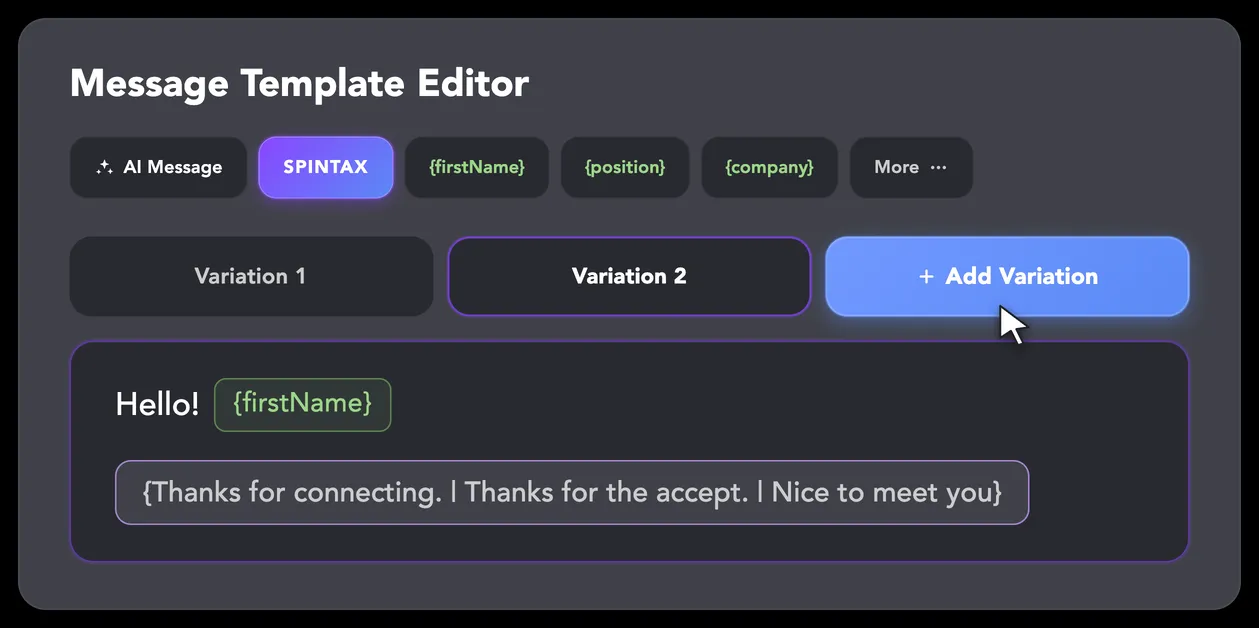
LinkedIn algorithms flag repetitive text. Combine your generated templates with unique syntactic variations for every single message, keeping your outreach off the spam radar.
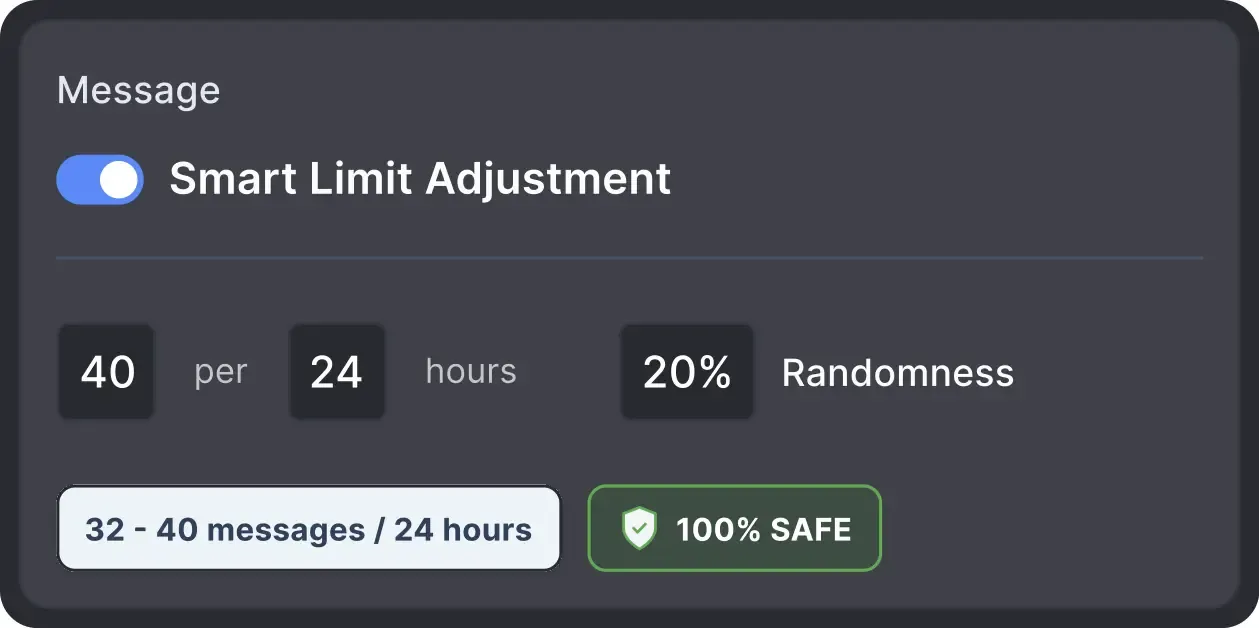
Operates within safe, recommended daily quotas and works on a human-like schedule with random shifts to avoid robotic patterns.
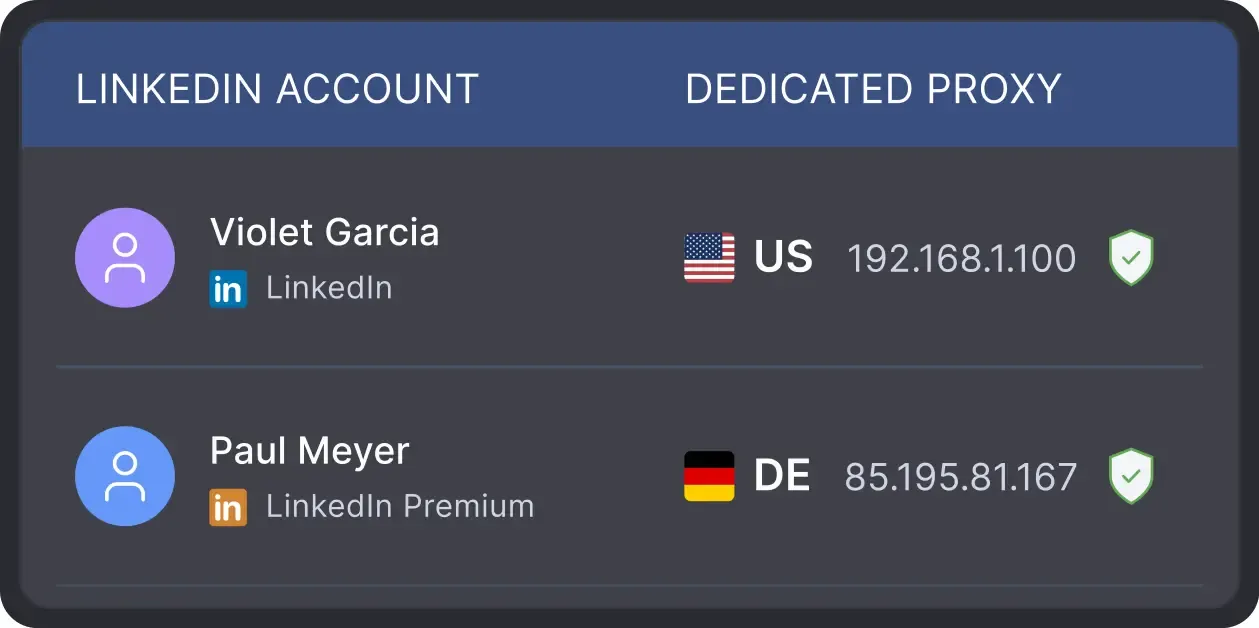
All LinkedIn activity comes directly from your local IP address or a chosen dedicated proxy when managing multiple LinkedIn accounts, avoiding a major red flag for LinkedIn.
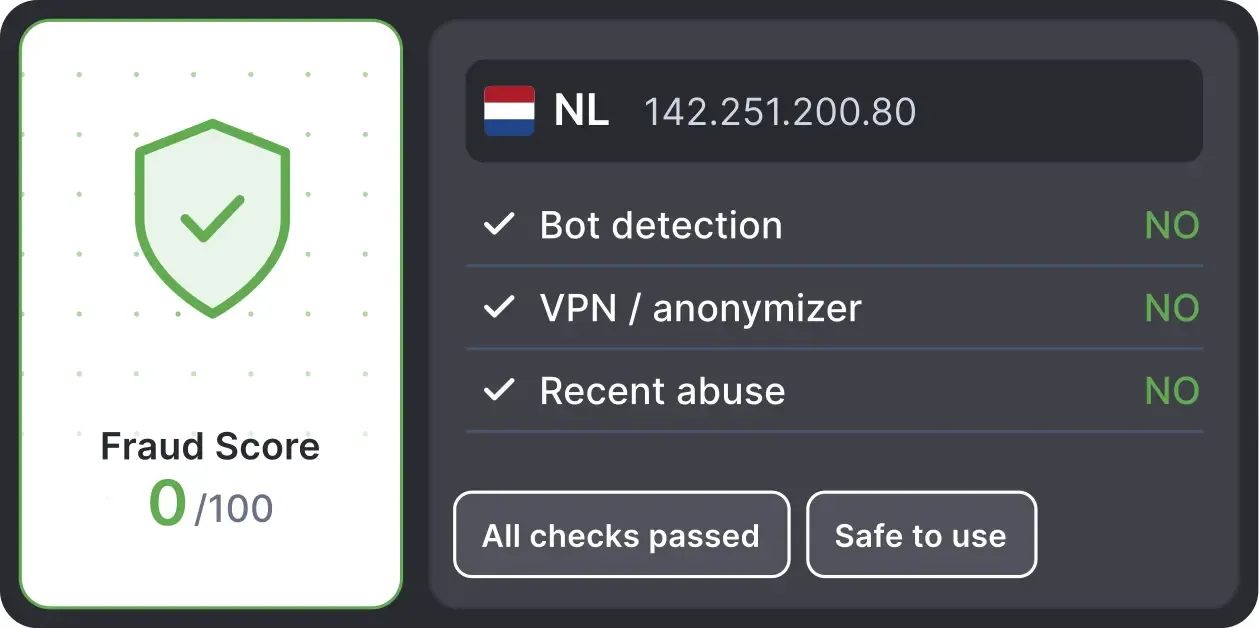
Checks your proxy's Fraud Score and marks it Good or Bad, so you can decide before you run campaigns.
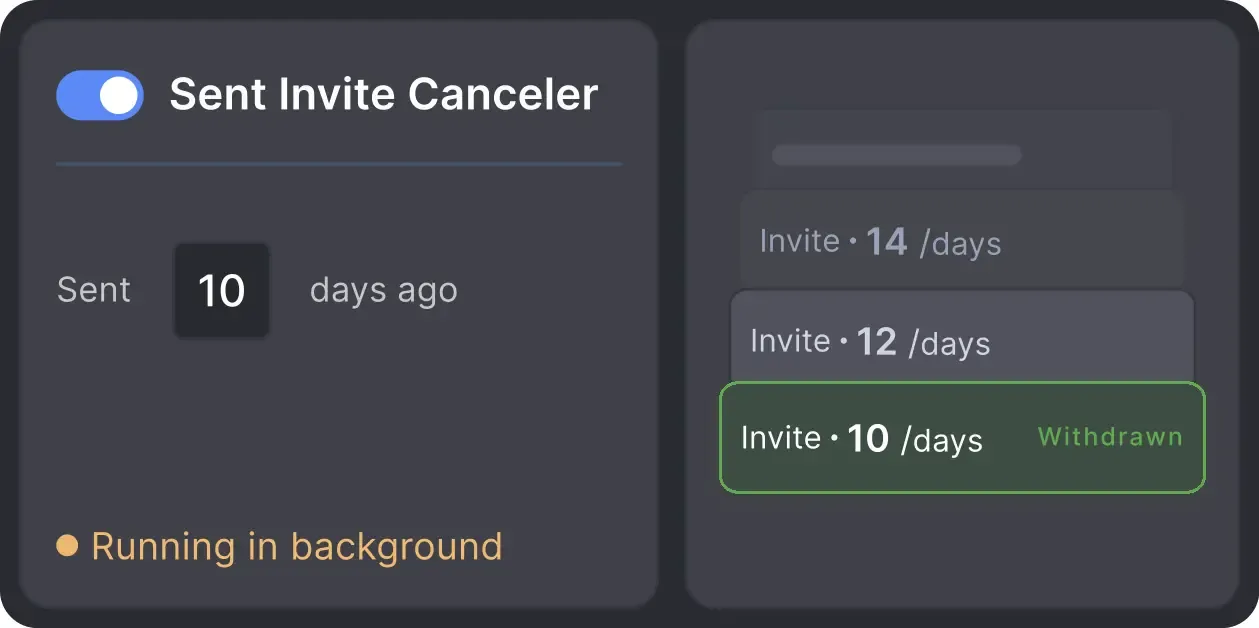
Automatically retracts old, unanswered connection requests to keep your profile in good standing with LinkedIn's algorithm.
Effortlessly gather valuable insights from LinkedIn without manual data entry. You can set up a CRM transfer after any step or only after a lead replies to a certain LinkedIn message for maximum precision. Sync LinkedIn chats with CRM so the entire team can view lead responses.


Collaborate, manage multiple accounts, and ensure team-wide transparency like never before. Workspaces transform your team's AI-powered outreach into a unified, scalable operation.


Basic

Premium

Sales Navigator

Recruiter
Basic
Premium
Sales Navigator
Recruiter
From finding leads to closing deals, Linked Helper automates every step of your outreach funnel. Explore the features that cover every step of your LinkedIn outreach.


 You Are in Good Company
Rishi Gangoly
LinkedIn Outreach Specialist & Marketing Consultant
Never pitch. Never, ever. The tool is great, but if you think you can use it to spam people, it’s going to backfire. Because of this system, my clients feel super confident that they will never, ever run out of leads.
WEBINAR REGISTRATIONS FOR A SINGLE CLIENT
DAYS FROM CONNECTION TO CLOSED DEAL
INCREASE IN WEBINAR ATTENDANCE
Real reviews from Linked Helper users who personalize LinkedIn messages and follow-ups at scale.




One of the features I particularly appreciate is the ability to customize and schedule my outreach campaigns, as well as the detailed analytics it provides on the effectiveness of my campaigns.
It provides a range of features that automate and optimize the LinkedIn outreach process, including the ability to personalize messages and track the effectiveness of campaigns.

What I like most about Linked Helper 2 is how it saves me a huge amount of time in managing outreach and follow-ups. The workflows are very flexible, and the tool feels reliable even when running complex campaigns. I also appreciate the built-in CRM features that make it easy to keep track of connections.

The 1st connection message sequence is a feature I use a lot. The best thing they added to Linked Helper 2 is message filtering. For example, say I ran a campaign earlier with a text that contains "first-ever": when I decide to run another campaign, I can set it to not send a message to the people I already texted "first-ever". Linked Helper goes to each profile, searches for that text within the previous messages, and sends a message only if it doesn't find one.
Using Linked Helper now over a couple of months and have to say it works flawlessly. Onboarding new contacts, sending out follow-up messages... everything is automated once you set it. Just top to increase the network with this tool!

It is my responsibility to find and initiate correspondence with cold leads. Now, having a well-selected database, all I have to do is load it into Linked Helper, set the correct steps, and then process contacts that are ready for communication.
It is also very convenient for me to collect all the answers in the built-in CRM for further processing.
It works. The automations, once set up, run smoothly. I've set up 4 campaigns and I simply add the profiles and forget about it until I see a reply.
It's allowing me to automate my initial outreach connection request along with sending a message, literally saving me countless hours of monotonous copy/paste manual actions.
Linked Helper saves me a lot of time when working on LinkedIn. I like that it helps organize outreach, manage contacts, automate repetitive tasks, and keep communication more structured. Once the workflow is set up properly, it becomes a very practical tool for lead generation and professional networking.
I liked that it can automate almost everything on LinkedIn: sending connection requests, sending InMail messages and follow-up messages, extracting profile emails, and a lot more. All of that is done in a safe way, because the program acts like human behavior and has safe limits for each action.
Notably, a conversation scheduled through LinkedIn (through the Linked Helper campaigns) is warm, inviting, and engaging. Sales people don't like making cold calls and prospects don't like receiving them. Linked Helper removes all of that frustration, leading to natural conversations with prospects ideally suited for the products and services we offer.
No chatbots. No waiting days for a reply. Get fast, expert help from real people
who are committed to your success, anytime you need it.
Aleksandra T.
Business Owner, Supplies and Equipment
A huge shout-out to their Customer Support and Client Support teams—the helpdesk is incredibly responsive, professional, and always provides clear solutions to any technical questions.
 Review
24/7 LIVE CHAT & EMAIL
Get a real human response in minutes, not days.
REMOTE ASSISTANCE
If you're truly stuck, we can connect to your computer and guide you.
IN-DEPTH KNOWLEDGE BASE
Step-by-step video tutorials and articles for every feature.
Join our weekly live training for a kick-start, or explore our library of bite-sized guides at your own pace. We provide every resource to help you scale safely.

A 60-minute live walkthrough to kick-start your LinkedIn lead generation. Register now to join live or receive the recording by email even if you can’t attend.


BLOG POST
VIDEO TUTORIAL
Standard plan includes the full LinkedIn automation toolkit, with usage limits on some advanced features.
Pro plan increases advanced feature and integration limits, and adds full message history export.

All your data stays on your device in local folders you can access directly.

Each account has its own isolated storage - no data mixing.

With outgoing webhooks, Linked Helper can send data to third-party systems.

Data is stored in local folders on your device. No app, no internet required to access your files.

Install the app on a new device and pick up right where you left off.

Share LinkedIn accounts and campaign data without manual exports.
With incoming and outgoing webhooks, Linked Helper can receive data from and send data to third-party systems.

Your data is automatically backed up to the cloud - no risk of losing it if something happens to your device.

Switch devices or reinstall the app without moving files manually.
Local tax may apply
No tool can guarantee that LinkedIn won't restrict an account. A unique message for each prospect avoids the identical text that repeated templates produce. But your account standing also depends on how many actions you run per day, whether recipients report your messages, and how well you target your list. Linked Helper keeps actions within daily limits and sends AI drafts to AI Drafts for review before sending.
Let AI read each prospect's profile, draft a personal message toward your goal, and keep every draft under your control until you approve it. Try it free for 14 days, no credit card required.









 Save My Spot