Overline image

LinkedIn Salesforce Integration:
Sync Leads and Messages

Decoration lines
Start Free Trial
100% Free. No card.

Trusted by over 10,000 businesses worldwide

Salesforce LinkedIn Automation:
How the Integration Works

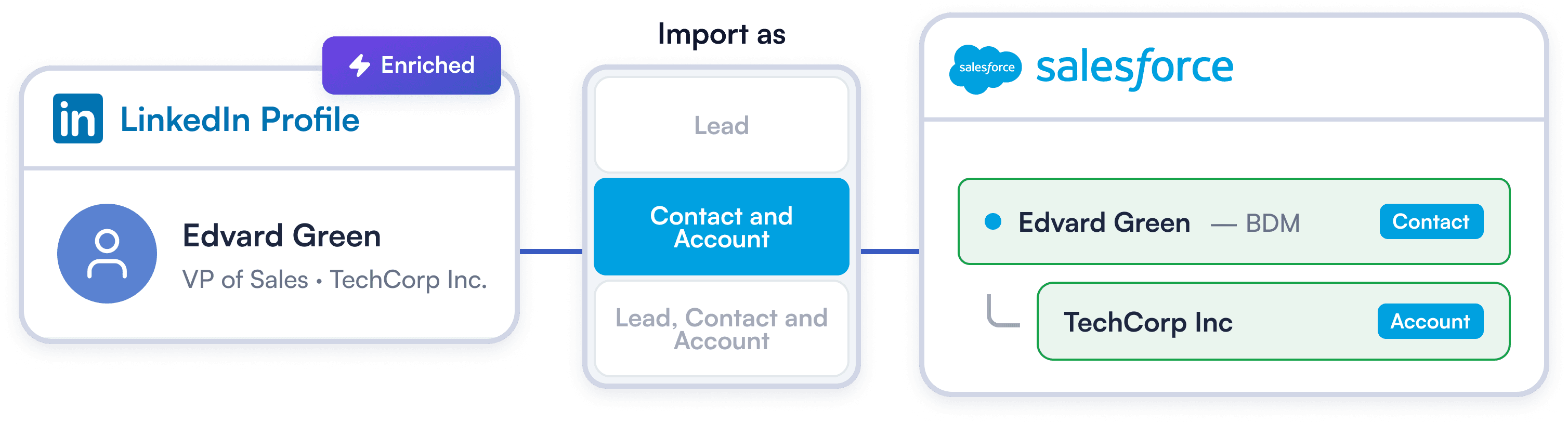
Import LinkedIn Contacts to Salesforce: Three Modes

Import LinkedIn Contacts to Salesforce: Three Modes

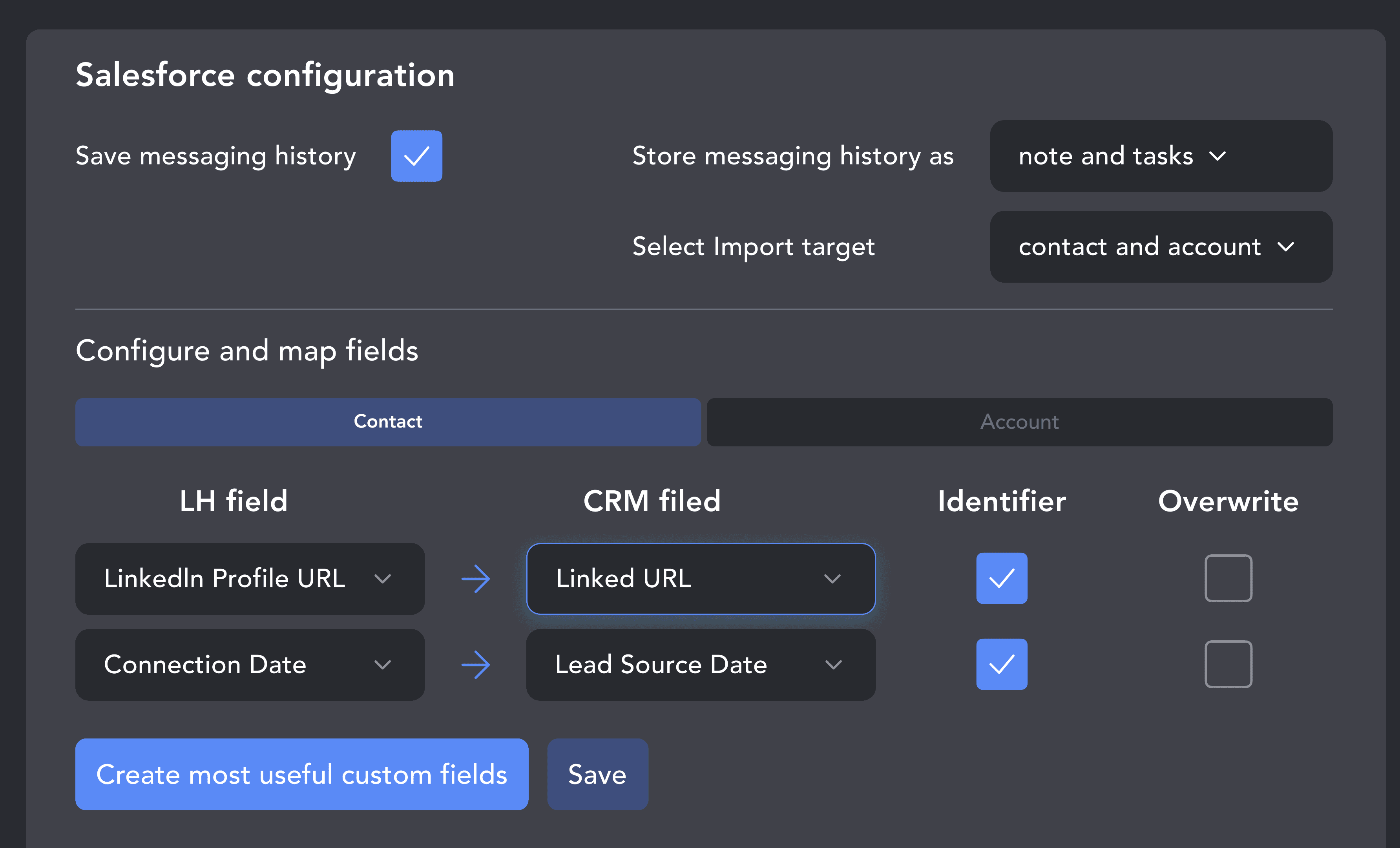
Adapt LinkedIn data to your exact Salesforce architecture. Route prospects as leads for SDR qualification, as contact and account records for account executives, or as both at once.

Try Template
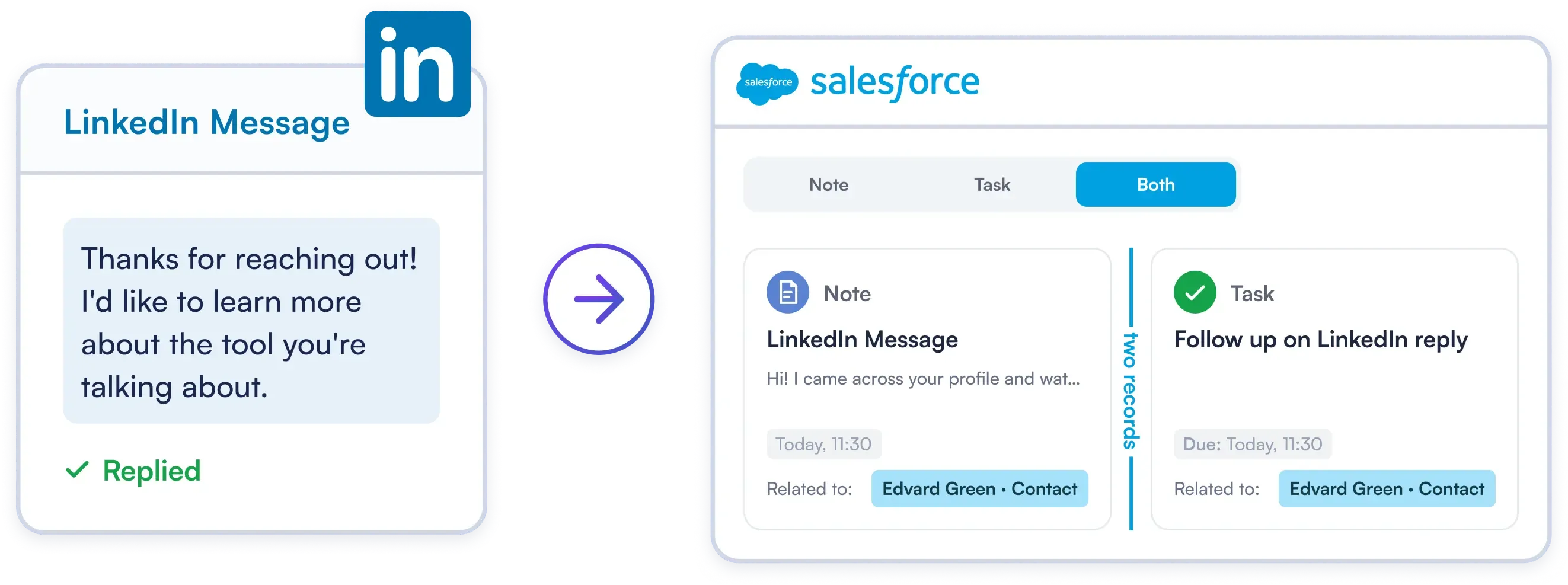
Sync LinkedIn Messages to Salesforce as Notes or Tasks

Sync LinkedIn Messages to Salesforce as Notes or Tasks

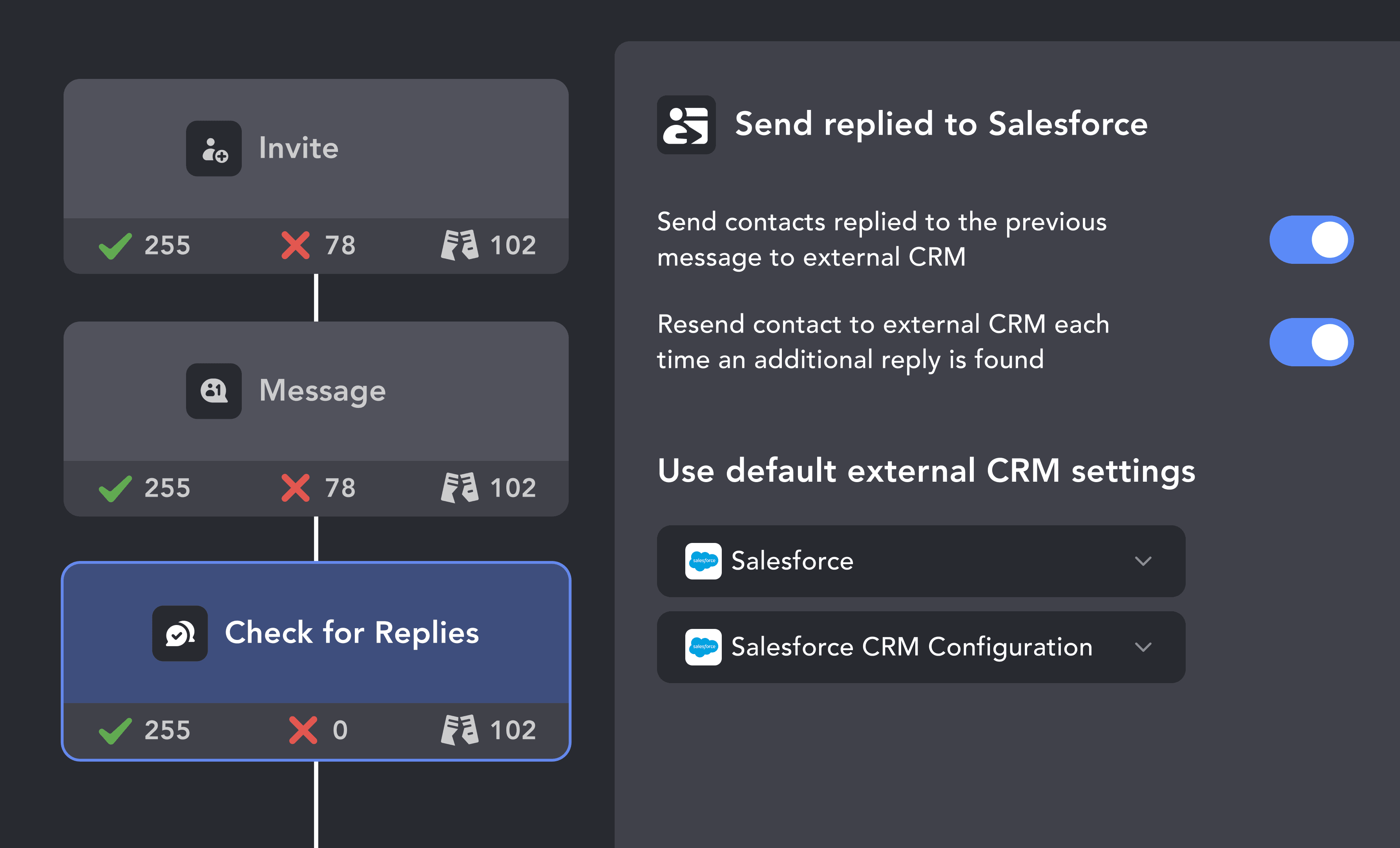
Every LinkedIn message and reply can be automatically saved to Salesforce — as a Note, a Task, or both at the same time. Track LinkedIn activity in Salesforce: every chat is logged on the Lead or Contact timeline.

Try Template
Automated Account-Level Enrichment for Salesforce

Automated Account-Level Enrichment for Salesforce

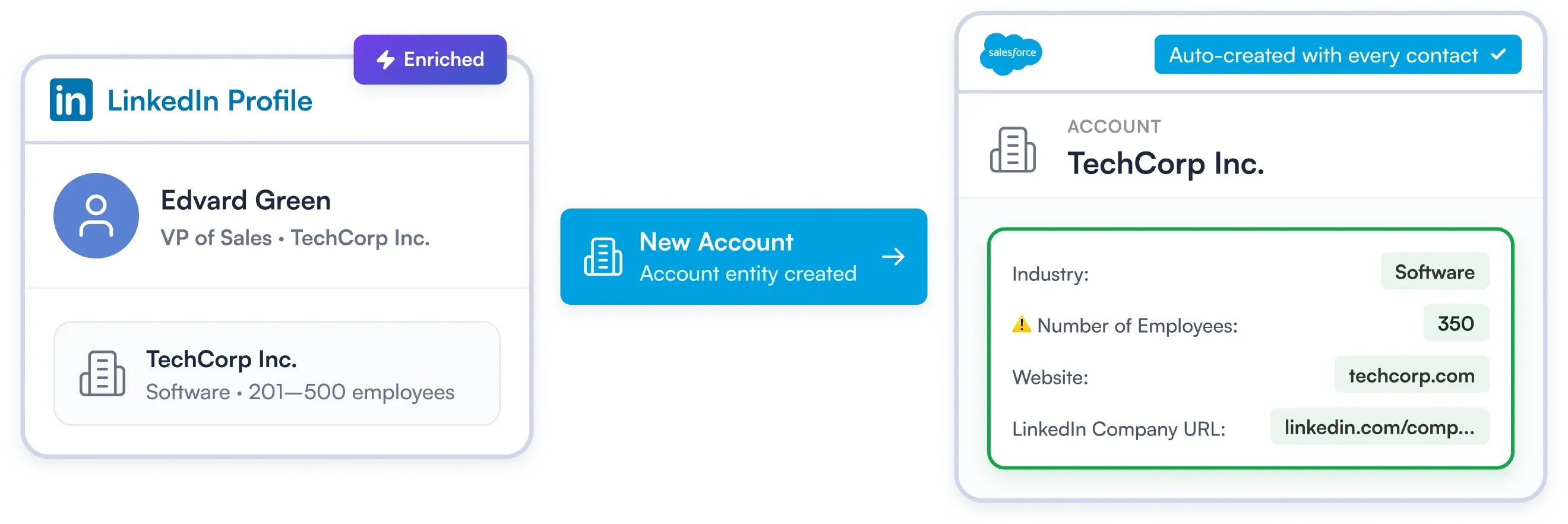
Enterprise sales requires full account context. Linked Helper automatically creates and populates Salesforce Account records for every imported contact — pulling company name, industry, size, and URLs on autopilot. To enrich contact data before export, use Data Enricher.

Try Template

How to Connect Salesforce to LinkedIn
with Linked Helper

Not on Salesforce? Sync LinkedIn with Your CRM

For Marketing & Sales
Linked Helper
Destination

Enrich & Sync Leads in HubSpot

Find prospects on LinkedIn and push their emails directly to HubSpot. Existing contacts are matched by email or LinkedIn profile ID and updated instead of duplicated.

For Sales Teams
Linked Helper
Destination

Fill Your Pipedrive Pipeline

Send LinkedIn prospects straight into your Pipedrive pipeline with full profile data. Duplicates handled automatically.

For Growing Teams
Linked Helper
Destination

Keep Zoho CRM Records Clean

Transfer LinkedIn contacts to Zoho with custom data mapping. Only empty fields are updated, so existing data stays intact.

For Inside Sales
Linked Helper
Destination

Log Every Touch in Close

Transfer LinkedIn leads to Close with messaging history logged as activity. Keep your entire outreach in one place.

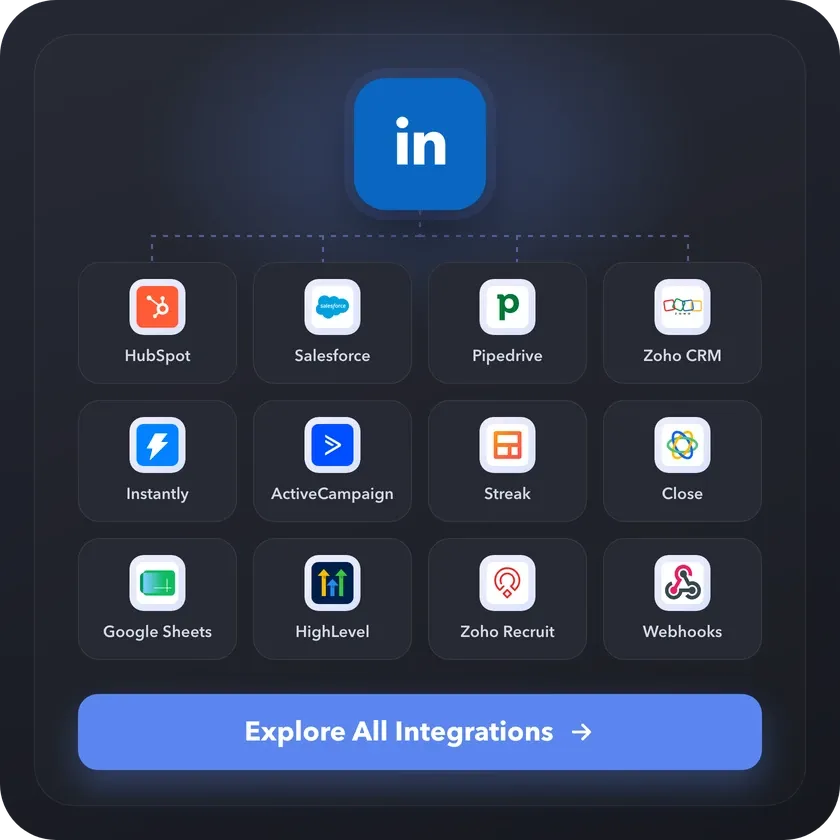
Using Another Tool? Browse All Linked Helper Integrations

Using Another Tool? Browse All Linked Helper Integrations

Linked Helper connects LinkedIn to CRMs, ATS, email tools and marketing automation platforms, plus Google Sheets and webhooks for everything else. Find your stack in the integrations catalog.

Your Complete LinkedIn Automation Toolkit

Info card icon

Smart Connection Requests

  • Send Invites on Autopilot Within Safe Daily Limits
  • Personalize Every Message with AI & Variables
  • Auto-Withdraw Old Pending Requests
Info card icon

Warm-Up & Engage Prospects

  • Auto-Visit Profiles & Follow Key Contacts
  • Like & Comment on Their Recent Posts
  • Automatically Endorse Skills to Get Noticed
Info card icon

Find, Collect & Enrich Leads

  • Scrape from Search, Groups, Events & Post Interactions
  • Enrich leads with verified emails, phone numbers, company data, and more
  • Auto-qualify prospects on the fly with AI ICP Detection
  • Extract Employee Lists from Company Pages
Info card icon

Grow Your LinkedIn Assets

  • Invite Contacts to Follow Your Company Page
  • Automatically Invite Your Network to Events & Groups
  • Clean Your Network by Removing Old Contacts
Info card icon

Scale Your Operations

  • Run Unlimited Accounts with Unique Proxies
  • Operate 24/7 on a Remote Server (VPS)
  • Remote Web Control: monitor and manage without VPS connection
  • Run Multiple Campaigns
Info card icon

Integrate & Export Your Data

  • Use the Built-in LinkedIn CRM for All Your Contacts
  • Export Full Profile Data & Message History to CSV
  • Sync Directly with HubSpot, Salesforce, Pipedrive & more

Support That Actually Solves Problems

Isaac R.

CEO, Education Management

If you are looking to optimize your time while generating income or profitability in your objectives, Linked Helper is your app. What I liked most is the simplicity and effectiveness.

Review link iconReview

24/7 LIVE CHAT & EMAIL

Get a real human response in minutes, not days.

REMOTE ASSISTANCE

If you're truly stuck, we can connect to your computer and guide you.

IN-DEPTH KNOWLEDGE BASE

Step‑by‑step tutorials and articles for every feature.

Read Guidelines

Setting Up Is Easier than You Think

Video preview

Salesforce and Linked Helper: Configure Export Settings

Learn how to connect Linked Helper with Salesforce CRM, configure export settings, map fields, prevent duplicate records, and send profiles directly to your CRM.

Video preview

VIDEO TUTORIAL

Salesforce CRM: Update Lead Status

Watch Video
Video preview

VIDEO TUTORIAL

Salesforce CRM: Getting Full Profile Data

Watch Video

Your Questions, Answered

Linked Helper sends the prospects your LinkedIn campaigns find to Salesforce. You choose one of three import modes: Lead only, Contact + Account, or Lead + Contact + Account.

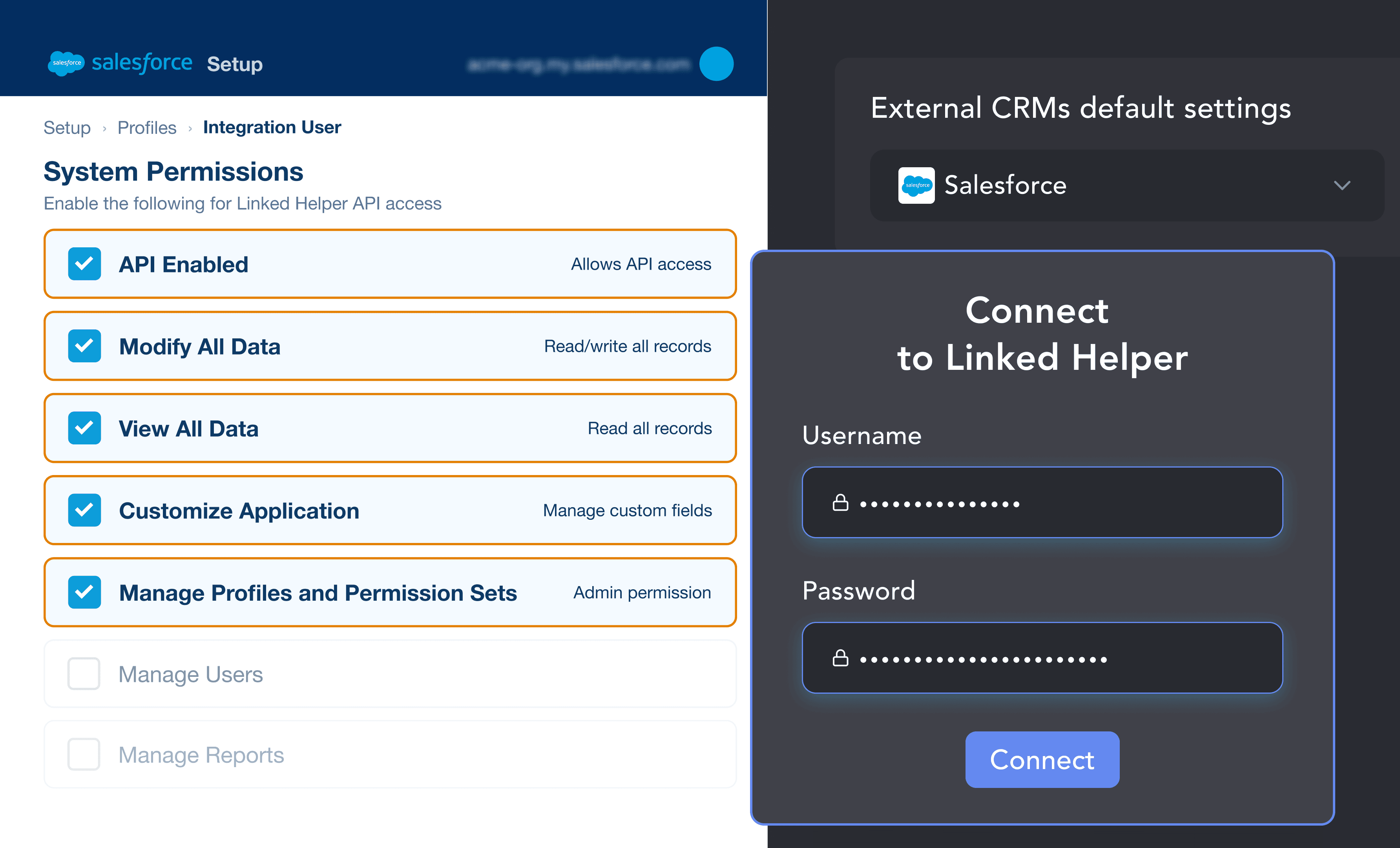
Every LinkedIn message and reply can be saved to the matching record as a Note, a Task or both in the activity timeline. Linked Helper also creates the Account and fills company name, website, industry and LinkedIn Company URL, by default only in empty fields. This LinkedIn integration for Salesforce connects directly via OAuth, with no middleware, and needs an edition with API access: Enterprise, Unlimited, Developer or Performance.
Ready to Sync Your LinkedIn
Leads to Salesforce Automatically?

Decoration lines
Start Free Trial
100% Free. No card.