

 Complete Lead Records
 Lead Data Collection Control
 Multiple Export Options
 Integrations
 Safe LinkedIn Automation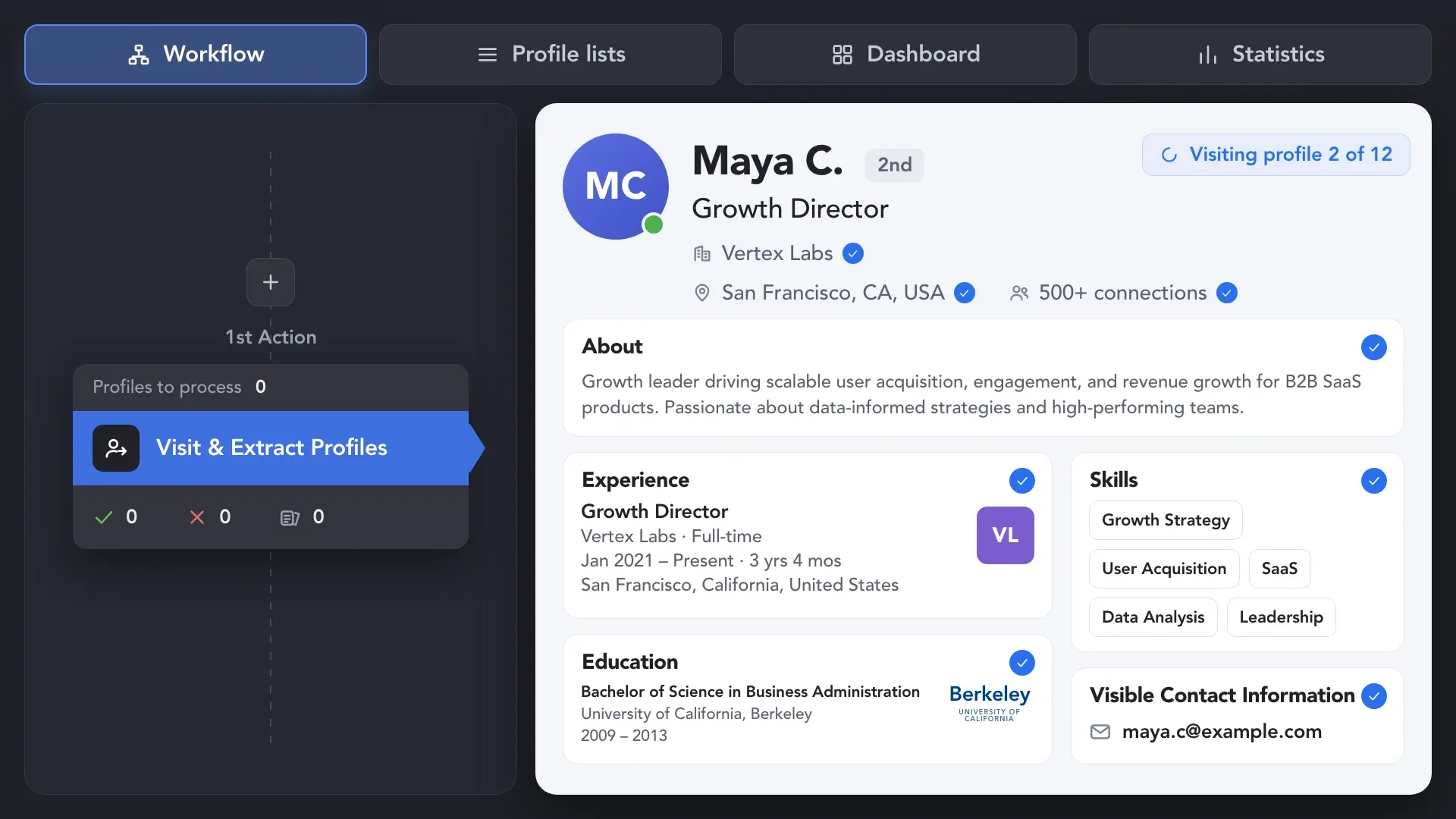
Use Visit & Extract Profiles to visit leads one by one and collect the information currently available on LinkedIn, including experience, education, skills, roles, company details, and visible contact data.
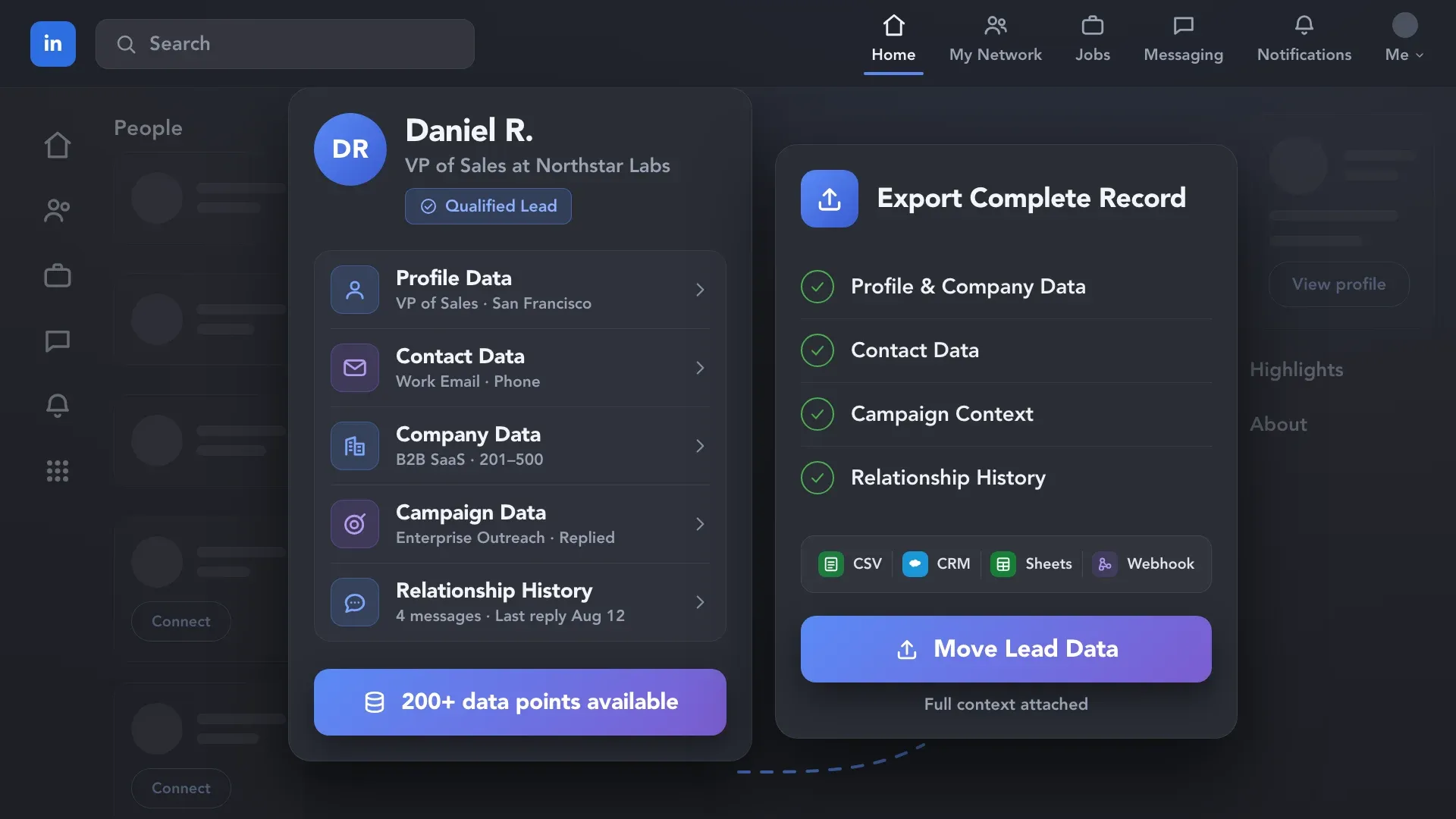
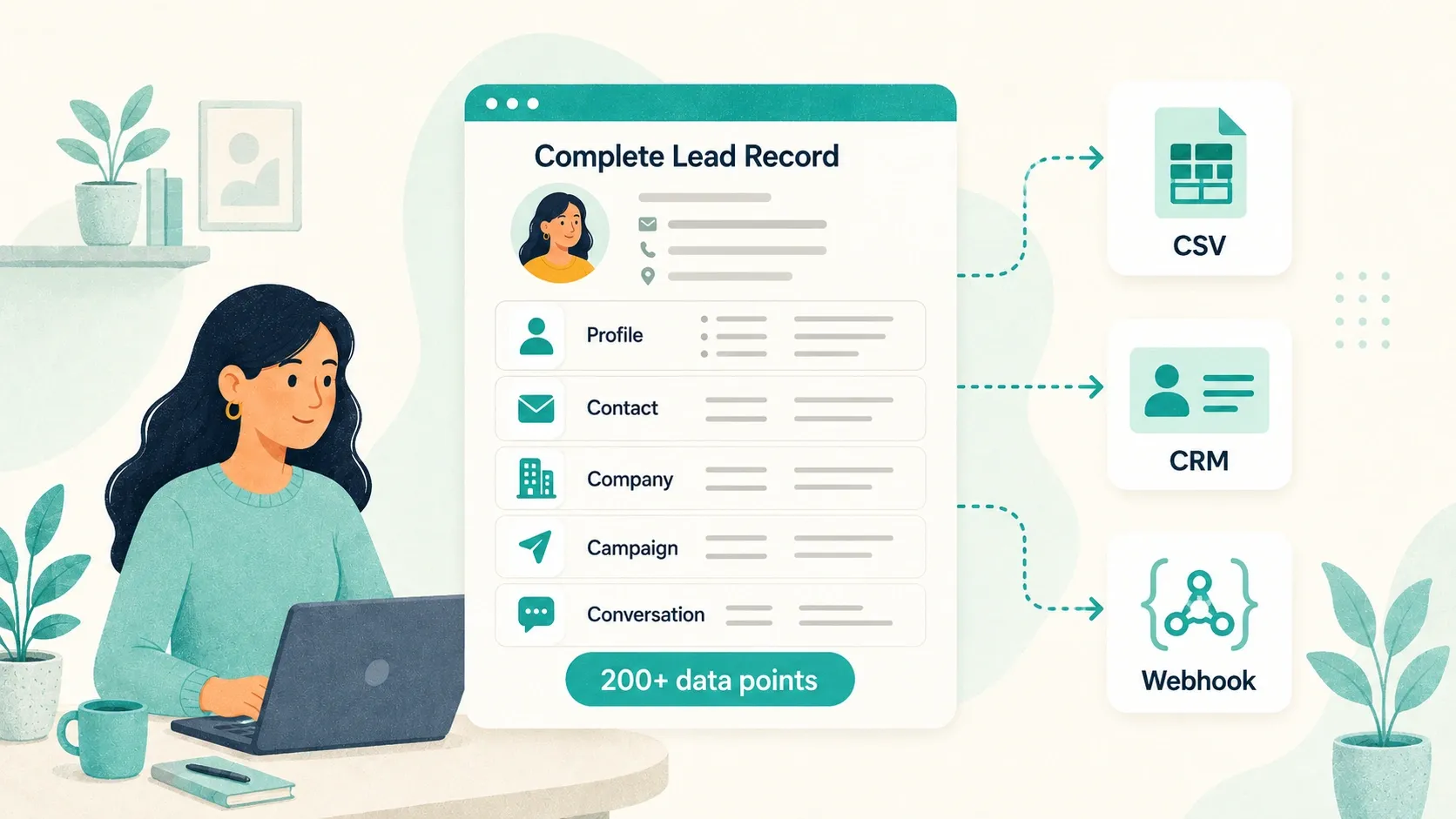
Build a portable lead database from LinkedIn, Sales Navigator, or Recruiter — with 200+ profile, contact, company, campaign, and conversation data points. Export it as a CSV or send it to your CRM, ATS, Google Sheets, or any webhook-enabled tool — so every lead record stays complete and ready to use.










 WITHOUT LINKED HELPER DATA EXPORT
 WITH LINKED HELPER DATA EXPORT
 Full lead context
Capture the full range of available lead information — not just names and profile URLs — and choose exactly which fields to include in your LinkedIn data export.
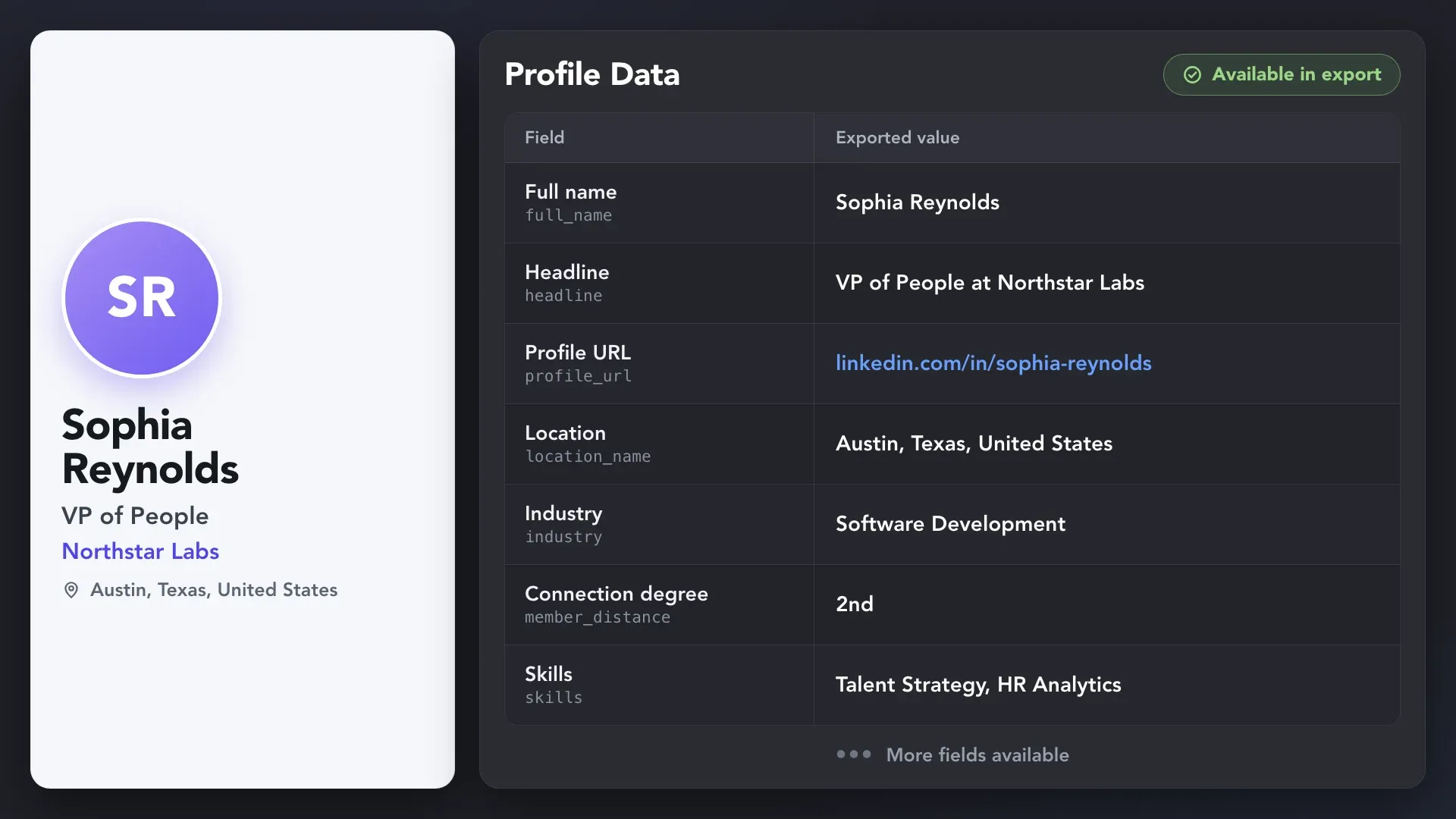
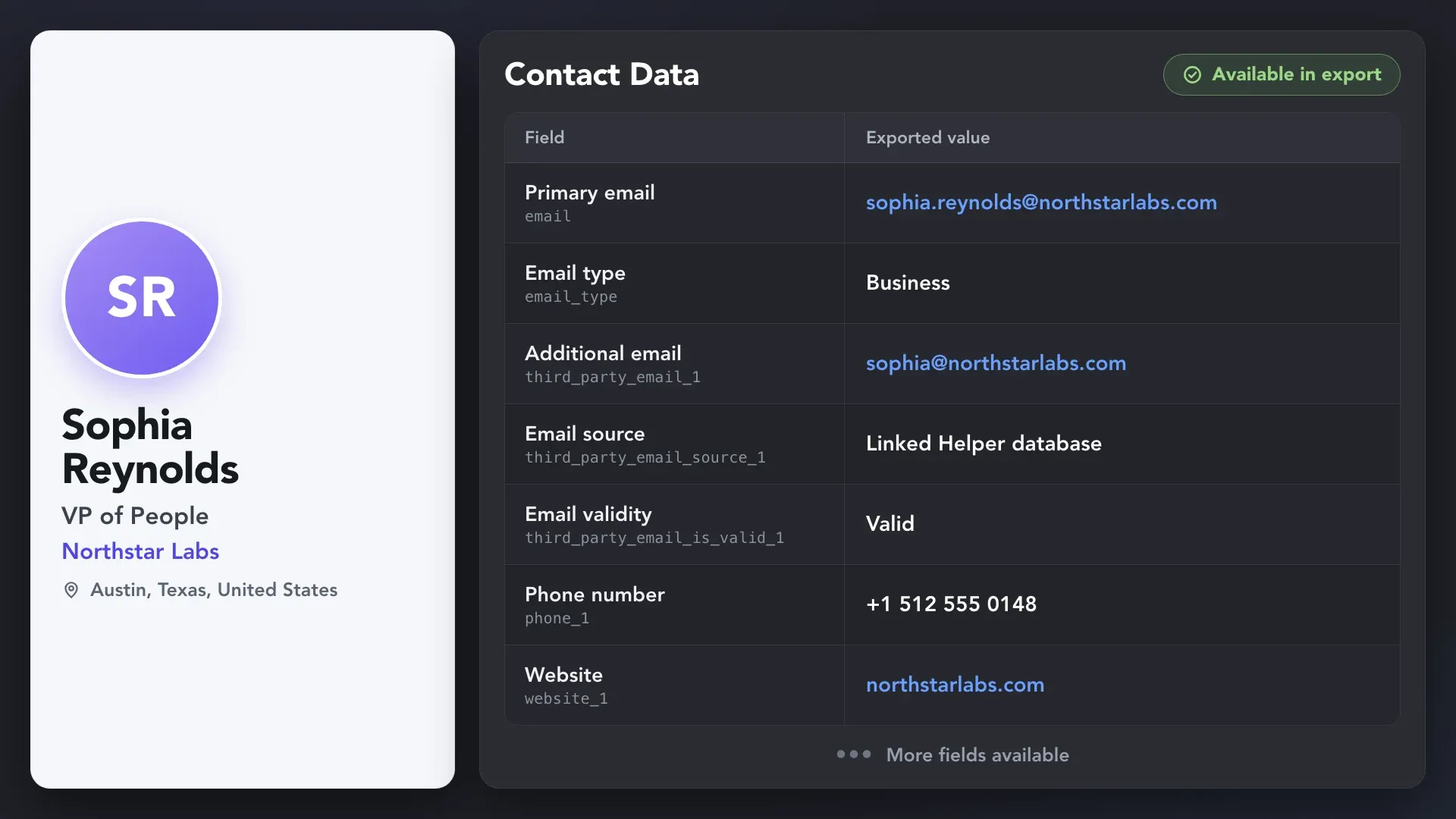
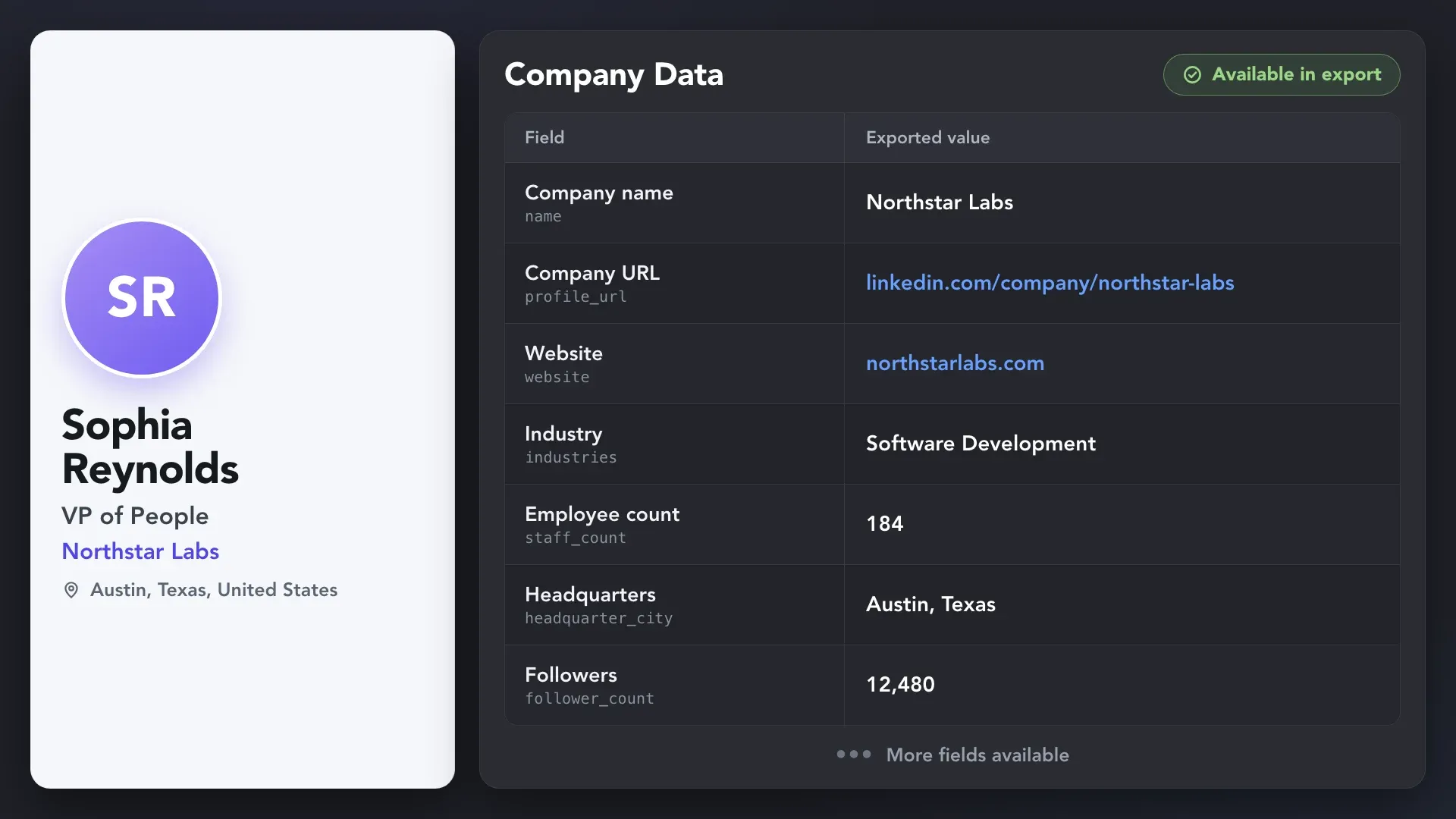
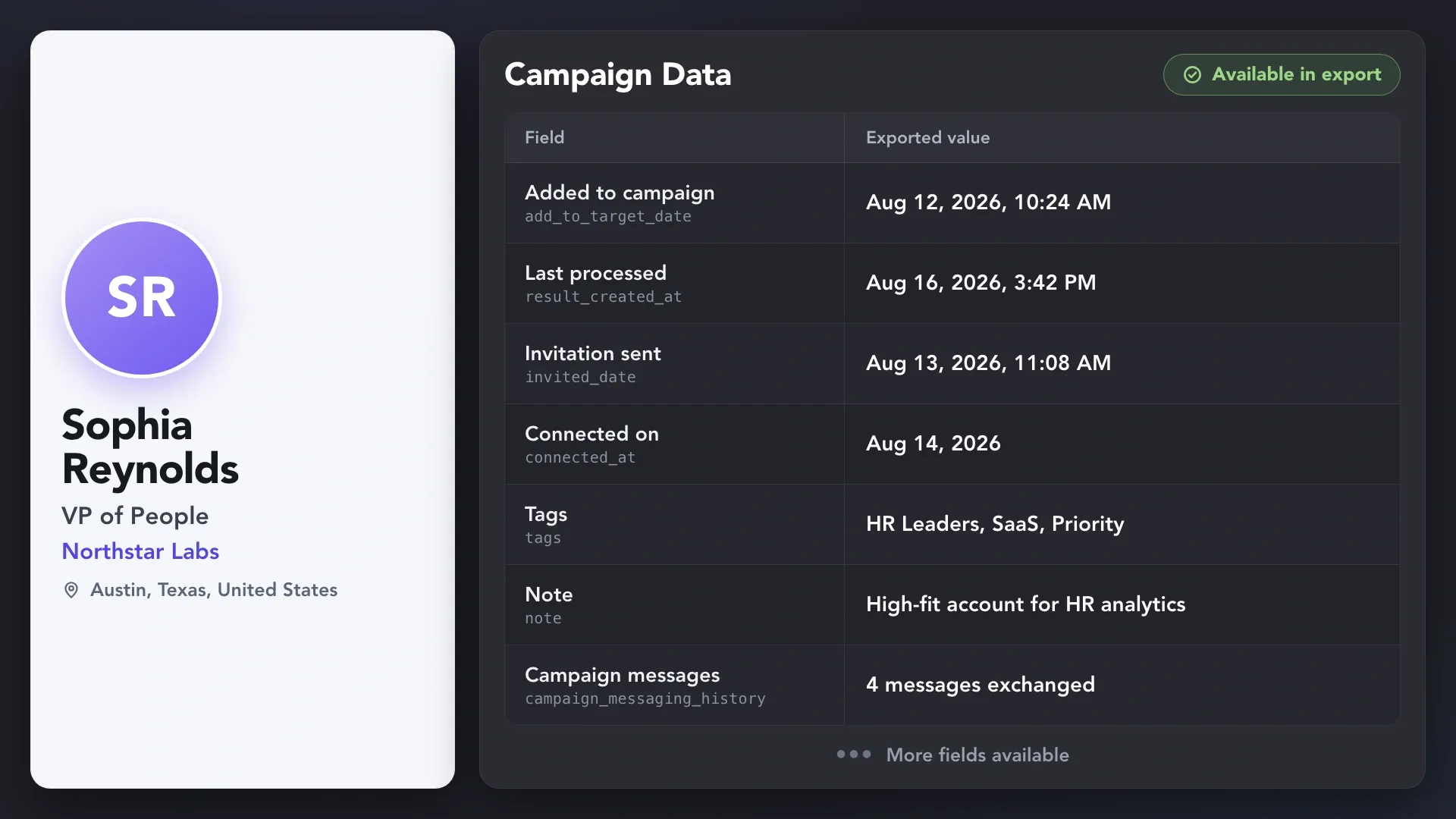
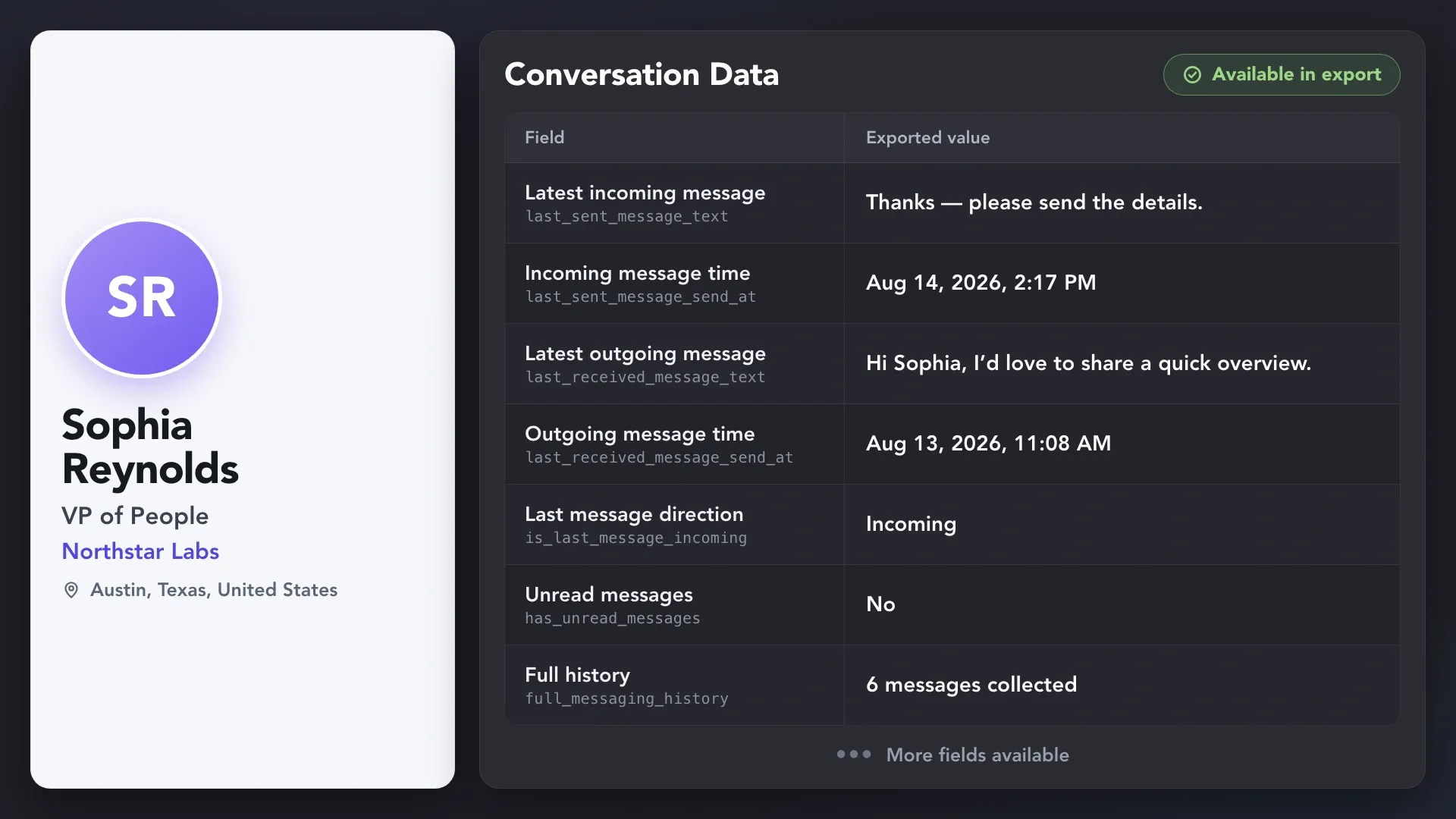
Linked Helper’s built-in data collection and enrichment tools bring every layer together in one place, so you don’t have to pull information manually from separate sources. The result is one export-ready record for every lead.
Use Visit & Extract Profiles to visit leads one by one and collect the information currently available on LinkedIn, including experience, education, skills, roles, company details, and visible contact data.
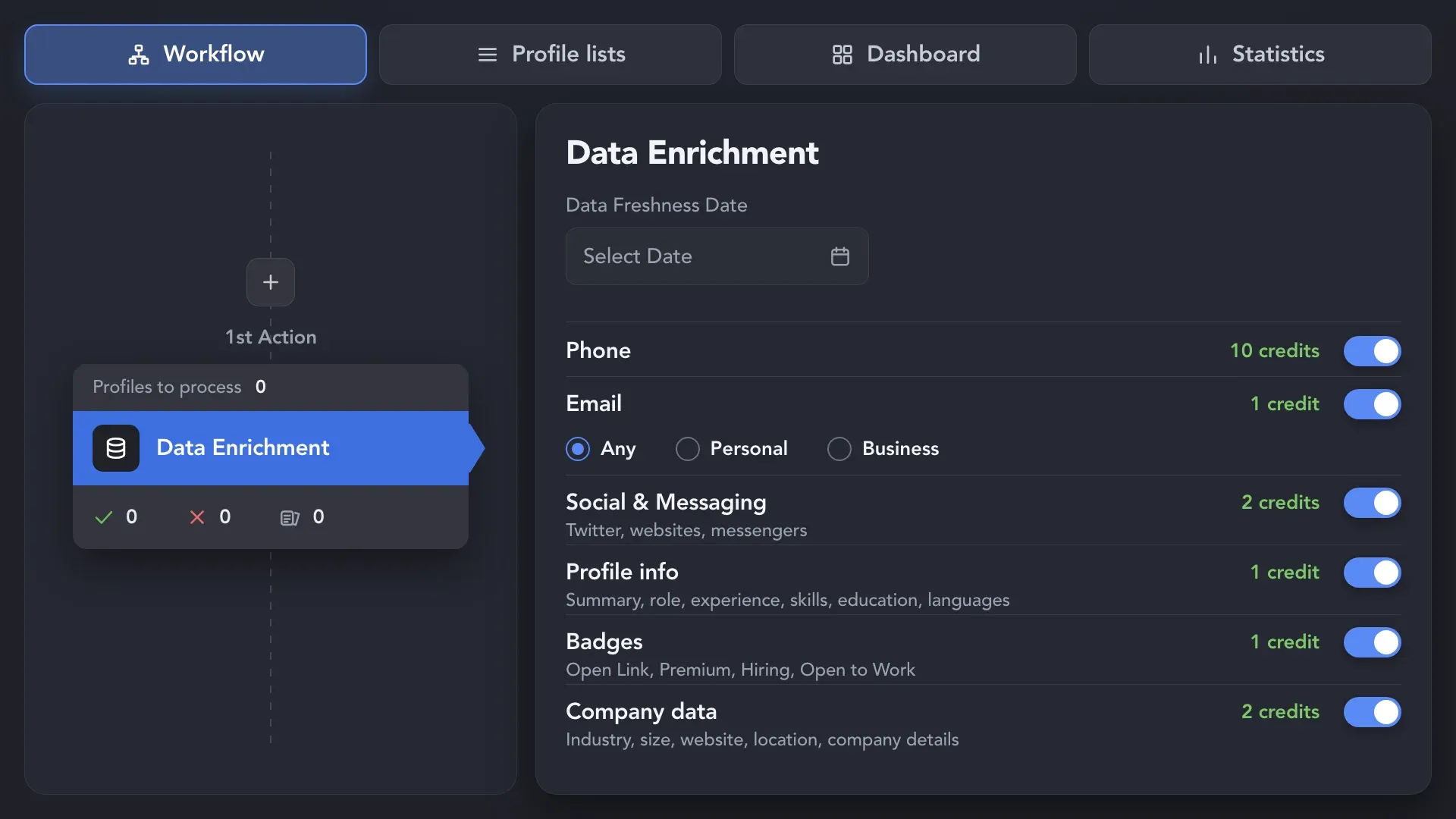
Get available data instantly from Linked Helper’s enrichment database — without visiting profiles. Add emails, phone numbers, social links, profile and company data, and LinkedIn badges such as Open Link, Premium, Hiring, and Open to Work.
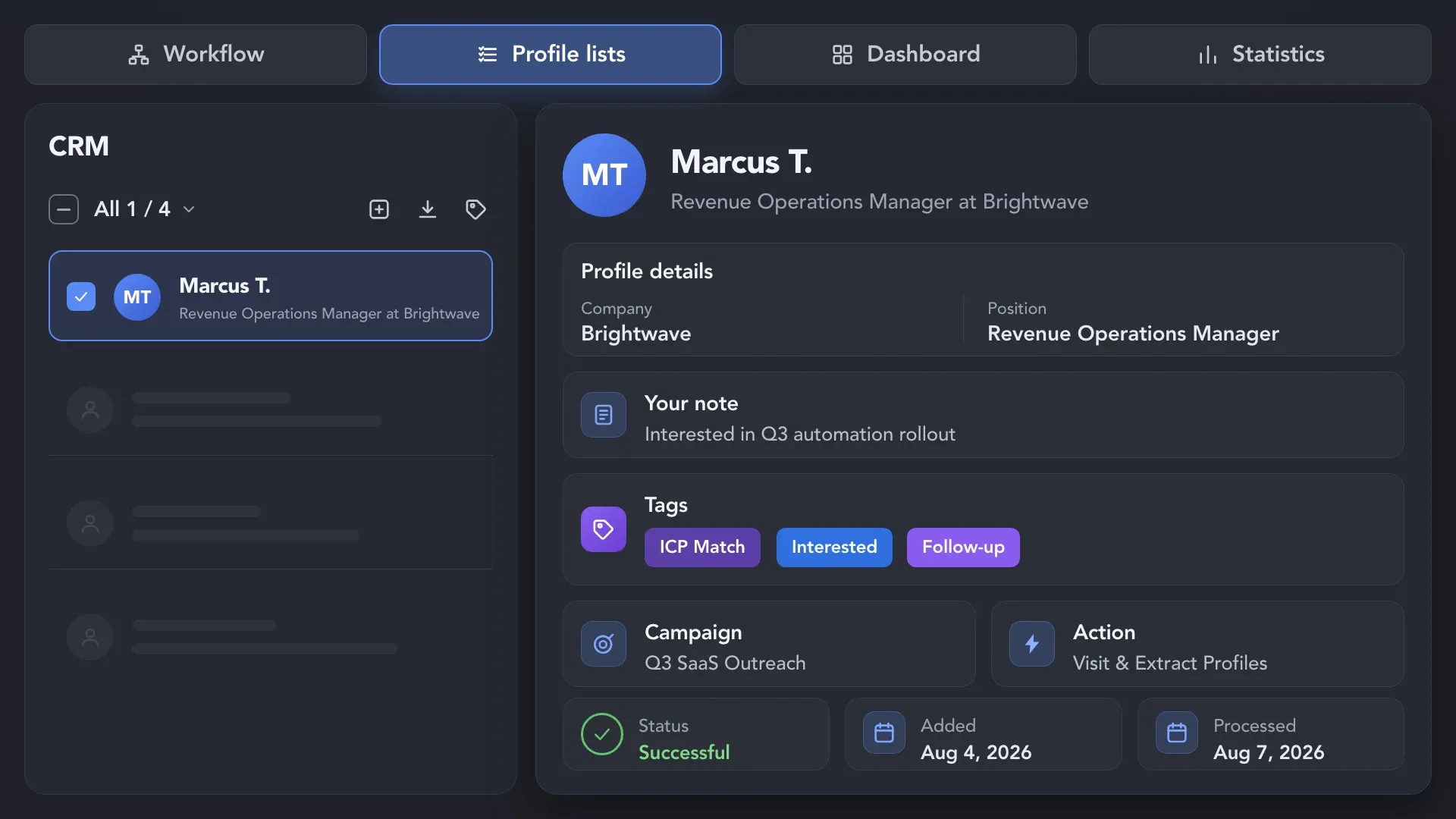
Keep tags, notes, campaign and action details, statuses, and processing dates attached to the corresponding lead.
Use Visit & Extract Profiles to visit leads one by one and collect the information currently available on LinkedIn, including experience, education, skills, roles, company details, and visible contact data.
Complete LinkedIn lead records form a structured dataset with enough depth to support real business work — not just contact storage. Use it to solve business tasks and make decisions based on a fuller picture of every prospect.
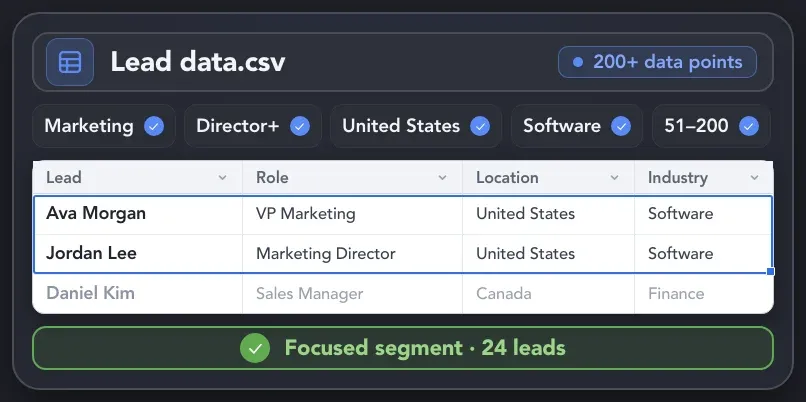
Filter exported lead data by role, seniority, location, skills, industry, company size, campaign activity, and other relevant criteria.
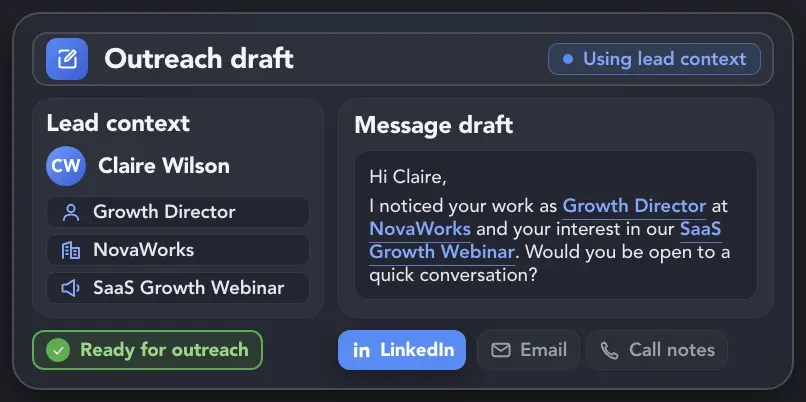
Turn exported profile, company, and campaign context into LinkedIn messages, emails, call scripts, and follow-ups tailored to each prospect.
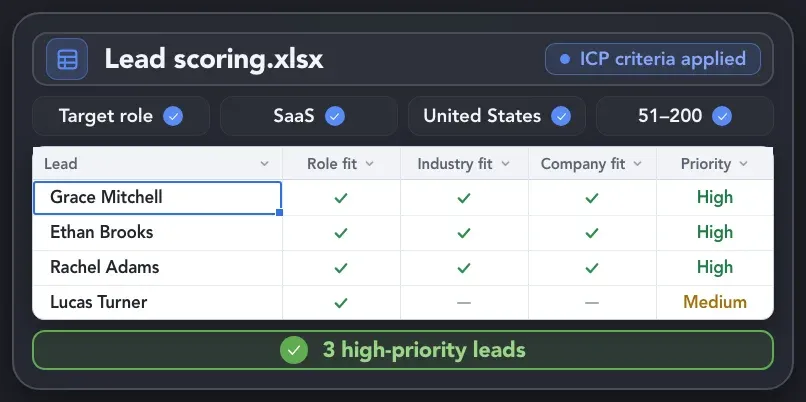
Compare exported lead records against your Ideal Customer Profile (ICP) criteria to identify the strongest matches and focus on them first.
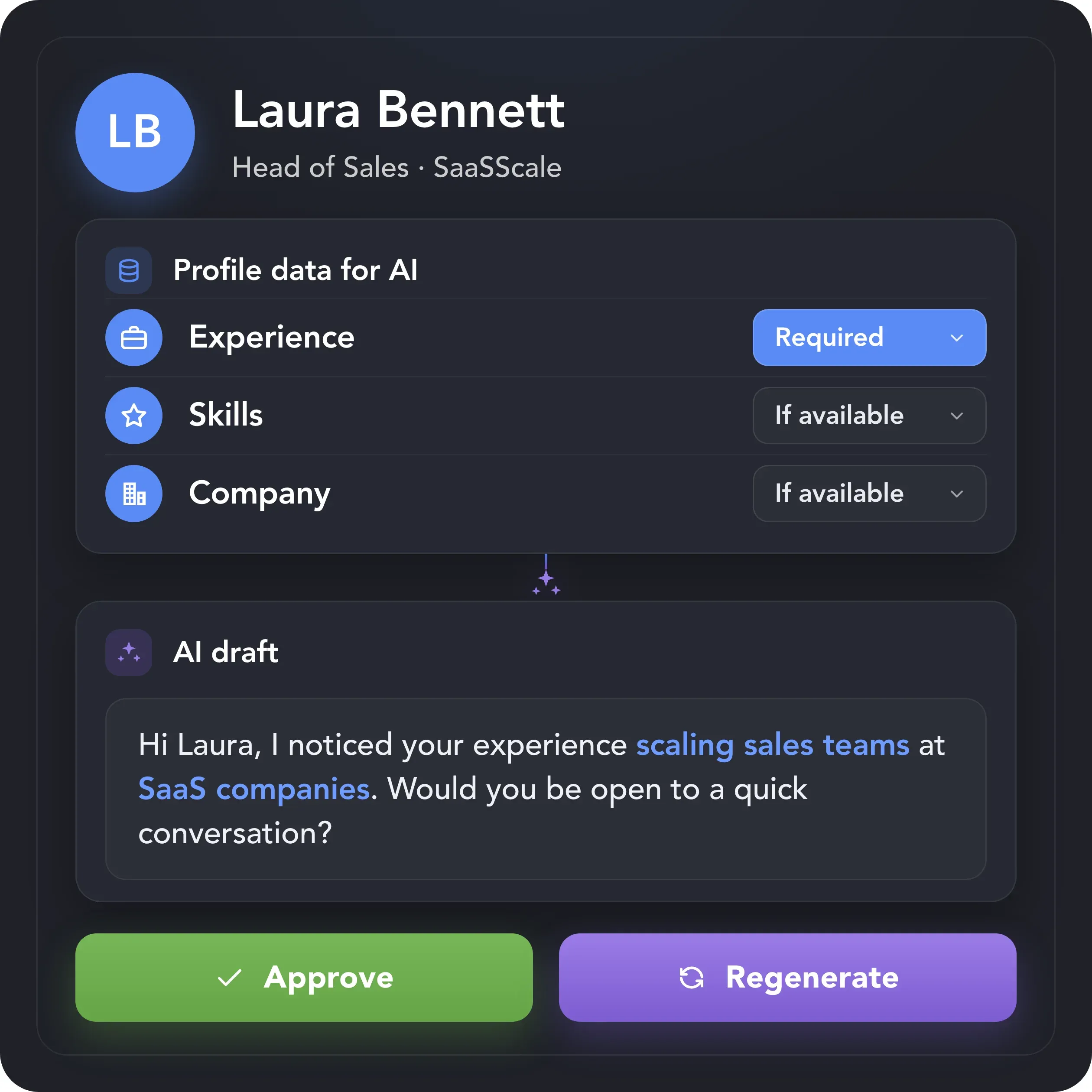
The same profile and company data that adds depth to your exports can also power AI Personalized Messages. Choose which fields AI can use, and Linked Helper will generate a separate outreach sequence tailored to each prospect.
Export sent messages, replies, dates, and available messaging history with each lead, so the relationship context doesn’t stay locked in LinkedIn or get lost when the record moves between people or systems.
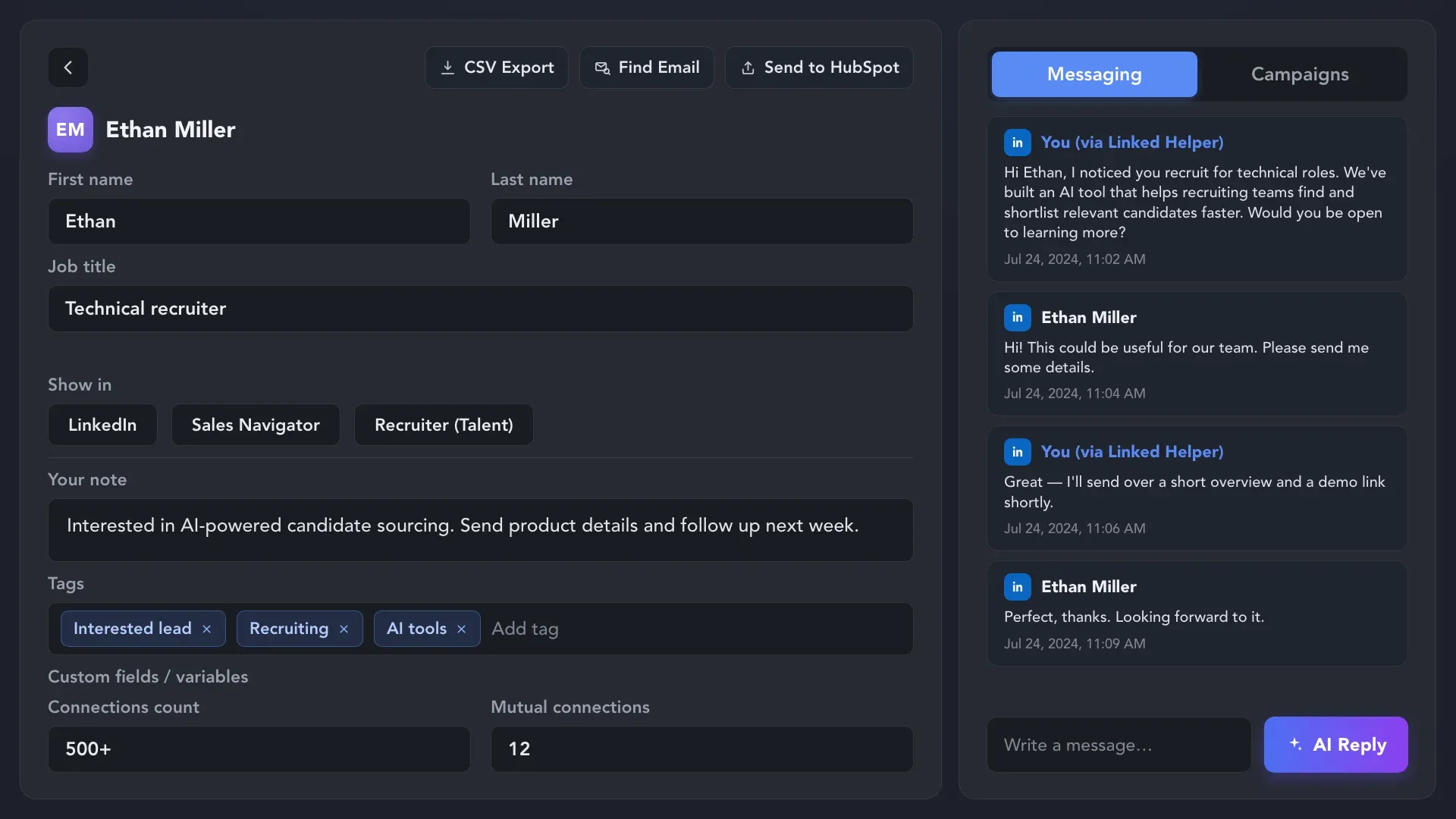
Choose where your completed lead records go next. Linked Helper supports both file downloads and automated data transfers, so your data can move into the systems where work continues without manual copying or rebuilding each record.
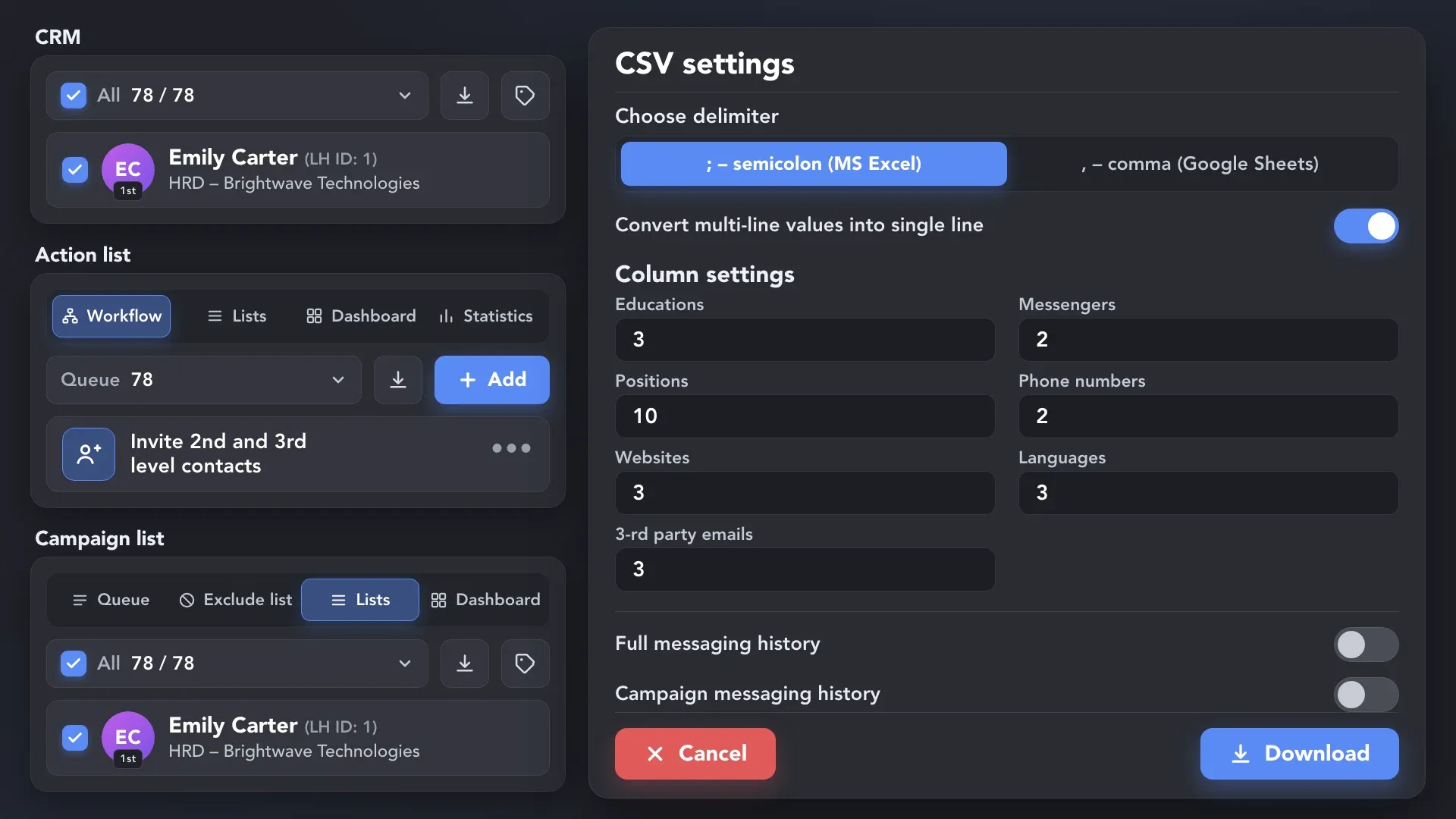
 Full Field Control
Select profiles from the CRM, an action list, or a campaign list, then choose the column set and messaging history to include in your CSV.
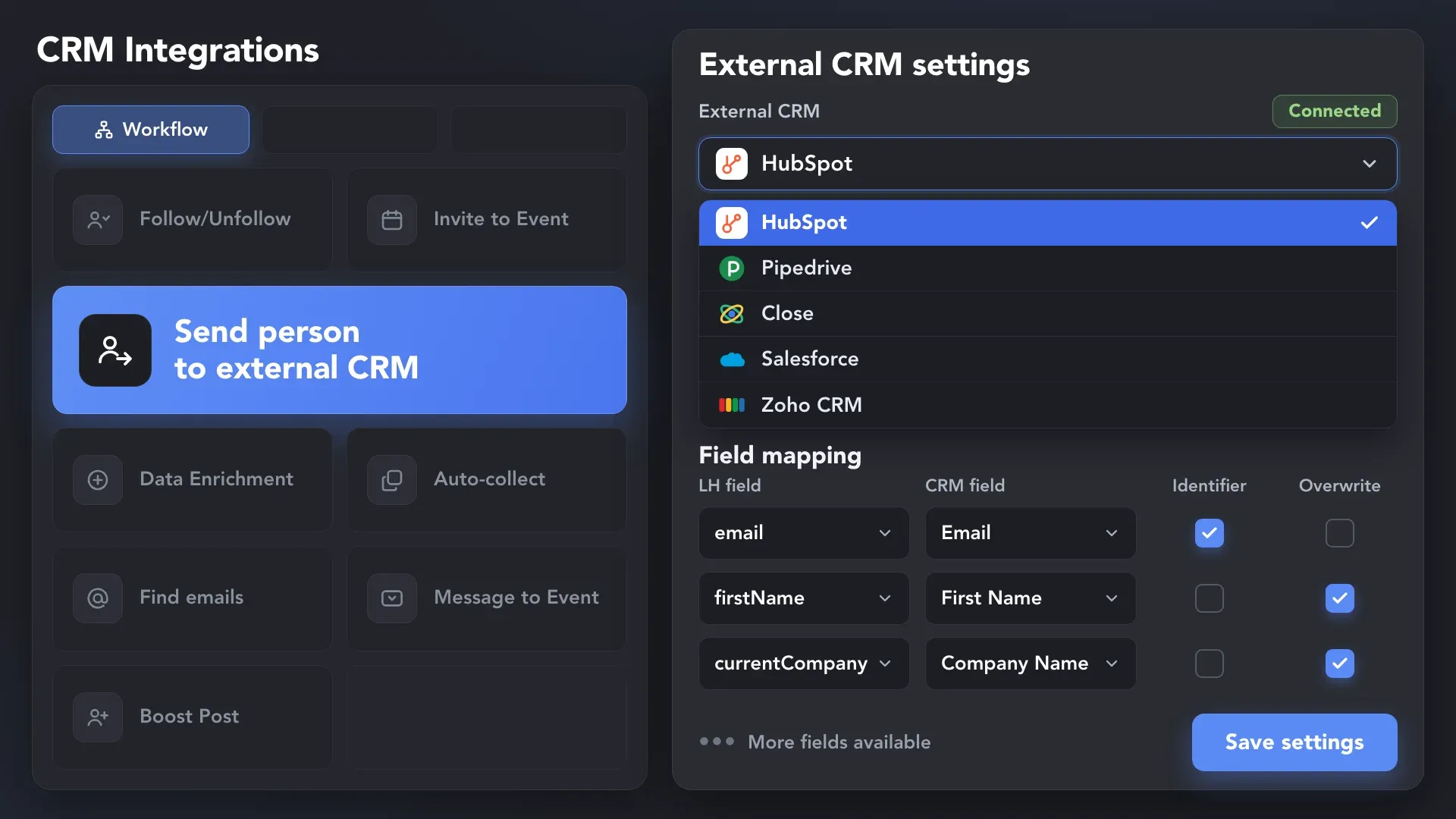
 No Manual Data Entry
Add the Send person to external CRM action to your workflow, map the required fields, and create or update records in your connected CRM or ATS.
 More Ways to Connect
Send lead records to Google Sheets or any system that accepts incoming webhooks as profiles move through your workflow.
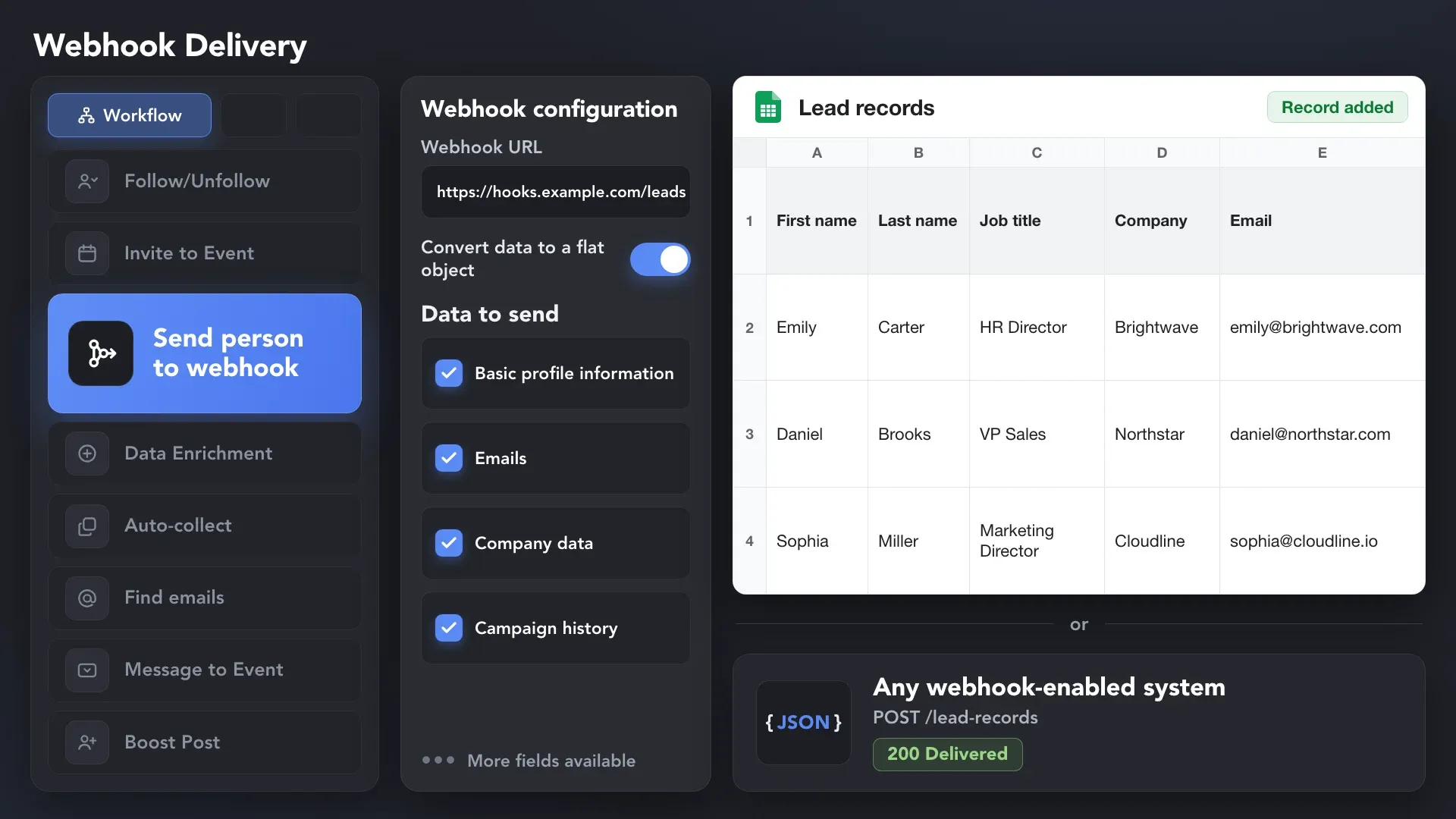
Effortlessly gather valuable insights from LinkedIn without manual data entry. You can set up a CRM transfer after any step or only after a lead replies to a certain LinkedIn message for maximum precision. Sync LinkedIn chats with CRM so the entire team can view lead responses.















The lead records you download or send to your CRM and other business tools are not limited to existing connections. Linked Helper collects available data from searches, professional communities, company audiences, and custom profile lists, giving you a wider pool of relevant prospects for future outreach.
Sales Navigator helps you find relevant prospects with advanced filters, but it does not offer native CSV or Excel export. Linked Helper turns those prospects into enriched lead records you can take with you and continue using — instead of leaving your most valuable leads inside Sales Navigator.
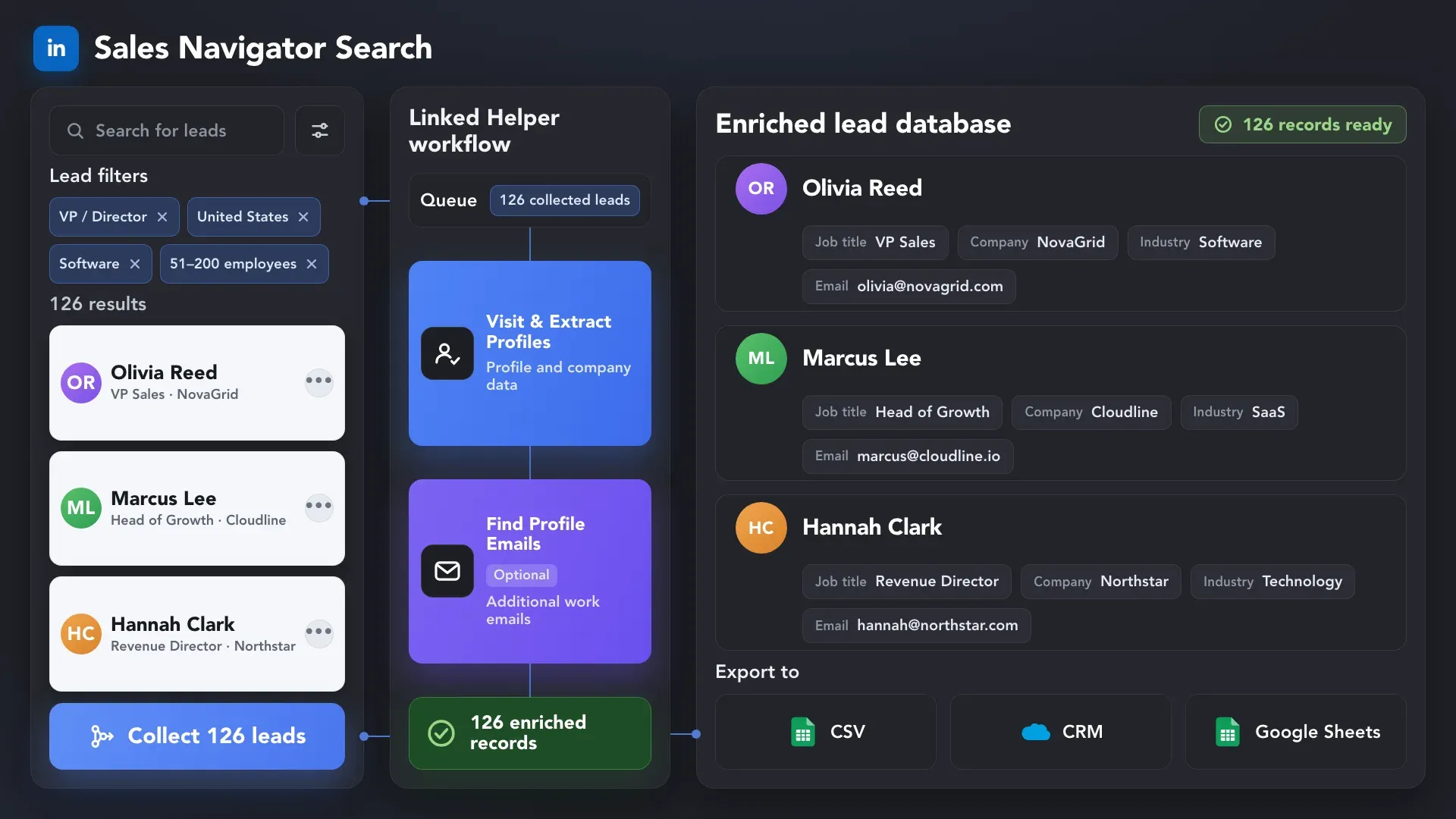
The same lead records can support very different work. Linked Helper keeps the underlying data complete, so each person can use the fields and context relevant to their goals.


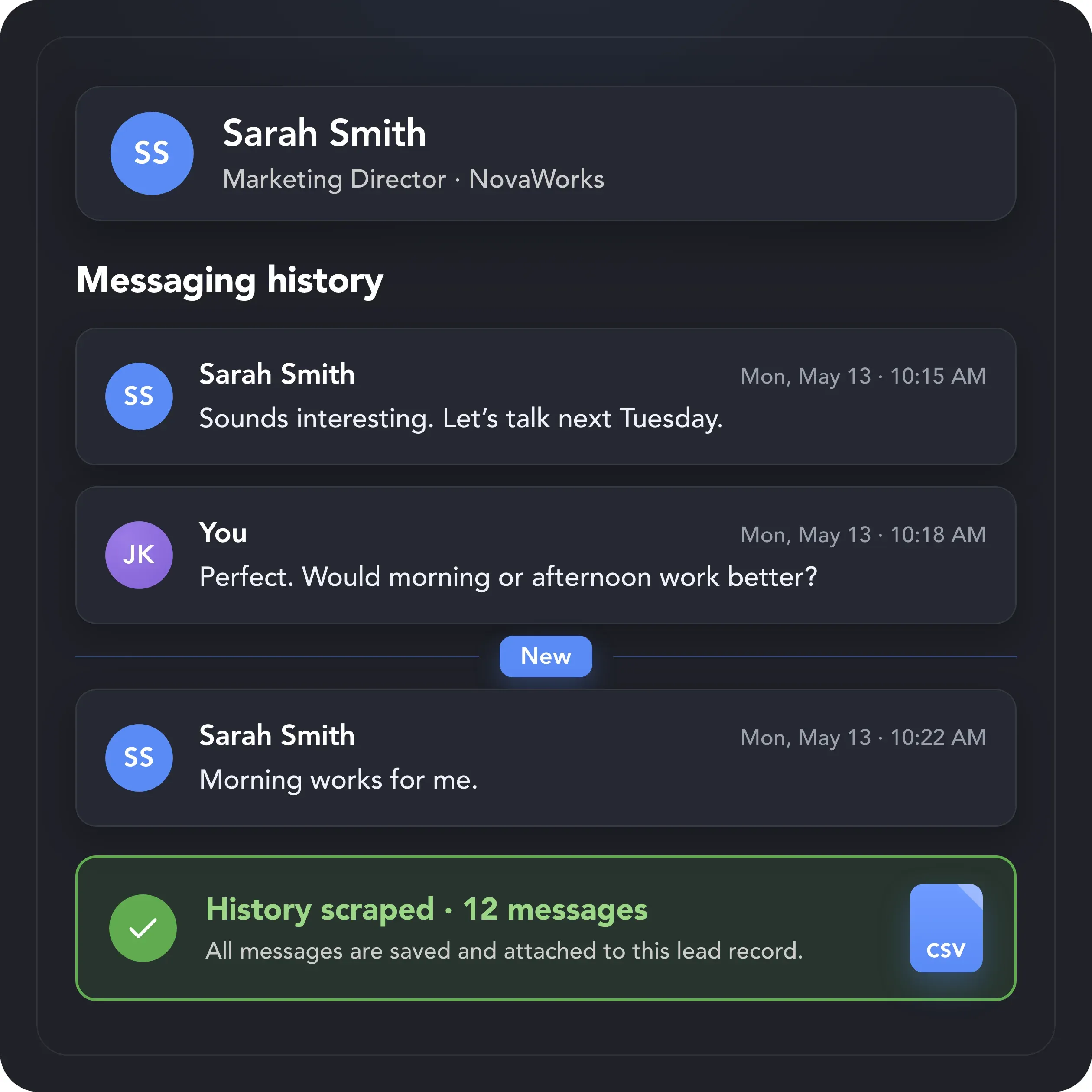
Profile data shows who a lead is. Message History Scraper adds what has already happened between you. Collect full or campaign messaging history — including sent and received messages and timestamps — and export it with each lead record, so any team can continue the conversation with full context.
Collect and extract the profile data you need with human-like activity, adjustable daily limits, and built-in safeguards designed to reduce detection risk and protect your account.

Linked Helper is verified undetectable by DataDome, Cloudflare, PerimeterX, and 10+ other leading bot detection systems — so your account stays safe, always.
 DataDomeCloudflarePerimeterXAkamaiImperva10+ more
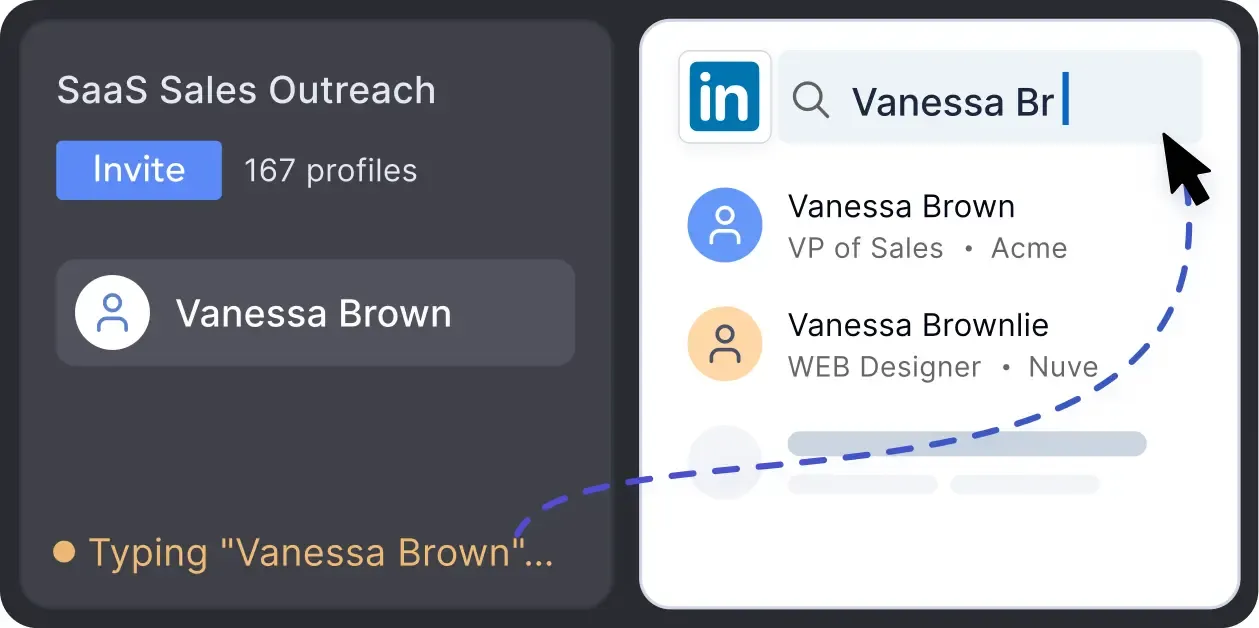
Mimics human actions with mouse movements and clicks, typing, and randomized delays. Navigates via LinkedIn search rather than direct URLs.
LinkedIn algorithms flag repetitive text. Combine your generated templates with unique syntactic variations for every single message, keeping your outreach off the spam radar.
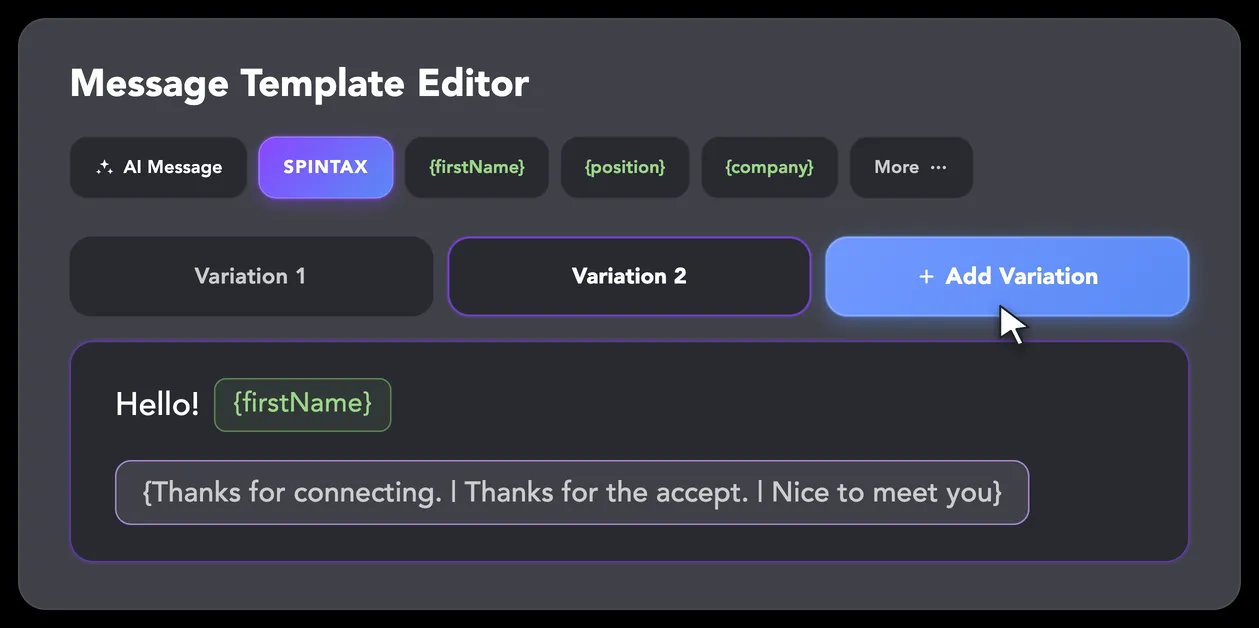
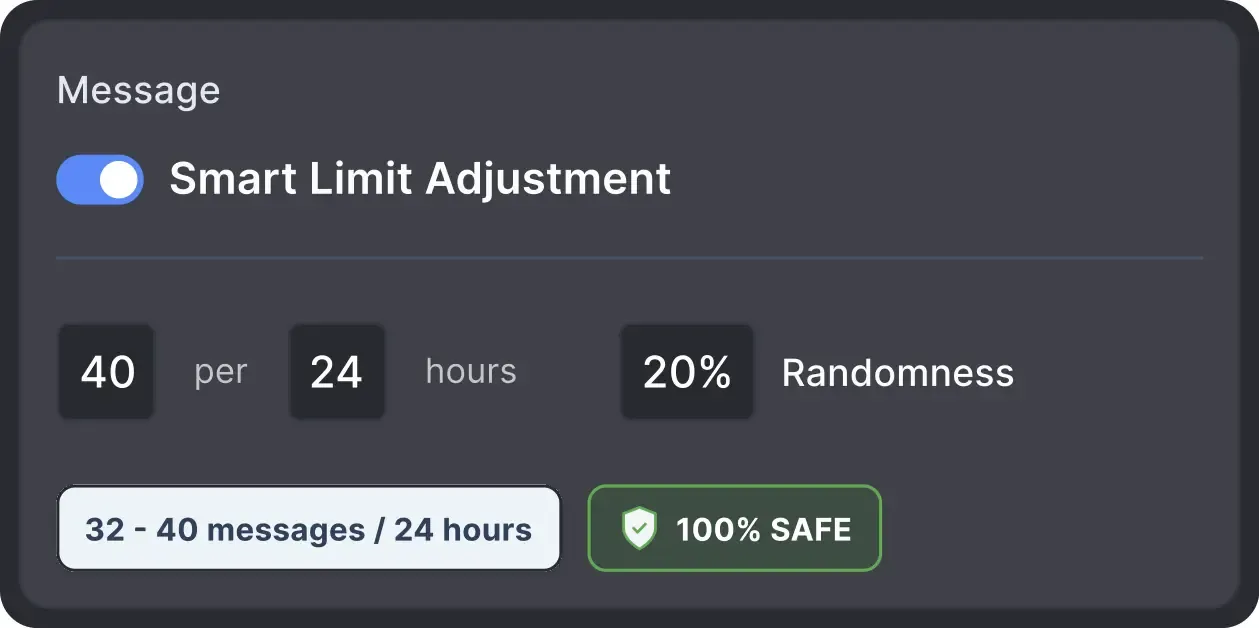
Operates within safe, recommended daily quotas and works on a "human-like" schedule (e.g., 9 AM - 5 PM) with random shifts to avoid robotic patterns.
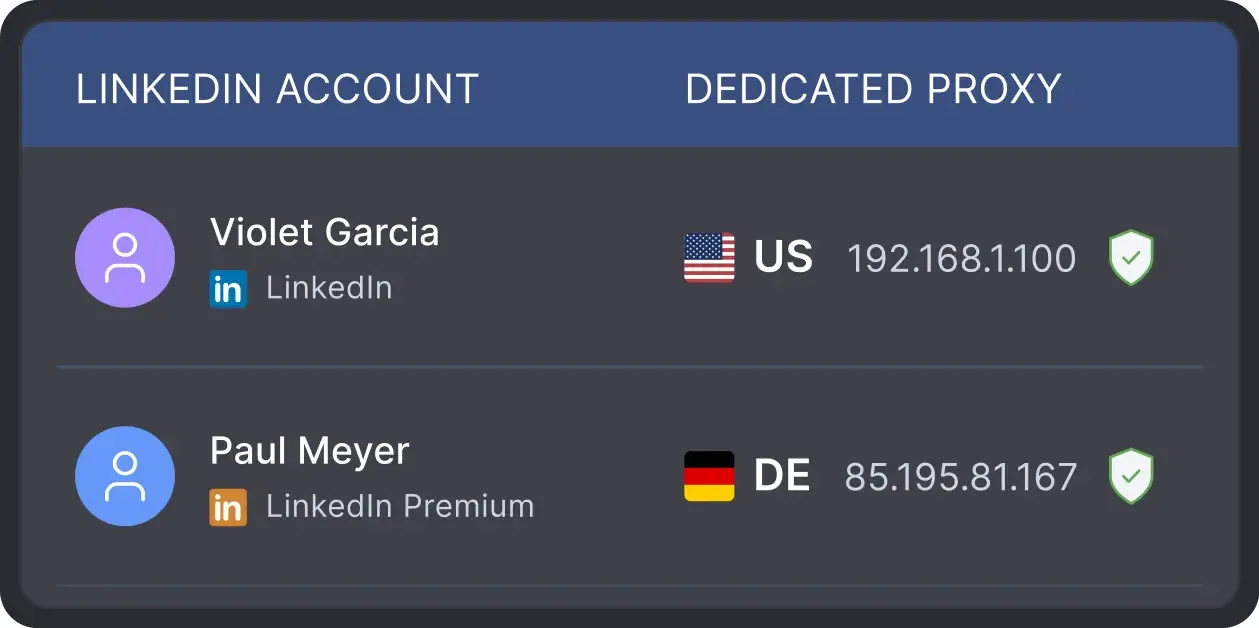
All activity runs through your local IP address or a dedicated proxy rather than a shared data-center IP. This helps reduce a common risk signal.
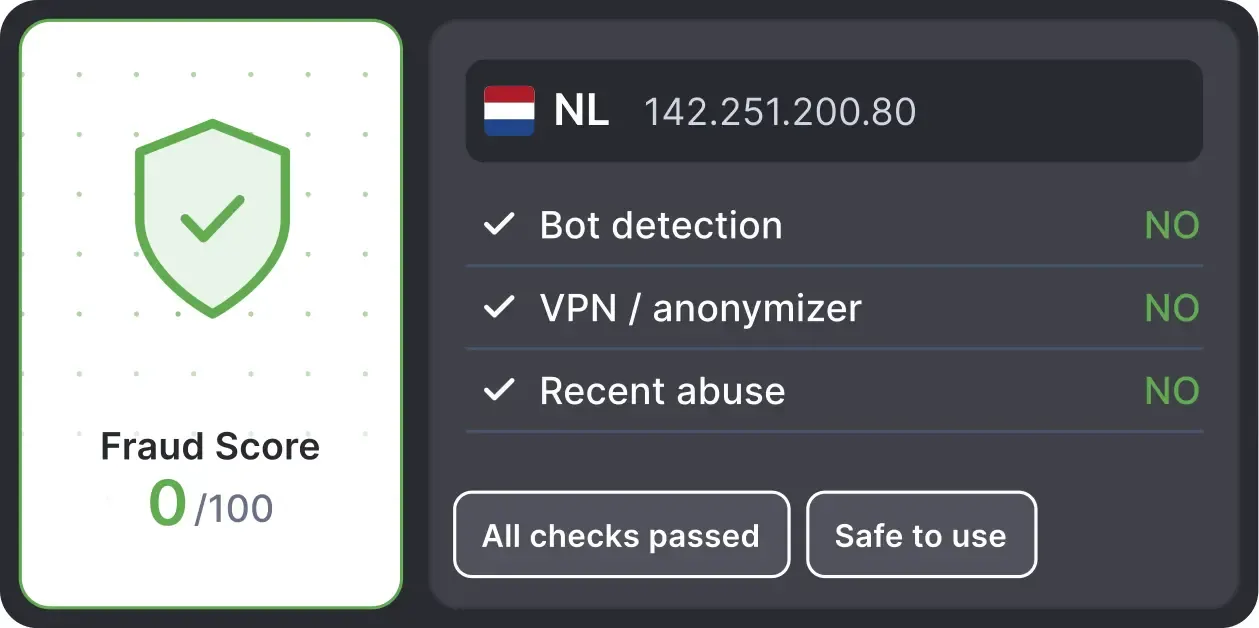
Automatically validates your proxy's "Fraud Score" to ensure you're not using a low-quality or blacklisted IP, adding an extra layer of security for multi-account management.
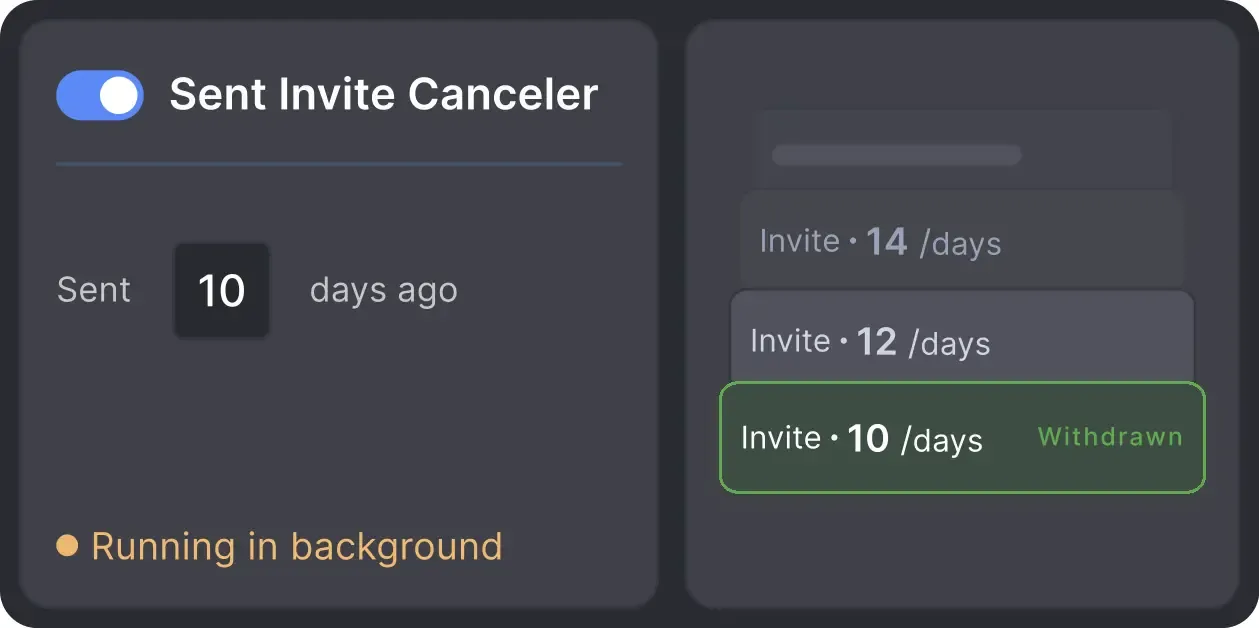
Automatically retracts old, unanswered connection requests to keep your profile in good standing with LinkedIn's algorithm.

Basic

Premium

Sales Navigator

Recruiter
Basic
Premium
Sales Navigator
Recruiter
From finding leads to closing deals, Linked Helper automates every step of your outreach funnel. Explore the features that make us the most powerful solution on the market.


See why LinkedIn professionals trust Linked Helper for outreach and lead generation






It is so simple to use and saves you so much time by automating those mundane day-to-day actions that take you forever to do on LinkedIn. I would have been lost had it not been for Linked Helper.

Linked Helper helps me to drive my LinkedIn networking, by saving time and providing useful statistics. Naming is excellent, it is a great and user-friendly HELPER.

This software has revolutionized our LinkedIn outreach and lead generation. It has completely transformed the way we connect with potential clients and partners. The platform is incredibly intuitive and efficient, making our outreach efforts more effective than ever before.
This tool is like a robotic vacuum cleaner. Set it up once and it just does all the monotonous, time-consuming, dirty work while you focus on daily challenges and self-exploration. It's like fishing nets attached to your ship that provide you with food while you travel around the world.
LinkedIn Helper makes the fundraising process so much quicker. I just added a list of business angels, created some messages and started contacting people. We have raised some investment with this process.
A great way to connect to new people, propose partnership collaborations, invite people to follow your page, send multiple connection requests, cold outreach if you are into this.
Volodymyr M.
IT Recruiter
I especially want to note the INCREDIBLE TECHNICAL SUPPORT!!! I checked - technicians give answers both at night and on weekends. Answers come in 3-5 minutes. Technical support solved all my problems and not only with the program, but also with computer settings. Many thanks to the specialists!
Review24/7 LIVE CHAT & EMAIL
Get a real human response in minutes, not days.
REMOTE ASSISTANCE
If you're truly stuck, we can connect to your screen and guide you.
IN-DEPTH KNOWLEDGE BASE
Step‑by‑step tutorials and articles for every feature.
Standard plan includes the full LinkedIn automation toolkit, with usage limits on some advanced features.
Pro plan increases advanced feature and integration limits, and adds full message history export.

All your data stays on your device in local folders you can access directly.

Each account has its own isolated storage - no data mixing.

With outgoing webhooks, Linked Helper can send data to third-party systems.

Data is stored in local folders on your device. No app, no internet required to access your files.

Install the app on a new device and pick up right where you left off.

Share LinkedIn accounts and campaign data without manual exports.
With incoming and outgoing webhooks, Linked Helper can receive data from and send data to third-party systems.

Your data is automatically backed up to the cloud - no risk of losing it if something happens to your device.

Switch devices or reinstall the app without moving files manually.
Local tax may apply
Join our weekly live training for a kick-start, or explore our library of bite-sized guides at your own pace. We provide every resource to help you scale safely.

A 60-minute live walkthrough to kick-start your LinkedIn lead generation. Register now to join live or receive the recording by email even if you can’t attend.



BLOG POST
VIDEO TUTORIAL
Depending on how a profile has been processed, the record can include profile details, experience, education, skills, company information, emails, phone numbers, social links, tags, notes, campaign and action data, and scraped one-to-one messaging history. Only information that Linked Helper has collected, enriched, or generated will appear in the record.






 Save My Spot