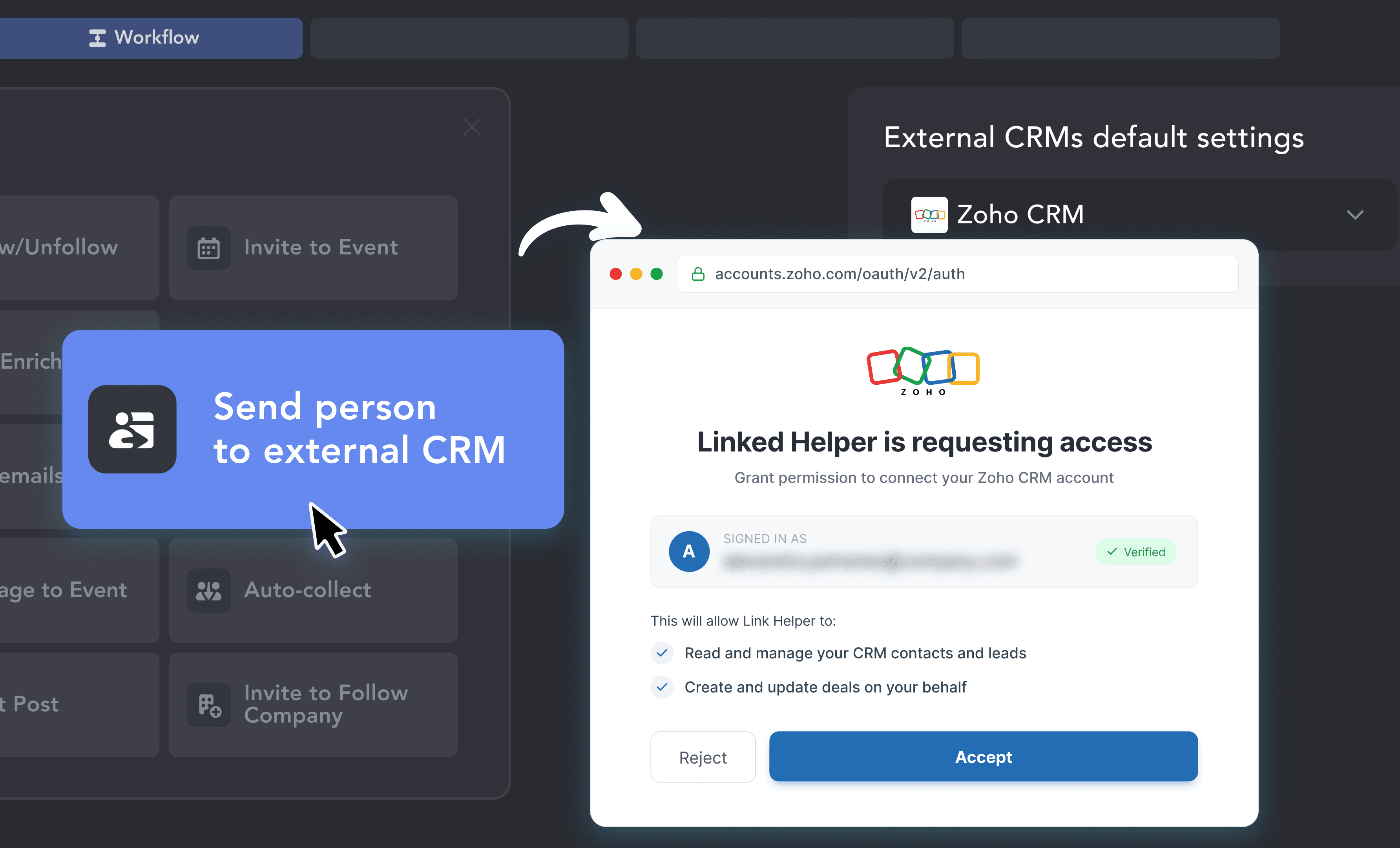
Connect Zoho to LinkedIn Workflows via OAuth
Add the "Send person to external CRM" action to your workflow, choose Zoho, click Connect, log in to Zoho, and click Accept — no API keys and no third-party connectors.

Linked Helper's Zoho LinkedIn integration sends the contacts your LinkedIn campaigns collect to Zoho CRM as Leads, Contacts or Accounts, with no copy-pasting between LinkedIn and Zoho. It is a LinkedIn to Zoho CRM sync, not a Sales Navigator add-on.











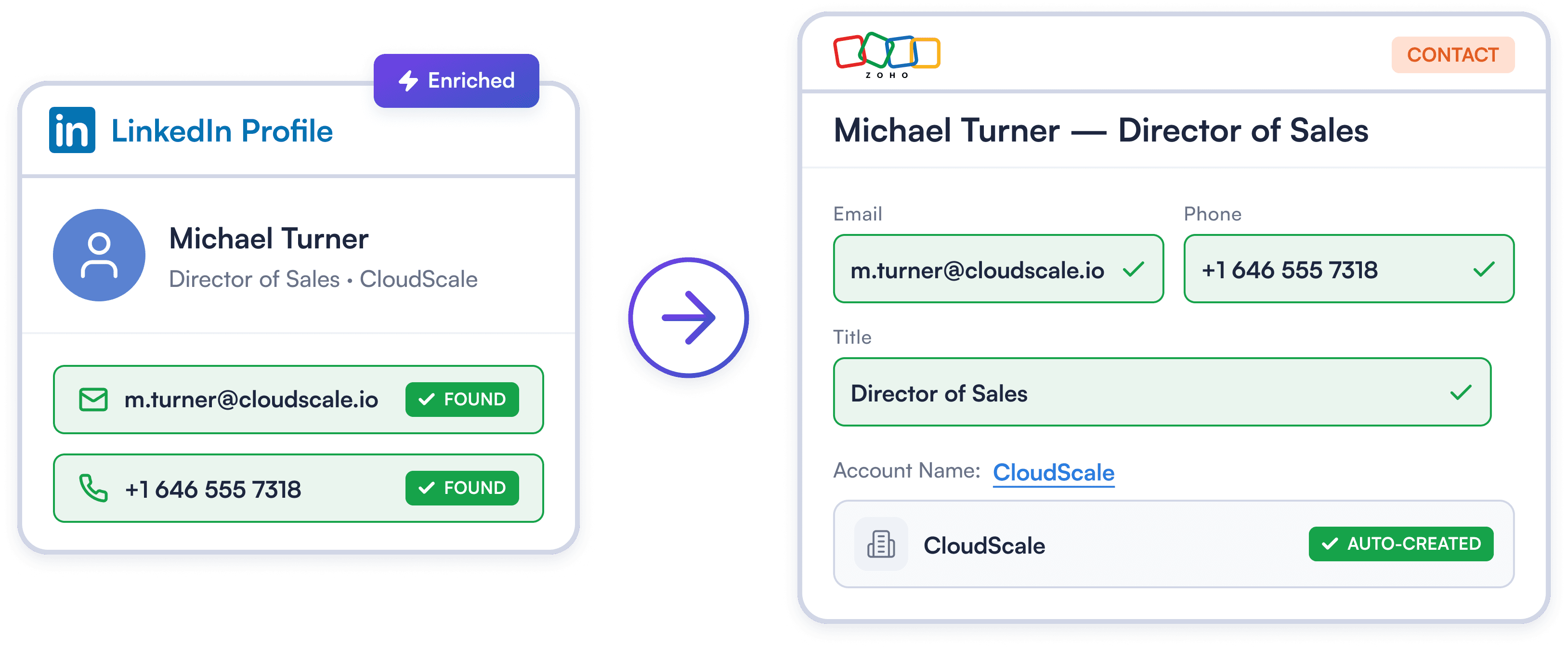
Linked Helper visits profiles, collects emails, phone numbers, job titles, and company data, then pushes everything directly into Zoho — Contact record, Account record, and all. Your pipeline fills itself, so your team can focus on selling.
Try Template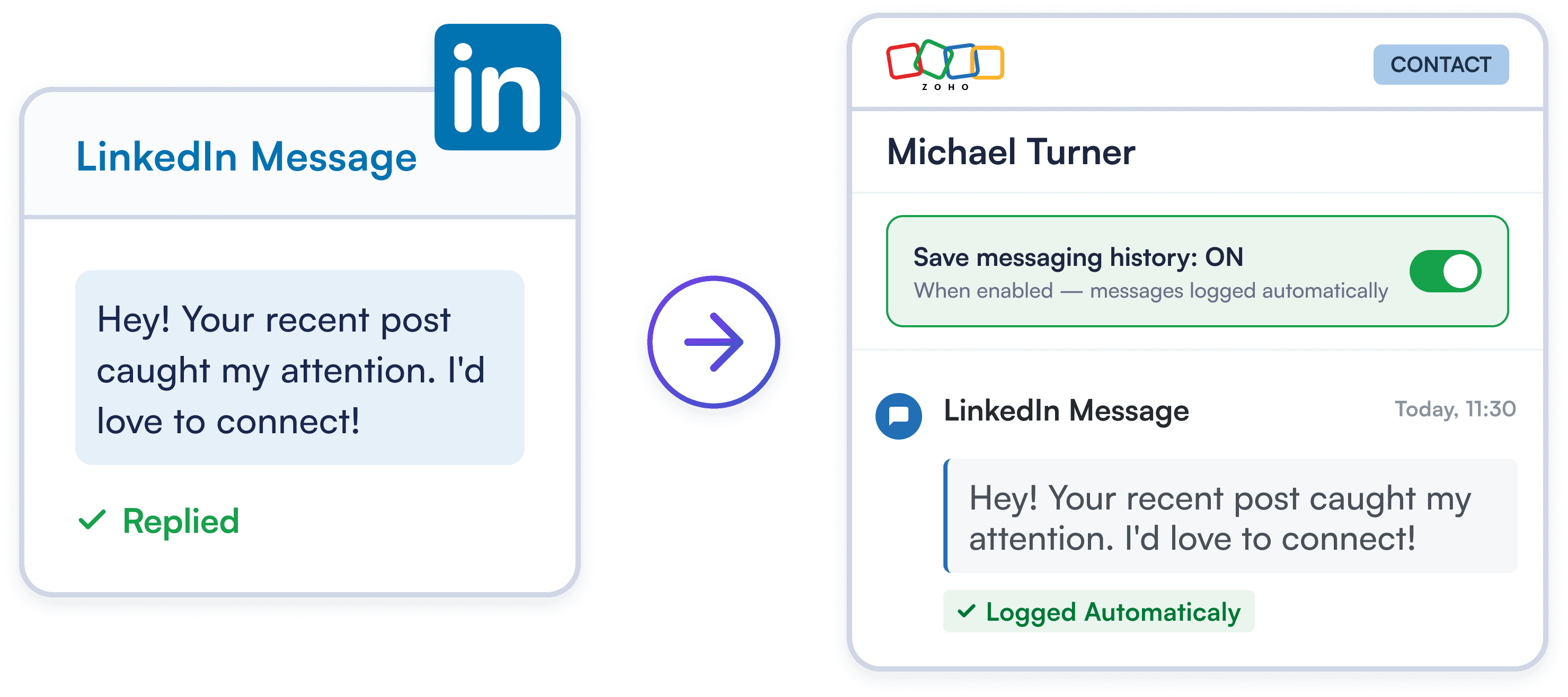
Turn on messaging history sync, and LinkedIn chats are saved to the Zoho contact record. No manual logging: reps always know exactly what was discussed before the next touchpoint.
Try Template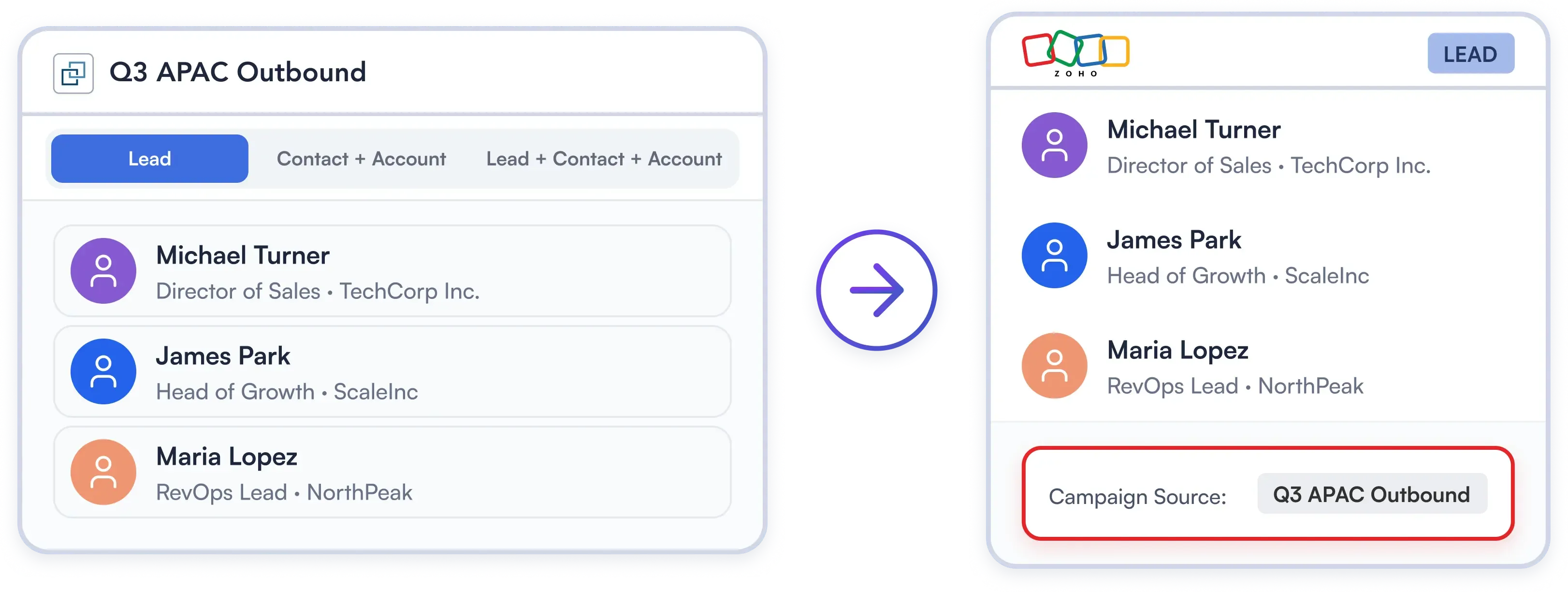
Adapt LinkedIn data sync to your Zoho workflow. Route prospects as Leads, Contacts with linked Accounts, or both at once to power your sales qualification and nurture flows.
Try TemplateThree steps inside your Linked Helper workflow: connect, choose how records are stored, and launch.
Add the "Send person to external CRM" action to your workflow, choose Zoho, click Connect, log in to Zoho, and click Accept — no API keys and no third-party connectors.
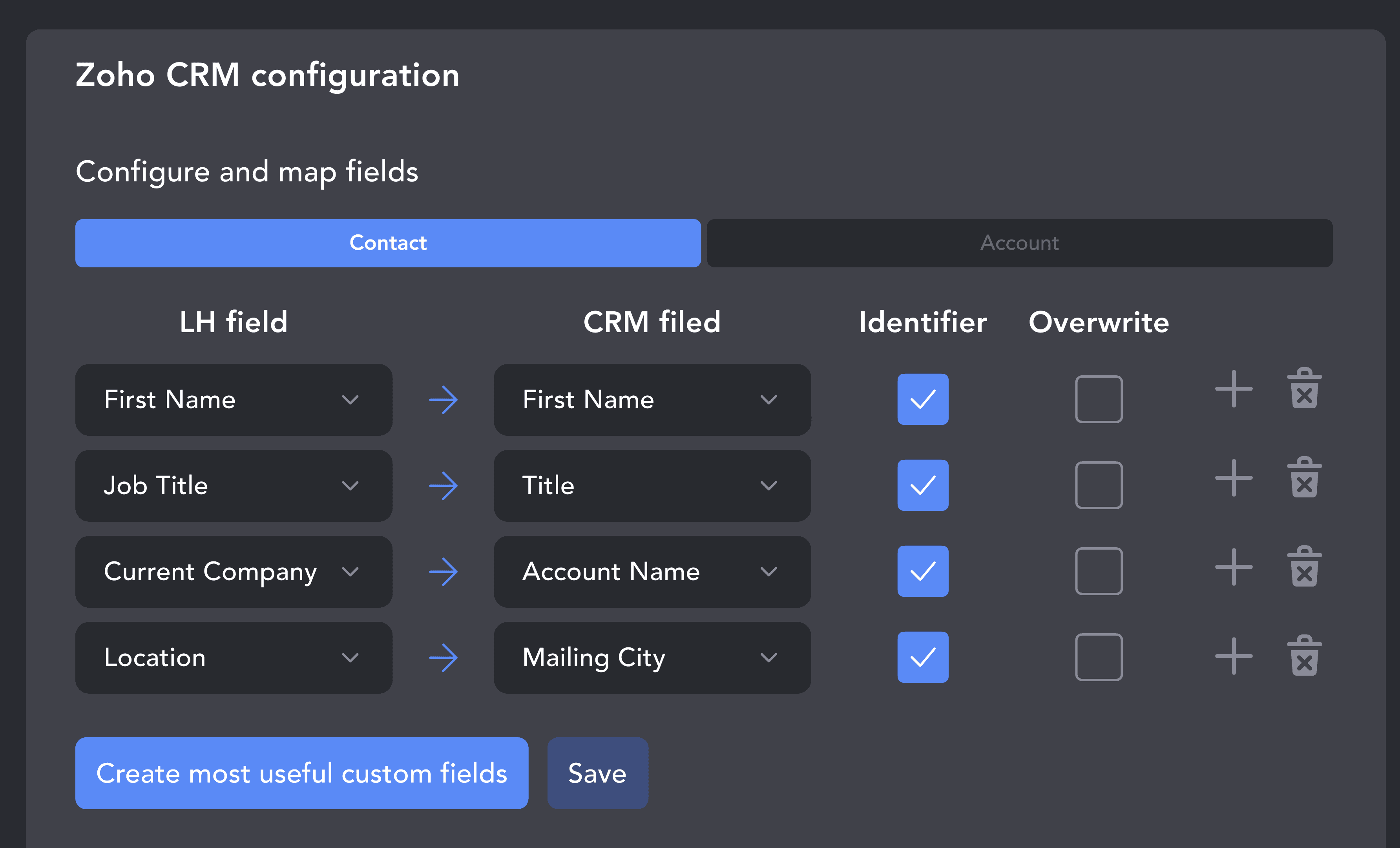
Choose how records land in Zoho: as Leads, as Contacts with linked Accounts, or both at once. Map fields in the visual builder and attach a campaign tag to every record for clean segmentation in Zoho.
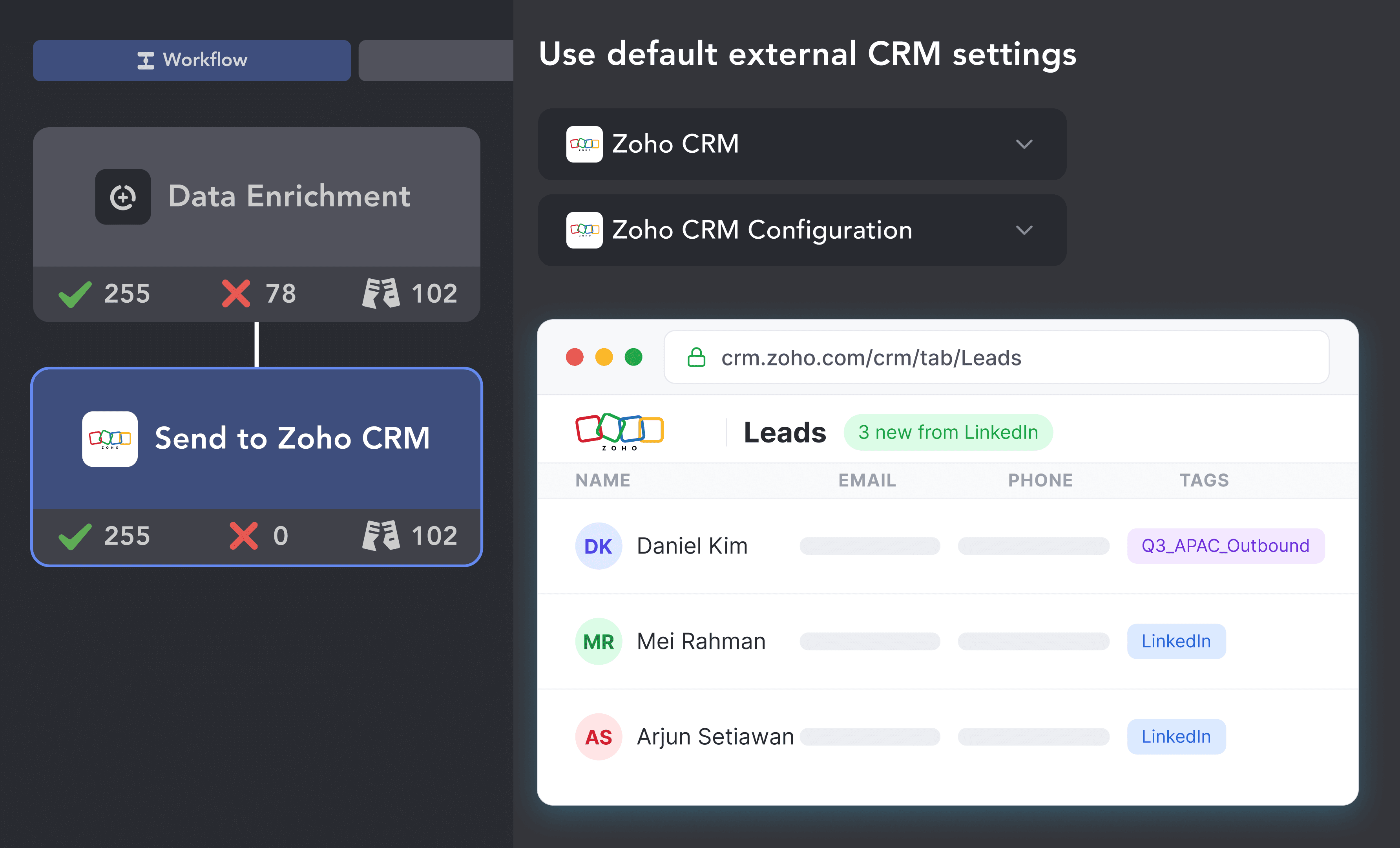
Choose to push every processed profile or only those who reply. Start your campaign and enriched, pre-tagged records appear in Zoho CRM automatically.
Add the "Send person to external CRM" action to your workflow, choose Zoho, click Connect, log in to Zoho, and click Accept — no API keys and no third-party connectors.
The same native setup works with other popular CRMs. Pick yours to see what Linked Helper sends and how.


Find prospects on LinkedIn and push their emails directly to HubSpot. Existing contacts are matched by email or LinkedIn profile ID and updated instead of duplicated.

Transfer LinkedIn leads to Close with messaging history logged as activity. Keep your entire outreach in one place.

Send LinkedIn prospects straight into your Pipedrive pipeline with full profile data. Duplicates handled automatically.

Send LinkedIn prospects to Streak pipelines right inside Gmail. Combine LinkedIn outreach with your email-based CRM workflow.
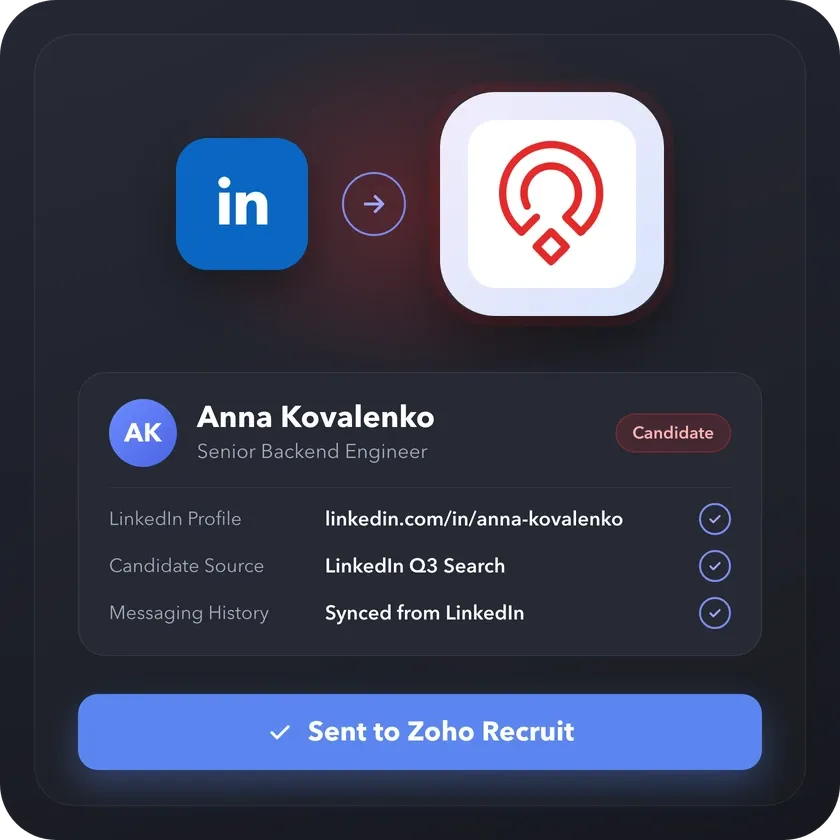
Sourcing candidates rather than selling? Linked Helper also connects to Zoho Recruit and sends the people you find on LinkedIn there as Candidates, or as Contacts and Clients, with their profile data and messaging history.
From finding leads to closing deals, Linked Helper automates every step of your outreach funnel. Explore the features that find, warm up and qualify the contacts you send to Zoho CRM.


No chatbots. No waiting days for a reply. Get fast, expert help from real people committed to your success whenever you need them.
Isaac R.
CEO, Education Management
If you are looking to optimize your time while generating income or profitability in your objectives, Linked Helper is your app. What I liked most is the simplicity and effectiveness.
 Review
24/7 LIVE CHAT & EMAIL
Get a real human response in minutes, not days.
REMOTE ASSISTANCE
If you're truly stuck, we can connect to your computer and guide you.
IN-DEPTH KNOWLEDGE BASE
Step‑by‑step tutorials and articles for every feature.
Watch our quick video guides to connect Zoho, map your fields, and launch your first campaign step by step.
Learn how to create a custom field in Zoho CRM to update lead statuses at each Linked Helper campaign stage.
VIDEO TUTORIAL
VIDEO TUTORIAL
It is a native connection between the Linked Helper app and Zoho CRM. Your LinkedIn campaigns collect contact and company data, and Linked Helper sends it to Zoho CRM as Leads, Contacts with linked Accounts, or both, tagged with the campaign it came from. You can also sync LinkedIn chat history to the contact record. It works in the opposite direction to the Sales Navigator extension for Zoho: it fills Zoho with contacts from LinkedIn rather than showing LinkedIn profiles inside Zoho.
Sync LinkedIn prospects, log conversations natively, and close deals faster. No copy-pasting between tabs.