Smart Mapping
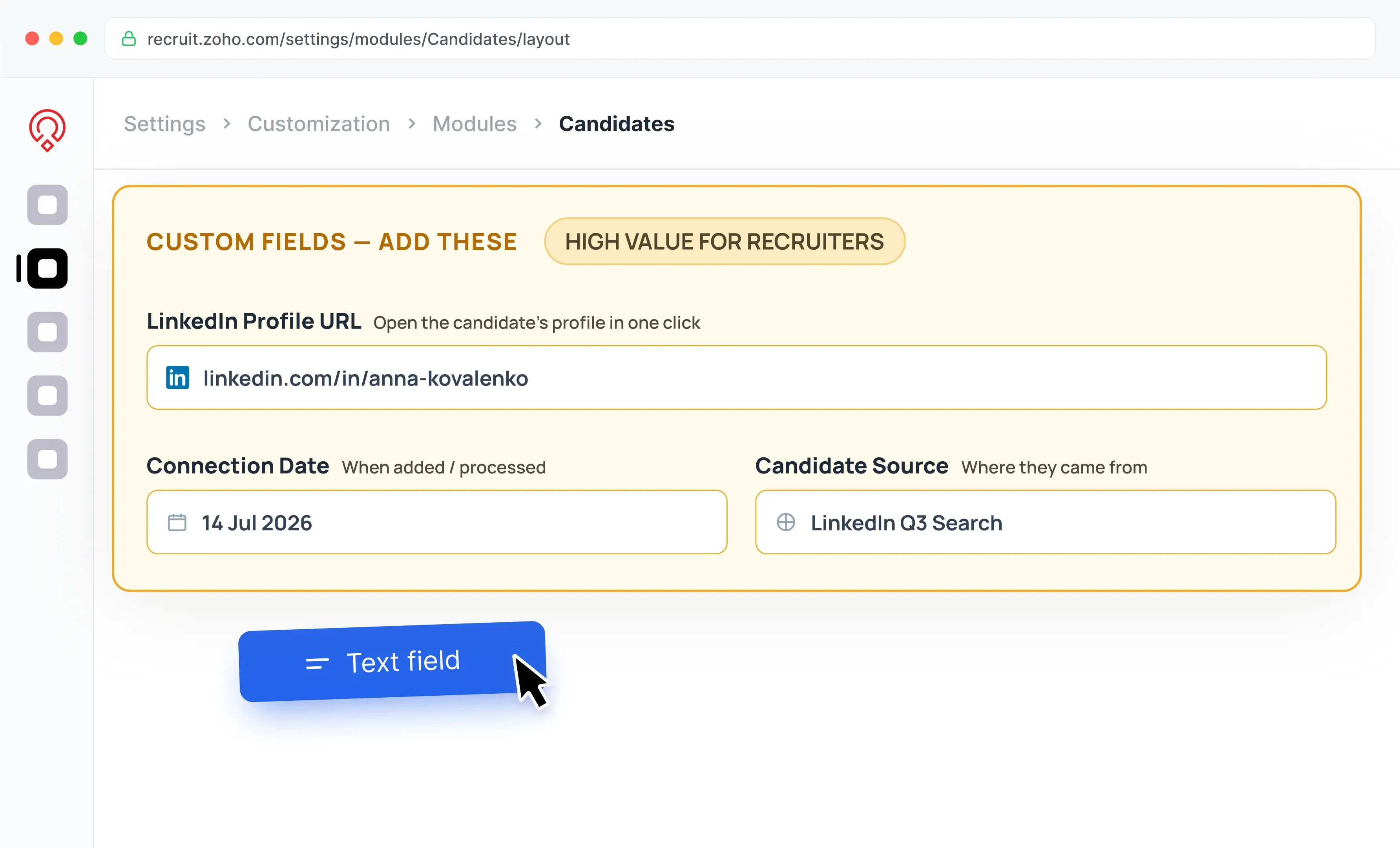
1. Set Up Custom Fields
Create custom fields in Zoho Recruit to power duplicate-free candidate sourcing. Keeps your talent database clean from day one.
Stop copy-pasting candidates from LinkedIn into your ATS. Linked Helper collects profile data, enriches contact details, and sends candidates directly to Zoho Recruit — so recruiters can focus on conversations, not data entry.











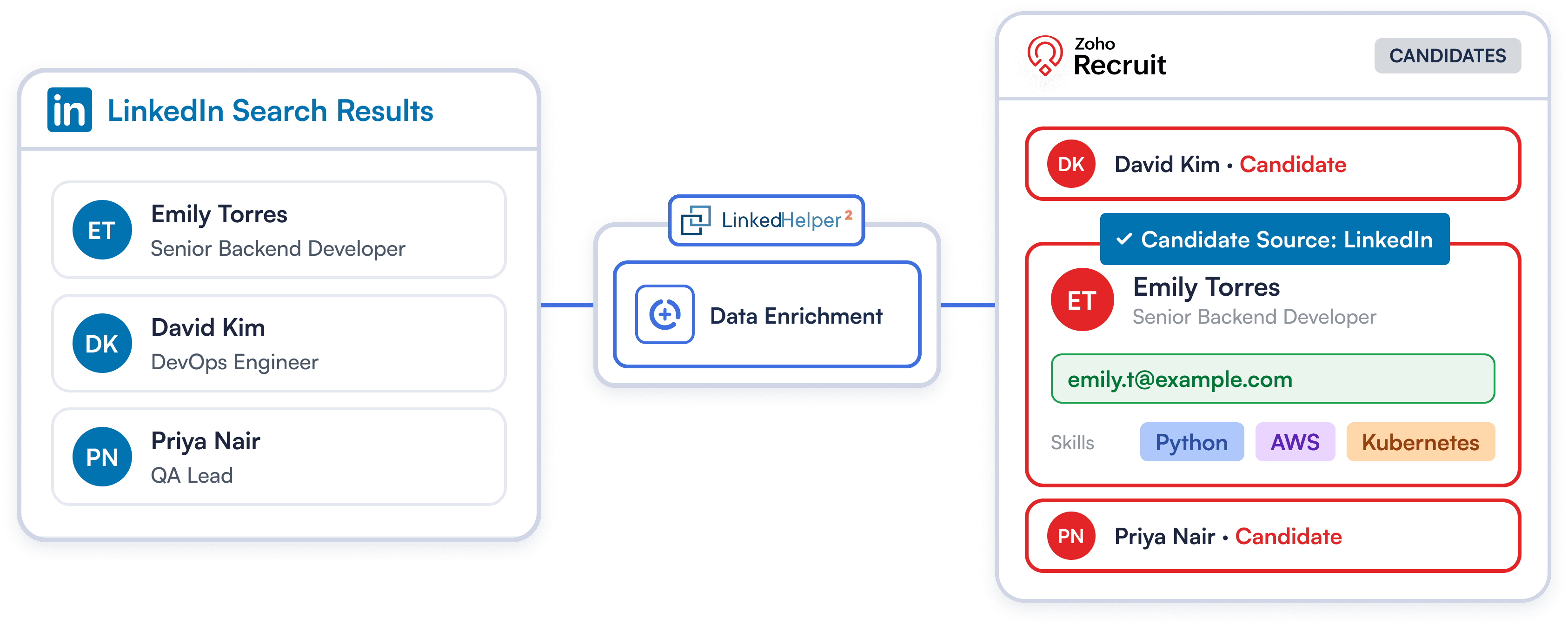
Manual LinkedIn sourcing is slow. Linked Helper visits profiles, extracts emails, phone numbers, job titles, current companies, locations, and LinkedIn URLs, then sends them straight into Zoho Recruit as candidates.
Try Template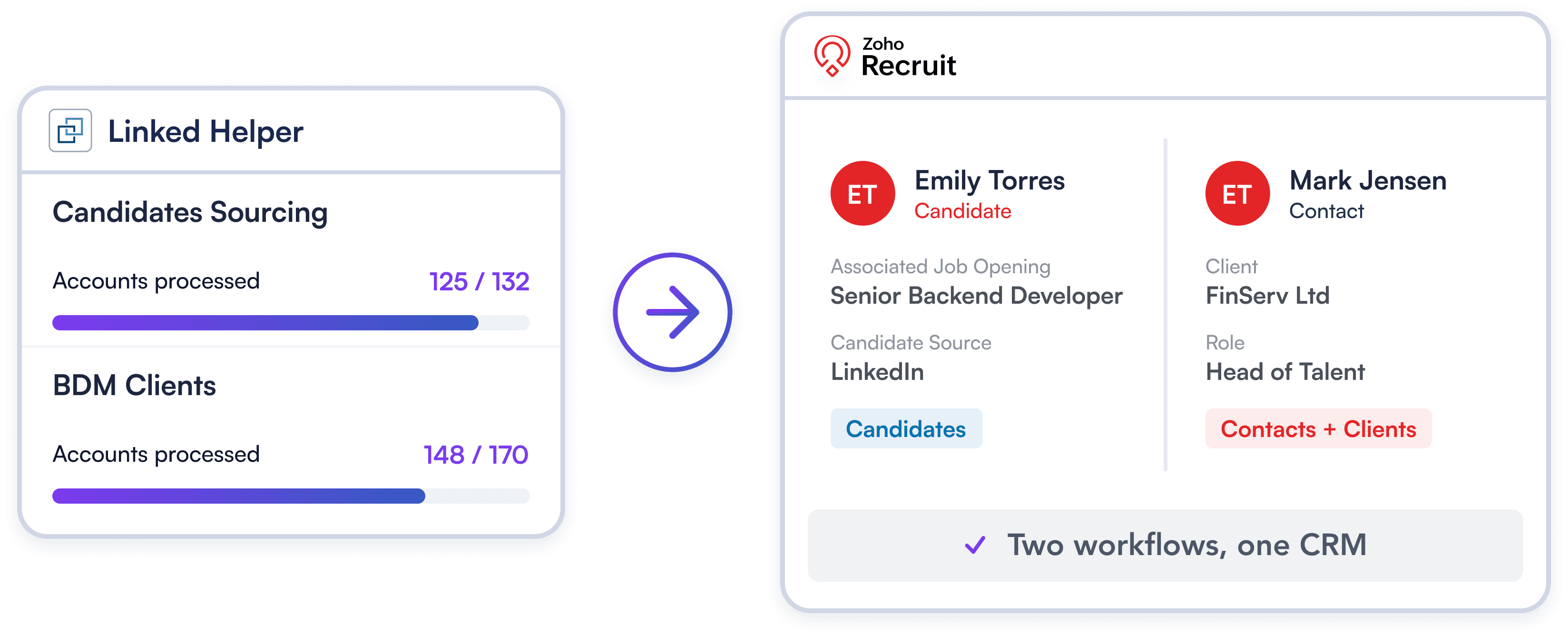
Tailor LinkedIn sync to your recruiting model. Route talent into Zoho Recruit as Candidates for active roles, or sync hiring managers as Clients to power your agency’s BD pipeline.
Try Template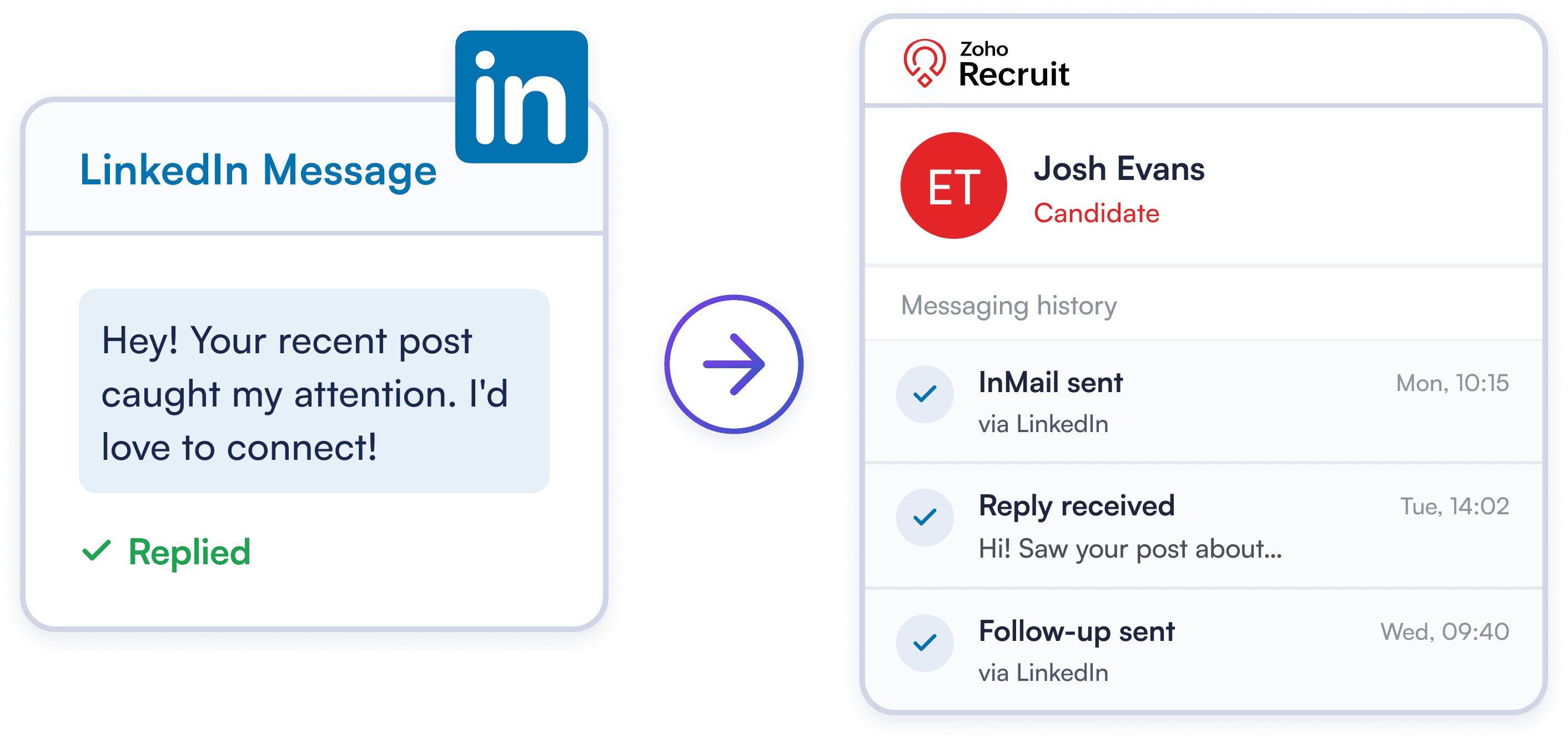
Automatically sync every InMail, reply, and follow-up message directly to Candidate records. Give your recruiting team a complete interaction history for smarter, more collaborative sourcing.
Try TemplateCreate custom fields in Zoho Recruit to power duplicate-free candidate sourcing. Keeps your talent database clean from day one.
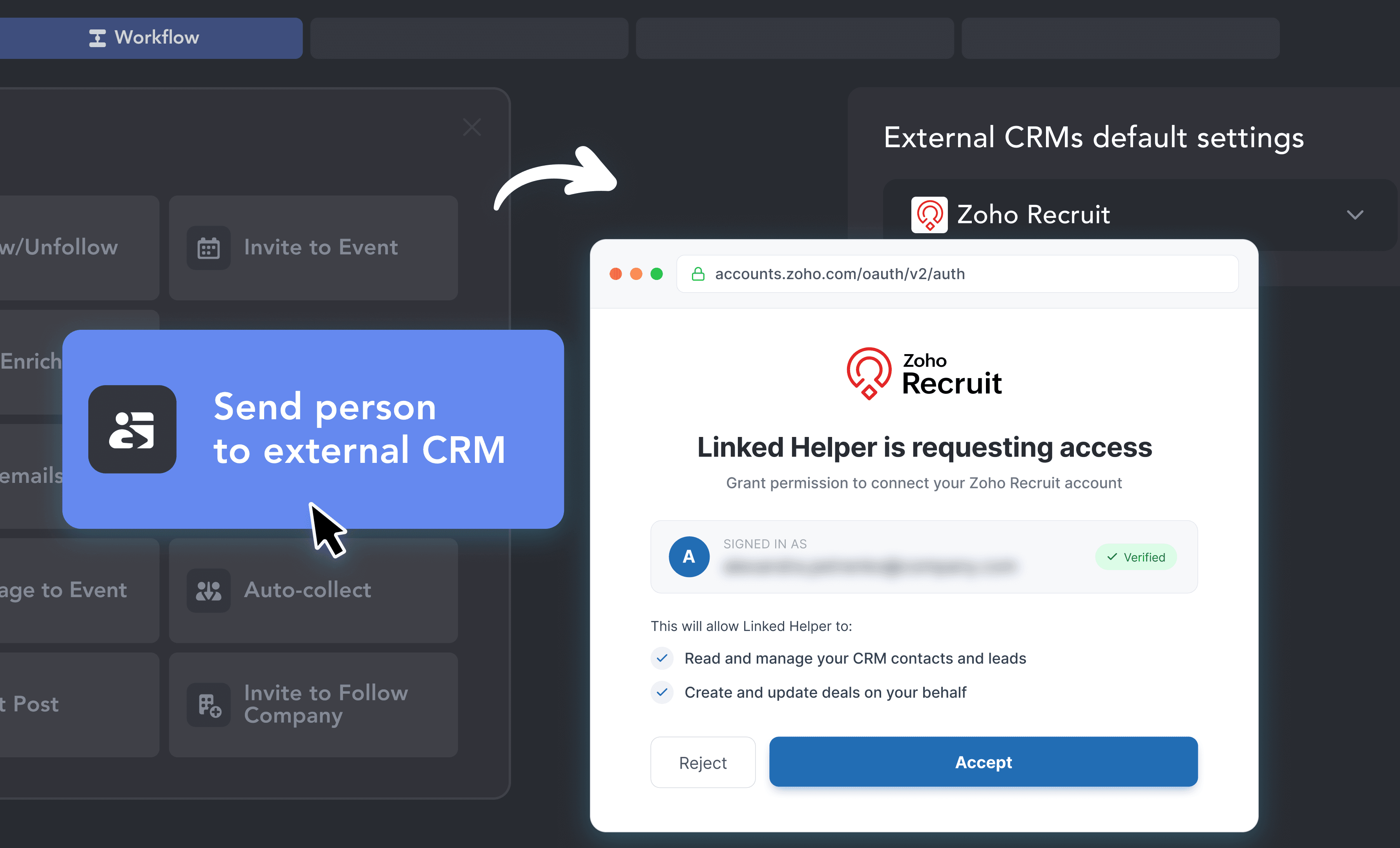
Add the "Send person to external CRM" action to your workflow, choose Zoho Recruit, and safely authenticate Zoho Recruit with 1-click OAuth.
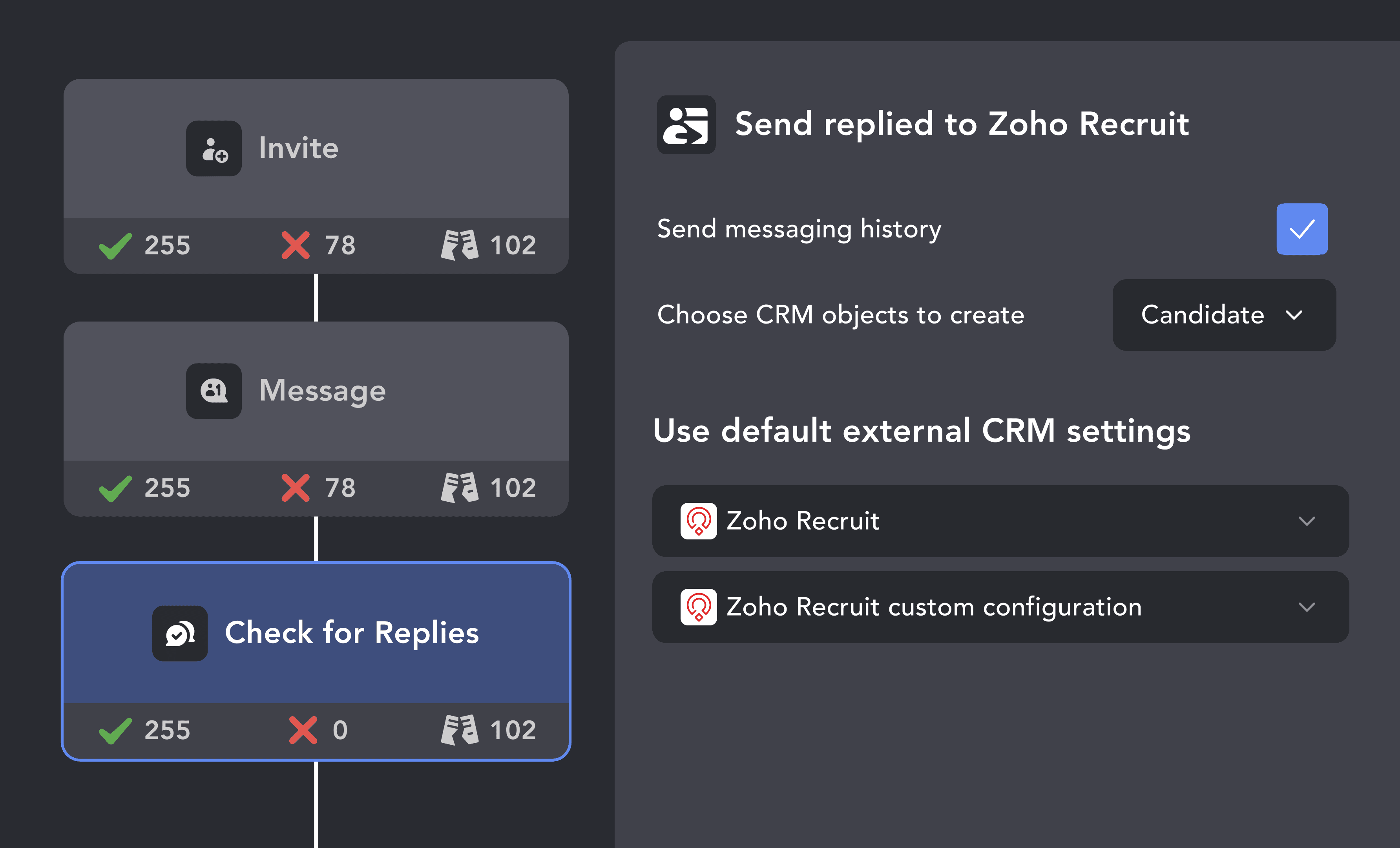
Map LinkedIn fields to Candidate or Client records, then turn on your campaign. Let enriched candidate profiles flow into Zoho Recruit automatically.
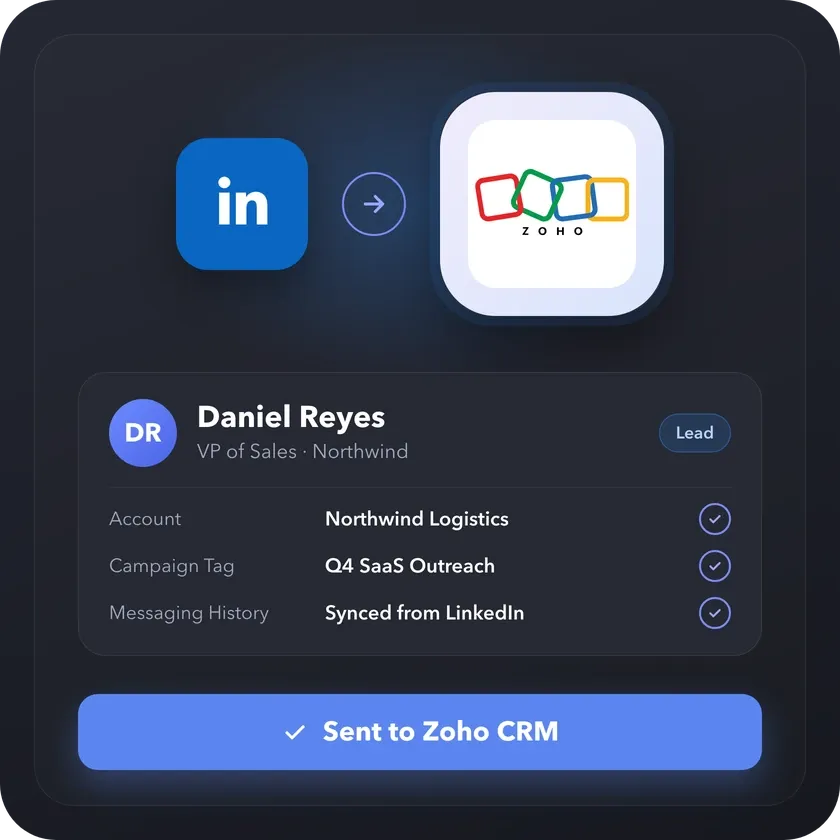
Running sales or business development on LinkedIn? Linked Helper also connects to Zoho CRM and sends the prospects you find there as Leads, Contacts with linked Accounts, or both, tagged with the campaign they came from.
From finding leads to closing deals, Linked Helper automates every step of your outreach funnel. Explore the features that make us the most powerful solution on the market.


No chatbots. No waiting days for a reply. Get fast, expert help from real people committed to your success whenever you need them.
Isaac R.
CEO, Education Management
If you are looking to optimize your time while generating income or profitability in your objectives, Linked Helper is your app. What I liked most is the simplicity and effectiveness.
 Review
24/7 LIVE CHAT & EMAIL
Get a real human response in minutes, not days.
REMOTE ASSISTANCE
If you're truly stuck, we can connect to your computer and guide you.
IN-DEPTH KNOWLEDGE BASE
Step‑by‑step tutorials and articles for every feature.
Watch our quick video guides to connect Zoho Recruit, map your fields, and launch your first campaign in minutes.
Learn how to set up custom fields in Zoho Recruit CRM to track your campaign's progress and label each lead according to their workflow stage in Linked Helper.
VIDEO TUTORIAL
VIDEO TUTORIAL
Linked Helper exports first and last name, current job title, current employer, location, LinkedIn profile URL, verified emails, phone numbers, and unique LinkedIn IDs — everything a recruiter needs to start a candidate record.
Sync LinkedIn candidates, log conversations natively, and fill roles faster. No manual data entry required.