
 How it works
 Candidate sourcing
 Candidate outreach
 Candidate management
 Team workflows
 Use cases
 Comparison
 Safe Recruitment Automation
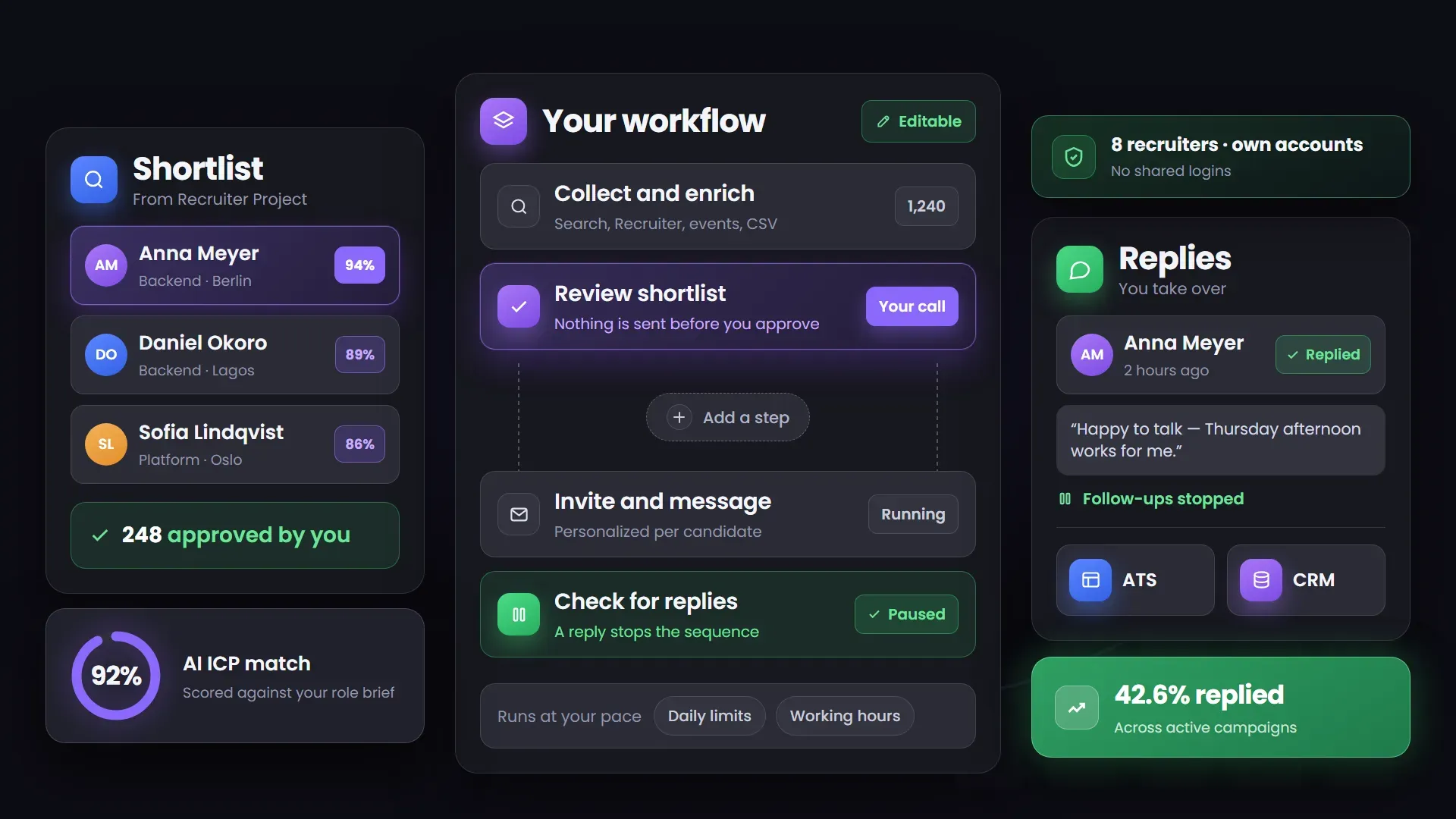
Step 1 — Build a shortlist
- Find candidates across LinkedIn, Recruiter Projects, CSVs, and warm-intent sources
- Enrich profiles with the data you need
- Organize candidates into focused shortlists
Use one LinkedIn automation tool for recruiters to source candidates, personalize outreach, automate follow-ups, and keep every candidate interaction organized — without the manual work.










Bring candidate sourcing, outreach, follow-ups, and history into one connected workflow so recruiters spend less time on admin and more on candidates.
 WITHOUT A STRUCTURED WORKFLOW
 WITH ONE CONNECTED WORKFLOW
 Structured recruiting
Linked Helper runs the repeatable part of recruiting — sourcing, outreach, follow-up and candidate records — as one workflow you control.


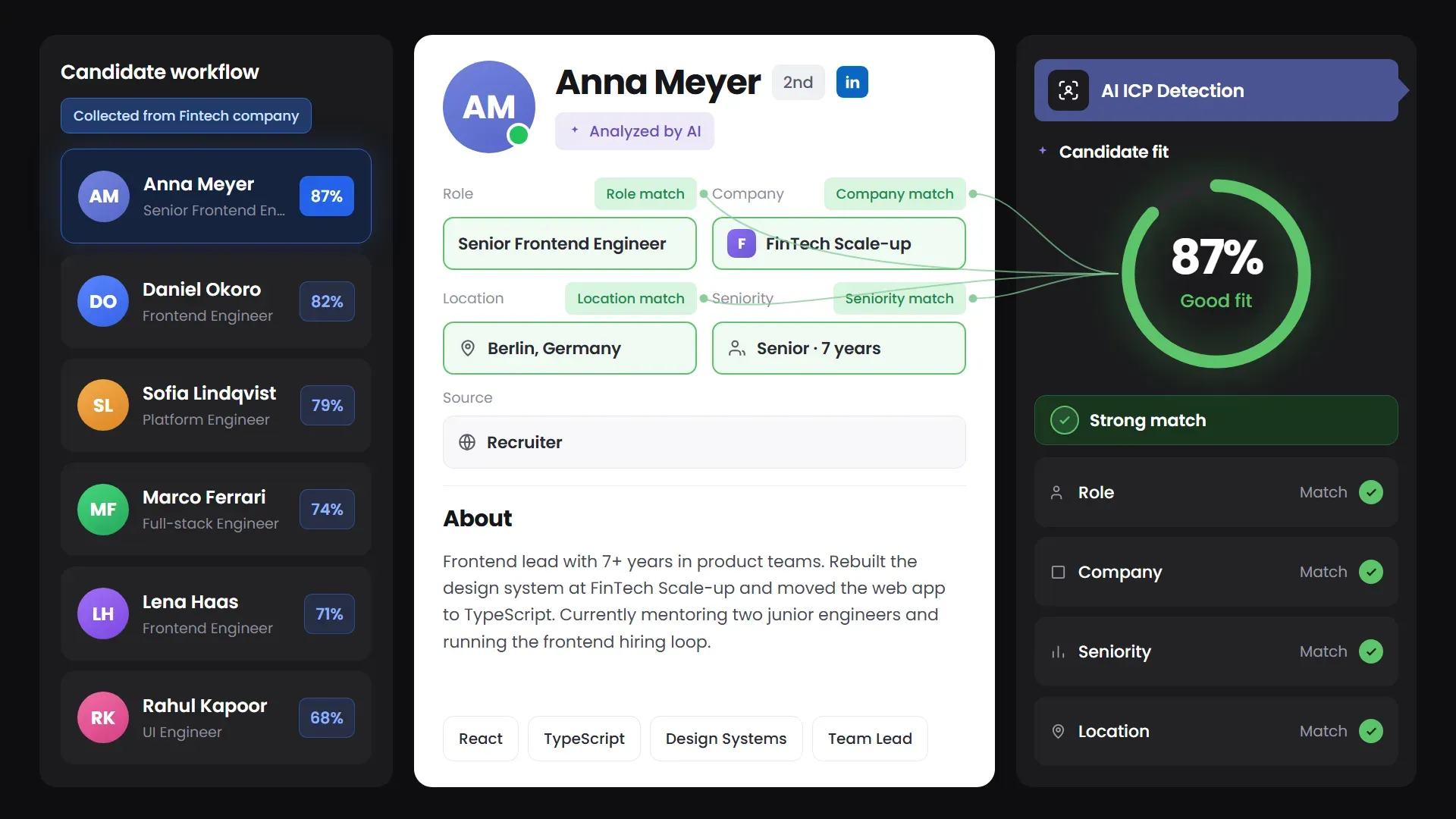
Turn LinkedIn search results, Recruiter Projects, target-company lists, and warm-intent audiences into a shortlist you review and approve before any outreach starts.
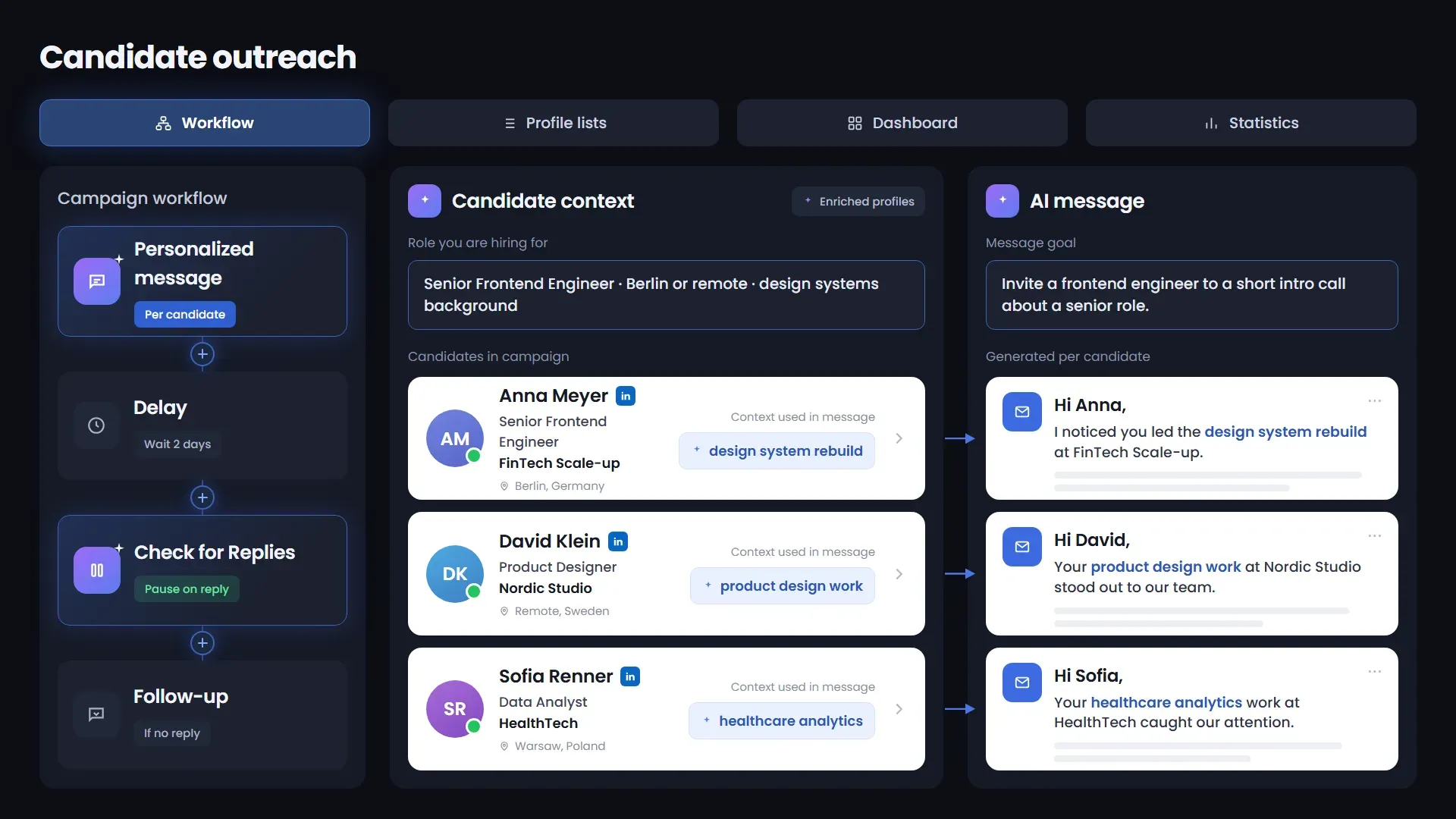
Build outreach around the candidate's context instead of pushing every profile through the same sequence. Start from a ready-made recruiting workflow, customize the logic, and keep the recruiter in control when a real conversation begins.
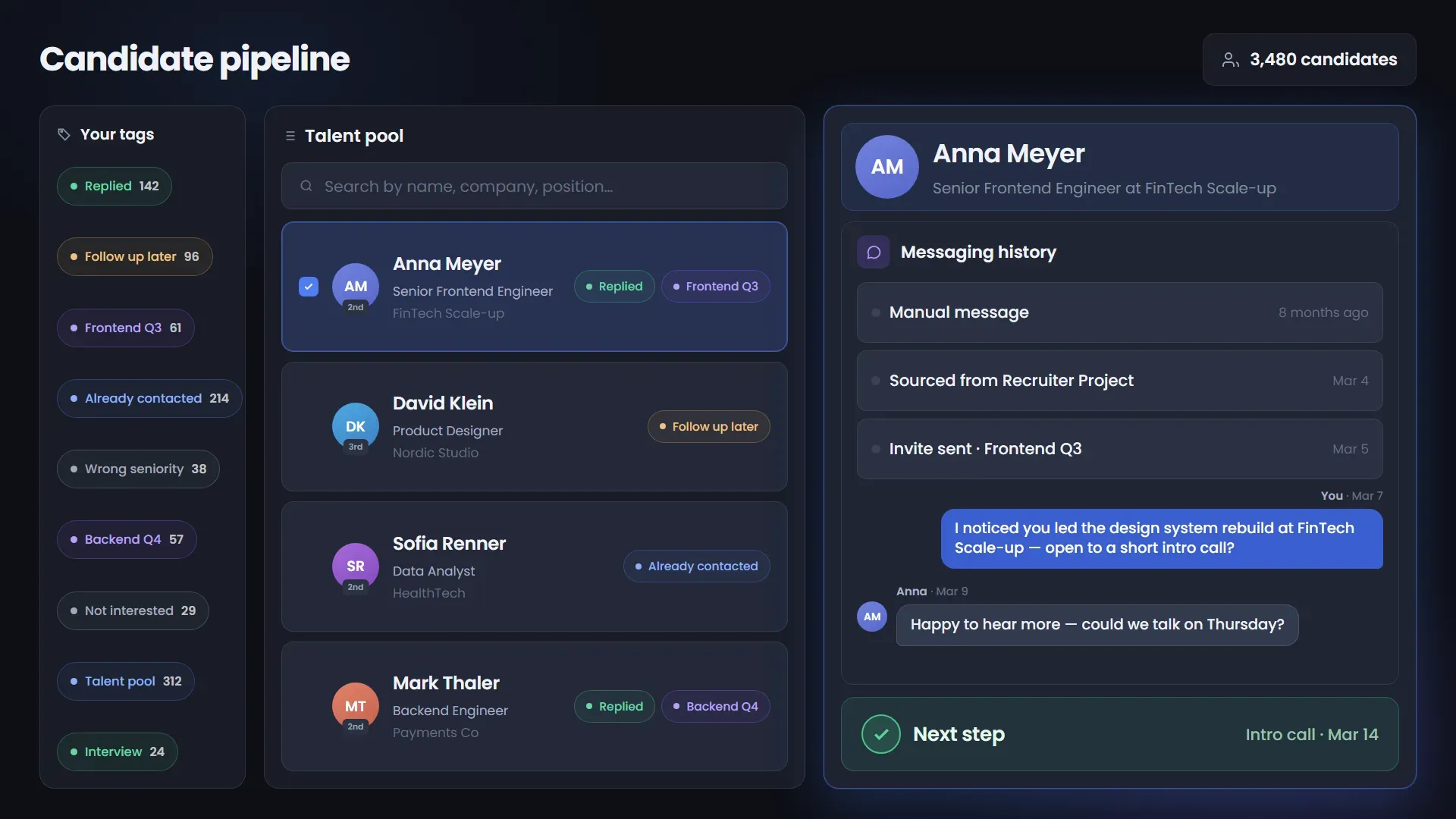
Replies, history, tags and next steps become a reusable recruiting database instead of scattered campaign lists, so every new role starts with context instead of from scratch.
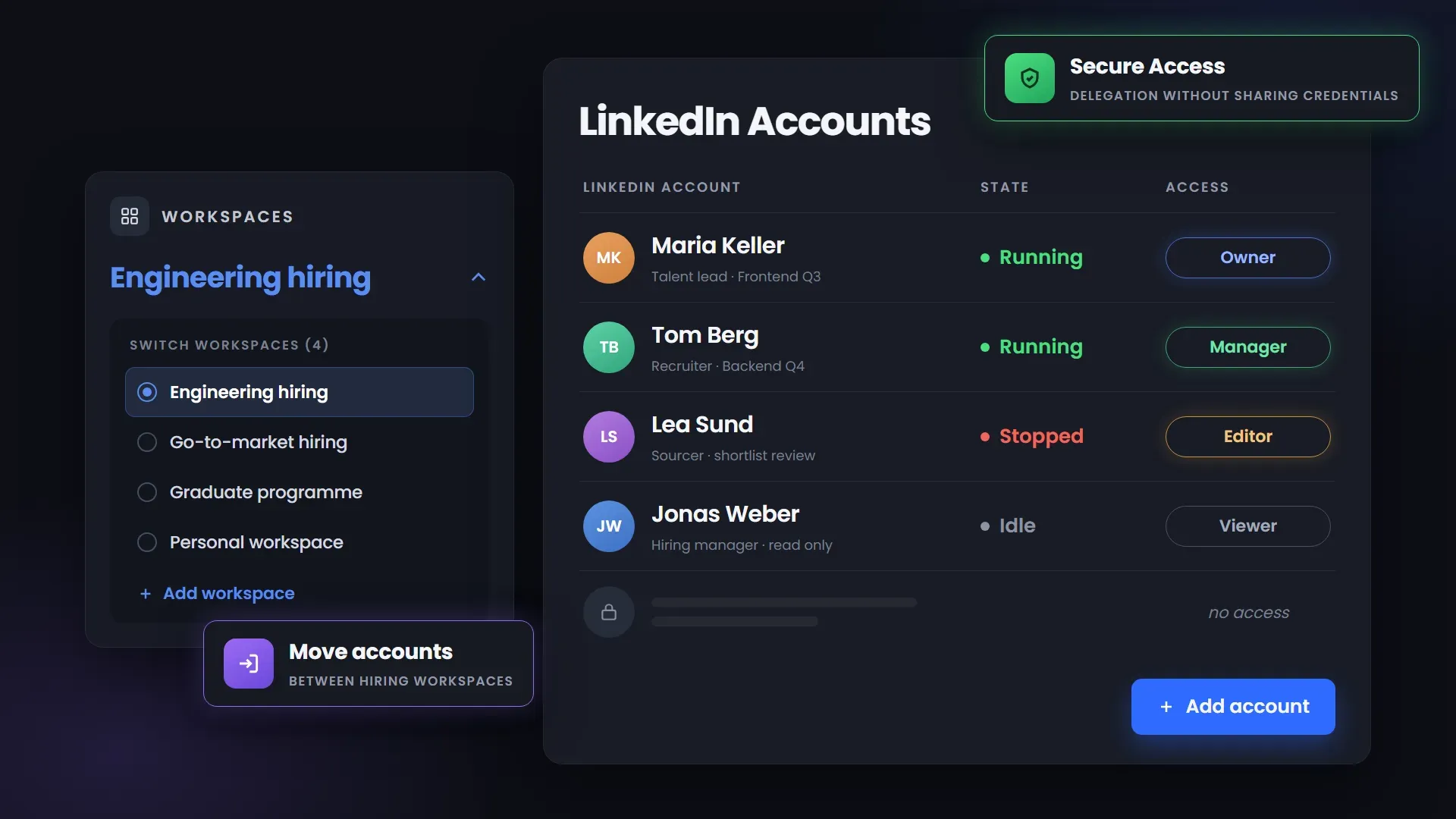
Scale roles, campaigns, and LinkedIn accounts with structured team access and clear ownership, without shared credentials or losing visibility into what each campaign is doing.
Every scenario opens a ready-made recruiting workflow. Use it as the starting point — then change the messages, the actions, the order, the delays and the candidate path before you launch.
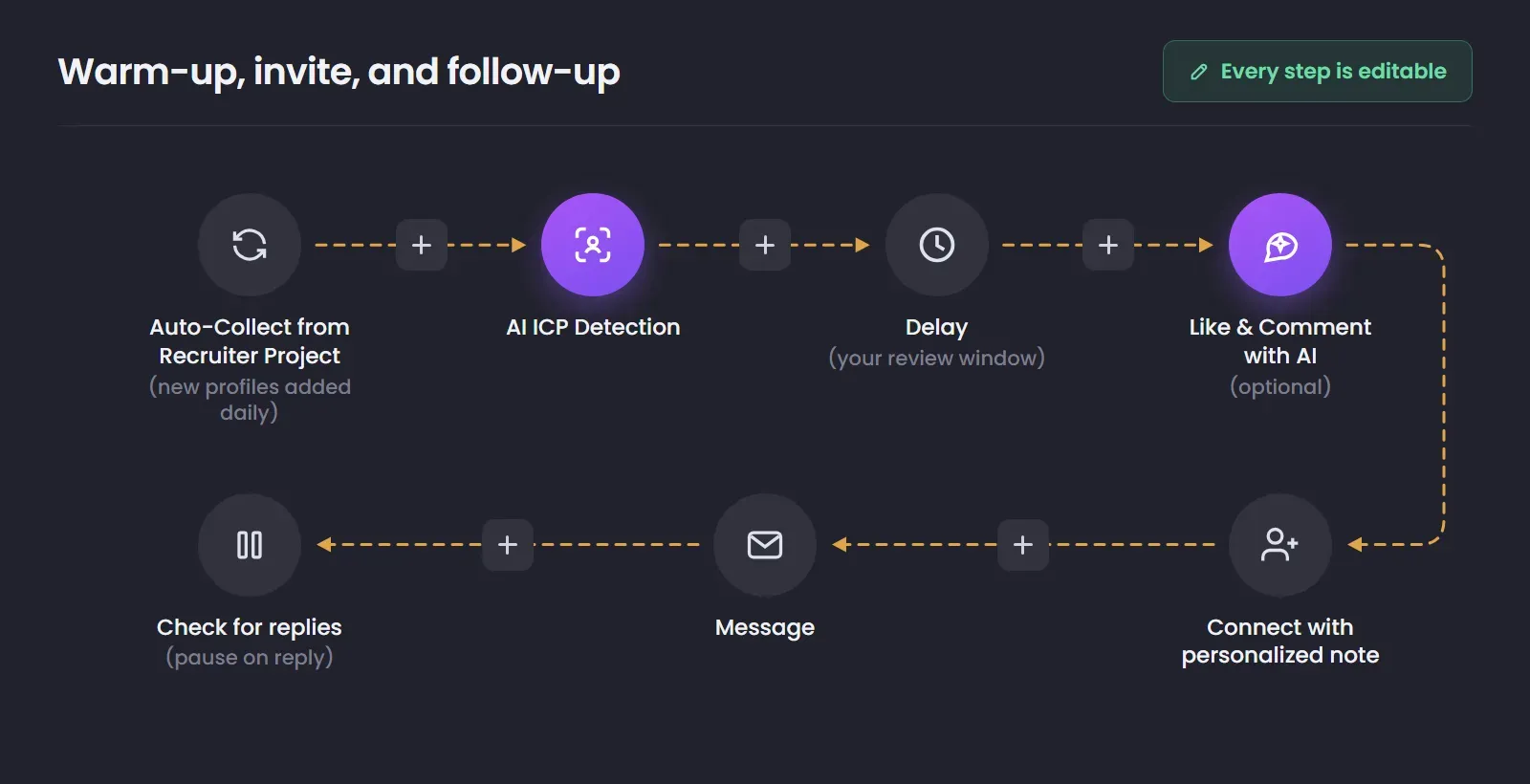
Senior and passive candidates rarely accept a connection request from a recruiter they have never seen, and a generic first message is easy to ignore. The workflow collects profiles from your target companies, scores them against the role brief, and passes only ICP-matched candidates forward for recruiter review before outreach. Engagement with the candidate's own content comes before the invite, so the request arrives from a name they recognize rather than a stranger.
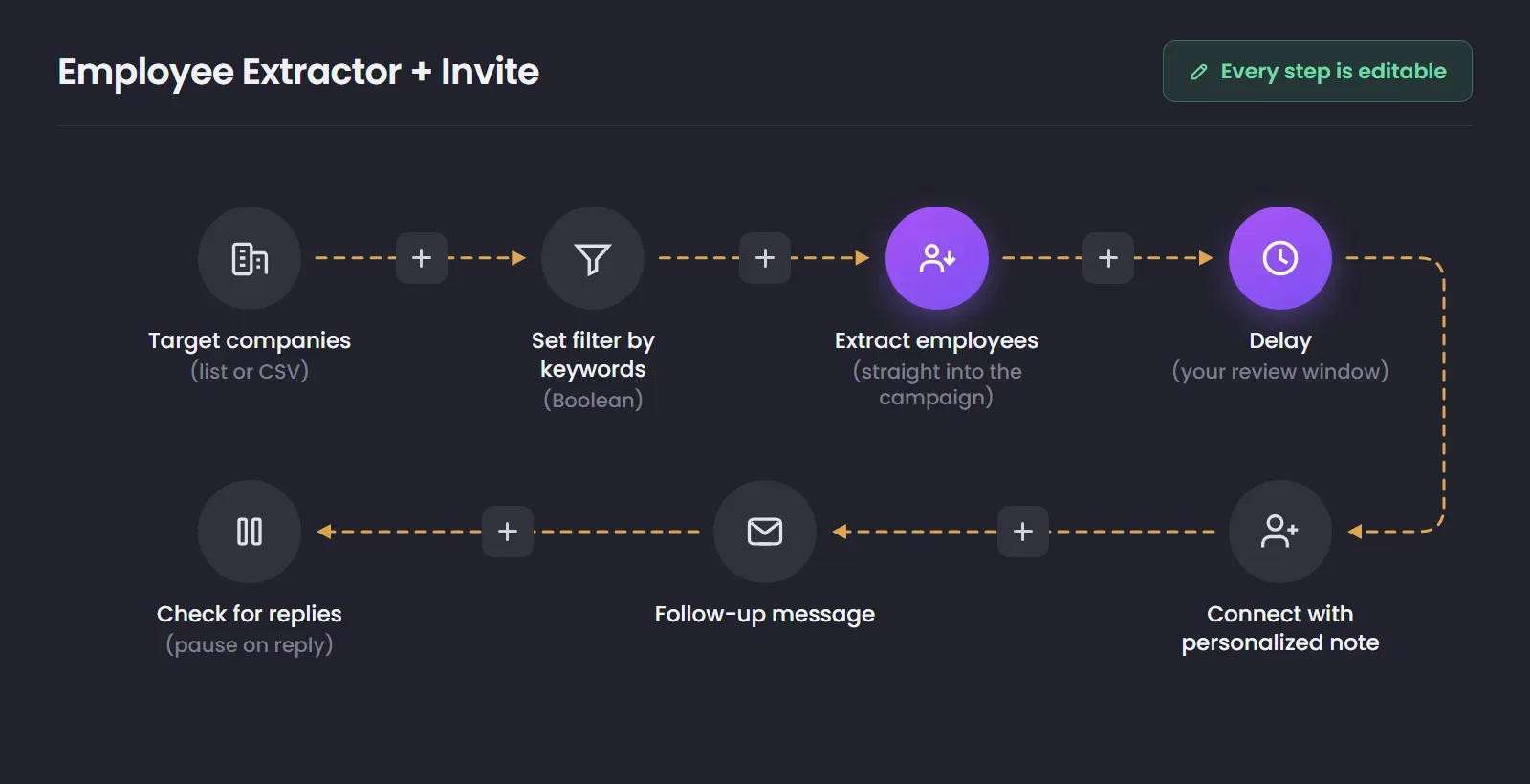
When the right people sit inside a known set of companies, sourcing usually means opening the People tab of each one and moving profiles into a spreadsheet. Set the company list and Boolean filter once, and the candidate sourcing automation workflow extracts only the employees that match directly into the campaign. If you want to review the shortlist before outreach, add a delay before the invite step and move approved candidates forward manually.
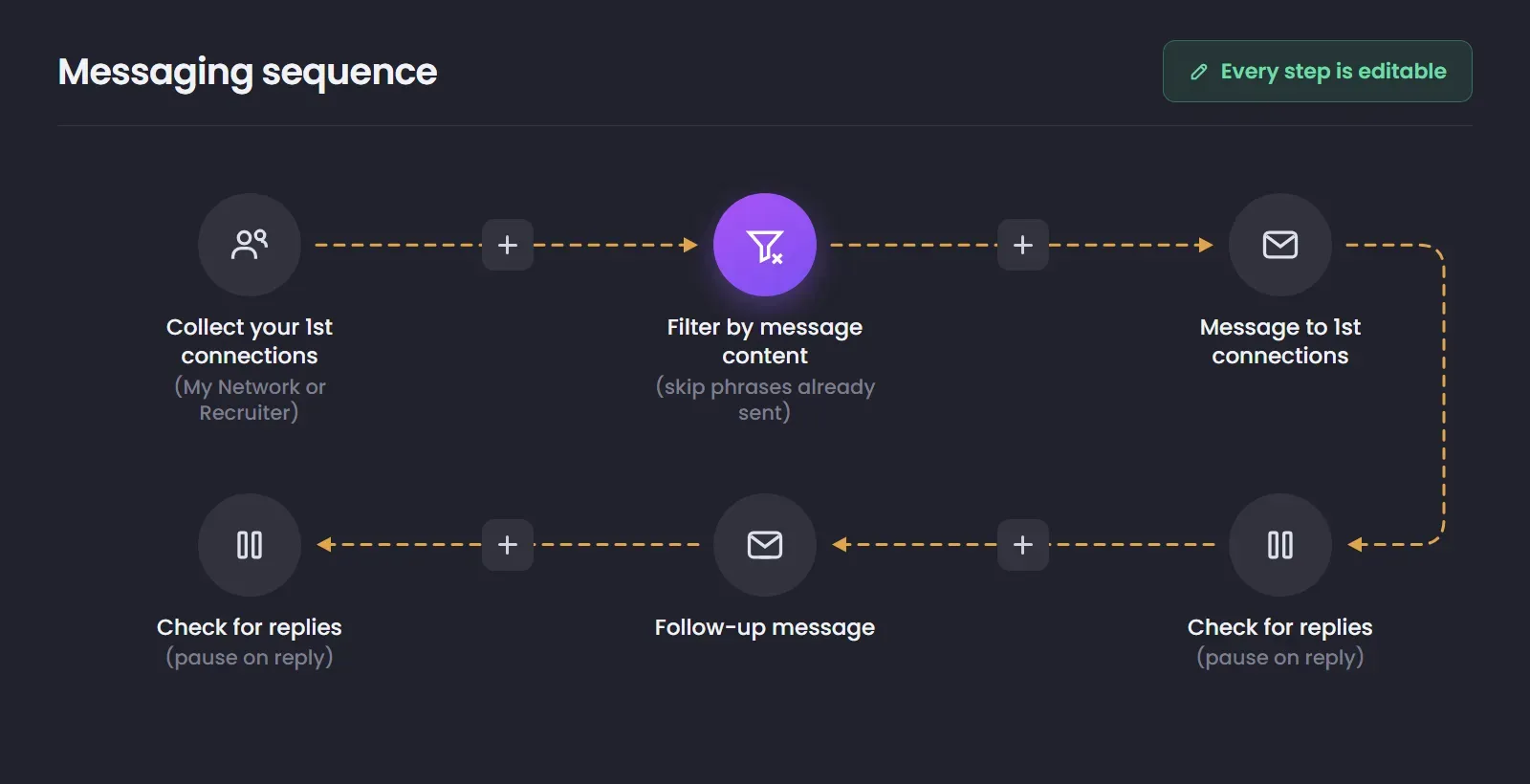
Most teams already have relevant candidates in their database, but reaching out again without checking past conversations risks repeating an offer or contacting someone who already declined. Use Scrape Messaging History to collect past conversations across your LinkedIn platforms, or only from the accounts you need. Then export the history to CSV, share it with your team, send it to an external CRM, or analyze it directly in Linked Helper’s built-in CRM. Previous outreach stays available as context instead of disappearing between campaigns and tools.
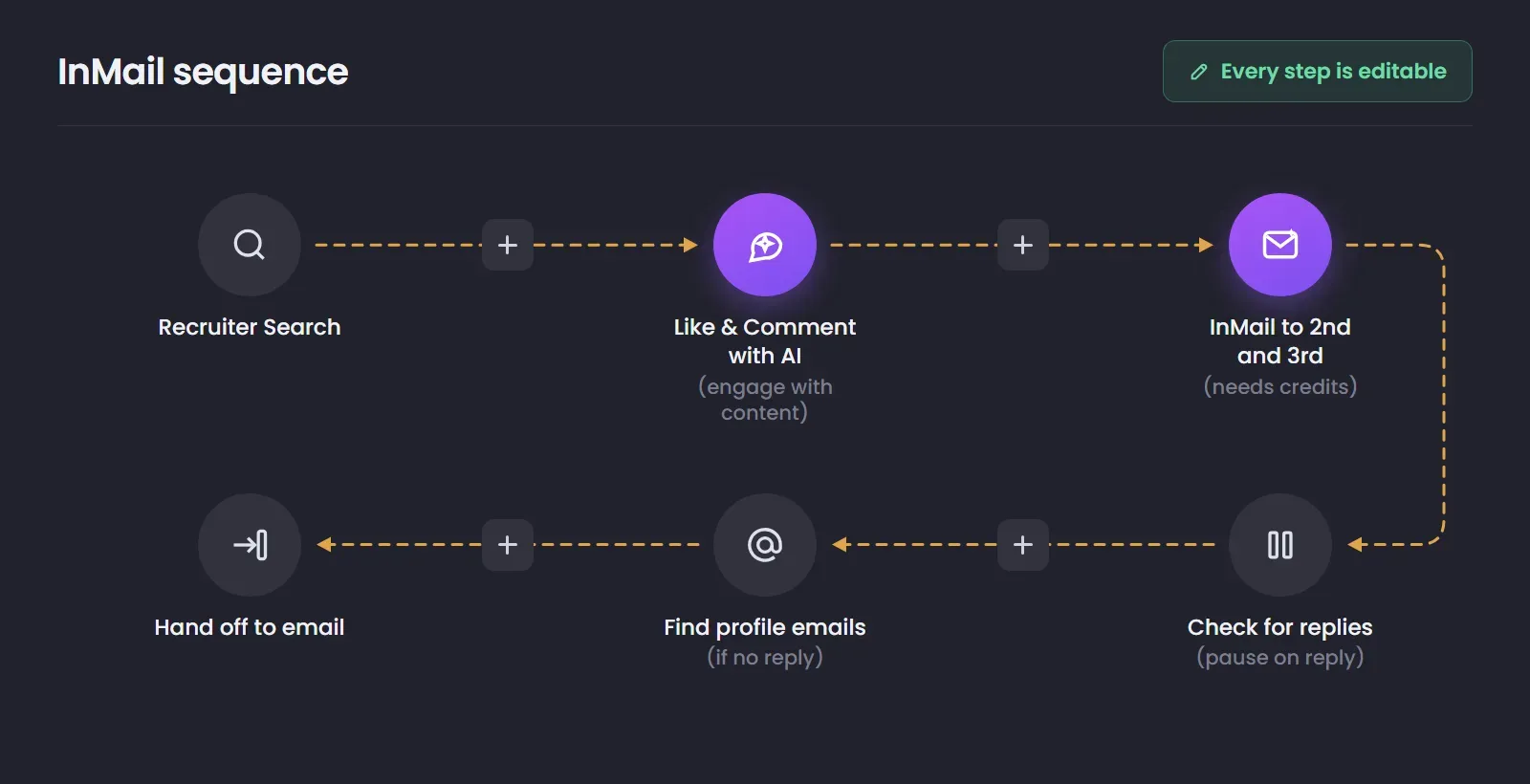
On senior and niche roles the usual channels run out quickly, and InMail credits are limited. The workflow engages with the candidate's content before the InMail is sent, so credits go to people who already recognize your name. If the candidate does not respond, profile emails are collected and the conversation moves to your email tool — the practical way to automate cold candidate follow-ups without rebuilding the context you already have. InMail requires the corresponding LinkedIn plan and credits.
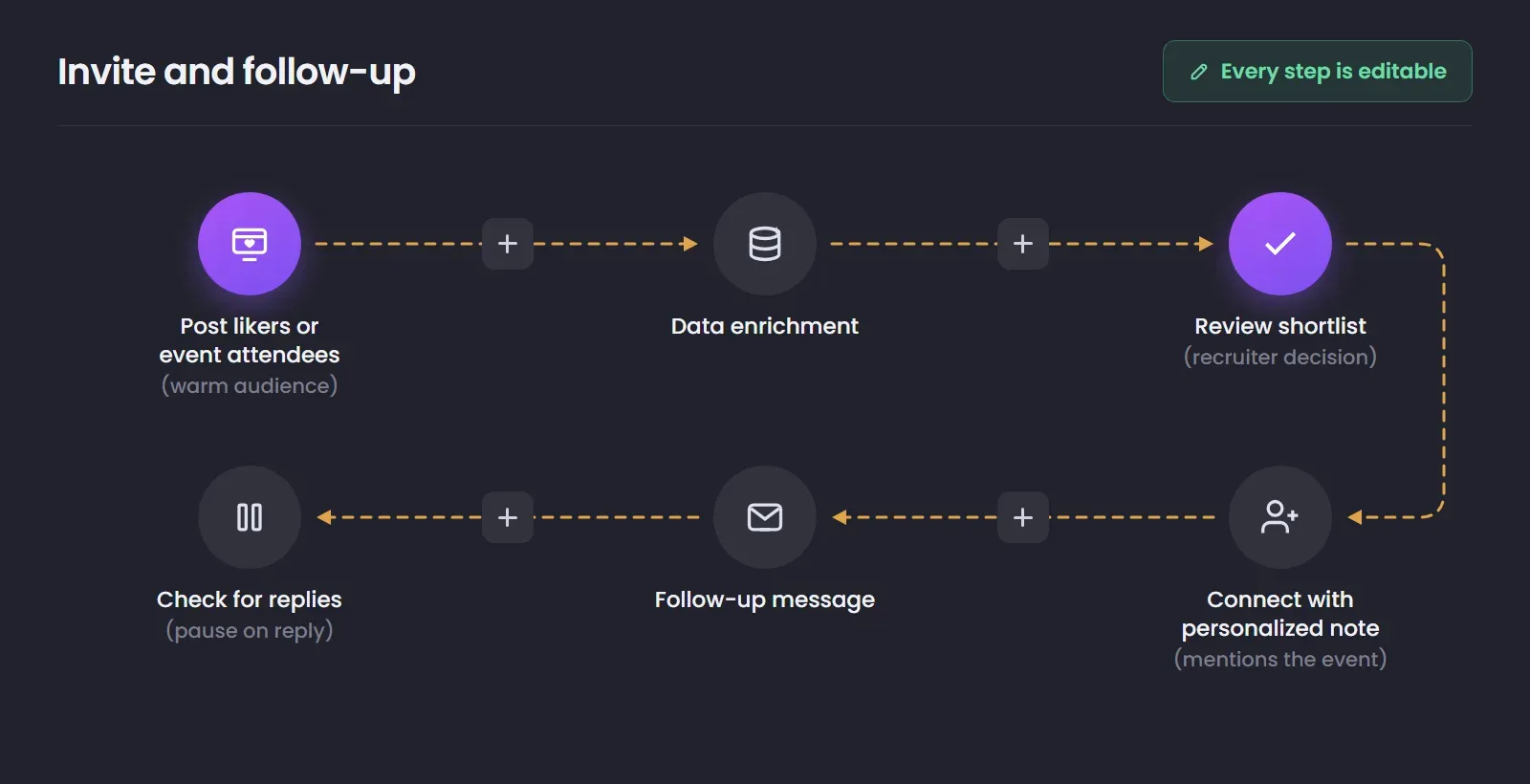
Event attendees, post likers and commenters have already shown professional interest, which makes them a warmer starting point than a cold search. Linked Helper collects that audience from posts, events, groups and followers — sources most LinkedIn candidate sourcing tools ignore — and enriches every profile before you review it. The connection note refers to the event or the post, so the first touch carries context instead of arriving without a reason.
Senior and passive candidates rarely accept a connection request from a recruiter they have never seen, and a generic first message is easy to ignore. The workflow collects profiles from your target companies, scores them against the role brief, and passes only ICP-matched candidates forward for recruiter review before outreach. Engagement with the candidate's own content comes before the invite, so the request arrives from a name they recognize rather than a stranger.

See how recruiting teams use Linked Helper to source candidates, personalize outreach, automate follow-ups, and keep more conversations moving. Explore the workflows behind their results.
See how manual outreach, basic automation, and Linked Helper compare across the recruiting workflow.


Set how and when Linked Helper runs sourcing and outreach with daily limits, working hours, delays, and randomized timing built into your campaigns.
Linked Helper is verified undetectable by DataDome, Cloudflare, PerimeterX, and 10+ other leading bot detection systems — so your account stays safe, always.
 DataDomeCloudflarePerimeterXAkamaiImperva10+ more
Mimics human actions with mouse movements and clicks, typing, and randomized delays. Navigates via LinkedIn search rather than direct URLs.
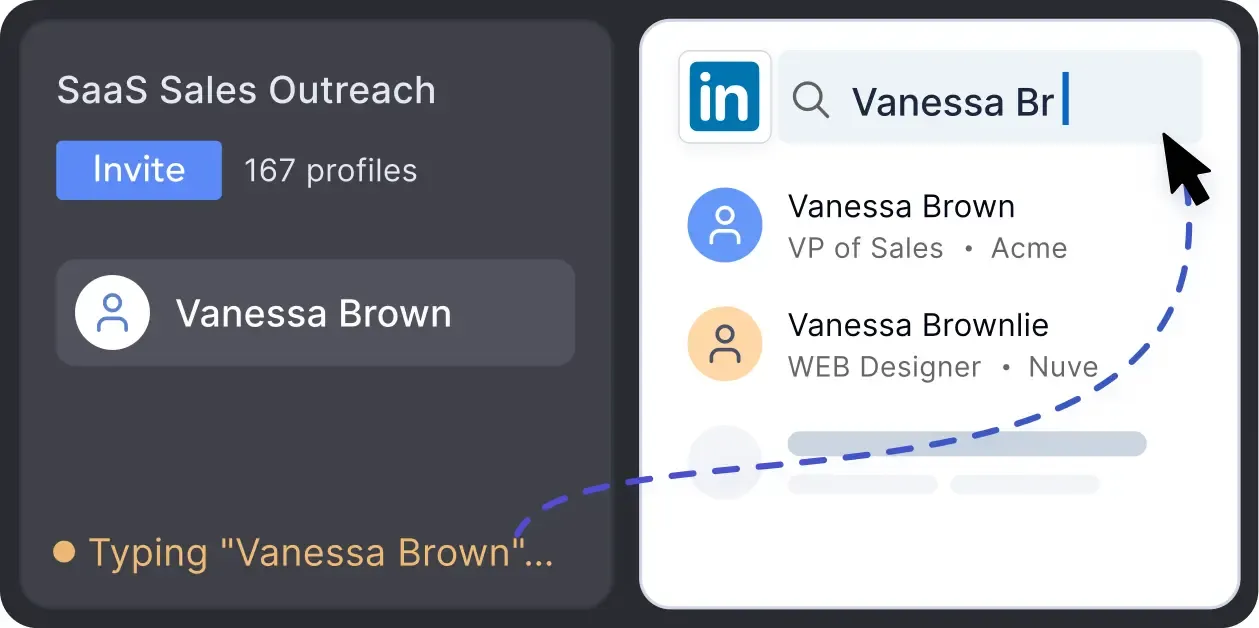
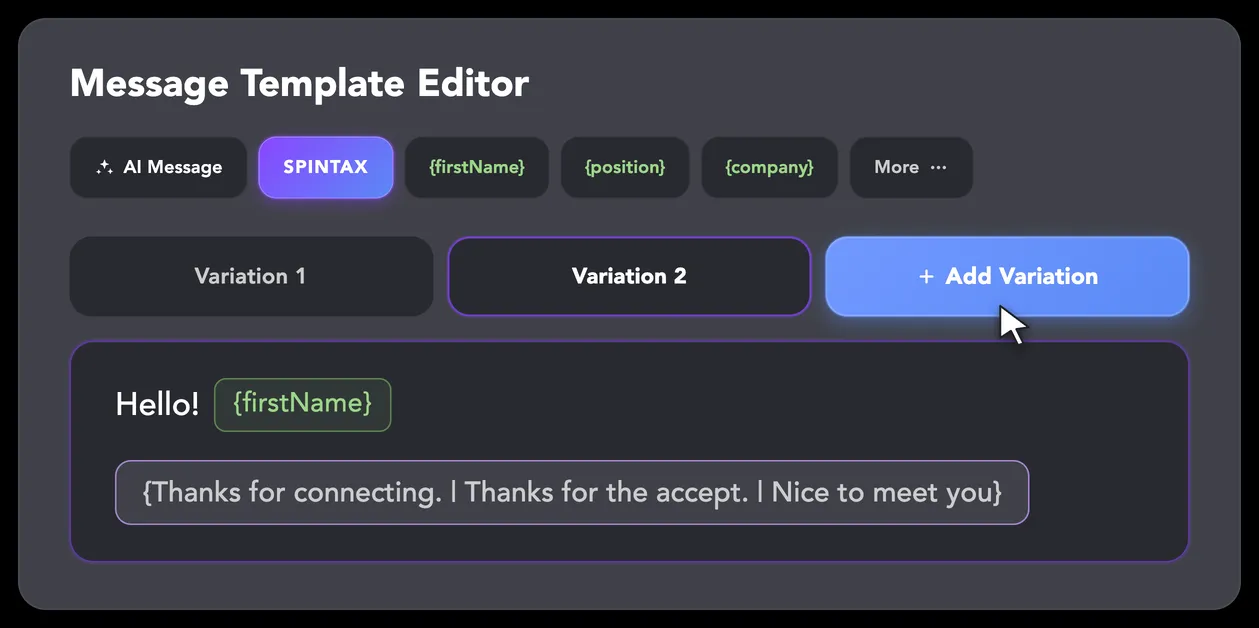
LinkedIn algorithms flag repetitive text. Combine your generated templates with unique syntactic variations for every single message, keeping your outreach off the spam radar.
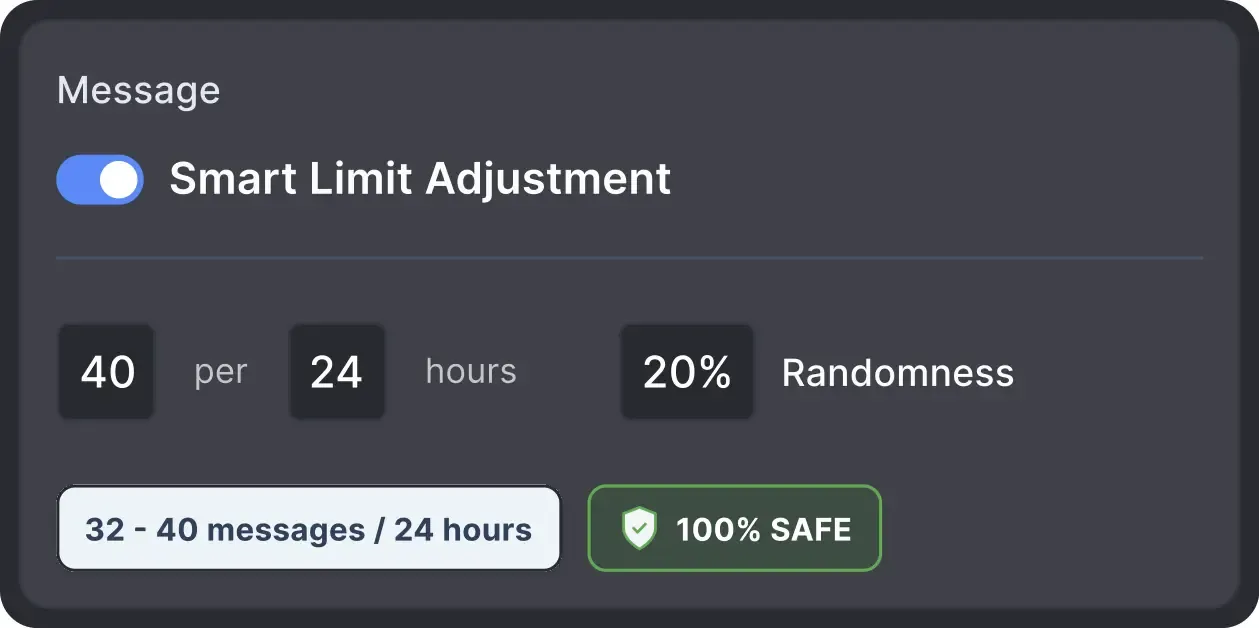
Operates within safe, recommended daily quotas and works on a "human-like" schedule (e.g., 9 AM - 5 PM) with random shifts to avoid robotic patterns.
All activity comes from your local IP address or a chosen dedicated proxy, not a suspicious server, avoiding a major red flag for LinkedIn.
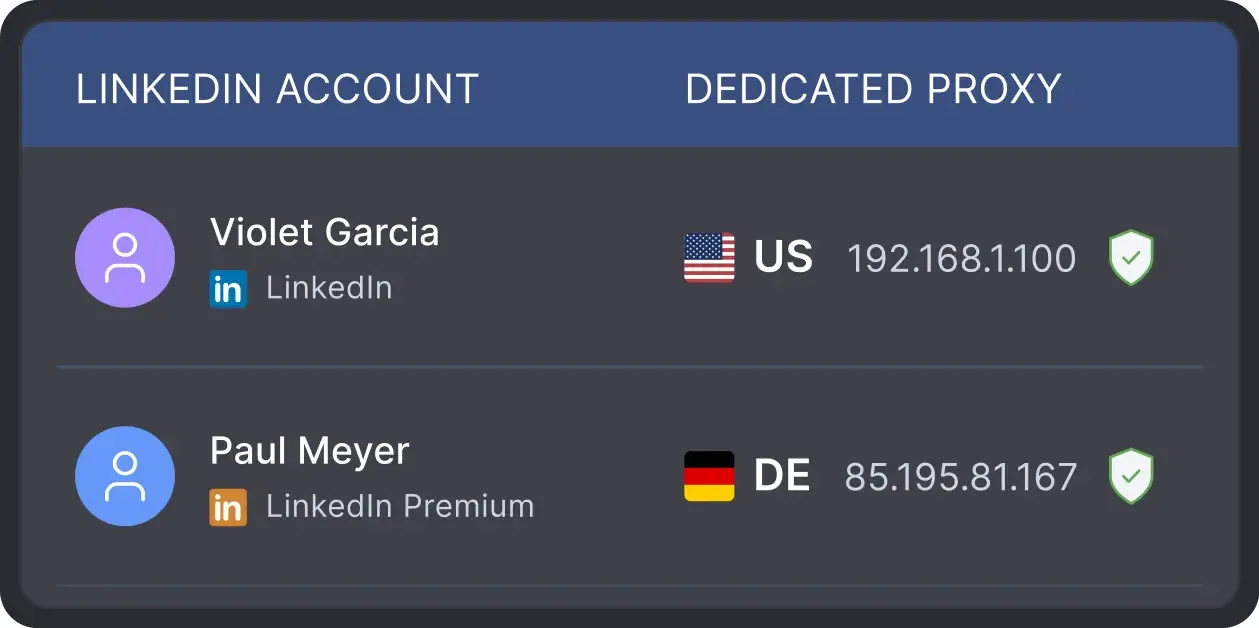
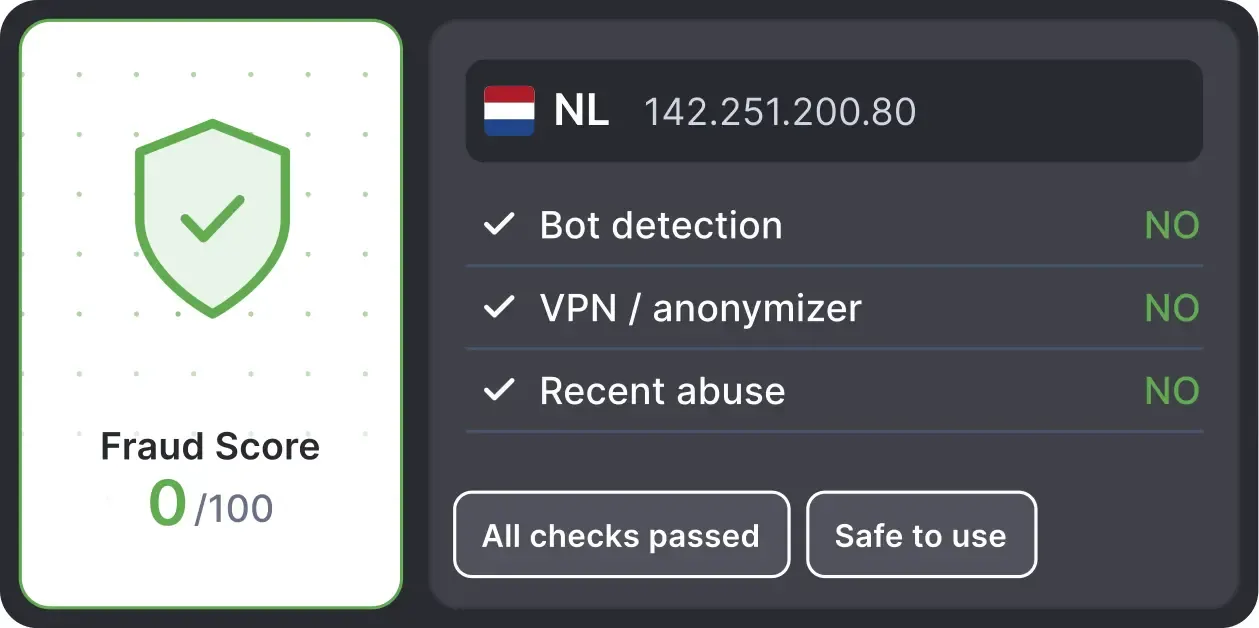
Automatically validates your proxy's "Fraud Score" to ensure you're not using a low-quality or blacklisted IP, adding an extra layer of security for multi-account management.
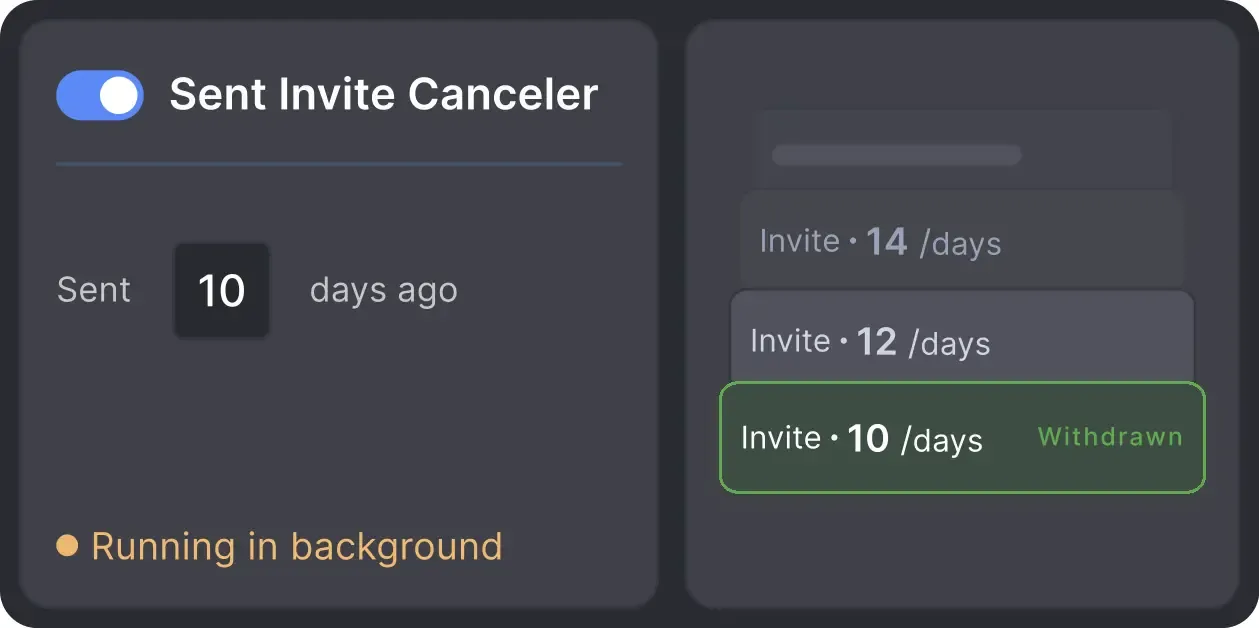
Automatically retracts old, unanswered connection requests to keep your profile in good standing with LinkedIn's algorithm.
Join our weekly live walkthrough to see real recruiting workflows, candidate sourcing and outreach campaigns built from scratch, and get your LinkedIn automation questions answered live.

LinkedIn Automation Trainer
Julia helps teams build practical LinkedIn automation workflows for sourcing, outreach, follow-ups, and multi-account recruiting.
YOU WILL LEARN

Basic

Premium

Sales Navigator

Recruiter
Basic
Premium
Sales Navigator
Recruiter
Verified
G2 recruiter review
The product replaced 9 recruiters for me, which allowed me to save money and also to have no doubt that the work was done.
 See G2 reviews
9 recruiters replaced
Get a real human response in minutes, not days.
No doubt in the work done
If you're truly stuck, we can connect to your screen and guide you.
Money saved
Step‑by‑step tutorials and articles for every feature.
Reviews from recruiters managing candidates, campaigns, and multiple LinkedIn accounts.






I heard about Linked Helper from an Enterprise Salesperson that I was interviewing in 2023 (I am a recruiter). It's invaluable as a method to extend my outreach and communication within LinkedIn, passively while I get on with other work — and most importantly it really delivers results.

I use LinkedIn Helper for a few weeks, and it's been a real help in my recruiting work. It makes tasks like sending InMails easier, so I can spend more time interviewing potential candidates. The customer service is very polite too – they're always there to sort out any issues, even on a Sunday evening.
Helped me a lot to connect fast with the targetted candidates. I had 3 candidates in play after being submitted to client in less than a week because of using this powerful tool.
Ease of use of the product. Excellent support team. Working with a large number of accounts. Great tips for keeping LinkedIn from limiting your work with profiles.
LinkedIn Helper will improve your productivity for sourcing and prospecting on LinkedIn. I've never found such a qualitative tool on the market.
The product replaced 9 recruiters for me, which allowed me to save money and also to have no doubt that the work was done. Our recruitment agency is ahead of any internal recruiting of companies looking for candidates in terms of audience coverage.
The Standard plan covers essential automation for everyday outreach. The Pro plan unlocks enterprise-level targeting, integrations, and scale.

All your data stays on your device in local folders you can access directly.

Each account has its own isolated storage - no data mixing.

With outgoing webhooks, Linked Helper can send data to third-party systems.

Data is stored in local folders on your device. No app, no internet required to access your files.

Install the app on a new device and pick up right where you left off.

Share LinkedIn accounts and campaign data without manual exports.
With incoming and outgoing webhooks, Linked Helper can receive data from and send data to third-party systems.

Your data is automatically backed up to the cloud - no risk of losing it if something happens to your device.

Switch devices or reinstall the app without moving files manually.
Local tax may apply
No. Linked Helper works with Free, Premium, Sales Navigator or Recruiter platforms. InMails require the corresponding LinkedIn plans or credits.