

 Build Your Audience
 Reach Out & Engage
 Catch Replies & Stay Visible
 Move Leads to CRM
 Protect Your Account

Build Your Audience
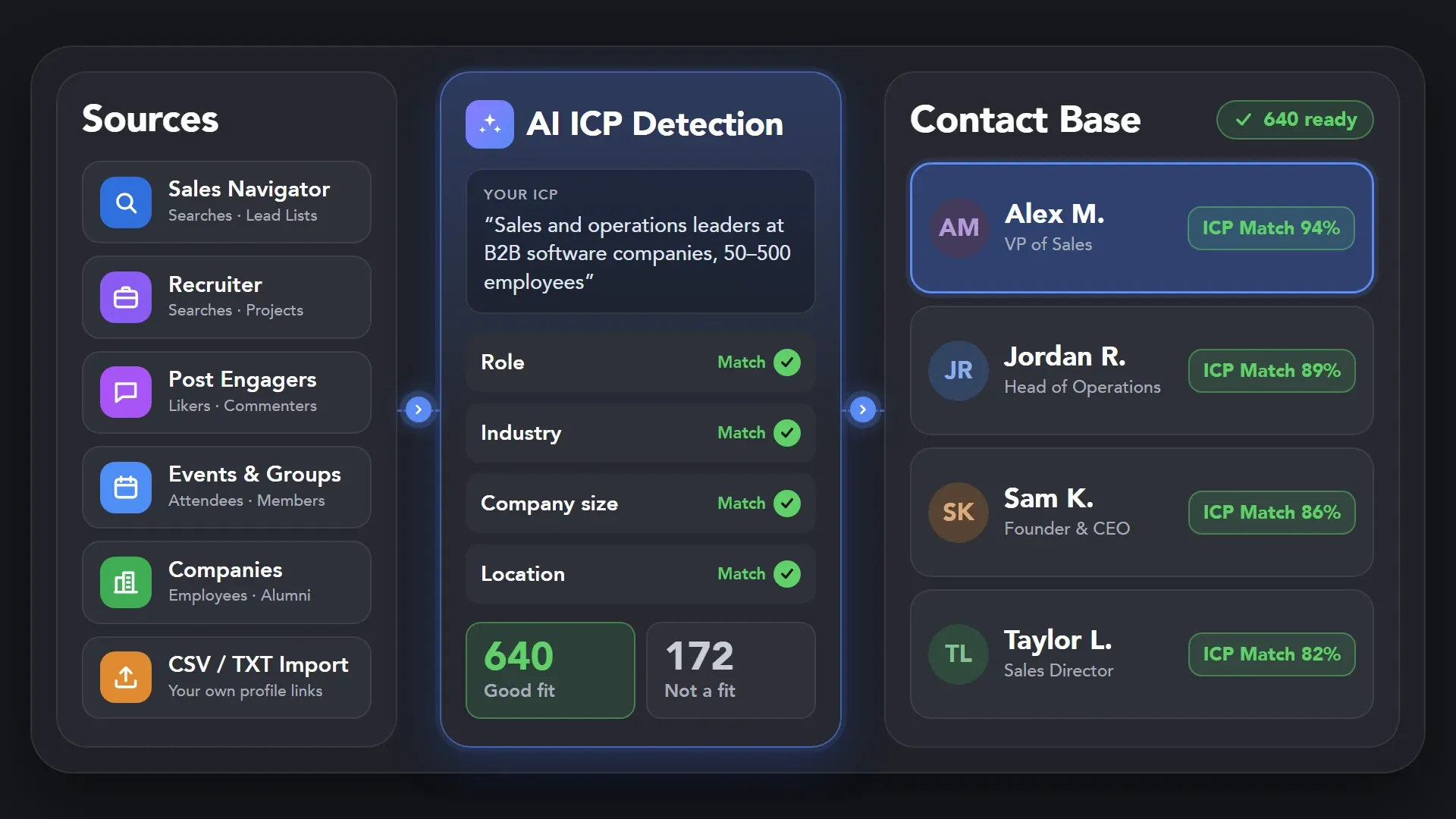
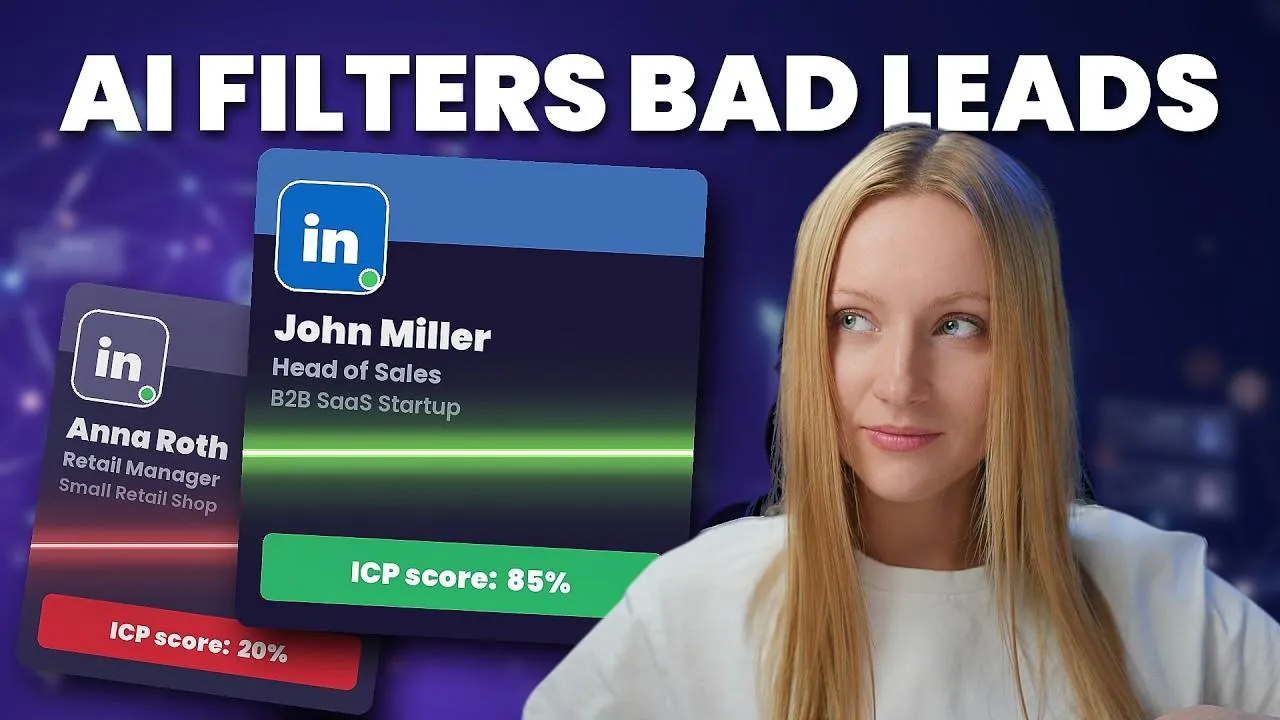
Collect prospects from LinkedIn, Sales Navigator and Recruiter, posts, events, groups. Use Auto-collect to add new leads, then let AI ICP Detection filter for fit.


Manual prospecting eats your week, and the leads still slip through.
 WITHOUT LINKED HELPER
 Second Job

 WITH LINKED HELPER
 Lead Pipeline
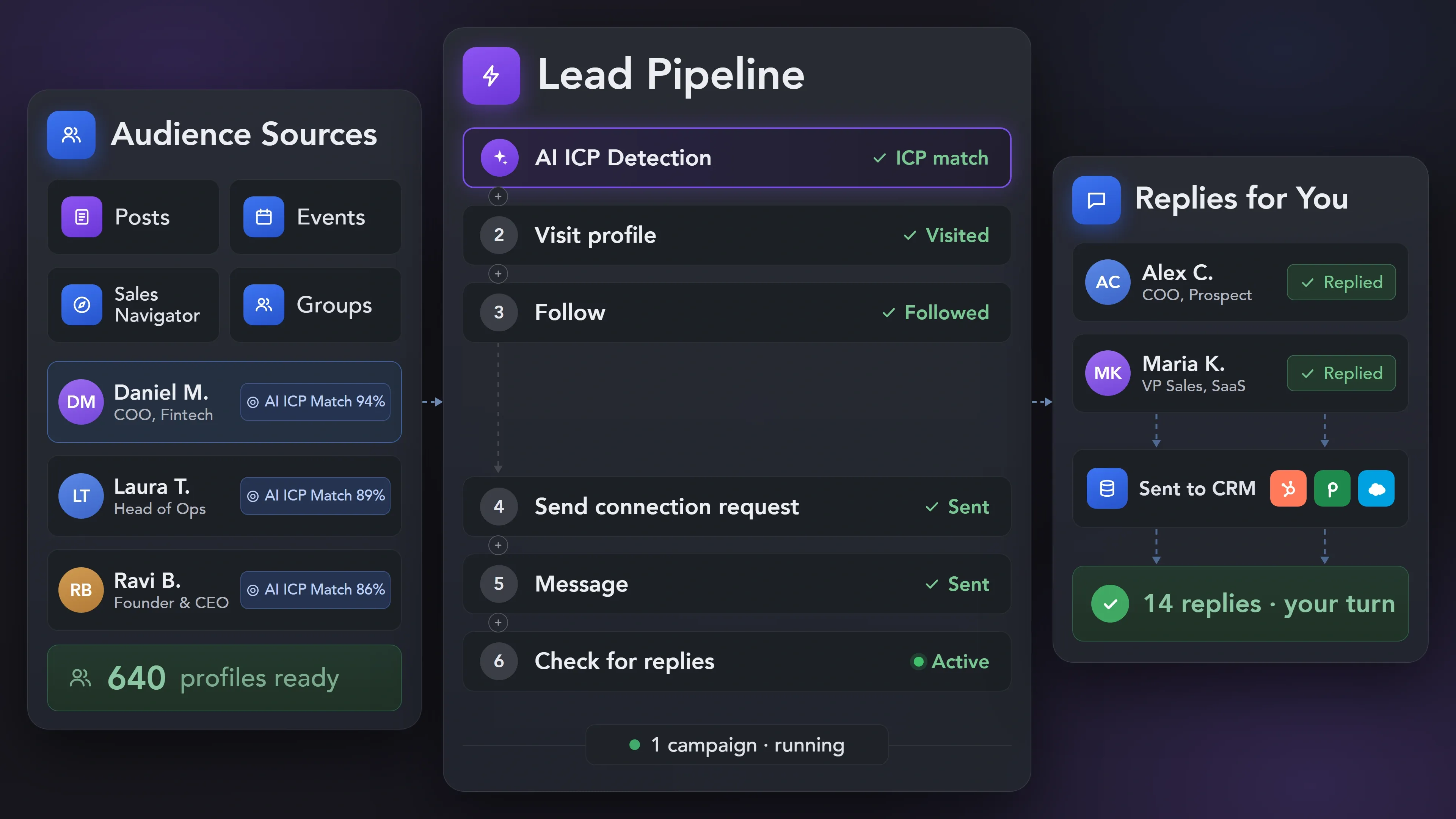
From the first search to a contact in your CRM, every step runs in one campaign.


Pull leads from searches, posts, events and groups, then keep only the people who match your ICP.


Basic

Premium

Sales Navigator

Recruiter
Basic
Premium
Sales Navigator
Recruiter
Warm leads up, send connection requests and follow up on schedule, with every message personalized.
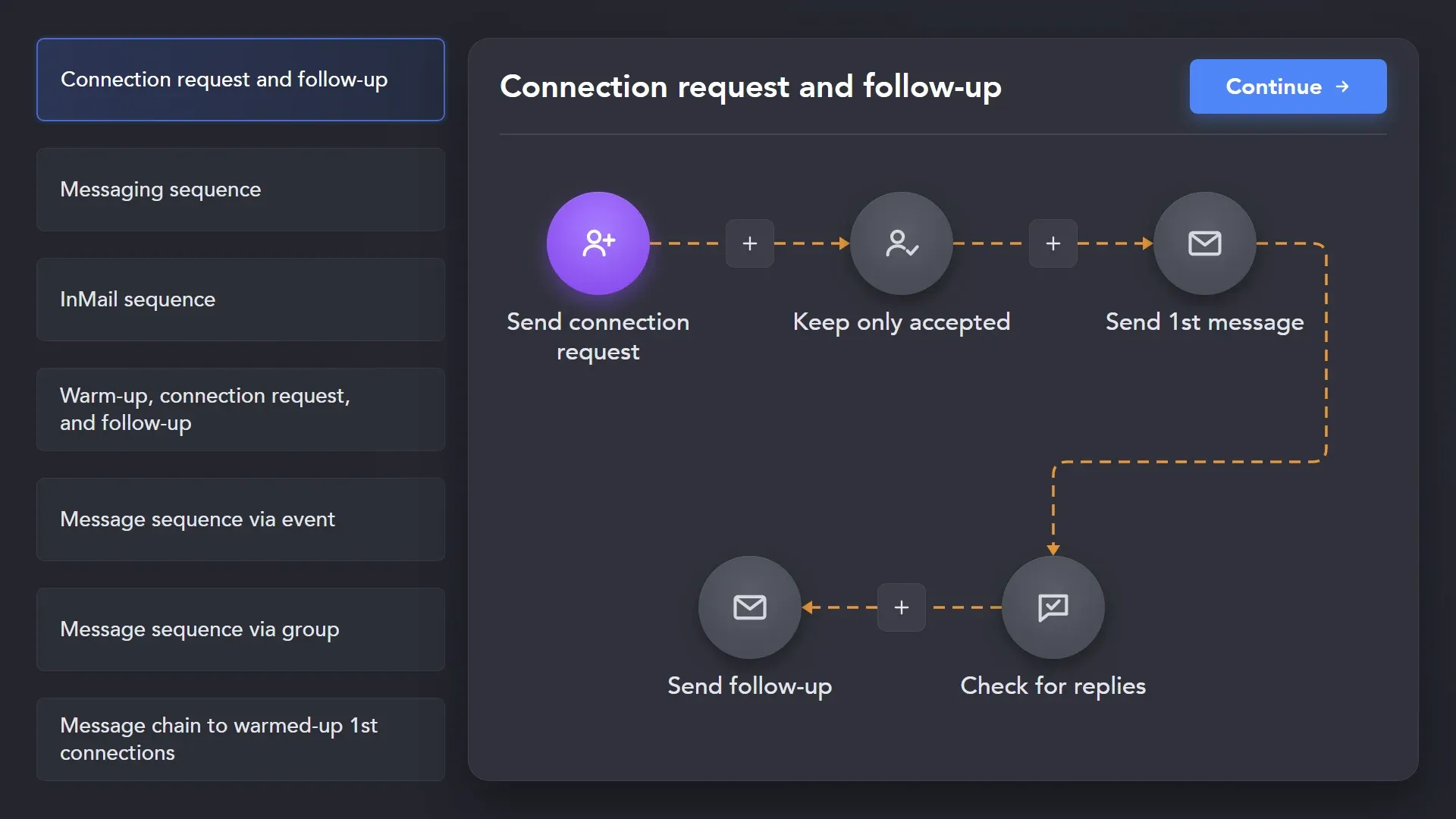
Start from a campaign template, or build your own sequence from 30+ action types. Run connection requests and follow-ups on schedule. Working hours, smart limits and random delays keep the pace human-like.
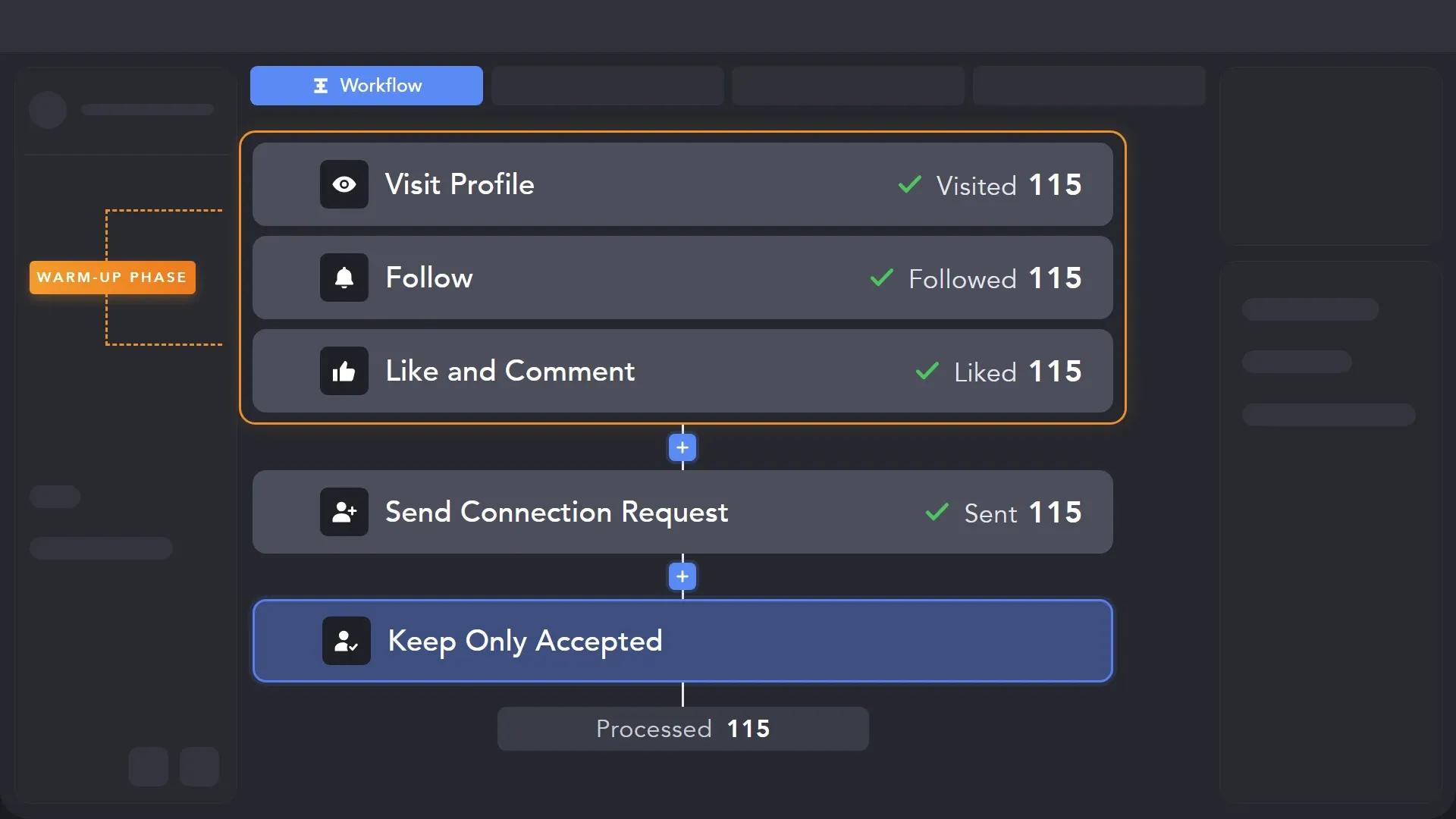
Add profile visits, follows, likes or AI comments before the connection request, so you’re no longer a complete stranger when it arrives. AI writes each comment from the post and the lead’s profile, in the tone you choose. Set delays between steps so the warm-up feels natural.
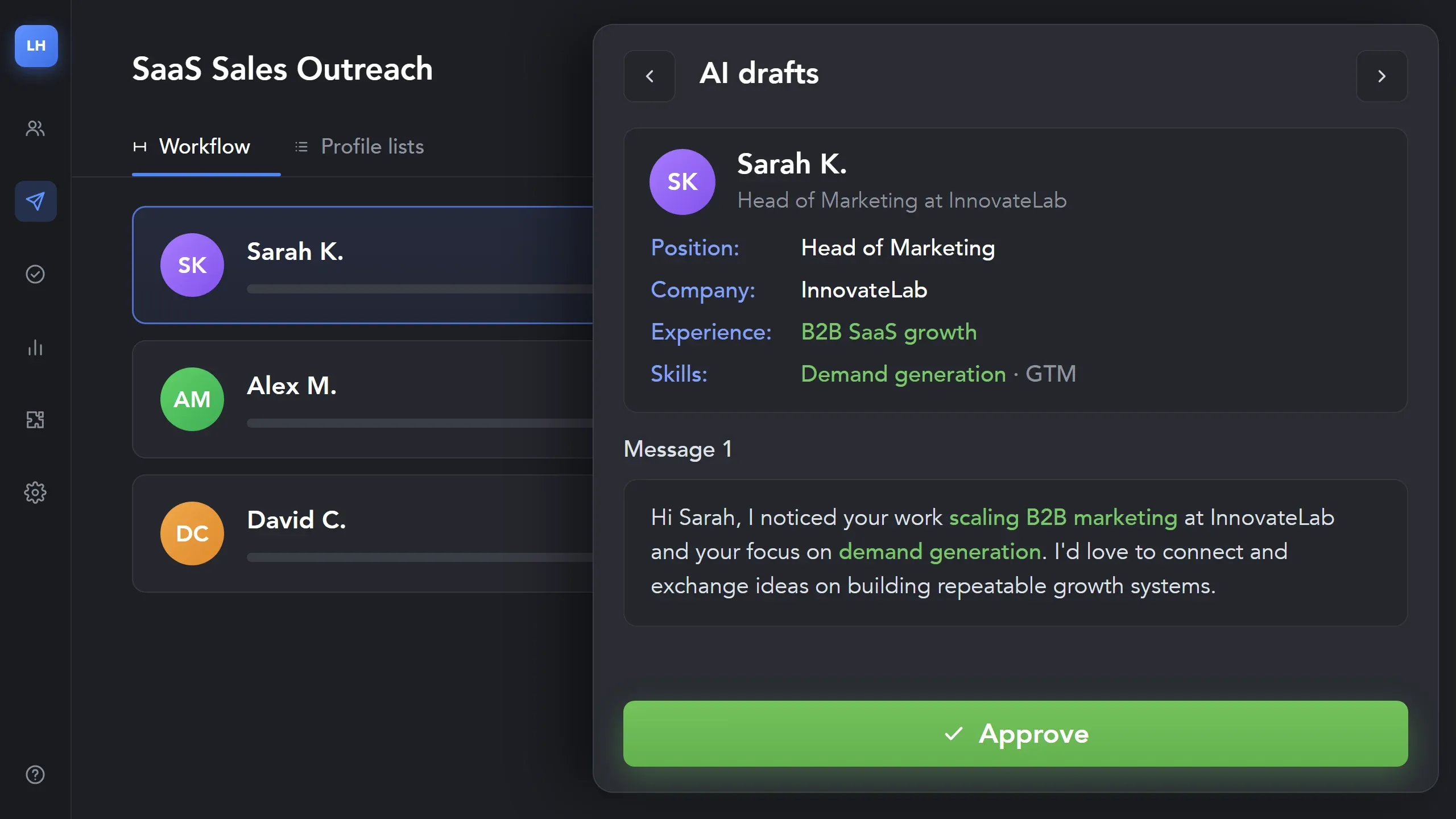
Let AI write each message from the lead’s role, company and experience, and approve every draft before it goes out. Or start from your own templates and personalize them with variables, custom variables, IF-THEN-ELSE rules and images. The AI Message Generator and AI Text Editor can help with the copy, while Message Variations and Spintax keep messages from looking identical.
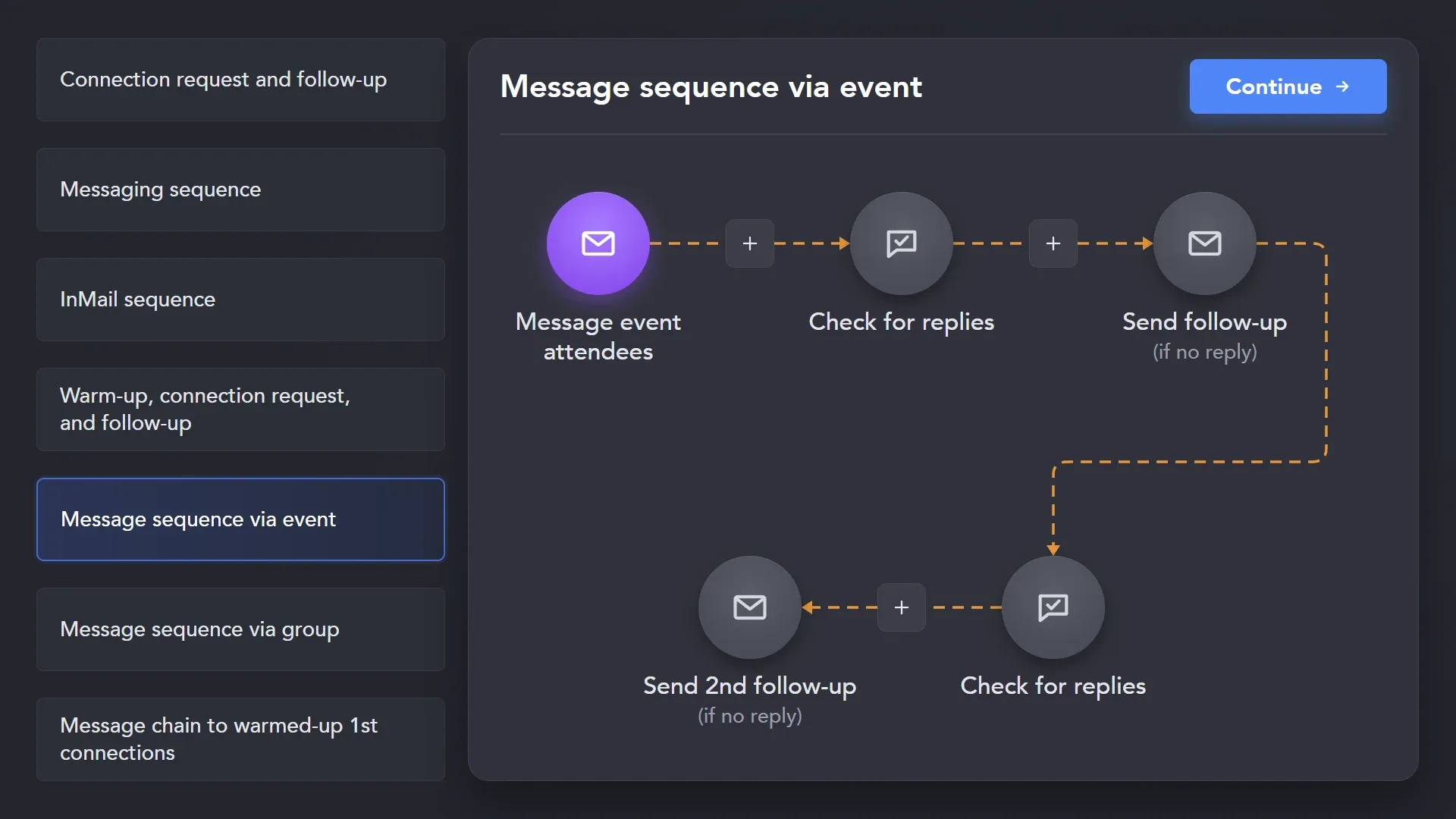
Don’t want to wait for an accepted request? Pick the InMail, group or event template from the same gallery. Reach leads by InMail, with paid credits or free messages to Open Profiles, or message group members and event attendees directly.
Start from a campaign template, or build your own sequence from 30+ action types. Run connection requests and follow-ups on schedule. Working hours, smart limits and random delays keep the pace human-like.
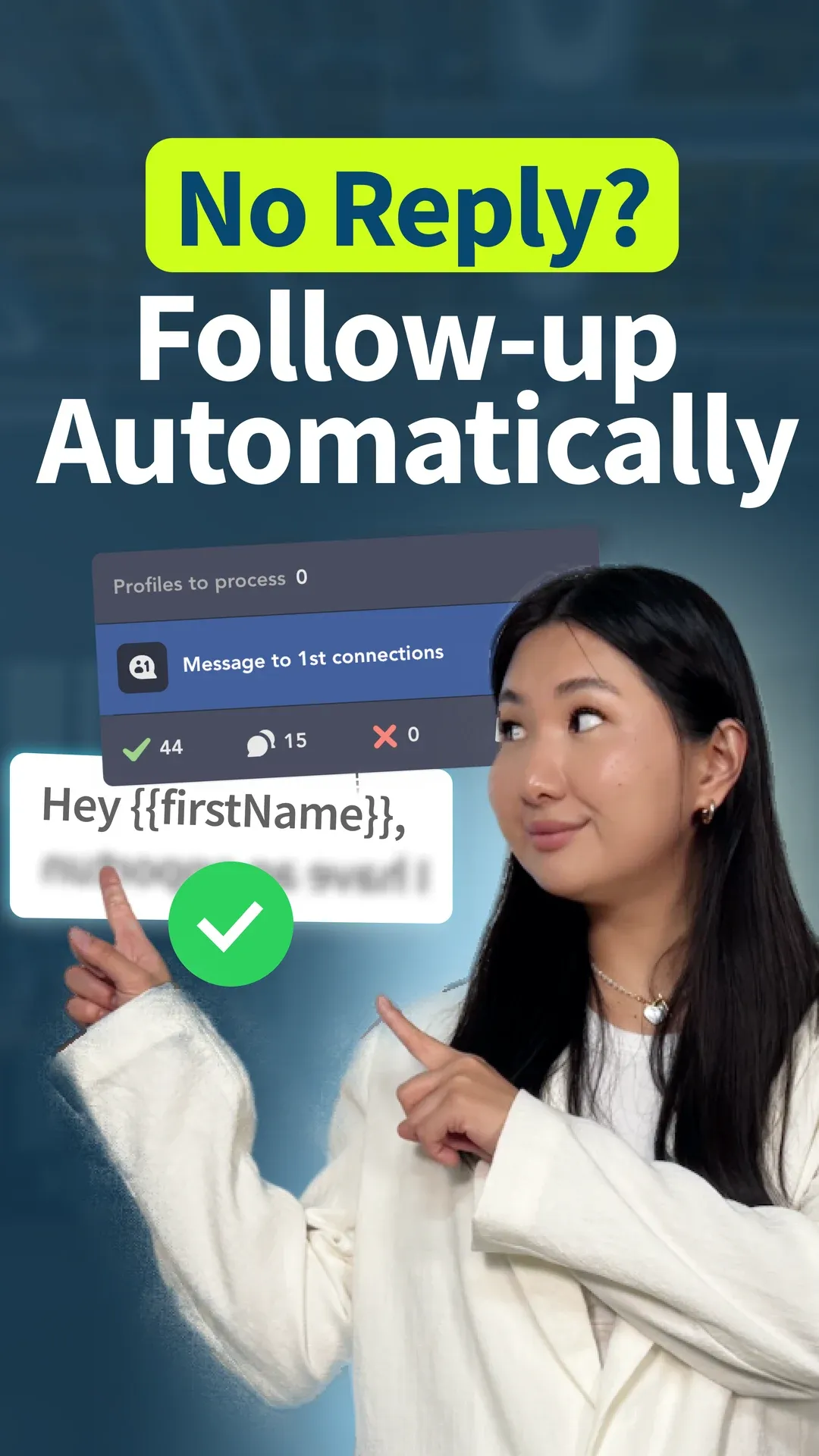
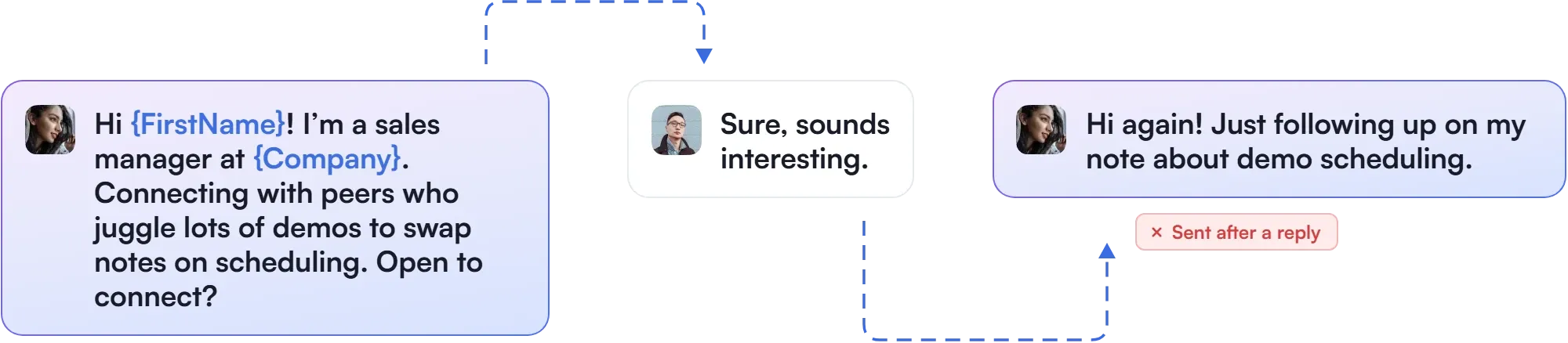
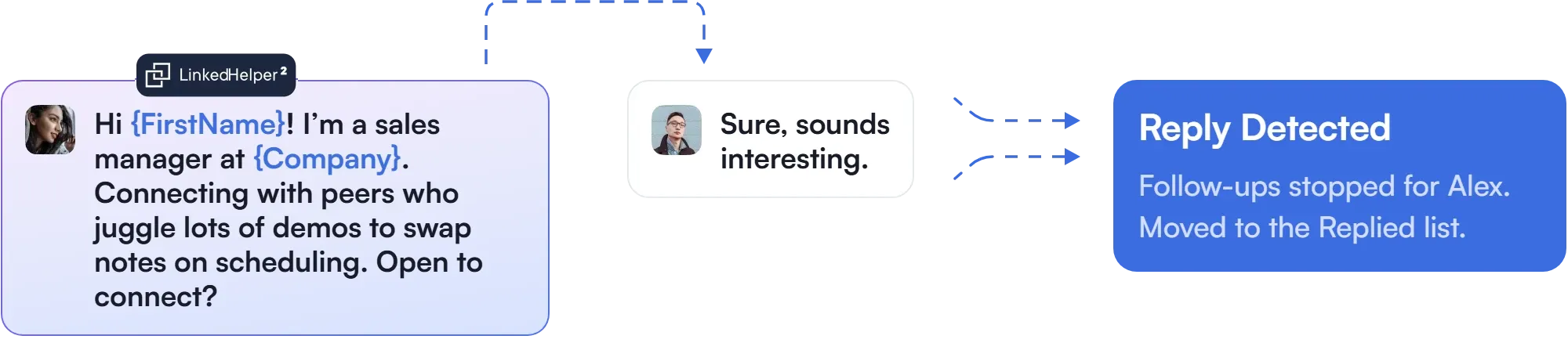
Smart Reply Detection ensures that no contact gets an unwanted automatic LinkedIn message: when a lead replies, their sequence stops. No one gets an automated follow-up after they’ve already answered.
Leads receive unwanted follow-ups, and conversations feel robotic.
For leads who haven’t replied yet, stay in their feed and bring them to your posts, page, events and groups.
Answer faster, keep the context and pass every lead who replies to the CRM your team already uses.
Got a reply and not sure what to say next? Answer it right in the Unified Inbox, without jumping between tabs. AI Reply Assistant reads the whole conversation and suggests the next message, or writes one on request, so the tone stays consistent and nothing gets repeated. You edit the draft and decide when to send.

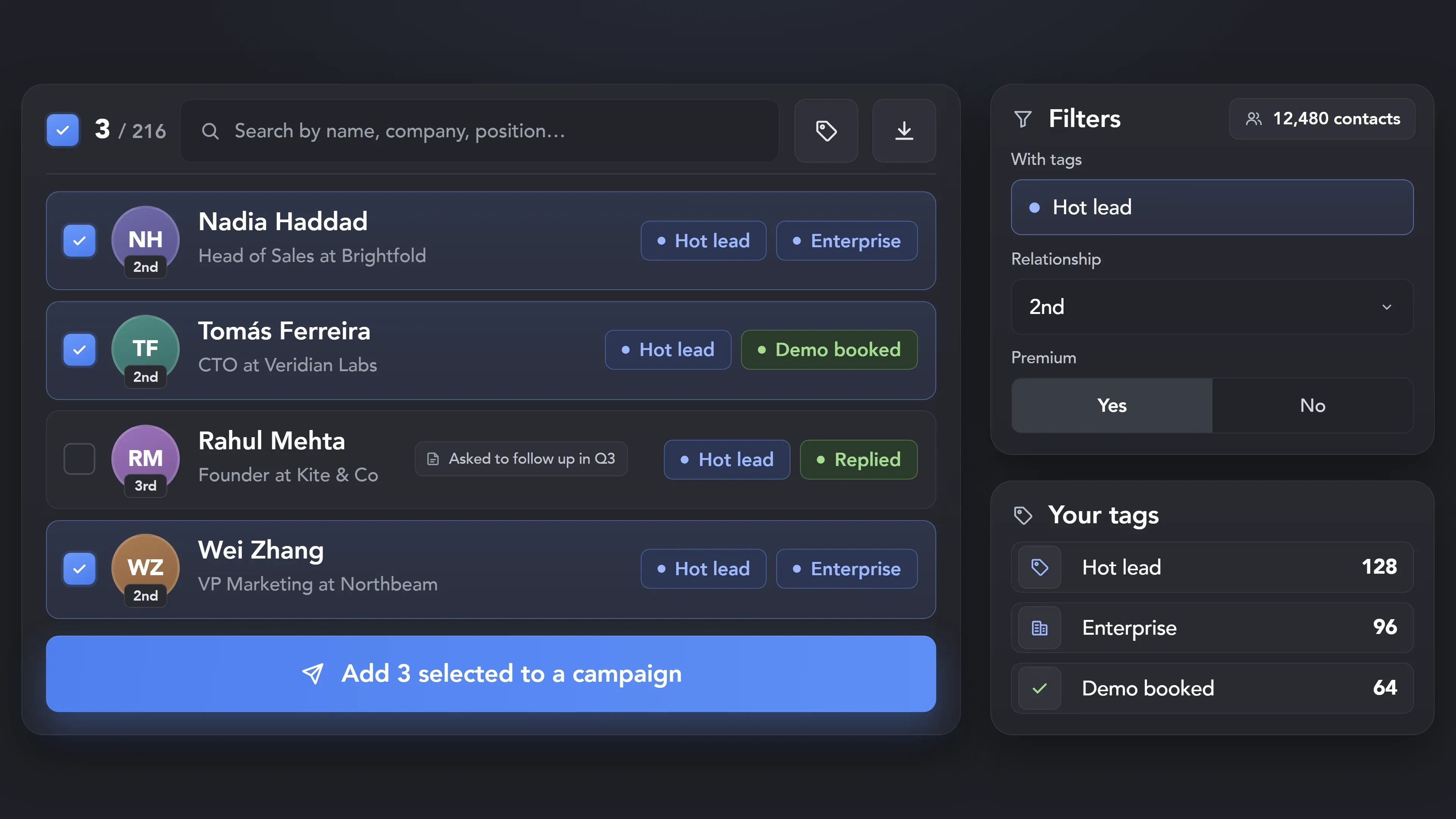
Every lead keeps its own history. The built-in CRM stores tags and notes on each contact, so you always know where a conversation stopped. Filter by tag to see who needs a reply, a call or a check-in, and pick up right where you left off.
Leads move to your sales pipeline without copy-paste. Send contacts to any of 11 CRMs after any campaign step, or only once they reply. Profile details, company information and conversation history can go with each contact.
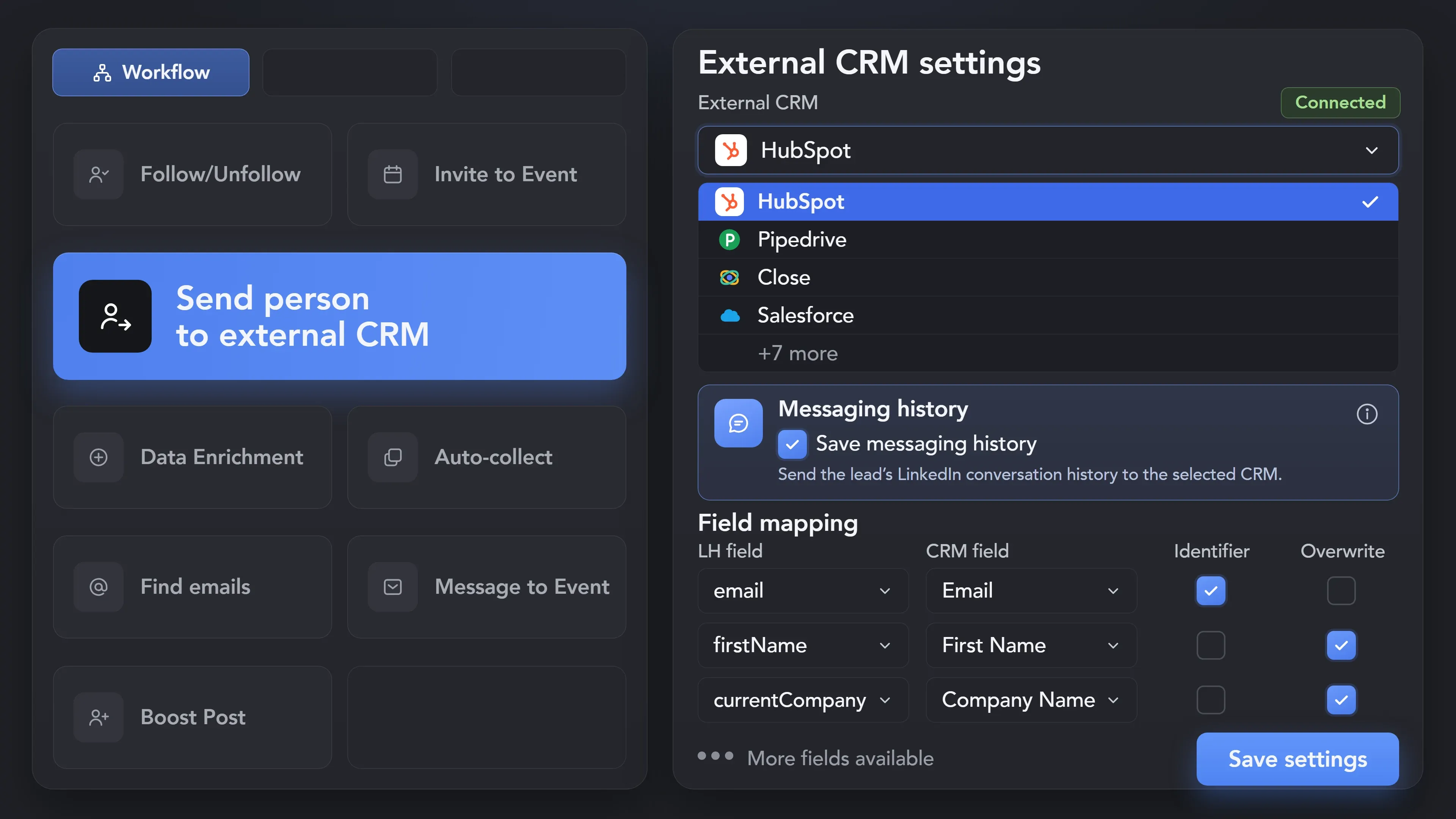
Effortlessly pull lead data from LinkedIn without manual data entry. You can set up a CRM transfer after any step or only after a lead replies to a certain LinkedIn message for maximum precision. Sync LinkedIn conversations with your CRM so the entire team can view lead responses.


See how agencies and consultants turned LinkedIn into a steady source of meetings.

Sales & Lead Gen
See how a value-first LinkedIn automation system helped drive 280+ webinar registrations and build a predictable lead pipeline.
Run more campaigns, more accounts and a whole team without changing how your accounts behave.
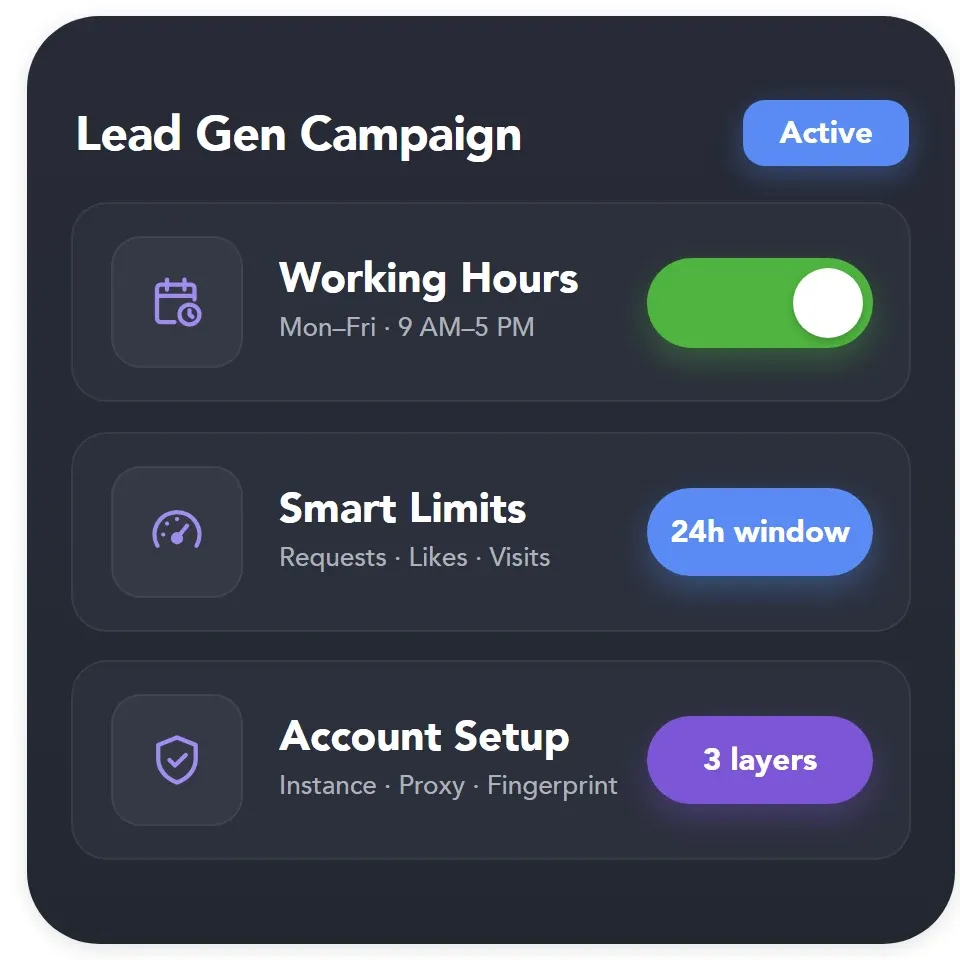
Every campaign runs from a desktop app, not a browser extension. Each account gets its own instance, proxy and fingerprint, while smart limits and working hours keep your lead generation at a human-like pace.
Linked Helper runs as a desktop app, not a browser extension, so no code is injected into the LinkedIn page.
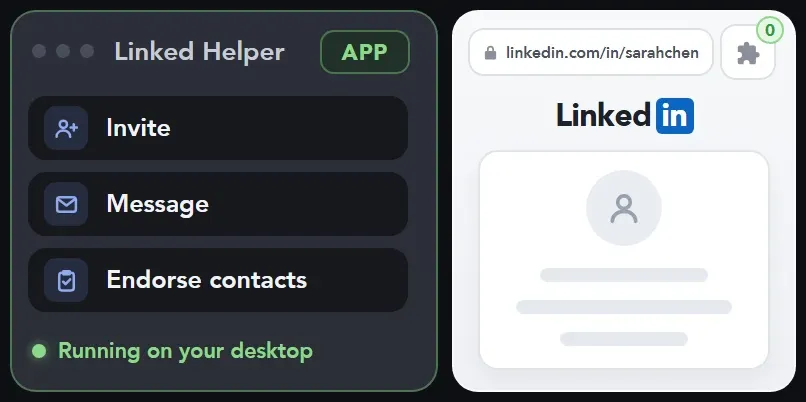
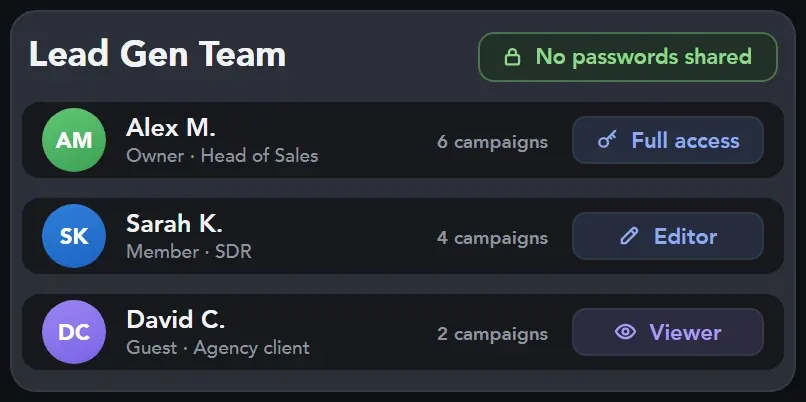
Give teammates roles and account access without sharing passwords. One license per running account.
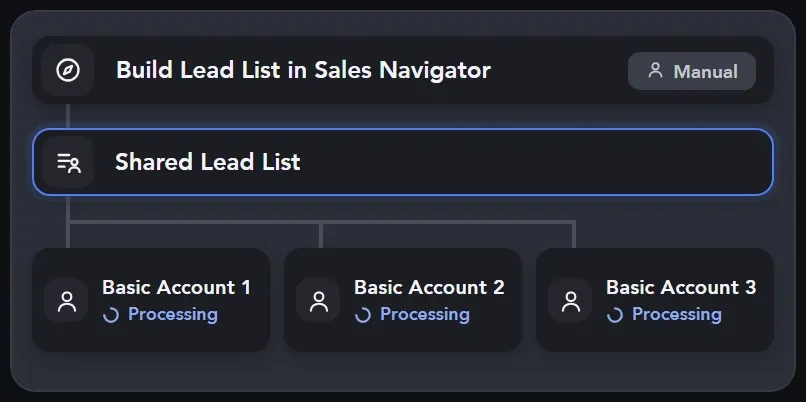
Build lead lists on one Sales Navigator account and process them on your colleagues’ Basic LinkedIn accounts.
Find your role below and see how it fits the way you work.


Not sure where to begin? These campaigns show how to turn posts, events and target companies into leads.
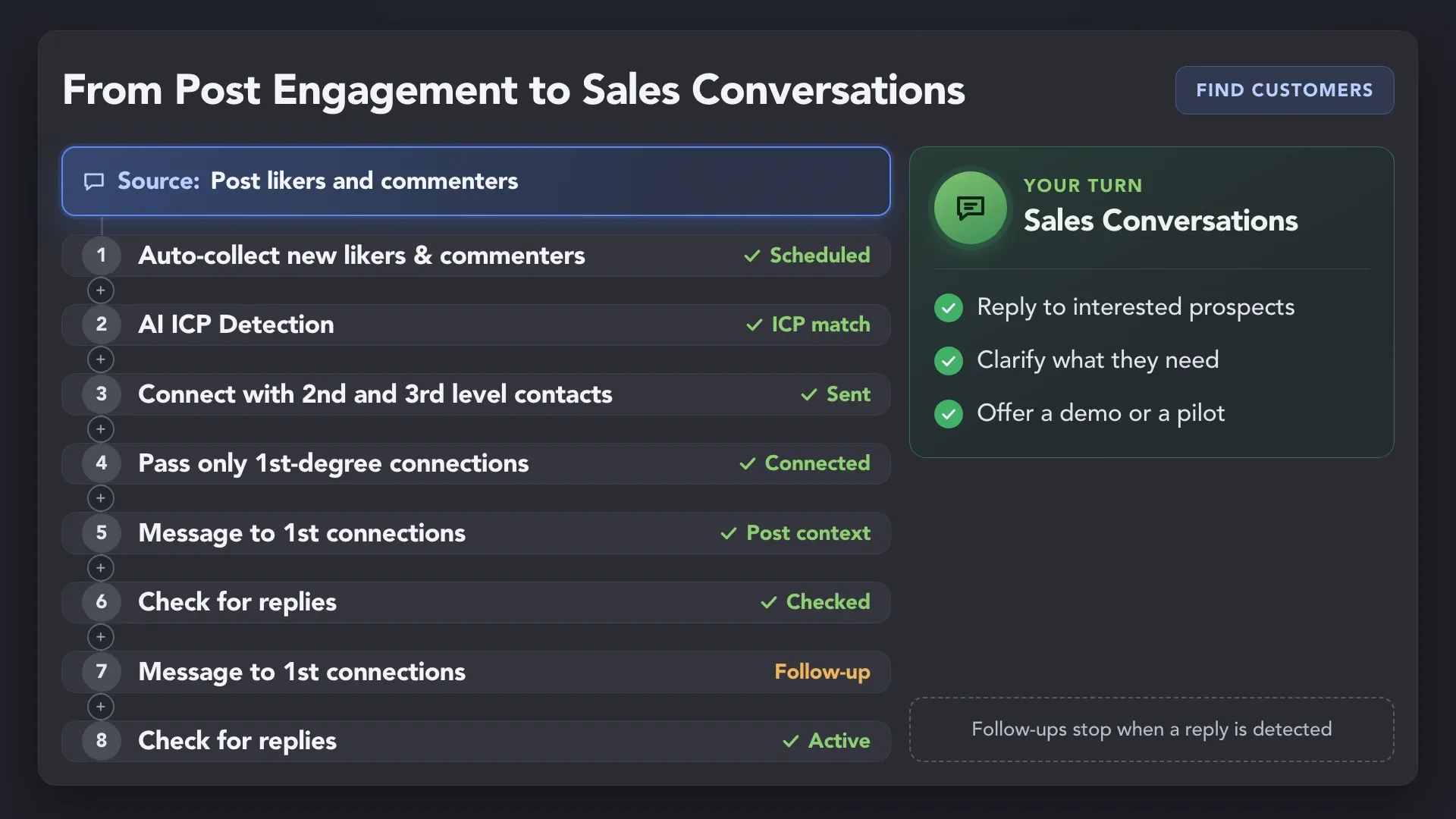
Collect people who liked or commented on a post in your niche, and Auto-collect keeps adding new ones on schedule. Warm them up with profile visits and likes, then send a connection request and follow up until they reply.
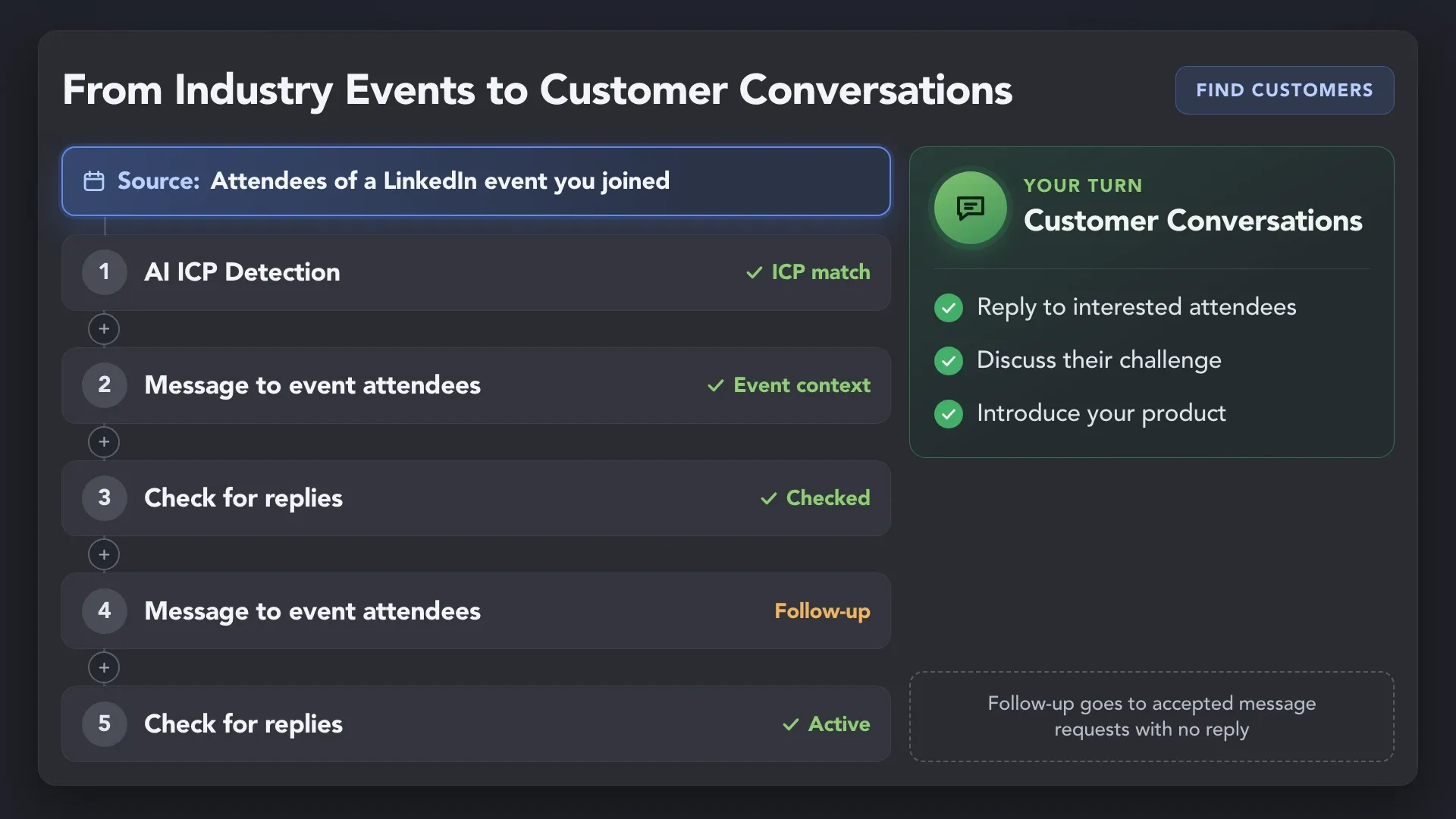
Collect attendees of an event you joined, and Auto-collect adds new registrants on schedule. Message the ones who are your 1st-degree connections, follow up until they reply and move the ones who answer to your CRM.
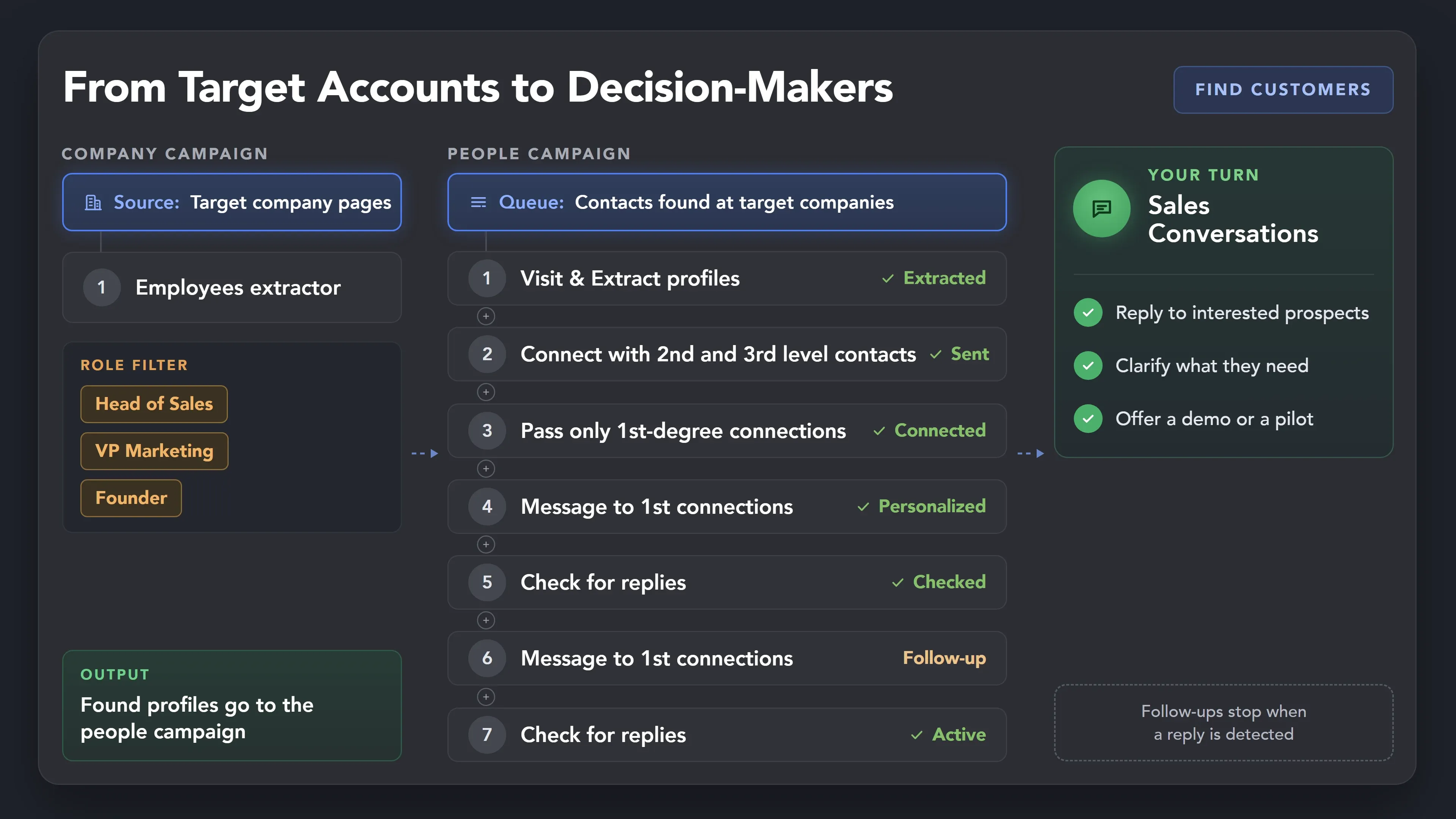
Turn a list of target companies into the right people inside them, check their fit with AI ICP Detection, then send personalized connection requests and follow-ups.
Collect people who liked or commented on a post in your niche, and Auto-collect keeps adding new ones on schedule. Warm them up with profile visits and likes, then send a connection request and follow up until they reply.




Previously, I had to do everything manually, from searching for a database of relevant contacts to conducting correspondence to the "Potential Lead" stage. Now, having a well-selected database, all I have to do is load it into the Linked Helper and set the correct steps, and then process contacts that are ready for communication. This saves me a lot of time, allowing me to grow myself and help my company.

It is quite literally a "prospecting firehose" allowing me to precisely target my prospects, generate interest in our products and services, and create warm introductions to leads.
If I properly set everything up - I don't have to spend that much time on Linkedin - I literally check stats twice a day for 5 mins. Great app, no bugs. LH saved me at least 3-4 hours a day compared to my prev experience with the non-usage of such tools or other apps.
Setting up campaigns is a breeze, and I particularly love that you can target post commenters, engagers, and event attendees. This flexibility really sets LinkedHelper apart. My connection request acceptance rate is impressive, hovering around 20-30%.

LinkedHelper is the essential part of our sales workflow. Helps our company getting 10-20 client demos each week. I can't recommend enough. It's a must have for any B2B sales team
I use it DAILY in my sales role to view, follow, and endorse people who fit my ideal customer profile (ICP) at target accounts. This tool has helped me expand my professional network and connect with people who add value to my role. With Linked Helper, I've been a consistent top performer in my last 5 roles.
Standard plan includes the full LinkedIn automation toolkit, with usage limits on some advanced features.
Pro plan increases advanced feature and integration limits, and adds full message history export.

All your data stays on your device in local folders you can access directly.

Each account has its own isolated storage - no data mixing.

With outgoing webhooks, Linked Helper can send data to third-party systems.

Data is stored in local folders on your device. No app, no internet required to access your files.

Install the app on a new device and pick up right where you left off.

Share LinkedIn accounts and campaign data without manual exports.
With incoming and outgoing webhooks, Linked Helper can receive data from and send data to third-party systems.

Your data is automatically backed up to the cloud - no risk of losing it if something happens to your device.

Switch devices or reinstall the app without moving files manually.
Local tax may apply
Join a live setup webinar every Friday, follow step-by-step guides, or get help in 24/7 chat. Your team can also request remote screen assistance.

A 60-minute live walkthrough to kick-start your LinkedIn lead generation. Register to join live, or get the recording by email if you can’t attend.


BLOG POST
VIDEO TUTORIAL
Linked Helper uses multiple technical and behavioral safeguards to reduce account risks. Each account runs in a separate browser instance with isolated cookies, cache, and fingerprint. Linked Helper doesn't use the LinkedIn API or inject code — it simulates mouse movements, clicks, and typing to interact with LinkedIn. When running on your computer, it uses your own network IP. You can also assign a dedicated proxy to each account and check its IP quality before launching campaigns. No automation tool can guarantee zero risk, so keep your daily limits and working hours reasonable. Follow our Safety best practices.
14 days free. No credit card required.






 Save My Spot