
 Collect Leads
 Launch or Export
 Scale Across Accounts

Step 1 — Collect your audience
- Collect from LinkedIn, Sales Navigator and Recruiter searches and lists
- Add post engagers, event attendees, groups and your network
- Import CSVs, use Auto-collect or bring in leads via Incoming Webhooks
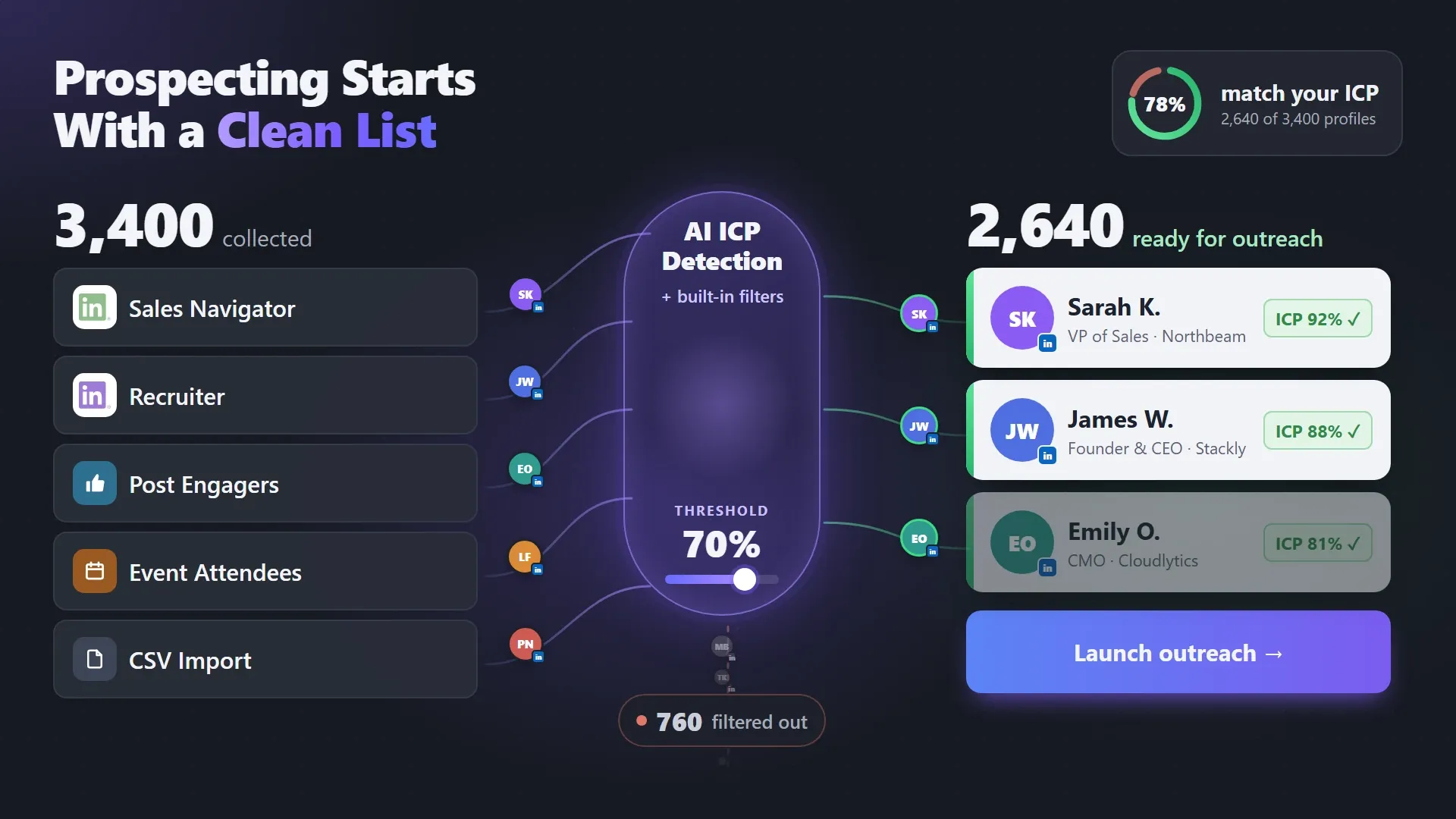
Automate LinkedIn prospecting from the first step: build lead lists from Sales Navigator, Recruiter, posts and events, then filter them by your criteria and AI ICP Detection before outreach begins.


Automation doesn’t fix a bad list — it scales it. Every invite to the wrong person is one less for the right one.
 WITHOUT A CLEAN LIST

 WITH LINKED HELPER
 Focused List
From the first search to a list you can launch or export — the whole cycle in one LinkedIn prospecting tool, without spreadsheets in between.


Stop copying profiles one by one. Collect LinkedIn search results, Sales Navigator lists, Recruiter projects, post engagers, event attendees or your own CSV into one list — in bulk.
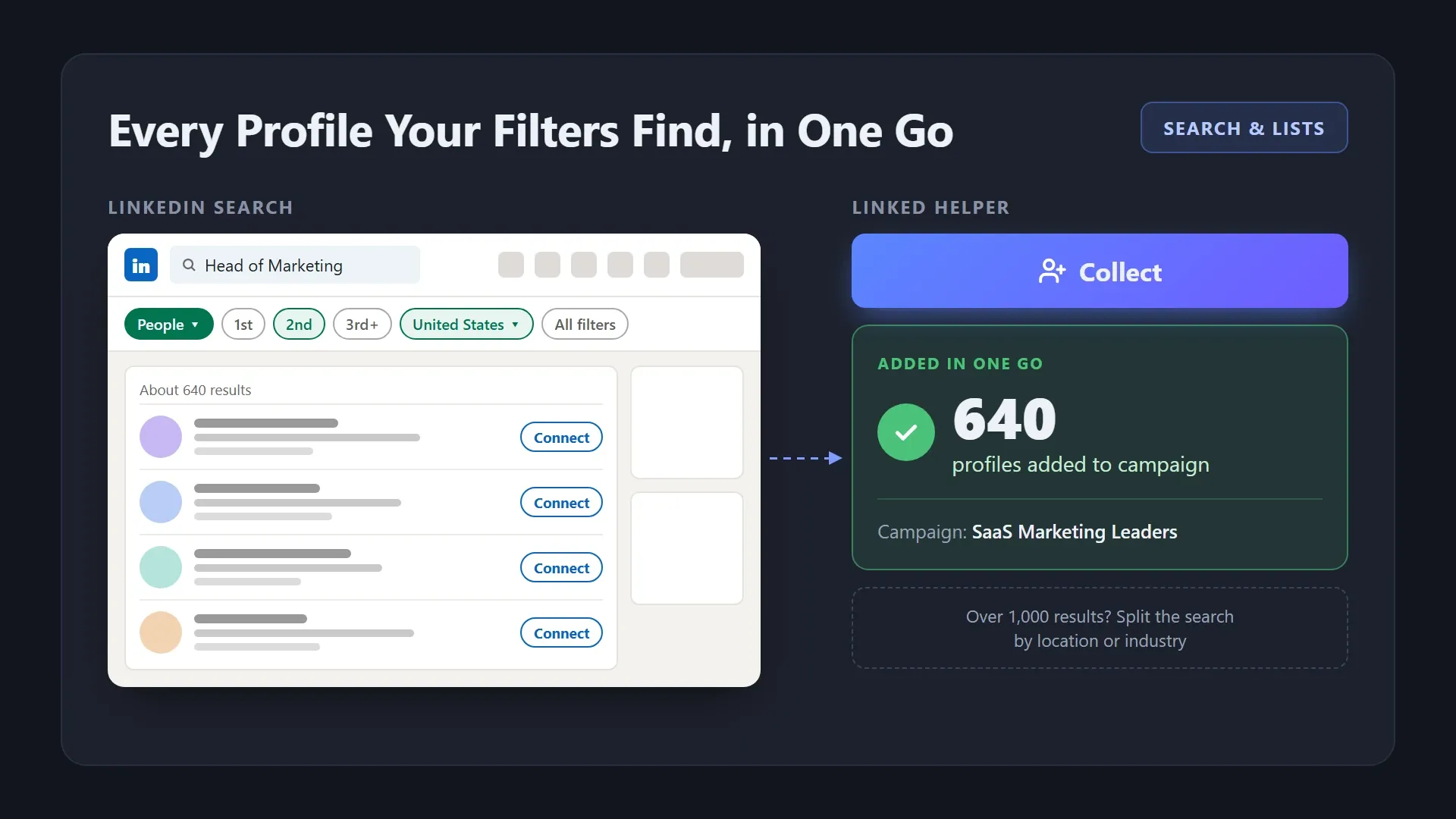
Set your filters in LinkedIn search or open a company’s employee page, and collect every profile into a campaign in one go. For audiences over 1,000 people, split the search by location or industry and collect each part.
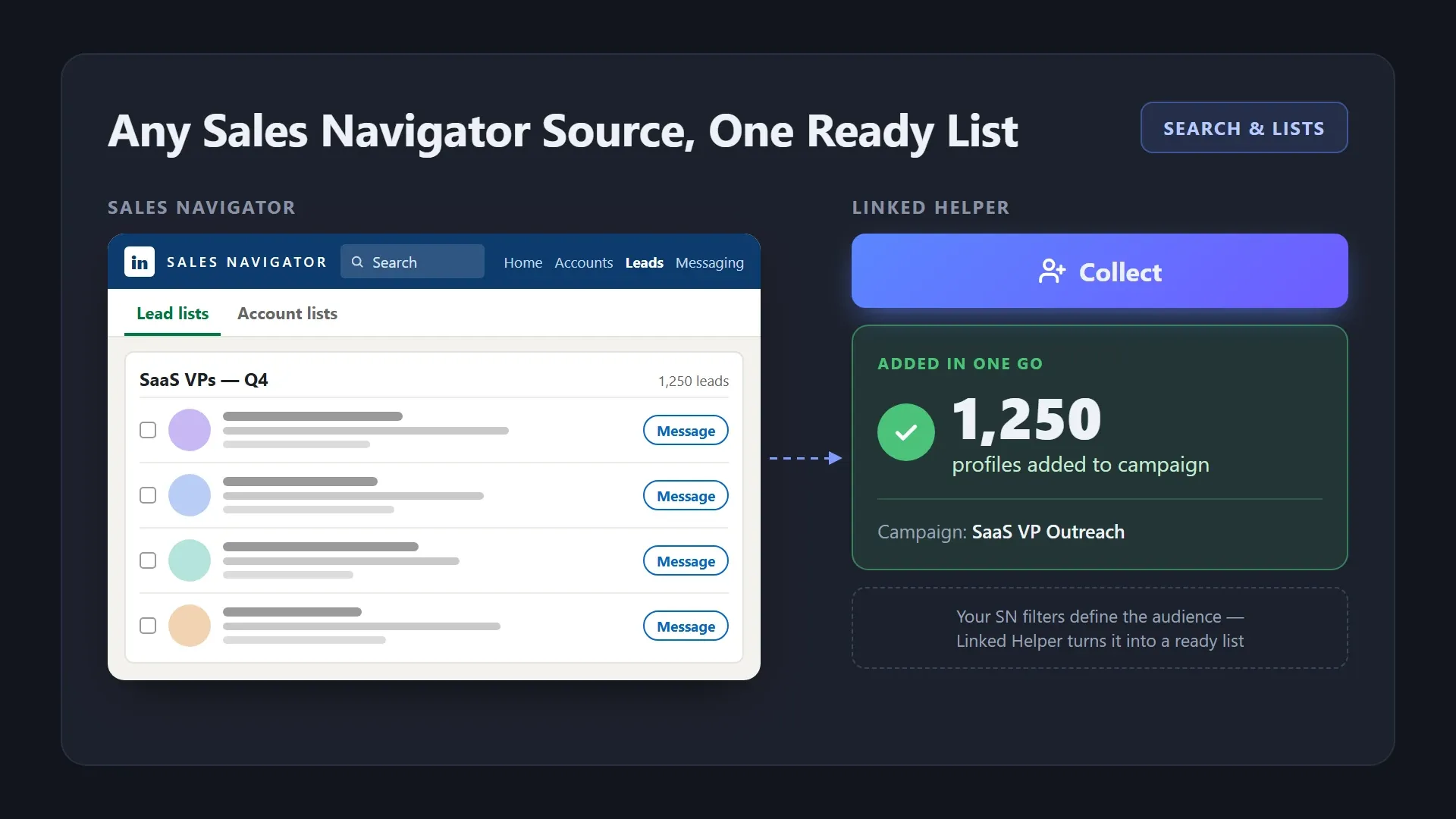
Collect from Sales Navigator searches, saved searches, Lead Lists and Account Lists. Use SN’s advanced filters to define the audience, and Linked Helper turns the results into a ready list.
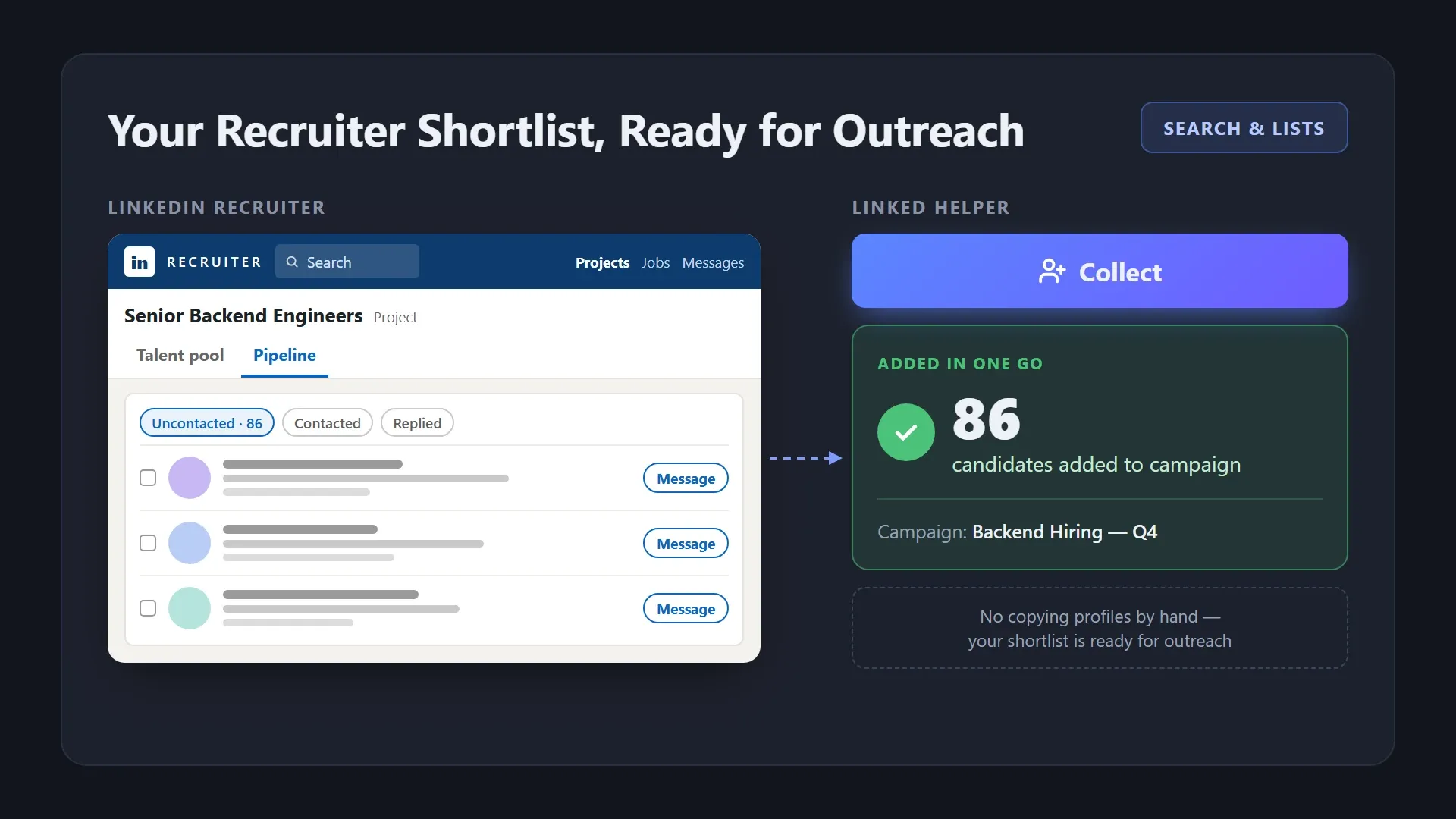
Collect candidates from Recruiter searches and projects straight into a campaign, and keep your shortlist ready for outreach without copying profiles by hand.
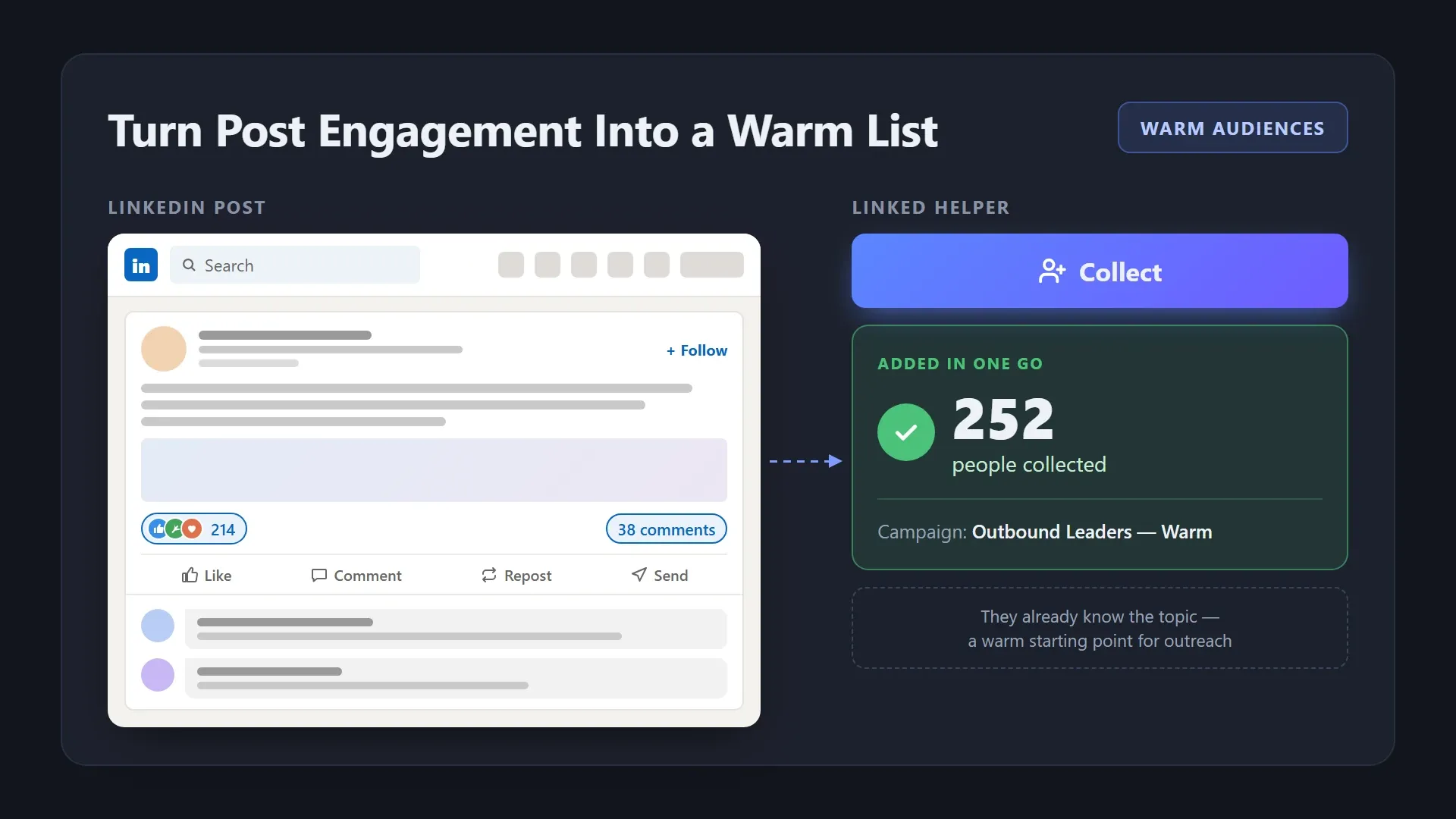
Open a post by its URL and collect everyone who reacted to or commented on it, yours or any relevant post in your industry. These people already know the topic, which makes them a warm starting point.
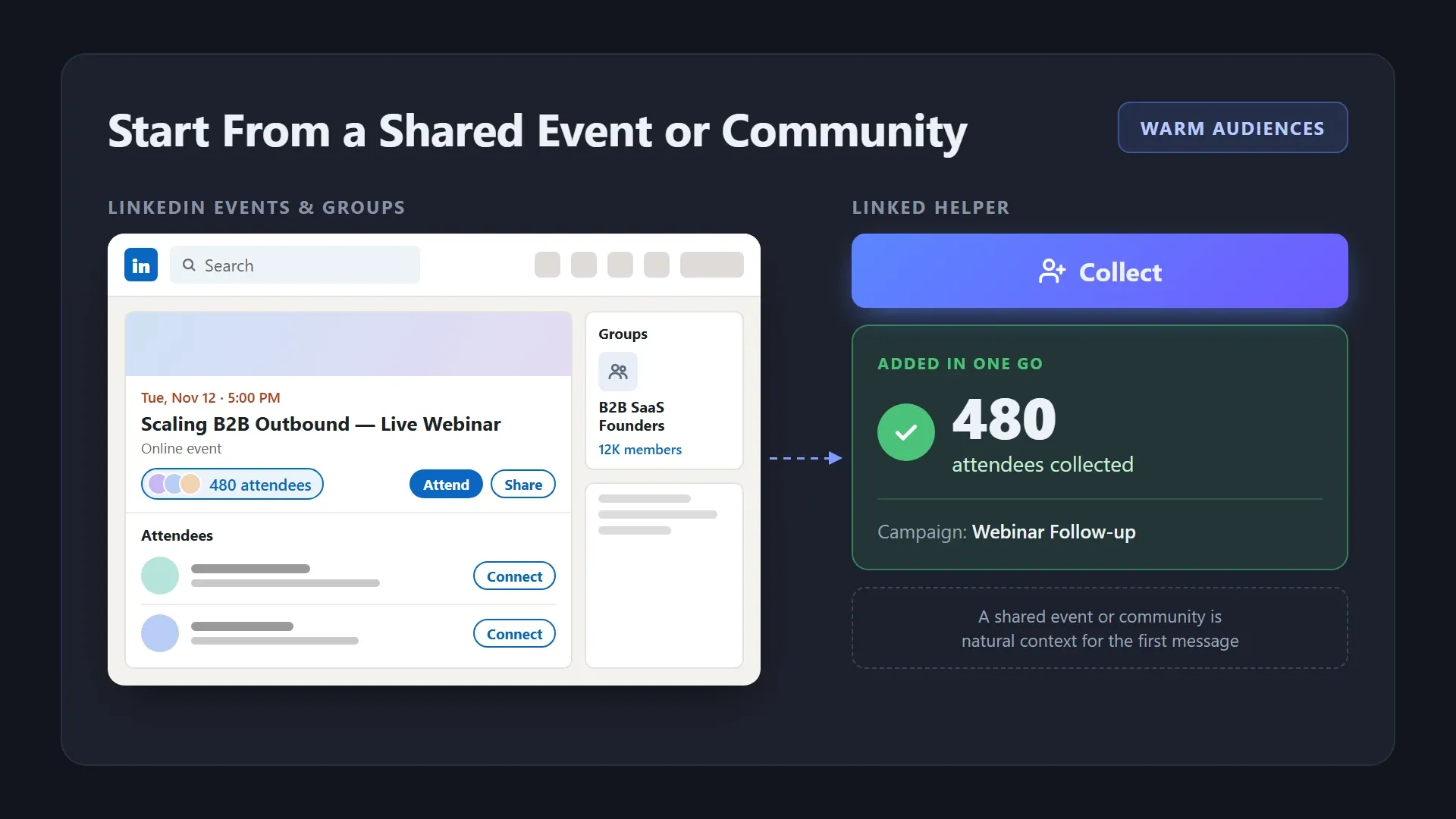
Collect attendees of LinkedIn events and members of groups you have access to. A shared webinar or community gives you natural context for the first message.
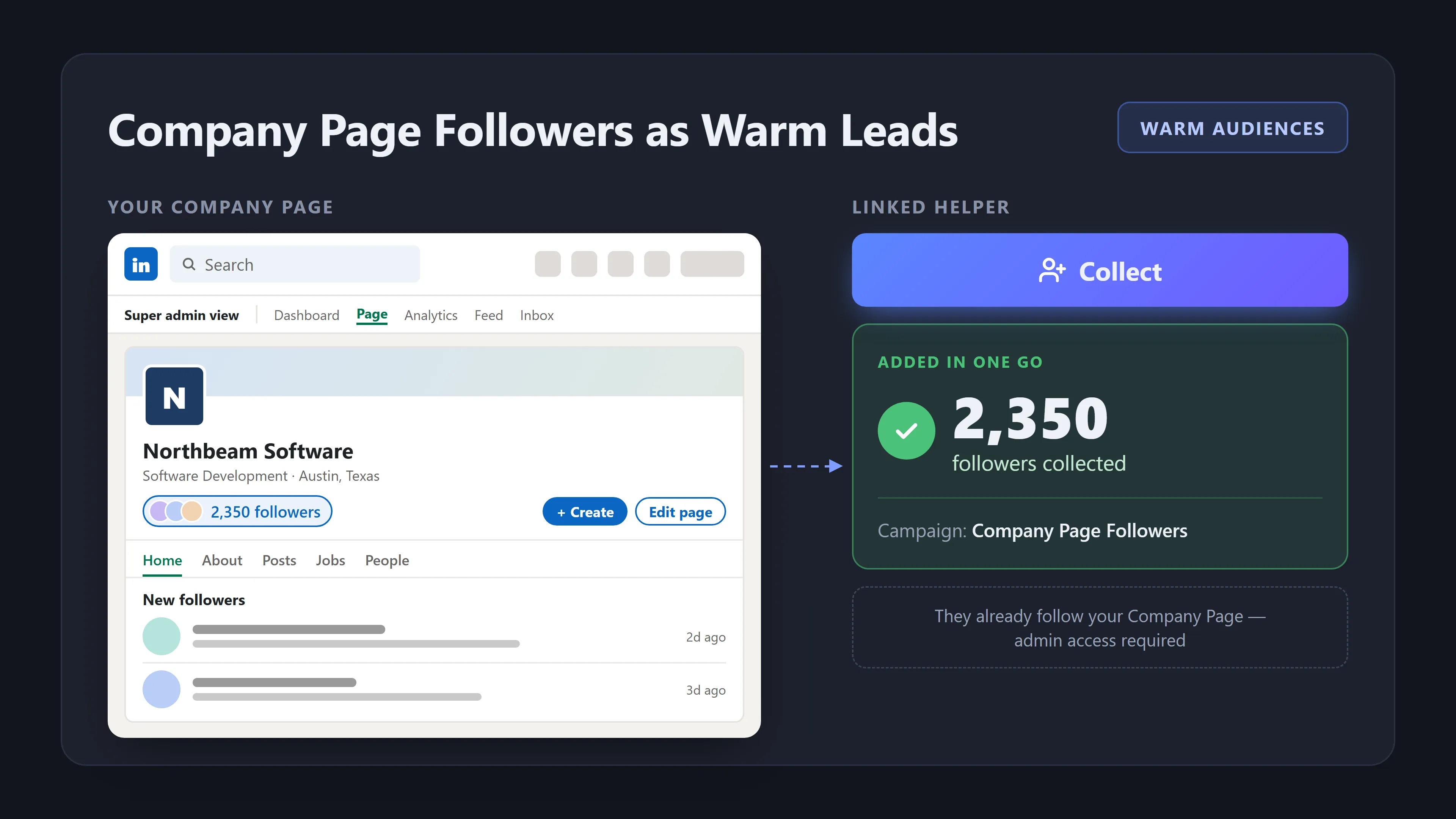
If you're an admin of a LinkedIn Company Page, collect everyone who follows it straight into a campaign. They already follow your Company Page, so your first message reaches someone who knows who you are.
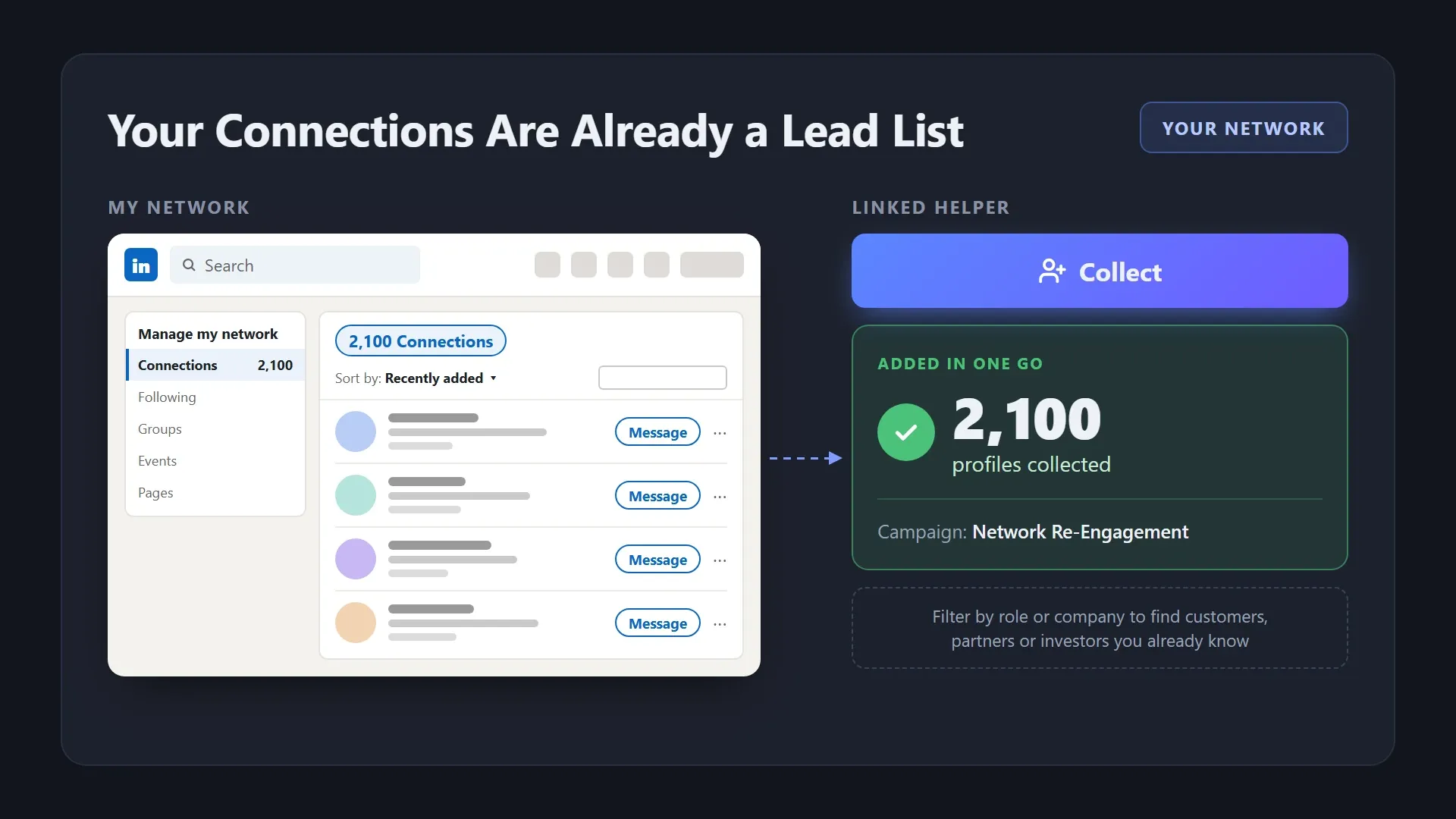
Collect all your 1st-degree connections or only the recently added ones. Filter them by role or company to find customers, partners or investors you’re already connected with.
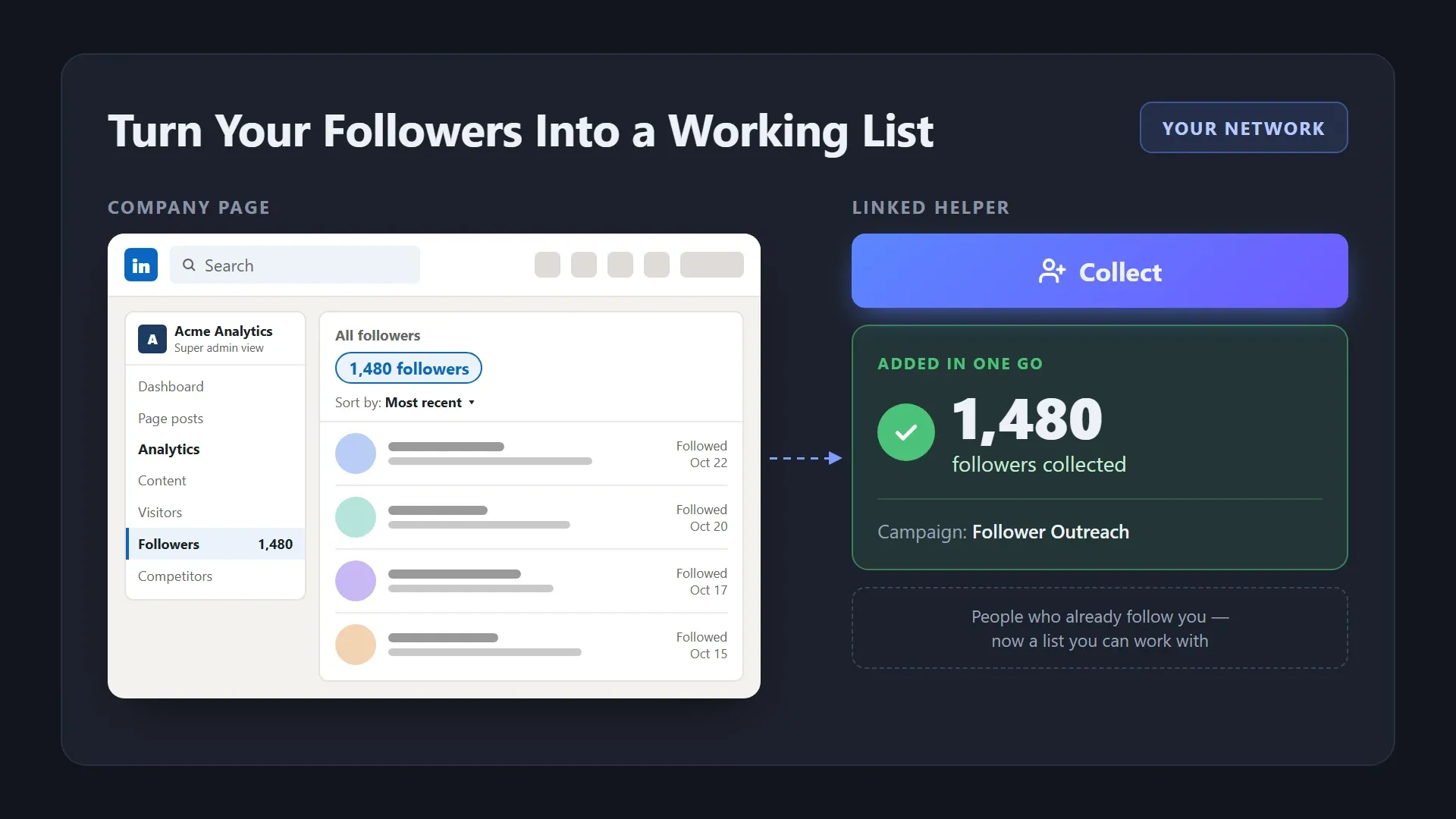
Collect people who follow your profile or your Company Page (admin rights required) and turn your audience into a list you can work with.
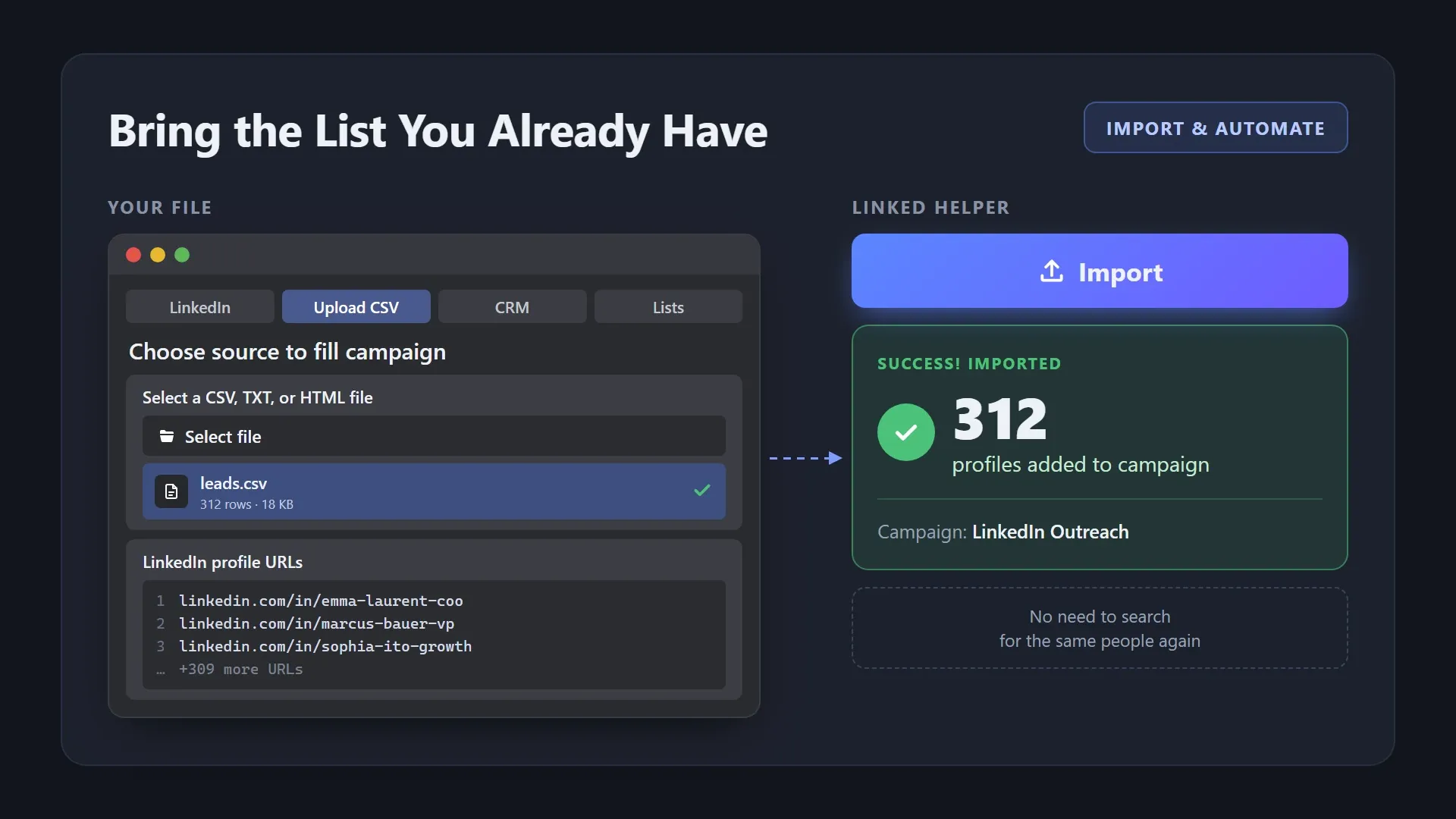
Upload LinkedIn profile links from a CSV, TXT or HTML file, or paste them as a list, and send them straight to a campaign. No need to search for the same people again.
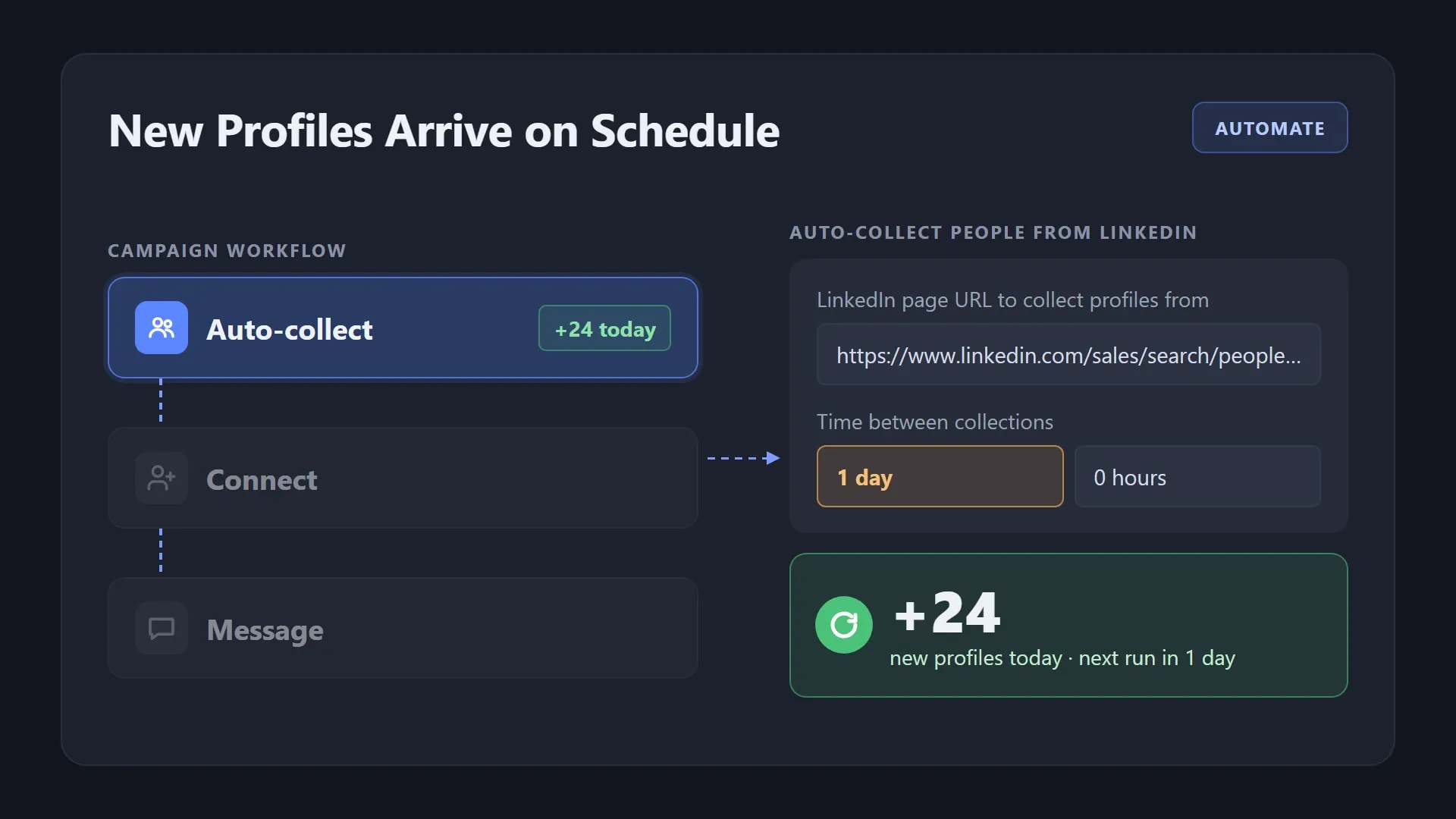
Add Auto-collect as the first step of your campaign, set a source URL and the time between collections, and new profiles land in the campaign automatically.
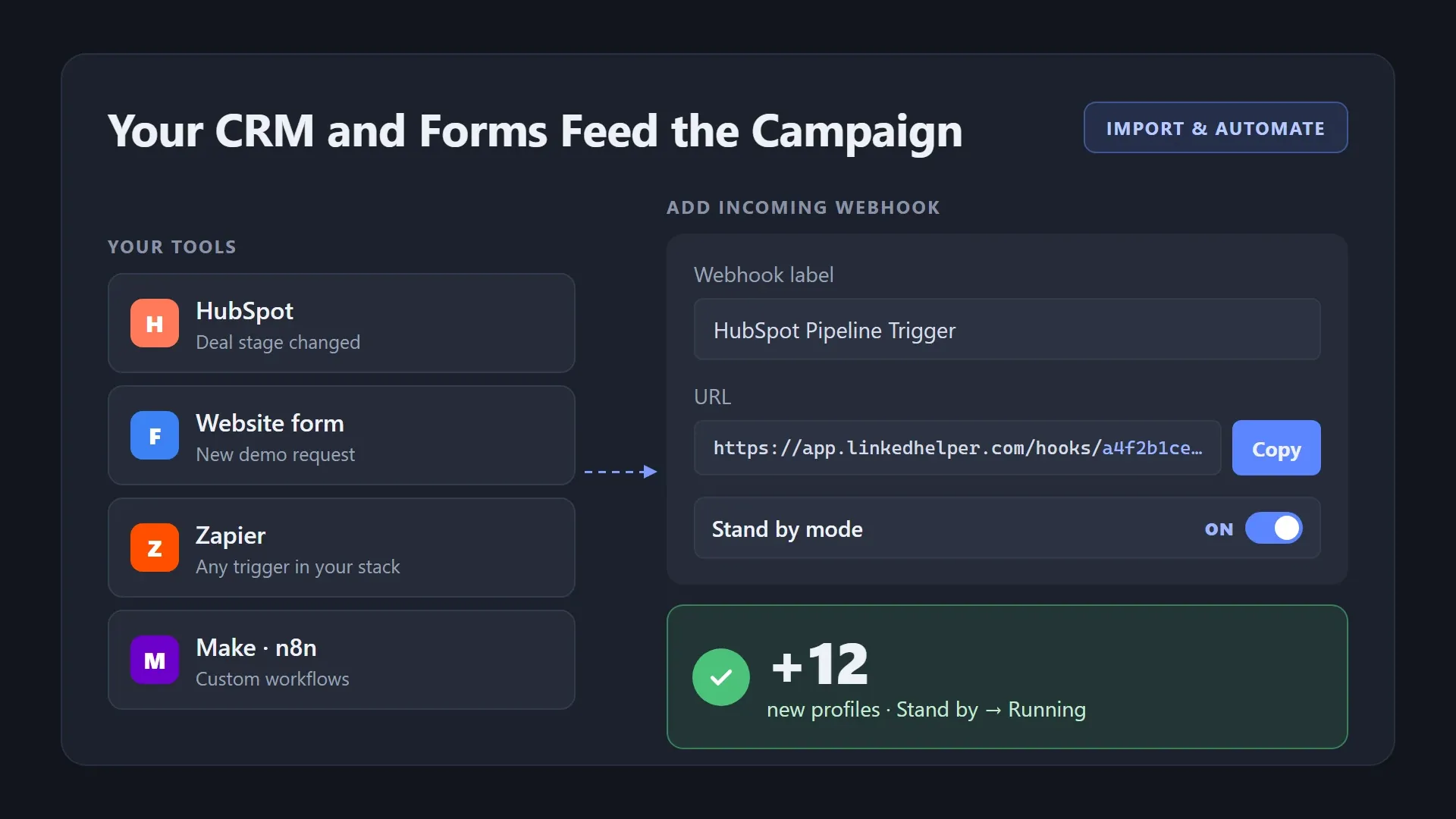
Connect your CRM, forms, Zapier, Make or n8n to a campaign with a webhook URL. The campaign waits on standby and processes new leads as soon as they arrive.
Set your filters in LinkedIn search or open a company’s employee page, and collect every profile into a campaign in one go. For audiences over 1,000 people, split the search by location or industry and collect each part.
A broad search gives you volume, not fit. Enrich every profile, narrow the list with filters and AI ICP Detection, and send connection requests only to people worth messaging.
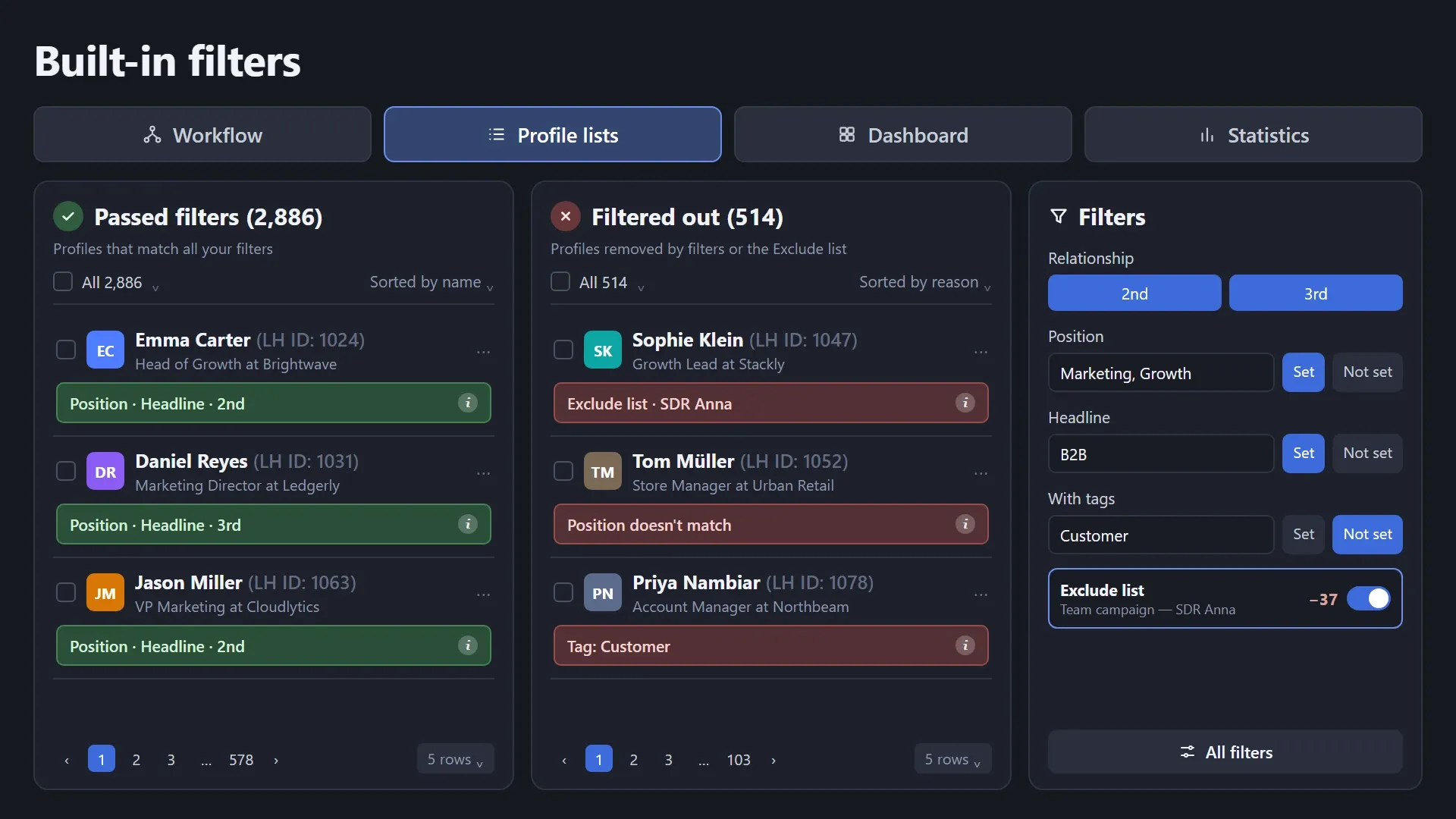
Filter collected profiles by connection degree, company, position, headline, campaign or tag. Add a teammate’s leads to the Exclude list so you never message people your team already works with, and review the queue before launch.
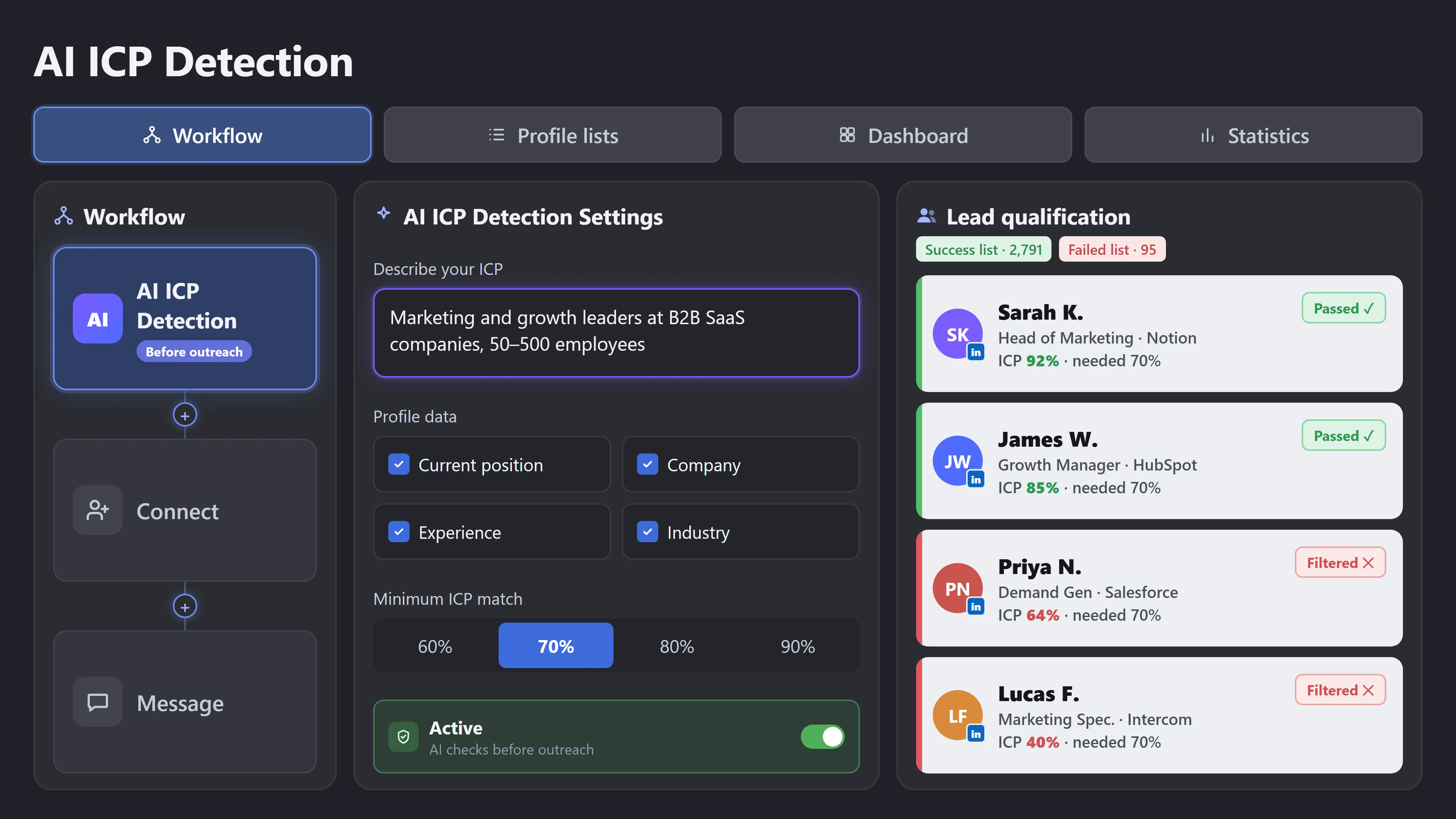
Enrich profiles with company size, industry and other data to give AI more context for evaluating ICP fit. Describe your ideal customer and set a minimum ICP match. AI scores every profile and sorts them into "Success" and "Failed" lists, so only people who fit move on to outreach.
Mixed contact lists, repeated CSV exports and duplicate leads across campaigns slow every team down. Tag and segment your list, reuse it across campaigns, and remove overlaps, all inside Linked Helper.
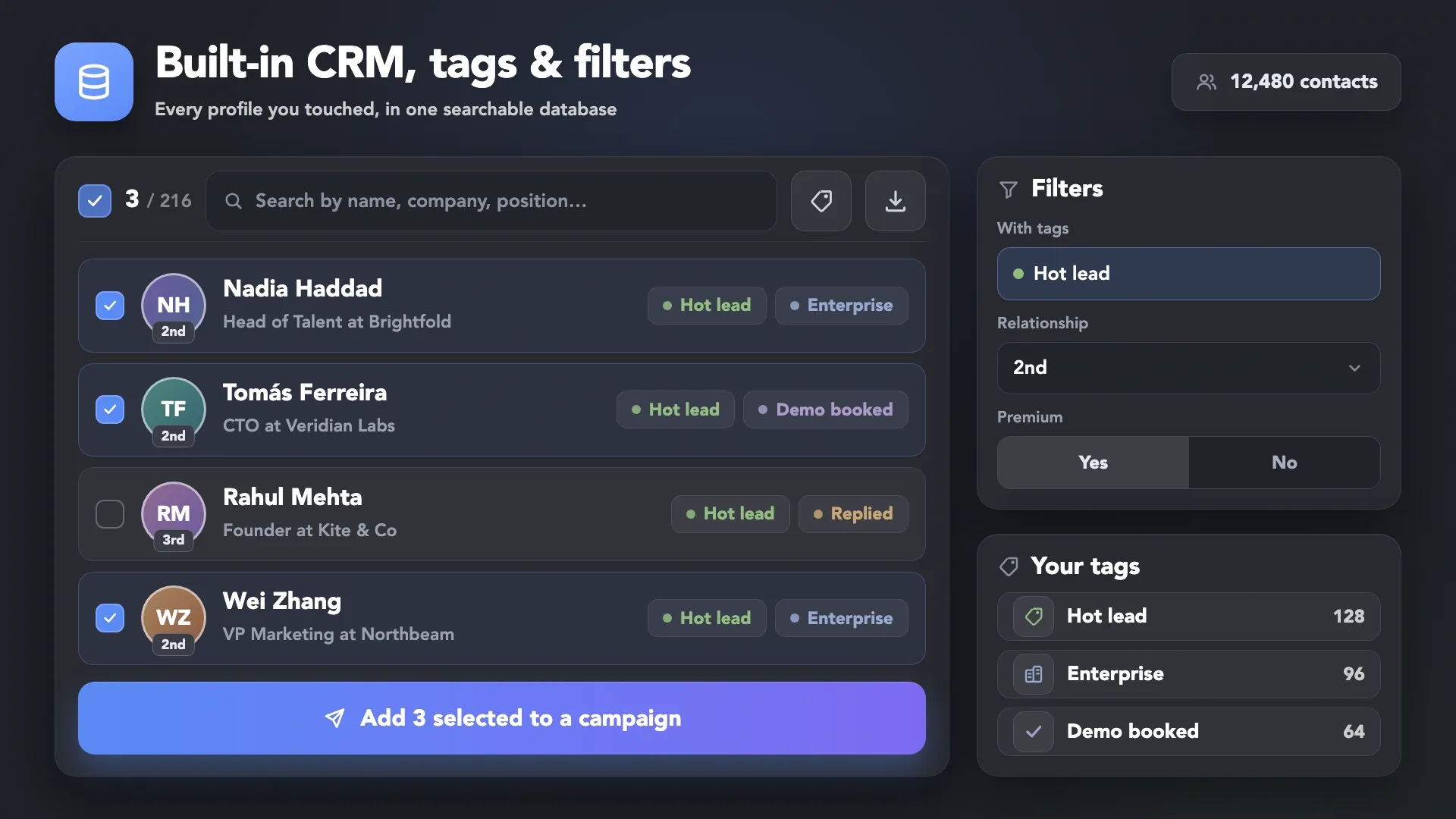
Every collected or imported profile lands in the built-in CRM. Tag contacts manually or automatically after any action, filter by tags, and send the exact segment you need to the next campaign.
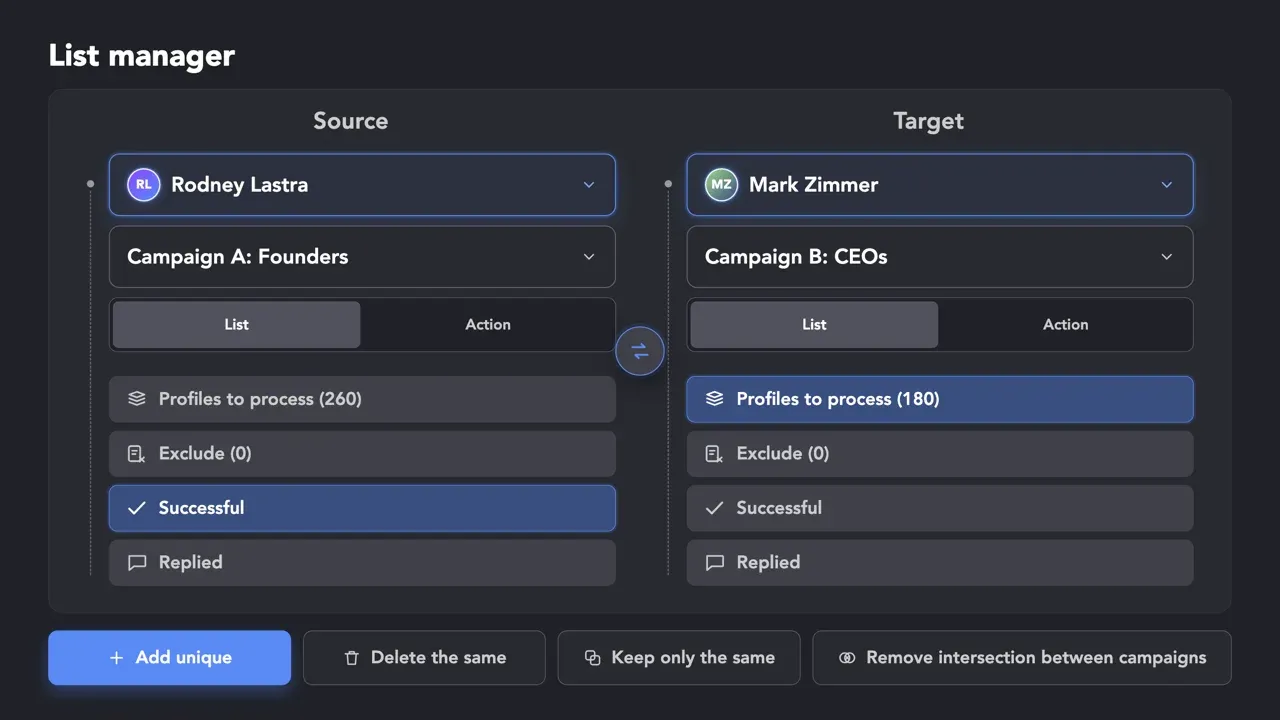
Use List Manager to add contacts from one campaign to another, keep only unique profiles or remove intersections between campaigns, so one person never gets two sequences. In the Cloud-based storage version, it works across your team’s LinkedIn accounts too. Linked Helper recognizes the same person behind LinkedIn, Sales Navigator and Recruiter links and merges duplicates once the profile is visited.
Every collected or imported profile lands in the built-in CRM. Tag contacts manually or automatically after any action, filter by tags, and send the exact segment you need to the next campaign.
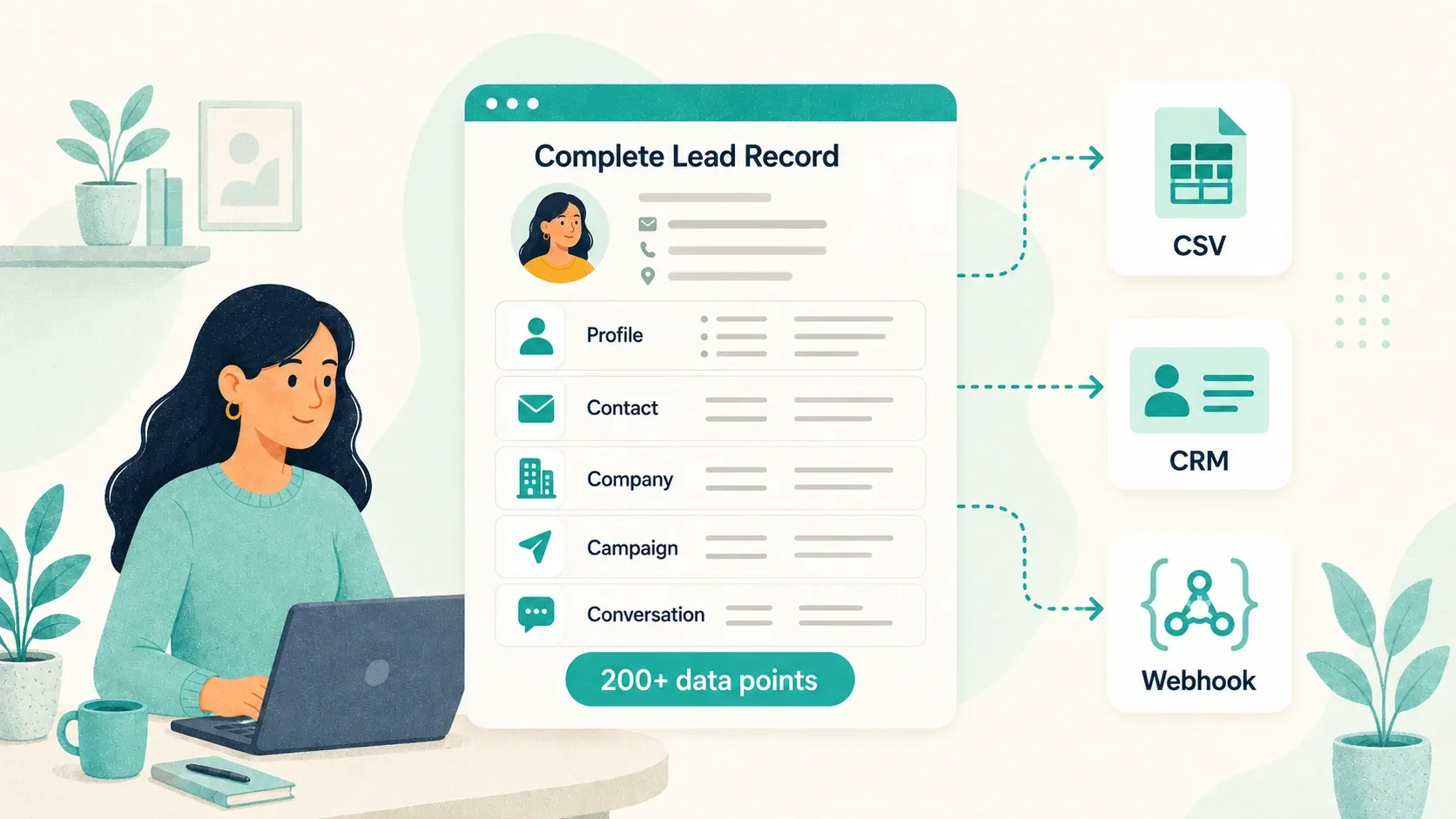
Your list shouldn’t be locked inside one tool. Send it straight into outreach, or export the segment you need to CSV, your CRM or any app in your stack.
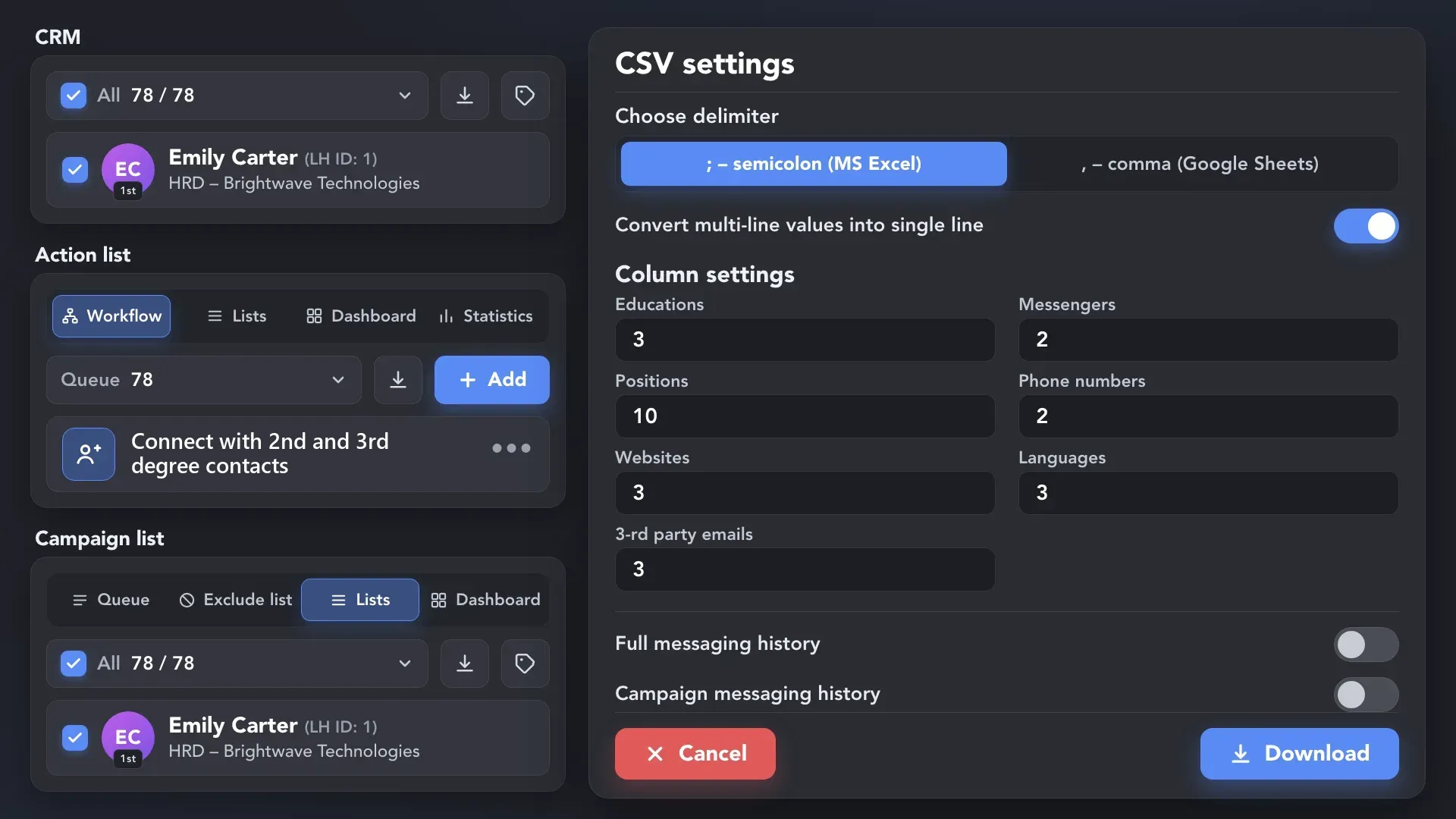
 Full Field Control
Select profiles in the CRM, a campaign list or an action list, and choose the columns and messaging history to include.
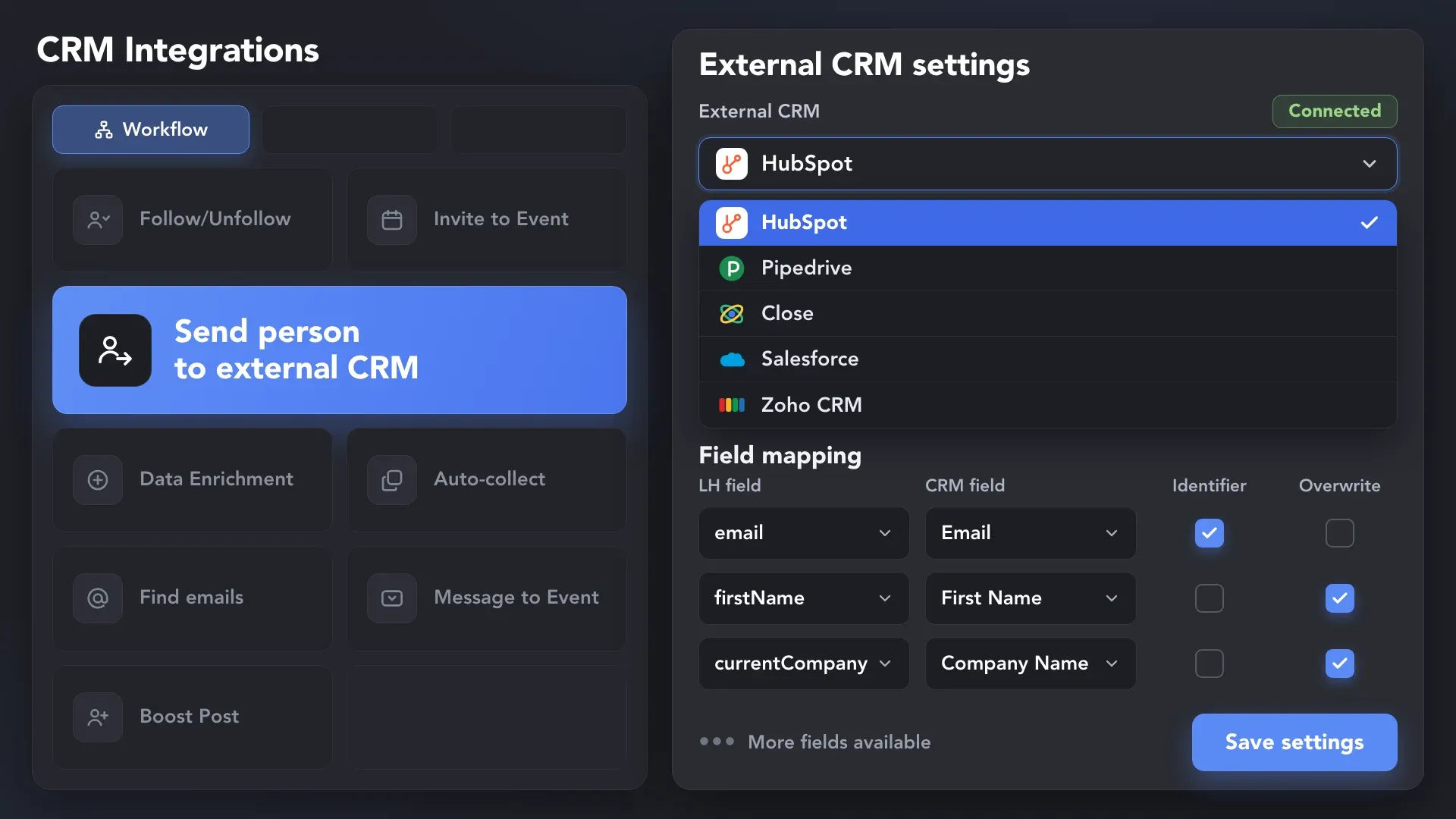
 No Manual Data Entry
Add the "Send person to external CRM" action to your workflow and map the fields. Records are then created or updated automatically.
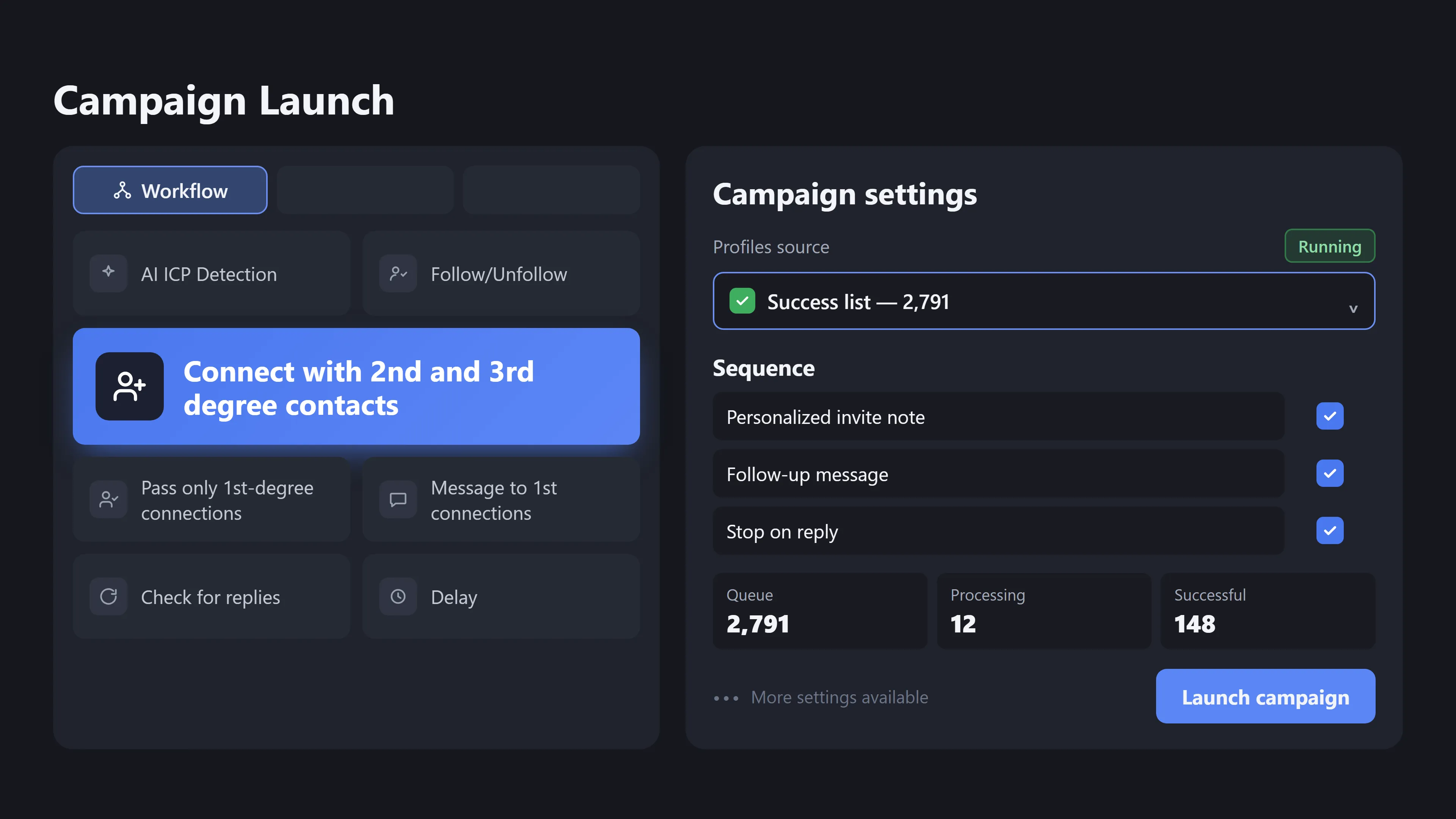
 Ready for Outreach
Send the filtered list straight into a campaign: connection requests, messages and follow-ups run automatically and stop when someone replies.
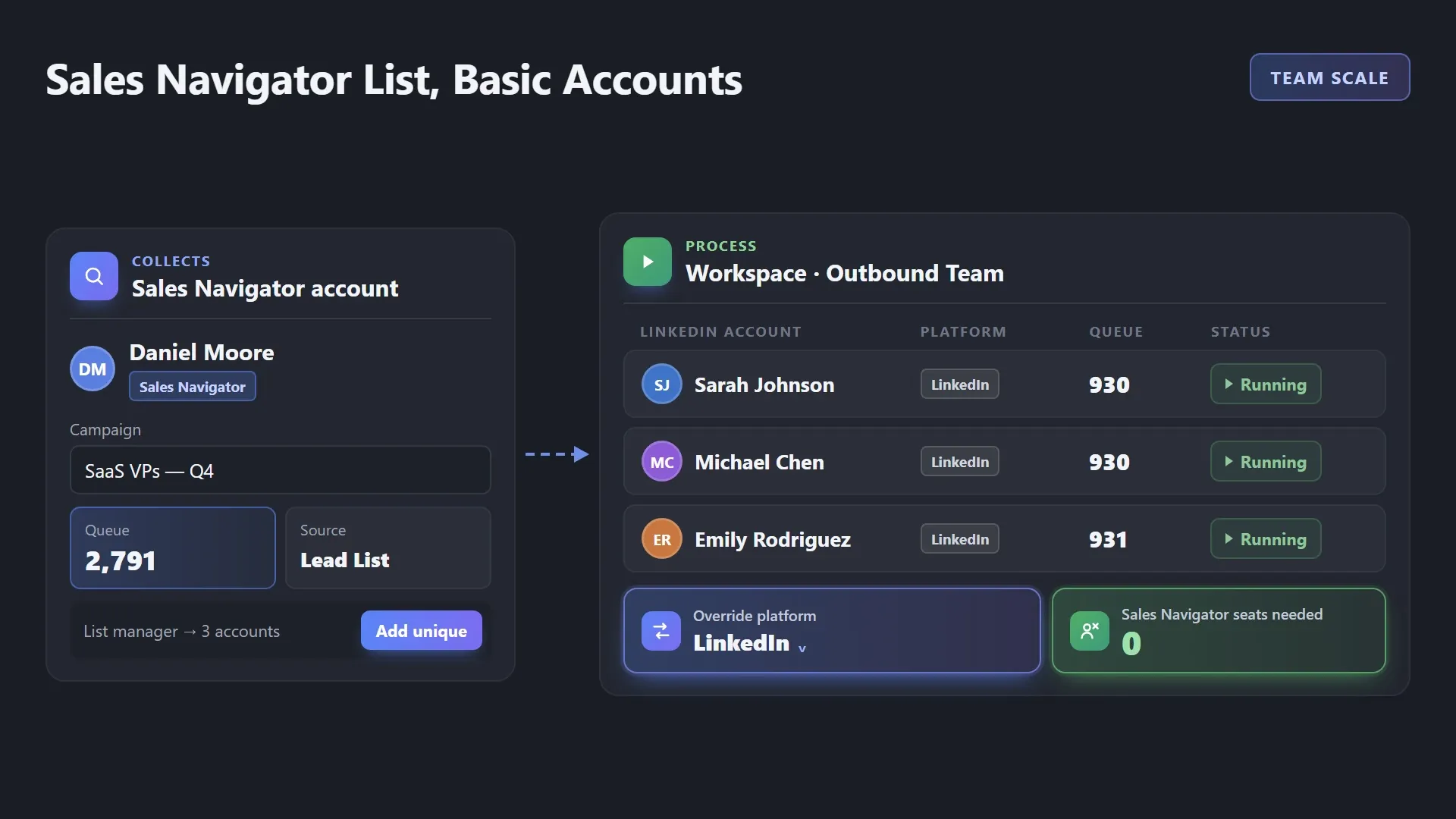
Paying for Sales Navigator on every seat adds up fast, especially when half the team only works lists someone else built. Use one Sales Navigator account to build the audience, then let teammates work with those leads using regular LinkedIn accounts.
A clean list is only the start of automated LinkedIn prospecting. Turn it into conversations in the same tool, with no exports, extra subscriptions or copy-paste between apps.
Sales reps, recruiters, founders, agencies and marketers build lists for different goals. Here’s how each of them turns LinkedIn into a focused, outreach-ready audience.
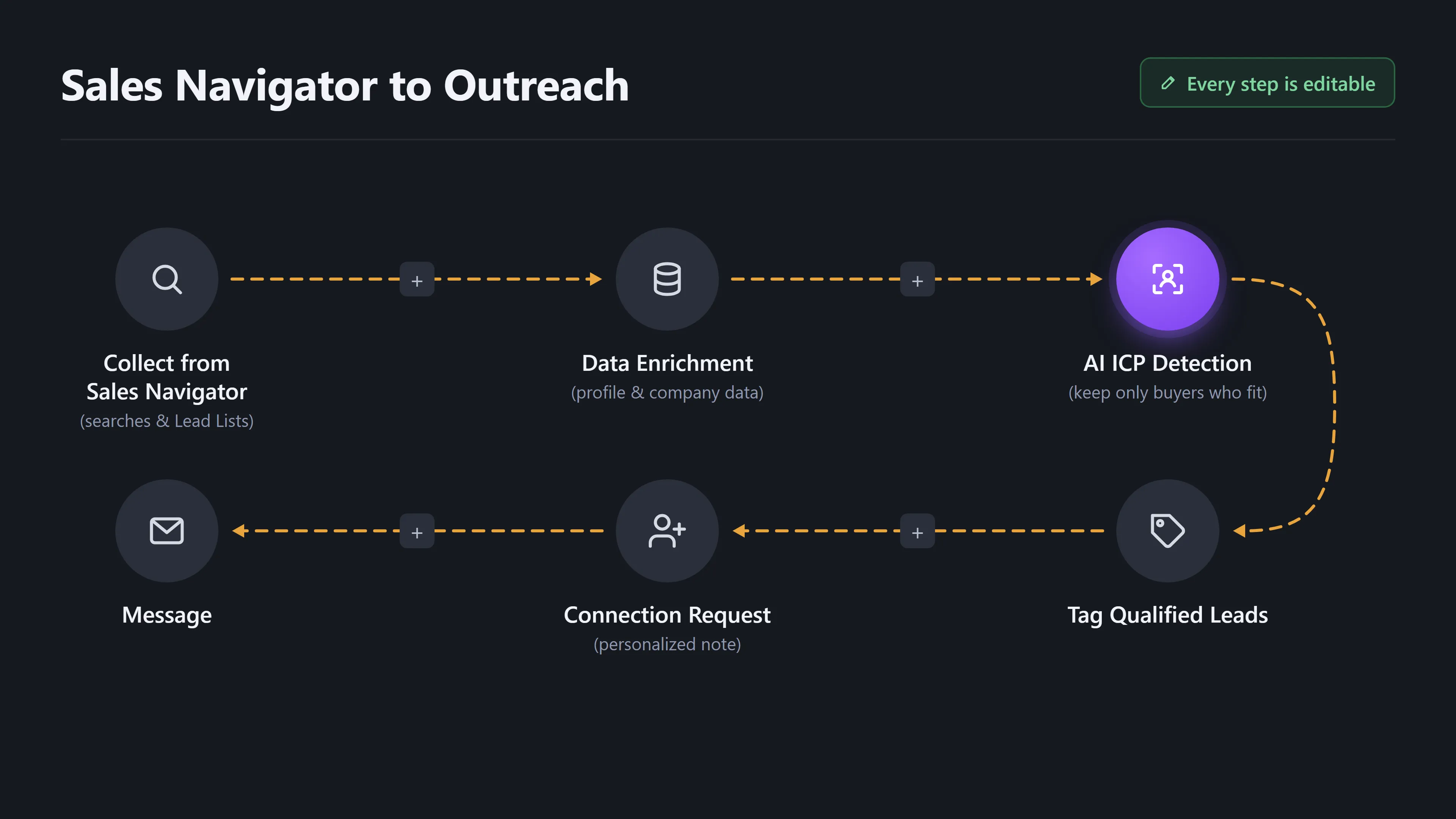
A Sales Navigator search can return thousands of leads, and your reps end up sending invites to people who will never buy. Collect the list, enrich it with profile and company data, and let AI ICP Detection drop the bad fits. Qualified leads get tagged automatically, and connection requests and messages go out on their own.
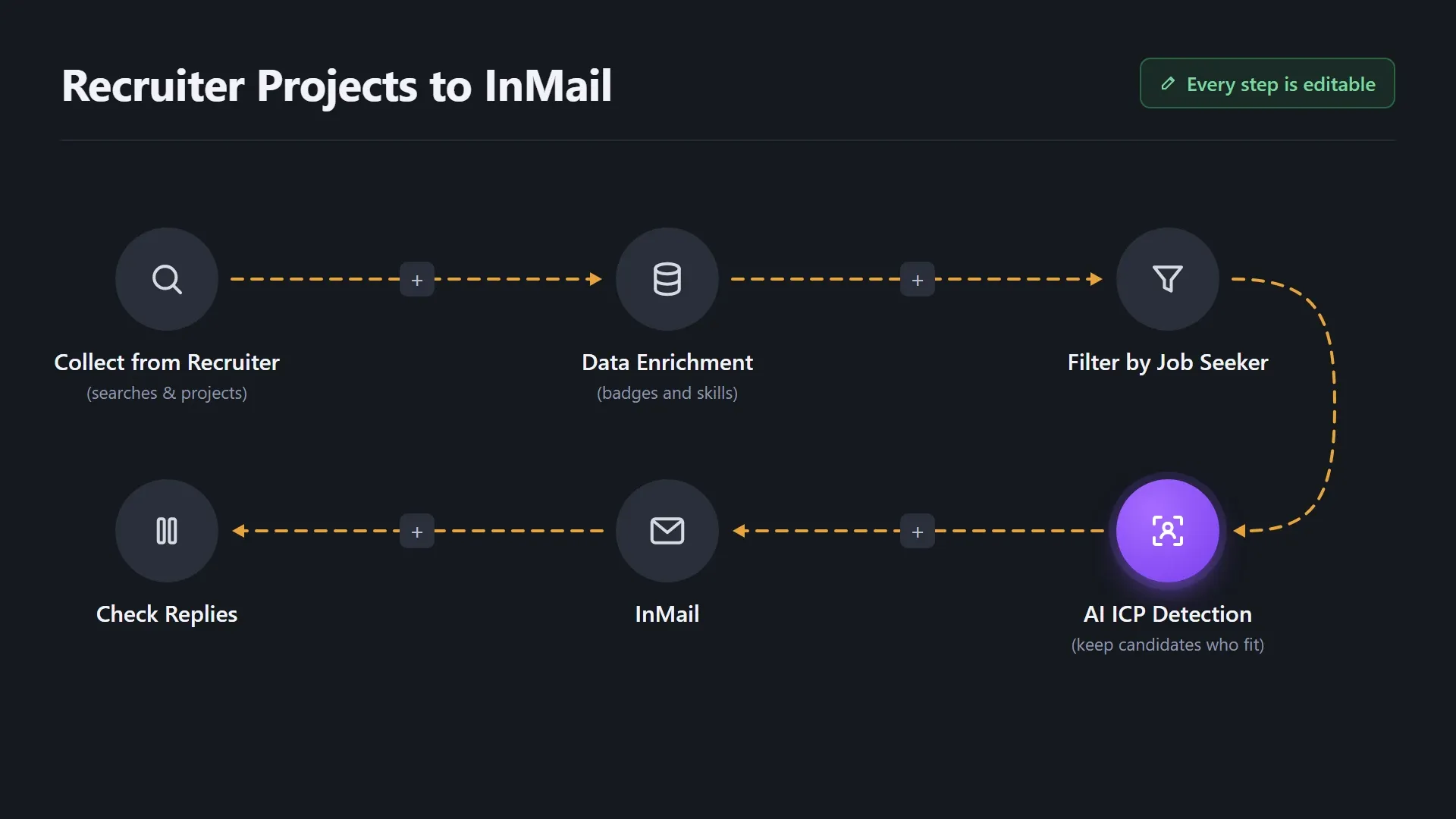
Strong candidates get buried in Recruiter projects, and reviewing every profile by hand takes hours. Collect candidates from Recruiter searches and projects, enrich them with LinkedIn badge data and focus on people who are open to new roles. AI ICP Detection keeps only the candidates who fit, then InMail goes out and replies are tracked automatically.
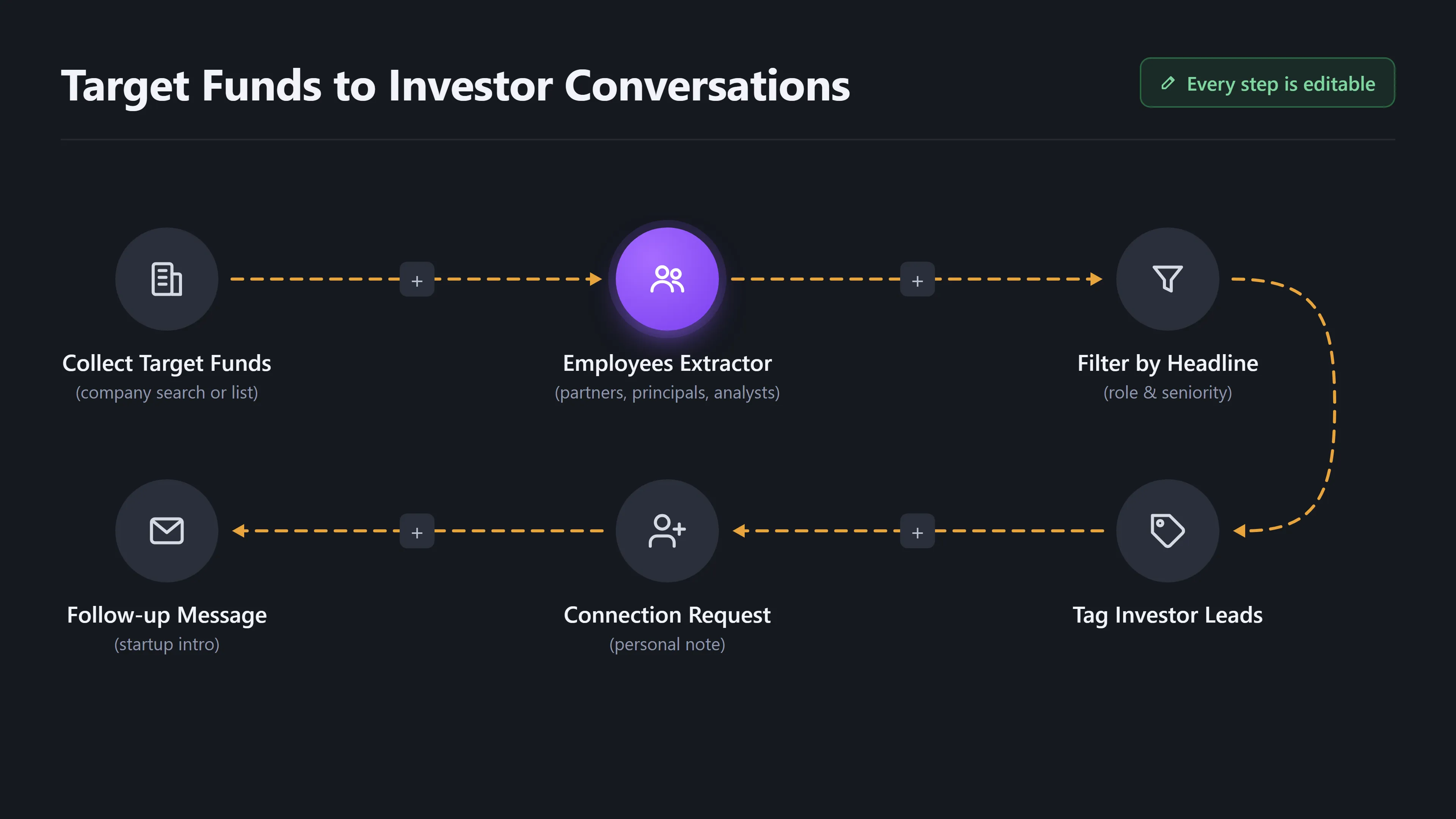
Cold-pitching a fund’s generic inbox rarely gets a reply, and finding the right partner by hand takes hours you don’t have. Start with funds that fit your stage, extract their partners, principals and analysts, and keep only the people who make decisions. Introduce your startup with a personal connection request and follow-up, without hiring an outbound team.
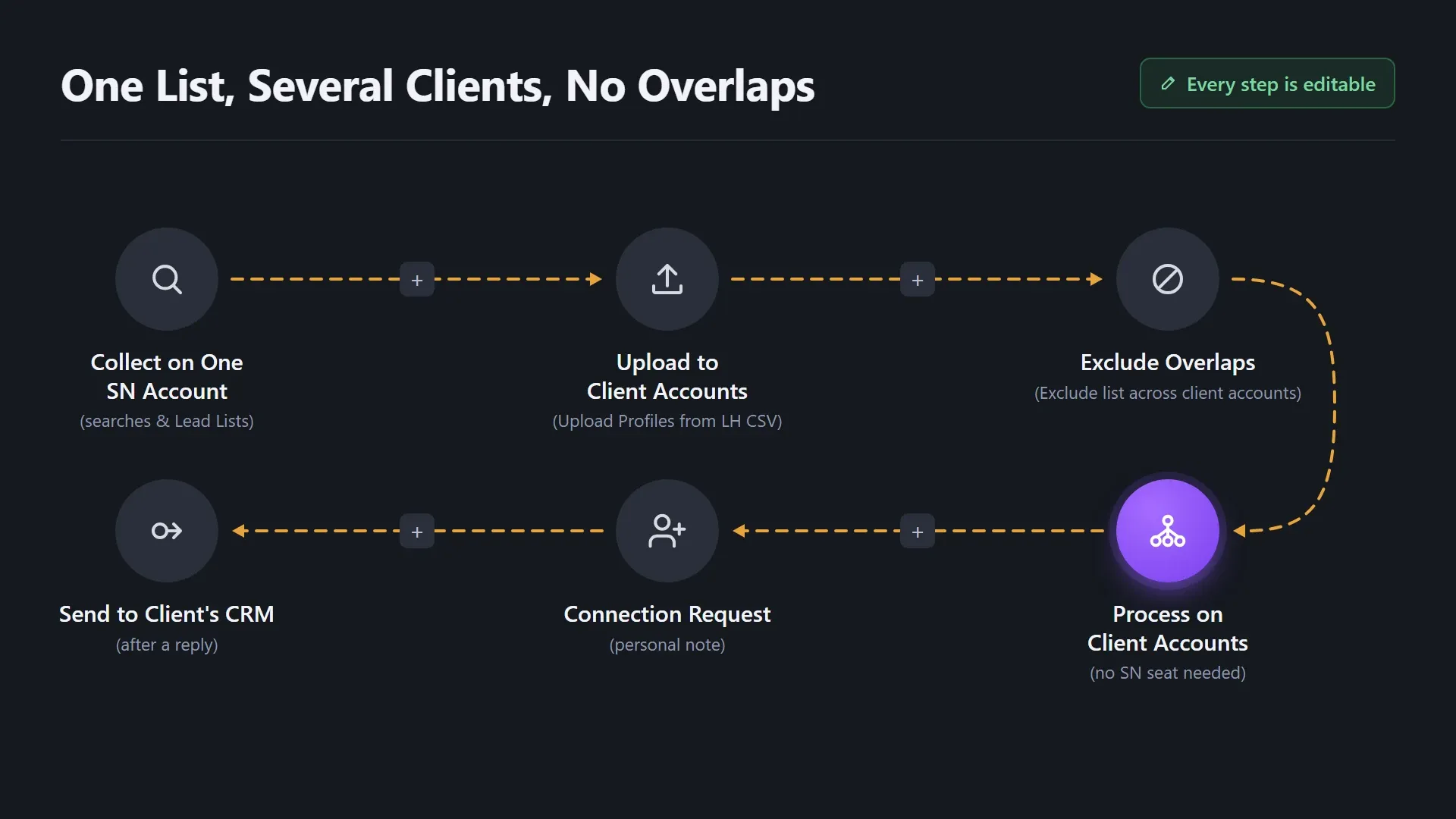
With several clients on one team, the same prospect can land in two campaigns, and one awkward double message can cost you a client. Let one Sales Navigator account build the audience, then upload it to client accounts and exclude overlaps manually. After that, regular LinkedIn accounts handle the outreach, and replies go straight to each client's CRM.
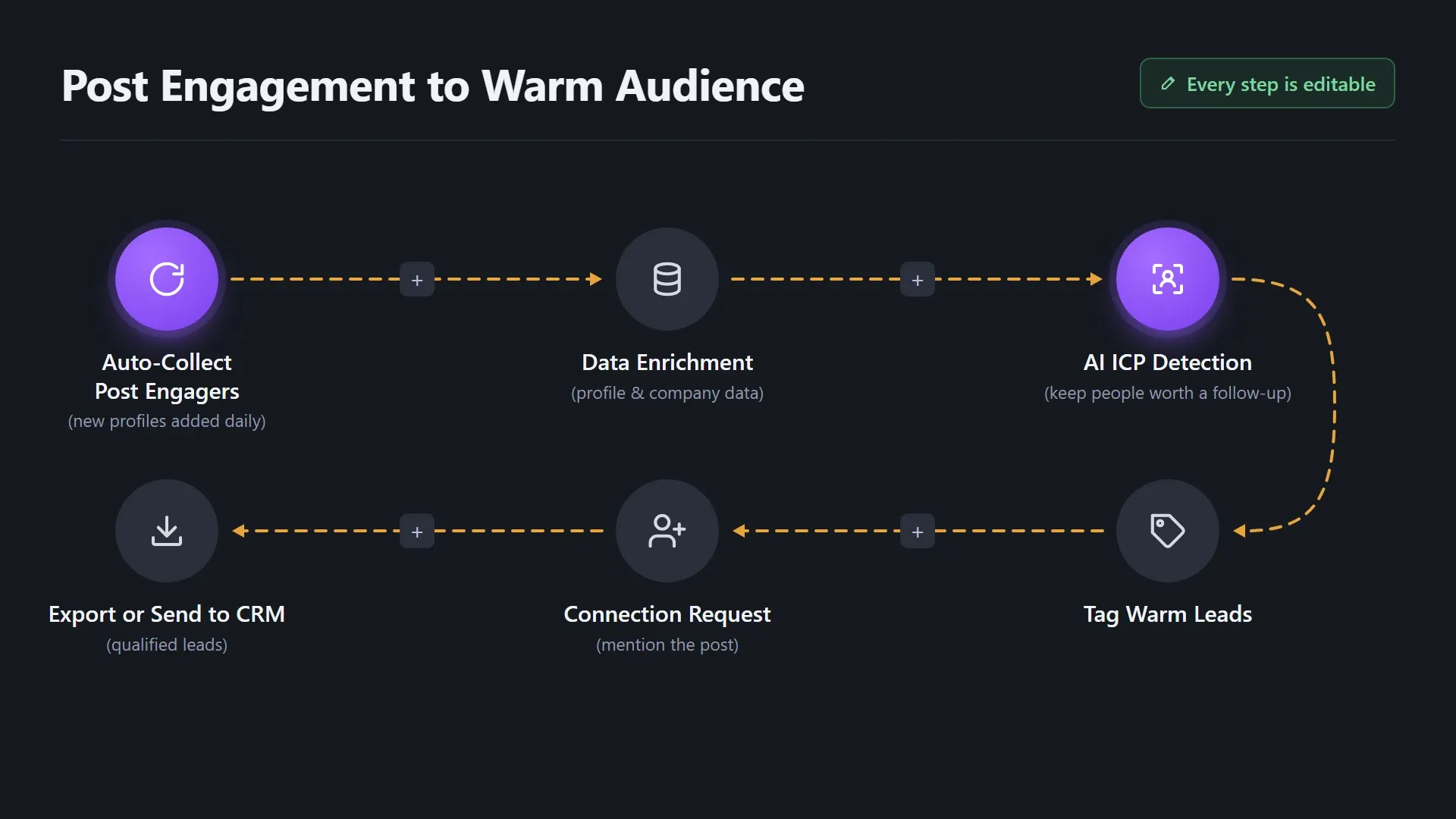
Hundreds of people like and comment on your posts, then disappear back into the feed. Let Auto-collect pick up new engagers every day, enrich their profiles, and use AI ICP Detection to keep only the people worth a follow-up. Turn passive engagement into a warm audience you can actually talk to.
A Sales Navigator search can return thousands of leads, and your reps end up sending invites to people who will never buy. Collect the list, enrich it with profile and company data, and let AI ICP Detection drop the bad fits. Qualified leads get tagged automatically, and connection requests and messages go out on their own.
Manual work doesn’t scale, and most LinkedIn prospecting automation tools stop at importing a search. Here’s what changes when the whole list-building cycle lives in one tool.


Linked Helper runs in an isolated desktop browser and mimics human behavior, with daily limits, randomized delays and your own IP, so collecting thousands of profiles looks like natural LinkedIn activity.
✔ Passes Bot Detectors ✔ Dedicated IPs ✔ Human Emulation ✔ Smart Daily Limits




I put together my list in Sales Navigator, export it to Helper and from then on let the program take care of everything.

Instead of spending time individually searching for connections, it takes my criteria and does all of the work, saving me countless hours.

Setting up campaigns is a breeze, and I particularly love that you can target post commenters, engagers, and event attendees.
You can literally tell the system your ICP, and it hunts these people down like they owe it money, and boom! Connection made.
It is quite literally a "prospecting firehose" allowing me to precisely target my prospects, generate interest in our products and services, and create warm introductions to leads.
The system allows you to perfectly select contacts on LinkedIn or pull from a .csv file, filter, transfer from one account to another.
Join our weekly live training for a guided start, or explore short guides at your own pace — from collecting your first audience to filtering it against your ICP.

A 60-minute live walkthrough to kick-start your LinkedIn lead generation. Register now to join live or receive the recording by email even if you can’t attend.


VIDEO TUTORIAL
GUIDE
Collect profiles from LinkedIn, Sales Navigator, Recruiter, posts, events or CSV, filter them with built-in filters and AI ICP Detection, then launch a campaign. Auto-collect keeps adding new profiles on a schedule.





 Save My Spot