 Campaign Activity Tracker
 Smart Campaign Reuse
 Controlled Campaign Execution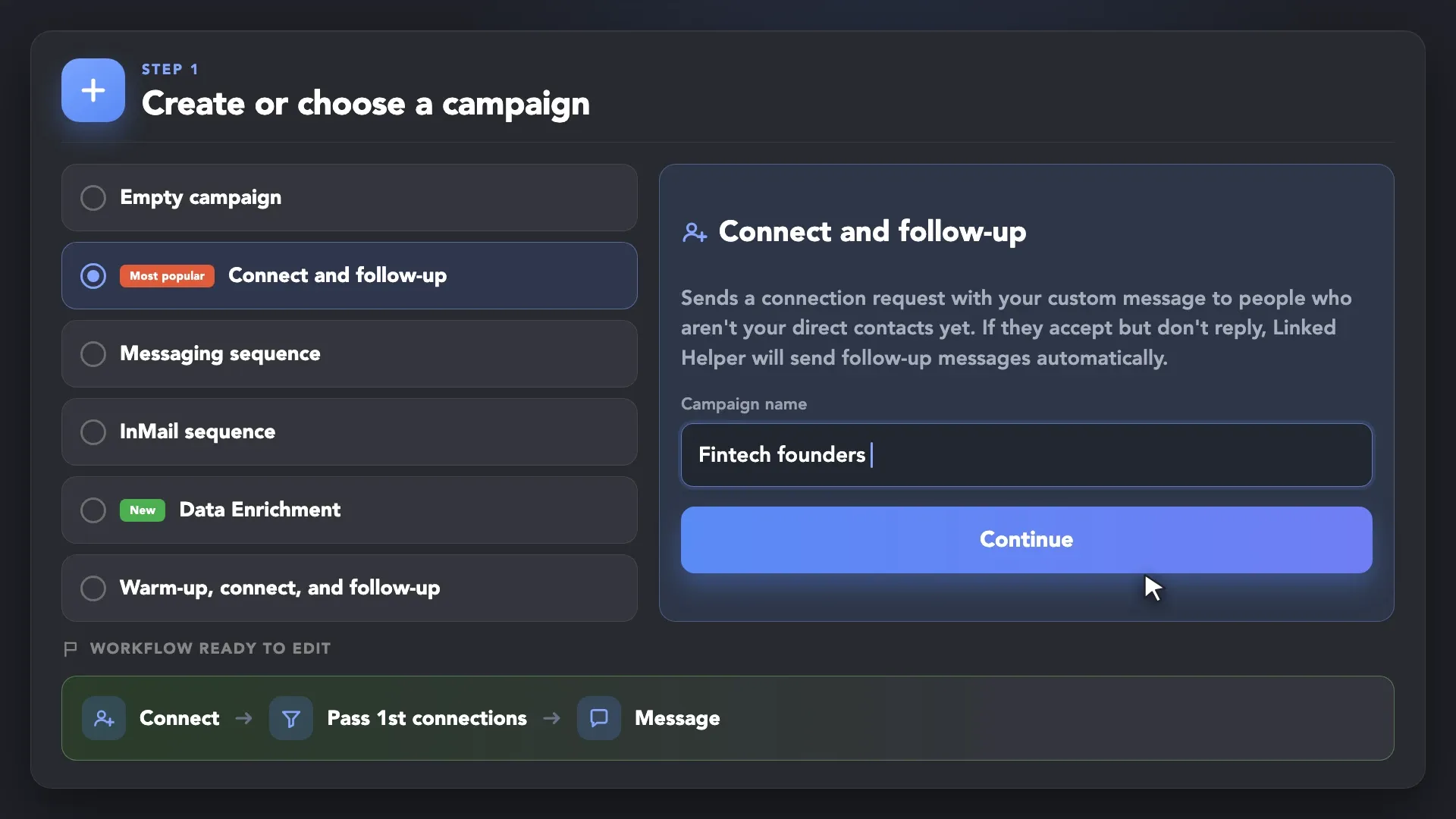
Create or Choose a Campaign
Start with a ready-made campaign template or build a workflow from scratch. Add the actions, messages, delays, and limits needed for your outreach sequence.
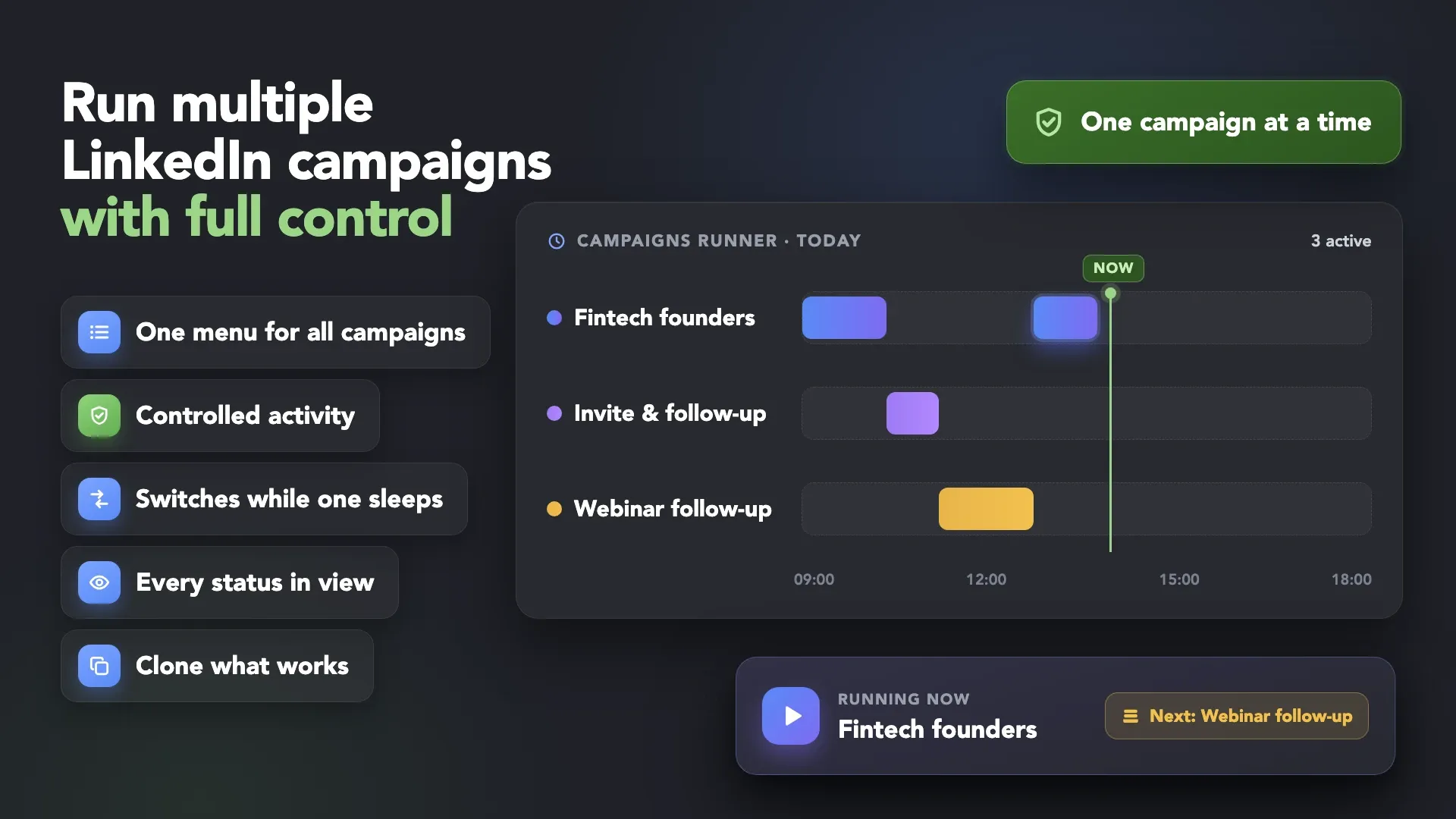
Queue several LinkedIn campaigns, let Campaigns Runner coordinate their execution,
and monitor each workflow from one clear Campaigns menu.










 Without Linked Helper
 Manual Campaigns
 With Linked Helper
 Smart Campaign Flow
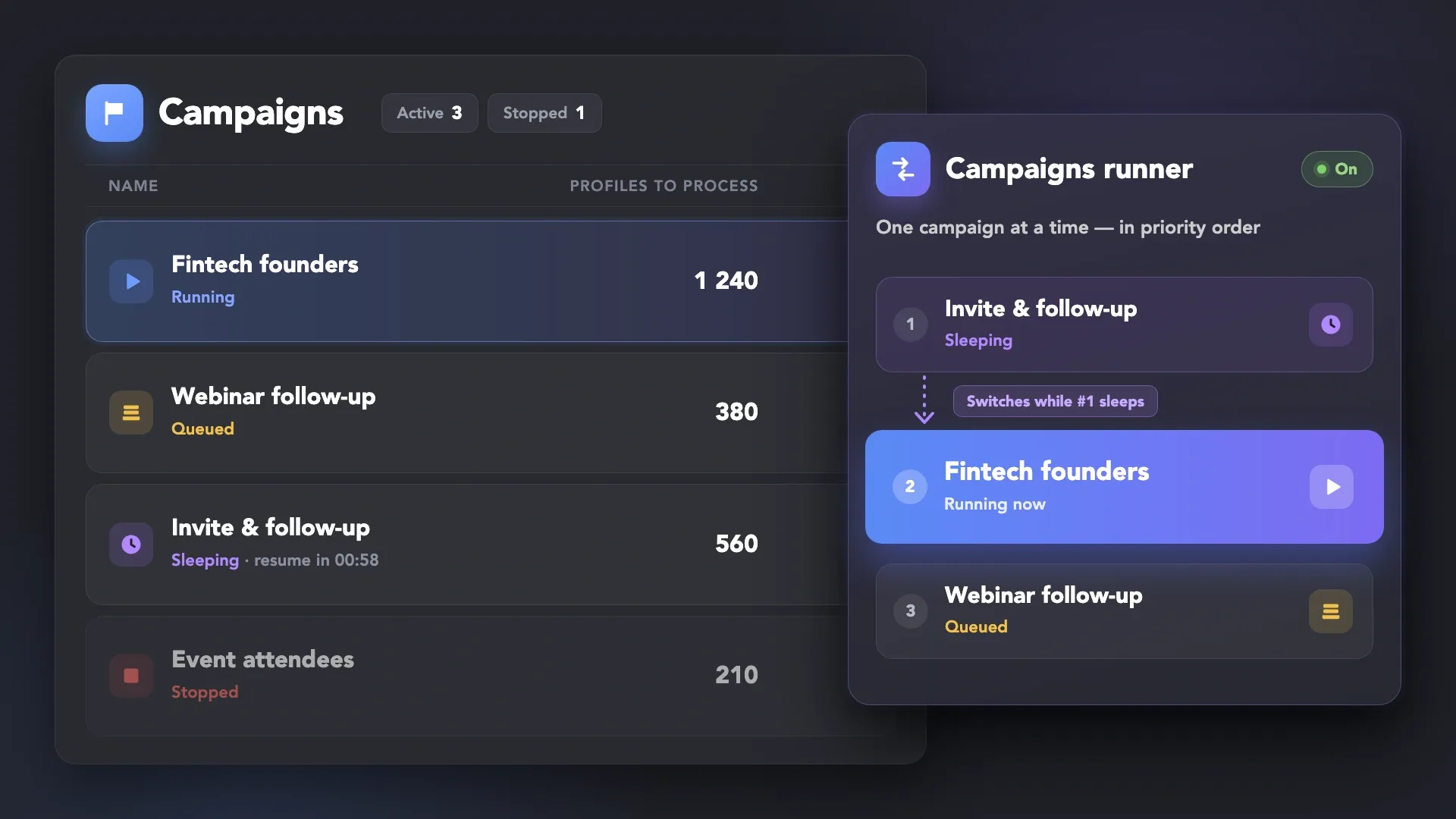
Campaigns Runner queues active campaigns and runs them one at a time. Actions within each campaign are also executed sequentially, so Linked Helper never processes actions from multiple campaigns simultaneously. The Runner automatically switches to another active campaign when the current one enters a sleeping state.
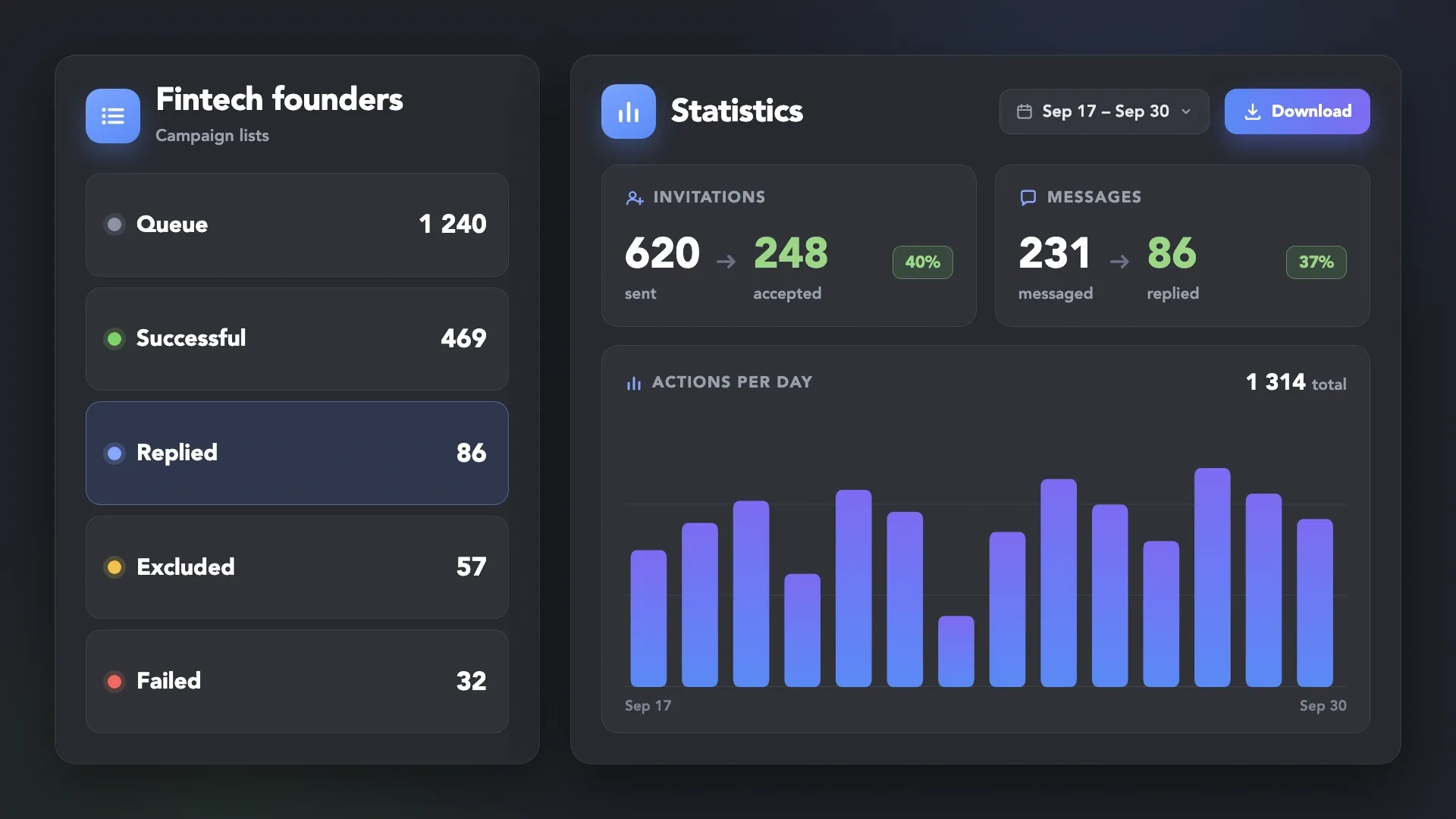
Campaign lists show Queue, Successful, Excluded, Failed, Replied, and other statuses alongside invitation, connection, messaging, and reply metrics. Campaign-level and period-based statistics provide a clear view of performance, with reports available for download.
Clone workflows with their actions, settings, and message templates, transfer campaign settings between LinkedIn accounts, or export them to CSV.
Create new campaign variations without rebuilding the same workflow from scratch.
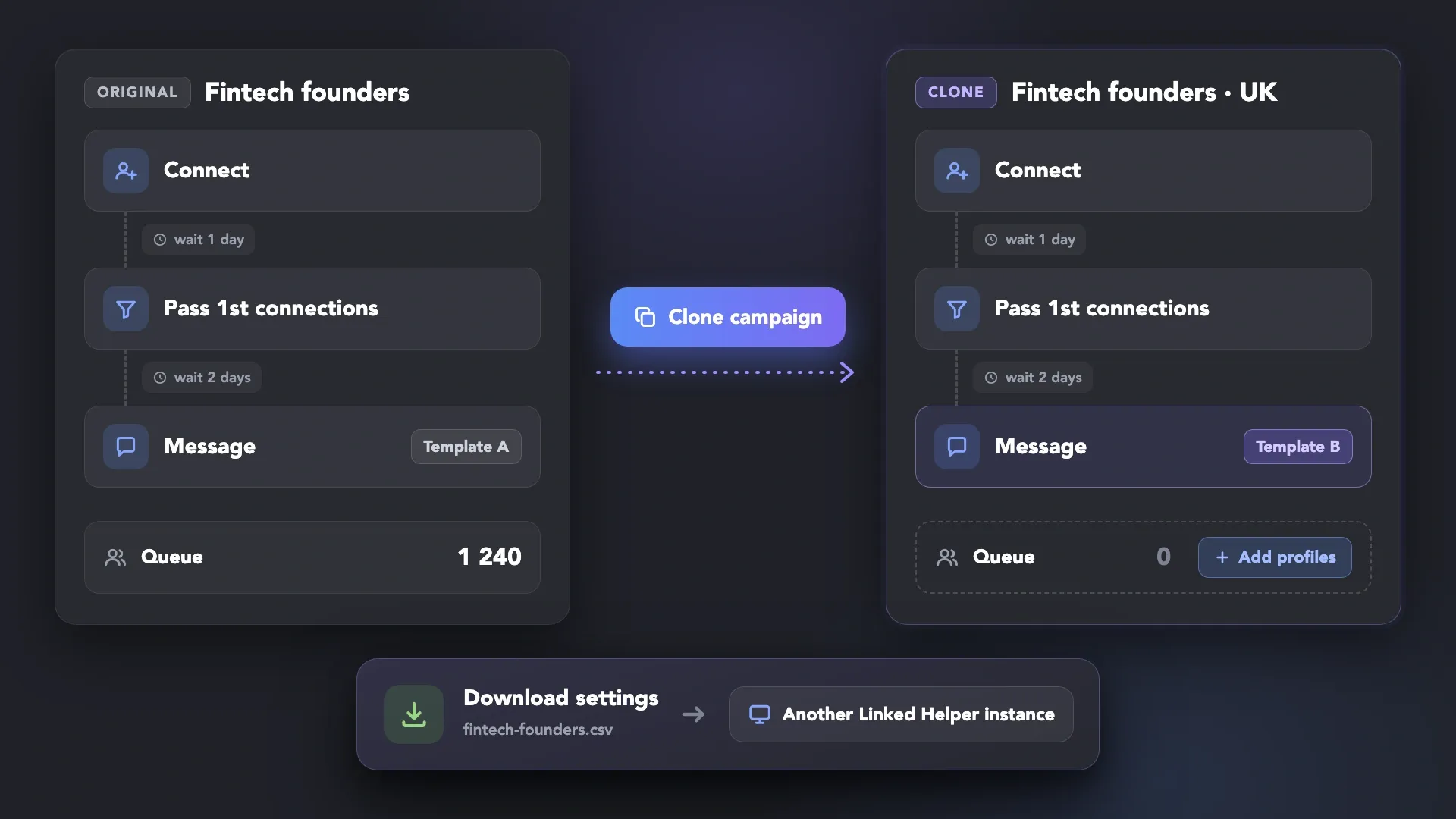
Create your campaigns, start the runner, review activity, and optimize — all from one coordinated workflow.
Start with a ready-made campaign template or build a workflow from scratch. Add the actions, messages, delays, and limits needed for your outreach sequence.
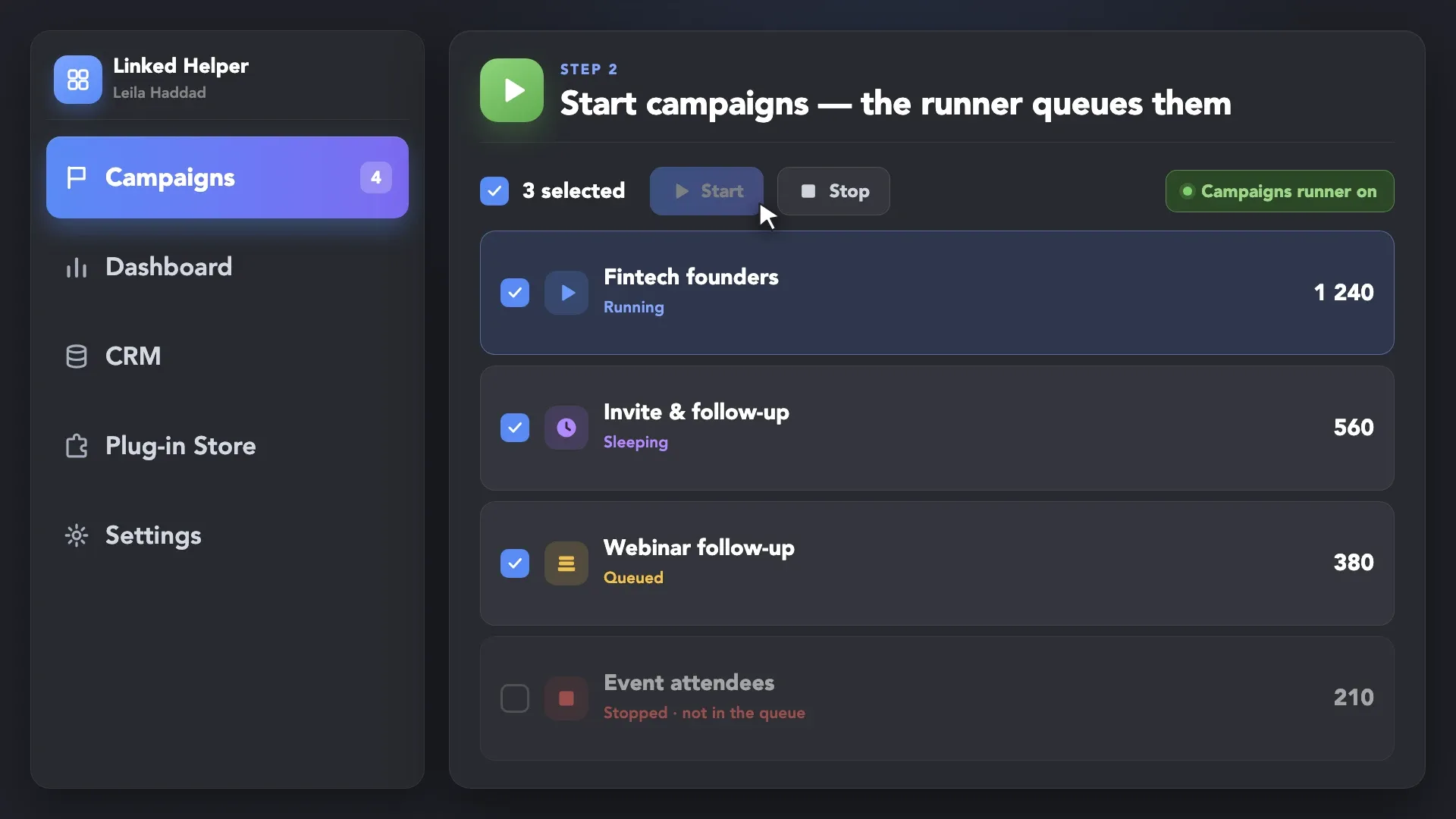
Click Start for the campaigns you want to run. Campaigns Runner queues them and processes one campaign at a time, switching to the next active campaign based on priority and timing. Stopped campaigns stay out of the queue.
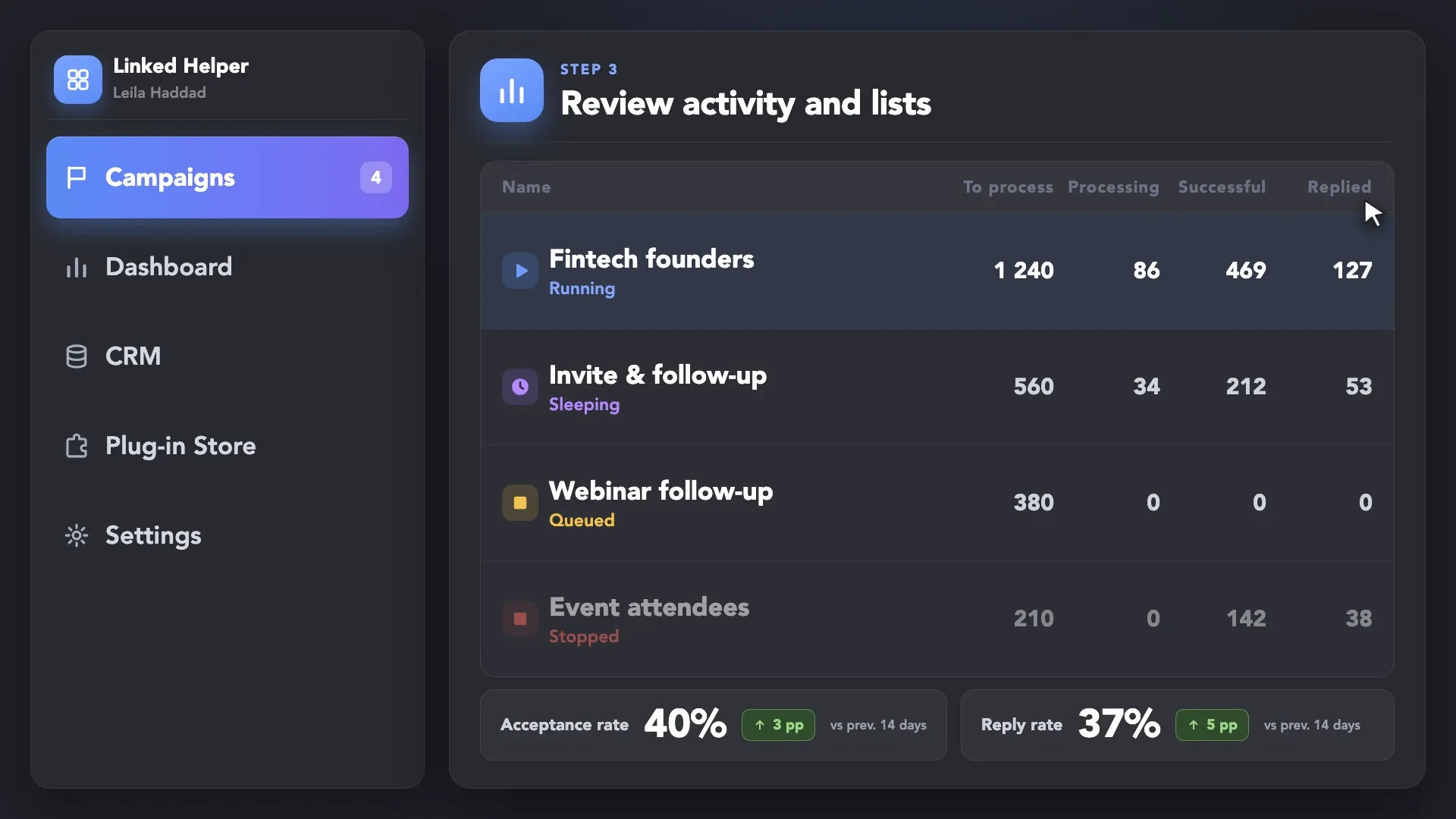
From the Campaigns menu, review campaign statuses and activity. Open any campaign to inspect its Workflow, Lists, Dashboard, and Statistics, and download campaign data when needed.
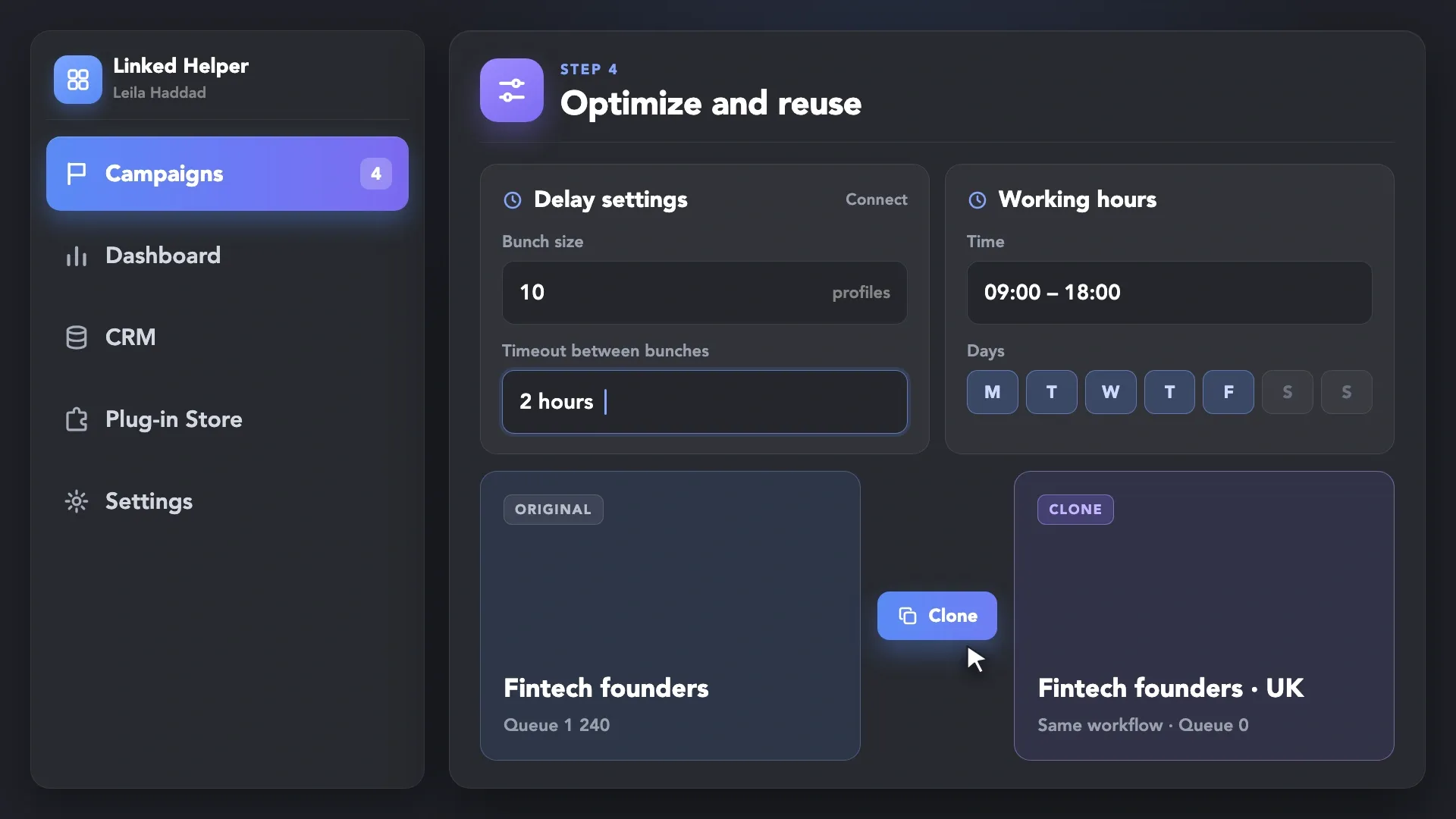
Use campaign data to review performance. Adjust batch sizes, working hours, and timeouts when needed. Clone successful campaigns to test a new audience or message without rebuilding the entire workflow.
Start with a ready-made campaign template or build a workflow from scratch. Add the actions, messages, delays, and limits needed for your outreach sequence.
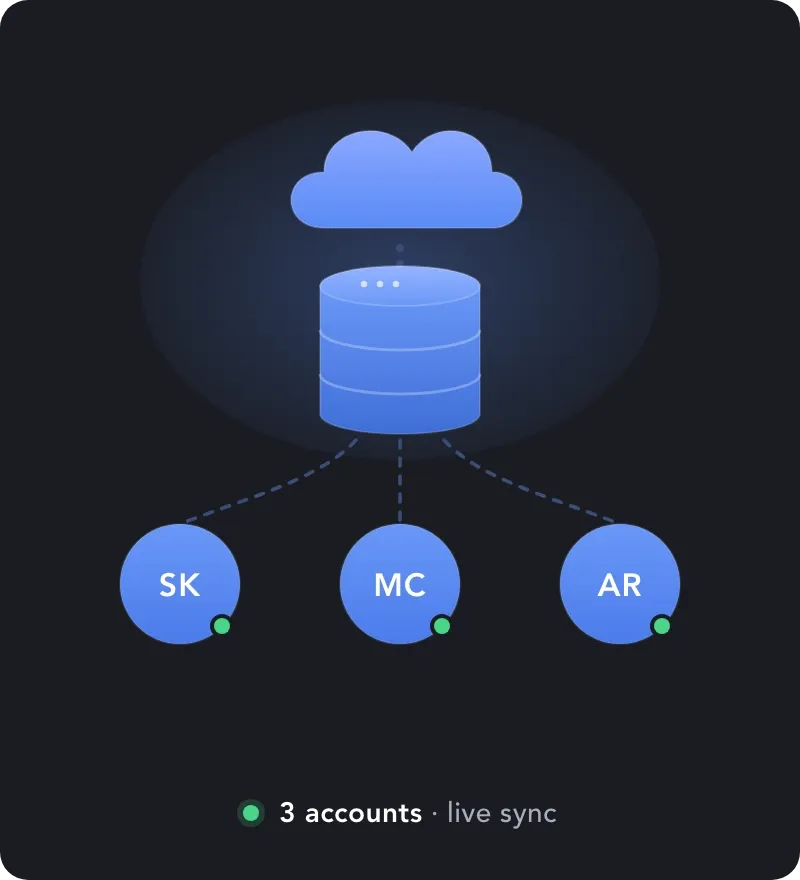
Campaigns Runner coordinates how multiple campaigns are executed. Outreach sequences define what each campaign does. Create workflows with actions, messages, delays, filters, and limits for different outreach goals.

Activating several campaigns does not mean running several campaigns simultaneously. Campaigns Runner processes one campaign at a time and switches between active campaigns when the current workflow enters a sleeping state. This is designed to reduce excessive parallel activity, but it does not guarantee that an account cannot be restricted. Configure campaign limits, working hours, delays, and workflows carefully.
 DataDomeCloudflarePerimeterXAkamaiImperva10+ more
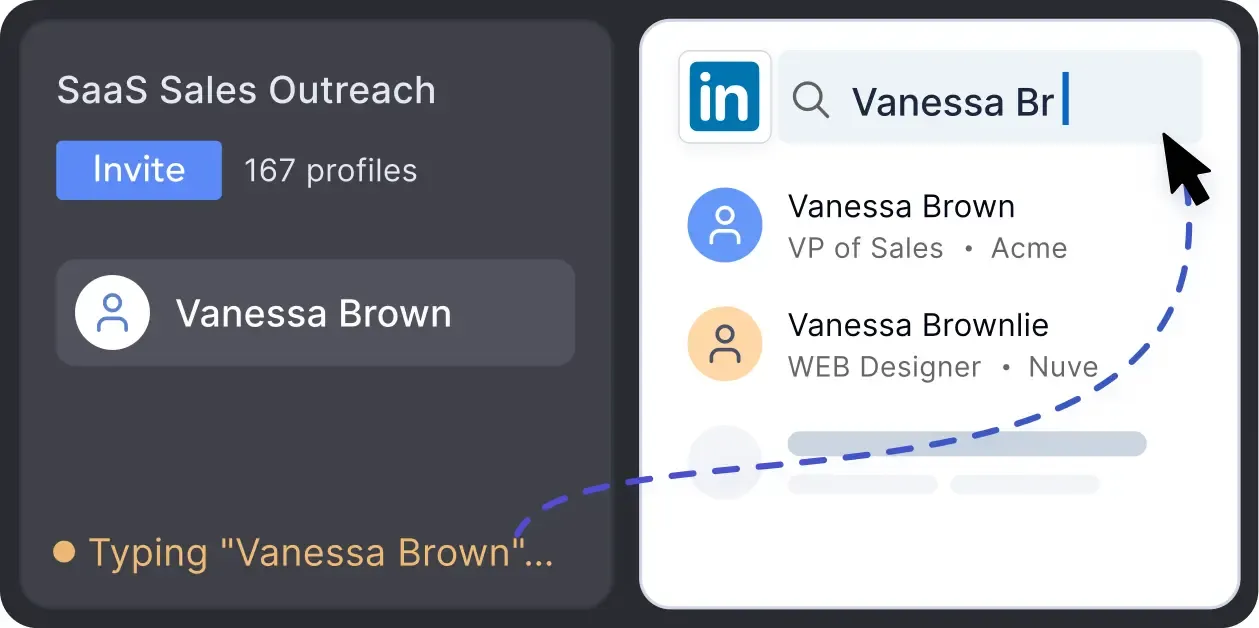
Mimics human actions with mouse movements and clicks, typing, and randomized delays. Navigates via LinkedIn search rather than direct URLs.
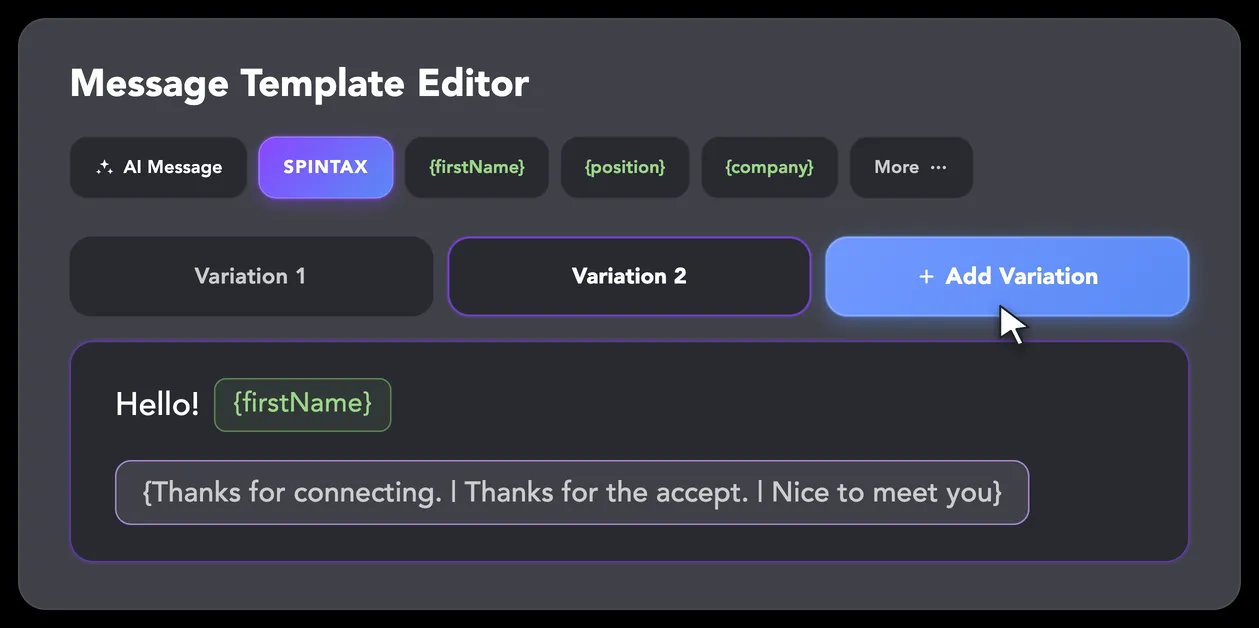
LinkedIn algorithms flag repetitive text. Combine your generated templates with unique syntactic variations for every single message, keeping your outreach off the spam radar.
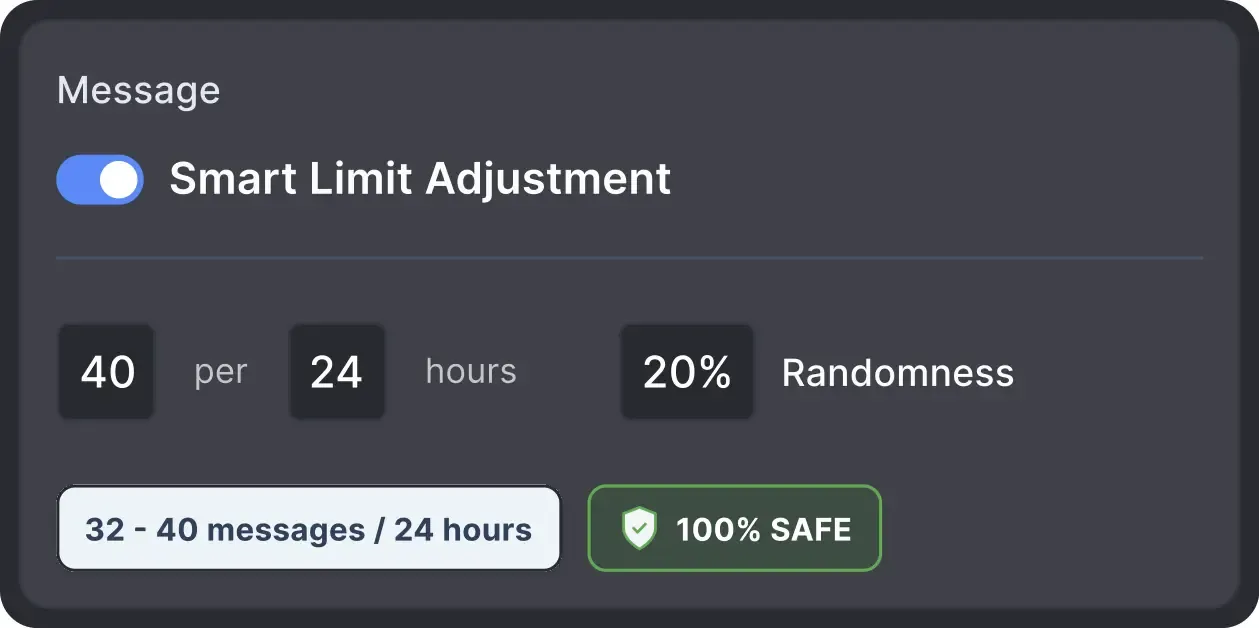
Operates within safe, recommended daily quotas and works on a "human-like" schedule (e.g., 9 AM - 5 PM) with random shifts to avoid robotic patterns.
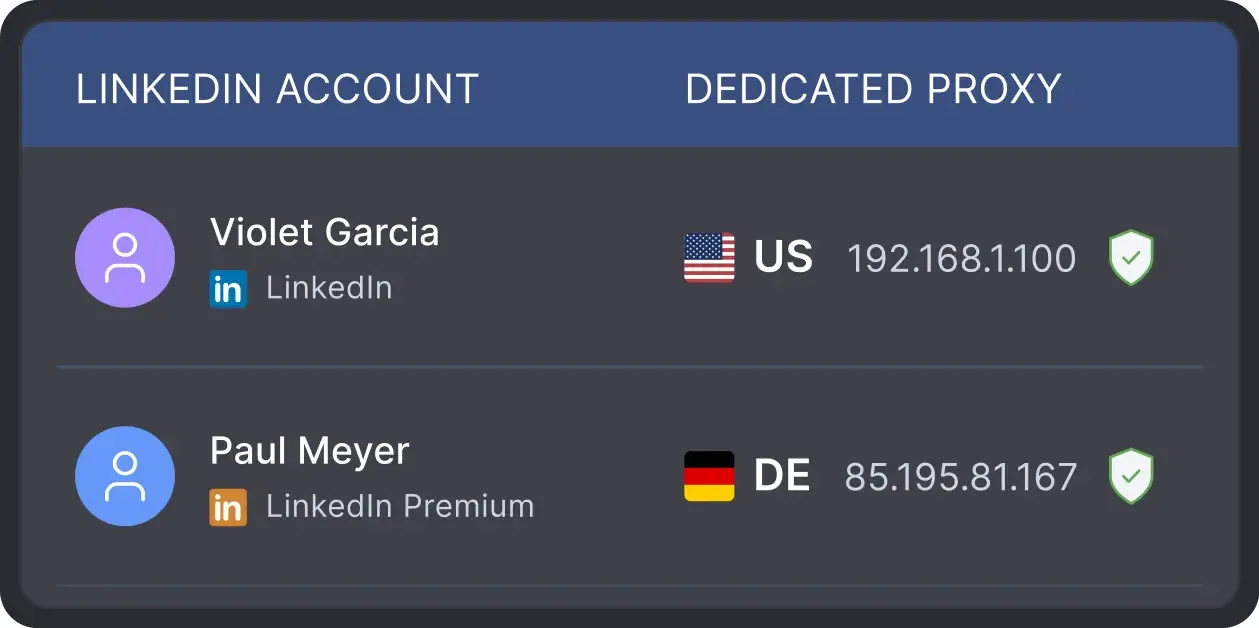
All activity comes from your local IP address or a chosen dedicated proxy, not a suspicious server, avoiding a major red flag for LinkedIn.
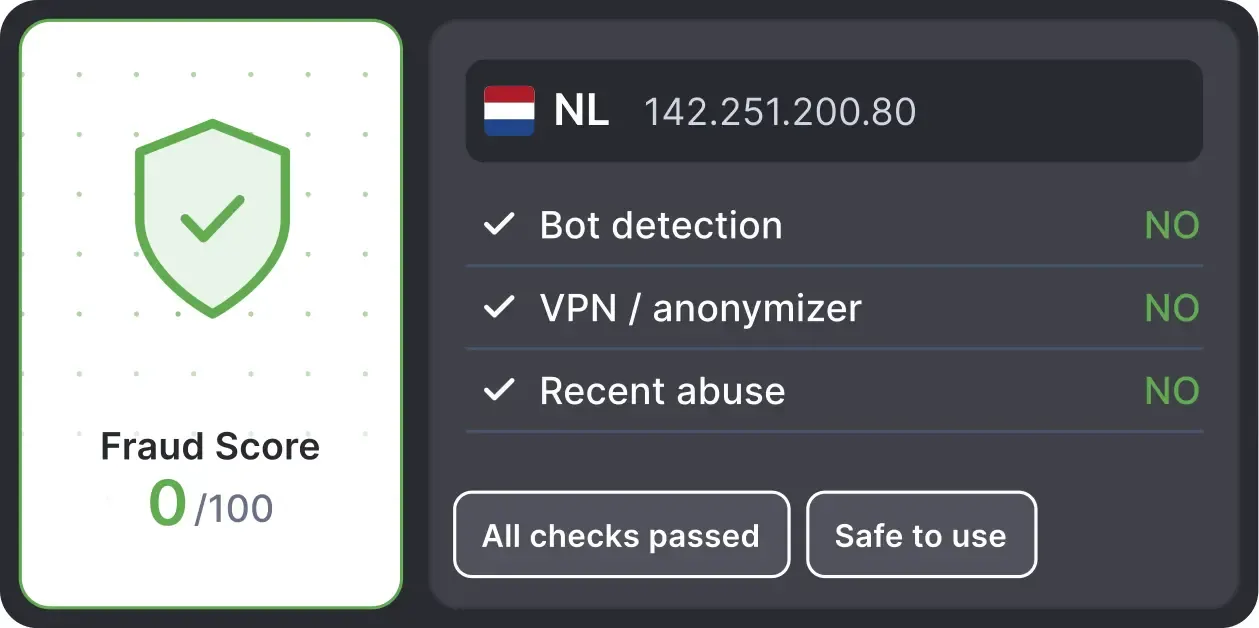
Automatically validates your proxy's "Fraud Score" to ensure you're not using a low-quality or blacklisted IP, adding an extra layer of security for multi-account management.
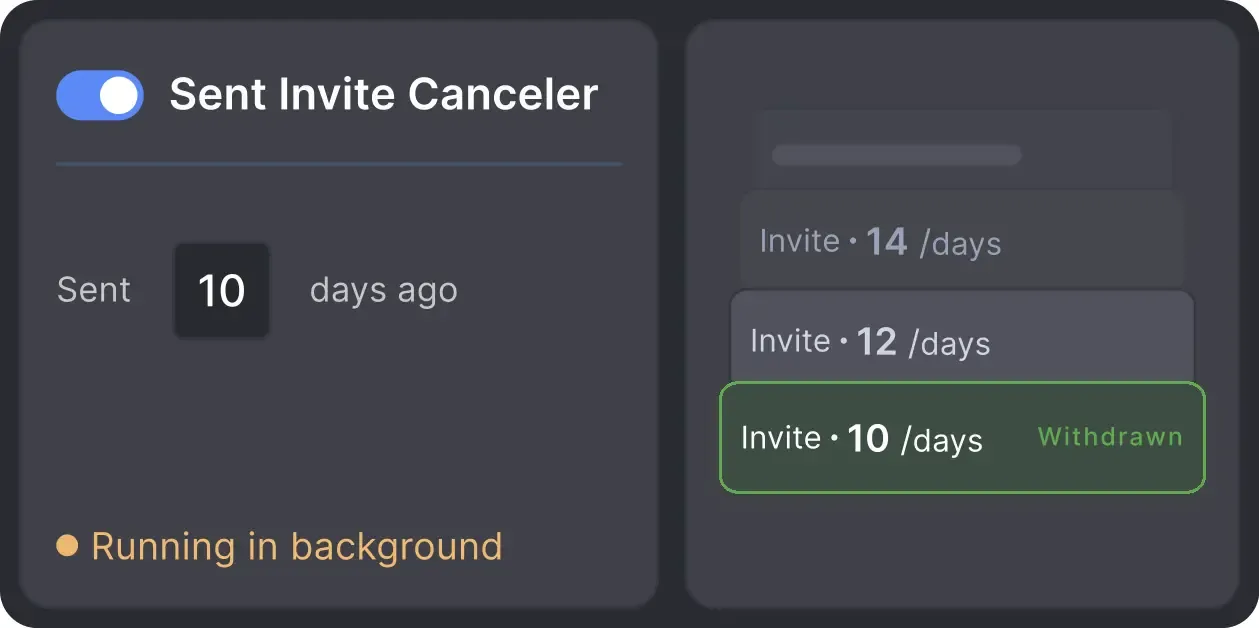
Automatically retracts old, unanswered connection requests to keep your profile in good standing with LinkedIn's algorithm.
Managing Director
LinkedIn Marketing Agency
We were running up to forty clients at one time. You cannot manage that volume without automation. We can see conversion rates, responses, and green leads in one place. It saves us hundreds of hours every month.
PIPELINE GROWTH
CLIENT CAMPAIGNS
GROWTH IN CONVERSIONS

Basic

Premium

Sales Navigator

Recruiter
Basic
Premium
Sales Navigator
Recruiter
From building campaigns to managing execution, Linked Helper automates every step of your outreach workflow.


See how Linked Helper users manage outreach workflows, campaign execution, and lead generation at scale.






I've had a great experience with Linked Helper so far. One of the features I like most is the ability to use a single license across multiple LinkedIn accounts, which makes account management much more convenient. Another huge advantage is that when you purchase additional licenses, you can run different outreach campaigns simultaneously across multiple accounts. This makes it easy to scale prospecting efforts and manage larger volumes of outreach efficiently.

I liked that it can automate almost every thing in LinkedIn, and make multiple campaigns like sending connection requests, sending email messages and send followup message and extract profile email, and a lot more and all if that is done in a safe way so the LinkedIn account avoid block, it save a lot of time and efforts in a safe way.

Very effective at what it does, works fast, allows me to add multiple accounts, run campaigns in each and manage it all from one single interface.
Amazing tool that covers entire LinkedIn lead generation on autopilot. Plugins give you extra features and I highly recommend checking those out. My favorite ones are multi-campaign runner, action working hours, and filter contacts.

I used 9 accounts from 3 computers at the same time. 900 letters on LinkedIn in 4-5 hours — a great result!
What I like most about Linked Helper 2 is how it saves me a huge amount of time in managing outreach and follow-ups. The workflows are very flexible, and the tool feels reliable even when running complex campaigns. I also appreciate the built-in CRM features that make it easy to keep track of connections.
LinkedIn Helper is affordable, scalable and reliable. It gives me complete control over my campaigns.
It works. The automations, once set up, run smoothly. I've set up 4 campaigns and I simply add the profiles and forget about it until I see a reply.
Get guidance with campaign setup, workflow configuration, action settings, limits, and multi-campaign execution.
Mary P.
Co-Founder and CMO
The support team of this product deserves special attention. Excellent service, attention to users, analysis of the client's case. I definitely recommend both the product and the support team.
Review24/7 LIVE CHAT & EMAIL
Get a real human response in minutes, not days.
REMOTE ASSISTANCE
If you're truly stuck, we can connect to your computer and guide you.
IN-DEPTH KNOWLEDGE BASE
Step-by-step video tutorials and articles for every feature.
Standard plan includes the full LinkedIn automation toolkit, with usage limits on some advanced features.
Pro plan increases advanced feature and integration limits, and adds full message history export.

All your data stays on your device in local folders you can access directly.

Each account has its own isolated storage - no data mixing.

With outgoing webhooks, Linked Helper can send data to third-party systems.

Data is stored in local folders on your device. No app, no internet required to access your files.

Install the app on a new device and pick up right where you left off.

Share LinkedIn accounts and campaign data without manual exports.
With incoming and outgoing webhooks, Linked Helper can receive data from and send data to third-party systems.

Your data is automatically backed up to the cloud - no risk of losing it if something happens to your device.

Switch devices or reinstall the app without moving files manually.
Local tax may apply
Watch a practical walkthrough of Campaigns Runner, campaign statuses, workflow management,
campaign statistics, and campaign cloning.

A 60-minute live walkthrough to kick-start your LinkedIn lead generation. Register now to join live or receive the recording by email even if you can’t attend.

BLOG POST
VIDEO TUTORIAL
Campaigns Runner allows you to activate and manage multiple LinkedIn campaigns through one queue. Linked Helper processes one campaign at a time and can switch to another active campaign when the current campaign enters a sleeping state.
Queue multiple workflows, see what each campaign is doing, and reuse the campaign setups that work.










 Save My Spot