
 Updated: August 7, 2026
 40 min read
In 2026, over 90% of recruiters rely on LinkedIn as their primary source for evaluating talent—yet only a small percentage of professionals use one of its most powerful features: the LinkedIn Portfolio. As the platform becomes increasingly visual and skills-driven, the portfolio section has become essential for job seekers, freelancers, and anyone wanting to stand out in a crowded market.
Recruiters no longer want to rely only on job titles or bullet-point responsibilities. They want proof. Real work. Real outcomes.
A well-built professional portfolio on your LinkedIn profile instantly shows your capabilities — whether that’s design work, writing samples, code repositories, case studies, videos, or project results. It also increases time spent on your profile, which directly improves your chances of being contacted.
The problem? Most professionals don’t even know this feature exists, or they use it incorrectly—missing the chance to differentiate themselves when it matters most.
This guide will show you exactly how to set up your LinkedIn Portfolio, what to include, how to structure it for maximum impact, and real examples that attract attention from hiring managers. By the end, you’ll know how to turn your LinkedIn profile into a high-performing visual pitch for your career.
What is a LinkedIn Portfolio? (And Why It Matters More Than Ever)
So, what is LinkedIn Portfolio?
A LinkedIn Portfolio is a dedicated LinkedIn profile section that lets you visually showcase work, projects, achievements, and professional results—not just describe them. Unlike a regular text-based profile, the portfolio works like a professional portfolio or visual CV, giving hiring managers a real sense of your skills through concrete examples.
Your LinkedIn Portfolio can include images, videos, PDFs, case studies, presentations, external website links, blog articles, testimonials, and more. It’s free, available to all users, and can be added to the Featured section or individual Experience entries. Because recruiters increasingly want to see proof of impact, LinkedIn portfolio examples often become the deciding factor during candidate evaluation.
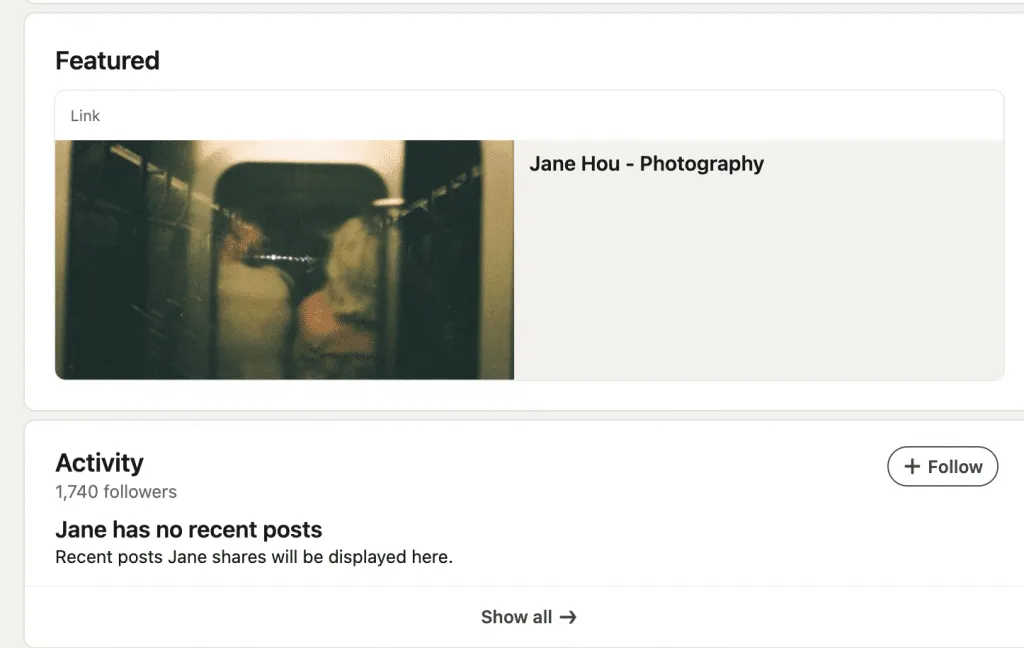
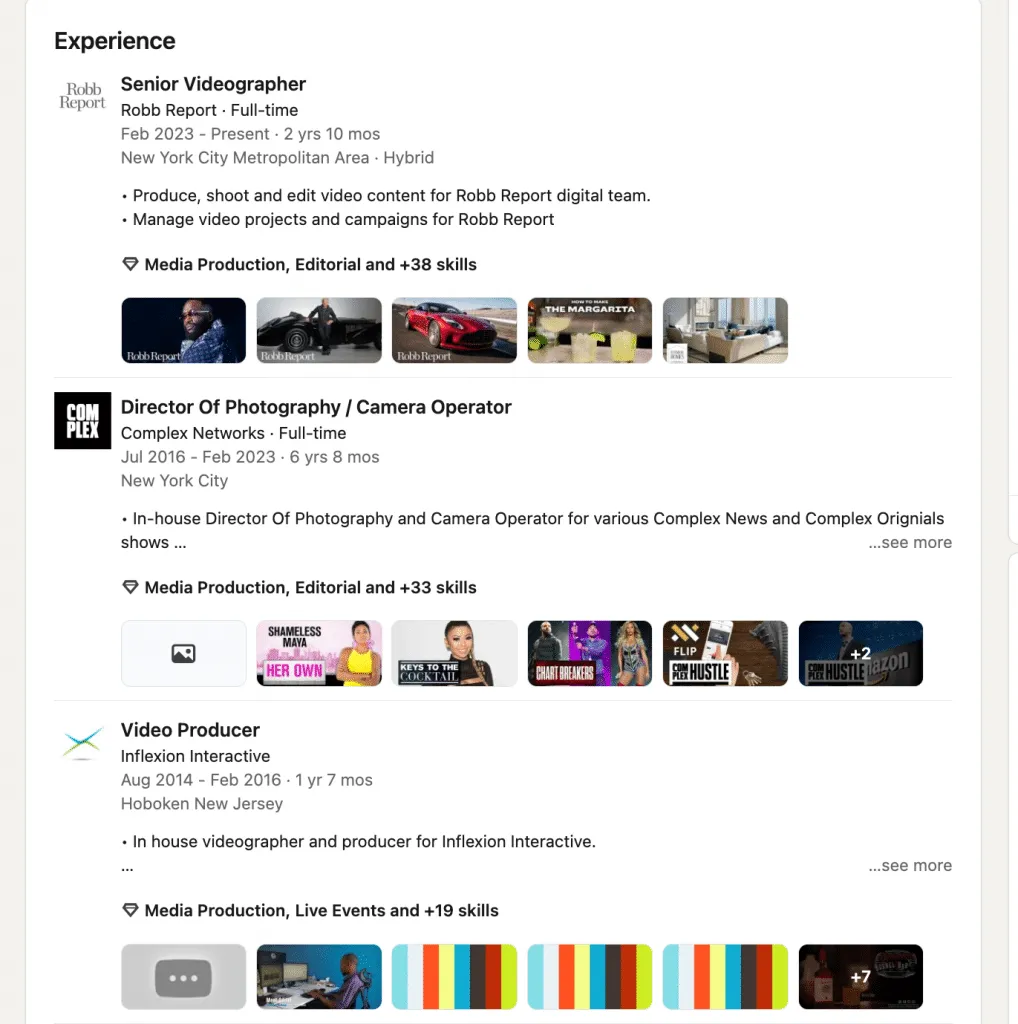
Below are illustrative examples of how the feature appears on real profiles:
Screenshot Example 1 — Featured Section Display
Screenshot Example 2 — Portfolio Inside an Experience Entry
Portfolio vs. Regular Profile
| Feature | LinkedIn Profile | LinkedIn Portfolio |
|---|---|---|
| Format | Mostly text | Visual, media-rich |
| Purpose | Describe work | Show work |
| Content | Roles, summary | Projects, samples, proofs |
| Impact | Good for context | High recruiter engagement |
A strong portfolio showcase helps you stand out instantly—because seeing your work is far more powerful than reading about it.
Why Having a LinkedIn Portfolio Matters for Your Career
A LinkedIn professional portfolio isn’t just a nice-to-have — it’s a powerful differentiator. With 86% of recruiters spending 30 seconds or less on an initial LinkedIn profile screen, visuals that grab attention quickly make a real impact.
By showcasing actual work samples, case studies, and testimonials, your portfolio lets you prove your skills instead of just claiming them, giving hiring managers immediate evidence of your impact.
Importantly, embedding a portfolio directly on your LinkedIn profile removes friction: candidates don’t need to ask people to click over to external websites.
Why is LinkedIn portfolio important? According to one guide, adding portfolio content can boost your profile views by up to 384% and impressions by 888%.That kind of visibility often leads to more recruiter inquiries and opportunities. This is especially crucial in competitive job markets, where standing out can mean the difference between getting a message or being overlooked.
One real-world example: a creative professional linked their Behance portfolio into LinkedIn, and they saw three times higher response rates from hiring teams. For designers, developers, marketers, writers, freelancers, and other professionals whose work is inherently visual, LinkedIn portfolio examples are especially valuable.Beyond just attracting recruiters, a complete, media-rich profile also improves LinkedIn algorithm visibility: richer engagement, more dwell time, and greater profile completeness all help you rise in search rankings.
In short, a LinkedIn portfolio amplifies your recruiter attraction in ways a standard profile never could, turning your LinkedIn presence into an active job-search tool rather than just an online CV. It’s one of the most effective job search tips for professionals seriously investing in their careers.
How to Add a Portfolio to Your LinkedIn Profile: Step-by-Step Guide
Adding a portfolio link to your LinkedIn profile is a powerful way to showcase your work, projects, and achievements. Here’s a detailed guide on how to add a portfolio to LinkedIn and maximize recruiter engagement.
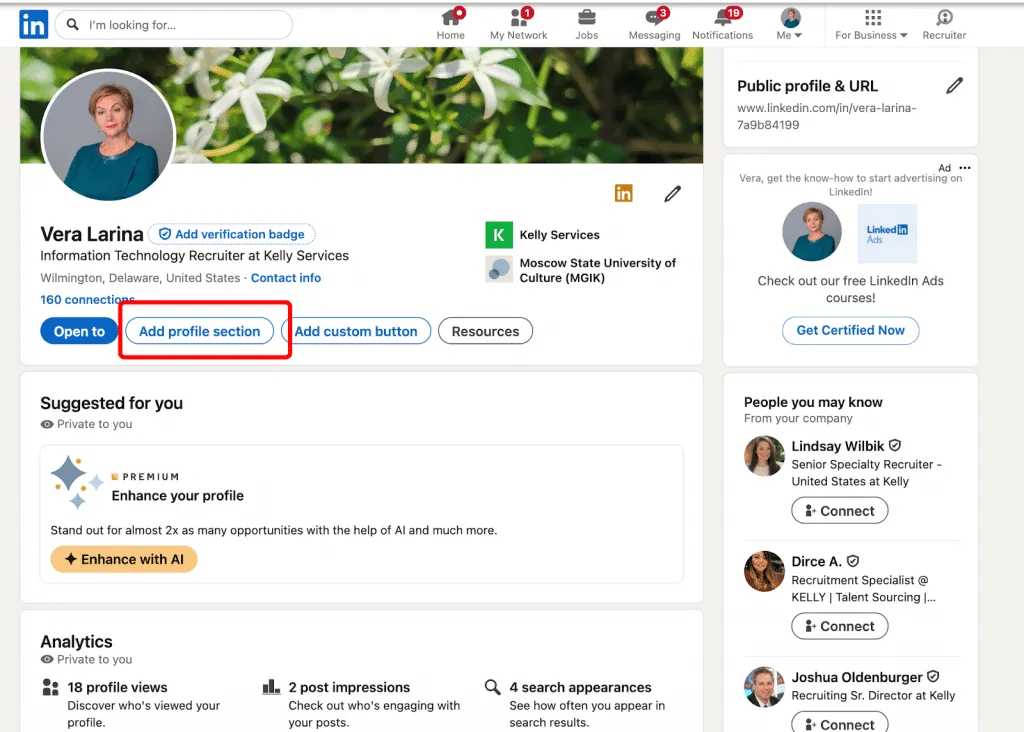
Step 1: Open Your LinkedIn Profile
- Navigate to your profile.
- Click Add profile section.
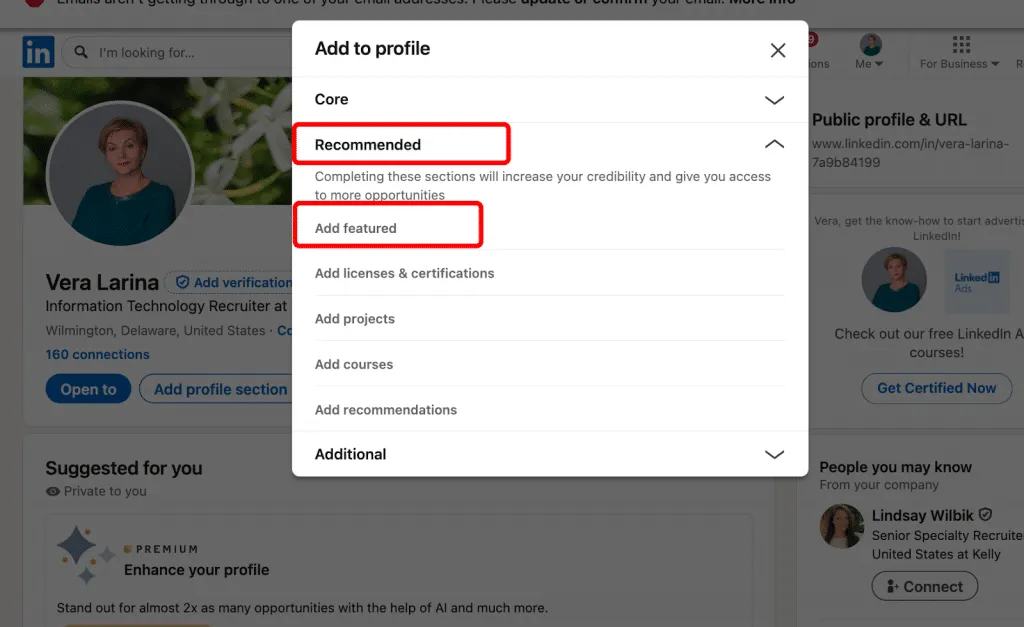
Step 2: Scroll to Featured Section
Locate the Featured section (or create it if it doesn’t exist).
Choose Recommended → Add featured content.
Step 3: Click “+” Icon
Click the “+” Icon in the Featured section to start.
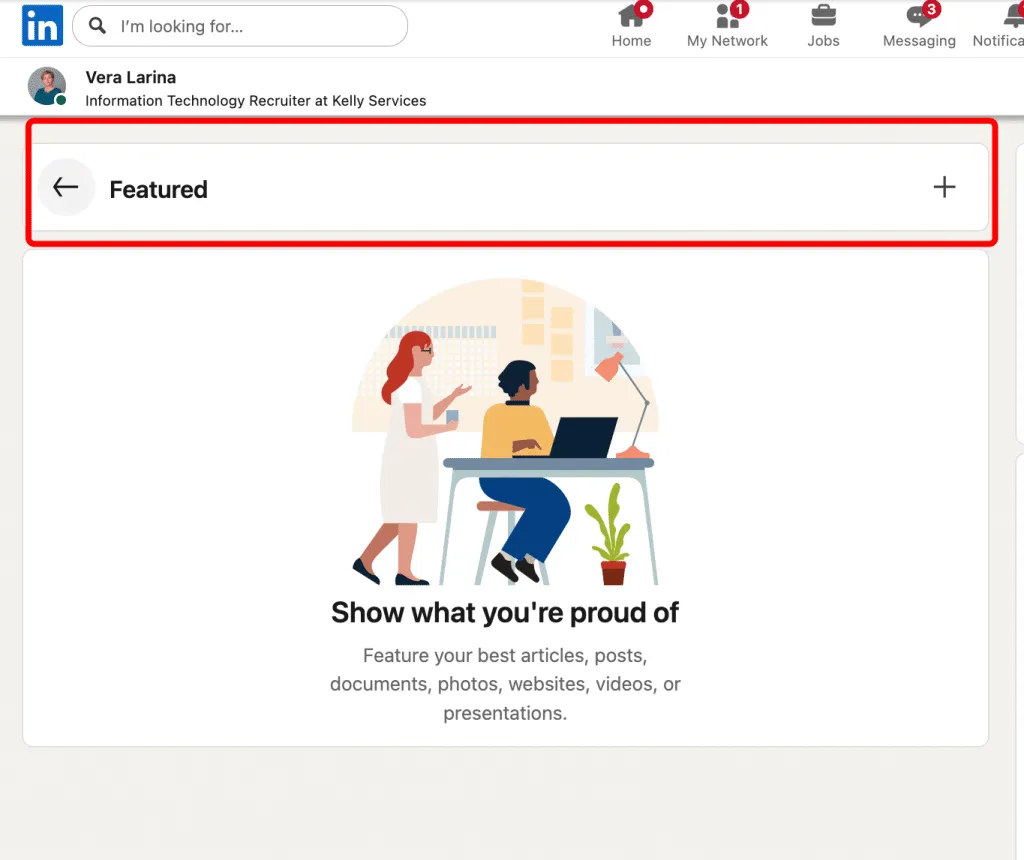
Step 4: Choose Content Type
LinkedIn lets you add portfolio to LinkedIn as:
- External link (portfolio website, Behance, Dribbble, GitHub, etc.)
- PDF (upload directly)
- Images (screenshots or work samples)
- Videos (YouTube or LinkedIn)
- Articles or presentations
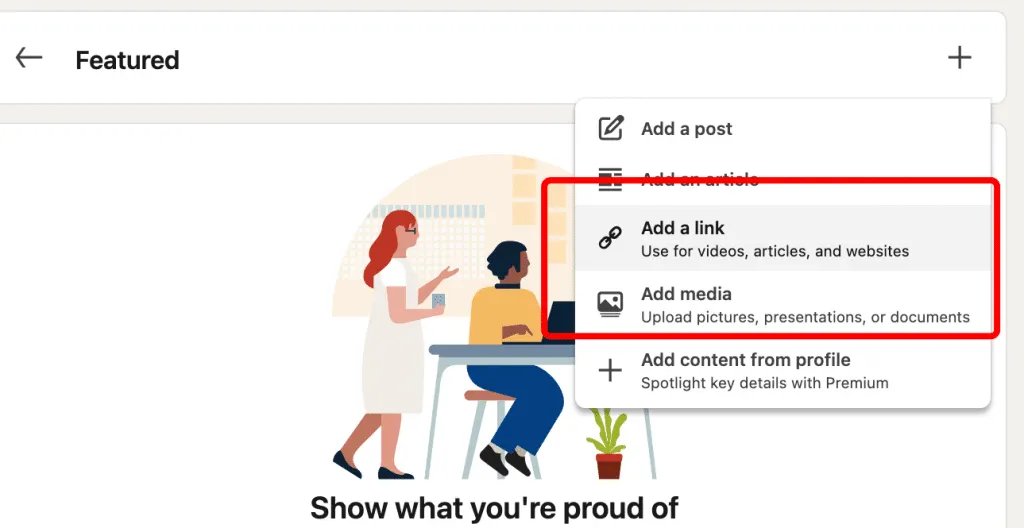
Step 5: Upload or Link Your Content
For external links, paste the URL. This is the easiest way to how to add portfolio link in LinkedIn.
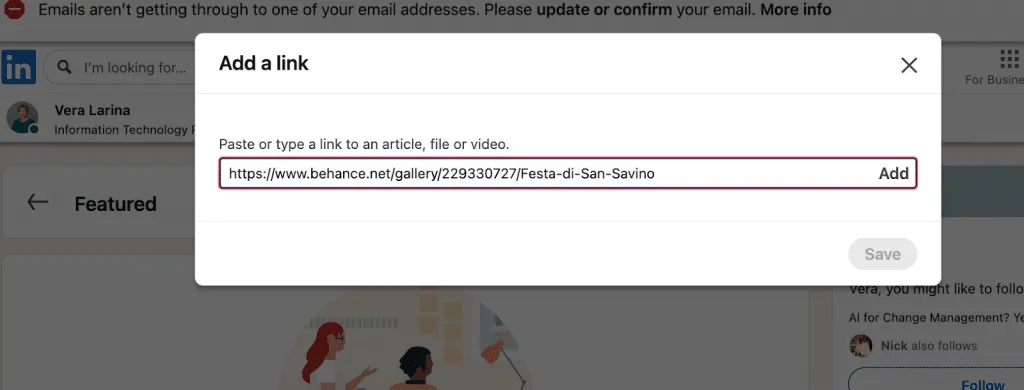
PDFs, images, and videos can be uploaded directly to LinkedIn when you follow how to upload portfolio on LinkedIn.
- For PDFs, ensure they are optimized for web viewing, with readable fonts and concise formatting.
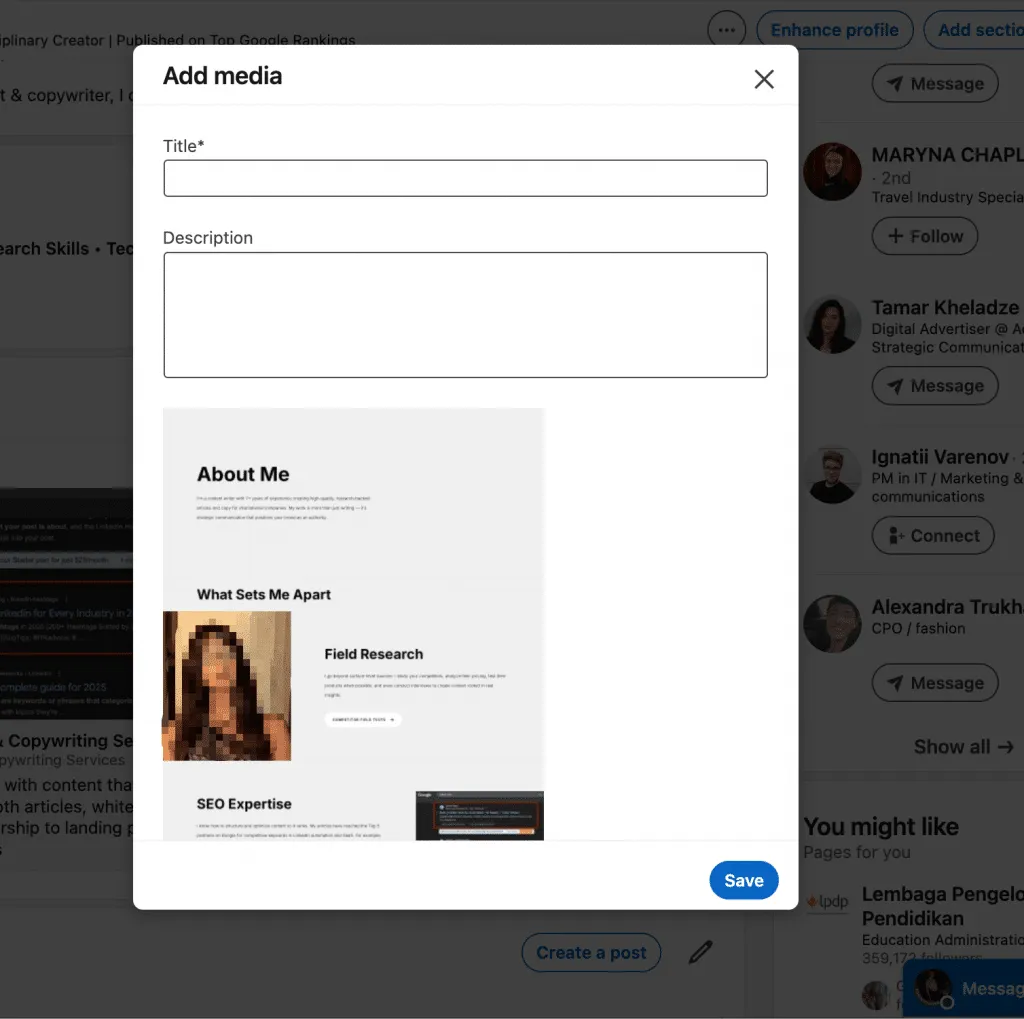
- For images, use high-resolution files and crop or resize them to highlight key aspects of your work.
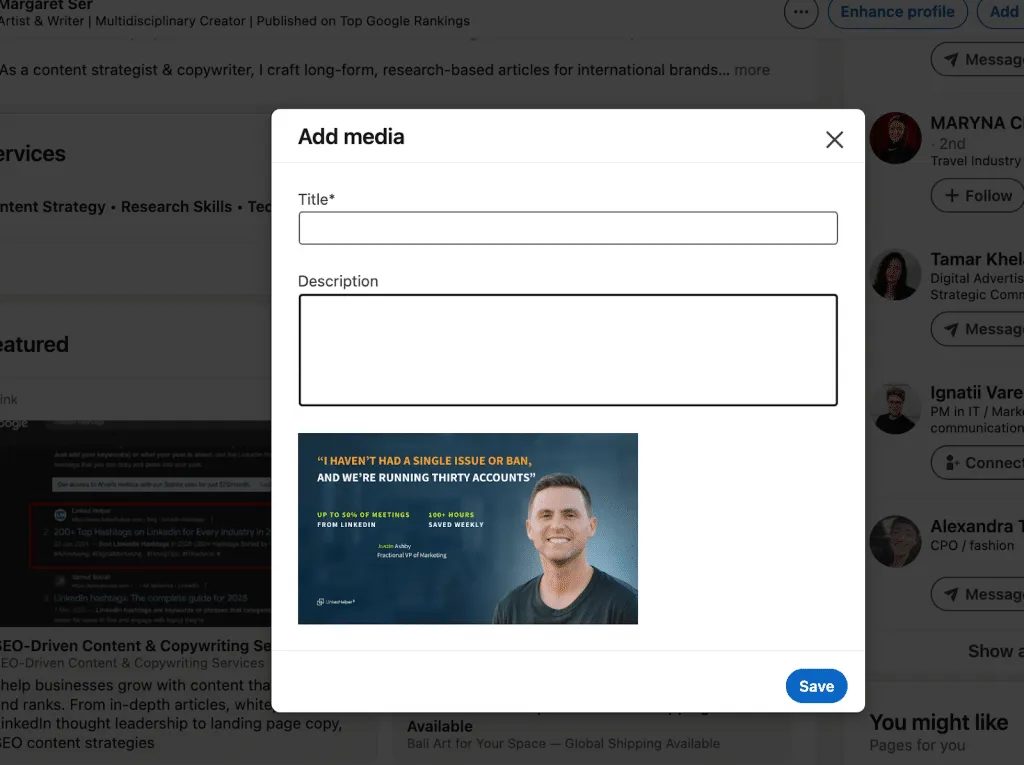
- Videos should be short, clear, and properly edited, with captions or annotations if needed, so recruiters can immediately understand the project.
Proper formatting and clarity make your portfolio look professional and enhance recruiter attraction, ensuring that each uploaded item communicates your skills effectively without requiring extra explanation.
Step 6: Add Title and Description
Adding a clear title and description is a critical step—this is where you show why LinkedIn portfolio important for recruiters and potential clients.
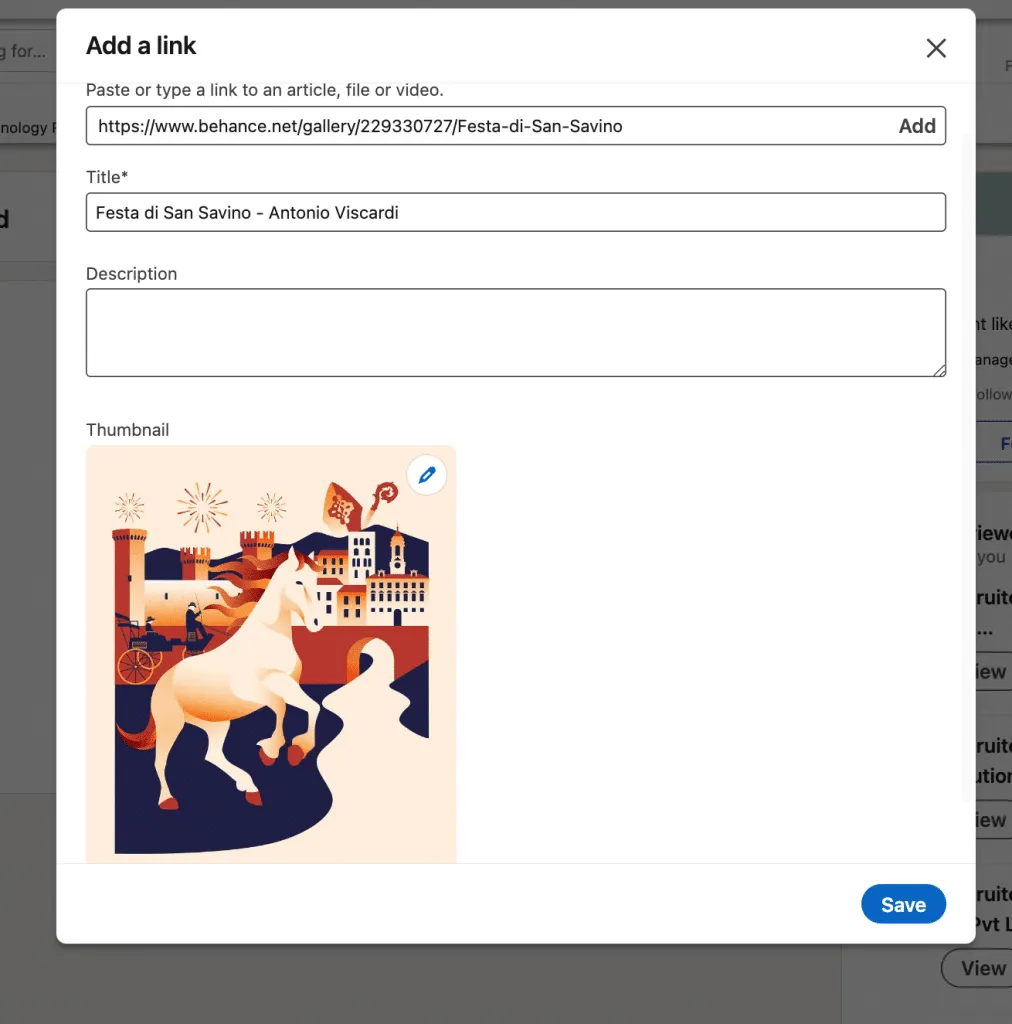
- Write a compelling title that summarizes the project or achievement, for example: “Branding Case Study: Tech Startup Rebranding”.
- Add a brief description explaining the work, your role, and the measurable results. Use bullet points if necessary to highlight impact.
- Effective titles and descriptions make your portfolio items stand out in search results and improve recruiter attraction.
- Refer to LinkedIn portfolio examples to see how top professionals structure titles and descriptions for maximum visibility and engagement.
Step 7: Publish and Check Your Profile
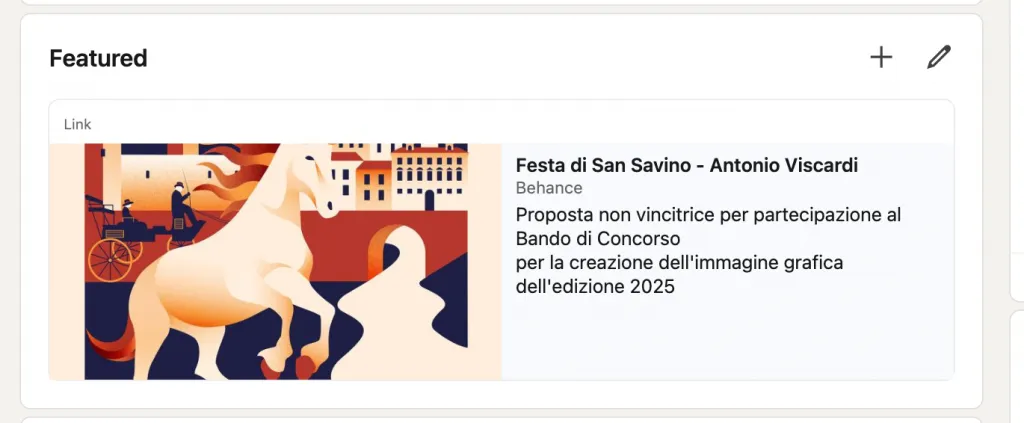
Once titles and descriptions are in place:
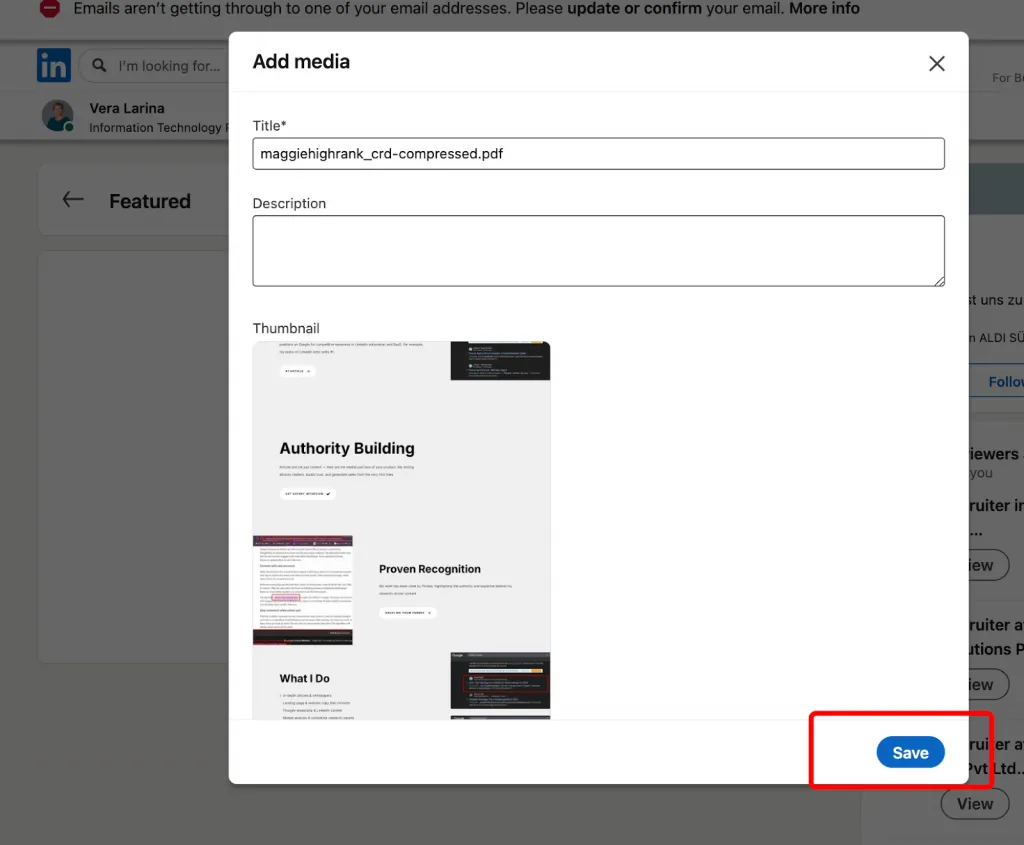
- Click Save to publish your portfolio items.
- Review your profile to ensure each portfolio entry appears correctly and is easy to navigate.
- Test all links, videos, PDFs, and images to confirm they load properly.
- A polished, fully functional portfolio shows why LinkedIn portfolio important, helping recruiters instantly evaluate your skills without extra effort.
How to Create a Portfolio for LinkedIn (If You Don’t Have One Yet)
If you’re wondering can you create a portfolio on LinkedIn, the answer is yes—LinkedIn offers two strong methods. Below is a clear guide showing how to create portfolio in LinkedIn using the Experience section or how to make portfolio on LinkedIn using the Featured section.
Option 1: Use LinkedIn’s Built-In Portfolio (Simple Projects)
1- Embed Portfolio in Experience
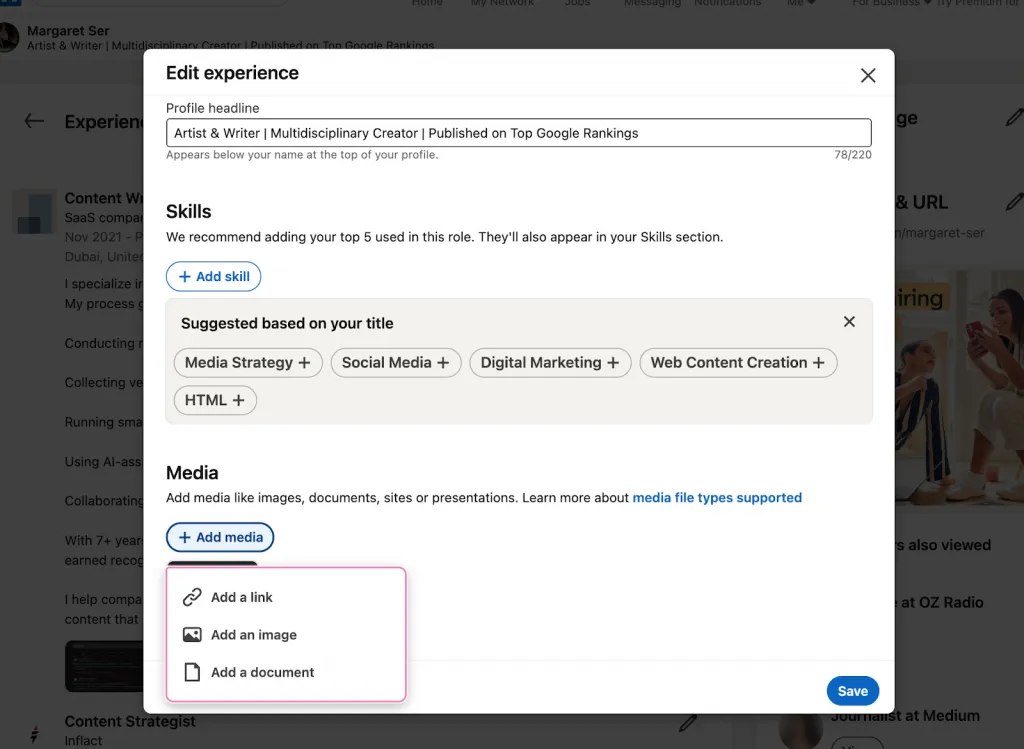
(Perfect for structured, role-based project proof)
- Go to your job experience → Add media.
- Upload: PDFs, PPTs, Docs, JPG/PNG, GIF (first frame).
- Limits: up to 100 MB, 300 pages, no document upload on mobile.
- Include:
- Project summaries
- Case studies (PDF)
- Presentations
- Metrics or results
- Screenshots or visuals
- This method shows how to create portfolio in linkedin directly linked to your roles.
2 – Use the Featured Section as Your Portfolio
(Best for high-visibility content)
- Add Links, Documents, Images, or Posts.
- LinkedIn auto-generates a preview card (title, image, description).
- Ideal for:
- Case studies
- Visual work
- Articles
- Project breakdowns
- This is often the best method when people ask how to make portfolio on linkedin quickly and visually.
Which Method to Choose?
- Experience section → best for credibility, context, and job-anchored proof.
- Featured section → best for attention, visuals, and powerful project highlights.
Option 2: Create an External Portfolio Website
If you’re wondering how to create portfolio in LinkedIn but want more creative control, an external portfolio website is an excellent choice. You can then link it to your LinkedIn Featured section for a polished, professional look.
Building your own site typically takes 1–4 weeks and costs between free and $30/month depending on the platform and hosting.
Popular Tools + Pros & Cons
Webflow
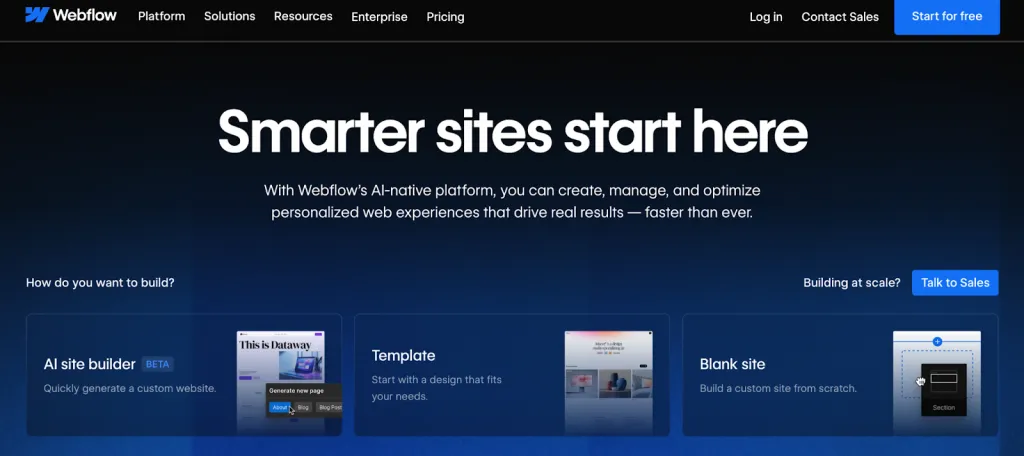
Pros:
- Most customizable and professional visual builder
- Advanced animations and interactions
- Great for designers & agencies
Cons:
- Higher learning curve
- Paid plans required for full site features
Wix
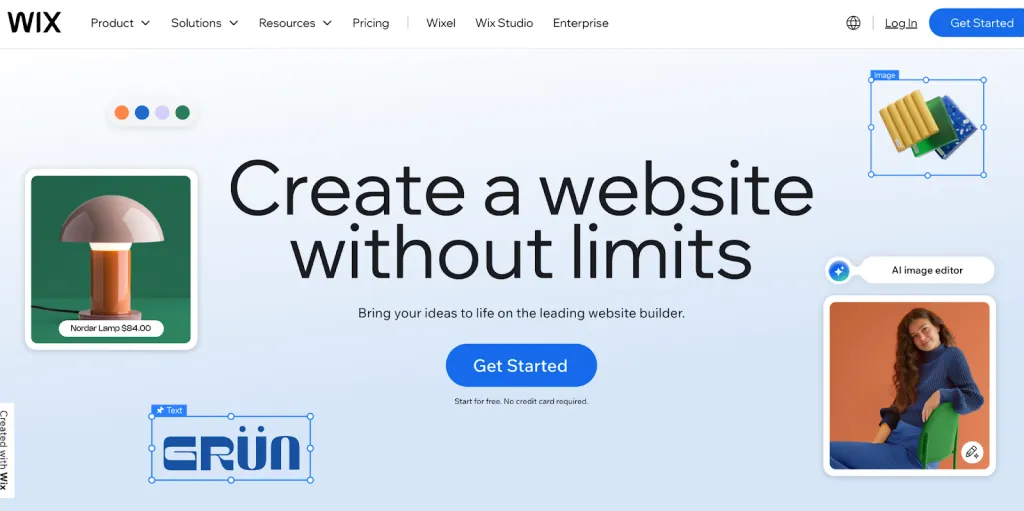
Pros:
- Extremely beginner-friendly
- Large template library
- Quick to set up (1–2 days)
Cons:
- Less flexible than Webflow
- Sites may look “template-like” without customization
Squarespace
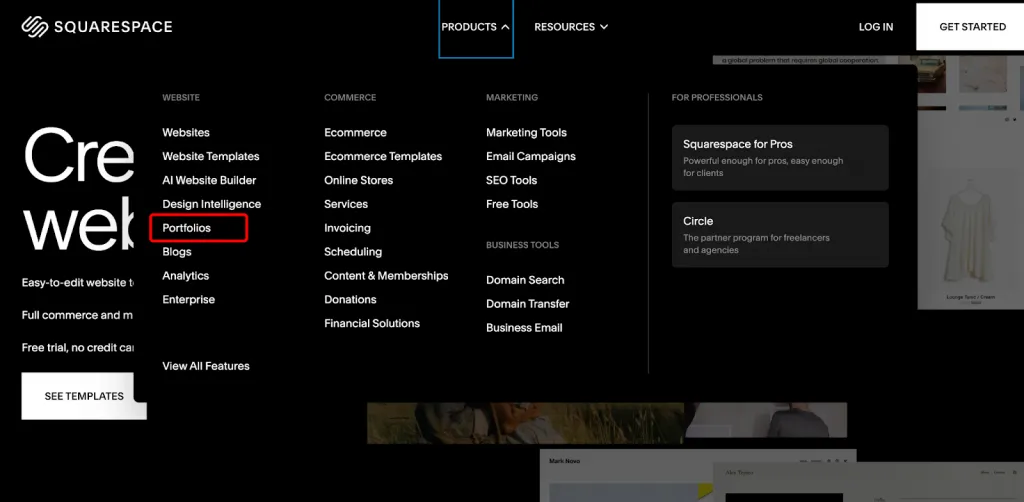
Pros:
- Clean, modern, beautiful templates
- Strong typography and branding tools
- Perfect for photographers, creatives, personal brands
Cons:
- Not as customizable
- Limited advanced integrations
Adobe Portfolio
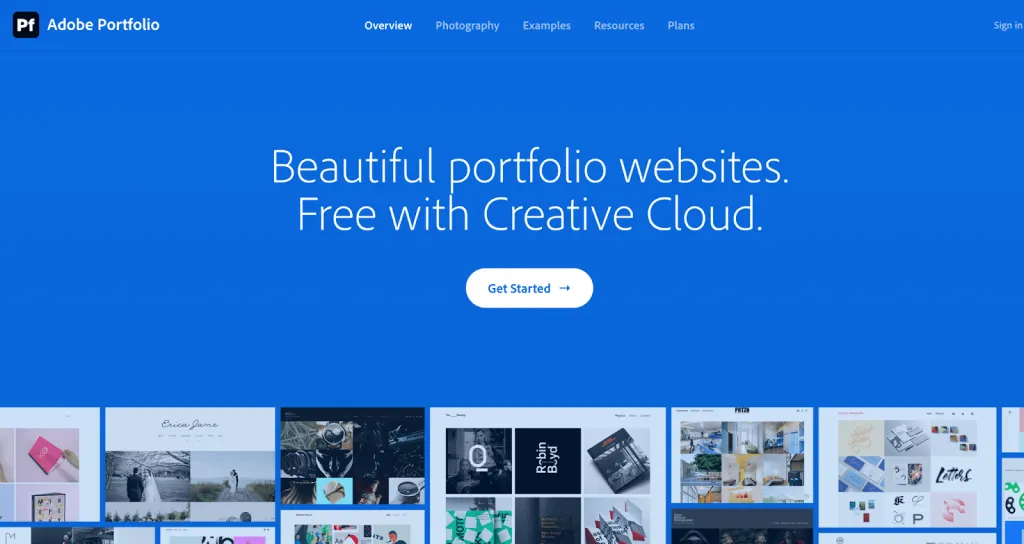
Pros:
- Free with Creative Cloud
- Integrates with Lightroom and Behance
Cons:
- Basic layouts
- Focused mostly on designers/photographers
Cargo
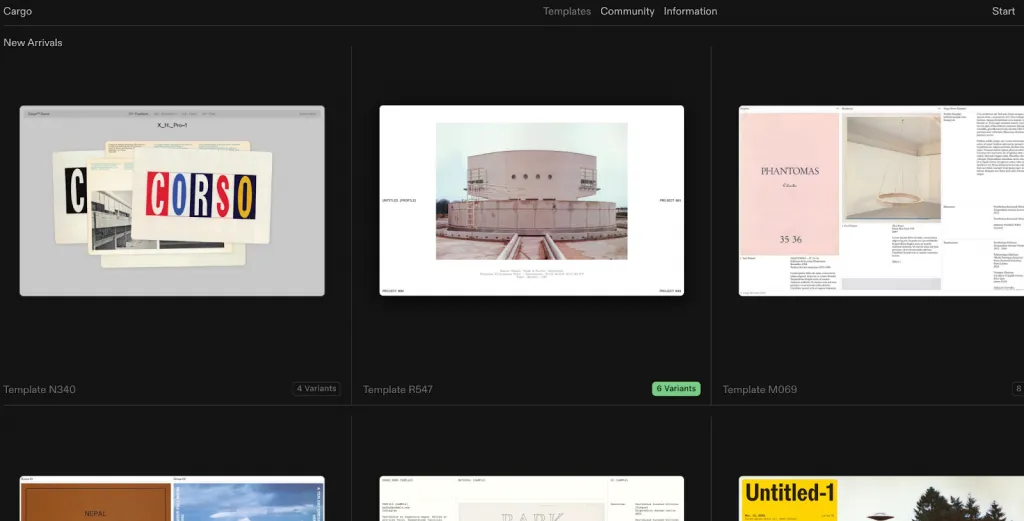
Pros:
- Editorial, artistic, modern portfolio styles
- Loved by visual artists
Cons:
- Less intuitive interface
- Not ideal for business case studies
Best for:
Anyone who wants a fully branded, independent site and wants to understand how to create portfolio in linkedin by linking a polished external portfolio.
Option 3: Use Portfolio Platforms (Designer/Developer Focused)
If you want a fast solution for how to create portfolio in LinkedIn, using existing portfolio platforms is the quickest way. When you paste the link into LinkedIn’s Featured section, LinkedIn automatically pulls the cover image, creating a clean, professional preview card.
Platform Advantages
Behance (for Designers)
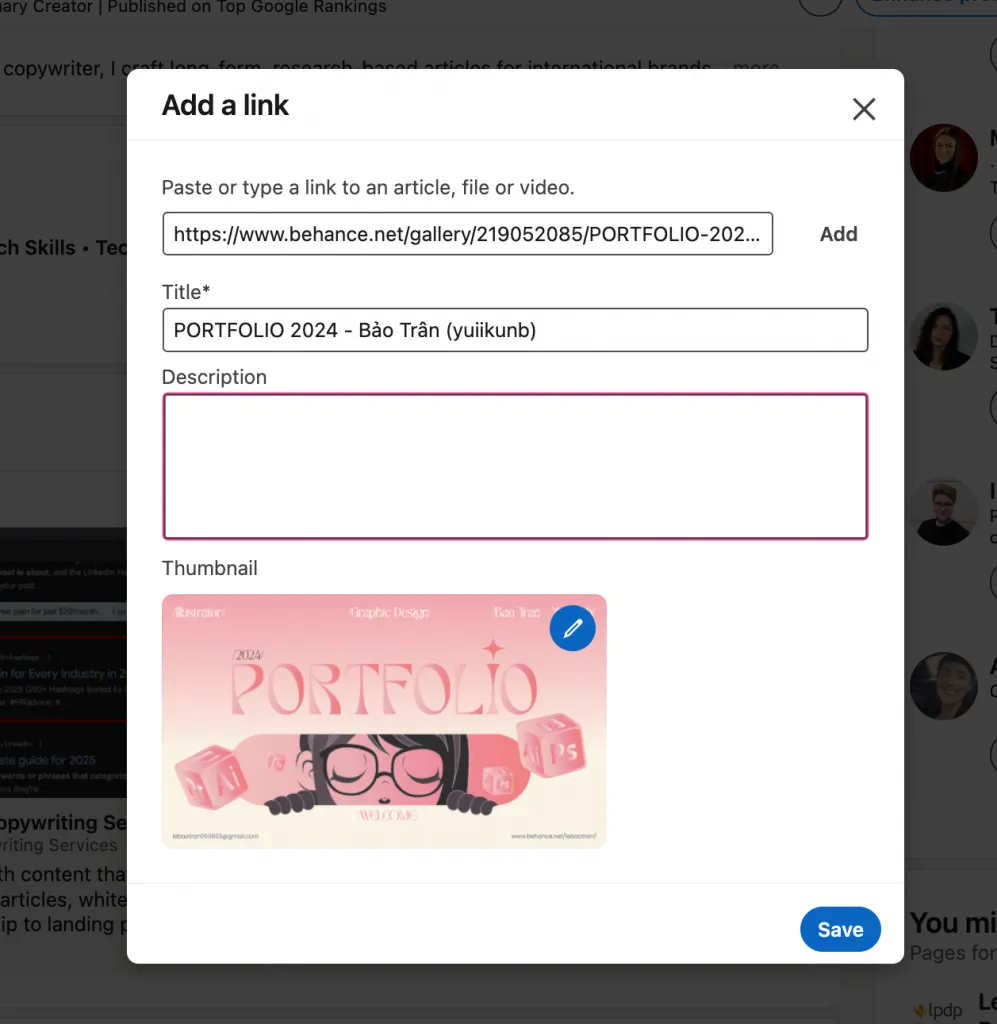
- Ideal for detailed case studies
- Built-in creative audience
- Zero coding required
- Looks excellent when linked to LinkedIn
Dribbble (for Designers/Illustrators)
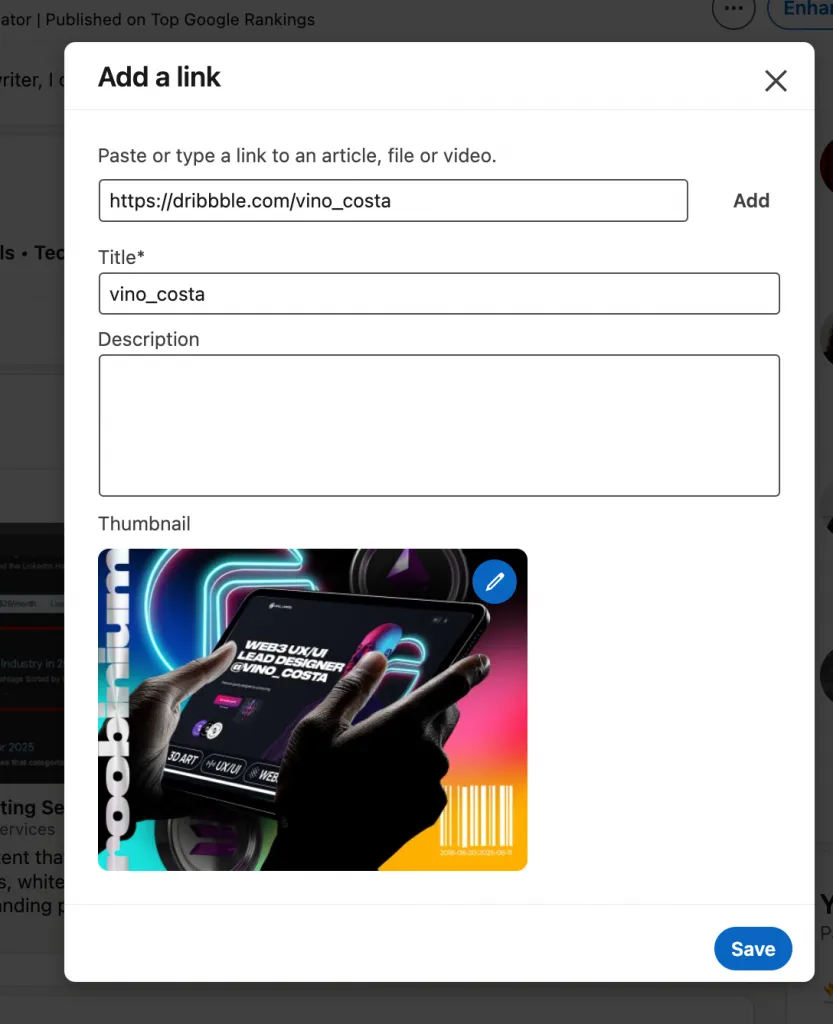
- Perfect for UI, illustration, branding previews
- Popular among recruiters
- Strong LinkedIn preview cards
GitHub (for Developers)
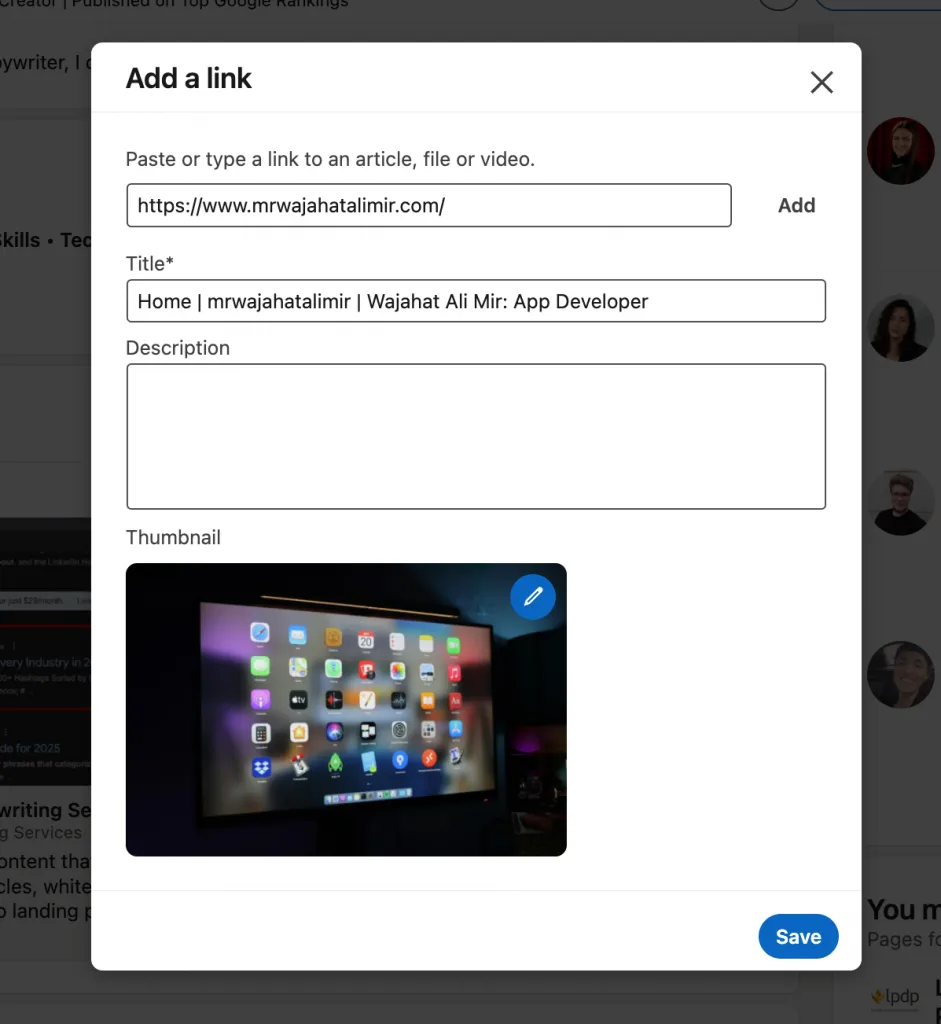
- Shows real code, commits, project structure
- High technical credibility
- Clean URL and auto-generated preview
Medium / Substack (for Writers)
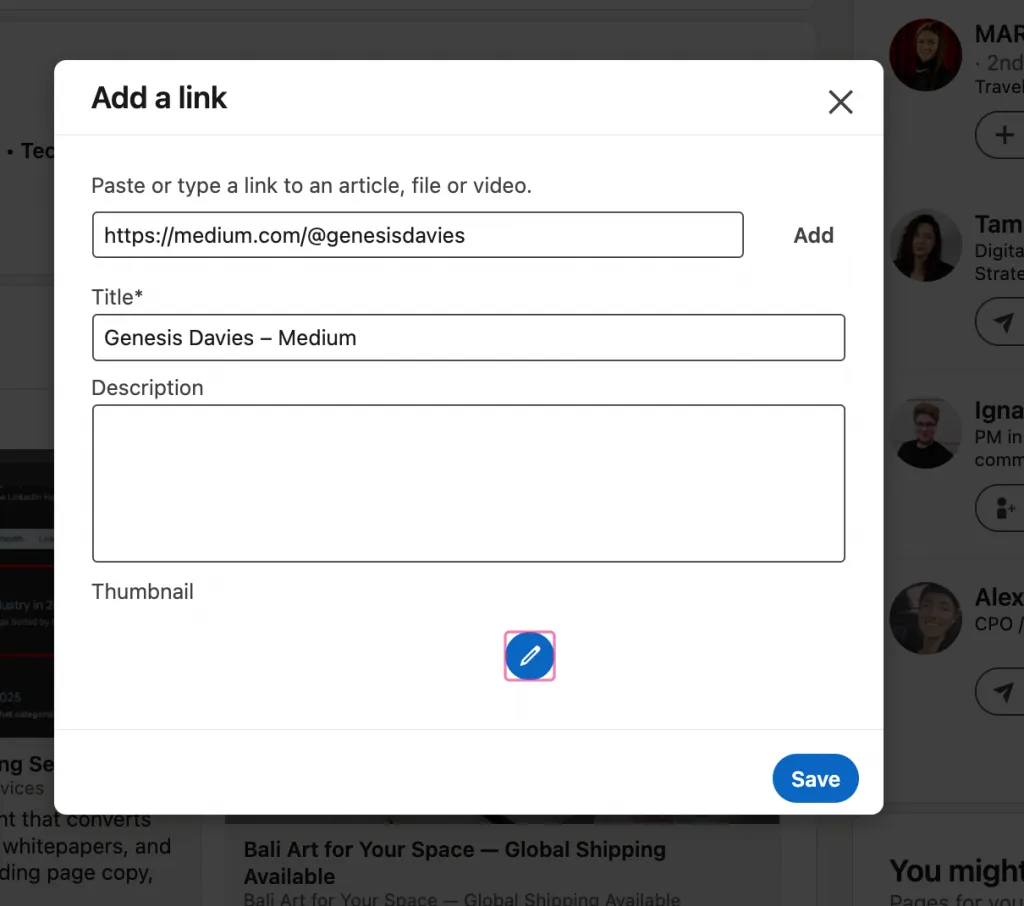
- Best for articles, thought leadership, storytelling
- Clean reading experience
- Excellent LinkedIn integration
Why Choose This Method?
- No setup required
- Instant portfolio presentation
- Optimized automatically when linked
- Great for people wanting to know how to create portfolio in linkedin quickly
Best for:
Designers, developers, writers, and anyone who wants a fast, platform-based portfolio linked directly to LinkedIn.
Option 4: Create a PDF Portfolio
A PDF portfolio is one of the simplest ways to show work and is ideal for those learning how to create portfolio in LinkedIn. It’s quick, easy to share, and requires no technical skills.
Benefits
- Easy to share and upload directly to LinkedIn Featured section
- Quick to create (hours, not weeks)
- Portable for email or job applications
How to Create
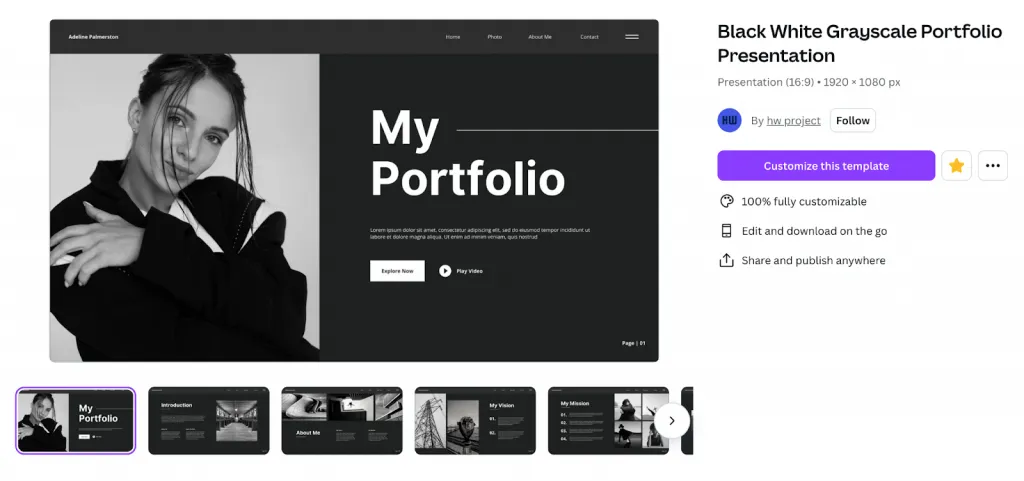
- Design in Canva, InDesign, or Google Slides
- Include 3–5 best work samples with titles, short descriptions, and results
- Export as PDF (high quality, under 20 MB)
- Upload to LinkedIn Featured section as media
Quick Tips
- Keep it focused on top projects
- Show results and impact
- Use consistent branding (fonts, colors, spacing)
- Make it mobile-friendly
- Add a CTA linking to full portfolio if available
What Should You Include in Your LinkedIn Portfolio?
When planning what to include in portfolio, choose only the projects that best showcase work illustrating your skills, results, and professional quality.
For Creative Professionals (Designers, Photographers, Artists)
Visual work samples: Showcase your 3–5 best projects to highlight your style and technical skill.
Case studies of your creative process: Describe context, goals, your role, challenges, and solutions.
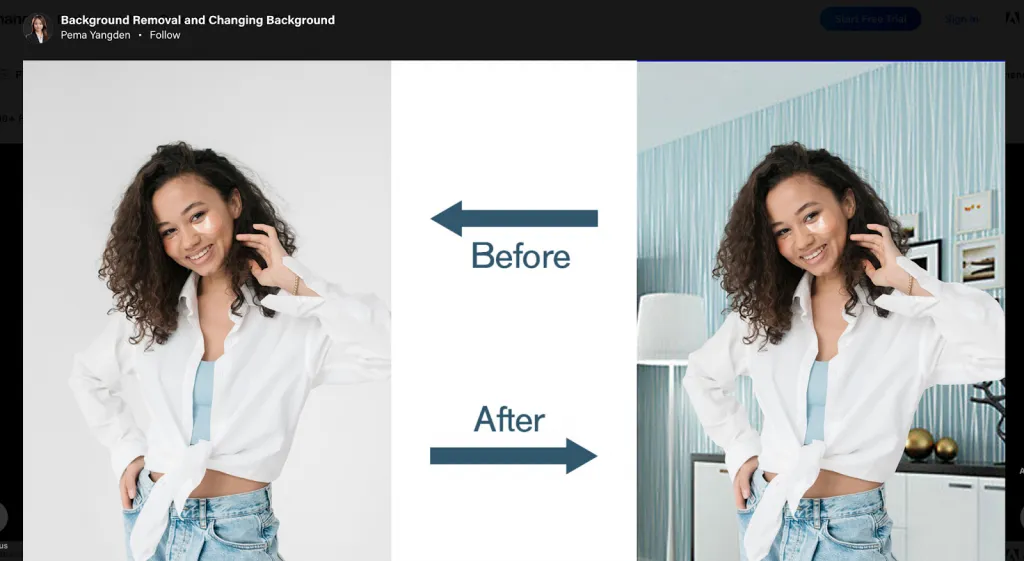
Before/after examples: Show transformations—how things looked before vs. your final work.
Client testimonials or recognition: Include quotes or feedback that validate your impact and professionalism.
For Developers and Engineers
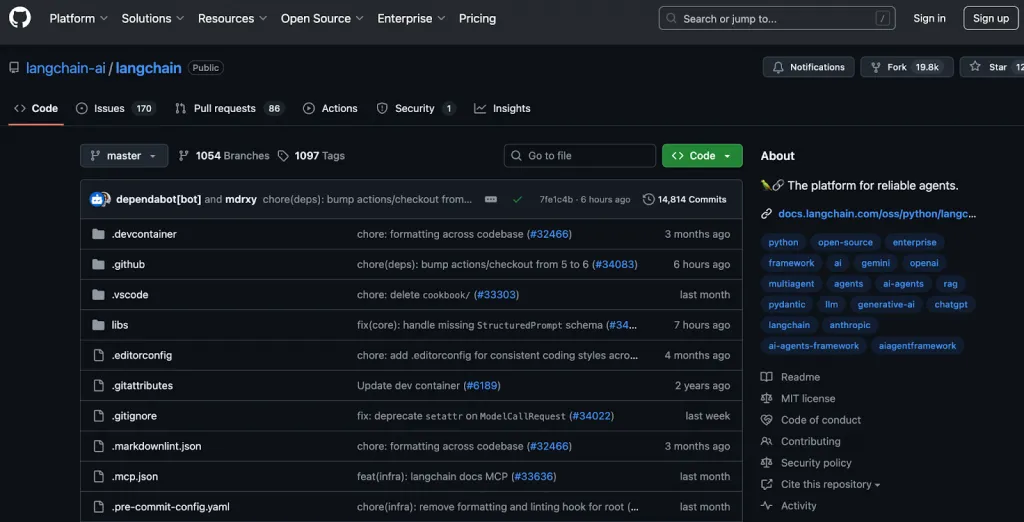
- GitHub repositories: Link to your repos and highlight popularity by showing star count or recent contributions.
- Live project demos or deployed apps: Include links so viewers can interact with your work directly.
- Code samples or technical documentation: Give concrete evidence of your ability to write clean, well-documented code.
- Open-source contributions: Showcase your collaborative work, not just solo projects.
For Marketers and Business Professionals
- Case studies with metrics: Share successful campaigns or business projects with quantified results (e.g., “Increased engagement by 45%”)
- Campaign examples with visuals: Use screenshots or slide decks to present ads, funnels, or campaign art.
- Reports or whitepapers: Publish downloadable content or link to detailed PDFs.
- Articles or thought leadership: Include blog posts, LinkedIn articles, or external publications.
- Video presentations or webinars: Embed or link to relevant talks, pitches, or instructional content.
For Writers and Content Creators
Published articles: Include links to your work on Medium, Substack, company blogs, or other websites. According to writing‑portfolio advice, links are preferred over PDF or Word formats, since they’re more professional and easier to navigate.
Writing samples in PDF: If some work isn’t published, convert your best pieces into clean PDFs (e.g., thought leadership, case studies).
Video content: If you create video content—interviews, presentations, webinars—feature them in your portfolio to show your versatility.
Testimonials: Add quotes from editors or clients who confirm your writing quality or reliability. Reedsy recommends featuring social proof to build trust.
For Freelancers (All Industries)
- Best client work: Only include your top projects (with client permission), showing diverse skills. As one LinkedIn freelance‑portfolio guide suggests, quality matters more than quantity.
- Testimonials and ratings: Use short quotes or LinkedIn recommendations to increase trust and credibility.
- Before/after results: Whenever relevant (e.g., marketing, design, writing), show what changed: initial state → your intervention → result.
- Pricing or package info (optional): You may include your service tiers or typical rates to help potential clients understand your value.
- Contact information / CTA: Provide a clear call to action (e.g., “Get in touch”, “See my full portfolio”) with your email or link.
General Best Practices for All Portfolios
Select 3–5 high‑quality items: Showcase your very best work rather than overwhelming people with every project in LinkedIn professional portfolio.
Include brief, impact-driven descriptions: For each piece, describe what you did, how you did it, and what results you achieved.
Update regularly: Refresh your portfolio every year or after major projects — remove outdated work and add fresh examples.
Vary content types: Use images, PDFs, video, and external links to display a well-rounded professional portfolio design.
Maintain consistent branding: Use unified fonts, color schemes, and layout style so everything feels cohesive and polished. Ensure consistent branding and design across your LinkedIn portfolio examples.
LinkedIn Portfolio Best Practices: How to Optimize for Maximum Impact
If you’re wondering how to improve LinkedIn portfolio quality or how to make your work stand out, these proven LinkedIn portfolio optimization strategies will help you present your projects with clarity, credibility, and visual impact.
Write Compelling Titles and Descriptions
Strong titles and descriptions set the tone for your entire professional portfolio design.
Use this effective title formula to attract attention:
“[Project Type]: [Problem + Solution + Result]”
Example: “E-commerce Website Redesign: Increased Conversion by 32%”
Keep every description under 100 words but rich in value:
- Highlight the challenge
- Describe your contribution
- Include the tools or methods used
- Add at least one specific metric
This is one of the most overlooked LinkedIn portfolio tips, yet it immediately boosts clarity and recruiter engagement.
Use High-Quality Visuals
A visually polished portfolio signals professionalism and attention to detail. For best practices LinkedIn portfolio presentation, make sure your visuals:
- Are high-resolution, clear, and well-composed
- Follow consistent branding (colors, type, layout)
- Avoid unnecessary clutter or distracting backgrounds
- Load quickly (optimize image sizes)
High-quality imagery instantly elevates your work and strengthens your personal brand.
Include Metrics and Results
One of the fastest ways to improve LinkedIn portfolio credibility is to show measurable outcomes. Recruiters trust numbers. Include metrics such as:
- Conversion increases
- Revenue impact
- Growth percentages (e.g., +45% engagement)
- Before/after comparisons
- User or customer gains
Visualizing results using charts, process diagrams, or annotated screenshots is a powerful LinkedIn portfolio optimization technique that showcases expertise at a glance.
Update Regularly
Keep your LinkedIn portfolio active and relevant by maintaining a consistent update cycle.
Best practices:
- Add new work every 2–3 months to show continuous professional growth.
- Archive or remove outdated items that no longer reflect your level of skill.
- Refresh copy with new testimonials, performance metrics, or updated project outcomes.
- Reorder items so your strongest and most relevant projects appear at the top.
- Align portfolio items with your current career direction (e.g., shift from generalist to specialist).
- Track performance analytics (views, clicks) and replace low-performing items.
Leverage External Links
Boost portfolio depth by including off-platform work that showcases expertise in more formats.
What to link:
- Full case studies hosted on your website or Notion.
- GitHub repositories (for code samples, open-source contributions).
- Behance/Dribbble galleries with high-quality visuals.
- YouTube/Vimeo videos or demos for product walkthroughs.
- Google Drive/Sheets/Slides for reports (ensure they’re public).
Best practices:
- Use short, branded URLs (e.g., yourname.com/portfolio).
- Test links monthly to avoid dead or restricted links.
- Add a thumbnail image where LinkedIn allows — it increases clicks.
- Ensure external pages are mobile-friendly and load in under 3 seconds.
Mobile Optimization
Since more recruiters browse LinkedIn on mobile in 2025, mobile-friendly portfolio design is essential.
Checklist:
- Preview your portfolio on mobile and tablet before publishing.
- Use vertical or 1:1 images, which display better on smartphones.
- Compress images to keep file sizes under 1MB without losing quality.
- Write short, scannable descriptions — 3–5 lines max.
- Avoid dense PDFs; use lighter, scroll-friendly formats when possible.
- Ensure all external links are responsive and easy to navigate on small screens
Include Client Testimonials (When Possible)
Lean on social proof to increase credibility and conversion.
What to include:
- Short 1–2 sentence testimonials summarizing the client’s experience.
- Client name, title, company, or project role for legitimacy.
- Optional: a small headshot (only if publicly allowed).
Best practices:
- Place testimonials within each portfolio item, not buried in your About section.
- Use specific praise (“improved ad ROAS by 52%”) rather than general praise.
- Update testimonials annually to keep them relevant.
- Use LinkedIn’s “Add Media” feature to upload screenshots of official reviews.
Create a Consistent Visual Brand
A unified visual identity makes your portfolio look intentional, polished, and more professional.
Visual branding elements:
- 2–3 core brand colors used across thumbnails and documents.
- A consistent font style in PDFs, images, and case study layouts.
- Matching cover images for projects (e.g., same layout, color bar, or title placement).
- Cohesive iconography or graphic style for charts and metrics.
- Clean, minimalist design — no clutter, no mismatched visuals.
Best practices:
- Use Canva templates to standardize project covers.
- Avoid random screenshots; curate and edit them for clarity.
- Keep your branding aligned with your personal positioning (e.g., bold, minimal, playful, corporate).
How to Link Your External Portfolio Website to LinkedIn
Adding an external portfolio to your LinkedIn profile is one of the fastest ways to increase visibility and credibility.
Whether your work lives on a personal website, GitHub, Behance, Dribbble, or Notion, you can add your portfolio URL in several strategic LinkedIn locations.
Below are the most effective methods, including where to add your LinkedIn portfolio link for maximum impact.
Method 1: Add Link to Featured Section (Recommended)
This is the most visible, most recruiter-friendly method. If you’re wondering how to link portfolio to LinkedIn for best results, use this approach.
Steps to add portfolio link in LinkedIn:
- Go to your LinkedIn profile.
- Scroll to the Featured section. If you don’t have it yet, click “Add profile section” → Recommended → Add Featured.”
- Click “+” → Add Link.
- Paste your portfolio URL (e.g., yourname.com/portfolio).
- Add a compelling title such as:
- “Portfolio: UX Case Studies & Product Design Work”
- “Full-Stack Developer Portfolio – Live Projects & GitHub Links”
- Add a short description (optional but recommended).
- Save.
Why this method is best:
- Appears near the top of your profile.
- Shows a large clickable preview image.
- Works perfectly for Webflow, Wix, Squarespace, GitHub, Notion, Behance, and more.
- Highest click-through rate according to recruiter behavior.
This is the #1 answer to where to add portfolio link in LinkedIn if you want maximum visibility.
Method 2: Add to Website Section of Your Profile
This is a clean and professional option for people who want multiple links or need a dedicated LinkedIn portfolio link area.
Steps:
- Open your profile and click “Contact Info.”
- Scroll to “Websites.”
- Click “Add website.”
- Choose a custom label such as:
- Portfolio
- Creative Work
- Case Studies
- GitHub Projects
- Paste your portfolio URL.
- Save.
Why this method helps:
- Great for people with multiple links (GitHub + website + Behance).
- Appears consistently in recruiter dashboards.
- Clean and predictable placement for your portfolio URL LinkedIn profile section.
This is ideal if you’re asking how to add portfolio link in LinkedIn without cluttering the Featured section.
Method 3: Mention in About Section
Adding your portfolio URL in the About section is one of the simplest ways to make it visible to recruiters and clients.
How to Do It
- Open your LinkedIn About section → click Edit
- Add a sentence like: “View my portfolio at: [shortened URL]”
- Consider using a URL shortener or custom domain to keep it clean
- Place the link within the first 2–3 lines so it’s visible without clicking “See more”
Pros & Cons
- Pros: Extremely visible, appears early on your profile
- Cons: Less structured and less visually appealing than Featured section
Method 4: LinkedIn’s “Open to Work” Section
If the 2025 LinkedIn version in your region includes a more advanced Open to Work / Job Preferences section, you can attach your portfolio link directly to your hiring preferences.
How to Do It
- Go to Open to Work → Job Preferences
- Look for “Add portfolio link” or “Supporting links”
- Paste your portfolio URL (e.g., Behance, personal website, case study page)
- Select the job roles this link is relevant for
Visibility
- Visible to recruiters using LinkedIn Recruiter
- Some markets allow this link to be shown publicly on your profile headline banner
Best Practices for Linking External Portfolios
Make your external portfolio site work harder for you with these updated 2025 best practices.
1. Use Short, Memorable URLs
- Use a branded domain: yourname.com
- Create a direct path: yourname.com/portfolio
- Avoid long platform-based URLs when possible
2. Test All Links Regularly
- Check your portfolio URL monthly
- Ensure no broken pages, missing images, or outdated projects
3. Ensure Fast Loading Speed
- Optimize images
- Remove heavy scripts
- Use portfolio builders with fast hosting (Webflow, Framer, Cargo Collective)
4. Make Sure Your Portfolio Is Mobile-Responsive
- Over 60% of LinkedIn traffic is mobile
- Test on iPhone + Android using your browser’s responsive mode
5. Update the Link When Changing Platforms
- If you move from Behance → Webflow → Notion → Dribbble, always update:
- Featured section
- Websites/Contact
- About section
- Resume attachments
6. Consider a Multi-Link Landing Page
For creators with multiple portfolio types, use:
- yourname.com/links
- Linktree
- Bio.fm
- Framer “hub” page
This allows you to link:
- Case studies
- Photography
- Design
- GitHub
- Writing samples
- Socials
LinkedIn Portfolio vs. External Portfolio: Which Should You Use?
Here’s a detailed, keyword-optimized section comparing different professional portfolio options — including LinkedIn portfolio vs external, plus Behance/Dribbble — with a table, scenario examples, and recommendations.
Below is a comparison of portfolio best practices for different platforms, helping you decide which makes the most sense for your goals and role:
| Feature | LinkedIn Portfolio | External Website | Behance / Dribbble | PDF Portfolio |
|---|---|---|---|---|
| Ease of Setup | Very Easy | Moderate | Very Easy | Very Easy |
| Customization | Limited | Unlimited | Moderate | Limited |
| Reach / Visibility to Recruiters | Very High (LinkedIn network) | Moderate (depending on SEO & sharing) | High in creative industry | Only reaches people you share it with |
| SEO Value | Moderate | High (you control SEO) | Moderate (platform SEO) | None (unless hosted online) |
| Mobile Responsive | Yes | Varies (depends on builder) | Yes | Varies (PDF reader) |
| Maintenance Required | Minimal | Moderate | Minimal | Minimal |
| Cost | Free | ~$5–30/month (or more) | Free or Pro plan (Dribbble) | Essentially free (just your time) |
| Best For | Job seekers, B2B networking | Long-term brand building, freelancers, businesses | Designers, illustrators, motion artists | Quick sharing, proposals, freelance pitches |
Pros & Cons of Each Approach
LinkedIn Portfolio
- Pros: Highly visible to recruiters, extremely easy to set up, integrates seamlessly with your work experience.
- Cons: Very limited customization, not ideal for deep case studies, less control over layout.
External Website
- Pros: Unlimited customization, strong SEO value, fully under your control, supports rich branding.
- Cons: Requires more maintenance, may cost monthly, setup takes time.
Behance / Dribbble
- Pros: Built for creatives, free exposure, strong community, integrates with design tools (Adobe Creative Cloud).
- Cons: Less unique customization, less control over hosting or domain, more “grid-style” profiles.
PDF Portfolio
- Pros: Quick to build, easy to share, ideal for sending to clients.
- Cons: Not discoverable via search, limited interactivity, requires you to distribute manually.
Recommendation Matrix by Role / Industry
- Job Seekers / Corporate Professionals → Lean on LinkedIn Portfolio to maximize recruiter reach.
- Freelancers / Consultants / Entrepreneurs → Invest in an External Website to build a personal brand and showcase detailed case studies.
- Creative Designers / Illustrators / Motion Artists → Use Behance or Dribbble (or both) to show off visual work and get discovered by creative recruiters.
- Writers / Consultants / Designers pitching work → Use a PDF Portfolio to send a highly curated, portable collection to prospects.
Real-World Scenarios
- A UX designer applying for jobs: They use their LinkedIn Featured section to display 3–4 case studies and link to their Behance profile so recruiters can explore more detailed work.
- A freelance brand strategist: Builds an external portfolio website that hosts blog posts, case studies, and testimonials — then links that site from LinkedIn.
- A graphic designer: Shares their Dribbble / Behance link when applying to creative roles — it’s more trusted by design hiring managers.
- A consultant or writer: Prepares a PDF portfolio with polished writing samples and client stories to attach in proposals or LinkedIn messages.
15 LinkedIn Portfolio Examples That Actually Get Results
1. UX Designer Portfolio Example
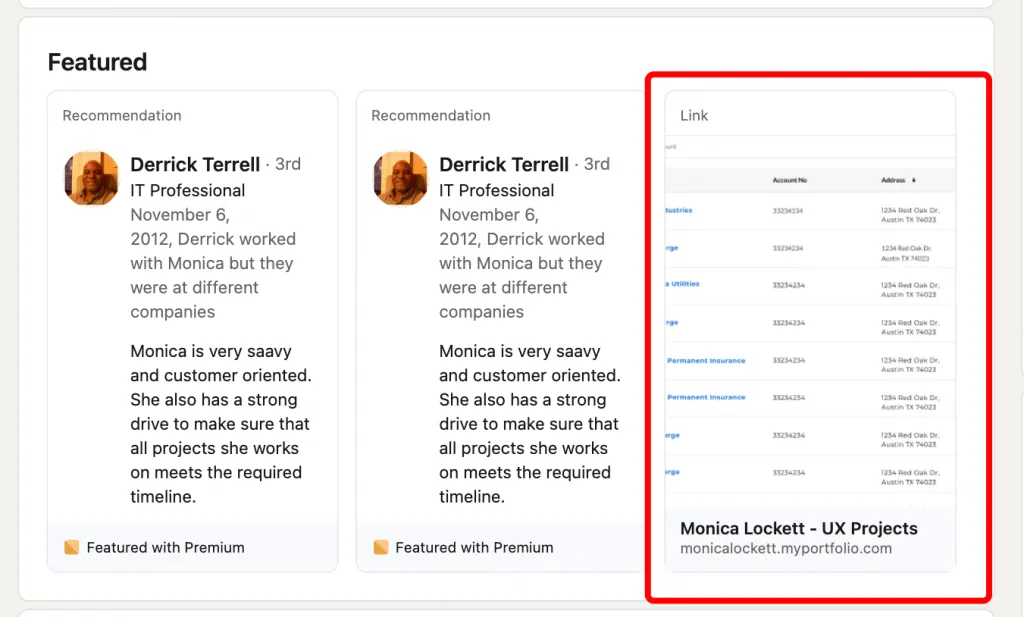
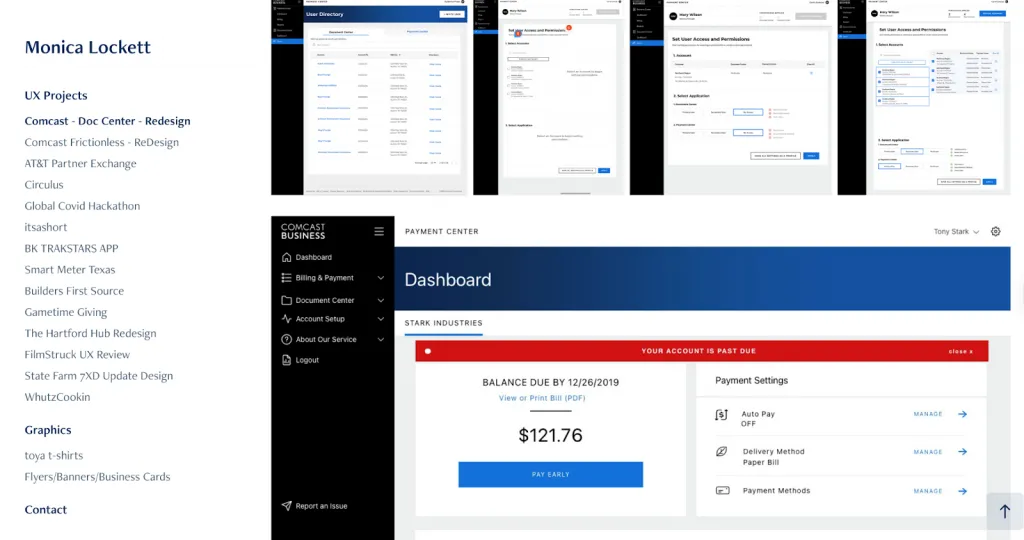
This UX portfolio stands out because it follows key principles seen in top LinkedIn portfolio examples and professional portfolio examples. The structure is clean and easy to scan, with clear categories and strong case studies.
The Comcast redesign project highlights the designer’s role, process, tools, and measurable results—showing real impact, not just tasks.
Metrics like a 20% faster payment process and 35% higher user satisfaction make the work credible and competitive among portfolio examples by industry.
The mix of UX research, iterative design, and developer collaboration shows depth. A “You may also like” link adds extra portfolio inspiration and boosts engagement.
2. Software Developer Portfolio Example
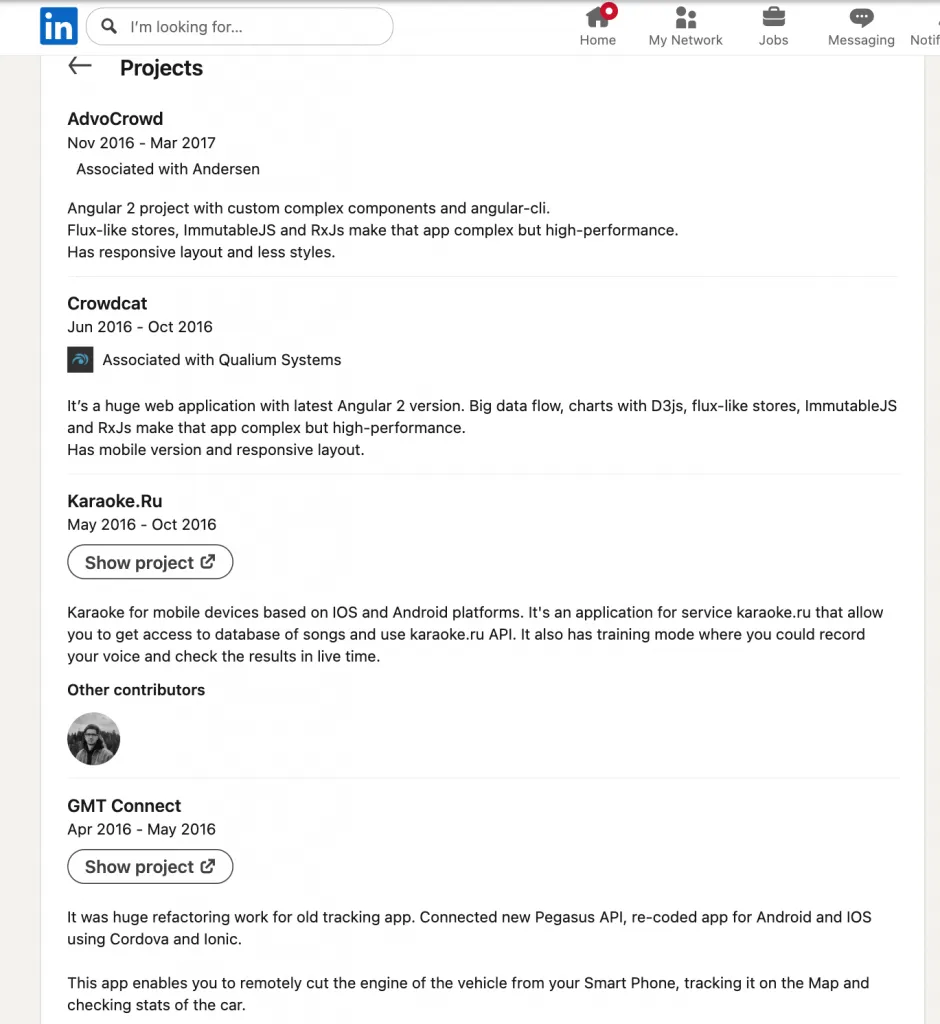
Artem Lanovyy’s Projects section is an excellent LinkedIn portfolio example because it presents work in a clean, structured, and recruiter-friendly format.
Clear Project Summaries
Each entry includes a project title, timeline, and company association, making it easy to scan.
Strong Technical Detail
Descriptions highlight relevant technologies—Angular 2, RxJS, D3.js, React-Redux, Cordova, Ionic—showcasing his versatility across web and mobile development.
Demonstrated Complexity
Projects involve big-data processing, responsive layouts, API integrations, and full-stack architecture, proving real engineering depth.
Real-World Proof
App Store/Play Store links validate shipped products and measurable impact.
This structure quickly communicates skills, scope, and credibility.
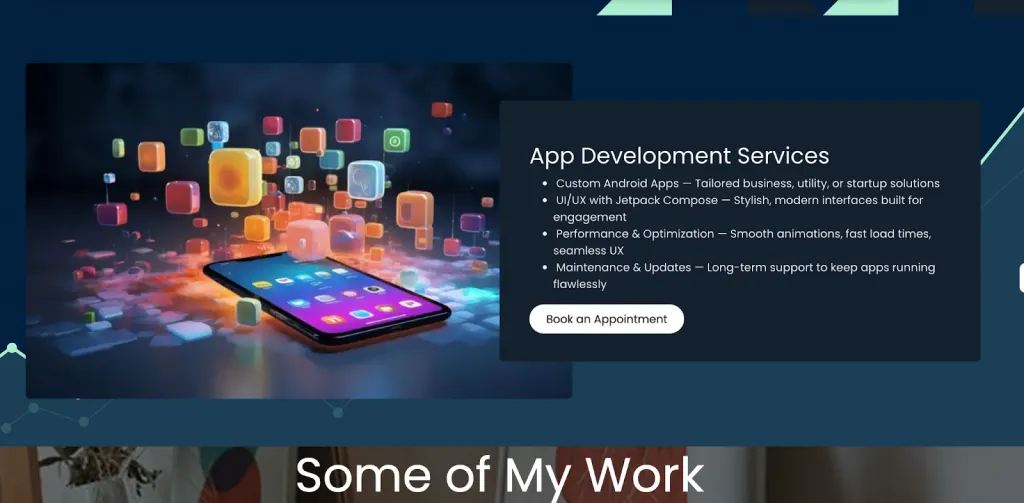
Screenshot of developer’s GitHub-linked portfolio
3. Digital Marketer Portfolio Example
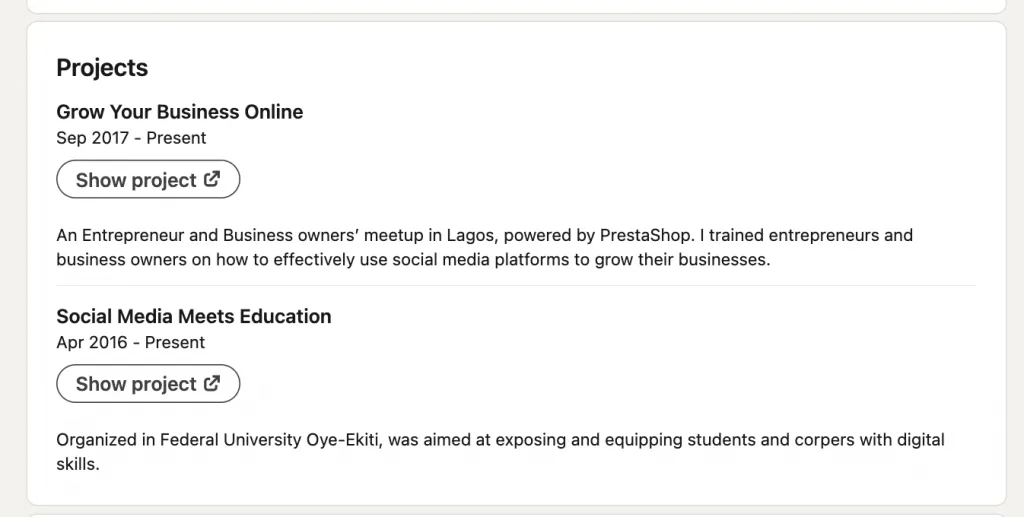
This is a strong LinkedIn portfolio example for digital marketers because it highlights real impact, audience reach, and credibility through community-driven projects.
Clear Project Descriptions
Each project includes the event name, timeline, and purpose—helping recruiters understand scope immediately.
Demonstrates Authority & Expertise
Training entrepreneurs on social media strategy and teaching students digital skills positions the marketer as an industry educator, not just a practitioner.
Shows Real Social Impact
Projects tied to universities and business communities signal leadership, trust, and influence.
Strong for Recruiters
The focus on education, workshops, and measurable value effectively showcases marketing knowledge, presentation skills, and audience engagement.
4. Freelance Writer Portfolio Example
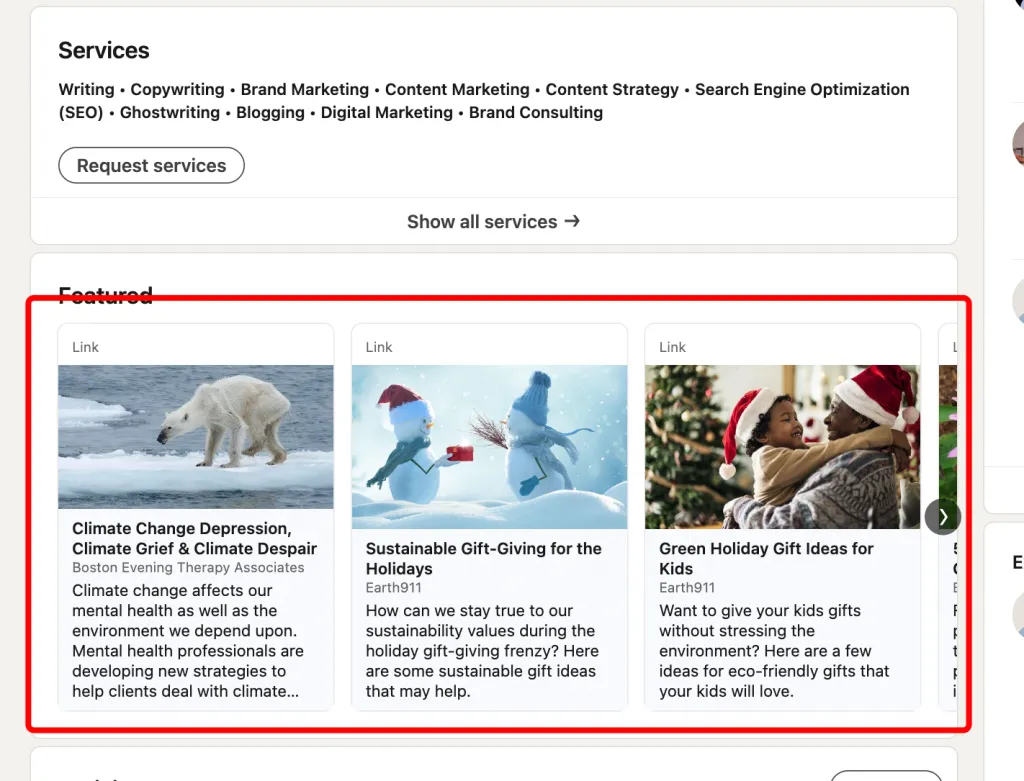
This is an excellent Freelance Writer LinkedIn portfolio example because it uses the Featured section to showcase published work directly, giving recruiters immediate access to articles without extra clicks.
Clear, Credible Publications
Links to Boston Evening Therapy Associates and Earth911 demonstrate authority in mental health and sustainability writing—high-value niches for freelance work.
Strong Thematic Consistency
Topics like climate grief, sustainable gifting, and eco-friendly living show a well-defined specialty, helping clients quickly understand expertise.
Quick Proof of Skill
Direct article links act as real writing samples, making the portfolio easy to evaluate.
Ideal for Recruiters & Clients
Immediate readability + visible publication names boost trust and professional credibility.
5. Video Producer / Filmmaker Portfolio Example
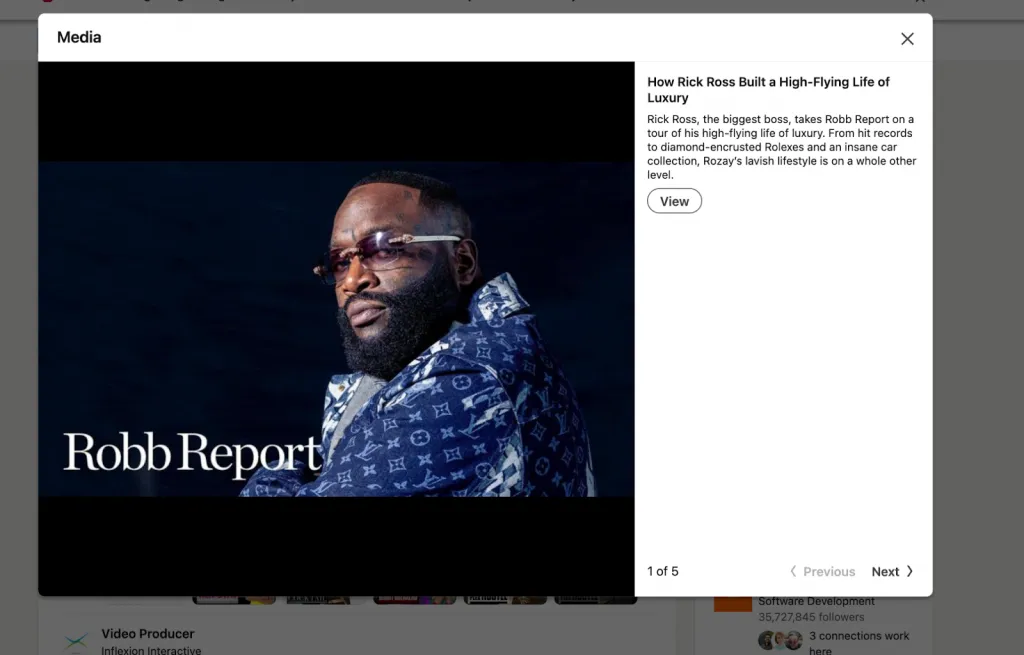
This Experience section is a strong example of how media professionals can showcase their work on LinkedIn.
Each role — Senior Videographer at Robb Report, Director of Photography at Complex Networks, and Video Producer at Inflexion Interactive—is supported with clear, action-focused bullet points highlighting production, filming, editing, and collaborative responsibilities.
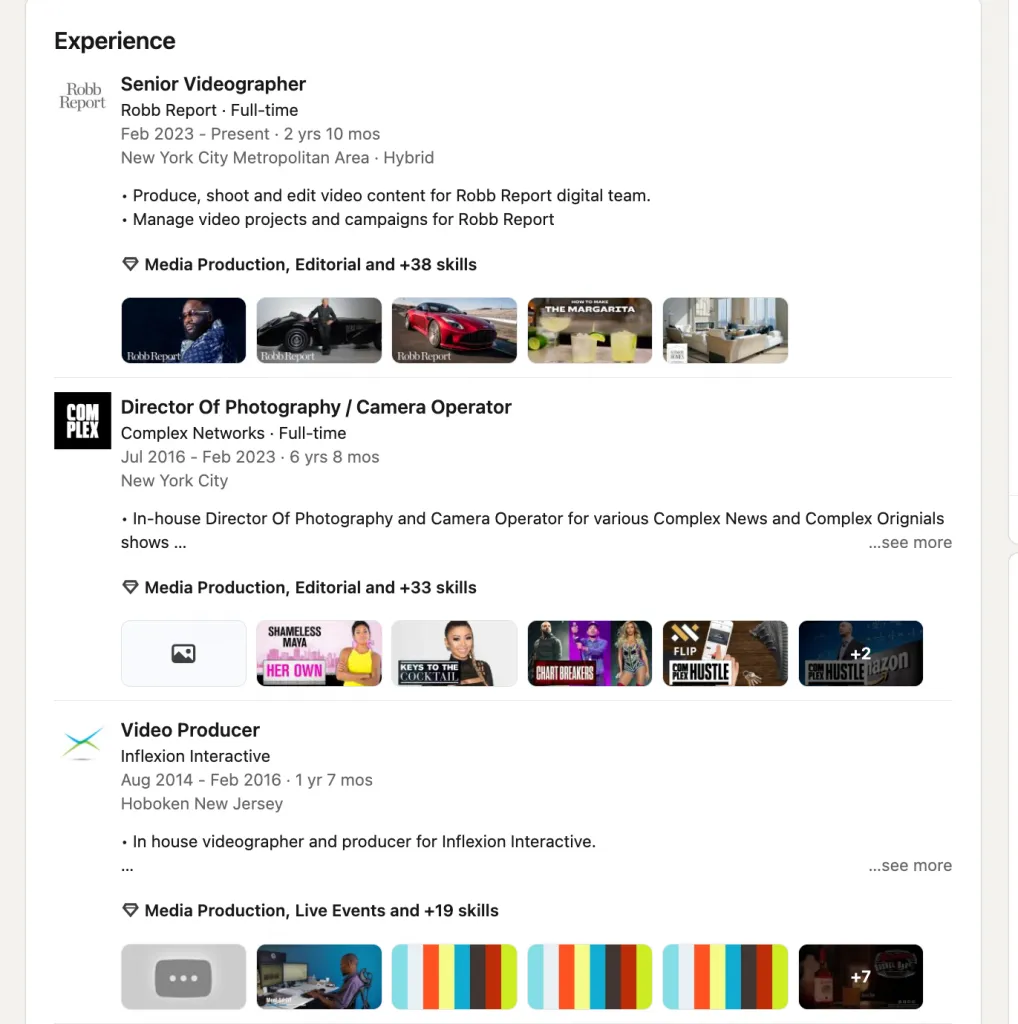
What makes this experience standout is the integration of direct video links under each job.
This gives recruiters instant access to real deliverables such as “How Rick Ross Built a High-Flying Life of Luxury” and “Inside Ralph Lauren’s Insane Car Collection.”
These samples serve as proof of expertise in luxury storytelling, high-end commercial production, and editorial-style video work.
This approach turns the Experience section into a live media portfolio, making it highly convincing to hiring managers and production companies.
6. Graphic designer
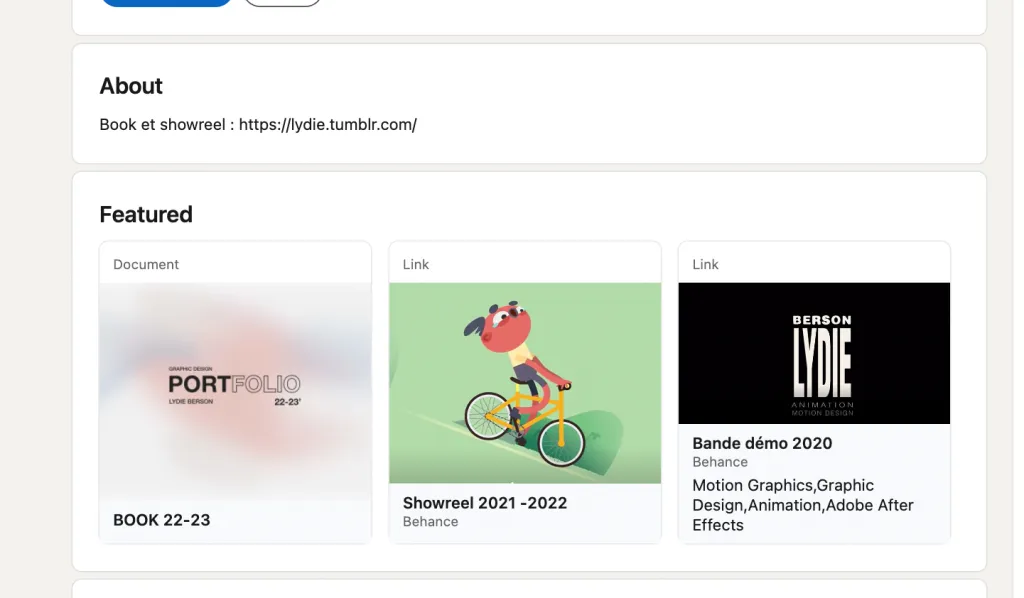
Why this Featured section is a strong example:
- Shows depth: The “BOOK 22–23” document highlights full project development, not just final visuals.
- Demonstrates growth: Multiple showreels from different years showcase evolution, consistency, and technical improvement.
- Strong credibility: All items link to Behance, giving viewers direct access to detailed case studies and professional context.
- Clear skill range: Features motion graphics, graphic design, animation, and Adobe After Effects work, proving versatility.
- Visually impactful: Each featured item is highly polished and immediately communicates creative style.
- Well-curated: Balanced selection that represents your strongest, most distinctive work without overwhelming the viewer.
7. Product manager
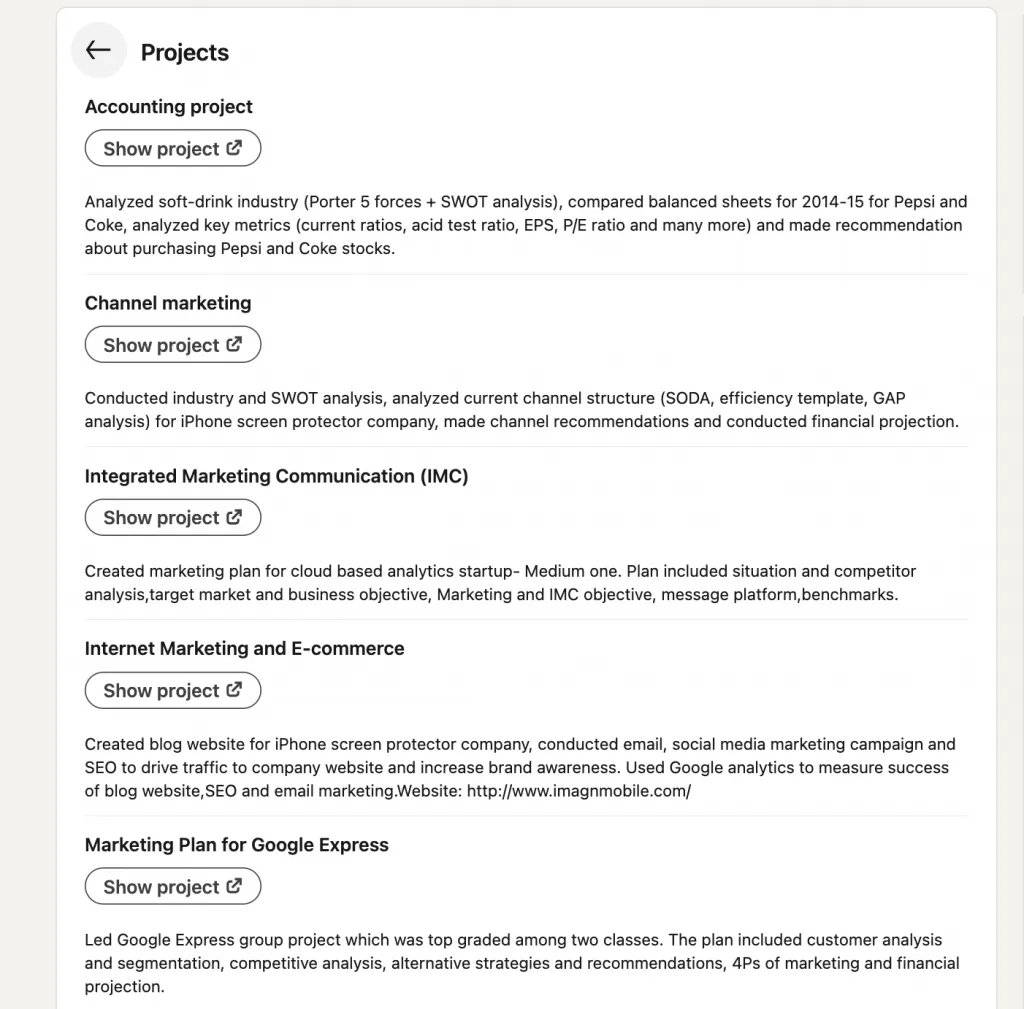
Why This LinkedIn Projects Section Is a Good Example
- Clear structure: Each project has a concise title, a short summary, and a clear “Show project” link, making it easy for recruiters to scan.
- Action-focused descriptions: Every project starts with strong verbs (analyzed, conducted, created, led), showing active contribution rather than passive tasks.
- Demonstrates analytical depth: Includes frameworks like Porter’s Five Forces, SWOT, GAP analysis, segmentation, showing strategic and structured thinking.
- Covers full marketing lifecycle: From research to planning to execution—email campaigns, SEO, analytics—proving cross-functional skills.
- Relevant to PM roles: Shows leadership, data-driven decision-making, financial projections, and end-to-end project ownership.
8. Business consultant
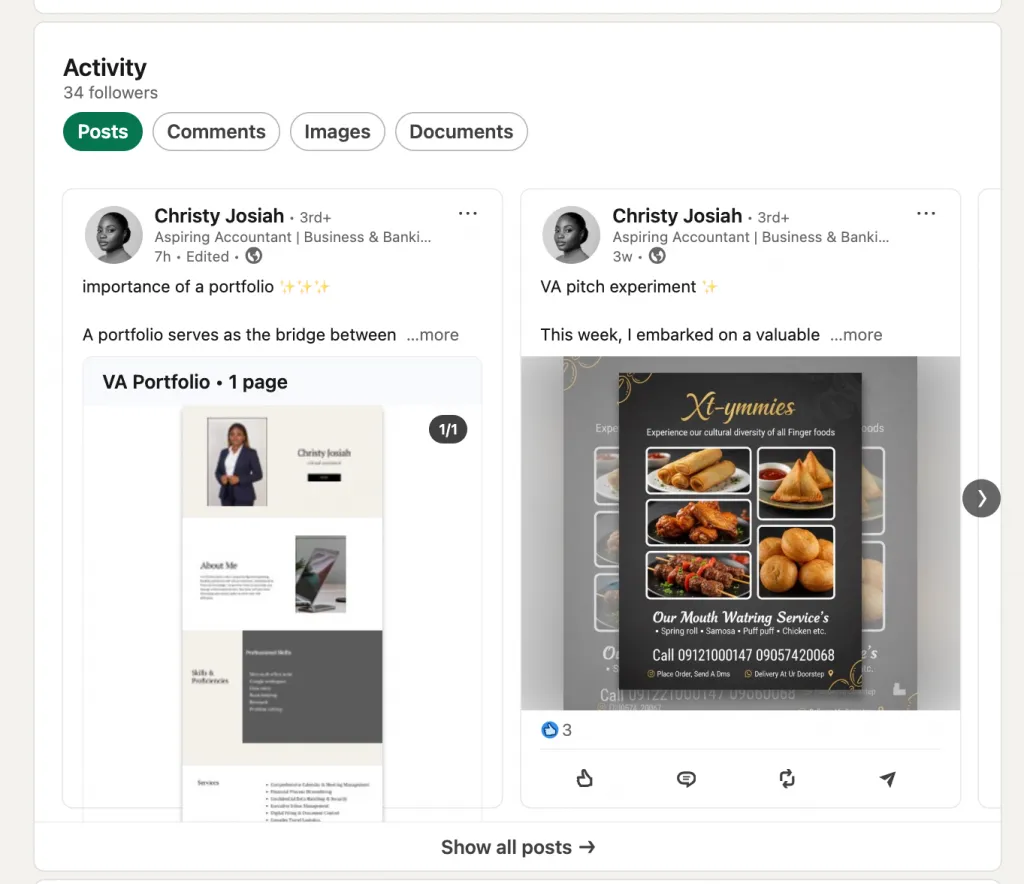
Why This Portfolio Example Is Good
- Clear value-focused messaging: The post explains why a portfolio matters—credibility, trust, differentiation—showing strategic awareness, not just self-promotion.
- Relevant samples for the niche: Showcases accounting/finance-aligned deliverables (expense reports, reconciliation sheets, SOPs), proving technical ability and industry-specific competence.
- Positions services as premium: By linking work quality to rate justification, it frames the consultant as high-value rather than commodity.
- Strong personal branding: Headline + visuals + PDF portfolio in the Activity section demonstrate consistency and professionalism.
- Client-centric storytelling: Focuses on outcomes for clients, not just tasks—ideal for consultants, VAs, and service providers.
9. Photographer
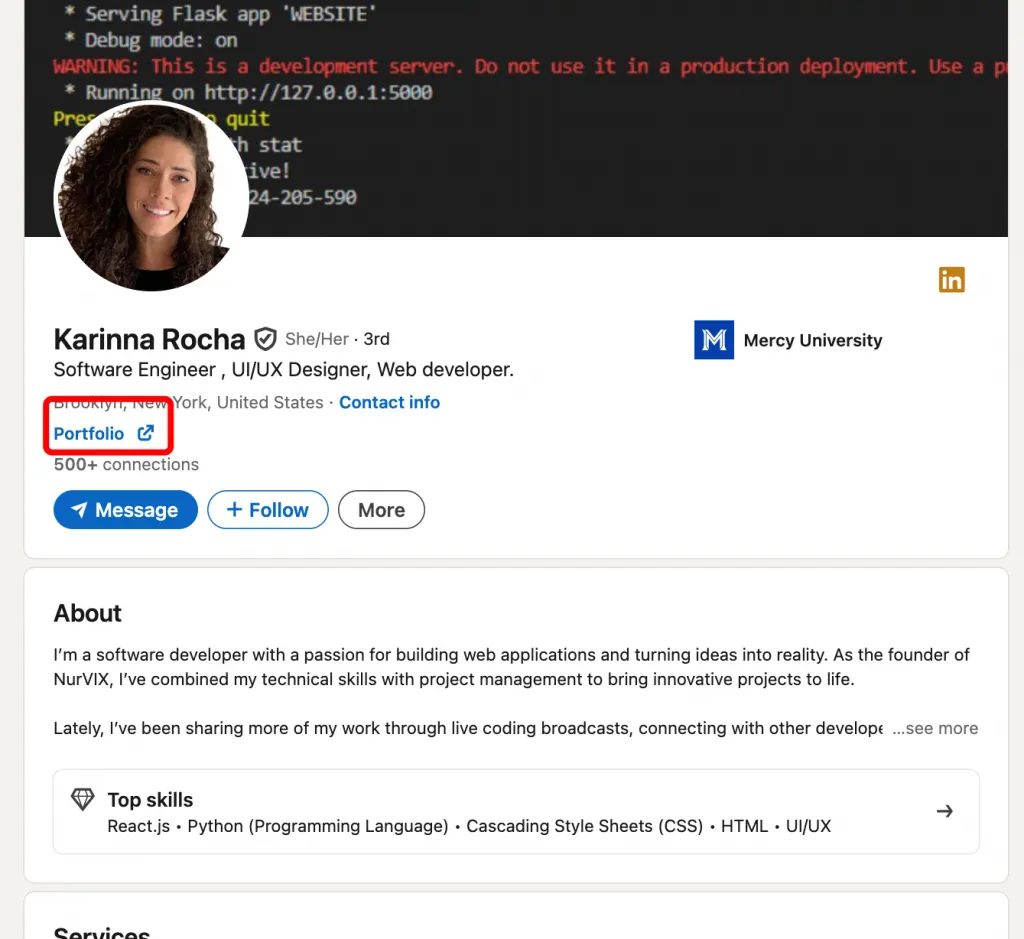
Why This Photographer Portfolio Is a Good Example
- Portfolio link placed in the profile header: Immediate visibility ensures viewers can access full work samples without scrolling—ideal for creative roles.
- Clear, engaging announcement post: The update highlights range and versatility (weddings, events, sports, portraits, nature), giving potential clients a quick overview of capabilities.
- Emotion-focused positioning: Emphasizing authenticity, connection, and real moments adds a strong artistic narrative that elevates the brand.
- Strong call-to-action: Invites individuals and organizations to reach out for shoots, turning the post into a lead-generation asset.
- Niche tags and hashtags: Helps visibility across multiple photography categories and audiences.
10. Data analyst
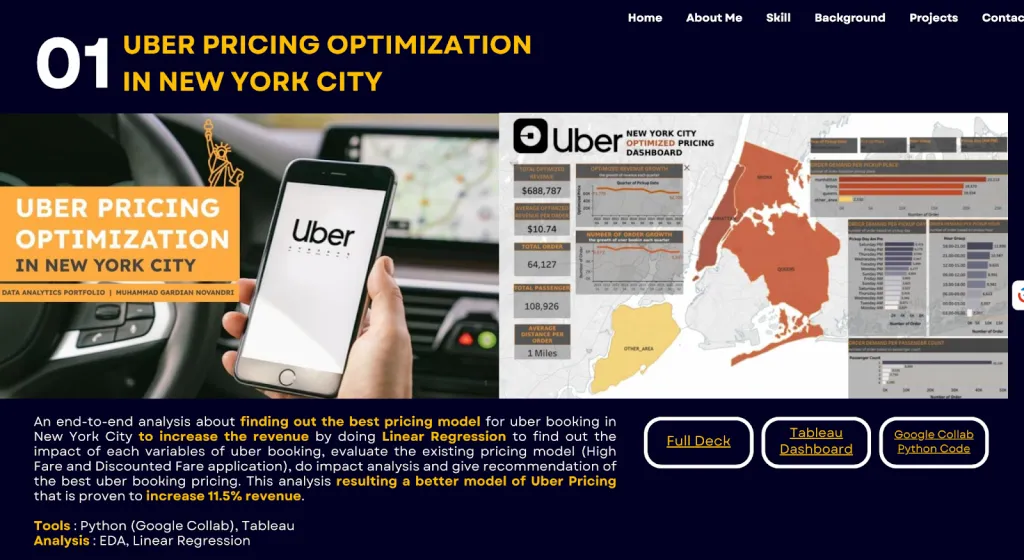
Why This Canva Data Analyst Portfolio Is a Strong Example
Clear, Professional Presentation
- Uses clean Canva templates that make dashboards, charts, and case studies easy to read.
- Visual structure improves storytelling — problem → method → tools → insights → results.
Highlights Analytical Thinking
- Shows not just outcomes but also process: data cleaning, exploration, modeling, and interpretation.
- Mirrors how analysts present work in real business environments.
Fast and Easy to Maintain
- Canva requires no coding; new projects can be added or edited within minutes.
- Portfolio stays “alive” and always up to date, which recruiters value.
Mobile-Friendly and Accessible
- Loads fast, works on all devices, and provides a smooth viewing experience.
- No downloads required — everything is in a single scrollable page.
Why It’s Great for LinkedIn
- Canva generates a clean public link perfect for the Featured section.
- Can be added to Contact Info, About, or Experience for maximum visibility.
- Recruiters can view the full portfolio instantly without leaving LinkedIn’s ecosystem.
11. Content strategist
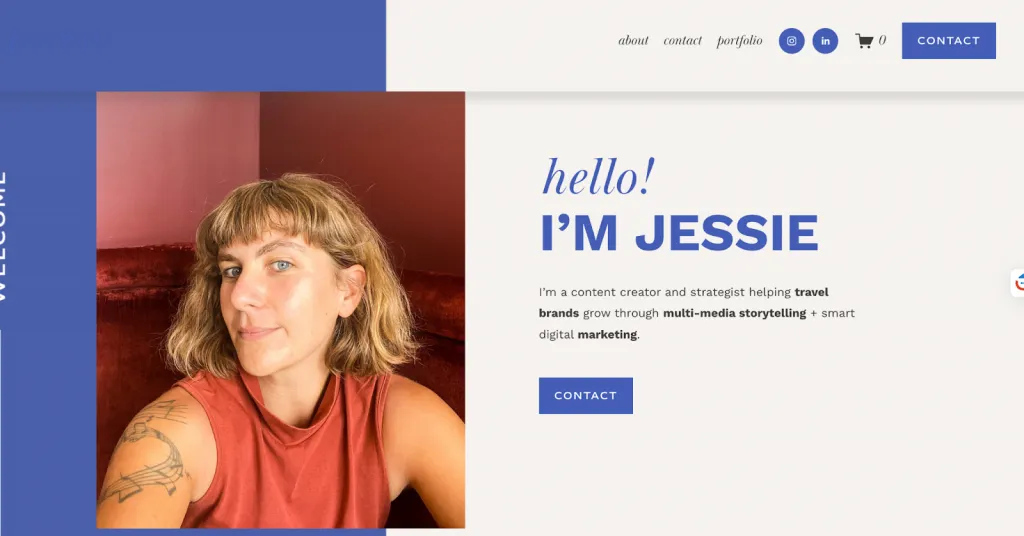
- Clear personal brand & positioning: Jessie introduces herself as a content creator, strategist, and travel-marketing expert on meetjessiebeck.com, establishing a strong identity that matches her skill set.
- Diverse, results-driven case studies: Her featured projects include content strategies for Facebook and Afar Media, showing both technical SEO and video strategy, and emphasizing measurable outcomes.
- Multiple media types: The site directly includes writing samples, long-form articles, and video content.
- Credibility through past clients: She lists well-known clients (e.g., Asana, Facebook, AFAR), increasing trust for recruiters or prospects.
- Easy to link to LinkedIn: The portfolio’s clean public URL (meetjessiebeck.com) can be added to LinkedIn’s Featured section, About, or Contact Info — making her best work instantly accessible.
12. Brand specialist
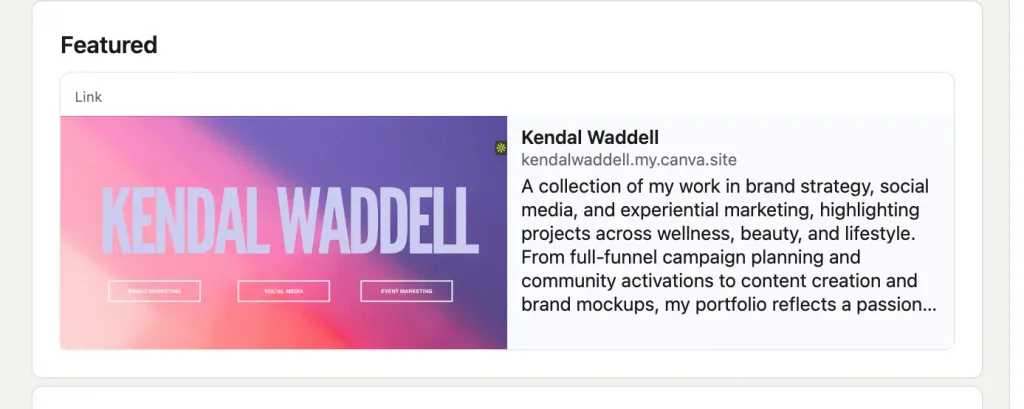
Clear Positioning & Niche
- The portfolio immediately communicates Kendal’s focus: brand strategy, social media, and experiential marketing across beauty, wellness, and lifestyle — helping recruiters understand her specialization within seconds.
Strong Range of Work in One Link
- A single Canva link showcases full-funnel campaigns, community activations, content creation, and brand mockups, making it easy for hiring managers to see both strategic and creative skills in one place.
Storytelling-Driven Presentation
- The portfolio emphasizes narrative, cultural relevance, and audience insight, which is critical in marketing roles.
- Projects aren’t just shown — they’re framed with context and intent.
Professional, On-Brand Design
- Canva ensures clean layouts, brand colors, polished visuals, and mobile responsiveness — ideal for quick recruiter scans.
Perfect for LinkedIn Featured
- The short, memorable URL (kendalwaddell.my.canva.site) fits perfectly in LinkedIn’s Featured section, giving instant access to her best work without needing a standalone website.
13. Sales professional
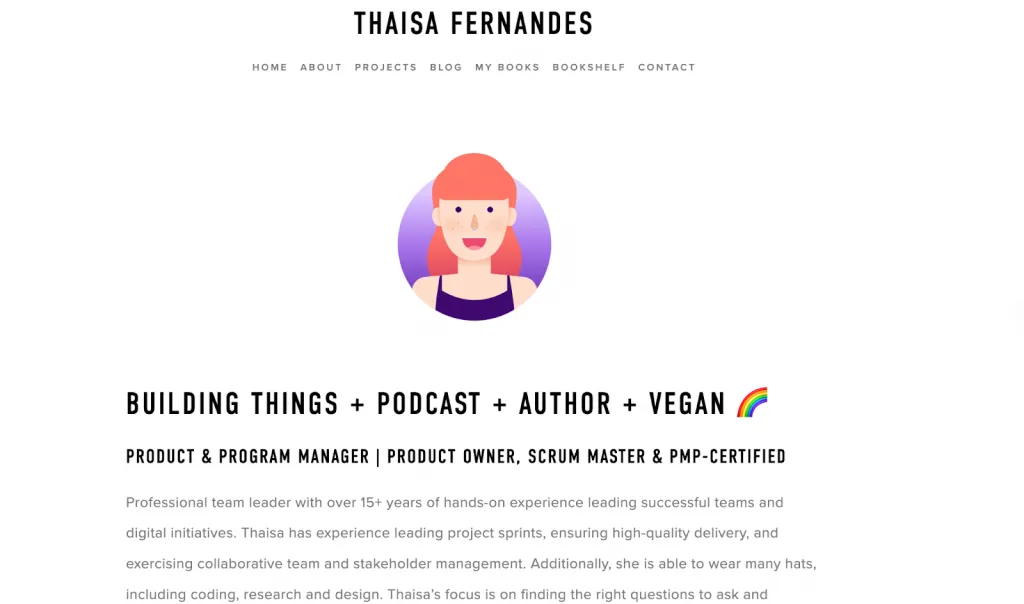
Why This Portfolio Is a Strong Example
- Multi-disciplinary brand: Combines Sales, Product Management, Program Leadership, Author, and Podcast Host—showcasing range without losing clarity.
- Credibility through certifications: PMP, PSM, PSPO, UC Berkeley, Stanford, Cornell establish authority instantly.
- Rich Featured section: Includes a cookbook, top-ranked podcast, and major collaborations—clear proof of impact.
- Strong thought leadership: Shares 100+ technical articles, interviews with leaders across 30+ countries, and high-level insights.
- Recognized by industry: Portfolio highlighted by CareerFoundry, PMHQ, Forbes, Feedspot, Hosting Advice, and Microsoft events.
- Global influence: Engages with communities across Latin America, the Caribbean, US, and Europe—shows cross-cultural impact.
- Consistent yearly achievements: The timeline from 2018–2025 shows steady growth, not isolated success.
- Clear storytelling: Each year includes measurable accomplishments, awards, partnerships, and speaking events.
- Community leadership: Mentoring, workshops, diversity advocacy, and volunteer roles deepen authenticity.
- Memorable positioning: Strong headline and cohesive branding make the profile instantly recognizable.
14. Engineer
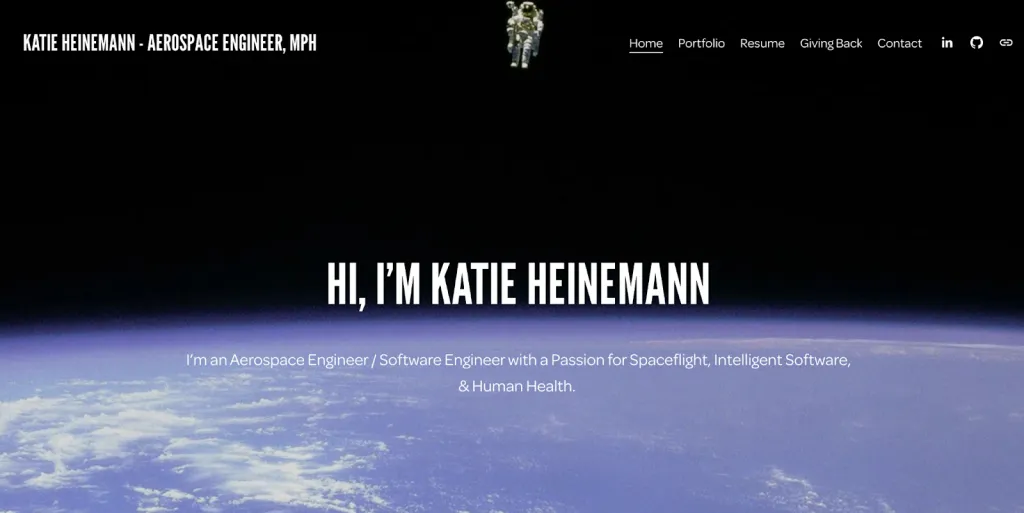
Katie Heinemann’s site (katieheinemann.space) is a strong LinkedIn-portfolio (or personal site) example:
- Clear, focused identity: She introduces herself succinctly as an aerospace engineer + software engineer + public-health advocate, giving a compelling narrative.
- Unique mission-driven brand: Combines spaceflight engineering with human health, which makes her story memorable.
- Strong credibility: Her resume section highlights roles at NASA Johnson Space Center, GE Power, and crisis-response work at Johns Hopkins.
- Technical + real impact: She has built large-scale web apps, done field commissioning, and cloud-based solutions — a great mix of hands-on engineering + software.
- Academic background: With a Master of Public Health plus a Bachelor in Aerospace Engineering, her education supports both technology and people-centered work.
- Portfolio structure: She links to detailed projects: NASA, GE Power, COVID response, web-apps — giving technical depth and variety.
- Professional but personal: The site feels human — she talks about “being on a mission” for space flight and health, which resonates emotionally.
- Easy to integrate into LinkedIn: The URL (katieheinemann.space) is clean and can be added in LinkedIn’s Featured or Contact Info sections.
15. Entrepreneur
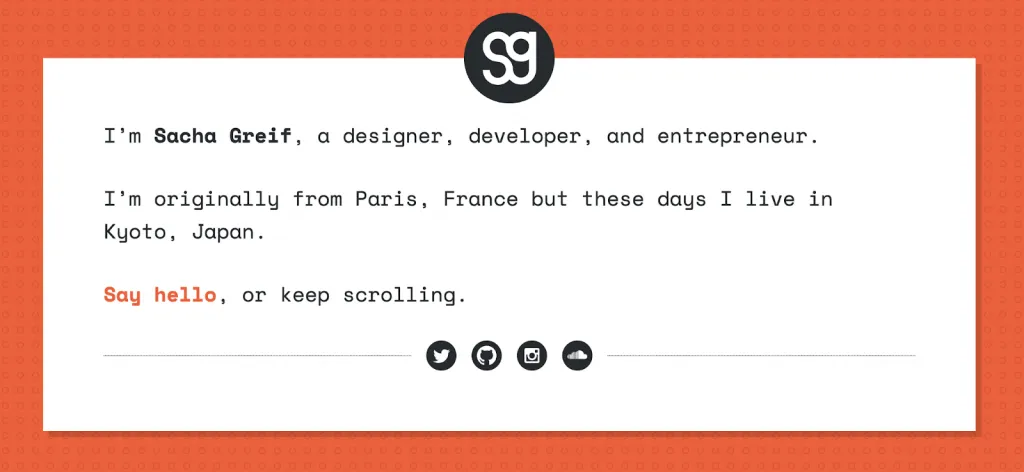
Why sachagreif.com Is a Good Portfolio Example
- Clear Personal Brand: Sacha introduces himself simply as a designer, developer, and entrepreneur. This honest positioning helps viewers immediately understand his multiple strengths.
- Diverse Project Types: He shows a mix of work: open-source (Vulcan.js), survey products (State of JS / CSS), and community tools.
- Story-Driven Portfolio Design: His concept mission focuses on showcasing work cleanly, not cluttering the site with unnecessary distractions.
- Technical + Visual Balance: The structure uses responsive design with a single-page grid layout, combining technical sophistication and visual clarity.
- Signature Style & Authentic Voice: The tone throughout is personal, humorous, and humble, making Sacha feel like a real person—not just a “designer brand.”
- Living, Evolving Portfolio: He openly discusses the challenges of re-designing his portfolio, the technical trade-offs, and lessons learned.
- Community & Thought Leadership: His sidebar includes a newsletter, community-building guide, and a local meetup, showing ongoing engagement.
- Tech Credibility: By sharing his work on full-stack frameworks, open-source projects, and patient problem-solving, Sacha demonstrates deep technical competence.
- Accessible Contact: The contact page is simple and welcoming — he gives a clear line to reach out, which makes collaboration feel easy.
- Designed for Longevity: By storing his project data in JSON (not a backend), his portfolio stays lightweight and easy to maintain.
LinkedIn Portfolio Mistakes That Kill Your Chances
A LinkedIn portfolio is no longer “nice to have”—it is the fastest way recruiters verify your skills, decision-making, and real-world impact.
Yet most professionals unintentionally sabotage their credibility with easily avoidable common portfolio mistakes.
Below are the 10 biggest LinkedIn portfolio mistakes, why they matter, and exactly how to fix them so your profile becomes a conversion engine—not a placeholder.
Mistake 1: Having No Portfolio at All
Risk: Without examples, you blend into hundreds of similar candidates. Recruiters assume you lack proof of skills.
Fix: Start simple: upload 1–2 strong pieces today. Even a case study, a PDF, or a polished screenshot counts.
Screenshot showing empty vs. full portfolio
Alt text: linkedin portfolio setup, add portfolio
Mistake 2: Outdated Work (More Than 2 Years Old)
Risk: You appear inactive, outdated, or not improving professionally.
Fix: Refresh your portfolio every 90 days—add recent work, remove old formats, update visuals, rewrite descriptions.
Impact: Portfolios older than 2 years receive 40% fewer views and 60% fewer clicks.
Mistake 3: Poor Quality or Blurry Images
Risk: Visual inconsistency signals poor attention to detail—even if the work is great.
Fix: Spend one hour creating clean screenshots, standardized mockups, or light photo editing. Tools like Canva help.
Screenshot: blurry vs. crisp assets
Alt text: portfolio quality example
Mistake 4: Vague Titles and Descriptions
Risk: Recruiters don’t understand the context, your role, or the outcome.
Fix: Use the clarity formula:
Project: Problem → Solution → Result
This builds immediate trust and shows strategic thinking.
Alt text: linkedin portfolio best practices
Mistake 5: Including Too Many Items (More Than 10)
Risk: Your best work gets lost. Humans judge portfolios by the weakest piece.
Fix: Curate aggressively. The sweet spot is 3–5 high-impact projects that reflect your strongest skill set today—not five years ago.
Alt text: portfolio curation
Mistake 6: Not Including Metrics or Results
Risk: Your work feels theoretical or low-impact.
Fix: Add one measurable outcome per project:
- +45% engagement
- 3× more leads
- $120K cost savings
- 28% faster delivery
Alt text: linkedin portfolio metrics
Mistake 7: Broken Links or Dead Pages
Risk: A 404 instantly damages credibility. Recruiters rarely retry.
Fix: Test your links monthly with tools like Broken Link Checker or manual review on mobile + desktop.
Mistake 8: Not Mobile Optimized
Risk: On smartphones (where 70% of portfolio views occur), your layout may break, text may be unreadable, or images may crop incorrectly.
Fix: Preview every item on both iOS and Android; use vertical or centered images for consistency.
Alt text: mobile portfolio optimization
Mistake 9: Misrepresenting Work You Did
Risk: A major professionalism red flag—recruiters verify claims.
Fix: Showcase only work you can confidently explain; credit team members; clarify your role.
Alt text: portfolio ethics
Mistake 10: Inconsistent Branding or Design
Risk: Your portfolio feels chaotic, rushed, or unfocused.
Fix: Use 2–3 colors, consistent fonts, and repeatable layouts. Turn your portfolio into a visually cohesive brand story.
Alt text: professional portfolio design
Your 30-Day Plan to Launch or Improve Your LinkedIn Portfolio
A week-by-week, printable checklist designed to help you build, optimize, and promote your portfolio with a clear linkedin portfolio checklist and a practical portfolio launch plan.
This guide also shows exactly how to create linkedin portfolio and how to complete a full linkedin portfolio setup.
WEEK 1 — Planning & Gathering (Foundation)
Goal: Audit your work and define your strategy.
Estimated time: 45–60 minutes per task
- Audit all past work/projects (identify 5–10 options).
- Select your strongest 3–5 pieces.
- Gather source files, images, PDFs, and documents.
- Request permissions/NDAs for restricted work.
- Decide on format: LinkedIn Featured, external site, or both.
- Collect metrics or measurable outcomes for each project.
- Create a central folder for all materials.
- Identify gaps or missing assets you need to create.
WEEK 2 — Creation & Design (Build Your Assets)
Goal: Prepare polished, high-impact project items.
Estimated time: 30–45 minutes per task
- Create or retouch screenshots.
- Export high-res images or PDFs.
- Write clear, compelling project titles.
- Write descriptions using STAR or Problem→Action→Result.
- Highlight measurable outcomes.
- Apply simple, consistent branding.
- Optimize image size and quality.
- Write a short portfolio introduction.
- Prepare alternate formats (PDF, carousel, link).
WEEK 3 — Setup & Optimization (Go Live)
Goal: Complete your linkedin portfolio setup.
Estimated time: 20–30 minutes per task
- Upload best work to the Featured section.
- Add additional items in the Projects section.
- Link to external case studies or websites.
- Test all links and URLs.
- Check mobile responsiveness.
- Add UTM tags (optional).
- Update headline to mention your portfolio.
- Add a call-to-action in your About section.
- Review the visual flow from top to bottom.
Screenshot placeholder: “LinkedIn portfolio setup”
Alt text: linkedin portfolio setup
WEEK 4 — Promotion & Maintenance (Visibility)
Goal: Promote your work and keep it updated.
Estimated time: 20–30 minutes per task
- Publish a LinkedIn post announcing it.
- Request testimonials or endorsements.
- Add the portfolio link to email signature + CV.
- Set a quarterly update reminder.
- Monitor impressions and clicks weekly.
- Refresh Featured items based on engagement.
- Share portfolio link in groups and communities.
- Track which items perform best.
- Plan your next new portfolio item.
Screenshot placeholder: “LinkedIn portfolio promotion”
Alt text: portfolio launch plan promotion
Your LinkedIn Portfolio is Your Career Accelerator
A strong LinkedIn portfolio is no longer optional—it’s a non-negotiable advantage in the 2026 job market. Recruiters and clients now expect proof of your work, not just a list of responsibilities. The good news? Building a powerful portfolio is simple, and even 1–2 high-quality portfolio items significantly outperform empty or text-only profiles.
Creating your portfolio doesn’t take long—2–4 hours of setup—yet the impact lasts for years. Prioritize quality over quantity, choose projects that demonstrate clear outcomes, and always include metrics to prove your impact.
Treat your portfolio like a living asset: update quarterly to stay competitive and keep your visibility high.
Your success on LinkedIn compounds. Every new item strengthens your credibility, increases conversions, and accelerates career opportunities.
Your work deserves to be seen—so make it easy for others to discover it.
- Start today using your 30-day plan
- Add one new portfolio item this week
- Revisit and optimize your portfolio monthly
- Share your portfolio with your network to increase visibility and opportunities