
 Updated: September 29, 2026
 26 min read
Quick Answer
“I sent 500+ connection requests this month. Maybe 10 people replied. My current approach:
“I sent 500+ connection requests this month. Maybe 10 people replied. My current approach:
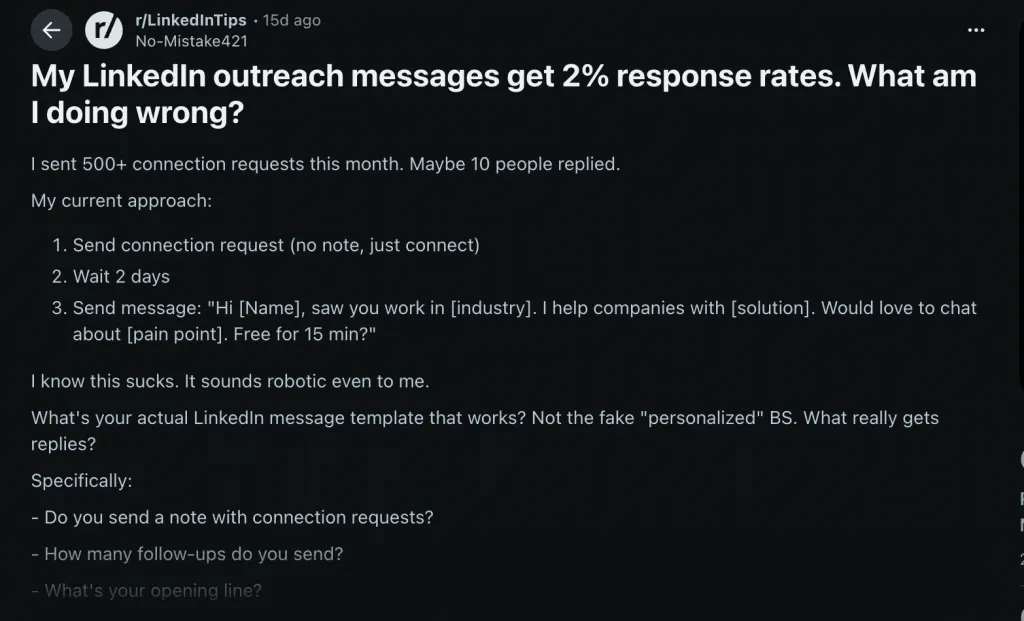
That post on r/LinkedInTips (19 upvotes, 56 comments) perfectly captures the frustration around LinkedIn outreach today. The volume is there. The effort is there. The replies? Not so much.
And the comment section was brutally honest: the problem isn’t LinkedIn. The problem is a broken approach.
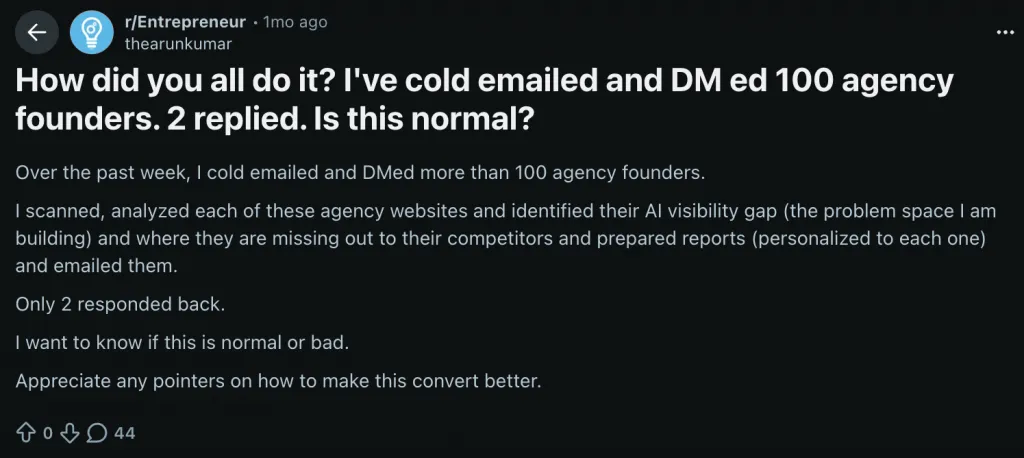
This isn’t an isolated case. On r/Entrepreneur, another founder shared: “Over the past week, I cold emailed and DMed more than 100 agency founders. I scanned, analyzed each of these agency websites and identified their AI visibility gap… prepared reports (personalized to each one) and emailed them. Only 2 responded back.” That’s a 2% reply rate — even with heavy personalization.
Let that sink in.
If even “hyper-personalized” outreach converts at 2%, something deeper is wrong. It’s not just about adding a custom sentence. It’s not about sending more messages. It’s not about tweaking one line.
After analyzing thousands of Reddit discussions about LinkedIn outreach, a clear pattern emerges: success doesn’t come from working harder — it comes from fixing three root variables:
One user documented their journey publicly: from 0% replies, to 5%, then 6–8%, and eventually 30% — each jump happened after fixing a different variable.
This guide breaks down exactly what changed — with real numbers, real examples, and clear fixes you can implement immediately.
On r/jobsearchhacks (224 upvotes, 47 comments), one user wrote:
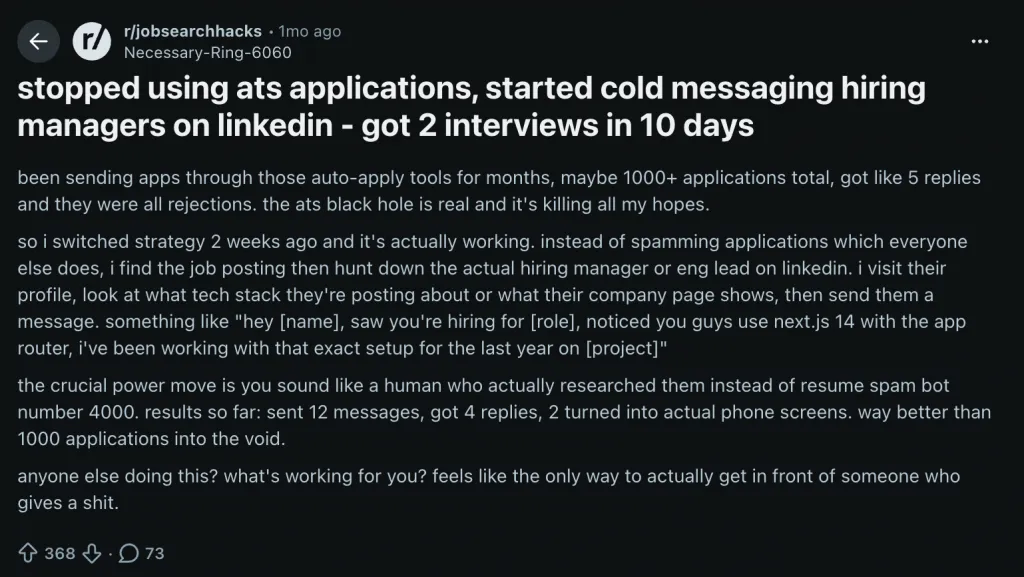
“Been sending apps through those auto-apply tools for months, maybe 1000+ applications total, got like 5 replies and they were all rejections… so I switched strategy 2 weeks ago… instead of spamming applications which everyone else does, I find the job posting then hunt down the actual hiring manager or eng lead on LinkedIn… sent 12 messages, got 4 replies, 2 turned into actual phone screens.”
That’s the entire lesson.
1,000 generic touches → 0.5% response rate
12 targeted messages → 33% response rate
The same principle applies to LinkedIn outreach for sales and LinkedIn leads. Volume without precision produces noise. Precision without scale produces leverage.
The Numbers People Actually Share
When you scan Reddit discussions across marketing and sales communities, a pattern emerges.
On r/DigitalMarketing, one marketer shared:
“Sent 464k cold emails last year… Emails with one clear idea converted at 2.1%. Emails that tried to explain the full value prop in the first message converted at 0.8%… most outbound skips straight to hot asks with cold audiences. That’s why average reply rates sit under 1.5%.”
That <1.5% benchmark shows up repeatedly.
Another user in r/DigitalMarketing said:
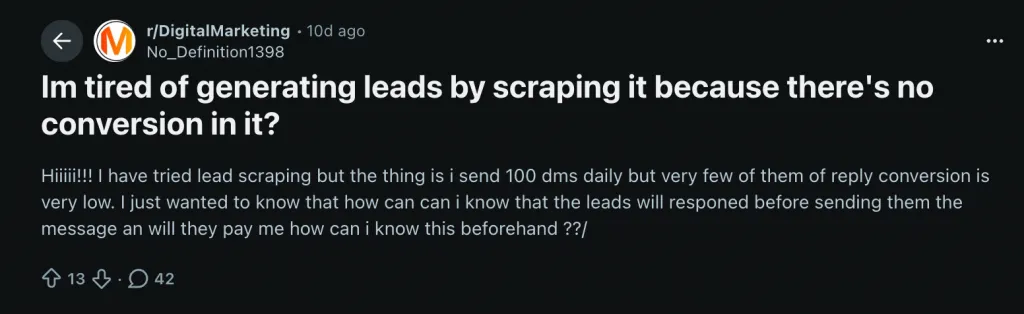
“I send 100 DMs daily but very few of them reply, conversion is very low.”
An intern in the same subreddit wrote:
“I messaged approx 100 leads per day and used to get 5–6 replies and barely one used to close.”
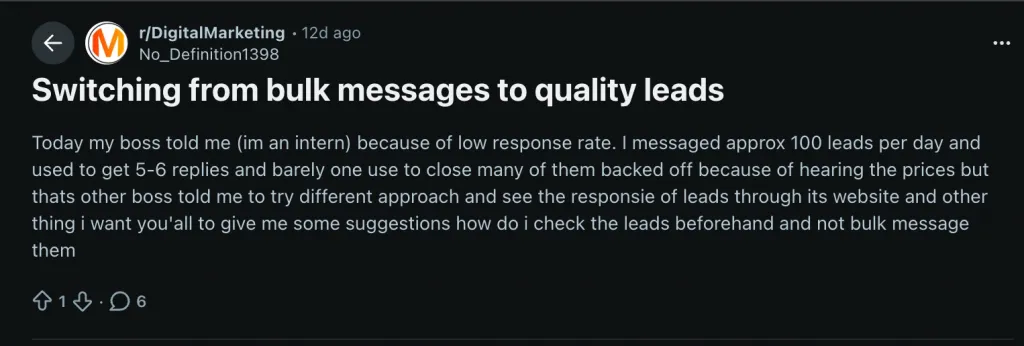
That’s roughly a 5–6% reply rate — already above average — yet still fragile because it relied on brute force.
In r/branding, someone put it bluntly:
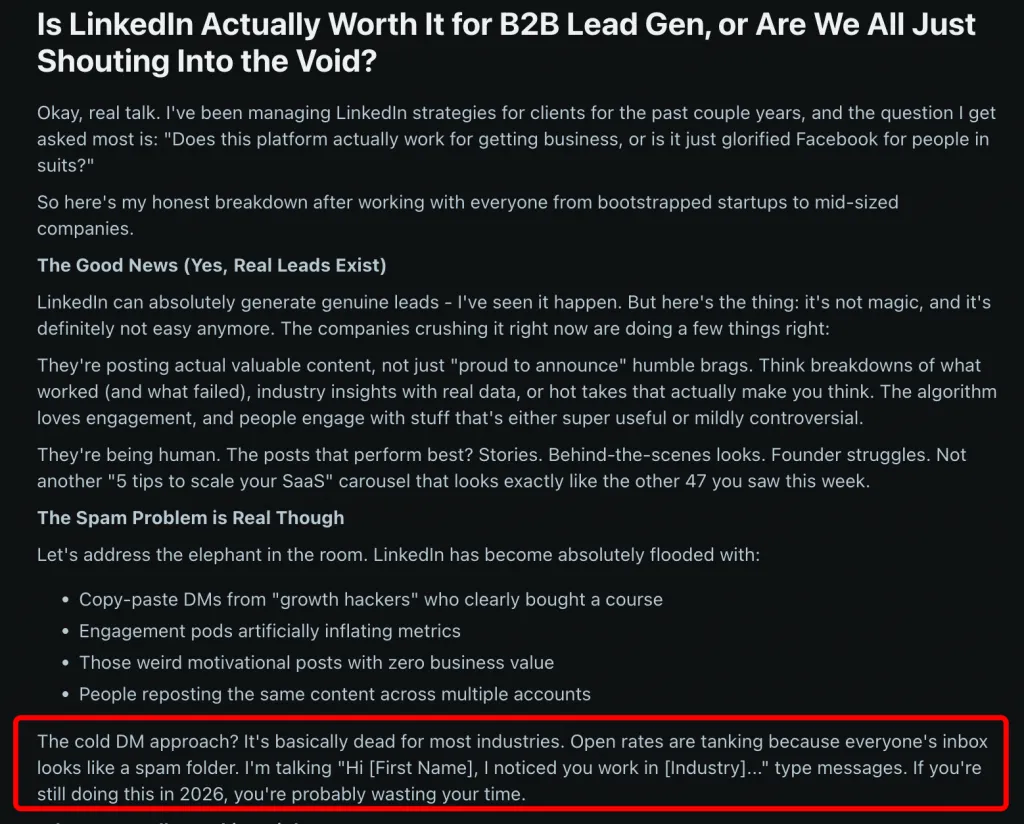
“The cold DM approach? It’s basically dead for most industries… I’m talking ‘Hi [First Name], I noticed you work in [Industry]…’ type messages. If you’re still doing this in 2026, you’re probably wasting your time.”
And from r/careerguidance:
“Cold LinkedIn messages feel like a numbers game. You send thoughtful notes, follow up politely, and still often get no response.”
The common thread? Most outreach dies between 0–3%.
LinkedIn Outreach Response Rate Spectrum (From Reddit Data)
| Response Rate | What It Means | How Common | Root Cause |
|---|---|---|---|
| 0–1% | Complete failure — wrong audience or spam trigger | Very common (30%+ of posts) | Wrong ICP, no personalization, automation detection |
| 1–3% | Typical “spray and pray” result | Most common (~50% of posts) | Generic templates, broad targeting |
| 3–5% | Decent — some targeting, some personalization | ~15% of posts | Better ICP, basic personalization |
| 5–10% | Strong — tight targeting + multi-step sequence | ~5% of posts | Automated sequences, dynamic variables |
| 10–30%+ | Exceptional — warm outreach or deep personalization | Rare (<2% of posts) | Content engagement first, then DM |
If you’re sitting at 1–2%, you’re not uniquely failing. You’re average.
But here’s the strategic mistake most people make: they expect a single cold message to work.
According to industry benchmarks from HubSpot, 80% of B2B sales require five or more touchpoints. Yet most LinkedIn outreach campaigns stop at one message — maybe two.
So when someone says, “LinkedIn doesn’t work,” what they usually mean is:
A “good” LinkedIn outreach response rate depends entirely on the structure behind it.
1–3% is common.
5–10% is achievable.
10–30% happens when outreach stops being cold — and starts being contextual.
On r/Entrepreneur (6 upvotes, 9 comments), one founder wrote:
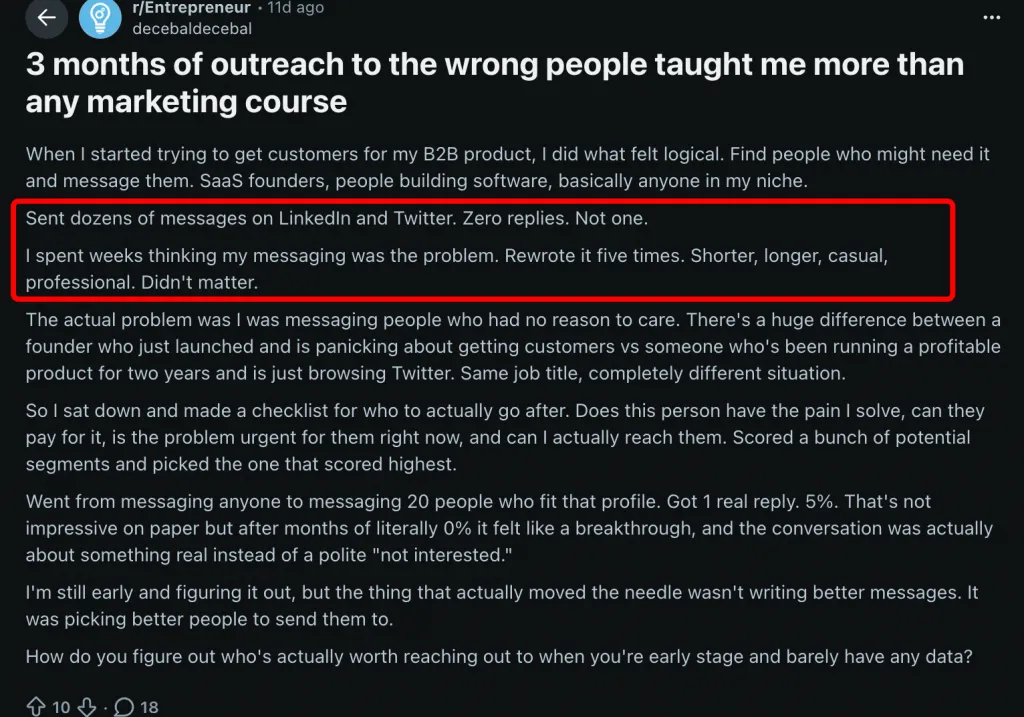
“Sent dozens of messages on LinkedIn and Twitter. Zero replies. Not one. I spent weeks thinking my messaging was the problem. Rewrote it five times. Shorter, longer, casual, professional. Didn’t matter. The actual problem was I was messaging people who had no reason to care… Went from messaging anyone to messaging 20 people who fit that profile. Got 1 real reply. 5%. That’s not impressive on paper but after months of literally 0% it felt like a breakthrough.”
That’s the uncomfortable truth about LinkedIn prospects:
Most outreach fails before the first word is even read.
The issue usually isn’t tone. It isn’t length. It isn’t emojis.
It’s targeting.
Another r/Entrepreneur user shared:
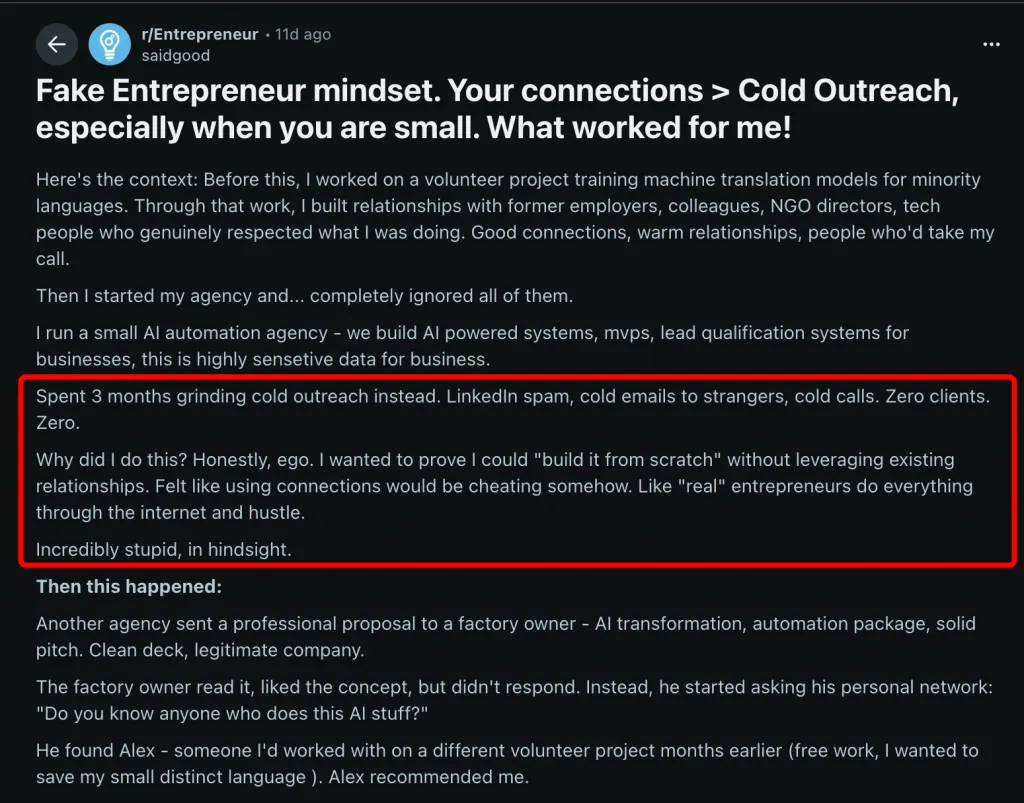
“Spent 3 months grinding cold outreach instead. LinkedIn spam, cold emails to strangers, cold calls. Zero clients. Zero.”
Then they closed an $8K deal through a warm referral.
Same offer. Same skills. Different audience context.
WHO you reach almost always matters more than HOW you reach them.
On r/StartUpIndia, someone running outbound via Sales Navigator complained that when targeting the U.S., their connection acceptance rate was extremely low — prospects didn’t even accept requests, so no conversation could begin.
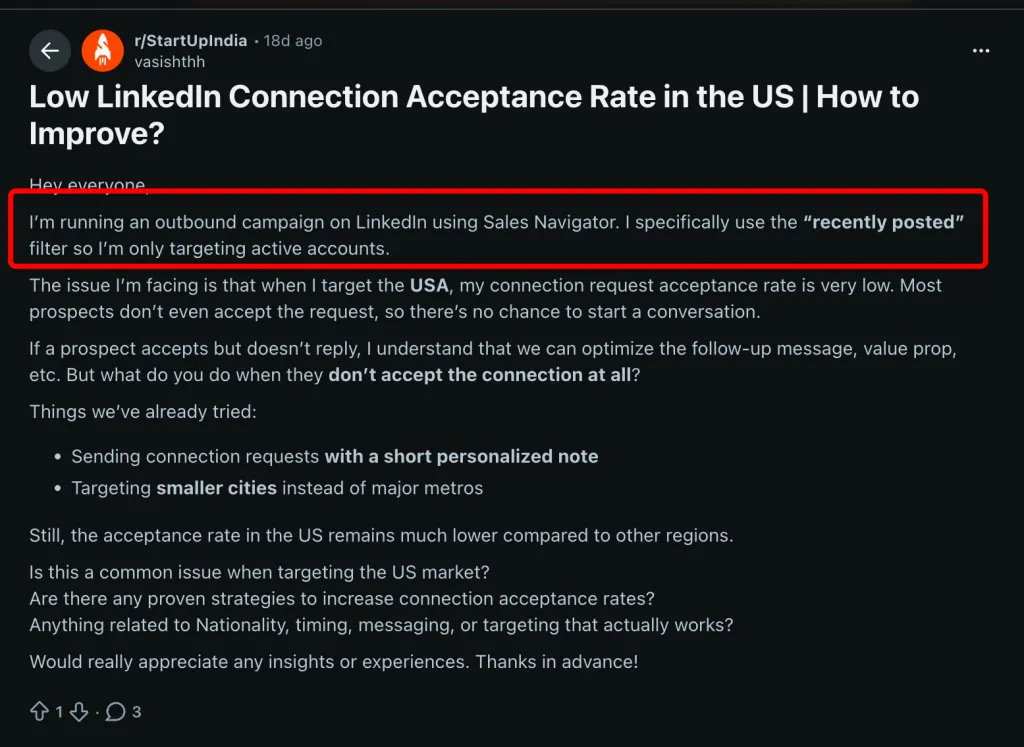
That’s a targeting problem, not a messaging problem.
Geography, culture, industry maturity, and market saturation all influence acceptance rates. U.S. founders in competitive niches receive dozens of cold pitches weekly. A regional niche group in a specific vertical? Much less noise.
The most dramatic improvement reported came from another r/Entrepreneur thread:
“Cold LinkedIn messages got maybe 2% response rate but when I referenced something specific about their work or a recent post they made it jumped to like 30%.”
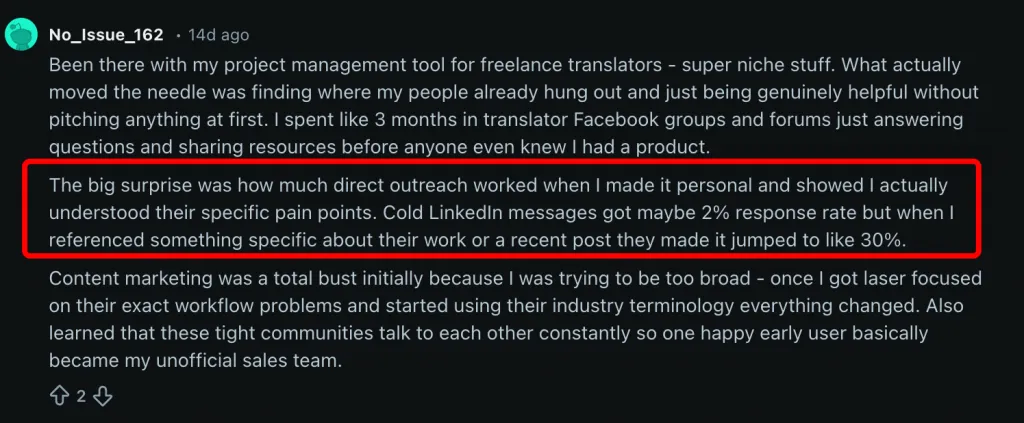
2% → 30%.
Same platform. Same sender. Same offer.
The only variable that changed? Relevance.
If you want better results, stop asking, “How do I write a better message?”
Start asking, “Am I reaching the right 200 people?”
Use a simple ICP scoring framework before adding anyone to your list:
This mirrors the earlier Reddit example: narrowing to 20 highly qualified prospects outperformed blasting hundreds.
As one user in r/coldemail put it:
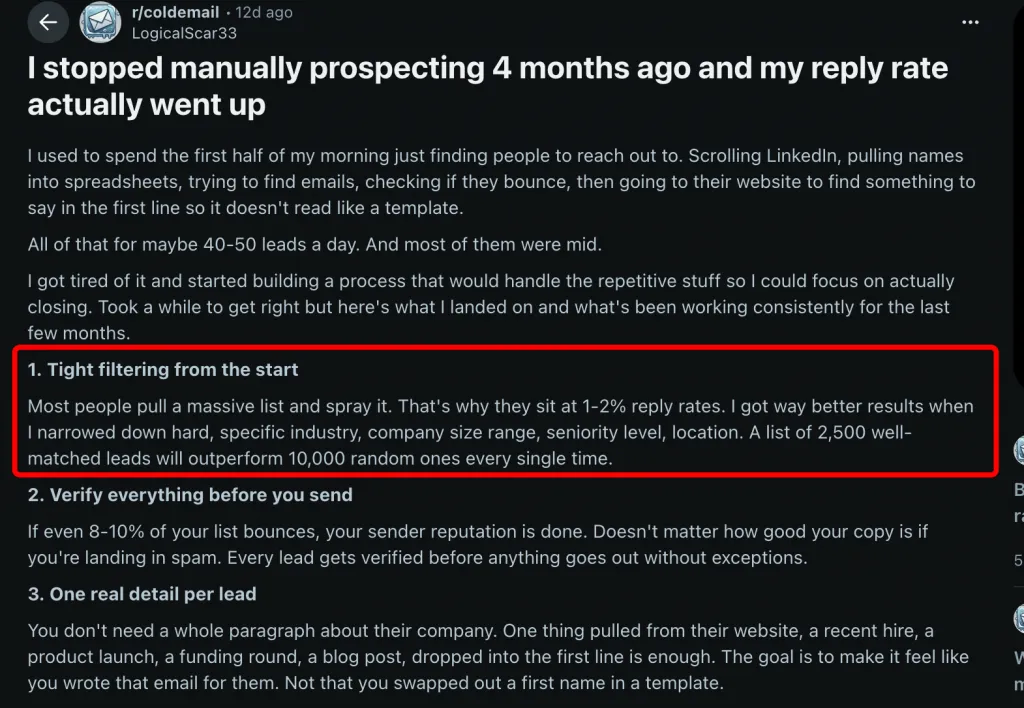
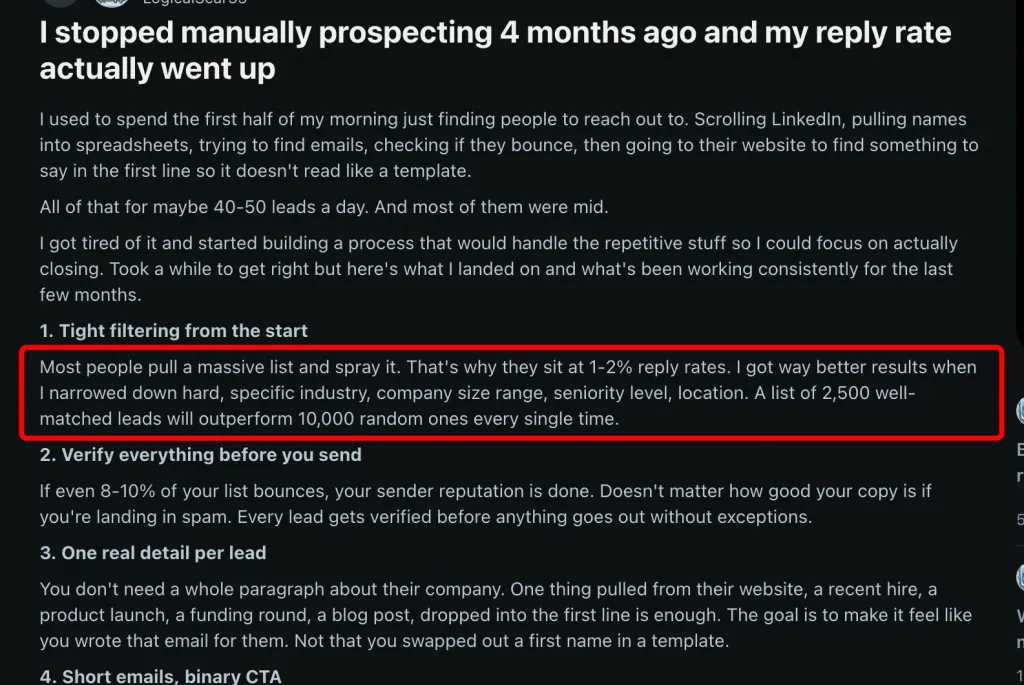
“Most people pull a massive list and spray it. That’s why they sit at 1–2% reply rates. I got way better results when I narrowed down hard.”
If you’re serious about targeted LinkedIn scraping, use LinkedIn Sales Navigator filters strategically.
One of the most underused filters is Groups:
Sales Navigator → Lead Filters → Group → Enter group name
This lets you target people who have self-selected into your niche. A founder inside a “B2B SaaS Growth” group is infinitely warmer than a random CEO with the right title.
Instead of building a 5,000-profile generic list, build 200 highly relevant leads.
Safe collection guideline: ~200 search pages per day (≈2,500 profiles max from Sales Navigator). But volume isn’t the goal — precision is.
Tools like Linked Helper support 12 collection sources, including:
For a targeted strategy:
This approach shifts you from “scrape everything” to “capture only aligned buyers.”
The brutal reality?
Most LinkedIn outreach messages get ignored because the sender optimized the message — not the market.
Fix the prospect list first.
Then the words start working.
On r/Entrepreneur (2 upvotes, 12 comments), one founder wrote:
“Sent 100 cold emails to agencies. DM’d Reddit users who commented on threads about recurring client work. Messaged a handful of LinkedIn agency owners… I’m getting either silence or polite acknowledgements that don’t continue. I’m not selling anything yet. I’m offering to do the work for free in exchange for feedback.”
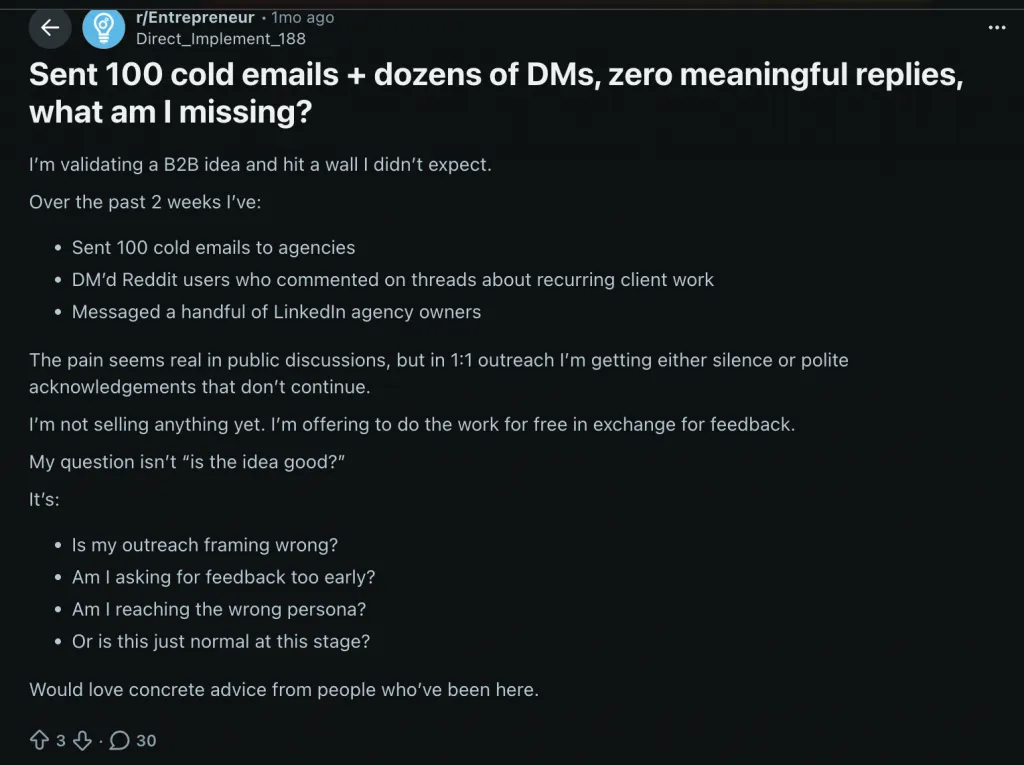
Even free offers get ignored.
That’s the wake-up call.
It’s not about price.
It’s not about generosity.
It’s about sequence.
If you rely on one message, you’re gambling.
According to research cited by HubSpot and Brevet Group:
That gap explains most failed LinkedIn outreach.
Meanwhile, in r/SaaS, one founder complained:
“LinkedIn is great but gives a limited number of connection/direct messages… Cold calling is slow and painful…”
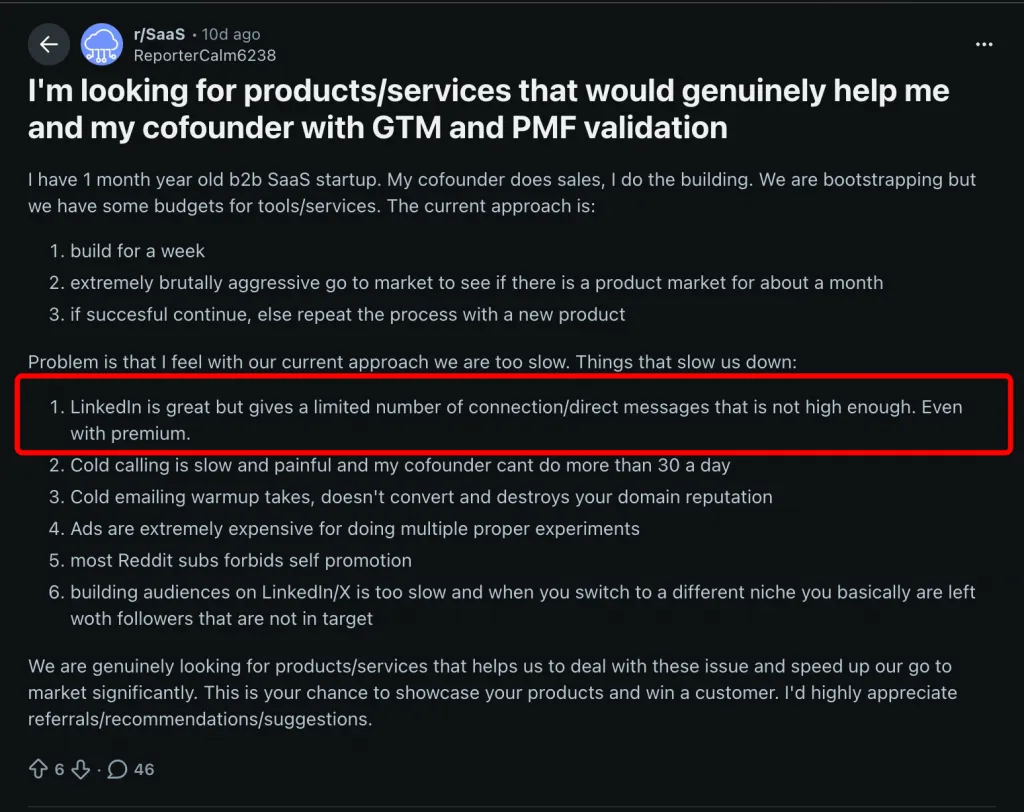
Exactly.
When the platform limits volume, every touchpoint becomes more valuable. You can’t brute-force scale — you need linkedin sales automation that multiplies the impact of each prospect.
Another SaaS founder wrote:
“I spend 3+ hours a day on repetitive LinkedIn/email tasks… between LinkedIn messages, follow-ups, cold emails, and CRM updates, I’m losing half my day to stuff that feels like it should be automated by now.”
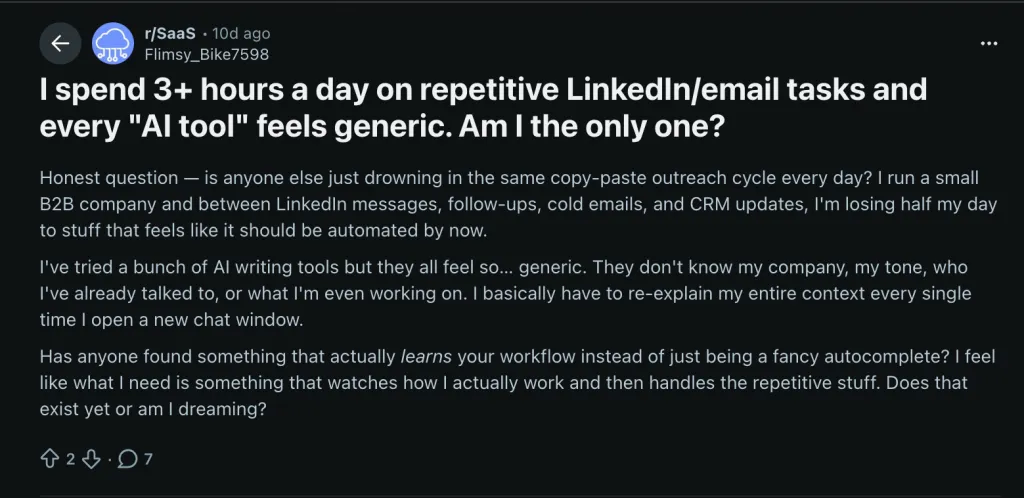
That’s where linkedin message automation shifts from “nice to have” to survival tool.
Across multiple threads, the highest-performing outreach wasn’t one perfect message.
It was a system.
| Step | Action | Timing | Purpose |
|---|---|---|---|
| 1 | Profile view | Day 0 | Warm signal — they see your name |
| 2 | Like | Day 1 | Second touch — 10–30% see your profile |
| 3 | Connection request (short note) | Day 2–3 | Personalized ask referencing something specific |
| 4 | Welcome message | Day 4–5 | Value-first message (not a pitch) |
| 5 | Follow-up with offer | Day 7–10 | Soft ask for conversation |
From r/coldemail:
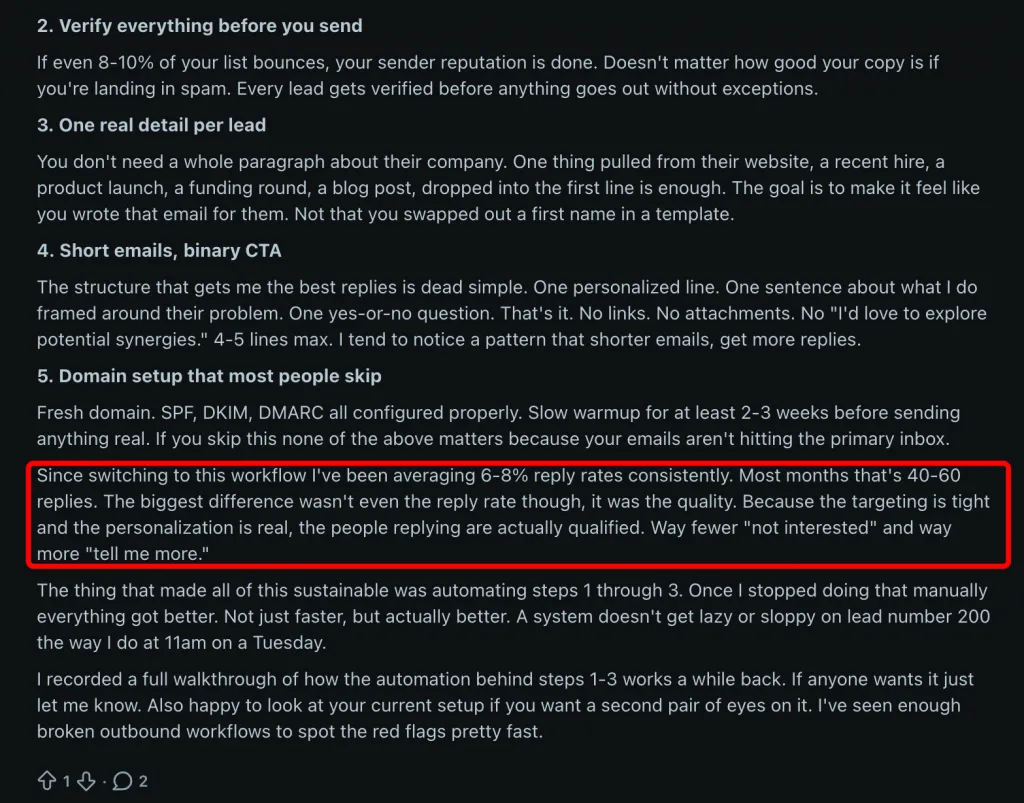
“Since switching to this workflow I’ve been averaging 6–8% reply rates consistently… The biggest difference wasn’t even the reply rate though, it was the quality… The thing that made all of this sustainable was automating steps 1 through 3.”
And from r/SaaS (after running 16 campaigns in one month):
“Reply rate moved the most when the message reduced thinking for the reader… follow-ups were another big one. Campaigns where follow-ups were triggered by behavior did noticeably better than ones that just sent the next message because X days passed… segmentation mattered more than personalization.”
That’s critical:
Behavior-triggered follow-ups > time-based follow-ups.
Sending “Just bumping this” because 3 days passed feels like noise.
Following up because they viewed your profile? That feels contextual.
The highest booking result in the dataset came from r/MarketingAutomation:
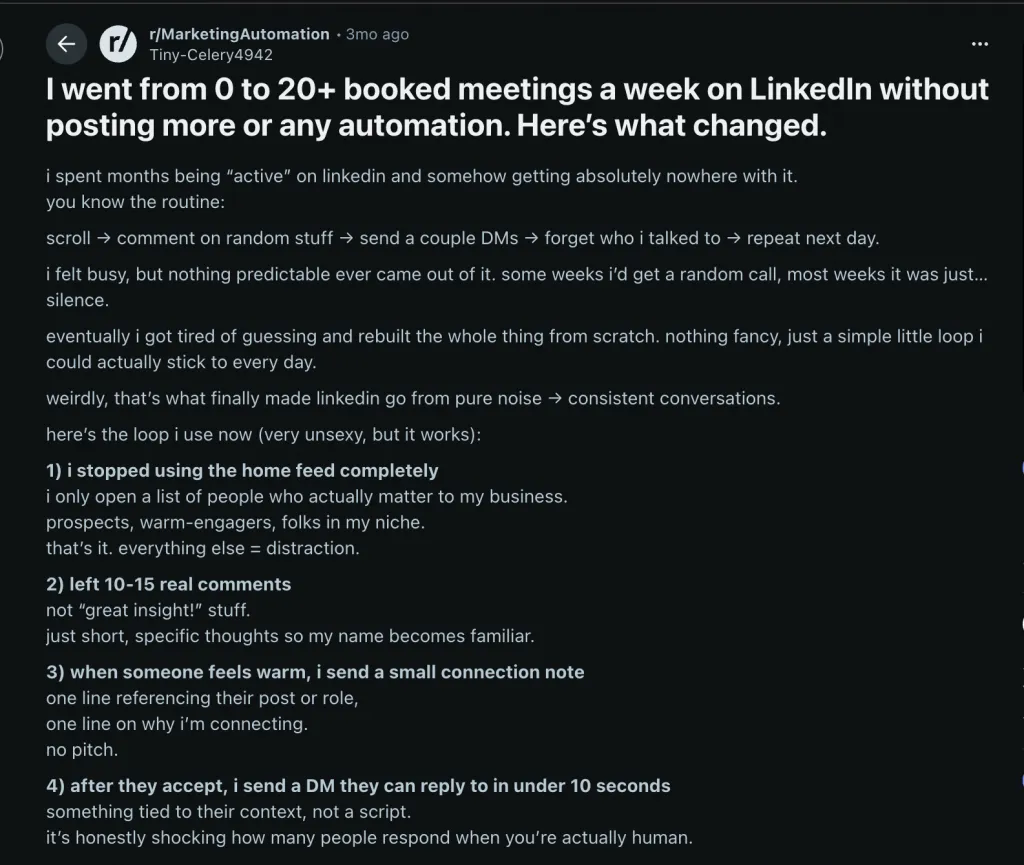
“I went from 0 to 20+ booked meetings a week on LinkedIn… left 10–15 real comments… when someone feels warm, I send a small connection note… after they accept, I send a DM they can reply to in under 10 seconds… follow-ups became part of the loop, not a random panic.”
Notice the pattern:
Tools like Linked Helper automate this exact system.
Their warm-up template includes:
Follow → Delay → Like/Comment → Delay → Invite with note → Filter (connected?) → Message #1 → Check for Replies → Message #2 → Check for Replies
There’s also an 11-action re-engagement workflow for existing connections.
The key feature?
That’s the behavior-triggered automation Reddit users reported working best.
The takeaway?
Most LinkedIn outreach fails because it’s a message.
Winning outreach is a system.One message hopes.
A sequence converts.
From r/branding (4 upvotes, 6 comments):
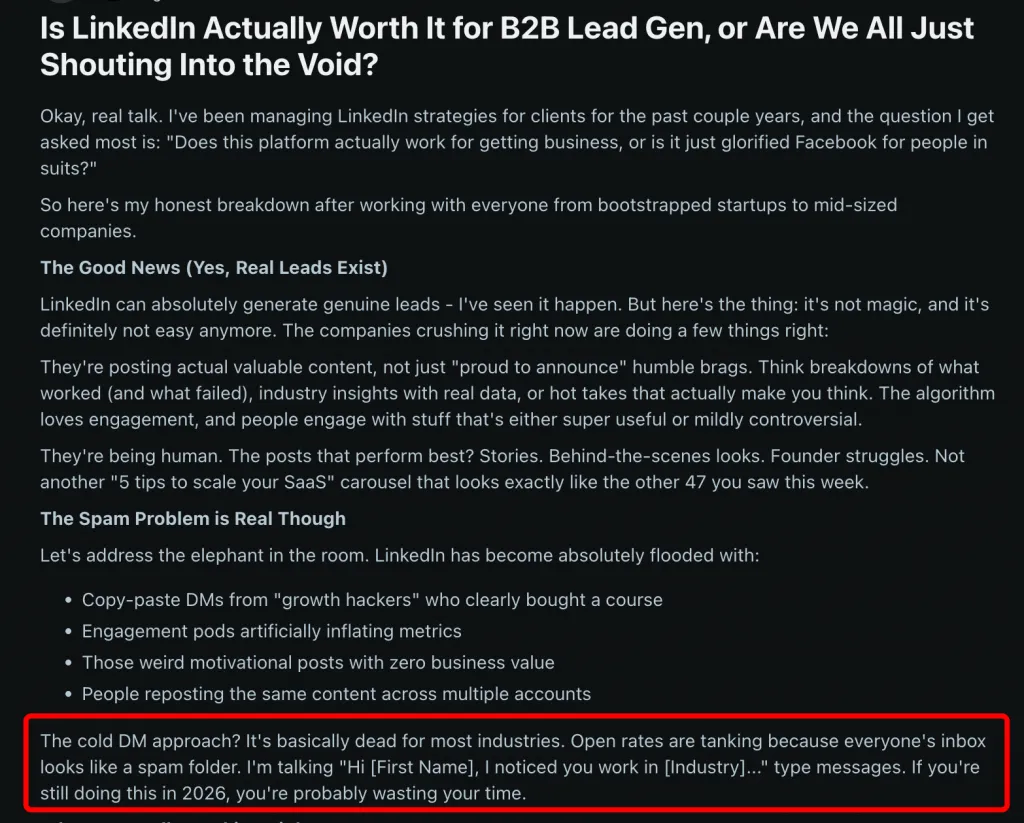
“The cold DM approach? It’s basically dead for most industries. Open rates are tanking because everyone’s inbox looks like a spam folder. I’m talking ‘Hi [First Name], I noticed you work in [Industry]…’ type messages. If you’re still doing this in 2026, you’re probably wasting your time.”
That’s the reality of automated LinkedIn outreach today.
Everyone uses {first_name}.
Everyone inserts {company}.
Everyone claims to “have a solution.”
Which means none of it differentiates you.
On r/coldemail (3 upvotes, 13 comments), a founder admitted:
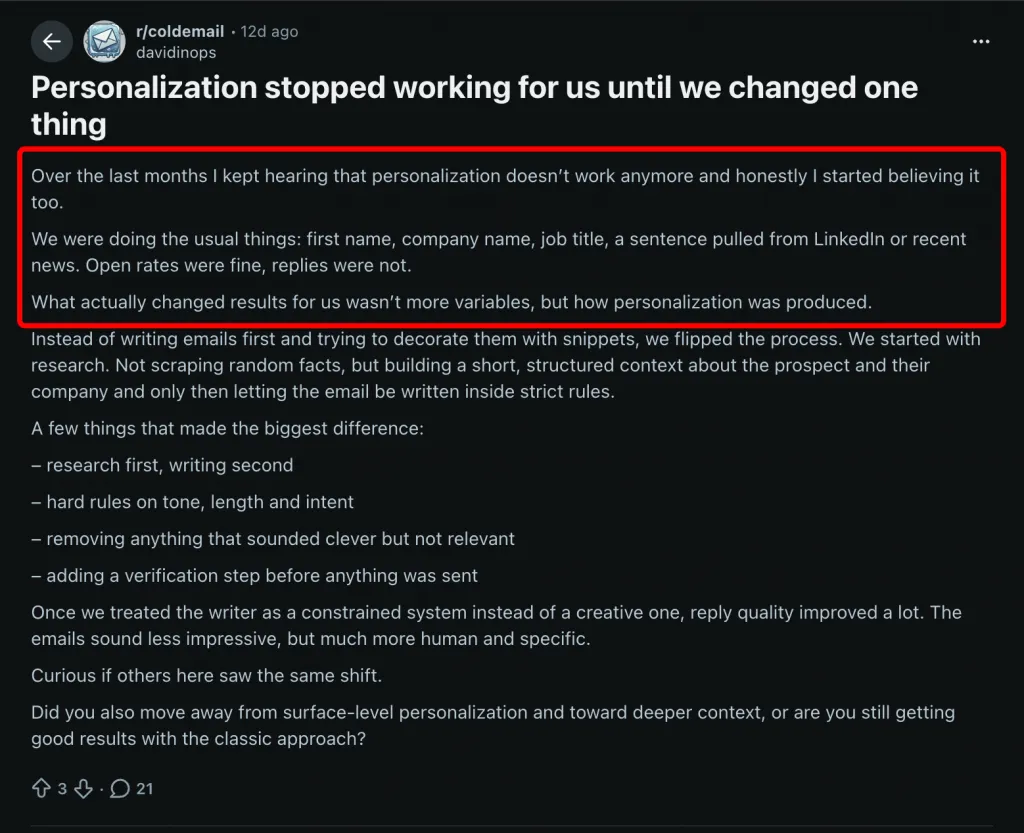
“We were doing the usual things: first name, company name, job title, a sentence pulled from LinkedIn or recent news. Open rates were fine, replies were not.”
Surface-level personalization gets you seen.
It doesn’t get you answered.
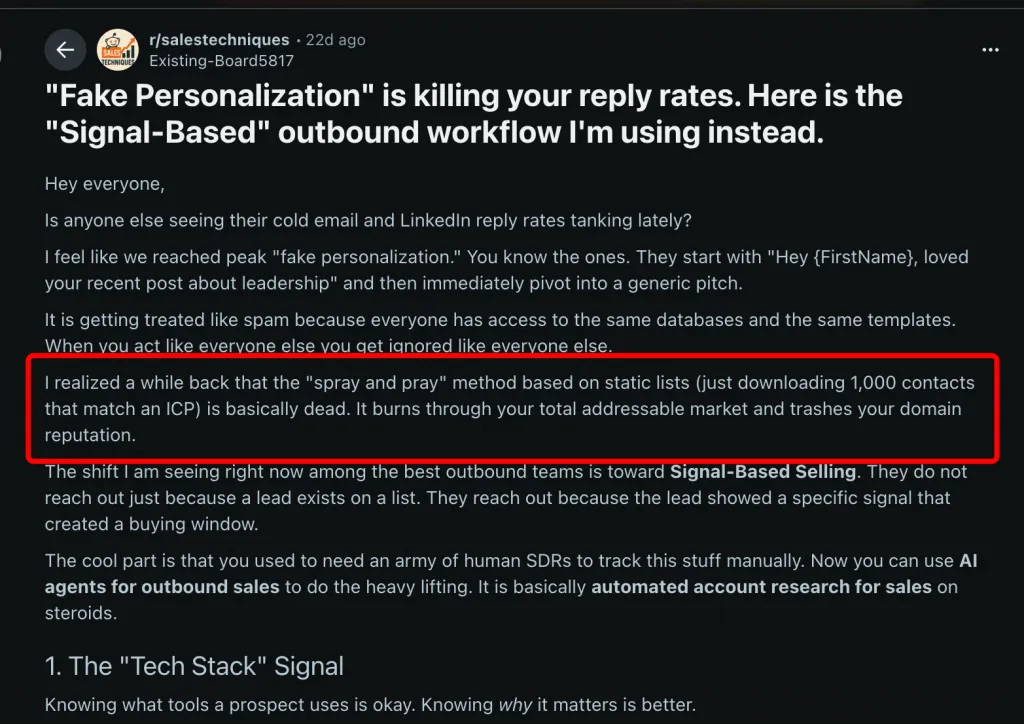
And as one post in r/salestechniques put it:
“The ‘spray and pray’ method based on static lists is basically dead.”
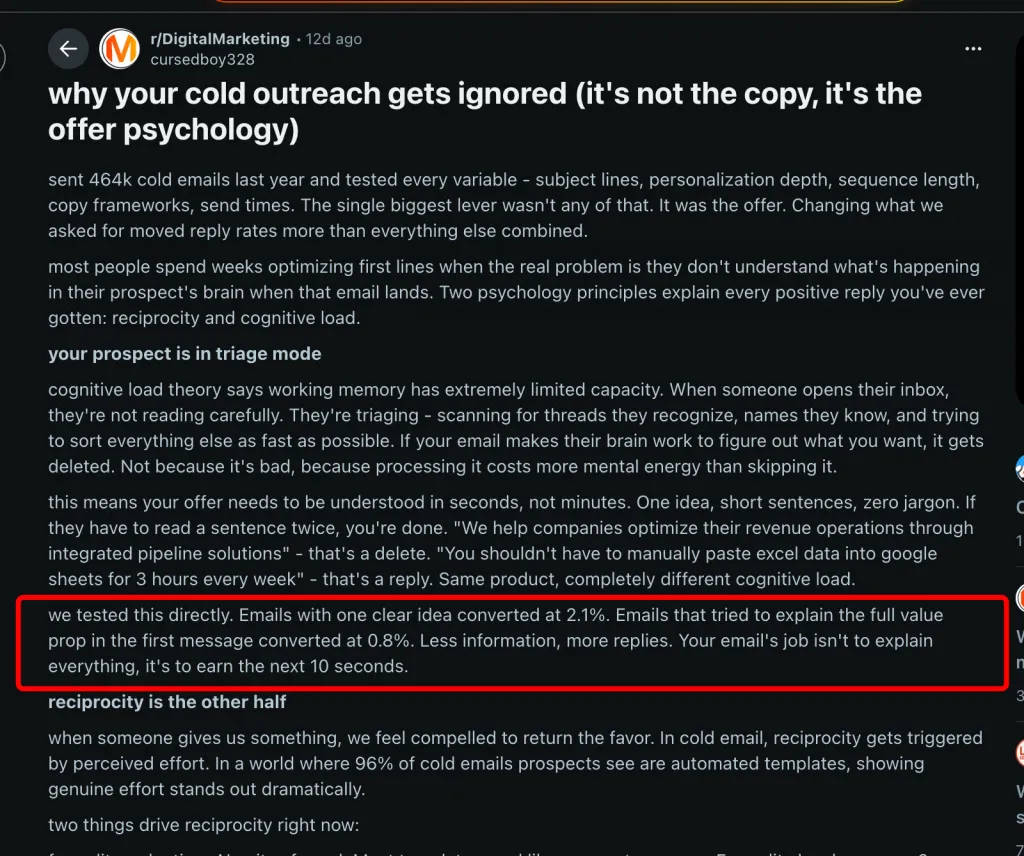
From r/DigitalMarketing:
“Emails with one clear idea converted at 2.1%. Emails that tried to explain the full value prop in the first message converted at 0.8%.”
The same rule applies to LinkedIn outreach automation.
If your first message explains your entire service stack, pricing logic, and process — you’ve already lost.
The goal of Message #1 is not to sell.
It’s to spark a reply.
From r/Entrepreneur:
“Cold LinkedIn messages got maybe 2% response rate but when I referenced something specific about their work or a recent post they made it jumped to like 30%.”
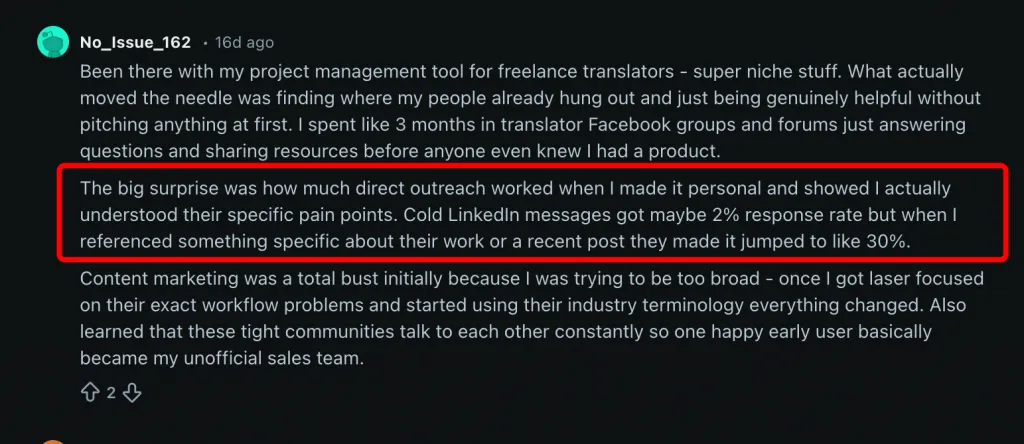
2% → 30%.
That’s a 15x increase from adding one real reference.
And the highest response rate in the dataset came from r/SaaS (26 upvotes):
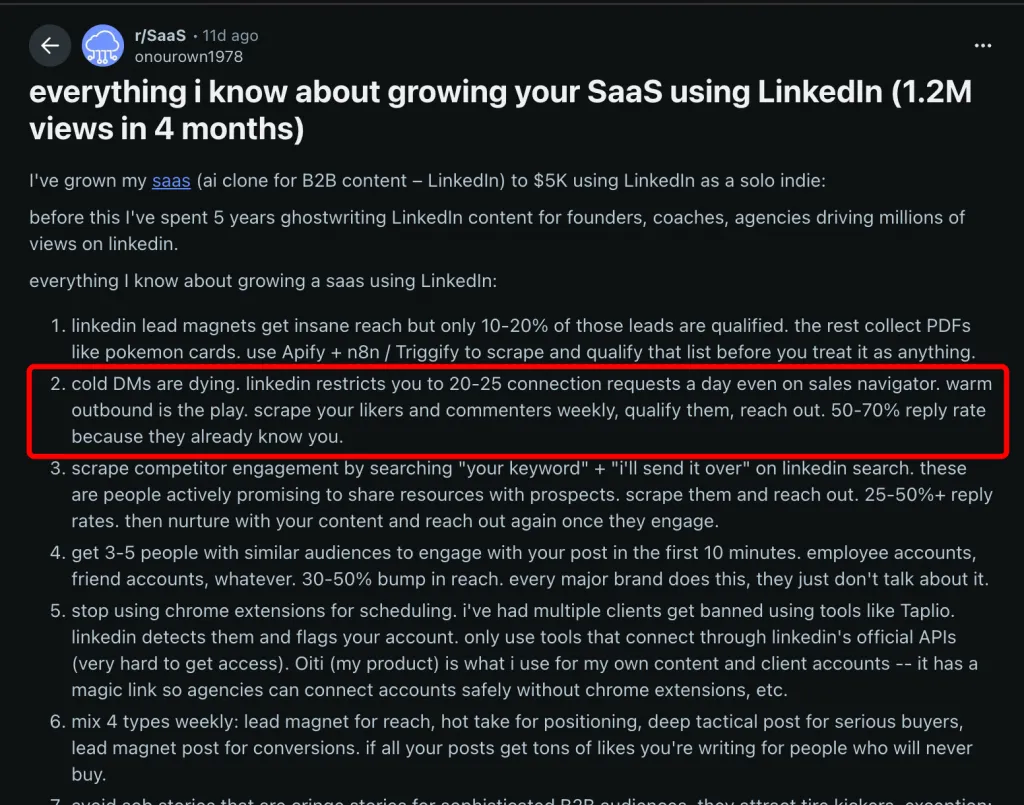
“Cold DMs are dying… warm outbound is the play. Scrape your likers and commenters weekly, qualify them, reach out. 50–70% reply rate because they already know you.”
50–70%.
Not because of better writing — but because of warmer context.
| Personalization Level | Example | Typical Reply Rate | Reddit Source |
|---|---|---|---|
| None | “Hi, I have a solution for your business” | <1% | r/DigitalMarketing |
| Surface | “Hi {first_name}, I noticed {company}…” | 1–3% | r/LinkedInTips |
| Specific reference | “Saw your post about X — here’s how we solved that” | 10–30% | r/Entrepreneur |
| Warm outbound | Scraped likers/commenters → qualified → DM | 50–70% | r/SaaS (26↑) |
From r/b2bmarketing:
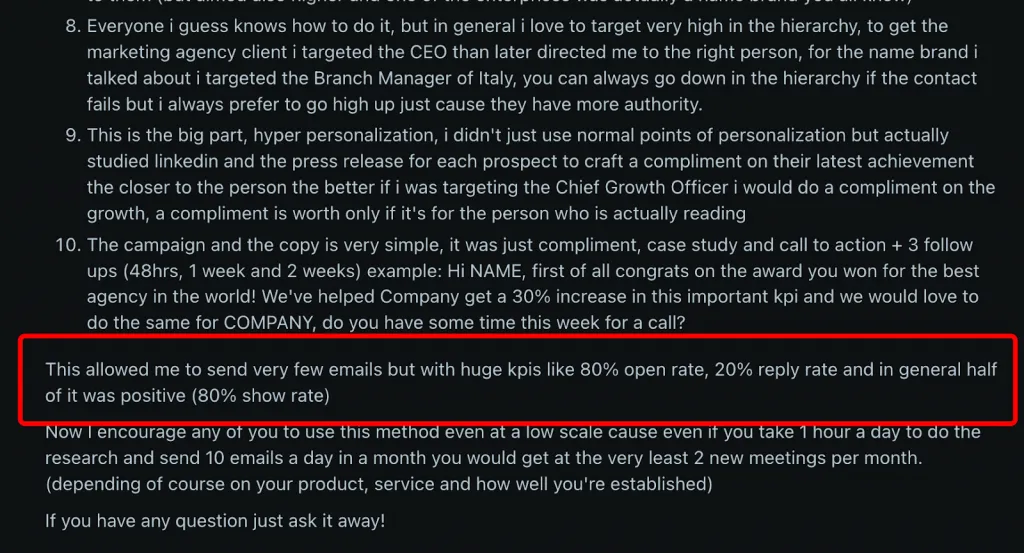
“Hyper personalization… studied LinkedIn and press releases for each prospect… 80% open rate, 20% reply rate… even if you send 10 emails a day, that’s 2 meetings per month minimum.”
10 well-researched messages > 100 semi-personalized ones. Can can still be relevant for your LinkedIn outreach.
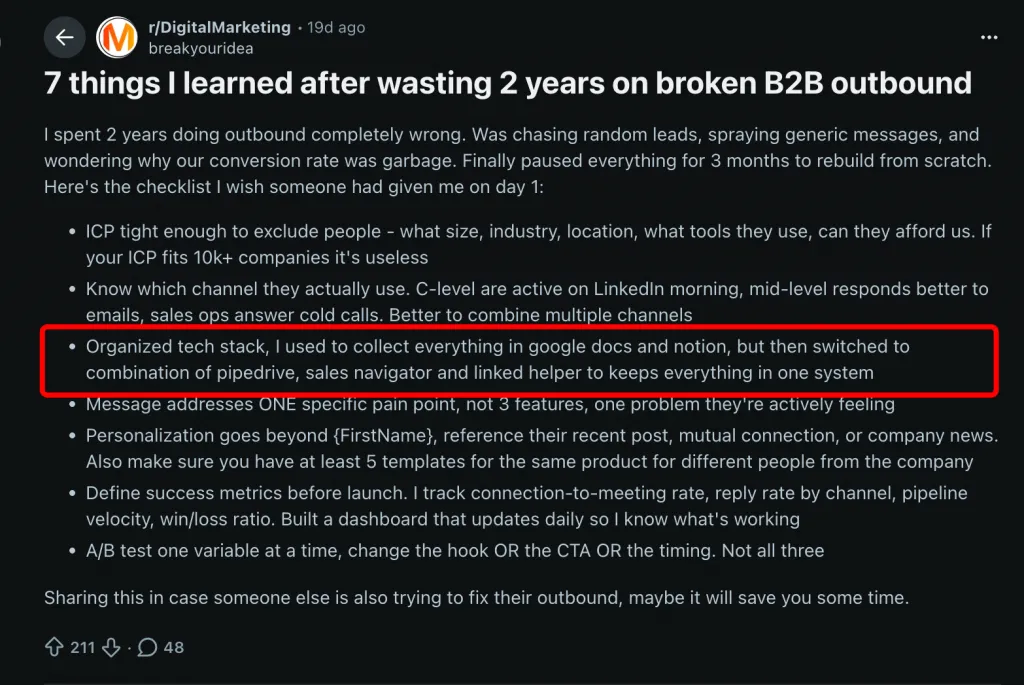
Another r/DigitalMarketing thread (28 upvotes) described Sales Navigator + Linked Helper + CRM as a lead generation tool stack — and emphasized:
“Personalization goes beyond {FirstName}, reference their recent post, mutual connection, or company news.”
Tools like Linked Helper support six layers of personalization:
1⃣ Standard Variables
12 built-ins: {firstName}, {company}, {position}, {location}, {mutualTotal}, etc.
2⃣ Custom Variables
Upload unlimited fields via CSV (e.g., {cs_recent_post}, {cs_pain_point}).
3⃣ IF–THEN–ELSE Logic
If {company} exists → reference it.
If not → fallback line.
Prevents broken or awkward messages.
4⃣ Spintax
{option1|option2|option3} rotates phrasing automatically.
5⃣ Full Message Variations
Create A/B/C templates — system randomly selects per profile.
6⃣ AI Template Drafting
Generate context-aware drafts to refine.
Character limits matter too:
Instead of scraping random LinkedIn prospects:
They already engaged.
They already recognize your name.
They’re dramatically more likely to respond.
Custom template variables plug-in — upload custom data per profile
From r/coldemail (46 upvotes, 21 comments):
“Started with Woodpecker in February. Sent maybe 2,000 emails over 3 months, got like 4 replies total. Switched to Mailshake thinking the templates were the issue… slightly better but still nowhere near sustainable. What actually worked was completely rethinking my approach.”
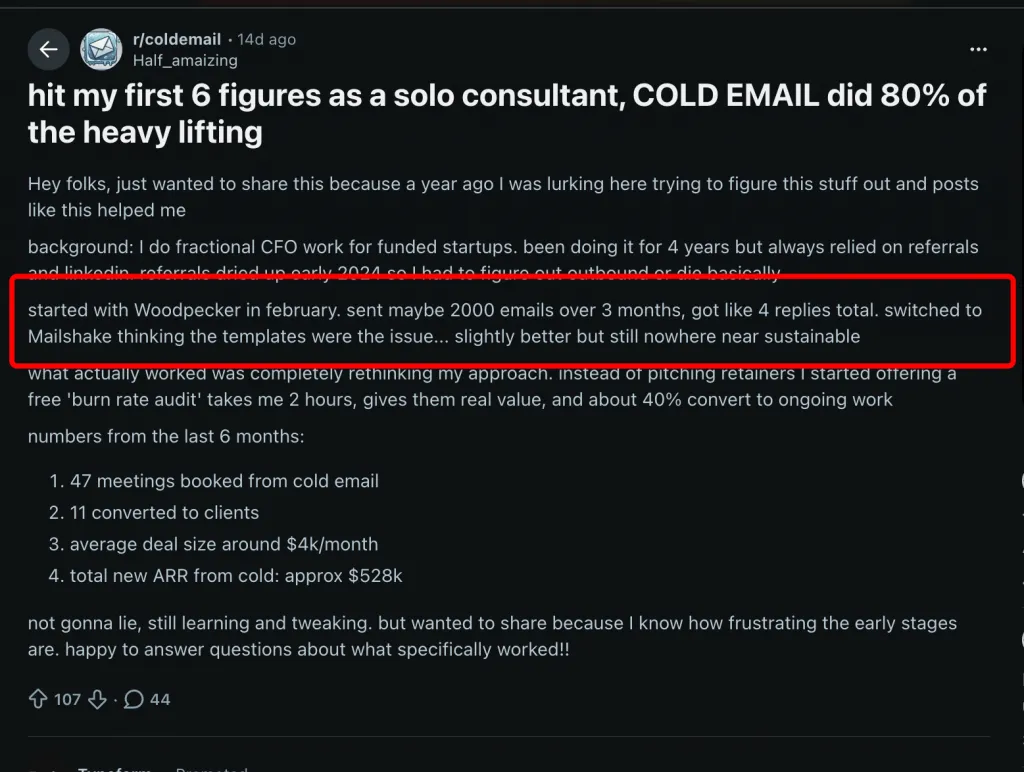
The tool wasn’t the problem.
The approach was.
Let’s look at what actually changed results — and what numbers real users reported after fixing their system.
From r/Entrepreneur:
Before:
“Sent dozens of messages… Zero replies. Not one.”
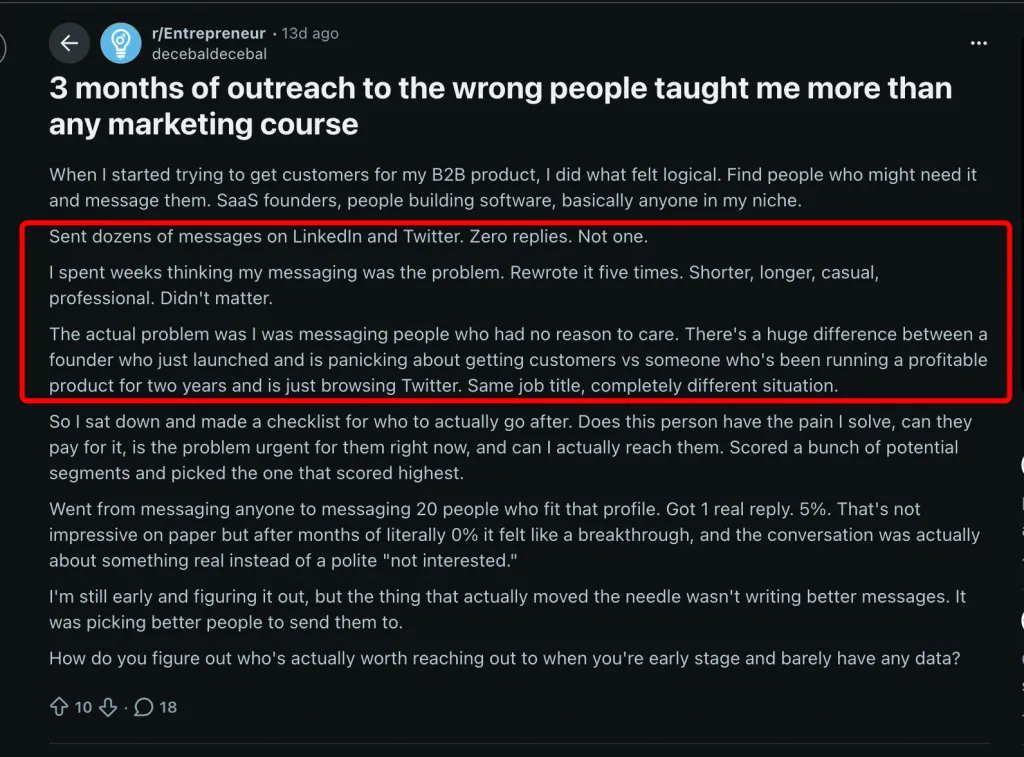
After narrowing to 20 tightly qualified prospects:
“Got 1 real reply. 5%.”
“The thing that actually moved the needle wasn’t writing better messages. It was picking better people to send them to.”
No new templates.
No new software.
Just better targeting.
From r/coldemail:
Before:
“I used to spend the first half of my morning just finding people… spreadsheets… 40–50 leads a day. Most were mid.”
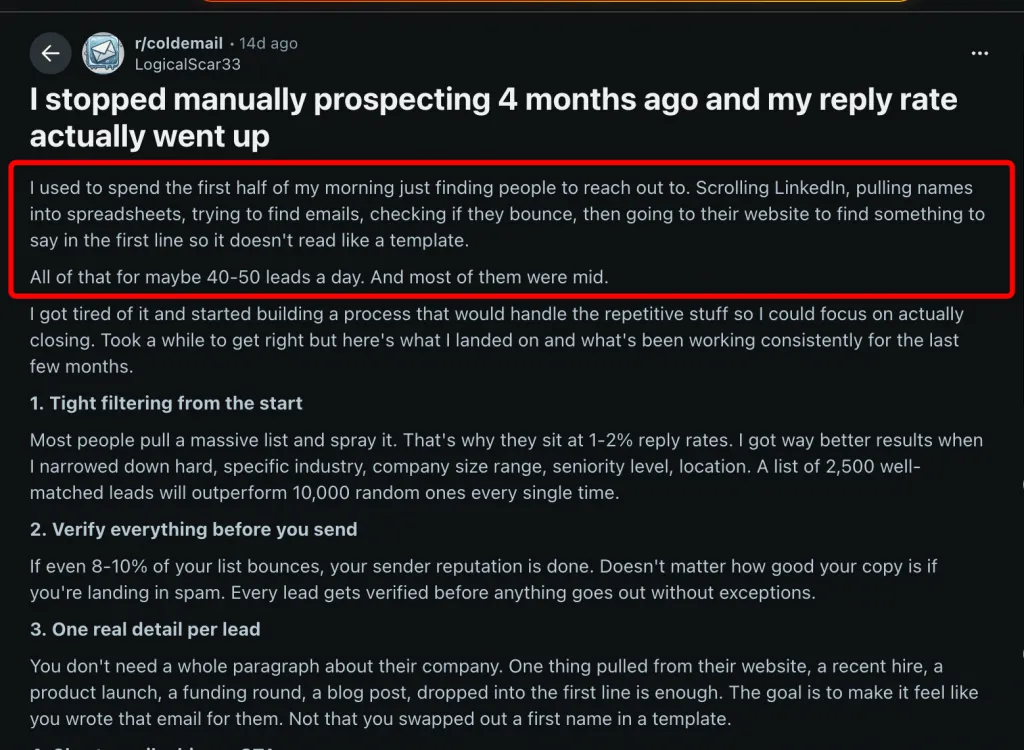
After implementing structured automation:
“Averaging 6–8% reply rates consistently. Most months that’s 40–60 replies.”
The biggest shift? Automating prospect collection and early touchpoints.
This is where a proper linkedin lead generation tool becomes leverage — not just a sender.
From r/jobsearchhacks (224 upvotes):
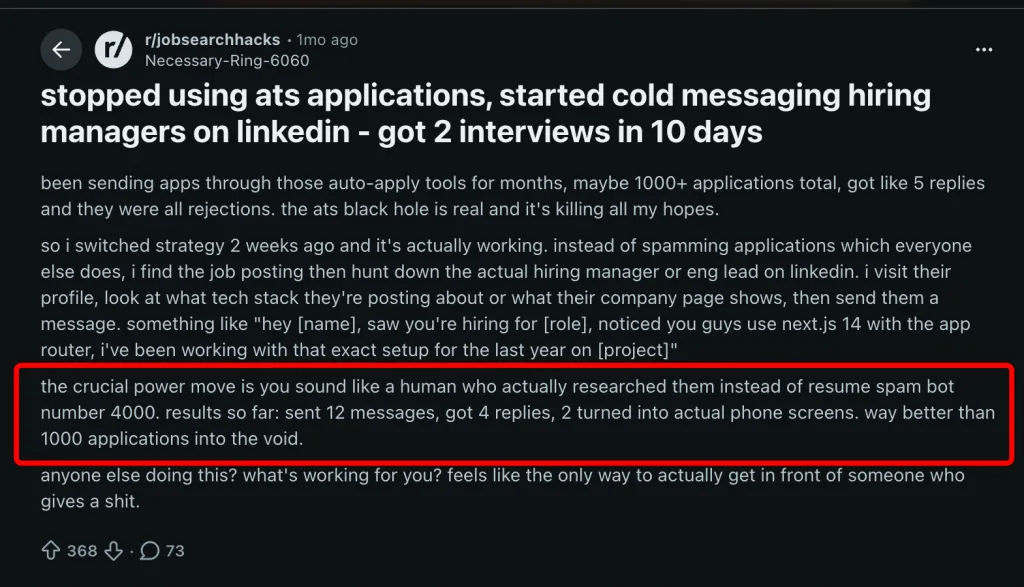
Before:
1,000+ job applications → 5 replies.
After switching to direct LinkedIn messages to hiring managers:
12 messages → 4 replies → 2 phone screens.
33% reply rate.
Same person.
Different strategy.
From r/SaaS (26 upvotes):
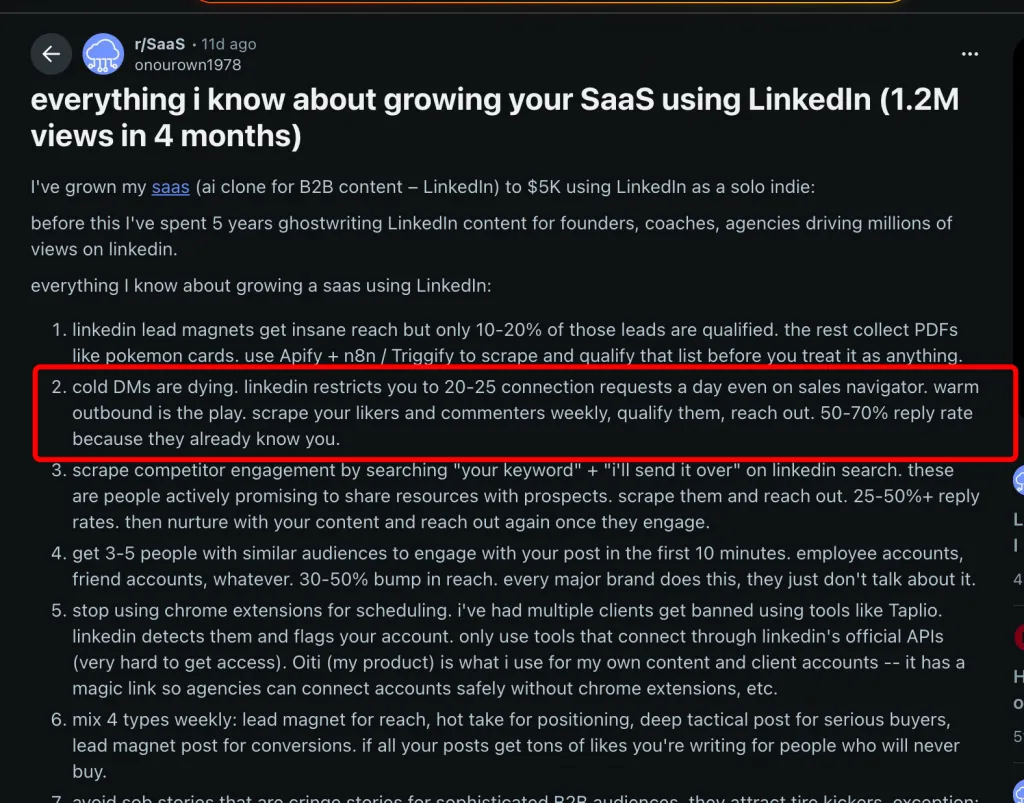
“Cold DMs are dying… warm outbound is the play. Scrape your likers and commenters weekly… 50–70% reply rate because they already know you.”
This is the highest response rate reported in the dataset.
The lesson:
The warmest lead is someone who already engaged with you.
From r/SaaS:
Before:
Permanent LinkedIn ban while using Waalaxy.
After switching to Linked Helper:
“Send invites and messages without restrictions… booked 8 meetings.”
The key shift wasn’t just switching tools — it was moving to a desktop-based automation approach with safer execution patterns.
From another r/SaaS thread:
Using Linked Helper to:
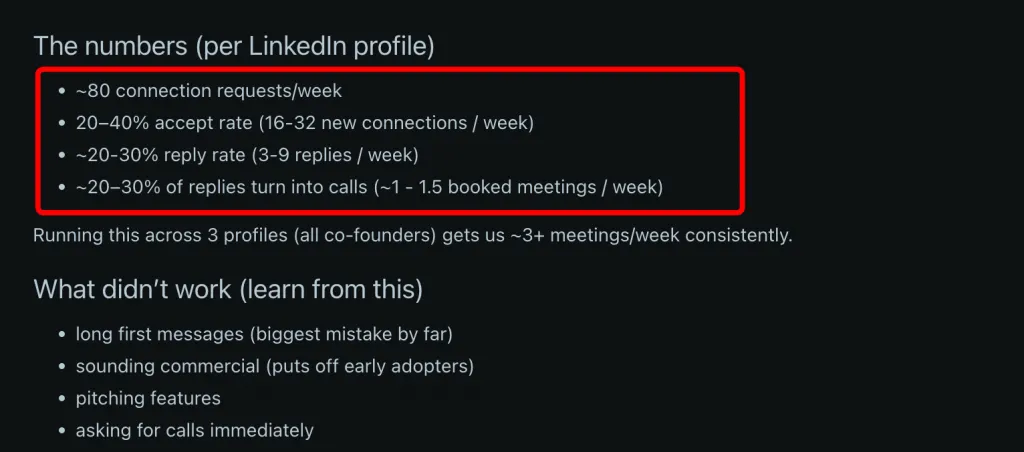
Result:
~1–1.5 booked meetings/week per profile.
Across 3 profiles → 3+ meetings/week consistently.
That’s scalable pipeline generation — not random wins.
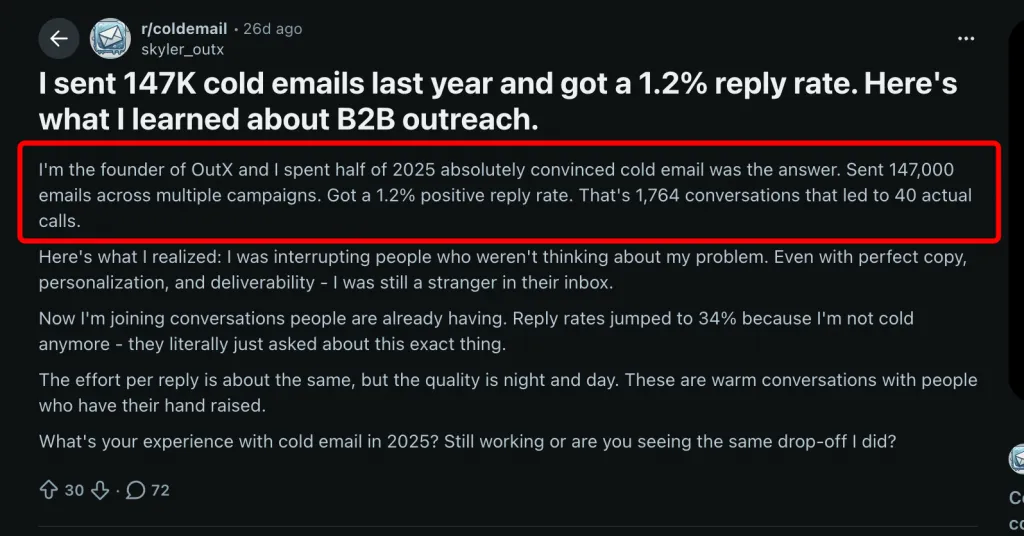
From r/coldemail (17 upvotes):
Before:
147,000 emails → 1.2% positive replies → 40 calls.
After pivoting to joining live conversations where intent already existed:
34% reply rate.
Not cold anymore.
Not interruptive.
Context-driven.
Before vs After Summary
| User | Before | After | Key Change | Result |
|---|---|---|---|---|
| ICP Pivot | 0% reply | 5% reply | Tighter targeting | First real conversation |
| Automation Workflow | Half-day prospecting | 6–8% reply | Automated steps | 40–60 replies/month |
| Targeted DM | 1,000 apps → 5 replies | 33% reply | Contacted decision-makers | Calls booked |
| Warm Outbound | Cold DMs failing | 50–70% reply | Scraped engagers | Warm pipeline |
| Tool Switch | Permanent ban | 8 meetings | Safer automation setup | Stable outreach |
| 3-Profile System | Manual outreach | 3+ meetings/week | Scaled sequences | Predictable pipeline |
| 147K Pivot | 1.2% reply | 34% reply | Intent-based targeting | 28x improvement |
What This Tells Us About the Best LinkedIn Automation for Lead Generation
The best LinkedIn automation for lead generation isn’t the one that sends the most messages.
It’s the one that:
The consistent pattern across every Reddit case study?
Results improved when users fixed:
Alternatives to the tools mentioned:
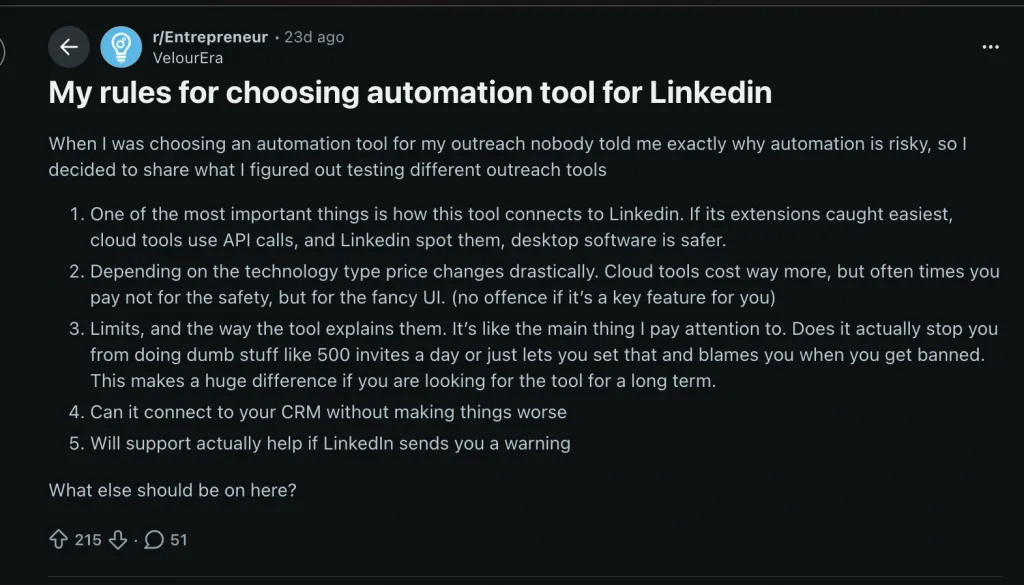
From r/Entrepreneur (215 upvotes, 34 comments):
“When I was choosing an automation tool for my outreach nobody told me exactly why automation is risky… Linked Helper – The OG LinkedIn automation tool. Desktop app (browser-based). Lots of features… Cheaper than cloud alternatives.”
The most important line from that thread:
“One of the most important things is how this tool connects to LinkedIn. Extensions get caught easiest, cloud tools use API calls and LinkedIn spots them, desktop software is safer.”
If you’re evaluating LinkedIn automation tools, architecture matters more than features.
From r/coldemail:
“If your reply rates dropped from 3% to 0.4%… your tool says everything is fine but nobody replies.”
Here’s what’s happening behind the scenes:
When LinkedIn tightens enforcement, reply rates drop first. Restrictions come later.
So the real question isn’t:
“Which tool has the most features?”
It’s:
“Which tool behaves most like a human?”
| Tool | Architecture | Price | Reply Rate Impact | Reddit Sentiment |
|---|---|---|---|---|
| Linked Helper | Desktop (browser-based) | From $8.25/mo (yearly Standard) | Positive — safe sequences, no bans | 215↑ r/Entrepreneur + competitor validation |
| Phantombuster | Cloud API | From $56/mo | Declining — detection crackdowns | “Broken Phantoms” trend |
| Waalaxy | Chrome extension | From $21/mo | Risk — JS injection detection | User-reported permanent ban |
| Expandi | Cloud | From $99/mo | Neutral | Very low Reddit awareness |
| Cloud | From $39/mo | Neutral | Low awareness |
Notably, direct competitors like Dux-Soup, Expandi, and Waalaxy are almost absent from high-engagement Reddit threads.
That absence is revealing.
Meanwhile, even the Botdog founder admitted in r/GrowthHacking that pricing ranges from $8.25 to $1,499/month — and Linked Helper remains the cheapest at $8.25/month.
Competitor validation is the strongest kind of proof.
Linked Helper’s safety model is built around avoiding detection vectors common to extensions and cloud tools:
11 Safety Mechanisms:
This isn’t just about “sending messages.”
It’s about mimicking normal human behavior patterns.
Standard License
PRO License
Bulk discounts scale up to 50% for large teams.
14-day full-feature trial included.
Compared to $99–$149/month cloud tools, the pricing gap is significant.
Linked Helper supports 11 native CRM integrations:
“Send to CRM” can be triggered automatically when a prospect replies — deduplicated by LinkedIn URL.
That means:
Reply detected → auto-routed to pipeline → no manual copying.
When evaluating a linkedin lead generation tool, ask:
If the answer to #1 or #2 is yes — risk increases.
If the answer to #3–#6 is no — scalability suffers.
Automation isn’t dangerous by default.
Bad architecture is.
The safest tools aren’t the flashiest.
They’re the ones designed to look boringly human.
Opening quote: r/Entrepreneur (215 upvotes, 34 comments): “When I was choosing an automation tool for my outreach nobody told me exactly why automation is risky, so I decided to share what I figured out… Linked Helper – The OG LinkedIn automation tool. Desktop app (browser-based). Lots of features… Cheaper than cloud alternatives.” Key insight: “One of the most important things is how this tool connects to LinkedIn. Extensions caught easiest, cloud tools use API calls and LinkedIn spots them, desktop software is safer.”
Key insight: Direct LinkedIn automation competitors (Dux-Soup, Expandi, Waalaxy) are almost entirely absent from Reddit conversations — a massive awareness gap.
Internal links:
Send person to external CRM — all 9 CRM integrations with field mapping
Linked Helper vs Phantombuster
Is it safe to use Linked Helper? — the full 11-point safety architecture
Licensing: Standard and PRO — pricing, plan comparison, bulk discounts
Related reading:
Baseline data from Reddit is consistent. In r/LinkedInTips (19 upvotes, 56 comments), one user reported a 2% response rate using a standard template — which reflects the typical 1–3% range for generic messaging. In r/Entrepreneur, another user shared their jump from 2% to 30% simply by referencing something specific about the recipient’s work. Here’s the realistic spectrum: Generic messaging: 1–3% Targeted ICP + multi-step sequences: 5–10% Warm outbound (engage first, then DM): 10–30%+ The ceiling depends on relevance. If you’re below 1%, you’re likely hitting the wrong audience or triggering spam signals.
The most technically advanced platform for LinkedIn automation with a focus on security, a wide range of features, and exceptional customer support. Trusted by over 10,000 businesses worldwide.