60–70% of B2B leads are never contacted by sales.
Read that again.
Most B2B teams aren’t struggling with linkedin lead generation. They’re struggling with what happens after the lead comes in. Marketing celebrates rising lead numbers. Dashboards look healthy. Campaigns show growth. But behind the scenes, sales teams quietly ignore the majority of those contacts.
Why?
Because more leads does not mean more revenue.
And unfiltered volume creates paralysis.
When every inbound connection, form fill, or LinkedIn reply is treated the same, sales has no clear prioritization system. High-intent buyers sit next to casual browsers in the CRM. SDRs work whoever is newest, loudest, or easiest — not whoever is most likely to convert. Meanwhile, response time slows down, and speed is critical: contacting a lead within 5 minutes can increase conversions by 8–10x.
Here’s the real issue:
LinkedIn is arguably the highest-intent B2B platform available today. It’s where decision-makers research vendors, engage with industry content, and evaluate solutions in public. But most companies treat all LinkedIn leads as equal.
They aren’t.
Some leads are actively evaluating vendors.
Some are gathering information for Q3.
Some are just curious.
Some will never buy.
Without a structured b2b lead scoring system, your team cannot tell the difference.
And when you can’t distinguish buyers from browsers, you default to randomness.
The companies outperforming the market aren’t generating dramatically more leads. They’re prioritizing smarter. Teams that apply lead scoring to LinkedIn leads report 2–3x higher reply rates — not because they changed messaging, but because they changed who gets contacted first.
Lead volume isn’t the bottleneck.
Prioritization is.
What Is B2B Lead Scoring (and Why Most Teams Do It Wrong)
r/b2bmarketing (11↑, 17💬):
“working on tightening up our lead management process for a b2b saas product. our leads come from different channels (content, webinars, ads) and we’re struggling with visibility and consistent follow-up. we need a crm that can be the single source of truth… clear lead scoring to prioritize sales outreach.”
That post captures a problem almost every B2B team faces.
Multiple channels.
Plenty of leads.
No prioritization logic.
This is exactly where b2b lead scoring comes in.
What Is B2B Lead Scoring?
In plain language, lead scoring is a system that assigns numeric points to leads based on:
- How well they match your ideal customer profile (ICP)
- How much buying intent they’ve demonstrated
It’s structured lead qualification — not guesswork.
Instead of asking, “Who should sales call next?” you let a scoring model rank leads automatically.
But here’s where most teams get it wrong.
The Two Dimensions Every Scoring Model Needs
Every effective scoring system has two axes:
1️⃣ Fit Score (X-axis)
Does this person/company match your ICP?
- Job title
- Industry
- Company size
- Geography
- Revenue band
2️⃣ Intent / Engagement Score (Y-axis)
Are they showing real buying behavior?
- Downloaded a guide
- Attended a webinar
- Visited pricing page
- Requested a demo
- Replied to outreach
Both dimensions are required.
- High fit + low intent → Not ready
- High intent + poor fit → Wrong buyer
- Low fit + low intent → Ignore
- High fit + high intent → Ideal buyer
Visualize it as a simple scatter plot:
Fit Score (X) vs Intent Score (Y)
Top right quadrant? That’s revenue.
MQL vs SQL — The Line Most Teams Blur
Without scoring, the difference between MQL vs SQL becomes subjective.
Here’s the practical breakdown:
| Dimension | MQL | SQL |
| Fit score | Meets ICP profile | Meets ICP profile |
| Engagement | Raised hand (download, webinar) | Demonstrated active intent (pricing page, trial, reply) |
| Next action | Nurture sequence | Sales call |
| LinkedIn signal | Connection accepted | Replied to message or visited profile back |
| Typical score threshold | 40–60 pts | 70+ pts |
An MQL (Marketing Qualified Lead) has enough points to justify nurturing.
An SQL (Sales Qualified Lead) — or sales qualified lead — is ready for a real sales conversation.
When teams skip scoring, SDRs treat MQLs like SQLs.
Result? Wasted effort.
According to Salesforce’s State of Sales report, sales teams waste up to 30% of their time chasing unqualified leads. That’s nearly one-third of selling capacity lost to poor prioritization.
The Most Common Failure
Most companies score only demographic fit.
They assign points for:
- VP title
- 200+ employees
- SaaS industry
But they ignore behavior.
That Reddit quote is the textbook example: multiple channels feeding leads into a CRM with no consistent prioritization model.
A VP who downloaded one ebook is not equal to a Director who:
- Visited your pricing page twice
- Replied to LinkedIn outreach
- Booked a trial
Especially in LinkedIn lead generation, behavioral signals matter more than static profile data.
If you want to go deeper into LinkedIn-specific signals, see the Linked Helper blog — LinkedIn lead generation.
Because lead scoring isn’t about labeling leads.
It’s about protecting your sales team’s time — and directing it toward the top-right quadrant.
Linked Helper blog — LinkedIn lead generation
Why LinkedIn Changes Everything About Lead Scoring
r/b2bmarketing (32↑, 20💬): “Most lead gen problems are actually targeting problems: Your ICP is a persona, not a list. Your list is everyone who vaguely fits your niche. Your messaging tries to speak to 10 segments at once. Fix the targeting and the leads fix themselves.”
LinkedIn lead generation is fundamentally different from email or paid ads — because it gives you fit-score data before outreach even begins.
On LinkedIn, you can instantly see:

- job title
- company size
- seniority level
- industry
- mutual connections
- recent job changes
That means your b2b lead generation LinkedIn workflow starts with pre-qualified leads, not guesswork.
LinkedIn vs Email: What Changes

With cold email, when someone replies, you often don’t know:
- why they responded
- whether they’re actually decision-makers
- if they even match your ICP
With LinkedIn leads, you already know:
- exactly who they are
- how senior they are
- whether they fit your ideal customer
👉 In other words:
- Email = post-outreach scoring
- LinkedIn = pre + post-outreach scoring
Why Scoring Matters More on LinkedIn
LinkedIn has lower volume than email. You’re not blasting 10,000 contacts/day.
- Safe activity: ~20–50 targeted actions/day
- Risky behavior: mass outreach to unfiltered lists
👉 This is where most people fail:
They treat LinkedIn like email → spray messages → get ignored or flagged
Reality:
- Every lead must count
- Every message must be relevant
- Every profile should be scored before outreach
Unscored outreach = higher chance of account restrictions
Scored, targeted outreach = sustainable growth + better replies
Performance Advantage of Targeting
Targeted LinkedIn outreach to properly filtered ICP lists generates 3–5× higher reply rates vs broad outreach (internal RedReach dataset: 459 posts on b2b lead generation show strongest engagement in niche-targeted campaigns).
Why LinkedIn Data Is More Powerful
LinkedIn data is fresh by default:
- Profiles are typically updated within ~2 weeks of a job change (LinkedIn Economic Graph research)
- Compare that to email databases decaying ~23% per year
👉 This makes LinkedIn the most reliable real-time source for B2B lead scoring.
LinkedIn vs Email Lead Scoring Signals
| Signal Type | Email/Web | |
| Fit signals | Title, company, seniority — native | Requires enrichment tools (Apollo, Clearbit) |
| Intent signals | Profile views, replies, content engagement | Opens, clicks, page visits |
| Data freshness | Real-time updates | Lists decay ~23%/year |
| Volume/day | 50–150 actions (safe) | 1,000+ emails |
| Scoring approach | Pre + post-outreach scoring | Mostly post-outreach |
Building Your ICP-Based Lead Scoring Model for LinkedIn

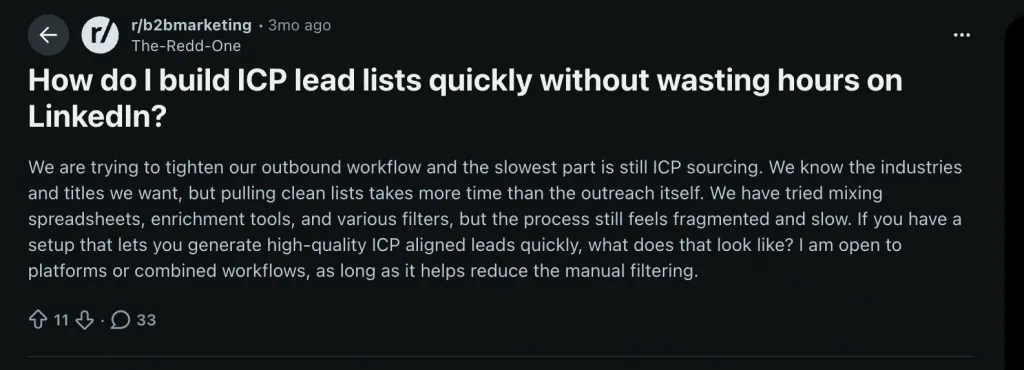
r/b2bmarketing (10↑, 26💬):
“We are trying to tighten our outbound workflow and the slowest part is still ICP sourcing. We know the industries and titles we want, but pulling clean lists takes more time than the outreach itself. We have tried mixing spreadsheets, enrichment tools, and various filters, but the process still feels fragmented and slow.”
That’s the hidden truth about ICP definition in B2B.
Most teams think they know their ICP.
Very few have translated it into a measurable, operational lead scoring model.
And without a clear ICP, lead scoring becomes arbitrary. You’re assigning points to attributes that may not actually correlate with revenue.
ICP Is the Foundation of Your Scoring Model
Before you touch automation, CRM rules, or linkedin sales navigator lead scoring, you need clarity on one thing:
Who actually buys — and closes — from you?
Your ICP is not a guess. It’s a pattern.
The most practical way to build it?
Pull your top 20 closed deals from the past 12 months and reverse-engineer what they had in common:
- Titles
- Company size
- Industry
- Geography
- Tech stack
- Seniority
That’s your real ICP — backed by revenue data.
The 5 Core ICP Attributes That Map Directly to LinkedIn
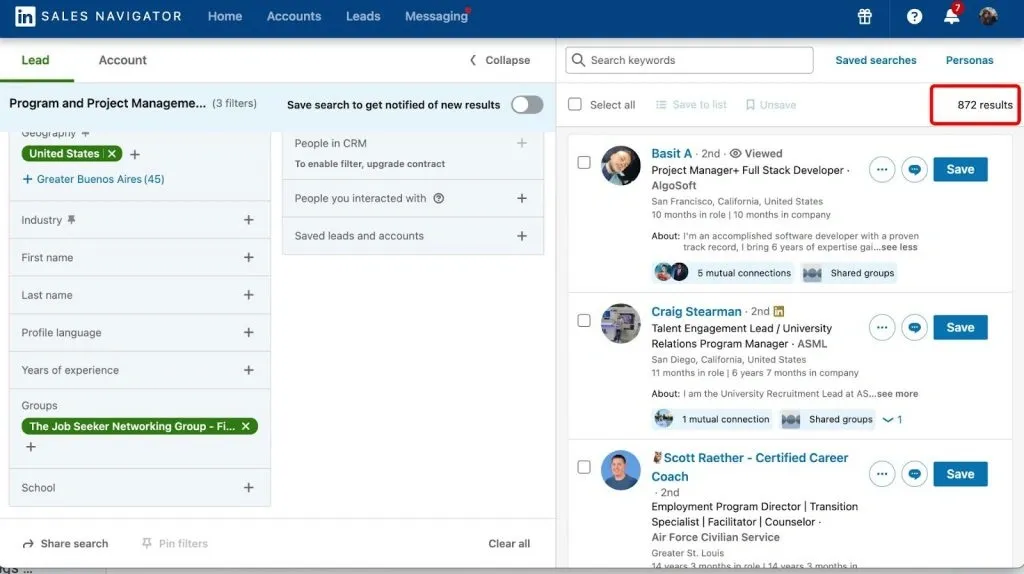
The beauty of LinkedIn is that your ICP can be translated directly into filters — especially inside Sales Navigator.

Here’s how to structure your fit score (max 100 points):
| Attribute | LinkedIn Field | Points | Example |
| Job title match | Title | 0–25 | “Head of Sales” = 25, “Sales Rep” = 10 |
| Company size | Employee count | 0–20 | 50–500 employees = 20, 10–49 = 12 |
| Industry match | Industry tag | 0–20 | “SaaS” = 20, “Agency” = 15 |
| Seniority | Level | 0–15 | Director+ = 15, Manager = 10 |
| Geography | Location | 0–10 | US/UK/CA = 10, other = 5 |
| Tech stack | Clearbit / BuiltWith | 0–10 | Uses HubSpot + Sales Nav = 10 |
| Max fit score | 100 |
Notice the weighting:
Job title gets the highest weight (25 points).
Why? Because role relevance predicts buying authority more than company size does.
This structure turns your ICP into math.
And when you apply these weights inside LinkedIn filters, you’re essentially embedding your scoring model into your search query.
That’s what effective linkedin sales navigator lead scoring really is — structured filtering aligned with revenue-backed ICP data.
Why Good Filters Alone Don’t Solve the Problem
Now consider the second Reddit quote:

r/b2bmarketing (10↑, 49💬):
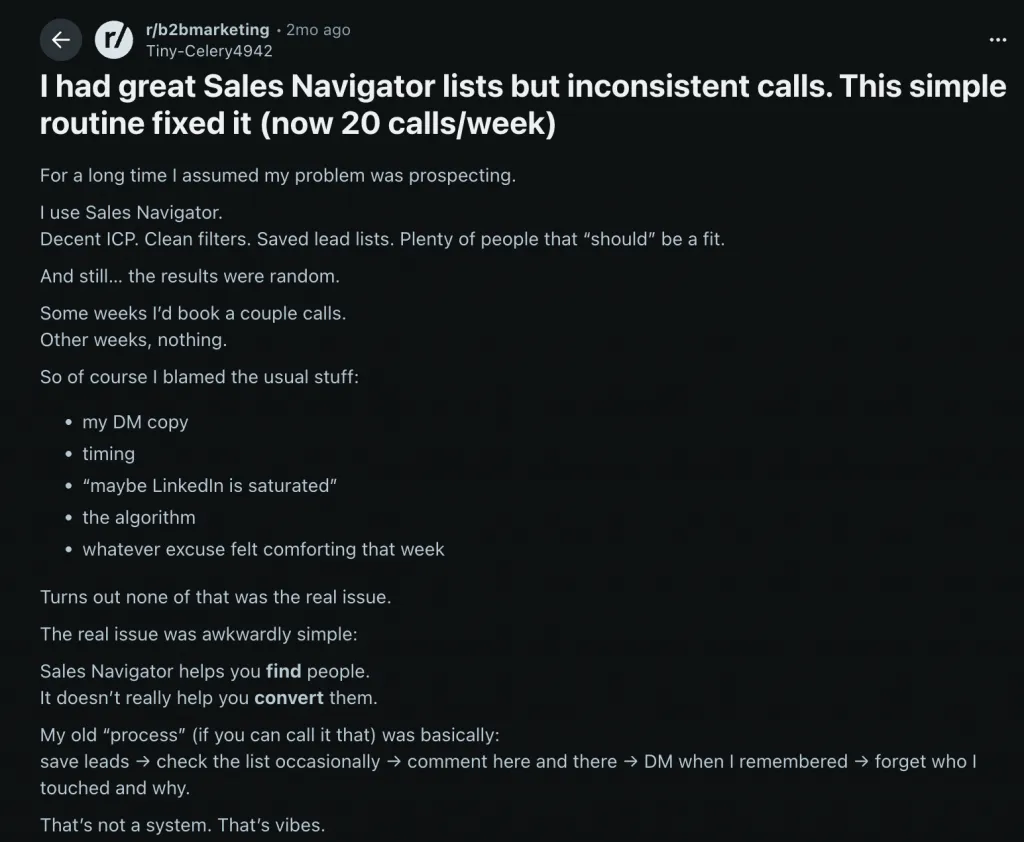
“For a long time I assumed my problem was prospecting. I use Sales Navigator. Decent ICP. Clean filters. Saved lead lists. Plenty of people that ‘should’ be a fit. And still… the results were random.”
This is where most outbound teams stall.
They build strong fit filters.
They generate clean lists.
But results feel random.
Why?
Because fit ≠ readiness.
You can have a 90/100 fit score and still be 3 months too early.
That’s why your model needs two dimensions:
- X-axis: Fit score (ICP alignment)
- Y-axis: Intent score (buying signals)
Without intent, you’re cold-outreaching to well-matched but not-ready leads.
With both, you prioritize the top-right quadrant — high fit + high intent.
The Practical Shift
Instead of asking:
“Does this person match our ICP?”
Ask:
“How close is this lead to 100 fit points — and are they showing buying behavior?”
Once your ICP definition is quantified, everything changes:
- Your lists are smaller but sharper
- SDR time is focused
- Outreach feels relevant
- Follow-ups become strategic
Lead scoring doesn’t start with software.
It starts with turning your ICP into a weighted model LinkedIn can filter for — and then layering intent on top.
That’s when prospecting stops feeling random — and starts feeling predictable.
Linked Helper — LinkedIn Sales Navigator integration
Intent Signals That Actually Predict B2B Buying

r/b2bmarketing (15↑, 29💬 — from comments):
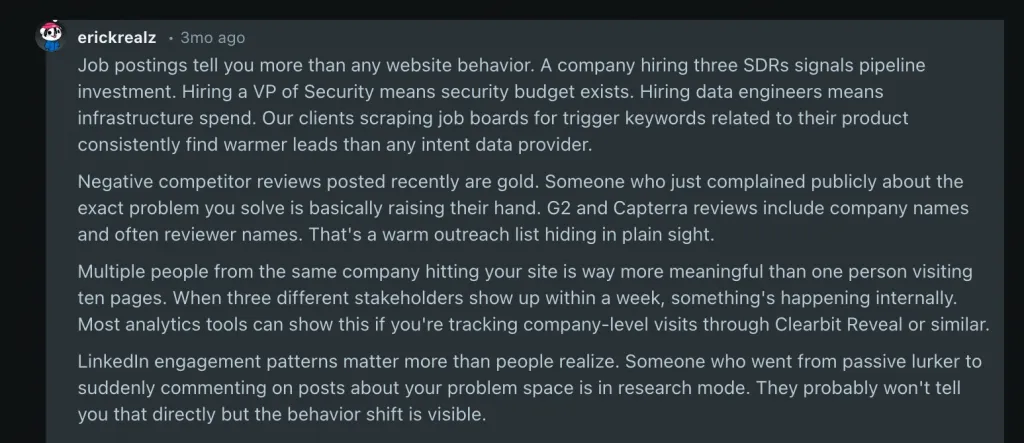
“Job postings tell you more than any website behavior. A company hiring three SDRs signals pipeline investment. Hiring a VP of Security means security budget exists… Our clients scraping job boards for trigger keywords related to their product consistently find warmer leads than any intent data provider. The most underrated signal is asking directly. A simple ‘what’s driving your interest right now’ question in your first email or call reveals intent faster than any algorithmic scoring ever could.”
This is the missing piece in most scoring systems.
Your ICP-based fit score tells you who to target.
Your intent score tells you when.
Without the intent layer, you’re just building a static list.
With it, you’re prioritizing timing — and timing is what drives revenue.
A Practical 3-Tier Framework for Intent Signals (B2B)
From the same Reddit thread:
“Tier 1 – actively looking to buy…
Tier 2 – something changed…
Tier 3 – might be interested (unreliable alone)…
Page views and email opens are Tier 3 at best. Don’t base outbound on them alone.”
This framework is powerful because it’s practitioner-driven — not consultant theory.
Let’s break it down using intent signals b2b specifically in a LinkedIn context.
Tier 1: Actively Looking to Buy (High-Impact Signals)
These are direct buying intent signals.
LinkedIn-specific Tier 1 signals:
- Company posted SDR/AE jobs → pipeline investment
- Hiring a VP/Director in the function your product serves
- Prospect posts about the problem your solution solves
- Prospect replies asking about pricing or implementation
If someone messages you, “What’s your pricing?”
They are 3–4x more likely to convert than someone who just opened your email.
That’s the LinkedIn equivalent of visiting a pricing page multiple times.
These signals indicate urgency.
They deserve the highest score weight.
Tier 2: Something Changed (Trigger Events)
These signals don’t mean “buying now,” but they indicate motion.
LinkedIn-specific Tier 2 signals:
- Company raised funding (visible via LinkedIn + Crunchbase)
- New leadership in relevant department
- Rebrand or company pivot
- Rapid hiring in a function you support
A new VP of Sales often means new tools.
A funding round often means budget expansion.
These aren’t immediate buying signals — but they increase probability.
Tier 3: Passive Engagement (Weak Alone)
These are the most overvalued signals in B2B.
LinkedIn-specific Tier 3 signals:
- Liked your post
- Accepted your connection
- Opened your InMail
- Visited your profile
Alone, these mean very little.
A company hiring SDRs and liking your content?
Very warm.
A random VP liking your post?
Ignore.
Tier 3 signals only matter when stacked with Tier 1 or Tier 2.
Intent Scoring Model — LinkedIn Layer
| Signal | Tier | Score Points | How to Detect |
| Company posted SDR/AE jobs | 1 | +30 | LinkedIn Jobs search, alerts |
| Prospect made relevant post/comment | 1 | +25 | LinkedIn activity feed |
| New VP/Director joined buying role | 1 | +25 | Job change alerts |
| Company raised funding | 2 | +20 | LinkedIn + Crunchbase |
| Prospect liked/shared your content | 3 | +10 | LinkedIn notifications |
| Prospect accepted your connection | 3 | +5 | Connection list |
| Prospect visited your profile | 3 | +5 | “Who viewed” (Sales Nav) |
The Core Principle
Tier 3 signals should never trigger outreach on their own.
But when stacked with Tier 1:
- Hiring SDRs (+30)
- New VP Sales (+25)
- Liked your post (+10)
Now you’re looking at 65+ intent points.
That’s timing.
And timing — layered on top of your ICP fit score — is what separates high-performing intent signals b2b systems from vanity engagement tracking.
Fit tells you who matters.
Intent tells you who matters right now.
The Lead Scoring Failure Everyone Makes (and How to Fix It)
r/coldemail (15↑, 15💬):
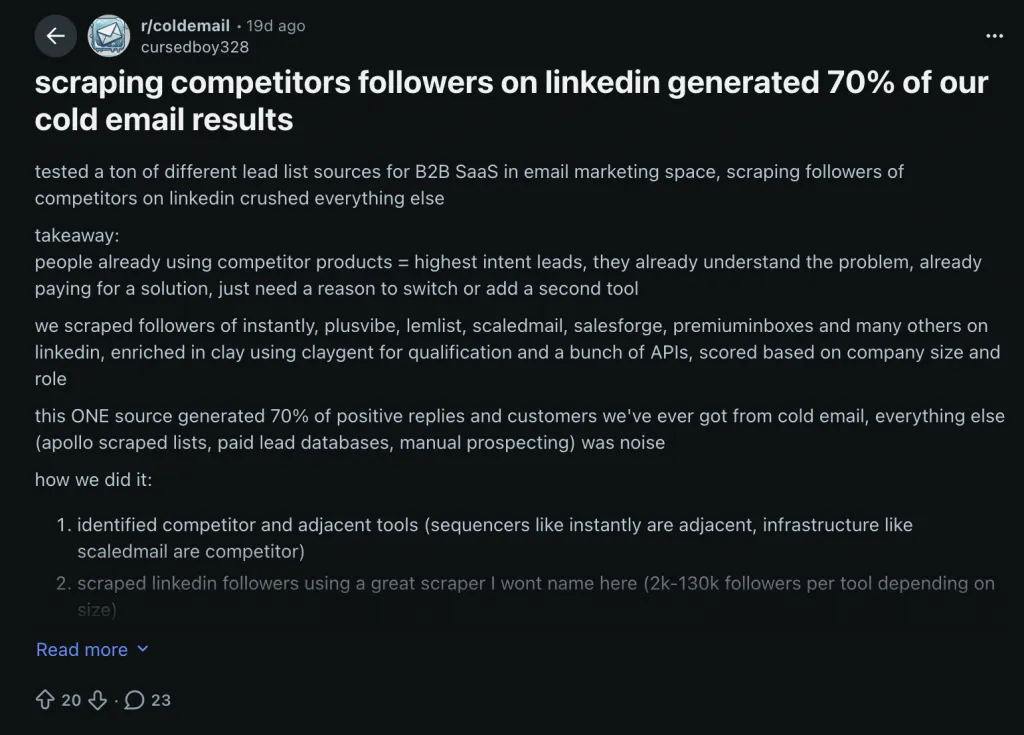
“tested a ton of different lead list sources for B2B SaaS in email marketing space, scraping followers of competitors on linkedin crushed everything else. takeaway: people already using competitor products are pre-qualified —they already have the pain and the budget.”

This is the insight that exposes the most common B2B lead scoring mistake.
The Lead Scoring Failure Everyone Makes
Most teams treat all LinkedIn leads as equal at the top of the funnel.
- They search by job title, seniority, or company size.
- They send connection requests en masse.
- They only score after a lead replies or engages.
By then, outreach capacity is already wasted on low-fit prospects.
Competitor followers? They’re already Tier 1 intent in plain sight: they have the pain, the budget, and they’re evaluating alternatives. Yet most outbound workflows ignore them in favor of generic ICP searches.

The fix is simple: pre-outreach scoring. Assign points for fit + at least one Tier 1 intent signal before you launch any sequence. This ensures SDR time is spent on leads with both capacity and intent.
5 Most Common Lead Scoring Failures
| Failure | Why It Fails |
| 1. Scoring only on job title + company size | Ignores behavioral intent; leads may match ICP but not be ready to buy |
| 2. Treating connection acceptance as a buying signal | Acceptance is courtesy, not a purchase indicator |
| 3. Over-weighting email opens / LinkedIn views | Passive signals ≠ active interest; inflates scores of low-intent leads |
| 4. No decay logic | Leads who showed intent 6+ months ago are cold; old scores remain high |
| 5. Scoring individuals but not accounts | Buying decisions involve 5–7 stakeholders; scoring only one contact misses the bigger picture |
How High-Converting Teams Fix This
- Start with fit + Tier 1 intent signals (e.g., competitor following, relevant job postings) before outreach.
- Prioritize leads with recent, verified intent.
- Track engagement, but don’t inflate scores for passive actions.
- Implement decay in your CRM or spreadsheet — Linked Helper has no native time-based decay.
- Multi-thread accounts by collecting multiple stakeholders via the company page; true ABM scoring must be managed externally.
- Use LinkedIn Recruiter as an alternative collection source for enterprise accounts; scoring logic remains the same.
- For A/B testing messaging, run parallel campaigns with identical scored lists and compare reply rates manually.
Before / After Table: Lead Scoring Practices
| Aspect | How Most Teams Score Leads | How High-Converting Teams Score Leads |
| Timing | Score after reply or engagement | Pre-outreach scoring with Tier 1 intent |
| Lead Source | Generic ICP search | ICP + Tier 1 intent triggers (competitor followers, job postings) |
| Signals | Job title / company size | Job title, company size, intent signals, recent changes |
| Engagement Weight | Connection accepted = positive | Connection accepted = Tier 3, low weight |
| Account Consideration | Individual only | Multi-threading via company page; ABM managed externally |
| Score Decay | None | Manual decay via CRM / spreadsheet |
The takeaway: pre-outreach scoring separates high-value leads from noise.
Treating every LinkedIn lead as equal is the fastest way to waste SDR bandwidth. Competitor followers, Tier 1 intent signals, and recent activity are your shortcut to predictable, repeatable outbound success.
Your score should guide who gets contacted first, not just who exists in the CRM.
Linked Helper — How to build LinkedIn outreach sequences
Automating Lead Scoring on LinkedIn with Linked Helper
r/LeadGeneration: “I’ve automated it as much as possible. High lead qualification and scoring, message personalization that sounds (truly) human, and a self-improving system.”
Building on your ICP and intent scoring model, the next step is automated LinkedIn outreach. That’s where Linked Helper comes in. It’s not a magic list generator — it’s the engine that operationalizes your scoring, turning fit + intent into actionable sequences. With Linked Helper, you can automate LinkedIn outreach without losing personalization, track engagement signals in real time, and prioritize the hottest leads first.
As one r/coldemail commenter noted:

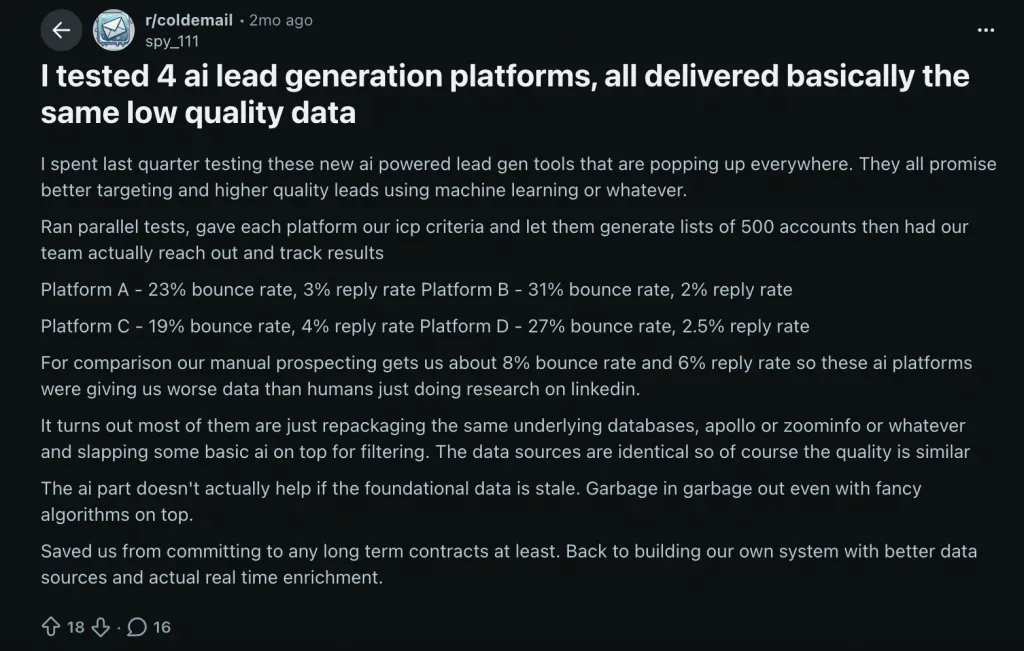
“I tested 4 AI lead generation platforms… gave each platform our ICP criteria and let them generate lists of 500 accounts then had our team actually reach out and track results.”
Linked Helper lets you do this reliably and at scale, bridging lead scoring with execution. In the next section, we’ll break it down into 10 core capabilities that make your LinkedIn outreach automation smarter, faster, and repeatable.
Multi-Step Outreach Sequences
Purpose: Automate outreach to high-scoring leads without manual work.
Workflow:
- Build scored lead list in Sales Navigator using ICP filters.
- Import list into Linked Helper.
- Launch sequence:
- Visit Profile → Send Connection Request (personalized) → Wait 3 days → Check Replies → Follow-Up 1 → Wait 7 days → Follow-Up 2.
Template: LH includes a ready-made “Invite and Follow-up” workflow. Edit messages and wait times to match your strategy.
Scoring Insight: Each step is a behavioral signal — early replies = high intent; no reply after step 3 = lower score.
How to invite 2nd and 3rd connections and send a follow-up message; Workflow guide
Safety Settings: Staying Within LinkedIn’s Limits
Daily Limits:
- 30–50 connection requests/day
- ≤100 messages/day to 1st connections
Working Hours:
- Run only during account owner business hours
- Randomize start time ±15–30 min
Timeouts:
- Randomized delays between actions (e.g., before sending connection requests)
- Mimics human browsing
Account Restriction Context:
- Types: (1) daily limits, (2) identity verification, (3) automation detection
- LH’s architecture prevents type 3; scored outreach + limits reduce type 1 & 2 risks
KB Source: Working Hours and Limits; How to stay safe with Linked Helper; LinkedIn restrictions and how to avoid them; Is Linked Helper detectable?
Behavioral Trigger Segmentation (Check for Replies + IF-THEN-ELSE)
Linked Helper lets you treat sequence progression as live intent detection. Insert a “Check for Replies” action between messages to automatically route leads: (a) replied → skip next follow-up, (b) no reply → continue sequence. Use the Message Analyzer tab to scan replies for keywords like “not interested” or “unsubscribe,” stopping the sequence for negative-intent leads.
Variable-based logic lets a single message serve multiple segments. Instead of IF-THEN-ELSE conditions, LinkedIn workflows rely on whether a variable exists: if {companySizeOver500} is assigned → enterprise line; if not → alternative path.
In practice, you visit profiles and their campaigns, assign different custom variables (e.g. {companySizeOver500} and {companySizeUnder499}), upload into LH2, and then use nested structures inside the message template.
Post-reply follow-ups can still be enabled selectively for nurturing without cold re-engagement.
KB Sources: Check for replies; IF-THEN-ELSE operator; How to send follow-up even if replied
Message Personalization at Scale
Generic messaging kills reply rates at scale. LH’s Message Template Editor PRO solves this with three levels:
- System Variables: Pull directly from LinkedIn — {First Name}, {Company}, {Job Title}, {Industry}, {Location}, {Mutual Connections Count}.
- Custom Variables: Upload CSV data like {Pain_Point}, {Competitor_Used}, {Score_Tier}, {Intent_Signal}. Variables cascade from action → campaign → CRM levels.
Also in has Spintax Variations: {Hi|Hello|Hey} {First Name} creates randomized, human-like messages.
Templates can be score-aware, combining {Score_Tier} with IF-THEN-ELSE to target enterprise, mid-market, and SMB leads in a single campaign.
Character Limits: Connection request 200–300, InMail 1,900, standard message 8,000; editor shows live counts.
KB Sources: How to create message templates; Custom variables.
How to create message templates; Custom variables
CRM Sync: Auto-Push Scored Leads to Your Pipeline
Once a lead scores high and responds, it belongs in your CRM — not a spreadsheet. Linked Helper’s “Send Person to External CRM” action can be triggered anywhere: after a connection is accepted, after a reply, or at the end of a sequence. Native integrations with HubSpot and Pipedrive allow OAuth-based Authorization, automatically creating or updating Contacts/Persons and optionally Deals, while avoiding duplicates by checking email or LinkedIn URL.
Data exported includes LinkedIn URL, job title, company info, location, industry, connection degree, mutual connections, profile details, custom variables, message history, and campaign name — effectively pre-enriched for pipeline use.
Webhook option: For unsupported CRMs (Salesforce, Airtable, Notion, Make, Zapier), LH can POST the same full payload to any endpoint, connecting scored leads seamlessly.
Scoring handoff: Configure Send to CRM inside the “Check for Replies” step, not after it. If you want to pass only responding leads, set it up within the checker so that once a positive reply is detected, those leads are automatically sent to the CRM.
This ensures your pipeline contains only high-intent leads without needing a separate post-check action.
KB Sources:
Integration with HubSpot CRM; Integration with Pipedrive CRM; Send person to external CRM; Data fields exported from LH
Pricing: Entry Point and License Types
- Standard Plan: $8.25/mo (annual, 1 LinkedIn seat). Sufficient for most scored outreach workflows, includes unlimited campaigns, sequences, CRM integration, and full message editor.
- PRO Plan: Unlocks higher daily limits, more email finder credits, and advanced team management.
- Trial: 14-day free trial, no credit card required. Enough to run a full scored sequence.
- Multi-seat discounts: 3+ licenses reduce per-seat cost, ideal for SDR teams.
- Billing: Subscription auto-renews; can cancel, pause, or change license type anytime. No long-term lock-in under annual plans.
Licensing: Standard and PRO. Pricing and discounts; Linked Helper subscriptions explained
Importing Scored Leads: Sales Navigator Collection & CSV Upload
Once your ICP scoring model is ready, the next step is getting leads into Linked Helper. Use Sales Navigator filters (title, company size, industry, seniority, geography) to create fit-scored lead lists. Linked Helper supports Sales Navigator links and opens them in standard LinkedIn, even on free accounts — meaning one Sales Navigator subscription can be used to source leads for multiple LinkedIn accounts.
LH collects directly from Sales Nav searches, saved lists, or Recruiter projects — your saved search becomes your operational lead list.
Other collection sources include post likers/commenters, group members, who viewed your profile, invitations page, alumni, organizations, and CSV/URL upload. For recurring collections, auto-collect updates new profiles from a source URL on a set schedule. For large searches, split ICPs to respect LinkedIn limits (1,000 per search, 2,500 Sales Nav).
KB Source:
How to filter profiles via Sales Navigator and send free messages as group members; How to add profiles to a campaign; Upload Profiles URLs; Auto-collect
Lead Tagging: Operational Scoring Inside Linked Helper
Tags act as behavioral scores inside Linked Helper. Each workflow action can automatically assign or remove tags to track lead status:
- Invite → tag “invited”
- Filter → remove “invited”, add “accepted”
- Message → add “1st_message”, remove “accepted”
Separate tags can track positive vs negative replies. In the CRM view, filter by tags to segment and re-target leads across campaigns. CSV uploads allow bulk tagging for externally scored leads (e.g., 80+ score → “tier_1_priority”).
Built-in CRM filters include name, company, position, relationship degree, campaign, premium/Open Link status, and tags.
KB Source: Linked Helper tags; Tag contacts based on CSV file; Linked Helper lists explained
Alternative Outreach Channels: Free InMails & Group Messages
High-scored leads often require faster outreach than connection requests allow. LH supports:
1. Free InMails: Open Link profiles accept InMails without credits. Filter your collected leads to skip the connection request and InMail directly, accelerating replies from Tier 1 intent leads. Limit InMails to ~26/day for 2nd/3rd contacts to stay safe.
2. Group Messaging: If you share a LinkedIn group with leads, LH can message 2nd/3rd-degree connections directly without invitations. Collect via the Sales Navigator “Group” filter and set Group ID.
Scoring Implication: Open Link status and group membership are themselves intent signals — higher reachability = higher effective score.
How to send free InMails to Open profiles; How to filter profiles via Sales Navigator and send free messages as group members
Data Enrichment for Multi-Channel Follow-Up
Once a lead reaches a high score, LinkedIn alone shouldn’t be your only touchpoint. Linked Helper’s Data Enrichment action lets you find emails, phone numbers, social links, profile details, and company data without visiting profiles — preserving daily action limits for outreach.
Enrichment pulls from LH’s crowd-sourced database and supports selective toggles:
- Email (1 credit)
- Phone (10 credits)
- Social & Messaging (2 credits)
- Profile info (1 credit)
- Company data (2 credits)
The Find Profile Emails action checks sources in order: (1) LH database → (2) Snov.io → (3) Apollo.io, saving external credits if data is already available.
Standard annual plans include 7,320 credits; PRO includes 36,600. Extra credits cost $0.006–$0.015 per lead and never expire.
Scoring advantage: Enrich top-scored leads first → launch LinkedIn + email sequences in parallel → measure which channel converts. This transforms your LinkedIn scoring model into a true multi-channel engine.
LinkedIn Automation Tools — Lead Scoring Integration Comparison
| Tool | Architecture | Lead Scoring Integration | Price/mo | Safety Model |
| Linked Helper | Desktop/browser | Sales Nav import + behavioral triggers + CRM sync | From $8.25 | Human-like delays + working hour limits |
| Expandi | Cloud | Basic filter import | From $99 | IP-based safety |
| Waalaxy | Cloud | Limited | From $80 | Volume caps |
| Dux-Soup | Chrome extension | Manual | From $14.99 | Extension-based |
Key difference: Linked Helper connects ICP-based Sales Navigator filtering with behavioral scoring, tagging, CRM sync, and enrichment — making it closer to a scoring execution engine
Visual: Screenshot of Linked Helper campaign setup — showing a scored lead list being imported, a sequence with “Check for Replies” between steps, and add a “Send to HubSpot” in the settings of this action. Annotate each step with the lead-scoring implication.
Explore more:
- Linked Helper pricing page
- How to invite connections and send follow-ups (KB)
- Linked Helper workflow guide (KB)
- Working Hours and Limits (KB)
- Check for Replies action (KB)
- Custom variables in message templates (KB)
- Send to CRM action (KB)
- Linked Helper vs Expandi comparison
- How to add profiles to a campaign (KB)
- Sales Navigator filtering + group messaging (KB)
- Linked Helper tags (KB)
- Free InMails to Open profiles (KB)
- Data Enrichment (KB)
- Find Profile Emails (KB)
Before/After — What Scoring Does to Your Numbers (~300 words)
r/b2bmarketing (8↑, 10💬):
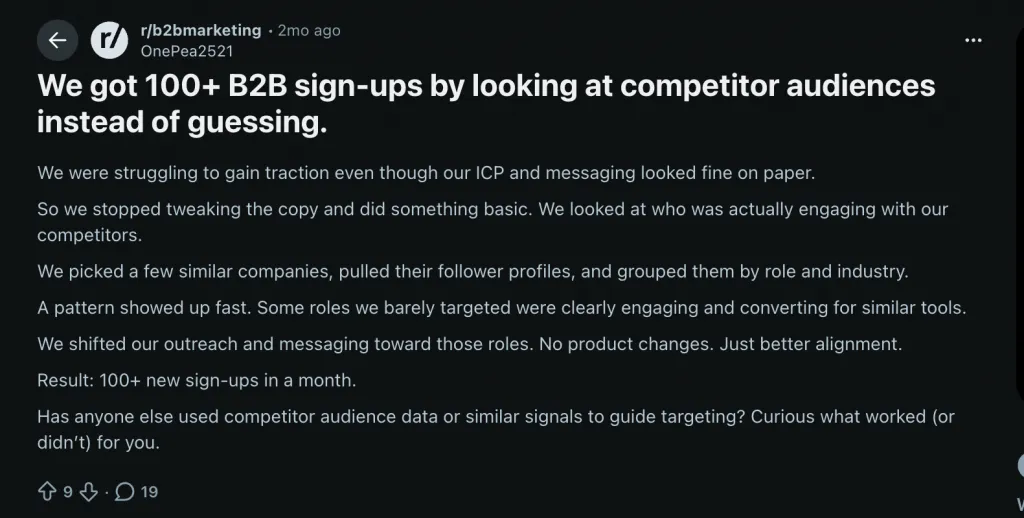
“We were struggling to gain traction even though our ICP and messaging looked fine on paper. So we stopped tweaking the copy and did something basic. We looked at who was actually engaging with our competitors… A pattern showed up fast.”

This is the power of pre-outreach intent scoring in action. Competitor followers aren’t just names on a list — they’re pre-qualified buyers with budget and pain. Targeting them changes the game.
Before scoring: Teams often blast broad Sales Navigator searches — e.g., 150 connection requests/day. Results are weak: 8% acceptance, 0.5% reply. High volume doesn’t equal impact.
After scoring: Focus on fit + Tier 1–2 intent signals, sending 30–50 requests/day. Acceptance jumps to 30–40%, replies to 5–10%, and meetings booked per 100 connections rise from 0.5 → 4–6. Lower volume, higher quality, safer for your LinkedIn account.
External validation: contacting a lead within 5 minutes of a buying signal increases conversion 8–10x (Salesforce). On LinkedIn, that signal could be a post about a problem your tool solves — timing matters.
Lead Scoring Impact on LinkedIn Outreach (Illustrative)
| Metric | No Scoring | With ICP + Intent Scoring |
| Daily connection requests | 70 | 30–50 |
| Acceptance rate | 8–12% | 30–40% |
| Reply rate to first message | 0.5–1% | 5–10% |
| Meetings booked per 100 connections | 0.5 | 4–6 |
| Account restriction risk | High | Low |
Takeaway: Scoring doesn’t just improve numbers — it turns your LinkedIn outreach from random guessing into a predictable, repeatable system.
Visual: Side-by-side infographic — “Spray and Pray” funnel vs “Scored Outreach” funnel, showing the volume/conversion tradeoff.
FAQs
Q1: What is B2B lead scoring and why does it matter?
B2B lead scoring assigns numeric points to leads based on ICP fit and buying intent. It matters because 60–70% of B2B leads are never contacted. Scoring forces prioritization, ensuring your team focuses on leads most likely to convert. High scores guide outreach timing and messaging, improving acceptance, reply rates, and sales efficiency.
Q2: What’s the difference between a MQL and a SQL?
An MQL (Marketing Qualified Lead) meets your ICP and early engagement threshold but isn’t ready for sales. An SQL (Sales Qualified Lead) shows high intent and is ready for a direct sales conversation. Typical scoring thresholds: MQL = 40–60, SQL = 70+. Skipping this distinction wastes SDR time on leads that need nurturing.
Q3: Which intent signals work best for LinkedIn outreach?
Tier 1 signals are most predictive: company posting SDR/AE roles, prospect recently promoted into a buying role, or prospect posting about the problem your tool solves. Tier 3 signals like email opens, LinkedIn profile views, or generic content engagement are unreliable alone. Prioritize Tier 1+2 signals for high conversion outreach.
Q4: How do I build a lead scoring model without a dedicated tool?
Use a spreadsheet: Column A = ICP fit attributes (title, company size, industry) with point values. Column B = intent signals (job postings, LinkedIn activity, funding). Sum the scores; anything above your SQL threshold (typically 70+) goes to active outreach. Enrich data via LinkedIn, Crunchbase, or BuiltWith.
Q5: Can I automate lead scoring for LinkedIn outreach?
Yes. Build your ICP filters in Sales Navigator (fit score), add intent signals as manual or behavioral triggers, then import leads into Linked Helper. Launch multi-step sequences with reply detection, automated tagging, and CRM sync. Automation ensures precision outreach without the spray-and-pray approach.
Q6: How often should I update my lead scoring model?
Review quarterly. Compare closed deals against lead scores: if most deals came from score 60 leads, adjust your SQL threshold. Add new fit attributes if deals emerge from unexpected segments. A static model loses accuracy in about 6 months, so continual calibration keeps scoring predictive.
Q7: What is the ideal ICP for LinkedIn lead scoring?
Your ICP is defined by patterns among your last 10–20 best customers: title, company size, industry, tech stack, seniority. Pull their LinkedIn profiles, identify shared attributes, and convert these into scoring criteria. This real-data ICP is more actionable than hypothetical personas created in workshops.
Automate LinkedIn Outreach
You now have the framework: fit score + intent score, pre-outreach qualification, and automated multi-step sequences. Linked Helper connects directly to Sales Navigator — import pre-scored leads, run sequences with automatic reply detection, and push responding leads straight to HubSpot or Pipedrive. Plans start at $8.25/mo (Standard, annual) with a 14-day free trial, no credit card required — the most affordable option in this category.
Start Your Free 14-Day Linked Helper Trial