

Quick Takeaway
- A LinkedIn scraper extracts publicly available profile, company and job data (names, titles, company, profile URL, sometimes emails) and exports it to CSV, Google Sheets or your CRM.
- Scraping public LinkedIn data is broadly legal in the US after hiQ Labs v. LinkedIn (Ninth Circuit, 2022), but you must respect privacy law, scrape only public data, and avoid hammering the site — so tool choice and rate-limiting matter.
- Standalone desktop tools like Linked Helper are safer than Chrome extensions or raw API/proxy scrapers because they act like a real logged-in browser on your own machine, with human-like delays and smart daily limits.
- Beyond extraction, the best 2026 tools enrich data (find 2nd/3rd-degree emails and phones without even visiting the profile) and automate outreach in the same campaign.
- Start free: Linked Helper offers a 14-day trial and scrapes full profile + company + employee data; paid plans start at $15/month.
It’s no secret that LinkedIn contains valuable data on potential leads and users can scrape data from LinkedIn profiles.
Using LinkedIn scraping tools is a great opportunity to gather publicly available, accurate data for market research, as professionals list it themselves.
Alternatively, buying a lead database with verified professional email addresses from agencies can cost anywhere from hundreds to tens of thousands per month, with retainers reaching $3K–$20K.
What if you could extract this data yourself?
With the right LinkedIn scraper, you can generate a CSV file with thousands of client details, including:
- Verified email addresses
- LinkedIn profile URLs
- Job post scraping
- Lead company website and details
For free LinkedIn scraping, start with Linked Helper’s trial version.
What is LinkedIn Scraping?
LinkedIn’s advertising tools reported a potential reach of about 1.20 billion members in January 2025 (note: based on total registered members, not monthly active users).
LinkedIn scraping is the process of extracting up-to-date contact data, company data, and job titles from LinkedIn profiles using specialized tools.
A LinkedIn scraper tool works like a robot, automatically visiting selected LinkedIn profiles, extracting contact data, company data, and job titles, and compiling it into a CSV file.
Since LinkedIn’s default export options are limited to your direct contacts, a separate tool is needed to scrape LinkedIn search results, LinkedIn Sales Navigator data, and LinkedIn searches beyond your network. Manually collecting this information is time-consuming, making web scraping techniques essential for efficiency.
How LinkedIn Scrapers Extract Data
Data enrichment works differently across various LinkedIn scrapers. To get you up to speed quickly, we’ll first demonstrate data mining using Linked Helper as an example.
This is an authenticated scraping method, meaning you provide access to your LinkedIn account.
Then, we’ll introduce other tools, such as non-authenticated scrapers, in the LinkedIn Scraping Methods section and compare their features.
We promise – you won’t need any technical skills for this!
- Download Linked Helper to your computer
To be able to scrape, you need software. Linked Helper is software that you can install for free on a computer with any OS. This is a standalone tool that works like a browser, so it will provide security when you web scrape on LinkedIn. Unlike scraping through an extension or through a cloud service, Linked Helper behaves like a real user when visiting pages.
| Subscription Period | Standard Plan Credits | PRO Plan Credits |
|---|---|---|
| 1 Month | 620 | 3,100 |
| 3 Months | 1,860 | 9,300 |
| 6 Months | 3,660 | 18,300 |
| 12 Months | 7,320 | 36,600 |
Note: Credits are granted to your Linked Helper account balance in full at activation — not drip-fed monthly — so you can allocate them freely across campaigns throughout the subscription period.
- Start a Visit and Extract Campaign
This action can be the first action in your campaign or the only one if you just need to scrape profiles. In order for the software to start visiting the accounts of people or organizations, you need to select a target page for parsing.
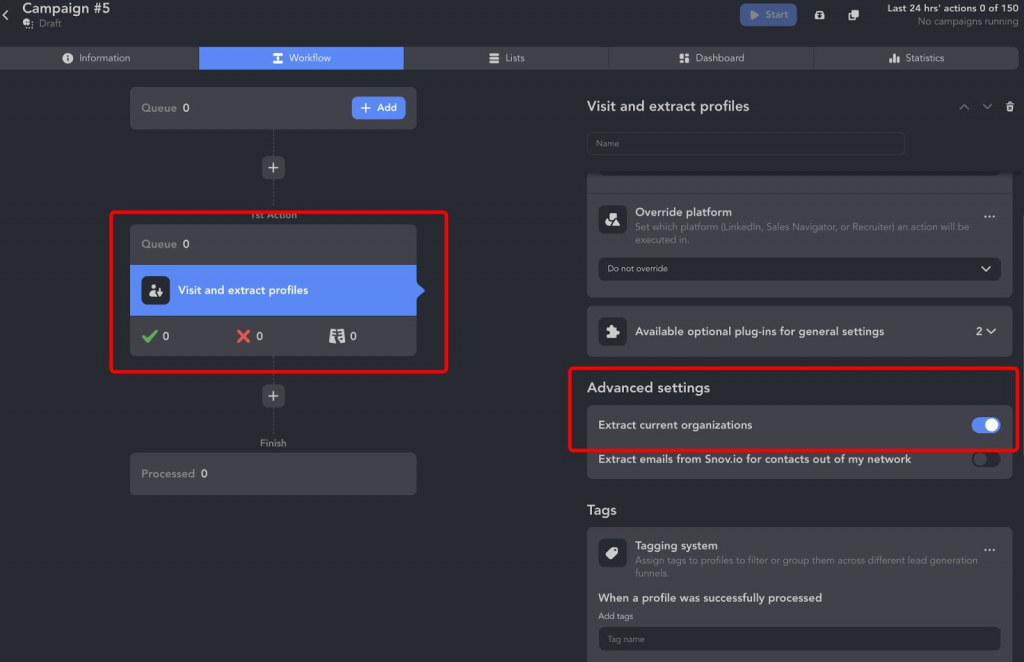
Alternatively, you can use the “Export profile information” template. It allows you to gather profile data, find their emails, and send this comprehensive database through a webhook to an external CRM. You can also opt for direct integration to send it directly to your CRM.
- Add profiles to the action from different sources
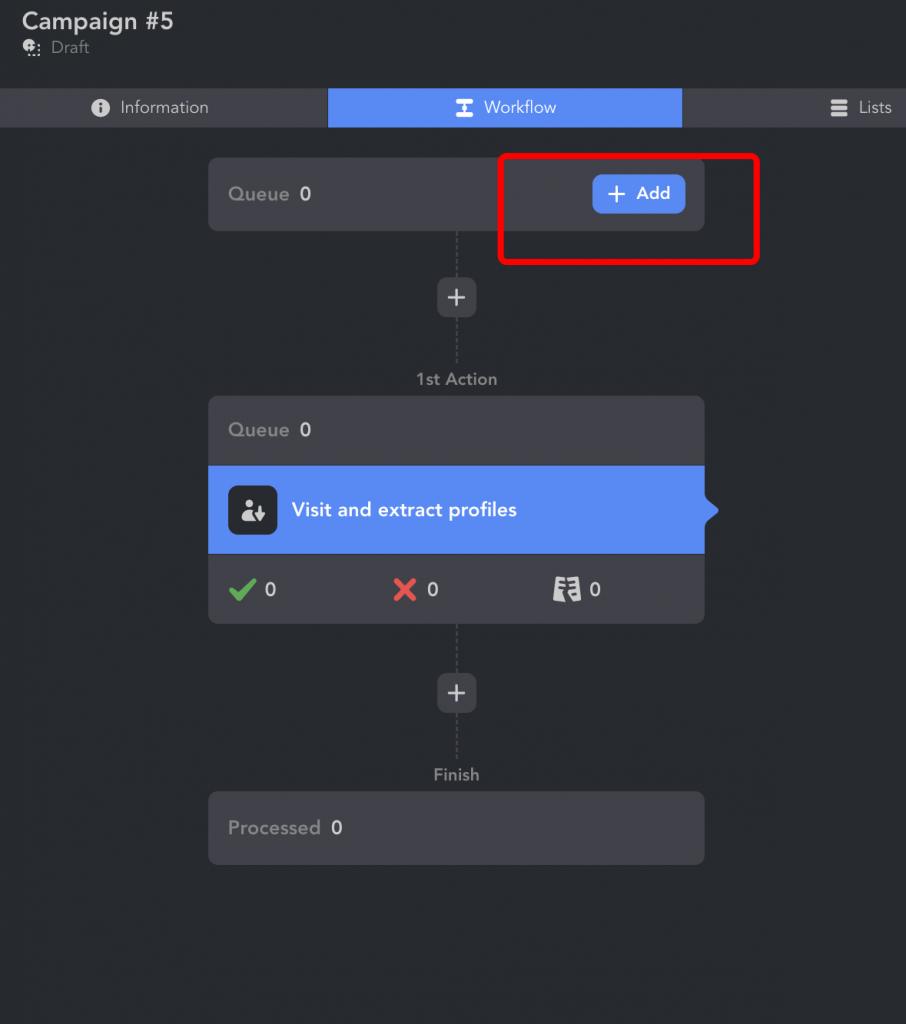
The profiles that you want to download must be transferred to the Queue. To do this, simply click on the Add button.
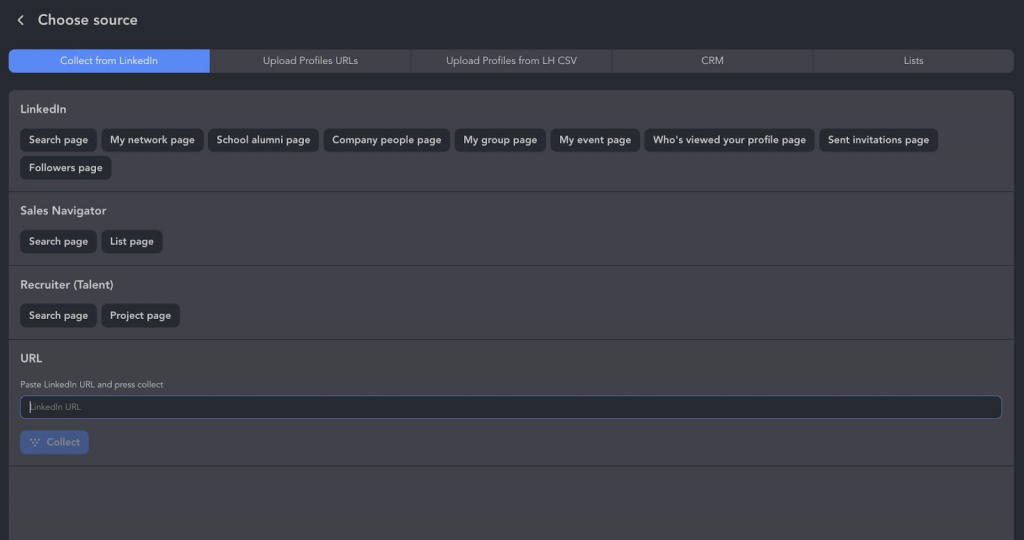
You can use any of LinkedIn’s search solutions, group pages, or events as a source. Also, you can simply insert a link to the desired page and the software will transfer the profiles indicated on it. You can also enable Auto-collect, which automatically revisits searches and adds newly discovered profiles to the queue on a recurring schedule. This helps maintain a steady stream of fresh leads without manually repeating searches.
- Get into data download
After adding profiles to the Queue and scraping them, accounts will be displayed in the Lists section. From here, you can click on the profile to see all the data Linked Helper has collected from the lead’s page.
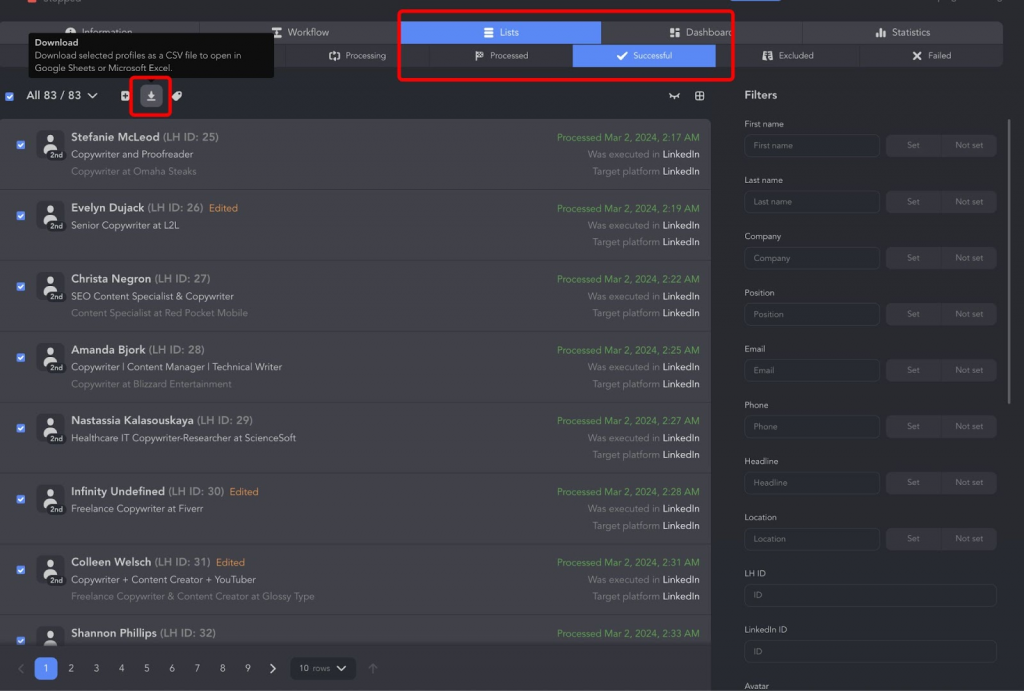
You will also see the Download menu item. You can select the entire list of leads or mark a few people to download the data in a spreadsheet.
- Use your CSV like a pro
You can unpack the file following these instructions:
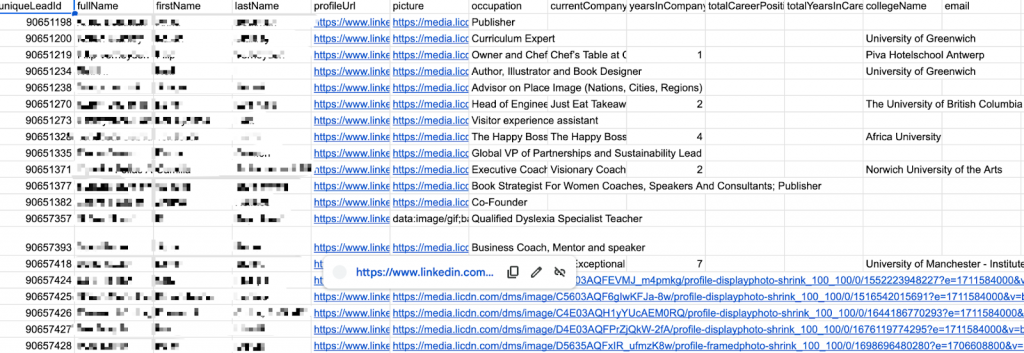
How to Import CSV files into MS Excel
Or you can send the data to your CRM. As the final step, you can send the lead data. Linked Helper’s LinkedIn scraper provides webhooks, allowing integration with almost any CRM. Alternatively, you can choose the “Send person to external CRM” action to directly send this list of people.
Check out our guide on CRM integration with Linked Helper to explore integration possibilities with your CRM.
Why Use the LinkedIn Profile Scraper
A LinkedIn profile scraper helps you extract valuable information from LinkedIn efficiently, allowing you to automate lead collection and gain insights without manual effort.
Instead of spending hours gathering information, a linkedin scraping tool lets you process multiple profiles at once and export structured data.
For example, linkedin scraping tools can:
Scrape user profiles – Collect profile data such as names, job titles, work experience, company details, profile links, education, skills, and phone numbers (if available).
Extract company data – Gather business details, including company name, size, location, page description, and number of employees. Learn more about LinkedIn company scraper.
Scrape multiple profiles at scale – Process thousands of LinkedIn searches and retrieve structured data from linkedin.
Export data into Google Sheets, CRM systems, and JSON files – Easily integrate your profile data with CRM integration tools for seamless follow-ups.
Extract employee lists – Upload company URLs and get a list of employees, perfect for account-based marketing (ABM). This is a new exclusive feature available in Linked Helper.
Save LinkedIn message history – Keep a backup of your conversations, ensuring you don’t lose valuable business data. Available for all platforms. A key advantage is that when you cancel a paid LinkedIn subscription (Sales Navigator or Recruiter), your history is lost in LinkedIn—but not in Linked Helper. Scrape messaging history
Find Profile Emails – Linked Helper’s Data Enrichment action can enrich scraped profiles with verified emails and phone numbers for 2nd- and 3rd-degree connections without ever visiting the profile. It also supports Open Link and Premium badge searches, helping you expand outreach while reducing profile-view activity. Find Profile Emails
Linked Helper can also enrich contacts using Apollo.io integration to discover verified business emails beyond your direct network.
With the right LinkedIn scraper, you can automate data collection, gain valuable insights, personalize outreach campaigns, and enhance your lead generation strategy—all without manual work.
Is it Legal to Scrape LinkedIn
Scraping publicly available LinkedIn data does not violate US federal law. In hiQ Labs v. LinkedIn, the Ninth Circuit ruled (April 2022) that scraping publicly accessible website data does not breach the Computer Fraud and Abuse Act’s “without authorization” provision — even when the platform objects.
That said, legal does not mean consequence-free. LinkedIn continues to pursue scrapers under separate theories: breach of Terms of Service, unfair competition, and misappropriation. In January 2025, LinkedIn sued data provider Proxycurl in the Northern District of California — the case settled confidentially and Proxycurl shut down shortly after.
Follow these four rules and your risk stays low:
- Scrape only public data — profiles and pages visible without logging in as someone else.
- Comply with privacy law — GDPR covers any European personal data regardless of where you operate.
- Rate-limit your requests — bulk collection at unnatural speed accelerates enforcement risk even when the underlying data is public.
- Keep your use case legitimate — lead generation, recruitment sourcing, and market research are defensible; reselling raw profile databases is not.
Use the right tool and stay within these boundaries, and LinkedIn scraping is a practical, widely-used part of B2B sales and marketing.
Key Features of a Good LinkedIn Scraper
When choosing a LinkedIn scraper, it’s essential to look beyond just data extraction.
Here are the most important features to consider in LinkedIn scraping tools.:
1. Automation Beyond Scraping
A high-quality LinkedIn profile scraper doesn’t just extract data from LinkedIn—it also automates other LinkedIn tasks. For example, tools like Linked Helper can run drip campaigns, send connection requests, and manage messaging sequences.
2. CRM Integration & Data Export Options
How the LinkedIn profile scraper handles data is crucial:
✅ Some tools offer direct CRM integration, syncing lead generation data instantly.
✅ Other LinkedIn scraping tools require you to download the data as a CSV or JSON file, which must be manually uploaded into a CRM.
✅ Google Sheets integration viw webhooks is also valuable for organizing LinkedIn profile data efficiently.
3. Protection Against Detection
One of the most important factors is how well the tool avoids LinkedIn’s detection mechanisms.
✅ A good LinkedIn profile scraper mimics human behavior, using Smart Daily Limits, randomized delays, and smart browsing behavior that automatically keeps activity within safer operating thresholds. They mimic browsers, search for profiles like real users, can mask IP addresses and time zones if needed, and randomize fingerprints for added security.
✅ Some LinkedIn scraping tools, like Octopus, are simple browser extensions, making them more detectable compared to advanced software like Linked Helper, which operates with better stealth.
4. Completeness of Data Extraction
Different LinkedIn data scraping tools vary in how much LinkedIn profile data they can collect:
✅ Linked Helper extracts full profile details, including names, job titles, emails, phone numbers (if available), experience, education, skills, and company data.
✅ Octopus CRM, in contrast, only gathers basic information—names, profile links, and job titles—similar to what LinkedIn’s own scraping feature provides.
5. Pricing & Data Collection Methods
Not all LinkedIn profile scrapers are priced the same, and they use different data-gathering methods:
✅ One-time payment vs. Subscription: If you need a quick solution for a specific project, look for tools with a one-time fee or a free trial option. For continuous lead generation, a subscription-based tool may be more cost-effective.
✅ Manual vs. Automated Scraping: Some tools require manual input, while others can run automated LinkedIn searches to collect data consistently. If you need a steady stream of leads, opt for automation-friendly tools.
LinkedIn Scraping Methods
When choosing a LinkedIn profile scraper, consider the technology behind it, as it affects the security of LinkedIn data scraping and your profile.
Key Considerations
🔹 Public Data Limitations: Non-authenticated scrapers only access limited data (e.g., no job history).
🔹 Account Risk: Authenticated tools provide more data but may trigger LinkedIn’s anti-scraping policies.
Here are some types of LinkedIn scraping tools you might find on the market.
- Without Authentication (Public Data Only)
These tools collect publicly available LinkedIn data without requiring login credentials. However, data is limited (e.g., no job experience details).
- LinkedIn Scraper APIs – Extract publicly accessible LinkedIn data as if an unregistered user were viewing profiles.
Because it relies on API calls, it is more likely to be recognized as automated activity, leading to higher chances of being blocked by LinkedIn.
Example: Bright Data LinkedIn Scraper, Nimbleway, Zenrows, Smartproxy, Captain Data.
- With Authentication (Full Profile Data)
These LinkedIn profile scrapers require LinkedIn login credentials and scrape data as a logged-in user, allowing access to more details but posing account suspension risks.
- Browser Extensions – Installed in Chrome/Firefox, these tools scrape LinkedIn data during browsing. Example: Waalaxy, Dux-Soup, PhantomBuster, Kaspr, Evaboot, Octopus.
Note: LinkedIn can detect automated actions performed by these LinkedIn scraping tools if theyoccur at unnatural speeds or follow predictable patterns, leading to account suspensions.
- Downloadable Browser-Based Software – Standalone software that mimics a human user for LinkedIn data scraping locally on a PC. Example: Linked Helper, Octoparse.
- Cloud-Based Browser Automation Tools – Hosted on remote servers, these tools automate LinkedIn scraping without running locally. Example: TexAu.
- Cloud-Based API Scrapers – Similar to browser-based scrapers but leverage API calls instead of a visual browser. Example: Zenscrape, Apify.
Read our article about LinkedIn browser extensions.
The Best LinkedIn Scrapers in 2026 (Free & Paid)
1. Linked Helper
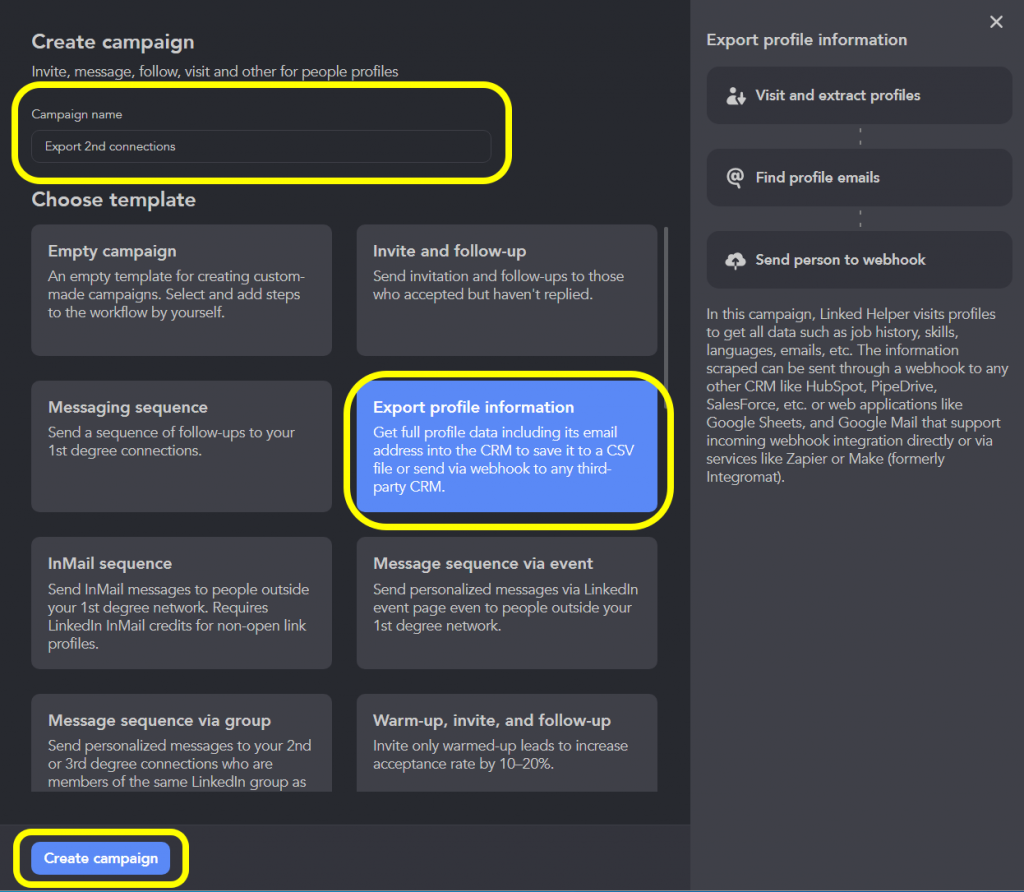
Linked Helper works by visiting and extracting data from multiple profiles on LinkedIn. It gathers information such as:
✔ Job history
✔ Skills
✔Messaging history if available
✔ Languages
✔ Emails (if available)
✔ Profile URLs
✔ Company data
The scraped data can be exported in a CSV file, sent to Google Sheets, or integrated with CRM systems through webhooks for automation.
AI ICP Detection: Turn Raw Scraped Data into Qualified Leads
Linked Helper includes a built-in AI ICP Detection action that automatically scores every scraped profile against your Ideal Customer Profile — directly addressing the growing demand for an AI-powered LinkedIn scraper.
Instead of manually reviewing thousands of exported contacts, the AI ICP Detection action:
- Evaluates each lead against your defined criteria (job title, seniority, industry, company size)
- Flags ICP-matched profiles for priority outreach
- Filters irrelevant contacts before they reach your CRM or messaging queue
The result: you go from a raw CSV of 3,000 scraped profiles to a pre-qualified shortlist in minutes, without leaving Linked Helper or switching to a separate enrichment tool.
➡ Learn more about profile scraping
- Company Page Scraper: Business Insights
In addition to scraping individual user profiles, Linked Helper also offers a company page scraper. This tool extracts business profile details, including:
✔ Company size
✔ Industry
✔ Description
✔ Website links
This allows you to gather both individual and company data simultaneously, providing a deeper understanding of the market and industry trends.
- Employees Scraper: Targeted Lead Generation
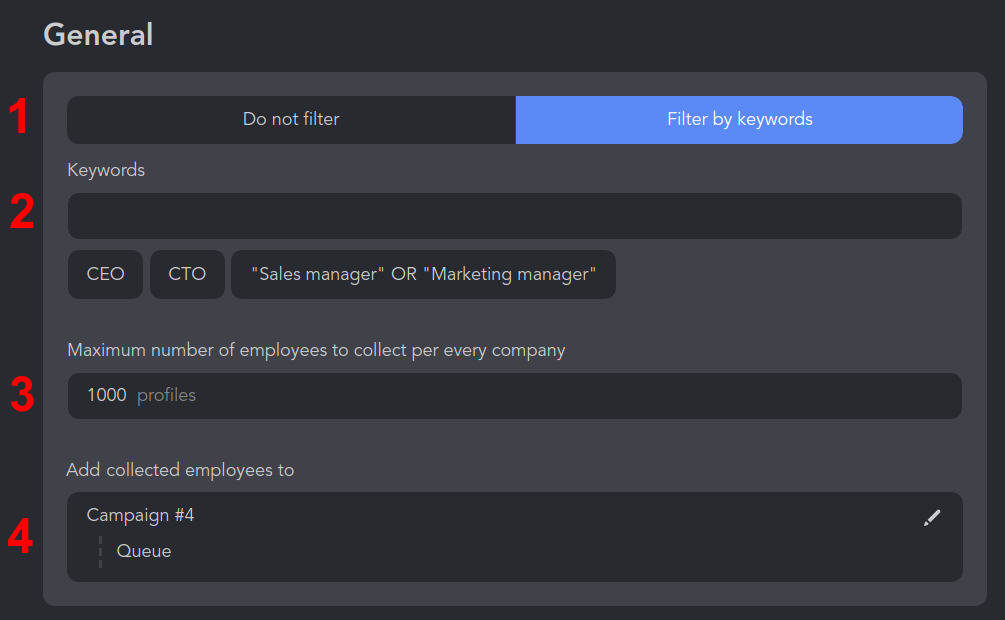
Linked Helper’s Employees Extractor action and dedicated template allow you to collect employee profiles directly from LinkedIn company pages. You can queue hundreds of companies, automatically visit their People tabs, and extract employees matching specific job titles, departments, or keywords..
🔹 You can queue hundreds of company pages, and the tool will visit the People tab to extract employee profiles.
🔹 The scraper can filter by job titles, ensuring you only collect relevant contacts.
➡ Learn more about the employee scraper
- CRM & Google Sheets Integration
Linked Helper supports CRM exports through its Send Person to External CRM action and webhook integrations. Leads can be automatically pushed into HubSpot, Pipedrive, Close CRM, Salesforce, Zoho, and other systems without manual CSV uploads.
✅ Instantly
✅ HighLevel CRM
✅ Streak CRM
✅ Capsule CRM
✅ Salesforce CRM
✅ Zoho Recruit & Zoho CRM
✅ ActiveCampaign CRM
✅ Close CRM
✅ HubSpot CRM
✅ Pipedrive CRM
Additionally, you can automatically send LinkedIn profile data to:
✔ Google Sheets
✔ Zapier for multi-app automation
✔ Make for custom workflows
✔ Gmail for email automation
➡ How to integrate Linked Helper with Google Sheets
➡ How to send profiles to Salesforce, Pipedrive, Zoho CRM, and more via Zapier Webhook
Unlike many other scrapers, Linked Helper provides the most complete dataset available. It extracts:
✔ Work experience & company descriptions
✔ Full organization details (website, industry, size, etc.)
✔ All written text fields in a profile
✔ Links to other social media accounts
Linked Helper runs from your own desktop like a real logged-in browser, scrapes full profile, company and employee data, then enriches it with emails and phones for your 2nd and 3rd-degree connections without ever visiting the profile – and its AI ICP detection scores each lead against your ideal customer. Try it on your own LinkedIn search with the 14-day free trial; paid plans start at $15/month. Scrape LinkedIn the safe way – free
2. PhantomBuster
Phantombuster uses mini-tools called “Phantoms” to perform specific tasks. Each Phantom is designed to do one thing really well, like extracting data from LinkedIn profiles or sending connection requests.
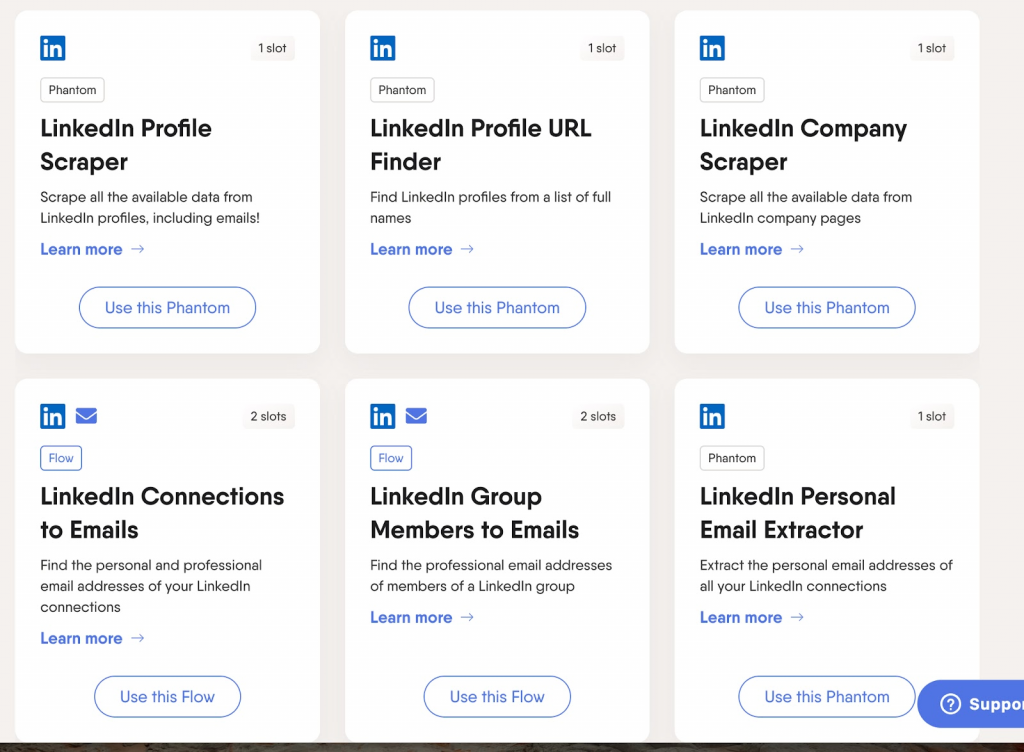
Slots are basically like the “spaces” you have to run these Phantoms. Each Phantom takes up a certain number of slots. For example:
Some Phantoms only need 1 slot.
More complex tasks, like finding emails from LinkedIn group members, might need 2 slots.
You can think of slots as the capacity you have for running tasks.
Here are some examples of what you can do with Phantombuster:
- LinkedIn Profile Scraper: Get all the available data from someone’s LinkedIn profile, like their job title, company, and even email address.
- LinkedIn Company Scraper: Collect data from LinkedIn company pages, like company size, industry, and employee list.
- LinkedIn Search Export: Extract all the profiles that appear in a LinkedIn search.
- LinkedIn Group Members Export: Get data from members of a LinkedIn group.
- Email Extraction: Find email addresses from LinkedIn profiles, connections, or group members.
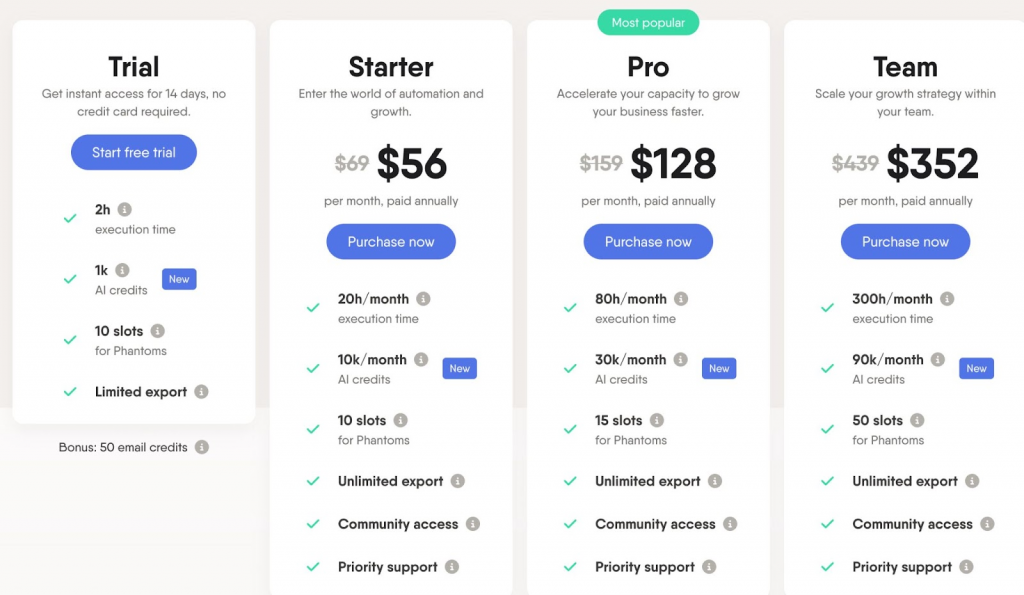
Phantombuster has different pricing plans based on how much you use it:
Starter Plan: $56 per month if you pay annually, or $69 if you pay monthly as of 2026.
You get 20 hours of usage per month.
You get 10 slots.
So, if you just need it for a few tasks each month, the Starter Plan might be perfect. But if you need more time or slots, you can upgrade to a higher plan.
Why It Might Be Inconvenient?
Phantombuster LinkedIn profile scraper can be a bit inconvenient because each task requires a separate Phantom. For example, to fully automate a LinkedIn outreach campaign, you need to use multiple Phantoms, each occupying a slot. This means you have to manage several different scripts, which can be time-consuming and complex.
Unlike Phantombuster, Linked Helper allows you to manage multiple tasks within a single campaign. This means you can perform searches, send connection requests, monitor accepted requests, and send follow-up messages all within one integrated flow.
3. ZenRows
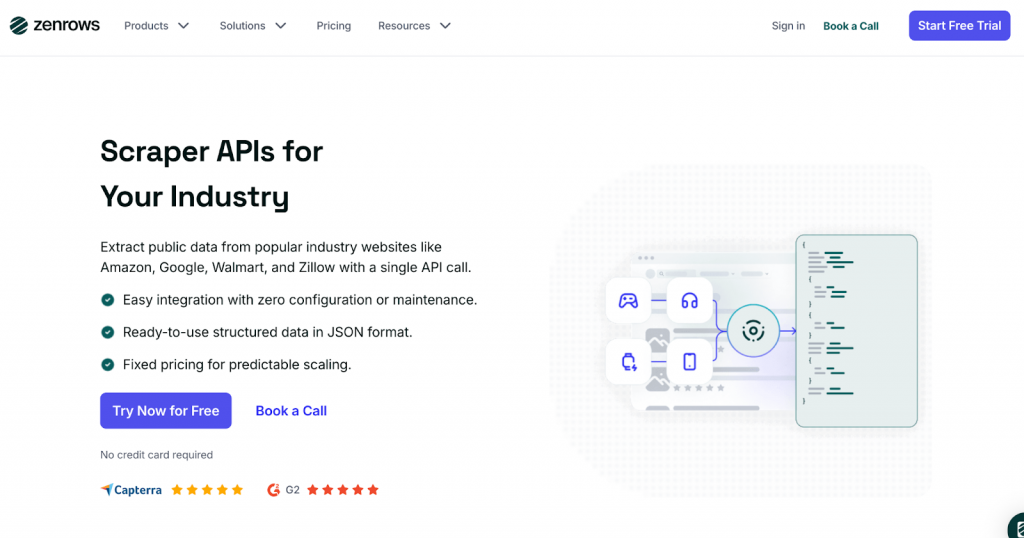
It allows users to extract publicly available data from LinkedIn profiles, job listings, and company pages without being blocked.
The LinkedIn profile scraper automates data collection by bypassing CAPTCHAs, handling JavaScript rendering, and rotating proxies to ensure uninterrupted scraping.
ZenRows offers a range of functionalities that enhance LinkedIn scraping:
- Universal Scraper API – Scrapes LinkedIn data such as profile names, job titles, company details, and post interactions.
- Smart Rotating Proxies – Avoids IP bans by constantly switching proxy locations.
- Headless Browser Support – Loads full web pages for accurate data extraction.
- Worldwide Geotargeting – Scrapes region-specific LinkedIn data.
- WAF & CAPTCHA Bypass – Overcomes LinkedIn’s security barriers.
- CRM & Google Sheets Integration – Automates data flow for lead generation.
ZenRows offers flexible pricing plans tailored to different business needs as of 2026:

- Free Plan – 14-day trial including 1,000 basic results, 40 protected results, 100 MB of Scraping Browser usage, and 5 concurrent requests.
- Developer Plan ($69/month) – 250K basic results, 10K protected results per billing period, 12.73 GB of Scraping Browser or Residential Proxy usage, and 20 concurrent requests.
- Startup Plan ($129/month) – 1M basic results, 40K protected results per billing period, 24.76 GB of Scraping Browser or Residential Proxy usage, and 50 concurrent requests.
- Business Plan ($299/month) – 3M basic results, 120K protected results per billing period, 60 GB of Scraping Browser or Residential Proxy usage, and 100 concurrent requests.
4. Waalaxy
Waalaxy is another LinkedIn automation tool that focuses on individual user data.
LinkedIn profile scraper allows you to send connection requests and scrape user information, but it doesn’t scrape company pages or message histories. This tool is more about managing and automating individual LinkedIn interactions.
| Feature | Linked Helper | Waalaxy |
|---|---|---|
| Leads’ collection | Yes | Yes |
| CSV output | First name, Last name, Country, City, Email address, Phone number, LinkedIn profile URL, Job title, LinkedIn Premium status, Education, Industry (with Sales Navigator scraper) | First name, Last name, Occupation, Company, Company URL, Location, Email, Drop contact email, Phone numbers, Prospect list, LinkedIn URL, Sales Navigator URL, Premium, Job seeker, Profile status, Message sent (yes/no), Message replied (yes/no), Email sent (yes/no), Email replied (yes/no), Connected date, First message date, Tags |
| Organizations extractor enabled | Company name, Company website, Number of company employees, Number of company followers | — |
| Extra data | ID (hash ID, Sales Navigator ID, etc.), Member distance (1st/2nd/3rd degree), Avatar (ID and media link), Headline, Summary, Location name, Badges (influencer, job seeker, open link), Organization description, Languages, Skills, Mutual connections (count, names, etc.) | — |
| Export CSV via Webhook | Yes | Yes |
| Export message history | Yes (Pro). Separate action or included with people scraping. | No |
| Organizations’ collection | Yes. Separate action or included into people profile scraping. | No |
Explore our detailed comparison
Waalaxy operates as a Chrome extension, which might be less secure compared to standalone applications. There are concerns about the safety of using browser extensions for automation due to potential risks of account suspension.

Subscription: Starts at €39/user/month (€19/month if billed annually) for 300 LinkedIn invitations, as of 2026. On a monthly plan it is significantly more expensive than Linked Helper’s $15 Standard plan; on annual billing the entry prices are comparable, though Linked Helper includes more automation features at that tier.
5. Dux-Soup
Some users may find Dux-Soup as one of LinkedIn scraping tools.
It is priced at $14.99 per month as of 2026, but their Pro Dux plan doesn’t offer unlimited campaigns, which can be limiting for active users.
Similar to Linked Helper in automating LinkedIn tasks but requires setting specific browser settings to download profiles and lacks the ability to export company data or message histories.
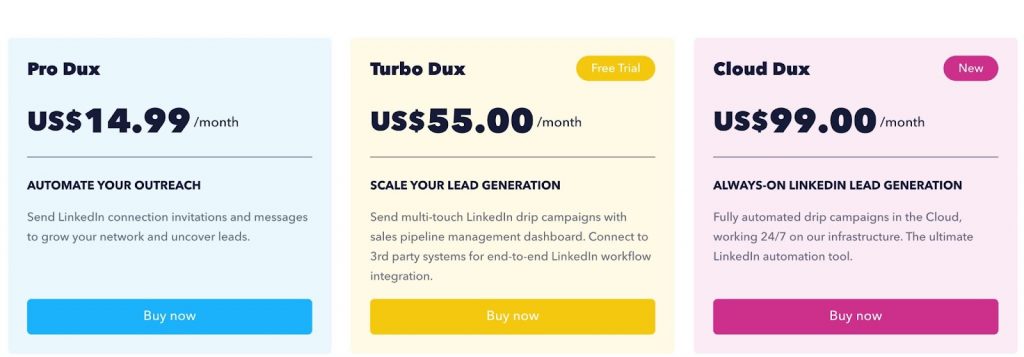
The Pro subscription includes scraping but does not include unlimited campaigns like Linked Helper
Being a Chrome extension, it may pose slightly more security risks compared to standalone applications.
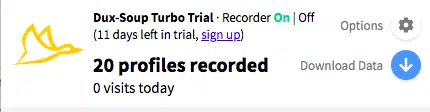
Plus, you can’t download profiles directly from a CRM or choose specific ones from your search results. It’s kind of limiting if you’re looking for more precise targeting.
If you need more features like detailed data exports or CRM integration, you might want to look at something else.
Explore our detailed comparison and make the right choice.
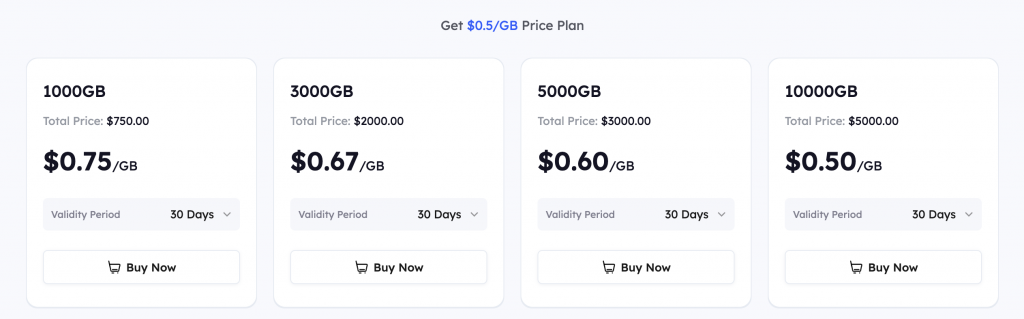
6. Smartproxy

Smartproxy’s Social Media Scraper API is a versatile scraping tool that enables users to extract data from various social media platforms, including LinkedIn.
LinkedIn profile scraper provides structured data without worrying about proxies, CAPTCHAs, or bans.
Features:
- Supports scraping from multiple social media platforms.
- Provides results in JSON, HTML, or table format.
- 100% success rate with smart proxy management.
- Synchronous and asynchronous requests for flexibility.
- Task scheduling for automated scraping.
Pricing as of 2026:

7. Kaspr
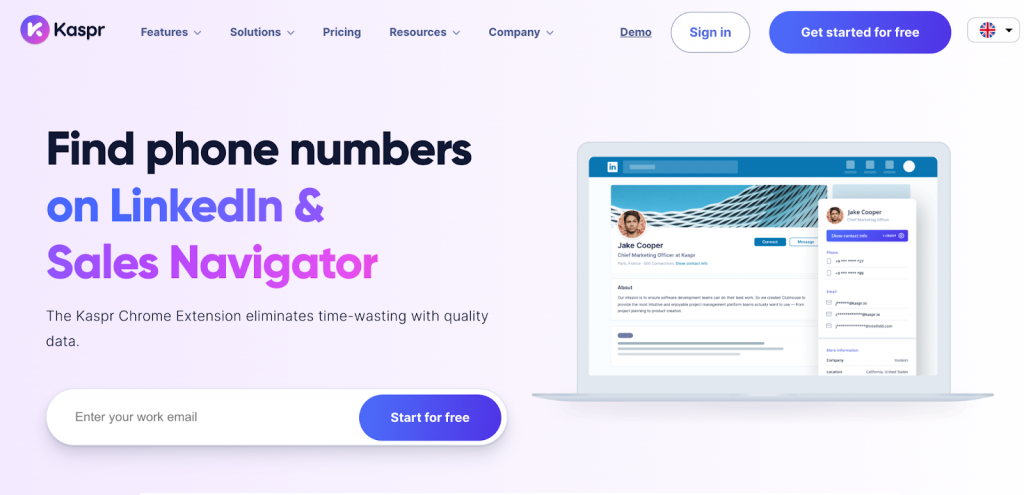
Kaspr scrapes LinkedIn data, focused on finding and retrieving phone numbers, email addresses, and business contact details. It is mainly used for lead generation and integrates with various CRM tools.
- Extracts phone numbers and email addresses from LinkedIn profiles.
- Offers a Chrome extension for seamless data collection.
- Provides lead management and automation features.
- Integrates with CRMs and sales tools.
- GDPR-compliant with a strong focus on European businesses.
Pricing as of 2026:
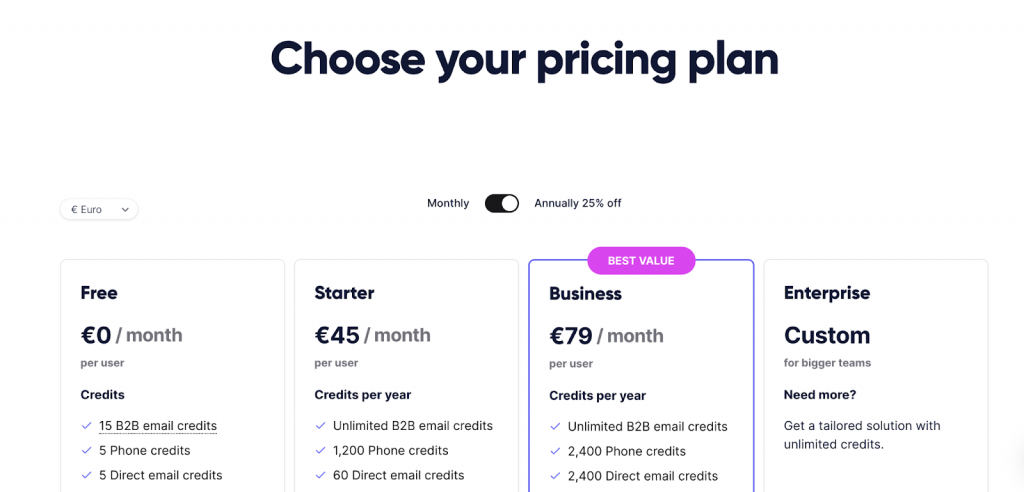
- Free Plan: Includes 15 B2B email credits, 5 phone credits, and 5 direct email credits per month.
- Starter Plan: $65/month per user (100 phone credits, unlimited B2B emails).
- Business Plan: $99/month per user (200 phone credits, full API access).
- Enterprise Plan: Custom pricing with unlimited credits and advanced features.
8. Bright Data LinkedIn Scraper
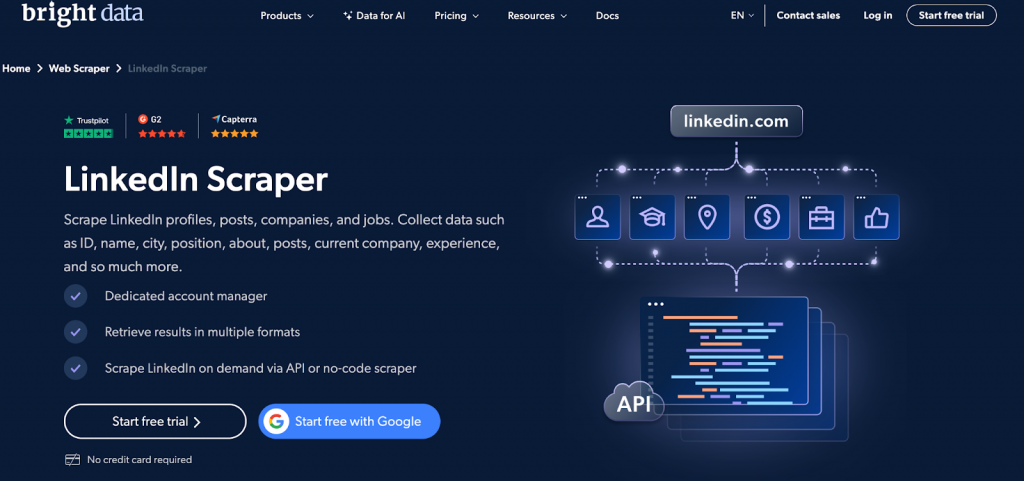
Bright Data’s LinkedIn profile scraper is a tool that allows users to extract structured data from LinkedIn profiles, job listings, company pages, and posts. It offers both API-based and no-code scraping options for businesses that need high-volume data collection.
Features:
- Scrapes LinkedIn profiles (ID, name, location, job title, experience, etc.).
- Extracts job listings, company details, and scraping LinkedIn posts.
- No-code scraper for non-developers.
- API-based data retrieval for advanced users.
- Supports real-time or scheduled scraping.
- Data available in JSON, CSV, or HTML formats.
Pricing as of 2026:
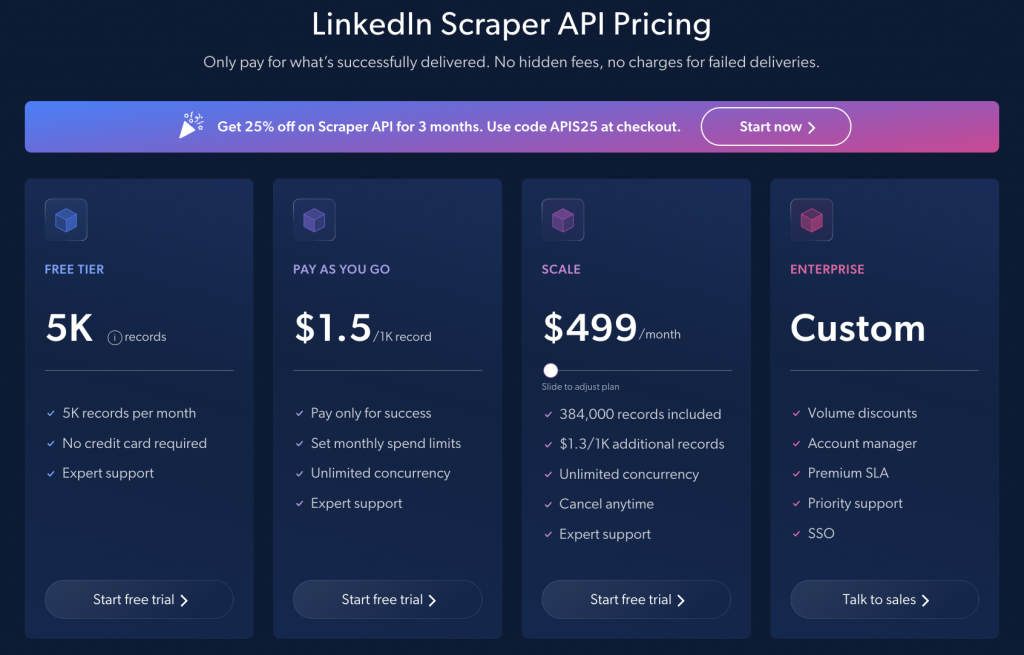
- Pay-as-you-go: $1.50 per 1K records.
- Growth Plan: $499/month ($0.95 per 1K records).
- Business Plan: $999/month ($0.84 per 1K records).
- Premium Plan: $1,999/month ($0.79 per 1K records).
9. Evaboot
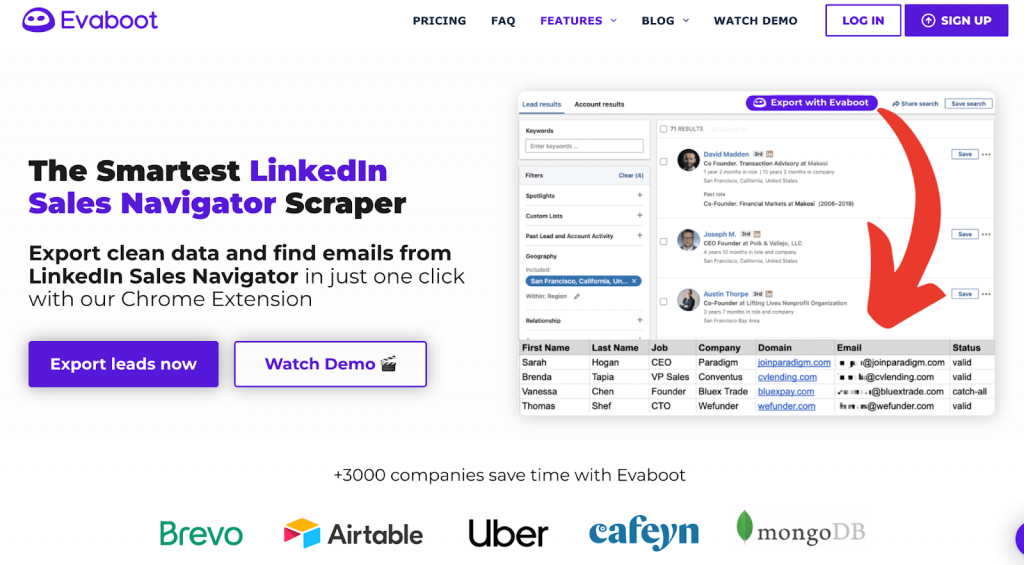
Evaboot is a Chrome extension that integrates directly with LinkedIn Sales Navigator to export lead data. It simplifies the process of extracting and cleaning prospect lists.
What Data Does Evaboot Export?
Evaboot can export the following Sales Navigator data into a CSV file:
- Full Name
- Job Title
- Company Name
- Industry
- Location
- Profile URL
- Company Website
- Company Size
- Lead Contact Email (if available and verified)
- Lead Personal and Work Emails (if found)
Evaboot operates on a subscription model as of 2026:
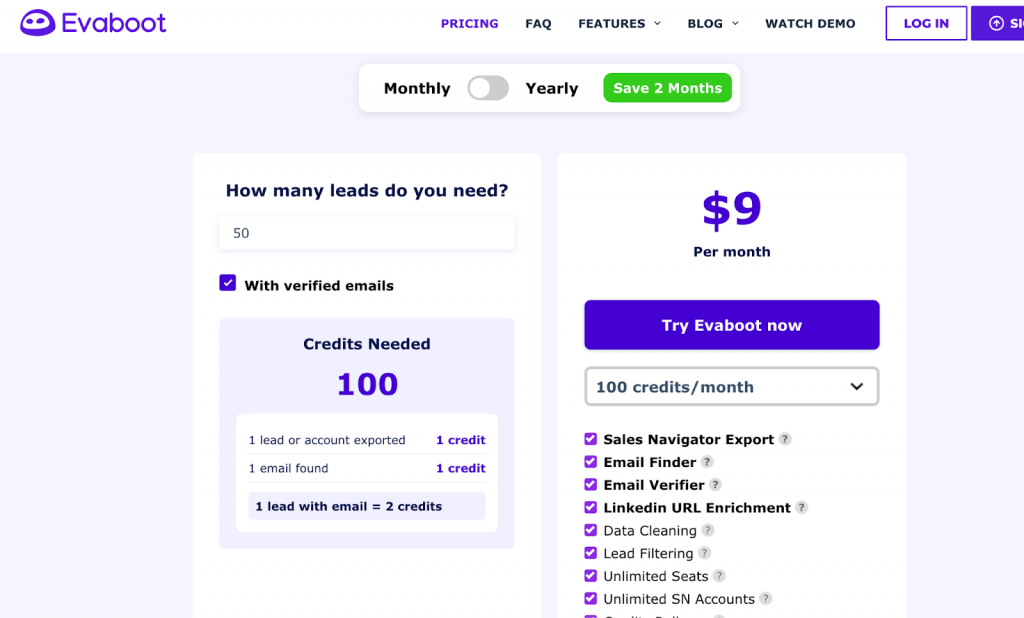
- $9/month – 100 credits per month (1 lead with email = 2 credits).
- Annual subscription gives 2 months free.
Features
- Sales Navigator Export – Extract LinkedIn Sales Navigator data.
- Email Finder & Verification – Find and verify professional emails.
- Lead Filtering – Automatically remove irrelevant profiles.
- CRM Integration – Export data into various CRM tools.
- Automation – Speed up lead generation and enrichment processes.
Evaboot supports CRM integrations, but not directly. Instead, it allows you to export LinkedIn Sales Navigator data into a CSV file, which you can then upload to your CRM.
10. Nimble
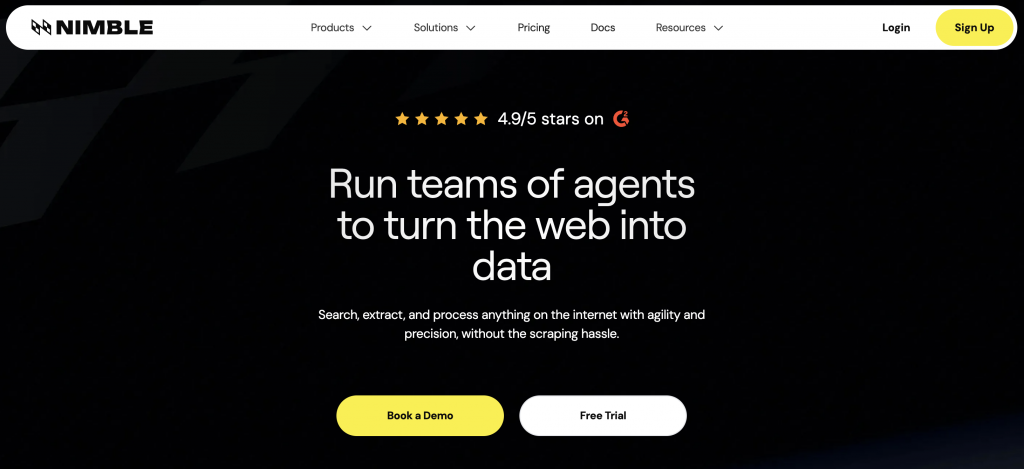
Nimbleway is a fully-managed web data collection and web scraping platform that provides API-based access to structured web data. It offers AI-driven unblocking, automated parsing, and flexible data delivery to cloud storage.
- Web Scraping API & Data Pipeline
- Proxy Services (Residential, Datacenter, Mobile)
- Automated Data Parsing
- Batch Processing for Large-Scale Data Extraction
- Customizable Parsing & AI Fingerprinting for Stealth Browsing
Supported Data Types
- Any public website content
- Social media data
- E-commerce pricing & reviews
- Search engine result pages (SERP)
Nimbleway ensures secure and compliant web scraping with:
- AI Fingerprinting – Avoid bot detection.
- Rotating & Dedicated IPs – Prevent blocks and bans.
- Custom Headers & JS Execution – Mimic real users.
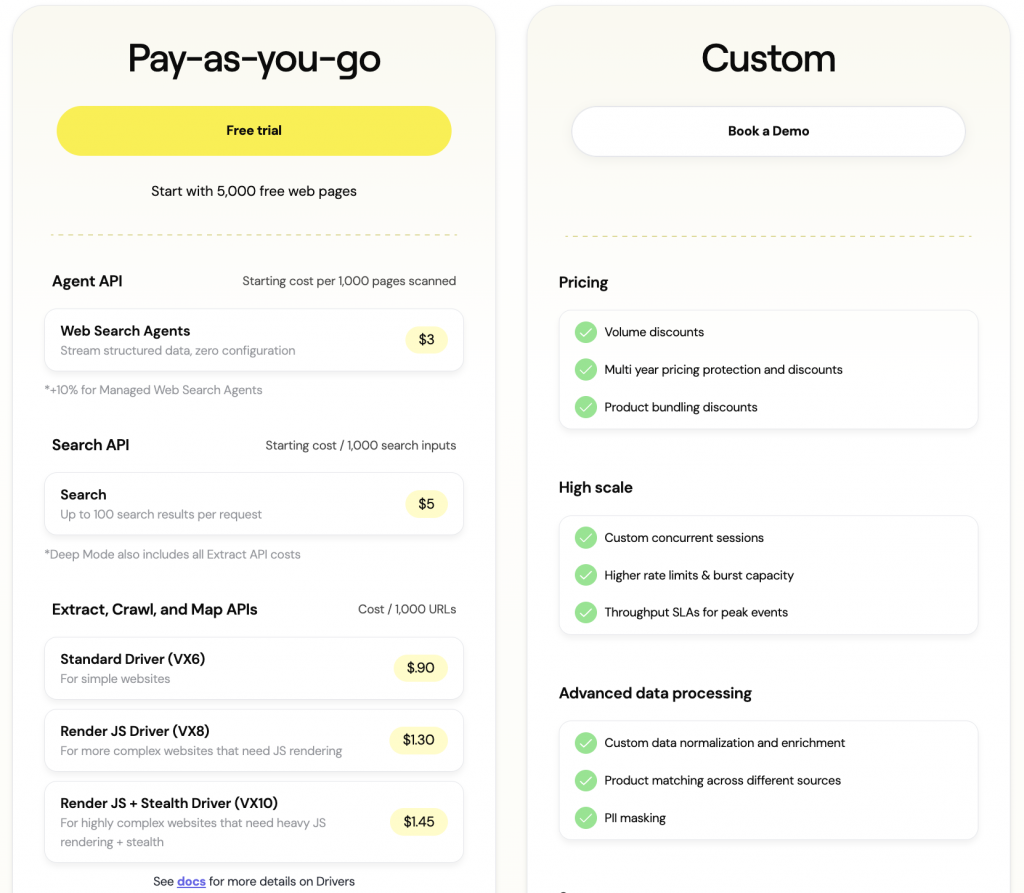
Nimbleway API integrates with:
CRM Platforms (Salesforce, HubSpot, etc.)
Business Intelligence Tools
E-commerce & Market Analysis Platforms
Custom Data Pipelines via Webhooks
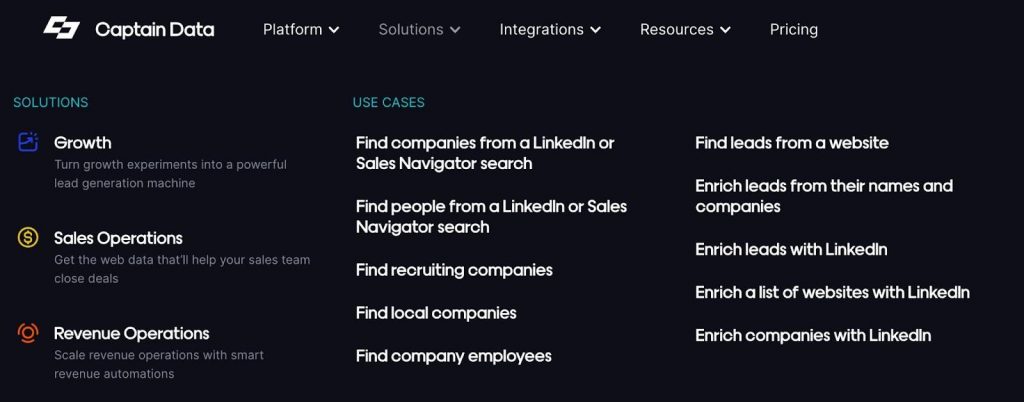
11. Captain Data
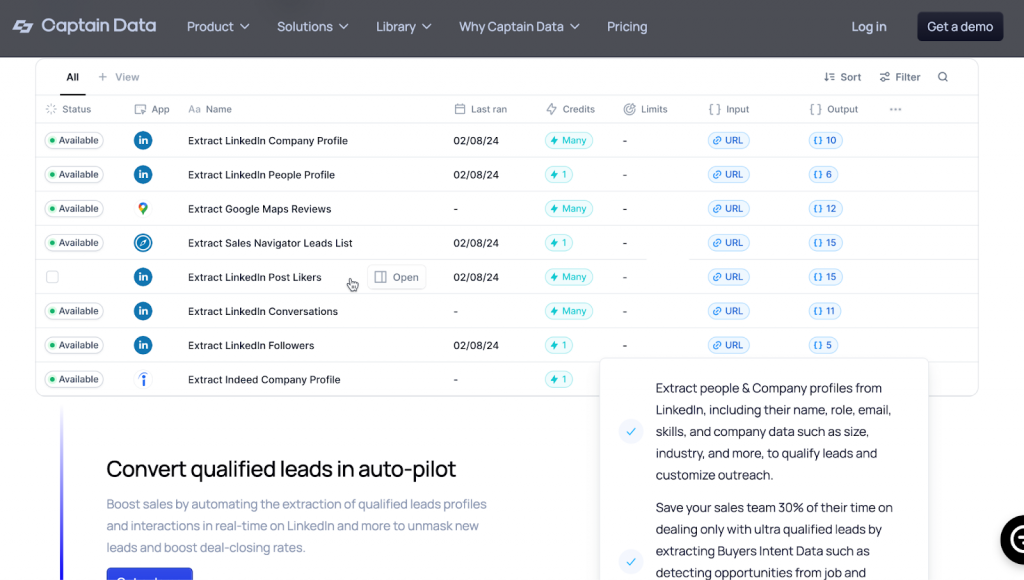
Captain Data offers comprehensive LinkedIn scraping, similar to Linked Helper, but with a subscription cost of nearly $1,000 per month.
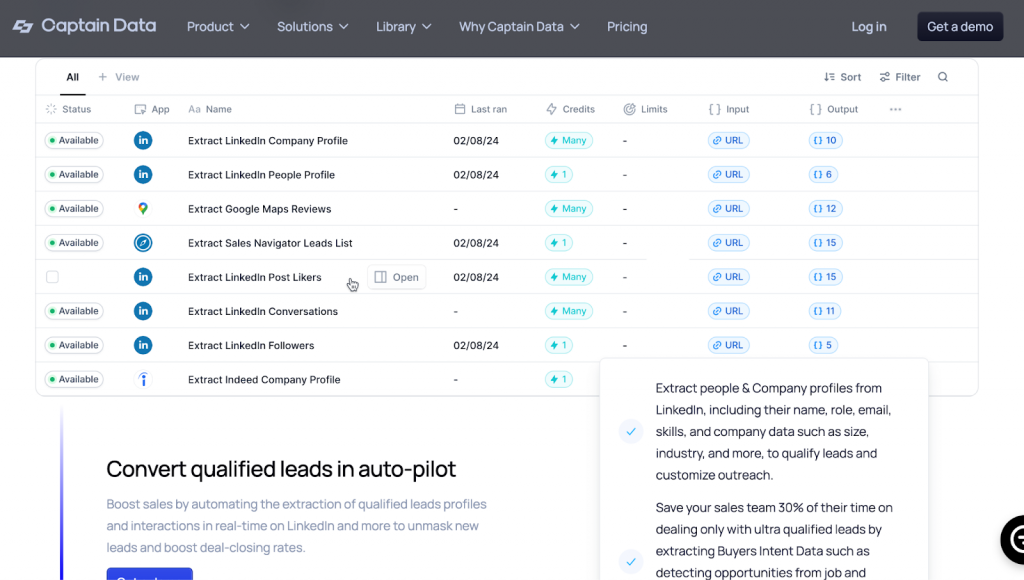
This LinkedIn profile scraper can scrape a wide range of data from company profiles, such as location, industry, size, and more. This tool is designed to streamline your workflow by automating tasks like data extraction and formatting, making it ideal for enriching your CRM with relevant information.
Captain Data emphasizes security with features like Smart Account Limits to keep your account safe. It’s also GDPR and SOC II compliant, ensuring that your data handling meets high security and privacy standards.
12. Octopus
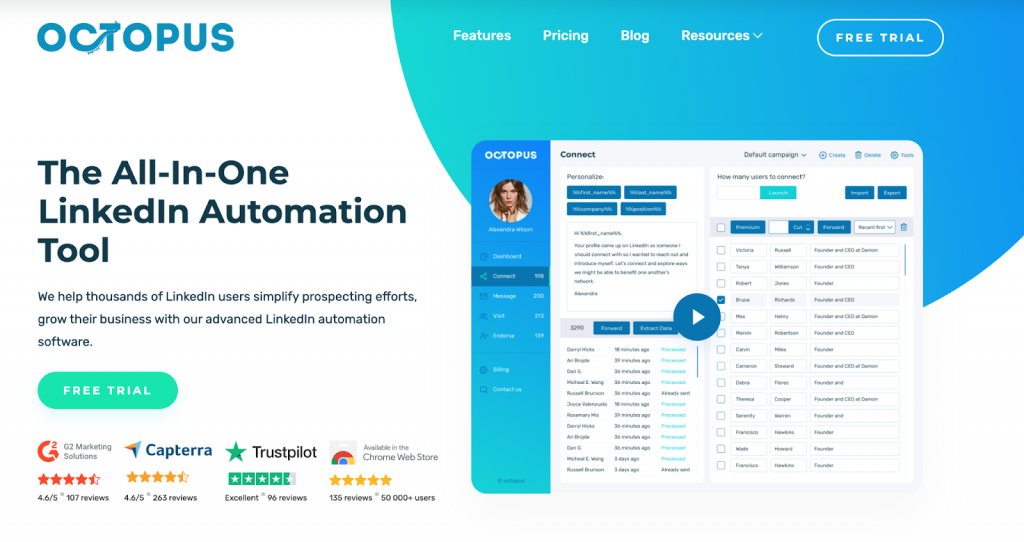
It’s a Chrome extension that automates tasks and lets you export data into CSV files. But there’s a catch – it only gathers profiles of individuals, not companies. So, if you’re looking for comprehensive data, it might not be enough.
| Feature | Linked Helper | Octopus |
|---|---|---|
| Leads’ Collection | Yes | Yes |
| CSV Output | First name, Last name, Country, City, Email address, Phone number, LinkedIn profile URL, Job title, LinkedIn Premium status, Education, Industry (with Sales Navigator scraper) | LinkedIn profile URL, First name, Last name, Position, Premium status, Created date |
| Company Data | Company name, Company website, Number of company employees, Number of company followers | Not available |
| Extra Data | ID (hash ID, Sales Navigator ID, etc.), Member distance (1st/2nd/3rd degree), Avatar, Headline, Summary, Location name, Badges (Influencer, Job Seeker, Open Link), Organization description, Languages, Skills, Mutual connections | Not available |
| Export CSV via Webhook | Yes | Yes |
| Export Message History | Yes (Pro plan) | No |
| Organizations Collection | Yes (separate action or included in profile scraping) | No |
Compared to other tools, Octopus doesn’t provide as much detail in the exported CSV. You won’t find descriptions of profiles, skills, or bios in the final spreadsheet.
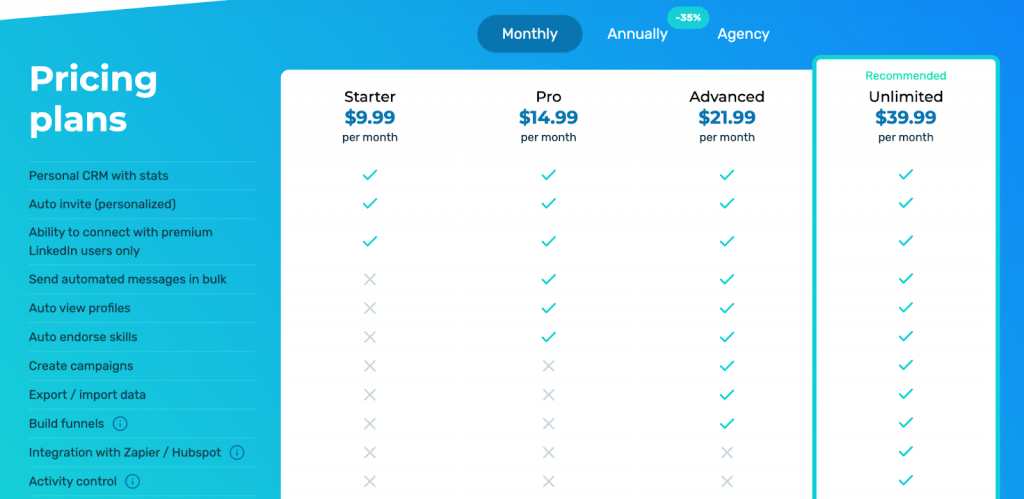
LinkedIn profile scraper operates within LinkedIn by injecting code into the page while it’s running. It’s handy for basic automation tasks but falls short on detailed LinkedIn scraping.
How to Scrape LinkedIn Data Without Getting Banned
Best Practices to Avoid Detection & Bans
These recommendations apply to tools that require authentication.
Avoid browser extensions for LinkedIn scraping. Many social networks, including LinkedIn, have strict security measures that detect and block scraping attempts made through browser add-ons.
Proxies are essential when a LinkedIn account is registered in one country but managed from a different location (on a PC or server). When scraping LinkedIn with authentication (via a logged-in account), static proxies should be used to maintain a consistent connection and avoid detection.
Mimic Human Behavior – – Linked Helper and similar tools use randomized delays, scrolling simulation, click simulation, and Start Time Randomization so activity does not begin at the exact same time every day.
Use Message Variants (SPINTAX) – Rotating message variations helps avoid repetitive outreach patterns while improving personalization and response rates.
Limit the Number of Requests – Stick to safe limits: Max 100–200 profile visits per day.
Keep Pending Invitations Under Control – LinkedIn’s soft stop for most accounts is around 1,500 pending invites, but in practice the risk builds well before that point. Aim to keep your pending backlog below 1,000, and withdraw unanswered requests older than 7–14 days on a regular cadence. Acceptance rate matters more than the raw count: a 25%+ acceptance rate signals healthy targeting and gives your account more headroom regardless of pending volume.
Use Premium or Sales Navigator Accounts – LinkedIn Premium users have higher activity thresholds, making them less likely to be flagged.
Enable Auto-Warmup for New Accounts – Gradually increase scraping activity over several weeks to avoid triggering LinkedIn’s security alerts.
How to Scrape Safely with LinkedIn’s Terms in Mind
Follow LinkedIn’s Fair Use Policies – Instead of scraping large LinkedIn datasets at once, extract data in small batches over time.
Avoid Scraping Personal Data Without Consent – LinkedIn prohibits mass scraping of private user information (emails, phone numbers). Focus on publicly available data like job titles, company names, and scraping LinkedIn URLs.
Leverage Official LinkedIn Integrations – Use LinkedIn API, Sales Navigator, or official partner tools (e.g., Zapier, HubSpot) for lead extraction.
Use Scraping as a Supplement to Organic Engagement – Combine scraping with manual engagement (e.g., liking posts, commenting) to maintain an authentic account presence.
Common Mistakes That Get Scrapers Blocked (and How to Avoid Them)
When we talk about blocking, we refer to account bans for authenticated users, not just IP bans for non-authenticated scraping.
Mistake 1: Scraping Too Fast
How to Avoid: Use randomized delays and human-like interactions.
Mistake 2: Using Rotating IPs for Authenticated Scraping
How to Avoid: When scraping with a logged-in LinkedIn account, use static proxies instead of rotating ones. Frequent IP changes can trigger LinkedIn’s security system, leading to account restrictions.
Mistake 3: Using Automated Login Bots
How to Avoid: Minimize the number of logins and avoid bot-like behavior.
Always stay informed about LinkedIn’s policies and be prepared to adjust your methods to remain compliant.
Mistake 4: Exceeding LinkedIn’s Data Limits
How to Avoid: Different LinkedIn account types (free vs. premium vs. Sales Navigator) have different search and profile view limits. Monitor usage and distribute requests across multiple accounts if necessary.
How to Use LinkedIn Scraper Data for Maximum ROI
By strategically using LinkedIn scraping tools, businesses can optimize sales, hiring, market research, and marketing efforts—maximizing their ROI.
Lead Generation & Sales Automation
Turn LinkedIn data into a powerful sales engine by automating outreach and CRM integration.
- Extract emails beyond direct connections for more outreach opportunities.
- Gather complete lead profiles to build detailed customer personas.
- Use LinkedIn scraper data to automate CRM workflows and lead nurturing.
- Organize and segment leads based on audience size and engagement.
Recruitment & Talent Sourcing
Streamline your hiring process by sourcing top candidates directly from LinkedIn.
- Scraping LinkedIn profiles to identify top candidates in your industry.
- Collect job titles, skills, and company details to refine hiring strategies.
- Leverage InMail and Open Link profiles for direct candidate outreach.
- Store and categorize candidate data for pipeline management.
Competitor Research & Market Analysis
Gain a competitive edge by analyzing your rivals’ LinkedIn presence and strategies.
- Extract company data, including LinkedIn profiles, websites, and contacts.
- Analyze competitors’ employee networks and hiring trends.
- Study competitor engagement levels by scraping follower and connection counts.
- Gather insights to craft targeted marketing and sales strategies.
Email Marketing & Outreach
Boost engagement and conversions with highly targeted email campaigns.
- Build a verified email database for personalized email campaigns.
- Automate scraping from LinkedIn and email outreach in parallel for better response rates.
- Use scraped data to personalize messages with custom variables.
- Leverage Open Link profiles to send free InMails and expand outreach.
Advanced LinkedIn Scraping Hacks for Power Users
How to Scrape LinkedIn Search Results Beyond the 1,000-Result Limit
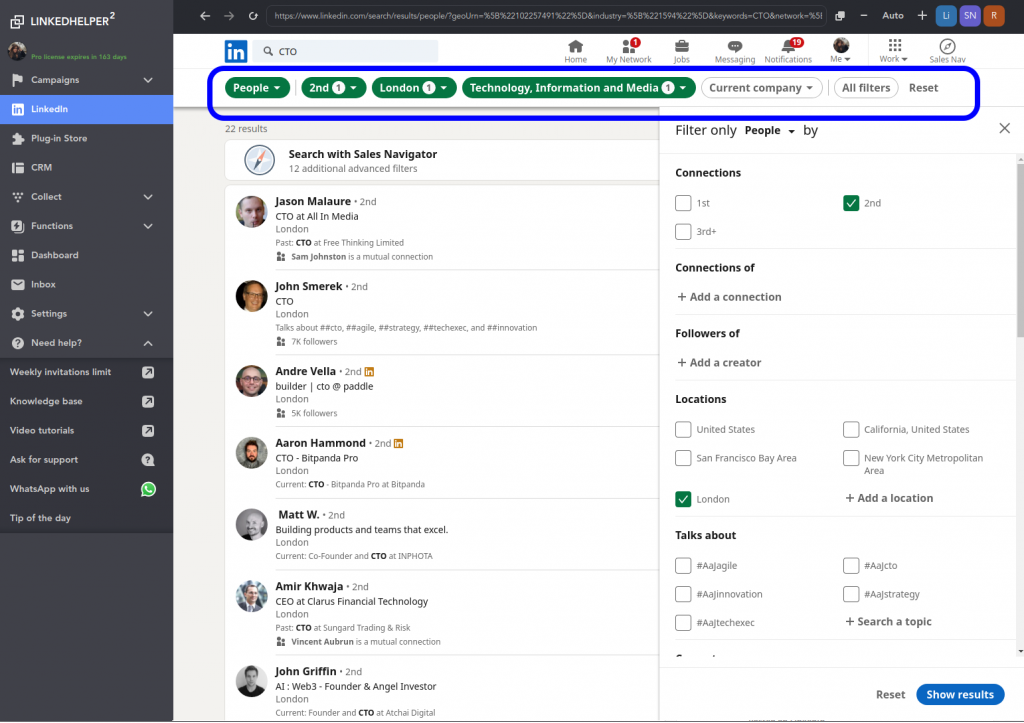
LinkedIn limits regular search results to approximately 1,000 profiles per query. Sales Navigator increases this limit to 2,500 lead results (or 1,000 account results), so large datasets typically need to be segmented into multiple searches. So scraping a full database on LinkedIn can be challenging. However, you can bypass this limit using:
- Keyword Variations – Break down your search by tweaking job titles, industries, or locations to create smaller, more manageable datasets.
- Filter Combinations – Apply different LinkedIn filters (e.g., experience level, company size, geography) to pull segmented data.
- Profile Expansion – Extract connection networks by scraping second- and third-degree contacts linked to your initial results.
How to Scrape Hidden LinkedIn Data Fields (Beyond Name & Title!)
Advanced LinkedIn profile scrapers like Linked Helper can extract not only publicly available data (such as name and title) but also hidden information that LinkedIn doesn’t explicitly display. Modern AI-powered scraper can also classify scraped leads based on ICP fit, helping teams turn raw LinkedIn data into qualified prospect lists.
By leveraging integrations and smart algorithms, you can retrieve corporate emails, profile images, job descriptions, and even post content for further analysis.
1. Extracting Hidden Corporate Emails
Even if an email address is not visible on a LinkedIn profile, LinkedIn scraping tools can still find it. Linked Helper’s Data Enrichment action enriches scraped profiles with verified emails and phone numbers for 2nd- and 3rd-degree connections without ever visiting the profile, reducing account footprint while expanding contact coverage.
How It Works:
Snov.io and Hunter.io match a person’s name with a company’s domain to generate likely email addresses.
Linked Helper and PhantomBuster have built-in email finders that identify hidden contact details. Linked Helper integrates with email-finding tools to enrich scraped data
Recent updates also added Apollo.io integration, allowing users to enrich scraped LinkedIn profiles with verified business emails and phone numbers without sending connection requests.
Enrichment tools use company databases and social signals to validate extracted emails.
Example: If you’re scraping LinkedIn profiles for lead generation, these tools can provide verified corporate emails even when they’re not listed publicly.
2. Collecting Profile Images for Customization
Many automation tools allow you scraping LinkedIn profile images, which can be used for personalized outreach campaigns.
How It Works:
LinkedIn profile scrapers like Linked Helper can download profile pictures link.
These images can be automatically customized using services like Hyperise to add personalized text or overlays.
The enriched images can then be embedded into LinkedIn messages or external emails to increase engagement.
Example: Personalized cold outreach where each message includes a prospect’s profile picture with a custom call-to-action.
3. Scraping Job Listings & Post Content for Market Analysis
Some advanced scraping tools allow you to extract job descriptions and scraping LinkedIn posts for competitor analysis, market research, or talent acquisition.
How It Works:
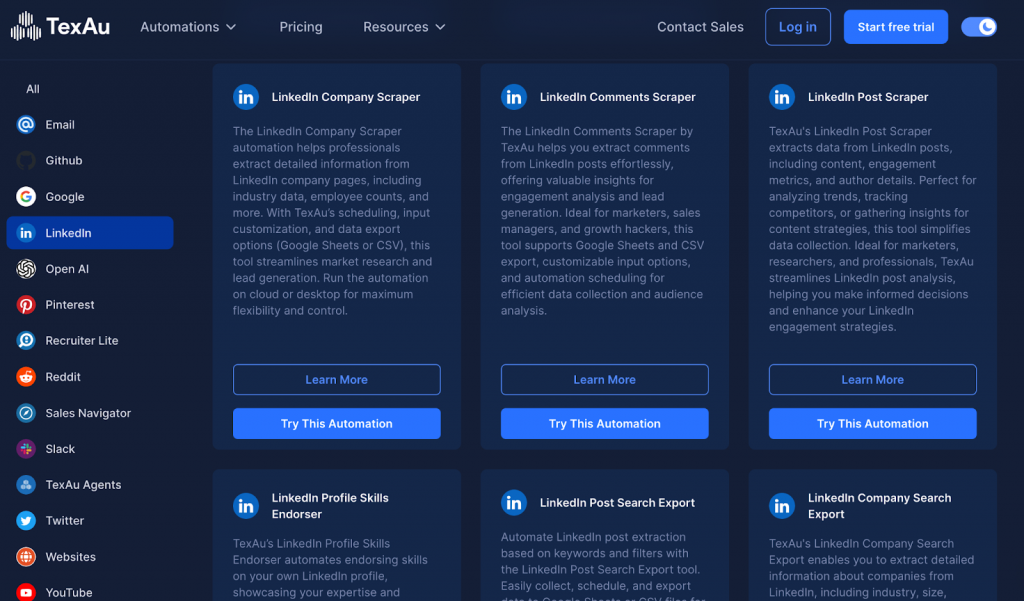
TexAu and Octoparse can scrape job postings, including salary ranges, required skills, and company insights.
PhantomBuster can extract LinkedIn posts, comments, and reactions for trend analysis.
AI-based tools like ChatGPT API can analyze extracted text for sentiment and market insights.
Example: Recruiting firms use this for scraping LinkedIn job listings to identify hiring trends, while marketers can analyze competitor content strategies.
Automating LinkedIn Scraping with Python (for Coders)
For developers, Python offers powerful libraries to automate LinkedIn scraping. Here’s a basic approach:
- Selenium – Automate browser interactions to mimic human behavior and extract profile data dynamically.
- BeautifulSoup – Parse LinkedIn’s HTML structure to extract key elements like job titles, companies, and locations.
- Requests & Rotating Proxies – Send authenticated requests and rotate IPs to avoid detection.
- CSV & Database Storage – Store scraped data in structured formats for further analysis.
Why most users switch from Python to a no-code desktop tool
DIY Python scrapers work, but they come with a maintenance burden most sales and marketing teams would rather skip: you maintain the browser fingerprinting logic, update selectors when LinkedIn changes its HTML, manage proxy rotation to avoid IP bans, and handle LinkedIn’s CAPTCHA and rate-limit responses yourself.
Tools like Linked Helper handle all of that out of the box — randomized delays, session management, smart daily limits — and add enrichment, outreach, and CRM export in the same campaign. For developers who want the control of code without the maintenance overhead, Linked Helper’s webhook and Zapier integrations let you plug scraped data into any pipeline.
If you already have a Python setup that works, keep using it. If you’re building one from scratch for a non-technical team, a dedicated scraper is the faster path to production.
Conclusion & Next Steps
If you need to extract sensitive data from LinkedIn while ensuring compliance with LinkedIn’s terms, it’s essential to use automation tools that prioritize security and efficiency.
There are various methods for data extraction, including LinkedIn API, cloud-based platforms, and browser extensions. However, relying on unauthorized scraping can put your account at risk.
For a secure and scalable LinkedIn scraping solution, we recommend Linked Helper, which allows you to:
Integrate data from multiple sources, including company profiles, Email Finder, Apollo
Send personalized messages at scale, improving outreach and engagement
Automate connection requests while mimicking human behavior to reduce detection risks
Export enriched lead data directly into your CRM system
Linked Helper streamlines lead generation, email discovery, and profile enrichment, allowing you to build stronger business relationships effortlessly.
You have seen what a good scraper should do – now extract, enrich and act on LinkedIn data in one campaign. Start a 14-day free trial of Linked Helper to scrape profiles, companies and employee lists, find hidden emails and phones, and push verified leads straight to your CRM or Google Sheets. No card required; plans from $15/month.
FAQ
Is LinkedIn scraping illegal?
Scraping publicly available LinkedIn data is not inherently illegal in the US – in hiQ Labs v. LinkedIn the Ninth Circuit held that scraping public profiles does not violate the Computer Fraud and Abuse Act. You should still scrape only public data, comply with privacy laws like GDPR, and avoid logging in to scrape data behind authentication in ways that breach LinkedIn’s terms.
Will LinkedIn ban you for scraping?
LinkedIn can restrict or ban accounts when it detects automation running at unnatural speeds or in predictable patterns. Using a standalone tool like Linked Helper that mimics human behavior with randomized delays, smart daily limits and start-time randomization keeps your activity within safe ranges and greatly lowers that risk.
Is LinkedIn scraping possible?
Yes. Because LinkedIn does not offer a full data export beyond your direct connections, a dedicated scraper is needed to extract search results, Sales Navigator lists, group and event members. Linked Helper does this from your own computer and exports the data to CSV, Google Sheets or your CRM.
What is the best scraper tool for LinkedIn?
The best tool depends on your goal, but for safe, full-profile scraping plus built-in outreach most users pick a standalone desktop app over a browser extension or API scraper. Linked Helper scrapes profiles, companies and employee lists, finds emails and phones via data enrichment, and automates connection requests and follow-ups in one campaign, starting at $15/month with a 14-day free trial.
Can you scrape emails and phone numbers from LinkedIn?
Yes – tools with an email finder or enrichment database can retrieve work and personal emails (and sometimes phones) even when they are not shown on the profile. Linked Helper’s Data Enrichment action and Apollo.io integration can find emails for your 2nd and 3rd-degree connections without having to visit each profile.
Can you scrape LinkedIn jobs and company data?
Yes. You can scrape job listings, company pages (size, industry, website, description) and full employee lists. Linked Helper’s company scraper and Employees extractor let you queue hundreds of company pages and pull their ‘People’ tab, optionally filtered by job title.
