Quick Connect
1. Get Your Webhook URL
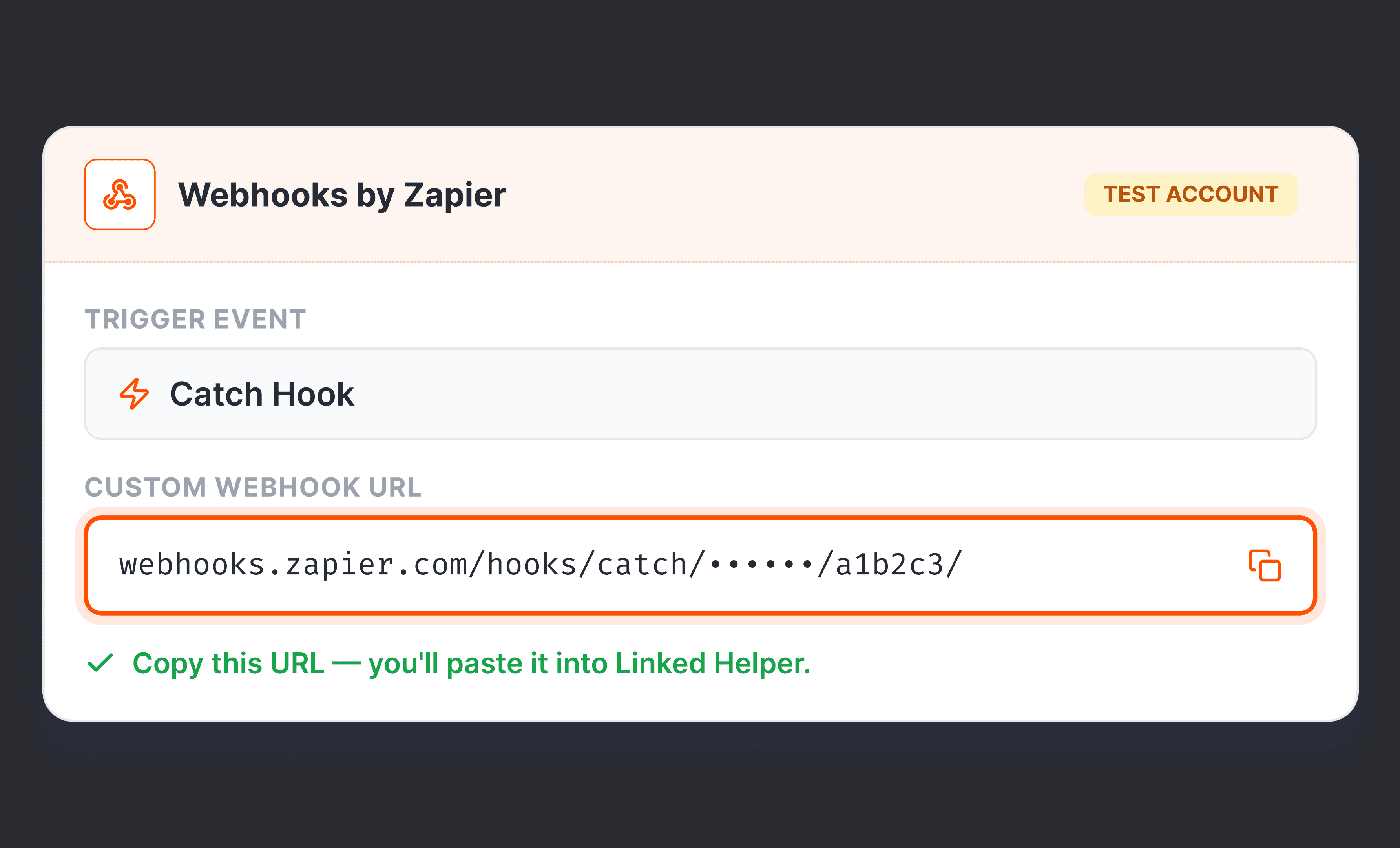
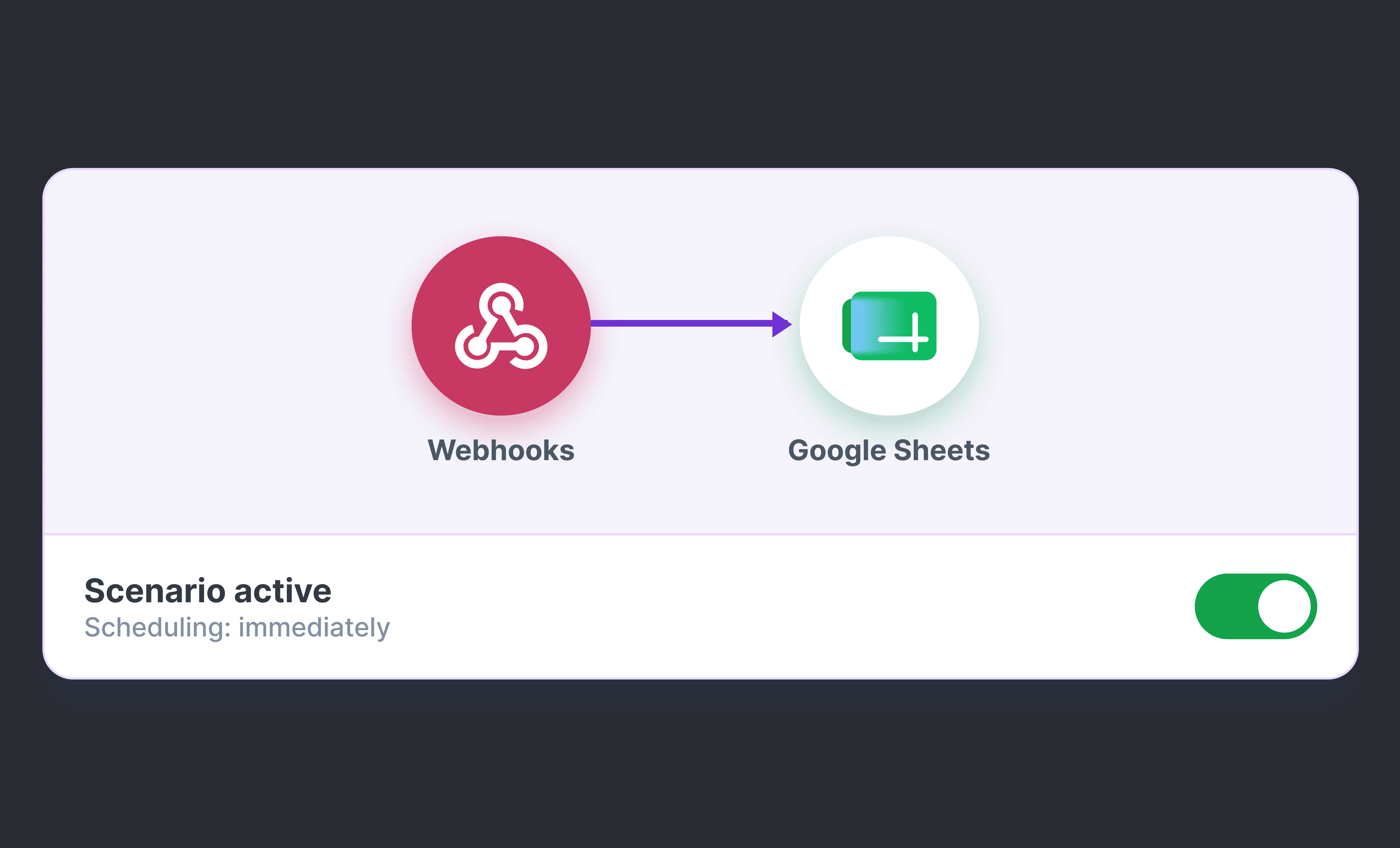
Copy your target tool's webhook URL and paste it into Linked Helper campaign to establish an instant connection with Zapier, Make, or any other webhook.
Stream LinkedIn prospect data straight to any application in your tech stack. Use webhook integration to power your preferred CRM, internal database, or automation platforms.











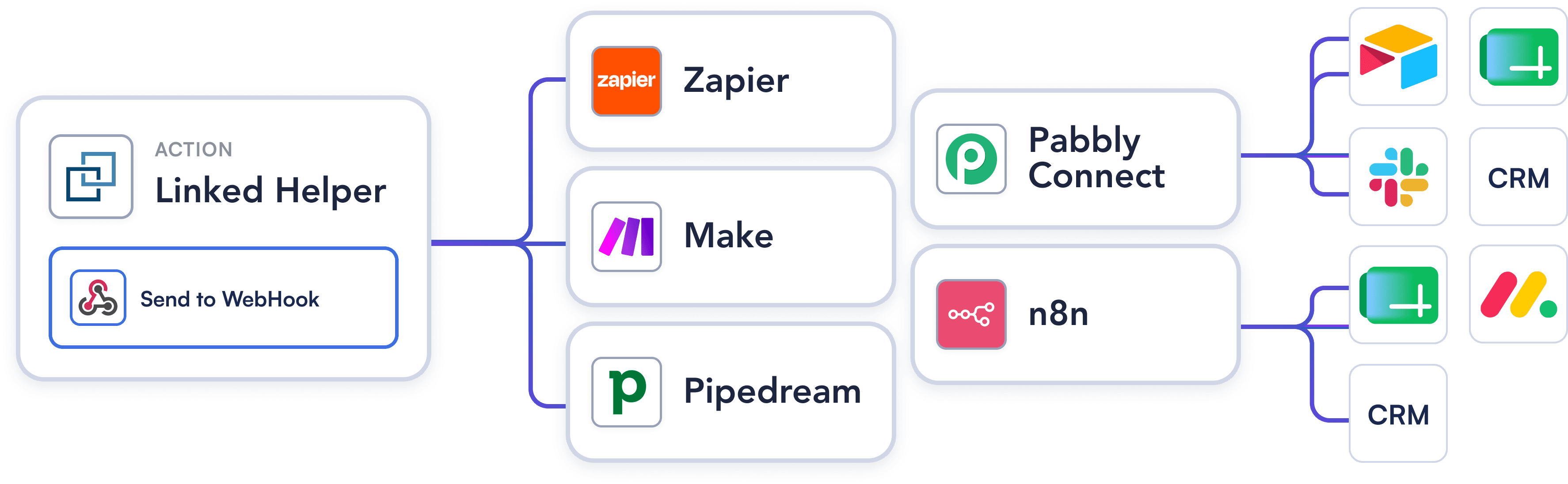
Use Zapier for simple connections to 7,000+ apps, Make for complex multi-step scenarios, or cost-effective alternatives like n8n and Pabbly Connect. With webhooks, there is literally nowhere your LinkedIn data cannot go.
Try Template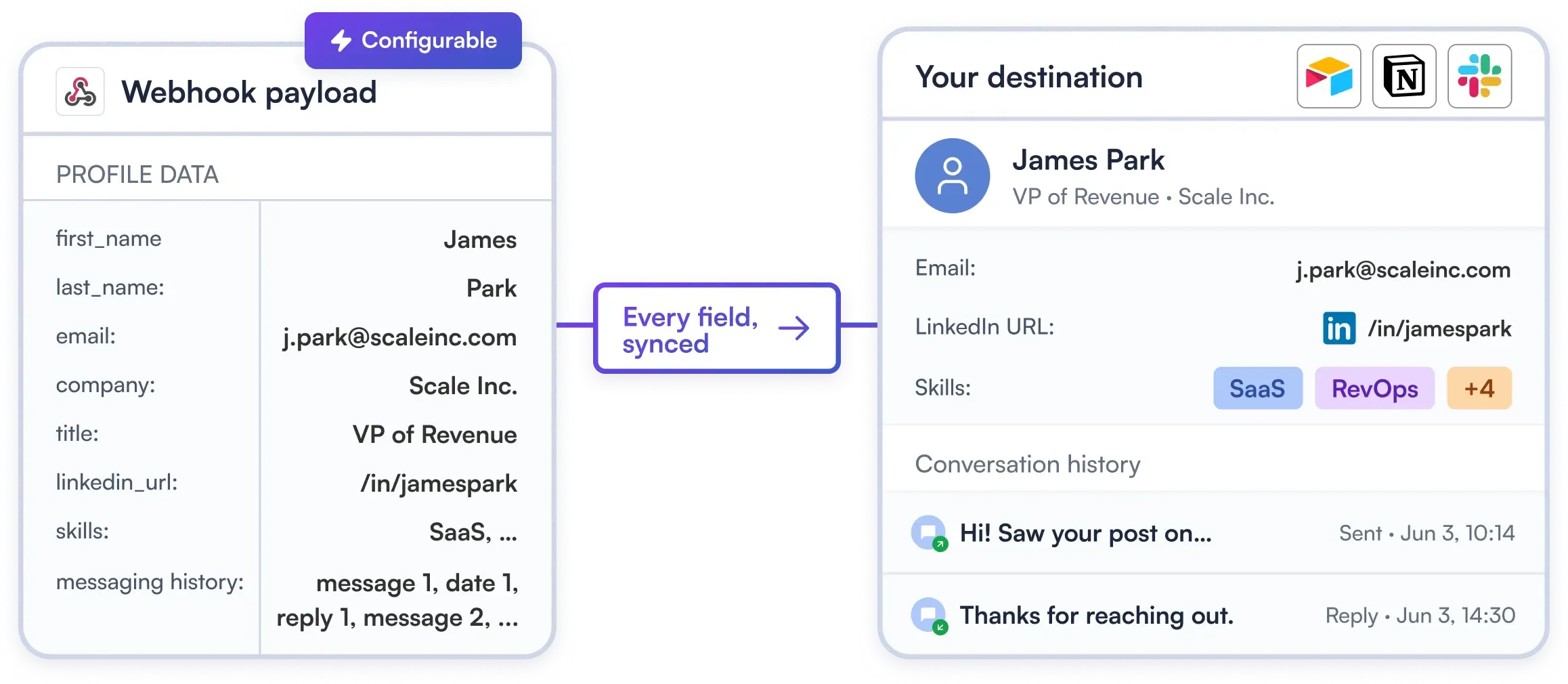
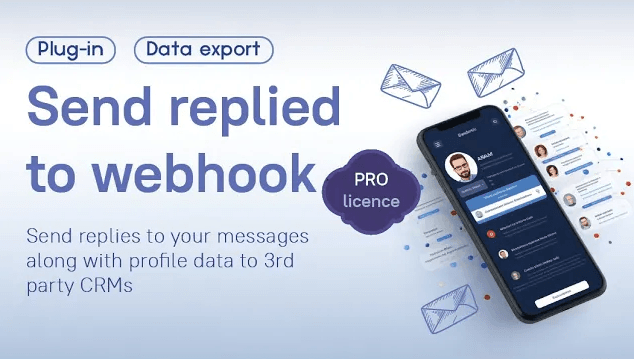
Every message you sent and every reply you received, timestamped and structured, arriving in whatever tool receives your webhook. Configure exactly what to include in the action settings. Your CRM gets context, not just contact details.
Try Template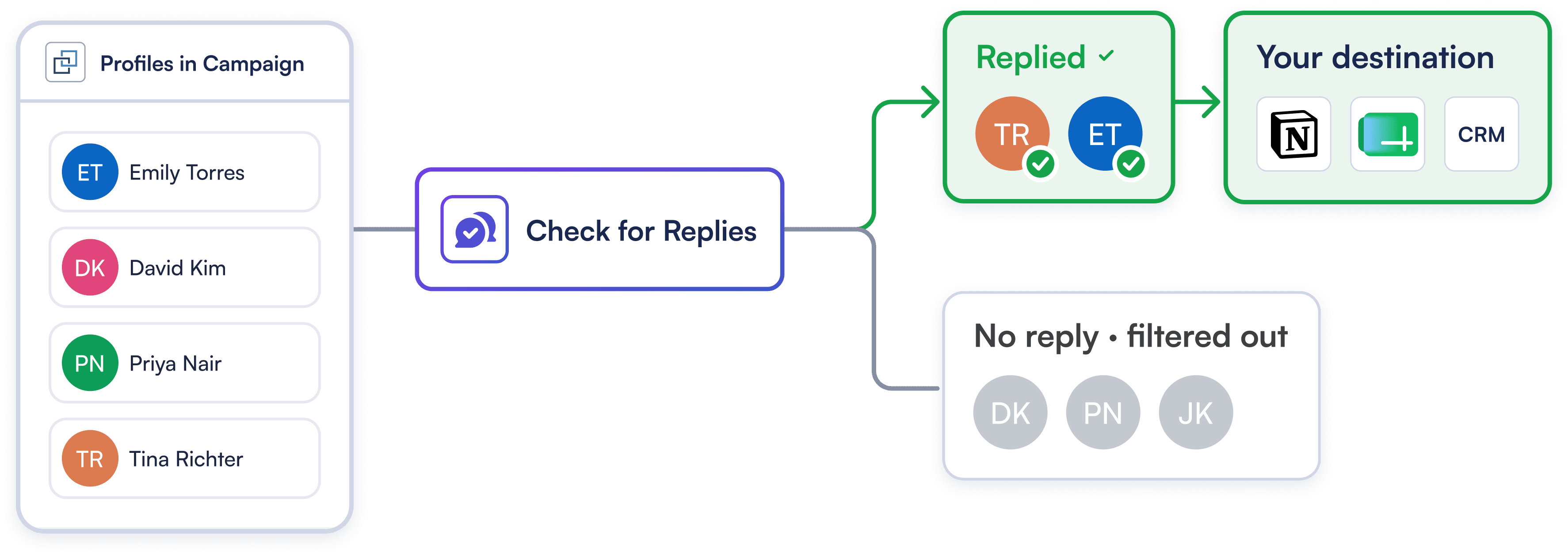
Keep your CRM clean and focused on high-intent prospects. Trigger webhooks exclusively when a prospect replies on LinkedIn, ensuring your CRM and sales team focus 100% on warm opportunities.
Try TemplateCopy your target tool's webhook URL and paste it into Linked Helper campaign to establish an instant connection with Zapier, Make, or any other webhook.
Select exact LinkedIn data points to send with each contact. Choose to export all processed leads or trigger webhooks exclusively for prospects who reply.
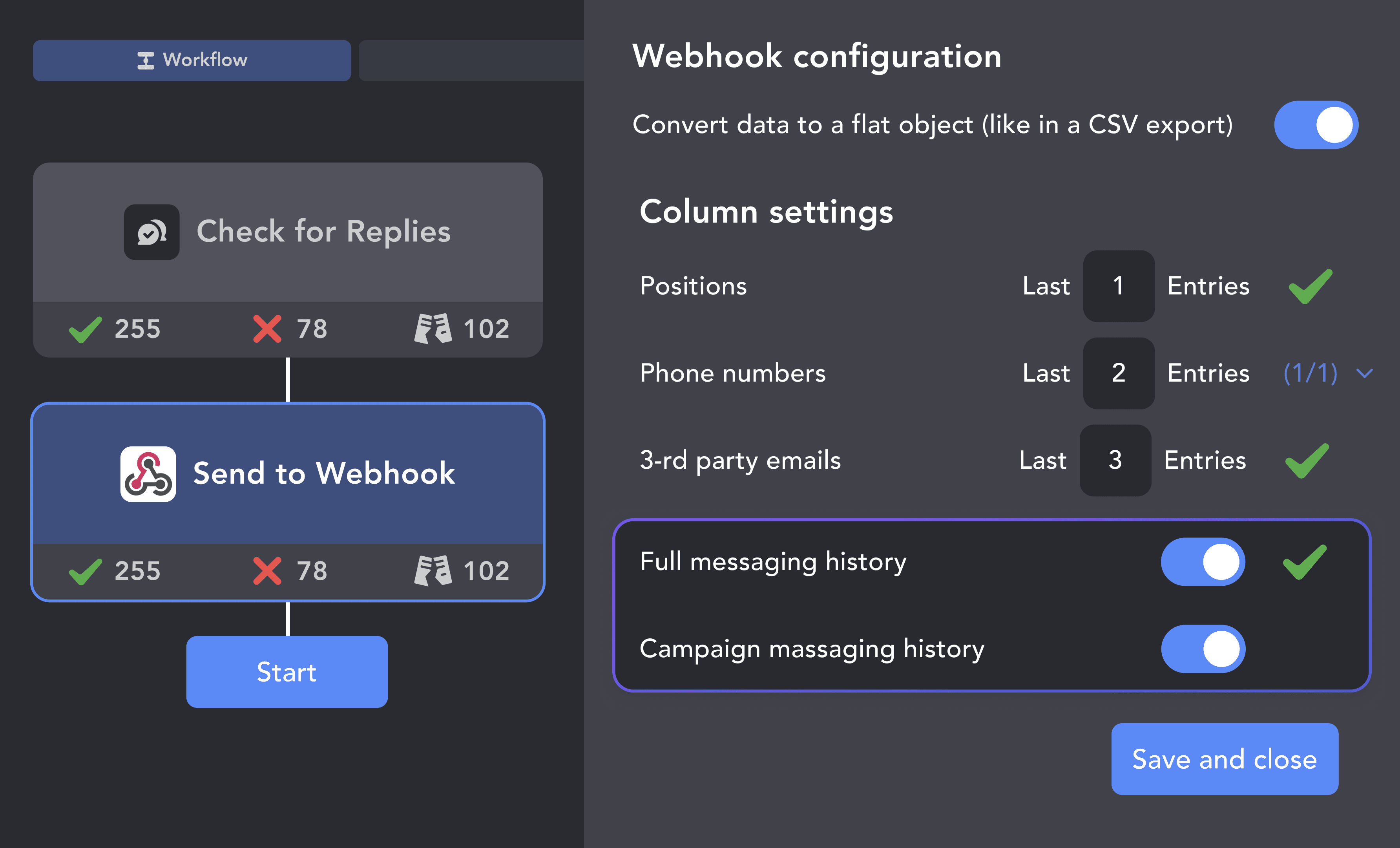
Send a instant test payload to verify field mapping with your receiving app. Once validated, launch your campaign to stream enriched leads automatically in real time.
From finding leads to closing deals, Linked Helper automates every step of your outreach funnel. Explore the features that make us the most powerful solution on the market.


No chatbots. No waiting days for a reply. Get fast, expert help from real people who are committed to your success, anytime you need it.
Isaac R.
CEO, Education Management
If you are looking to optimize your time while generating income or profitability in your objectives, Linked Helper is your app. What I liked most is the simplicity and effectiveness.
 Review
24/7 LIVE CHAT EMAIL
Get a real human response in minutes, not days.
REMOTE ASSISTANCE
If you're truly stuck, we can connect to your screen and guide you.
IN DEPTH KNOWLEDGE BASE
Step‑by‑step tutorials and articles for every feature.
Watch our quick video guides to start with Linked Helper.
Learn how to get started with Linked Helper 2: from registration to launching your pilot outreach campaign.
VIDEO TUTORIAL
VIDEO TUTORIAL
Both work well. Zapier is simpler to set up and is better for straightforward one-step flows (LinkedIn → Google Sheets, LinkedIn → CRM). Make (formerly Integromat) is more powerful for complex multi-step scenarios with conditional logic, data transformation, or branching — and is generally more cost-effective at higher volumes. Choose Zapier for speed; choose Make for flexibility.
Sync Linkedin prospects, log conversations natively, and close deals faster. No manual data entry required.