Quick Connect
1. Connect Capsule Instantly
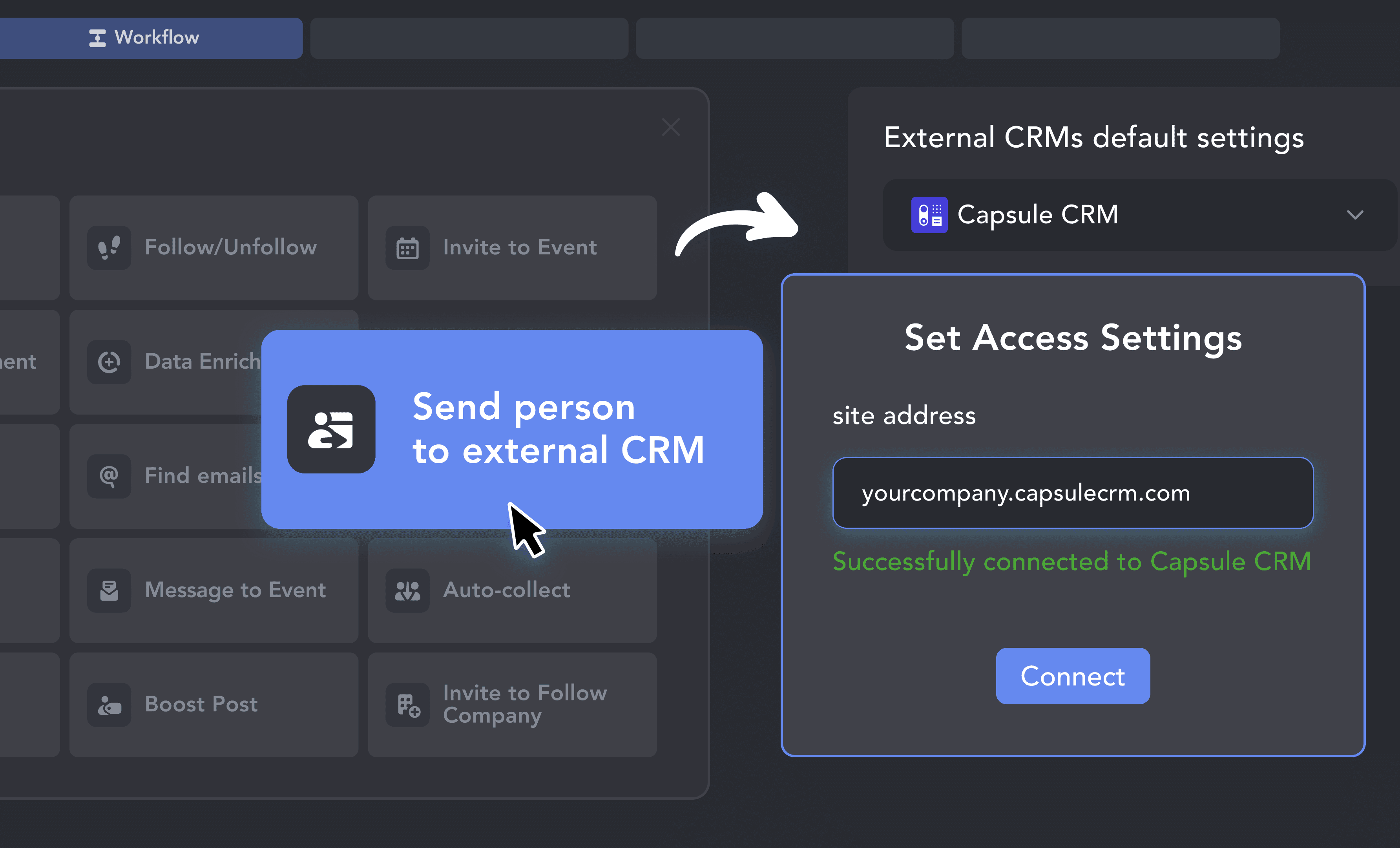
Click Connect inside Linked Helper, log in to your Capsule account, confirm your Capsule site address, and grant Linked Helper access. The OAuth flow takes less than a minute.

Capsule keeps your pipeline clean and your team focused. Now your LinkedIn outreach catches up — automatically scraping contacts, creating Opportunities, and logging every conversation, with no manual data entry required.











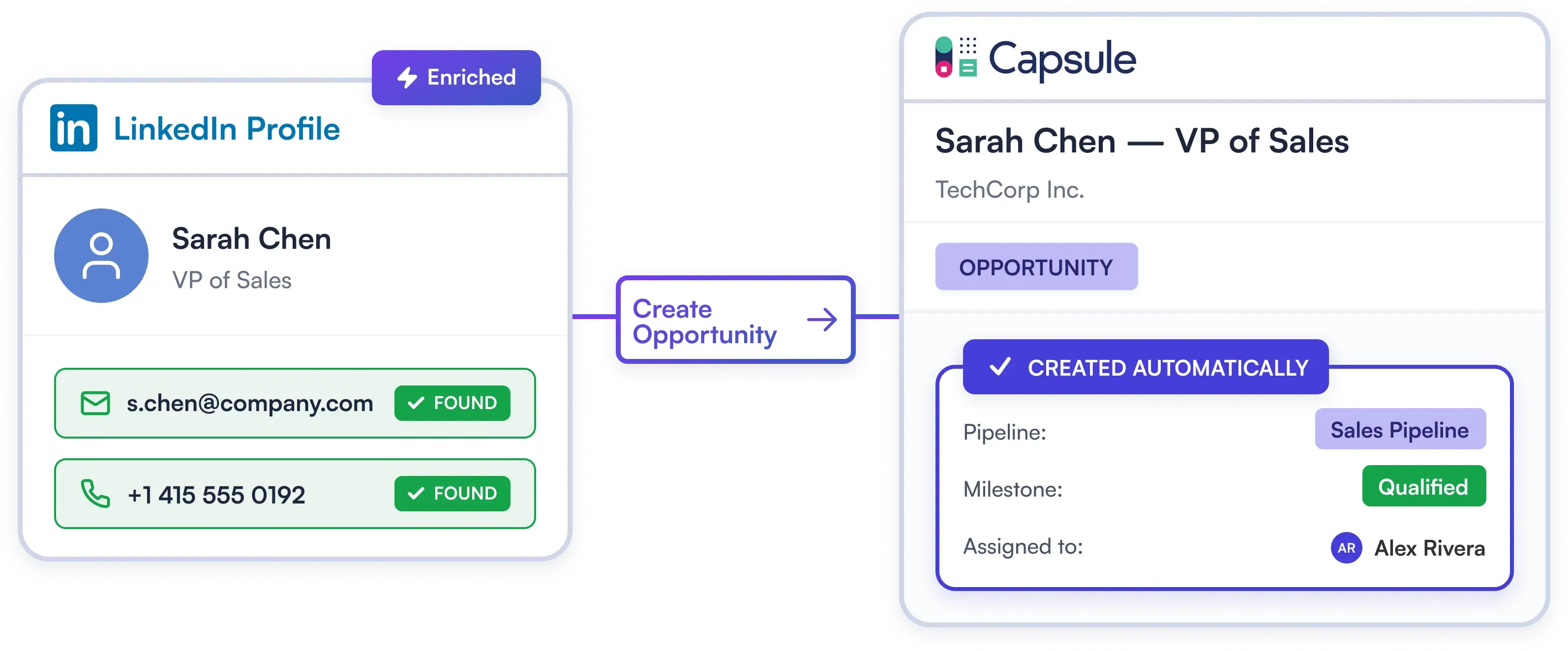
Automatically convert LinkedIn prospects into Capsule Opportunities — routed to the right pipeline, stage, and account owner in a single step. Open Capsule to manage deals, not to type them in.
Try Template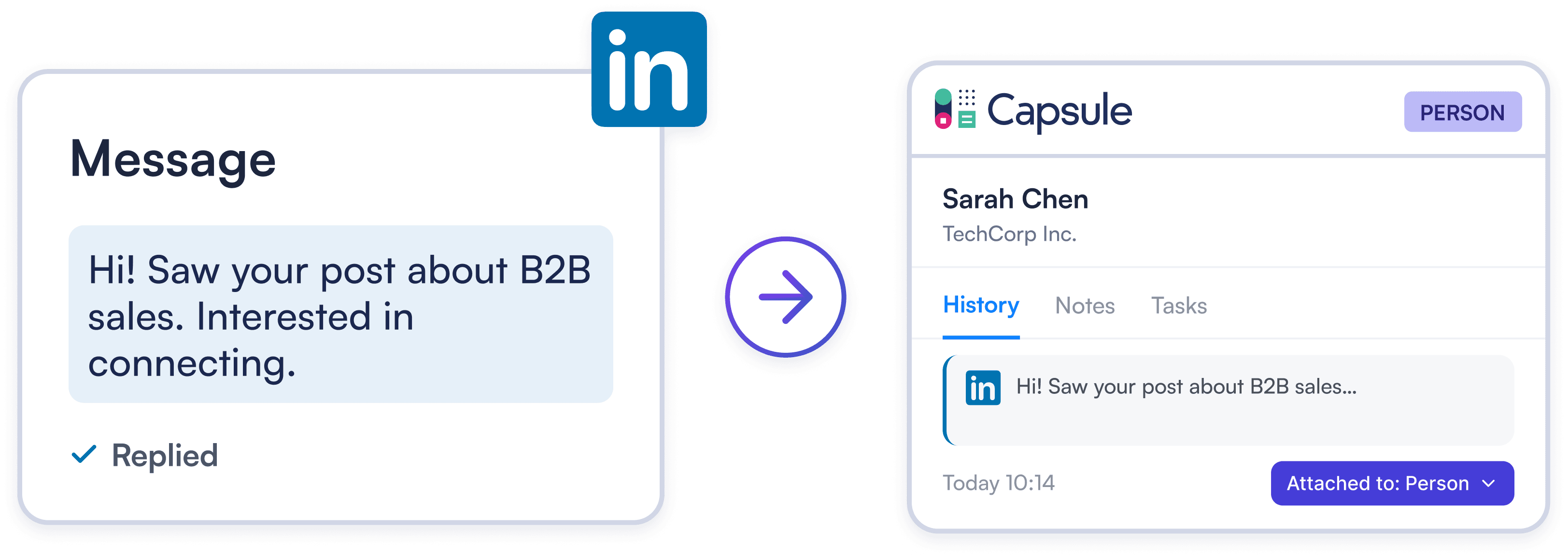
Auto-log LinkedIn conversations to Capsule Person or Opportunity records. Your team sees the full relationship history without ever leaving the CRM.
Try Template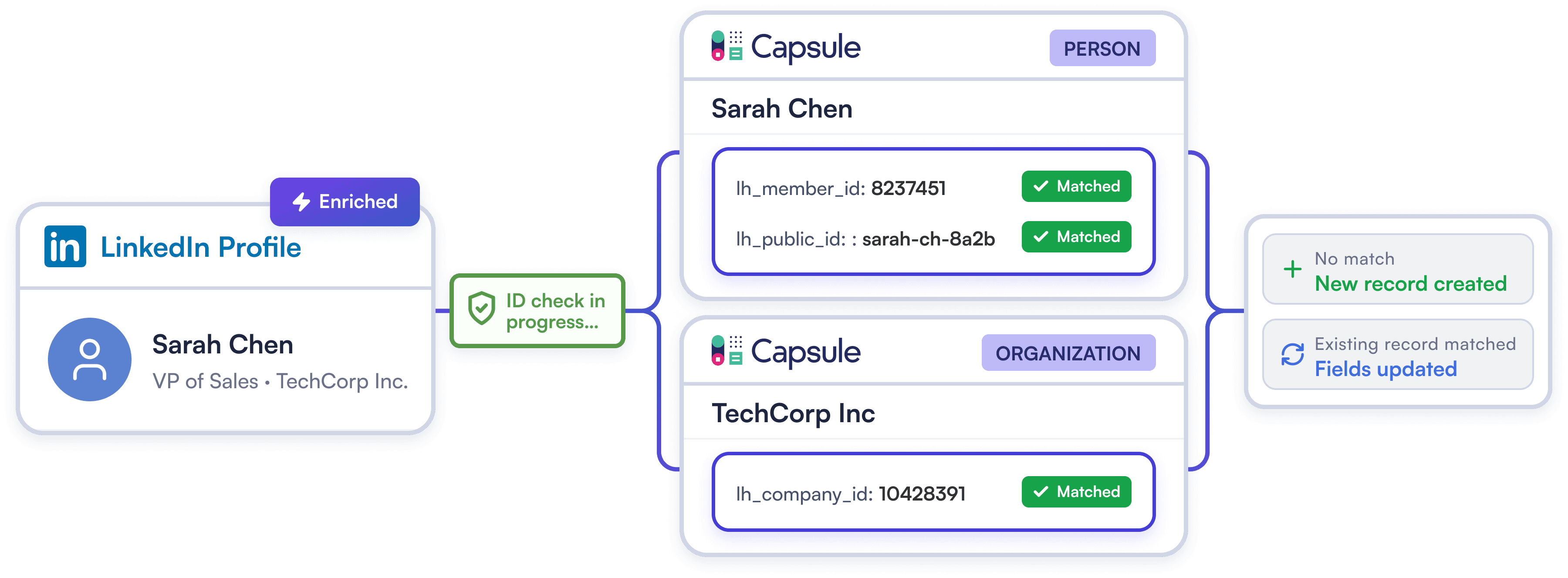
Automatically block duplicate Contacts and Organizations using unique LinkedIn IDs. Keep your Capsule database clean and organized, even as prospects change jobs or update their emails.
Try TemplateClick Connect inside Linked Helper, log in to your Capsule account, confirm your Capsule site address, and grant Linked Helper access. The OAuth flow takes less than a minute.
Enable the "Create Opportunity" option, choose the target pipeline and milestone, and assign it to a team member. Every new LinkedIn contact will automatically be placed in the correct pipeline stage.
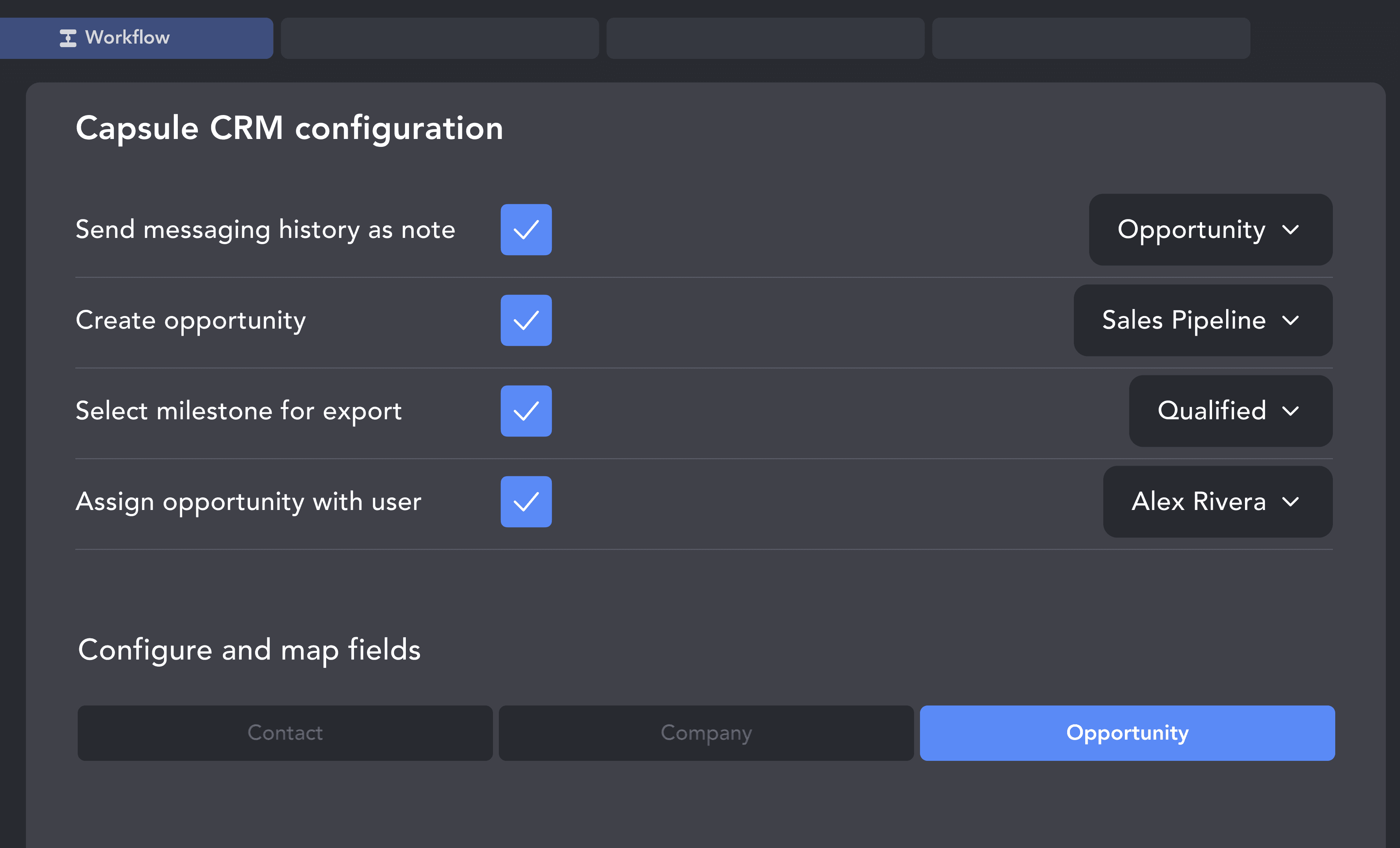
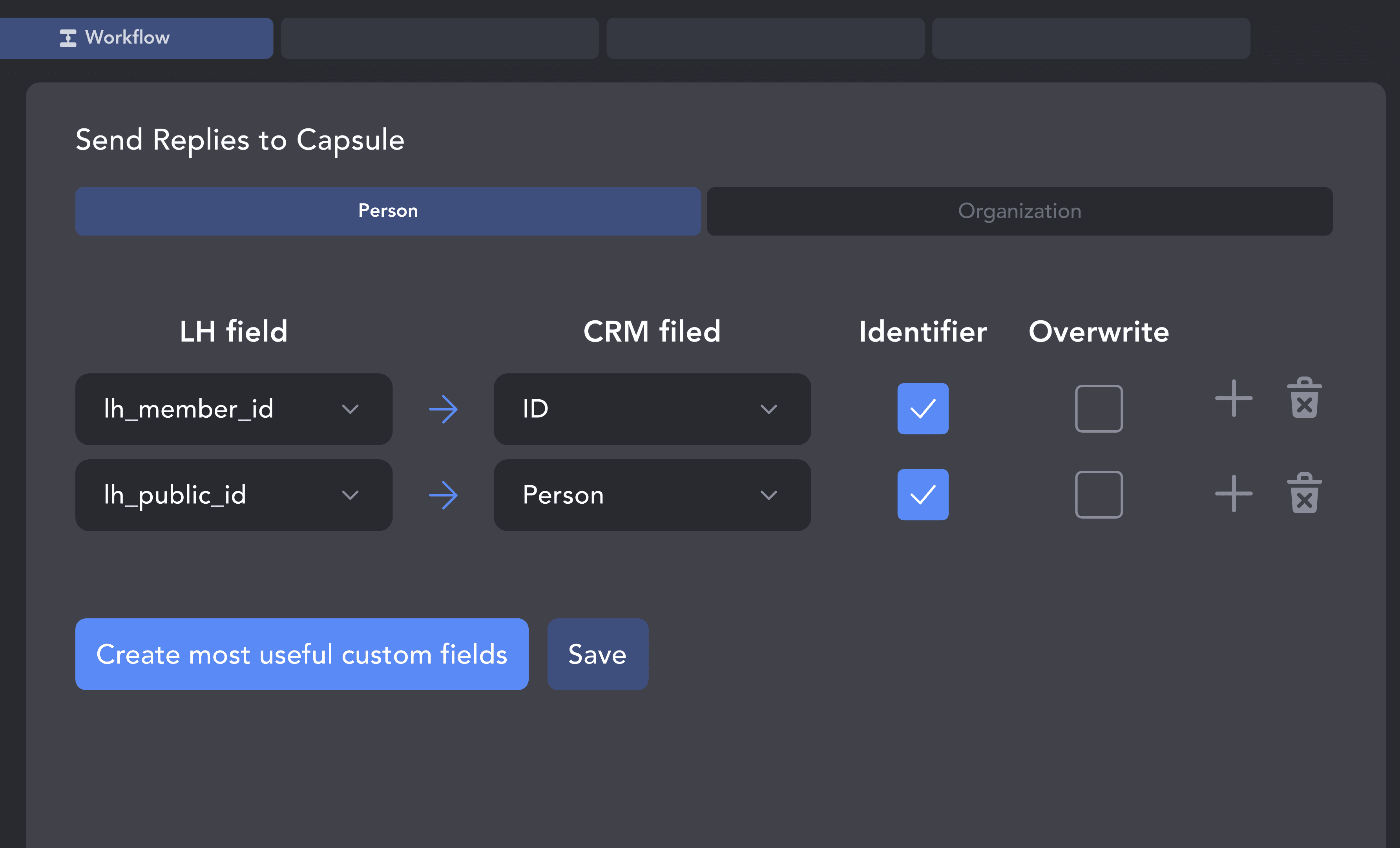
Map LinkedIn fields to Person and Organization records with automatic deduplication. Choose to sync all prospects or only warm replies, then launch your campaign.
From finding leads to closing deals, Linked Helper automates every step of your outreach funnel. Explore the features that make us the most powerful solution on the market.


No chatbots. No waiting days for a reply. Get fast, expert help from real people who are committed to your success, anytime you need it.
Isaac R.
CEO, Education Management
If you are looking to optimize your time while generating income or profitability in your objectives, Linked Helper is your app. What I liked most is the simplicity and effectiveness.
 Review
24/7 LIVE CHAT & EMAIL
Get a real human response in minutes, not days.
REMOTE ASSISTANCE
If you're truly stuck, we can connect to your computer and guide you.
IN-DEPTH KNOWLEDGE BASE
Step‑by‑step tutorials and articles for every feature.
Watch our quick video guides to connect Capsule, map your fields, and launch your first campaign in minutes.
Learn how to create a custom field in Capsule to update lead statuses directly from Linked Helper.
VIDEO TUTORIAL
VIDEO TUTORIAL
Linked Helper exports name, job title, company, location, LinkedIn profile URL, verified emails, phone numbers, and unique LinkedIn IDs. Company data (name, website, industry, LinkedIn company URL) is sent to the Organization record separately.
Sync LinkedIn prospects, log conversations natively, and close deals faster. No manual data entry required.