










Connect LH
and HighLevel
Overline image

Connect Linked Helper
and HighLevel

Decoration lines
Connect HighLevel
100% Free. No card.

Trusted by over 10,000 businesses worldwide

Why Integrating Linked Helper with HighLevel?

Your HighLevel Stays Clean Even With Multiple Campaigns

Your HighLevel Stays Clean Even With Multiple Campaigns

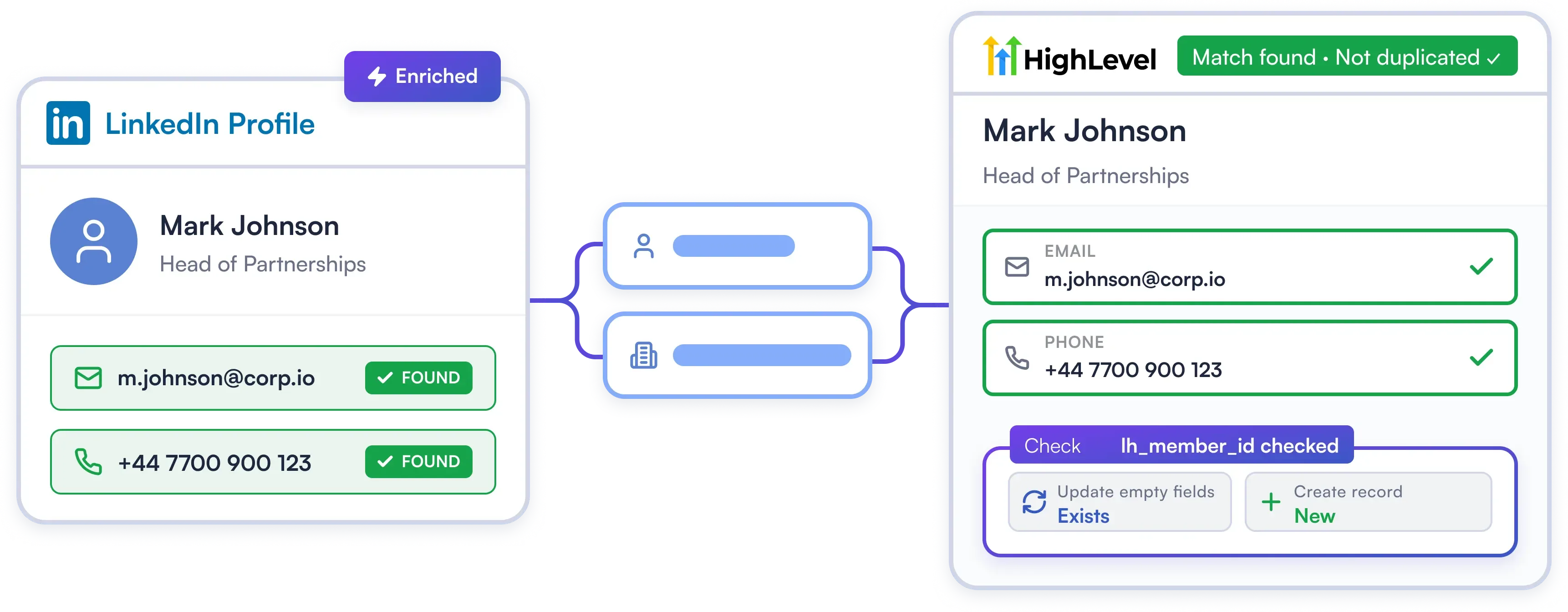
When you're running multiple LinkedIn campaigns into HighLevel, the same prospect can show up more than once. Linked Helper prevents the mess before it starts. If a contact exists in your sub-account, it updates the empty fields. If it doesn't, it creates a new record.

Try Template
End Data Silos with Full Conversation Logging

End Data Silos with Full Conversation Logging

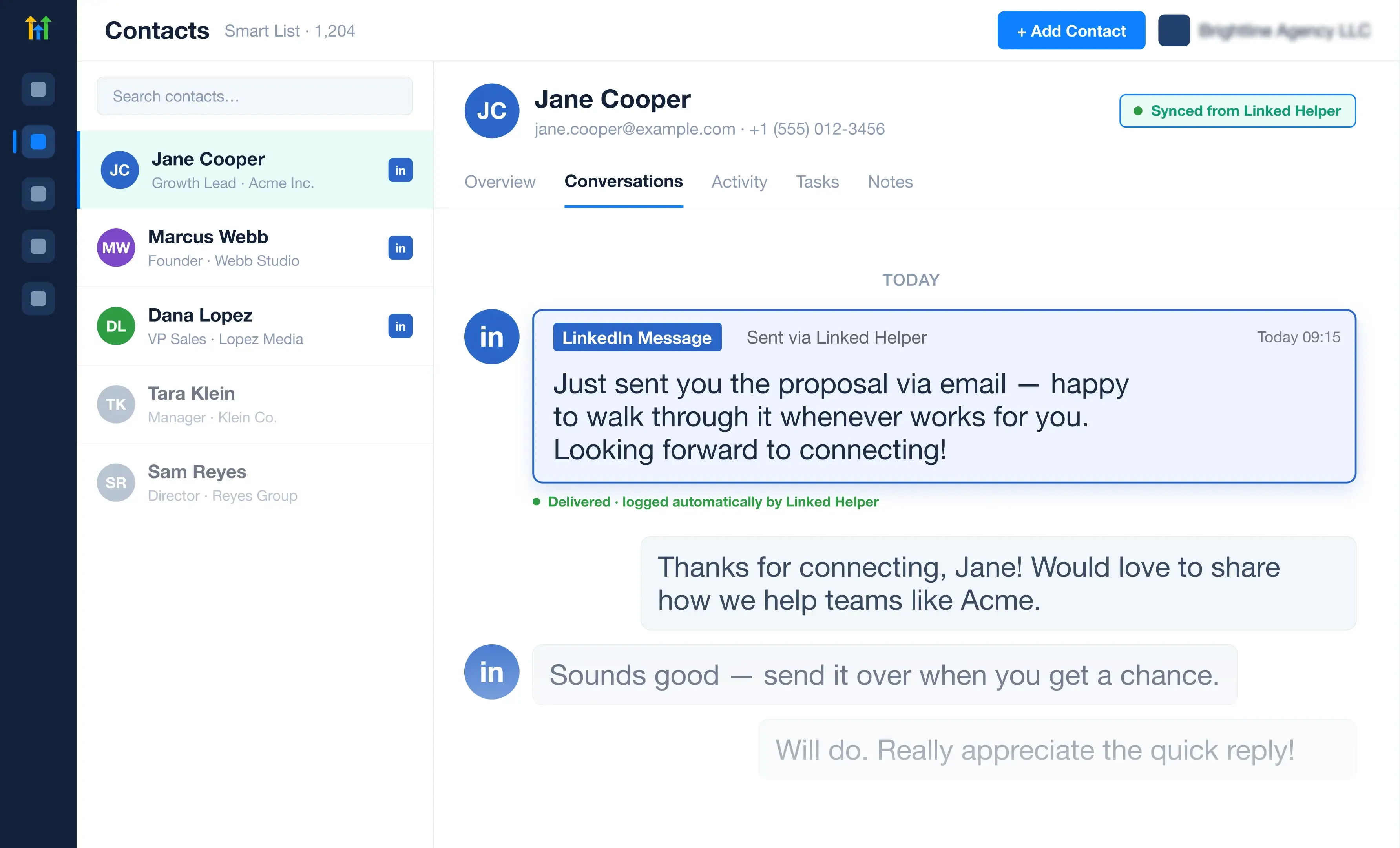
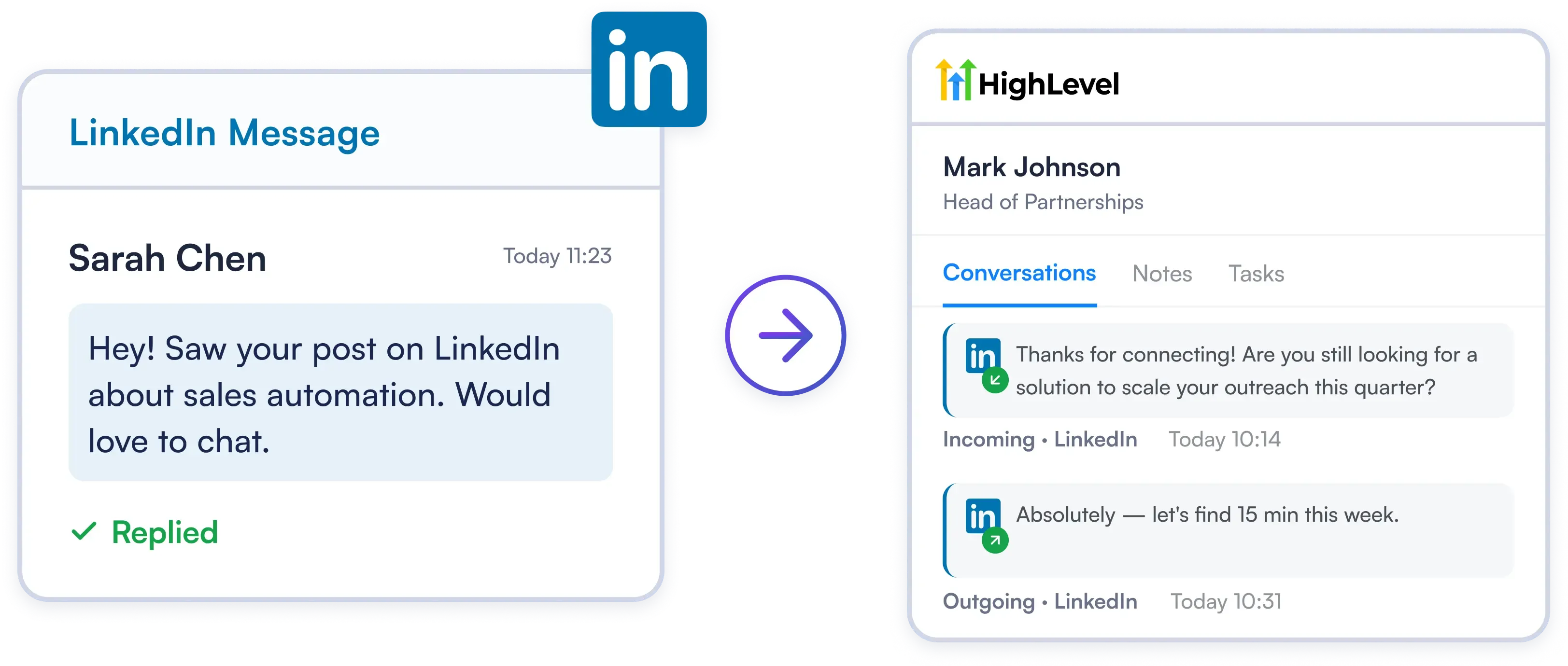
Protect your CRM data and keep agency teams aligned. Linked Helper automatically attaches full LinkedIn conversation history to the contact's permanent HighLevel record — ensuring zero lost context and complete account transparency across your entire team.

Try Template
True Omnichannel Messaging Inside HighLevel

True Omnichannel Messaging Inside HighLevel

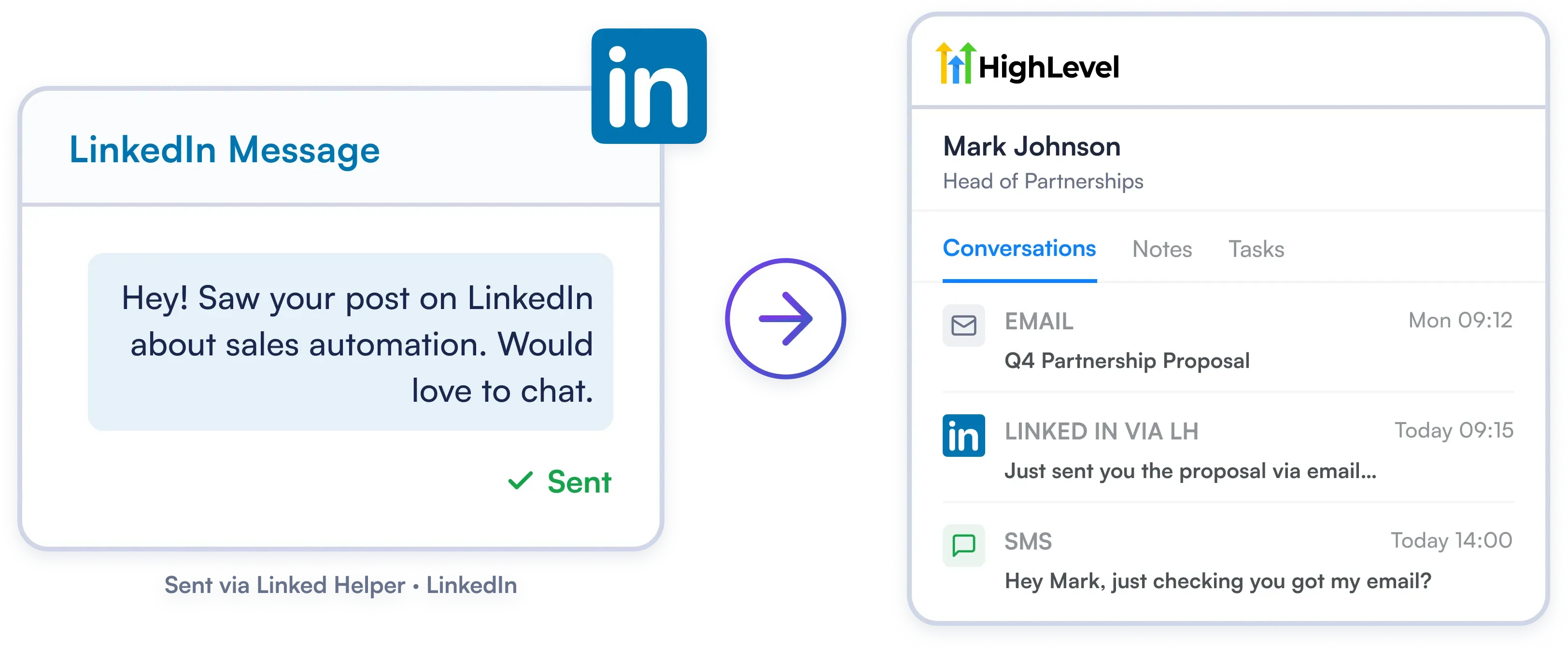
Stream LinkedIn chats directly into HighLevel’s unified Conversations tab alongside SMS and email. View every touchpoint in a single chronological timeline so reps respond faster without tab jumping.

Try Template

Set up Your HighLevel Integration in 3 Minutes

Quick Connect

1. Connect via OAuth

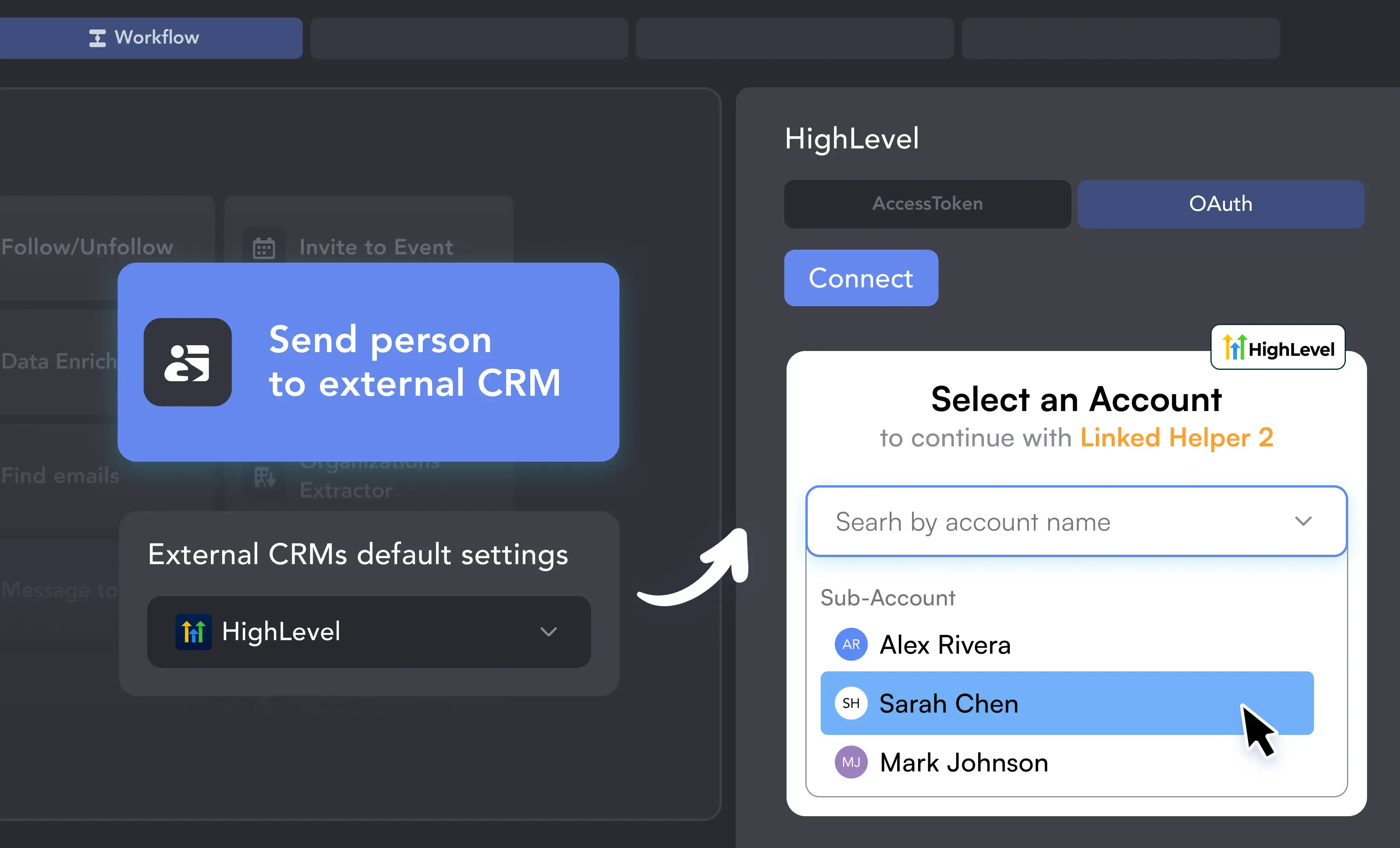
Add the “Send person to external CRM” action to your Linked Helper workflow, choose HighLevel CRM, and click Connect. Log in to your HighLevel account, pick the right sub-account, and authorize the Linked Helper provider in a few clicks.

1. Connect via OAuth
Smart Mapping

2. Map Fields and Identifiers

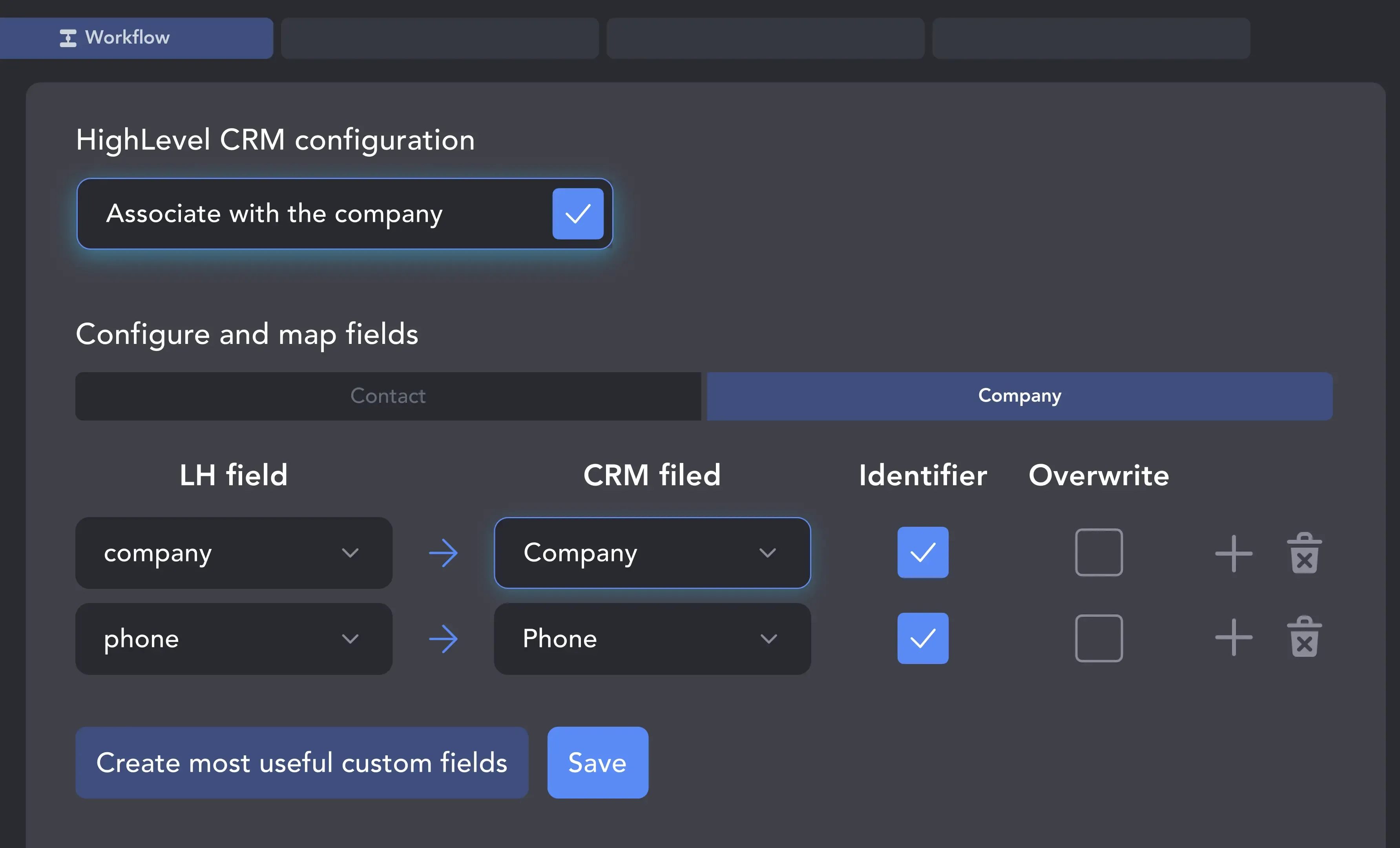
Match LinkedIn data with your HighLevel fields, and turn on company association if you want contacts linked to a Company record. Click “Create most useful custom fields” to add identifiers that stop duplicate contacts when a lead has no email.

2. Map Fields and Identifiers
Autopilot

3. Launch Your Campaign

Choose whether to push every successfully processed profile or only those who reply. Start your Linked Helper campaign and watch enriched contacts — and their companies — populate your HighLevel sub-account automatically.

3. Launch Your Campaign

Your Complete LinkedIn Automation Toolkit

Info card icon

Smart Connection Requests

  • Send Invites on Autopilot, Safely & Undetected
  • Personalize Every Message with AI & Variables
  • Auto-Withdraw Old Pending Requests
Info card icon

Warm-Up & Engage Prospects

  • Auto-Visit Profiles & Follow Key Contacts
  • Like & Comment on Their Recent Posts
  • Automatically Endorse Skills to Get Noticed
Info card icon

Find, Collect & Enrich Leads

  • Scrape from Search, Groups, Events & Post Interactions
  • Enrich leads with verified emails, phone numbers, company data, and more
  • Auto-qualify prospects on the fly with AI ICP Detection
  • Extract Employee Lists from Company Pages
Info card icon

Grow Your LinkedIn Assets

  • Invite Contacts to Follow Your Company Page
  • Automatically Invite Your Network to Events & Groups
  • Clean Your Network by Removing Old Contacts
Info card icon

Scale Your Operations

  • Run Unlimited Accounts with Unique Proxies
  • Operate 24/7 on a Remote Server (VPS)
  • Remote Web Control: monitor and manage without VPS connection
  • Run Multiple Campaigns
Info card icon

Integrate & Export Your Data

  • Use the Built-in CRM for All Your Contacts
  • Export Full Profile Data & Message History to CSV
  • Sync Directly with HubSpot, Salesforce, Pipedrive & more

Support That Actually Solves Problems

Isaac R.

CEO, Education Management

If you are looking to optimize your time while generating income or profitability in your objectives, Linked Helper is your app. What I liked most is the simplicity and effectiveness.

Review link iconReview

24/7 LIVE CHAT EMAIL

Get a real human response in minutes, not days.

REMOTE ASSISTANCE

If you're truly stuck, we can connect to your screen and guide you.

IN DEPTH KNOWLEDGE BASE

Step‑by‑step tutorials and articles for every feature.

Read Guidelines

Setting Up Is Easier than You Think

Video preview

Get Started with Linked Helper

Learn how to get started with Linked Helper 2: from registration to launching your pilot outreach campaign.

Video preview

VIDEO TUTORIAL

HighLevel CRM: Getting Full Profile Data

Watch Video
Video preview

VIDEO TUTORIAL

HighLevel CRM and Linked Helper: Configure Export Settings

Watch Video

Your Questions, Answered

Linked Helper can export first and last name, job title, current company, location, public profile URL, unique LinkedIn IDs, and any verified emails and phone numbers it scrapes from a profile.

Ready to Put Your Lead Generation on Autopilot?

Decoration lines
Connect HighLevel
100% Free. No card.