29 Best LinkedIn Bots for Automation – We Found the Best One
Quick Answer

LinkedIn bots enhance networking, LinkedIn outreach, and lead generation, making it easier to scale your engagement.

If you’ve ever used an email bot to set up automated campaigns and auto replies, you’ll find great examples of how LinkedIn automation can optimize your workflow on both LinkedIn and other social platforms.
What Is a LinkedIn Bot?

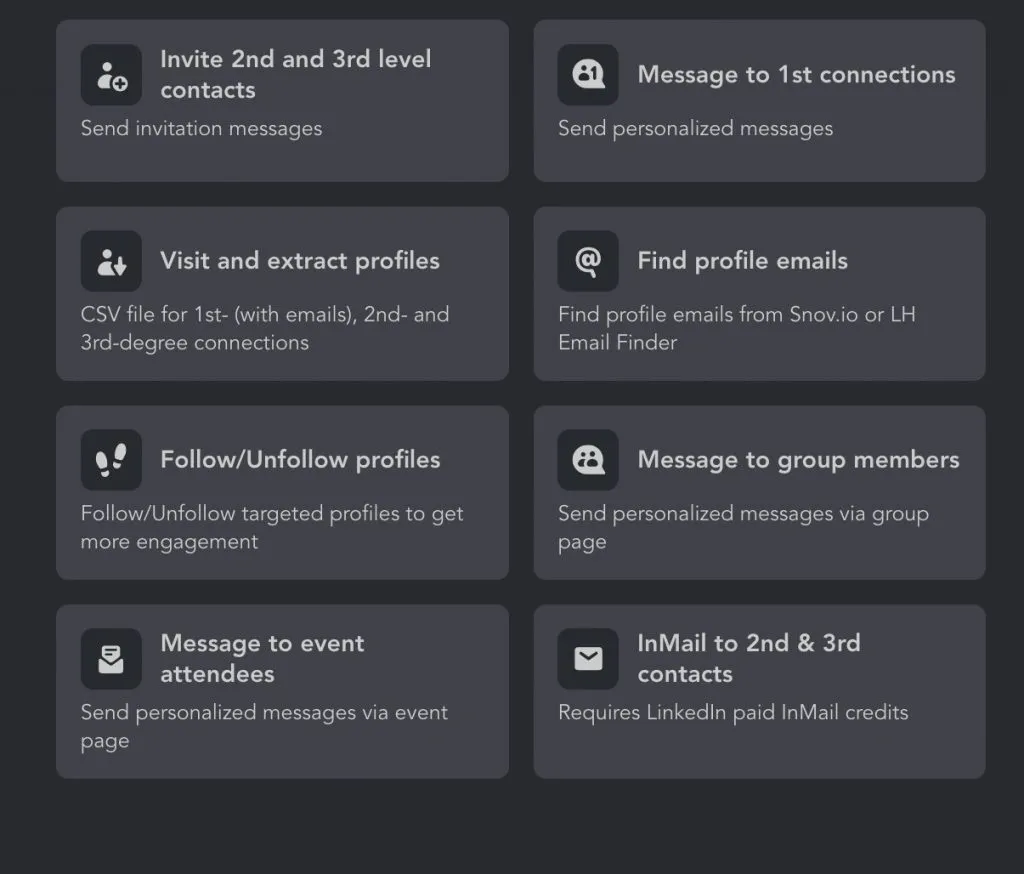
LinkedIn Bot – Workflow Actions and Templates

Example of Linked Helper displaying automation templates and workflow actions for LinkedIn campaigns.

You may have heard the term LinkedIn bots multiple times but might not fully understand what these smart tools actually do. They can be a great tool that saves your screen time while allowing you to efficiently conduct business on the platform.

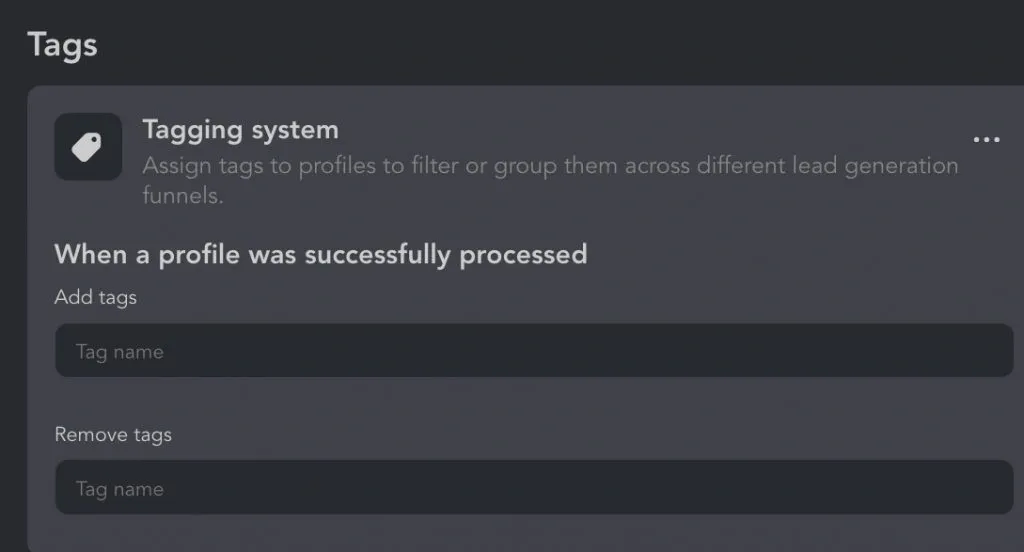
Bot for LinkedIn – Tag Classification System

Screenshot showcasing Linked Helper’s tag classification system for LinkedIn connections.

Where high-quality leads are the primary type of users, the primary goal of LinkedIn bots is to reduce hours of manual work—typing messages, clicking the invite button, and managing follow-ups—all essential activities for contact discovery and engagement. Some LinkedIn bots even write comments and like posts.

Some LinkedIn bots are Chrome extensions, which are less secure, while others are cloud-based LinkedIn bots that work even when your computer is off. Alternatively, there are desktop/browser LinkedIn bots, such as Linked Helper.

Most LinkedIn bots allow you to create drip campaigns, automating a sequence of actions.

Another key advantage is data scraping, which enables you to extract contact data from LinkedIn and export it into a CSV file for further use.

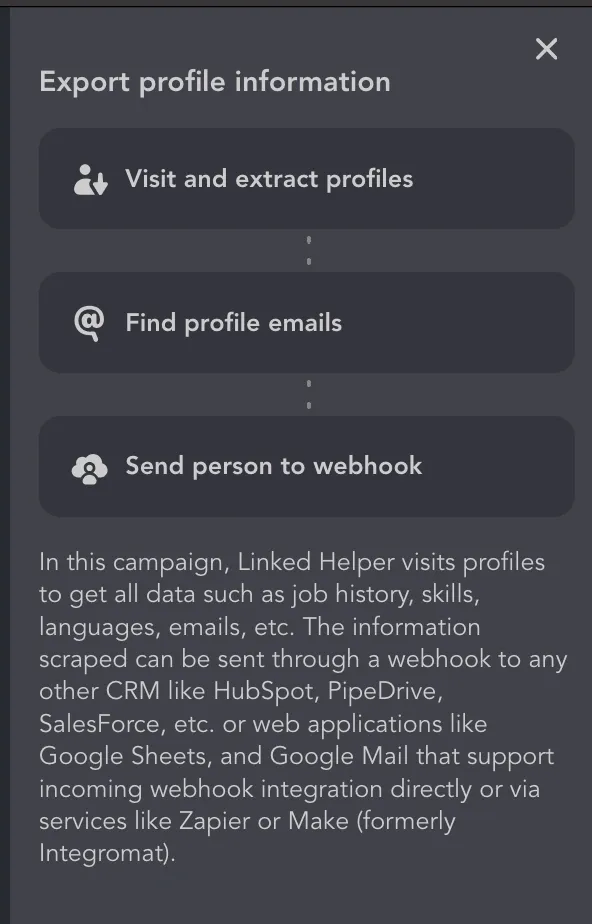
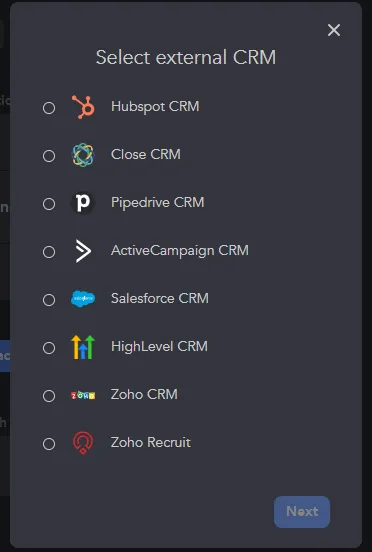
Best LinkedIn Bot – Exporting Profiles via Webhook

Example of Linked Helper transferring LinkedIn data directly into a CRM system.

What LinkedIn Bots Are Used For?

LinkedIn Bots do a lot of work!

  • They streamline LinkedIn events promotion by engaging the right audience.
  • They help grow personal and LinkedIn business pages by automating interactions.
  • They log interactions and manage follow-ups efficiently.

LinkedIn Connection Bot – Grow Your Network Without Manual Work

Automatic mailing of invites through LinkedIn bots will open up an opportunity for you to expand your network of contacts 10 times faster.

LinkedIn connection bots optimize your work with leads because:

  • You can automatically use a personal message when connecting with the target leads.
  • The bot can accept incoming connection requests for you to show that you are active on the social network.
  • When visiting profiles, the robot can parse emails that you can use to boost your outreach.
  • Email parsing is available in several ways in the Linked Helper bot – through an internal database (Data Enrichment function) and through integration with the Snov.io bulk email platform.

LinkedIn Follower Bot – Grow Reach and Followers

Boost your personal or business account growth with Linked Helper’s follow/unfollow feature.

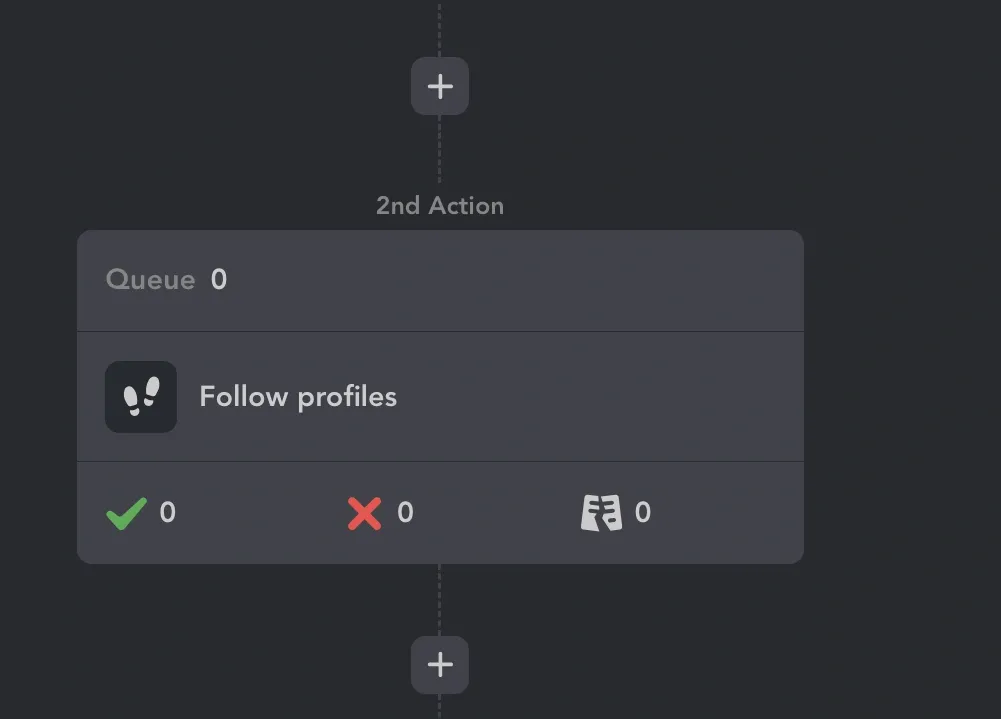
LinkedIn Auto Message Sender Bot – Automated LinkedIn Follow action.

Screenshot from Linked Helper demonstrating automated LinkedIn Follow action.

Simply add target users to the Queue, and the bot will follow them from your profile. Their posts will appear in your feed, and they’ll receive a notification, increasing your visibility before an invite request.

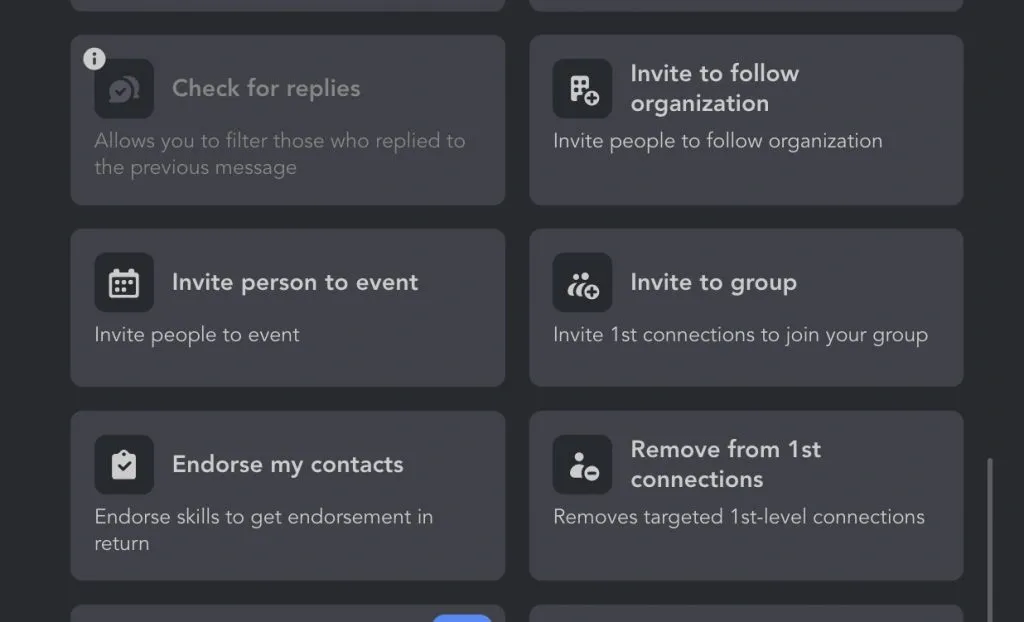
Additionally, you can invite users to follow your company page, events, or groups, helping drive organic growth effortlessly.

LinkedIn Bots – Business Profile Invitations

Example of Linked Helper an automation options menu.

Automating LinkedIn marketing ensures higher profile visibility and increased engagement. With bots on LinkedIn handling profile visits, follows, and content interactions, people are more likely to notice your brand, ultimately leading to stronger connections and business growth.

LinkedIn Commenting Bot

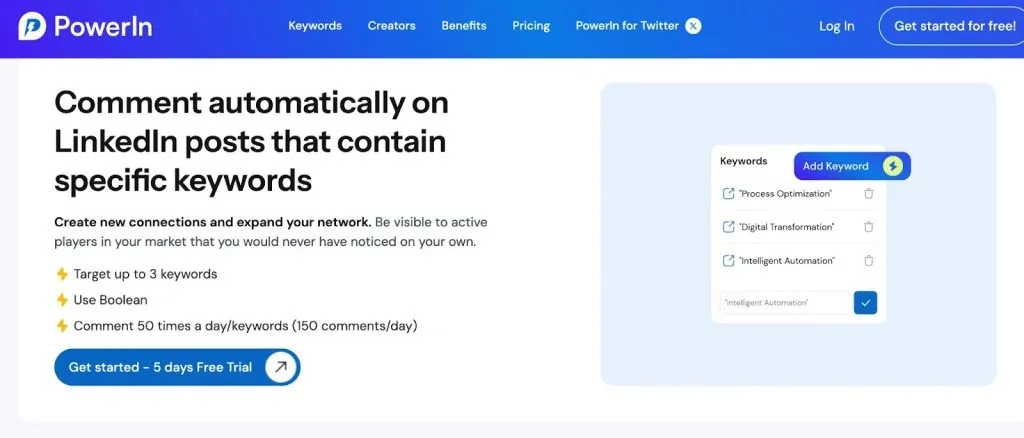
LinkedIn Comment Bot – PowerIn Example

Screenshot of PowerIn tool demonstrating automated LinkedIn comment functionality.

There are LinkedIn bots that can automatically generate and post comments on your behalf. Most modern tools – for example, PowerIn – are now AI-powered, meaning they can analyze a post, determine the tone, and craft responses that align with the author’s voice.

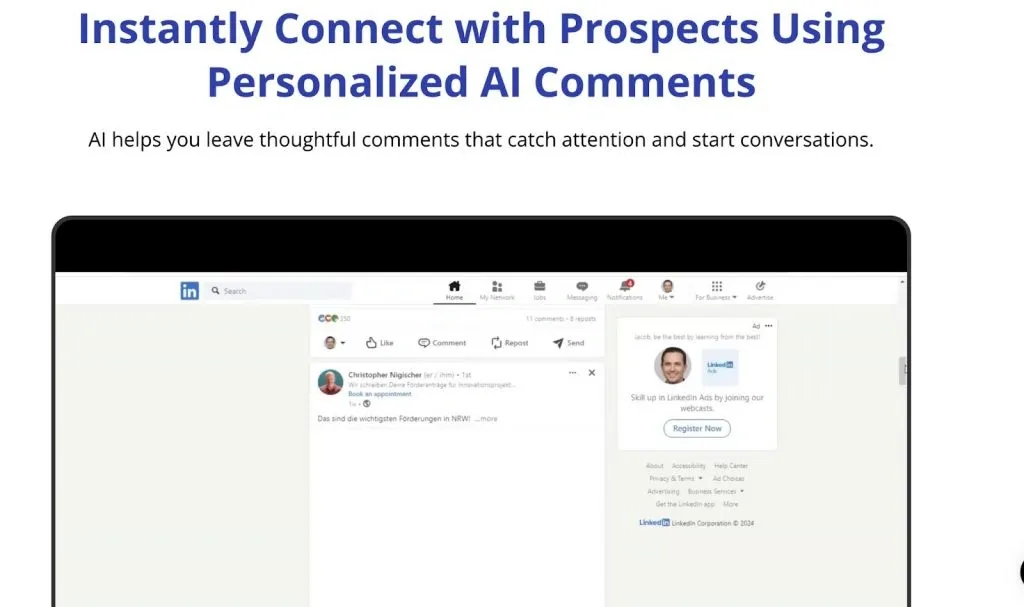
LinkedIn Comment Bot – AI Engagement Example

Screenshot of AI-powered engagement bot generating automated LinkedIn comments.

How These LinkedIn Bots Work

  • They identify target audience and relevant content.
  • They scan publicly available data from user profiles and posts.
  • They use AI to generate context-aware comments.
  • Some tools offer multi-channel outreach, allowing users to engage across multiple platforms.
  • Examples: PowerIn, Engage AI – both leverage AI to create natural-looking responses.

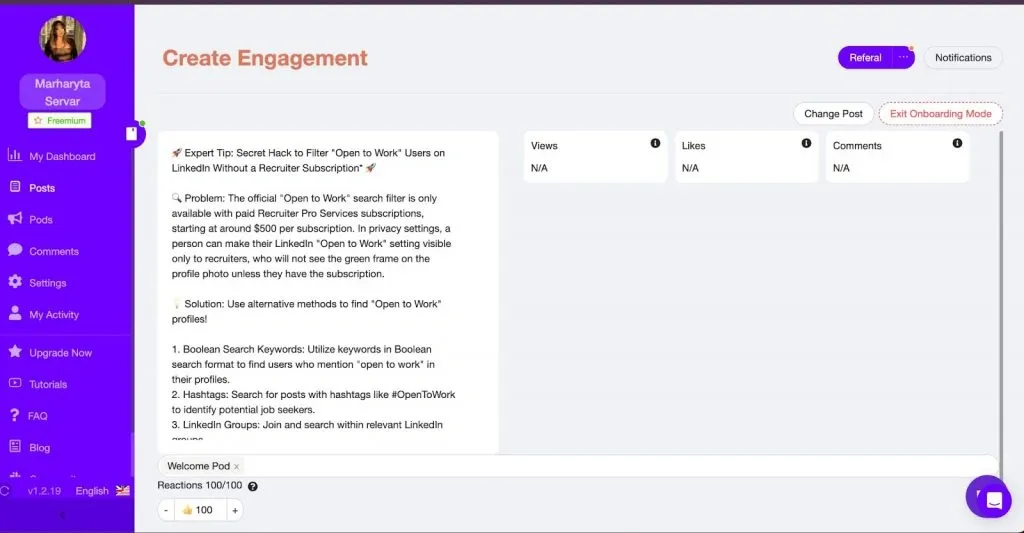
Bot for LinkedIn Engagement – Comment Exchange Example

Example of an engagement pod where LinkedIn users exchange comments to boost visibility.

Best Use Cases:

Personal branding – Consistently engaging with relevant posts increases visibility.

LinkedIn Job Application Bot

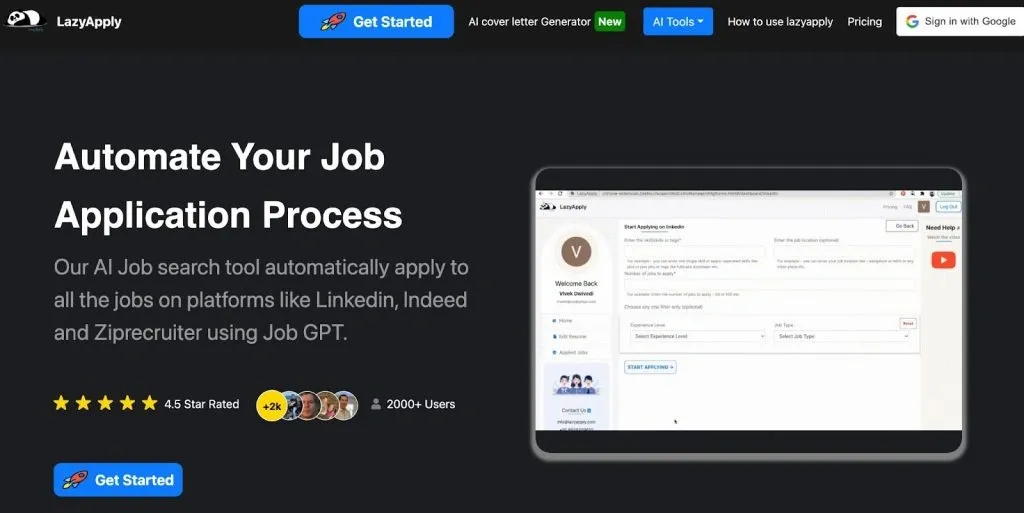
LinkedIn Bot to Apply for Jobs – LazyApply Example

Screenshot of the LazyApply service demonstrating automated job applications on LinkedIn.

Yes, you can even try a LinkedIn bot to apply for jobs now!

Video preview

This bot can handle routine tasks for you when searching for job vacancies. Based on specified parameters, these LinkedIn bots will automatically click the apply button.

An example of such a LinkedIn bot is a service called LazyApply that starts at $99. It’s essentially a full-fledged assistant that can expand your reach and serve as a good investment in job searching without manual effort.

How It Works:

  • It uses publicly available data to find relevant job postings.
  • It auto-fills application forms with stored user details.
  • It can send personalized LinkedIn messages to recruiters.

Best Use Cases:

Job seekers – Automates bulk applications while maintaining a personalized touch.

Recruitment agencies – Helps clients apply faster.

Career switchers – Maximizes job search efficiency.

LinkedIn Lead Generation Bot

LinkedIn Bot Software – Lead Sources Example

Example from Skylead software showcasing different lead sources for LinkedIn automation.

These LinkedIn bots include all the built-in features for finding a target audience and performing outreach. Examples of such LinkedIn bots are Linked Helper, Dripify, and Expandi, which are compared in the table below.

Typically, such a bot comes with integrated lead management features, including tags, lists, and filters. It can also automate all types of audience engagement at different stages of the lead generation funnel, from follows and invites to bulk messaging and follow-ups.

How It Works:

  • The tool searches for a target audience based on LinkedIn search URL or industry criteria.
  • It sends connection requests with customized messages.
  • It automates LinkedIn messages and follow-ups, nurturing prospects into leads.

Best Use Cases:

B2B sales – Scales outreach while keeping it personal.

Recruiting – Finds and engages top candidates.

Startup growth – Quickly builds a professional network.

If this is a cloud-based tool, it can help in generating leads even when your computer is turned off, based on the time zone you select in the settings.

Additionally, Linked Helper operates via Remote Desktop, allowing you to configure it to function as if your computer were off.

How Do LinkedIn Bots Work?

Bots come in different types: extensions, cloud solutions, and desktop applications.

They also operate differently:

  • Some visit pages via URLs and click buttons by sending events, making LinkedIn (LI) detect that the button was pressed programmatically rather than manually.
  • Others interact through APIs.
  • Some physically “press” the button, mimicking user actions, making it indistinguishable for both the browser and LI whether the button was clicked manually or programmatically.

In general, they all serve the same purpose:

  • They operate on behalf of your account, meaning you need to connect it.
  • They gather leads from LinkedIn or other sources.
  • They process leads directly within LI (optional) or enrich them with additional data before forwarding them to another tool.
  • They can integrate with other tools for email forwarding or CRM systems.
Video preview

The features of LinkedIn automation tools may vary depending on the software you use. However, most LinkedIn bots work in a similar way, following a structured process that can be broken down into several steps:

1. Connecting a LinkedIn Account

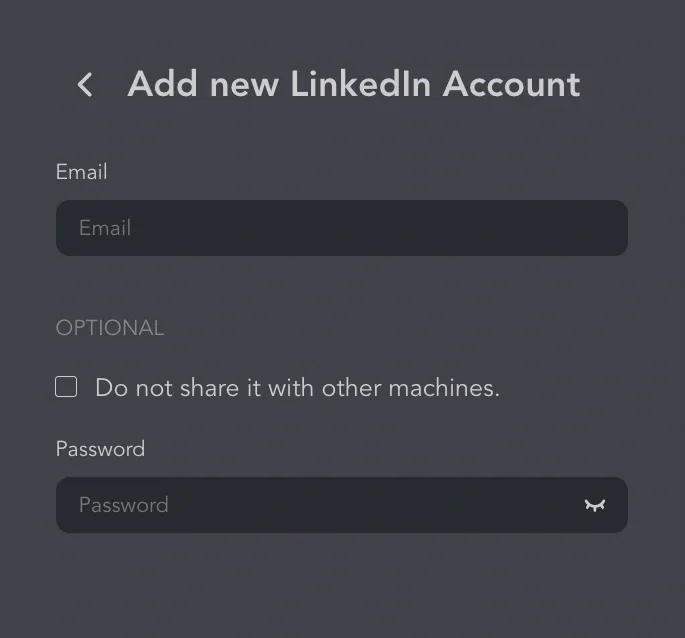
LinkedIn Bot – Connecting Multiple Accounts

Screenshot of Linked Helper settings for connecting multiple LinkedIn accounts.

To start using LinkedIn bots, you need to connect your LinkedIn account by providing login credentials. This allows the tool to perform automated actions on your behalf. Some LinkedIn bots support both basic LinkedIn accounts and premium subscriptions like LinkedIn Sales Navigator.

LinkedIn bots integrate multiple social media accounts (some across different social media platforms), automating interactions from one dashboard. For security, each account should use a dedicated IP to maintain location consistency, especially for client management.

2. Finding the Target Audience

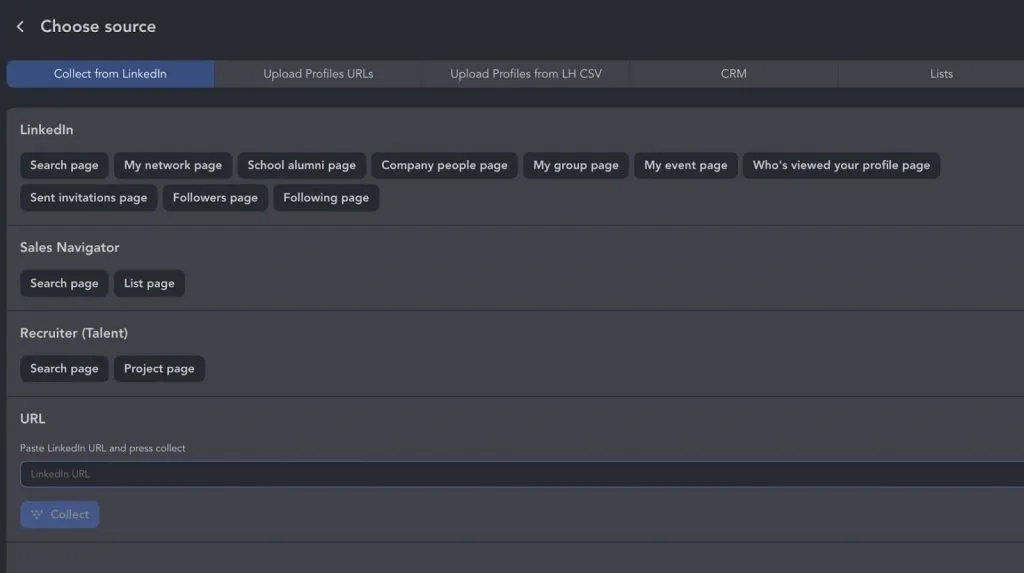
LinkedIn Automation – Choosing Lead Sources

Example of lead source selection in LinkedIn automation software.

Effective LinkedIn outreach relies on precise targeting. Many LinkedIn bots allow you to refine your target audience by using:

  • LinkedIn search URL – to filter prospects based on specific criteria
  • LinkedIn groups – to connect with members of relevant industry communities
  • LinkedIn posts – to engage with users who interact with specific content
  • LinkedIn networkusing LinkedIn connections as a source of traffic for your campaigns

3. Planning & Launching Drip Campaigns

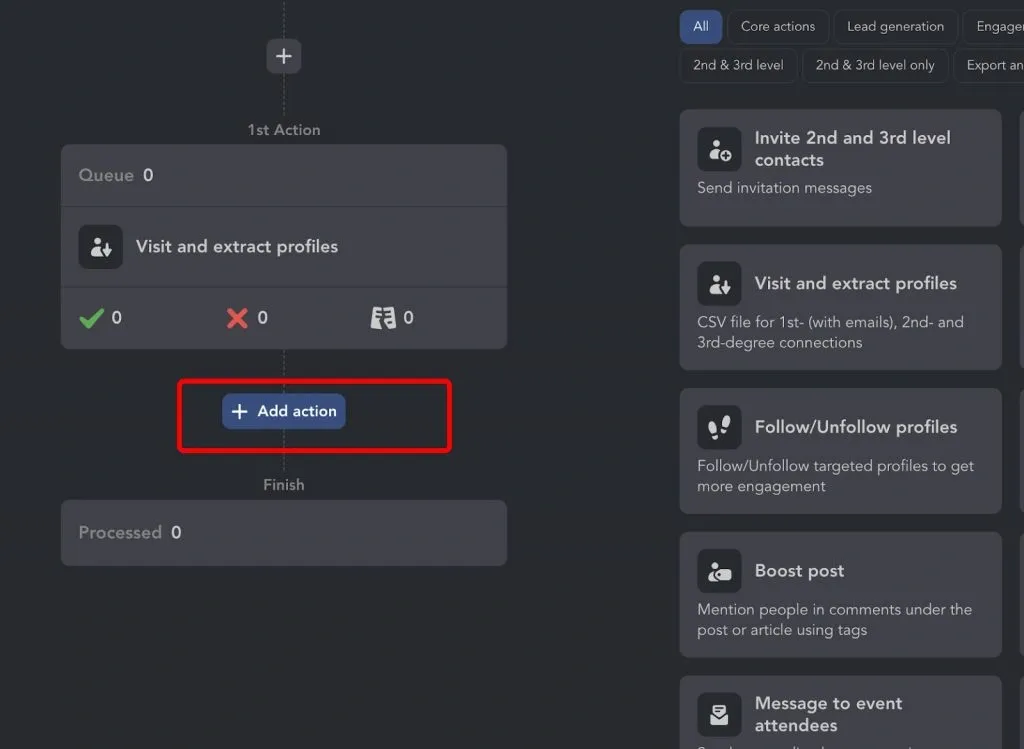
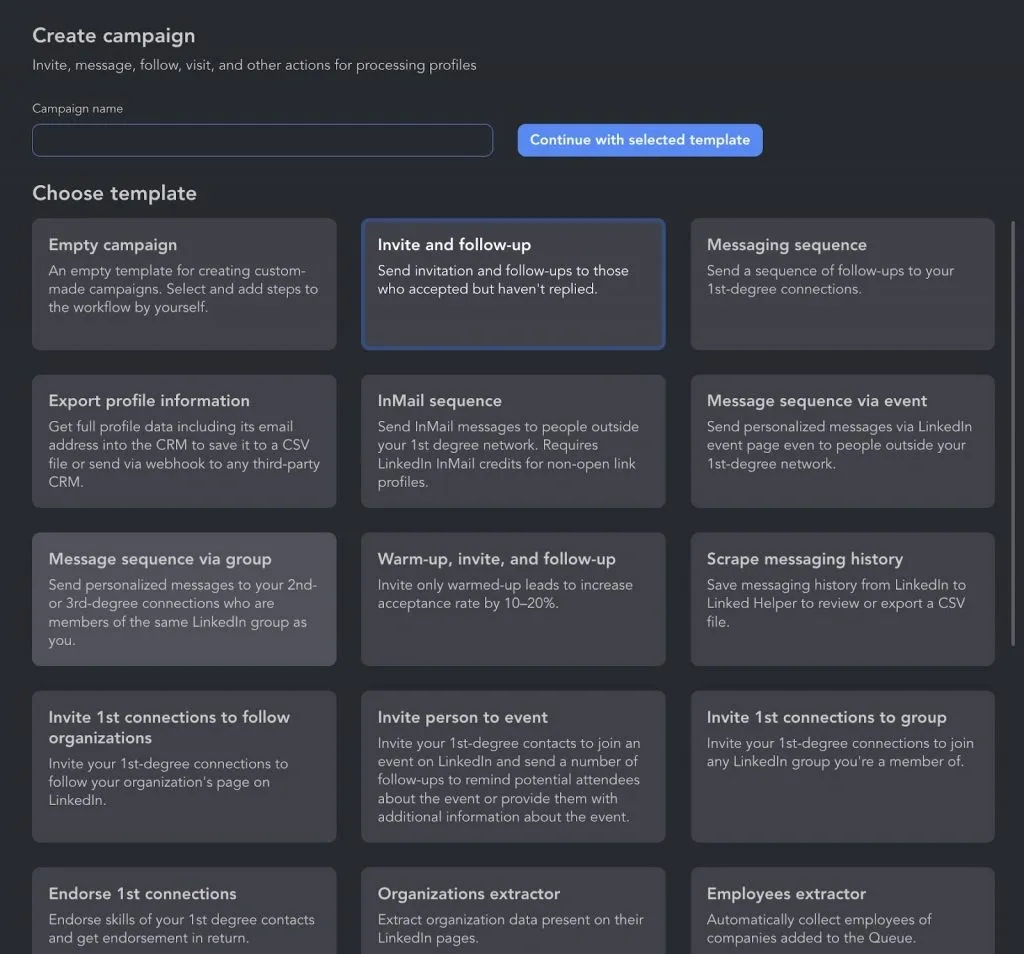
LinkedIn Outreach Bot – Adding Actions to Campaign Plan

Screenshot showing how to add actions to a LinkedIn outreach campaign in Linked Helper.

At this stage, you can create campaigns by setting up automated sequences.

Outreach to 2nd and 3rd-degree connections includes:

Send connection requests with or without text notes, InMails, and group messages.

Outreach to 1st-degree connections:

LinkedIn messages – engaging with prospects. Any LinkedIn bot can send messages to your network.

Auto message sender – sending follow-ups to accepted connections.

Additional engagement for 1st-degree connections – endorsements, event invitations, and more.

After the campaign ends, you can generate lead lists based on its performance.

To avoid triggering suspicious activity alerts from LinkedIn, it’s crucial to respect platform-imposed action limits. Many LinkedIn bots have built-in safeguards to ensure compliance.

4. Tracking & Analyzing Results

Most LinkedIn bots provide detailed analytics after a campaign is completed. These insights help measure:

Connection request acceptance rates

Engagement levels in LinkedIn messages

Effectiveness of different targeting strategies

LinkedIn Bot Software – Direct CRM Data Transfer

Example of Linked Helper transferring LinkedIn data directly into a CRM system.

By leveraging LinkedIn bots efficiently, businesses can streamline networking, boost engagement, and optimize lead generation efforts.

Automate LinkedIn Messaging to Reach 10X More Users

Linked Helper is an assistant that can write a personalized message in any important situation. The template builder is equipped with variable strings.

What Kinds of Messages Can You Automate?

LinkedIn Auto Message Sender Bot – Message Automation Example

Screenshot from Linked Helper demonstrating automated LinkedIn messaging in action.

Event Messages: A bot can send up to 10 follow-ups via events and event invites to your network.

Invite Messages: When auto-inviting, you can attach a message without limit on paid plans and 5 in Basic. InMails are available with LinkedIn paid plans, but avoid direct sales pitches or links, as LinkedIn may flag them.

Mass Messaging to You Network: Reach all contacts at once instead of copying messages manually. After an accepted invite, keep it casual, show interest, and avoid hard selling.

20 sales message ideas you can explore in our article.

Group Outreach: Auto-messaging group members within 10 messages per month helps marketers engage active audiences faster than manual posting.

Personalization in 2025 is key—create custom pitches for each audience segment and use dynamic text in bot templates. Find detailed guidance on using the LinkedIn message bot in the knowledge base.

Best 29 LinkedIn Bots Compared: Why Choose Linked Helper

Does LinkedIn have a variety of proven bots?

Yes! Below, you’ll not just bots but other LinkedIn tools with honest and up-to-date ratings and pricing.

Here’s a quick overview of the criteria we used to compare the tools.

  • Price ($/mo) – A key factor in balancing budget and features.
  • Free Trial – Can you test the bot before committing?
  • Value for Money – An evaluation of how well the tool’s functionality justifies its price.
  • High – Offers extensive features and strong performance for its price.
  • Medium – Decent value but may lack some advanced features or have a free plan.
  • Low – Price may not justify the tool’s limitations or potential risks or be higher than the average market price.
  • Security & Reliability – Assesses the tool’s operation methods and the risk level associated with usage. We’ve defined three categories:
  • Secure – Safest options, work independently of your device, don’t connect to your account or have positive customer reviews.
  • Moderate – Has a higher chance of detection but is widely trusted by users. (e.g., cloud-based solutions).
  • Low – Requires local installation and higher risks (e.g., browser extensions).
  • User Ratings – Real user feedback from platforms like Capterra, G2, and others.
LinkedIn botsPrice $/ moDefinitionFree TrialValue for MoneySecurityRating
Linked HelperStandard $15 Pro $45Downloadable browser-based LinkedIn automation tool supporting deep personalization, extensive LinkedIn scraping, minimum of 620 Data Enrichment credits, internal CRM and direct CRM integrations14 days without cardHighSecure4.9 (Capterra)
Skylead$100 per seatCloud-based LinkedIn automation, supports multichannel outreachNoLowModerate4.8 (Capterra)
CrystalKnows$49Chrome Extension, personality AI tool, analyzes publicly available data, such as LinkedIn profiles, to generate personality insights.Yes, no credit cardMediumLow4.6 (G2)
Octopus CRMStarter $9.99 Pro $14.99 Advanced $21.99 Unlimited $39.99Chrome Extension for LinkedIn with CRM and integration with Zapier/Hubspot7 days without cardMediumLow4.5 (Capterra)
SalesloopStarting at $49 Team (min. 3 users) per 6 users $199A cloud-based LinkedIn automation tool, helping users generate leads by automating personalized outreach campaigns.14 daysMediumModerate3.5 (Capterra)
lemlistMultichannel Expert $99 Outreach Scale $159A cloud-based cold email and LinkedIn outreach automation tool with API, webhooks, & integrations, centralized multi-channel inbox14-day free trialMediumModerate4.6 (G2)
PhantombusterStarter €69 Pro €159 Team €439Cloud-based LinkedIn automation service, has an extension, supports multiple platforms14-day free trialMediumModerate4.5 (Capterra)
DripifyBasic $59 Pro $79 Advanced $99Cloud LinkedIn automation for lead generation, supports CRM integrations7-day free trialMediumModerate4.6 (Capterra)
LeadConnectPROFESSIONAL $25.95 GROW Perfect for business $45.95 ULTIMATE $ 85.95Chrome extension for LinkedIn connection requests and messaging automation, supports Hubspot integrationFree plan availableLowLow4.2 (Capterra)
LinkedprospectBasic $49 / month Standard $99 / month Plus $250 / month Premium $750 / month FULLY MANAGED CAMPAIGNSCloud LinkedIn lead generation tool, supports AI-powered message personalization, converts blog posts into LinkedIn content7 daysLowModerate3.4 (G2)
AeroleadsStarting at $49Chrome extension with Email and phone number finder from LinkedIn with CRM export, real-time data verificationFree trial availableMediumLow4.0 (G2)
Evaboot$9 100 creditsChrome extension, LinkedIn automation tool with Sales Navigator scraperNoMediumLow4.6 (G2)
WeConnect$69Cloud-based LinkedIn automationwith personalized messaging14-day free trialMediumModerate4.6 (Capterra)
ZoptoPERSONAL $195 GROW (2 accounts) $312 AGENCY & ENTERPRISE (5+ accounts) $780Cloud-based LinkedIn automation with CRM integrationNoLowModerate4.3 (Capterra)
Luna AIStarter$120 / month300 / leads Starter Plus$360 / month1,000 / leads Premium$825 / month2,500 / leads Ultimate$1,500 / month5,000 / leadsCloud AI-powered lead generation and cold email tool, suggests leads based on your ideal customer profileFree planMediumModerate4.2 (G2)
WaalaxyBusiness – $45/month Advanced – $32/month Pro – $11/monthChrome extension for LinkedIn and email prospecting automationYes, free planMediumLow4.5 (Capterra)
Reply.ioStarts from $99MultichannelA cloud-based sales engagement platform designed for automated multi-channel outreach (email, LinkedIn, calls, SMS, WhatsApp), Chrome extension for contact discovery14-day free trialMediumModerate4.6 (G2)
Dux-SoupStarting at $14.99A LinkedIn automation tool that helps with lead generation by automating profile visits, connection requests, messaging, and follow-ups. Chrome Extension and Cloud Version Available14-day free trialMediumModerate4.0 (G2)
Expandi$99 per seatCloud-based LinkedIn automation with dedicated country-based IP, can send follow-ups via email.7-day free trialMediumSecure4.2 (G2)
DripifyBasic$59.00 Pro $79.00 Advanced $99.00A cloud-based LinkedIn automation tool, integrates email follow-ups7-day free trialMediumModerate4.5 (G2)
TexAuStarter $79 Teams $199 Agency$459A cloud-based automation and data extraction tool with web scraping, and workflow automation. Works across LinkedIn, Twitter, Instagram, and Google.14-day free trialMediumModerate4.3 (G2)
MeetAlfredPersonal 3 Active Campaigns $59 Business Unlimited Campaigns $89 Enterprise Includes 5 users $345A cloud-based and Chrome Extension LinkedIn automation tool that also supports email and Twitter outreach.7-day free trialLowLow3.3 (G2)
LaGrowth MachineBasic: €60/month per identity Pro: €120/month per identity Ultimate: €180/month per identityA cloud-based multi-channel outreach automation tool, automates LinkedIn, email, and Twitter outreach14-day free trialMediumSecure4.6 G2
Other LinkedIn promotion tools
Lempod$9.99 per podChrome Extension-Based LinkedIn engagement pod tool that helps users increase post visibility, reach, and engagement by automating likes and comments from other professionals.NoMediumLow3.5 (G2)
UseViral15 likes – $ 2.49 50 connections – $ 8.5A social media growth service that helps users increase their followers, likes, views, and engagement across platforms like Instagram, TikTok, YouTube, Twitter, and LinkedIn. No need for account access or credentials.NoLowSecure1.4 (Sitejabber)
SidesMedia15 likes – $ 2.49 50 connections – $ 8.5A social media growth service that helps users buy followers, likes, views, and engagement for platforms like Instagram, TikTok, YouTube, Twitter, and LinkedIn. No need for account access or credentials.NoLowSecure1 (Slashdot)
Lempod$9.99per podLinkedIn engagement pod tool, Chrome Extension-Based. Increases reach, engagement, and visibility in LinkedIn’s algorithm.NoMediumLow3.5 (G2)
Social PilotStarting at $50Premium $100Ultimate $200Cloud-based social media management tool to manage multiple social media accounts in one place with AI-powered post optimization14-day free trialMediumModerate4.5 (G2)
PodawaaStarting at $10Chrome Extension-Based LinkedIn engagement pod with AI comments, engagement timing.YesMediumLow4.0 (Chrome)
TaplioStarter$ 39 Standard$ 65 Standard$ 65Fully Cloud-Based AI-powered LinkedIn growth tool designed for content creation, scheduling, lead generation, and analyticsFree tools7-day free trialMediumModerate4.0 (G2)

After comparing LinkedIn bots, we found that Linked Helper is the most affordable and feature-rich option. With subscriptions starting at $15/month and high user ratings, it offers the best balance of cost, safety and functionality.

What Makes Linked Helper Unique?

Safe & Human-Like Automation – The only tool that works as a smart browser, using your IP or allowing you to assign a proxy to each LinkedIn account while mimicking real user navigation and clicks.

Supports all classic automation actions, including likes, invites, and follows.

Comprehensive Features – Supports group/event invites, inviting to a business page & automated messaging, boost post action, surpassing many competitors.

Advanced CRM Tools – Includes full profile data, unique filters like “open-to-work” & “hiring,” making it ideal for recruiters.

Try Linked Helper free for 14 days

The most technically advanced platform for LinkedIn automation with a focus on security, a wide range of features, and exceptional customer support. Trusted by over 10,000 businesses worldwide.