
 Updated: September 18, 2026
 35 min read
Quick Answer
Linked Helper is our recommended Dripify alternative for users who prioritize account control, workflow flexibility, and lower cost. It runs locally on your own machine or VPS rather than through vendor cloud infrastructure, so LinkedIn activity uses your own environment or an assigned proxy setup. That makes Linked Helper a stronger fit when LinkedIn-first outreach and session control matter more than native LinkedIn-plus-email sequencing. Pricing starts at $15/mo versus Dripify’s $59/mo entry plan. It also adds AI-assisted personalization, a built-in CRM, and a deeper integration stack: 11 direct CRM connectors versus Dripify’s 7. The alternatives reviewed in this comparison are:
- Linked Helper: desktop automation, from $15/mo.
- Expandi: cloud outreach with conditional sequences.
- Salesflow: cloud-based team outreach.
- HeyReach: multi-account outreach for agencies.
- Meet Alfred: cloud LinkedIn and email automation.
- Waalaxy: extension workflows.
- Skylead: cloud multichannel outreach.
Key takeaways
- Linked Helper is our pick because it is the only desktop option in this comparison; that architecture avoids routing the account through the shared vendor datacenter infrastructure our cloud-tool tests uncovered.
- Across five live cloud-tool tests, every tool assigned its own exit IP instead of using the account owner's IP. IPQualityScore returned the maximum 100/100 fraud score, with proxy/VPN and recent-abuse flags, in three tool/account results: HeyReach, Skylead, and one of Expandi's two accounts. This is an independent IP-quality signal, not LinkedIn's enforcement verdict.
- HostRoyale (ASN 203020) carried Dripify and Skylead, plus We-Connect elsewhere in our audit, which shows that different products can share the same datacenter provider.
- The Expandi, HeyReach, and Waalaxy connector extensions we tore down all read the li_at LinkedIn session cookie and sent it to the vendor's cloud. Waalaxy was also on LinkedIn's AED detection list, making the installed extension visible and adding another detection signal.
7 Best Dripify Alternatives for LinkedIn Automation in 2026
Account safety is one of the main reasons users compare Dripify alternatives when cloud execution means a vendor holds your LinkedIn session. We tested 7 tools for architecture, price, workflow depth, and user feedback. Dripify starts at about $59 monthly and reaches $99 per seat on its Advanced plan; Linked Helper starts at $15/mo and has served 500,000+ users since 2016. Our recommendation is Linked Helper because its desktop architecture keeps the session on your machine and your IP under your control.
Try Linked Helper free for 14 days No credit card required. Start free trial
What Is Dripify?
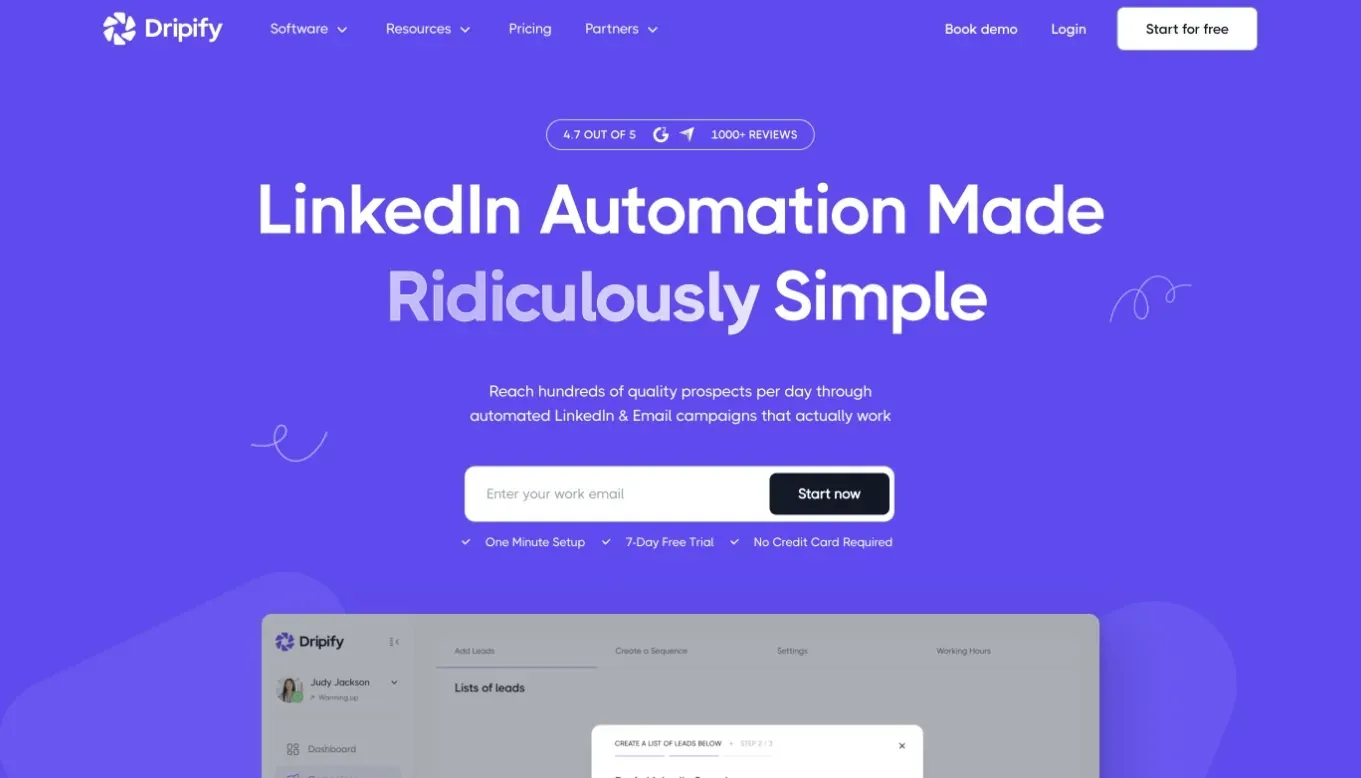
Dripify is a cloud-based LinkedIn outreach platform for sales professionals, recruiters, and small teams. You connect a LinkedIn account, build multi-step campaigns, import prospects from LinkedIn or CSV, and schedule profile visits, connection requests, messages, and follow-ups.
Because campaigns run on Dripify's infrastructure, your computer does not need to stay on. The same setup means Dripify establishes and retains the authenticated LinkedIn session used for automation. Its visual campaign builder supports A/B testing, activity controls, team dashboards, and indirect integrations through Zapier. Higher plans add broader team and inbox functions. The product fits teams that prioritize browser-based access and continuous cloud execution, while the session-custody trade-off matters if account safety and infrastructure control are your main concerns.
Why Users Look For Dripify Alternatives
Across 6,000+ reviews on G2, Capterra, and Trustpilot and 380+ Reddit threads about these tools, the same frustrations recur:
- Account safety and LinkedIn restriction risk remain recurring concerns.
- Stability complaints include campaigns producing no leads, miscounted actions, crashes, and difficulty canceling.
- Some reviewers describe a steep learning curve and onboarding that assumes prior automation knowledge.
- Linear campaigns can feel limiting when you need behavior-based branching or deeper workflow control.
- Per-seat pricing, refund disputes, and billing friction can weaken the price-to-value case as a team grows.
These patterns do not affect every account, but they explain why some teams compare architecture, support, and total ownership cost before renewing.
What Dripify Does Well
- Cloud execution keeps campaigns running without an always-on personal computer, but the vendor holds the LinkedIn session.
- The visual builder makes multi-step sequences easy to inspect, though campaign logic remains primarily linear.
- Team dashboards centralize campaign activity, while broader collaboration features require higher plans.
- A/B testing and built-in activity limits support campaign control, but they do not remove LinkedIn restriction risk.
Dripify also provides a browser-accessible workflow that requires no desktop installation.
Where Dripify Starts To Feel Limited
- There is no built-in CRM or full visual sales pipeline, and lower plans provide a more basic inbox.
- Campaigns lack deep behavior-based branching, and users report limits when editing live sequences.
- Lead extraction and team collaboration are narrower than some teams expect.
- Reported crashes, action-count discrepancies, cancellation friction, and refund disputes affect confidence.
- Per-seat pricing rises from roughly $59 to $99/user monthly as requirements expand.
The architectural limit is separate: cloud execution gives Dripify custody of the LinkedIn session and control of the IP used for automation.
First-Hand Dripify Setup Review
Dripify is a type 3 architecture: cloud with credential login. It is cloud-only and has no public LinkedIn extension to tear down. Its AED status is therefore non-applicable because there is no official extension ID for LinkedIn to probe. No public extension also means no LinkedIn-page injection from Dripify itself. That does not keep the session local. In our June 2026 live setup, Dripify logged in from its cloud, held the authenticated session, and assigned vendor datacenter IPs rather than the user's own IP. Two test accounts received different HostRoyale addresses in the same /24 subnet. HostRoyale, ASN 203020, also carried Skylead and We-Connect in our audit. No extension reduces one detection surface, while cloud session custody and vendor-assigned infrastructure add different signals. These observations describe the June 2026 setup, not every future configuration.
How We Researched Dripify Alternatives
- Research scope: We checked vendor and pricing pages, product capabilities, and feedback from G2, Capterra, Trustpilot, and Reddit as of June 2026, then added the two first-hand test modes below.
- Product & feature analysis: We verified pricing, workflow structure, integrations, channel scope, account scale, and setup requirements.
- First-hand testing: We ran live IP/cloud tests and extension teardowns in June 2026.
- Architecture-level evaluation: We grouped tools into local-scrape extension, session-upload extension, cloud credential login, and desktop standalone models.
- How user feedback was used: Reviews informed usability, reliability, support, billing, and switching themes, not architecture verdicts.
- Goal: Our safety framing follows the same rule throughout the article: no tool eliminates restriction risk, and conclusions must stay tied to observable evidence.
Live IP and Cloud Test
The test starts with what you can control.
- Core signals: We recorded whether the assigned IP was residential or datacenter-based, whether two accounts shared an IP, /24 subnet, provider, or ASN, and whether you could set location, timezone, or your own proxy. We also checked for a built-in proxy-quality checker.
- Supporting signals: We compared the cloud session's reported operating system, user agent, and browser fingerprint across accounts.
- Additional technical findings: We checked IP reputation, proxy or VPN flags, and abuse indicators.
We used two accounts from the same declared location (France) so shared infrastructure would be visible. IPQS is an independent IP-quality signal, not LinkedIn's enforcement verdict. The assigned IP, account isolation, and configuration controls remain the practical findings.
Chrome Extension Teardown
The first question was: where does my session go? We downloaded and read the shipped source code to distinguish a local scrape from a cloud-bridge. A cloud-bridge copies your LinkedIn login in cookie form to the vendor's cloud, which can then run the account from its own IP.
- Core findings: We traced whether li_at or JSESSIONID stayed local or was sent to a vendor domain. Expandi, HeyReach, and Waalaxy shipped session-upload connectors; Dux-Soup's local plans used local scraping.
- Supporting findings: We checked direct Voyager API calls, telemetry blocking, permission scope, and remote-control behavior.
- Deep forensic findings: We checked DOM injection, synthetic events, Spectroscopy exposure, and LinkedIn's AED list of about 6,167 extension IDs as of February 2026, growing by roughly 12 per day.
Dripify, Skylead, and Meet Alfred are cloud-only and had no public extension to inspect. PhantomBuster and Dux-Soup were also included in the teardown set.
What These Tests Can And Cannot Prove
The findings describe our June 2026 test setup and can change when vendors update code or infrastructure. We can observe what leaves an extension, but cloud-side execution is only highly likely because vendor servers are not directly inspectable. AED presence, shared infrastructure, fingerprint mismatch, or a flagged IP adds risk to a scoring model; none is an instant restriction switch. These tests do not predict individual outcomes.
How We Compared Dripify Alternatives
Each score used the same evidence window and favored verified capability over vendor positioning or category labels. We scored each tool on:
- Session custody and IP control.
- Pricing, annual value, and seat economics.
- Campaign logic and workflow depth.
- Direct CRM connectors, webhooks, and automation links.
- Sales Navigator and Recruiter workflow support.
- Multi-account and agency operations.
- LinkedIn-only versus multichannel scope.
Top 7 Dripify Alternatives Compared
The table places architecture and session custody beside price and integrations, so cloud convenience is not treated as a safety verdict. Linked Helper remains the first row as the publisher's recommendation. Top Dripify alternatives compared, as of June, 2026
| Tool | Starting Price /mo | Architecture | LinkedIn Session Custody | CRM Integrations | Free Trial | G2 Rating |
|---|---|---|---|---|---|---|
| Linked Helper | $15/mo | Desktop app | Local | HubSpot, Pipedrive, Salesforce +8 | 14 days | 4.5★ (142) |
| Expandi | $99/mo | Cloud | Vendor-side session handling | HubSpot, Pipedrive, Salesforce | 7 days | 4.3★ (152) |
| Salesflow | $99/seat | Cloud | Vendor-side session handling | HubSpot, Zapier, and API access | 7 days | 4.3★ (141) |
| HeyReach | $79/mo | Cloud | Vendor-side session handling | HubSpot, Clay, Make, Zapier, Instantly, Smartlead, and webhooks/API | 14 days | 4.6★ (70) |
| Meet Alfred | $59/mo | Cloud | Vendor-side session handling | Zapier, webhooks | 7 days | 3.4★ (37) |
| Waalaxy | €19/user/mo | Chrome extension | Browser-session handling | HubSpot, Pipedrive, CRM Sync | 14 days | 4.5★ (1,302) |
| Skylead | $100/mo | Cloud | Vendor-side session handling | HubSpot, Pipedrive, Salesforce | 7 days | 4.5★ (127) |
Linked Helper is the lowest-priced full Dripify alternative in this table at $15/mo. It also has the clearest local-session model because LinkedIn activity runs through its own built-in browser engine on your machine or VPS. Meanwhile, most cloud alternatives offer always-on access from a web dashboard. That can be convenient, but it also means the LinkedIn session is handled outside your local machine, which matters if your main priority is account control.
Top LinkedIn Automation Alternatives to Dripify
The tools below are included because buyers often compare them with Dripify when they question cost, session custody, workflow depth, CRM handoff, or team setup. Linked Helper is the publisher’s disclosed recommendation and appears first. The competitor sections are factual trade-off references. We focus on how each tool handles LinkedIn execution, session custody, IP setup, workflow controls, and data handoff rather than treating every feature list as equally important.
1. Linked Helper
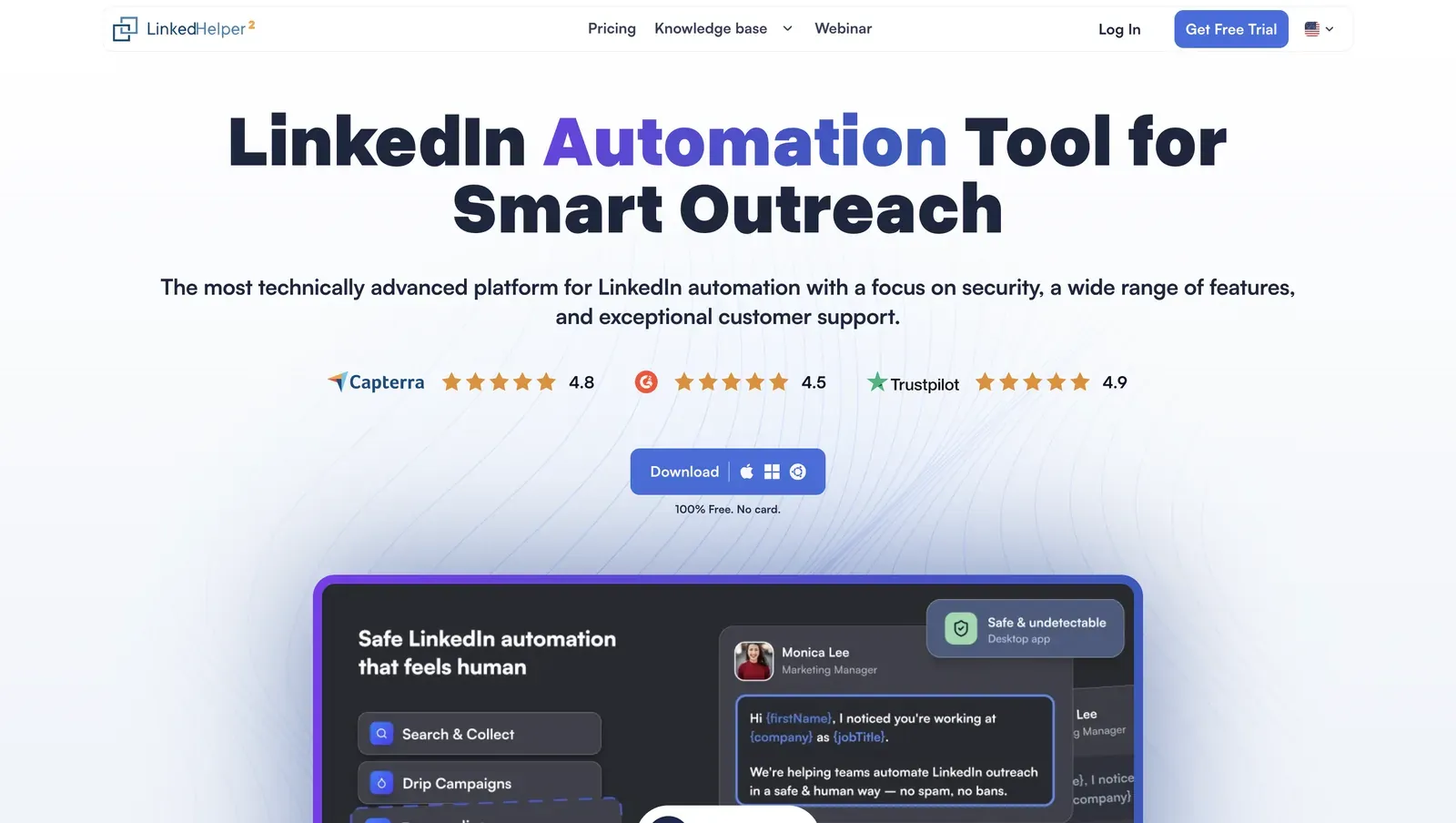 Linked Helper is a desktop LinkedIn automation app for users who want more control than a cloud-based dashboard typically offers. It runs on Windows, macOS, or Ubuntu through its own built-in browser engine, using your authenticated LinkedIn session and your machine’s IP address.
Unlike Dripify, Linked Helper does not run LinkedIn actions from vendor-side cloud infrastructure. You can also assign a dedicated HTTP, HTTPS, SOCKS, or SOCKS5 proxy to each LinkedIn account when you need stronger account separation.
Linked Helper starts at $15/mo for Standard and $45/mo for Pro. Annual billing lowers Standard to $8.25/mo and Pro to $24.75/mo, and the free trial lasts 14 days.
Linked Helper is a desktop LinkedIn automation app for users who want more control than a cloud-based dashboard typically offers. It runs on Windows, macOS, or Ubuntu through its own built-in browser engine, using your authenticated LinkedIn session and your machine’s IP address.
Unlike Dripify, Linked Helper does not run LinkedIn actions from vendor-side cloud infrastructure. You can also assign a dedicated HTTP, HTTPS, SOCKS, or SOCKS5 proxy to each LinkedIn account when you need stronger account separation.
Linked Helper starts at $15/mo for Standard and $45/mo for Pro. Annual billing lowers Standard to $8.25/mo and Pro to $24.75/mo, and the free trial lasts 14 days.
Key Features
- Desktop app with its own built-in browser engine
- Local LinkedIn session handling on your machine or VPS
- Daily limits, smart daily limits, working hours, randomized delays, click and mouse-movement emulation, and built-in proxy checking
- Custom variables, spintax, and AI Messages for more personalized outreach
- Data Enrichment with monthly credits, plus extra credits if needed
- LH CRM with tags, notes, auto-tagging, reply detection, and CSV export
- Webhooks, Zapier, Make, and 11 direct CRM connectors
- Support for Sales Navigator, Recruiter Lite, and Recruiter
- LinkedIn engagement and growth workflows, including profile visits, post likes, post commenting, post boosting, and invite workflows for groups, events, and organization pages, subject to LinkedIn’s current limits
- Workspaces for team account visibility, roles, guest access, and admin control over licenses, proxies, and data credits Linked Helper’s stronger angle is control over how LinkedIn outreach runs, how data moves, and how teams separate accounts.
- Cloud Data Storage / Cloud DB can support shared workflows when teams need access to lead data, message history, tags, notes, and CRM progress across authorized accounts. The important distinction is that shared data access does not turn Linked Helper into a cloud automation tool: LinkedIn actions still run through the desktop app on the user’s machine, VPS, or dedicated server.
- Data Enrichment and AI Messages make the personalization angle stronger. Instead of sending the same note to every lead, you can use richer lead data, custom variables, spintax, and AI-assisted message drafts while still keeping the user in control.
- Linked Helper also fits warm-up workflows before outreach. A practical sequence can look like this: Auto-like, comment or AI-assisted comment, wait, then invite or message.
What Reviewers Highlight
A G2 reviewer highlighted “Price and easy usage” and said they could “start working in 10 minutes.” Reviewers mention ease of use, value, layout, and the ability to pace invitations and messages instead of handling every action manually. A Reddit user in r/automation described moving from “5-8 connections a week” to “40-60” and getting more real conversations.
Safety and Setup Notes
Because Linked Helper runs through its own built-in browser engine on the user’s machine, VPS, or dedicated server, the relevant safety review is session origin, proxy setup, pacing controls, and account separation rather than Chrome-extension teardown.
Start your 14-day Linked Helper trial and compare the workflow with your current Dripify setup!
2. Expandi
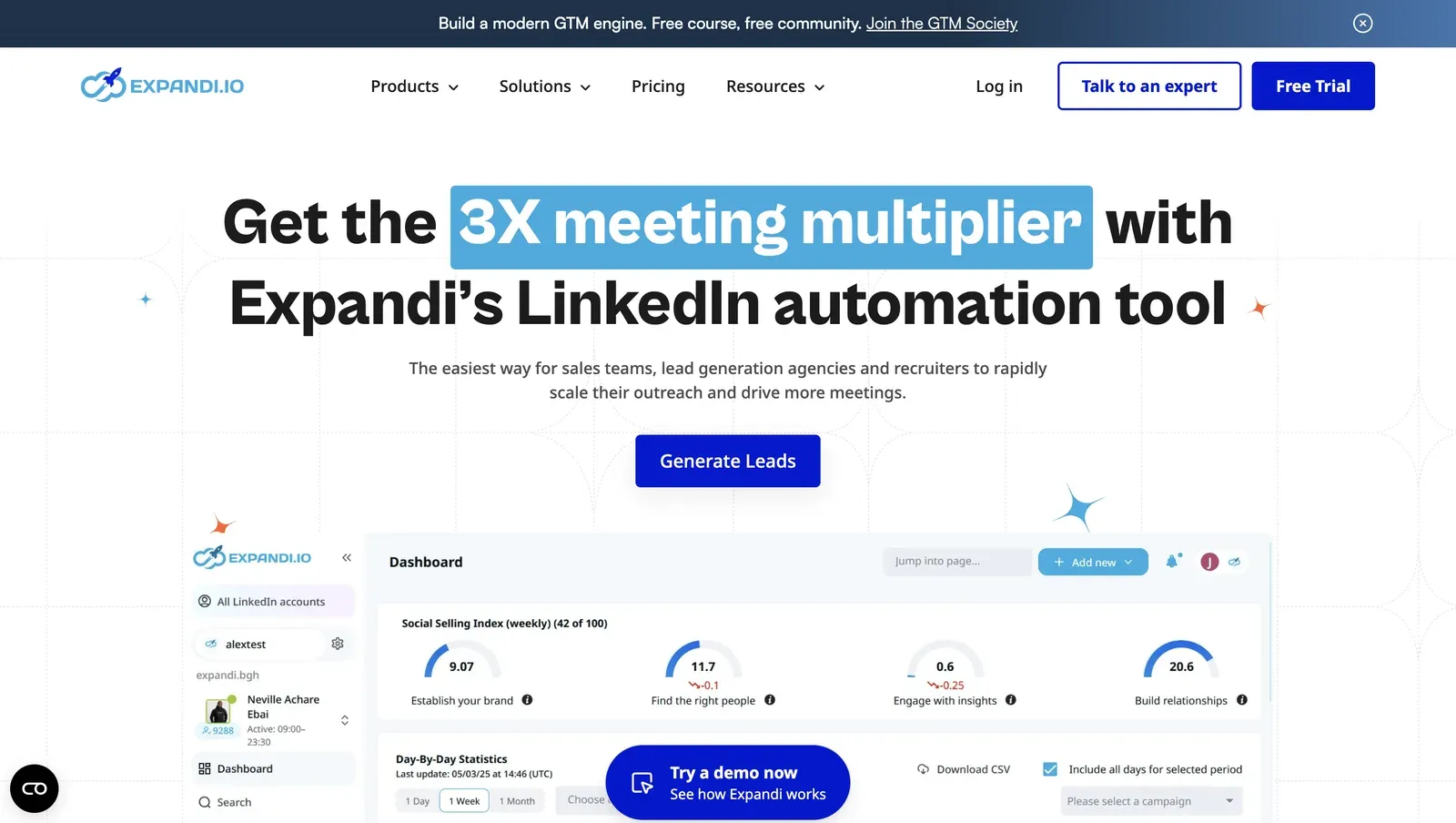 Expandi is a cloud-based LinkedIn outreach platform with LinkedIn and email steps, decision flows, personalization, and team features. It is often compared with Dripify because both products use a managed cloud model rather than local desktop execution.
Expandi starts at $99/mo, or $79/mo on annual billing, with a 7-day free trial. The product also offers proxy setup, smart limit ranges, scheduling, dynamic placeholders, blacklist controls, and centralized campaign management.
The main trade-off is architectural. Expandi can add more workflow variety than a simple LinkedIn-only tool, but LinkedIn activity still runs through a vendor-managed environment.
If the reason for leaving Dripify is cloud-session custody or default infrastructure control, Expandi needs the same type of safety review rather than being treated as a clean escape from Dripify.
Expandi is a cloud-based LinkedIn outreach platform with LinkedIn and email steps, decision flows, personalization, and team features. It is often compared with Dripify because both products use a managed cloud model rather than local desktop execution.
Expandi starts at $99/mo, or $79/mo on annual billing, with a 7-day free trial. The product also offers proxy setup, smart limit ranges, scheduling, dynamic placeholders, blacklist controls, and centralized campaign management.
The main trade-off is architectural. Expandi can add more workflow variety than a simple LinkedIn-only tool, but LinkedIn activity still runs through a vendor-managed environment.
If the reason for leaving Dripify is cloud-session custody or default infrastructure control, Expandi needs the same type of safety review rather than being treated as a clean escape from Dripify.
Key Features
- Cloud-based LinkedIn automation
- LinkedIn and email follow-ups in one sequence
- Campaign builder with conditional if/then logic
- Dedicated country-based IP address
- Profile auto warm-up and smart limit ranges
- Dynamic placeholders and campaign prioritization
- Roles, permissions, and centralized team management
- Integrations, Zapier, and Hyperise-style personalization options
- Agency option for larger teams and white-label use cases Expandi is most relevant for teams that need LinkedIn and email steps in one cloud sequence. If LinkedIn and email must sit in one native cloud sequence, Expandi is worth comparing, but the session-custody trade-off still applies. However, that does not make it automatically better for every Dripify user. If the reason you are leaving Dripify is cost or cloud session custody, Expandi may solve one workflow problem while keeping the same cloud-execution concern.
What Reviewers Highlight
A G2 reviewer, Bob G., said, “Building marketing campaigns with conditional process flow is easy and intuitive.” Reviewers on Expandi’s own pricing page also point to team management, CRM integration, campaign visibility, personalization, and campaign performance tracking.
Reported Limitations
The main limitation is cost. Expandi’s monthly entry price is $99/mo, which is higher than Dripify’s Basic monthly plan. The second limitation is custody. Expandi is cloud-based, so users should understand how login, session handling, proxy setup, and default infrastructure work before moving a main LinkedIn account. A Capterra reviewer reported data loss and billing issues, including the line “it deleted 60% of my work.” A separate G2 reviewer reported a LinkedIn block, which should be treated as one user report, not proof that Expandi causes restrictions.
Safety and Setup Notes
Expandi has two relevant connection paths: users can connect through the cloud login flow, and Expandi also provides a Cloud Bridge Extension. We reviewed that extension in June 2026. In the code we reviewed, the extension’s main role was to pass LinkedIn session data from the user’s browser into Expandi’s cloud environment.
In the default setup we tested, the two accounts appeared on different types of IPs. One account used 91.165.182.32, while the second used an IPv6 address. We checked the observed IPs separately through IPQualityScore, and the result was mixed: one IP showed higher-risk hosting/datacenter signals, while the other showed fewer risk signals in that lookup. This describes the default footprint we observed in our test setup, not a permanent verdict on every Expandi account.
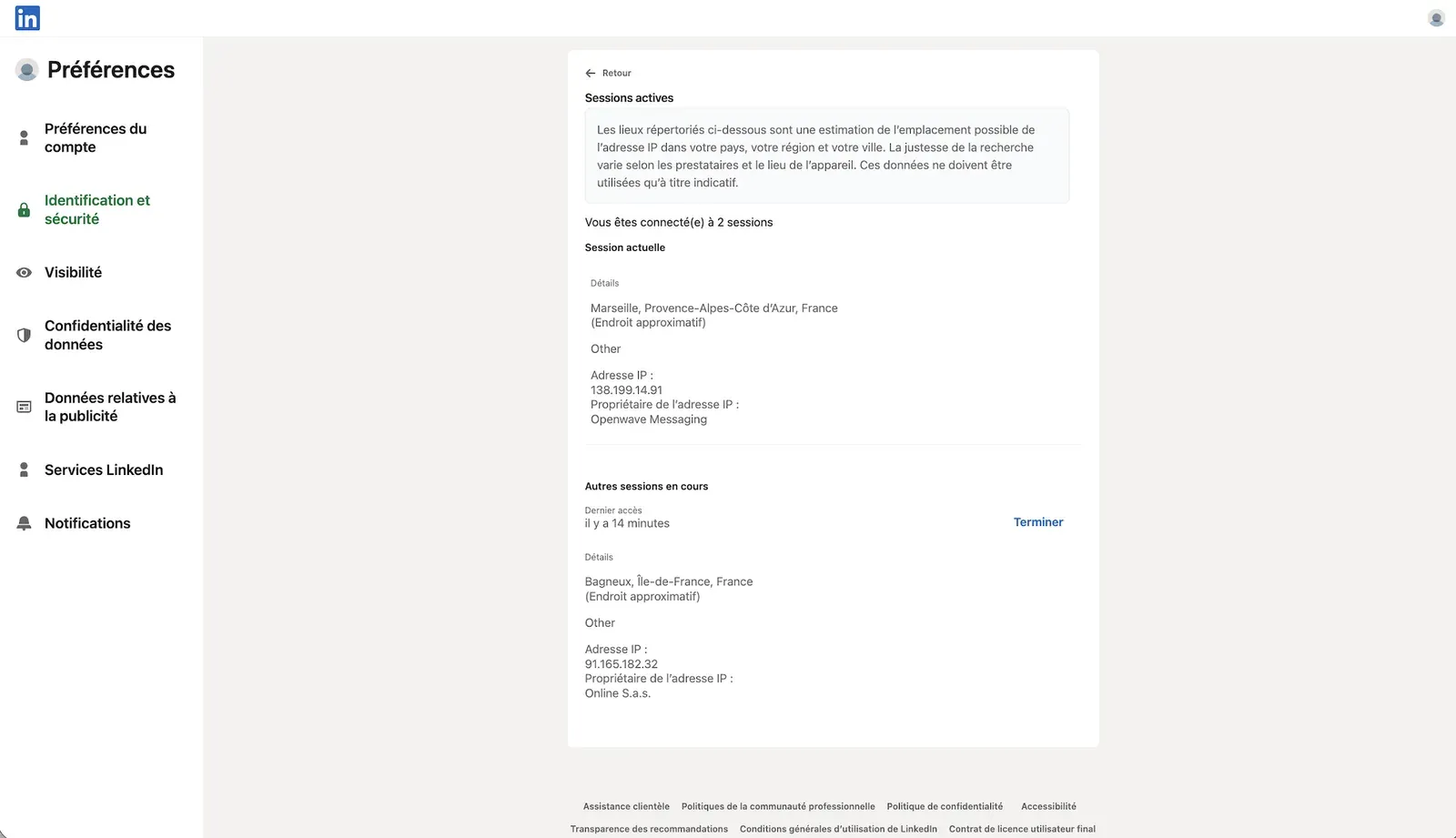
Expandi exposed more account-environment controls than some cloud tools in our review. It allowed desired-location selection, listed 96 locations, and exposed timezone selection. Those controls can help with session consistency, but they do not change the core custody trade-off: LinkedIn activity still runs from vendor-side cloud infrastructure. Before moving to a high-value LinkedIn account, buyers should confirm proxy setup, session handling, default IP behavior, and reliability in their own test environment.
3. Salesflow
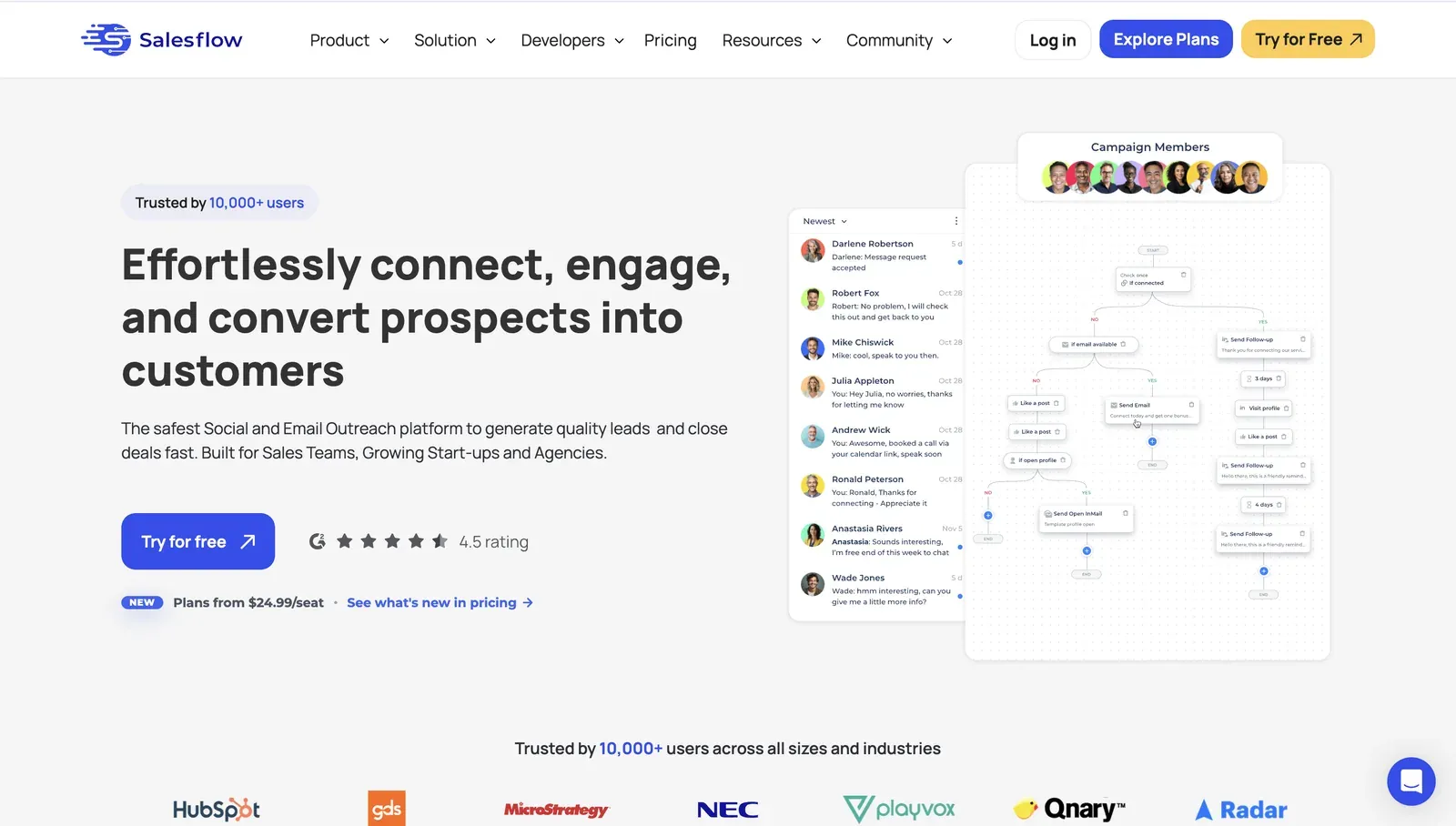 Salesflow is a cloud outreach platform for LinkedIn, Sales Navigator, email outreach, inbox management, and reporting. It is closer to Dripify than Linked Helper because both products use a managed cloud model rather than local desktop execution.
Salesflow’s Basic plan starts at $99/seat. The public pricing page shows a 7-day free trial and a 30% discount on 12-month billing, which makes Basic equivalent to $69.30/seat.
The main trade-off is similar to other cloud tools in this comparison. Salesflow gives teams a web dashboard for outreach operations, but buyers should still verify how LinkedIn login, session handling, IP origin, proxy options, and account separation work before moving important accounts.
Salesflow is a cloud outreach platform for LinkedIn, Sales Navigator, email outreach, inbox management, and reporting. It is closer to Dripify than Linked Helper because both products use a managed cloud model rather than local desktop execution.
Salesflow’s Basic plan starts at $99/seat. The public pricing page shows a 7-day free trial and a 30% discount on 12-month billing, which makes Basic equivalent to $69.30/seat.
The main trade-off is similar to other cloud tools in this comparison. Salesflow gives teams a web dashboard for outreach operations, but buyers should still verify how LinkedIn login, session handling, IP origin, proxy options, and account separation work before moving important accounts.
Key Features
- Cloud-based LinkedIn and email outreach
- Multichannel dynamic outreach across LinkedIn and email
- Unified inbox for LinkedIn and Sales Navigator conversations
- Inbox management with reminders, snooze, scheduled sending, quick reply templates, and filters
- Campaign intelligence and analytics
- Native HubSpot integration
- LinkedIn Sales Navigator support
- Zapier connection for thousands of apps
- API access on all listed plans
- Seat management and team pricing tiers Salesflow is most relevant for teams that need a cloud workspace for LinkedIn and email outreach. SDR teams get one cloud workspace for LinkedIn outreach, email steps, Sales Navigator conversations, inbox handling, campaign reporting, and HubSpot-connected follow-up. Salesflow’s public materials confirm HubSpot, Zapier, API access, and Sales Navigator support. Teams that need Salesforce, Pipedrive, or deeper CRM handoff should confirm those integrations directly before choosing a plan.
What Reviewers Highlight
A G2 reviewer, Alan Z., said, “We were able to 4x qualified pipeline with hardly any maintenance work on our end.”
Reported Limitations
A Capterra reviewer described the dashboard as “filled with bugs, constantly stops working.” Another reviewer reported billing problems after cancellation. One G2 reviewer reported account bans alongside support problems. That is a user report, not a causation claim. The bigger buyer issue is the same as most cloud tools. You trade local session control for a managed dashboard that can be easier for teams to run.
Safety and Setup Notes
Salesflow is cloud-based and connects through a credentials login, so there was no public LinkedIn Chrome extension to tear down. LinkedIn activity runs from Salesflow’s vendor-side infrastructure rather than the user’s local browser.
In our June 2026 live cloud test from France, the connected account appeared on 209.20.180.89. We checked the observed IP through IPQualityScore, which flagged the address as blacklisted with proxy/VPN detected in our tested setup. This is an independent IP-quality signal, not LinkedIn’s own enforcement verdict.
Salesflow exposed desired-location selection, bring-your-own proxy support, and timezone selection in our review. Those controls can help with session consistency, but proxy quality and how closely the session setup matches the account’s normal pattern still sit with the user, and the activity still runs from vendor-side cloud infrastructure.
4. HeyReach
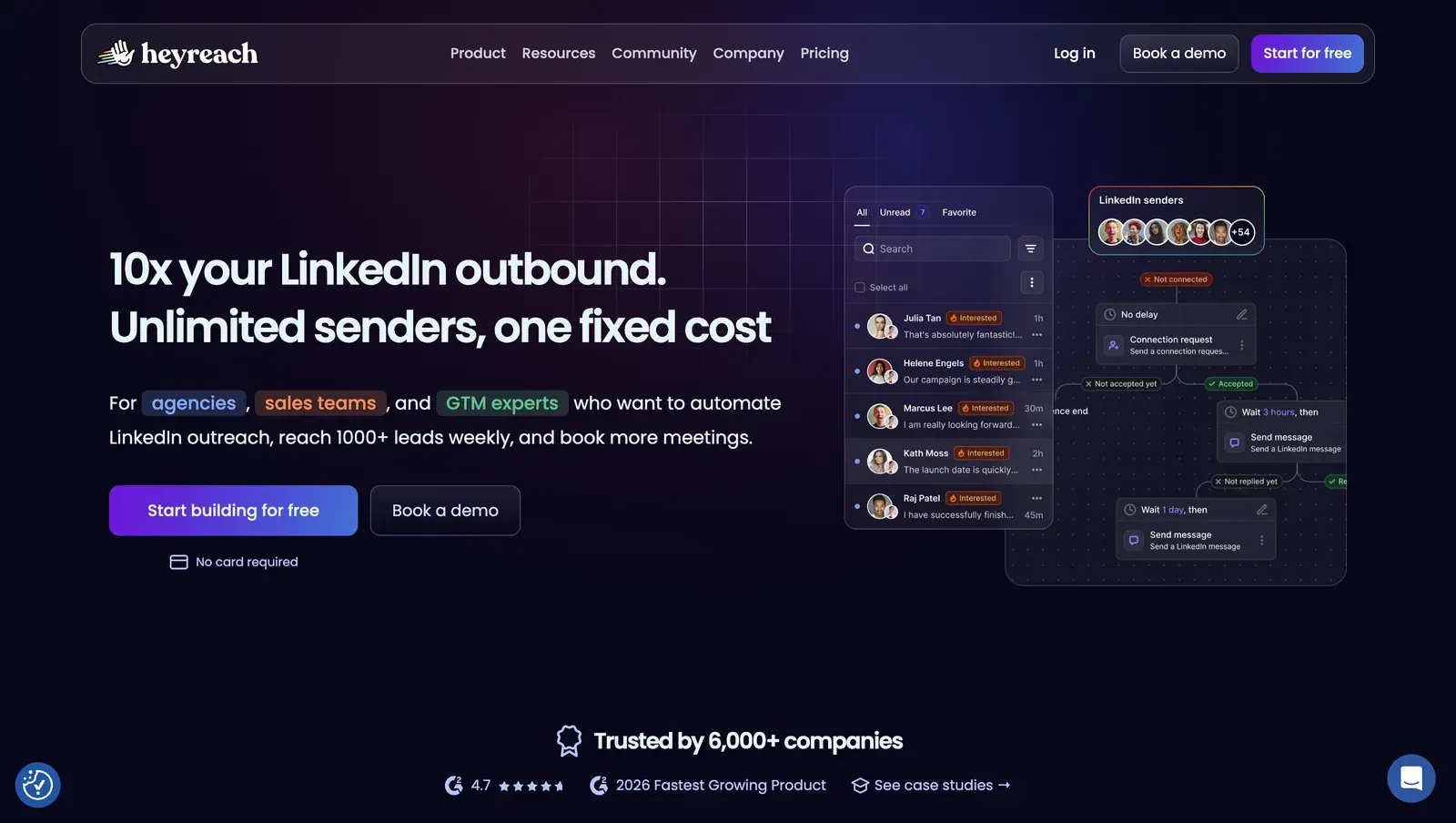 HeyReach is a cloud LinkedIn outreach platform with multi-account campaign management, sender rotation, a shared inbox, workspaces, permissions, API access, and webhooks. It is often compared with Dripify when teams need more centralized sender management.
HeyReach pricing is sender-based. The Growth plan starts at $79/mo, depending on sender count and billing view, while the site also emphasizes unlimited senders on larger plans.
The operational features are useful, but they are separate from the safety question: where the LinkedIn session runs, what IP is used, and how much infrastructure control the user gets. The more accounts a team manages from one cloud system, the more important session handling, proxy planning, and default infrastructure become.
HeyReach is a cloud LinkedIn outreach platform with multi-account campaign management, sender rotation, a shared inbox, workspaces, permissions, API access, and webhooks. It is often compared with Dripify when teams need more centralized sender management.
HeyReach pricing is sender-based. The Growth plan starts at $79/mo, depending on sender count and billing view, while the site also emphasizes unlimited senders on larger plans.
The operational features are useful, but they are separate from the safety question: where the LinkedIn session runs, what IP is used, and how much infrastructure control the user gets. The more accounts a team manages from one cloud system, the more important session handling, proxy planning, and default infrastructure become.
Key Features
- Cloud LinkedIn outreach platform
- Sender-based pricing and multi-account workflows
- Unlimited campaigns
- All LinkedIn actions, including connection requests, messages, follows, and profile views
- Unified inbox for managing replies across accounts
- Workspaces and permissions
- API and webhooks
- Email credits and enrichment credits
- Integrations with Clay, RB2B, Trigify, Make, Zapier, HubSpot, Twain, Persana, Instantly, Smartlead, and related outbound tools
- Agency and Unlimited plans for larger sender operations
HeyReach is built around multi-account sender management. Agencies managing several LinkedIn profiles may find sender rotation and a shared inbox useful, especially when centralized account operations matter. That also creates the main trade-off. The more accounts you manage from one cloud system, the more important session handling, proxy planning, and default infrastructure become.
What Reviewers Highlight
Trustpilot reviewers often praise HeyReach for multi-account sending and a unified inbox. One reviewer said the ability to connect multiple LinkedIn accounts and rotate senders was the feature that helped them scale. Another review praised the unified inbox for saving time that would otherwise be spent logging in and out of accounts.
Reported Limitations
One reviewer said support had become slower and reported waiting 24 to 48 hours for urgent tickets. Another 1-star reviewer called the support experience poor and said the product was faulty. The practical limitation is that HeyReach is built for sender scale, not for users who want local desktop execution. If your main concern is keeping LinkedIn session custody local, HeyReach is not the cleanest match.
Safety and Setup Notes
HeyReach uses a login Chrome extension as a cloud bridge. We unpacked the HeyReach login extension in June 2026 and reviewed the shipped code. In the tested package, the extension’s main role was to pass LinkedIn session data from the user’s browser to HeyReach’s cloud service. The code we reviewed read the li_at cookie, copied LinkedIn cookie data to api.heyreach.io, included logout-blocking behavior for LinkedIn’s /uas/logout endpoint, and issued direct Voyager calls.
We also ran a June 2026 live cloud test from France with two test LinkedIn accounts. In the default setup, the accounts appeared on 45.146.212.28 and 45.146.212.36, which were in the same /24 datacenter range. We then checked the observed IPs through IPQualityScore.
For 45.146.212.28, IPQualityScore returned Altinea SAS, ASN 41405, Paris, France, with Data Center as the connection type. It also marked Proxy and VPN as positive and returned a fraud score of 100/100. This is an IP-quality signal from our test setup, not LinkedIn’s own enforcement verdict.
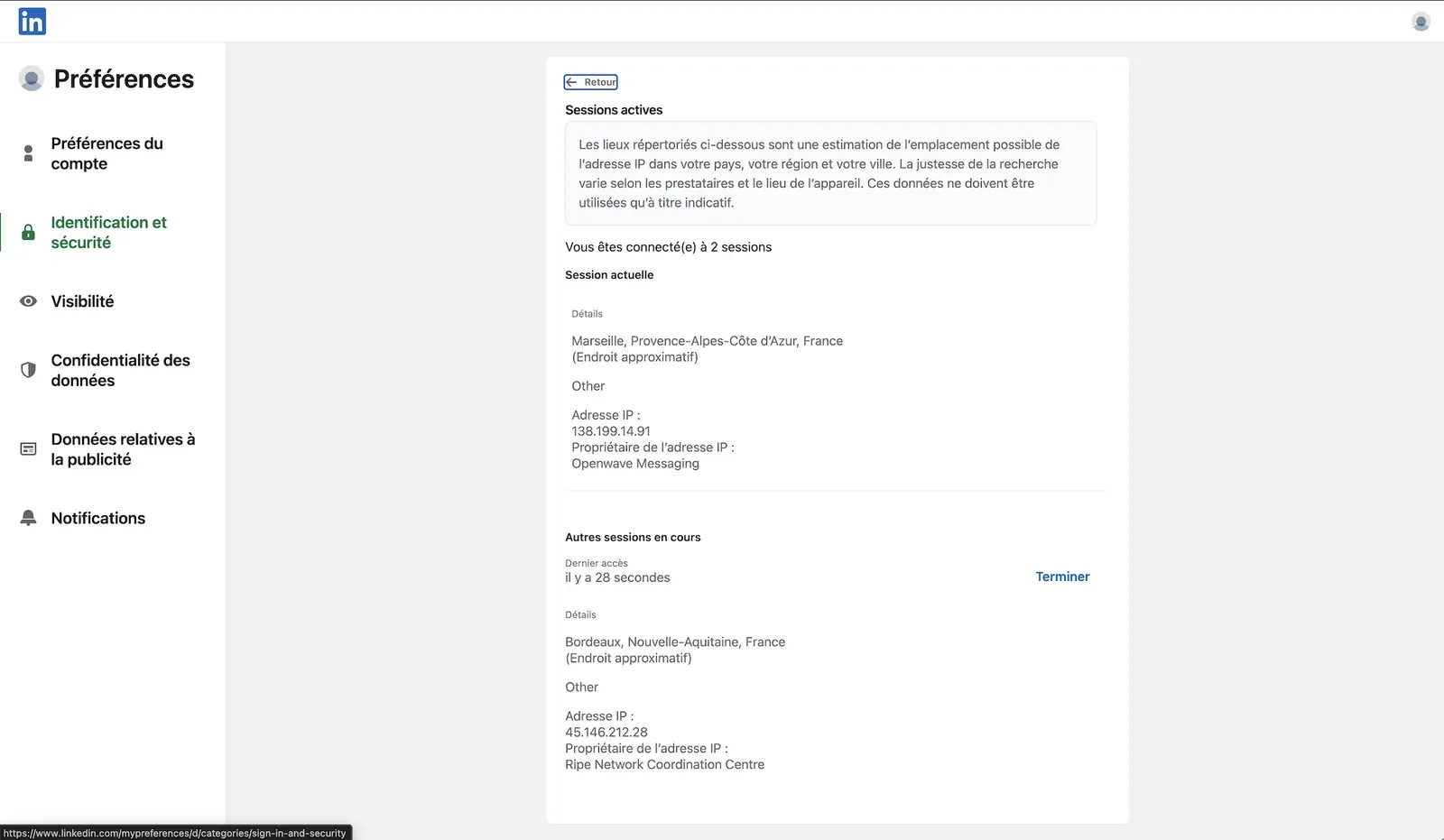
HeyReach supported bring-your-own proxy setup, desired-location selection, and 154 listed proxy locations in our review. That gives users more location choice than tools with no proxy controls, but proxy quality becomes the user’s responsibility. Timezone selection was not exposed when adding an account, so location choice can still leave a mismatch between session geography, working hours, and the account’s normal pattern.
5. Meet Alfred
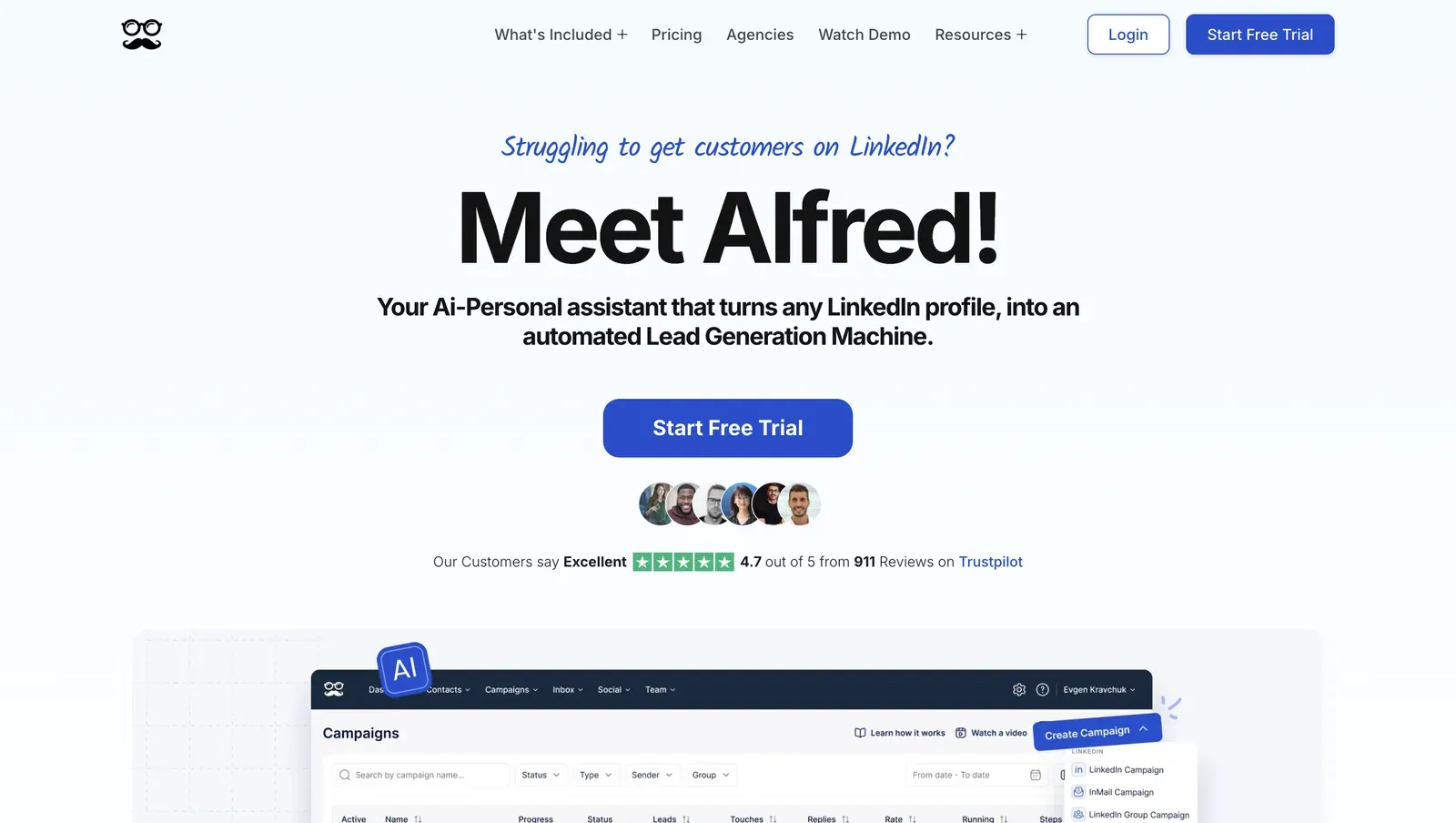 Meet Alfred is a cloud outreach platform for users who want LinkedIn, email, and X campaigns in one workspace. It is broader than Dripify in channel scope, especially for teams that want social touches, email, and campaign reporting in one place.
The Basic plan starts at $59/user/mo on a monthly plan or $29/user/mo on an annual plan. The free trial is 7 days.
Basic covers LinkedIn automation, 3 active campaigns, Smart LinkedIn Inbox, message templates, automated greetings, custom tags, notes, and Basic LinkedIn CRM.
Annual Basic also adds Lead Finder, Advanced LinkedIn CRM, templates, and data export in the pricing view we checked.
Meet Alfred is a cloud outreach platform for users who want LinkedIn, email, and X campaigns in one workspace. It is broader than Dripify in channel scope, especially for teams that want social touches, email, and campaign reporting in one place.
The Basic plan starts at $59/user/mo on a monthly plan or $29/user/mo on an annual plan. The free trial is 7 days.
Basic covers LinkedIn automation, 3 active campaigns, Smart LinkedIn Inbox, message templates, automated greetings, custom tags, notes, and Basic LinkedIn CRM.
Annual Basic also adds Lead Finder, Advanced LinkedIn CRM, templates, and data export in the pricing view we checked.
Key Features
- Cloud-based LinkedIn automation
- LinkedIn, email, and X outreach on higher plans
- Basic LinkedIn CRM and advanced LinkedIn CRM on higher plans
- Smart LinkedIn inbox
- Sales Navigator support on Pro
- InMail automation
- LinkedIn groups and events automation
- LinkedIn content retargeting and CSV campaigns
- Social media post scheduling
- Zapier and webhook integrations
- Team inbox, advanced team settings, white label, and account manager options on higher team plans If you want LinkedIn, email, X, and CRM-style management in one platform, Meet Alfred has broader native channel coverage, while Linked Helper stays LinkedIn-first. The trade-off is less about convenience and more about control. A cloud workspace can be easier to run because users do not need to keep a local app or VPS active. The account-control question is different: LinkedIn activity runs from vendor-side infrastructure, with device, browser, IP, and location signals managed outside the user’s normal local setup.
What Reviewers Highlight
One reviewer said the product had “great integration with LinkedIn,” supported multiple channels, and offered responsive customer service. Another reviewer called the support experience “fast and practical.” That is useful for buyers who care less about local custody and more about having a team they can contact when cloud campaigns stall.
Reported Limitations
One reviewer wrote that customer service was poor when they had an issue. The product limitation is broader than one review. Meet Alfred gives you multichannel convenience, but it does not give you Linked Helper’s local desktop model.
Safety and Setup Notes
We did not review a public LinkedIn Chrome extension for Meet Alfred, so there was no extension teardown. Our first-hand review was limited to the June 2026 live cloud/IP test.
In the France test, the two connected LinkedIn accounts appeared on 109.238.196.65 and 158.46.140.148. Both sessions presented mobile browser signals: one as Chrome Mobile on iOS, the other as Chrome Mobile on Android. We checked the observed IPs through IPQualityScore, which returned proxy and abuse-risk signals for the tested addresses. This is an independent IP-quality signal, not LinkedIn’s own enforcement verdict, and the mobile-session signals do not remove the cloud trade-off: LinkedIn activity still runs from vendor-side infrastructure with cloud-controlled device, browser, and location signals.
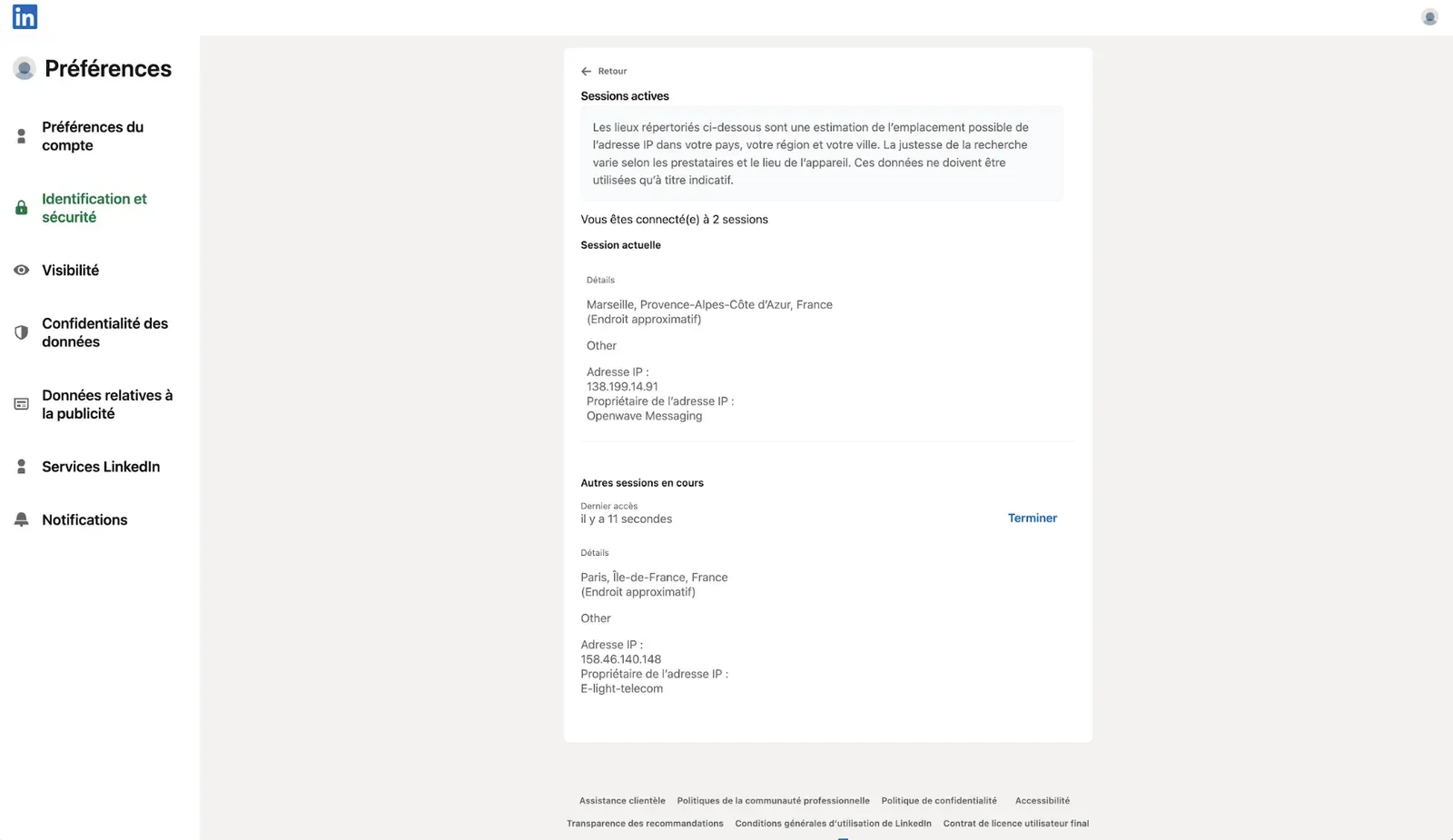
Meet Alfred exposed more account-environment controls than some cloud tools in our review. It allowed desired-location selection, bring-your-own proxy setup, 247 listed locations, and timezone selection. Those controls can help with consistency, but they still depend on the quality of the assigned or user-provided proxy and on how closely the session setup matches the account’s normal pattern.
6. Waalaxy
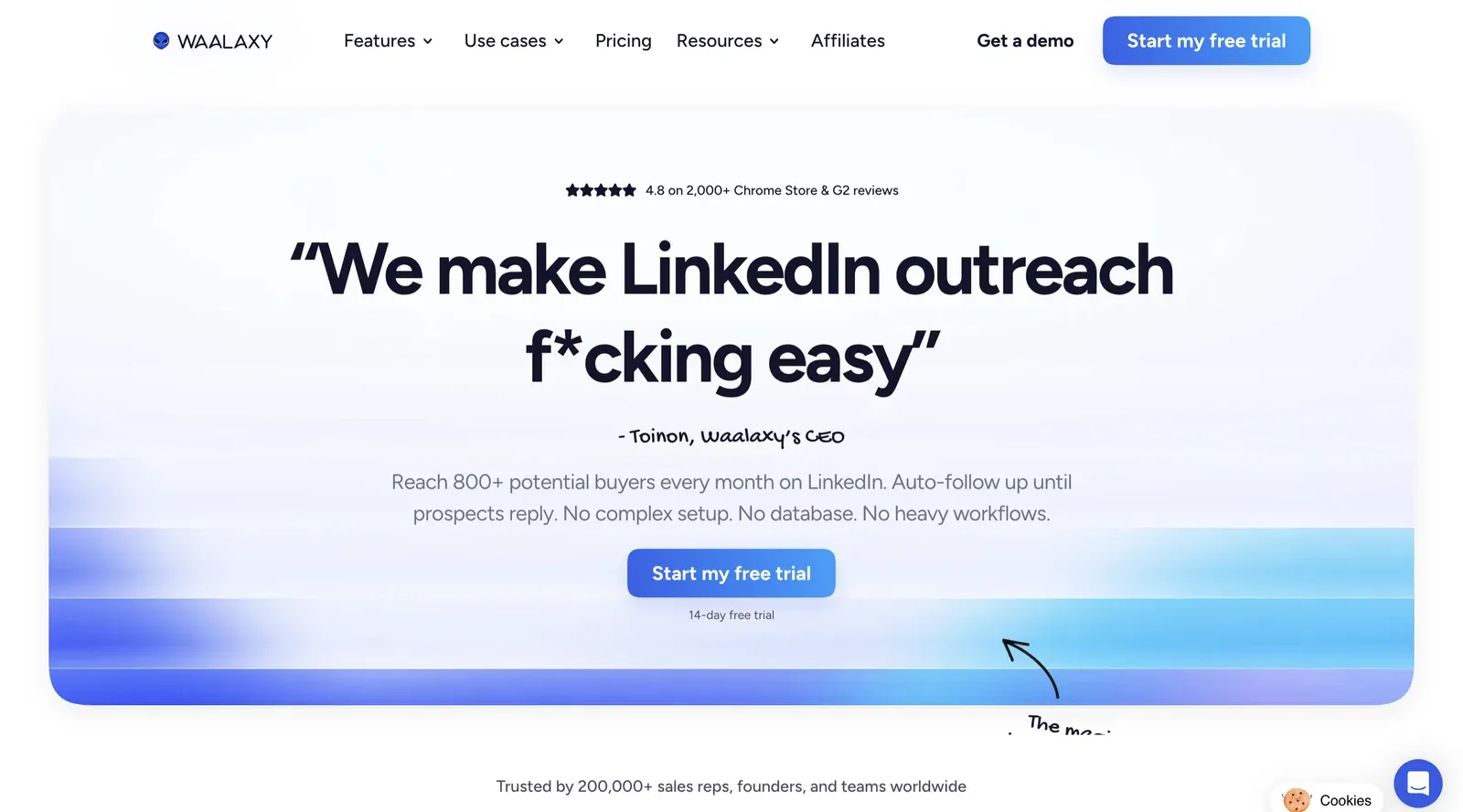 Waalaxy is a lower-entry LinkedIn outreach tool for founders, SMBs, recruiters, and small teams that want LinkedIn campaigns, automated follow-ups, CRM sync, and email options without starting at Dripify’s or Expandi’s price point.
Current pricing starts at €19/user/mo for Pro, €49/user/mo for Advanced, and €69/user/mo for Business. Each plan lists a 14-day free trial.
Waalaxy is often described as a Chrome-extension-led tool with cloud-supported workflows.
Waalaxy is a lower-entry LinkedIn outreach tool for founders, SMBs, recruiters, and small teams that want LinkedIn campaigns, automated follow-ups, CRM sync, and email options without starting at Dripify’s or Expandi’s price point.
Current pricing starts at €19/user/mo for Pro, €49/user/mo for Advanced, and €69/user/mo for Business. Each plan lists a 14-day free trial.
Waalaxy is often described as a Chrome-extension-led tool with cloud-supported workflows.
Key Features
- LinkedIn outreach campaigns
- 300 invitations per month on Pro and 800 on higher plans
- Unlimited campaigns
- Pre-built prospecting sequences
- Automated LinkedIn follow-ups
- CRM Sync with 2000+ tools
- CSV imports and exports
- Imports from LinkedIn Basic, Sales Navigator, and Recruiter Lite
- Smart reply detection
- API access on Advanced
- Make, Zapier, and n8n modules
- Team collaboration tools and team workspace
- LinkedIn plus email campaigns on Business
- Email finder credits on paid plans
Waalaxy is mainly relevant for users who want lower-entry pricing and faster setup. For a founder or small team testing LinkedIn outreach, €19/user/mo is easier to justify than a $59, $99, or $100 monthly plan. However, price is not the whole decision. If you care most about session custody and local execution, Waalaxy’s extension and cloud-supported model needs more scrutiny than the pricing page gives you.
What Reviewers Highlight
One reviewer said the “Interface and ease of use” were impressive and called Waaly, the Waalaxy AI assistant, useful. Another reviewer mentioned support and fast setup. That fits Waalaxy’s buyer profile because many users are early-stage outbound teams or beginners who want campaigns live quickly.
Reported Limitations
A Capterra reviewer attributed a LinkedIn suspension to Waalaxy, and a Trustpilot reviewer reported a LinkedIn account login concern after signup. Another Trustpilot reviewer complained about banners in the LinkedIn feed and said they could not deactivate them.
Safety and Setup Notes
Waalaxy is a Chrome-extension-led product with cloud mode, so the safety question is both browser-side behavior and how the browser session connects to the cloud backend. In the code we reviewed in June 2026, the extension requested Chrome cookies permission, read LinkedIn cookie data, mapped JSESSIONID to a CSRF token, and synced browser-session data with Waalaxy’s cloud backend. The package also included local extension behavior, page injection on LinkedIn, cloud-mode hooks, login-related handling, and references to third-party captcha-solving services.
7. Skylead
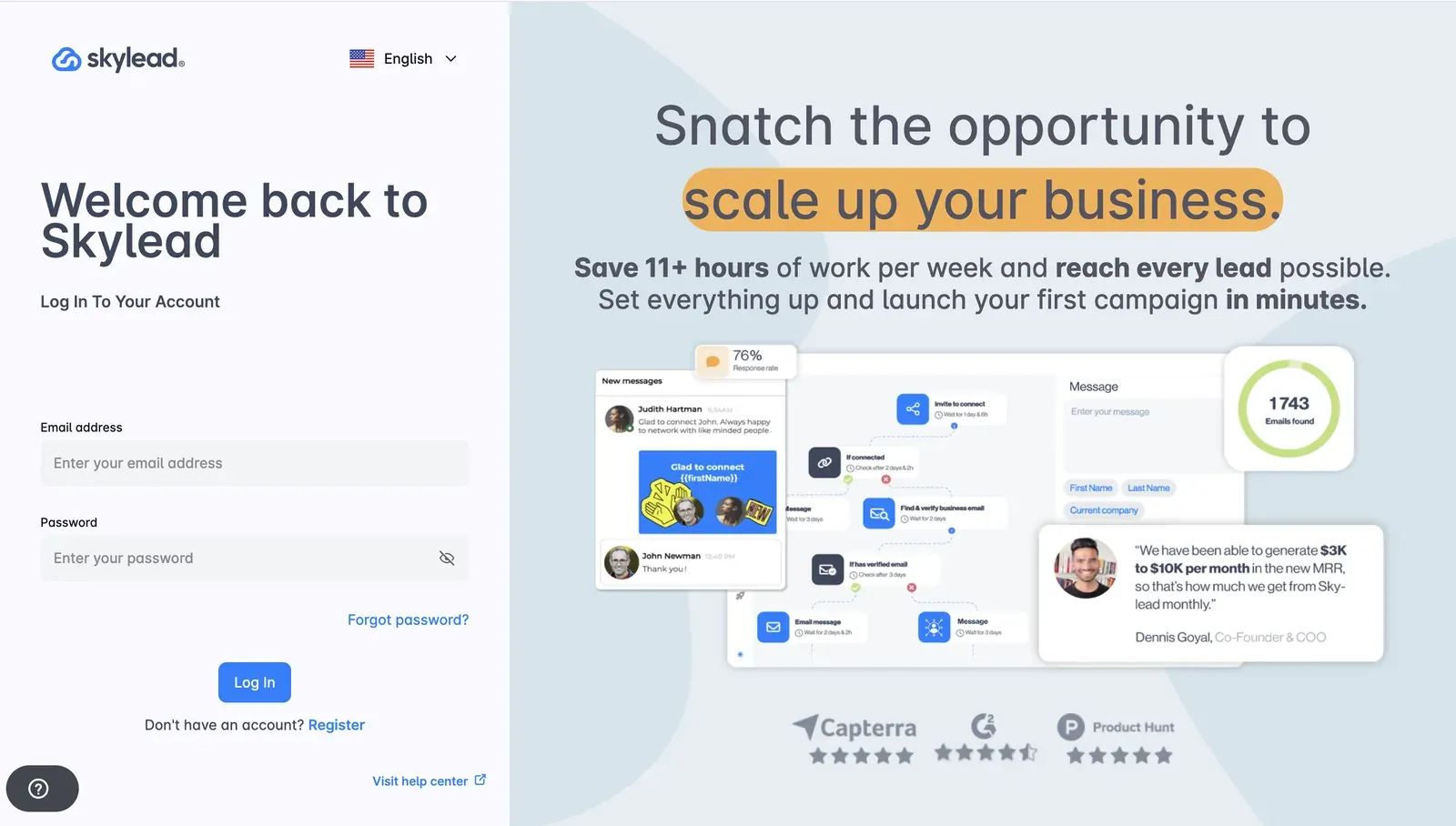 Skylead is a cloud-based LinkedIn and email outreach platform built around smart sequences. It fits sales teams, recruiters, founders, and agencies that want LinkedIn steps and email automation in one workflow.
Skylead’s All-in-one plan costs $100/mo and includes a 7-day free trial. The annual option is framed as paying for 10 months and getting 2 months free.
Skylead is most relevant for teams that need LinkedIn and email steps in the same cloud workflow. The trade-off is price and cloud-based execution.
Skylead is a cloud-based LinkedIn and email outreach platform built around smart sequences. It fits sales teams, recruiters, founders, and agencies that want LinkedIn steps and email automation in one workflow.
Skylead’s All-in-one plan costs $100/mo and includes a 7-day free trial. The annual option is framed as paying for 10 months and getting 2 months free.
Skylead is most relevant for teams that need LinkedIn and email steps in the same cloud workflow. The trade-off is price and cloud-based execution.
Key Features
- Cloud-based LinkedIn automation
- Smart sequences
- Account-based prospecting
- Social automation
- Unlimited email accounts
- 100,000 emails per month
- Unlimited email automation
- Infinite email warm-up
- Email finder and verifier
- Spintax and Liquid syntax
Teams usually compare Skylead with Dripify when they need more multichannel sequencing depth. Its public feature set focuses on LinkedIn-to-email sequences and behavior-based outreach logic. However, that depth comes at a $100/mo entry price. For users who only need LinkedIn-first outreach with better local control, Linked Helper is much cheaper and more focused.
What Reviewers Highlight
A G2 reviewer, Mirko S., said, “It is ideal for creating lead generation campaigns that start from LinkedIn and can continue by email.”
Reported Limitations
One G2 reviewer called it “expensive for small businesses” and noted a “complex interface.” Skylead has real workflow depth, but some teams may pay for more multichannel functionality than they need if their main workflow is LinkedIn-first.
Safety and Setup Notes
Skylead is cloud-based, and we found no public LinkedIn extension to tear down. Users connect through a credential login while Skylead’s cloud infrastructure runs the account.
In the June 2026 live IP test from France, both test accounts came out on the same address: 58.97.254.1. IPQualityScore classified that address as datacenter and flagged proxy and spam signals in our tested setup. This is an independent IP-quality signal, not LinkedIn’s own enforcement verdict.
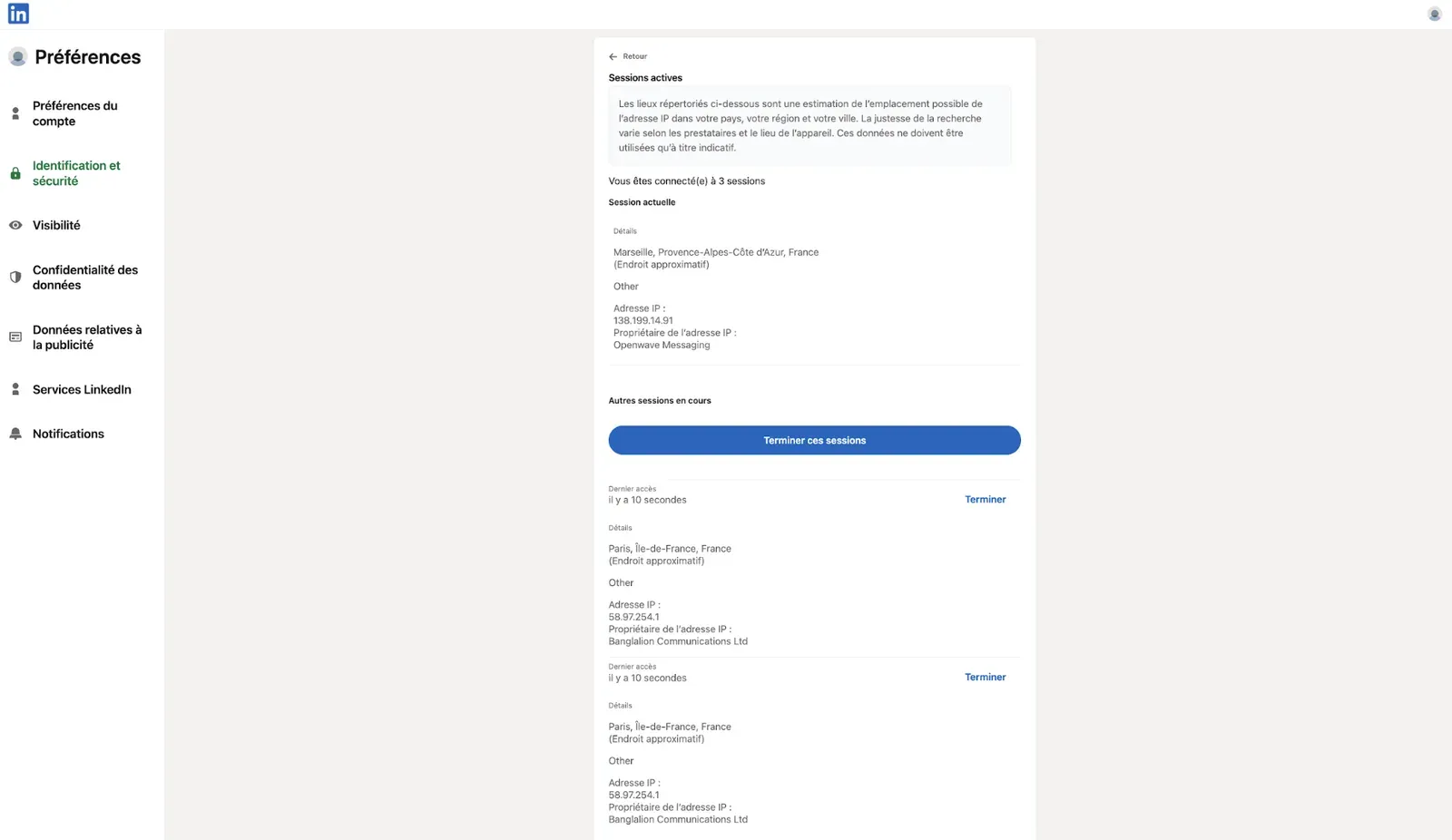
Two accounts sharing one address is a clustering signal, not proof of restriction, though it matters for teams running several accounts through one vendor-side setup. Skylead exposed desired-location selection, bring-your-own proxy support, 91 listed locations, and timezone selection in our review. Those controls can help with consistency, but proxy quality and how closely the session setup matches the account’s normal pattern still sit with the user.
Other Dripify Alternatives for Narrower Use Cases
The tools below were evaluated but kept outside the main list because their fit is narrower, their public-source coverage is thinner, or they solve a different problem than a dedicated Dripify replacement does.
PhantomBuster fits data extraction, enrichment, and workflow automation more than dedicated LinkedIn outreach CRM work. Its Start plan is $56/mo on annual billing, or $69/mo on monthly billing, with 20 hours of execution time per month, 5 automation slots, 500 email credits, and unlimited exports. PhantomBuster connects LinkedIn through vendor-side cloud infrastructure and stores the LinkedIn session token on its servers. We also recorded a default IP that was detected as a proxy.
La Growth Machine fits teams that want LinkedIn, email, calls, enrichment, and multichannel inbox workflows in one platform. Its Basic plan starts at €60/month per identity on an annual billing plan, with LinkedIn and email channels, 250 enriched leads per month, and a 14-day free trial. In our review, La Growth Machine ran LinkedIn activity from vendor-side cloud infrastructure, stored the session token server-side, and did not offer bring-your-own proxy support.
Dux-Soup is a lighter Chrome extension-style option for LinkedIn outreach. Pro Dux starts at $14.99/month, or $11.25/month billed annually, and covers connection invitations, 1st-degree messages, profile visits, post likes, tagging, activity logs, and CSV downloads. In our review, the local Dux-Soup editions ran through the user’s own browser and IP rather than a vendor cloud. We did not see location selection, bring-your-own proxy support, or timezone selection in the reviewed setup. Cloud Dux uses a different custody model and moves more of the LinkedIn session away from the local browser into Dux-Soup’s infrastructure.
Cloud vs. Browser Extension vs. Desktop LinkedIn Automation
Architecture tells you where LinkedIn activity runs, which IP LinkedIn sees, and where the authenticated session is handled. This is one of the biggest differences between Dripify, Linked Helper, and the other tools in this comparison. Cloud tools such as Dripify, Expandi, HeyReach, Salesflow, Meet Alfred, and Skylead run from vendor-managed infrastructure. You get an always-on dashboard, but LinkedIn activity does not run from your normal local setup. Browser extension tools such as Dux-Soup and Waalaxy’s Chrome component run within the browser session. Setup is usually lighter, but the extension surface, Chrome Web Store ID, injected resources, and open browser state become part of the risk profile. Desktop tools such as Linked Helper run from a local built-in browser engine on your machine. Linked Helper keeps the session within the local app instance and runs the activity through your machine's IP address or a dedicated proxy assigned to that account.
| Architecture | IP Origin | Session Handling | Examples |
|---|---|---|---|
| Cloud | Vendor server, vendor-assigned IP, or configured proxy | Handled off-machine by the vendor | Dripify, Expandi, HeyReach, Salesflow, Meet Alfred, Skylead |
| Browser extension | Your browser session and current IP | Used inside your browser session, with extension exposure | Dux-Soup, Waalaxy Chrome component |
| Desktop | Your machine IP or assigned per-account proxy | Kept inside the local desktop app instance | Linked Helper |
No architecture removes the LinkedIn restriction risk. The lower-exposure setup is usually stable IP origin, consistent session behavior, conservative daily volume, varied timing, clean targeting, and messages that do not look copied across every lead.
How to Choose the Right Dripify Alternative
Use these checks before you move campaigns away from Dripify, so the decision does not come down only to price or feature count.
- Check where the LinkedIn session runs. Start with session custody. Ask whether the tool runs through vendor cloud infrastructure, your browser session, or your own machine.
- Check which IP LinkedIn sees. Look at IP origin before comparing templates or inbox features. A vendor-assigned IP, browser-session IP, and dedicated per-account proxy create different operating profiles.
- Calculate the real monthly cost. Add the subscription, extra seats, enrichment credits, email credits, Zapier or Make usage, proxies, and VPS costs. A $59/mo plan can become much higher once a team adds users and workflow add-ons.
- Match the tool to your workflow. Solo SDRs usually need connection requests, follow-ups, reply detection, and CRM sync. Agencies need account separation, Workspaces, proxy control, permissions, licenses, and client visibility.
- Check CRM and handoff needs. Sales teams should confirm HubSpot, Salesforce, Pipedrive, Zapier, Make, webhooks, CSV export, and API access before choosing a plan. Recruiters should also check Sales Navigator, Recruiter Lite, Recruiter, InMails, and candidate follow-up.
- Be honest about channels. If email and LinkedIn must live in one native sequence, Expandi, Meet Alfred, La Growth Machine, or Skylead may fit better. If LinkedIn control is the priority, Linked Helper plus a dedicated email platform gives you a more focused setup.
- Test with conservative limits first. Do not move your full outreach volume on day one. Start with lower daily limits, varied messages, clean targeting, and a small campaign so you can monitor replies, acceptance rates, and account behavior.
LinkedIn Account Safety: What You Can Control
LinkedIn’s User Agreement restricts bots and unauthorized automated methods for actions such as adding contacts, sending messages, commenting, liking, sharing, and driving inauthentic engagement. LinkedIn also says it may limit, restrict, suspend, or terminate accounts when users breach its contract or misuse the service. That is why no tool should be described as fully safe or restriction-proof. The better question is how much control you keep over session origin, IP stability, volume, timing, message quality, and manual activity. Linked Helper’s advantage is custody and control, not immunity. It runs LinkedIn actions through its own built-in browser engine on your machine, VPS, or dedicated server, uses your authenticated session locally, and does not need to move that session into vendor-side cloud infrastructure to run automation. Users can also manage the parts of outreach that often create problems:
- Keep daily limits conservative
- Use working hours instead of all-day activity
- Add randomized delays between actions
- Avoid identical message text across large lead lists
- Match proxies, geography, and time zone when managing multiple accounts
- Avoid switching IPs too often between sessions
- Avoid running manual and automated activity at the same time
- Watch pending invitations, reply rates, and profile quality IP rotation should not be framed as protection. On LinkedIn, frequent IP changes can create an origin mismatch, while a stable account origin with careful pacing is easier to manage. Linked Helper gives teams more structure through Workspaces, where accounts, clients, roles, permissions, licenses, proxies, and data credits can be separated instead of managed through disconnected setups.
Final Recommendation: Start With the Architecture
If you are leaving Dripify because of cost, cloud session concerns, or limited control, start with the architecture. Linked Helper is the disclosed recommendation here because it runs locally, starts at $15/mo, supports a 14-day free trial, and gives users more control over pacing, proxies, CRM handoff, and campaign data. The trade-off is that Linked Helper is LinkedIn-first. It is not the best native multichannel tool if you need LinkedIn and email inside one sequence builder. In that case, pair it with a dedicated email platform or compare cloud tools that include native email steps. For LinkedIn-first workflows, the practical advantages are:
- Desktop execution
- Built-in browser engine
- User-side session custody
- 11 direct CRM connectors
- Zapier and Make via webhooks
- Data Enrichment
- AI Messages
- Workspaces
- CSV export
- Campaign pacing controls If you care more about controlling how LinkedIn activity runs, where session data lives, and how leads move into your workflow, those advantages are more useful than another cloud-based interface. Try Linked Helper free for 14 days and build one conservative campaign before moving your full Dripify workflow!