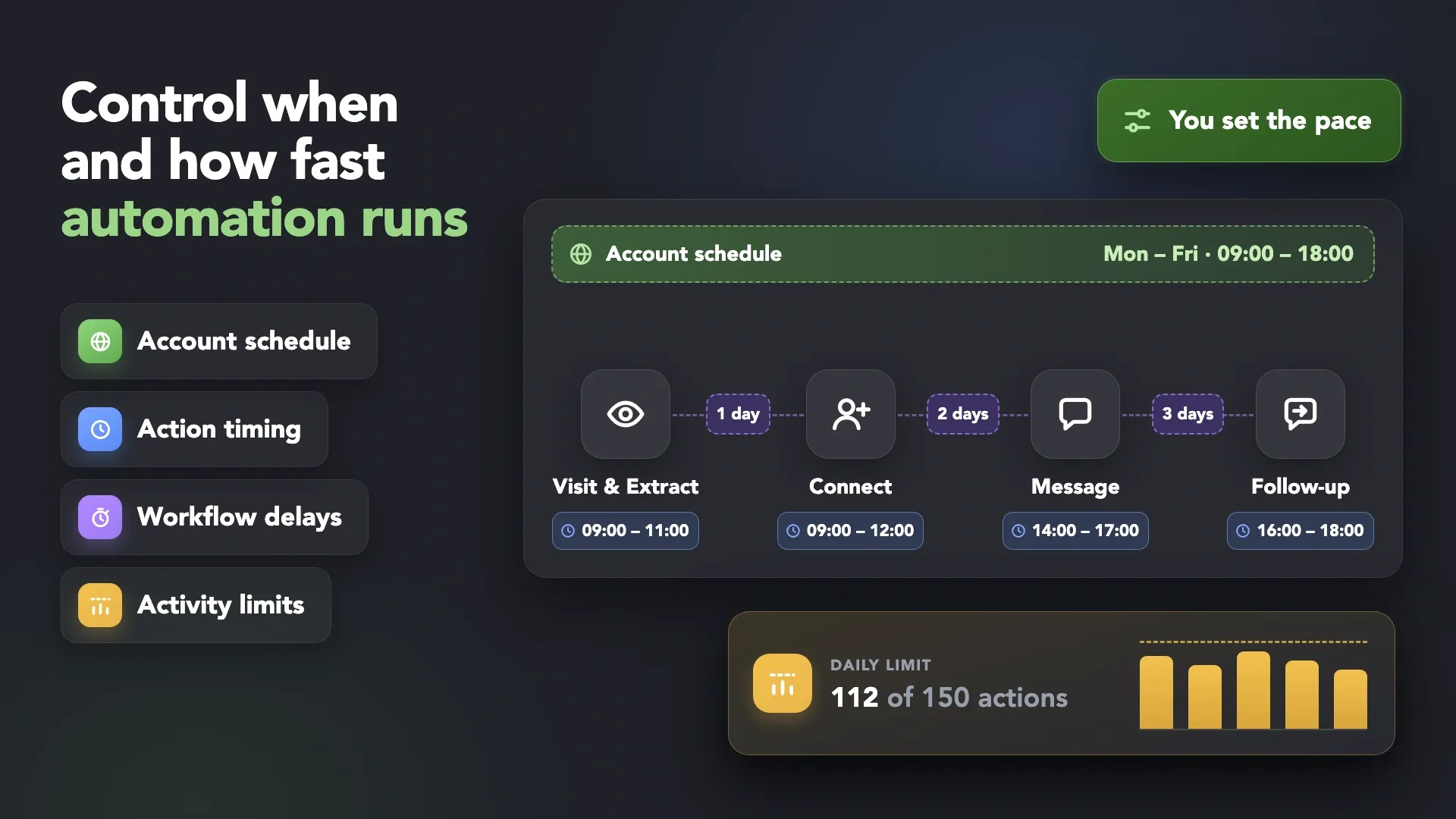
 Set Working Hours
 Configure Delays & Pacing
 Smart Limits
 Safe LinkedIn Automation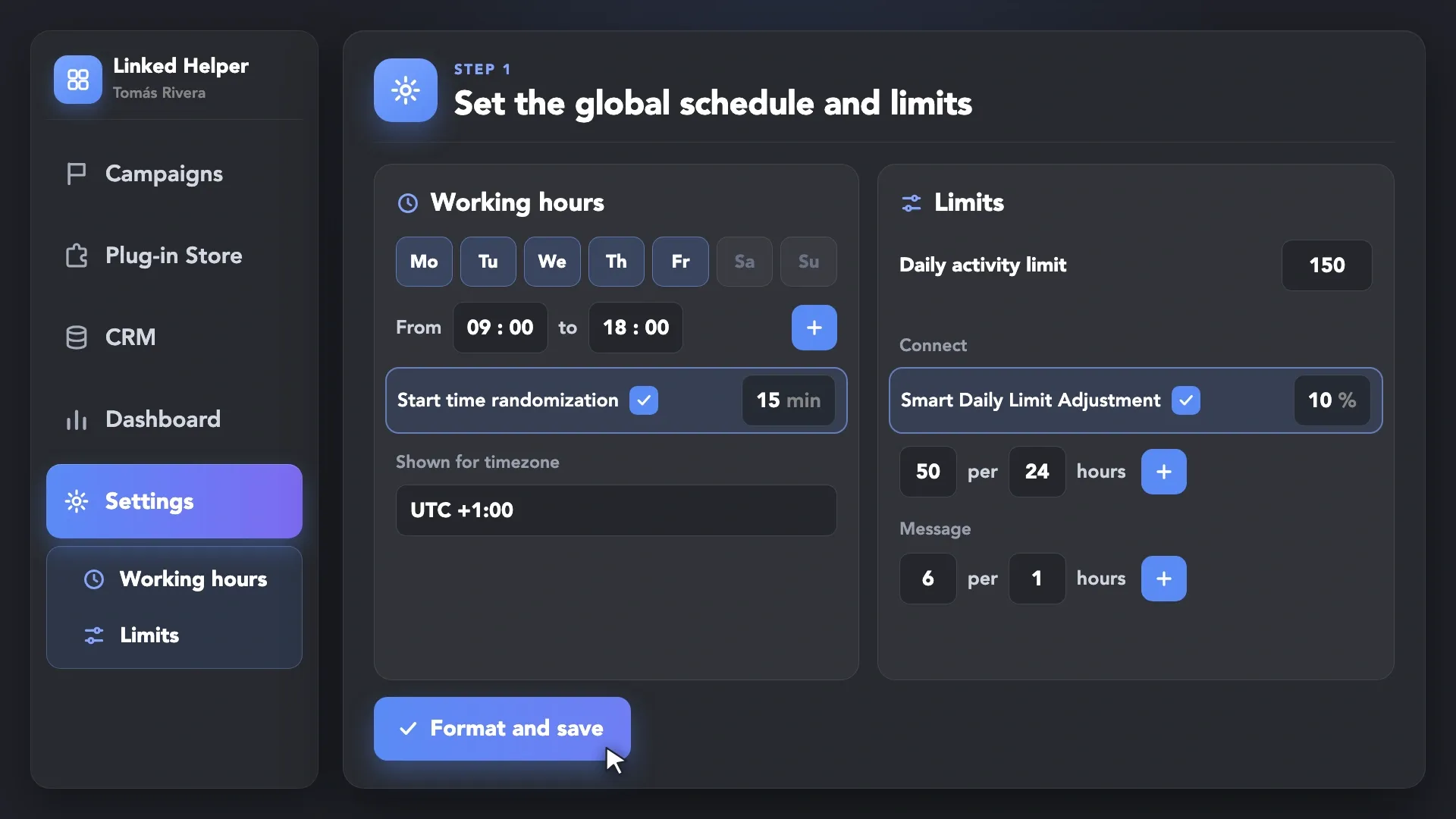
Set the Global Schedule
Define the days and time periods when Linked Helper can work for the account. This schedule applies across campaigns and actions.
Customize working hours, delays, pacing, and activity limits across your workflows —
then scale LinkedIn outreach with more predictable control.










 Without Linked Helper
 Fixed, Predictable Patterns
 With Linked Helper
 Controlled Timing & Pacing
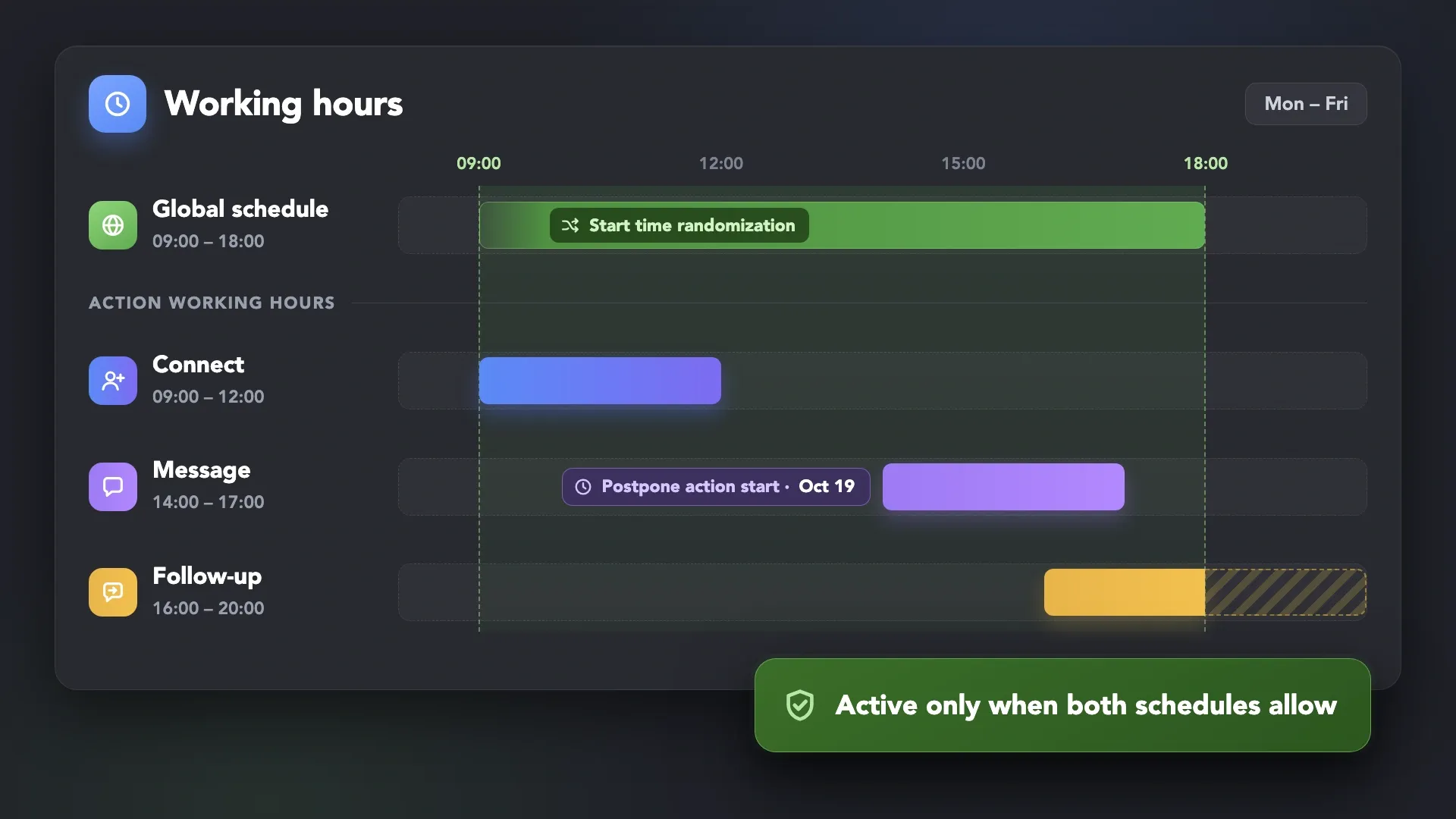
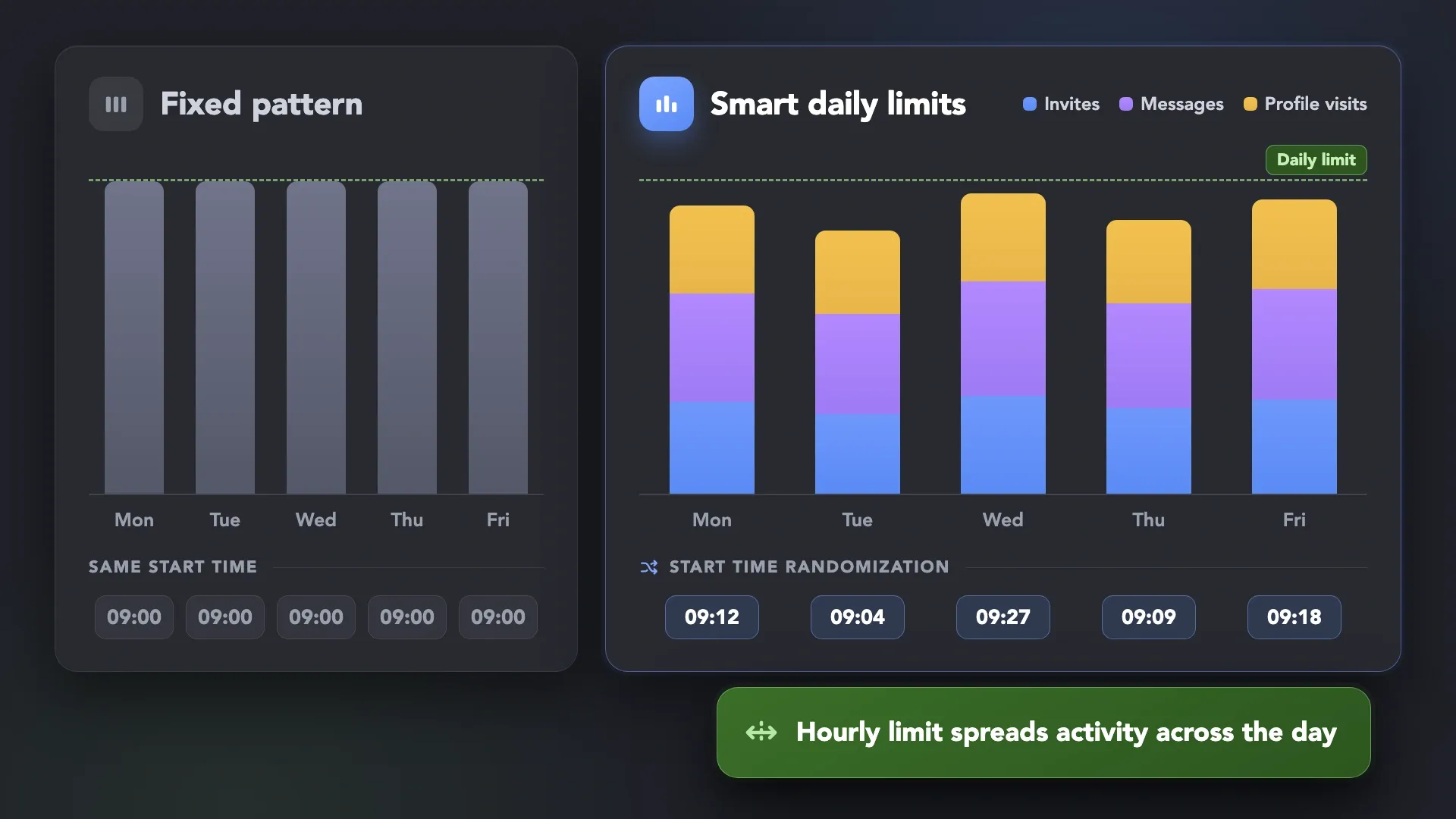
Set Global Working Hours for the whole account, Action Working Hours for individual actions, and Postpone Action Start for a specific date and time — with Start Time Randomization inside the configured schedule.
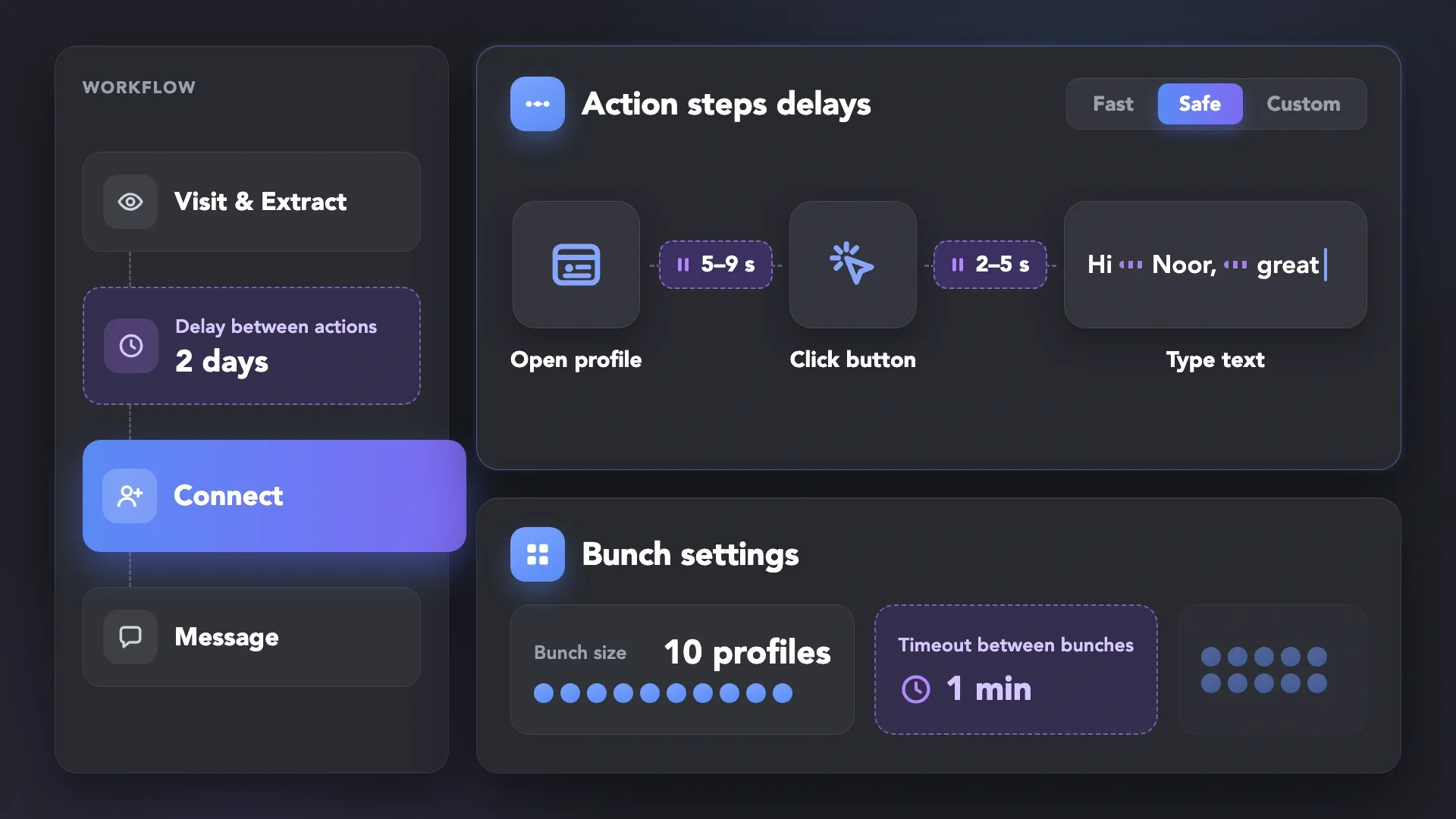
Use Delay between Actions to time each profile individually, Action Steps Delays to pause between
clicks and page loads, and bunch timeouts to keep activity density under control.
Combine overall and activity-specific limits, hourly activity distribution, and Smart Daily Limits
with controlled variation — for more deliberate automation at scale.
Define the days and time periods when Linked Helper can work for the account. This schedule applies across campaigns and actions.
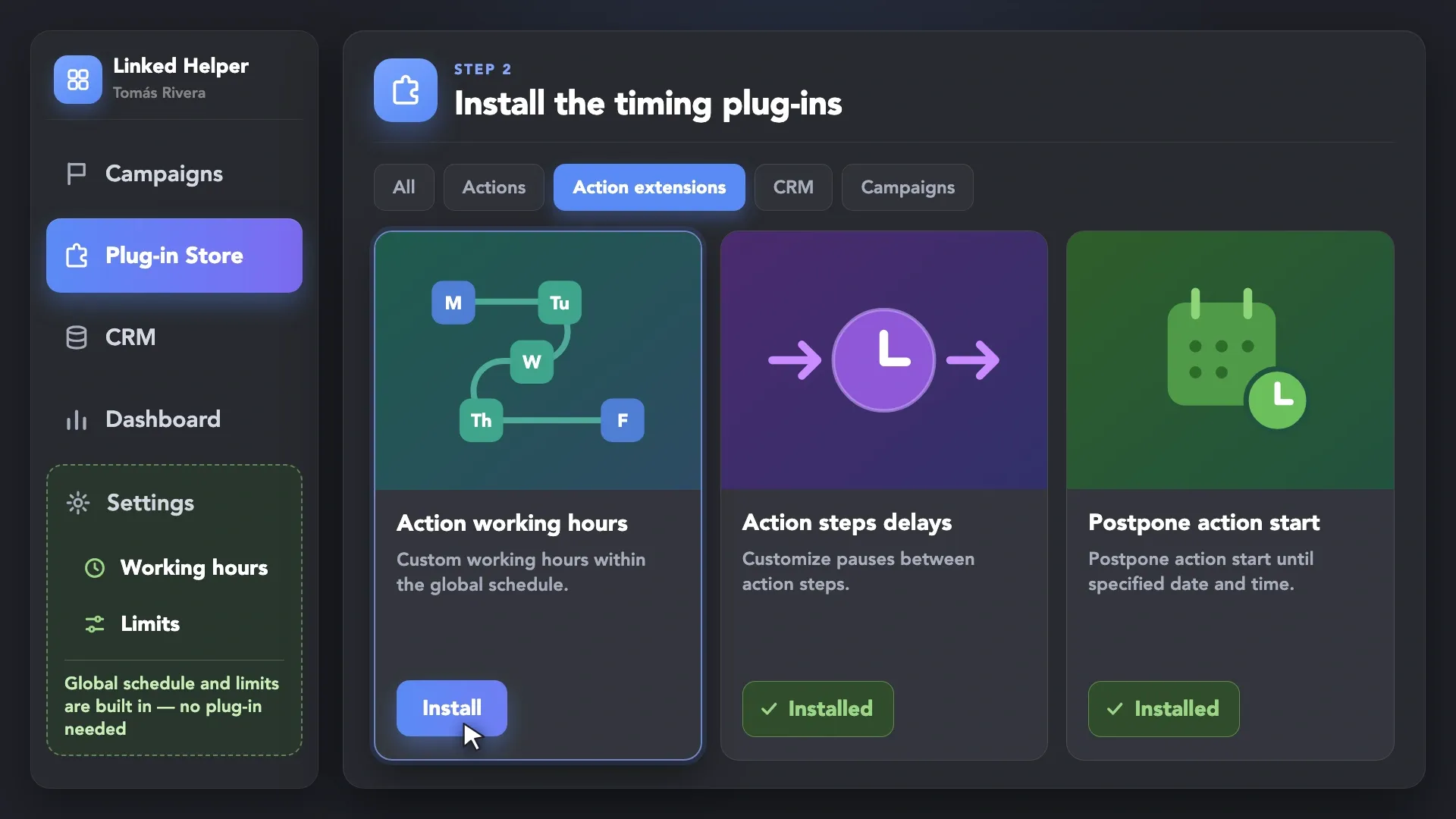
Action Working Hours, Action Steps Delays, and Postpone Action Start are available from the Plug-in Store. Global Working Hours and Limits are available in the account Settings.
All plug-ins are free and already included in your Linked Helper subscription.
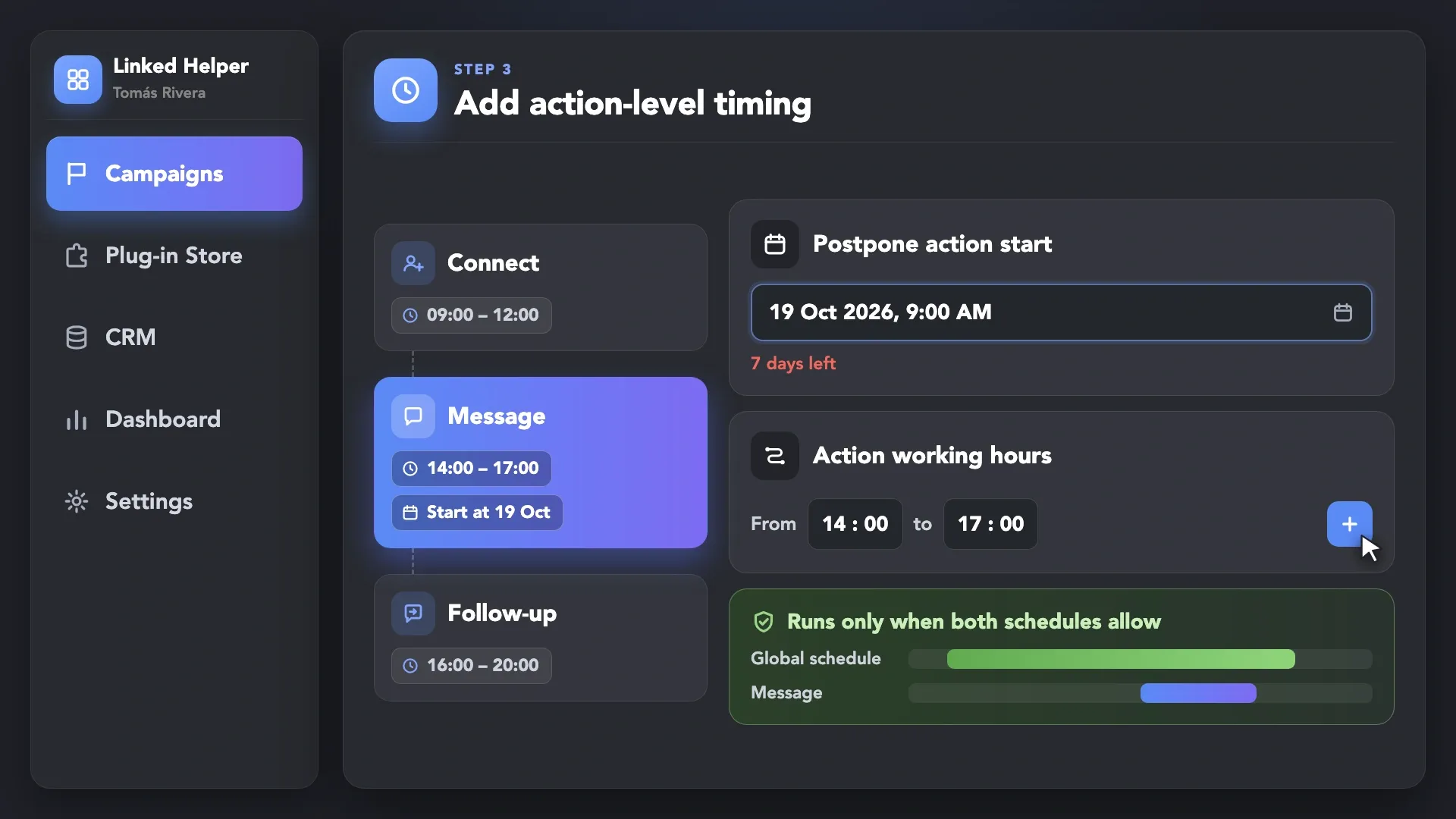
Set separate working hours for specific actions when different workflow steps require different timing. Need an action to wait? Postpone its start once: after the set date and time, the action runs on its usual schedule again.
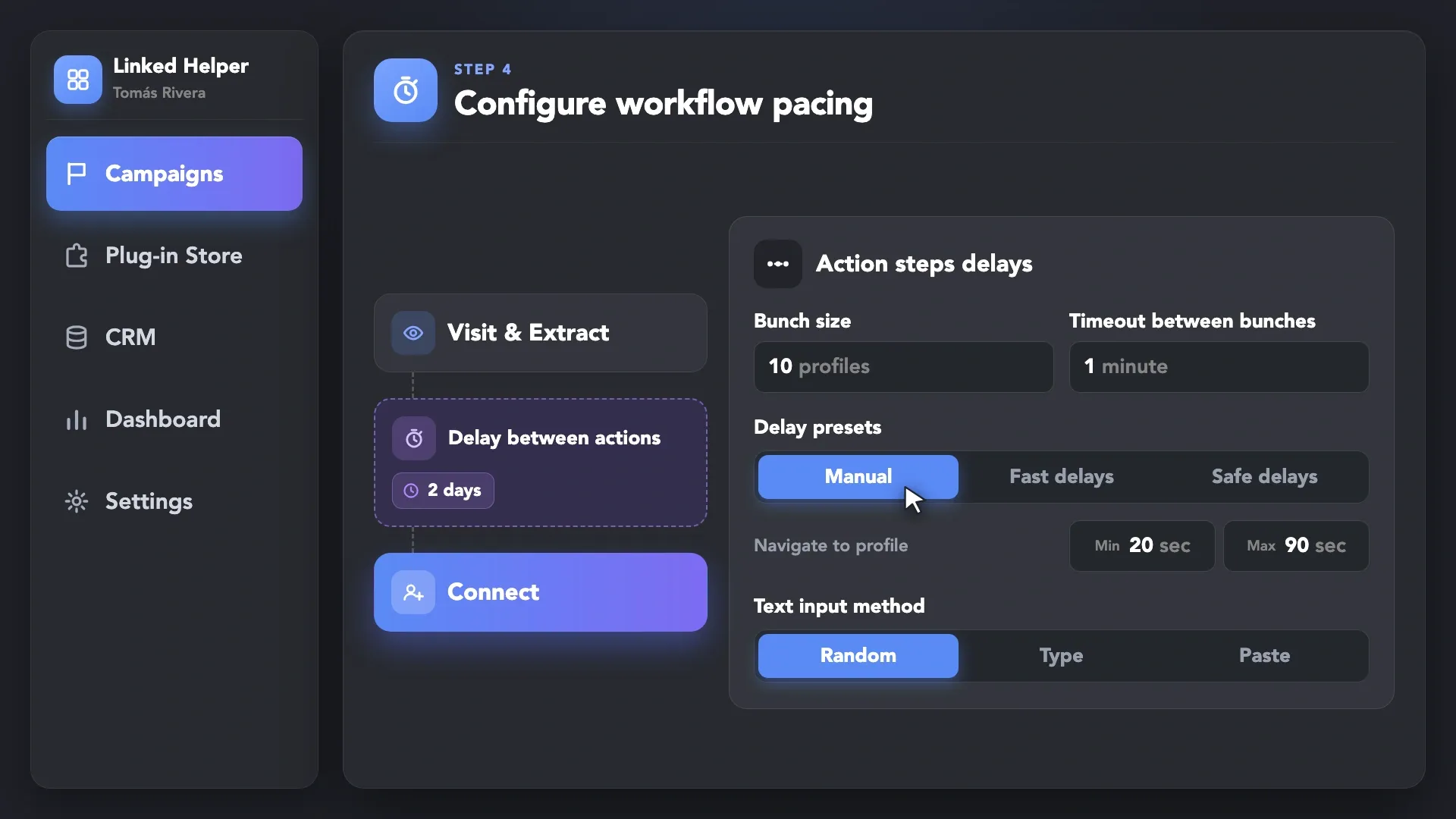
Set the delay between workflow actions, adjust pauses inside individual actions, define bunch sizes and timeouts, and configure overall or activity-specific limits.
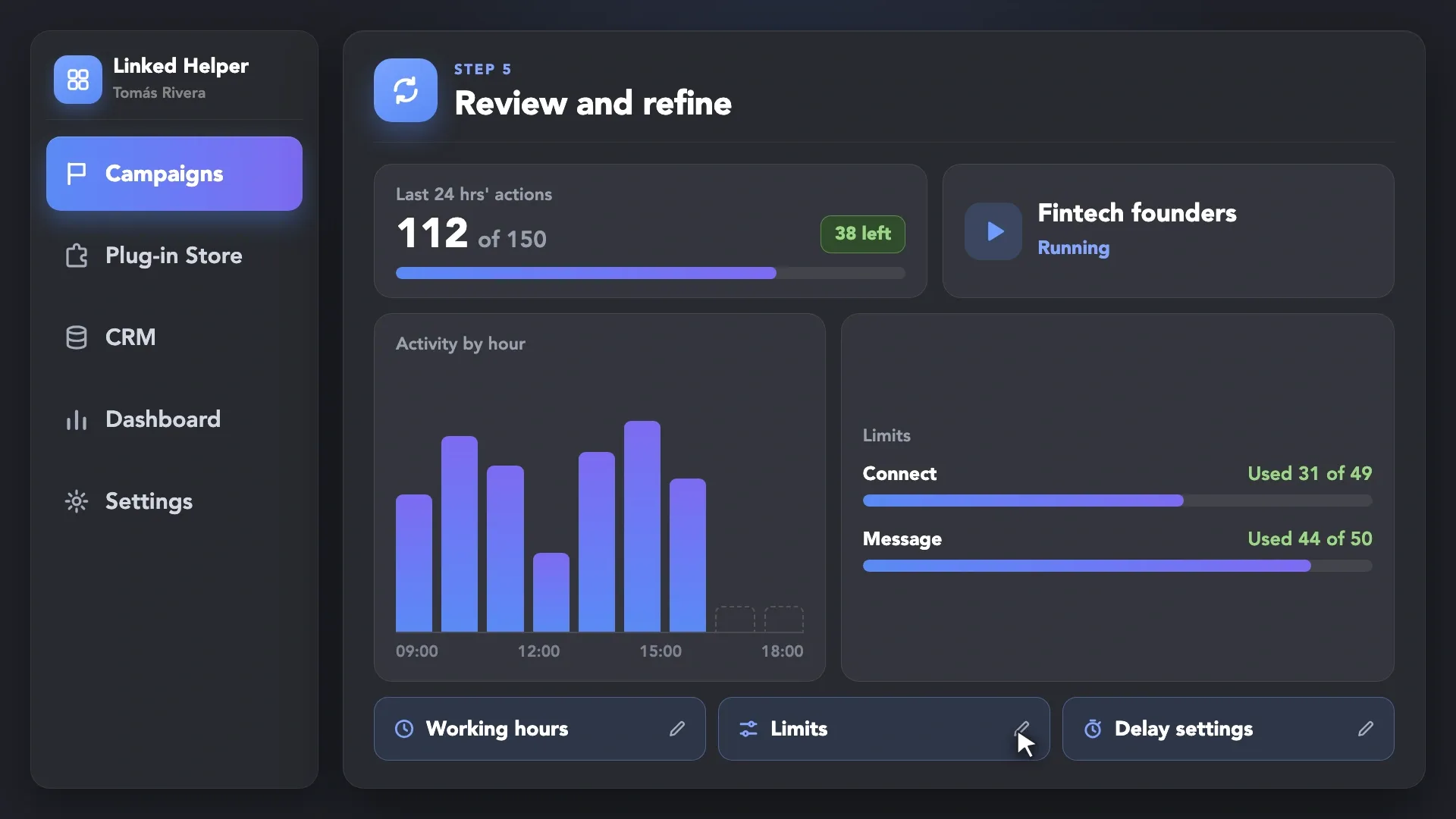
Monitor activity density, used limits, and workflow timing as your outreach scales. Adjust the configuration when your campaigns, audiences, or activity mix changes.
Define the days and time periods when Linked Helper can work for the account. This schedule applies across campaigns and actions.
LinkedIn may restrict accounts that perform too many actions or perform them too quickly. Timing controls are only one part of safer automation. Linked Helper combines local execution, isolated browser environments, dedicated proxies, and human-like interaction patterns to help reduce detection and account-risk factors.
Linked Helper is verified undetectable by DataDome, Cloudflare, PerimeterX, and 10+ other leading bot detection systems — so your account stays safe, always.
 DataDomeCloudflarePerimeterXAkamaiImperva10+ more
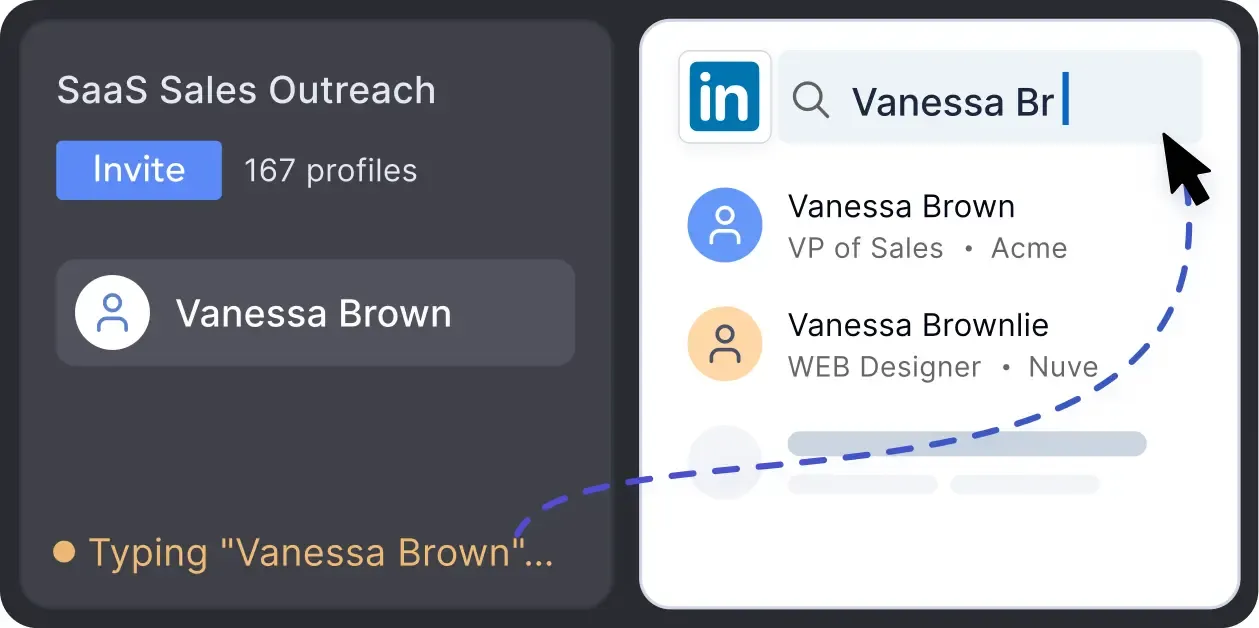
Mimics human actions with mouse movements and clicks, typing, and randomized delays. Navigates via LinkedIn search rather than direct URLs.
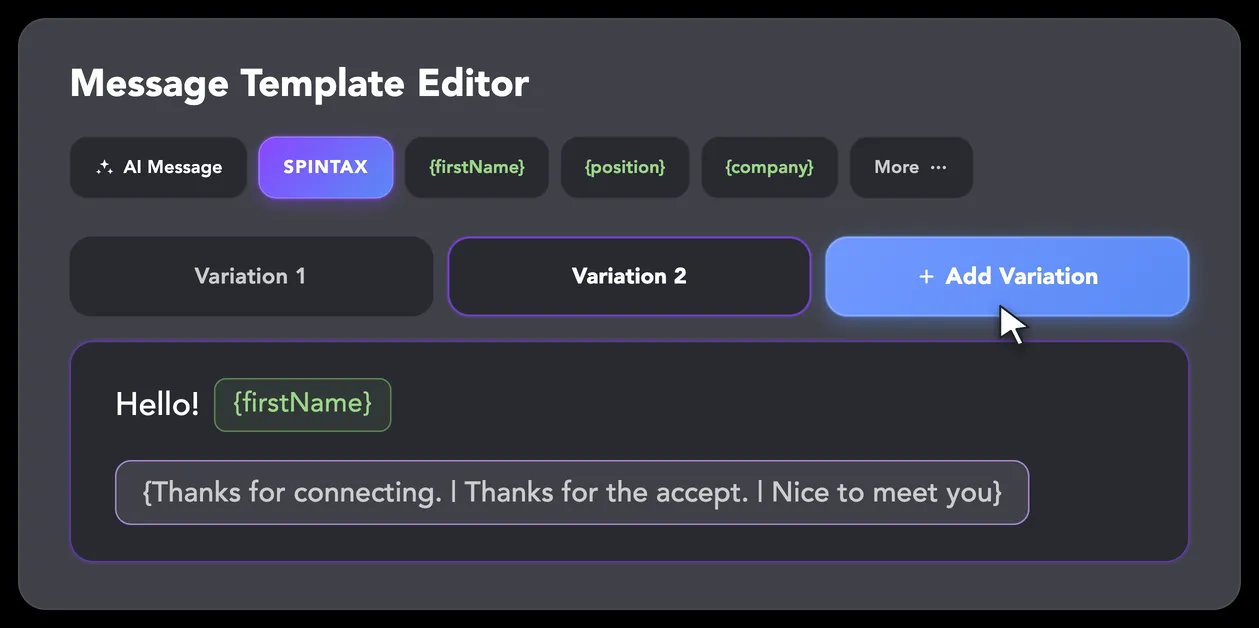
LinkedIn algorithms flag repetitive text. Combine your generated templates with unique syntactic variations for every single message, keeping your outreach off the spam radar.
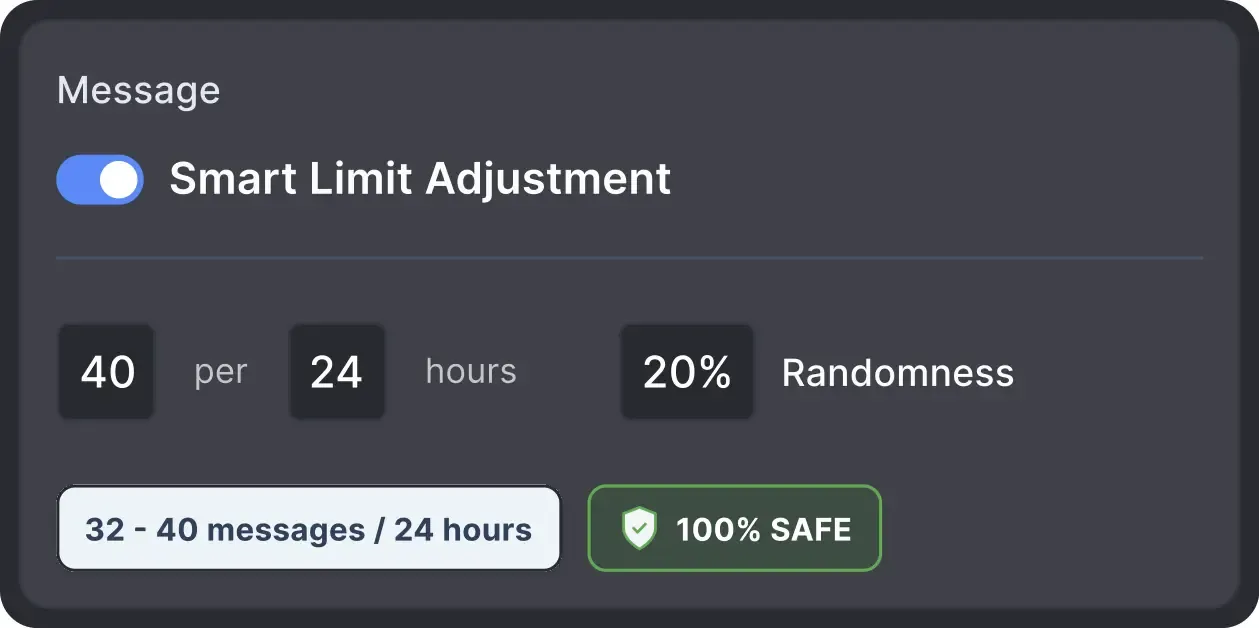
Operates within safe, recommended daily quotas and works on a "human-like" schedule (e.g., 9 AM - 5 PM) with random shifts to avoid robotic patterns.
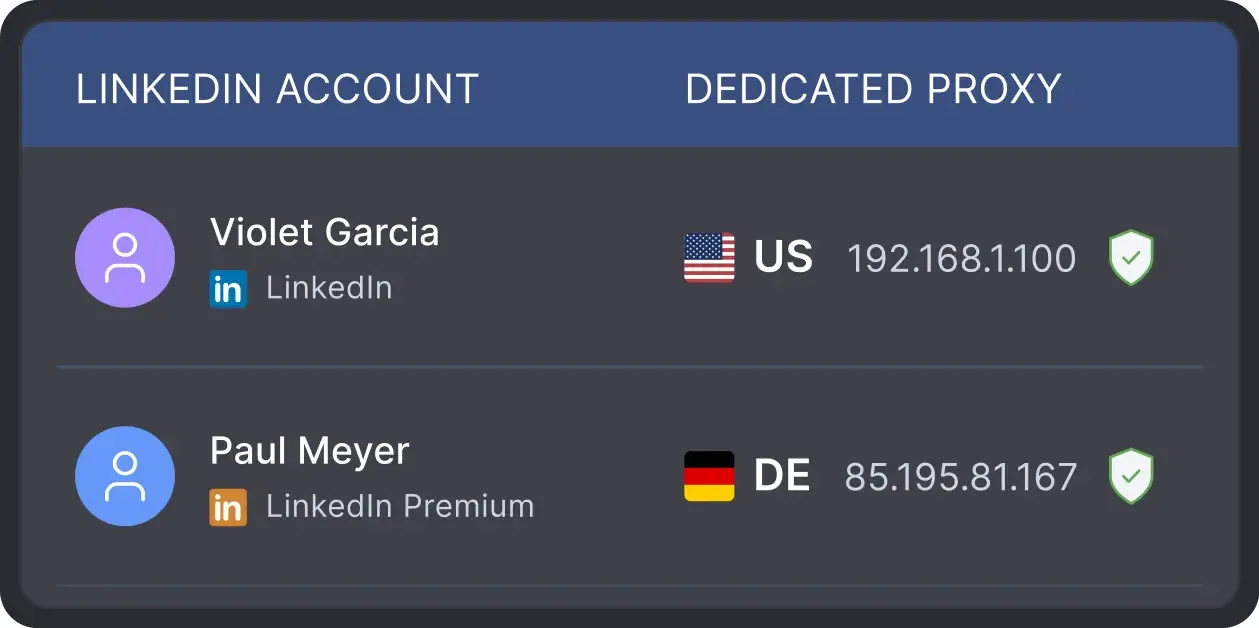
All activity comes from your local IP address or a chosen dedicated proxy, not a suspicious server, avoiding a major red flag for LinkedIn.
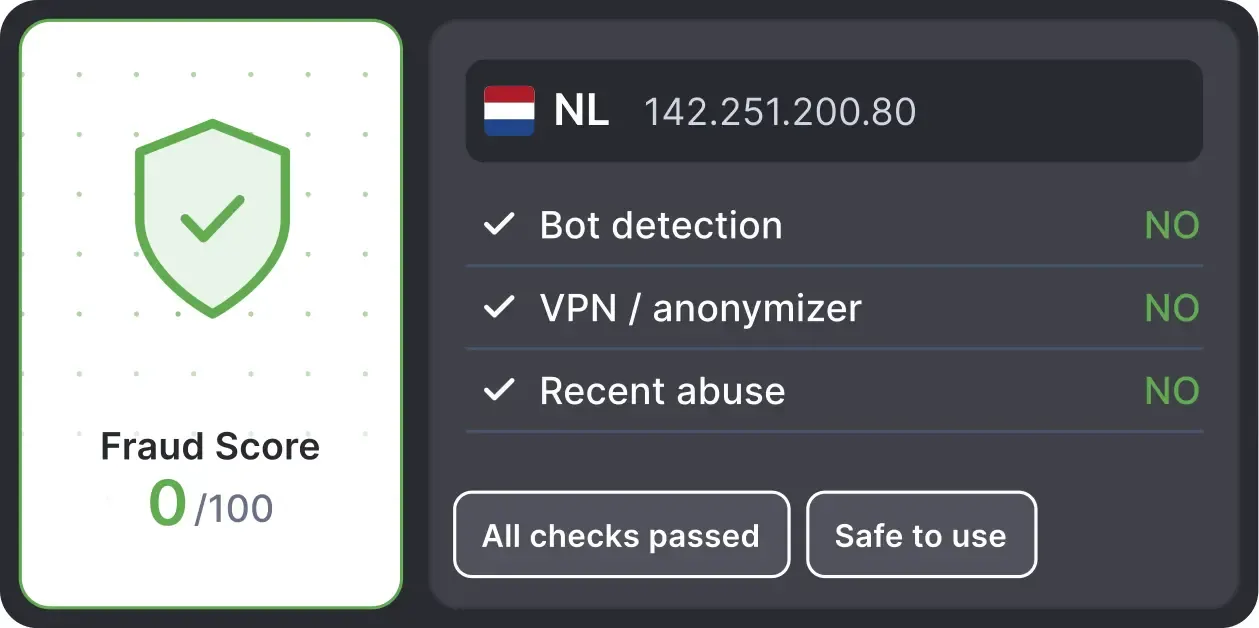
Automatically validates your proxy's "Fraud Score" to ensure you're not using a low-quality or blacklisted IP, adding an extra layer of security for multi-account management.
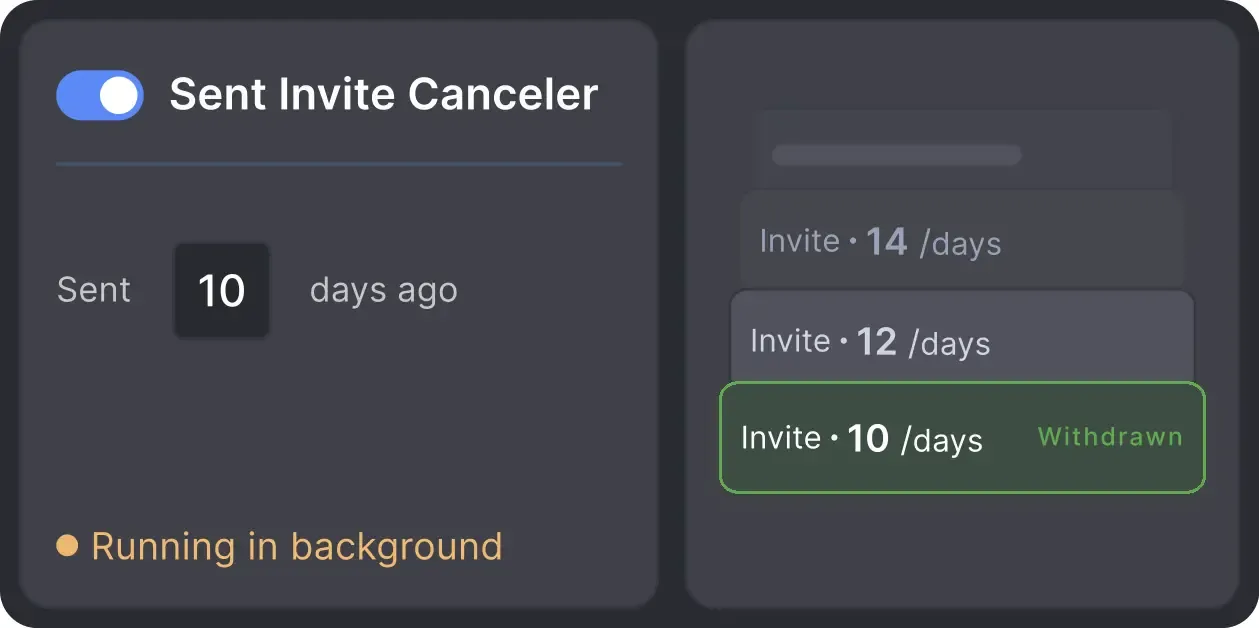
Automatically retracts old, unanswered connection requests to keep your profile in good standing with LinkedIn's algorithm.

Basic

Premium

Sales Navigator

Recruiter
Basic
Premium
Sales Navigator
Recruiter
From finding leads to closing deals, Linked Helper automates every step of your outreach funnel.








It is sensibly paced, doesn't flag any LinkedIn issues or break any parameters, and is like having another person working with me (but a whole lot cheaper). I love the product and expect to use it for the foreseeable future. Thumbs up LinkedHelper!

By connecting a Sales Navigator Pro account and building a filtered list on LinkedIn, I had Linked Helper running Monday to Friday, warming up those leads by liking their content, following them, sending connection requests, and starting conversations.
The tool executes every action as slowly and safely as it can, so it doesn’t raise any red flags with LinkedIn’s systems, and in my case, it worked flawlessly.

It spaces out your invitations and messages. You can do all kinds of things with it including adding people to groups and events.

Amazing tool that covers entire LinkedIn lead generation on autopilot. Plugins give you extra features and I highly recommend checking those out. My favorite ones are multi-campaign runner, action working hours, and filter contacts.
Linked Helper is the best campaign automation tool via LinkedIn.
It is practical, fast and you don't have to worry about LinkedIn limits since Linked Helper respects them!
They also have online customer service support that makes managing the tool easier.
I’ve been using LinkedHelper for about a year now, and I’m really happy with it! It works just like a real human, and I haven’t had any issues with my LinkedIn accounts since I started. I’ve had some bad experiences with other automation tools that got me blocked, but LinkedHelper has been great. Plus, their support team is awesome. Overall, I’m super satisfied!
It saves me a lot of time and repetitive tasks. I add leads one time, and it sends automatically. I also don't track the follow ups and follow up days. It is a great tool!
I liked that it can automate almost every thing in LinkedIn, and make multiple campaigns like sending connection requests, sending email messages and send followup message and extract profile email, and a lot more and all if that is done in a safe way so the LinkedIn account avoid block, it save a lot of time and efforts in a safe way.
LinkedIn Helper is affordable, scalable and reliable. It gives me complete control over my campaigns.
No chatbots. No waiting days for a reply. Get fast, expert help from real people
who are committed to your success, anytime you need it.
Aleksandra T.
Business Owner, Supplies and Equipment
A huge shout-out to their Customer Support and Client Support teams—the helpdesk is incredibly responsive, professional, and always provides clear solutions to any technical questions.
 Review
24/7 LIVE CHAT & EMAIL
Get a real human response in minutes, not days.
REMOTE ASSISTANCE
If you're truly stuck, we can connect to your computer and guide you.
IN-DEPTH KNOWLEDGE BASE
Step-by-step video tutorials and articles for every feature.
Start with the tools you need to control campaign timing, action pacing, and activity limits.
Upgrade when you need more advanced automation, integrations, or higher activity limits.

All your data stays on your device in local folders you can access directly.

Each account has its own isolated storage - no data mixing.

With outgoing webhooks, Linked Helper can send data to third-party systems.

Data is stored in local folders on your device. No app, no internet required to access your files.

Install the app on a new device and pick up right where you left off.

Share LinkedIn accounts and campaign data without manual exports.
With incoming and outgoing webhooks, Linked Helper can receive data from and send data to third-party systems.

Your data is automatically backed up to the cloud - no risk of losing it if something happens to your device.

Switch devices or reinstall the app without moving files manually.
Local tax may apply
Join our weekly live training for a kick-start, or explore our library of bite-sized guides at your own pace.
We provide every resource to help you scale safely.

A 60-minute live walkthrough to kick-start your LinkedIn lead generation. Register now to join live or receive the recording by email even if you can’t attend.



BLOG POST

VIDEO TUTORIAL
Action Timing Control is a group of settings for managing when Linked Helper works, how quickly actions are performed, how long profiles wait between workflow steps, and how much activity takes place within a selected period.
Set the working hours, delays, pacing, and limits that fit your workflow —
and keep every part of your automation visible as you scale.








 Save My Spot