7 Best Closely Alternatives for LinkedIn Automation in 2026

7 Best Closely Alternatives for LinkedIn Automation in 2026

Milosh Potikj

B2B Content Strategist & Writer

Updated atUpdated: July 9, 2026Read time53 min read
Quick Answer

Linked Helper is the best Closely alternative for users who prioritize responsive support, account safety, and lower cost. Unlike Closely's cloud model, Linked Helper runs on your own machine and IP or on a VPS you control, so the LinkedIn session is not handed to a vendor cloud. Pricing starts at $15/mo, or $8.25/mo on a 12-month license, versus Closely's roughly $49/mo entry plan. It also gives you four support channels - in-app ticket, email, Facebook Messenger, and WhatsApp - plus a 250+article knowledge base, while Closely's documented support surface is much thinner.

ToolArchitecture20-seat agency cost (from, /year)*Compared with Closely
Linked HelperDesktop$1,58465% cheaper
Dux-SoupCloud$4,4521% cheaper
DripifyCloud$18,960320% more expensive
WaalaxyChrome extension$3,84015% cheaper
HeyReachCloud$11,280150% more expensive
Meet AlfredCloud$9,360107% more expensive
SalesRobotCloud$7,92076% more expensive
ExpandiCloud$18,960320% more expensive
SkyleadCloud$24,000432% more expensive
Octopus CRMChrome extension$5,997.6033% more expensive
CloselyCloud$4,512Baseline

Architecture and 20-seat agency cost, side by side

*Pricing data as of mid-July 2026. For the 20-seat agency scenario, costs use the feature-appropriate brand/agency tier from the source data: Linked Helper Standard, Dux-Soup Cloud Agency, Dripify Advanced, Waalaxy Pro, HeyReach Growth, Meet Alfred Team, SalesRobot Advanced, Expandi Business, Skylead All-in-one, Octopus CRM Unlimited, and Closely Custom. Figures assume annual billing where available. Cost vs Closely is calculated against Closely’s 20-seat annual cost of $4,512.

Publisher disclosure

This article is published by Linked Helper. Linked Helper is our product and our top recommendation. We use the same evaluation framework for every tool in this comparison - see "How We Evaluated These Alternatives" and "Methodology Deep-Dive" below for the full dataset and first-hand test methodology.

Key takeaways

  • Linked Helper is our pick for a structural reason the tests below make concrete, not a promotional one: it is the only desktop tool in this comparison, so the LinkedIn session and the IP LinkedIn sees stay on hardware you control. Every other tool here runs the account from vendor cloud infrastructure - which is exactly where the flagged IPs and uploaded login cookies turned up in our checks.
  • We ran live two-account sign-ups on three cloud tools - Expandi, Dripify, and Meet Alfred - and none gave us a clean, user-controlled exit. Dripify put both accounts on the same HostRoyale datacenter block (IPQualityScore: 94/100 fraud, with proxy and VPN flags); Expandi's two identically-created accounts came back with opposite verdicts, one clean and one 100/100 fraud, with no way to see or choose which you would get; Meet Alfred scored a clean 0/100 yet still routed one account through a datacenter line. For LinkedIn that origin matters - genuine users log in from residential or mobile networks, not rented servers. IPQualityScore is an independent IP-quality signal, not LinkedIn's enforcement verdict.
  • The two companion extensions we tore down - Expandi's official connector and Waalaxy's - both read li_at, the cookie that holds your live LinkedIn login, and send it to the vendor's cloud; whoever holds that cookie can act as the account without the password. Waalaxy's extension also appeared on LinkedIn's Active Extension Detection list in the June 2026 snapshot, so the install is visible before a single campaign runs.
  • In a cloud tool, a support ticket and an account-recovery problem are the same problem: when the session lives on vendor infrastructure, only the vendor can fix a broken login or a flagged IP. That is why the recurring support complaint across Closely and several alternatives - Dripify's support is its lowest-rated Capterra dimension despite strong overall scores - is really a recovery-risk complaint. Linked Helper keeps the session local and supports a custom proxy, so support is helping with an account that never left your control.
  • Two cloud tools we did not live-test - SalesRobot and Salesflow - still ship a default IP their own setup flags as proxy-unsafe, so vetting a clean proxy falls on the user. And the honest limit on our own pick: Linked Helper is LinkedIn-first with no native email sequences and takes more setup than a cloud signup, so teams that need multichannel should pair it with a dedicated email tool.

What Is Closely?

Closely is a cloud-based LinkedIn and email outreach platform: campaigns run in the vendor's web app, and users connect LinkedIn accounts for automated prospecting, messaging, and follow-up. Closely's terms of use identify Esterson Limited as the legal operator, while available company metadata lists Closely as founded in 2021 and based in Cyprus.
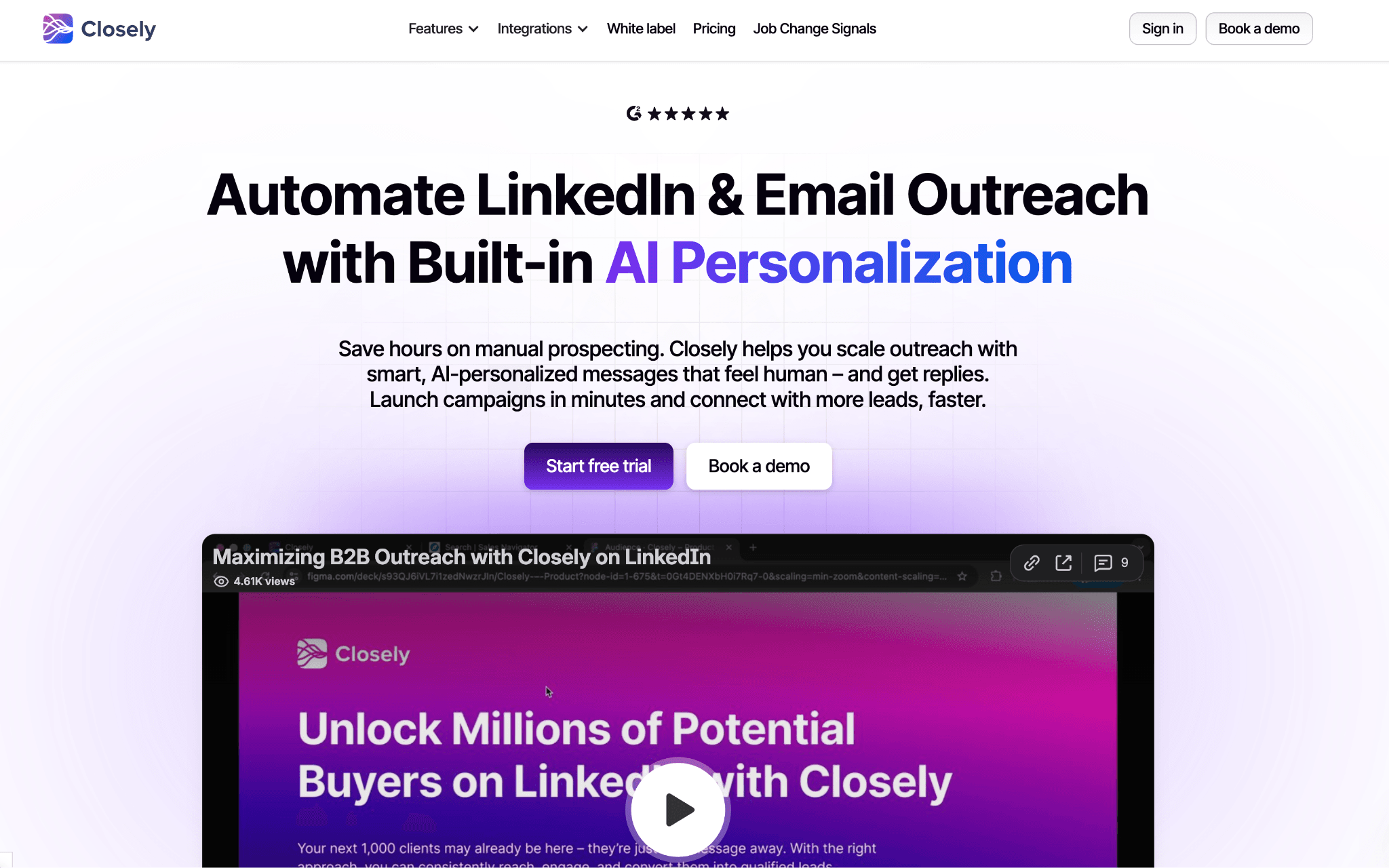
What Is Closely?

Closely's product surface combines LinkedIn automation with email outreach, lead enrichment, a unified inbox, analytics, AI personalization, and CRM sync. Its public site names Salesforce, Pipedrive, HubSpot, GoHighLevel, and Zoho as integration paths, and the tool is built around per-LinkedIn-account usage rather than a local desktop instance.

The main workflow is practical: build a prospect list, enrich contacts, send LinkedIn and email steps, track replies, and push outcomes into a CRM. Pricing should be checked again at publication, but this frame uses the article's July 2026 entry-price baseline of about $49/mo.

Closely at a Glance

Closely is useful when a user wants LinkedIn plus email in one cloud workspace, but the same model creates the support and session-custody trade-offs that drive this alternatives search.

Strengths

  • Cloud access from a web dashboard, without installing a local desktop app.
  • LinkedIn and email outreach in one campaign environment.
  • Prospect enrichment, email finding, analytics, and a unified inbox.
  • CRM connectors for Salesforce, Pipedrive, HubSpot, and related sales workflows.

Limitations

Limitations: Users frequently report stalled or unhelpful support, broken or unreliable modules, weak lead/data quality, integration disconnects, and post-purchase value concerns. The cloud model also means LinkedIn session custody sits outside the user's local environment, which is a real safety trade-off when the account is business-critical.

Who It Fits

Closely suits a single operator or small team that wants cloud access, combined LinkedIn/email outreach, and CRM sync more than hands-on support responsiveness. It is less comfortable for users who need fast human help, local session custody, or predictable per-seat economics.

Why Users Switch

Across 5,000+ reviews on G2, Capterra, and Trustpilot and 260+ Reddit threads about these tools, the same frustrations recur: support stalls, reliability issues, weak lead quality, and cloud session custody all show up near switching decisions. The interesting pattern is that support complaints do not appear alone; they often arrive after a broken workflow, refund issue, or account-risk scare.

ThemeNegative mentions
Broken / unreliable features75 feature and reliability negatives
Awful / stalled support18 support negatives
Weak lead / data quality35 lead-targeting and data-quality negatives
Integrations breaking23 integration negatives
LinkedIn account restriction / safety21 safety-detection negatives
Pricing and post-purchase value37 pricing and transparency negatives

Why users leave Closely - recurring themes

As of July 2026 - public G2, Capterra, Trustpilot reviews and Reddit discussions classified for recurring themes.

These themes appeared consistently across review platforms and Reddit discussions, which is why the comparison below weights support recovery and session custody alongside features.

How We Evaluated These Alternatives

8+ tools, 5,000+ reviews, 260+ Reddit threads analysed as of July 2026. We evaluated Closely, the seven ranked alternatives, public vendor and pricing pages, and first-hand safety checks where the tool's setup made those checks observable.

Dataset

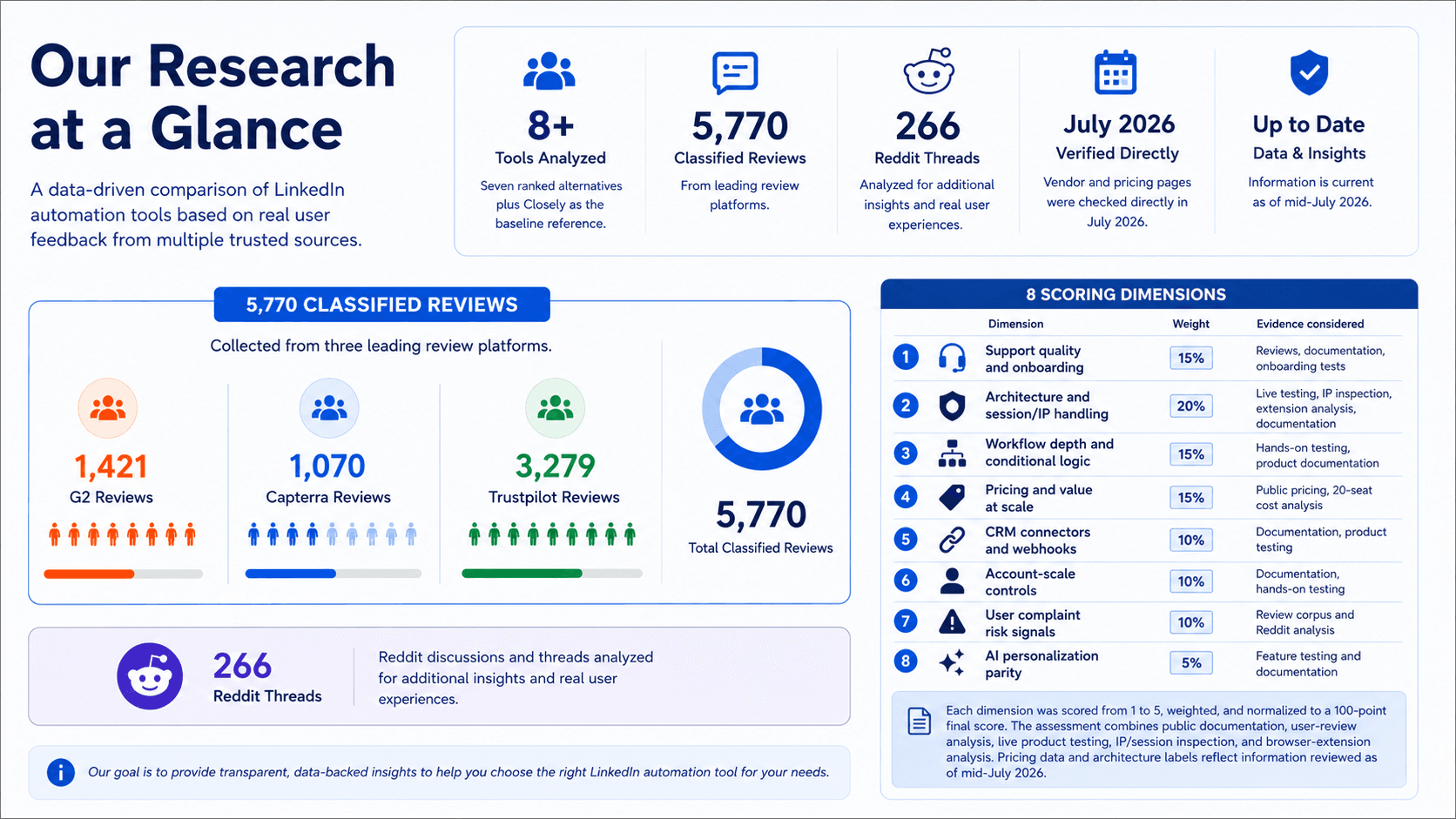
The dataset covers 8+ tools: seven ranked alternatives plus Closely as the baseline reference. It includes 5,770 classified reviews across G2, Capterra, and Trustpilot, split as 1,421 G2 reviews, 1,070 Capterra reviews, and 3,279 Trustpilot reviews, plus 266 Reddit threads. Vendor and pricing pages were checked directly in July 2026.

Evaluation Framework

We converted our findings into a weighted 100-point editorial scoring model based on four evidence sources: public documentation, 5,000+ user reviews and Reddit discussions, hands-on product testing, and browser-extension analysis where applicable. Architecture and session/IP handling received the highest weight because our testing showed that session custody and IP transparency materially affect operational control and account recovery.
Evaluation Framework

Each tool was scored across eight dimensions: support and onboarding, architecture and session/IP handling, workflow depth, pricing value at scale, CRM connectors and webhooks, account-scale controls, user complaint risk signals, and AI personalization.

AI was treated as a parity axis rather than an automatic win: tools received credit only when AI improved controlled outreach workflows, not simply because the product used the term “AI.”

Scoring dimensionWeightEvidence considered
Support quality and onboarding15%Reviews, documentation, onboarding tests
Architecture and session/IP handling20%Live testing, IP inspection, extension analysis, documentation
Workflow depth and conditional logic15%Hands-on testing, product documentation
Pricing and value at scale15%Public pricing, 20-seat cost analysis
CRM connectors and webhooks10%Documentation, product testing
Account-scale controls10%Documentation, hands-on testing
User complaint risk signals10%Review corpus and Reddit analysis
AI personalization parity5%Feature testing and documentation

LinkedIn automation scoring model

Each dimension was scored from 1 to 5, weighted, and normalized to a 100-point final score. The assessment combines public documentation, user-review analysis, live product testing, IP/session inspection, and browser-extension analysis. Pricing data and architecture labels reflect information reviewed as of mid-July 2026.

To avoid mixing product architecture with login mechanics, we separate two layers in this comparison: architecture and cloud session-access method. Architecture means where the automation runs: desktop, cloud, or browser extension. Cookie-bridge and credential login are treated as cloud authorization methods, not standalone architectures.

Architecture labelWhat it meansWhere automation runsIP LinkedIn seesWho holds the session
DesktopA local app or user-controlled VPS runs the automationUser’s machine or user-controlled VPSUser IP, VPS IP, or assigned dedicated proxyUser-controlled environment
CloudCampaigns run inside the vendor’s web app and cloud infrastructureVendor cloudVendor-assigned IP, proxy, or dedicated IPVendor-managed cloud session
Browser extensionA browser extension operates inside the user’s active LinkedIn browser sessionUser’s browserUser IPUser’s browser session; the extension reads or acts within that session

LinkedIn automation architecture glossary

Architecture labels describe where automation runs. They do not by themselves determine the final product score; risk also depends on session transparency, proxy controls, throttling, workspace governance, and observed user complaints. Labels reflect public information reviewed as of mid-July 2026.

Session-access methodWhat it meansApplies to
Credential loginThe user connects or logs into LinkedIn through the vendor’s cloud app, creating a cloud-managed sessionCloud tools
Cookie bridgeA browser extension or handoff flow transfers an existing browser session to the vendor cloudCloud tools with extension-assisted setup

Cloud session-access methods

Credential login and cookie bridge are authorization/session-access methods, not separate product architectures. Both can result in automation running from the vendor cloud once the session is connected.

7 Best Closely Alternatives Compared

ToolArchitecturePrice (entry/mo)LinkedIn Session CustodySupport channelsFree trial (days)CRM integrationsSpintaxOn LinkedIn AED list?
Linked HelperDesktop standalone$15/molocalEmail, Live Chat, In-App Tickets, WhatsApp, Facebook Messenger, Instagram1411 direct + webhooksYesNo
ExpandiCloud$99/movendor-cloudEmail, Live Chat, Phone14HubSpot, Pipedrive, SalesforceNoNo
SalesRobotCloud$59/movendor-cloudEmail14d5 nativeNoN/A
DripifyCloud$59/movendor-cloudEmail73 native connector paths + Zapier/Make CRM routingNoNo
WaalaxyCloud$42/movendor-cloudLive Chat14dHubSpot, Pipedrive + 2,000+ via Make, Zapier, and n8nNoYes
Meet AlfredCloud$59/movendor-cloudEmail, Live Chat7 observed / 14 claimedZapierNoNo
SalesflowCloud$99/movendor-cloudLive Chat7dHubSpot native; Pipedrive/Salesforce via listingNoNo
Closely (anchor)Cloud~$49/movendor-cloudEmailNot documentedSalesforce, Pipedrive, HubSpot, GoHighLevel, ZohoNot documentedYes

Top Closely alternatives compared (July 2026)

As of July 2026 - classified reviews, first-hand tests, vendor pages, and pricing checks.

The table shows why the support question cannot be separated from architecture. Cloud rivals can offer convenient web access, but session custody, IP control, support channels, and price determine how much risk and friction a user inherits after switching.

Pricing note: All prices are indicative and subject to change at time of publication. Re-check vendor pricing pages before publishing.

1. Linked Helper

Linked Helper is the only desktop standalone here: actions run from the user's machine/IP and the session token (the login credential a cloud tool can replay) is not stored by a vendor, so switching for support does not add cloud custody risk. Teams leaving Closely for stalled support reach for it at $15/mo.
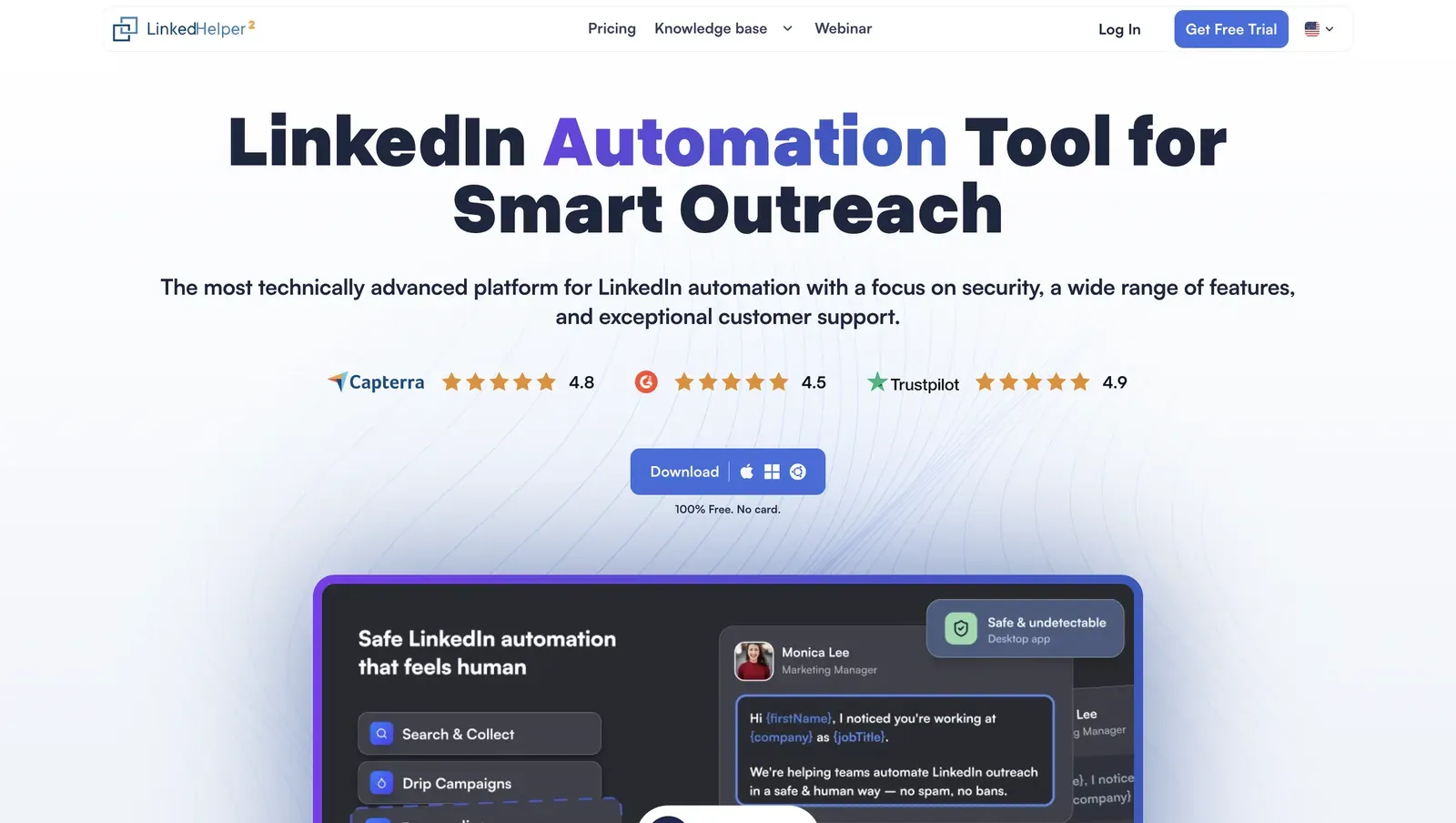
Linked Helper homepage showing product preview, ratings badges, security-first messaging, and free desktop download

Founded in 2016 and headquartered in Wilmington, Delaware, Linked Helper is a Windows, macOS, and Ubuntu LinkedIn automation app with its own built-in browser engine. It handles prospect collection, connection invites, follow-ups, data enrichment, and CRM handoff for LinkedIn and Sales Navigator workflows. A 12-month Standard license is $8.25/mo equivalent, with a 14-day trial; the 825-review corpus averages 4.85★, while the latest six-month slice has edged up to 4.86★ across 23 reviews, suggesting consistently strong user satisfaction.

Quick facts about Linked Helper

  • Founded: 2016
  • HQ: United States (Wilmington, DE)
  • Pricing: Standard $15/mo ($8.25/mo annual), Pro $45/mo ($24.75/mo annual), 14-day free trial
  • G2: 4.5★ (142) · Capterra: 4.9★ (252) · Trustpilot: 4.91★ (431)
  • Last 6 months: 4.89★ (trending up) across 23 reviews
  • Architecture: desktop

Vendor pricing, company & feature pages (as of 2026-07-09) + G2, Capterra, Trustpilot & Reddit reviews (computed 2026-07-09)

Key Features

  • Desktop app + VPS/Web Version — the Web Version provides browser access to a Linked Helper instance running on a user-controlled VPS, enabling 24/7 automation while the LinkedIn session remains on infrastructure the user controls.
  • AI outreach suite — AI ICP Detection scores prospects against an ideal customer profile; AI Personalized Messages generate tailored invitations and follow-ups; AI Comments automate contextual engagement before outreach; AI Reply & Editor translates, rewrites, shortens, and drafts context-aware responses directly in the Inbox.
  • Redesigned campaign dashboard and inbox — a centralized control center for AI drafts, replies, active campaigns, and key performance metrics.
  • Multi-channel support resources — four support channels, a 262-article knowledge base, and an active community forum provide multiple recovery paths when setup or campaign issues occur.
  • Per-account proxy management plus a built-in proxy quality checker help validate the connection LinkedIn will see before accounts are connected.

- Lead enrichment and data freshness — Enrich prospect profiles from the platform's own database instead of relying solely on LinkedIn, reducing profile views and other LinkedIn actions that can contribute to detection. Verified work emails include freshness timestamps, helping teams filter out stale contact data and prioritize recently validated records.

  • CRM and automation ecosystem — 11 native CRM connectors plus Zapier, Make, and webhooks simplify syncing leads into existing sales workflows.
  • Support ecosystem — four support channels, a 262-article knowledge base, and an active community forum provide multiple paths to resolve setup, campaign, and technical issues.

A useful signal from the reviews is the consistently positive feedback on customer support, particularly during onboarding and implementation.

What reviewers say about Linked Helper

Real-world scenario

Because switching evidence is thin—one user arrived from Jarvee and one left for AutoIN—the scenario here is based on Linked Helper's own workflow: qualify a noisy 1,000-profile LinkedIn or Sales Navigator list with AI ICP detection before spending weekly invites. After qualification, AI-generated message variations help avoid sending identical outreach to every prospect, reducing repetitive patterns that can contribute to LinkedIn detection.

Reddit
ChatGPT
sequencing and follow-ups go through linked helper, but I write the actual message copy myself then ask AI to give me like 4 variations so I'm not blasting the exact same sentence to everyone.

Previously, users relied on external AI tools to generate multiple message variations and pasted them into Linked Helper manually. The built-in AI personalizer streamlines that workflow while helping reduce repetitive outreach patterns.

Bottom line

Teams leaving Closely because support stalls reach for Linked Helper when they want LinkedIn-first outreach, lower account-custody exposure, and a price they can test before paying. The honest gap is scope: it does not run native email or full multichannel sequences, so pair it with a dedicated email tool for that channel.

If support and session custody are the priority, Linked Helper is the recommendation here.

2. Expandi

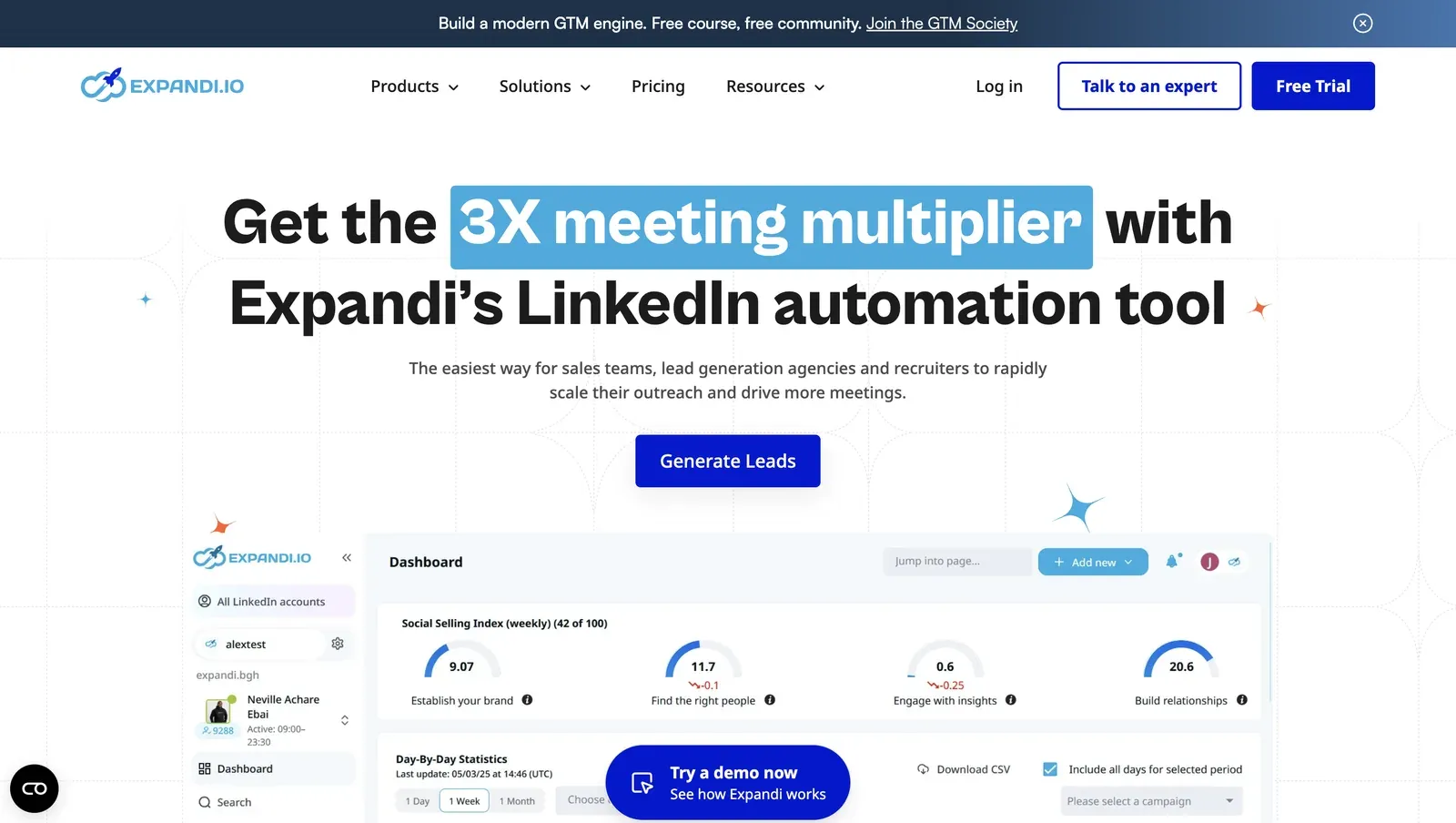
As a Closely alternative, Expandi is a web-app LinkedIn outreach tool founded in 2019 and listed under Ohio/US jurisdiction. It targets teams that want browser signup, LinkedIn-plus-email sequences, AI-generated messages, and CRM/webhook handoffs. Annual pricing is $79/mo equivalent; on the entry-price basis used in the At-a-Glance table, 20 seats price out at $23,760/year, tied with Salesflow. The pricing page advertises 14 trial days; our June signup showed 7 days and required a card, which makes cancellation checks part of setup.

Expandi homepage showing LinkedIn automation positioning and a product dashboard preview.

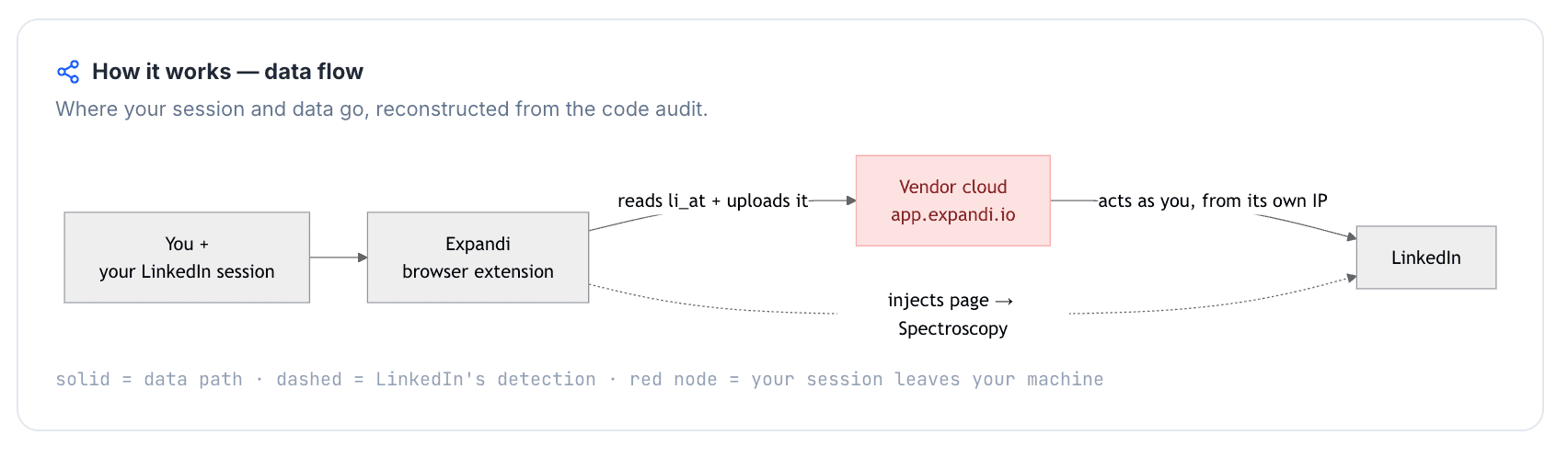
Expandi's official connector uploads the LinkedIn li_at session cookie - your login in cookie form - to Expandi's cloud, and our live signup drew one high-risk assigned IP; in practice, session custody and IP reputation sit outside the user's control. Teams wanting onboarding-call help reach for it anyway, at $99/mo.

Quick facts about Expandi

  • Founded: 2019
  • HQ: United States (Ohio listed)
  • Pricing: $99/mo ($79/mo annual), observed 7-day card-required trial; pricing page advertises 14 days
  • G2: 4.1★ (98) · Capterra: 4.4★ (31) · Trustpilot: 4.07★ (202)
  • Last 6 months: 4.67★ (trending up) across 39 reviews
  • Architecture: Cookie-bridge/session-upload connector (copies the LinkedIn login to vendor cloud) plus cloud credential-login flow

Vendor pricing, support, and feature pages fetched July 2026; review aggregates computed July 9, 2026; first-hand checks run July 2026

Key Features

  • Cloud LinkedIn and email outreach - multichannel outreach runs from Expandi's web app, which means users get remote access but vendor-side session custody.
  • Onboarding and support coverage - chat, email, phone, and an active community are documented in the support audit; this explains the recent onboarding praise without proving product safety.
  • Location selection at account add - the trial flow exposed 96 locations, but no bring-your-own proxy option, so country control did not equal IP-quality control.
  • CRM and webhook handoffs - HubSpot, Pipedrive, and Salesforce are documented integration paths for sales teams.
  • AI-generated messages - Expandi documents an AI Analyzer and AI-generated messages; we did not independently verify AI personalization.
  • Dynamic placeholders - Expandi supports dynamic placeholders, but not true spintax, so the comparison-table spintax cell is "No."

The recent rating lift is mostly an onboarding-support signal, not a broad safety signal: the 4.67★ trailing-six-month average comes from 39 reviews clustered around named setup calls. Capterra's 4.62 support sub-rating points the same way, while G2 still carries 11 one-star reviews out of 98, so the praise coexists with a hard failure tail.

What reviewers say about Expandi

Real-world scenario

The cleanest switching story is inbound to Expandi: a Dripify user arrived for functionality and onboarding calls, which supports the narrow setup-help case but does not settle the safety trade-off.

coming from dripify, blown away by advanced functionality and customer service. Had 2 onboarding calls to make sure runs safely and smoothly

Read the full review on Trustpilot

Trustpilot
Rating: 5 out of 5
DR
Dan Rémi

At the evaluation stage, the assigned Reddit card puts Expandi, Linked Helper, and Lemlist in the same shortlist rather than treating Expandi as a settled recommendation.

Reddit
smallbusiness
…smth that actually automates sending messages, by now I choose between expandi, linked helper or lemlist.

The caution side is wider than one bad cancellation story. Support inconsistency, confusing campaign setup, billing friction, and integration limits all appear in the paired negative cards, which means the onboarding praise is real but not the whole support picture.

Reported limitations

The price concern also appears outside review sites:

Reddit
BootstrappedStacks
when a tool asks for $99/mo per user, I'm basically looking at a bill that will kill my profit margin.

Across the reviews we analyzed, 42 carried account-restriction or safety-detection signals, so the restriction reports are a volume signal rather than an isolated anecdote.

Within just a few hours of connecting Expandi, my account was frozen… when I try creating new ones, they also get deactivated within a few hours. I trusted Expandi once and lost the ability to use LinkedIn altogether.

Read the full review on Trustpilot

Trustpilot
Rating: 1 out of 5
AL
Artemi Leben

Safety and Setup Notes

In the live table, IPQualityScore (IPQS) means an independent fraud-prevention service that scores IP reputation; it is an independent IP-quality signal, not LinkedIn's enforcement verdict. Residential IP means a home or phone-origin line rather than a rented datacenter line; for LinkedIn, origin matters because personal accounts usually appear from residential or mobile networks.

What was checkedResult
Login modelCredentials login - Expandi creates a fresh LinkedIn session from vendor-controlled infrastructure, so LinkedIn sees a foreign IP and fingerprint rather than the user's normal browser.
Can I choose the desired location?Yes - 96 locations; this controls country selection, not IP reputation.
Can I add my own proxy?No in the trial add-account flow; Expandi's help center documents paid proxy and dedicated-IP options, so production accounts may differ.
Can I select a timezone when adding an account?Yes - useful for schedule consistency, but it does not change who holds the session.
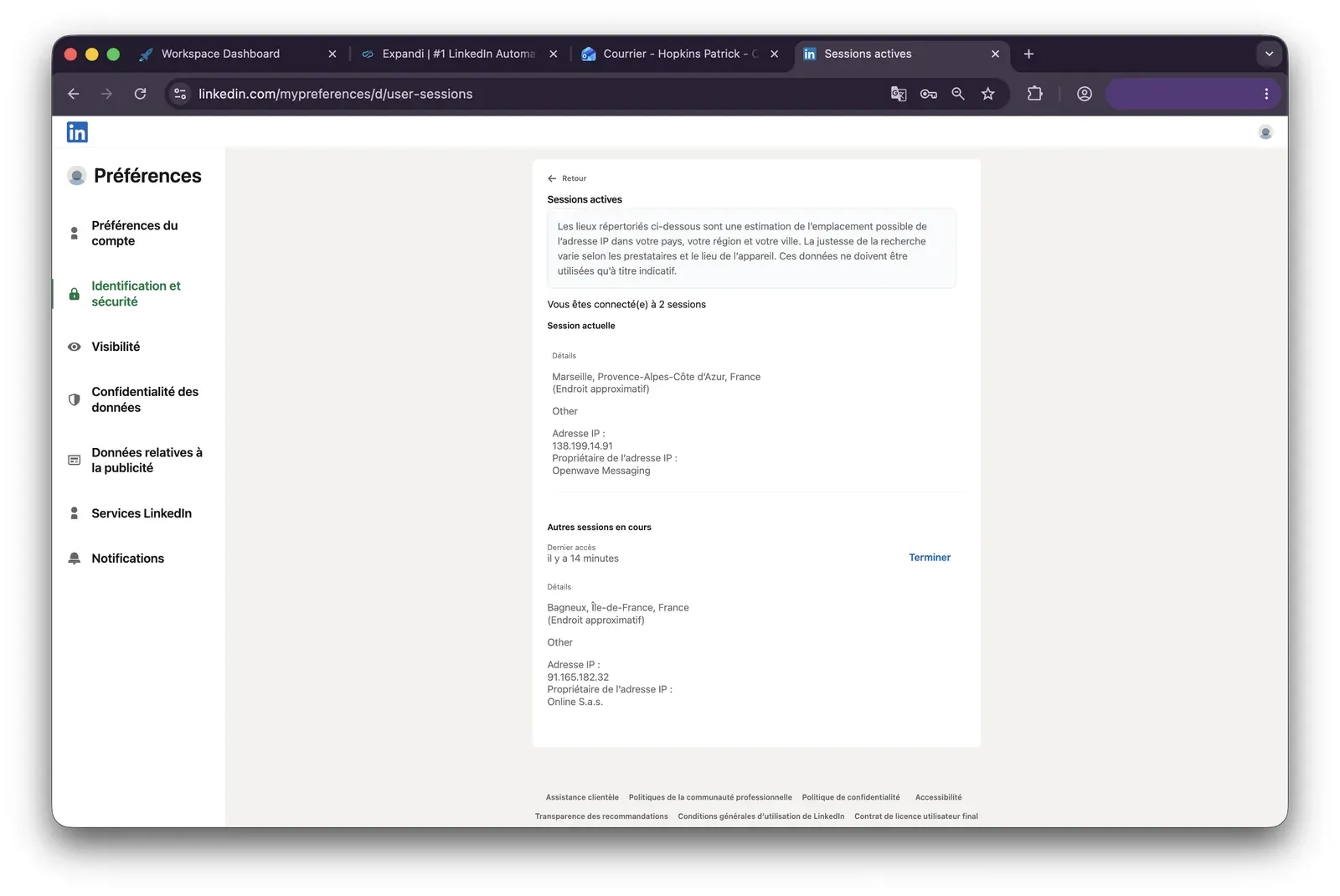
Cloud IP for account 191.165.182.32 - Free SAS, Brittany / Saint-Gregoire, FR
OS / browser for account 1 (tool-reported)Chrome / Mac OS X; IPQS saw Mac 10.15 / Chrome 135.0
Account 1 IPQualityScore resultFraud 100/100, proxy Yes, recent abuse Yes, residential connection, high abuse velocity - high-risk on IPQS's scale, which makes the assigned exit risky even though it is not a datacenter line.
Cloud IP for account 2 (same geo)2a01:cb00:8428:a00:: - Orange France, Centre-Val de Loire / Beaugency, FR
OS / browser for account 2 (tool-reported)Chrome / Mac OS X; IPQS saw Mac 10.15 / Chrome 135.0 - identical fingerprint to account 1
Account 2 IPQualityScore resultFraud 0/100, proxy No, recent abuse No, residential connection, abuse velocity none - a cleaner exit than account 1, which means risk varied by assignment - though even this cleaner IP carried a manual spam-reputation note.
Same IP or /24 across the two accounts?No - different ISPs and subnets; identical Chrome/Mac fingerprints still reduce account separation.
Is a credit card required for the trial?Yes - cancellation timing matters before testing.
Trial duration7 days - the pricing page claims 14, so the observed trial was shorter than advertised.

Expandi - live cloud/IP test (July 2026, two accounts, registered from France)

LinkedIn active-sessions page for the first Expandi test account showing two sessions, including a Bagneux France session on IP 91.165.182.32.

What was checkedFinding
Ships a public extension?Yes - the official Expandi Connector links the LinkedIn account to Expandi, which gives LinkedIn an extension footprint to probe.
Architecture verdictCookie-bridge / session-upload - the extension copies the LinkedIn login to the vendor cloud, so session custody moves outside the user's browser.
Reads the LinkedIn session cookie (li_at)?Yes - li_at is copied to app.expandi.io, so whoever holds it can act as the account without the password.
Direct LinkedIn (Voyager) API calls?Yes - the shipped source makes an internal LinkedIn API call with credentials, which adds a request-map signal beyond normal page browsing.
Injects code into LinkedIn's page (DOM)?Yes - LinkedIn-side injected code reads profile and session context; it is not UI automation, but it still gives the page a detectable extension footprint.
Fires synthetic (isTrusted=false) clicks?No - the extension automates no UI clicks; outreach execution is cloud-side.
Blocks LinkedIn telemetry?No - the extension did not self-report by blocking trackers, but that does not remove the cookie-transfer risk.
Enforced daily cap in the code?None found - local extension code did not enforce pace, so guardrails depend on cloud-side controls.
On LinkedIn's AED probe list?Not in the June 2026 snapshot - AED, LinkedIn's hardcoded extension-probe list, did not include this ID then; absence is not safety because the list grows and the extension exposes a stable probe path.

Expandi Connector extension - source-code teardown (July 2026)

I read the sharp finding as custody first, IP second: Expandi can onboard through a web-app flow, but the connector route also hands the LinkedIn login cookie to the vendor, so the user loses a single controlled session boundary.

Quick facts about Expandi

The live signup showed the other half of that risk: equivalent setups can land on very different exit reputations, and the account owner only learns that after the handoff. Compared with Linked Helper's desktop model, the difference is whether support is helping with an account that remains in the user's environment or repairing a cloud-held session after custody has already moved.

Bottom line

Teams that need web-based LinkedIn plus email outreach with guided onboarding reach for Expandi, and its recent review lift supports that narrow use case. If the reason for leaving Closely is support confidence, Linked Helper's wider support surface and desktop session custody are the cleaner pivot: the help model improves without adding a vendor-held cloud bridge.

The source-code teardown also found that the connector payload includes the account holder's name, headline, public identifier, entity URN, email, and user agent.

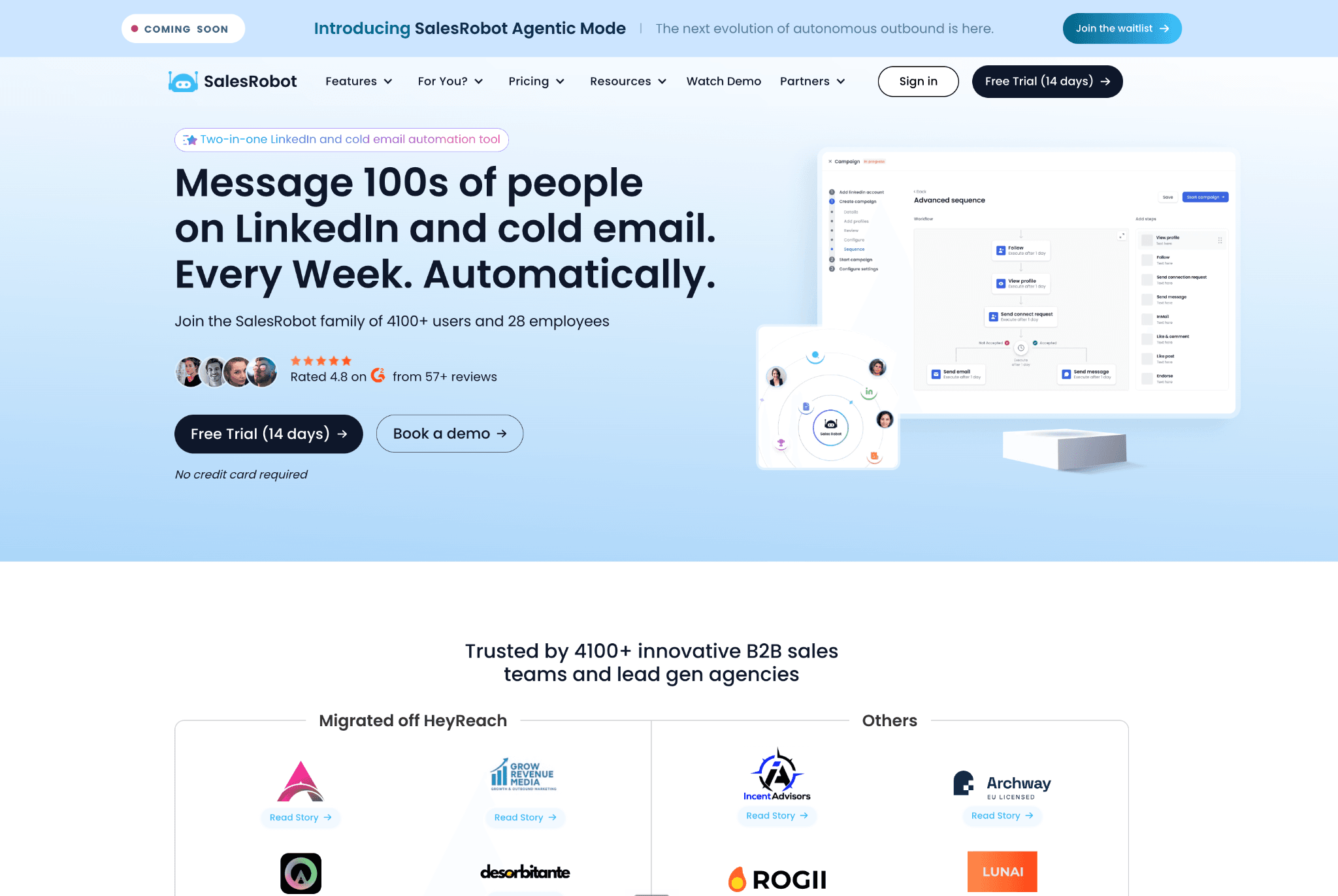
3. SalesRobot

SalesRobot is a cloud tool, and the desk-sourced safety finding is the default IP marked "Detected as proxy - unsafe"; in practice, account exposure depends on bringing a clean custom proxy. Teams wanting AI conversation handling still reach for it, at $59/mo per LinkedIn account.

3. SalesRobot

Founded in 2020 as a Delaware, US company, SalesRobot combines LinkedIn outreach, email, bulk email, Sales Navigator import, CRM sync, and AI appointment-setting. The annual plan is $39/mo per LinkedIn account, and the trial runs 14 days. In a SalesRobot vs Closely shortlist, the pull is conversation automation; the cost is email-only support and thin recent proof outside G2.

Quick facts about SalesRobot

  • Founded: 2020
  • HQ: United States (SalesRobot Inc., Delaware corporation)
  • Pricing: $59/mo ($39/mo annual), 14-day free trial
  • G2: 4.85★ (36) · Capterra profile: 5★ (0 corpus reviews) · Trustpilot: raw 1.89★ (9, thin) — platform split
  • Last 6 months: too few to trend (2 rated since 2026-01-07)
  • Architecture: cloud

Vendor pricing & feature pages (as of 2026-07-09) + G2, Capterra, Trustpilot & Reddit reviews (computed 2026-07-09)

Key Features

  • Cloud-based LinkedIn automation — category-standard authenticated-session automation; the difference is vendor infrastructure, which shifts session/IP control away from the user's machine.
  • LinkedIn + email + bulk email sequences — multichannel exists here, but it is common across several cloud alternatives.
  • AI Appointment Setter Agent and AI personalized voice notes/videos — vendor-claimed AI outreach, untested here.
  • CRM handoff via SalesRobot integrations, including HubSpot, Pipedrive, Salesforce, and Zoho.
  • Custom proxy setup — necessary context because default IP flagged proxy/unsafe means proxy quality carries the safety burden.
  • No spintax evidence in the matrix; message variation needs another mechanism.

The useful pattern is platform polarization: G2 carries the support-praise cluster, while Trustpilot's 9 thin reviews are mostly AppSumo/V2 migration complaints. The matrix still records one email channel, no claimed 24/7, and a 24-48 h response bucket, so agent praise does not equal support-channel breadth.

What reviewers say about SalesRobot

Real-world scenario

The clearest buyer story is the legacy AppSumo cohort after the V2 migration. One Trustpilot reviewer describes a lifetime deal turning into a new per-account charge.

The limitation cluster is narrow but serious: all four qualifying negatives are Trustpilot 1★ reports about AppSumo lifetime-deal or V1-to-V2 handling. The risk is post-purchase reliability and billing trust, not a broad subscription-user sample.

Reported limitations

Bottom line

Growth teams wanting AI appointment-setting and LinkedIn-plus-email sequences reach for SalesRobot, especially when G2-style onboarding help matters more than lifetime-deal history.

If the priority is escaping Closely-style support bottlenecks without moving LinkedIn session custody into another vendor cloud, Linked Helper's broader support surface and desktop architecture give the cleaner trade: help is easier to reach, and the session stays under user-side control.

4. Dripify

Dripify's credential-login cloud model put both test accounts on flagged datacenter IPs, rented-server addresses that stand out because most real LinkedIn users log in from residential or mobile networks. Teams wanting hosted LinkedIn-plus-email sequences reach for Dripify anyway, at $59/mo.

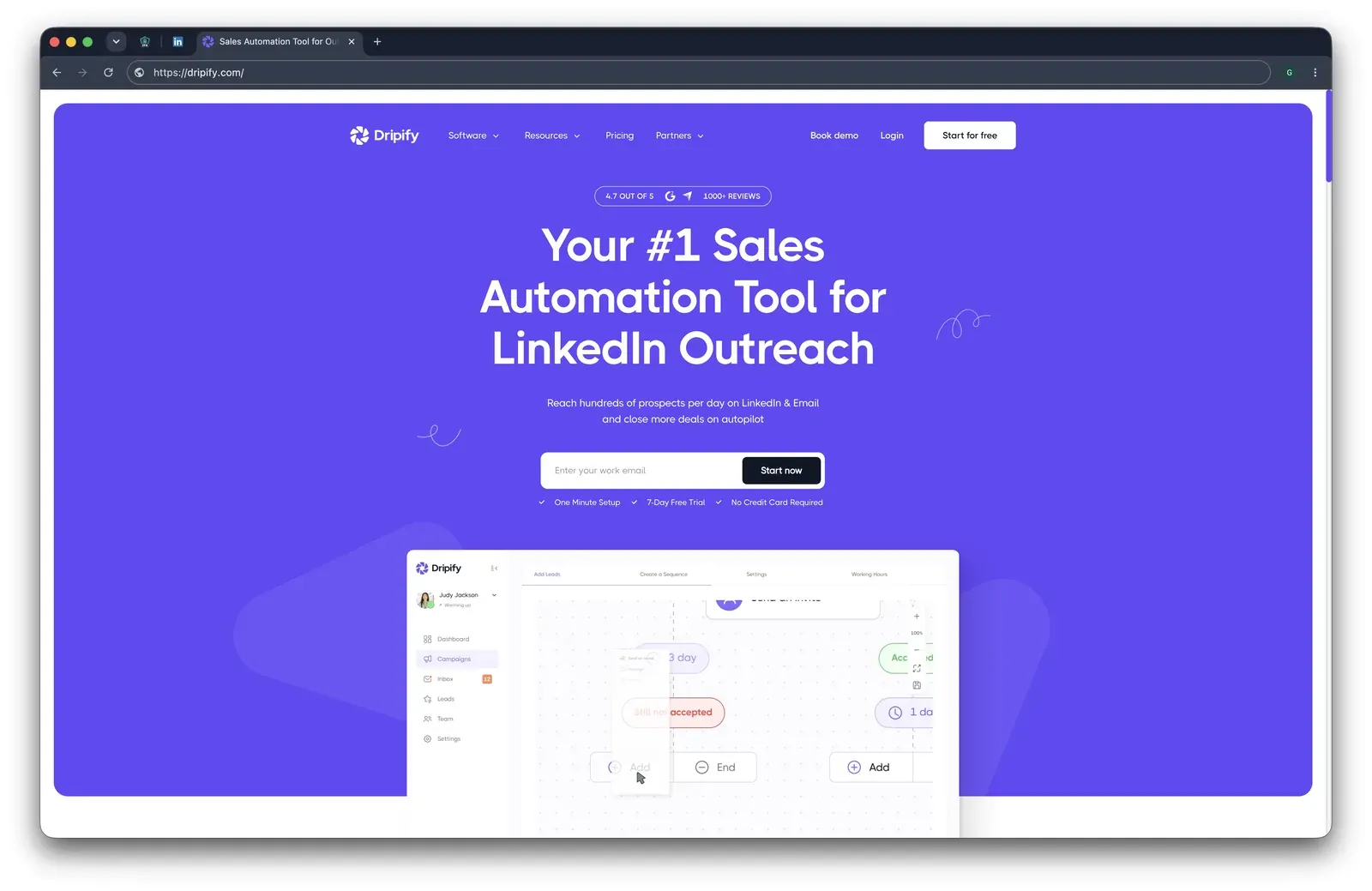
Dripify homepage showing LinkedIn and email outreach positioning, a 4.7 rating badge, and a campaign-sequence preview.

Dripify is a Texas, US product founded in 2019 for browser-managed LinkedIn and email outreach. Users enter LinkedIn credentials into Dripify, and campaigns keep running from its hosted environment, which means the user's machine can be off but the LinkedIn session is no longer only on hardware the user controls. Basic drops to $39/mo on annual billing and includes a 7-day trial with no credit card.

Quick facts about Dripify

  • Founded: 2019
  • HQ: Texas, US
  • Pricing: $59/mo ($39/mo annual), 7-day free trial
  • G2: 4.5★ (267) · Capterra: 4.71★ (476) · Trustpilot: 4.62★ (429)
  • Last 6 months: 4.68★ (flat) across 65 reviews
  • Architecture: cloud with credential login — vendor cloud runs the LinkedIn account

Vendor pricing & feature pages (as of 2026-07-09) + G2, Capterra, Trustpilot & Reddit reviews (computed 2026-07-09)

Key Features

  • Hosted campaign console that runs 24/7 after LinkedIn credential login — convenient for uptime, but the session runs from Dripify's infrastructure.
  • LinkedIn plus email sequences with personalization variables; Dripify documents variables but not spintax, so message variation is narrower than tools with spintax.
  • AI hyper-personalization and icebreaker generation, described on Dripify's feature page.
  • Connector-hub CRM routing through Zapier, Make, and Google, with listed destinations such as HubSpot, Pipedrive, Salesforce, Zendesk, and Zoho.
  • Three LinkedIn data-source paths — enough for basic prospect collection, but thinner than Linked Helper's 13-source coverage when list-building depth matters.
  • No custom-proxy support, which means users cannot replace the assigned cloud exit network with a vetted dedicated proxy.

The review story is not low satisfaction; it is a support contradiction. Dripify averages 4.63★ across 1,172 reviews, yet Capterra's 4.08 support sub-rating is its lowest Capterra sub-score, which means support is the weak point inside an otherwise well-rated product.

Dripify advertises 24/7 support, but its public support channel is email rather than live chat. Based on the reviews I analyzed, positive support experiences exist but are less consistent than for Linked Helper, while complaints about support quality appear more often. Overall, the evidence doesn't suggest a clear support advantage.

What reviewers say about Dripify

Real-world scenario

The cleanest switching story is a churn story, not an arrival case: a Trustpilot reviewer described moving through several LinkedIn automation tools, including Dripify, before leaving for Linkedcamp when the results did not recover.

I'm coming from a series of failures in terms of Linkedin automation. Expandi, Meet Alfred and now Dripify... I'm using now Linkedcamp which is delivering the numbers I've expected.

Read the full review on Trustpilot

Trustpilot
Rating: 2 out of 5
G
Giacomo

The caution cards line up with the article's lead axis: support accountability, onboarding guidance, login friction, and refund handling. The pricing complaints matter because Basic is limited to one campaign; in practice, the lower entry price can push teams toward higher tiers before they have trust in support.

Reported limitations

The assigned Reddit signal is low-score but Dripify-specific, so we treat it as an anecdote rather than a rate.

Reddit
LinkedInTips
I was using dripify a long time ago (linkedin automation tool) and was aggressive with it and got my account banned.

Safety and Setup Notes

Dripify ships no public LinkedIn extension, so AED (Active Extension Detection, LinkedIn's probe list for specific browser-extension IDs) is not applicable; the safety story is the live cloud test.

What was checkedResult
Login modelCredentials login — Dripify starts a fresh LinkedIn session from vendor infrastructure, so the session is not confined to the user's device
Can I choose the desired location?No — the location is vendor-assigned, so the user cannot steer the login to a familiar network
Can I add my own proxy?No — no proxy-quality checker, so a user cannot pre-vet the assigned IP
Can I select a timezone when adding an account?Yes — useful for schedule alignment, but it does not change the assigned IP LinkedIn sees
Cloud IP for account 1209.20.164.225 — HostRoyale Technologies Pvt, Île-de-France (Paris), FR; a datacenter provider rather than a residential/mobile line
OS / browser for account 1 (tool-reported)Chrome / Windows — the same reported stack appeared on account 2, so browser fingerprinting did not separate the accounts
Account 1 IPQualityScore resultIPQualityScore (IPQS), an independent IP-quality signal rather than LinkedIn's enforcement verdict: fraud 94/100 · proxy Yes · VPN Yes · connection type Data Center — high-risk on IPQS's own scale
Cloud IP for account 2 (same geo)209.20.164.94 — HostRoyale Technologies Pvt, Île-de-France (Paris), FR; same provider pattern as account 1
OS / browser for account 2 (tool-reported)Chrome / Windows — identical fingerprint to account 1
Account 2 IPQualityScore resultfraud 94/100 · proxy Yes · VPN Yes · connection type Data Center — high-risk on IPQS's own scale
Same IP or /24 across the two accounts?No same IP; same /24 and same provider — two independent accounts shared a near-identical server footprint
Is a credit card required for the trial?No — trial access does not require billing details
Trial duration7 days — matches the pricing page

Dripify — live cloud/IP test (July 2026, two accounts, registered from France)

The point I would not ignore is not extension visibility; there was no Dripify extension to find.

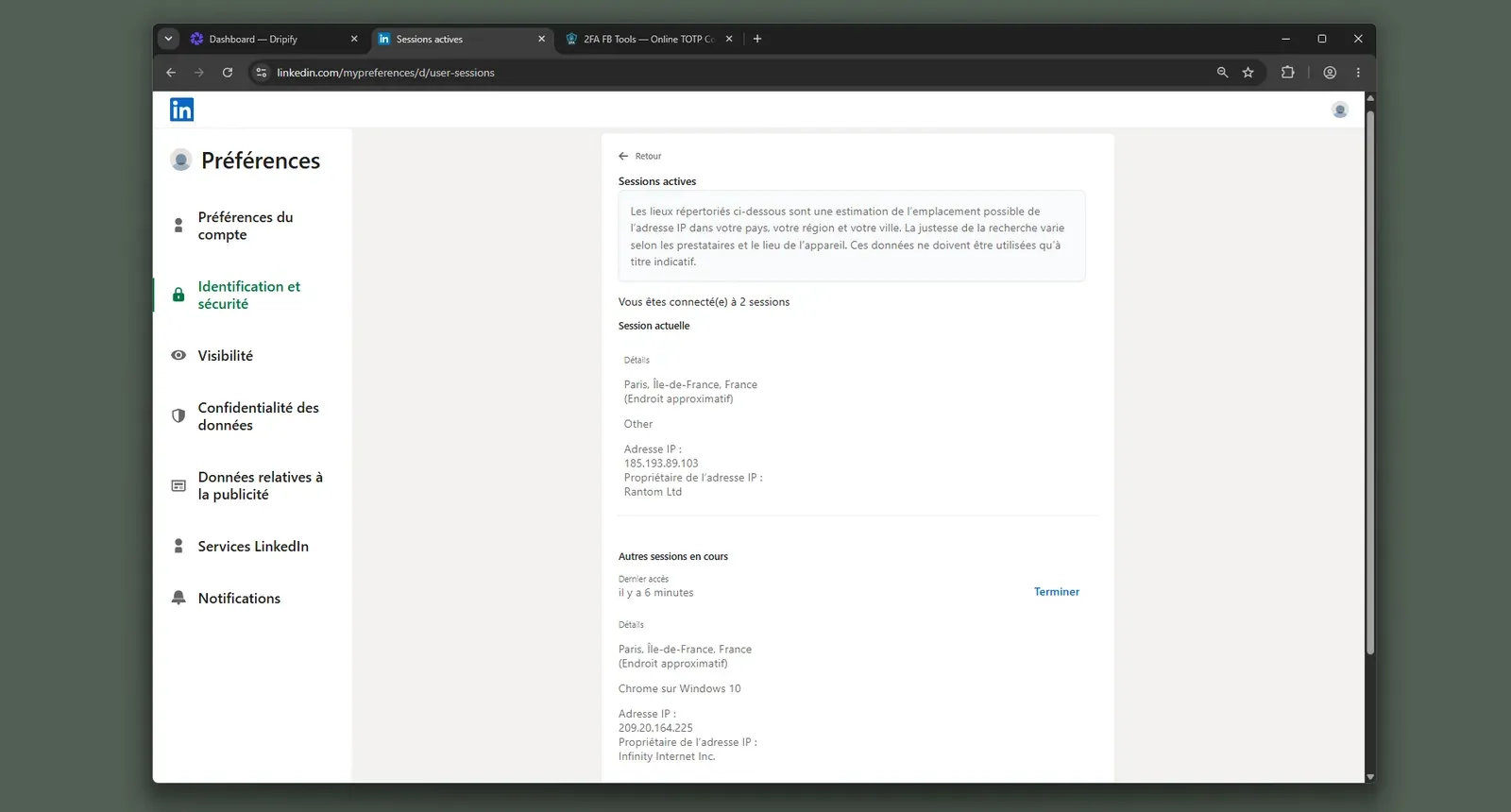
LinkedIn active-sessions page showing the Dripify test account connected from the user's current session and an additional Chrome on Windows server session.

The pattern is custody: Dripify creates and runs the LinkedIn session inside its own environment, and the account owner cannot correct a risky network assignment before LinkedIn sees it. Dripify does document assigning dedicated IPs from the LinkedIn account's own country, and the live test bore that out - both France-registered accounts drew French IPs - though they were datacenter lines, not a home or mobile network.

That makes support quality part of the safety story, because recovery from a login or restriction problem depends on the vendor-controlled path. Linked Helper's desktop model keeps that session on hardware the user controls and supports a custom proxy, so the support comparison is not hiding the same custody trade.

Bottom line

Teams wanting hosted LinkedIn-plus-email sequencing, AI icebreakers, and a browser console reach for Dripify when they accept vendor-run login as the operating model. If Closely's support failures are the pain you're trying to leave behind, Linked Helper's larger support surface, knowledge base, active forum, and desktop architecture give the response path and account-control story this card cannot supply.

A G2 complaint said Dripify's automatic-like feature liked political posts outside the audience list and drew no answer through chat or email.

5. Waalaxy

For Waalaxy, the real question is not whether it adds LinkedIn+email breadth; it is whether that breadth is worth a cloud-bridge extension that copies your LinkedIn login to Waalaxy's AWS cloud. Founders and recruiters wanting a visual campaign builder reach for it anyway, at $42/mo.

5. Waalaxy

Founded in 2019 and operated by SAS Waapi in Montpellier, France, Waalaxy is a Chrome-extension-led prospecting tool for LinkedIn sequences, email touches, AI message generation, and CRM sync through HubSpot, Pipedrive, Make, Zapier, and n8n. The browser connector is part of the operating model, which means extension safety is not a side issue. Its annual plan drops to $20.50/mo, and the 14-day trial lowers evaluation friction; at 20 seats, the monthly-entry basis is $10,080/year, so the price sits below the $99 cloud rivals but still scales per account.

Quick facts about Waalaxy

  • Founded: 2019
  • HQ: France (SAS Waapi, Montpellier - GDPR)
  • Pricing: $42/mo ($20.50/mo annual), 14-day free trial
  • G2: 4.6★ (528) · Capterra: 4.4★ (252) · Trustpilot: 4.71★ (1245)
  • Last 6 months: 4.84★ (trending up) across 362 reviews
  • Support: live chat only; response bucket <1 hour; no active community forum
  • Architecture: cloud-bridge / session-upload extension (hybrid local+cloud)

Waalaxy pricing, use-of-data, and feature pages (fetched 2026-07-09) + G2, Capterra, Trustpilot & Reddit reviews (computed 2026-07-09)

Key Features

  • LinkedIn campaign sequences with follow-up messages - a category-standard workflow, not a safety differentiator.
  • Vendor-marketed LinkedIn+email outreach and email-finder credits - useful for multichannel planning, though the matrix marks multichannel under a narrower definition.
  • AI message generation via Waami / smart reply - now common across the category, so it is convenience rather than a standalone moat.
  • CRM sync with HubSpot, Pipedrive, and 2,000+ apps through Make, Zapier, and n8n.
  • Single-channel live chat with a <1 hour response bucket - faster than email-only support, but without forum or knowledge-base depth.

The review pattern is the opposite of a Closely-style support collapse: product-help support is often praised, and the recent corpus trends up. The split appears when the issue moves from product use to billing or cancellation, where the same brand has instant-refund praise and silent-renewal complaints.

What reviewers say about Waalaxy

Real-world scenario

The switching evidence cuts both ways, which matters for Closely readers: one reviewer moved from Linked Helper to Waalaxy for UI feel, while another left Waalaxy toward Linked Helper after pricing frustration. We carry the Waalaxy-to-Linked Helper quote as the scenario, while still naming the UI counter-signal because it is the honest gap in Linked Helper's story.

The cautionary side is concentrated in billing transparency, cancellation, reliability, and safety symptoms. That matters because a strong review average can hide a sharper minority pattern: the same tool can feel responsive for campaign setup and much harder to unwind after payment.

Reported limitations

Reddit coverage is sparse, but the assigned Waalaxy-specific card lands on the same custody issue as the teardown: server-side storage changes who can act as the account, which is the risk a simple feature list hides.

Reddit
smallbusiness
tools like lemlist and waalaxy charge $50-100/month and store your linkedin session, your leads, your messages on their servers.

1 day after i signed up for waalaxy, my linkedin account had an attempted hack from India - never had this happen before so definitely not a coincidence.

Read the full review on Trustpilot

Trustpilot
Rating: 1 out of 5
LA
Luqman Aziz

Safety and Setup Notes

Waalaxy did not have a live two-account cloud/IP test in this run, so I only use the extension teardown here.

What was checkedFinding
Ships a public extension?Yes - Waalaxy - LinkedIn Automation Tool in the Chrome Web Store, so the product has a stable browser-extension footprint LinkedIn can probe.
Architecture verdictCloud-bridge / session-upload - the extension runs local LinkedIn actions and uploads the session to Waalaxy's cloud, which means vendor infrastructure can likely act as the account.
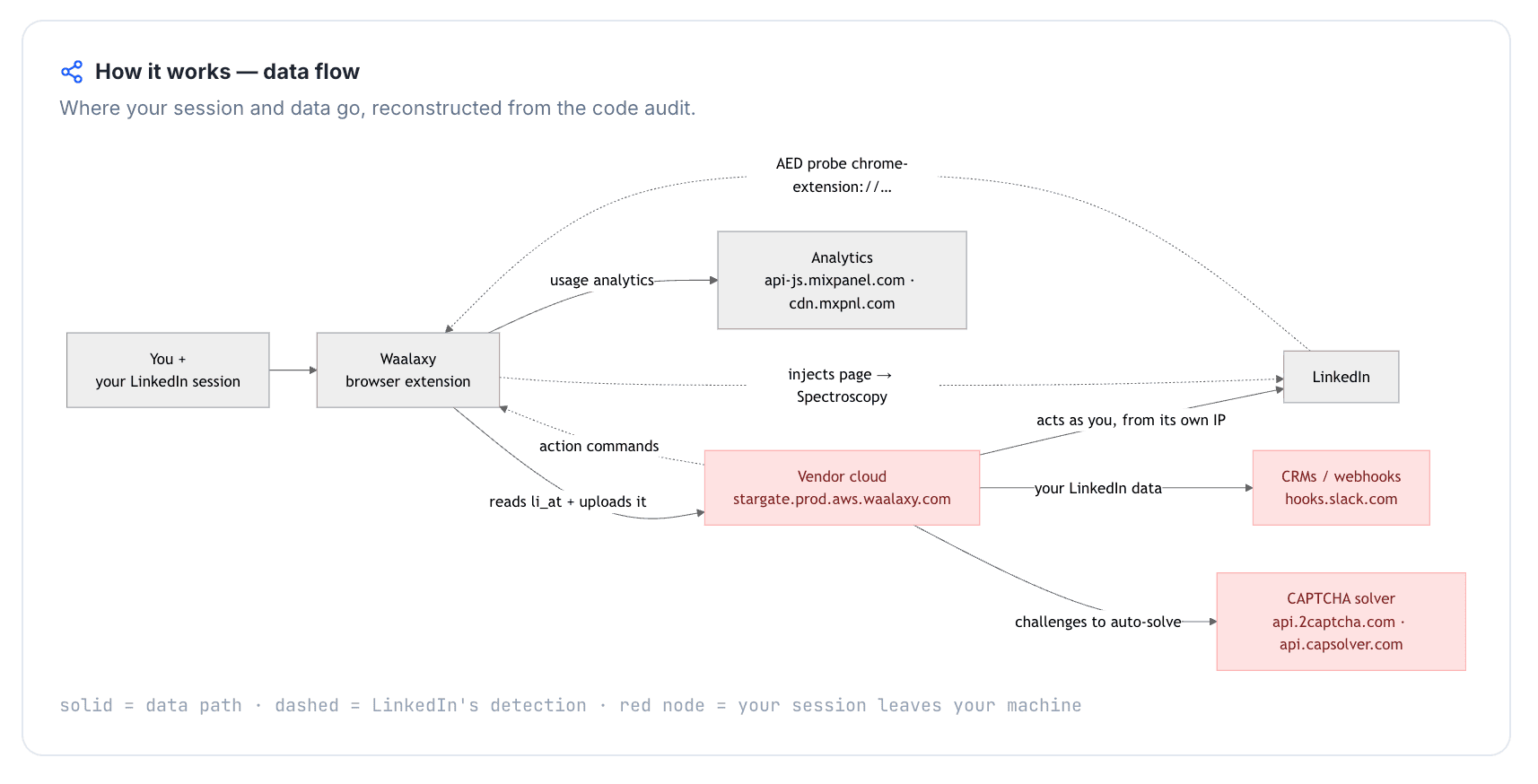
Reads the LinkedIn session cookie (li_at)?Yes - the full LinkedIn cookie jar (li_at, the session cookie, plus JSESSIONID, the CSRF token) is posted to stargate.prod.aws.waalaxy.com; whoever holds those cookies can act as the account without the password.
Direct LinkedIn (Voyager) API calls?Yes - Voyager calls with x-restli-protocol-version: 2.0.0; in practice, internal-API traffic adds a request-map signal LinkedIn can compare with normal browsing.
Fires synthetic (isTrusted=false) clicks?Yes - synthetic-event signals and programmatic clicks were present, which means LinkedIn can distinguish those actions from real user clicks.
Blocks LinkedIn telemetry?Yes - the extension strips the x-cki header and references li/track; blocking telemetry can become a detection signal by itself.
Enforced daily cap in the code?None found - no hard cap means unsafe volume is left to settings and user discipline rather than a code-level guardrail.
On LinkedIn's AED probe list?Yes - LinkedIn's Active Extension Detection (AED) probe list checks for specific extension IDs on page visits; being listed means installation is visible before a campaign runs.

Waalaxy extension - source-code teardown (July 2026)

I read this as a custody problem first: the extension hands the session to the cloud and also leaves browser-level signals that extension scanners can see.

Quick facts about Waalaxy

The rows point in the same direction from different angles - session upload, telemetry suppression, synthetic events, and AED visibility - so the practical issue is cumulative scoring, not one magic tripwire. Linked Helper's contrast on this article's axis is that setup takes more steps, but the session stays on hardware the user controls and support is not limited to one live-chat queue.

Bottom line

Teams wanting Waalaxy's native LinkedIn+email workflow and visual campaign setup reach for it, and the review record shows many users getting quick live-chat help.

If Closely's support failure is why you are switching, treat Waalaxy as a convenience trade: Linked Helper lacks native email sequences, but its 262-article knowledge base, active forum, and desktop custody model address the support and safety risks Closely buyers are trying to remove.

The same teardown also found captcha auto-solving hooks for 2captcha, Capsolver, and SolveCaptcha.

6. Meet Alfred

Meet Alfred's cloud credential-login test put two accounts on vendor-assigned French assigned IPs; one was a datacenter line, so LinkedIn sees a personal session coming from rented infrastructure. Operators wanting one cloud workspace reach for it anyway, at $59/mo, despite split support reviews.

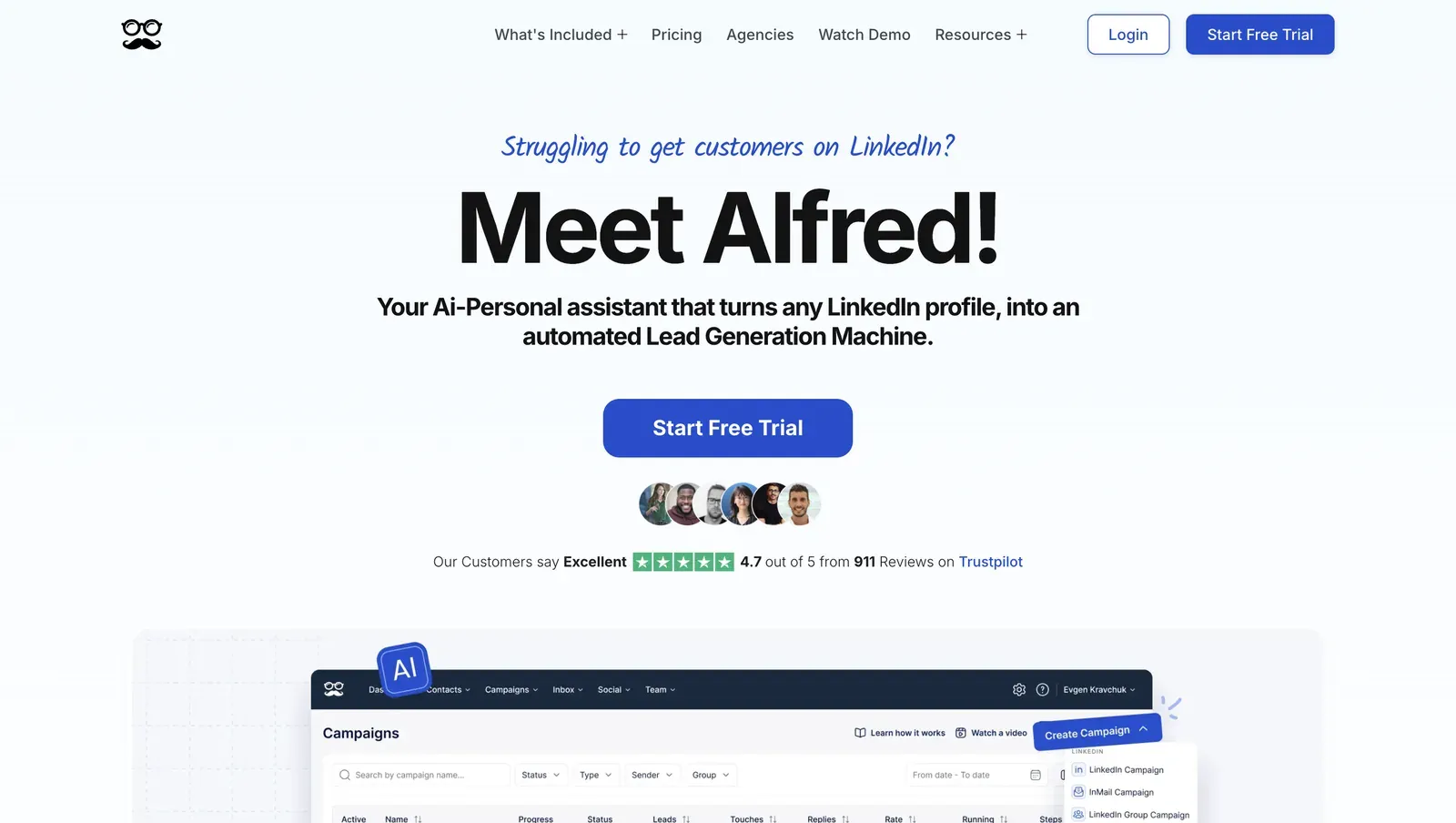
Meet Alfred homepage showing the Meet Alfred headline, Trustpilot rating panel, and campaigns dashboard preview

Founded in 2016 and based in Sydney, Meet Alfred is an AWS-hosted automation platform for LinkedIn, email, and X/Twitter outreach. Its annual plan is listed at $29/mo equivalent, and a 20-seat team starts from $6,960/yr before plan changes. The live signup flow gave us 7 trial days even though the matrix/vendor record says 14, so trial length should be checked at signup. Native CRM coverage is Zapier rather than direct CRM connectors.

Quick facts about Meet Alfred

  • Founded: 2016
  • HQ: Sydney (Australia)
  • Pricing: $59/mo ($29/mo annual); trial observed as 7 days, while the matrix/vendor record says 14
  • G2: 3.3★ (30) · Capterra: 2.77★ (13) · Trustpilot: 4.73★ (884) — sharp platform split
  • Last 6 months: too few reviews to trend (1 rated review)
  • Architecture: cloud with credential login

Vendor pricing & feature pages (fetched 2026-07-09), first-hand cloud/IP check, and G2, Capterra, Trustpilot & Reddit reviews (computed 2026-07-09)

Key Features

The review picture is polarized by platform, not merely mixed. Trustpilot supplies almost all volume and reads positive, while the smaller G2 and Capterra samples are much lower; in practice, the blended 4.65★ headline is less useful than the split. One negative Trustpilot reviewer even challenges the five-star concentration, so we treat support praise as real but contested.

What reviewers say about Meet Alfred

Real-world scenario

The usable switch story is a Trustpilot team migration away from Meet Alfred after reliability, safety, and cost issues. It is old enough to treat as a directional case rather than a current product verdict, but it lands directly on this article's recovery-and-support axis.

I and my team switched to LinkedIn Helper … is better, has no issues like we had with MeetAlfred and is a couple times more cost-effective.

Read the full review on Trustpilot

Trustpilot
Rating: 1 out of 5
E
Eric

The support contradiction is the recurring pattern: praise cards call out live help, while negative cards describe disconnects, refund refusal, copy-paste answers, and account-management friction. That matters because Meet Alfred's cloud model leaves more recovery work with the vendor when a LinkedIn connection breaks.

Reported limitations

Meet Alfred has 49 reviews carrying account-restriction, safety-detection, or extreme-dissatisfaction signals, which means safety complaints are not a one-off support edge case. The assigned Reddit signal is broader than Meet Alfred, but it captures why automation recovery is high-stakes when account access is involved.

Reddit
SaaS
I have been working with the platform for a decade, and any automation (especially data related) will get a block.

LinkedIn detected and blocked the account… I wrote to support and they took no responsibility.

Read the full review on Trustpilot

Trustpilot
Rating: 1 out of 5
AM
Alexis Mindreau

Safety and Setup Notes

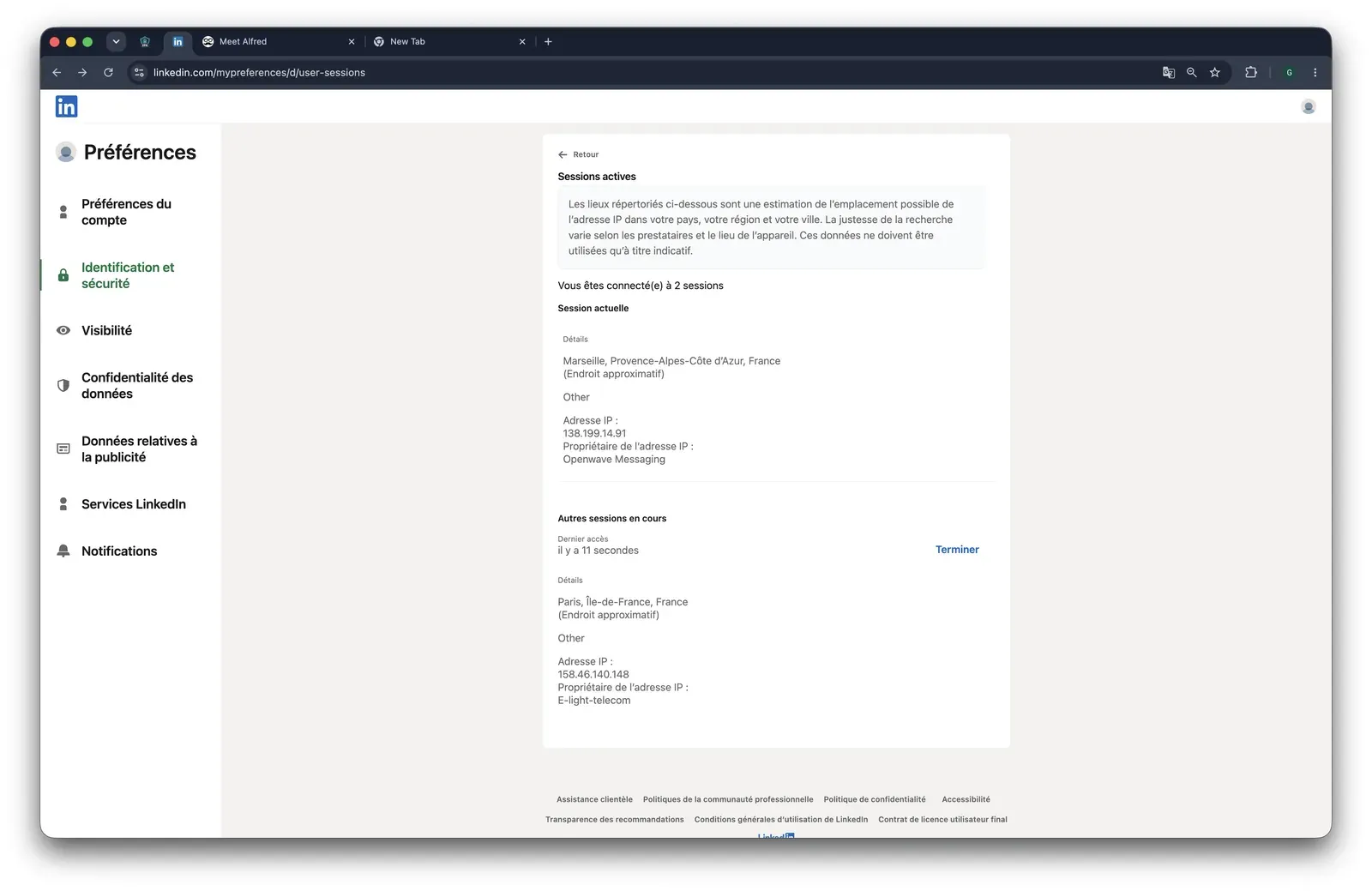
LinkedIn active sessions page during the Meet Alfred test showing a second Paris session from IP 158.46.140.148

What was checkedResult
Login modelCredentials login — Meet Alfred starts a fresh LinkedIn session from vendor infrastructure, so LinkedIn sees the vendor's cloud session rather than the user's browser session while campaigns run
Can I choose the desired location?Yes — 247 locations
Can I add my own proxy?Yes — but no proxy-quality checker; the matrix default IP flag was "Detected as proxy - unsafe," so a user must vet proxy quality outside Meet Alfred
Can I select a timezone when adding an account?Yes
Cloud IP for account 1109.238.196.65 — WS Telecom, Ile-de-France / Paris (FR)
OS / browser for account 1 (tool-reported)Chrome Mobile / iOS; IPQS saw Mac 10.15 / Chrome 135.0, so the visible browser fingerprint did not align cleanly across sources
Account 1 IPQualityScore resultIPQualityScore (IPQS), an independent IP-quality signal rather than LinkedIn's enforcement verdict: 0/100 fraud · proxy no · VPN no · recent abuse no · connection type Data Center (rented-server origin, not a home/mobile line) — for LinkedIn that can make a personal session stand out even when IPQS is clean
Cloud IP for account 2 (same geo)158.46.140.148 — WS Telecom, Ile-de-France / Paris (FR)
OS / browser for account 2 (tool-reported)Chrome Mobile / Android; IPQS saw Mac 10.15 / Chrome 135.0 — different tool-reported mobile profile from account 1, same IPQS desktop/browser reading
Account 2 IPQualityScore result0/100 fraud · proxy no · VPN no · recent abuse no · connection type Residential — lower origin risk than a datacenter line, which means identical setup can land accounts on different-quality exits
Same IP or /24 across the two accounts?No — not same IP or /24, but both used WS Telecom; the shared ISP means the account footprint still clusters around one provider
Is a credit card required for the trial?No
Trial duration7 days (the matrix/vendor record claims 14)

Meet Alfred — live cloud/IP test (July 2026, two accounts, registered from France)

Meet Alfred ships no public LinkedIn extension in this test set, so there was nothing to tear down — the safety story is the live cloud test. Active Extension Detection (AED), LinkedIn's hardcoded extension-probe list, is therefore n-a here; that removes extension-ID visibility, but it does not change the cloud session-custody issue.

I read the live test as a recovery-control problem, not as a single bad-IP anecdote: the same signup path produced different observed-IP quality, and the user could not vet that quality before the account was connected. Both assigned IPs also carried a manual spam-reputation note despite their clean 0/100 IPQS fraud scores, a reminder that a low fraud score is not the whole quality picture. That is the practical cost of credential-login cloud architecture: when LinkedIn sees a session from vendor infrastructure, the risk surface is decided by the vendor's pool unless you bring and verify your own proxy. Compared with Linked Helper's desktop model, this is a thinner recovery posture: support has to solve both the workflow issue and a vendor-cloud session/IP issue the user did not choose.

Bottom line

Operators wanting LinkedIn, email, and X/Twitter in one cloud workspace reach for Meet Alfred, especially when campaign setup convenience matters more than platform ownership. If Closely's stalled support is the reason for switching, Linked Helper's broader support surface, knowledge base, active forum, and desktop session custody give you more predictable recovery paths without handing the LinkedIn login to a vendor cloud.

7. Salesflow

Salesflow's architecture is the team-scale catch: the LinkedIn account operates through vendor infrastructure, and the default path is proxy-flagged, which means account exposure is set before a manager ever reaches support. Teams wanting LinkedIn-plus-email outreach at scale reach for it anyway, at $99/mo.

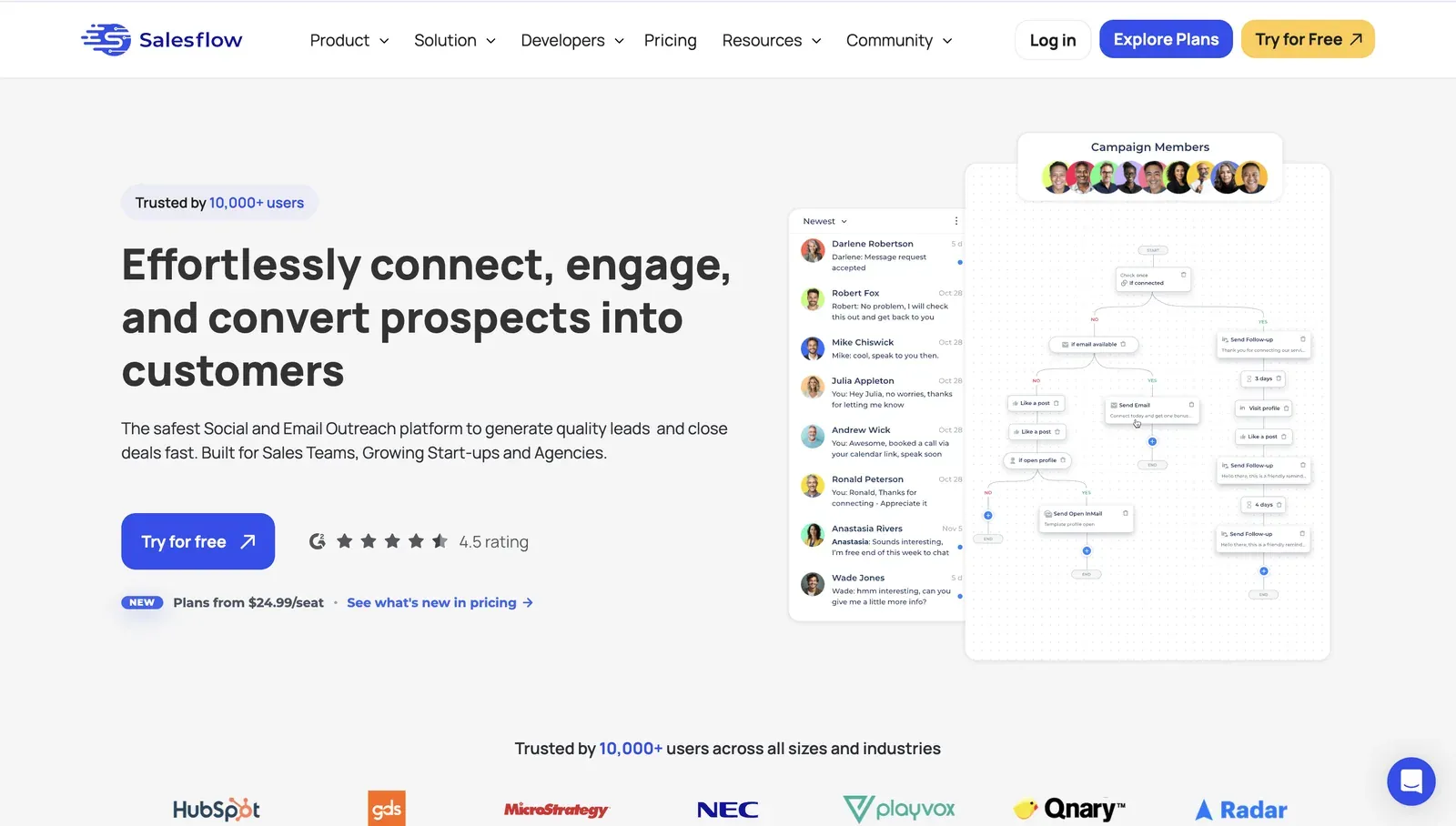
Salesflow homepage showing the campaign-flow product preview, G2 rating, pricing cue, and customer-logo strip

Founded in 2018 and based in the United Kingdom, Salesflow sells a web console for LinkedIn automation, email outreach, and agency-style account management. Its pricing page lists Basic at $69.30/mo equivalent on annual billing and a 7-day no-card trial, while the review corpus covers 178 rated reviews across G2, Capterra, and a too-thin Trustpilot sample. With 22 employees and HubSpot as the only native integration, it is a lean SDR platform rather than a broad CRM hub.

Quick facts about Salesflow

  • Founded: 2018
  • HQ: GB (United Kingdom)
  • Pricing: $99/mo ($69.30/mo annual), 7-day free trial
  • G2: 4.32★ (128) · Capterra: 4.13★ (46) · Trustpilot: too thin to score (4)
  • Last 6 months: no printable trend (0 rated reviews since 2026-01-07)
  • Architecture: Cloud (desk-sourced; no hands-on test in this article)

Vendor pages July 2026 + G2, Capterra, Trustpilot & Reddit reviews (computed 2026-07-09)

Key Features

  • Like every tool in this list, Salesflow runs LinkedIn connection and follow-up sequences.
  • Multichannel Dynamic Outreach for LinkedIn plus email, listed on the pricing page.
  • Multi-account management for agencies and SDR teams running several LinkedIn accounts.
  • HubSpot native integration, with Pipedrive and Salesforce listed in Salesflow's integration material.
  • AI message generation, CSV custom fields, and opt-in custom proxy setup during LinkedIn profile connection.

The review data is a lifetime signal, not current momentum: Salesflow averages 4.28★ across 178 reviews, but the trailing-six-month window has 0 rated reviews, so there is no recent trend. The sharper finding is support polarization. Capterra's support sub-rating is 4.59★, yet the cautionary tail reports non-existing support and cancellation control issues, which matters because support recovery is this article's lead pain.

What reviewers say about Salesflow

Reddit coverage is sparse and indirect, but the assigned high-score buyer thread shows adjacent pressure around data quality and tool selection.

Reddit
b2bmarketing
Many tools have high bounce rate, I want to invest in good ones.

Real-world scenario

The cleanest team-scale scenario is an owner review from Capterra: when the product is the operating console, dashboard instability stops work instead of merely slowing setup.

The Salesflow dashboard is an operational nightmare. It's filled with bugs, constantly stops working, and serves as a textbook example of dysfunctional software.

Read the full review on Capterra

Capterra
Rating: 1 out of 5
LS
Lee S.
Owner

The limitation pattern clusters around reliability, cancellation control, and account-risk reports.

Reported limitations

One desk-sourced safety signal also matters: the default IP address is flagged as "Detected as proxy - unsafe"; for LinkedIn, proxy-flagged vendor egress means a personal account can look less like its usual home or phone-network pattern. Salesflow supports bring-your-own proxy setup, but opt-in controls do not change the default path.

Outside of their control, but LinkedIn routinely blocks your account and creates issue for automation.

Read the full review on G2

G2
Rating: 4.5 out of 5
OH
Oscar H.

Bottom line

Teams wanting one web console for LinkedIn-plus-email outreach, multi-account work, and HubSpot handoff reach for Salesflow despite the dated review corpus. If the Closely pain you are solving is support recovery at team scale, Linked Helper's four support channels, knowledge base, active forum, and desktop session model offer a clearer operating floor than Salesflow's single live-chat lane and vendor-hosted execution.

How To Choose The Right Closely Alternative

Start from architecture, not features: it decides session custody, IP control, support recovery, and setup effort before a user ever writes a campaign.

If your priority is...Choose...The trade-off
Keeping LinkedIn session custody under your controlDesktop standaloneMore first-run setup than a cloud signup, but the session stays in the environment you control.
Keeping activity in your own browser while collecting dataLocal-scrape extensionLower custody exposure than cloud, but the extension itself remains visible to LinkedIn's scanners.
Using a browser connector to unlock cloud convenienceCookie-bridge extensionThe extension can copy the session to the vendor cloud, so convenience comes with session-custody exposure.
Coordinating LinkedIn plus email from a web appCloud credential loginThe vendor creates and operates the LinkedIn session from its own infrastructure, so support and IP controls matter more.

Choosing by priority - start from architecture

As of July 2026 - decision framework based on the evaluation model above.

After architecture, compare support responsiveness, team-scale cost, CRM depth, and recovery controls. The At-a-Glance table shows the 20-seat cost spread; for teams, that number matters because every extra seat multiplies both license cost and support dependency.

Our Recommendation: Linked Helper

Linked Helper is the only tool in this list that answers Closely's loudest documented pain - support recovery - without moving the LinkedIn session into a vendor cloud.

The support advantage is operational, not just a channel count. Linked Helper combines a 262-article knowledge base, an active community forum, and response times measured in minutes, so users are less dependent on a single inbox when a campaign, billing question, or account setup issue blocks work. On the workflow side, Linked Helper's native CRM integrations cover 11 direct CRM connectors, plus Zapier and Make through webhooks, which gives sales teams a cleaner handoff than CSV-only workflows.

The safety-side reason is session custody. Linked Helper's desktop app can run locally or on a VPS with Web Version access, and custom proxy support lets each LinkedIn account use a stable dedicated IP. That is not a claim of immunity; it is a smaller exposed surface than a cloud session the user cannot inspect.

The honest friction is setup. A desktop install and first campaign configuration take more steps than a pure cloud signup. Linked Helper also remains LinkedIn-first, so teams that need native email sequences should pair it with a dedicated email tool rather than expect one builder to do everything.

LinkedIn Safety & Risk Reduction

Safety is behavior first: the tool architecture changes the risk surface, but volume, timing, IP stability, warning response, and account age still decide whether LinkedIn sees activity as normal.

LinkedIn's Help Center page on prohibited software and extensions states that third-party software, bots, browser plug-ins, and extensions that scrape, modify, or automate activity can violate the User Agreement. No tool eliminates restriction risk; even manual-looking behavior can trigger restrictions when volume, profile-opening patterns, or recipient feedback look abnormal.

Reader-controllable levers matter:

  • Keep daily action volume conservative and ramp gradually.
  • Run during believable working hours for the account.
  • Prefer IP stability over frequent IP changes.
  • Use stop-on-reply and pause-on-warning rules.
  • Avoid running multiple automation tools on the same LinkedIn account.
  • Remember that some manual workflows can also look automated. For example, opening large numbers of profiles directly by URL or processing actions (such as withdrawing pending invitations) at an unrealistically high speed may trigger LinkedIn warnings.
  • Check whether an extension appears on LinkedIn's list of flagged automation extensions.

If a warning or restriction appears, stop automation first, review recent activity, and follow a documented recovery path such as what to do if LinkedIn restricts your account. Stable infrastructure and conservative settings reduce exposure, but they do not remove platform-policy risk.

Safety note: No tool eliminates the risk of LinkedIn restrictions. Results depend on account age, daily action volume, and activity patterns.

Methodology Deep-Dive

I used the first-hand safety checks to answer one narrow question: what can be observed about where each tool puts the LinkedIn session, whose IP LinkedIn sees, and what extension traces exist.

First-Hand Testing

For this article I used July 2026 safety checks alongside the July 2026 review and pricing comparison. The live cloud sign-up checks were run with two accounts from France; the extension checks used shipped source code where a public extension existed. I also used Linked Helper's security study as the public reference for the broader extension and cloud-tool methodology.

CheckQuestions it answeredExample finding
Live cloud sign-up testWhere does the session run, whose IP does LinkedIn see, can the user choose location or bring a proxy, and what does the IP reputation look like?Dripify assigned both test accounts to HostRoyale server IPs in the same /24; see the Dripify section for the numeric IP-quality result.
Source-code teardownDoes the shipped extension read session cookies, upload them, inject into LinkedIn, fire synthetic events, block telemetry, or appear on LinkedIn's extension-probe list?Waalaxy uploaded the LinkedIn cookie jar to its cloud and appeared on LinkedIn's extension-probe list in the June 2026 snapshot.

First-hand checks and what they answered

Audit window: July 2026 - two-account cloud sign-up checks and shipped-extension source-code teardown.

TermWhat it isWhy it matters
IPQualityScore (IPQS)An independent fraud-prevention service that rates IP addresses on signals such as fraud score, proxy/VPN flags, connection type, and recent-abuse history.It is an independent IP-quality signal, not LinkedIn's enforcement verdict, but a high-risk IP adds a visible network-quality signal.
Datacenter vs residential/mobile IPIP addresses are classified by origin: a rented server environment versus a home or mobile connection.For LinkedIn, a personal session operating from a datacenter IP can stand out because most genuine users log in from residential or mobile networks.

Live sign-up test - terms

Audit window: July 2026 - IP-quality and connection-type checks from live sign-up tests.

For setup context, see 42 proxy providers tested for LinkedIn automation. The point is IP stability and quality, not rotation.

TermWhat it isWhy it matters
li_at / JSESSIONIDYour LinkedIn login in cookie form: li_at is the session cookie, and JSESSIONID carries the CSRF token.Whoever holds them can act as the account, so a tool that uploads them gives the vendor cloud session custody.
Cloud-bridgeA session-upload extension whose job is to copy the LinkedIn login cookie to the vendor cloud, which then runs the account from its own IP.It can create one session used from two IP environments: the user's browser and the vendor's cloud.
Active Extension Detection (AED)The label visible in LinkedIn's production JavaScript for extension-ID probe results.Being on the list means installation is visible before the tool performs any action.
Passive DOM/page scanLinkedIn page code can sweep for extension traces such as injected panels, buttons, or resources.It catches some extension footprints even if the extension ID is not yet on an explicit probe list.
Synthetic (isTrusted=false) eventsBrowser-level flags on clicks or keystrokes fired by code rather than a real person.An extension cannot switch that flag off, so it is another signal in a scoring model.
BrowserGateAn independent investigation that reverse-engineered LinkedIn's production JavaScript and documented extension probing, page scanning, and fingerprinting systems.It provides a public reference for why extension traces matter beyond vendor marketing claims.

Source-code teardown - terms

Audit window: July 2026 - source-code teardown for published browser extensions.

Research Limitations

  • I can observe what leaves an extension and what a cloud tool presents to LinkedIn at sign-up; cloud-side internals remain highly likely, not certain.
  • IPQS is a scoring model and independent signal, not a restriction switch.
  • Findings are dated to the test window because vendors can change extensions, infrastructure, and onboarding flows.

First-Hand Closely Findings

Architecture - Closely is a cloud-based tool that also ships a companion Chrome extension, "Closely Assistant." I did not run a source-code teardown of that extension in this test window, so its session-handling and AED status are unverified here - not absent.

Findings - Closely was not part of the live cloud/IP test batch used for Expandi, Dripify, and Meet Alfred, and it was not part of the shipped-extension teardown used for Expandi and Waalaxy. The observable result is therefore classification, not a brand-specific IP or cookie-transfer finding.

Bottom line - The restriction-risk surface for Closely is the cloud session itself: the account is operated from vendor infrastructure, so the user has less direct control over IP quality, fingerprint continuity, and session custody than with a local desktop model. No tool eliminates the risk of LinkedIn restrictions.

Methodology And Sources

Publisher disclosure

This article is published by Linked Helper. Our recommendation is our own product. First-hand observations are reported by the author where applicable; rankings and recommendations follow the evaluation framework above, not a neutral-reviewer claim.

Sourcing includes public vendor and pricing pages checked in July 2026, review-platform and Reddit discussion analysis, Linked Helper KB facts, and the first-hand safety checks summarized in Methodology Deep-Dive. The comparison uses public sources where possible and labels non-tested tools as desk-sourced rather than claiming hands-on evidence.

FAQ

Closely is a cloud LinkedIn automation tool, so the main safety question is session custody. LinkedIn's rules still prohibit third-party automation. No tool eliminates restriction risk. Users should keep volumes conservative, monitor warnings, and understand who controls the LinkedIn session.

Sources & Verification

Every claim in this article traces to a source you can open — 73 in total:

Review platforms (21)

Community discussions (7)

LinkedIn official (1)

Independent research (1)

Linked Helper resources (9)

Vendor pages & other sources (34)

Try Linked Helper free for 14 days

The most technically advanced platform for LinkedIn automation with a focus on security, a wide range of features, and exceptional customer support. Trusted by over 10,000 businesses worldwide.