Email Finder

Find Emails From LinkedIn.
Continue Outreach Across Channels

Decoration lines
Video preview
Watch Demo
3 min · no signup
Download
100% Free. No card.

Trusted by over 10,000 businesses worldwide

When Prospects Don’t Connect or Reply,
Find Their Emails and Keep Outreach Moving

Cross iconWITHOUT PROFILE EMAIL FINDER

Limited contact options
● Email discovery remains a separate step outside your outreach workflow

● 2nd- and 3rd-degree prospects are harder to reach before connecting

● Searching for another way to reach unresponsive prospects takes extra time
Arrow from before to after

Checkmark iconWITH PROFILE EMAIL FINDER

More ways to connectMore ways to connect
● Email discovery becomes part of one continuous, multistep outreach workflow

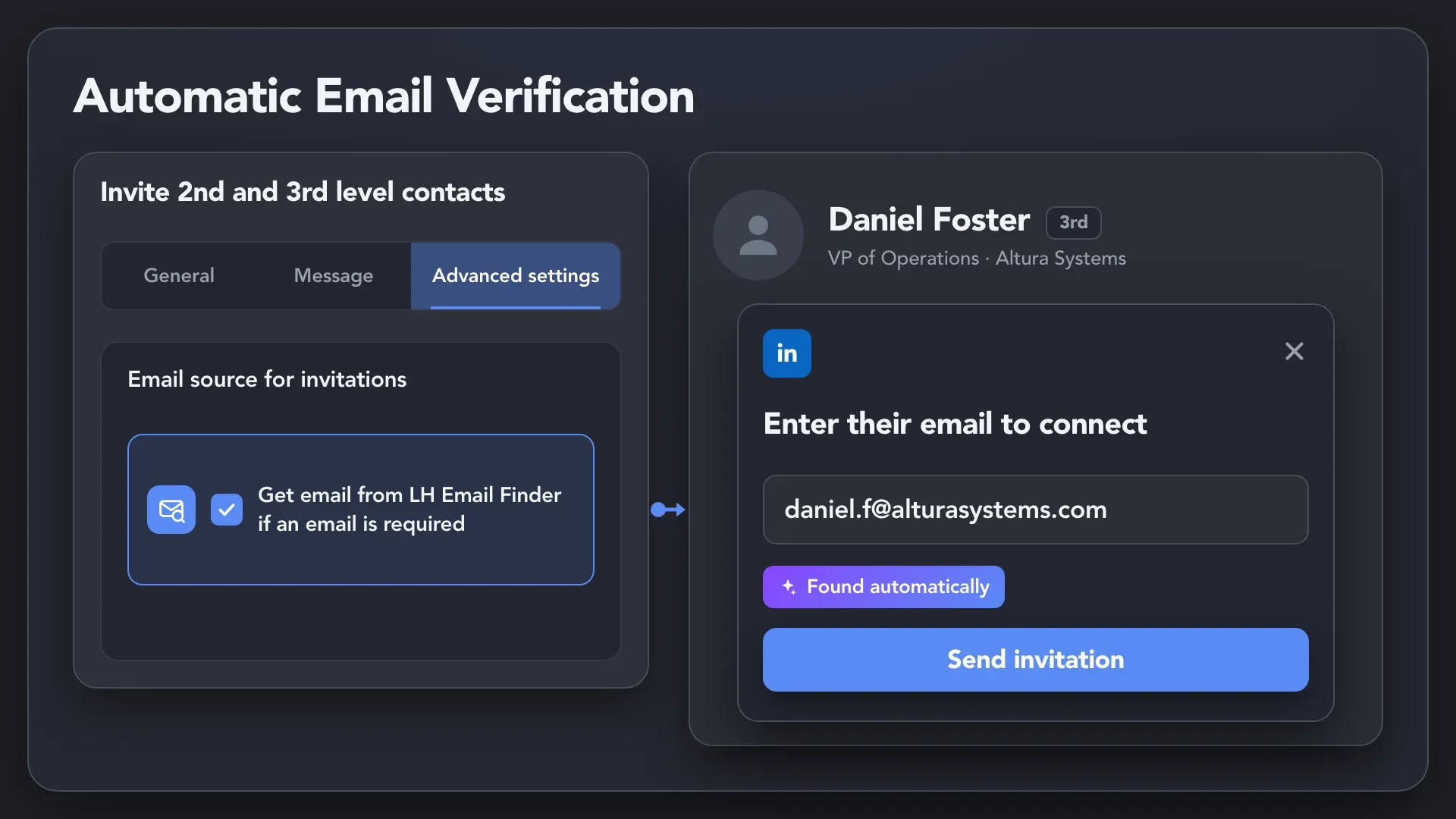
● 2nd- and 3rd-degree prospects become reachable by email before you connect

● Prospect emails are found and saved automatically — no manual lookup or data entry

Collect Prospect Emails Across
Every Connection Level

Extract Emails From 1st-Degree Connections

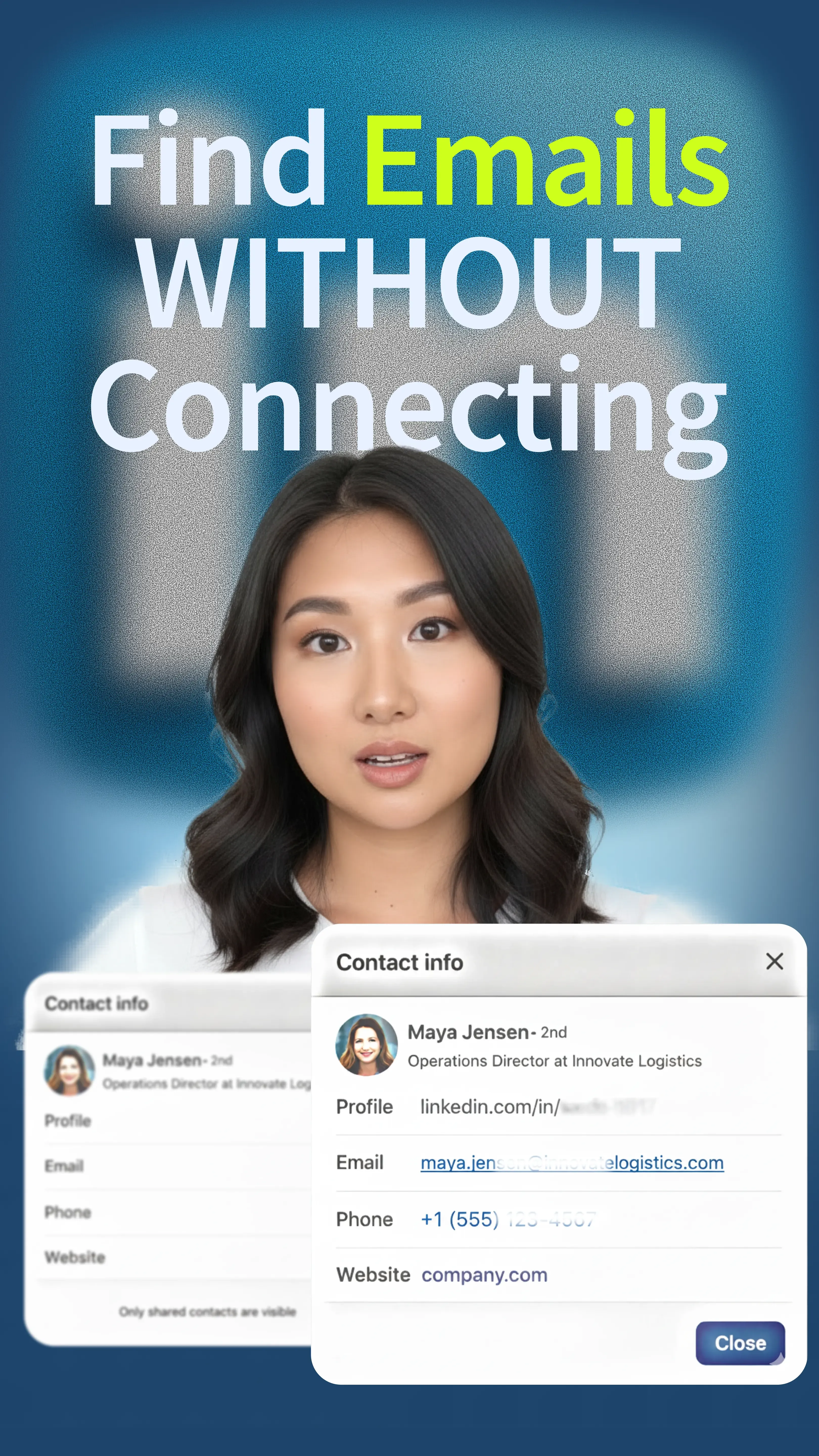
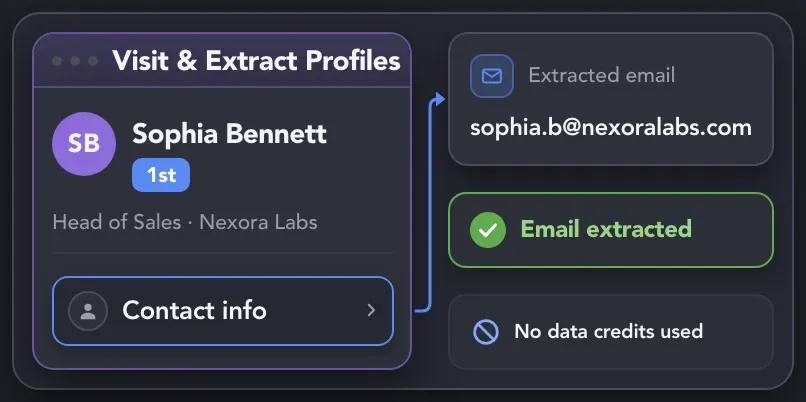
Use Visit & Extract Profiles to collect email addresses already available in the Contact info of your 1st-degree connections. This lets you capture accessible contact data directly from LinkedIn without spending data credits.
Extract Emails From 1st-Degree Connections

Find Emails Across All Connection Levels

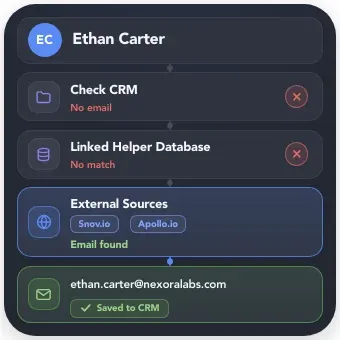
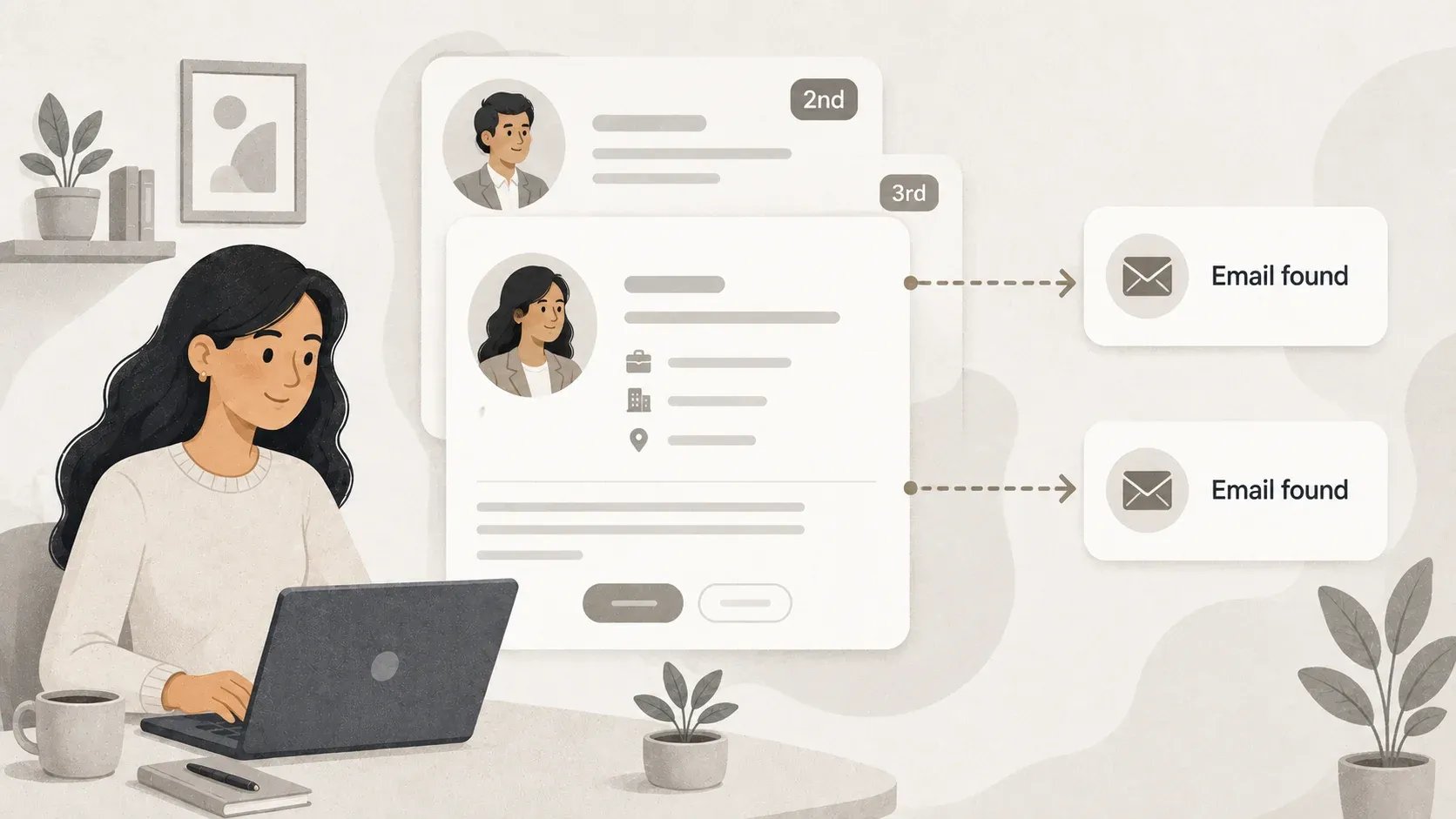
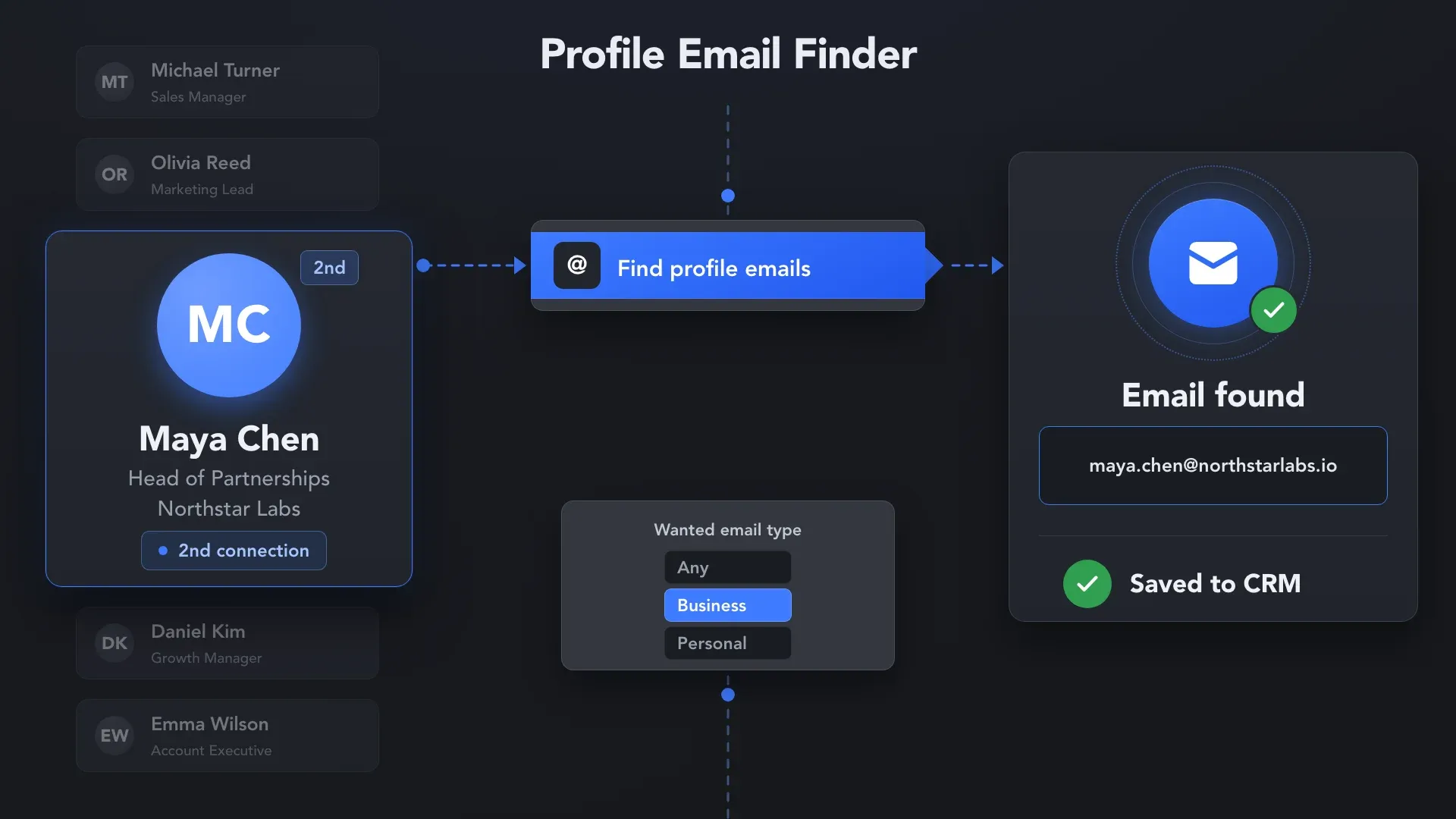
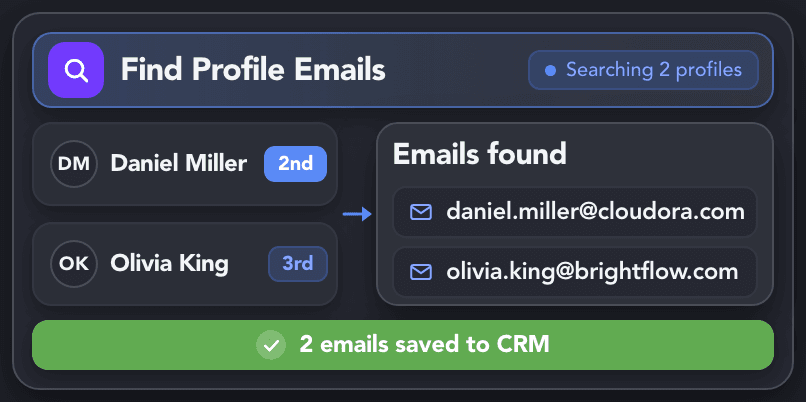
Use Find Profile Emails to process 1st-, 2nd-, and 3rd-degree prospects in one workflow. It skips leads that already have an email and searches your selected sources only for profiles with no saved address.

Find Emails Across All Connection Levels

Refresh Email Data With Data Enrichment

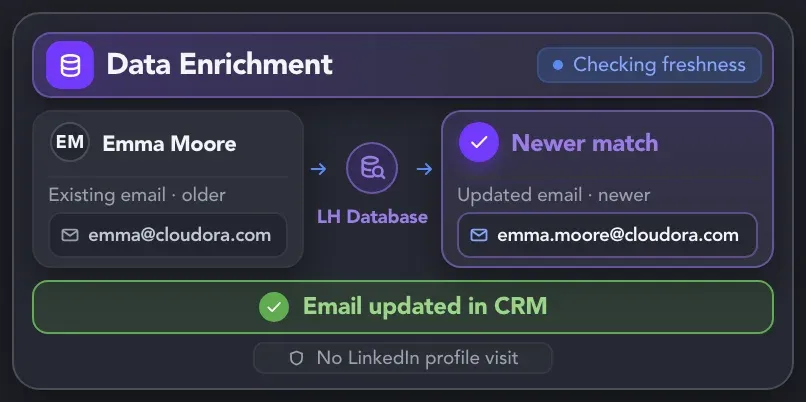
Use Data Enrichment to run a new search in Linked Helper’s database even when the lead already has an email. It compares data freshness and updates the CRM profile only when the retrieved email is newer—without visiting LinkedIn.

Data Enrichment checks an existing lead email against Linked Helper’s database and updates the CRM profile when a newer match is found, without visiting LinkedIn.

Search Multiple Email Sources With One Action

How Email Lookups Work

How Email Lookups Work

Email lookups let you search Linked Helper’s built-in email database and connected third-party providers such as Snov.io and Apollo.io. Email lookups use credits from the source that performs the search. Linked Helper’s built-in database uses Data credits: one credit is charged only when it successfully finds a match for a profile, even if that match returns multiple emails. Snov.io and Apollo.io use credits from your connected accounts according to their own rules.

1 Credit per Profile — Even with Multiple Emails620 Credits with Standard3,100 Credits with ProSnov.io & Apollo.io Use Their Own Credits

Linked Helper Email Database

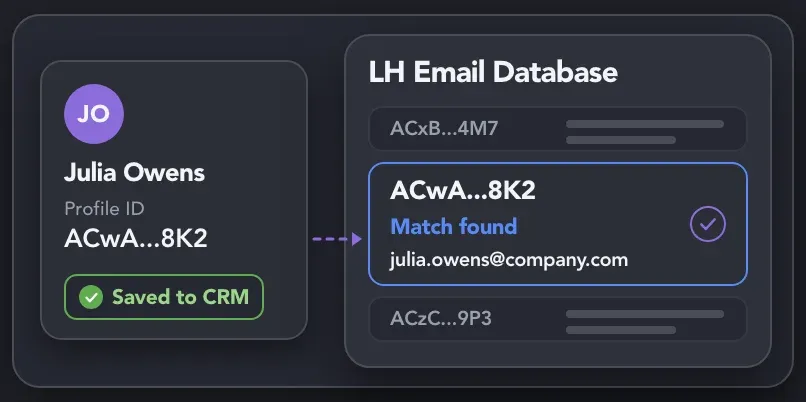
Search Linked Helper’s built-in database for emails associated with the prospect’s LinkedIn profile. Every found email is saved to the corresponding lead profile in the built-in CRM.

Linked Helper Email Database

Snov.io Integration

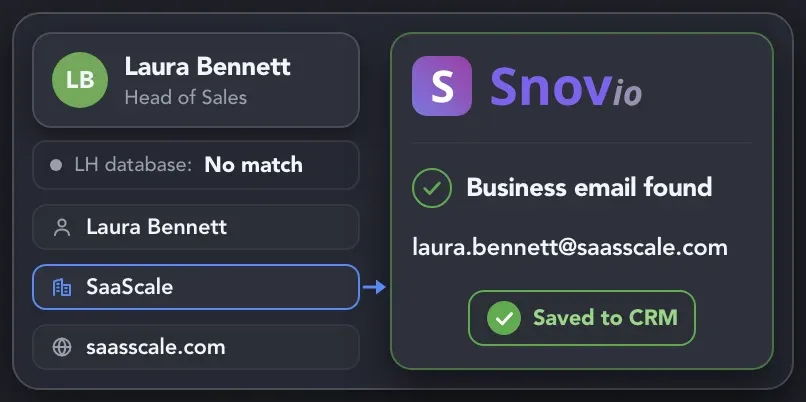
Use the prospect’s name, company, and domain data to continue the search for a business email when Linked Helper finds no match.

Snov.io Integration

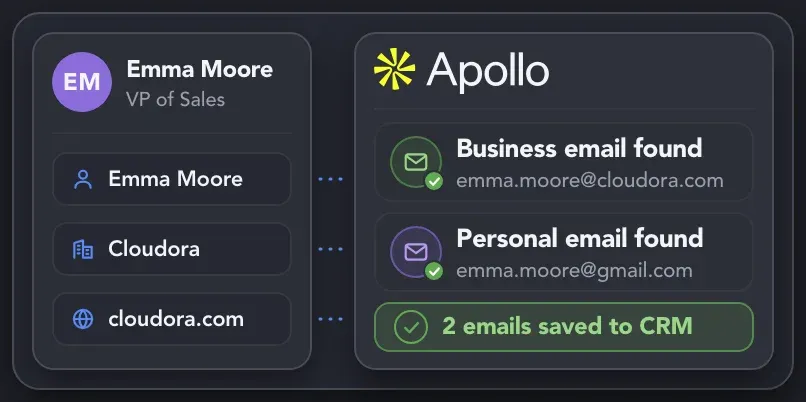
Apollo.io Integration

Search for professional emails only or expand the lookup to professional and personal addresses, depending on your campaign settings.

Apollo.io Integration

Build Email Discovery Into Your Workflow.
Let Linked Helper Handle the Search.

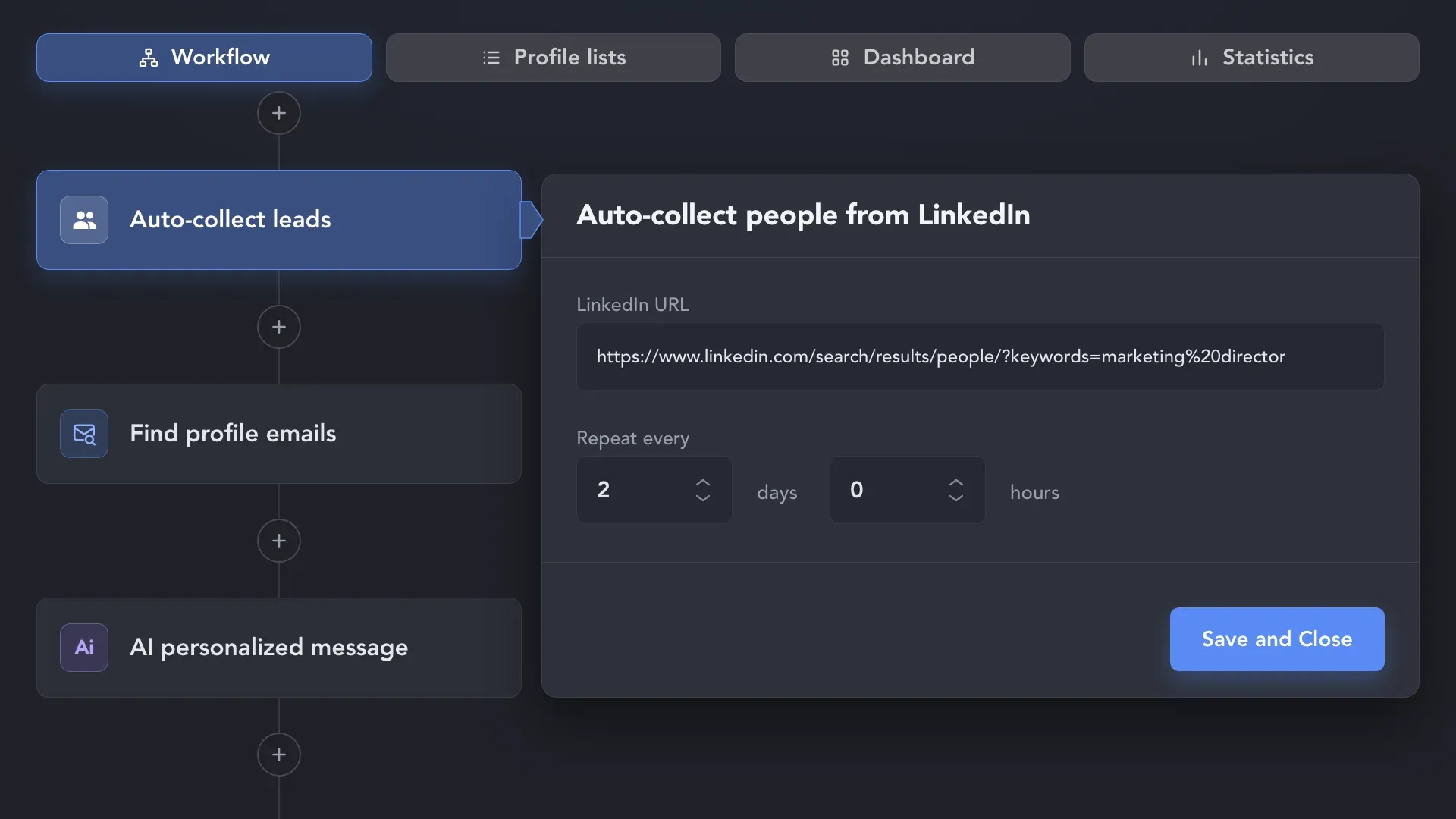
Keep Finding New Prospect Emails Automatically

Keep Finding New Prospect Emails

Put Every Found Email to Work

Email CampaignsEmail Campaigns

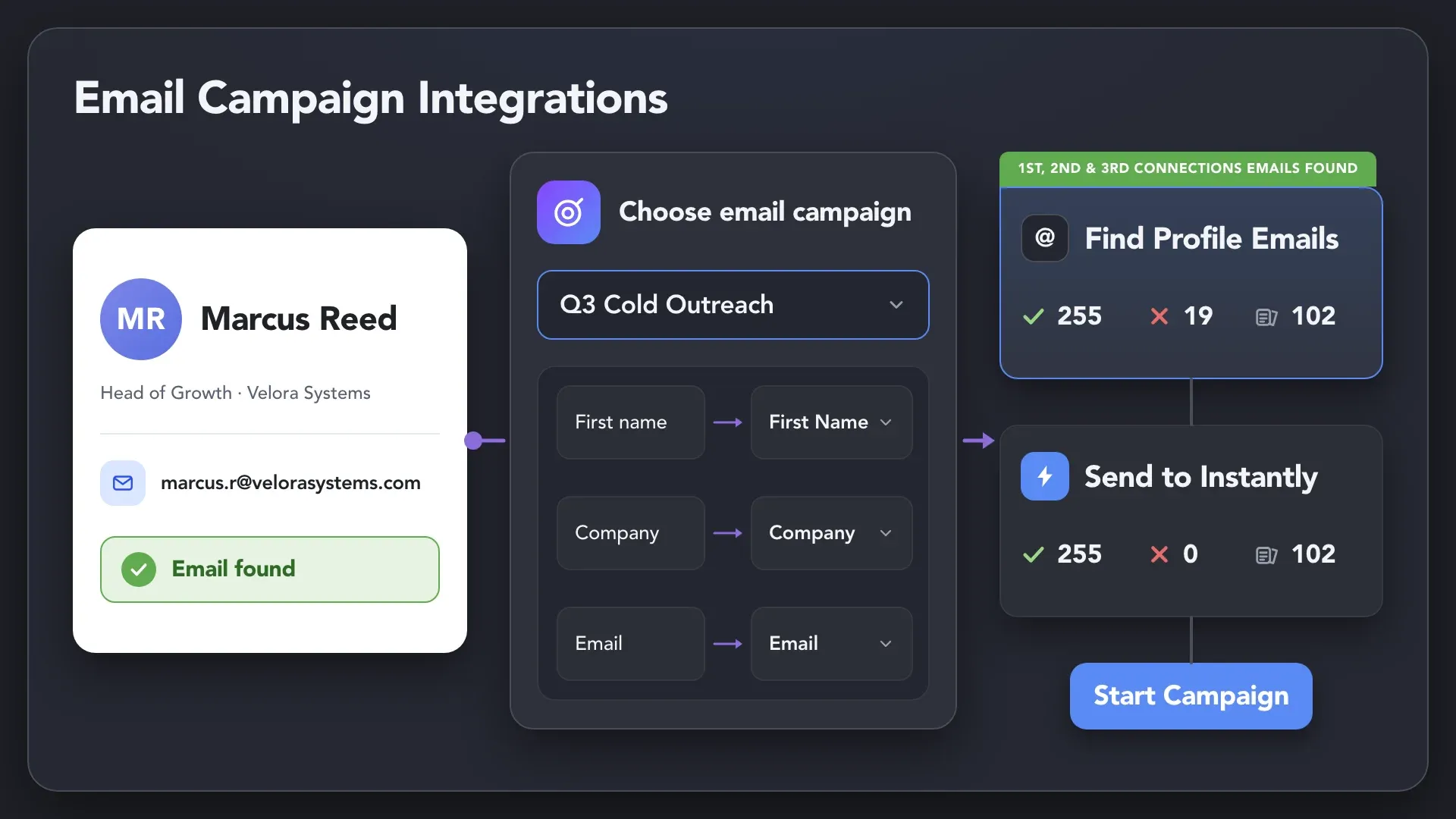
Continue Outreach by Email

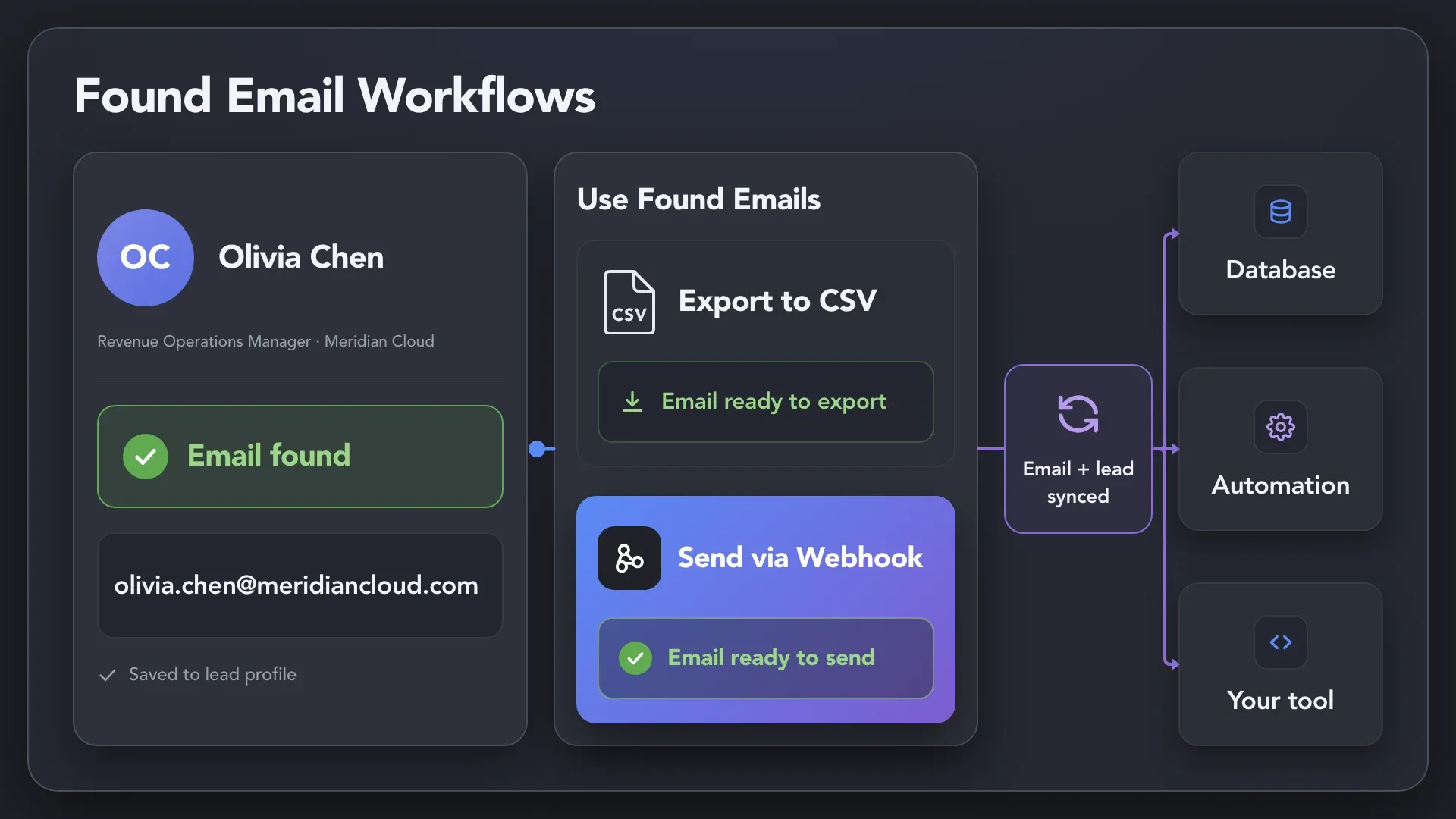
Send prospects and their found emails directly to a campaign in Instantly or Snov.io. The selected service runs the email sequence, so you can continue outreach beyond LinkedIn or follow up when a prospect does not reply.

Continue Outreach by Email
CRM SyncCRM Sync

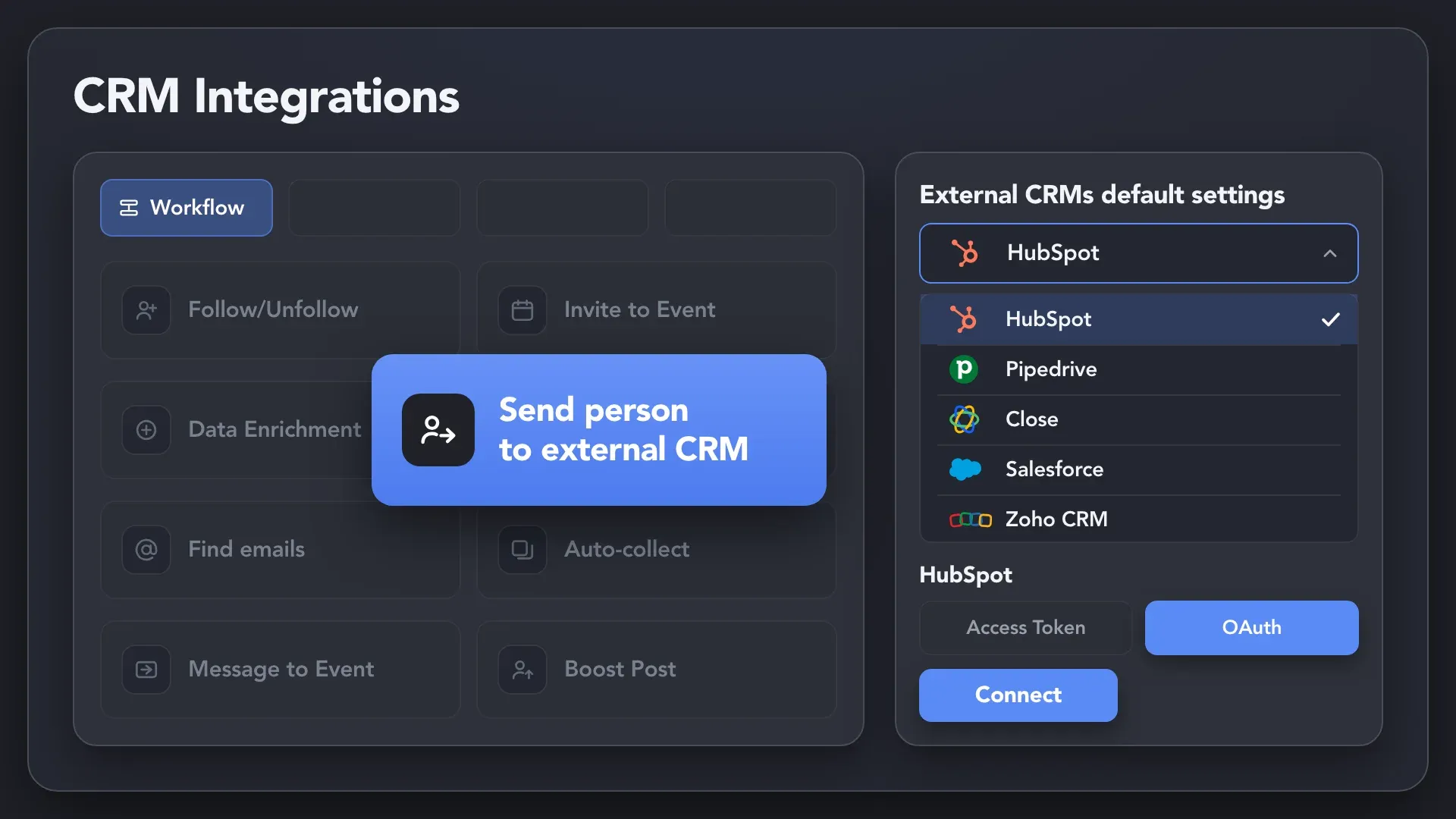
Move Lead Data Into Your CRM

Create or update contacts in HubSpot, Pipedrive, Close, or another connected CRM with the found email and available LinkedIn profile and company data. The email becomes part of a complete lead record rather than a standalone contact detail, so you can continue qualification and follow-ups in the CRM you already use.

Move Lead Data Into Your CRM
Exports & Webhooks

Export Contacts or Connect Your Own Tools

Download enriched contact data as a CSV for analysis or handoff, or send it through a webhook to your own database, automation, or internal tool. This lets you use found emails in processes that sit outside Linked Helper’s native integrations.

Export Contacts or Connect Your Own Tools

Seamlessly Connect with Leading CRMs

Go Beyond the LinkedIn Profile to
Reach the Prospects That Matter

Info card icon

Sales & SDR Teams

Find business emails for qualified decision-makers who have not accepted your invitation and move them into another outreach channel.
Info card icon

PR & Communications Teams

Find business emails for journalists, analysts, and industry voices, then continue pitches and follow-ups beyond LinkedIn.
Info card icon

Lead Generation Agencies

Process full lead lists, keep emails attached to the right profiles, and send contacts to each client’s CRM or outreach campaign.
Info card icon

Founders & Business Development

Find contact details for a smaller number of difficult-to-reach investors, partners, enterprise buyers, and industry experts.

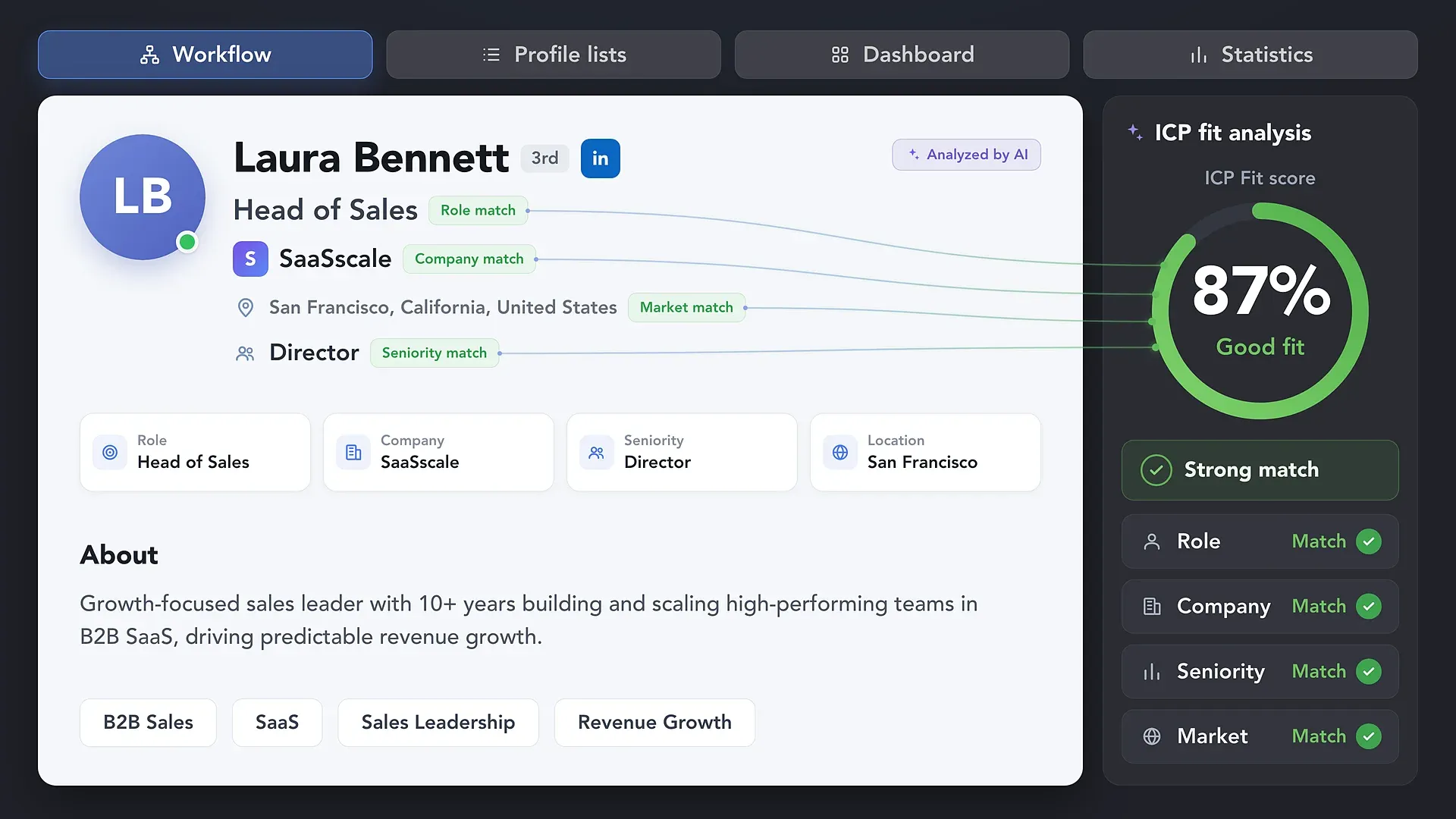
Make Sure You’re Finding Emails
For the Right People

Make Sure You’re Finding Emails

Use Found Emails to Connect on LinkedIn, Too

Use Found Emails to Connect on LinkedIn, Too

Need More Than an Email?

Data Enricher

Data Enricher

Use Data Enricher to add phone numbers, social and messaging links, profile details, and company data to the same leads — without visiting their LinkedIn profiles. Select only the data categories you need to build richer prospect records for qualification, segmentation, and personalization.

Keep Your LinkedIn Activity
Safe and Human-Like

Passes All Major Bot Detectors

Passes All Major Bot Detectors

LinkedHelper is verified undetectable by DataDome, Cloudflare, PerimeterX, and 10+ other leading bot detection systems — so your account stays safe, always.

DataDomeDataDomeCloudflareCloudflarePerimeterXPerimeterXAkamaiAkamaiImpervaImperva10+ more10+ more

Human Behavior Simulation

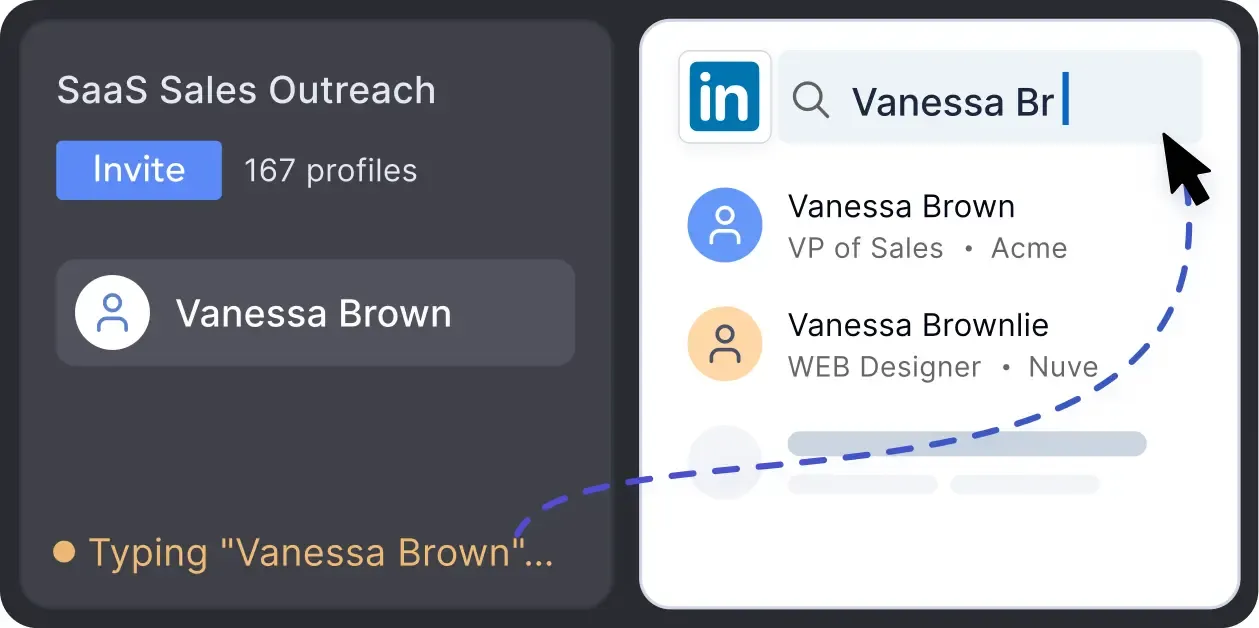
Mimics human actions with mouse movements and clicks, typing, and randomized delays. Navigates via LinkedIn search rather than direct URLs.

Human Behavior Simulation

Spintax & Variations

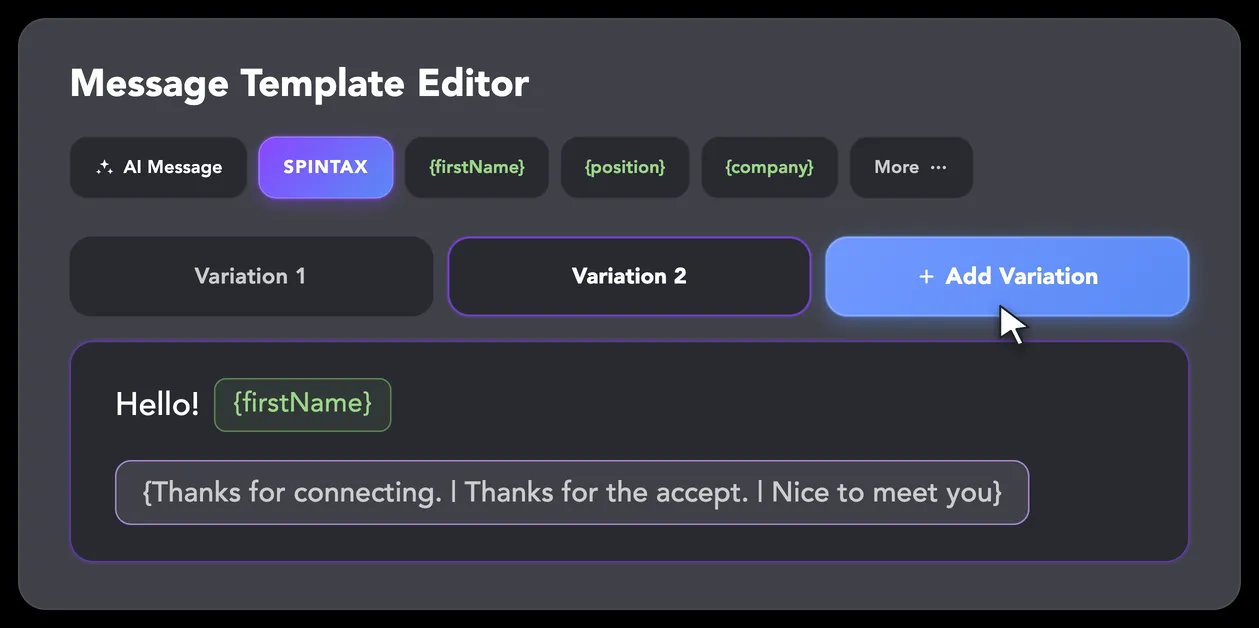
LinkedIn algorithms flag repetitive text. Combine your generated templates with unique syntactic variations for every single message, keeping your outreach off the spam radar.

Spintax & Variations

Smart Daily Limits

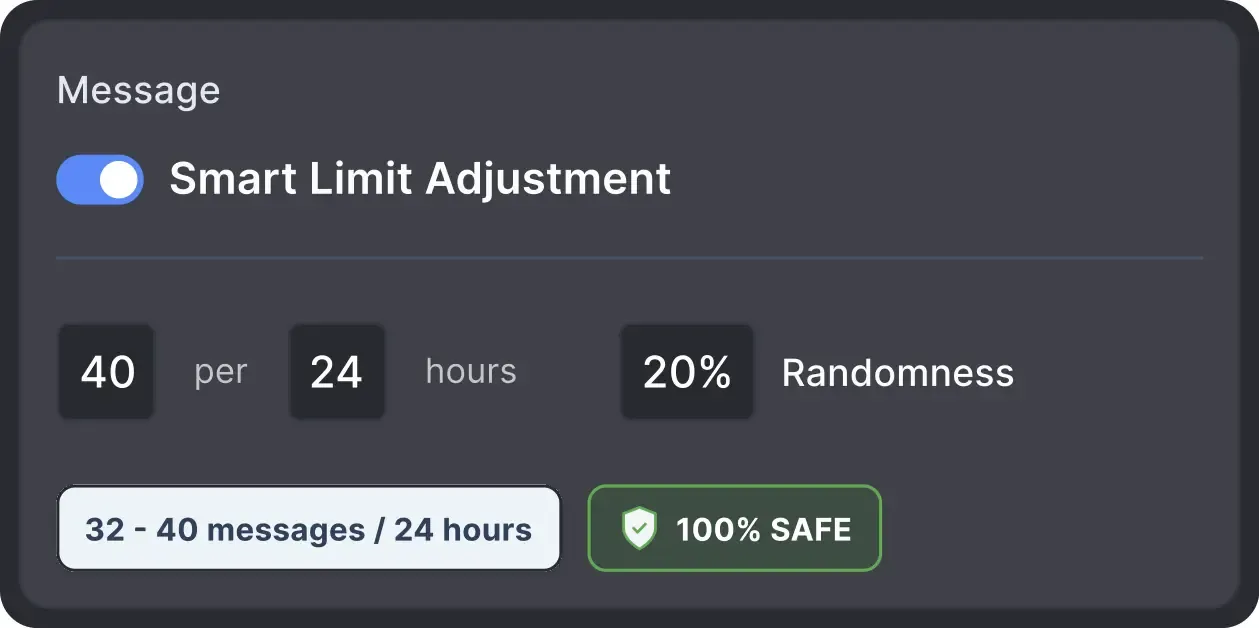
Operates within safe, recommended daily quotas and works on a "human-like" schedule (e.g., 9 AM - 5 PM) with random shifts to avoid robotic patterns.

Smart Daily Limits

Works From Your Own IP

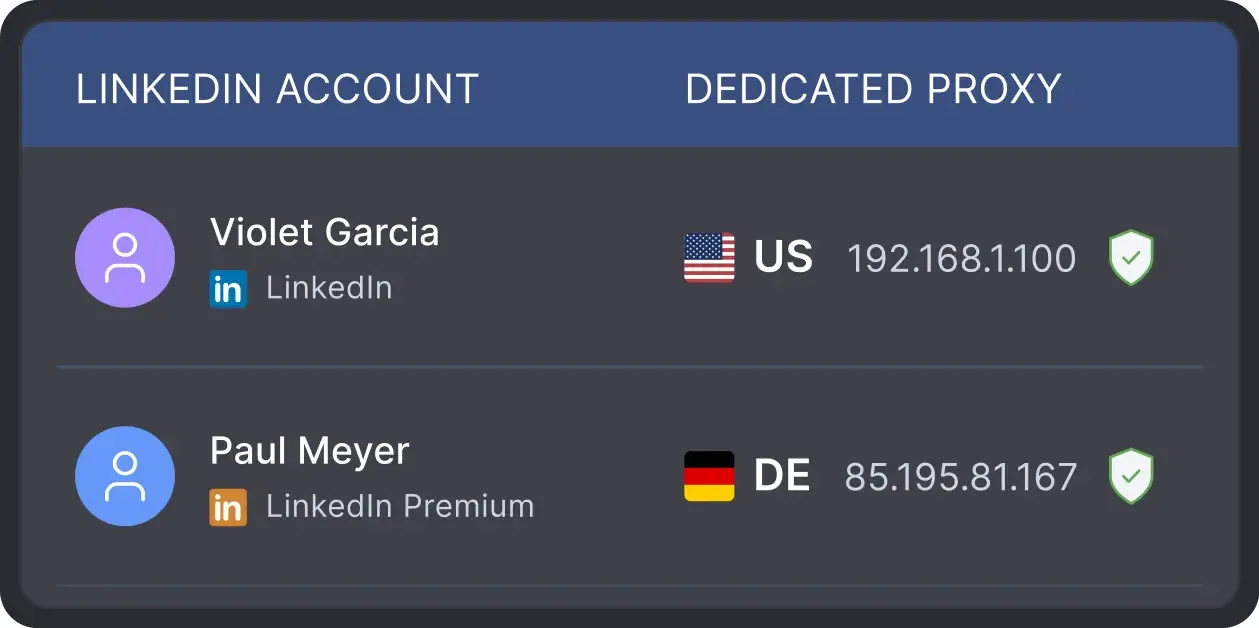
All activity comes from your local IP address or a chosen dedicated proxy, not a suspicious server, avoiding a major red flag for LinkedIn.

Works From Your Own IP

Built-in Proxy Quality Check

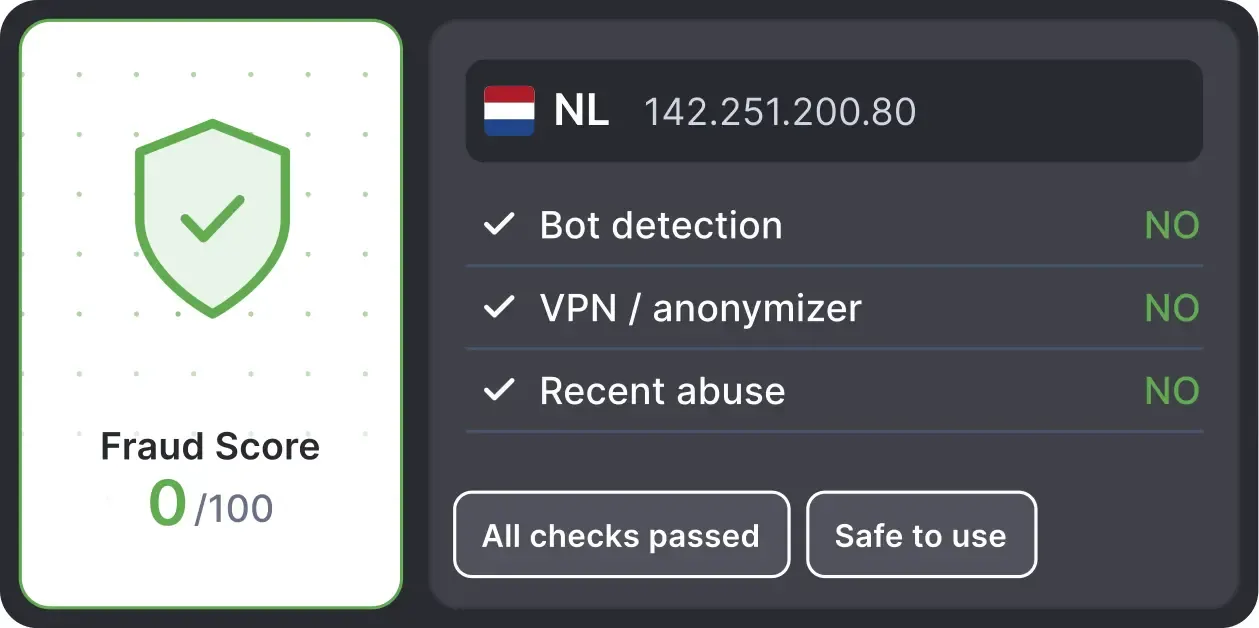
Automatically validates your proxy's "Fraud Score" to ensure you're not using a low-quality or blacklisted IP, adding an extra layer of security for multi-account management.

Built-in Proxy Quality Check

Auto Invite Withdrawal

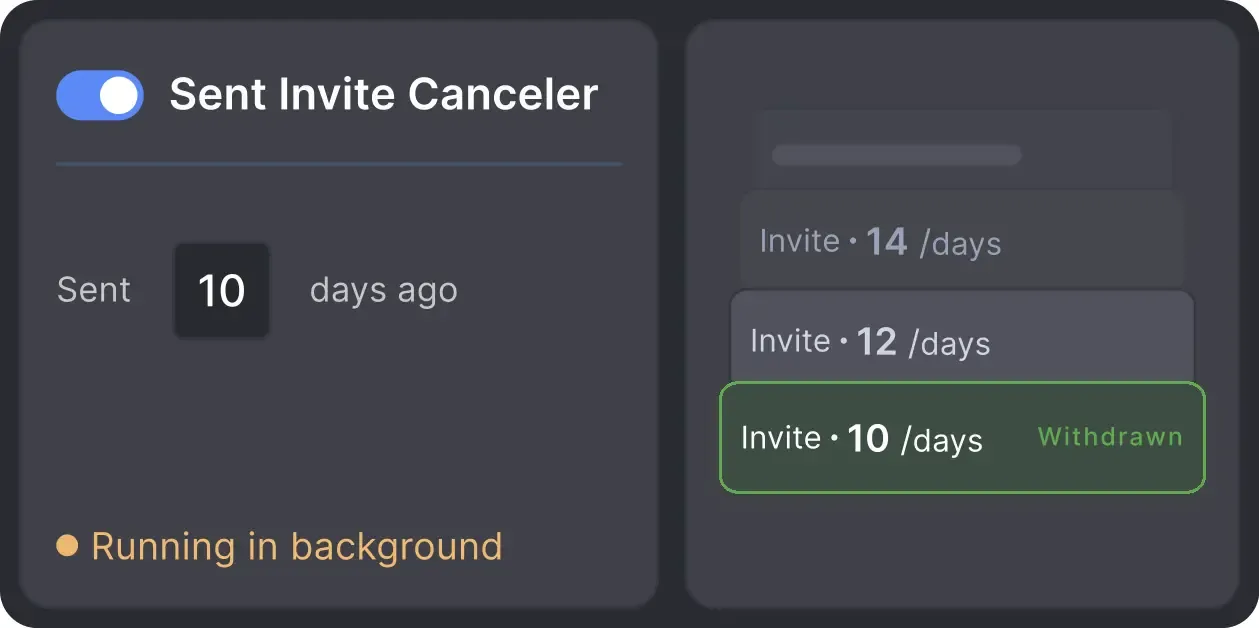
Automatically retracts old, unanswered connection requests to keep your profile in good standing with LinkedIn's algorithm.

Auto Invite Withdrawal

Works with All LinkedIn Platforms

LinkedIn Platform

Basic

LinkedIn Platform

Premium

LinkedIn Platform

Sales Navigator

LinkedIn Platform

Recruiter

Your Complete LinkedIn Automation Toolkit

Info card icon

Smart Message Sequences

  • Build Multi-Step Message Funnels
  • Automatically Stop Sequences on Reply
  • Hyper-Personalize with “IF-THEN-ELSE” Logic
Info card icon

Warm-Up & Engage Prospects

  • Auto-Visit Profiles & Follow Key Contacts
  • Like & Comment on Their Recent Posts
  • Automatically Endorse Skills to Get Noticed
Info card icon

Find, Collect & Enrich Leads

  • Scrape from Search, Groups, Events & Post Interactions
  • Enrich leads with verified emails, phone numbers, company data, and more
  • Auto-qualify prospects on the fly with AI ICP Detection
  • Extract Employee Lists from Company Pages
Info card icon

Grow Your LinkedIn Assets

  • Invite Contacts to Follow Your Company Page
  • Automatically Invite Your Network to Events & Groups
  • Clean Your Network by Removing Old Contacts
Info card icon

Scale Your Operations

  • Run Unlimited Accounts with Unique Proxies
  • Operate 24/7 on a Remote Server (VPS)
  • Remote Web Control: monitor and manage without VPS connection
  • Run Multiple Campaigns in Parallel
Info card icon

Integrate & Export Your Data

  • Use the Built-in CRM for All Your Contacts
  • Export Full Profile Data & Message History to CSV
  • Sync Directly with HubSpot, Salesforce, Pipedrive & more

LinkedIn-experienced Linked Helper Reviews

Medal
Medal
Medal
Medal
Medal
Medal
Read Full Reviews

Volodymyr M.

IT Recruiter

I especially want to note the INCREDIBLE TECHNICAL SUPPORT!!! I checked - technicians give answers both at night and on weekends. Answers come in 3-5 minutes. Technical support solved all my problems and not only with the program, but also with computer settings. Many thanks to the specialists!

Review link iconReview

24/7 LIVE CHAT EMAIL

Get a real human response in minutes, not days.

REMOTE ASSISTANCE

If you're truly stuck, we can connect to your screen and guide you.

IN DEPTH KNOWLEDGE BASE

Step‑by‑step tutorials and articles for every feature.

Read Guidelines

Flexible pricing 
for every LinkedIn professional

Local-based storage versionCloud-based storage version

Data stored locally

All your data stays on your device, in local folders you can access directly.

Separate data space per LinkedIn account

Each account has its own isolated storage - no data mixing.

Webhooks

With outgoing webhooks, Linked Helper can send data to third-party systems.

Always accessible

Data is stored in local folders on your device. No app, no internet required to access your files.

Access from any device, anywhere

Install the app on a new device and pick up right where you left off.

Easy data sharing with teammates and clients

Share LinkedIn accounts and campaign data without manual exports.

Webhooks

With incoming and outgoing webhooks, Linked Helper can receive data from and send data to third-party systems.

Data reliability

Your data is automatically backed up to the cloud - no risk of losing it if something happens to your device.

No manual transfers

Switch devices or reinstall the app without moving files manually.

Local-based storage version

Trial

Free14 days
  • 14-Day Full Feature Access
  • Explore Standard & Pro capabilities
  • 24/7 Support
MOST POPULAR
Local-based storage version

Standard

$15month
  • Core lead generation tools unlimited
  • Unlimited campaigns
  • Full data export to CSV (except messaging history)
  • LH CRM with tagging & notes
  • Limited advanced actions (20/day)
  • Webhook integrations (20 profiles/day)
  • 620 Data credits/month (Can be purchased separately if needed)
  • 250 AI credits included (Can be purchased separately if needed)
  • 24/7 Support
Local-based storage version

Pro

$45month
  • All Standard features
  • Unlimited daily actions
  • Advanced data export
  • Unlimited webhook integrations
  • Unlimited messages with images
  • 3100 Data credits/month (Can be purchased separately if needed)
  • 500 AI credits included (Can be purchased separately if needed)
  • 24/7 Support
Cloud-based storage version

Trial

Free14 days
  • 14-Day Full Feature Access
  • Explore Standard & Pro capabilities
  • 24/7 Support
MOST POPULAR
Cloud-based storage version

Standard

$29.90month
  • Core lead generation tools unlimited
  • Unlimited campaigns
  • Full data export to CSV (except messaging history)
  • LH CRM with tagging & notes
  • Limited advanced actions (20/day)
  • Webhook integrations (20 profiles/day)
  • 620 Data credits/month (Can be purchased separately if needed)
  • 250 AI credits included (Can be purchased separately if needed)
  • 24/7 Support
Cloud-based storage version

Pro

$59.90month
  • All Standard features
  • Unlimited daily actions
  • Advanced data export
  • Unlimited webhook integrations
  • Unlimited messages with images
  • 3100 Data credits/month (Can be purchased separately if needed)
  • 500 AI credits included (Can be purchased separately if needed)
  • 24/7 Support
1 license = 1 LinkedIn account(Powerful AI automation and transparent credit pricing – choose the plan that fits your growth.)

Local tax may apply

Master Linked Helper from Day 1

Register for the webinar and learn how to succeed with our app
LIVE WEEKLY

Register for the webinar and learn how to succeed with our app

A 60-minute live walkthrough to kick-start your LinkedIn lead generation. Register now to join live or receive the recording by email even if you can’t attend.

Video preview
Video preview
How to Find Emails from LinkedIn Profiles with Linked Helper

BLOG POST

How to Find Emails from LinkedIn Profiles with Linked Helper

Read Article
Video preview

VIDEO TUTORIAL

Don't Waste Invites: Get Emails Without Visiting Profiles

Watch Video

Your Questions, Answered

Yes. Linked Helper can search for emails associated with 2nd- and 3rd-degree profiles using its internal Data Enrichment database and connected services such as Snov.io or Apollo.io.