

 Complete Conversation History
 All Conversations in One Place
 Context-Aware Workflow
 Portable Messaging Data
 Integrations
 Export the Full Record
 Safe LinkedIn Automation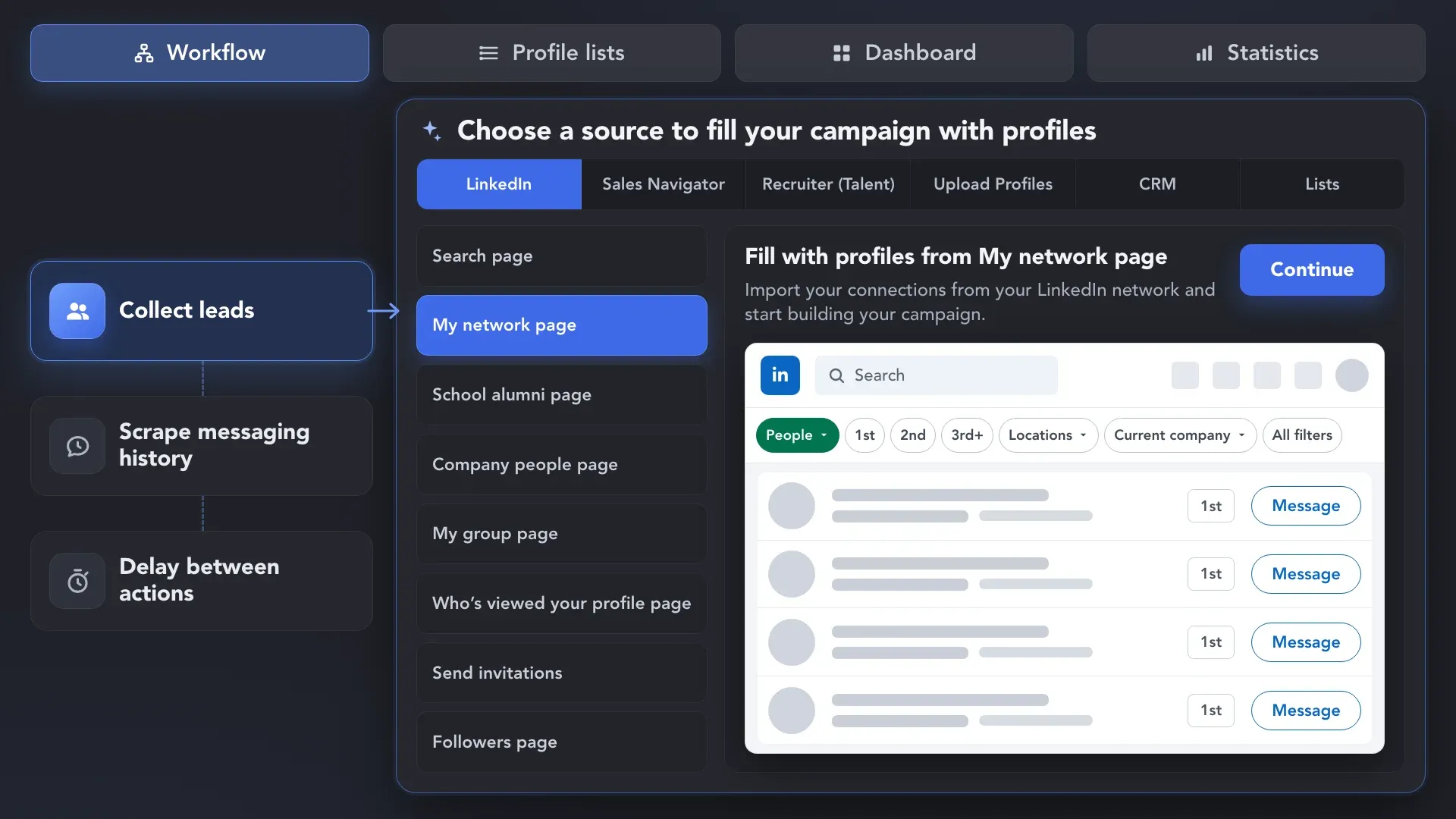
Collect or add leads from Regular LinkedIn, Sales Navigator, or Recruiter. By default, Linked Helper scrapes their messaging history from the same platform used to collect the profiles.
 Introducing AI Features
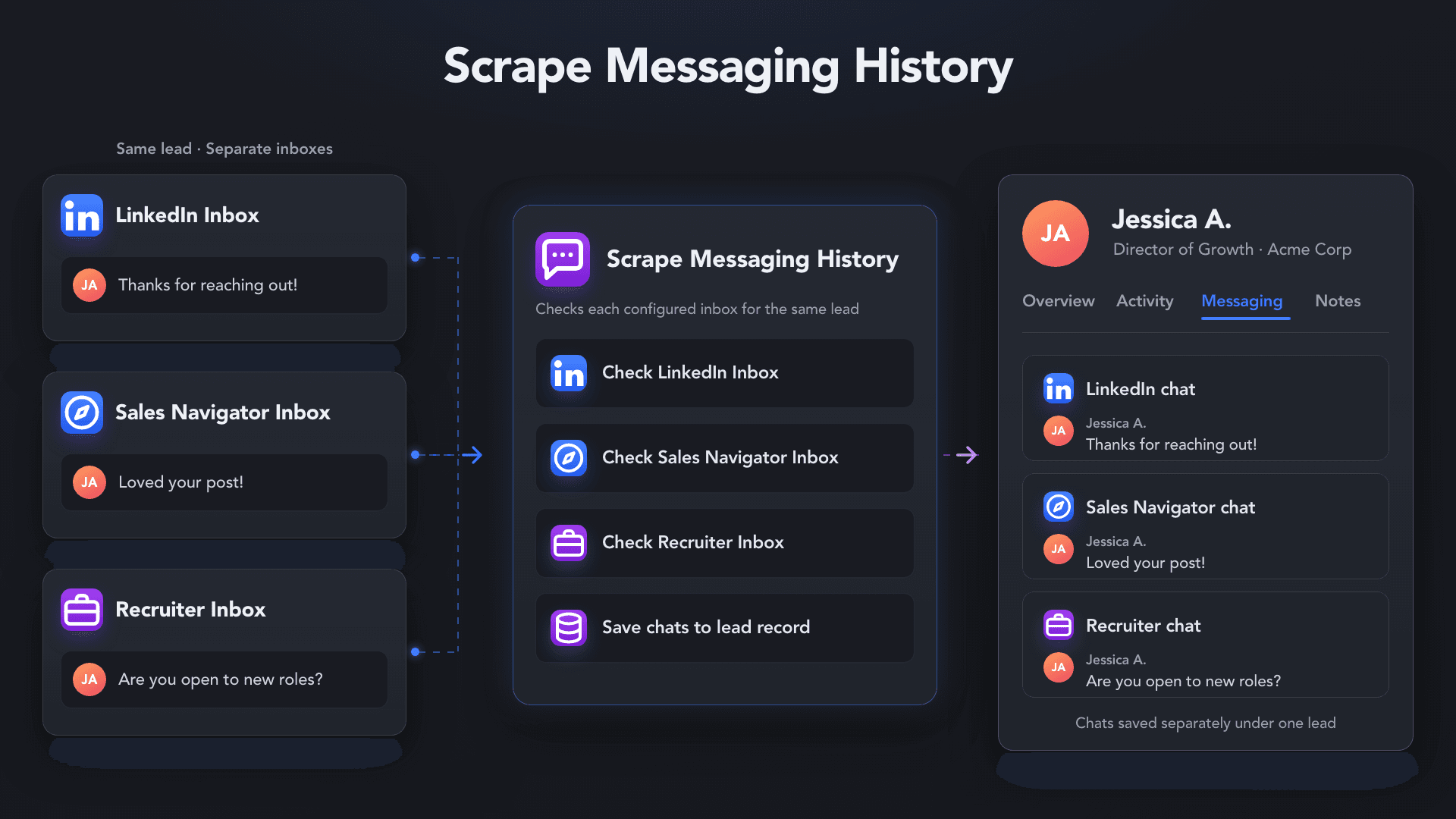
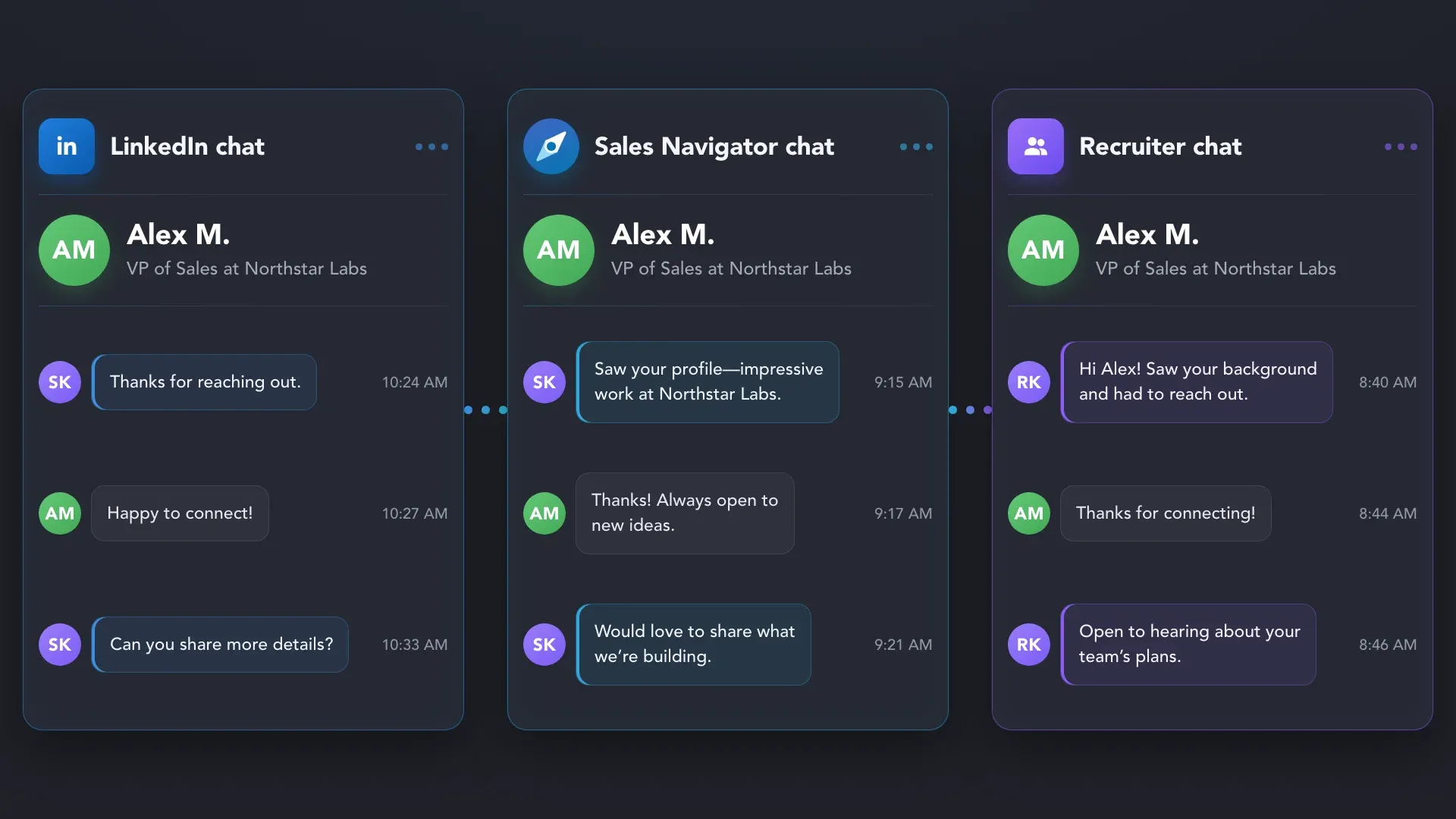
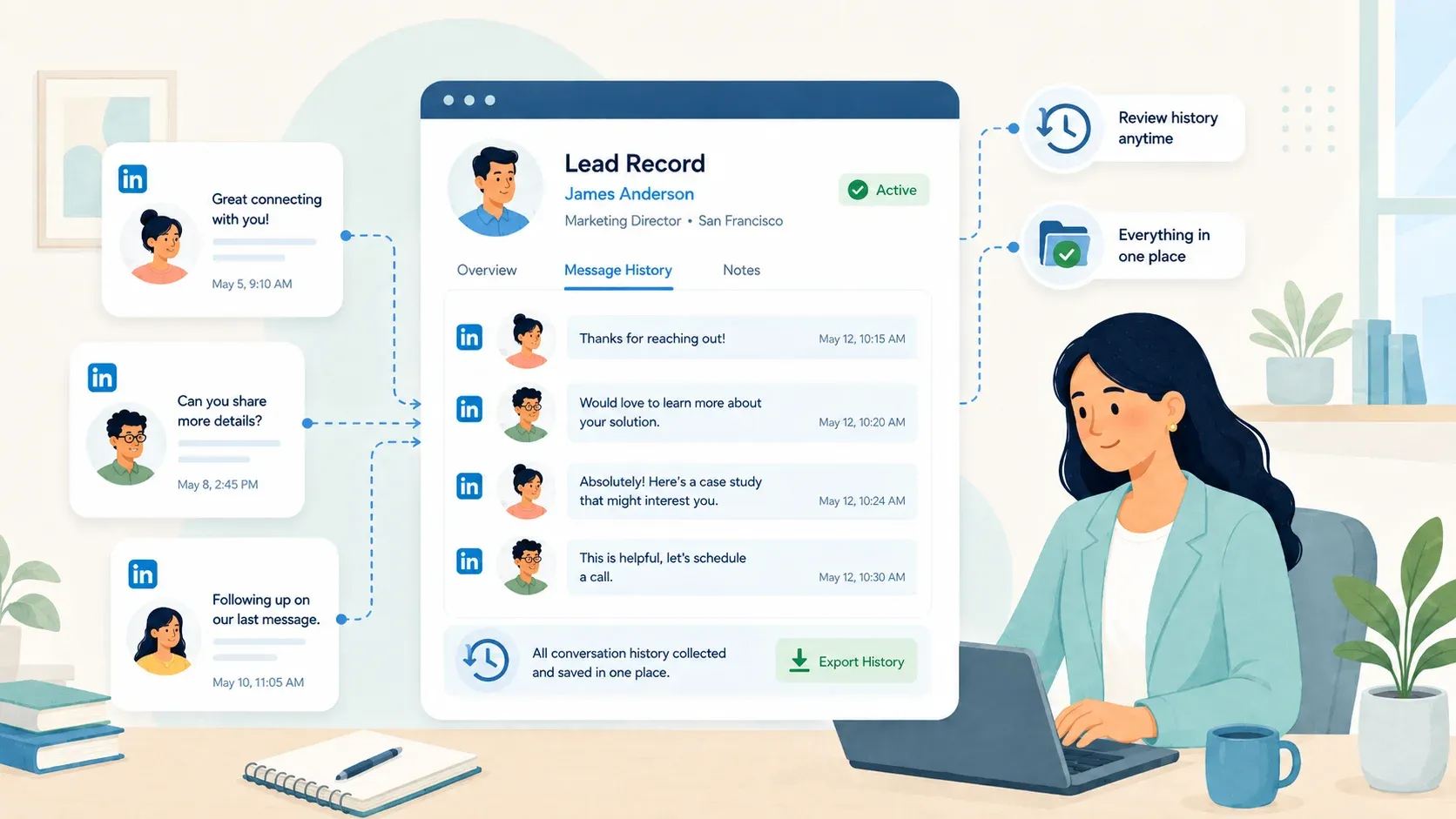
Collect conversations from LinkedIn, Sales Navigator, and Recruiter, so you always know what was discussed before reaching out again. Use that context in your outreach workflows or export the history to your CRM and other tools.










 WITHOUT MESSAGING SCRAPER
 WITH MESSAGING SCRAPER
 Unified History
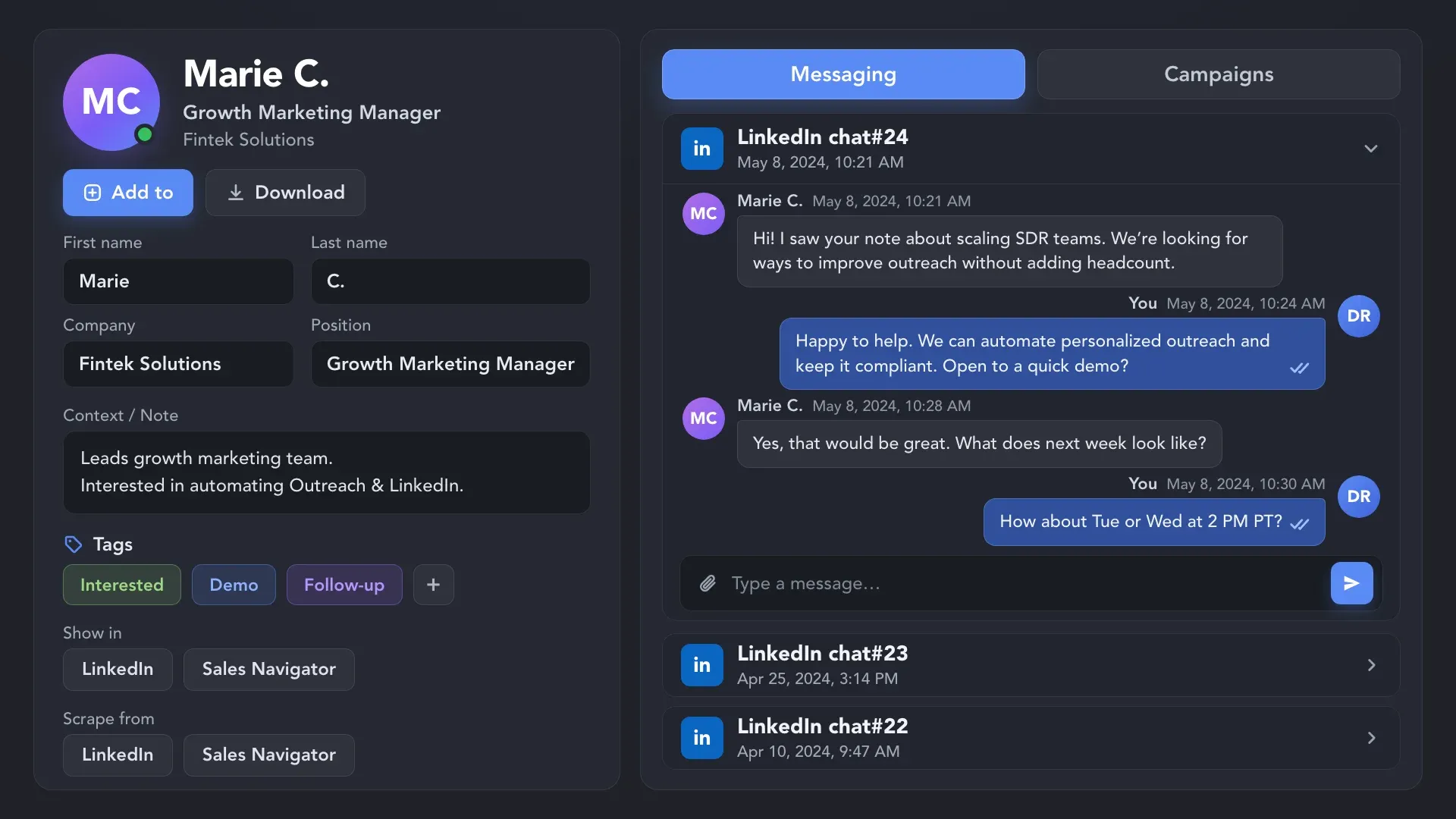
Capture complete one-to-one conversations with messages, replies, senders, and timestamps
— so you can see exactly what happened with every lead.
Collect messaging history from LinkedIn, Sales Navigator, and Recruiter to get a complete view of every lead’s past interactions — without manually checking each inbox.
Start with the conversation history you already have — even if it happened before Linked Helper. Add Scrape Messaging History to your campaign to recover previous chats and use that context in the next steps of your outreach.
Collect or add leads from Regular LinkedIn, Sales Navigator, or Recruiter. By default, Linked Helper scrapes their messaging history from the same platform used to collect the profiles.
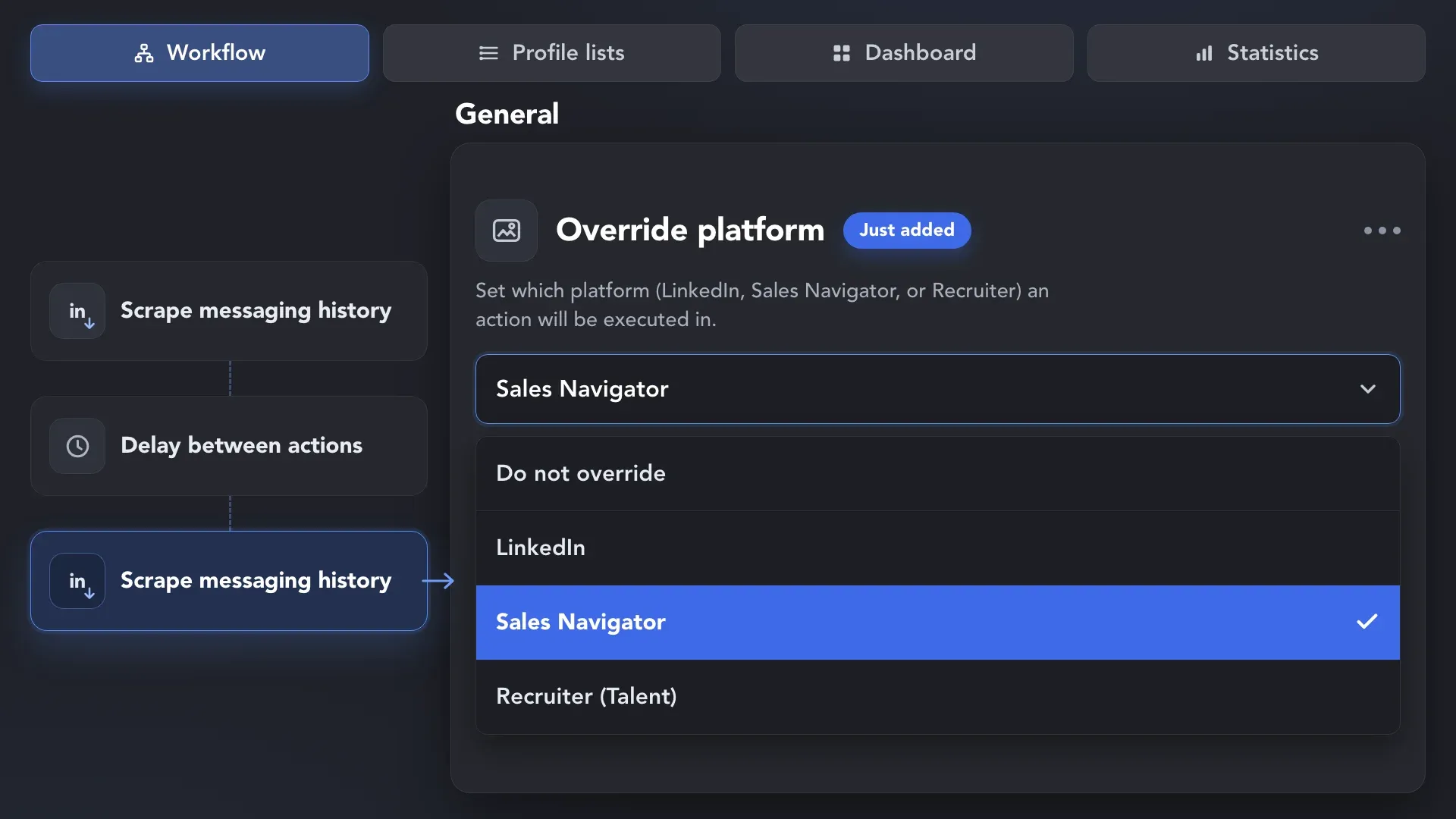
Your first Scrape Messaging History action checks the default platform. To collect conversations from other inboxes, add additional actions and select Override Platform for LinkedIn, Sales Navigator, or Recruiter.
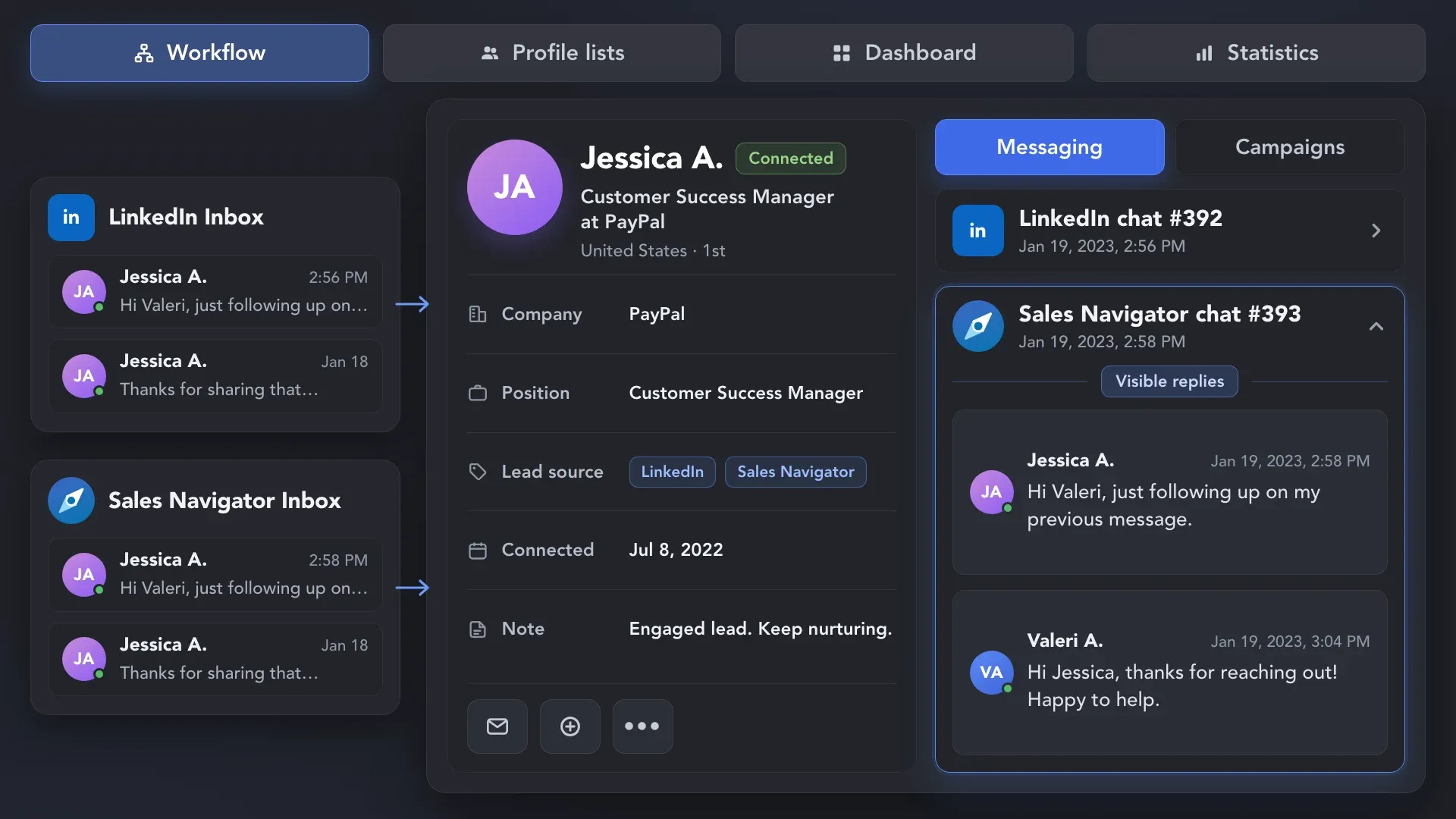
Start the campaign and let Linked Helper check the configured inboxes, collect available conversations, and save the messaging history to each lead’s CRM card.
Collect or add leads from Regular LinkedIn, Sales Navigator, or Recruiter. By default, Linked Helper scrapes their messaging history from the same platform used to collect the profiles.
Export the messaging history you’ve collected in Linked Helper to CSV, your CRM, or other systems via webhook — without leaving valuable conversation data locked inside LinkedIn.
 Full Field Control
Export conversation history with lead data to CSV and use the file wherever you need.
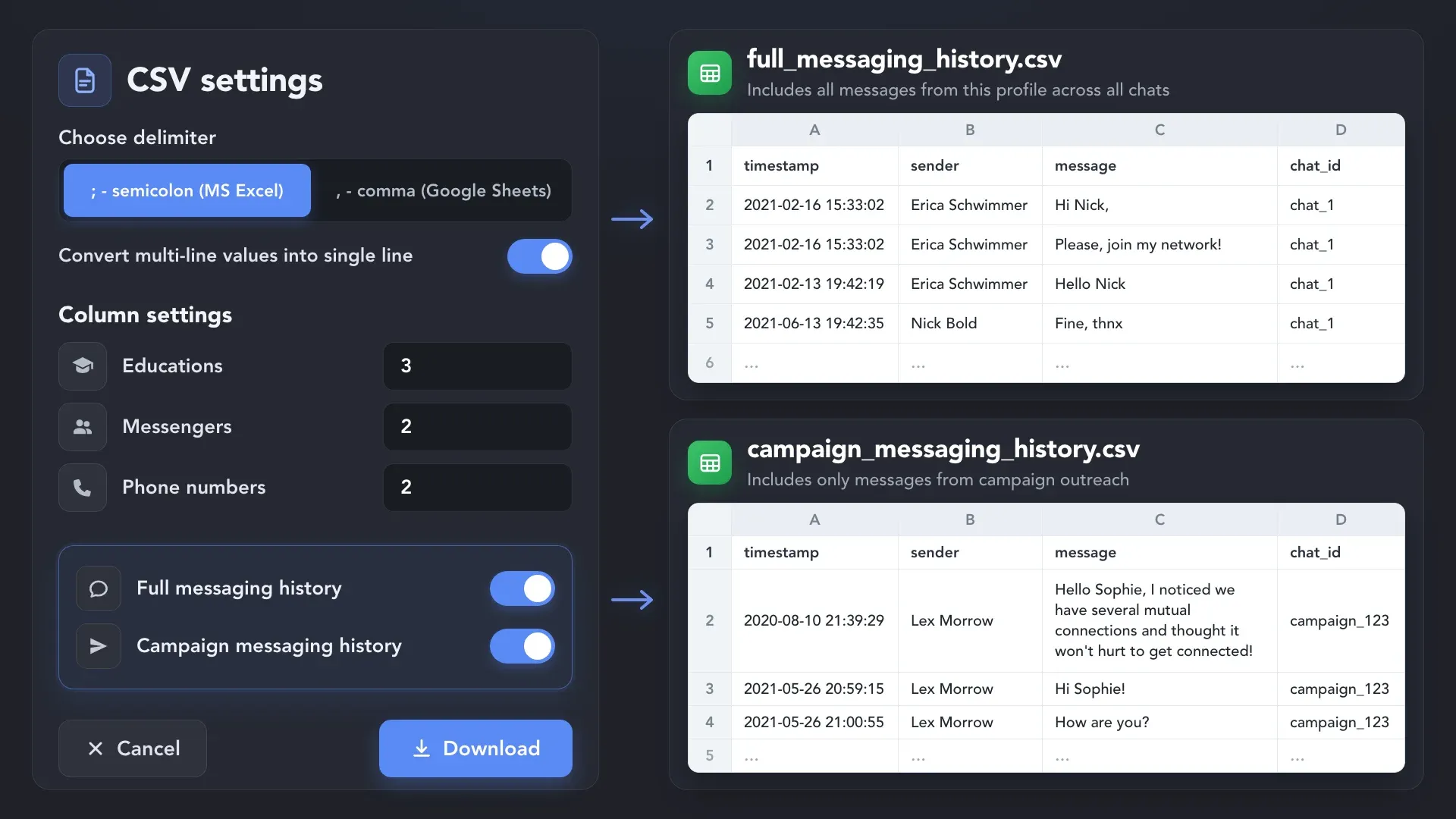
 No Manual Data Entry
Transfer conversation history directly to your CRM through Linked Helper integrations.
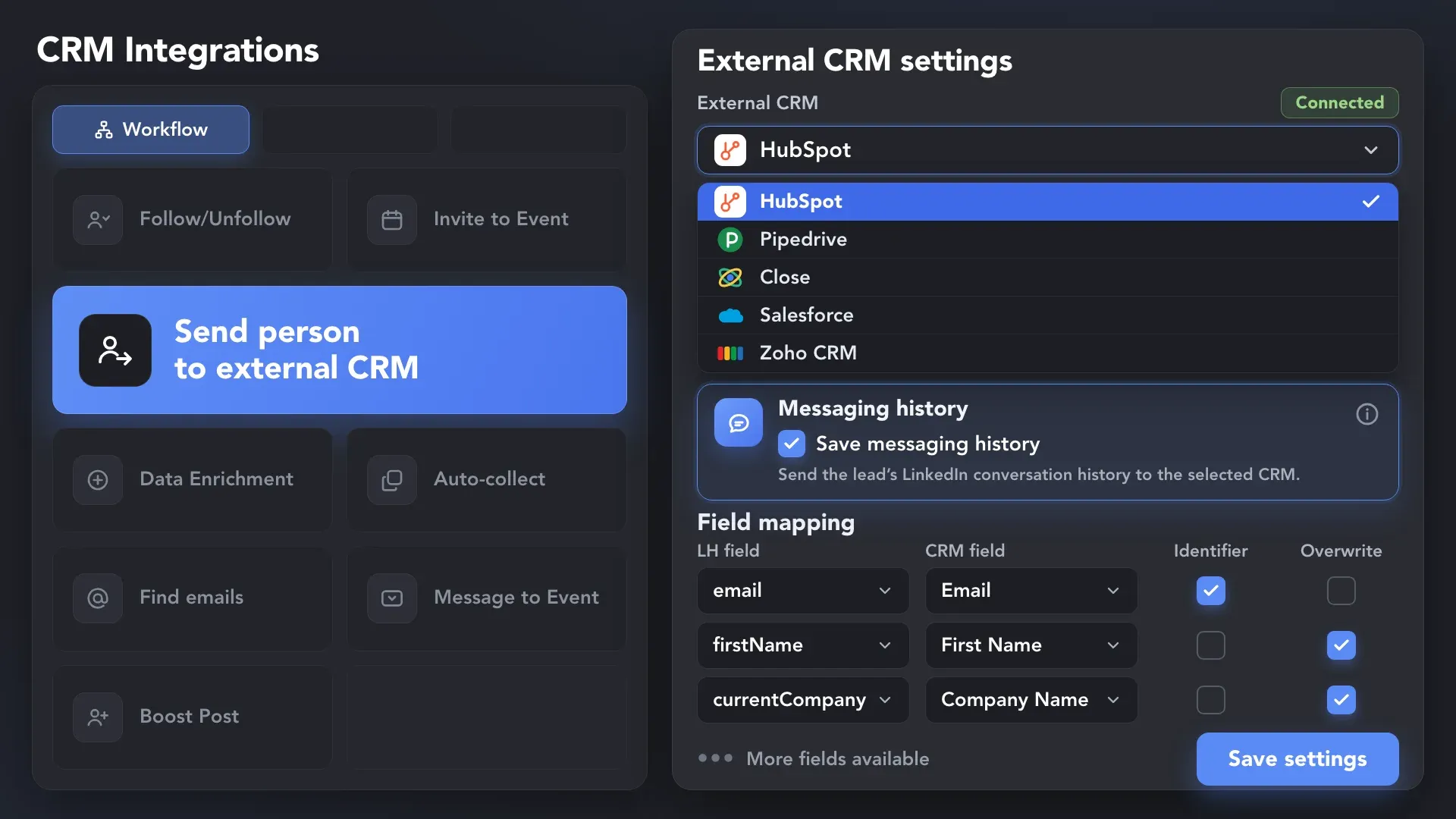
 More Ways to Connect
Pass conversation data to any webhook-enabled system and use it in your external workflows.
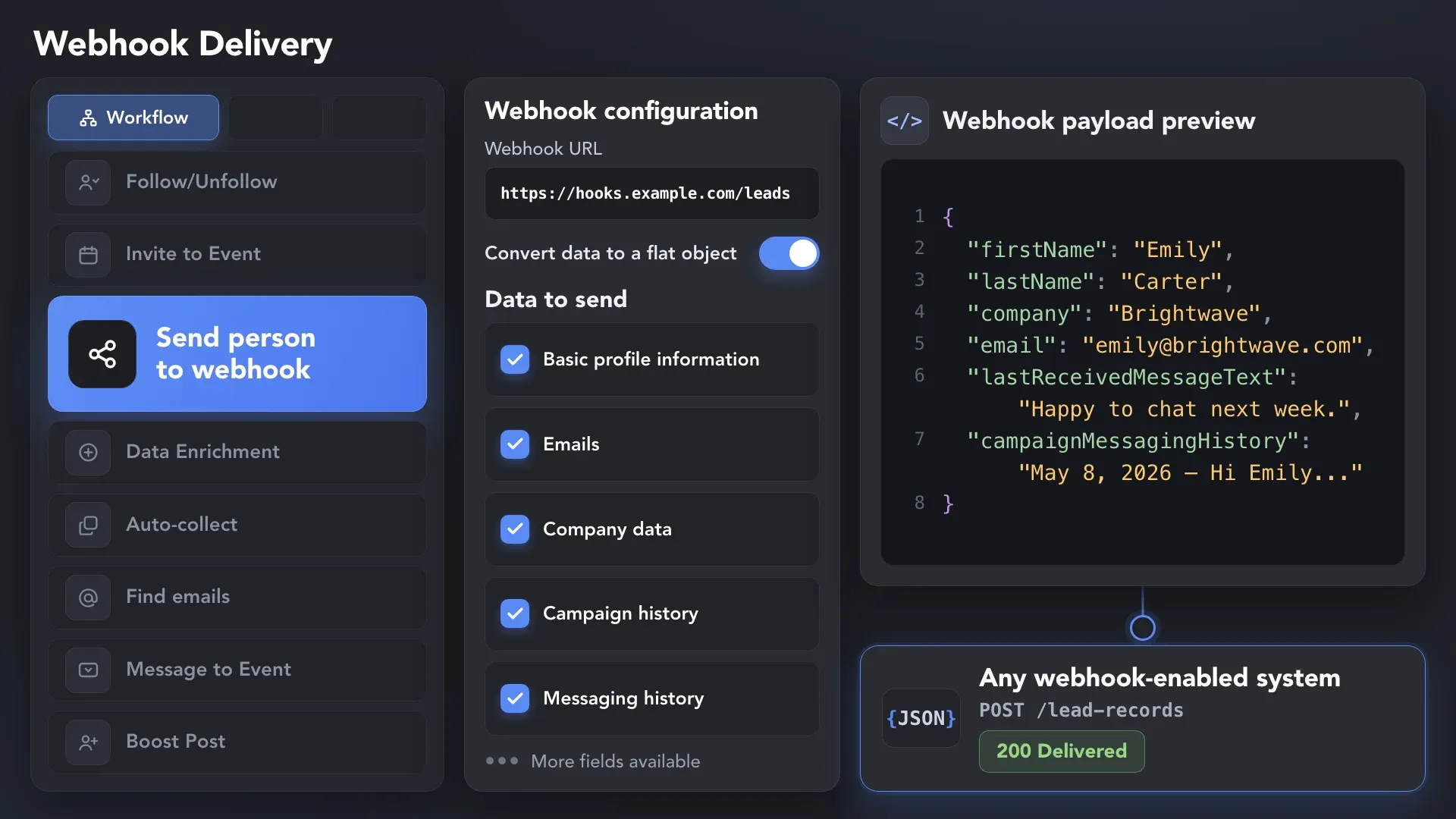
Effortlessly gather valuable insights from LinkedIn without manual data entry. You can set up CRM transfer after any step or only after a lead replies to a certain LinkedIn message for maximum precision. Sync LinkedIn chats with CRM so that the entire team can view lead responses.














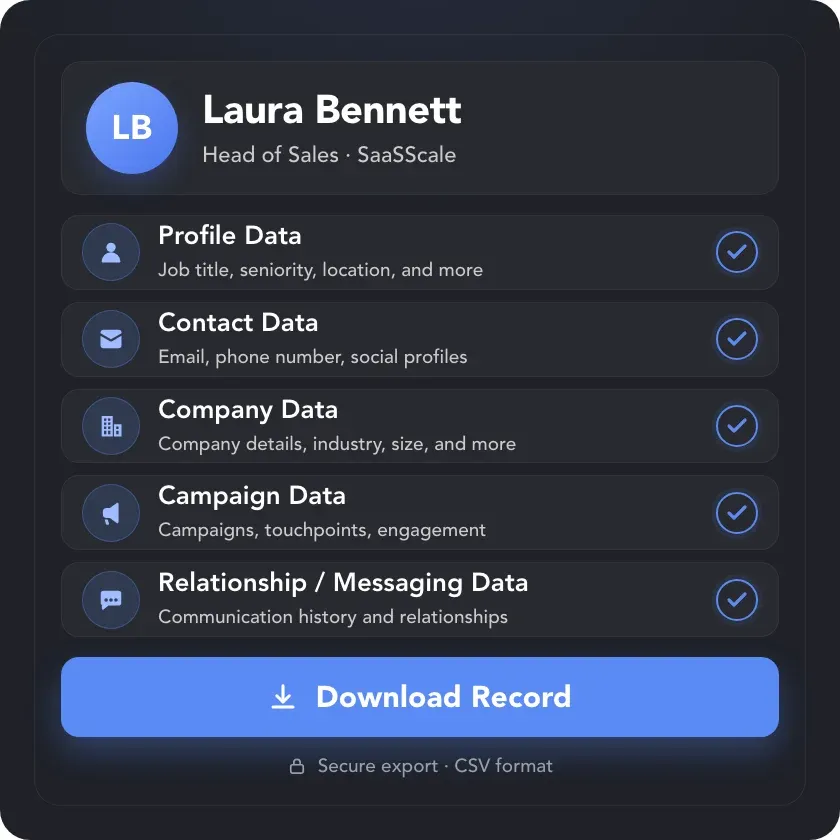
Collect 200+ data points for every lead in one place — including profile, company, campaign, relationship, and messaging data — and export the complete dataset wherever you need it.
Use complete messaging history to pick up old conversations, understand previous interactions, and
keep the right context as leads move between people, campaigns, and tools.


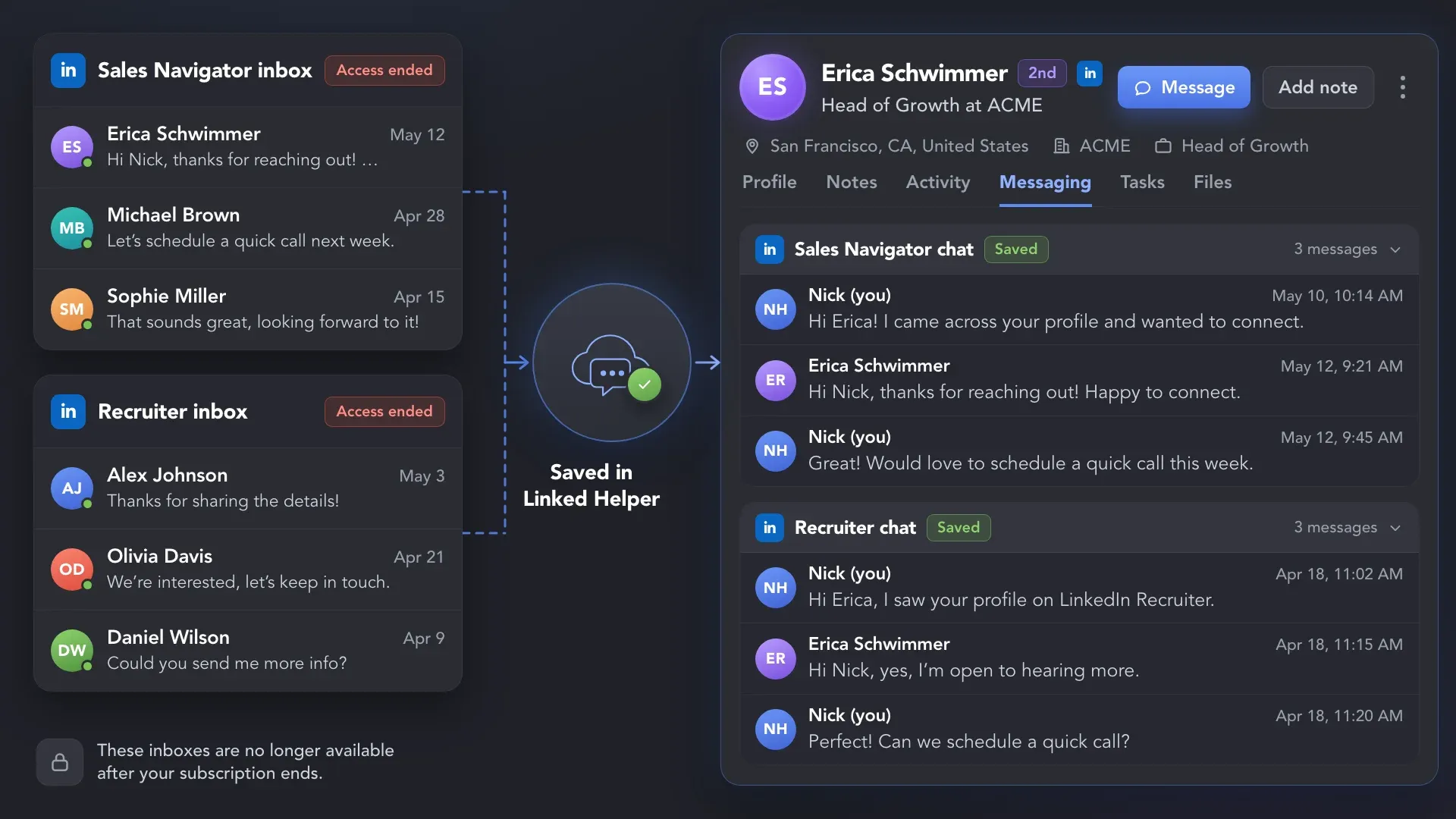
Scrape and save messaging history in Linked Helper so past conversations stay available even if your Sales Navigator or Recruiter access expires and those inboxes are no longer available.
Collect conversation history while Linked Helper processes profiles like a real user, with built-in safeguards that help keep LinkedIn activity controlled and natural.
LinkedHelper is verified undetectable by DataDome, Cloudflare, PerimeterX, and 10+ other leading bot detection systems — so your account stays safe, always.
 DataDomeCloudflarePerimeterXAkamaiImperva10+ more
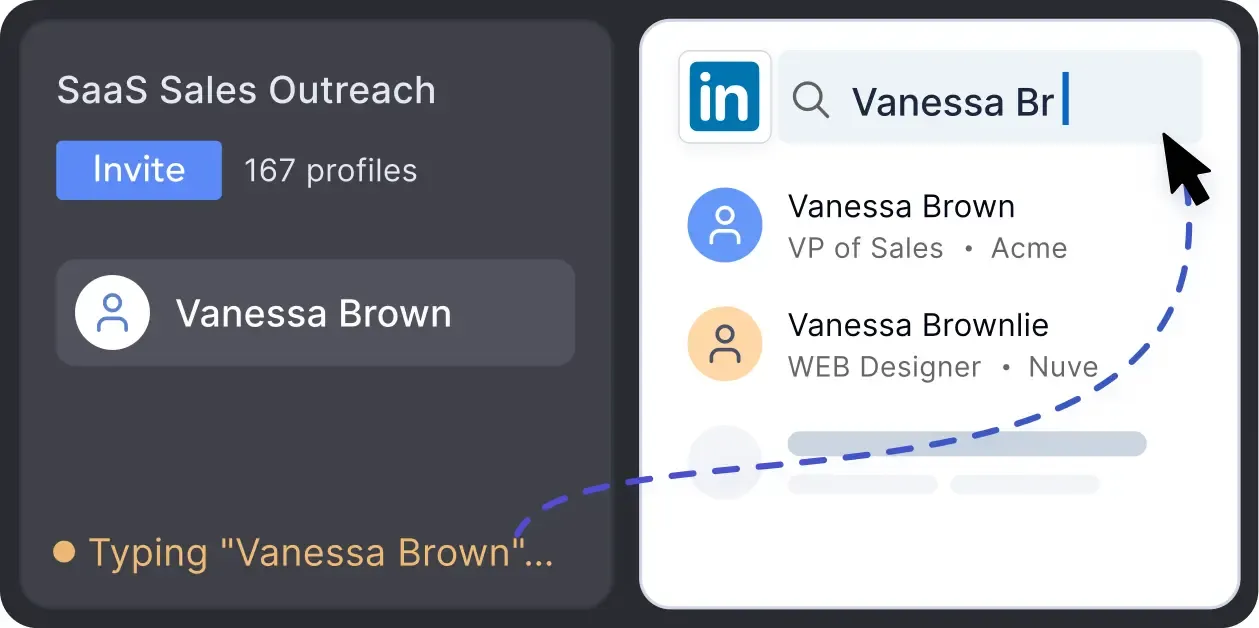
Mimics human actions with mouse movements and clicks, typing, and randomized delays. Navigates via LinkedIn search rather than direct URLs.
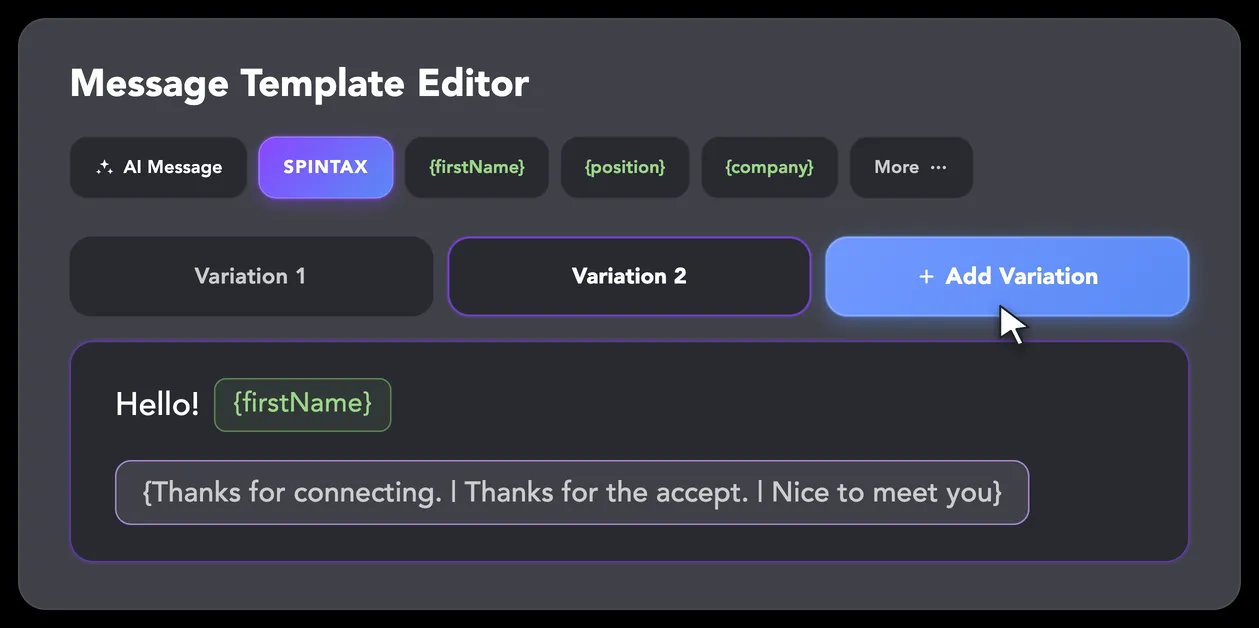
LinkedIn algorithms flag repetitive text. Combine your generated templates with unique syntactic variations for every single message, keeping your outreach off the spam radar.
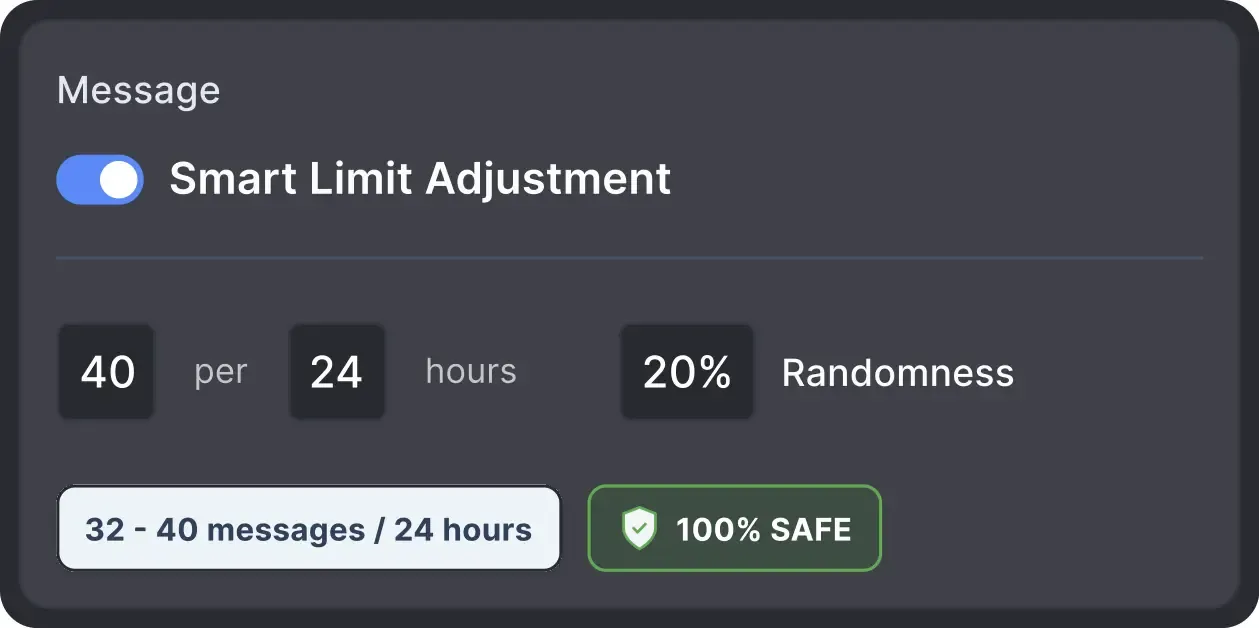
Operates within safe, recommended daily quotas and works on a "human-like" schedule (e.g., 9 AM - 5 PM) with random shifts to avoid robotic patterns.
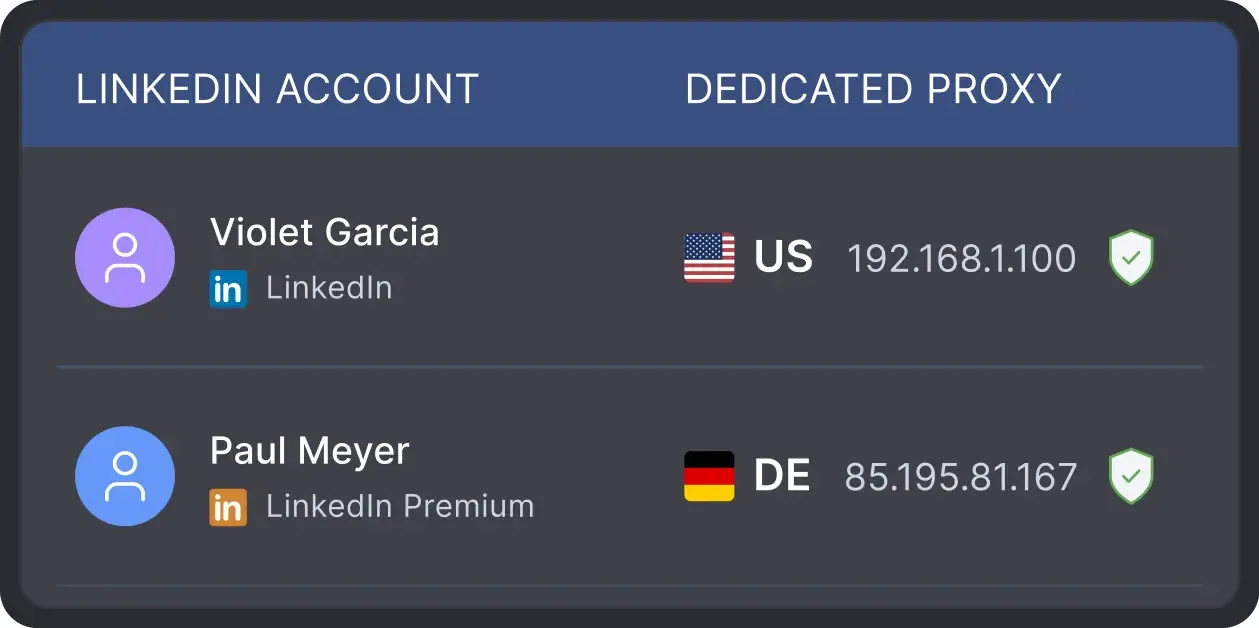
All activity comes from your local IP address or a chosen dedicated proxy, not a suspicious server, avoiding a major red flag for LinkedIn.
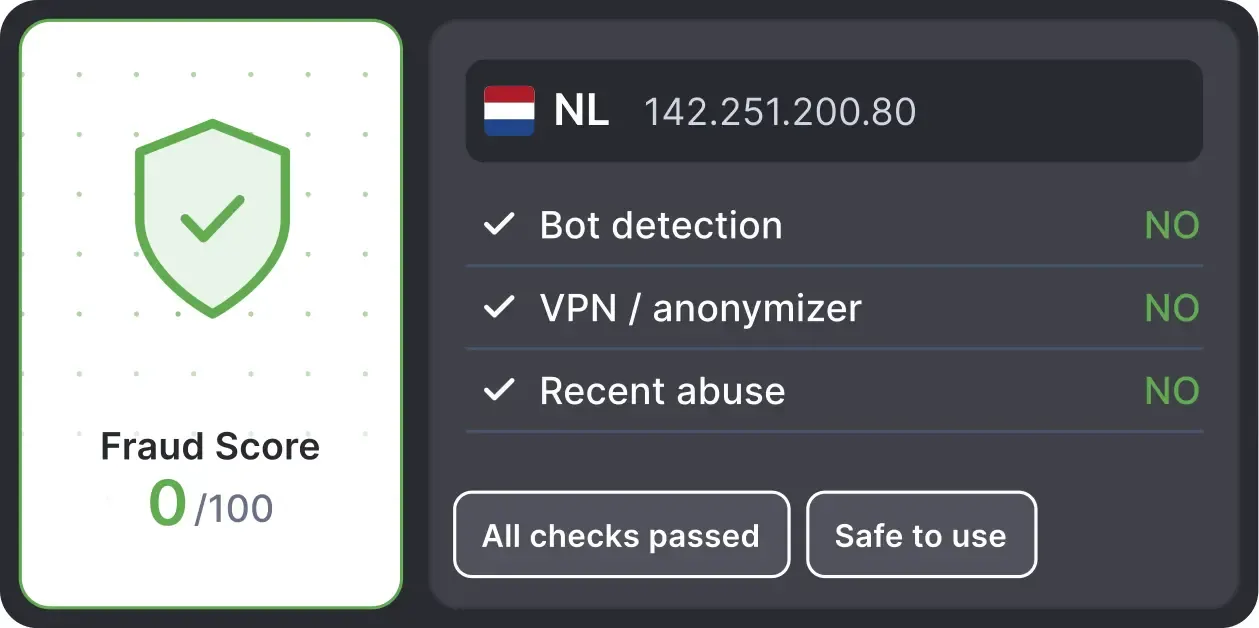
Automatically validates your proxy's "Fraud Score" to ensure you're not using a low-quality or blacklisted IP, adding an extra layer of security for multi-account management.
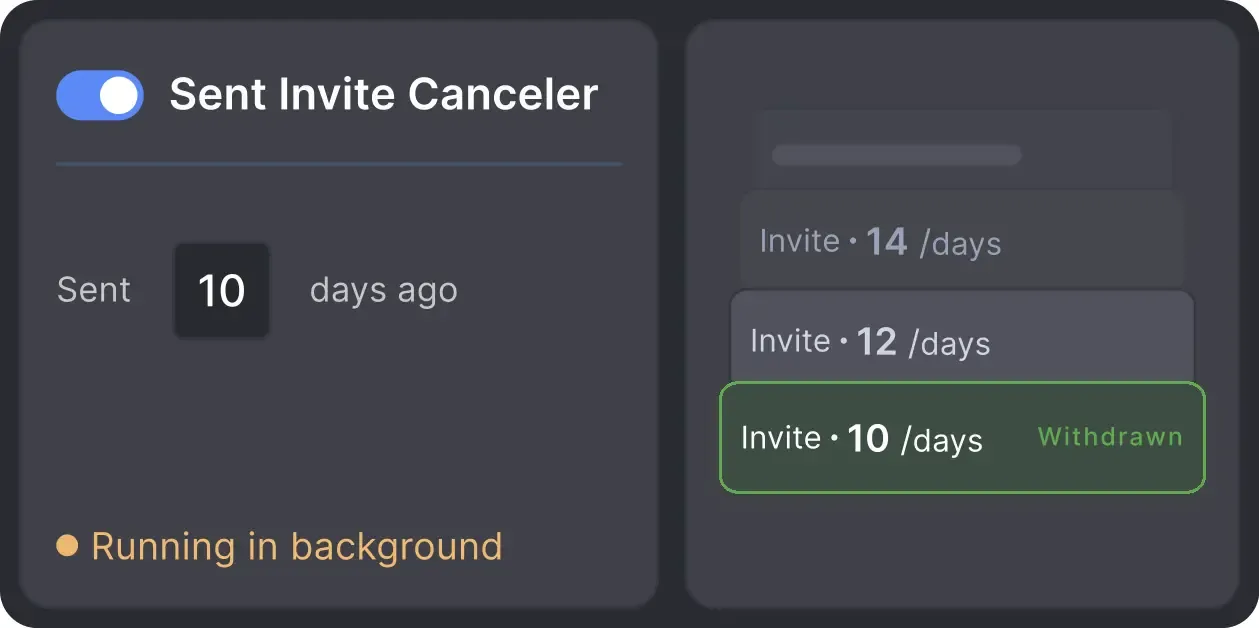
Automatically retracts old, unanswered connection requests to keep your profile in good standing with LinkedIn's algorithm.

Basic

Premium

Sales Navigator

Recruiter
Basic
Premium
Sales Navigator
Recruiter
From finding leads to closing deals, Linked Helper automates every step of your outreach funnel. Explore the features that make us the most powerful solution on the market.


100+ real testimonials prove Linked Helper as a reliable tool for LinkedIn growth.






It is so simple to use and saves you so much time by automating those mundane day-to-day actions that take you forever to do on LinkedIn. I would have been lost had it not been for Linked Helper.

Linked Helper helps me to drive my LinkedIn networking, by saving time and providing useful statistics. Naming is excellent, it is a great and user-friendly HELPER.

This software has revolutionized our LinkedIn outreach and lead generation. It has completely transformed the way we connect with potential clients and partners. The platform is incredibly intuitive and efficient, making our outreach efforts more effective than ever before.
This tool is like a robotic vacuum cleaner. Set it up once and it just does all the monotonous, time-consuming, dirty work while you focus on daily challenges and self-exploration. It's like fishing nets attached to your ship that provide you with food while you travel around the world.
LinkedIn Helper makes the fundraising process so much quicker. I just added a list of business angels, created some messages and started contacting people. We have raised some investment with this process.
A great way to connect to new people, propose partnership collaborations, invite people to follow your page, send multiple connection requests, cold outreach if you are into this.
Volodymyr M.
IT Recruiter
I especially want to note the INCREDIBLE TECHNICAL SUPPORT!!! I checked - technicians give answers both at night and on weekends. Answers come in 3-5 minutes. Technical support solved all my problems and not only with the program, but also with computer settings. Many thanks to the specialists!
Review24/7 LIVE CHAT EMAIL
Get a real human response in minutes, not days.
REMOTE ASSISTANCE
If you're truly stuck, we can connect to your screen and guide you.
IN DEPTH KNOWLEDGE BASE
Step‑by‑step tutorials and articles for every feature.
The Standard plan covers essential automation for everyday outreach. The Pro plan unlocks enterprise-level targeting, integrations, and scale.

All your data stays on your device, in local folders you can access directly.

Each account has its own isolated storage - no data mixing.

With outgoing webhooks, Linked Helper can send data to third-party systems.

Data is stored in local folders on your device. No app, no internet required to access your files.

Install the app on a new device and pick up right where you left off.

Share LinkedIn accounts and campaign data without manual exports.
With incoming and outgoing webhooks, Linked Helper can receive data from and send data to third-party systems.

Your data is automatically backed up to the cloud - no risk of losing it if something happens to your device.

Switch devices or reinstall the app without moving files manually.
Local tax may apply
Join our weekly live training for a kick-start, or explore our library of bite-sized guides at your own pace. We provide every resource to help you scale safely.

A 60-minute live walkthrough to kick-start your LinkedIn lead generation. Register now to join live or receive the recording by email even if you can’t attend.


BLOG POST
VIDEO TUTORIAL
Yes. Linked Helper can scrape existing one-to-one conversations from the selected LinkedIn inbox, including messages you sent manually before using Linked Helper.






 Save My Spot