
 Updated: October 23, 2026
 24 min read
A meeting scheduler turns "when are you free?" into a link. The hard part is not the link. It is what happens when a team shares it: who gets the booking, whether a stranger can fill the calendar with fake meetings, and what the plan costs once the feature you need turns out to sit one tier above the price on the home page.
Short answer: Calendly is the safe default for one person or a small team, Cal.com has the lowest published price for round robin plus routing forms among the tools where we could confirm both ($12 per user a month, billed yearly), and Chili Piper is the only product here whose pricing page names a spam checker, at a price that only makes sense for a funded sales team. Doodle is still the tool for group polls. The details below show where each one stops.
We combined a Calendly test booking and setup walkthroughs in six other tools with official pricing, documentation and user reviews; SavvyCal and Chili Piper were compared from those sources alone. Prices are in US dollars, billed yearly and before tax unless stated otherwise.
Quick picks
| If you need | Tool | Why | Limitation |
|---|---|---|---|
| A well-known default for one person or a small team | Calendly | Free plan, simple booking flow, routing forms and round robin on Teams ($16 per seat, billed yearly) | Free is one event type, one-on-one only; the $10 Standard plan has no round robin or routing |
| Round robin and routing forms at the lowest confirmed price | Cal.com | Teams is $12 per user per month, billed yearly, with a 14-day trial | Production code is closed source; the public Cal.diy version leaves out Teams and routing features |
| A sales team routing leads from web forms | Chili Piper | Qualify, route and schedule from a web form; "Spam Checker" listed | From $1,250 a month ($15,000 a year); no free plan |
| Routing, round robin and CRM integrations in a mid-priced plan | Zeeg | Business plan at €16 per user per month, billed yearly | Prices in euros excluding VAT; payments plan not confirmed |
| A team that wants lead routing and CRM sync and is fine with a higher price | meetergo | Suite plan has lead routing and round robin | €29.90 per user per month for the first year, then €34.90; prices in euros excluding VAT |
| Simple booking pages with email-based blocking | YouCanBookMe | Round robin for teams; Professional blocks bookings by booker email | Team plan is $16.20 per member per month billed yearly ($18 monthly); no routing forms listed |
| Polls and booking pages with unlimited calendars | SavvyCal | Unlimited meeting polls and calendars on both plans | Free polls; booking links require payment; Stripe is Premium only |
| Protecting your own focus time | Reclaim | Scheduling links alongside calendar planning; free Lite plan | CRM sync not listed on the pricing page; Lite has one scheduling link |
| Finding a time for a group | Doodle | Group polls, free plan with one poll | No round robin or routing listed |
How to choose: routing, qualification and spam protection
Three questions separate these tools more than the booking page does.
-
Routing and qualification. A routing form asks the visitor a few questions and sends them to the right person or calendar. You get it on Calendly Teams, Cal.com Teams, Zeeg Business, meetergo Suite and Chili Piper. Calendly Free and Standard don't have it, and YouCanBookMe, SavvyCal, Reclaim and Doodle don't list it. If you screen leads before they book, price this feature first.
-
Round robin is a label, not a specification. Most comparison tables show it as a checkmark and stop there. Only YouCanBookMe explains how it works: three modes, by availability, evenly over a 28-day window, or in a fixed order. For the rest, ask the vendor how bookings are split before you rely on it.
-
Spam protection. Chili Piper is the only one that names a Spam Checker. YouCanBookMe can block bookings by booker email on its Professional plan, and Cal.com lists a blocklist for emails or domains, though its plan isn't clear. Calendly's booking form on our trial asked for a name, an email and one optional question, with no CAPTCHA or email check. Zeeg's settings showed invitee email verification enabled and locked on while our account was new. Treat any open booking link as a public form and see what your plan lets you add to it.
-
Price units. Seat prices are per month, billed yearly, unless stated. Several vendors charge more if you pay monthly, and a few change the price after year one. The cards say which.
If you take client bookings (salons, clinics, tutoring) rather than business meetings, this list is the wrong fit; tools built for client appointments, such as Acuity Scheduling, suit that job better.
Check an existing subscription first
You may already pay for a scheduler. These four come with common business subscriptions, so look at them before adding another tool. We went by each vendor's documentation and didn't confirm current prices, so check your own plan.
| Tool | Where it comes from | What it does | What's missing |
|---|---|---|---|
| Google Calendar appointment schedules | A personal Google Account or Workspace account; some features need an eligible Workspace or Google One subscription | Booking pages, up to five reminders per schedule, Stripe payments, a primary or secondary calendar, co-hosts | No routing, qualification or CRM sync. Schedules can only be created on a computer |
| Microsoft Bookings | Included in Microsoft 365 Business Basic, Standard and Premium, Teams Essentials, Teams Premium and E1/E3/E5, among others | Personal and Shared bookings, email and SMS notifications, a Teams link for online meetings | No round robin, payments, CRM or routing in the overview |
| HubSpot Meetings | Part of Sales Hub; the documentation says you can start for free | Booking links, an embed widget, group meeting links, Gmail and Outlook calendars; the documentation describes sending prospects to the first available rep | Plan that includes round robin not stated |
| Pipedrive Scheduler | Growth plan and higher | Booking links tied to your CRM; Growth allows one active general availability link, higher plans allow unlimited | Round robin, reminders and payments not described |
If you already live in HubSpot or Pipedrive and only need one booking link per rep, start there. Reach for a standalone tool when you need routing forms, distribution across a team, or a spam control that your CRM scheduler does not describe.
Related reading:
1. Calendly: best default for one person or a small team
-
Best for: people who want the most familiar booking flow, and teams that will pay for round robin and routing.
-
Pricing: Free is $0 with one event type, one calendar connection and one-on-one meetings only. Standard is $10 per seat per month billed yearly. Teams is $16 yearly. Enterprise starts at $15,000 a year, from 50 seats.
-
What we saw in the account: a new account starts on a 14-day Teams Plus trial with no card. The Create menu offers one-on-one, group, round robin and collective events, and routing forms open on the trial. A new event type defaults to a 60-day booking window and 4 hours of minimum notice. Calendar setup supports Google, Outlook and Exchange and lets you skip it. Our test booking went through on submit, and the host's calendar showed Reschedule and Cancel on the meeting.
-
Strengths: Standard and above include reminders and payments through Stripe or PayPal. Teams adds round robin and lead routing; Enterprise adds Salesforce lookup in routing.
-
Limitations: Round robin and routing forms are Teams features. Payments require connecting Stripe or PayPal first. Round robin needs more than one user on the account, so we couldn't test how it distributes bookings. The trial also unlocks everything, so we didn't see how locked features look on Free.
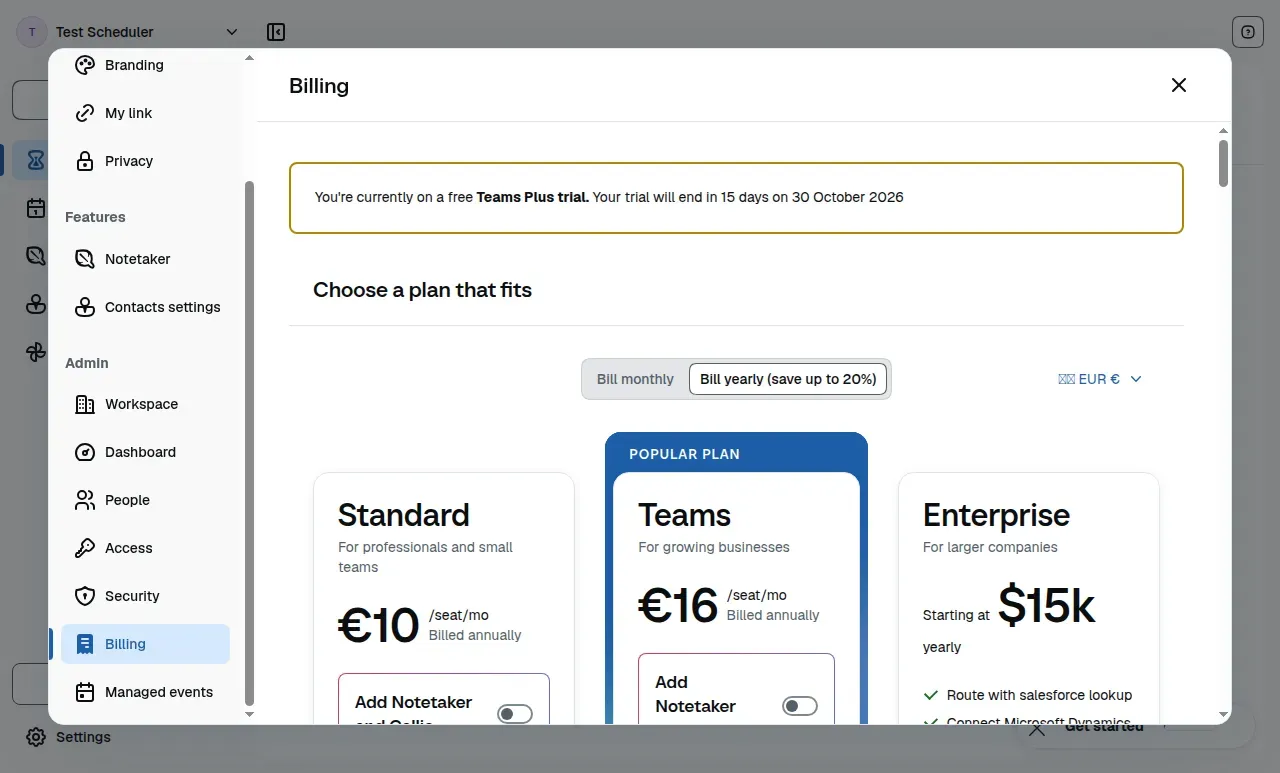
Inside Calendly, the billing screen separates the Teams Plus trial from paid plans—use it to see what you'll need after the trial. This account shows prices in euros.
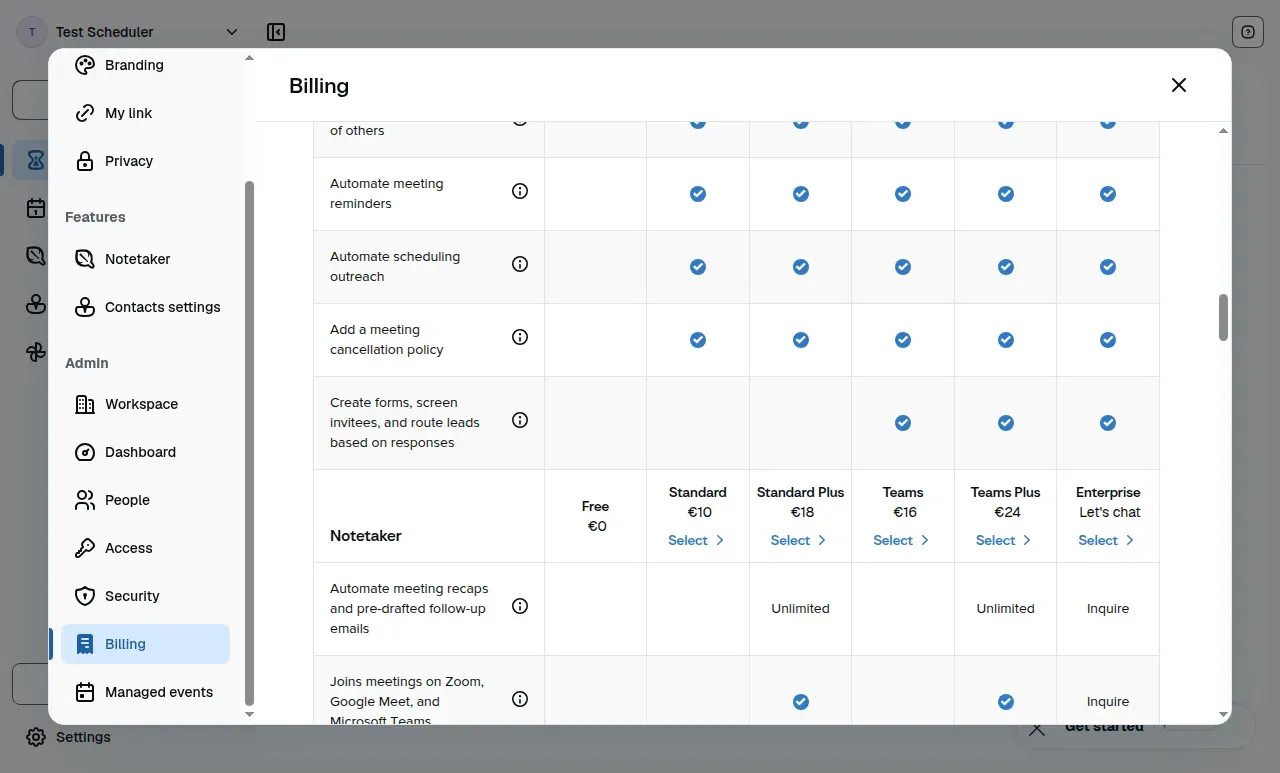
Reminders and a cancellation policy start at Standard; forms that route leads start at Teams.
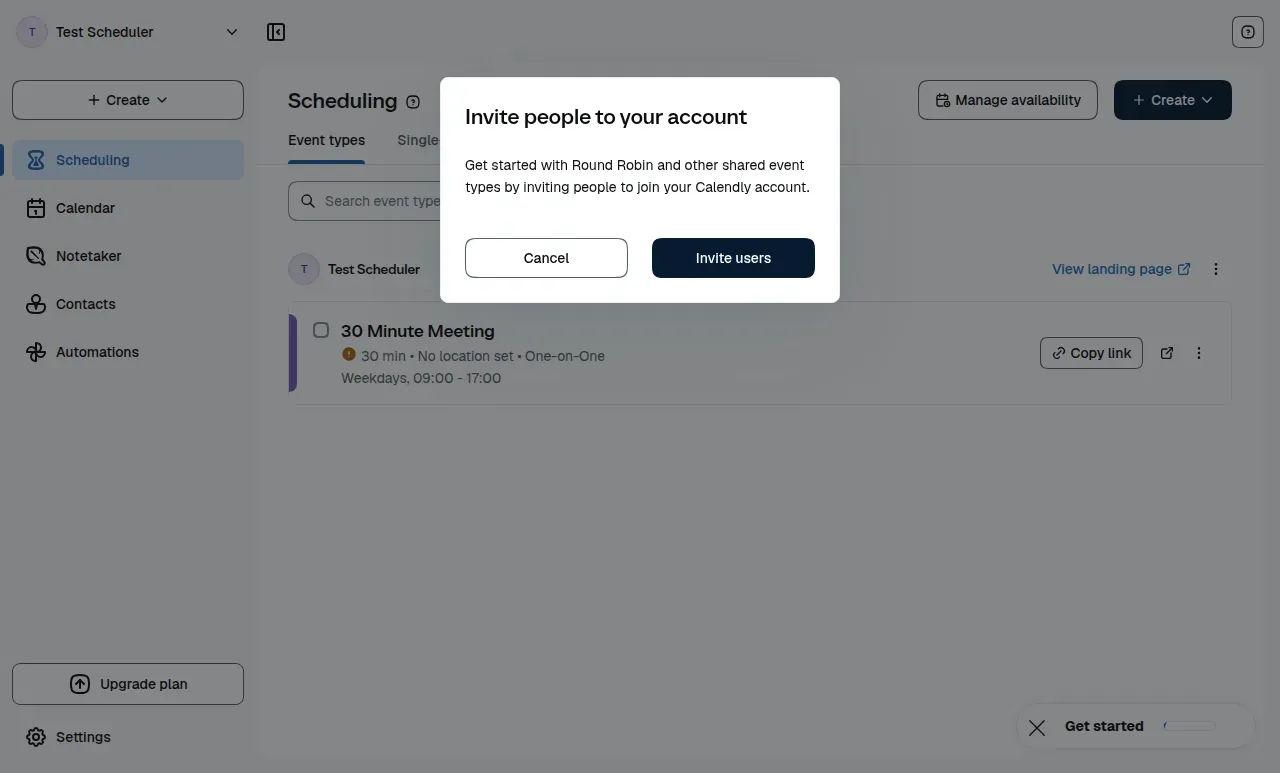
Choosing round robin first asks you to invite people to the account: a rotation needs more than one user.
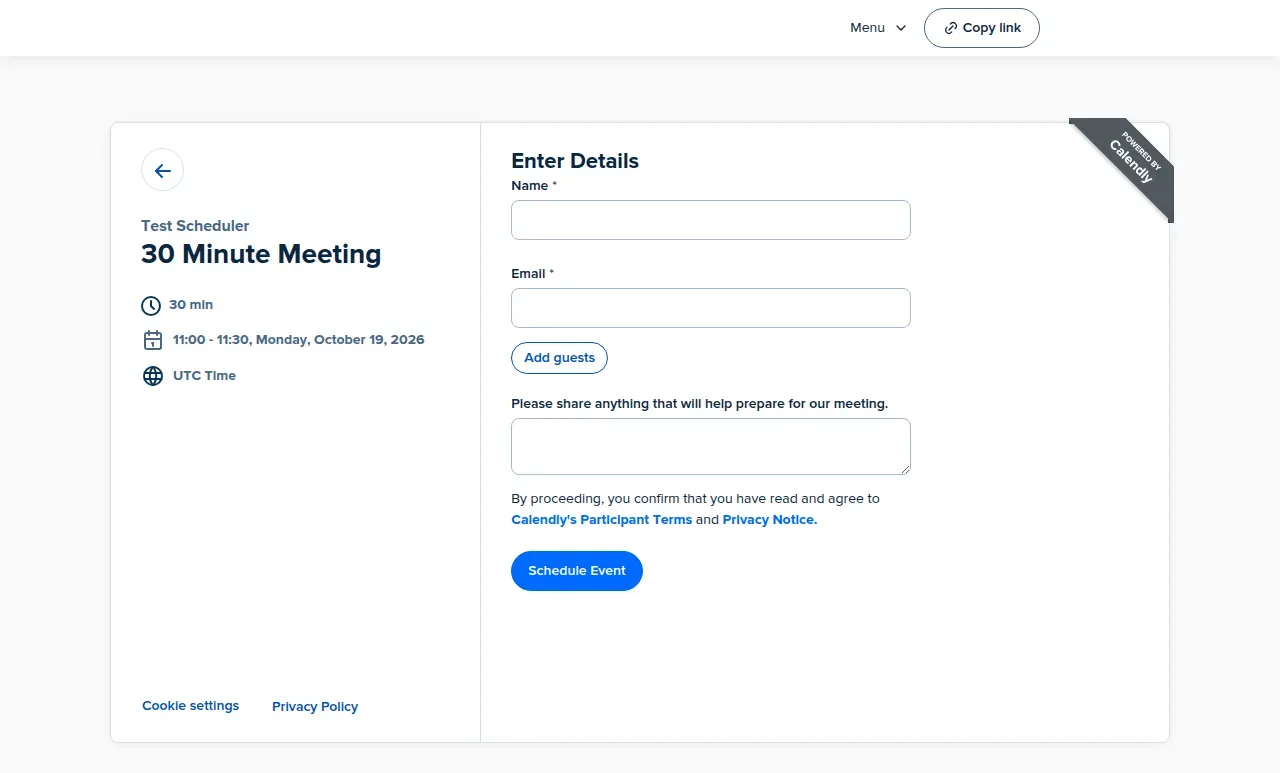
The details form asks for a name, an email and one optional question, with an Add guests button; no CAPTCHA or email verification appeared on the trial plan.
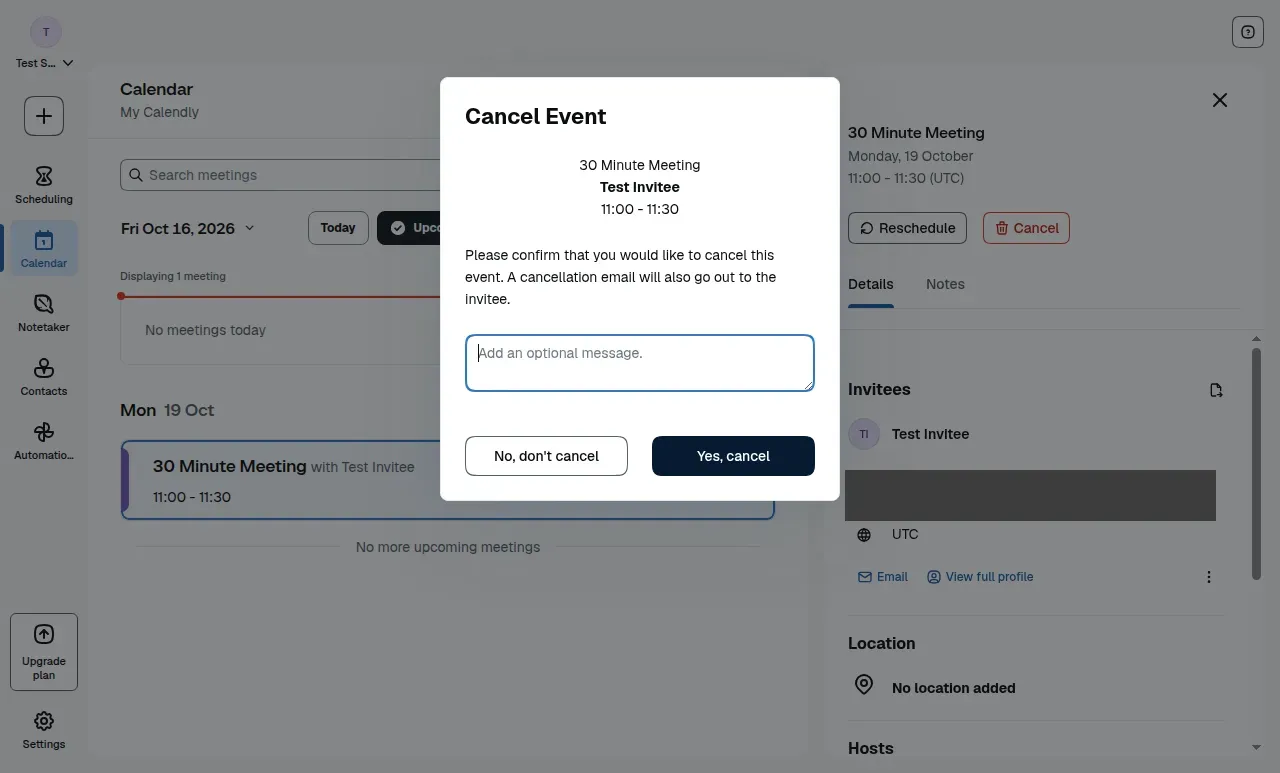
Cancelling sends the invitee an email and takes an optional message.
Things We Noted
The $10 headline price covers booking links and reminders. Round robin and routing forms sit on Teams at $16 per seat, billed yearly, which makes five seats $960 a year instead of $600. We would budget from the plan that has the feature we need, not from the first row of the table.
2. Cal.com: round robin and routing forms from $12 per user
-
Best for: teams that want round robin and routing forms at a lower published price than Calendly's Teams plan.
-
Pricing: Free is for one user. Teams is $12 per user per month, billed yearly, with a 14-day trial. Organizations is $28 per user per month, billed yearly. Enterprise is custom. The pages show no monthly price for Teams.
-
Strengths: Free lists unlimited event types and calendars, email and SMS notifications, Stripe and PayPal payments, and two-way Salesforce and HubSpot sync. Teams adds round robin, managed and collective event types and routing forms; Organizations adds routing by custom variables. The feature breakdown also lists a Blocklist for specific emails or domains; we could not tie it to a plan.
-
Limitations: Workflows are limited to templated ones on the plan table we read. The cost of SMS and payment fees are not on the pricing page. A Trustpilot reviewer reported problems with Cal Payments (see the reviews section).
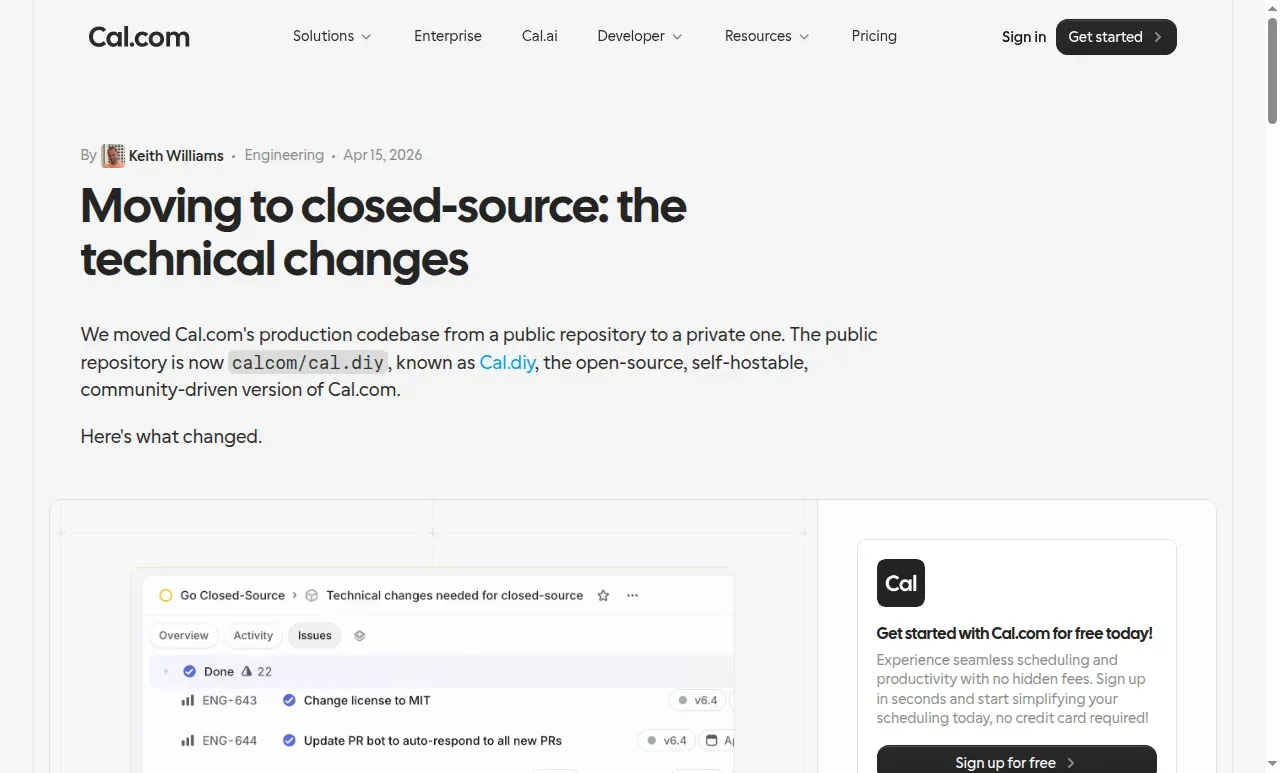
Cal.com's announcement explains the move to closed-source production code.
What we saw in the account. The free account's event editor includes buffers, minimum notice and switches for booking frequency, total duration and upcoming bookings per booker. The last control is worth checking if repeat bookings from one person are a concern; we inspected the setting without testing its enforcement.
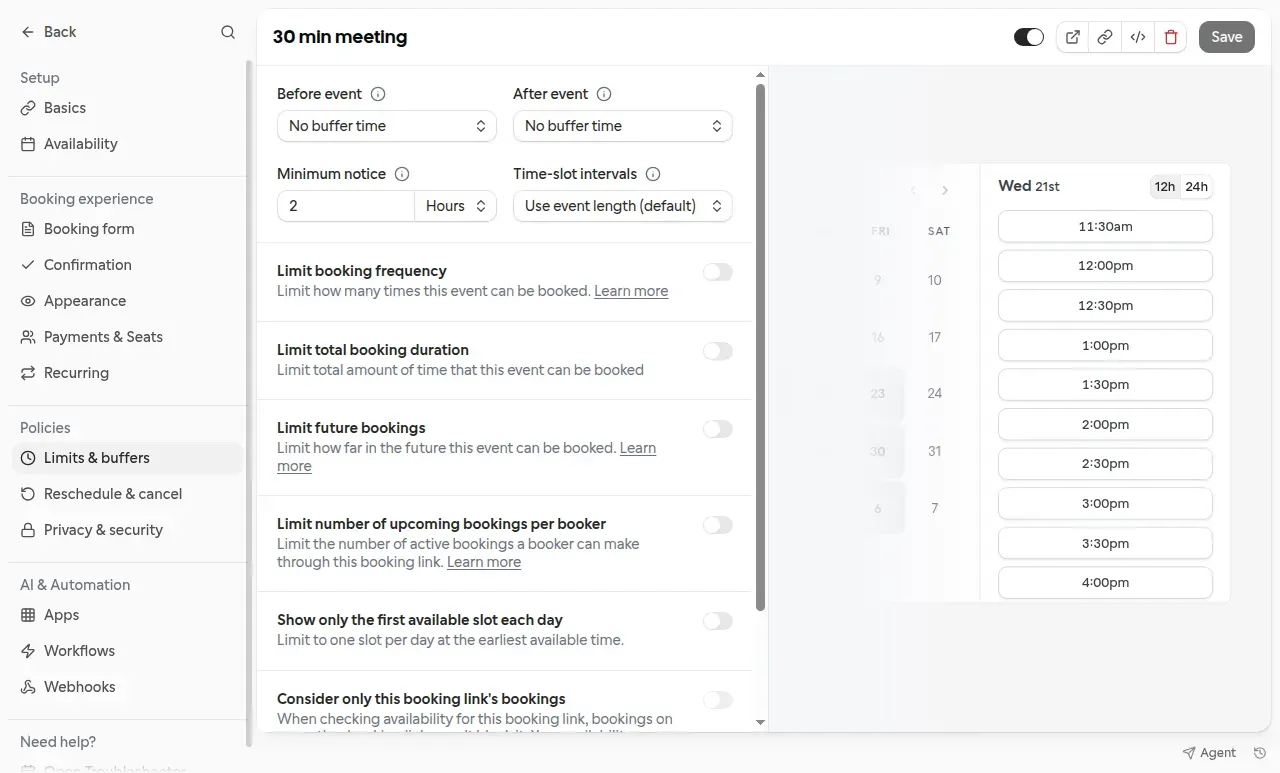
Cal.com’s Limits & buffers panel combines scheduling controls with an availability preview.
Things We Noted
Some roundups we read still describe Cal.com as open source. Cal.com's own post (dated April 15, 2026 on the page) says: "We moved Cal.com's production codebase from a public repository to a private one. The public repository is now calcom/cal.diy, known as Cal.diy, the open-source, self-hostable, community-driven version of Cal.com." It adds that the Cal.diy licence changed from AGPL 3.0 to MIT, and that commercial and enterprise features were removed from it, including Organizations and Teams, Routing Forms, Workflows and SAML/SSO. For a team that wants round robin or routing, that means the paid hosted product, not a self-hosted copy.
3. Zeeg: routing and CRM integrations at a mid-range price
-
Best for: teams that want routing forms, round robin and CRM integrations on one plan.
-
Pricing: prices are in euros, excluding VAT, per user per month. Starter is free. Professional is €10 billed yearly or €12 monthly. Business is €16 yearly or €20 monthly. Scale is €30 yearly or €40 monthly. Enterprise is custom. There is a 14-day trial.
-
Strengths: Starter lists unlimited events and two scheduling pages. Professional adds workflows and CRM essentials. Business adds routing forms, round robin and CRM integrations.
-
Limitations: "Collect payments" appears in the comparison table but the table doesn't say which plan includes it. Collective meetings, calendar limits and polls aren't mentioned.
What we saw in the account. The trial's Discovery Call editor separates minimum scheduling, cancellation and rescheduling notice. It also offers a cancellation-reason requirement, which was off in our account. Check those settings before sharing a link if late changes disrupt your day. The same editor showed invitee email verification enabled and locked on for a new account. Its payment screen required a PayPal or Stripe connection before payment collection could be enabled; we did not connect a provider, and this trial screen does not establish which paid plan includes payments.
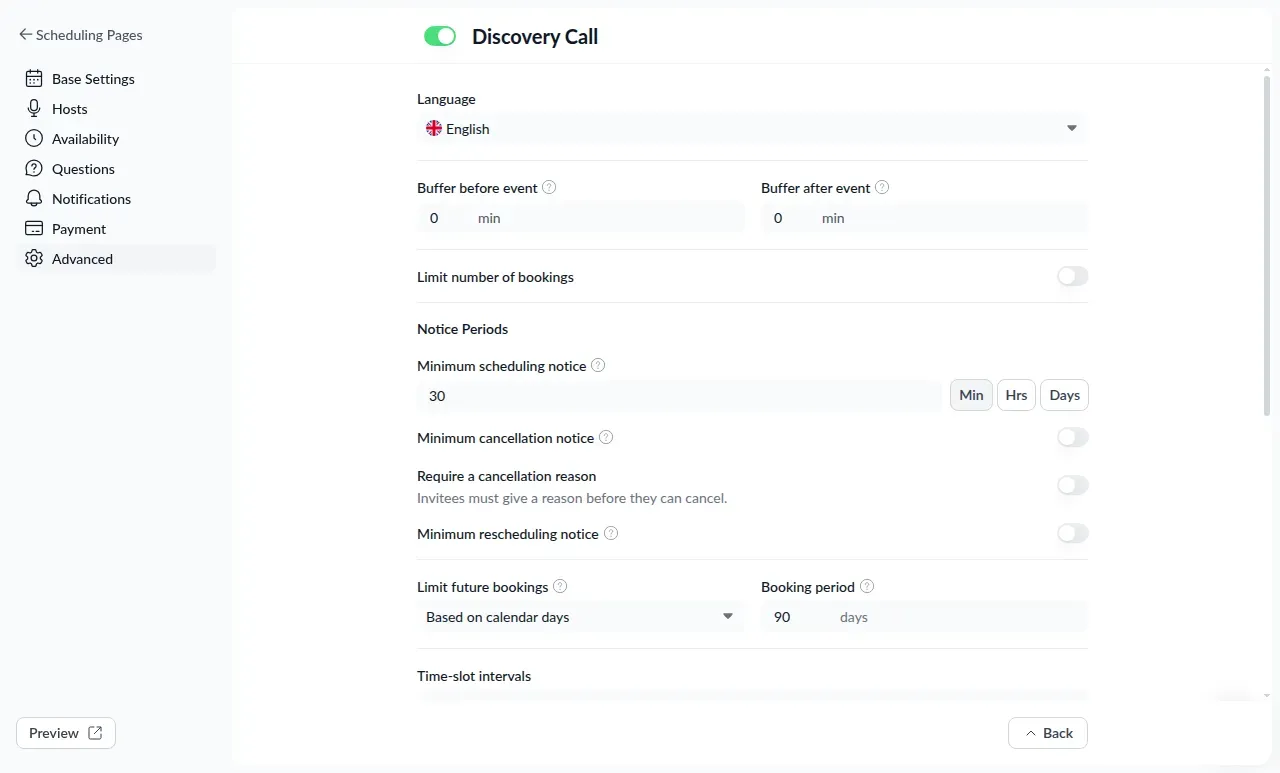
Zeeg’s advanced settings expose buffers and separate scheduling, cancellation and rescheduling notice controls.
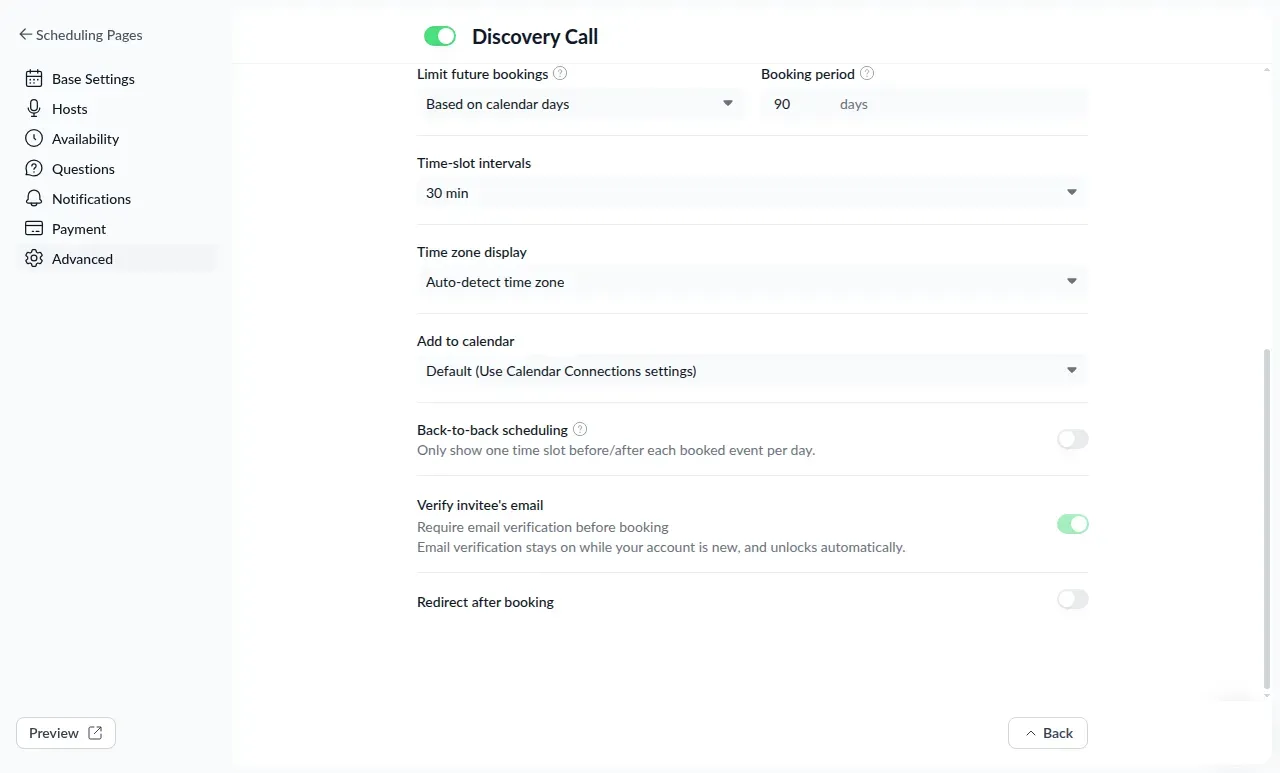
Zeeg’s event settings require invitee email verification while an account is new; the switch unlocks automatically.
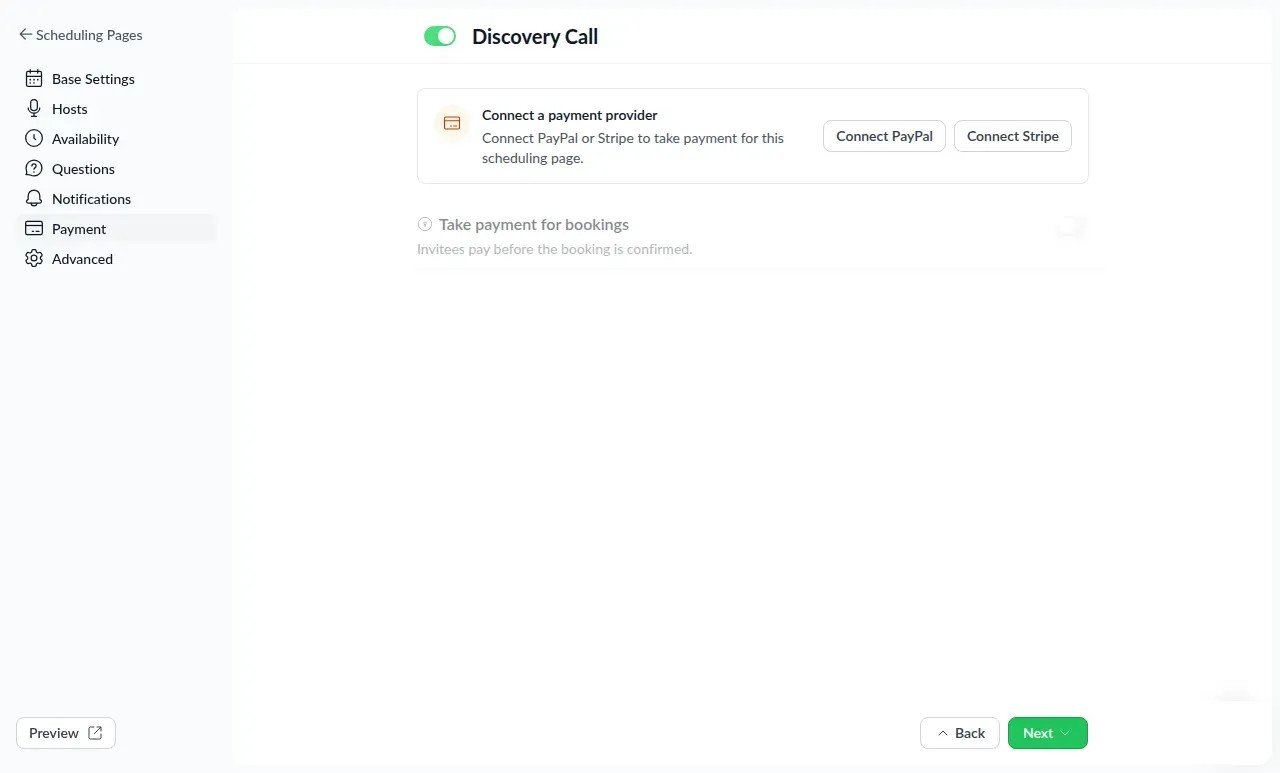
Zeeg’s payment screen requires a PayPal or Stripe connection before payment collection can be enabled.
Things We Noted
Several roundups quote Zeeg in dollars. The pricing page is in euros, excluding VAT. Routing forms, round robin and CRM integrations are on Business at €16 per user per month, billed yearly.
4. meetergo: lead routing in the Suite plan, with a year-two price rise
-
Best for: teams that want lead routing and CRM sync from the same vendor and accept a higher price than Cal.com or Zeeg.
-
Pricing: per user per month, billed yearly, excluding VAT. The page has a EUR/USD toggle that shows the same numbers with either symbol; this article uses euros, the vendor's home currency. Free is €0 with three meeting types, unlimited bookings, a meetergo-branded booking page and one-on-one video up to 45 minutes. Light is €9.90 with a 7-day trial, unlimited meeting types, up to three automated workflows, payments at booking, and HubSpot and Pipedrive sync. Suite is €29.90 for the first year, then €34.90, with round robin, host selection and lead routing. Premium is €49.90 for the first year, then €59.90, and adds CRM account-owner matching.
-
Strengths: routing and round robin start at Suite; payments start at Light.
-
Limitations: SMS reminders start at Suite, while Salesforce with account matching is a Premium feature. The pricing page does not identify a spam protection feature. The first-year price applies for 12 months and then renews at the regular price.
What we saw in the account. The availability editor uses a named schedule with separate working-hour controls for each day and shows which meeting types use it. That makes the schedule's connection to booking pages visible while you edit the hours.
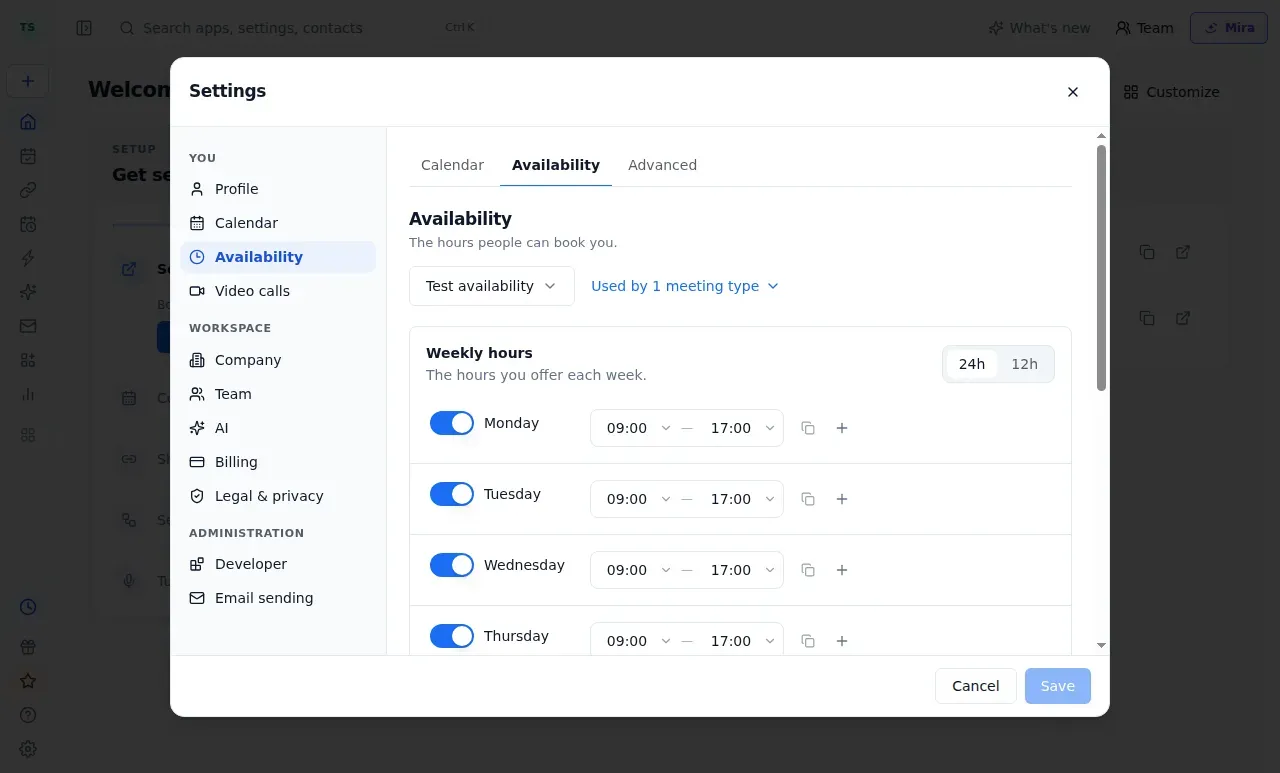
meetergo’s availability editor lets you set weekly working hours and reuse the schedule across meeting types.
Things We Noted
Suite is €29.90 per user per month for the first year, then €34.90, so a five-seat team goes from €1,794 to €2,094 in year two.
5. Chili Piper: for sales teams that route leads from forms
-
Best for: B2B sales and RevOps teams with a budget that need to qualify, route and book leads from any web form.
-
Pricing: Routing & Scheduling starts at $1,250 a month ($15,000 a year on a one-year contract; the page also offers 15% to 40% off for two to four years), with up to 15 seats included and $45 per seat per month after that. Experiences starts at $3,500 a month for 30 seats, then $50 per seat. ChiliCal standalone is $12 per user per month with a 200-seat minimum and no routing. There is no free plan.
-
Strengths: the pricing page lists qualification and routing from web forms, round robin, Salesforce and HubSpot integration, and a Spam Checker, plus 45,000 AI credits a year.
-
Limitations: the entry price is a platform minimum, not a per-seat price, and extra AI credits are sold in packs. It is not comparable with the other tools for a five-person team.
Things We Noted
The entry point is $15,000 a year on a one-year contract for up to 15 seats. It is the only product in this list whose pricing page names a spam checker.
6. YouCanBookMe: simple booking pages with team round robin
-
Best for: individuals and small teams that want clean booking pages and reminders, with round robin only if they pay for Team.
-
Pricing: Free includes one calendar connection, one booking page and Stripe payments, with a "Powered for free" button on pages and emails. Billed monthly, Individual is $9, Professional is $13 and Team is $18 per member. Billed yearly (10% off), they are $8.10, $11.70 and $16.20. The page opens on its two-year view (20% off), which shows $7.20, $10.40 and $14.40.
-
Strengths: Individual and above include email and SMS reminders. Professional adds direct HubSpot integration, no-show workflows and blocking bookings by booker email address. Team adds team member selection rules (round robin and more) and lists several team members on one page.
-
Limitations: no routing forms. SMS reminders cost extra, and the price isn't published.
What we saw in the account. The booking-page editor puts the title, page link and settings beside a live preview. We could inspect the page layout without switching between separate editing and preview screens.
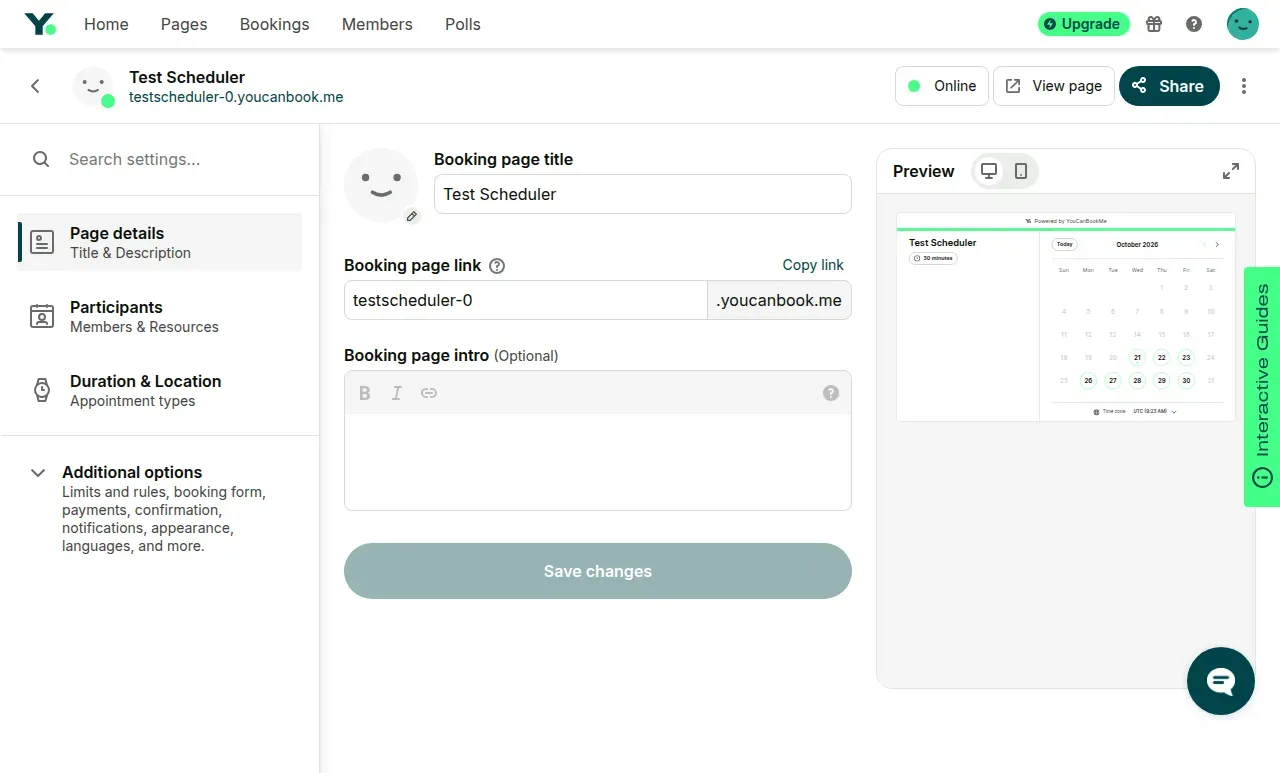
YouCanBookMe places the booking-page editor beside a live preview.
Things We Noted
The vendor's blog describes three round robin modes: by availability, evenly across a 28-day window, and in a fixed order. We did not find a comparable description for most other products here.
7. SavvyCal: free polls and paid booking links
-
Best for: people who want free polls or paid booking links with unlimited calendars.
-
Pricing: Basic costs $120 per user yearly or $12 monthly; Premium costs $200 yearly or $20 monthly. Its $17 monthly headline is rounded. Setup and polls are free; accepting link bookings requires payment.
-
Strengths: both paid plans include unlimited calendars, polls, round robin, collective links, reminders and CRM integrations.
-
Limitations: Stripe payments require Premium; routing forms are not listed.
Things We Noted
There is no self-serve trial. Paid plans have a 30-day money-back guarantee.
8. Reclaim: protects calendar time more than it handles leads
-
Best for: people who want scheduling links that respect focus time and priorities.
-
Pricing: Lite is free, with one scheduling link and two calendars. Starter is $10 per user per month billed yearly ($12 monthly) with three links. Business is $15 yearly ($18 monthly) with unlimited links and webhooks. Enterprise is $22 yearly.
-
Strengths: Business includes webhooks support, which a team could point at a CRM; the feature table also lists round-robin links and email reminders.
-
Limitations: the pricing page lists no CRM integration, and payments aren't mentioned, and the table doesn't say which plan has round robin or reminders.
What we saw in the account. The scheduling-link editor separates the earliest and latest booking times. Our 15-minute link showed four hours of minimum notice and a 60-day future window, with alternatives to start availability on the next bookable day, next week or a specific date.
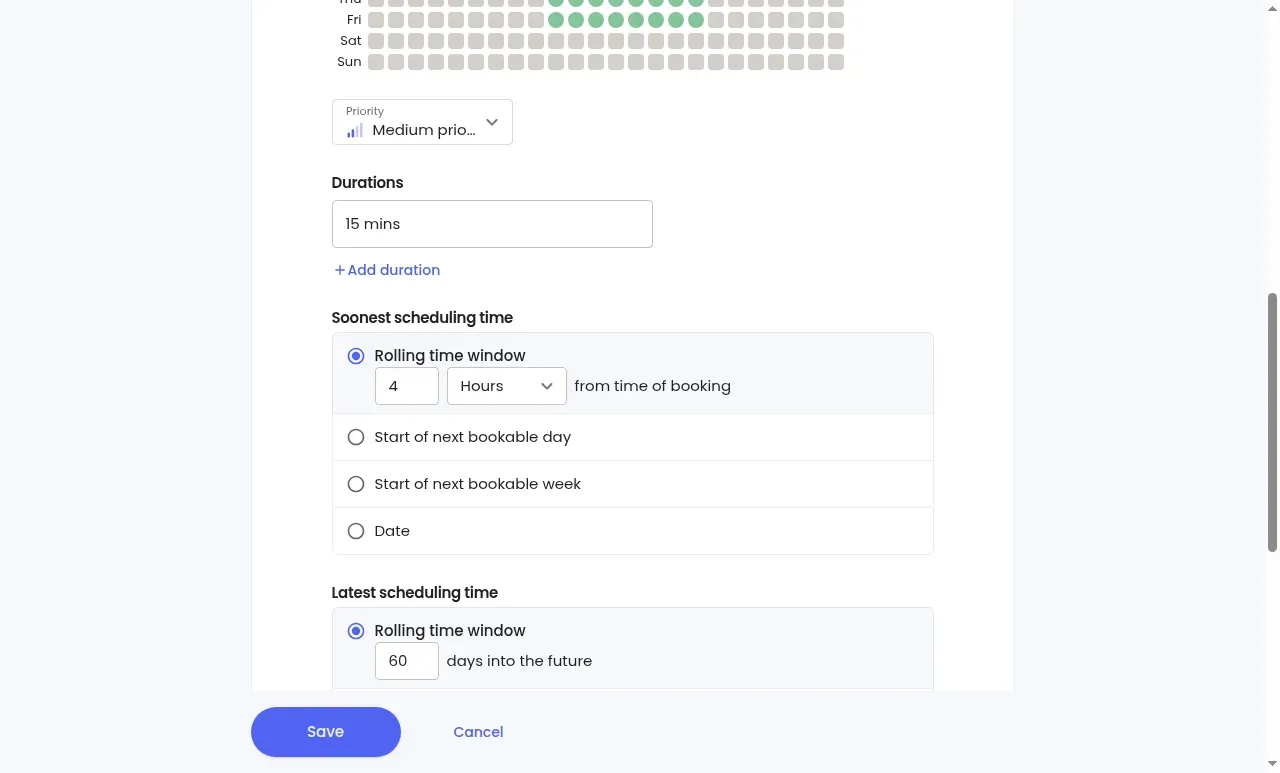
Reclaim’s scheduling-link editor separates meeting duration, minimum booking notice, and the furthest date an invitee can book.
Reclaim's planning features also drew criticism on Reddit. “I decided to try out reclaim.ai about two weeks ago. It might have been bad timing, but I got the 2.0 release and it seems like it’s a work in progress,” wrote smarterthanyoda in r/reclaim_ai on June 25, 2026. The post concerns tasks and focus blocks, rather than booking links. In the thread, a Reclaim co-founder pointed users to the option to return to version 1.0.
9. Doodle: still the tool for group polls
-
Best for: finding a time that works for several people, then booking it.
-
Pricing: Free is $0 with one group poll, one booking page and one 1:1 booking page. Pro is $11 per seat per month billed annually, and Team, for teams of two or more, is $16 per seat. The help center lists Pro at $15 monthly and Team at $21 monthly. Enterprise starts at $15,000 a year.
-
Strengths: Team adds co-host events, booking on behalf of someone and Stripe payments.
-
Limitations: no round robin, routing or CRM sync is listed. Stripe payments are listed under Team, not Pro.
What we saw in the account. In our free account, the group-poll editor allowed up to 20 proposed times and prompted an upgrade to select more. That is a useful limit to check if you plan to offer a large group many alternatives.
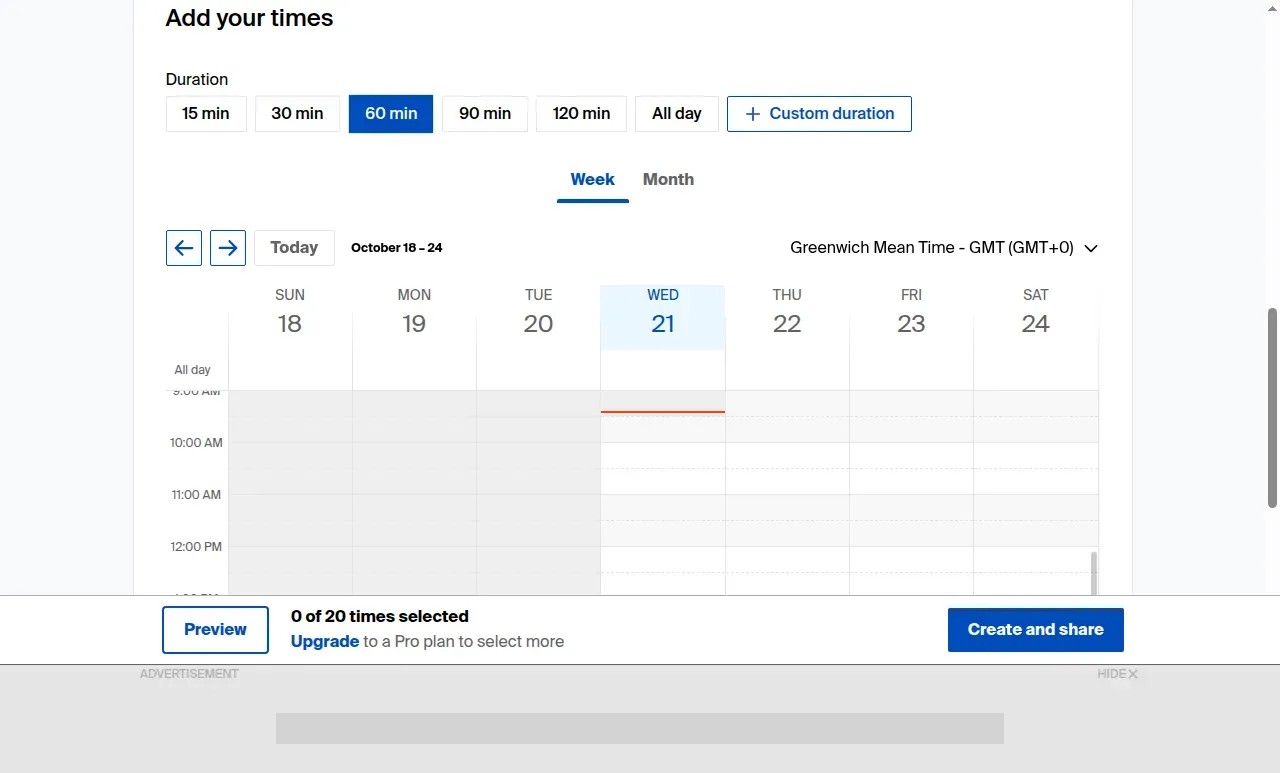
Doodle’s group-poll editor shows the time grid and a 20-time selection limit in our free account.
Things We Noted
The help center lists Pro at $132 a year and Team at $16 per user per month, billed annually, but a separate seat-band note labels the Team rate as per year. We would confirm the price at checkout before comparing Doodle with Calendly Teams.
What it costs: our calculation for three scenarios
This calculation uses the listed subscription prices. It compares only configurations that cover the same features, because "round robin" does not mean the same thing across products. Costs are per year, billed yearly, before tax. Euro prices stay in euros. Payment-processor fees and SMS usage charges are excluded from these subscription totals.
-
Scenario 1, sales team of five: routing form with qualification, CRM sync, and round robin.
-
Scenario 2, team of five: round robin and email or SMS reminders; no routing or CRM.
-
Scenario 3, solo consultant: one user, payments at booking, at least two calendars.
| Scenario | Tool and plan | Yearly cost | Mandatory extras | Limits | Conditions |
|---|---|---|---|---|---|
| 1. Sales team of five | Cal.com Teams, $12 per user | $720 | None confirmed | CRM-based routing lookup not confirmed | Yearly billing, 14-day trial |
| 1. Sales team of five | Calendly Teams, $16 per seat | $960 | None confirmed | Salesforce lookup inside routing is Enterprise ($15,000+ a year) | Yearly billing |
| 1. Sales team of five | Zeeg Business, €16 per user | €960 | None confirmed | Euros, excluding VAT | Yearly billing, 14-day trial |
| 1. Sales team of five | meetergo Suite, €29.90 per user | €1,794 in year one; €2,094 after | None confirmed | HubSpot and Pipedrive sync from Light; Salesforce with account matching requires Premium | Yearly billing |
| 1. Sales team of five | Chili Piper Routing & Scheduling | $15,000 | Extra AI credits sold in packs beyond 45,000 a year | Up to 15 seats included | One-year contract |
| 2. Team of five | Cal.com Teams | $720 | SMS cost not published | Workflows limited to templates | Yearly billing |
| 2. Team of five | Calendly Teams | $960 | SMS surcharge not confirmed | Reminders from Standard; round robin from Teams | Yearly billing |
| 2. Team of five | YouCanBookMe Team | $972 ($16.20 x 5 x 12) | SMS extra charge, amount not published | $16.20 is the yearly rate shown on the page; $1,080 if billed monthly | Yearly billing |
| 2. Team of five | Zeeg Business | €960 | None confirmed | Reminder workflows from Professional | Yearly billing |
| 2. Team of five | meetergo Suite | €1,794 in year one; €2,094 after | SMS usage charges not confirmed | SMS reminders start at Suite | Yearly billing |
| 3. Solo consultant | Cal.com Free | $0 | Stripe or PayPal fees, not included | One user; unlimited calendars | No term |
| 3. Solo consultant | YouCanBookMe Individual | $97.20 ($8.10 x 12) | SMS extra charge; Stripe fees | Two calendars, two booking pages | Yearly billing |
| 3. Solo consultant | meetergo Light | €118.80 | Payment-processor fees, not included | Six calendars; SMS reminders require Suite | Yearly billing, 7-day trial |
| 3. Solo consultant | Calendly Standard | $120 | Stripe or PayPal fees, not included | Six calendars | Yearly billing |
| 3. Solo consultant | SavvyCal Premium | $200 | Stripe fees | Payments are Premium only | 30-day money-back |
| 3. Solo consultant | Zeeg Professional | Not confirmed (€10 per month yearly = €120 if payments are included) | Not confirmed | Plan with payments not visible | Yearly billing |
| 3. Solo consultant | Doodle Pro | Does not qualify ($132 a year) | Not applicable | Stripe payments are a Team feature; Team is sold for two or more seats | Yearly billing |
What the table shows: for a five-person team that needs routing and round robin, Cal.com costs $720 a year, Calendly $960, Zeeg €960, meetergo €1,794 in its first year, and Chili Piper $15,000. The table shows selected comparisons. SavvyCal Basic also qualifies for scenario 2 at $600 a year for five users; routing remains unconfirmed. Reclaim and Doodle remain outside the team scenarios. For a solo consultant, the plans with a confirmed dollar price sit between $0 and $200 a year; the deciding factors are the calendar limit and which plan allows payments.
What reviewers say on Trustpilot
The most useful reviews point to things worth checking before you commit: billing, payments and what gets added to your calendar.
For Calendly, one customer's frustration was billing after a pause: “I paused my service five months ago. They kept charging me anyway.” That's from a one-star Trustpilot review dated August 16, 2026.
Payments were the sticking point for a Cal.com reviewer, who called Cal Payments an “Extremely disappointing experience” in a one-star review on October 6, 2026. Cal.com replied the next day that it wanted to “get to the bottom of this personally.”
Doodle drew a complaint about value: “The poll used to have free tiers and a more reasonable price point, now this has all but gone,” wrote a one-star reviewer on August 27, 2026. Doodle replied that basic group polling still has a free tier.
YouCanBookMe earned praise for a small but useful detail: “What I most appreciate is that my clients get automated reminders 24 hours before their sessions.” The verified five-star review, dated August 26, 2026, is a good reminder to look beyond the booking page at what happens before the meeting.
Reclaim's calendar automation was less welcome for one reviewer: “Added hundreds of focus time and lunches to my gcal (with no warning)”. That one-star review, dated August 27, 2026, makes the case for checking your focus-time and lunch settings before letting a planner fill your calendar.
Other tools we considered
-
Acuity Scheduling. Built for client appointments and intake, priced by number of calendars rather than by user. We left it out of the main list because the article is about meetings, not client bookings.
-
Clockwise. Not listed because it no longer exists: Clockwise's own page says its product was no longer available starting March 27, 2026.