LinkedIn Polls for Lead Generation and Engagement + Examples & Ideas

People love it when you ask for their opinion – it makes them feel important. According to recent statistics, posts with polls can gather twice as much engagement as regular publications. Let’s incorporate polls into your posting strategy!
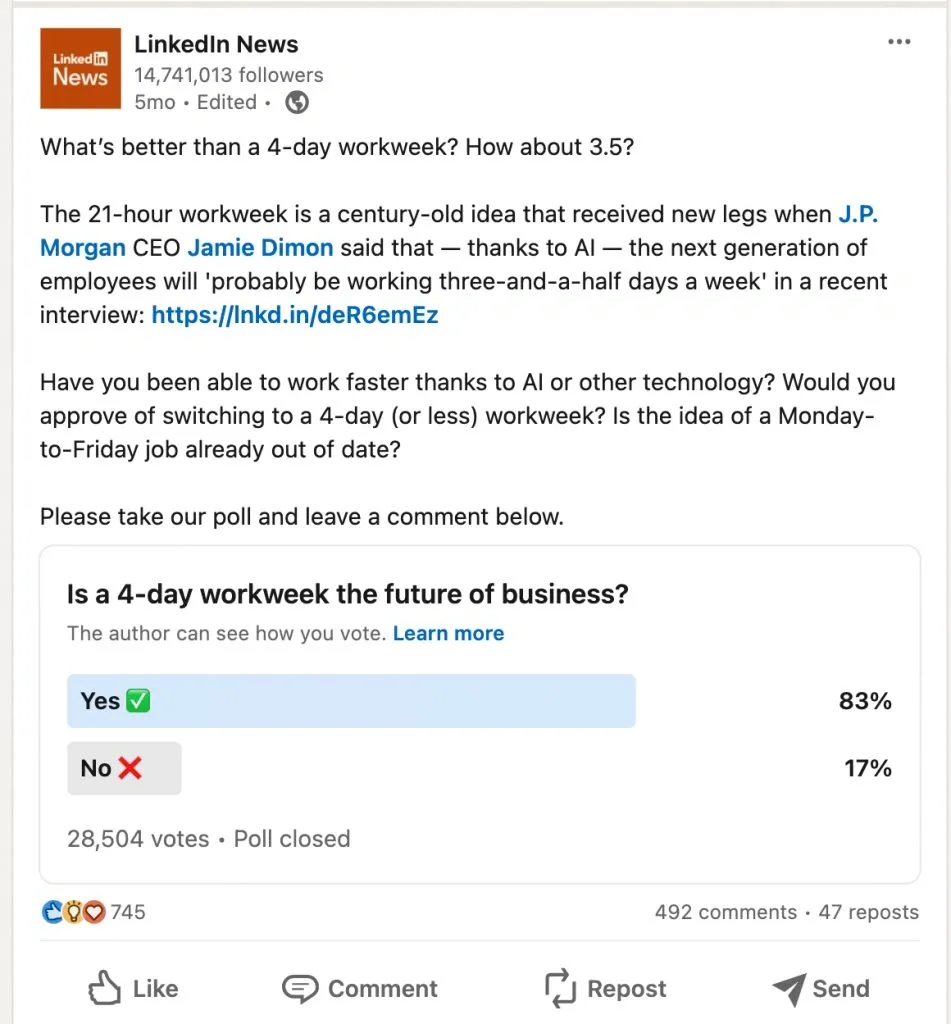
LinkedIn Polls for Lead Generation about the importance of a 4-day workweek

An example of a successful poll with over 28K+ respondents

We can use polls on LinkedIn not only to gather real opinions from people, but also as a lead generation source. You will learn below about examples of how LinkedIn users do this.
Key points

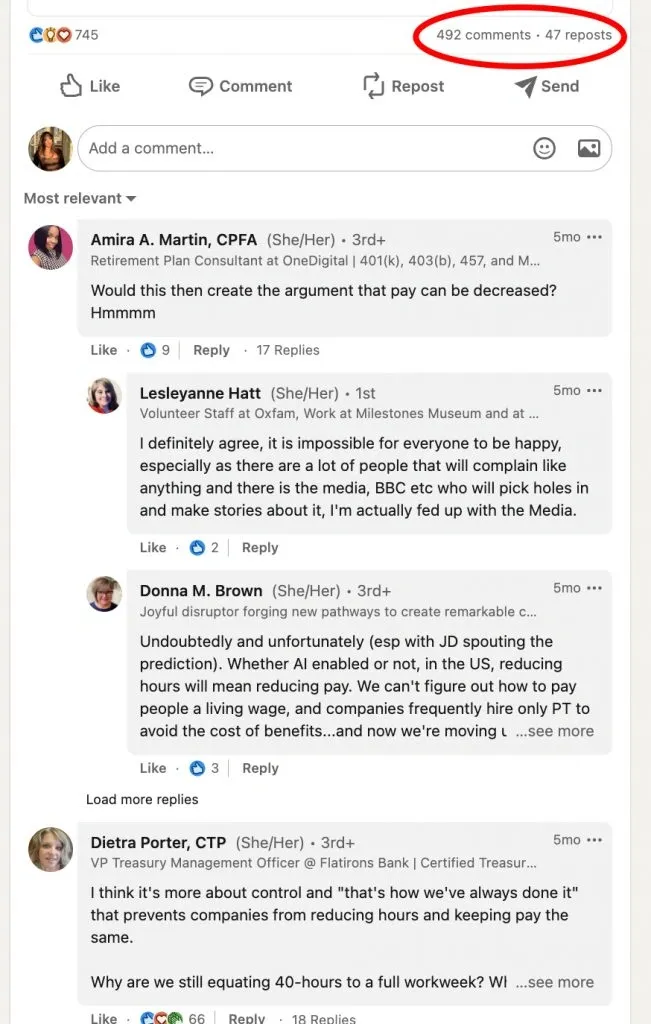
LinkedIn Polls for Lead Generation screenshot of a post with comments

Posts with polls receive more comments because people share their opinions in them.

  • Since content with polls garners more engagement, the algorithm may display your post to a broader audience.
  • Poll posts often spark discussions and receive comments expressing opinions, which can lead to virality, especially if you tackle a trending topic.
  • By initiating a conversation on a specific topic, you not only attract attention but also filter interested leads as individuals only engage with subject matter that intrigues them.
  • Embedding a link to your website in such posts allows you to gather contacts through your form.
  • Utilizing the data gathered from polls, your subsequent posts can be tailored to pique the audience’s interest. Simply delve into the opinions shared in the comments on your posts and develop content accordingly.

9 LinkedIn poll examples to inspire for new clients

Polls on LinkedIn are crucial in marketing. Through posts with voting, you can not only encourage people to respond but also get them to read the post’s text. Let’s look at some LinkedIn poll examples that you can copy.

LinkedIn poll ideas for marketing

Idea #1 – Add options to make everyone curious about the results

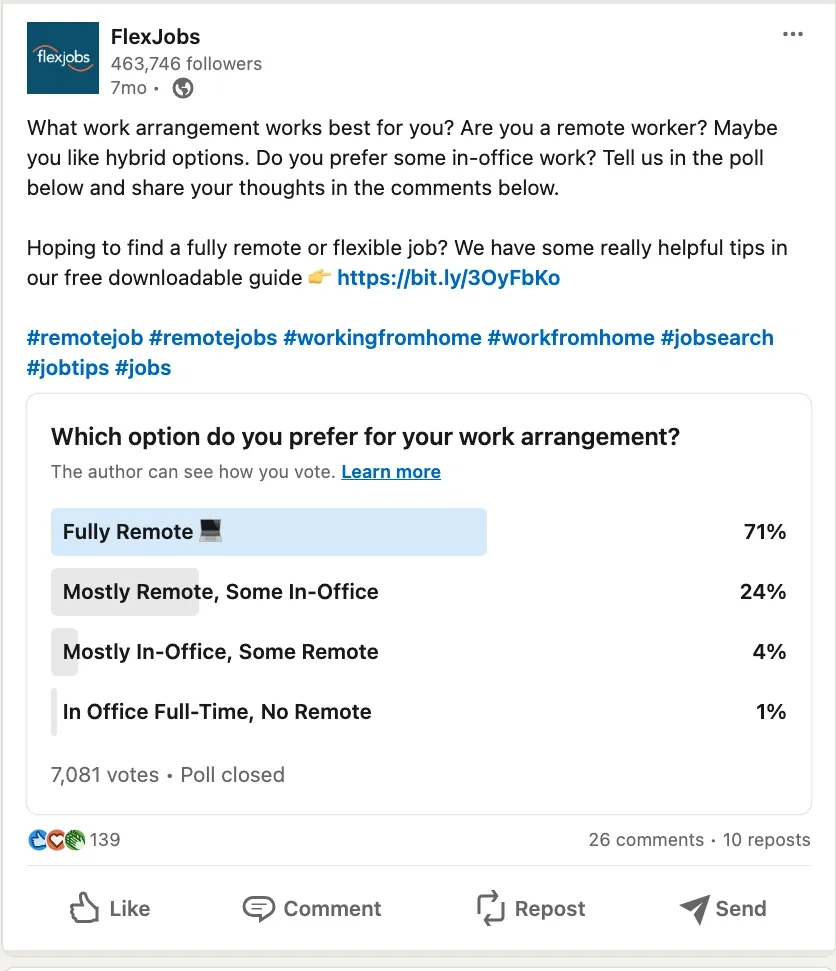
LinkedIn Polls for Lead Generation - screenshot of a post leading to downloading paid templates

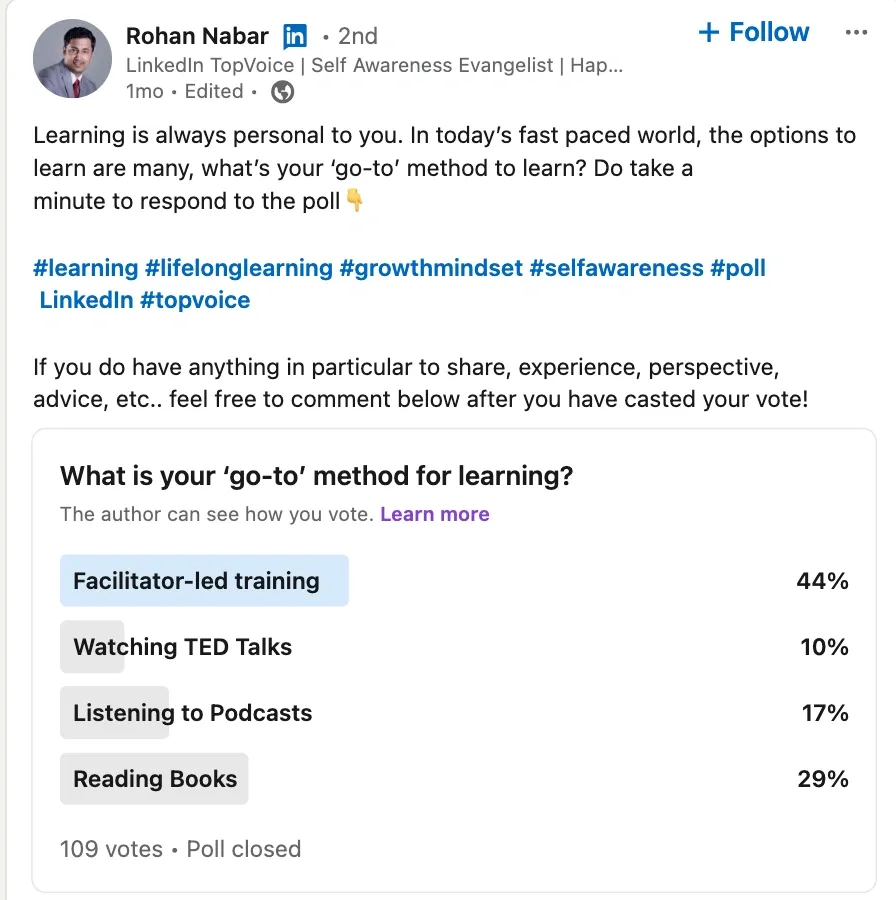
Simple questions that everyone wants to know the answer to will help attract votes.

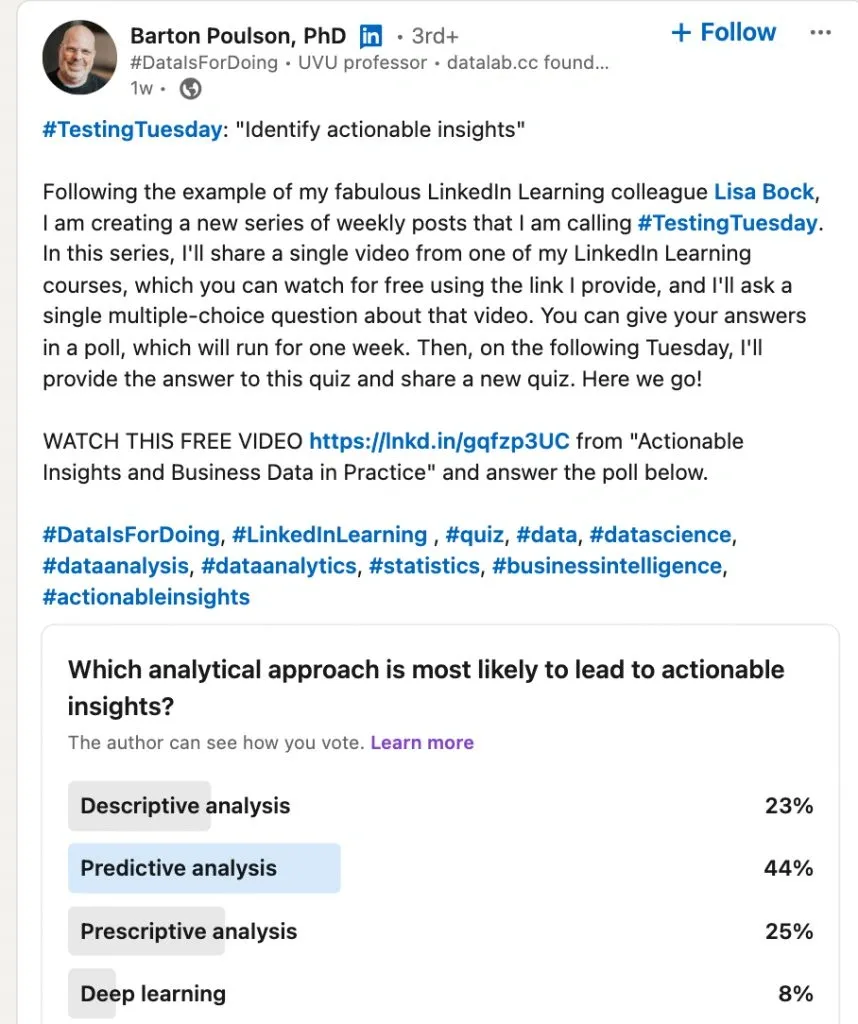
The scheme for such a post is simple, and you can try it if you’re in marketing or offer any business services. When participants vote, they see how others have voted. Therefore, an intriguing question can motivate them to want to find out the majority opinion (by answering themselves).

Compose a question relevant to many marketing professionals – for example, “How do you prefer to learn new things?”

Idea #2 – Add your contact information in the post text

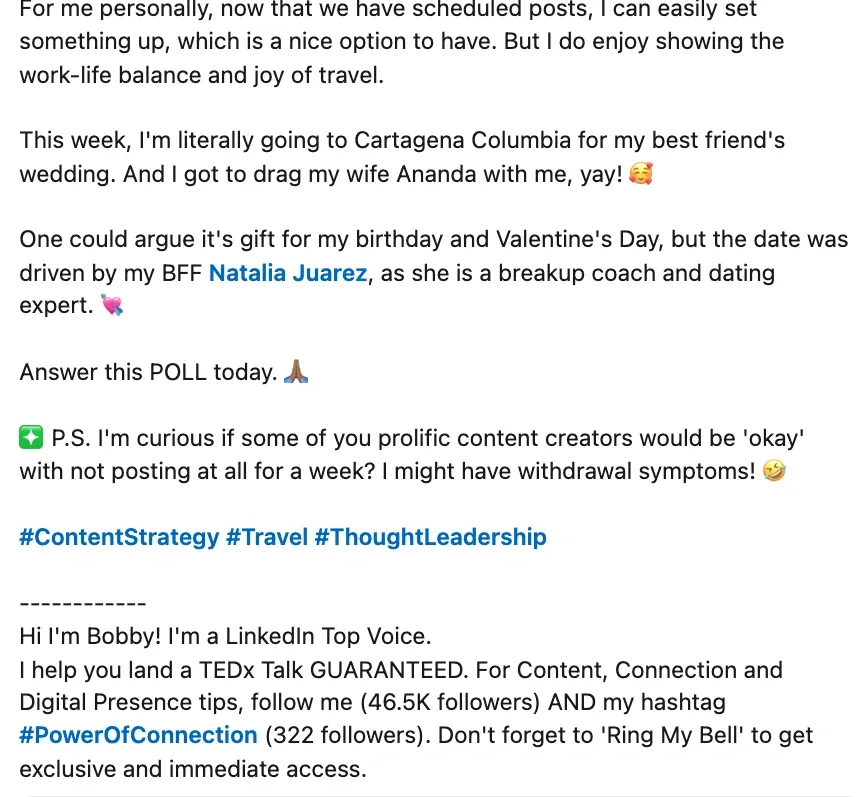
LinkedIn Polls for Lead Generation - screenshot of a post with a poll and contact details for marketing

In the example, a post with a poll includes the author’s contact information.

This is one of the most universal LinkedIn poll ideas. You can turn the idea of polls into a business card and include a brief self-presentation with your contact details below the line in the post. Don’t forget to include a call to action at the end of the post. The poll question itself also encourages discussion, and you can initiate the dialogue yourself in the comments.

Also, the question in the example above asking whether people post on LinkedIn during vacations is clear and straightforward for everyone, so they can easily and quickly respond.

Idea #3 – Use polls to present a podcast

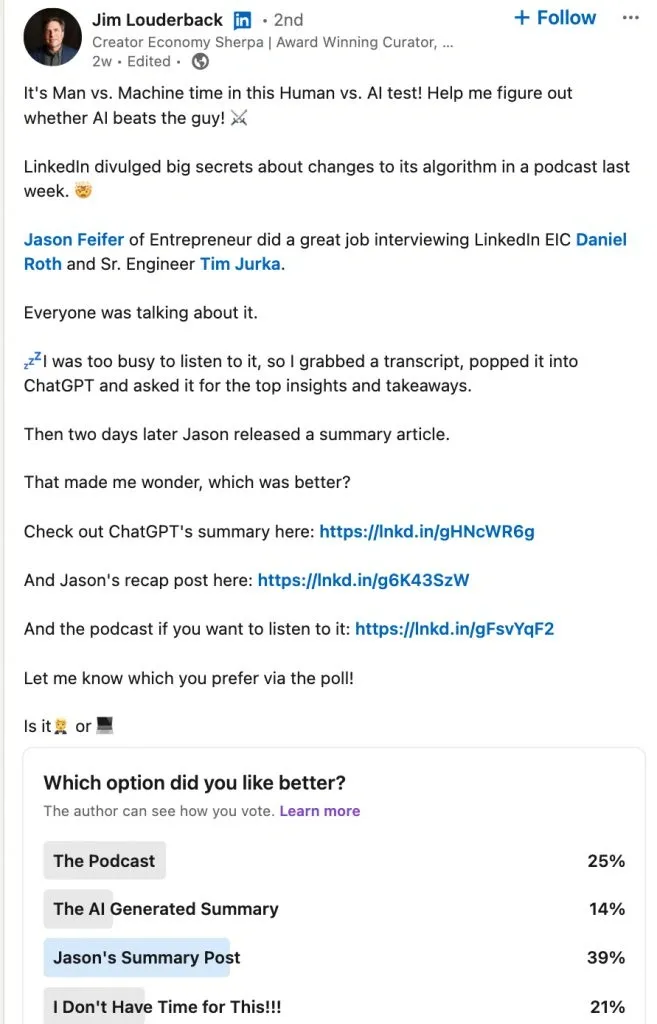
LinkedIn Polls for Lead Generation - screenshot of a post leading to listening to a podcast

In the example, a post with a poll leads to listening to a podcast

You can draw inspiration from the example and use this invaluable tool to market a podcast through a LinkedIn post with a poll. For instance, people may not have time to listen to your podcast, but would read a summary of it. So, you can transform the main ideas into a text summary and put a link to it in the post along with a link to the audio podcast. Add a poll about which content format best suits your audience, and you can add a humorous answer choice indicating people have no time for any format.

Digital marketing poll questions for LinkedIn

Idea #1 – Consider using a poll to gather participants for your event

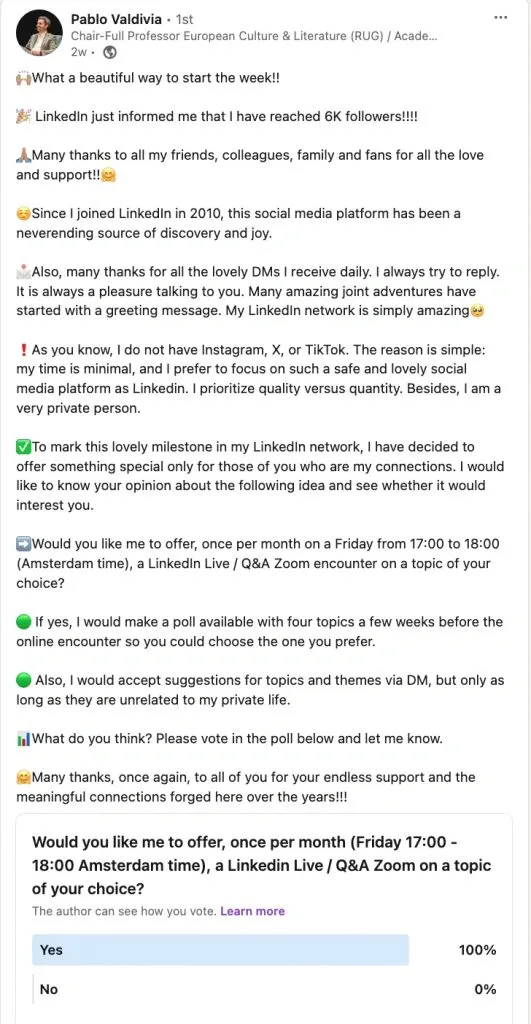
LinkedIn Polls for Lead Generation - screenshot of a post leading to a live event

In the example, a post with a poll serves as a warm-up for a live event.

Creating a poll within your network allows you to gauge potential attendance. As shown in the example above, you can ask if people are interested in attending a live communication session at a specified time.

Idea #2 – Gain industry insights

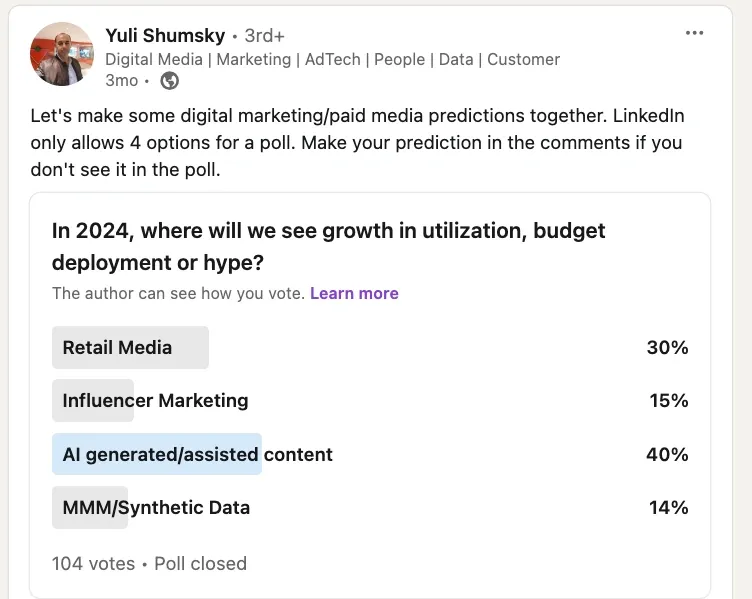
LinkedIn Polls for Lead Generation - screenshot of a post about industry trends

In the example, a post with a poll is used to gather insights from colleagues.

Another idea is to gather opinions from your colleagues and gain industry insights. For instance, the post creator in the example asked about the prospects of digital marketing in the coming year and where the primary efforts will be focused.

Business poll questions for LinkedIn

Idea #1 – Highlight a problem and give a solution

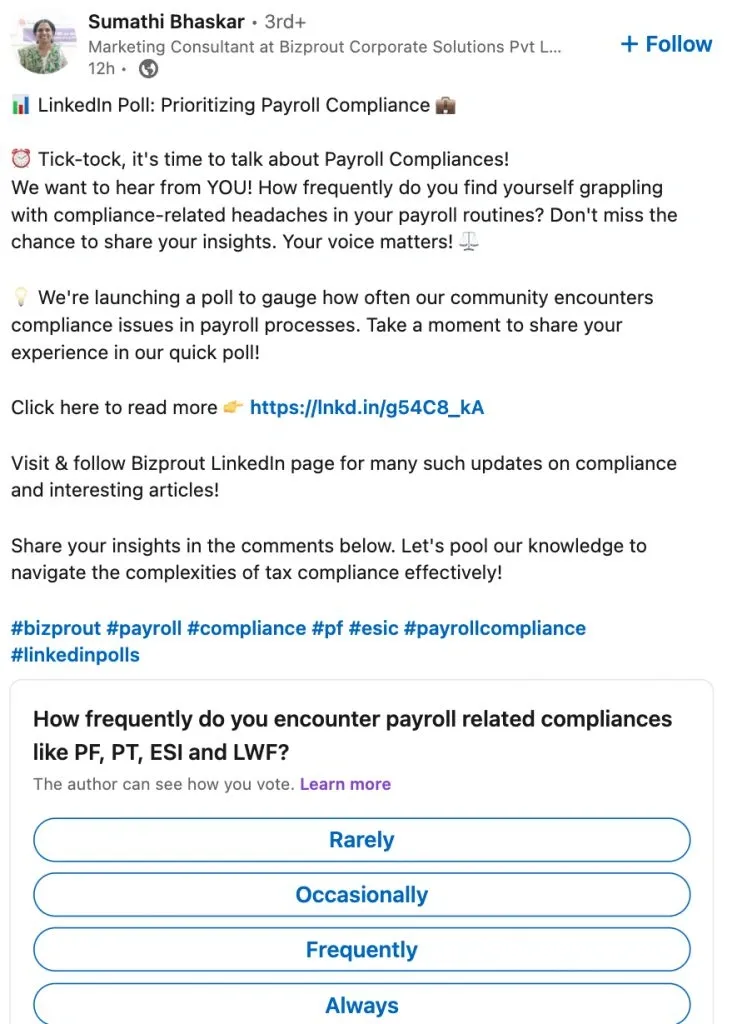
LinkedIn Polls for Lead Generation - screenshot of a post leading to an article

In the example, a post with a poll explores the audience’s problem and provides a solution.

Many companies use polls to mention a link to supplementary material in the post or direct users to their company’s business page. In the image above, you can see a specific example of how a company leads to the presentation of its services by identifying the problem points and needs of customers, for instance difficulties with payroll deductions. Such polls help identify leads that would respond to such questions, essentially targeting your ideal audience in the poll results.

Idea #2 – Use imaginary questions sometimes

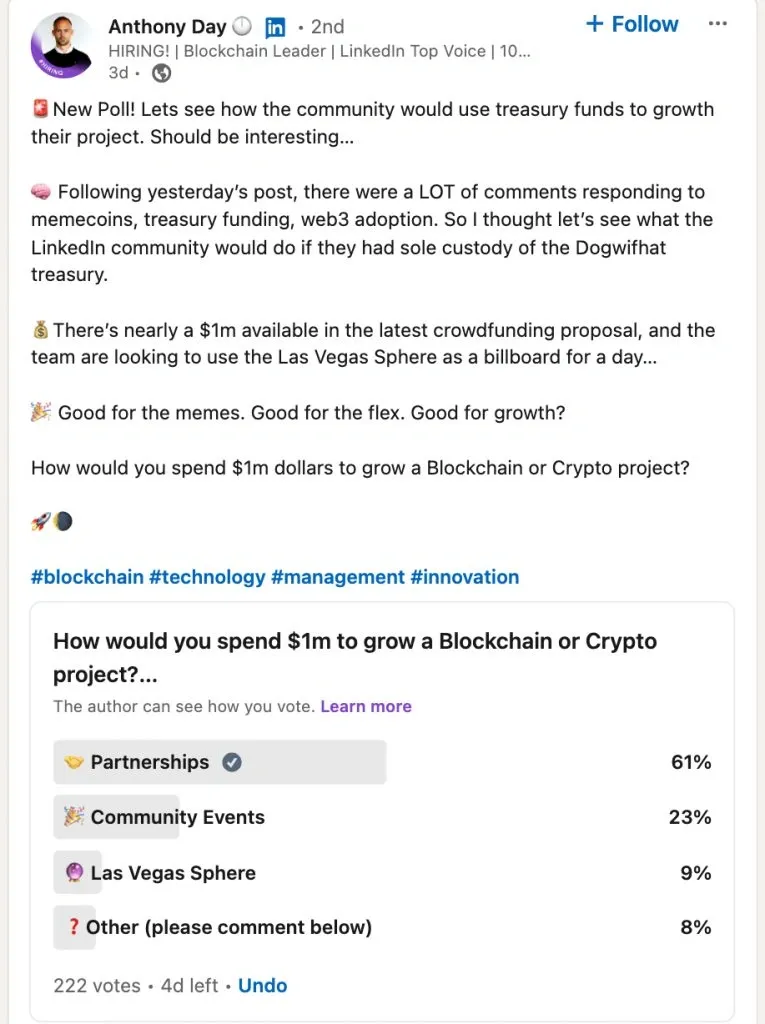
LinkedIn Polls for Lead Generation - screenshot of a post leading to a downloadable guide

In the example, you see a poll leading to a source with a downloadable guide.

Despite business being a serious and logical sphere, there is still room for both serious and humorous polls. You can pose an imaginative question that still seems relevant to your target audience’s needs and interests. For example, a leader in the blockchain industry asked their audience in a poll how they would spend one million dollars on a blockchain project. Additionally, leaving one of the answer options “open” and asking users to leave a comment elaborating on their alternative viewpoint can further increase engagement and potentially make your post go viral.

Lead generation LinkedIn poll ideas

Idea #1 – Share guides via polls

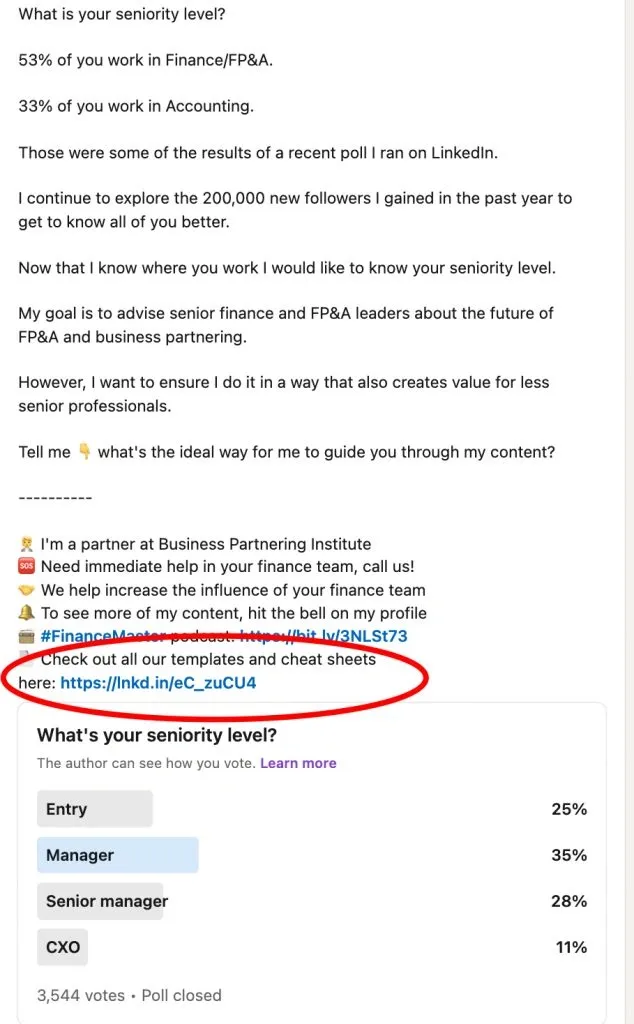
LinkedIn Polls for Lead Generation - screenshot of a post leading to downloadable materials

In the example, you see a poll leading to a source with templates and cheat sheets.

For lead generation, a poll can serve as just the beginning, the initial step in communication. For example, you can include the structured text of the post to specify the problem, the question itself that should resonate with your target audience, and a link to an external platform where you offer free but valuable content in exchange for contact information. This engagement model can be more effective than direct or generic forms because initially, the person doesn’t perceive you as a seller but rather wants to share their opinion and also receive a useful resource if they find one that suits them.

LinkedIn Polls for Lead Generation - screenshot of a post leading to downloadable materials

In the example, you see a poll leading to a source with templates and cheat sheets.

Idea #2 – Quiz for audience engagement

LinkedIn Polls for Lead Generation - screenshot of a post leading to watching a video

In the example, you see a poll engaging viewers to watch an educational video.

Sometimes, to help your audience better absorb your content, you can create a quiz. For example, one of the course instructors on LinkedIn created a quiz based on course materials and used more complex and profound questions to engage the audience in watching videos and learning. This way, people who prefer educational and valuable content will find themselves in this quiz.

All in all: How to find intriguing LinkedIn poll questions

The key to successful post and lead generation lies in how relevant and interesting your question is. Over time, you will learn to clearly understand which questions your audience reacts more sharply to. You can also read the comments under posts in your niche to identify LinkedIn poll question ideas. Try these resources:

  • Forums: Join relevant forums related to your industry or topic of interest. Engage with community members to understand common pain points, interests, and trending topics.
  • News Outlets: Stay updated with news outlets and publications in your niche. Identify current events, emerging trends, and issues that are relevant to your audience.
  • SEO Search: Utilize SEO tools like SEMrush or Google Keyword Planner to conduct keyword research. Identify popular search terms and phrases related to your subject matter.
  • Trend Analysis: Analyze social media platforms to uncover trending topics, hashtags, and discussions. Monitor platforms like Twitter, LinkedIn, and Reddit for insights into popular opinions and sentiments.
  • Competitor Analysis: Study your competitors’ content and engagement strategies. Identify successful polls they’ve conducted and topics that resonate with their audience.
  • Customer Feedback: Gather feedback from your existing audience through surveys, feedback forms, or direct communication channels. Understand their preferences, challenges, and areas of interest to tailor your poll questions effectively.

Frequently Asked Questions

In the image below you will see the so-called poll template or the description of all the fields that need to be filled. What does the template consist of? Question. You need to plan in advance what you want to ask the audience. Later, we will highlight methods that will help find hot topics for the poll and discuss successful examples. It’s important to note that the LinkedIn poll character limit is only 140 characters. Tip : You can add clarification to the question in the post text, but the question field itself will contain a concise version. nswer options. You can enter answer options up to 30 characters each. In total, you can add 4 answer options. Consider this when planning the poll. Poll duration . You can choose the duration in which participants can vote. It can be 1 or 3 days, 1 week, or 2 weeks.

Try Linked Helper free for 14 days

The most technically advanced platform for LinkedIn automation with a focus on security, a wide range of features, and exceptional customer support. Trusted by over 10,000 businesses worldwide.