
 Updated: September 29, 2026
 12 min read
Expandi is a familiar name in LinkedIn automation, a cloud tool built around branching sequences that adapt connection requests, follow-ups, and InMails to a prospect's behavior. But familiar doesn't mean right for everyone. Below are five Expandi alternatives we tested hands-on in July 2026, using live accounts, limits panels, and vendor docs read next to marketing claims.
Key takeaways
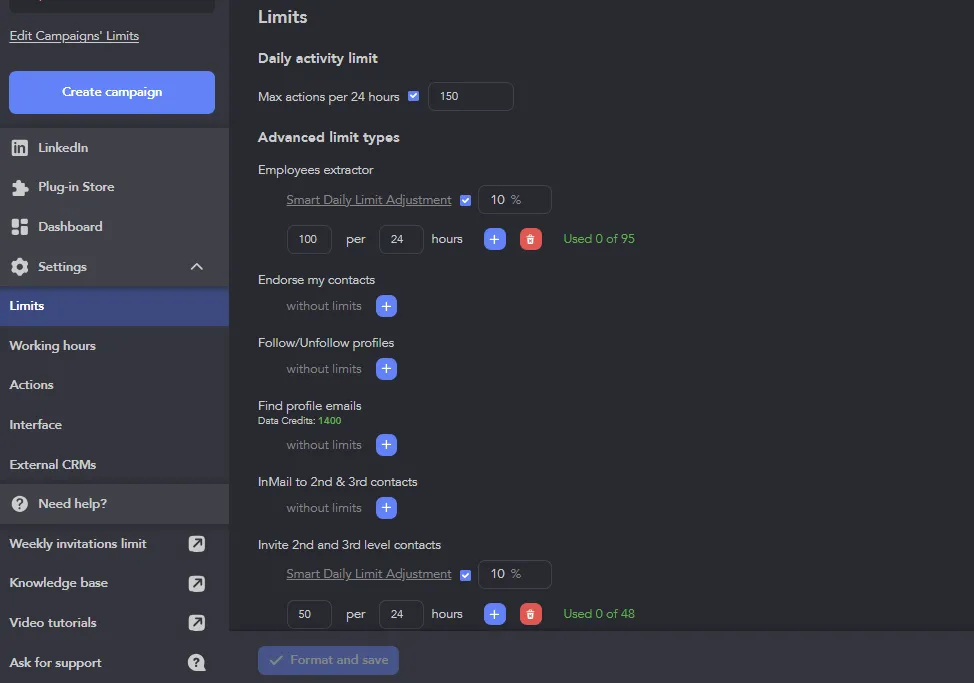
- Linked Helper came out on top in our July 2026 test: the only desktop tool of the five, session and IP stay on your own machine, lowest entry price at $15/mo. Because it runs in your own browser, you can watch it work: mouse movements, scrolling, and clicks are imitated rather than sent through an API. Keep in mind this covers the technical side only: LinkedIn can still detect unusual behavior, such as simultaneous sessions, high activity, or identical daily profile counts across the week. On that front, limits are adjustable rather than fixed; the default cap is 150 actions per 24 hours, and you can raise, lower, or disable it per action type.
- IP quality varies sharply among the cloud tools: Dripify's assigned addresses scored 94 and 100 out of 100 on IPQualityScore, while Meet Alfred's came back clean at 0.
- HeyReach's multi-account rotation can suit agency workflows, but both of our test accounts landed on one shared data-center block, so the advertised per-account isolation didn't hold up.
- Entry plans are narrow: Dripify's Basic has no CSV export or webhooks, Meet Alfred's Basic is LinkedIn-only, and Waalaxy's Pro stops at 300 invites a month.
- Vendor pages contradicted themselves twice: on Meet Alfred's data export and on HeyReach's seat caps.
Why Look for an Expandi Alternative?
When you're running LinkedIn outreach for sales, recruiting, or lead gen, you have three main reasons to look for Expandi alternatives.
The first is a legitimate risk: LinkedIn automation that can trigger account restrictions or bans. Expandi runs your account from its own cloud servers, which means your session leaves your machine and gets replayed from a data center IP. In our testing, checking assigned IPs against IPQualityScore, one of two Expandi accounts came back flagged.
The second reason to switch is the price. Expandi has one plan: $99 a month, or $79 billed annually, with no cheaper tier to fall back to. And if that wasn't enough, many users complain about software reliability: either the cancel button disappears, or charges keep landing after multiple cancellation attempts.
The third reason is the scope. You want a tool that also organizes leads and tracks replies, not one that only sends messages.
Here's how five alternatives compare on exactly those points.
How We Chose These Alternatives
Most people start by comparing prices and features. What actually determines tool quality is safety architecture:
- Where your LinkedIn session runs,
- Are safety limits on by default or paywalled,
- Whether a vendor's documentation matches its marketing.
We tested every tool on those three points, plus price, feature depth, and real user reviews.
Expandi Alternatives at a Glance
| Tool | Starting price | Architecture | Notable capability |
|---|---|---|---|
| Linked Helper | Linked Helper pricing starts at Standard (local storage only): $15/mo ($8.25/mo annual); Pro (with cloud storage): $45/mo ($33/mo annual) | Desktop, optional cloud storage for data + can be installed on VPS to run 24/7 | Built-in CRM; ~30 stackable safety limits on by default |
| Expandi | $99/mo ($79/mo annual) | Cloud | If-then branching sequences |
| Dripify | $59/mo ($39/mo annual) | Cloud | LinkedIn + email sequencing |
| Waalaxy | $19/mo (Pro) | Cloud | 300 invites / 25 email credits per month (Pro) |
| Meet Alfred | $59/mo ($29/mo annual) | Cloud | Sales Navigator support |
| HeyReach | $79/mo per sender; $63/mo annual (Growth) | Cloud | Rotates sends across multiple LinkedIn accounts |
Expandi alternatives at a glance
1. Linked Helper
Linked Helper is a LinkedIn automation tool built for sales reps, recruiters, lead-gen agencies, and solo B2B sellers. It automates connection requests, follow-up message sequences, profile visits, endorsements, and other activities.
- Where the session runs: local by default. The optional cloud-storage tier moves campaign data to Linked Helper's servers, but execution still runs on your machine or the VPS you control — the direct contrast with Expandi, which uploads and replays the session itself from its own cloud.
- Safety limits: around 30 per-activity limits, on by default on both tiers — not paywalled. In practice, this means 50 invites every 24 hours once an account is over a year old, 10–15 while it's newer, all inside a 150-action rolling 24-hour cap instead of a fixed daily reset, with randomized daily variation and start times so activity doesn't look scripted.
- Pricing: Standard ($15/mo) already includes the full safety-limit stack and CRM. Pro ($45/mo) mainly removes a ~20-action/24h cap on likes, comments, and group messages, and raises email finder credits from ~610 to ~3,100 a month — worth it for high-volume outreach, redundant if you're already staying near the 20–30 actions a day recommended for safety. See the full Linked Helper pricing for 3, 6, or 12-month plans at a lower monthly cost.
Linked Helper also has a 14-day trial period, no card details required. If you decide to start your free trial, you'll notice more features aimed specifically at LinkedIn lead generation:
- Has a built-in CRM with 11 native integrations: HubSpot, Pipedrive, Salesforce, Zoho Recruit, ActiveCampaign, Close, HighLevel, Streak, Capsule, and Instantly. The CRM is available on every plan.
- Can use Sales Navigator/Recruiter URLs for navigation even on free accounts: You can use an SN-sourced list across the whole team and cut the cost of LinkedIn subscriptions.
- Pulls profiles by job title across a whole list of target companies at once: It uses the employee extractor.
- Scores leads against your ideal customer profile automatically using AI-based ICP detection: This allows you to spend limited LinkedIn invites on valuable connections only.
- Posts AI-written comments under a prospect's content to open a conversation before connecting.
- Generates AI-personalized messages for every lead in the campaign, increasing acceptance and reply rates.
- Provides users with many engagement options: invite to event, group, mention leads in a comment under a post.
Linked Helper pairs a local, session-based architecture with automated sequences for connection requests, follow-ups, and endorsements. Because the session runs from your own device or VPS, its IP reputation reflects your own connection rather than a shared cloud pool, so a flagged-datacenter-IP score is less likely by default. That covers IP-level reputation only; account standing still depends on behavior and the activity limits in use, regardless of IP.
For more info, see the full Linked Helper vs Expandi (full comparison) for the complete side-by-side on differences in infrastructure and features.
2. Dripify
Dripify is a cloud-based automation platform with a visual, multichannel sequence builder.
- Where the session runs: entirely on Dripify's servers, no desktop app, no extension, works with your computer off.
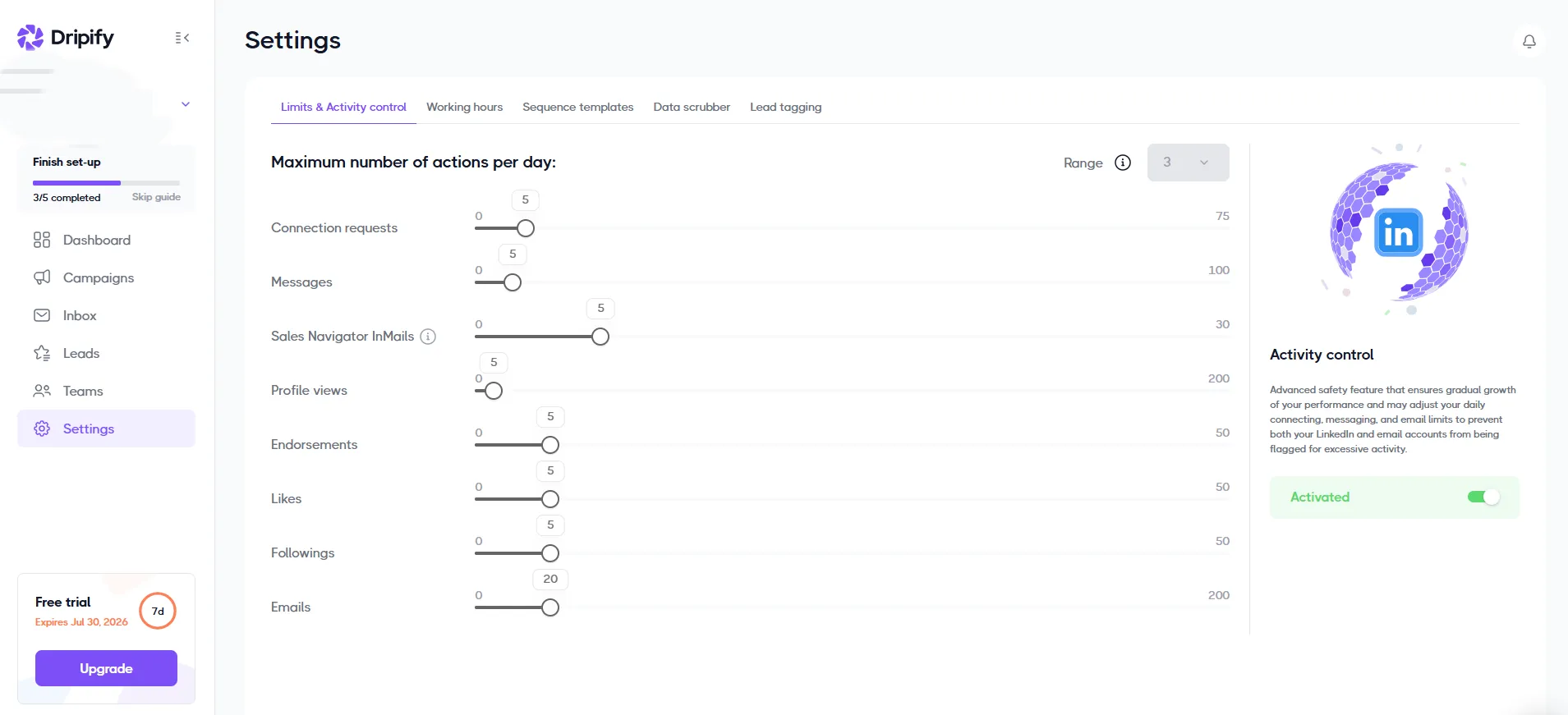
- Safety limits: on by default, but the adaptive "Activity Control" safety layer is reserved for the $99/mo Advanced tier.
- Value for money: Basic (no CSV export, no webhooks or Zapier) looks like the entry point at $59/mo, but the realistic usable tier is Pro at $79/mo. With the Basic plan, core actions are also limited: 20 connection requests, 30 messages, 10 InMails, 100 profile views, 20 skill endorsements, 20 likes, 20 profile follows, and 50 emails per day. This plan also caps you to a single active drip campaign at a time.
Dripify markets dedicated IPs per account to reduce ban risk. In our testing, both Dripify accounts came back on flagged data-center IPs (94 and 100), high enough that platforms checking IP reputation may apply extra scrutiny or throttling to traffic from it.
You can check any IP's score at IPQualityScore or similar tools, but since Dripify runs sessions entirely from its own servers, there's no way to swap for a cleaner one yourself.
3. Waalaxy
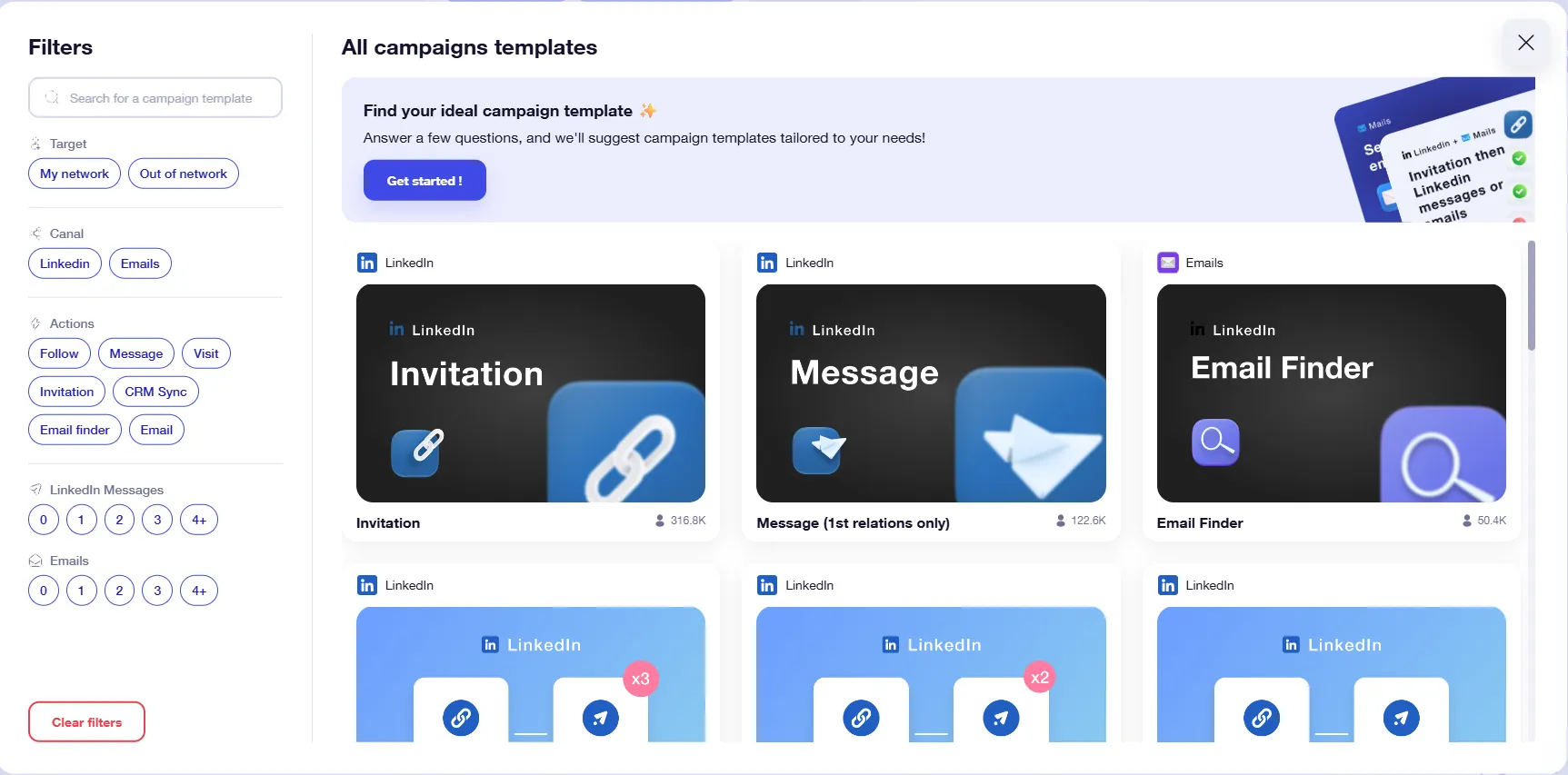
Waalaxy started as a Chrome extension for combined LinkedIn and email outreach; as of July 2026, it's fully cloud-based, with a template library built for solo sellers and small teams on a budget.
- Where the session runs: entirely in Waalaxy's cloud. The web app still offers an optional companion extension, Alien Copilot, but it only pre-fills prospect imports from a LinkedIn search.
- Safety limits: weekly invite pacing and randomized delays are on by default.
- Value for money: the cheapest Pro plan looks affordable, but includes only 300 invites and 25 email credits per month, while LinkedIn itself allows 400–800 invites depending on account age and status. More expensive plans ($39/mo Advanced, $69/mo Business) also lack advanced automation features, e.g., liking posts, endorsing skills, inviting to groups or events.
The cloud shift is only weeks old, so it's too early to judge the new version. As an extension, Waalaxy marketed itself as "virtually undetectable," but our code audit found it pulling your full LinkedIn cookie set via chrome.cookies.getAll and uploading it to Waalaxy's own servers (stargate.prod.aws.waalaxy.com). Since the tool's shift to the cloud, the misleading promise of 'local' stealth is gone, but the new functionality hasn't been properly tested yet.
4. Meet Alfred
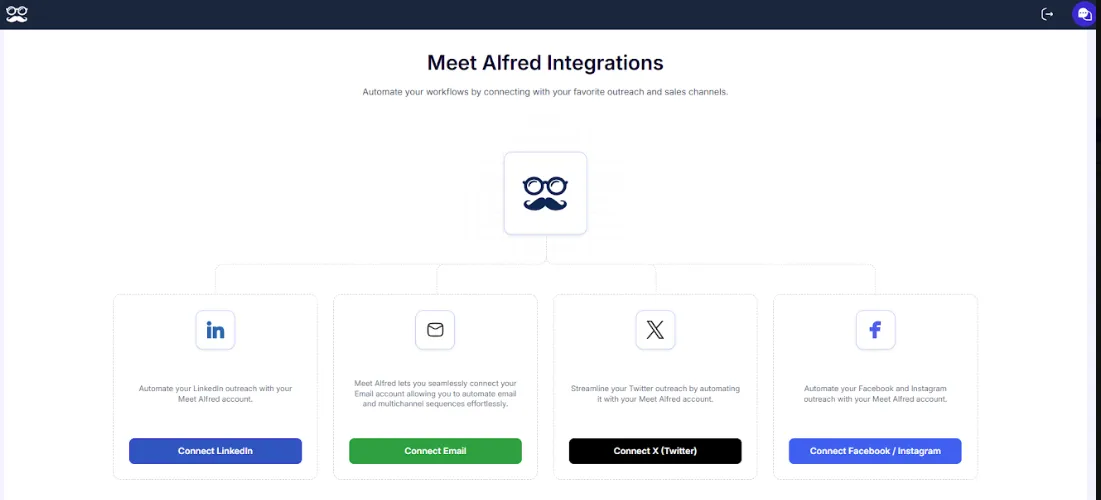
Meet Alfred is a fully cloud-based platform for LinkedIn, email, and X automation, priced per seat.
- Where the session runs: entirely on Meet Alfred's servers, pure cloud, no browser extension on any tier, runs on AWS with your laptop closed.
- Safety limits: daily caps, working hours, and timing randomization are on by default from the trial tier (not paywalled), but there's no adaptive risk layer, and its SOC2/ISO compliance language isn't detailed on its own security page.
- Value for money: Basic ($59/mo) is capped to 3 campaigns, no lead reassignment, no Sales Navigator URL or CSV import, and LinkedIn-only despite the multichannel positioning. Pro ($99/mo) is the real usable tier, though it still lacks Team features.
We signed up two Meet Alfred accounts; both came back clean, with a fraud score of 0 out of 100. This means the IP shows no history of proxy, datacenter, or bulk-automation traffic. The tools' own marketing has some unclear spots, though: Meet Alfred's plan pages list campaign data export as a Pro feature, while its help center says export is exclusive to Teams plans. Worth confirming before you buy Pro.
5. HeyReach
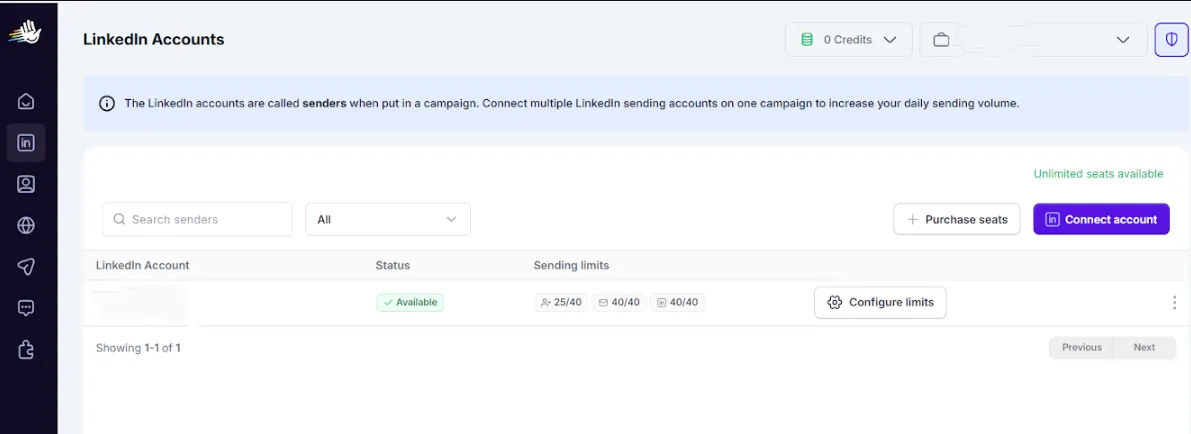
HeyReach is a cloud dashboard built for agencies running multiple LinkedIn accounts.
- Where the session runs: the connector extension reads your LinkedIn cookie jar once, via a "CreateLinkedInAccountFromCookies" call; automation then runs entirely from HeyReach's cloud.
- Safety limits: HeyReach markets "a dedicated static residential proxy that never changes and never shares between two accounts," but sender rotation, its flagship capability, only activates at 2+ senders, and no default per-action limits are published the way the other tools here document them.
- Value for money: Growth ($79/mo per sender, under 10 senders) is the nominal entry price, but a more realistic entry point for agencies is the 25-sender Agency tier at $999/mo.
HeyReach markets a dedicated proxy that simulates a real device, but in our testing, both accounts landed on the same data-center block with identical fingerprints. A shared data-center block means multiple unrelated accounts sit behind the same small range of IPs, which is one of the patterns fraud-detection tools flag regardless of the proxy in use. If keeping sessions and IPs separate matters to you, choose a HeyReach alternative that keeps sessions and IPs separate.
Another self-contradiction to keep in mind is the billing logic: one part of the same pricing article calls the Unlimited plan a flat-rate tier with no seat limits, while another part caps it at 300 seats.
How to Choose the Right Expandi Alternative
Your session ends up in one of three places:
- A desktop app keeps it on your machine, using your own IP.
- A browser extension that uploads your cookies to its own cloud, so your account then runs from a server you don't control.
- A pure cloud platform takes your login directly and runs everything on its infrastructure.
Default limits follow the same split — some ship on and unpaywalled, others sit behind a pricier tier.
Desktop offers the most control, but even the best LinkedIn automation tools cannot remove the risk entirely: LinkedIn also tracks your account's age and how much volume you push.
If price is the deciding factor, check what tier actually removes the caps: the advertised entry price is rarely the one that works. If you're juggling several client accounts, rotation and multi-seat management matter more than a low sticker price.
But if you want the best Expandi alternative with minimum exposure to third-party servers, focus on the architecture column above.