9 Best Lemlist Alternatives for LinkedIn Automation in 2026

9 Best Lemlist Alternatives for LinkedIn Automation in 2026

Milosh Potikj

B2B Content Strategist & Writer

Updated atUpdated: July 19, 2026Read time64 min read
9 Best Lemlist Alternatives for LinkedIn Automation in 2026
Quick Answer

Linked Helper is the best Lemlist alternative for teams prioritizing lower cost at scale, broader LinkedIn targeting, and direct account control. Its desktop app runs on your machine or VPS, keeping the LinkedIn session outside vendor cloud infrastructure. Pricing starts at $15 monthly or $8.25/mo on a 12-month license, with tiered volume discounts starting at 10 seats. For example, 20 Standard licenses with a 20% discount cost $1,584/year versus Lemlist's $20,880 baseline. It also collects from 13 LinkedIn source types versus Lemlist's 3. Tools we compared against Lemlist: Linked Helper, Dux-Soup, Dripify, Waalaxy, HeyReach, Meet Alfred, SalesRobot, Expandi, and Skylead.

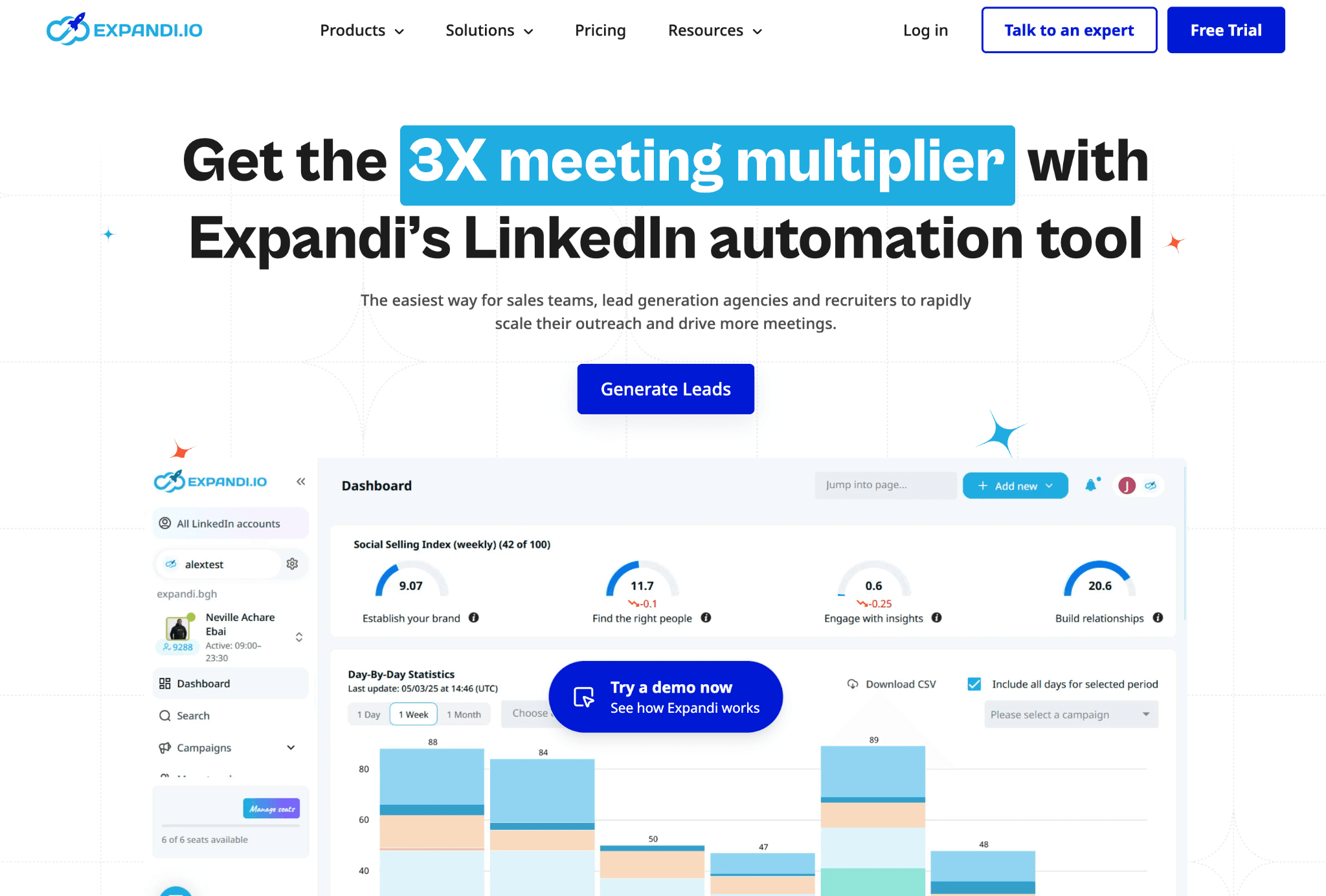
ToolArchitecture20-seat agency cost (from, /year)Cost vs Lemlist
Linked HelperDesktop$1,58492% cheaper
WaalaxyChrome extension$3,84082% cheaper
Dux-SoupCloud$4,45279% cheaper
SalesRobotCloud$7,92062% cheaper
HeyReachCloud$8,988 (naive minimum-tier calculation)57% cheaper
Meet AlfredCloud$9,36055% cheaper
DripifyCloud$18,9609% cheaper
ExpandiCloud$18,9609% cheaper
LemlistCloud$20,880Baseline
SkyleadCloud$24,00015% more expensive

Architecture and documented 20-seat agency cost, side by side

Pricing data as of July 2026. For the 20-seat agency scenario, costs use the feature-appropriate brand/agency tier per tool: Linked Helper Standard, Dux-Soup Cloud Agency, Dripify Advanced, Waalaxy Pro, HeyReach Growth, Meet Alfred Team, SalesRobot Advanced, Expandi Business, Skylead All-in-one, and Lemlist Multichannel Expert. Figures assume annual billing where available. Lemlist's $20,880/year is the baseline.

Publisher disclosure

This article is published by Linked Helper. Linked Helper is our product and our top recommendation. We use the same evaluation framework for every tool in this comparison — see "How We Evaluated These Alternatives" and "Methodology Deep-Dive" below for the full dataset and first-hand test methodology.

Key takeaways

  • Linked Helper is our pick because its local model keeps both the assigned IP and your data under operator control. On the IP side: four of the five alternatives here with scored vendor-assigned IPs produced at least one 94–100 result from IPQualityScore (IPQS*) in our June 2026 tests. On the data side: campaign data, message history, and collected profiles stay on your machine rather than a vendor's cloud — relevant if your compliance policy restricts where prospect data can live. Local custody removes the opaque IP pool and third-party data custody from the setup, not behavioral risk.
  • Linked Helper lets you choose custody: run fully local with data and IP under your control, or use cloud mode when team collaboration matters. Competitors force one model — cloud-only vendors keep your prospect data and assign IPs from their pool; desktop-only tools lock you out of shared workflows.
  • Dripify and Skylead both routed our test accounts through HostRoyale: Dripify's addresses shared a /24, while Skylead assigned the exact same IP to both accounts. The logo differs; the servers don't, so one provider's reputation can add a signal across brands.
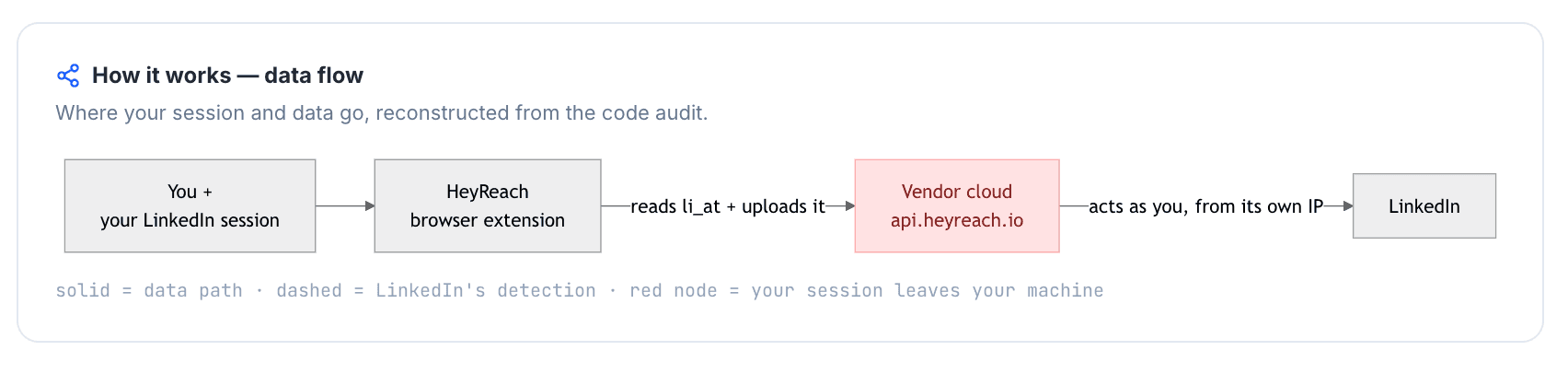
  • Five extension-based cloud login flows we inspected—Lemlist, Dux-Soup Cloud, Waalaxy, HeyReach, and Expandi—read li_at, the LinkedIn session cookie whose holder can act as the account without the password, and sent it to a vendor endpoint. That moves usable session access outside the original browser, adding a custody signal before outreach volume even enters the picture.
  • Two of six signups with observed trial terms contradicted a public pricing-page claim: Dux-Soup required a card and yielded no trial despite its no-card promise, while Expandi offered 7 days instead of the advertised 14 and required a card. Verify checkout before scheduling a pilot.

*IPQS is an independent fraud-prevention service with 10+ years on the market that rates IPs from 0–100; 75+ is high-risk on its scale. It is an independent signal, not LinkedIn's verdict.

What Is Lemlist?

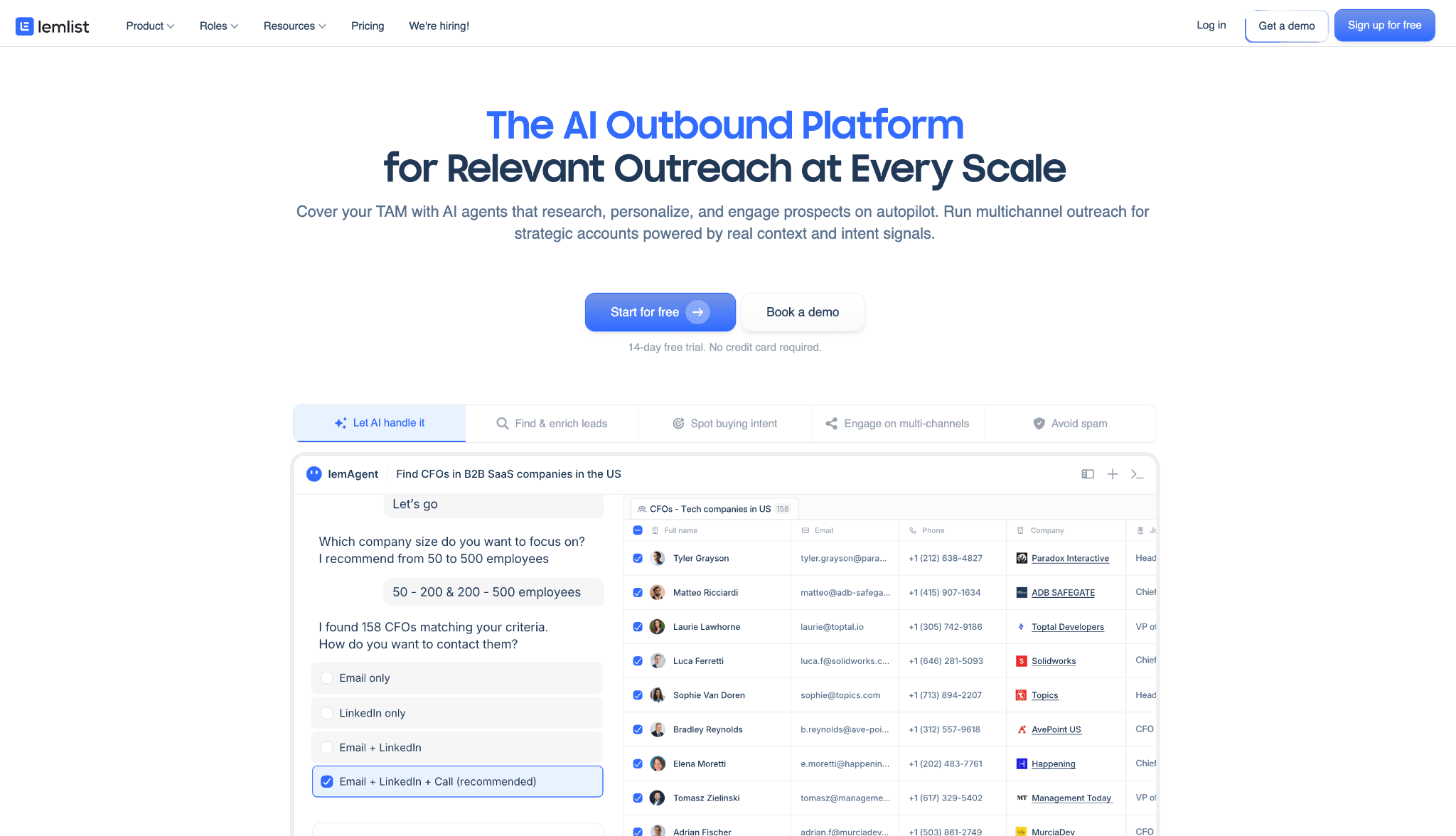
Lemlist is a cloud sales-engagement platform founded in 2018 and headquartered in France. It combines cold-email campaign building with lead data, enrichment, deliverability tools, and multichannel steps.
What Is Lemlist?

Here, data enrichment means appending contact data, typically a verified work email, to a LinkedIn profile. That can unlock profiles that require an email to invite and support multichannel follow-up, but data freshness matters alongside validity.

Its functions include:

  • Image, video, and liquid-syntax personalization.
  • Lemwarm email warm-up and deliverability monitoring.
  • A lead database and contact enrichment.
  • Connections to HubSpot, Pipedrive, and Salesforce, plus Zapier and API access.
  • LinkedIn, WhatsApp, calling, and email steps on the Multichannel Expert plan.

Campaigns run through Lemlist's cloud interface. LinkedIn access uses a companion browser extension, while email and other sequence logic remain in the vendor's platform. The pricing and targeting trade-offs follow separately.

Lemlist at a Glance

Lemlist combines creative cold-email and native multichannel functions, but per-user economics and narrower LinkedIn collection coverage create the replacement case.

Strengths

  • Image and video personalization for cold-email campaigns.
  • Liquid syntax for varying message content.
  • Lemwarm and related deliverability tools.
  • Native email, LinkedIn, WhatsApp, and calling steps.
  • Direct CRM connections for common sales systems.

Limitations

  • Email Pro starts at $79 per user monthly, while Multichannel Expert starts at $109 on monthly billing. The comparison's 20-seat Multichannel Expert baseline is $20,880 per year.
  • At 20 seats — a typical agency setup — custom user roles and permissions matter, and Lemlist gates them behind its Enterprise plan with unpublished pricing. The real cost of an agency-ready configuration may therefore exceed the $20,880 baseline.
  • Enrichment and data use credits, so usage can add another variable to team cost.
  • Lemlist has three documented LinkedIn collection sources versus Linked Helper's 13. That narrows targeting across regular LinkedIn, Sales Navigator, and Recruiter workflows.
  • Ease, reliability, and onboarding friction recur in the feedback analysis; these are reported themes, not universal outcomes.

See the Linked Helper vs. Lemlist feature and pricing comparison for the plan-level breakdown.

Who uses Lemlist

Lemlist's audience centers on teams using creative cold-email personalization and native multichannel sequences. The trade-offs are per-user pricing and narrower LinkedIn source coverage.

Why Users Look For Lemlist Alternatives

Across 6,462 reviews and 375 Reddit threads, G2, Capterra, and Trustpilot contributed most switching signals. Ease leads with 66 negative mentions—65 reviews and one Reddit record—but safety, reliability, and price remain close behind. The top four themes span 66 to 51 mentions, so price is not the only reason teams reconsider Lemlist.

ThemeNegative mentions
Ease of use / learning curve66 (65 reviews + 1 Reddit)
Account safety / restriction risk58 (53 reviews + 5 Reddit)
Reliability57 (54 reviews + 3 Reddit)
Price and value51 (46 reviews + 5 Reddit)
Feature and automation depth46 (39 reviews + 7 Reddit)

Negative Lemlist switching themes by mention volume

As of July 2026 · G2, Capterra, Trustpilot, and Reddit feedback analysis. Themes overlap, so one record may contribute to more than one row.

How We Evaluated These Alternatives

We compared nine ranked alternatives with Lemlist as the anchor. The review sample contains 6,462 reviews: 1,580 from G2, 1,442 from Capterra, and 3,440 from Trustpilot, plus 375 Reddit threads.

  • Vendor product and pricing pages were checked directly in July 2026, with the same cost and feature criteria applied to every tool.
  • Eight tools had completed first-hand checks; we used each check only for claims it could observe and excluded planned checks that were not completed.
  • At the architecture level, we classified where automation runs separately from how a cloud session is authorized — neither label alone became a safety verdict.
  • Review and Reddit patterns informed complaint-risk signals and switching themes, with overlapping themes allowed rather than forced into a single bucket.
  • Fixed weights applied to every tool, while public evidence, user reports, and direct observations remained distinct.

Evaluation Framework

The 100-point model gives greatest weight to team-scale value and LinkedIn targeting depth; the tables below document every weight and evidence source.

Scoring dimensionWeightEvidence considered
Pricing and value at scale25%Verified 20-seat costs, public monthly and annual tiers, and credit limits
LinkedIn targeting and scrape-source breadth20%Supported LinkedIn platforms, source coverage, Sales Navigator collection, and profile-data extraction
Architecture and automation method15%Deployment architecture, execution method, proxy controls, throttling controls, and available first-hand audits
Workflow depth and LinkedIn-specific actions15%Conditional workflows, event and group engagement, spintax, CRM depth, and product documentation
Multichannel workflow fit10%Native channel coverage, sequence capabilities, and product documentation
CRM and data portability5%Built-in CRM, messaging-history extraction, and export behavior
User complaint risk signals5%G2, Capterra, Trustpilot, and Reddit review analysis
AI personalization parity5%AI-personalization documentation and available feature probes

LinkedIn automation scoring model

Each dimension was scored from 1 to 5, weighted, and normalized to a 100-point final score. The assessment combines public documentation, user-review analysis, live product testing, IP/session inspection, and browser-extension analysis. Pricing data and architecture labels reflect information reviewed as of July 2026.

Notice that architecture gets only 15% of the weight. That's deliberate: where automation runs matters less than marketing pages suggest — but it matters enough that the labels need precise definitions. Vendors blur "cloud," "desktop," and "extension" freely, so here is how we classified every tool in this comparison.

Architecture labelWhat it meansWhere automation runsIP LinkedIn seesWho holds the session
DesktopA local app or user-controlled VPS runs the automationUser's machine or user-controlled VPSUser IP, VPS IP, or assigned dedicated proxyUser-controlled environment
CloudCampaigns run inside the vendor's web app and cloud infrastructureVendor cloudVendor-assigned IP, proxy, or dedicated IPVendor-managed cloud session
Browser extensionA browser extension operates inside the user's active LinkedIn browser sessionUser's browserUser IPUser's browser session; the extension reads or acts within that session

LinkedIn automation architecture glossary

Architecture labels describe where automation runs. They do not by themselves determine the final product score; risk also depends on session transparency, proxy controls, throttling, workspace governance, and observed user complaints. Labels reflect public information reviewed as of July 2026.

Within the cloud category, there's a further split that affects who ultimately controls your session. It comes down to how the tool authenticates — and this is the part vendor documentation tends to gloss over.

Session-access methodWhat it meansApplies to
Credential loginThe user connects or logs into LinkedIn through the vendor's cloud app, creating a cloud-managed sessionCloud tools
Cookie bridgeA browser extension or handoff flow transfers an existing browser session to the vendor cloudCloud tools with extension-assisted setup

Cloud session-access methods

As of July 2026 · credential login and cookie bridge are authorization/session-access methods, not separate product architectures. Both can result in automation running from the vendor cloud once the session is connected.

Active Extension Detection (AED) is the label in LinkedIn's production JavaScript for its hardcoded extension-ID probes. Appearing on the list means an installed extension can be visible to LinkedIn before the tool acts.

IP addresses are classified by origin: residential or mobile addresses come from home or phone connections, while datacenter addresses come from rented servers. A personal LinkedIn session operating from a datacenter address stands out from the residential or mobile access used by most genuine users.

9 Best Lemlist Alternatives Compared

ToolEntry price20-seat agency cost /yrArchitectureSession-access methodAutomation methodLinkedIn session custodyLinkedIn collection sourcesMulti-channelAvg rating (reviews)On LinkedIn AED list?
Linked Helper$15$1,584DesktopN/A — local sessionMouse-click and keyboard-typing browser automationLocal — user-controlled environment13No4.85★ (825)N/A — no extension
Waalaxy$42$3,840CloudCookie bridgeChrome connector + cloud execution; direct Voyager callsVendor cloud3Yes — Business tier4.65★ (2,025)Yes
Dux-Soup$14.99$4,452 (Cloud Agency tier)Hybrid by plan: Browser extension (Free/Pro/Turbo); Cloud (Cloud plan)Cookie bridge (Cloud plan)Direct Voyager API calls; local execution or remote-control queue by planLocal (Free/Pro/Turbo); Vendor cloud (Cloud plan)2No4.48★ (139)Yes
SalesRobot$59$7,920 (Advanced tier)CloudNot publicly substantiatedNot publicly substantiatedNot publicly substantiated2Yes — LinkedIn + email4.26★ (45)N/A — no extension recorded; no teardown run
HeyReach$79$8,988CloudCookie bridgeReverse-engineered LinkedIn API-call emulationVendor cloud3No4.12★ (60)No — May–June 2026 snapshot
Meet Alfred$59$9,360CloudCredential loginCloud API-call emulationVendor cloud2Yes — LinkedIn + email + X4.65★ (927)N/A — no extension
Dripify$59$18,960CloudCredential loginVendor-cloud sequencesVendor cloud3Yes — LinkedIn + email4.63★ (1,172)N/A — no official extension
Expandi$99$18,960CloudCookie bridgeReverse-engineered LinkedIn API-call emulationVendor cloud3Yes4.13★ (331)No — June 11, 2026 snapshot
Lemlist$79$20,880CloudCookie bridgeCloud sequences + extension bridgeVendor cloud3YesYes
Skylead$100$24,000CloudCredential loginReverse-engineered LinkedIn API emulationVendor cloud3Yes — LinkedIn + email4.52★ (144)N/A — no public extension

Top Lemlist alternatives compared (July 2026)

As of July 2026 · vendor pricing and product pages, G2/Capterra/Trustpilot records, and first-hand architecture checks.

The table separates advertised entry price from the feature-appropriate 20-seat cost. It also keeps execution method and session custody distinct. Lemlist is the unranked cost baseline, so its review-average cell is not used in the alternatives ranking.

1. Linked Helper

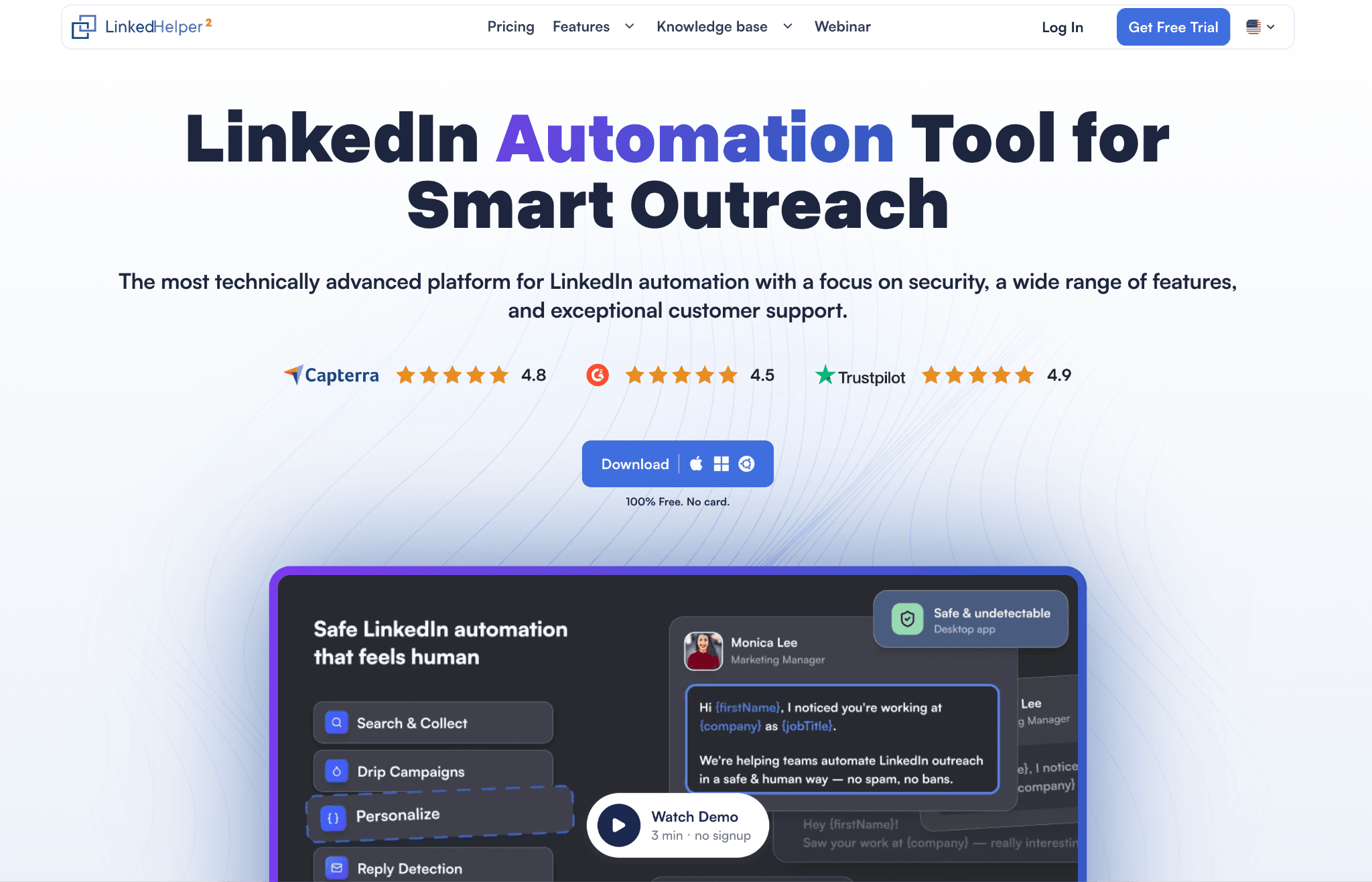
Founded in 2016 and based in Wilmington, Delaware, Linked Helper is a desktop outreach app for Basic LinkedIn, Sales Navigator, and Recruiter. Its built-in browser runs on the user's computer or VPS, which keeps the session token off vendor servers and uses the user's IP or dedicated proxy.
1. Linked Helper

Local account control, broader LinkedIn collection, and lower team cost define Linked Helper's place in this comparison. LinkedIn-first teams consider it when those priorities outweigh native email sequencing. Plans start at $15/month, keeping a one-account pilot below Lemlist's $79 entry price.

A 12-month Standard license equals $8.25/month ($99/year per seat); 20 of those licenses list at $1,980/year before the 20-49-seat Organization tier's 20% bulk discount, landing at $1,584/year, so the price advantage survives team scale. One license runs one account; data/Email Finder and AI use credits, so capacity planning still includes seats and usage.

Quick facts about Linked Helper

  • Founded: 2016
  • HQ: United States (Wilmington, Delaware)
  • Pricing: $15/mo ($8.25/mo equivalent on a 12-month Standard license), 14-day free trial
  • G2: 4.56★ (142) · Capterra: 4.90★ (252) · Trustpilot: 4.91★ (431) — each sample is large enough to compare without a thin-sample caveat
  • Last 6 months: 4.84★ across 23 reviews (4.85★ overall)
  • Architecture: Desktop standalone — its own browser runs in a user-controlled environment, so session custody remains local

Vendor pricing and feature pages (fetched April–June 2026) + G2, Capterra, Trustpilot, and Reddit reviews (computed July 10, 2026)

Key Features

  • LinkedIn collection breadththirteen collection sources versus Lemlist's three, including non-standard entry points Lemlist lacks entirely: group members, post likers and commenters, saved searches, and Sales Navigator lists. On the platform axis, both tools cover LinkedIn Basic and Sales Navigator; Lemlist's documented Sales Navigator support is limited to lead-list collection.
  • AI ICP detection — automatically scores collected profiles against the Ideal Customer Profile before outreach, which keeps noisy search results from consuming the limited invite budget.
  • No feature gating by tier — where Lemlist reserves custom user roles and permissions for its unpublished-price Enterprise plan, Linked Helper ships role separation and every campaign action on all licenses. The Standard/Pro split is about volume limits and integrations, so a 20-seat agency setup costs exactly what the price table shows — no surprise upgrade to unlock team governance.
  • Complete messaging-history exportexports full conversations with per-message metadata, which turns a contact file into a usable reactivation or migration record.
  • AI-assisted messaging — AI-personalized messages, AI replies, and a built-in AI editor generate and refine copy per prospect, while IF/THEN/ELSE conditions and spintax inside templates add rule-based variation on top. Together they cover both approaches to personalization at scale: model-generated and template-driven.
  • Employees extractor — converts organization URLs into matching employees and decision-makers, which turns an account list into people to contact without opening each company manually.
  • Built-in CRM and handoff — the profile CRM connects directly to 11 CRMs, with Zapier and Make through webhooks, which reduces extra routing between collection and follow-up.

The distribution is top-heavy, not unanimous: G2 contains 107 five-star and 29 four-star ratings, while the paired evidence also includes low-rating reports about price, app access, multi-account setup, and onboarding. The praise cards therefore support jobs rather than an unconditional claim.

What reviewers say about Linked Helper

Real-world scenario

A support-derived case: an Irish fire-and-security company had roughly 180 invite-failed prospects because LinkedIn required an email. Enabling email append at invite time let the workflow fetch an address from an enrichment integration immediately before sending, which meant scarce prospects did not disappear at the first privacy gate.

A separate r/socialmedia excerpt says only that an unspecified extra step changed the result, so we preserve it as user context rather than treating it as proof of the email-append mechanism.

Reddit
socialmedia
the difference was not subtle at all honestly i think most people skip this step because it feels slow or extra.

Reported Limitations

The structural trade-offs are clear:

  • Channel scope — there is no native non-LinkedIn email or multichannel sequence builder, so teams needing that channel should pair Linked Helper with a dedicated email tool.
  • Desktop uptime — campaigns require the machine to stay on. Web Version is login-based browser access to a Linked Helper instance running on a VPS. It provides 24/7 operation while keeping the LinkedIn session in an environment the operator controls.

Bottom line

We recommend Linked Helper for LinkedIn-first teams that value prospect collection, conversation portability, and CRM handoff over keeping email inside the same sequence canvas. Keep a dedicated email tool for non-LinkedIn steps. Its annual licensing lowers team-scale cost while retaining the targeting and workflow depth above.

A February 2026 Trustpilot reviewer reported that Linked Helper helped grow their first-degree network from about 470 connections to more than 12,000.

2. Dux-Soup

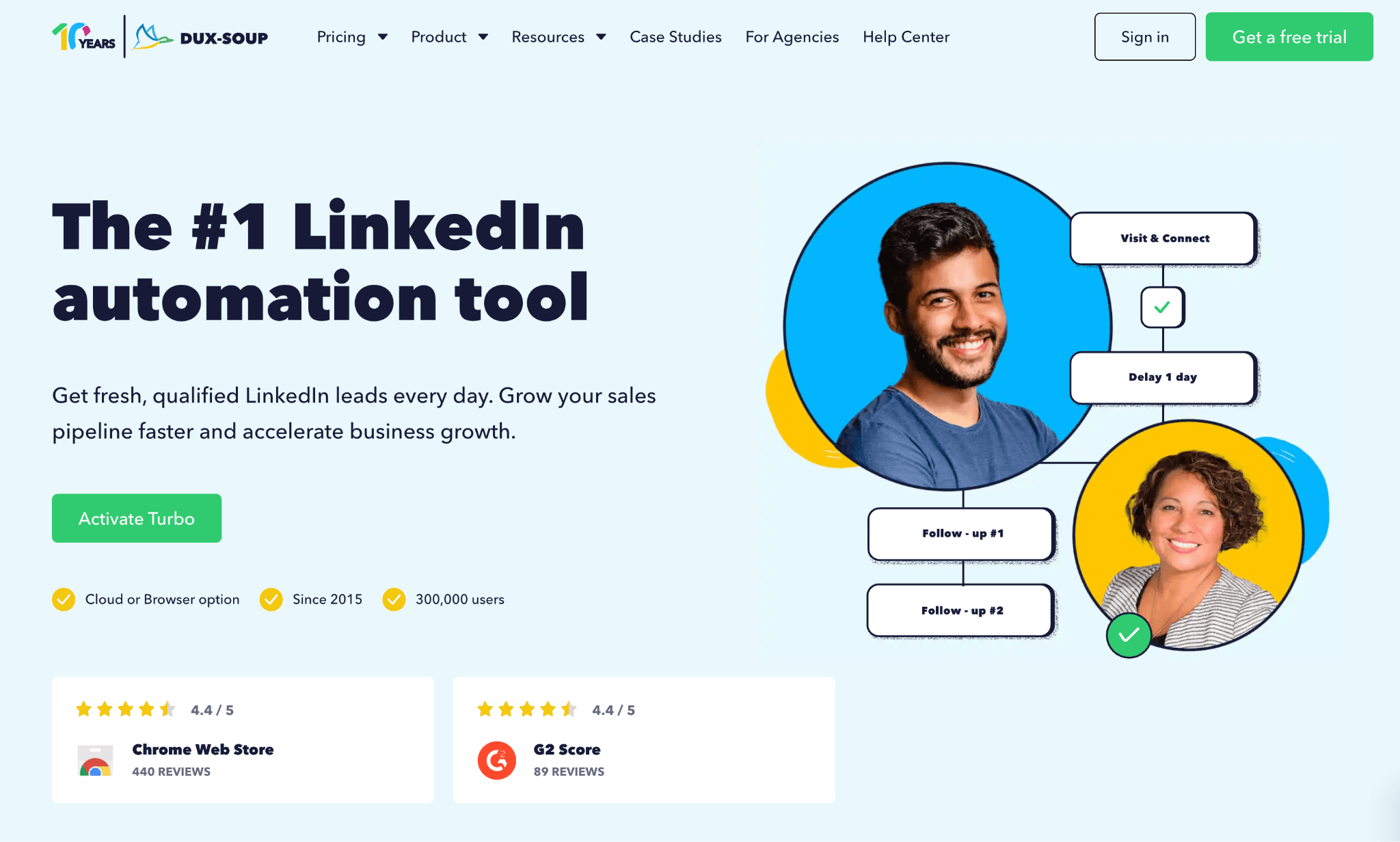
Which Dux-Soup plan are you buying? Founded in 2015 in the Netherlands, the tool automates LinkedIn prospecting from People Search and Sales Navigator. Its plan determines session custody, not just feature access. Budget-conscious solo operators wanting browser-based LinkedIn outreach reach for it, but the $14.99 entry price does not describe one custody model.

2. Dux-Soup

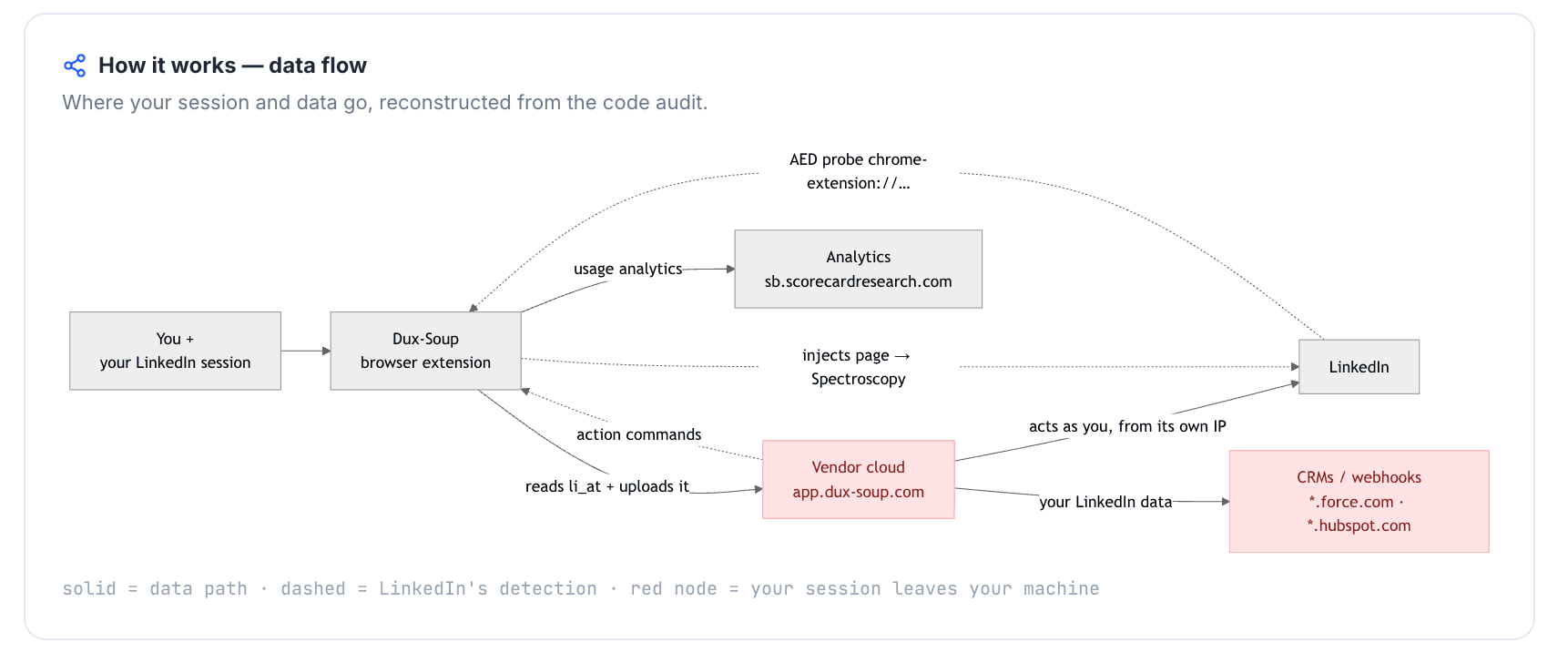
Free, Pro, and Turbo use local-scrape extension mode. Cloud's code uploads the session to vendor infrastructure, making remote orchestration highly likely.

Annual Pro billing is $11.25 per month equivalent. Twenty seats on the feature-appropriate Cloud Agency tier cost $4,452 a year. Plan requirements still come first, since Free, Pro, Turbo, and Cloud change session custody, not just price. Compare the paid mode and targeting depth you actually need.

Quick facts about Dux-Soup

  • Founded: 2015
  • HQ: Netherlands
  • Pricing: $14.99/mo ($11.25/mo billed annually)
  • Overall review average: 4.48★ (139)
  • G2: 4.33★ (81) · Capterra: 4.0★ (16) · Trustpilot: 4.95★ (42) — sharp platform split
  • Architecture: hybrid by plan — local-scrape extension (Free/Pro/Turbo); cookie-bridge/session-upload extension (Cloud), which copies the LinkedIn login cookie to vendor infrastructure

Dux-Soup pricing and company pages (checked April–May 2026) + G2, Capterra and Trustpilot reviews (computed July 10, 2026)

Key Features

  • Target selection — like other tools here, it accepts profiles from LinkedIn People Search and Sales Navigator Lead Search; coverage stops at those two sources.
  • Campaign actions — like other tools here, it covers connection and message steps, engagement actions, and drip enrollment.
  • Per-action pacinghourly controls cap visits, invitations, and InMails separately; settings remain user-controlled.
  • CRM and automation connections — the integration directory lists CRM, collaboration, and automation endpoints; the inspected extension names five CRM connections plus webhook and Zapier paths.

The split is platform-level: Trustpilot's aggregate sits above G2 and Capterra, so one headline rating would conceal meaningful disagreement. The split prevents us from treating the 4.48 overall average as a uniform experience across platforms. Only seven ratings fall in the last six months, below the 10-review floor; we therefore report no direction.

What reviewers say about Dux-Soup

Real-world scenario

Behavior can override plan controls: An r/automation commenter described the risk as easy access to excessive volume, not as one brand's mechanism. The quote does not test Dux-Soup; it shows why configurable limits still need conservative operator choices.

Reddit
automation
The reason people fear automation is that it makes it very easy to overdo it (e.g., sending 100 generic requests in an hour).

Praise has paired counter-evidence: Accounts celebrating scale and support sit beside billing, access, and duplicate-enrollment complaints. These are individual accounts rather than failure rates, but together they widen the due-diligence checklist beyond the entry price.

Reported limitations

Limitation: Dux-Soup's Cloud documentation covers LinkedIn outreach, not native multichannel sequences. A Lemlist switch therefore needs a separate email workflow.

One historical account report: An individual G2 reviewer linked an account restriction to the extension; this is not a current restriction rate.

I got banned for using this Chrome Extension.
G2 0.5★
View Original

Safety and Setup Notes

What was checkedFinding
Ships a public extension?Yes — it is the main product for Free/Pro/Turbo and the connector for Cloud
Architecture verdictHybrid by plan — local-scrape extension for Free/Pro/Turbo; Cloud adds cookie-bridge/session-upload code and a remote-control queue, making server-side orchestration highly likely
Reads the LinkedIn session cookie (li_at)?Cloud mode only — code reads li_at and JSESSIONID, the LinkedIn login and CSRF token in cookie form, then sends them to app.dux-soup.com and app-fo.dux-soup.com; that hands session custody to vendor infrastructure. Local modes keep them local
Direct LinkedIn (Voyager) API calls?Yes — direct internal API traffic can differ from a normal browser request map, adding a detection signal
Fires synthetic (isTrusted=false) clicks?Yes — synthetic events expose scripted interaction rather than human browser input
Blocks LinkedIn telemetry?Yes — blocking trackers can itself become a detectable pattern when coverage is incomplete
Enforced daily cap in the code?None fixed — the invitation default is 20/day, but it is user-configurable and raisable, so pacing remains the operator's responsibility
On LinkedIn's AED probe list?Yes — Active Extension Detection (AED) is LinkedIn's hardcoded probe list for extension IDs; being listed means installed can be visible before Dux-Soup acts

Dux-Soup extension — source-code teardown (June 2026)

As of June 2026 · shipped Dux-Soup extension code review.

Quick facts about Dux-Soup

My honest read: I would treat the plan selector as the safety boundary because Cloud changes who holds the session instead of simply adding uptime. The inspected package exposes several detection surfaces; pacing reduces behavioral excess but cannot erase them.

On this cost-and-mode axis, Linked Helper can run one desktop license on a PC or VPS. Web Version provides browser access to that VPS instance without vendor session custody; no automation tool removes LinkedIn restriction risk.

Bottom line

Solo operators wanting browser-based LinkedIn prospecting and a low visible entry rate reach for Dux-Soup. Its plan choice changes operating mode, so price comparisons should use the tier that supplies the needed workflow.

For feature-appropriate team cost, Linked Helper's $8.25 annual equivalent is the lower documented per-seat path. Twenty annual Standard licenses cost $1,584 after the documented organization discount; Email Finder data and AI remain credit-based.

A May 2021 G2 reviewer reported a 5–10-second delay when opening a new page or list.

3. Dripify

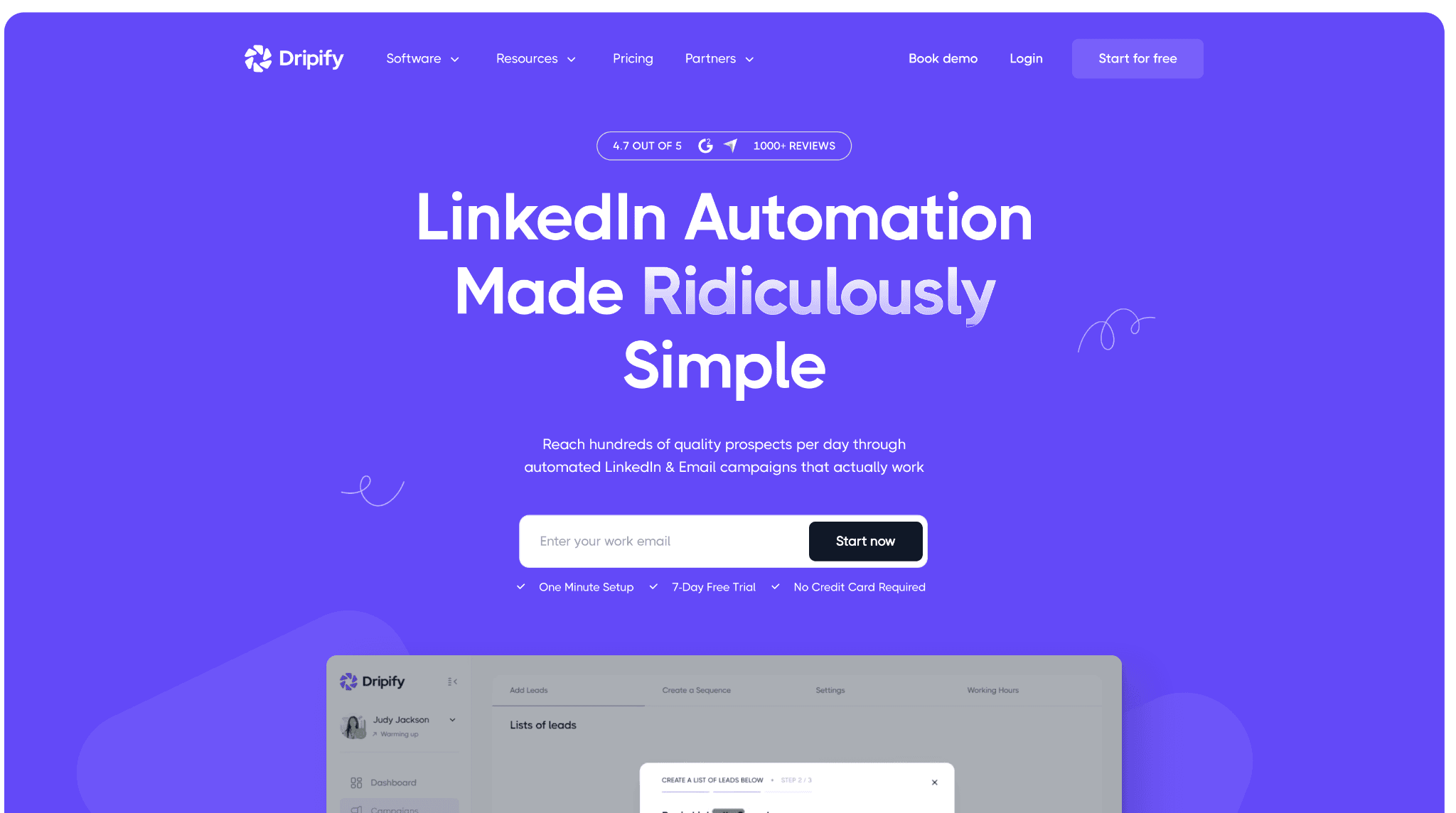
Dripify combines cloud LinkedIn-and-email sequencing with reply-aware campaigns and lead organization. Founded in 2019, it draws sales teams and founders to that workflow. Its credential-login model leaves the assigned network outside your control, and the Advanced setup costs $18,960 yearly for 20 seats.

3. Dripify

After you supply LinkedIn credentials, the service maintains the session outside your local machine. The Basic plan starts at $59/month, or $39 per user monthly on annual billing, with a seven-day card-free trial. Core outreach uses seat pricing, while email-finder credits remain separate. Plan choice and seat count set the real cost.

Quick facts about Dripify

  • Founded: 2019
  • HQ: Texas (the vendor information identifies a state rather than a country)
  • Pricing: $59/mo ($39/mo billed annually), 7-day free trial with no card
  • G2: 4.52★ (267) · Capterra: 4.71★ (476) · Trustpilot: 4.62★ (429)
  • Last 6 months: 4.67★ (flat) across 63 reviews
  • Architecture: Cloud credential login — Dripify maintains the session outside your local machine, so network assignment stays vendor-controlled

Vendor pricing and feature pages (checked April 2026) + G2, Capterra, and Trustpilot reviews plus Reddit discussions (computed July 2026)

Key Features

The review pattern is consistent across platforms, with averages spanning 4.52 to 4.71 across 1,172 reviews. Praise centers on workflow control and low setup friction.

What reviewers say about Dripify

Real-world scenario

A G2 business-development manager moved LinkedIn outreach away from Salesloft after email campaigns drew little interaction or response.

I've been using Salesloft for our email campaign but not so much interaction or response. Dripify really helps.

Read the full review on G2

G2
Rating: 5 out of 5
EP
Emily P.
Business Development Manager, ANZ

The paired reviews flag gaps between promised and delivered workflow behavior.

Reported limitations

Workflow boundaries:

Behavioral context: The assigned Reddit post describes standalone browser tools, not Dripify's architecture. Its evidence applies only to rapid volume increases.

Reddit
b2bmarketing
i've seen standalone browser tools get accounts flagged within a week because someone ramped volume too fast - 0 to 150 actions/day doesn't look human regardless of what's driving it.

Restriction reports: A G2 reviewer reported a suspicious-activity notice despite using the limit-contact setting.

My LinkedIn account has been notified due to suspecious activity even though I selected the option of 'limit contact'.
G2 4.5★
View Original

An older G2 reviewer reported a restriction. A Reddit poster connected an earlier restriction to aggressive use. Neither account establishes product-level causality.

Safety and Setup Notes

Dripify ships no public LinkedIn extension, so there was nothing to tear down; AED does not apply here.

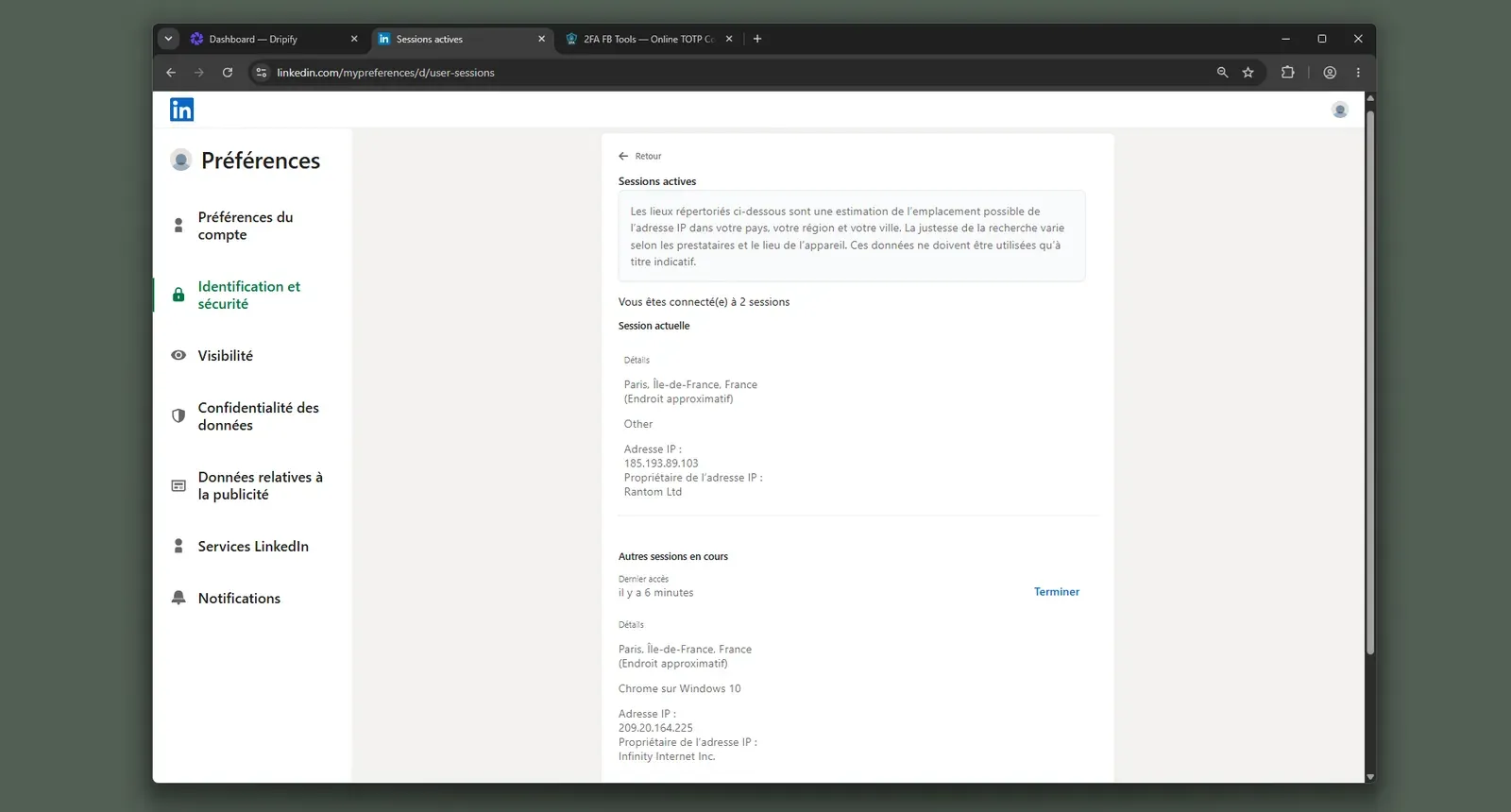
I checked the assigned addresses with IPQS. The results below apply to this June 2026 test setup, not every Dripify account.

Dripify LinkedIn session IP evidence - July 2026

LinkedIn's security view shows the additional session created during Dripify setup - July 2026

What was checkedResult
Login modelCredentials login — a fresh LinkedIn session starts from Dripify infrastructure, so its location is vendor-controlled
Can I choose the desired location?No
Can I add my own proxy?No; no proxy-quality checker
Can I select a timezone when adding an account?Yes
Cloud IP for account 1209.20.164.225 — HostRoyale Technologies Pvt, Ile-de-France
OS / browser for account 1 (tool-reported)Chrome / Windows
Account 1 IPQualityScore result94/100, high-risk on IPQS's scale · Proxy: Yes · VPN: Yes · Recent abuse: No · Data Center — atypical rented-server origin for a personal LinkedIn session
Cloud IP for account 2 (same geo)209.20.164.94 — HostRoyale Technologies Pvt, Ile-de-France
OS / browser for account 2 (tool-reported)Chrome / Windows — identical fingerprint to account 1
Account 2 IPQualityScore result94/100, high-risk on IPQS's scale · Proxy: Yes · VPN: Yes · Recent abuse: No · Data Center — atypical rented-server origin for a personal LinkedIn session
Same IP or /24 across the two accounts?Different IPs; same /24 and provider — separate accounts shared one datacenter block and near-identical network footprints
Is a credit card required for the trial?No
Trial duration7 days — matches the pricing page

Dripify — live cloud/IP test (June 2026, two accounts, registered from France)

As of June 2026 · first-hand two-account test in France. IPQS is independent of LinkedIn's enforcement system.

The shared network footprint is the finding I would act on: separate signups did not produce meaningfully independent infrastructure. That makes IP reputation part of the cloud-convenience cost, not an input a buyer can validate before launch. Linked Helper's local or VPS execution keeps the session environment buyer-controlled, so feature-appropriate team cost includes custody as well as uptime.

Bottom line

Dripify combines multichannel sequences with reply-aware control for sales teams. The entry price should not decide this comparison; plan scope and real seat count should. Native LinkedIn-plus-email sequencing is the convenience. For feature-appropriate team cost and collection depth, Linked Helper offers 13 sources and a $1,584 annual 20-seat Standard setup. That widens targeting while reducing spend.

An April 2024 G2 reviewer reported that Dripify liked political posts outside their audience list.

4. Waalaxy

Waalaxy's hybrid model combines a Chrome connector with cloud execution for LinkedIn prospecting, reply handling, and CRM work. Founded in 2019 and based in France, the product is used by sales teams for extension-led prospecting. It should not be evaluated as a local-only extension.

4. Waalaxy

Our source-code teardown found it sends the full LinkedIn cookie jar to its own domain, widening the session-custody surface before a campaign runs. The May snapshot started at $42/month, although the live July page no longer reproduced that USD figure.

In the 20-seat comparison, Waalaxy Pro costs $3,840/year. A separate $4,900 annual estimate explicitly uses naive minimum-tier math, so the two figures describe different scenarios and should not be blended. The vendor offers a 14-day trial.

Quick facts about Waalaxy

  • Founded: 2019
  • HQ: France
  • Pricing: May snapshot at $42/mo ($20.50/mo annual equivalent); live page no longer matched those USD figures on July 10, 2026
  • 20-seat scenario: $3,840/year on Pro; separate naive minimum-tier estimate: $4,900/year
  • G2: 4.62★ (528) · Capterra: 4.42★ (252) · Trustpilot: 4.71★ (1,245) — no thin platform sample
  • Last 6 months: 4.84★ across 362 reviews, trending up from 4.65★ overall
  • Architecture: Cookie-bridge / session-upload hybrid; vendor-cloud session custody

Price snapshot (2026-05-27) + Waalaxy feature pages (checked 2026-07-10) + G2, Capterra, Trustpilot and Reddit reviews (computed 2026-07-10) + shipped extension source (fetched 2026-06-05)

Key Features

  • LinkedIn import coverage — the vendor cites LinkedIn Basic, Sales Navigator, and Recruiter Lite, giving teams three documented lead-entry environments.
  • Built-in CRM and inbox — reply handling can stay inside the outreach product, reducing handoffs back to LinkedIn.
  • Business-tier multichannel campaigns — the live page advertises LinkedIn plus email; because the captured vendor pages conflict, buyers should verify the required tier rather than assume every plan includes it.
  • Email-finder quotas — plans allocate monthly credits, so required data volume can change effective cost.

The recent signal is positive: The six-month window sits above Waalaxy's overall average, so the complaints below do not define all current feedback.

What reviewers say about Waalaxy

Real-world scenario

Why price starts the shortlist: A Reddit roundup shows buyers anchoring on entry figures. Waalaxy's team and entry figures use different bases, so the shortlist needs both.

Reddit
Botdog
TLDR: Prices range from $8.25 to $1,499/month. Linked Helper remains cheapest at $8.25/mo (with caveats), we believe Botdog offers the best value at $35/mo annually.

Reported Limitations

Targeting boundary: Waalaxy's sourced import coverage stops at Recruiter Lite, not full enterprise Recruiter. The available evidence does not establish AI personalization, so we do not score that capability either way.

The complaint cluster: Price presentation, automatic renewals or refunds, and reliability recur. One cancellation review named Linked Helper as a next stop, making transparency part of the switch.

Reported limitations

Account-risk report: One reviewer alleged suspicious access after signup. It does not establish causation; the code findings below supply the observable mechanism.

1 day after i signed up for waalaxy, my linkedin account had an attempted hack from India - never had this happen before so definitely not a coincidence

Read the full review on Trustpilot

Trustpilot
Rating: 1 out of 5
LA
Luqman Aziz

Safety and Setup Notes

What was checkedFinding
Ships a public extension?Yes — the main Waalaxy product connector
Architecture verdictCookie-bridge / session-upload hybrid — HIGH static-audit risk rating; the connector syncs the cookie jar and the package contains a cloud mode, so it cannot be treated as local-only
Reads the LinkedIn session cookie (li_at)?Yes — uploads the full cookie jar, including li_at (the login session cookie) and JSESSIONID (the CSRF token), to stargate.prod.aws.waalaxy.com; whoever holds them can act as the account without the password
Direct LinkedIn (Voyager) API calls?Yes — 80 Voyager signals; direct internal-API traffic adds a request-pattern surface
Fires synthetic (isTrusted=false) clicks?Yes — 48 synthetic-event signals; programmatic events add a non-human browser signal
Blocks LinkedIn telemetry?Yes/suspected — the code strips x-cki and references li/track; incomplete telemetry blocking can itself become a signal
Enforced daily cap in the code?None found in static settings — this does not rule out server-side controls, but the client code does not establish an enforced guardrail
On LinkedIn's AED probe list?Yes — extension ID hlkiignknimkfafapmgpbnbnmkajgljh was listed; Active Extension Detection (AED) is LinkedIn's hardcoded probe list, so installation is visible before the tool acts

Waalaxy extension — source-code teardown (June 2026)

As of June 2026 · shipped Waalaxy extension source-code review.

In my June 2026 check, the aggregate pattern matters more than any single row: the extension model stacks session-custody and client-side detection surfaces rather than presenting one isolated signal. This versioned static audit of shipped code supports conclusions about observable client behavior, not what the backend did later or what LinkedIn would enforce.

Architecture changes exposure, not immunity; LinkedIn also evaluates behavior. For the Linked Helper comparison, I would keep setup and targeting separate: collection depth, not a safety promise, is the deciding axis.

Bottom line

Waalaxy combines LinkedIn Basic, Sales Navigator, or Recruiter Lite imports with inbox and CRM functions for sales teams, recruiters, and founders. Its $3,840 20-seat Pro route remains below Lemlist's team baseline.

The decision turns at Recruiter Lite: teams requiring full enterprise Recruiter must verify another route. Linked Helper extends collection across Basic LinkedIn, Sales Navigator, and Recruiter while keeping the session in an operator-controlled environment.

A January 2026 Trustpilot reviewer reported that, in their comparisons, Kaspr almost always found one or two phone numbers while Waalaxy found none.

5. HeyReach

HeyReach coordinates multiple LinkedIn senders through one cloud workspace. Agencies use it for sender rotation and a unified inbox. Our teardown found that its connector hands the LinkedIn session to vendor infrastructure, making cloud custody the trade-off. Plans start at $79 per sender monthly, so team cost rises with every account.

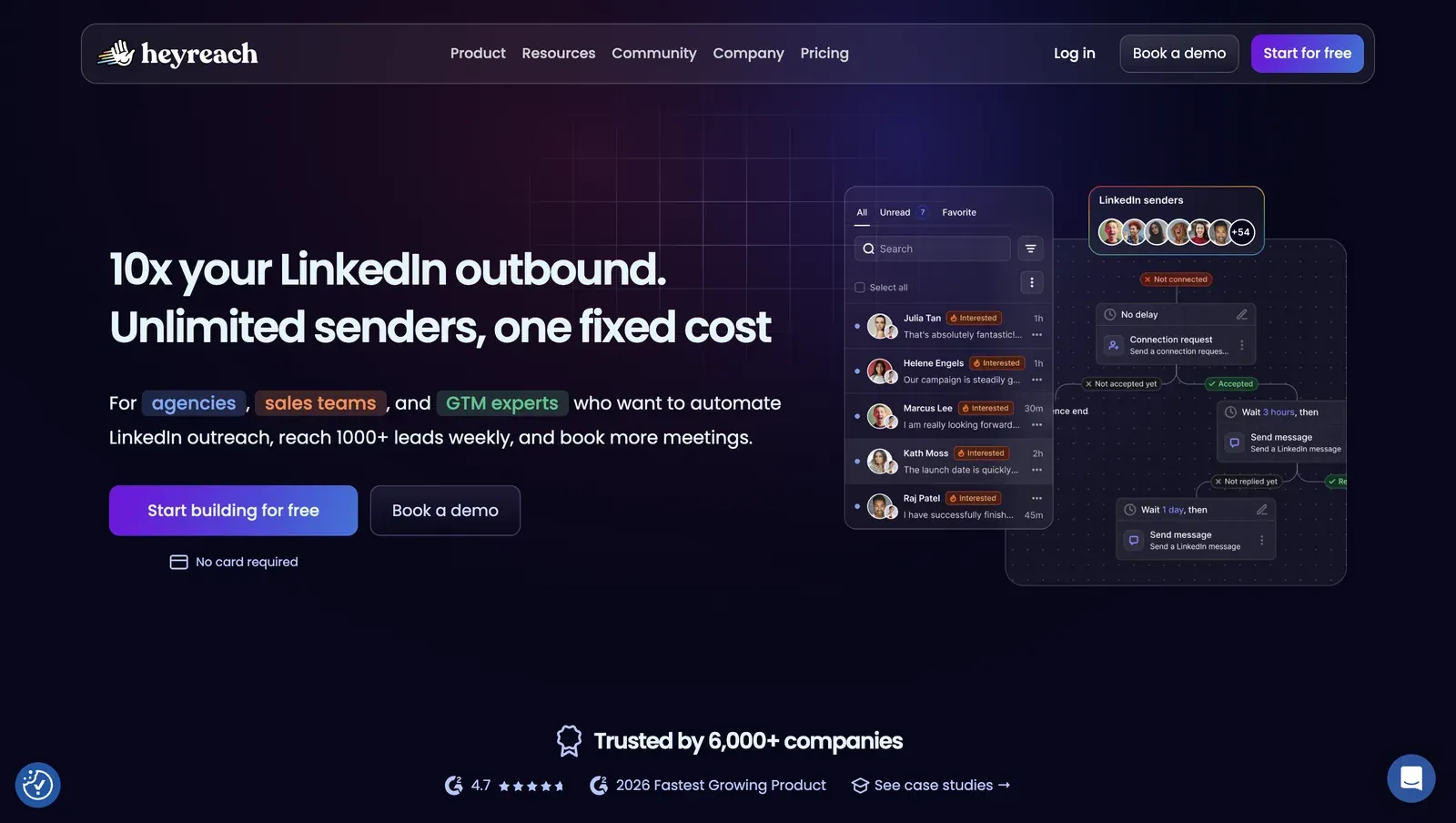
HeyReach multi-account campaign interface - July 2026

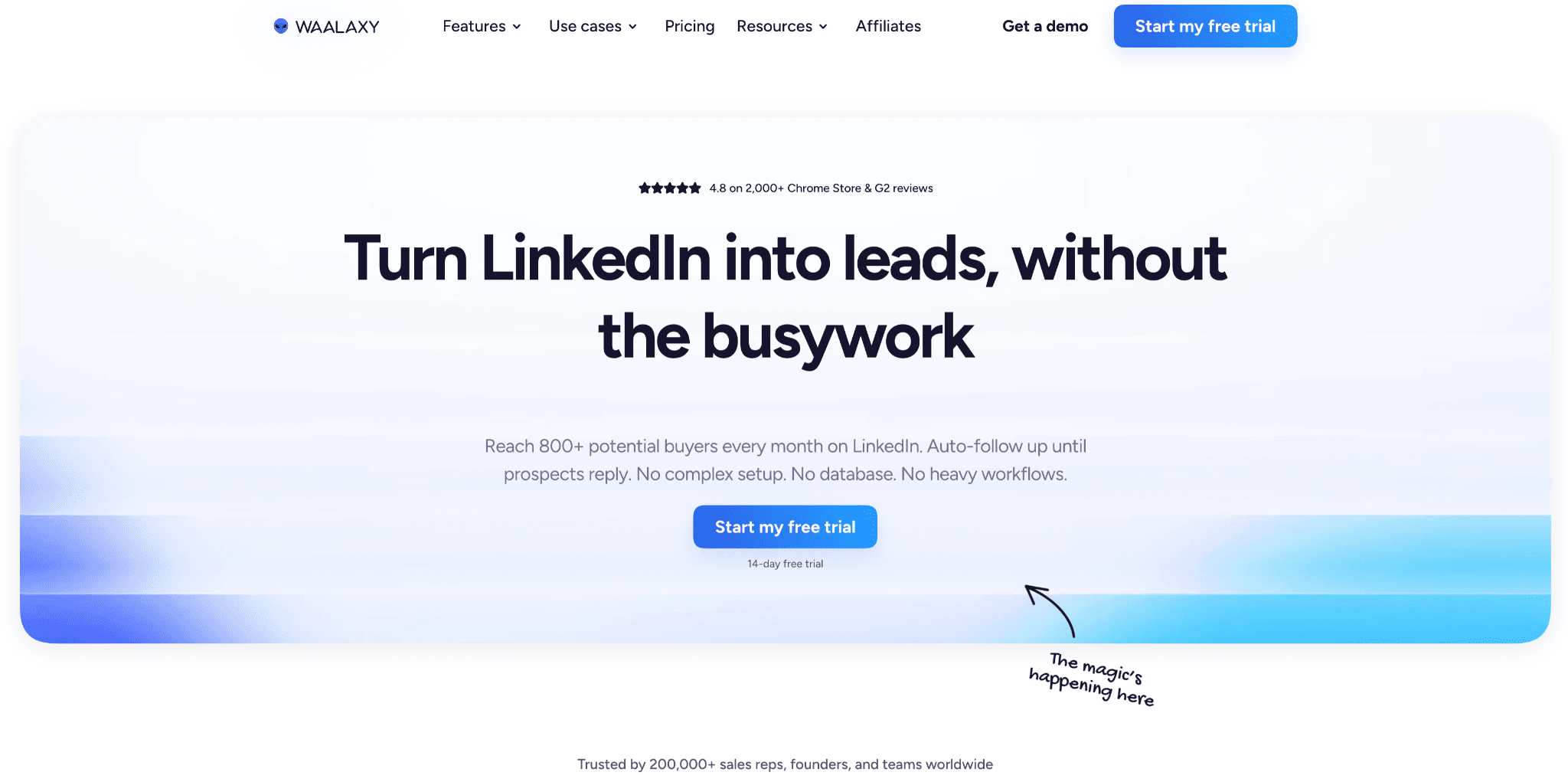
HeyReach's homepage previews its sender inbox and campaign flow - July 2026

HeyReach, founded in 2023, is based in North Macedonia. Its scope also includes sequences and integrations. In the 20-seat naive minimum-tier scenario used for this comparison, the annual cost is $8,988, so the coordination layer still carries a substantial team bill without settling the targeting question.

The 60-review set we analyzed averages 4.12★, so the section does not rest on one testimonial. Vendor records list 30+ native integrations, with Clay named in a review.

Quick facts about HeyReach

  • Founded: 2023
  • HQ: North Macedonia
  • Pricing: $79/mo per sender, 14-day free trial
  • G2: 4.5★ (10) · Trustpilot: 4.04★ (50)
  • Architecture: Cookie-bridge / session-upload cloud — the connector copies the LinkedIn login into HeyReach's cloud, which puts session custody with the vendor

Vendor pages and product-profile ratings captured April 22–23, 2026 + review aggregates computed July 10, 2026

Key Features

  • Sender rotation — coordinates outreach across multiple LinkedIn accounts from one cloud workspace.
  • Unified Inbox — brings replies into one view, as listed on the HeyReach pricing page.
  • Native integrations — connects with 30+ services; reviewers specifically name Clay.
  • LinkedIn source coverage — supports Basic LinkedIn, Recruiter, and Sales Navigator across three collection sources, making source breadth separate from sender scale.
  • Location and proxy controls — offers selectable cloud locations and bring-your-own-proxy support, which gives operators some control over the address LinkedIn sees.

The useful signal is the platform split: G2 is 4.5★ across 10 reviews in the analyzed corpus, while Trustpilot is 4.04★ across 50. Only two rated reviews appear in the trailing six-month window, too few to infer a direction. Praise clusters around sender rotation, agency value, and managing many profiles.

What reviewers say about HeyReach

Real-world scenario

One named migration ran toward HeyReach, not away from it: agency owner Barbara Jovanovic moved from La Growth Machine for an agency workflow.

I switched from LGM to HeyReach because their platform works so much better for me as an agency owner.

Read the full review on Trustpilot

Trustpilot
Rating: 5 out of 5
BJ
Barbara Jovanovic

Reported Limitations

Limitation: Praise concentrates on managing many senders; reported problems concentrate on reliability and billing. Agency coordination therefore needs an operational check, not just a sender-count check.

Reported limitations

Account-risk reports are individual experiences: one reviewer described unwanted automated behavior from her profile. This is not a measured restriction rate or a product-wide result.

Did not like that it was automatically following and basically spamming people using my profile.

Read the full review on Trustpilot

Trustpilot
Rating: 1 out of 5
GH
Gail Hawkins

Safety and Setup Notes

I checked the observed addresses with IPQS. This June 2026 two-account observation is bounded to my setup, not a claim about all HeyReach infrastructure.

What was checkedResult
Login modelCredentials login or extension — either route connects the account to HeyReach's cloud, so LinkedIn can see vendor infrastructure rather than only the user's own connection
Can I choose the desired location?Yes — 154 locations, which gives operators control over nominal geography but not over an assigned IP's reputation
Can I add my own proxy?Yes — no built-in proxy-quality checker was present, so proxy reputation remains the operator's responsibility
Can I select a timezone when adding an account?No — the cloud profile cannot be aligned to an account-specific timezone during setup
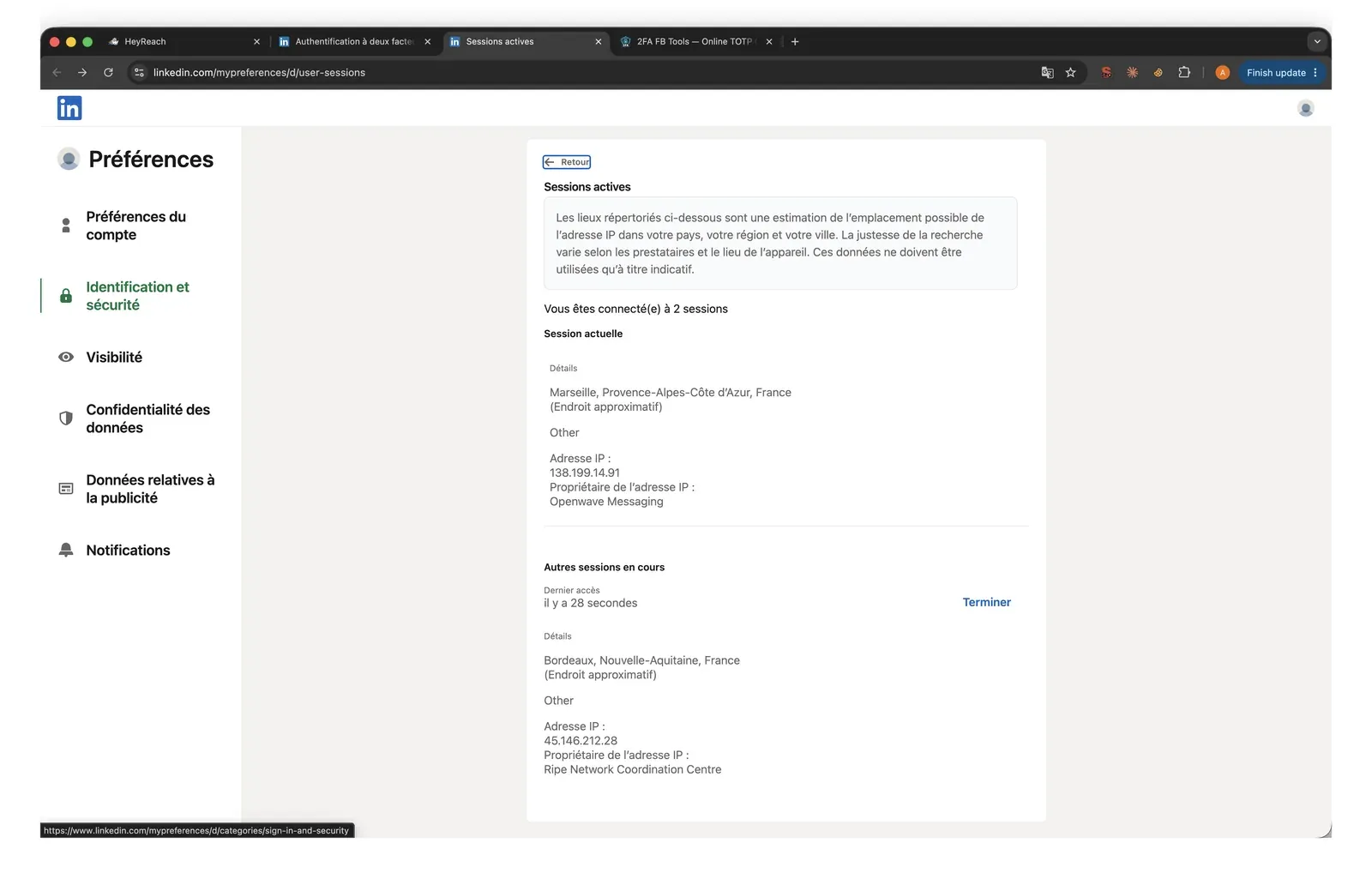
Cloud IP for account 145.146.212.28 — Altinea SAS, Ile-de-France
OS / browser for account 1 (tool-reported)Chrome / Windows
Account 1 IPQualityScore resultFraud score 100/100 (high-risk) · proxy Yes · VPN Yes · recent abuse Yes · Data Center — a poor independent reputation signal for a personal LinkedIn session
Cloud IPs for account 2 (same geo)45.146.212.36, then 45.146.212.149 — Altinea SAS, Ile-de-France
OS / browser for account 2 (tool-reported)Chrome / Windows — identical fingerprint to account 1
Account 2 IPQualityScore resultBoth addresses: fraud score 100/100 (high-risk) · proxy Yes · VPN Yes · recent abuse Yes · Data Center — the same adverse reputation pattern appeared after the address changed
Same IP or /24 across the two accounts?Different IPs in the same /24 and from the same provider — nominally separate accounts shared a near-identical network footprint
Is a credit card required for the trial?No — the test could start without a billing commitment
Trial duration14 days — consistent with the captured plan metadata

HeyReach — live cloud/IP test (June 2026, two accounts, registered from France)

As of June 2026 · first-hand two-account signup test in France.

HeyReach LinkedIn cloud-session IP evidence - July 2026

LinkedIn's active-sessions page shows the cloud session added during the HeyReach check - July 2026

What was checkedFinding
Ships a public extension?Yes — the HeyReach account-linking connector
Architecture verdictCookie-bridge / session-upload (HIGH audit risk) — the extension copies the LinkedIn session into HeyReach's cloud, shifting session custody to the vendor
Reads the LinkedIn session cookie (li_at)?Yes — li_at is the LinkedIn login in cookie form and JSESSIONID carries the CSRF token; the connector uploads the full cookie jar to api.heyreach.io, so the vendor receives what it needs to act as the account
Logout handlingBlocks /uas/logout through both a navigation intercept and a network rule — interfering with normal logout can prolong the vendor-held session
Direct LinkedIn (Voyager) API calls?Yes — one profile lookup during account linking; this verifies client-side API access, not the unobserved behavior of HeyReach's cloud
Fires synthetic (isTrusted=false) clicks?Yes — only inside the extension popup, not injected into LinkedIn pages, so this finding does not establish a LinkedIn-page event signal
Blocks LinkedIn telemetry?No — no tracker suppression was observed, so the connector did not add the self-reporting signal that selective blocking can create
Enforced daily cap in the code?None found in the extension — cloud-side limits were not auditable, so no client-side guardrail could be verified
On LinkedIn's AED probe list?Not in the May–June 2026 Active Extension Detection (AED) snapshot — LinkedIn's page-code list of extension IDs it probes on visits; absence from one changing snapshot is not proof of invisibility

HeyReach account-linking extension — source-code teardown (June 2026)

As of June 2026 · shipped HeyReach account-linking extension source-code review.

Quick facts about HeyReach

My honest read: the coordination gain depends on surrendering session custody. Once the connector copies the login to the cloud, neither sender rotation nor location choice removes the vendor-infrastructure signal. The clustered assigned-network footprint and logout interception reinforce that exposure, while a time-bound extension-scan snapshot cannot neutralize it. Linked Helper keeps each account's session in an operator-controlled environment or on a dedicated proxy, trading shared-cloud coordination for local custody.

Bottom line

HeyReach centralizes sender rotation and one reply inbox across several client accounts for agencies. That coordination comes with per-sender pricing and vendor session custody. Linked Helper trades centralized sender rotation for local custody, lower team cost, and broader LinkedIn collection.

The action gap runs deeper than collection sources. HeyReach's automation stays close to the core outreach loop — it does not cover warm-up activity or the wider set of LinkedIn actions: no AI ICP detection, no employees extractor, no group or event invites, no invites to follow a company page, and no post boosting that mentions profiles under a post. Linked Helper automates all of these, which matters for agencies running engagement-led plays rather than cold-invite volume alone.

6. Meet Alfred

Meet Alfred keeps Lemlist-like channel breadth in a hosted lead-generation app spanning LinkedIn, email, X, event, and group actions. Founded in 2016 and headquartered in Sydney, it draws teams consolidating those channels in one $59/month workflow. Positive reviews include growth marketers and smaller non-technical teams.

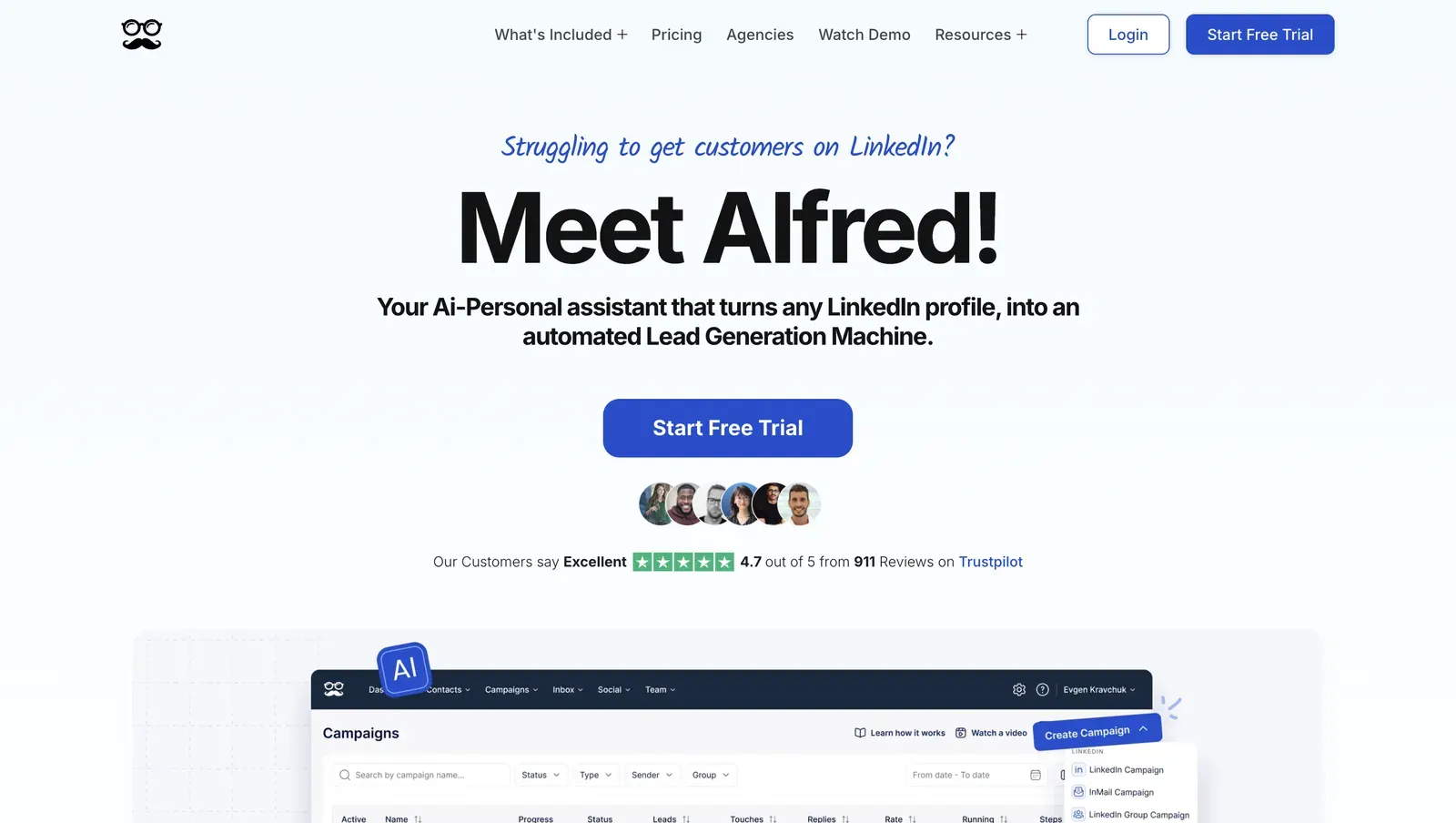
Meet Alfred homepage and campaign dashboard - July 2026

Meet Alfred presents its outreach dashboard alongside the product homepage - July 2026

The app starts a fresh LinkedIn session on vendor infrastructure. Our same-geo test produced different connection types across test accounts, so vendor infrastructure—not just operator pacing—shapes the LinkedIn session. Cloud execution removes the local-browser uptime requirement but hands session custody to the provider.

Annual Basic is $29 per user per month on annual billing. The feature-appropriate Team setup costs $9,360 a year for 20 seats, so the Team tier—not headline entry pricing—sets the team-cost comparison.

Quick facts about Meet Alfred

  • Founded: 2016
  • HQ: Sydney
  • Pricing: $59/mo ($29/mo annual); 20-seat Team scenario: $9,360/year
  • Trial: 7 days observed at signup; earlier pricing metadata listed 14 days
  • G2: 3.3★ (30) · Capterra: 2.77★ (13) · Trustpilot: 4.73★ (884) — sharp platform split
  • Architecture: Cloud with credential login

Vendor pricing & feature pages (as of 2026-07-10) + G2, Capterra, Trustpilot & Reddit reviews (computed 2026-07-10)

Key Features

Targeting limit: Documented coverage stops at two LinkedIn collection platforms—People Search and Sales Navigator People Search—with no Recruiter support. That narrows lead-source depth even though the workflow spans multiple channels, groups, and events.

The platform split: Trustpilot's 4.73★ across 884 reviews pulls the 4.65★ overall average upward; G2 is 3.3★ across 30 and Capterra 2.77★ across 13. The aggregate therefore reflects Trustpilot's volume more than cross-platform consensus.

What reviewers say about Meet Alfred

Real-world scenario

A Trustpilot reviewer attributed their team's move from Meet Alfred to Linked Helper to safety, pricing, and reliability. This is one team's first-person migration report, not a universal outcome.

I and my team switched to LinkedIn Helper ... is better, has no issues like we had with MeetAlfred and is a couple times more cost-effective

Read the full review on Trustpilot

Trustpilot
Rating: 1 out of 5
E
Eric

The matched trade-offs: praise for support, customization, setup, and connection volume sits beside reports of unresolved support, limited message personalization, 2FA friction, and LinkedIn restrictions.

Reported limitations

Account-risk reports: Across the reviews we analyzed, 49 raised safety-related issues, including blocks, automation red flags, and 2FA/token friction. They do not prove Meet Alfred alone caused a restriction.

Envía mensajes cada minuto y no respeta tiempos de envio prudentes, linkedin me detecto y bloqueo la cuenta.

Read the full review on Trustpilot

Trustpilot
Rating: 1 out of 5
AM
Alexis Mindreau

Reddit's cost snapshot: A score-20 comparison post described cheaper-tier campaign caps, but its quoted price and rating differ from the current vendor pricing and platform averages above.

Reddit
GrowthHacking
Meet Alfred: $29-$49/mo - Limited to 3 campaigns on cheaper tiers, only 3.4/5 G2 rating

Safety and Setup Notes

I checked both assigned addresses with IPQS in the June 2026 test.

What was checkedResult
Login modelCredentials login — a fresh LinkedIn session starts from vendor infrastructure, so the provider holds session custody
Can I choose the desired location?Yes — 247 locations, which lets the operator align the exit geography with the account
Can I add my own proxy?Yes — no built-in proxy quality checker, so the operator must vet the replacement IP independently
Can I select a timezone when adding an account?Yes — this can align the cloud environment with the selected location
Cloud IP for account 1109.238.196.65 — WS Telecom, Ile-de-France
OS / browser for account 1 (tool-reported)Chrome Mobile / iOS
Account 1 IPQualityScore resultFraud 0/100 · no proxy or VPN · no recent abuse · Data Center — a rented-server origin differs from the residential or mobile connections most genuine LinkedIn users use, so it still adds a signal
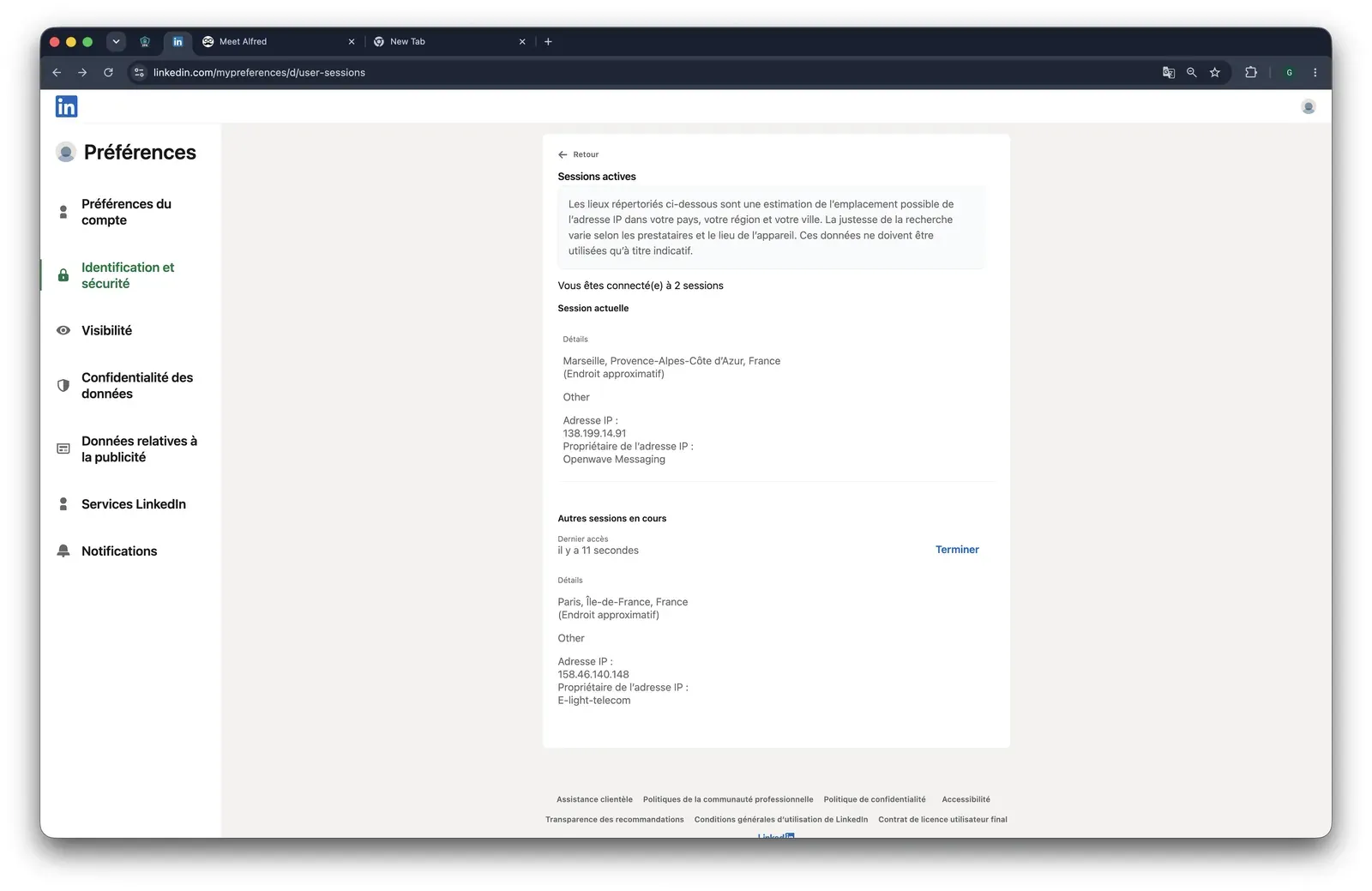
Cloud IP for account 2 (same geo)158.46.140.148 — WS Telecom, Ile-de-France
OS / browser for account 2 (tool-reported)Chrome Mobile / Android — different from account 1, reducing an exact cross-account fingerprint clone
Account 2 IPQualityScore resultFraud 0/100 · no proxy or VPN · no recent abuse · Residential — closer to an ordinary personal-session network origin, though not a safety guarantee
Same IP or /24 across the two accounts?No — different IPs and /24s, but the same provider; address-level isolation did not diversify the supplier
Is a credit card required for the trial?No — signup can be tested without a billing commitment
Trial duration7 days — the earlier pricing metadata claims 14, so the observed signup window is the safer planning assumption

Meet Alfred — live cloud/IP test (June 2026, two accounts, registered from France)

As of June 2026 · first-hand two-account signup test in France.

Meet Alfred LinkedIn active sessions for the second cloud account - July 2026

LinkedIn's active-sessions page shows the additional cloud session created for the second test account - July 2026

What I take from the test is the uneven network profile: identical setup did not produce equivalent connection types, so cloud convenience shifts part of session-quality control to vendor infrastructure. The available controls reduce that uncertainty only when the operator vets the network path independently. Linked Helper keeps the session in an operator-controlled environment; against Meet Alfred's consolidated channels, that makes the choice session custody versus workflow scope—not a promise of zero restriction risk.

Bottom line

Meet Alfred consolidates LinkedIn, email, X, event, and group actions for teams replacing Lemlist. That convenience comes with cloud session custody and Team-tier pricing — the Pro license lacks multi-account management and role permissions, so teams start at Team. Its AI assembles messages from templates rather than generating copy per prospect, and its documentation shows no group, event, or company-follow invites. Linked Helper covers those invites, generates AI-personalized messages, lowers team cost, and deepens LinkedIn targeting, but needs a separate email tool.

Meet Alfred's help center says campaign sequences can contain an unlimited number of steps.

7. SalesRobot

Evidence depth sets SalesRobot's boundary. It is cloud software for LinkedIn-plus-email automation and AI-assisted conversations. Teams considering that workflow pay $59 per LinkedIn account monthly, so every added account raises the entry bill. We did not complete hands-on testing, so our verdict stops at product and review evidence, without IP-quality or session-mechanics claims.

7. SalesRobot

Founded in 2020 and incorporated in Delaware, SalesRobot accepts leads from LinkedIn people search or Sales Navigator people search, then can route them through condition-based sequence branches.

The annual price is $39 per account per month, with a 14-day trial. For this comparison's 20-account agency scenario, the team-pricing benchmark applied is $7,920 a year — sourced separately from the per-account list price above, since SalesRobot does not publish a bulk/agency tier.

Quick facts about SalesRobot

  • Founded: 2020
  • HQ / jurisdiction: United States; Delaware corporation
  • Pricing: $59/mo ($39/mo billed annually), 14-day free trial
  • G2: 4.85★ (36) · Overall review sample: 4.26★ (45)
  • Evidence depth: Capterra 0 · Trustpilot 9 · Last 6 months 2 — too thin for scores or a trend
  • Architecture: Cloud (desk-researched)

SalesRobot vendor pages (fetched April–May 2026) + G2 and Trustpilot reviews + Reddit comments (computed July 10, 2026)

Key Features

  • Conditional branches — Sequence steps can run when a specified condition is met.
  • AI conversation toolsVendor copy describes AI-personalized voice notes and videos; a reviewer reports AI continuing conversations toward meetings.
  • Lead intake — Like other tools in this category, it accepts LinkedIn people search and Sales Navigator search URLs.
  • Account controls — Users can supply a custom proxy and enable warm-up settings, making proxy choice and ramp-up pacing user-configurable.
  • Two-channel sequencesLinkedIn and email can share one workflow; connection requests and follow-ups themselves are category-standard.

The sample is concentrated: 34 of 36 G2 reviews are 5★, while Capterra has zero reviews in the analyzed sample, Trustpilot has nine, and the latest six-month window has two. That supports themes, not a broad or current cross-platform consensus.

What reviewers say about SalesRobot

Real-world scenario

Anecdotal workflow: With no qualifying Reddit post, the assigned scenario is a score-1 comment—not proof of outcomes. The commenter said “salesrobot felt easier to manage for keeping linkedin and email aligned”, a concrete description of its two-channel convenience.

Reported Limitations

Limitation: The documented Sales Navigator workflow seeds a campaign from a search URL, but recorded source coverage stops at LinkedIn people search and Sales Navigator people search. No evidence supports event/group engagement, subscription-free Sales Navigator visits, or full conversation-history extraction, which limits the documented workflow beyond initial search. Source: https://salesrobot.crisp.help/en/article/setting-up-a-campaign-using-sales-navigator-1h9s5do/

Pricing continuity: Praise for paid AI value sits beside reports that V2 introduced new $15 charges for legacy-deal users. The split means list pricing alone does not settle renewal expectations.

Reported limitations

Restriction evidence: Only one surfaced safety card addressed detection, and it described temporary restrictions rather than a permanent outcome. Treat it as a user report of an output-control feature, not evidence about the underlying cloud session.

LinkedIn updates their algorithims every so often, so when temp restrictions do happen, SalesRobot has a feature to adjust your output to keep your account safe.

Read the full review on G2

G2
Rating: 5 out of 5
SJ
Spencer J.

Bottom line

SalesRobot combines LinkedIn and email in one sequence with conditional branches and AI-assisted conversations. The evidence boundary matters: the workflow is documented, but its session mechanics were not tested here. Team readiness is also tier-gated — anti-duplication and activity control, role and permission assignment, and multi-user workspace are reserved for SalesRobot's top plan, while every Linked Helper license includes them out of the box. Linked Helper provides a documented team-cost path and deeper LinkedIn targeting; data and AI still use credits.

A September 2024 G2 reviewer reported saving two hours per day, allowing the team to reach targeted leads without hiring a dedicated BDR.

8. Expandi

At nearly the same 20-seat cost as Lemlist in this comparison, what would Expandi change? Founded in 2019 and listed in Ohio, Expandi is a cloud outreach platform combining connection requests, LinkedIn messages, and email follow-ups in one sequence. Remote execution is the main reason teams consider it at $99/month.

8. Expandi

Expandi's cloud bridge—an extension that transfers your LinkedIn login cookie to vendor infrastructure—moves session custody outside local control. Because price alone cannot settle this comparison, LinkedIn source depth has to settle it.

All ten recent praise examples we reviewed focus on human support or onboarding. Annual billing is listed at $79/month, while the derived 20-seat estimate is $18,960/year and may understate a higher multi-account tier. That estimate sits close enough to Lemlist's comparison cost that workflow and targeting coverage become the deciding evidence.

Quick facts about Expandi

  • Founded: 2019
  • HQ / jurisdiction: Ohio
  • Pricing: $99/mo ($79/mo annual)
  • Trial: vendor page says 14 days; June signup showed 7 days and required a card
  • G2: 4.1★ (98) · Capterra: 4.4★ (31) · Trustpilot: 4.07★ (202)
  • Last 6 months: 4.64★ (trending up) across 36 reviews
  • Architecture: Cookie-bridge / session-upload extension

Expandi pricing and help pages (checked April 2026) + G2, Capterra, Trustpilot reviews (computed July 10, 2026)

Key Features

  • Multichannel sequences — like other tools here, Expandi handles connection requests and LinkedIn messages; its sequence can also add email follow-ups.
  • LinkedIn list collection — Expandi records three sources; like other tools here, it imports Sales Navigator URL lists, which require an active Sales Navigator subscription.
  • If/Action sequences — the pricing page describes conditional steps, but the evidence for advanced depth is medium-confidence.
  • Action-specific rangesdaily ranges cover connections, messages, InMails, and event invites, providing pacing controls without removing restriction risk.
  • Contact managementMy Contacts provides a contact CRM, inbox/history, and tags, but no pipeline.

The rating story is support-led: Expandi averages 4.13★ across 331 reviews, while the latest 36 average 4.64★. That lift coincides with all ten recent praise examples focusing on guided setup or human support; it should not be read as equally strong evidence for self-service reliability.

What reviewers say about Expandi

Real-world scenario

Dan Rémi described arriving from Dripify for functionality and service, with onboarding used to set expectations around operating the tool. This is a switching account, not a general performance guarantee.

coming from dripify, blown away by advanced functionality and customer service. Had 2 onboarding calls to make sure runs safely and smoothly

Read the full review on Trustpilot

Trustpilot
Rating: 5 out of 5
DR
Dan Rémi

The counter-pattern is setup and billing friction: the newest substantive negative report describes a two-week Shared Campaign setup followed by contact-upload failures. Paired reports also raise cancellation/refund delays and interface confusion, so the support strength is not uniform across the lifecycle.

Reported limitations

Limitation: Expandi's dynamic placeholders cover custom variables; the audited capability does not include spintax.

One reviewer attributed repeated LinkedIn restrictions to the software. That is a user report, not verified causation.

Safety and Setup Notes

In my June 2026 two-account test from France, I checked the assigned addresses with IPQS.

What was checkedResult
Login modelCredentials login — a fresh LinkedIn session starts from vendor infrastructure, so the login context leaves the user's machine
Can I choose the desired location?Yes — 96 locations; this controls country selection, not IP reputation
Can I add my own proxy?No option was exposed during onboarding and no proxy-quality checker was present; vendor help says a custom proxy can be added, so verify the option during signup
Can I select a timezone when adding an account?Yes — this aligns one visible account signal but does not verify the assigned IP
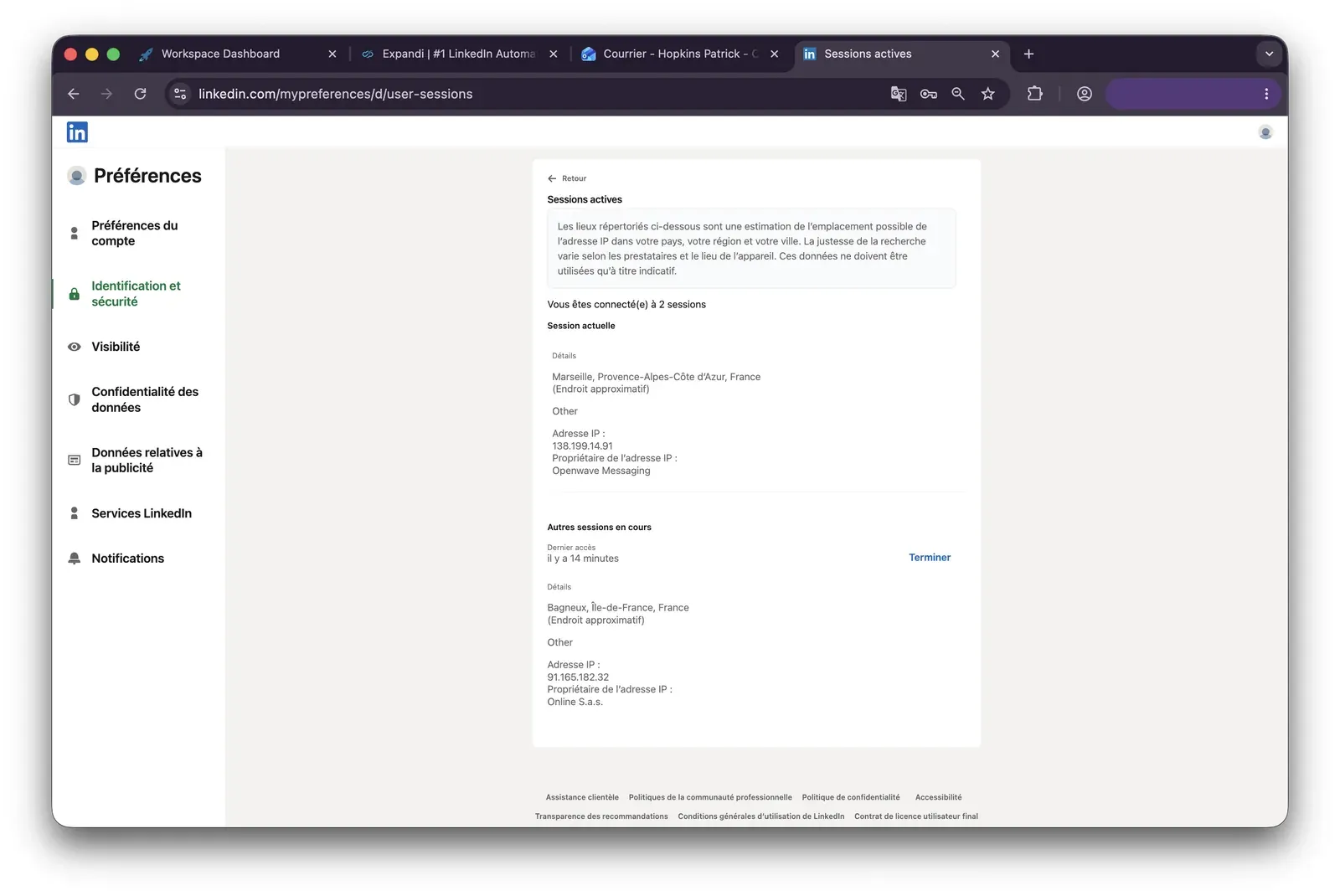
Cloud IP for account 191.165.182.32 — Free SAS, Brittany
OS / browser for account 1 (tool-reported)Chrome / Mac OS X
Account 1 IPQualityScore result100/100 · proxy yes · VPN no · recent abuse yes · Residential · high-risk on IPQS's scale
Cloud IP for account 2 (same geo)2a01:cb00:8428:a00:0:0:0
— Orange France, Centre-Val de Loire
OS / browser for account 2 (tool-reported)Chrome / Mac OS X — identical fingerprint to account 1
Account 2 IPQualityScore result0/100 · proxy no · VPN no · recent abuse no · Residential
Same IP or /24 across the two accounts?No — different IP versions, providers, and regions; the identical tool-reported fingerprint reduces account separation
Is a credit card required for the trial?Yes
Trial duration7 days — the pricing page claims 14, so confirm the checkout offer rather than relying on the headline

Expandi — live cloud/IP test (June 2026, two accounts, registered from France)

As of June 2026 · first-hand Expandi signup test conducted in France.

Expandi LinkedIn active sessions - July 2026

LinkedIn's session view after Expandi connected the first test account - July 2026

I also read the shipped connector source and checked its AED status.

What was checkedFinding
Ships a public extension?Yes — the official Expandi Connector links the LinkedIn account
Architecture verdictCookie-bridge / session-upload — rated HIGH risk because the connector transfers session custody to vendor infrastructure
Reads the LinkedIn session cookie (li_at)?Yes — li_at, the login cookie that lets its holder act as the account, is sent to app.expandi.io; JSESSIONID, which carries the CSRF token, remains local, so session custody still leaves the user's machine
Direct LinkedIn (Voyager) API calls?Yes — direct Voyager calls add a request-pattern signal
Fires synthetic (isTrusted=false) clicks?No synthetic-event signals were found in the connector; this narrows one extension-side signal but does not describe cloud-side execution
Blocks LinkedIn telemetry?No — the connector does not add telemetry-blocking behavior as another detectable signal
Enforced daily cap in the code?None found in the connector — volume depends on settings rather than a client-side guardrail
On LinkedIn's AED probe list?Not in the June 11, 2026 snapshot — absence is not a safety guarantee because the list changes

Expandi Connector extension — source-code teardown (June 2026)

As of June 2026 · official Expandi Connector source-code check.

What I take from the test is that identical setup did not produce consistent network quality, so a selectable country is not proof of a vetted IP.

The connector adds a separate custody exposure by moving the login off the local machine, although the inspected client avoided some common extension-side signals. Because Expandi's team cost sits close to Lemlist's, I would move the comparison to collection-source coverage and session custody—the points that make Linked Helper the relevant contrast here.

Bottom line

Expandi combines LinkedIn actions and email in one cloud-run sequence for growth marketers handling higher volumes, with guided onboarding prominent in recent praise.

Team-scale cost and LinkedIn targeting breadth change the decision: Linked Helper starts at $15/month, its 20-seat Standard annual configuration costs $1,584, and 13 collection sources offer more ways to build lists. Linked Helper lacks native email, so that channel needs a separate tool.

The April 2026 pricing snapshot records no credit-based quotas for Expandi.

9. Skylead

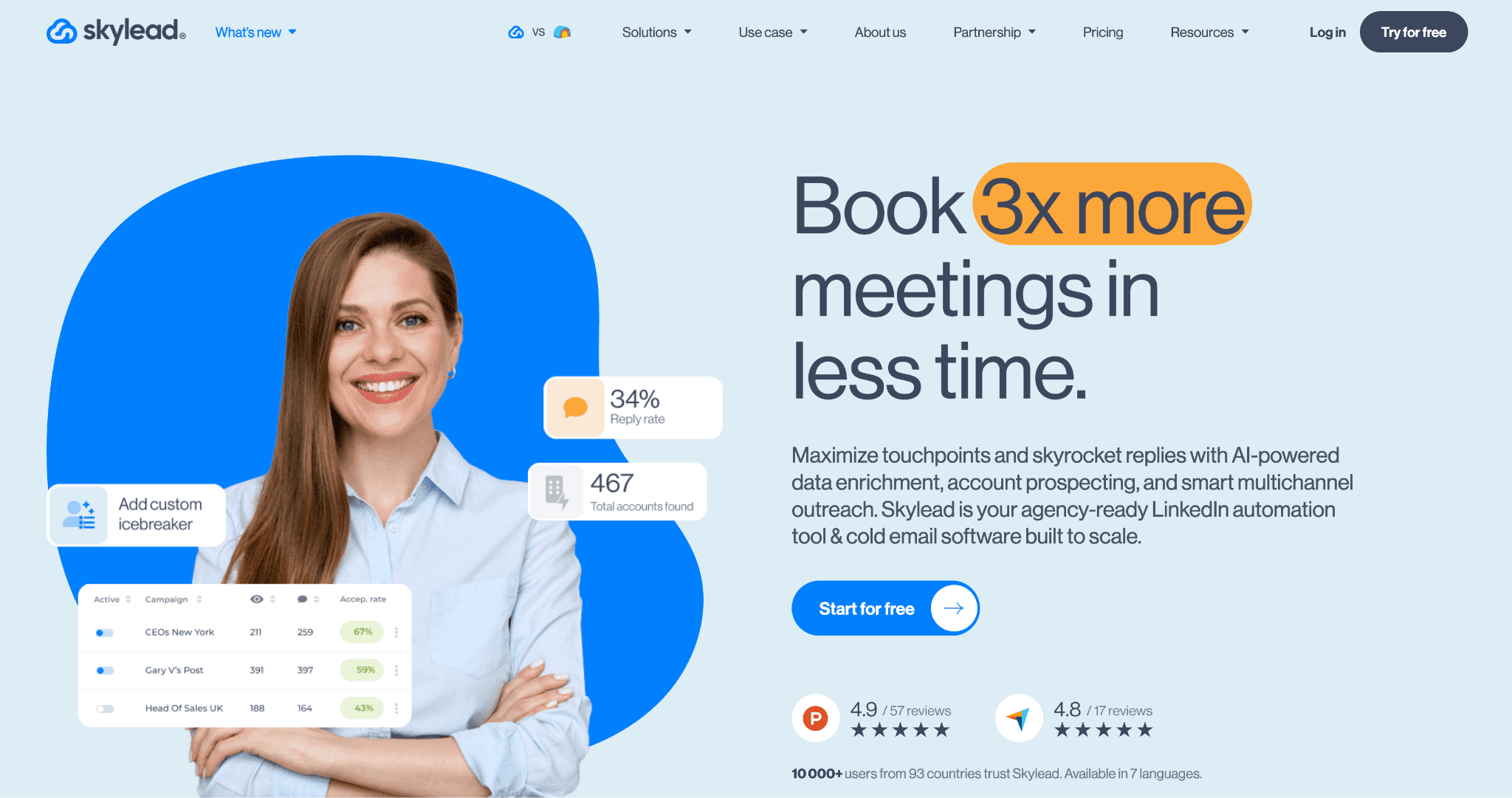
Skylead pairs LinkedIn lead collection, campaign controls, and reviewer-reported email continuation with the comparison's $24,000 yearly baseline for 20 seats—15% above Lemlist. Founded in 2019 and headquartered in GB, it is a cloud outreach platform. Sales and growth teams consider it for the LinkedIn-to-email workflow.

9. Skylead

Skylead signs into LinkedIn with account credentials, creating a vendor-hosted session. Both test profiles landed on one server address that an independent risk service rated high-risk, concentrating infrastructure exposure rather than isolating it. Session and assigned-IP custody remain with the vendor; in practice, the account operates from the provider’s network.

Entry pricing is $100 per month, and the seven-day trial required a credit card in our June check, so evaluation begins with a billing commitment.

Quick facts about Skylead

  • Founded: 2019
  • HQ: GB
  • Pricing: $100/mo, 7-day free trial
  • G2: 4.54★ (125) · Capterra: 4.76★ (17) · Trustpilot: too thin to average (2 reviews)
  • Architecture: Cloud with credential login

Vendor pricing and about pages (fetched April 2026) + G2, Capterra and Trustpilot review analysis (computed July 10, 2026) + first-hand check (June 2026)

Key Features

  • Sales Navigator search-URL import — like other tools here, it adds leads from a supported search URL without a CSV upload.
  • LinkedIn platform coverage — supports Basic, Recruiter, and Sales Navigator account types.
  • Location and proxy controls — offers 91 cloud locations and custom-proxy support, which gives operators assigned-location control but not automatic proxy-quality verification.
  • Spintax and Liquid syntax — varies message text through campaign syntax controls.
  • Smart Inbox — centralizes replies, although the evidence does not establish full CRM tagging.

Recent evidence is the gap: Trustpilot contributes only two reviews, and the trailing six-month window has zero rated entries, so there is no printable recent trend. The larger G2 and Capterra samples surface setup, Sales Navigator import, and customization, with the paired limitations below qualifying each theme.

What reviewers say about Skylead

Real-world scenario

The migration signal: A G2 reviewer arrived from Apollo because its LinkedIn automation did not meet their needs. The account supports Skylead’s LinkedIn execution case, but it does not settle the conflicting multichannel evidence.

I have been using apollo and the linkedIn automations is just not good enough. When I tried skylead I was amazed by how easy it was
G2 4.5★
View Original

Reported limitations

Limitation: The $24,000 team-cost baseline is derived from 20 entry-price seats and may be understated because multi-account support and shared templates were not established. Conditional workflows are established: Skylead's Smart Sequences document if/else branching on events like invite acceptance and email opens. AI personalization depth is not, and multichannel evidence conflicts with reviewer reports — verify those two during the trial.

A few times are compaigns got stopped due to linekdin security and that can be improved.

Read the full review on G2

G2
Rating: 5 out of 5
US
U S.

Safety and Setup Notes

IP-quality context: I checked the assigned address with IPQS in the June 2026 test.

Why the IP type matters: A datacenter IP comes from rented server infrastructure rather than a home or mobile connection, which makes a personal LinkedIn session stand out.

Skylead ships no public LinkedIn extension, so there was nothing to tear down—the safety story is the live cloud test.

Execution method: The documented reverse-engineered LinkedIn API-call emulation adds a request-pattern detection signal even without an extension.

What was checkedResult
Login modelCredentials login — a fresh LinkedIn session starts from vendor infrastructure
Can I choose the desired location?Yes — 91 locations
Can I add my own proxy?Yes — no built-in proxy-quality checker
Can I select a timezone when adding an account?Yes
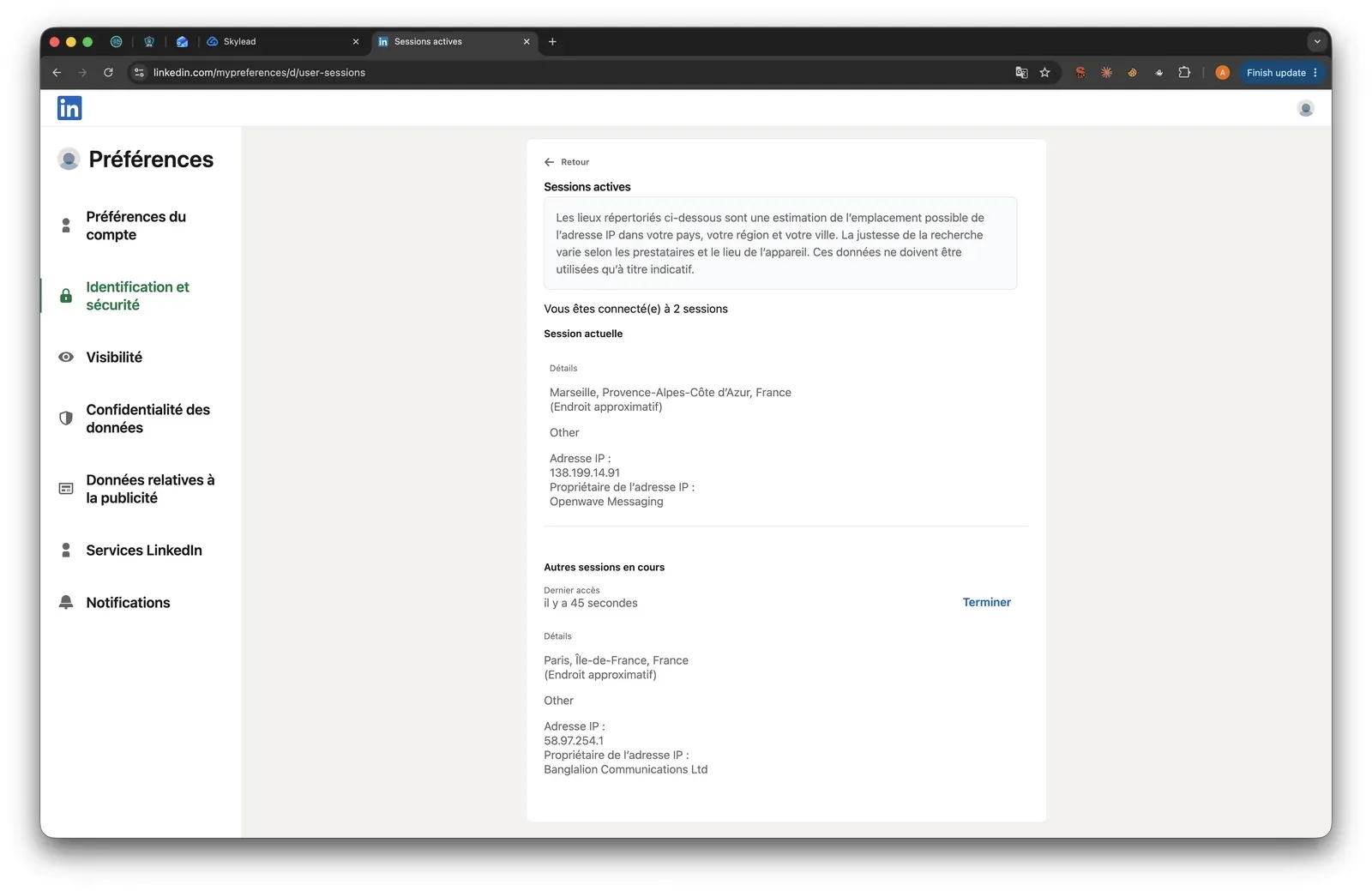
Cloud IP for account 158.97.254.1 — HostRoyale Technologies Pvt, Ile-de-France
OS / browser for account 1 (tool-reported)Chrome / Linux
Account 1 IPQualityScore resultFraud 100/100 — high-risk; proxy yes; VPN yes; recent abuse yes; Data Center; abuse velocity medium
Cloud IP for account 2 (same geo)58.97.254.1 — HostRoyale Technologies Pvt, Ile-de-France
OS / browser for account 2 (tool-reported)Chrome / Linux — identical fingerprint to account 1
Account 2 IPQualityScore resultFraud 100/100 — high-risk; proxy yes; VPN yes; recent abuse yes; Data Center; abuse velocity medium
Same IP or /24 across the two accounts?Yes — same IP and /24, same provider; near-identical footprint
Is a credit card required for the trial?Yes
Trial duration7 days

Skylead — live cloud/IP test (June 2026, two accounts, registered from France)

As of June 2026 · first-hand two-account signup test in France.

Skylead LinkedIn active sessions - July 2026

The LinkedIn session page exposes the vendor-assigned address used during the live check - July 2026

The practical trade: What I take from the test is that location choice is not the same as infrastructure assurance: controls help only when the operator can verify the assigned address. Skylead’s cloud convenience also relocates session custody outside a user-controlled environment. At a premium team-cost position, that is a different exchange from Linked Helper’s local-session model.

Bottom line

Skylead's URL imports and syntax controls support the reviewer-described LinkedIn-to-email flow for sales teams. Its team cost in this comparison exceeds Lemlist, while the multichannel record remains unresolved. Linked Helper is the lower-cost route with broader LinkedIn targeting and local session custody. A January 2023 Capterra reviewer said Skylead sent to targeted Sales Navigator lists “in a measured manner” without their LinkedIn profile being flagged.

How To Choose The Right Lemlist Alternative

Start from architecture and total cost at your real seat count, not the advertised entry price. That first choice determines session control, setup burden, and whether multichannel convenience requires vendor infrastructure.

If your priority is...Choose...The trade-off
Local session control and deep LinkedIn collectionDesktop standaloneRequires local or VPS setup; native email may need a separate tool
Native LinkedIn, email, and other-channel sequencingCloud with credential loginThe session runs on vendor infrastructure, and cost commonly scales by seat or credits
Lowest visible entry while tolerating a connector extensionCookie-bridge extensionThe extension transfers session access to the cloud and adds a client-side detection surface

Architecture-first decision branches for replacing Lemlist

Decision branches reflect the architecture and session-access definitions reviewed as of July 2026. They identify trade-offs rather than recommend a named competitor.

Then recalculate the feature-appropriate tier at the number of accounts you will actually run. Include:

  • Annual billing.
  • Seat discounts.
  • Data credits.
  • The channel features required for the workflow.

The At-a-Glance table shows why entry price alone can mislead with 20 seats.

Finally, compare LinkedIn source coverage across:

  • Regular search.
  • Sales Navigator.
  • Recruiter.
  • Groups and events.
  • Posts.
  • Imported lists.

These sources do not have equal coverage. If local LinkedIn depth wins but native email remains essential, pair the desktop tool with a dedicated email platform.

Our Recommendation: Linked Helper

The recommendation holds because Linked Helper keeps team cost low without reducing LinkedIn data depth or outreach control. The comparison's 20-seat Standard scenario includes core outreach automation and 13 collection sources. One license runs one LinkedIn account at a time; Email Finder, data, and AI functions use separate credits.

AI is not a parity axis here — it is one of the deciding gaps, alongside capabilities that preserve context and make LinkedIn-first campaigns more selective:

  • AI ICP detection filters prospects before the invite goes out, cutting irrelevant connection requests instead of personalizing messages to the wrong audience.
  • AI-personalized messages and AI replies generate copy per prospect and draft responses in ongoing threads, closing the loop toward a fully automated workflow rather than template assembly.
  • Team features on the base plan — integrations, permission control, lead warm-up through likes with AI-generated comments and profile follows, and a data-enrichment action whose data credits never expire.
  • Full messaging-history extraction retains conversations from regular LinkedIn, Sales Navigator, and Recruiter. Pro can export that history for CRM backfill.
  • IF-THEN-ELSE personalization adds deterministic message-level logic on top of AI generation — copy varies by variable presence, giving operators rule-based control where AI drift is unacceptable. Group and event actions extend outreach beyond standard connection sequences.

For targeting setup, see LinkedIn advanced people search and profile-collection sources and this Sales Navigator lead-list scraping workflow. The agency example shows how Trade Tribe scaled 20-plus LinkedIn client accounts.

Desktop setup takes more steps than a cloud login. A VPS with Web Version supplies 24/7 browser access while the LinkedIn session stays in the environment you control.

What users say about Linked Helper

LinkedIn Safety & Risk Reduction

Policy compliance sets the outer boundary: conservative settings can reduce exposure, but they cannot make prohibited automation compliant. LinkedIn's prohibited-software policy says third-party software that scrapes or automates activity is not permitted.

LinkedIn can assess several independent signal groups:

  • Volume and timing, including bursts and repeated intervals.
  • Behavior, including navigation patterns and recipient reactions.
  • Browser, device, IP, and session consistency.

You can reduce controllable risk by:

  • Keeping action volume conservative and using realistic working hours.
  • Following LinkedIn weekly invitation limits and pacing practices.
  • Keeping one stable IP per account rather than rotating locations.
  • Stopping follow-ups after a reply.
  • Pausing activity after a warning instead of pushing through it.
  • Remembering that manual behavior can also look automated. Opening many profiles directly by URL or withdrawing invitations at an unrealistic speed may trigger warnings even without a tool.

Linked Helper's local execution makes session and IP choices operator-controlled, but that is a trade-off, not immunity.

Safety note: No tool eliminates the risk of LinkedIn restrictions. Results depend on account age, daily action volume, and activity patterns.

Methodology Deep-Dive

The first-hand evidence narrows what I can claim: it shows observable session, network, and extension behavior, not any platform's private enforcement score.

First-Hand Testing

For this comparison, I examined the May–June 2026 evidence behind Linked Helper's security study. The study combined static audits of 16 extensions with live, two-account sign-up tests of seven cloud tools. The cloud accounts were registered from France. The extension checks inspected published packages and traced observable client-side behavior.

CheckQuestions it answeredExample finding
Live sign-up cloud/IP testWhere did the session run; which IP appeared; could the user choose a location or proxy; what independent quality signals appeared?Skylead assigned the same observed IP to both test accounts; see its section above
Source-code teardownWhat did the extension read; where did session data go; did it inject into LinkedIn; which client-side signals appeared?Lemlist sent the LinkedIn cookie string to app.lemlist.com; see the findings below

First-hand checks used for LinkedIn automation architecture claims

Methods and evidence reviewed as of July 2026. Live tests used two accounts registered from France; teardowns inspected publicly distributed extension packages.

TermWhat it isWhy it matters
IPQualityScore (IPQS)An independent fraud-prevention service with 10+ years in the market that rates an IP from its own honeypot and abuse network on a 0–100 scale; 75+ is high-risk on its scaleIt is an independent IP-quality signal, not LinkedIn's enforcement verdict
Datacenter vs residential/mobile IPIP origin categories: a home or phone connection versus an address assigned to rented server infrastructureA personal LinkedIn session operating from a datacenter address can stand out from normal residential or mobile access

Live sign-up test terminology

IP-quality terms follow the independent scorer's published framing and were reviewed as of July 2026.

TermWhat it isWhy it matters
li_at / JSESSIONIDThe LinkedIn session cookie and its CSRF token; whoever holds them can act as the account without the passwordA cloud-bridge extension copies these credentials to a vendor endpoint, moving usable account access outside the original browser
AED (Active Extension Detection)A label visible in LinkedIn production JavaScript; page code probes hardcoded extension IDs on every visit and reports an AedEvent. The list grew from 38 entries in 2017 to 6,167 by February 2026A listed extension can be visible as installed before it performs an action
Passive DOM/page scanA separate sweep for extension traces such as injected UI, buttons, panels, or extension URLsIt can expose an extension even when its ID is absent from the hardcoded list
Synthetic eventsClicks or keystrokes fired by code carry the browser flag isTrusted=falseA normal extension cannot turn that flag into a genuine user event
BrowserGateAn independent investigation that reverse-engineered LinkedIn's production JavaScriptIt documented the target list, page scanning, and device fingerprinting as separate systems rather than one scanner

Source-code teardown terminology

Detection terminology follows the BrowserGate investigation and Linked Helper's security study, reviewed as of July 2026.

Research Limitations

I could observe client-side code, assigned IPs, and user-facing controls.

I could not prove every cloud-side execution detail, so those conclusions remain qualified. The scoring model measures signals, not an automatic restriction trigger. Findings reflect the tested versions and dates. Linked Helper and SalesRobot were not part of independent first-hand testing for this article. Every tool still carries LinkedIn restriction risk.

First-Hand Lemlist Findings

In the June 2026 Lemlist teardown, I found several client-side signals, but I did not run a live cloud/IP test. The conclusions below stay within the published extension package.

Architecture

Lemlist used a cookie-bridge extension and appeared on LinkedIn's AED target data at the test date.

Findings

  • Version 5.0.5 requested LinkedIn cookie access, read the cookie jar, checked for li_at, concatenated the cookies, and sent the string to https://app.lemlist.com/extension-next/linkedin/updateCookie. That moved usable session access outside the original browser.
  • A listener re-synced the cookie string when li_at changed, keeping the transferred session data updated.
  • The package injected code into LinkedIn pages at document_start, adding an observable browser-side surface.
  • Static analysis found 38 synthetic-event signal occurrences and 21 programmatic-click occurrences. Those scripted interactions can differ from genuine user input.
  • It found no direct Voyager or GraphQL calls and no declarative telemetry-blocking rules. That narrows two client-side signals but does not establish what happened on Lemlist's servers.

Bottom line

Those observed behaviors add several independent client-side signals and move session access outside the browser. They do not prove how Lemlist's servers use the session or predict an individual account restriction.

Methodology And Sources

Publisher disclosure

This article is published by Linked Helper. Our recommendation is our own product. We've compared it honestly against the alternatives above — read those sections first.

The comparison draws on vendor documentation, pricing pages, 6,462 platform reviews, and 375 Reddit threads.

It also uses completed first-hand checks where available. First-hand observations are reported by the author in labeled sections; rankings and recommendations follow the framework in How We Evaluated These Alternatives. Methodology Deep-Dive separates direct observations from qualified inferences. Linked Helper is the publisher's product, and the recommendation is ours. We applied the same evidence categories and weighted framework across the ranked alternatives.

FAQ

We recommend Linked Helper for LinkedIn-first teams prioritizing lower team cost, broad collection sources, and local session control. It is the publisher's product. Read the ranking and disclosure together with the methodology.

Try Linked Helper free for 14 days

The most technically advanced platform for LinkedIn automation with a focus on security, a wide range of features, and exceptional customer support. Trusted by over 10,000 businesses worldwide.