Quick Connect
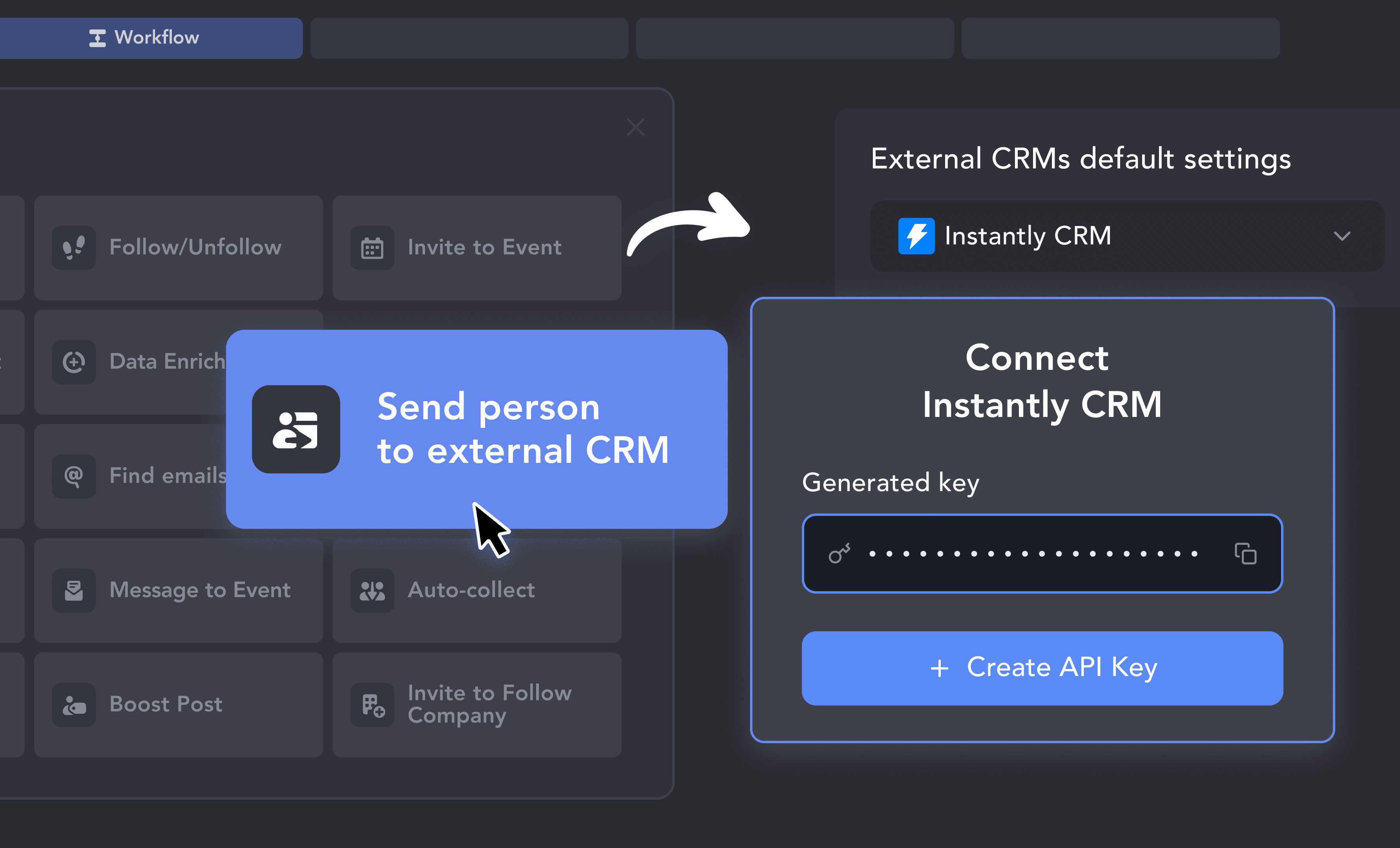
1. Get Your Instantly API Key
Connecting Instantly takes under a minute. Grab your API key from Instantly's integration settings and paste it into Linked Helper.

Stop building prospect lists by hand. Linked Helper finds your ideal contacts on LinkedIn, scrapes their email addresses, and feeds them straight into the right Instantly campaign — so your cold email sequences start with a verified, well-targeted prospect list.











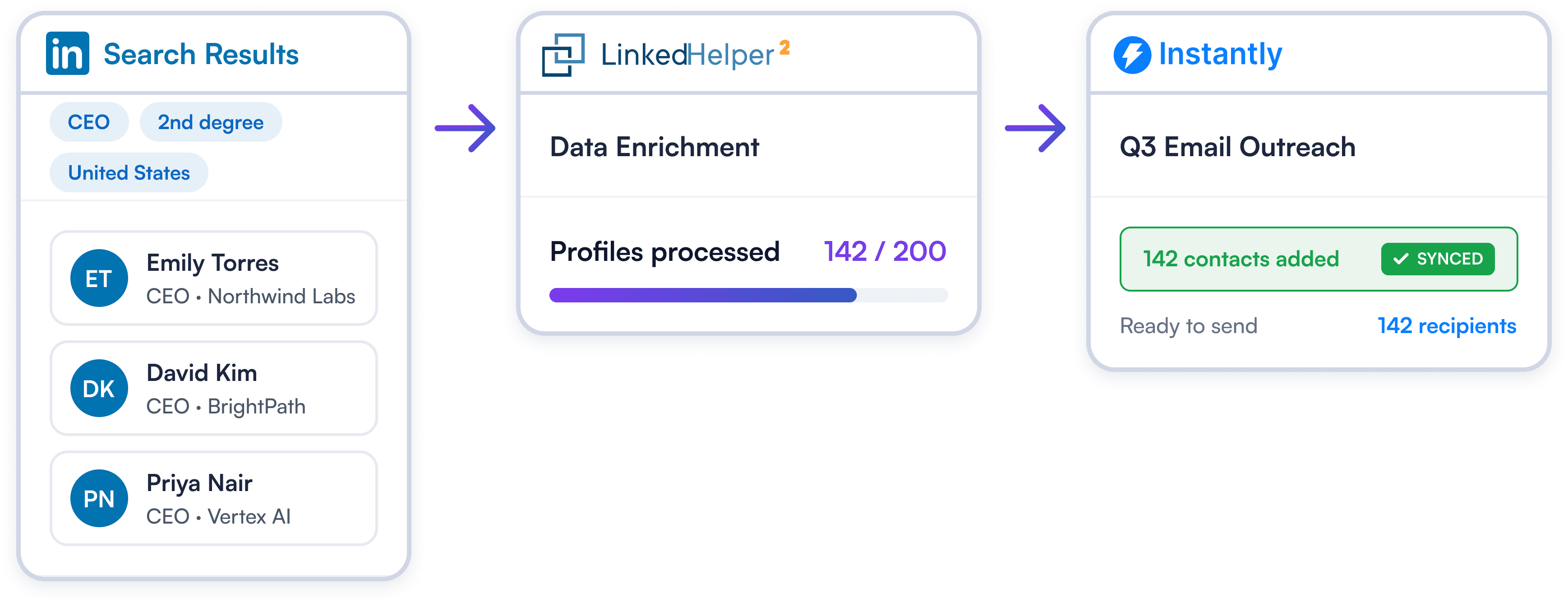
Great cold email starts with great prospecting. Linked Helper automates the part that takes the most time: finding the right people on LinkedIn, visiting their profiles, extracting their emails, and adding them to exactly the right Instantly campaign.
Try Template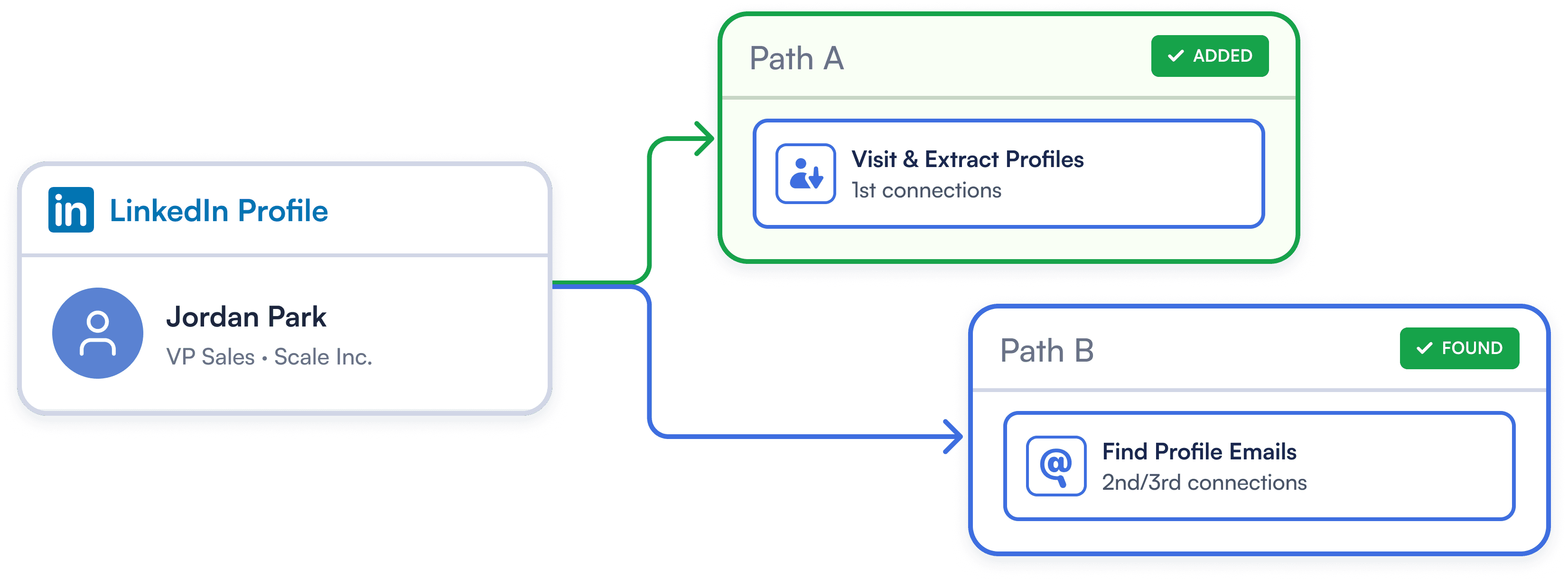
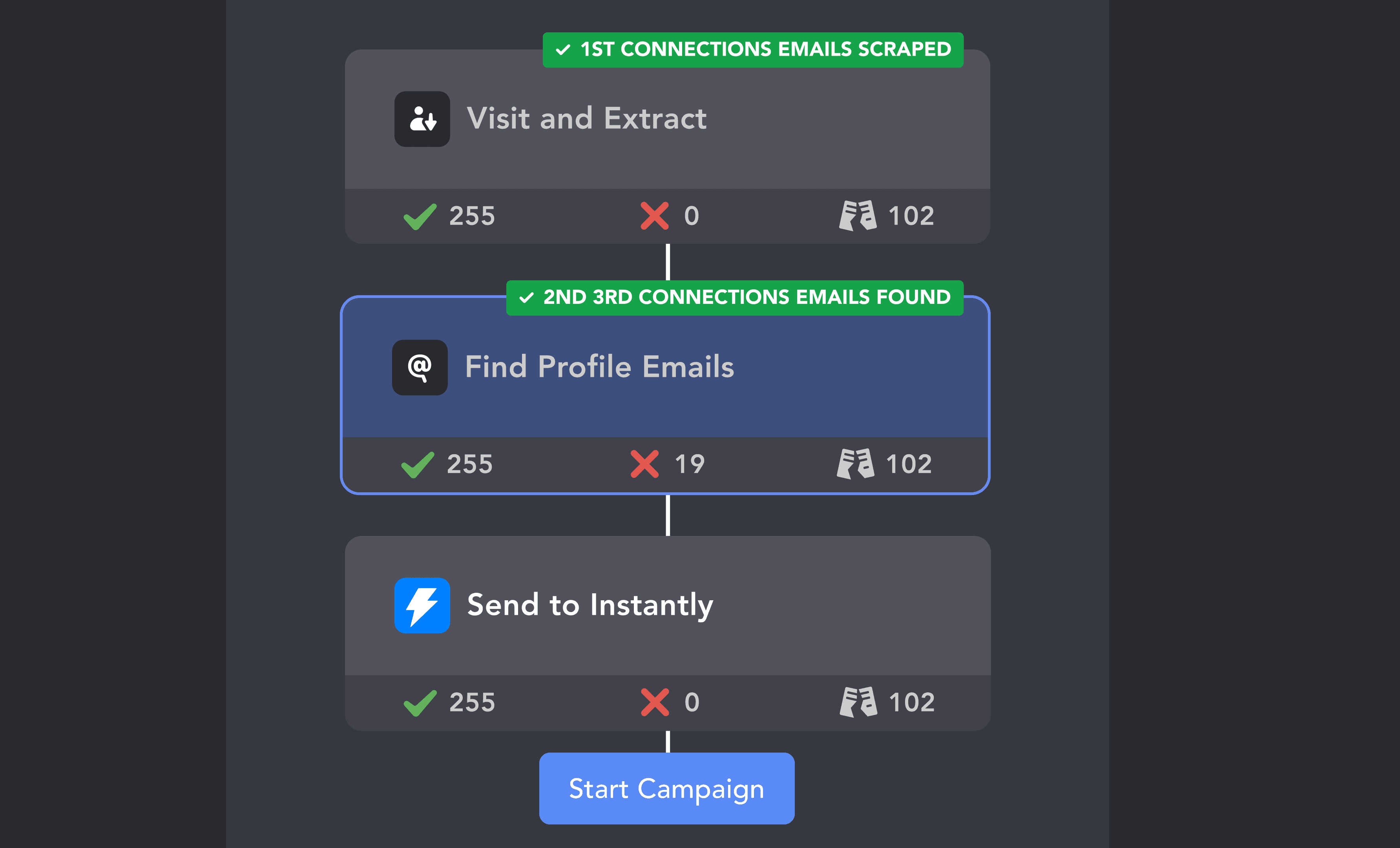
Prevent missing-email errors in Instantly. Linked Helper automatically scrapes 1st-degree emails with the "Visit & Extract" action and discovers 2nd/3rd-degree addresses with the "Find Profile Emails" action prior to export, to help ensure that every synced prospect can enter an active campaign.
Try Template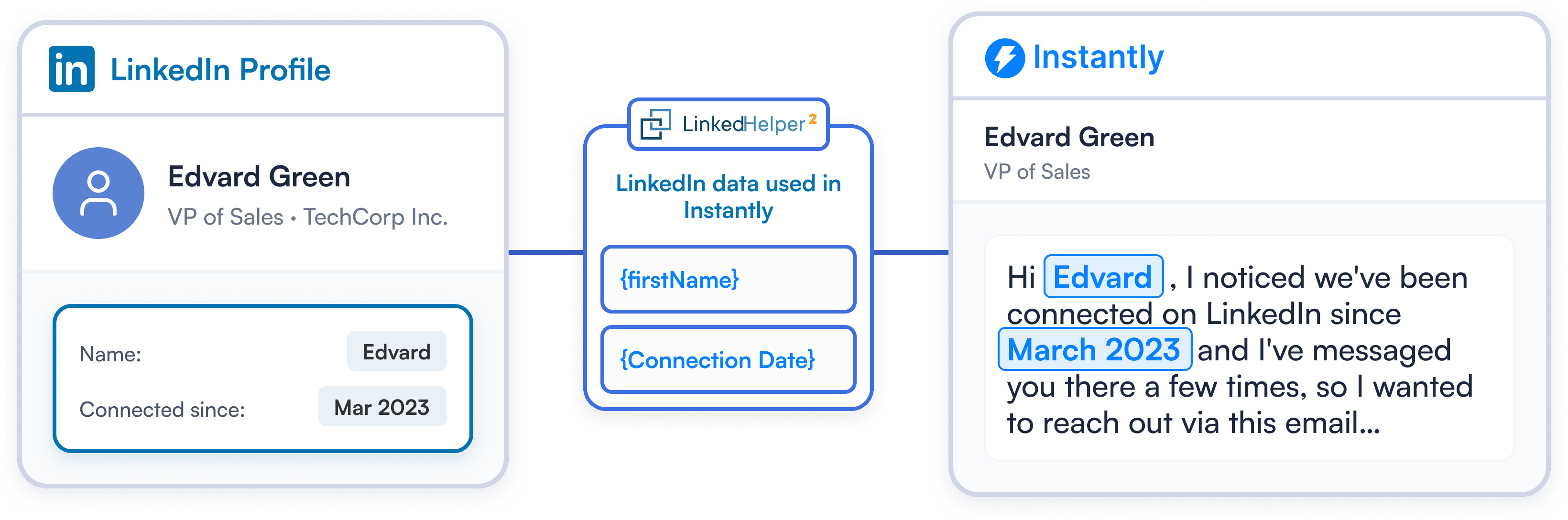
Automatically sync LinkedIn data to Instantly custom variables. Use location, skills, company details, and connection dates to craft highly targeted cold outreach that drives higher reply rates.
Try TemplateConnecting Instantly takes under a minute. Grab your API key from Instantly's integration settings and paste it into Linked Helper.
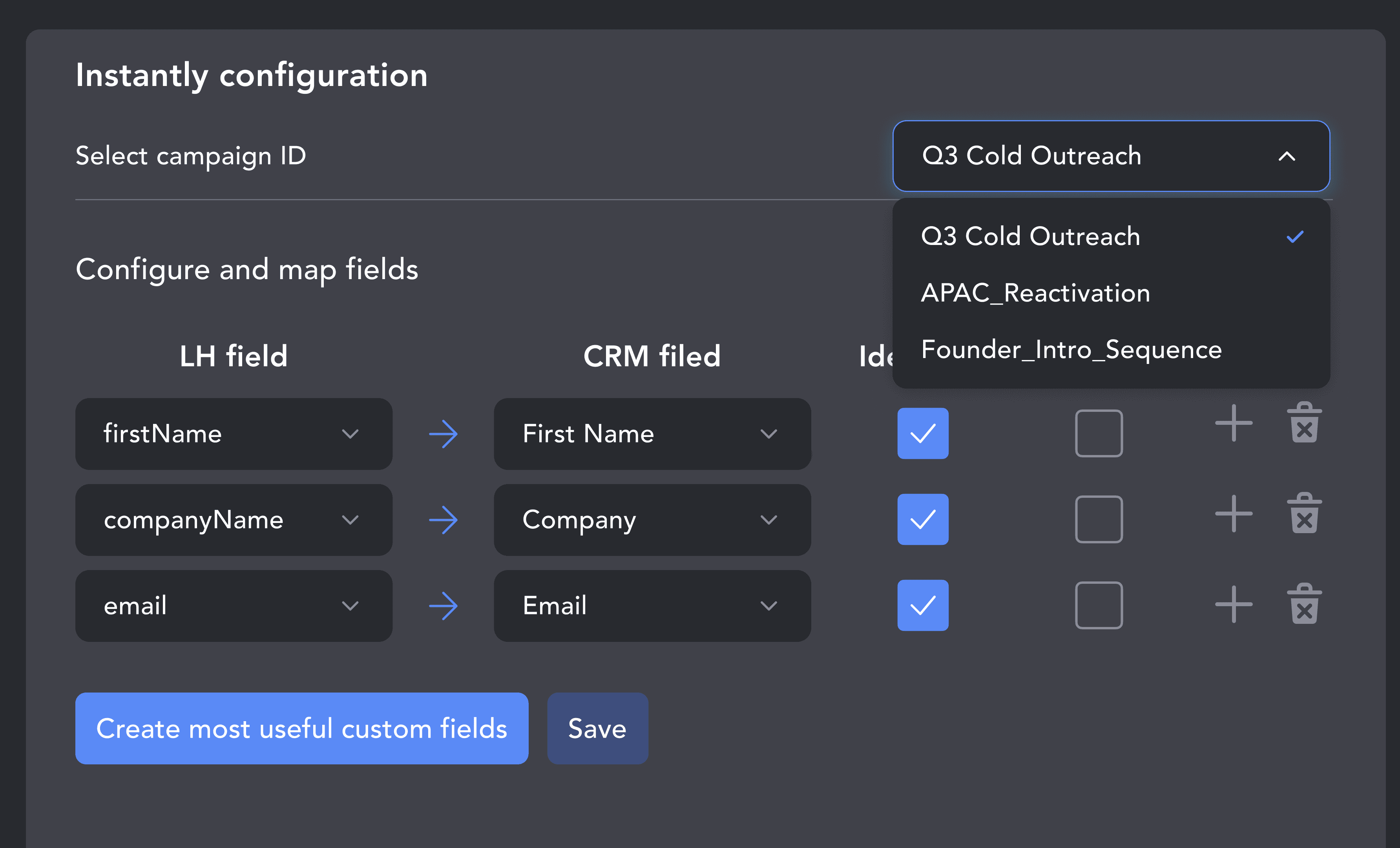
Select your target Instantly campaign and map LinkedIn data fields such as name, email, and company. Add a custom static tag to automatically segment every incoming prospect.
Place Find Profile Emails right before sending contacts to Instantly so prospects arrive with an email address. Start your workflow and watch your cold email lists grow automatically.
From finding leads to closing deals, Linked Helper automates every step of your outreach funnel. Explore the features that make us the most powerful solution on the market.


No chatbots. No waiting days for a reply. Get fast, expert help from real people committed to your success whenever you need them.
Isaac R.
CEO, Education Management
If you are looking to optimize your time while generating income or profitability in your objectives, Linked Helper is your app. What I liked most is the simplicity and effectiveness.
 Review
24/7 LIVE CHAT & EMAIL
Get a real human response in minutes, not days.
REMOTE ASSISTANCE
If you're truly stuck, we can connect to your computer and guide you.
IN-DEPTH KNOWLEDGE BASE
Step‑by‑step tutorials and articles for every feature.
Watch our quick video guides to start with Linked Helper.
Learn how to get started with Linked Helper 2: from registration to launching your pilot outreach campaign.
VIDEO TUTORIAL
VIDEO TUTORIAL
First and last name, email, phone number, current company, job title, location, and LinkedIn profile URL. You can also map any custom field Instantly supports, or use CONSTANT_VALUE to send a fixed value to any field for every contact.
Send verified LinkedIn prospects to Instantly, personalize every campaign, and launch cold outreach faster. No manual CSV exports required.