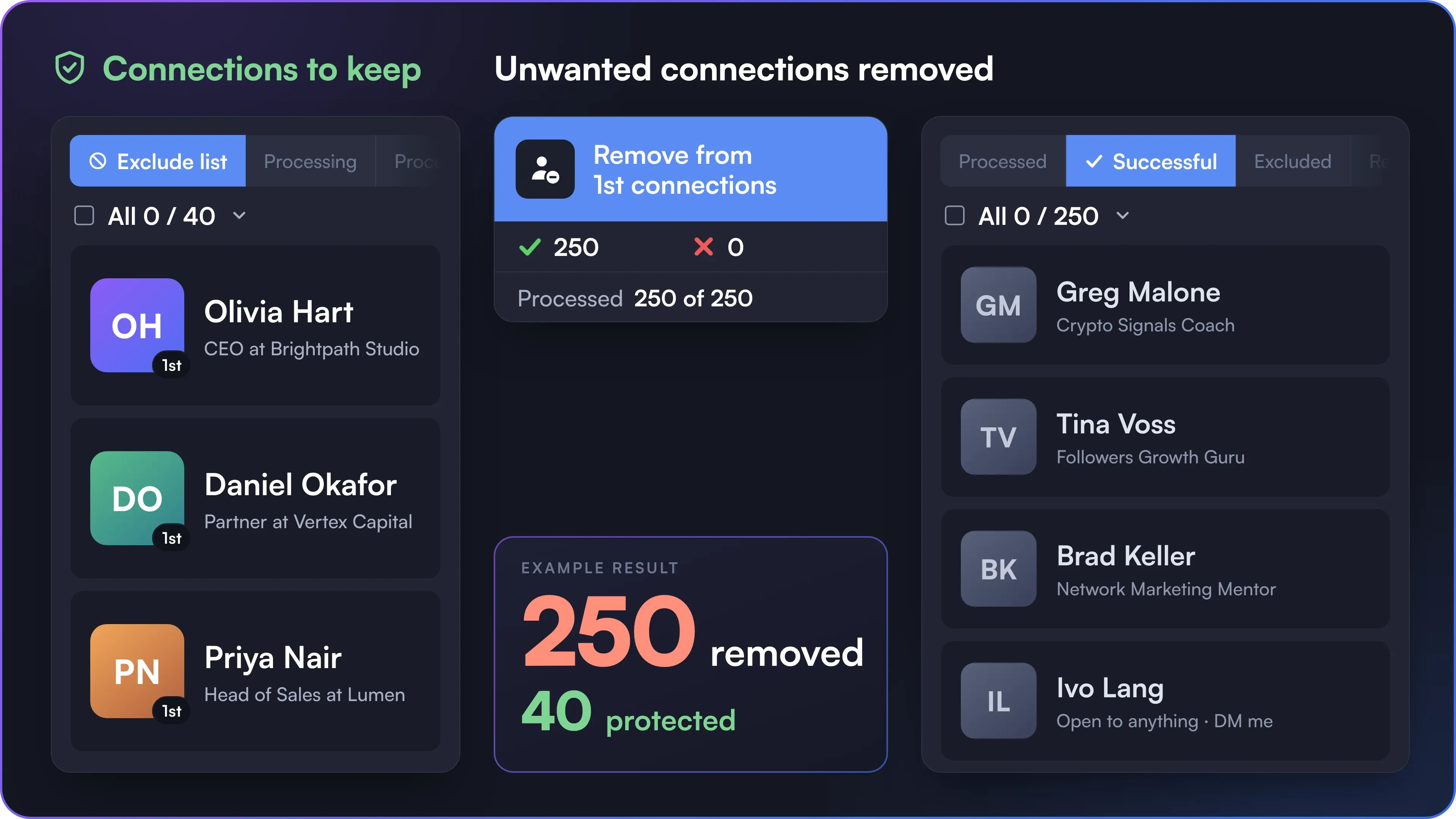
 1st Connection Remover
 Setup in 3 Steps
 Protect Your Connections
 Controlled Cleanup
 Safe LinkedIn Automation

Approaching the 30,000-Connection Limit
Make room for future connections by reviewing older 1st-degree contacts before deciding who to remove.
Segment your 1st-degree connections by clear criteria, protect valuable contacts with the Exclude list, and bulk remove the connections you no longer need. You approve the final list before anything is removed, and the cleanup runs within the limits you set.


Years of broad outreach can leave your 1st-degree network crowded with outdated, irrelevant or low-priority connections. Cleaning it up manually is slow, and removing contacts without a final review leads to mistakes.
 Without 1st Connection Remover
 Manual Cleanup

 With 1st Connection Remover
 Controlled Bulk Removal
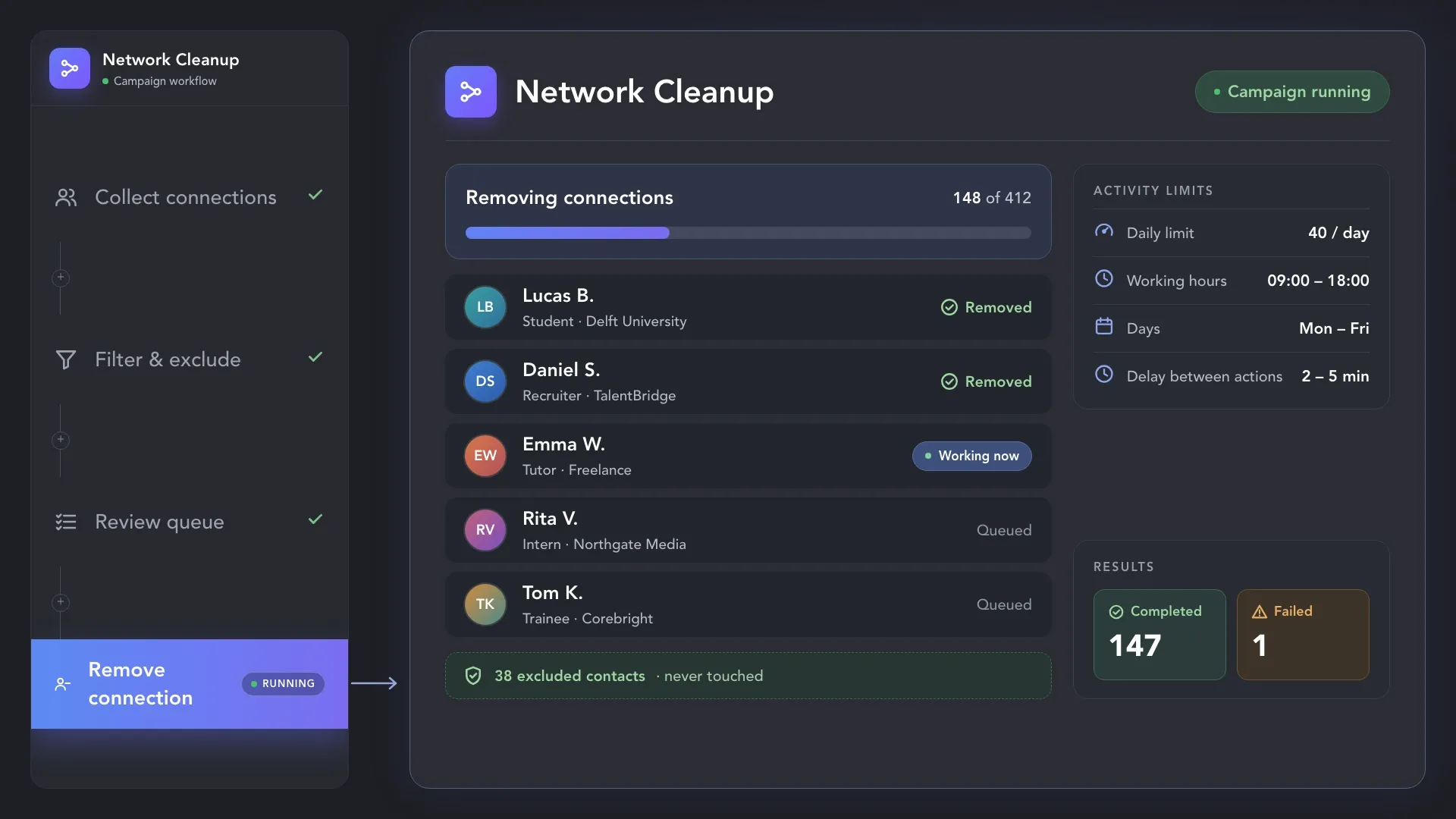
Start the campaign and Linked Helper removes the selected connections one by one, at the pace set by your activity limits and working hours. Then check the campaign lists to see who was removed.
Connection cleanup is most useful when the network no longer reflects the people, market or strategy
you want to focus on.


Choose who goes, protect who stays, and review your selection before starting removal.
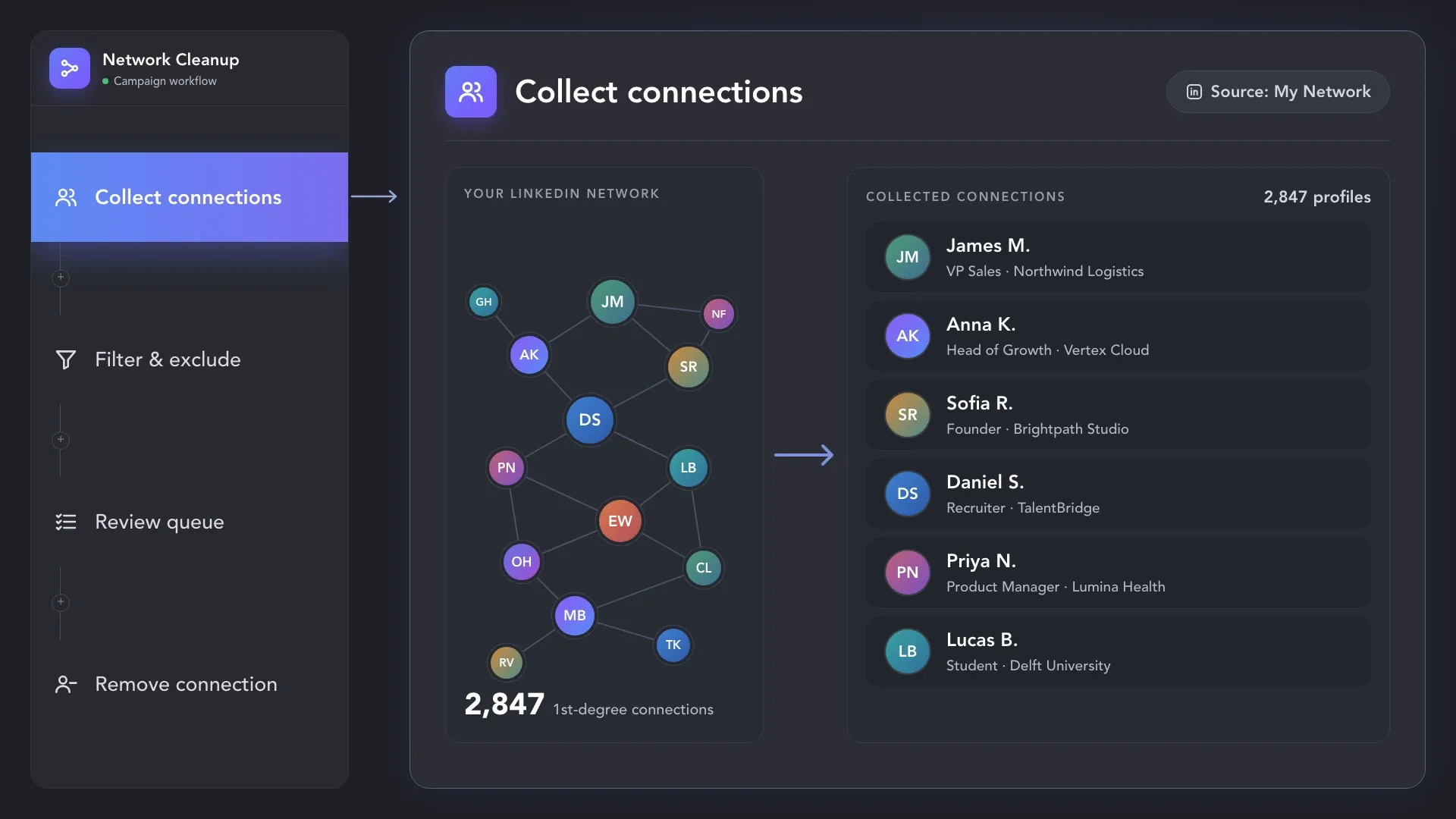
Use LinkedIn search filters to collect a specific segment of your 1st-degree connections. Want to review your entire network? Collect it from the My Network page: unlike search, it isn't capped at 1,000 results, so even 25,000 connections fit.
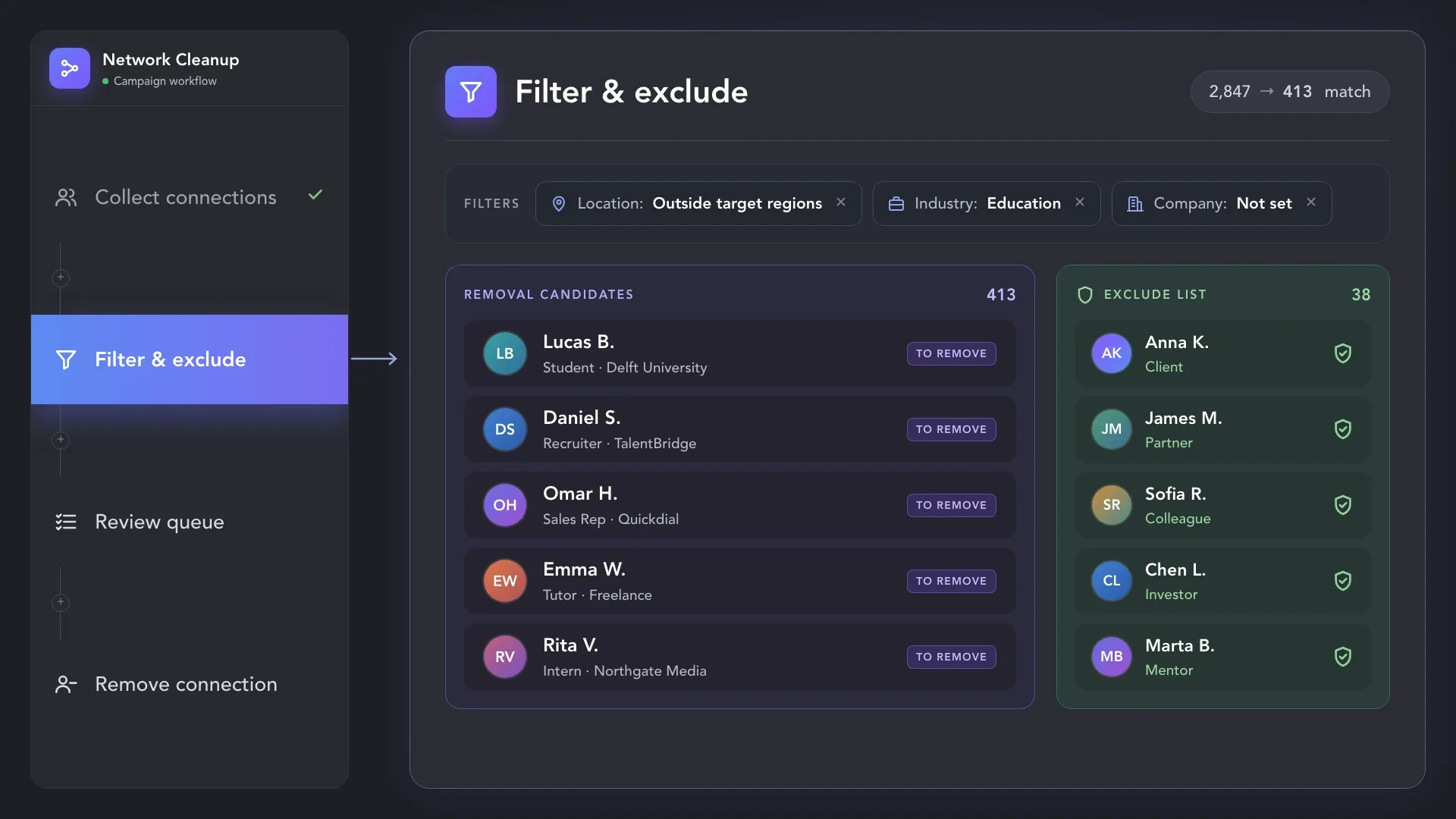
Narrow the list using your chosen criteria and add valuable contacts to the Exclude list. For finer filtering, add AI ICP Detection before removal: describe who should go, such as recruiters, or flip the logic and describe everyone who is not a CEO, founder or owner.
Use AI as an extra filter on top of your criteria, not as the only one.
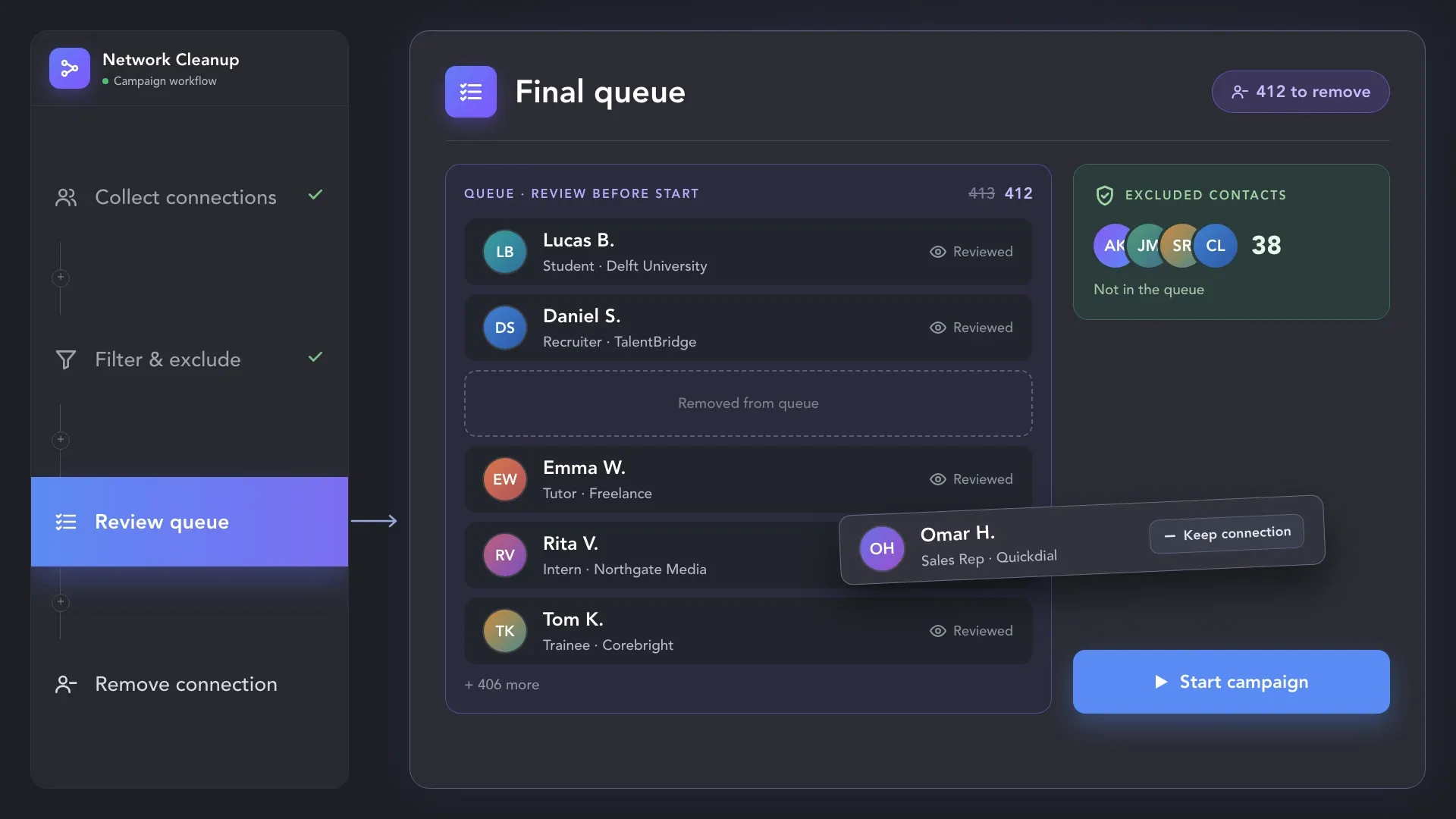
Check exactly which profiles remain in the Queue and remove anyone you want to keep. Nothing is removed until you start the campaign, so you approve every removal before it happens.
Use LinkedIn search filters to collect a specific segment of your 1st-degree connections. Want to review your entire network? Collect it from the My Network page: unlike search, it isn't capped at 1,000 results, so even 25,000 connections fit.
Connection removal changes more than the visible size of your network.
Review the consequences before you approve the Queue.


Want to clean up your network while keeping connections from your target market? Collect those contacts into the Exclude list first, then load your full network into the Queue. Profiles protected by the Exclude list won’t be removed. Review the remaining Queue before starting, so your cleanup matches the network you want to keep.
Set a separate activity limit for connection removal and choose your working hours. Run the cleanup on a schedule you control instead of processing the entire list in one uninterrupted session.
1st Connection Remover takes care of existing connections. Two more tools handle the invitations on either side: the ones you receive and the ones you send.


Linked Helper runs every action within daily limits, working hours and human-like pacing that you control.

Linked Helper works in a real browser, acts at a human pace with mouse movements, typing and randomized delays, follows your working hours and daily limits, and runs from your own IP or a proxy you choose.
 Real BrowserHuman-like ActionsWorking HoursDaily LimitsYour Own IPDedicated Proxy
Mimics human actions with mouse movements and clicks, typing, and randomized delays. Navigates via LinkedIn search rather than direct URLs.
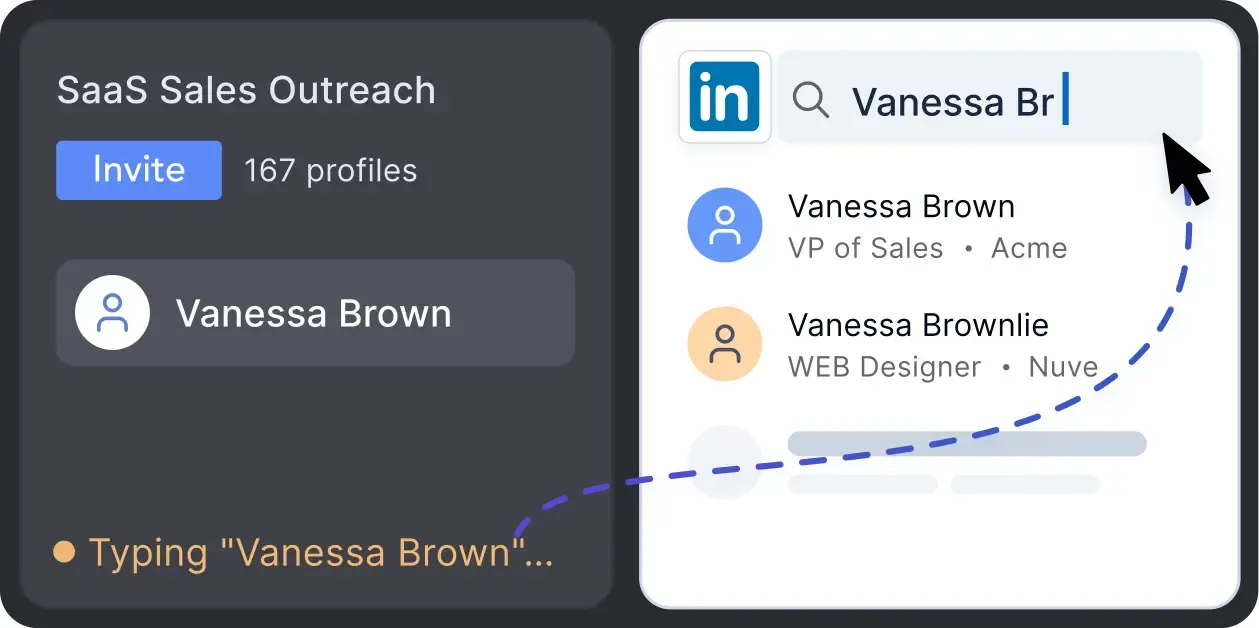
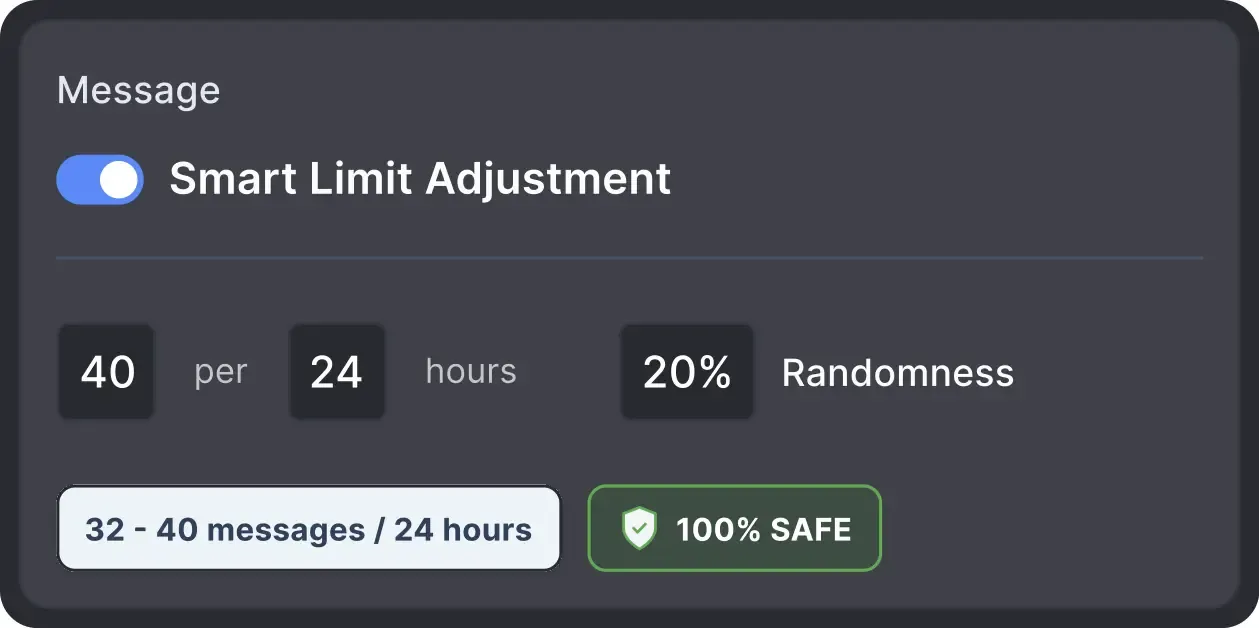
Operates within safe, recommended daily quotas and works on a "human-like" schedule (e.g., 9 AM - 5 PM) with random shifts to avoid robotic patterns.
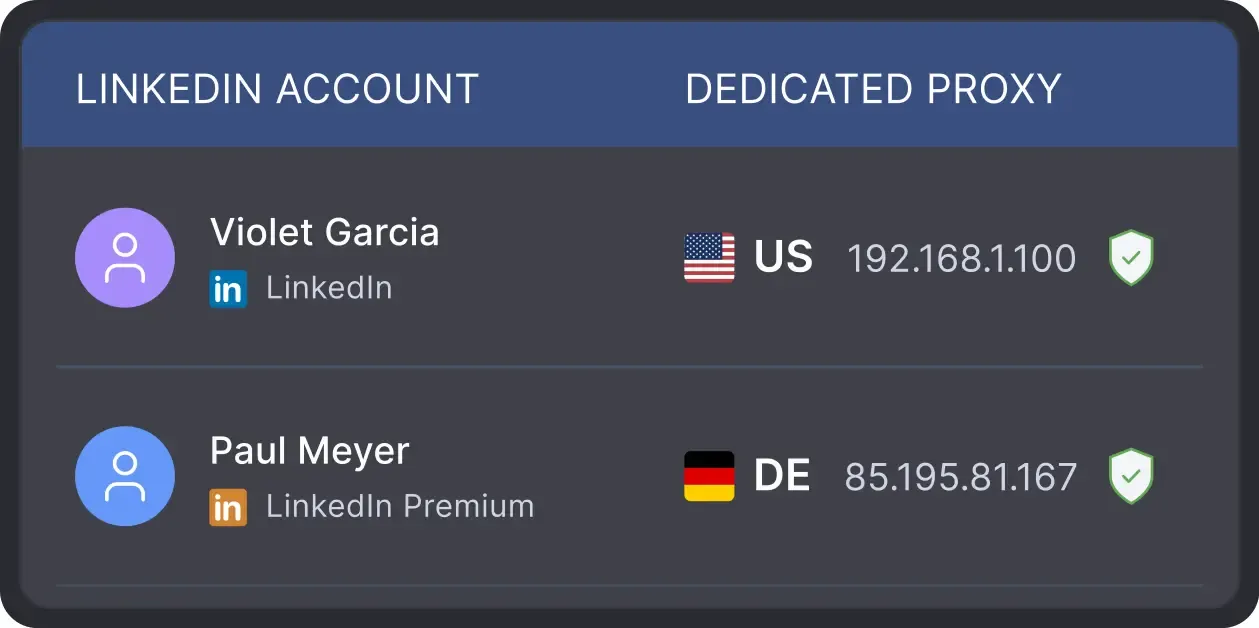
All activity comes from your local IP address or a chosen dedicated proxy, not a suspicious server, avoiding a major red flag for LinkedIn.

Basic

Premium

Sales Navigator

Recruiter
Basic
Premium
Sales Navigator
Recruiter
From finding leads to closing deals, Linked Helper automates every step of your outreach funnel. Explore the features that help you grow, engage and maintain a network worth keeping.


Real reviews from Linked Helper users who keep their LinkedIn network focused, organized and safe.




What I like most about Linked Helper 2 is how it saves me a huge amount of time in managing outreach and follow-ups. The workflows are very flexible, and the tool feels reliable even when running complex campaigns. I also appreciate the built-in CRM features that make it easy to keep track of connections.

The nicest thing about this application, in my opinion, is that it can automate a range of procedures with the assistance of its many features and campaigns, making work more productive. With the aid of this tool, I was able to effectively scrape the data of my network connections without spending a lot of time.

Amazing tool that covers entire LinkedIn lead generation on autopilot. Plugins give you extra features and I highly recommend checking those out. My favorite ones are multi-campaign runner, action working hours, and filter contacts.

The tool executes every action as slowly and safely as it can, so it doesn’t raise any red flags with LinkedIn’s systems, and in my case, it worked flawlessly.
Linked Helper is essential for creating your network to reflect your ideal client profile. You can literally tell the system your ICP, and it hunts these people down like they owe it money, and boom! Connection made.
It works just like a real human, and I haven't had any issues with my LinkedIn accounts since I started. I've had some bad experiences with other automation tools that got me blocked, but Linked Helper has been great. Plus, their support team is awesome. Overall, I'm super satisfied!
Using Linked Helper now over a couple of months and have to say it works flawlessly. Onboarding new contacts, sending out follow-ups messages... everything is automated once you set it. Just top to increase the network with this tool!
No chatbots. No waiting days for a reply. Get fast, expert help from real people
who are committed to your success, anytime you need it.
Mary P.
Co-Founder and CMO
The support team of this product deserves special attention. Excellent service, attention to users, analysis of the client's case. I definitely recommend both the product and the support team.
Review24/7 LIVE CHAT & EMAIL
Get a real human response in minutes, not days.
REMOTE ASSISTANCE
If you're truly stuck, we can connect to your computer and guide you.
IN-DEPTH KNOWLEDGE BASE
Step-by-step video tutorials and articles for every feature.
Standard plan includes the full LinkedIn automation toolkit, with usage limits on some advanced features.
Pro plan increases advanced feature and integration limits, and adds full message history export.
All your data stays on your device in local folders you can access directly.

Each account has its own isolated storage - no data mixing.

With outgoing webhooks, Linked Helper can send data to third-party systems.

Data is stored in local folders on your device. No app, no internet required to access your files.

Install the app on a new device and pick up right where you left off.

Share LinkedIn accounts and campaign data without manual exports.
With incoming and outgoing webhooks, Linked Helper can receive data from and send data to third-party systems.

Your data is automatically backed up to the cloud - no risk of losing it if something happens to your device.

Switch devices or reinstall the app without moving files manually.
Local tax may apply
Join our weekly live training for a kick-start, or explore our library of bite-sized guides at your own pace. We provide every resource to help you scale safely.

A 60-minute live walkthrough to kick-start your LinkedIn lead generation. Register now to join live or receive the recording by email even if you can’t attend.


BLOG POST
VIDEO TUTORIAL
1st Connection Remover is a Linked Helper feature for removing 1st-degree LinkedIn connections in bulk. You collect the connections you want to review, protect the contacts who should stay with the Exclude list, and approve the final Queue before anything is removed. Removal then runs as a campaign within your activity limits and working hours, and every result is tracked in campaign lists.
Collect, review and remove the connections you no longer need, while the Exclude list protects the ones that matter.









 Save My Spot