
 Updated: October 12, 2026
 25 min read
Key takeaways
- Lusha lets users create unlimited sequences and steps, but only ten sequences can be active per user and each table can have one Auto Sequence—so campaign inventory can grow much faster than live throughput.
- AI Email Assistant and ICP Hub can draft sequences and rank leads, but AI draws from contact credits while the reviewed evidence did not establish native A/B traffic splitting or conditional branching—so buyers should not assume these tools make campaigns self-optimizing.
- The roughly 16 documented integrations do not share one automation depth: the current webhook covers Opt Out only, API-key eligibility language conflicts, and search export stops at 150 records—so buyers need to validate each handoff instead of treating connector count as workflow capacity.
- Dashboard graphs can export usage and credit data, but replies remain in Gmail or Outlook and no full message-history export was established—so reporting can audit resource consumption without serving as a portable conversation archive.
- The 1.12-star trailing six-month average comes from 24 reviews dominated by Trustpilot and Capterra because the available G2 corpus ends in 2024—so it signals recent complaint intensity, not a clean measure of current paying-customer sentiment.
This review is published by Linked Helper and written by Milosh Potikj, who works there. I've made every effort to represent Lusha accurately using verified data — our own first-hand testing, Lusha's own documentation, and independently sourced reviews.
Lusha is a B2B contact-data and sales-intelligence platform for sales teams that need work emails and direct-dial numbers from its database, LinkedIn pages, Sales Navigator, company sites, and CRM pages. It has a permanent 40-credit Free plan, while paid access uses a shared credit pool for email, phone, and AI usage. Our verdict is conditional: Lusha is useful when its geographic coverage matches your market and lookup volume is moderate, but phone reveals consume credits quickly and it does not execute LinkedIn outreach. Its extension keeps the LinkedIn session local, yet our June 2026 teardown found a visible browser-extension footprint, so it should not be treated as invisible or restriction-proof.
Verdict
Lusha is a contact-data layer for US-focused SDR and sales teams that want direct dials without a long procurement cycle. Its Chrome and Edge extension reduces lookup friction, its database and ICP tools cover several prospecting surfaces, and customer reviews on G2 and Capterra are generally positive.
The conditions matter. Phone reveals cost five to ten times as many credits as emails, depending on the pricing version, data coverage varies by geography, and the entry plan does not unlock the practical automation plumbing available higher up the ladder. Lusha Engage sends email sequences, but it cannot send LinkedIn invitations or messages. Those limits matter most when the bottleneck is outreach execution, agency workspace separation, or sustained phone-heavy prospecting rather than finding contact records.
Pros
- Fast on-page lookup: the extension reveals contact details while the user remains on LinkedIn, Sales Navigator, company, or CRM pages.
- Direct-dial reputation: reviewers cite its phone-number coverage as a benchmark for phone-led prospecting.
- Permanent Free plan: 40 monthly credits and one seat require no card, so a team can inspect a small market sample before paying.
- Multiple prospecting surfaces: Workspace search, CRM pages, CSV enrichment, API access, and MCP access provide several routes into the same data layer.
- Documented compliance controls: a public DPA, subprocessors list, SOC 2 Type II, and multiple ISO certifications give procurement teams reviewable material.
- Email sequencing included: Engage can run multistep email sequences through Gmail or Outlook and stops later steps after a detected reply or bounce.
- ICP scoring: ICP Hub scores leads against as many as ten Target Profiles, which helps narrow a larger database search before credits are spent on reveals.
Cons
- Phone-heavy use burns credits: a phone reveal costs five to ten credits, depending on the pricing version, versus one for an email, changing the allowance's real capacity.
- Coverage is geographic: four of 19 Kaspr reviewers naming Lusha favored Kaspr for France or EU coverage; no universal accuracy percentage is defensible.
- Credits expire or reset: Free and Starter credits do not roll over, annual balances expire at renewal, and AI shares the pool.
- Paid entry is not the automation tier: production API, webhooks, and CSV enrichment begin at Pro, raising an integrated workflow's practical entry cost.
- No LinkedIn outreach execution: the extension reveals information but does not send invitations, messages, comments, or other LinkedIn actions.
- Team design excludes agency domains: outside contractors need separate accounts, and no client workspace or white-label layer was found.
- Privacy and billing complaints are substantive: Trustpilot contains repeated opt-out, renewal, and refund allegations that cannot be treated as minor product friction.
Lusha Pricing: Plans, Traps, and Hidden Costs
Lusha's public pricing, checked July 25, 2026, shows five tiers. Starter costs $49.90 month to month or $37.45 per month on the baseline annual rate. Pro is $69.90 monthly or about $52.45 per month annually; Premium is $399.90 monthly or about $299.95 annually. A temporary promotion reduced the Pro and Premium annual equivalents to $45.45 and $259.95 through July 31, 2026. That is a time-limited discount, not evidence of a lasting repricing trend.
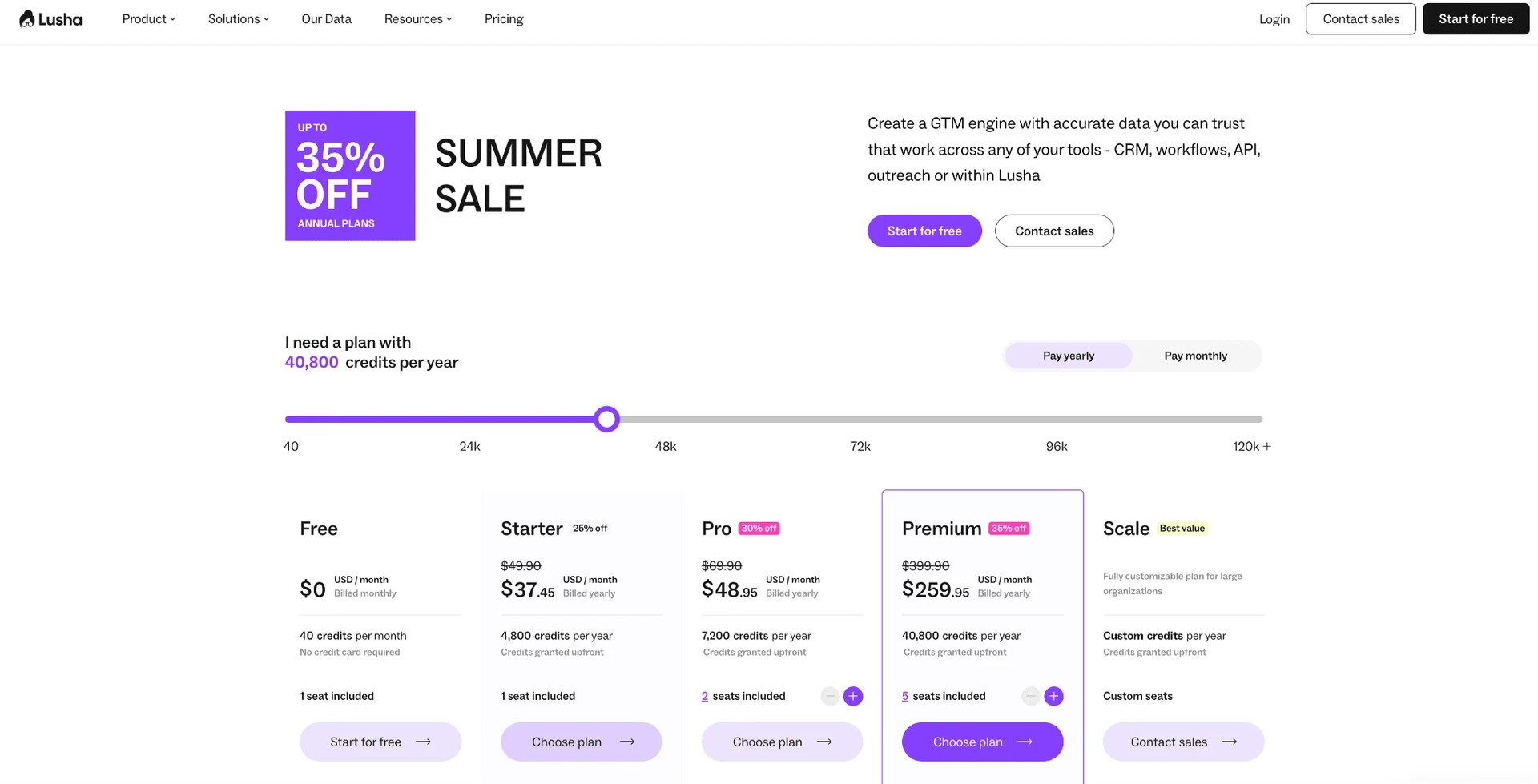
| Plan | Price | What's included | What's NOT included |
|---|---|---|---|
| Free | $0 | 40 credits/month; 1 named seat; no card | No separate trial; monthly credits do not roll over |
| Starter | $49.90/mo or $37.45/mo annually | Paid entry tier; 1 named seat | Production API, webhooks, and CSV enrichment begin at Pro |
| Pro | $69.90/mo or about $52.45/mo annually | 2 named seats in the executable quota; API/webhook/CSV automation tier | buying intent topics, Advanced API endpoints; monthly rollover is capped |
| Premium | $399.90/mo or about $299.95/mo annually | 5 named seats; larger self-service capacity | Not an agency workspace; annual credits expire at renewal |
| Scale | Custom quote | SSO; Scale-only Manager role; negotiated capacity | No public price |
Lusha pricing tiers (July 2026)
The central pricing trap is credit composition. An email reveal costs one credit (even if no results are returned). Lusha's current sources list five to ten credits per phone reveal, depending on the pricing version. AI usage draws from the same balance. A 1,000-credit allowance therefore represents 1,000 email reveals but only 100 to 200 phone reveals before any AI activity. In practice, the advertised pool is not a comparable unit until a buyer models the channel mix.
Credit allowance is not contact allowance: Phone reveals cost five to ten credits, depending on the pricing version. Email reveals cost one credit, and AI uses the same pool. Model the intended mix before comparing tiers.
Expiry changes the economics too. Free and Starter monthly credits do not roll over. Pro and Premium monthly rollover is capped at twice the monthly allocation, while annual credits expire when the plan renews. Renewal returns at the then-current full price, so the temporary July discount should not be treated as the continuing annual rate.
Starter is not the practical automation tier. Production API access, webhooks, and CSV enrichment begin at Pro. Lusha also documents an unpublished Prospecting search-activity threshold that requires support to clear, which means a limit can interrupt a workflow before the buyer can model it from the pricing page.
Payments are non-refundable by default, although the Terms describe three prorated-remedy exceptions for specified vendor failures. Cancellation is self-service and preserves access through the paid cycle before the account drops to Free, which means cancellation timing matters even when no additional service is wanted.
Related reading:
Lusha's Automation & Campaign Engine
Lusha has two different kinds of automation, and keeping them separate prevents an inflated feature claim. The contact-data layer searches or enriches records. Lusha Engage then sends email contact points through a connected Gmail or Outlook account. It does not automate LinkedIn actions.
The documented execution list is narrow: create multistep email sequences, send the scheduled email contact points, wait between them, detect a reply or bounce, and stop the remaining steps for that contact. Reply detection can take 10–15 minutes. That delay means a follow-up can remain pending briefly after the recipient answers, although the documented stop logic is designed to prevent later steps once the reply is recognized.
Sequences are linear. The documentation did not establish if/then branches, nested routing, or combined LinkedIn-and-email steps. LinkedIn appears as a manual channel suggestion, not an action inside the sequence. There is also no unified inbox: replies arrive in the connected Gmail or Outlook inbox, so operators must manage conversations there rather than in a cross-mailbox Lusha view.
The creation limit and execution limit are different. Lusha documents no ceiling on the number of sequences or steps that can be created, but only ten email sequences may be active per user. One Auto Sequence automation can be attached to each table. In practice, a team can design more campaigns than it can run concurrently, so campaign inventory and live throughput should not be treated as the same capacity.
Sending has a system ceiling of 1,000 emails per day and 60 per hour. Lusha recommends ramping from roughly 50 per day and six per hour. Those numbers define platform capacity, not a deliverability guarantee: the connected mailbox, domain reputation, list quality, and copy still determine whether the messages reach people and earn replies.
The closed capability boundary matters most for buyers who read “Engage” as multichannel execution. The confirmed engine sends email contact points and stops on replies or bounces. LinkedIn remains a manual channel suggestion, and there is no incoming campaign webhook for feeding profiles into a running sequence.
Email-only campaign engine: Lusha Engage runs linear Gmail or Outlook email sequences. LinkedIn is a data source and manual channel suggestion, not an executable campaign step.
AI & Agentic Capabilities
Lusha's documented AI layer has three concrete parts. AI Email Assistant generates a personalized email sequence from audience and tone instructions. ICP Hub supports up to ten Target Profiles and scores leads using signal and ICP-fit components. MCP access exposes Lusha as a data source to external AI clients, including ChatGPT, Claude, Cursor, and n8n.
The distinctions are operational. AI Email Assistant works on email copy; it is not a LinkedIn-message generator or a general campaign agent. ICP Hub scores prospects inside Lusha's database workflow, which means it can prioritize reveals but cannot prove that every underlying email or phone record is current. The MCP connection lets an external client query Lusha data. It does not mean a user can bring an arbitrary model into Engage or grant that model a broader LinkedIn action surface.
AI also shares the product's commercial meter. Its usage consumes the same credit balance as contact reveals, so scoring, generation, emails, and five-to-ten-credit phone lookups compete for one pool. In practice, a team that treats AI as “included” without estimating usage can reduce the credits left for the records the campaign needs.
AI shares the credit pool: AI Email Assistant and ICP scoring are documented capabilities, but their usage draws from the same balance used for email and phone reveals.
We did not establish a broader conversation-intelligence product strongly enough for reader-facing detail, so this review does not use that label to expand the AI claim. The supported conclusion is narrower: Lusha can generate email sequences, score leads against configured Target Profiles, and serve contact data to external AI clients.
Personalization & Message Uniqueness
Lusha Engage supports personalization tokens and AI-generated email sequences. Tokens let a sequence insert available contact fields, while AI generation adapts a draft from audience and tone instructions. Together they reduce the need to write every email from scratch, but the reviewed evidence did not establish a branching personalization engine.
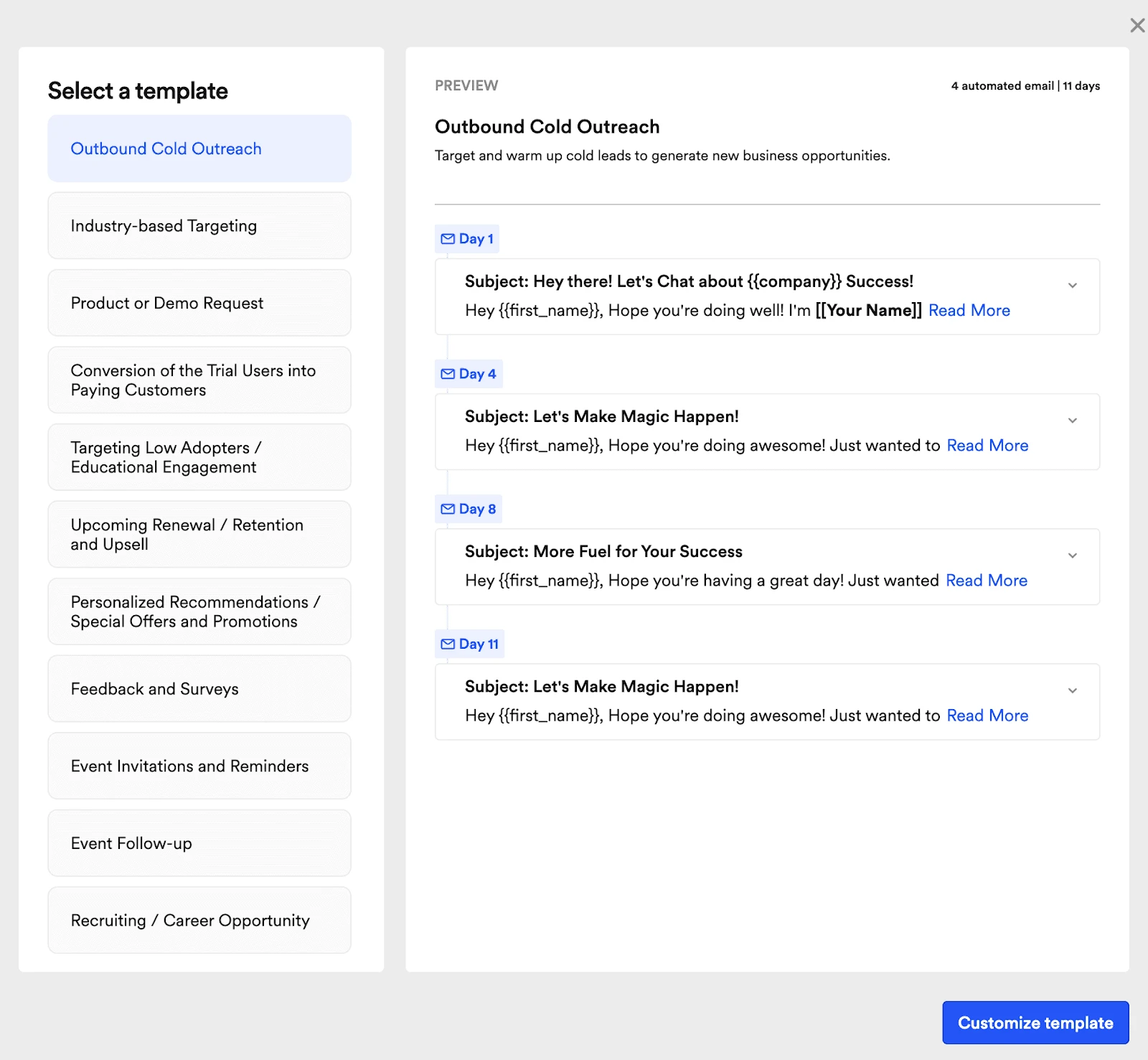
No native A/B traffic split or automatic winner analysis was established. Lusha's documentation advises manual experiments, which means a user can compare approaches operationally, but the reviewed evidence does not establish automatic traffic allocation or winner selection. No nested conditional personalization was established either, so buyers should not assume messages can follow different in-template paths based on whether particular fields are present.
The boundary extends to channel. Personalization applies to email sequences. There is no LinkedIn message personalization because Lusha does not send LinkedIn messages at all. That also means copy variation here is an email-performance tool, not a LinkedIn anti-detection mechanism.
Treat variants as manual experiments: Use tokens and AI drafts for email variation, but plan to compare outcomes yourself: no native traffic split or automatic winner analysis was established.
Lead Targeting, List-Building & ICP
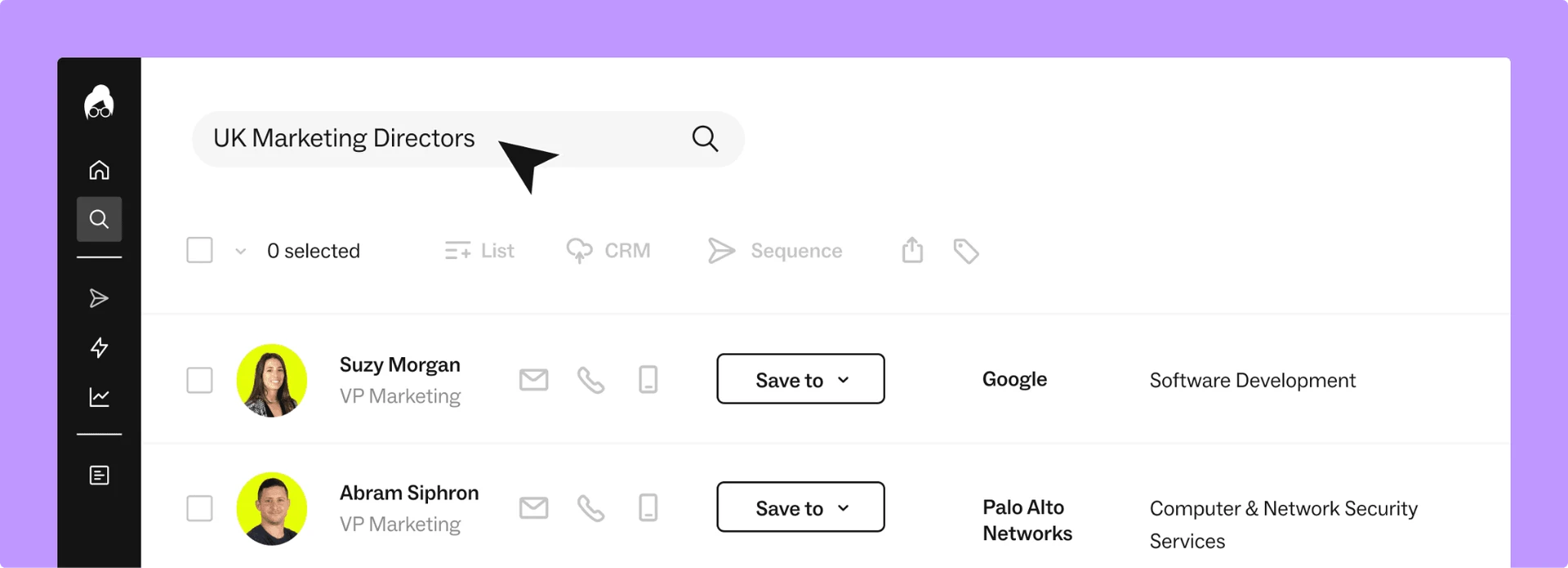
Lusha combines cloud-database search with on-page contact reveal; it is not a LinkedIn data extractor that live-scrapes lists. The extension shows contact details on LinkedIn, Sales Navigator, company websites, and CRM pages. Workspace results therefore reflect Lusha's stored coverage and freshness, not a fresh extraction of every visible LinkedIn field.
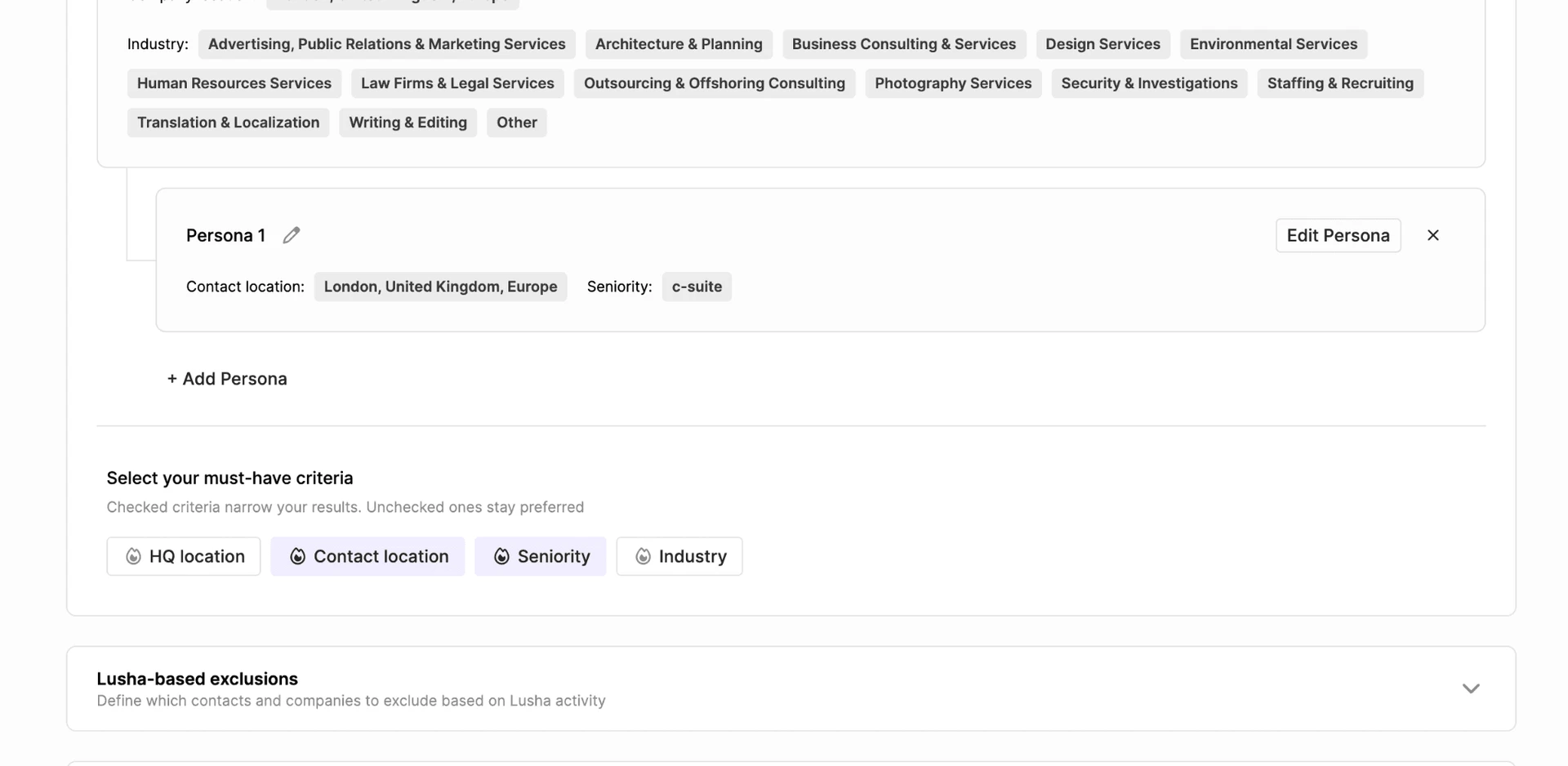
Sales Navigator bulk reveal is plan-capped: 25 contacts on Free and Starter, 50 on Pro, 150 on Premium, and 5,000 on Scale. Recruiter support exists but requires approval from support. In practice, the same extension surface can support a one-off lookup or a larger reveal job, but plan and approval gates determine how far it scales.
ICP Hub adds up to ten Target Profiles and scores leads with signal and fit components. That can focus a list before credits are spent, but it does not replace data validation. For background on why LinkedIn profile data and third-party email enrichment are different layers, see how email enrichment works for second- and third-degree connections.
Coverage needs a geographic qualification. Across reviews of eight other products, 41 named Lusha, often as a direct-dial or data-quality benchmark. But within 19 Kaspr reviews that named Lusha, four specifically preferred Kaspr for France or EU coverage. Those observations point in opposite directions for different markets, which is why a universal “accuracy rate” would mislead.
No first-hand data-quality bake-off ran for this review. A Free account's 40 credits can support a small market sample, but it is not enough to validate campaign-scale coverage. Buyers should test their own countries, roles, and phone-versus-email mix rather than borrow a percentage from another segment.
Confirmed boundaries are also clear: Lusha does not send invites, collect post engagers on a schedule, control Sales Navigator's Save-as-lead action, endorse skills, or extract LinkedIn employees from a list of company URLs. Its list-building job is database search and contact reveal, not LinkedIn action automation.
Accuracy depends on the market: Independent review evidence supports Lusha's direct-dial reputation and also flags weaker France/EU coverage. Test the exact geography and role mix you sell into.
Integrations & Ecosystem
Lusha documents about 16 native or partner integrations, but connector depth varies. The verified footprint includes batch-export CRM connections, a Lusha Partners branch, a separate Capsule guide, Monday.com, and Zapier. The count describes the documented set; it does not imply equal sync depth.
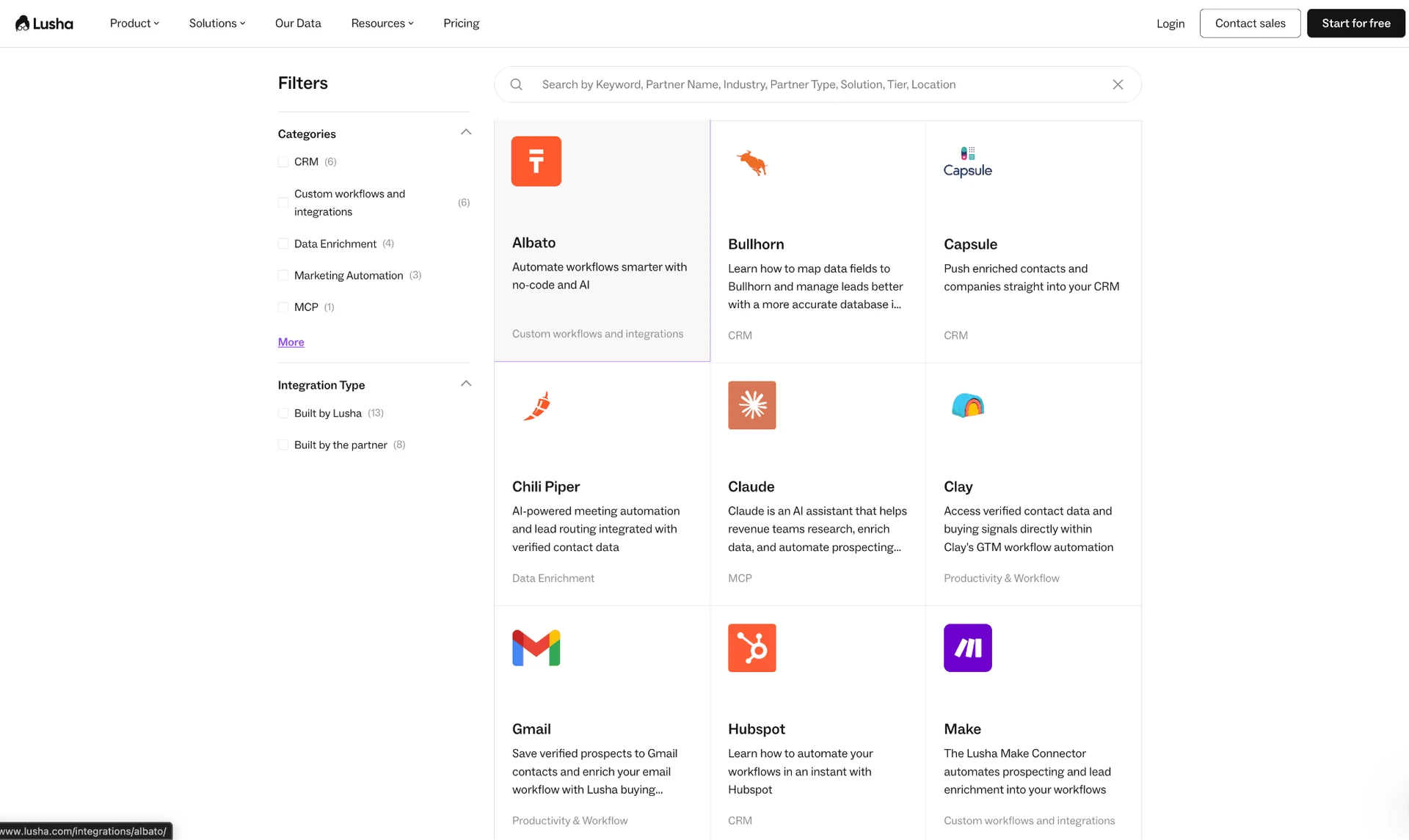
The mechanisms differ. CRM connections and CSV enrichment move contact or company data into existing systems. Zapier exposes Enrich Contacts and Enrich Companies actions and requires a Lusha API key. For practical context, see what a native CRM connector can transfer and which contact fields commonly move through a CRM, webhook, or CSV handoff.
Webhooks are much narrower than the plural label suggests. The only currently documented event is Opt Out; Signals events are described as upcoming. This is an outbound compliance notification, not an incoming campaign endpoint. A useful conceptual comparison is the difference between that event notification and sending a person record to a webhook.
The public API has tiered rate limits, but Lusha's own documentation conflicts over plan eligibility. One passage says keys are available on Premium and Scale, while the same page publishes Free, Starter, and Pro rate limits. That conflict means the presence of a rate-limit table should not be treated as proof that every plan can create a key.
CSV movement has its own boundaries. Imports accept files up to 20MB, 10,000 rows, and 50 columns. Search export is capped at 150 records, and exporting all contacts is not a one-click operation. For an integrated workflow, those limits determine whether the handoff is routine or requires batching.
Connector labels hide different scopes: About 16 integrations are documented, but the webhook currently covers Opt Out only and the vendor's API-key eligibility language conflicts across its own page. We need to mention that exporting to a CSV also demands credits, so if you collected info and already spent credits, you will be charged again during CSV export
Team, Agency & White-label Tools
Lusha uses named, non-transferable user seats with a shared credit pool, and it has no documented client-workspace or white-label layer. Self-service plans bundle one seat on Free, one on Starter, two in Pro's executable quota, and five on Premium. The live Pro marketing copy also says three seats, so buyers should confirm the contractual quantity before treating the page headline as capacity.
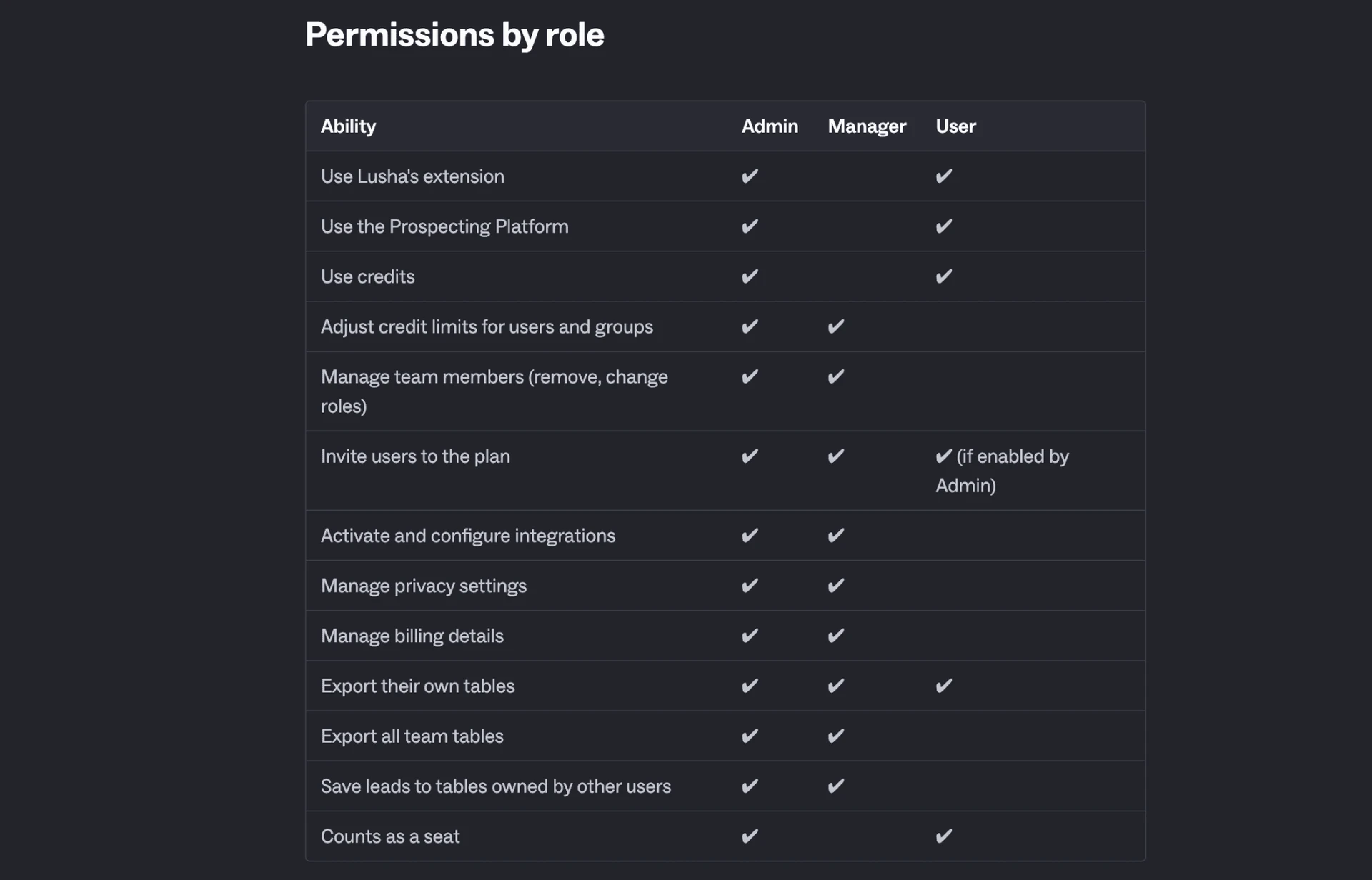
Three roles are documented: Admin, Manager, and User. Manager is a Scale-only role that does not consume a seat or credits. That separation can help a team supervise usage without spending a selling seat, but it is tied to the custom tier rather than the self-service plans.
Agency use is constrained at the organization boundary. Lusha explicitly blocks invitations to contractor or agency domains; those users need separate Lusha accounts. No branded portal or sender-rotation feature was found.
A 20-seat deployment also requires a custom Scale quote. The public self-service prices cannot be multiplied into a reliable 20-seat total, because credit needs and negotiated capacity remain unpriced at that scale.
Agency domains are separate: Outside contractors and agency-domain users cannot be invited into the organization; they need separate Lusha accounts, and no client workspace or white-label layer was found.
Analytics & Reporting
Lusha's Analytics Dashboard audits use of the shared credit pool; it does not provide a conversation archive. It reports personal and team usage, the source of consumed credits, and team engagement. Each graph can be exported to CSV.
No CSV export of full message history was found, and Salesforce activity sync does not establish an equivalent full-history download. Teams can analyze usage and credit consumption but should not assume Lusha can backfill every email conversation into a portable record.
Usage analytics, not message-history export: Dashboard graphs export to CSV, but no export of complete message history was established.
Is Lusha Safe?
The honest read: local session handling reduces one important risk, but it does not make Lusha's extension invisible. The tested result was Medium risk because the browser footprint was detectable. No tool eliminates LinkedIn restriction risk, and even manual behavior can look automated if a user opens many profiles directly by URL or works at unrealistic speed. See this explanation of LinkedIn restriction types and practical risk controls.
“Safe” covers two different questions here: what the extension can expose to LinkedIn, and how Lusha handles business and personal data. Our first-hand work covered only the extension's permissions and behavior. We did not run a data-accuracy test, consent audit, opt-out test, billing test, or live cloud-IP test.
What I verified first-hand
In June 2026, I inspected the shipped Chrome extension and found a local Manifest V3 contact-reveal tool, not an extension that copies the LinkedIn login to the vendor's cloud. A LinkedIn li_at cookie is the account login in cookie form; JSESSIONID carries the anti-forgery token. Whoever obtains those values can act through the session without the password, which is why cookie access is a load-bearing safety check.
The extension had no cookies permission, never read those LinkedIn session values, and made no direct Voyager or GraphQL calls. Lusha's own cookies authenticated to its plugin service instead. That means the tested extension did not hand the LinkedIn login to Lusha's cloud or execute LinkedIn actions through an internal API.
Active Extension Detection (AED) is the label found in LinkedIn's production code for scans that probe installed extension IDs on each visit. The scan result is sent as an AedEvent, so an extension can be visible before it performs a business action. Lusha's extension ID was on the audited list, and the extension injected code into the LinkedIn page, which creates a detectable browser footprint even though the session stayed local.
| What was checked | Result |
|---|---|
| Architecture | Cloud SaaS core with a local Chrome/Edge MV3 reveal extension |
| LinkedIn session access | No cookies permission; no li_at or JSESSIONID access found |
| LinkedIn internal API calls | No Voyager or GraphQL calls found |
| Extension visibility | AED-listed in the June 2026 audit snapshot |
| Page footprint | DOM injection found |
| Data governance | Public DPA, subprocessors list, SOC 2 Type II, and multiple ISO certifications |
| Data residency | Unresolved: vendor pages conflict between AWS US and AWS Ireland |
Lusha extension and data-safety checks
Founded in 2016, Lusha Systems Inc. is headquartered in Boston, with R&D in Tel Aviv. That identifies the contracting company and operating footprint, but not the hosting region; the vendor's residency pages still need reconciliation.
On data governance, Lusha publishes a DPA and security material, while full unredacted SOC 2 access is limited to Scale or accounts above $10,000. Its live pages disagree on AWS US versus AWS Ireland residency, so we cannot state one settled hosting region. Trustpilot reviewers also allege data-source and opt-out failures; those claims deserve scrutiny, but this review did not independently verify them.
Local session, visible extension: The June 2026 teardown found no LinkedIn cookie access or internal API calls, but it also found an AED-listed ID and DOM injection. Smaller session risk does not equal invisibility.
What Reviews and Reddit Actually Show
The review picture splits by platform and reviewer population. Across reviews collected through July 28, 2026, G2 averages 4.29★ across 1,000 reviews, Capterra averages 4.04★ across 391 reviews, and Trustpilot averages 2.33★ across 738 reviews. The first two pools are largely product users; Trustpilot contains many data-subject, opt-out, renewal, and billing complaints, so combining them into one “customer satisfaction” number would erase what each group is reviewing.
In the same G2, Capterra, and Trustpilot corpus, the trailing six-month slice averages 1.12★ across 24 rated reviews. The full G2, Capterra, and Trustpilot corpus at the same collection cutoff averages 3.56★ across 2,129 rated records. The recent slice is dominated by Trustpilot and Capterra because the available G2 reviews end in 2024. It is a warning signal about recent complaint intensity, not a clean measure of current paying-customer product sentiment.