
 Updated: October 12, 2026
 21 min read
Key takeaways
- Native HubSpot, campaign and CRM-data export, and centralized multi-account management all converge on Teams; because each seat maps to one LinkedIn account, a 20-account agency pays $9,360 a year on the annual Team rate.
- Ten lead-source types widen how lists enter Meet Alfred, but no campaign branching, A/B testing, or native ICP scoring was confirmed; teams must segment audiences before launch and duplicate campaigns when different paths are needed.
- Safety controls are available from the trial, yet action caps follow the connected LinkedIn tier rather than the Meet Alfred subscription; upgrading the automation plan expands features, not LinkedIn-side operating headroom.
- Meet Alfred's AI-Personalization substitutes profile fields, while Lead Finder only returns emails attached to search results; without a generative writer or standalone verifier, teams still need their own copy and data-quality workflow.
- Only one rated review appeared in the trailing six months, and the most specific Reddit mention was a competitor-authored listicle duplicated across two subreddits; the large historical review count cannot establish a current user consensus.
This review is published by Linked Helper and written by Mergarita Servar, who works there. I've made every effort to represent Meet Alfred accurately using verified data — our own first-hand testing, Meet Alfred's own documentation, and independently sourced reviews.
Meet Alfred is a cloud-based LinkedIn outreach tool for small teams and agencies that want campaigns to keep running without a local computer.
Basic starts at $59/month, but Pro at $99/month is the practical entry point for integrations and more than three concurrent campaigns; campaign and CRM-data export still requires Teams. Our safety verdict is conditional: a June 2026 two-account test found clean IP reputation and no browser extension, but the credential-login model places each LinkedIn session on vendor-managed infrastructure, and the product does not automatically pause when LinkedIn issues a warning.
Verdict
Our verdict is CONDITIONAL. Meet Alfred provides cloud campaigns, ten documented lead-source types, entry-tier scheduling controls, and centralized account management. Agencies can operate several LinkedIn accounts from one dashboard.
The drawbacks are equally concrete. The $59 Basic plan is heavily capped. The $99 Pro plan advertises export, but the help center reserves it for Teams. Public ratings also split sharply by platform.
Our test found clean network routes. That evidence does not support a simple “bad proxy” explanation for restriction complaints. Before paying, weigh the credential-login architecture, manual warning response, export gate, and current plan terms.
Pros
- Ten documented lead sources — search, lists, engagers, company pages, ads, and newsletters give operators several ways to build an audience.
- Safety controls start in the trial — daily limits, working hours, and timing randomization are not reserved for a higher plan.
- No-card trial — the seven-day trial lets a buyer inspect onboarding without entering payment details.
- Team operations are centralized — the Teams plan provides one dashboard for multiple accounts instead of requiring a fresh login for each.
- White-label starts at five seats — eligible teams can use a custom domain, branding, and SMTP email configuration.
Cons
- The advertised entry tier is narrow — Basic permits three concurrent LinkedIn-only campaigns, with no third-party integrations or campaign-data export.
- Pro does not include the export its pricing bullet suggests — the vendor’s help center reserves campaign and CRM-data export for Teams.
- Sequences remain linear — there is no campaign-level if/then branching or documented A/B test.
- Generative AI is absent — the “AI-Personalization” feature substitutes profile fields rather than generating copy.
- Connection recovery is a recurring complaint — reviewers describe repeated LinkedIn disconnects, manual reconnects, and interrupted operation.
- The no-refund rule is strict — upgraded accounts normally keep access for the remaining term but do not receive a refund after cancellation under the standard policy.
Meet Alfred Pricing: Plans, Traps, and Hidden Costs
The advertised price is not the practical price. Basic costs $59 monthly. Quarterly billing lowers that to $49 per month; the structural annual rate is $29 per month.
Basic allows three concurrent campaigns on LinkedIn and excludes third-party integrations and export. Readers who need a CRM connection or more campaign capacity must start with Pro.
| Plan | Price | What's included | What's NOT included |
|---|---|---|---|
| Basic | $59 monthly; $49/mo quarterly; $29/mo annual | Up to 3 concurrent LinkedIn campaigns; 7-day no-card trial | Third-party integrations; campaign and CRM-data export; additional concurrent campaigns |
| Pro | $99 monthly; $79/mo quarterly; $25/mo annual promo through 2026-07-30 | Unlimited campaigns under the fair-use policy; Sales Navigator; Zapier | Campaign and CRM-data export; central multi-account dashboard |
| Teams | $79 monthly; $59/mo quarterly; $39/mo annual, per seat | Central multi-account dashboard; campaign and CRM-data export; native HubSpot eligibility | One seat still covers one non-shareable LinkedIn account |
Meet Alfred pricing tiers (July 2026)
The export gate: The Pro pricing bullet says “Export Campaign & CRM Data,” while the vendor’s help center says the feature “is exclusively available for Teams plans.” A $99 monthly Pro subscription therefore does not unlock that export.
The vendor documents the restriction in its export help article. Teams needing campaign leads outside the platform must price the Teams plan. The Pro pricing bullet is not enough.
The annual Pro price is time-sensitive. The $25 monthly equivalent is a promotion scheduled to expire on July 30, 2026. A June 2026 archived snapshot places the structural annual Pro rate near $49 per month. The vendor’s comparison page shows the same level. Treating the current Pro-under-Basic anomaly as permanent repricing would therefore be misleading.
| Observed point | Annual monthly equivalent | What it means |
|---|---|---|
| June 2026 snapshot | About $49/mo | Evidence of the structural annual rate before the current promotion |
| Live 2026-07-13 pricing page | $25/mo | Time-limited promotion shown as expiring 2026-07-30 |
Observed Pro annual price points
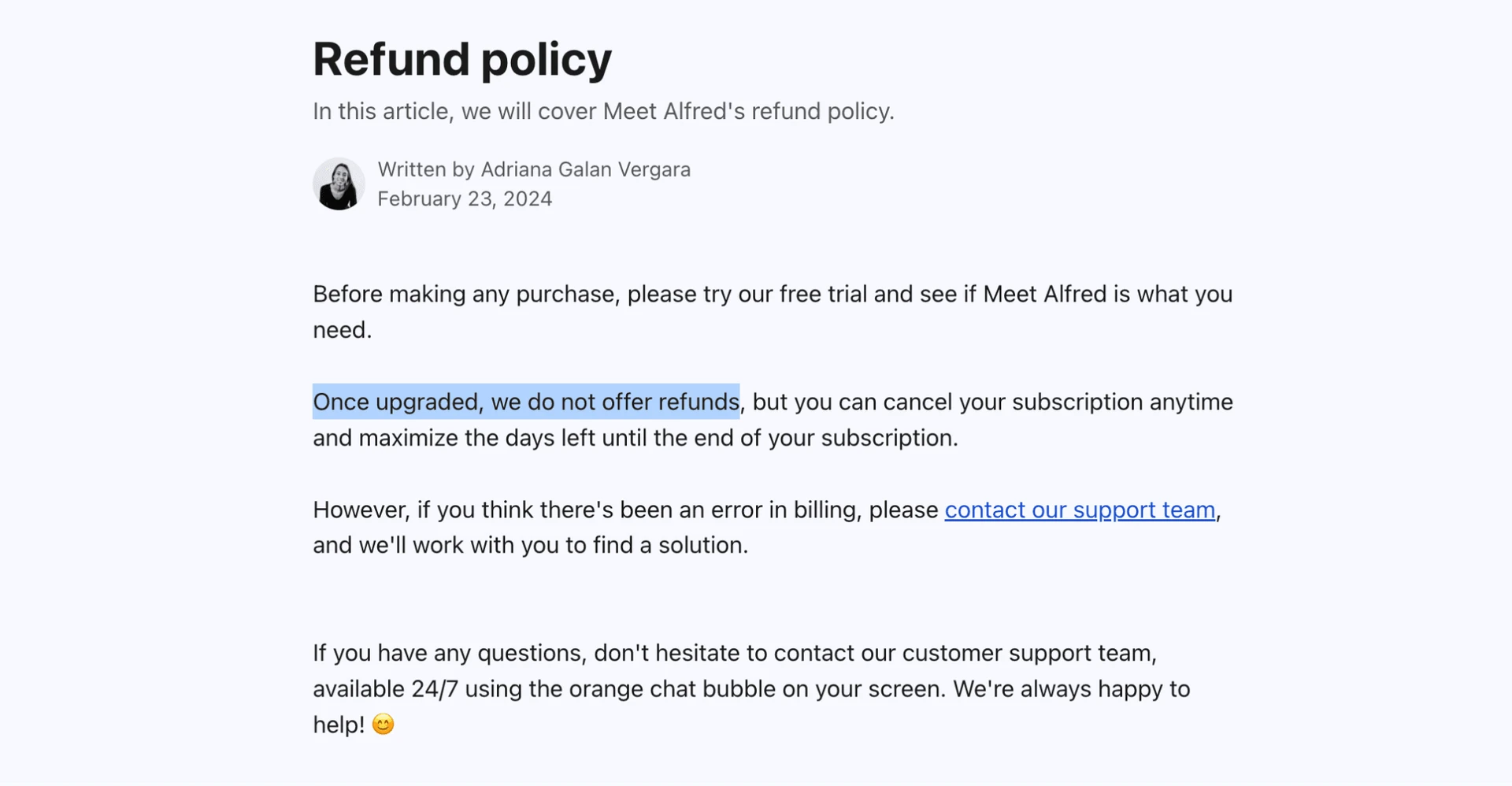
Other limits matter after checkout. “Unlimited Campaigns” remains subject to an “excessive use” clause in the Acceptable Use Policy. The refund policy says upgraded accounts receive no refund except for a proven billing error.
Confirm the pricing tab, export entitlement, and campaign volume before upgrading.
[screenshot_pending shot_type="pricing" alt="Meet Alfred pricing page - July 2026"]
Meet Alfred pricing page with the current plan and promotion details - July 2026
Related: See the Meet Alfred alternatives comparison →
Meet Alfred's Automation & Campaign Engine
Meet Alfred uses a linear sequence builder. Like most tools in this space, it arranges actions in order and sets delays between steps. It can also stop follow-up after a reply. There is no campaign-level if/then branch on any tier.
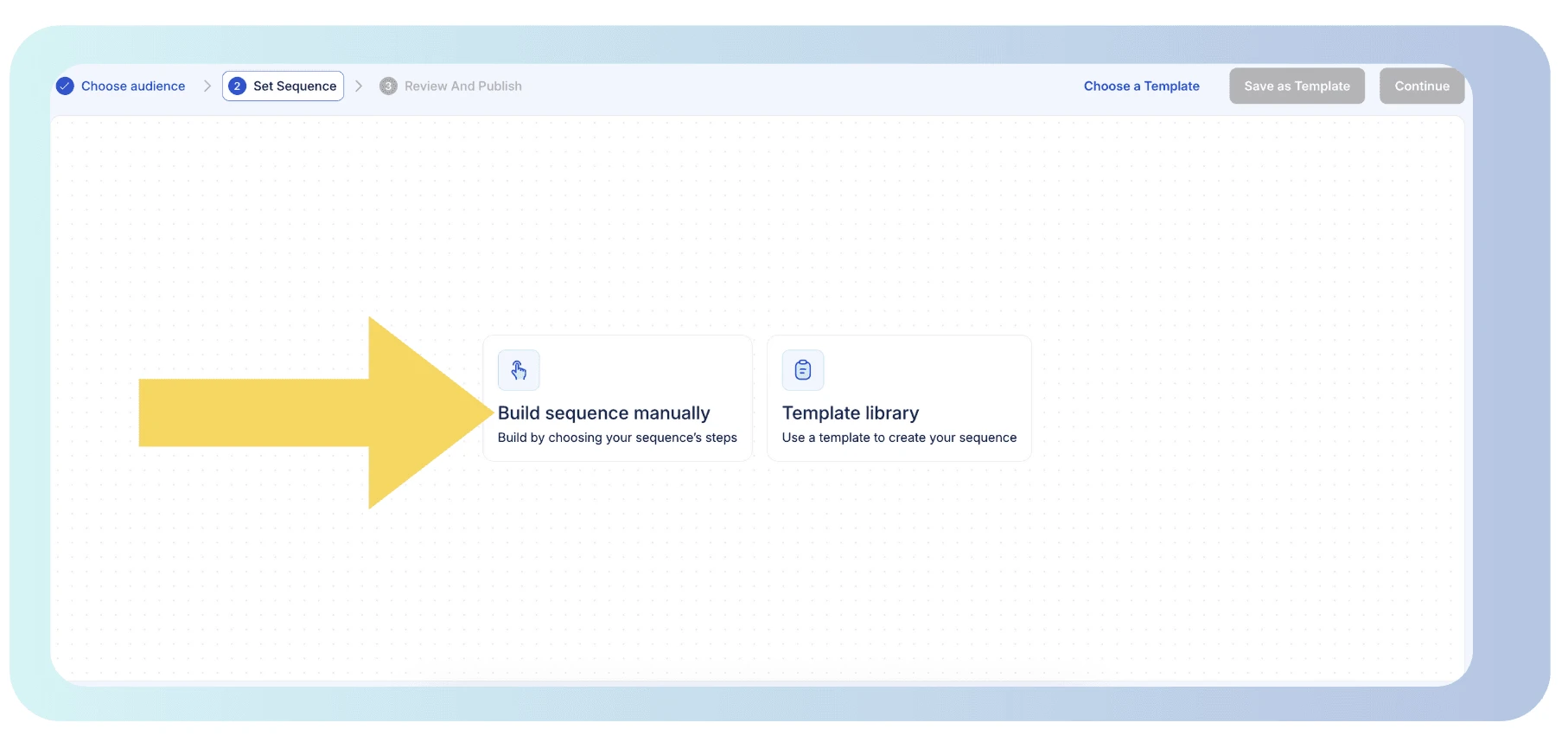
A single campaign cannot route leads by reply, profile field, or earlier action result. Teams needing different treatments must segment audiences before launch or create more campaigns.
The confirmed control set is closed and specific:
- Ordered sequence steps
- Configurable delays between steps
- Auto-stop when a lead replies
- Daily action caps tied to the connected LinkedIn account tier
- Working-hours scheduling
- Timing randomization
- Manual sequence building or selection from the template library
No distinct A/B testing capability was found. Message variants therefore cannot run inside a documented experiment that reports a winner. Campaign operators need another process to compare reply rates.
Daily caps depend on the connected LinkedIn account: Free, Premium, or Sales Navigator. They do not depend on the Meet Alfred subscription: Basic, Pro, or Teams. Upgrading the automation plan does not raise LinkedIn-side operating headroom. The account’s history and behavior still matter alongside product settings. For background, see how daily and weekly action limits affect an automation workflow.
Failure handling remains operator-led. The documentation confirms trigger-gated behavior, including a stop after a reply. It does not document automatic risk throttling or an automatic pause after a LinkedIn warning. The operator must notice the warning and pause activity manually. An unattended campaign can continue until someone intervenes.
Linear workflows only: Meet Alfred documents ordered steps, delays, reply stops, limits, schedules, and randomization, but no campaign-level branching, distinct A/B test, or automatic warning-response pause.
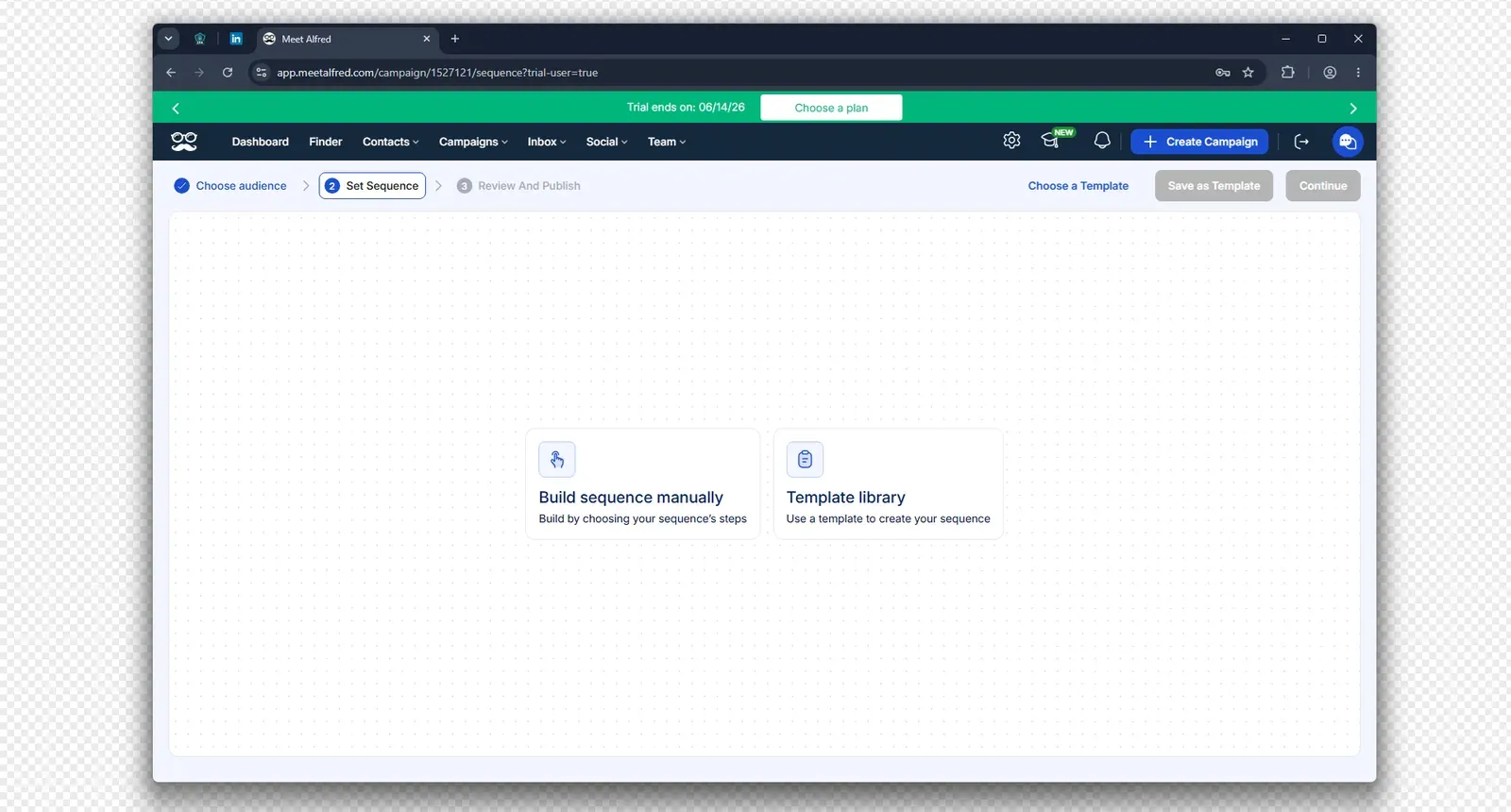
Meet Alfred's campaign sequence screen offers manual building or a template library - July 2026
The engine handles scheduled outbound sequences. More complexity means duplicating campaigns rather than branching inside one workflow. A few stable paths remain manageable. Lead handling becomes more cumbersome when several conditions determine the next step.
Personalization & Message Uniqueness
Meet Alfred’s “AI-Personalization” label refers to profile-field substitution. It inserts a lead’s name, title, and company into a message. This is the mail-merge model used across outreach software. The feature page names no large-language-model provider or generative writing mechanism.
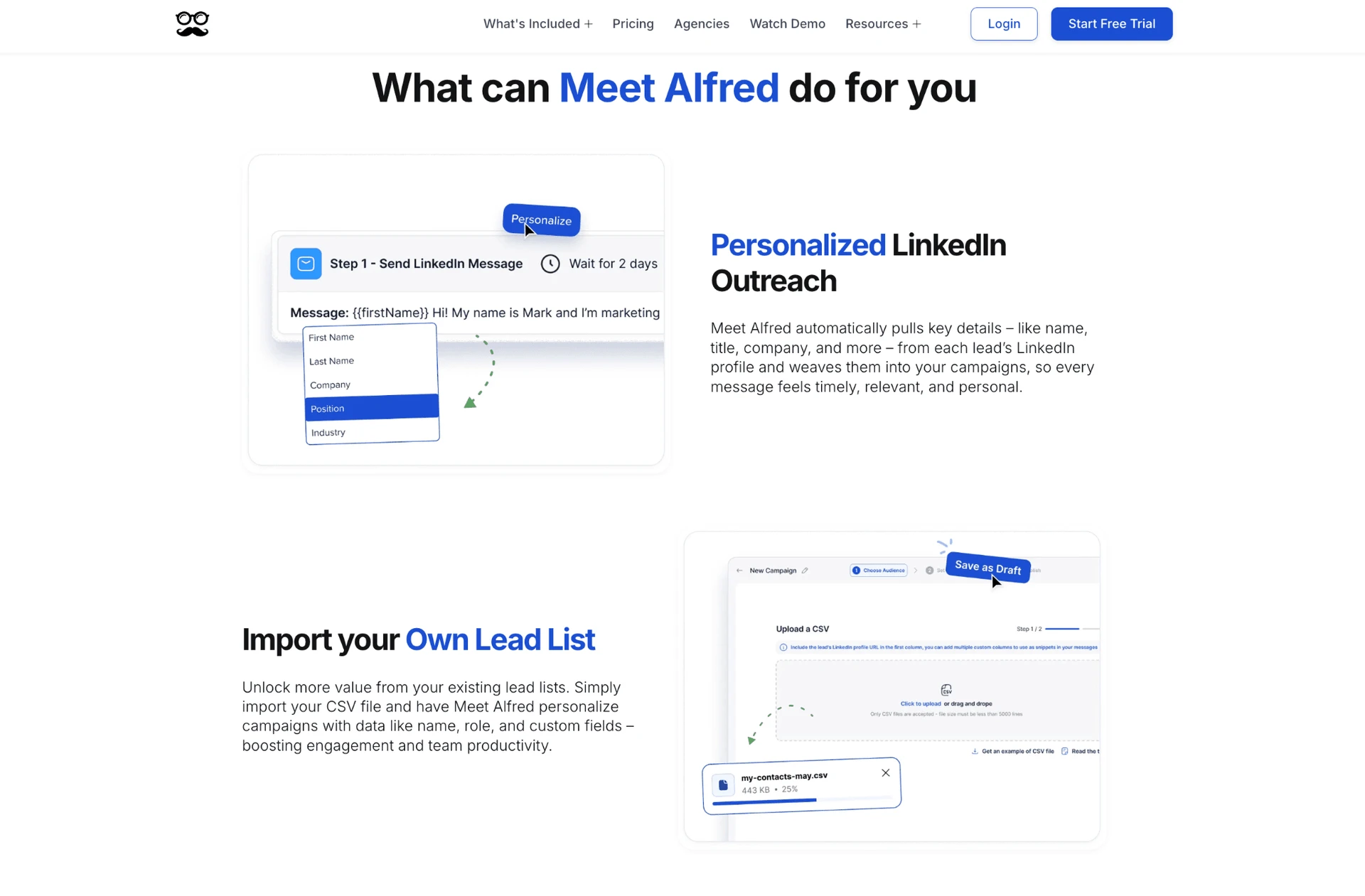
The label therefore does not confirm automatic copy generation.
The confirmed capability is token-based personalization from LinkedIn profile data. No native generative message writing or AI-generated post comments were found. Message quality still depends on the operator’s template. Missing or awkward source fields can flow into the final copy unless checked beforehand.
Personalization also affects safety. Varying real profile fields avoids sending literally identical text to every lead. It does not remove behavioral signals from volume, timing, or account activity. The safety section covers those mechanisms separately.
What the AI label means: The documented mechanism is name, title, and company substitution. Native generative messages and AI-written comments were not found.
Lead Targeting, List-Building & ICP
Meet Alfred documents ten lead-source types, but no native Ideal Customer Profile scoring was verified:
-
LinkedIn Search
-
First-degree connections
-
CSV upload
-
Sales Navigator saved searches
-
Third-party sources through Zapier, Make, or webhooks
-
Post engagers
-
Company-page followers
-
LinkedIn Ads engagers
-
Newsletter audiences
Campaigns can start from a search, prepared file, existing network, or engagement audience. Sales Navigator list collection requires Pro or above.
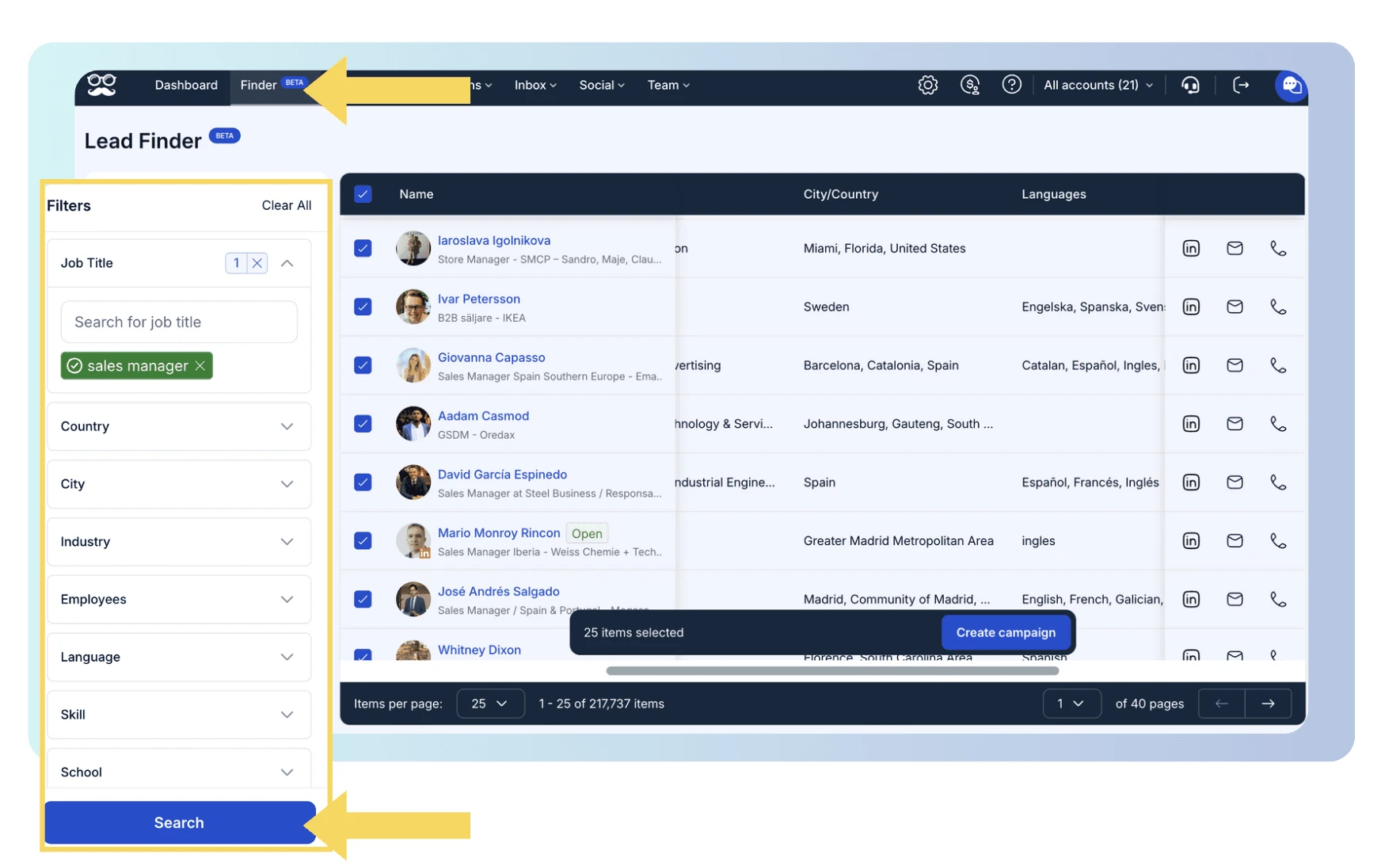
The $59 Basic plan therefore does not expose the complete sourcing set. Both the automation plan and paid LinkedIn subscription affect the workflow. See what a paid LinkedIn subscription changes for targeting.
The built-in Lead Finder returns emails found with LinkedIn search results and consumes the plan’s Results quota. It is not a standalone email finder or verifier for people who have not accepted an invitation.
Teams needing off-platform discovery and verification for cold, unconnected leads still need another data process.
Search and source selection can narrow an audience. The available evidence does not show automatic profile-by-profile fit scoring. List quality therefore remains the operator’s responsibility rather than a native classification step.
Price the targeting stack: Sales Navigator collection requires Pro or above, and Sales Navigator itself is a separate LinkedIn product. Include both gates when costing this workflow.
Integrations & Ecosystem
Meet Alfred has one confirmed native integration: HubSpot. Direct OAuth access is limited to Teams, Agency, or Enterprise documentation. The live public pricing page does not list Agency or Enterprise tiers. Those names may describe non-public plans or older documentation, but the status remains unresolved. Teams is the only publicly checkable route.
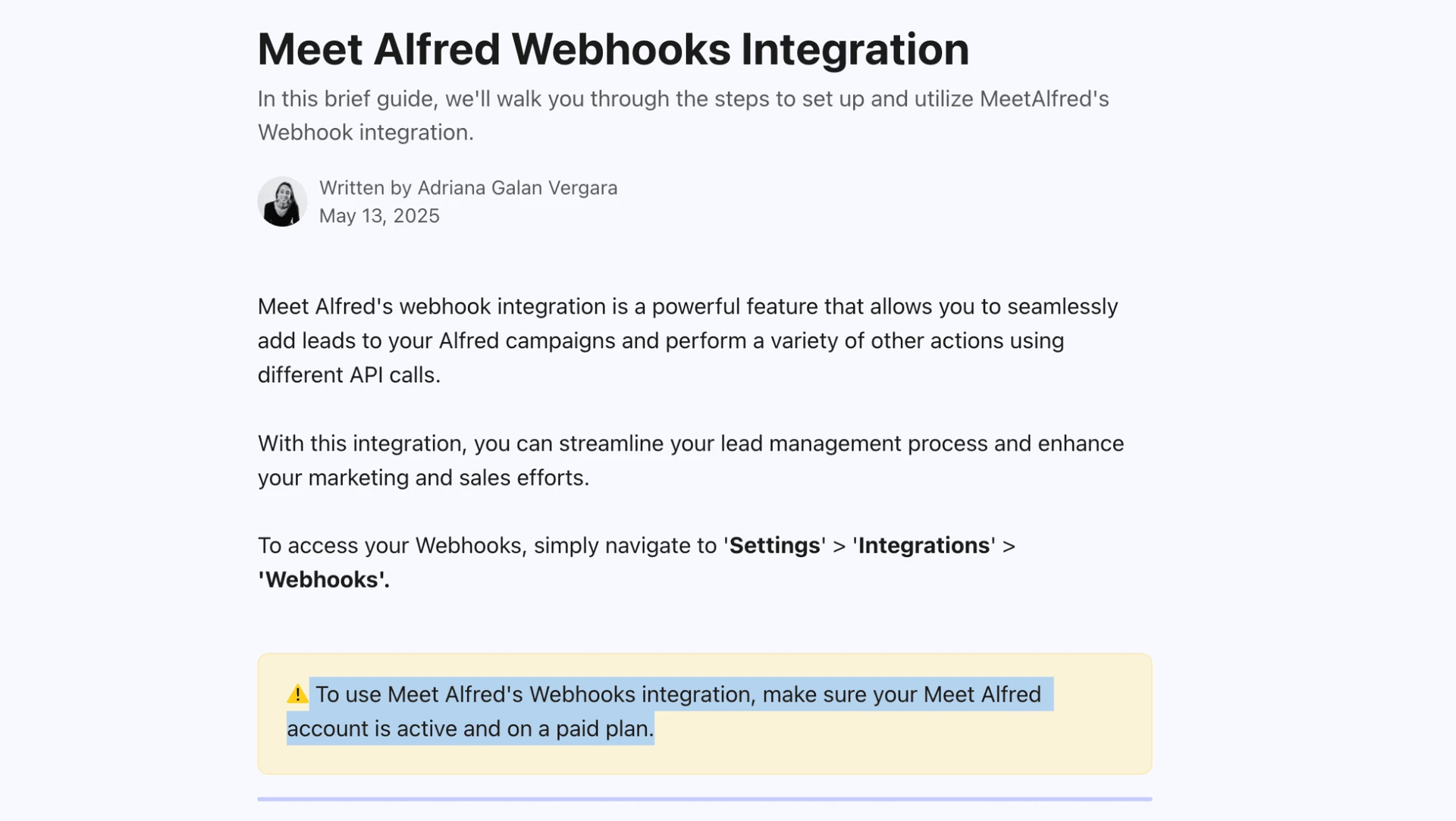
Zapier is available from Pro. The product also documents a key-gated webhook mechanism with eight fixed actions. One action writes data: “Add New Lead.” The other seven read data. This is a bounded integration surface. No public developer portal, versioned REST documentation, or published rate limits were found. Calling it a public API would overstate the available documentation. For context, see how a Zapier-webhook handoff works.
Salesforce remains unresolved. The vendor’s integrations FAQ says HubSpot and Salesforce work “through Zapier or Webhooks.” A separate help article documents native HubSpot OAuth. No equivalent native Salesforce connection article was found, so this review does not count Salesforce as native.
Campaign and CRM-data export is a separate entitlement, not a general Pro integration. The pricing page places the phrase under Pro, but the help center reserves it for Teams. Operators cannot infer data portability from Zapier access alone.
Integration boundary: The confirmed native count is 1—HubSpot, gated above Pro. Zapier and eight fixed webhook actions extend the product, but they are not a documented public REST API.
Team, Agency & White-label Tools
Centralized multi-account management requires Teams. One seat maps to one non-shareable LinkedIn account. The central dashboard lets an owner or administrator operate accounts without logging into each one separately. For 20 seats on the annual Team rate, the arithmetic is $39 × 20 × 12, or $9,360 per year. Agencies should model the Team rate rather than multiply Basic by the number of accounts.
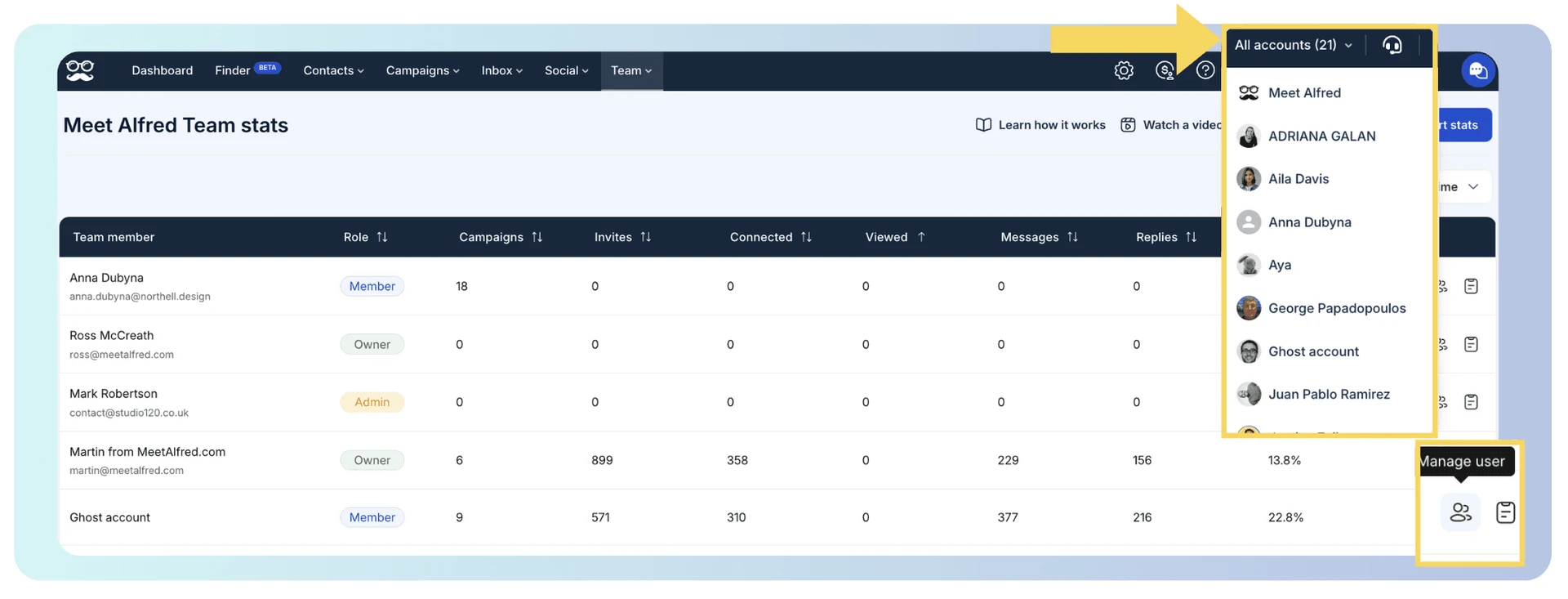
White-label access begins at five seats. It includes branding, a custom domain, and custom SMTP email. The threshold makes the feature available to a small agency. It does not change the one-account-per-seat rule.
Account isolation depends partly on the administration model. Owners and administrators can impersonate a team account, including a client account. No audit log for those events was found. Agencies handling client credentials therefore need their own access policy and off-platform audit trail. They should not assume administrators are technically isolated from each workspace.
Administrative access: Owners and administrators can impersonate team accounts, and no impersonation audit log was found. Client isolation therefore depends partly on the agency's own controls.
Is Meet Alfred Safe?
Meet Alfred uses cloud credential login, so session custody and warning response remain central to its safety profile. It receives a LinkedIn email and password, then creates a session on vendor-managed infrastructure. No public browser extension was available. The relevant mechanisms are network quality, pacing, session custody, and warning response.
Network reputation: IPQualityScore (IPQS) is an independent fraud-prevention service with more than ten years on the market. Its 0–100 scale treats 75 or higher as high risk. IPQS is an IP-quality signal, not LinkedIn’s enforcement verdict. Residential or mobile addresses come from home or phone networks. Datacenter addresses come from rented servers. For LinkedIn, a personal session on rented server infrastructure can stand out.
What I verified first-hand
| What was checked | Result |
|---|---|
| Test scope | Two LinkedIn accounts connected from a declared France location in June 2026 |
| Authentication | Credential login; Meet Alfred received the LinkedIn email and password |
| Browser extension | None found; no public companion extension was used |
| Exit-IP separation | Different IPs and different /24 network blocks |
| Infrastructure overlap | Both routes used the same upstream ISP; one appeared residential and one datacenter |
| IP reputation | Maximum IPQS fraud score 0; no proxy, VPN, Tor, or recent-abuse flags |
| Location choice | France selected from 247 available locations |
| User-provided proxy | Supported |
| Built-in proxy quality score | None found beyond a basic connection check |
| Automatic pause after a LinkedIn warning | None documented; pausing is manual |
Meet Alfred two-account safety check
I observed distinct assigned IPs and clean reputation results. The test does not support the idea that both accounts used obviously abused addresses. The shared provider and vendor-held credentials make session custody and behavioral continuity material risk factors. IP cleanliness is only one part of that picture. These observations describe the tested setup, not the vendor’s entire infrastructure.
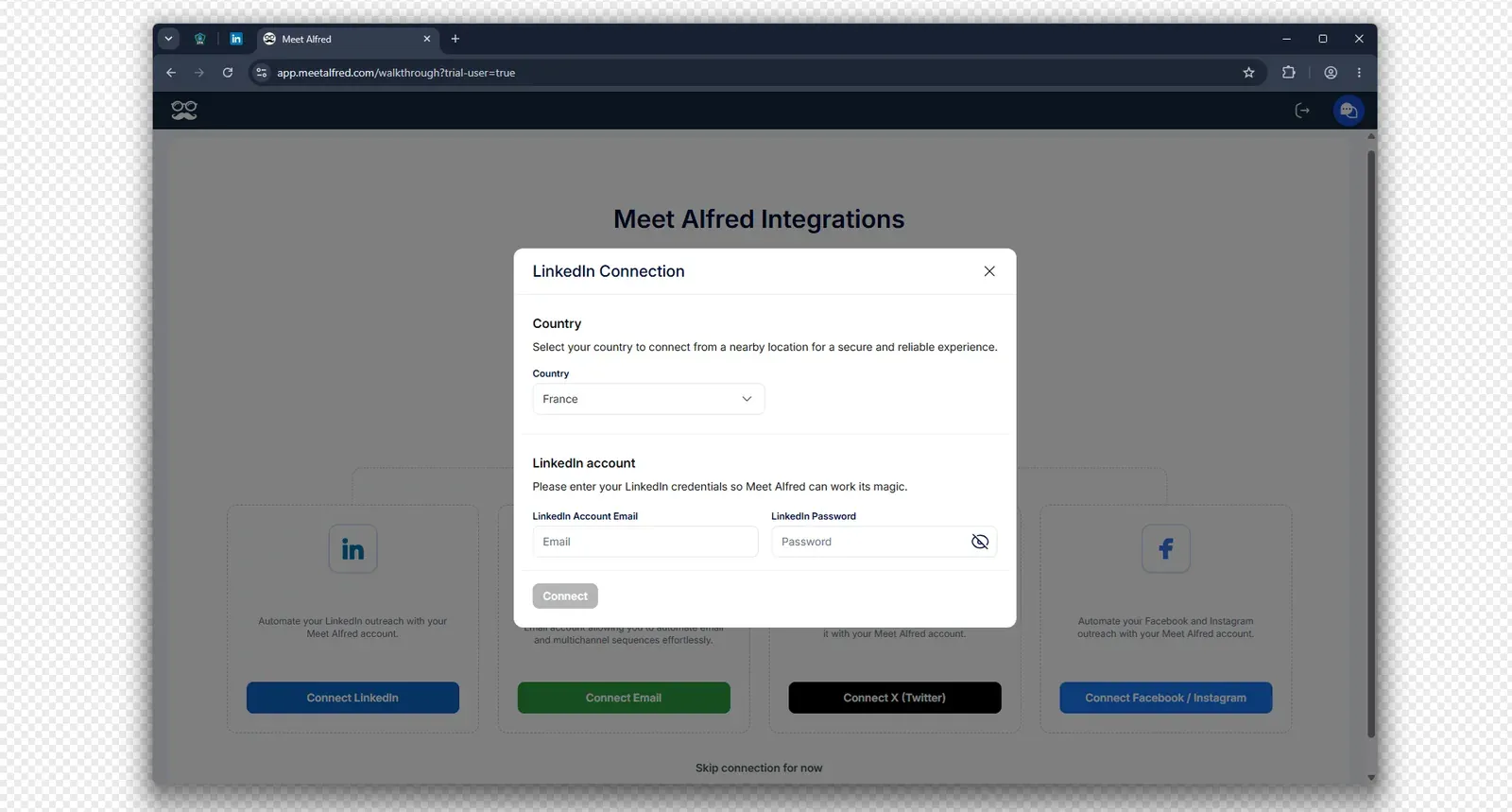
Meet Alfred asks for a LinkedIn email and password and lets the user choose a connection country - July 2026
The vendor says “each account gets a unique, dedicated IP.” I found different addresses, but both came from the same upstream ISP. That pattern is more consistent with a managed pool than independently controlled infrastructure. One route was datacenter-classified; the other was residential. The IPQS score of 0 is reassuring for both tested addresses. It cannot prove an account will avoid restrictions.
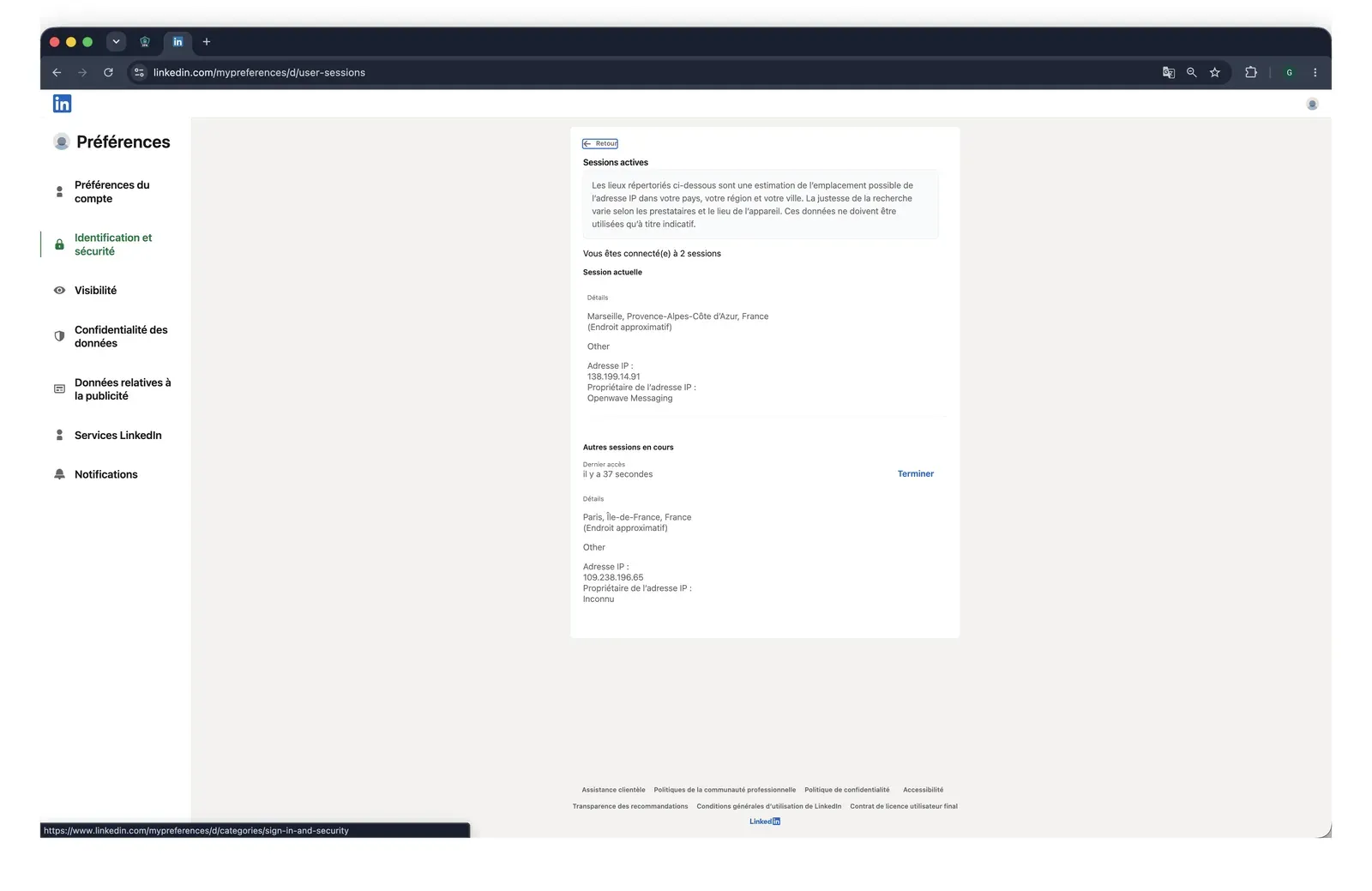
LinkedIn's active-sessions page showed the additional Paris session created during the Meet Alfred test - July 2026
Safety controls include daily limits, working hours, timing randomization, timezone selection, and user-provided proxies. They are available from the trial.
The proxy check confirms connectivity but does not publish a reputation threshold. Account caps follow the connected LinkedIn tier. A warning requires the operator to pause activity manually. For practical context, see working hours and pacing, proxy selection, and LinkedIn restriction types.
Clean IPs are not immunity: Both tested routes scored 0 in IPQS, but credential custody, a datacenter route, account behavior, and manual warning response remain separate risk factors. No tool eliminates LinkedIn restriction risk.
What Reviews and Reddit Actually Show
The platform split is the finding. The Trustpilot set averages 4.73★ across 884 reviews. The homepage displays 4.7★ from 911 reviews, while the vendor’s comparison page displays 4.4★. These measurements use different sources and denominators, so none is a definitive score.
G2 tells a different story. Its 30 reviews average 3.3★, while the product profile shows 3.2★. The distribution is U-shaped: 15 five-star, six four-star, zero three-star, one two-star, and eight one-star ratings. Experiences therefore cluster toward the ends. Capterra’s 13 reviews average 2.77★, but that sample cannot carry the conclusion alone. Only one rated review appeared in the trailing six months, so there is no defensible current trend.
The dated record shows a pattern, not a conclusion. Six weekly volume spikes appear in the record. In 2021, 265 of 319 reviews—83%—were exactly five stars. Activity fell to 12 reviews in 2025 and one in 2026. G2 record g2-8118628 and Capterra record capterra-4805203 were posted under different names on 2023-05-19. Both carry the near-identical phrase “FAKE Promises — SCAM.” Trustpilot record trustpilot-6584ca87ae2b6d2e497750df later used “paid for bots.” These records warrant scrutiny, but they do not establish why the pattern exists.
The homepage says founded in 2016; G2 says 2017. Company-profile materials also mix Sydney with a garbled Dubai/Australia address. Buyers should verify the contracting entity rather than infer it from a profile label.